
MarkLogic Server. MarkLogic Connector for Hadoop Developer s Guide. MarkLogic 8 February, 2015
|
|
|
- Sibyl Strickland
- 10 years ago
- Views:
Transcription
1 MarkLogic Connector for Hadoop Developer s Guide 1 MarkLogic 8 February, 2015 Last Revised: 8.0-3, June, 2015 Copyright 2015 MarkLogic Corporation. All rights reserved.
2 Table of Contents Table of Contents MarkLogic Connector for Hadoop Developer s Guide 1.0 Introduction to MarkLogic Connector for Hadoop Terms and Definitions Overview Job Building Tools Provided by the Connector Input and Output Selection Features MarkLogic Server Access via XDBC App Server MarkLogic-Specific Key and Value Types Deploying the Connector with a MarkLogic Server Cluster Relationship of MarkLogic Server to a Hadoop Cluster Jobs Use In-Forest Evaluation Using the Pre-Configured XDBC App Server on Port Cluster-wide XDBC Configuration Requirements Making a Secure Connection to MarkLogic Server with SSL Getting Started with the MarkLogic Connector for Hadoop Requirements Required Software Security Requirements for MapReduce Jobs Installing the MarkLogic Connector for Hadoop Configuring Your Environment to Use the Connector Running the HelloWorld Sample Application Selecting the App Server and Database Loading the Sample Data Loading Sample Data with mlcp Loading Sample Data Manually Configuring the Job Running the Job Making the Connector Available Across a Hadoop Cluster Organization of the Connector Distribution Apache Hadoop MapReduce Concepts MapReduce Overview Example: Calculating Word Occurrences Understanding the MapReduce Job Life Cycle Job Client Job Tracker Task Tracker Map Task...31 MarkLogic 8 February, 2015 MarkLogic Connector for Hadoop Developer s Guide Page 2

3 Table of Contents Reduce Task How Hadoop Partitions Map Input Data Configuring a MapReduce Job Configuration Basics Setting Properties in a Configuration File Setting Properties Using the Hadoop API Setting Properties on the Command Line Configuring a Map-Only Job Running a MapReduce Job Viewing Job Status and Logs Using MarkLogic Server for Input Basic Steps Identifying the Input MarkLogic Server Instance Specifying the Input Mode Specifying the Input Key and Value Types Defining the Map Function Basic Input Mode Creating Input Splits Using a Lexicon to Generate Key-Value Pairs Implement a Lexicon Function Wrapper Subclass Override Lexicon Function Parameter Wrapper Methods Choose an InputFormat Configure the Job De-duplication of Results Might Be Required Using XPath to Generate Key-Value Pairs Example: Counting Href Links Advanced Input Mode Creating Input Splits Overview Creating a Split Query with hadoop:get-splits Creating Input Key-Value Pairs Optimizing Your Input Query Example: Counting Hrefs Using Advanced Mode Using KeyValueInputFormat and ValueInputFormat Overview Job Configuration Supported Type Transformations Example: Using KeyValueInputFormat Configuring a Map-Only Job Direct Access Using ForestInputFormat When to Consider ForestInputFormat Limitations of Direct Access Controlling Input Document Selection Specifying the Input Forest Directories Determining Input Document Type in Your Code...67 MarkLogic 8 February, 2015 MarkLogic Connector for Hadoop Developer s Guide Page 3

4 Table of Contents Where to Find More Information Input Configuration Properties InputFormat Subclasses Lexicon Function Subclasses Using MarkLogic Server for Output Basic Steps Identifying the Output MarkLogic Server Instance Configuring the Output Key and Value Types Defining the Reduce Function Disabling Speculative Execution Example: Storing MapReduce Results as Nodes Creating a Custom Output Query with KeyValueOutputFormat Output Query Requirements Implementing an XQuery Output Query Implementing an JavaScript Output Query Job Configuration Supported Type Transformations Controlling Transaction Boundaries Streaming Content Into the Database Performance Considerations for ContentOutputFormat Time vs. Space: Configuring Batch and Transaction Size Time vs. Correctness: Using Direct Forest Updates Reducing Memory Consumption With Streaming Output Configuration Properties OutputFormat Subclasses Troubleshooting and Debugging Enabling Debug Level Logging Solutions to Common Problems Configuration File Not Found XDBC App Server Not Reachable Authorization Failure Using the Sample Applications Set Up for All Samples Install Required Software Multi-host Configuration Considerations Configure Your Environment Copy the Sample Configuration Files Modify the Sample Configuration Files Additional Sample Data Setup Creating the Database Creating the XDBC App Server Loading the Data MarkLogic 8 February, 2015 MarkLogic Connector for Hadoop Developer s Guide Page 4

5 Table of Contents 7.3 Interacting with HDFS Initializing HDFS Accessing Results Saved to HDFS Placing Content in HDFS to Use as Input Sample Applications HelloWorld LinkCountInDoc LinkCountInProperty LinkCountValue LinkCount LinkCountCooccurrences RevisionGrouper BinaryReader ContentReader ContentLoader ZipContentLoader Technical Support Copyright COPYRIGHT MarkLogic 8 February, 2015 MarkLogic Connector for Hadoop Developer s Guide Page 5

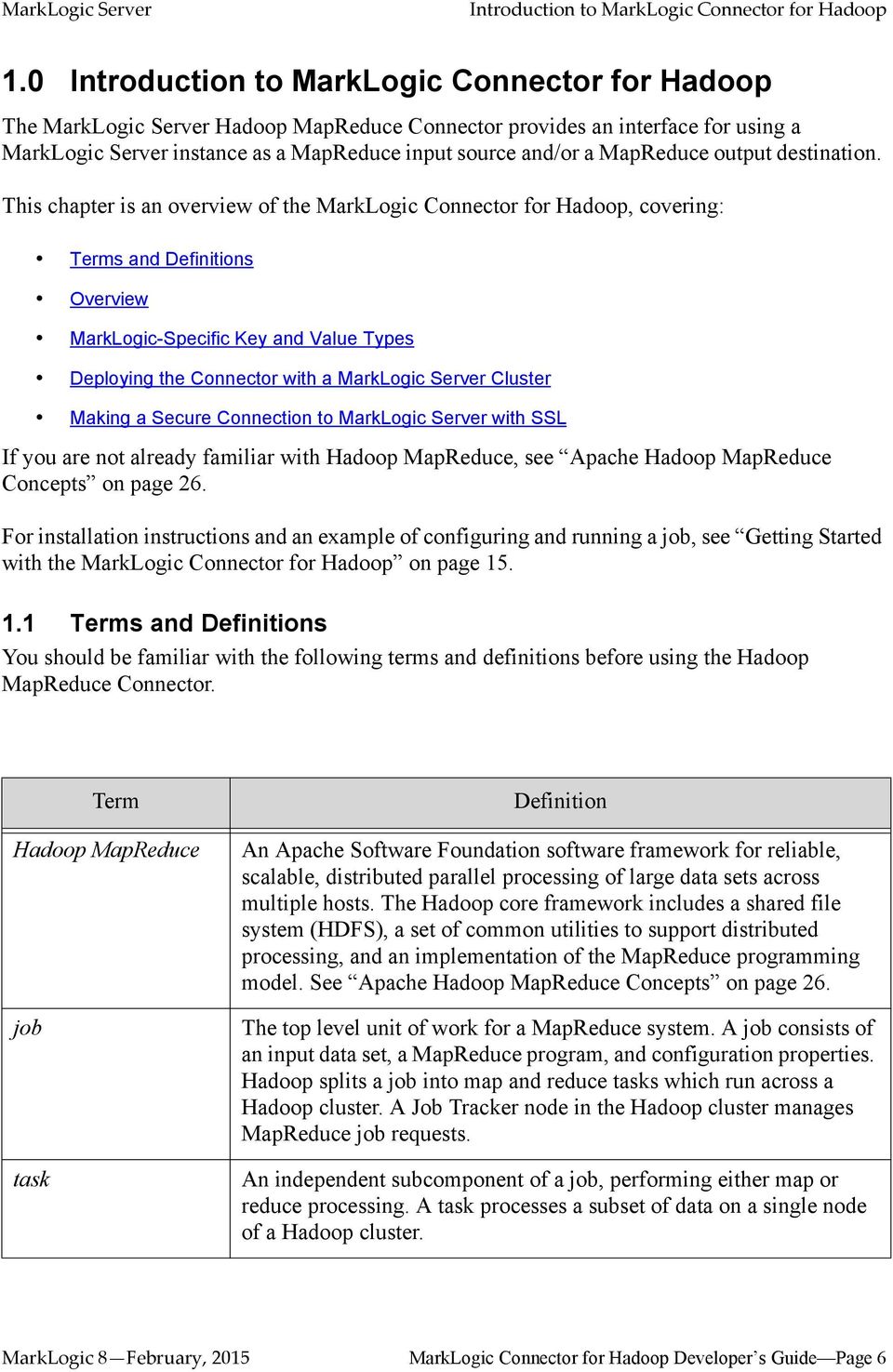
6 Introduction to MarkLogic Connector for Hadoop 1.0 Introduction to MarkLogic Connector for Hadoop 14 The MarkLogic Server Hadoop MapReduce Connector provides an interface for using a MarkLogic Server instance as a MapReduce input source and/or a MapReduce output destination. This chapter is an overview of the MarkLogic Connector for Hadoop, covering: Terms and Definitions Overview MarkLogic-Specific Key and Value Types Deploying the Connector with a MarkLogic Server Cluster Making a Secure Connection to MarkLogic Server with SSL If you are not already familiar with Hadoop MapReduce, see Apache Hadoop MapReduce Concepts on page 26. For installation instructions and an example of configuring and running a job, see Getting Started with the MarkLogic Connector for Hadoop on page Terms and Definitions You should be familiar with the following terms and definitions before using the Hadoop MapReduce Connector. Term Hadoop MapReduce job task Definition An Apache Software Foundation software framework for reliable, scalable, distributed parallel processing of large data sets across multiple hosts. The Hadoop core framework includes a shared file system (HDFS), a set of common utilities to support distributed processing, and an implementation of the MapReduce programming model. See Apache Hadoop MapReduce Concepts on page 26. The top level unit of work for a MapReduce system. A job consists of an input data set, a MapReduce program, and configuration properties. Hadoop splits a job into map and reduce tasks which run across a Hadoop cluster. A Job Tracker node in the Hadoop cluster manages MapReduce job requests. An independent subcomponent of a job, performing either map or reduce processing. A task processes a subset of data on a single node of a Hadoop cluster. MarkLogic 8 February, 2015 MarkLogic Connector for Hadoop Developer s Guide Page 6
7 Introduction to MarkLogic Connector for Hadoop Term map task reduce task mapper reducer input source input split Definition A task which contributes to the map step of a job. A map task transforms the data in an input split into a set of output key-value pairs which can be further processed by a reduce task. A map task has no dependence on or awareness of other map tasks in the same job, so all the map tasks can run in parallel. A task which contributes to the reduce step of a job. A reduce task takes the results of the map tasks as input, produces a set of final result key-value pairs, and stores these results in a database or file system. A reduce task has no dependence on or awareness of other reduce tasks in the same job, so all the reduce tasks can run in parallel. Programatically, a subclass of org.apache.hadoop.mapreduce.mapper. The mapper transforms map input key-value pairs into map output key-value pairs which can be consumed by reduce tasks. An input pair can map to zero, one, or many output pairs. Programmatically, a subclass of org.apache.hadoop.mapreduce.reducer. The reducer aggregates map output into final results during the reduce step of a job. The value portion of an input key-value pair for reduce is a list of all values sharing the same key. One input key-value pair can generate zero, one, or many output pairs. A database, file system, or other system that provides input to a job. For example, a MarkLogic Server instance or HDFS can be used as an input source. The subset of the input data set assigned to a map task for processing. Split generation is controlled by the InputFormat subclass and configuration properties of a job. See How Hadoop Partitions Map Input Data on page 32. input split query input query When using MarkLogic Server as an input source, the query that determines which content to include in each split. By default, the split query is built in. In advanced input mode, the split query is part of the job configuration. When using MarkLogic Server as an input source, the query that generates input key-value pairs from the fragments/records in the input split. MarkLogic 8 February, 2015 MarkLogic Connector for Hadoop Developer s Guide Page 7

8 Introduction to MarkLogic Connector for Hadoop Term InputFormat Definition The abstract superclass, org.apache.hadoop.mapreduce.inputformat, of classes through which input splits and input key-value pairs are created for map tasks. The Apache Hadoop MapReduce API includes InputFormat subclasses for using HDFS as an input source. The MarkLogic Connector for Hadoop API provides InputFormat subclasses for using MarkLogic Server as an input source; see InputFormat Subclasses on page 71. OutputFormat The abstract superclass, org.apache.hadoop.mapreduce.outputformat, of classes that store output key-value pairs during the reduce phase. The Apache Hadoop MapReduce API includes OutputFormat subclasses for using HDFS for output.the MarkLogic Connector for Hadoop API provides OutputFormat subclasses for using a MarkLogic Server database as an output destination; see OutputFormat Subclasses on page 94. HDFS shuffle CDH HDP The Hadoop Distributed File System, which can be used as an input source or an output destination in jobs. HDFS is the default source and destination for Hadoop MapReduce jobs. The process of sorting all map output values with the same key into a single (key, value-list) reduce input key-value pair. The shuffle happens between map and reduce. Portions of the shuffle can be performed by map tasks and portions by reduce tasks. Cloudera s Distribution Including Apache Hadoop. One of the Hadoop distributions supported by the MarkLogic Connector for Hadoop. Hortonworks Data Platform. One of the Hadoop distributions supported by the MarkLogic Connector for Hadoop. 1.2 Overview This section provides a high level overview of the features of the MarkLogic Connector for Hadoop. If you are not already familiar with Hadoop MapReduce, you should first read Apache Hadoop MapReduce Concepts on page 26. Topics covered in this section: Job Building Tools Provided by the Connector Input and Output Selection Features MarkLogic 8 February, 2015 MarkLogic Connector for Hadoop Developer s Guide Page 8

9 Introduction to MarkLogic Connector for Hadoop MarkLogic Server Access via XDBC App Server Job Building Tools Provided by the Connector The MarkLogic Connector for Hadoop manages sessions with MarkLogic Server and builds and executes queries for fetching data from and storing data in MarkLogic Server. You only need to configure the job and provide map and reduce functions to perform the desired analysis. The MarkLogic Connector for Hadoop API provides tools for building MapReduce jobs that use MarkLogic Server, such as the following: InputFormat subclasses for retrieving data from MarkLogic Server and supplying it to the map function as documents, nodes, and user-defined types. See InputFormat Subclasses on page 71. OutputFormat subclasses for saving data to MarkLogic Server as documents, nodes and properties. See OutputFormat Subclasses on page 94. Classes supporting key and value types specific to MarkLogic Server content, such as nodes and documents. See MarkLogic-Specific Key and Value Types on page 10. Job configuration properties specific to MarkLogic Server, including properties for selecting input content, controlling input splits, and specifying output destination and document quality. See Input Configuration Properties on page 69 and Output Configuration Properties on page Input and Output Selection Features Using MarkLogic Server for input is independent of using it for output. For example, you can use a MarkLogic Server database for input and save your results to HDFS, or you can use HDFS for input and save your results in a MarkLogic Server database. You can also use MarkLogic Server for both input and output. The MarkLogic Connector for Hadoop supports two input modes, basic and advanced, through the mapreduce.marklogic.input.mode configuration property. The default mode is basic. In basic input mode, the connector handles all aspects of split creation, and your job configuration specifies which content in a split is transformed into input key-value pairs. In advanced input mode, you control both the split creation and the content selection by writing an input split query and an input query. For details, see Using MarkLogic Server for Input on page 37. Basic mode provides the best performance. When using MarkLogic Server for input, input data can come from either database content (documents) or from a lexicon. MapReduce results can be stored in MarkLogic Server as documents, nodes, and properties. See Using MarkLogic Server for Output on page 75. MarkLogic 8 February, 2015 MarkLogic Connector for Hadoop Developer s Guide Page 9
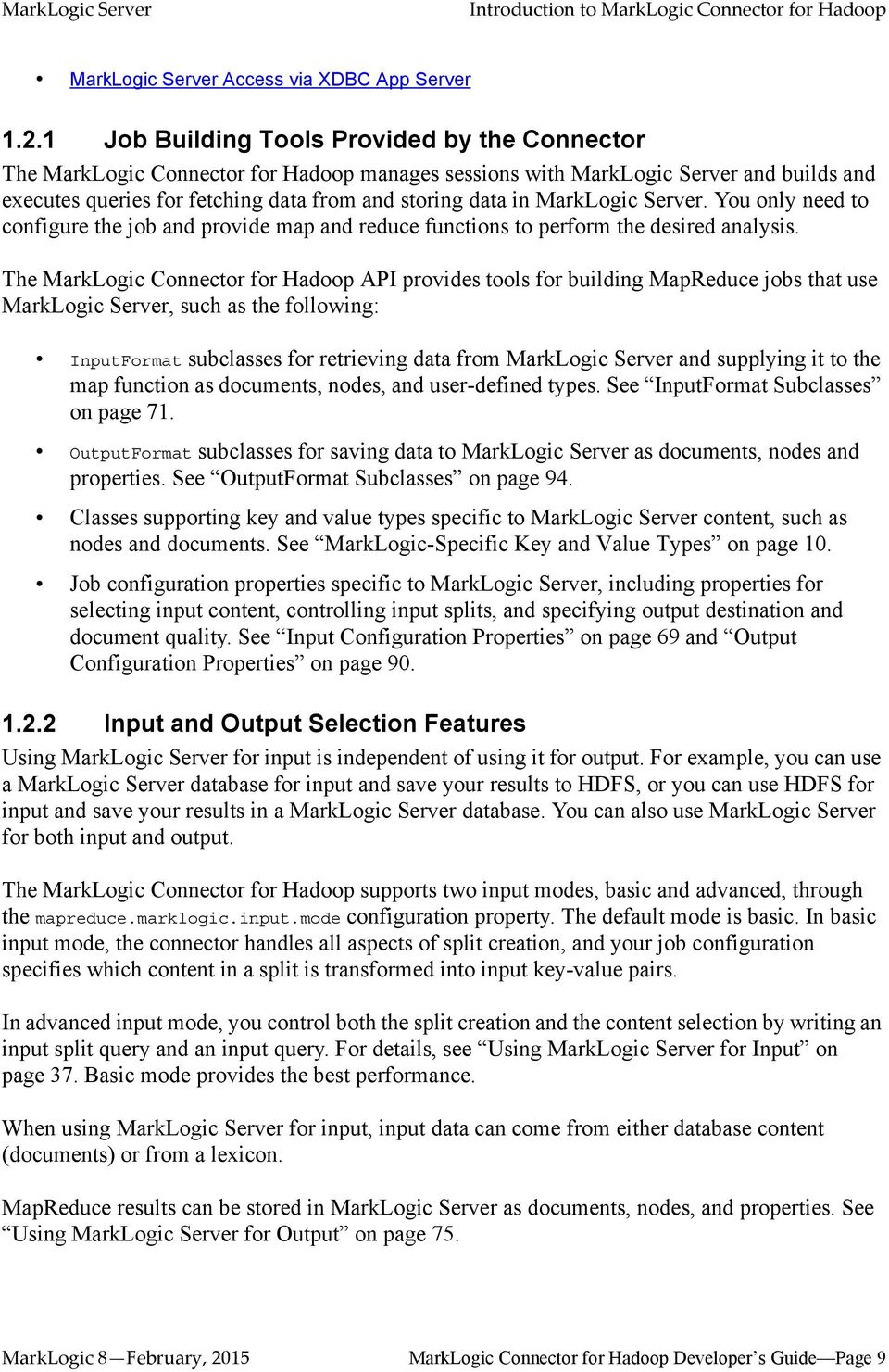
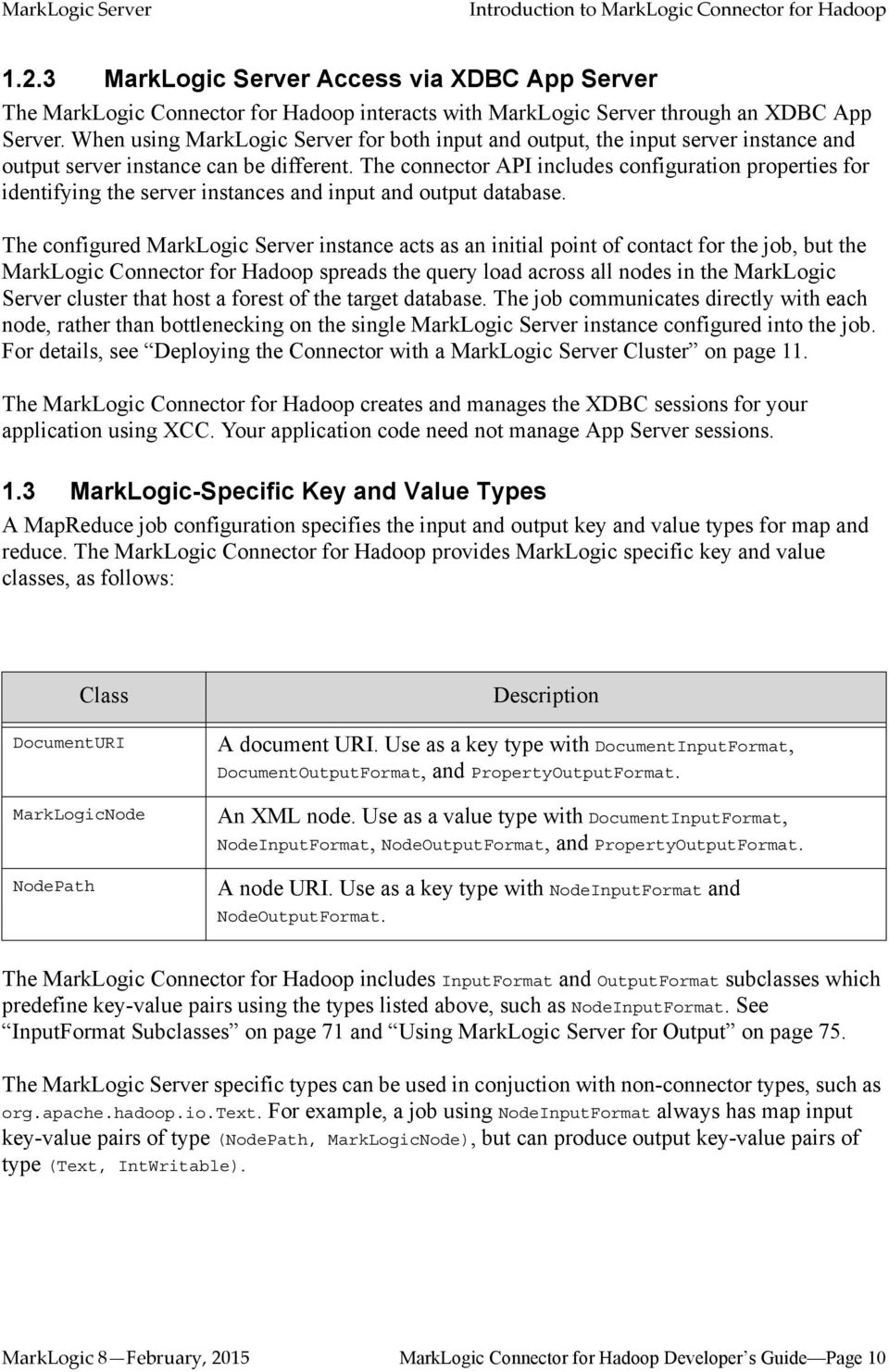
10 Introduction to MarkLogic Connector for Hadoop MarkLogic Server Access via XDBC App Server The MarkLogic Connector for Hadoop interacts with MarkLogic Server through an XDBC App Server. When using MarkLogic Server for both input and output, the input server instance and output server instance can be different. The connector API includes configuration properties for identifying the server instances and input and output database. The configured MarkLogic Server instance acts as an initial point of contact for the job, but the MarkLogic Connector for Hadoop spreads the query load across all nodes in the MarkLogic Server cluster that host a forest of the target database. The job communicates directly with each node, rather than bottlenecking on the single MarkLogic Server instance configured into the job. For details, see Deploying the Connector with a MarkLogic Server Cluster on page 11. The MarkLogic Connector for Hadoop creates and manages the XDBC sessions for your application using XCC. Your application code need not manage App Server sessions. 1.3 MarkLogic-Specific Key and Value Types A MapReduce job configuration specifies the input and output key and value types for map and reduce. The MarkLogic Connector for Hadoop provides MarkLogic specific key and value classes, as follows: Class DocumentURI MarkLogicNode NodePath Description A document URI. Use as a key type with DocumentInputFormat, DocumentOutputFormat, and PropertyOutputFormat. An XML node. Use as a value type with DocumentInputFormat, NodeInputFormat, NodeOutputFormat, and PropertyOutputFormat. A node URI. Use as a key type with NodeInputFormat and NodeOutputFormat. The MarkLogic Connector for Hadoop includes InputFormat and OutputFormat subclasses which predefine key-value pairs using the types listed above, such as NodeInputFormat. See InputFormat Subclasses on page 71 and Using MarkLogic Server for Output on page 75. The MarkLogic Server specific types can be used in conjuction with non-connector types, such as org.apache.hadoop.io.text. For example, a job using NodeInputFormat always has map input key-value pairs of type (NodePath, MarkLogicNode), but can produce output key-value pairs of type (Text, IntWritable). MarkLogic 8 February, 2015 MarkLogic Connector for Hadoop Developer s Guide Page 10
11 Introduction to MarkLogic Connector for Hadoop For input data, you can also combine the MarkLogic Server specific types with certain Apache Hadoop MapReduce types in the same key-value pair by using com.marklogic.mapreduce.keyvalueinputformat or com.marklogic.mapreduce.valueinputformat. For details, see Using KeyValueInputFormat and ValueInputFormat on page 59. The key and value types are usually configured programmatically through the org.apache.hadoop.mapreduce.job API. For an example, see InputFormat Subclasses on page Deploying the Connector with a MarkLogic Server Cluster This section covers the following topics: Relationship of MarkLogic Server to a Hadoop Cluster Jobs Use In-Forest Evaluation Using the Pre-Configured XDBC App Server on Port 8000 Cluster-wide XDBC Configuration Requirements For more information about clustering, see Clustering in MarkLogic Server in the Scalability, Availability, and Failover Guide Relationship of MarkLogic Server to a Hadoop Cluster Although it is possible to deploy Hadoop MapReduce, HDFS, and MarkLogic Server on a single host for development purposes, production deployments usually involve a Hadoop cluster and a MarkLogic Server cluster, as shown below: Hadoop Cluster Job Tracker Task Tracker Task Tracker Task Tracker Task Tracker Connector MarkLogic Node MarkLogic Node Data Node Data Node MarkLogic Cluster HDFS In a typical MapReduce/HDFS production deployment, a MapReduce Task Tracker runs on each data node host, though this is not required. MarkLogic 8 February, 2015 MarkLogic Connector for Hadoop Developer s Guide Page 11

12 Introduction to MarkLogic Connector for Hadoop When using MarkLogic Server in a MapReduce job, whether or not to co-locate a Task Tracker with each MarkLogic Server node is dependent on your workload. Co-location reduces network traffic between the server and the MapReduce tasks, but places a heavier computational and memory burden on the host Jobs Use In-Forest Evaluation To optimize performance, the MarkLogic Connector for Hadoop interacts with MarkLogic Server at the forest level. For example, if the reduce step of a job inserts a document into a MarkLogic Server database, the insert is an in-forest insert. When MarkLogic Server is deployed across a cluster, the forests of a database can be distributed across multiple nodes. In this case, the in-forest evaluation of MapReduce related queries is also distributed across the MarkLogic Server nodes hosting the forests of the target database. Therefore, every MarkLogic Server host that has at least one forest in a database used by a MapReduce job must be configured to act as both an e-node and a d-node. That is, each host must be capable of providing both query evaluation and data services. A pure d-node (for example, a host with a very small configured expanded tree cache) is not usable in a MapReduce job Using the Pre-Configured XDBC App Server on Port 8000 When you install MarkLogic Server, an App Server is pre-configured on port 8000 that is capable of handling XDBC requests. You can use this App Server with the MarkLogic Connector for Hadoop. By default, the App Server on port 8000 is attached to the Documents database. To use this (or any other App Server) with an alternative database, set one or both of the following connector configuration properties, depending on whether your job uses MarkLogic for input, output, or both: mapreduce.marklogic.input.databasename mapreduce.marklogic.output.databasename For example, if your job uses MarkLogic for input, your job configuration setting will include settings similar to the following: <property> <name>mapreduce.marklogic.input.host</name> <value>my-marklogic-host</value> </property> <property> <name>mapreduce.marklogic.input.port</name> <value>8000</value> </property> <property> <name>mapreduce.marklogic.input.databasename</name> <value>my-input-database</value> </property> MarkLogic 8 February, 2015 MarkLogic Connector for Hadoop Developer s Guide Page 12

13 Introduction to MarkLogic Connector for Hadoop Cluster-wide XDBC Configuration Requirements Because the MarkLogic Connector for Hadoop uses an XDBC App Server and in-forest query evaluation, your cluster might need special configuration to support MapReduce jobs if you use an XDBC App Server other than the one pre-configured on port If MarkLogic Server is used for input, each host that has at least one forest attached to the input database must have an XDBC App Server configured for that database. Additionally, the XDBC App Server must listen on the same port on each host. The same requirement applies to using MarkLogic Server for output. The input App Server, database and port can be the same or different from the output App Server, database and port. Hosts within a group share the same App Server configuration, so you only need additional App Servers if hosts with forests attached to the input or output database are in multiple groups. When you use the MarkLogic Connector for Hadoop with a database that has forests on hosts in more than one group, you must ensure MarkLogic in all groups is configured with an XDBC App Server attached to the database, listening on the same port. For example, the cluster shown below is properly configured to use Database A as a MapReduce input source. Database A has 3 forests, located on 3 hosts in 2 different groups. Therefore, both Group 1 and Group 2 must make Database A accessible on port Group 1 Group 2 XDBC App Server on port 9001 XDBC App Server on port 9001 Database A Host1 forest-a1 Host2 forest-a2 Host3 forest-a3 For details about the query evaluation, see Jobs Use In-Forest Evaluation on page 12. For information on related MapReduce job configuration properties, see Identifying the Input MarkLogic Server Instance on page 37 and Identifying the Output MarkLogic Server Instance on page Making a Secure Connection to MarkLogic Server with SSL The MarkLogic Connector for Hadoop supports making secure connections to the input and output MarkLogic Server instances. To configure secure connections: MarkLogic 8 February, 2015 MarkLogic Connector for Hadoop Developer s Guide Page 13

14 Introduction to MarkLogic Connector for Hadoop 1. Enable SSL in the App Server, as described in General Procedure for Setting up SSL for an App Server in the Administrator s Guide. 2. Create an implementation of the com.marklogic.mapreduce.sslconfigoptions interface in your job. Use one of the techniques described in Accessing SSL-Enabled XDBC App Servers in the XCC Developer s Guide to provide a javax.net.ssl.sslcontext to the MarkLogic Connector for Hadoop. 3. Specify the SslConfigOptions subclass name from the previous step in the configuration property(s) mapreduce.marklogic.input.ssloptionsclass or mapreduce.marklogic.output.ssloptionsclass. See the examples below. 4. Enable SSL use by setting the configuration property(s) mapreduce.marklogic.input.usessl or mapreduce.marklogic.output.usessl to true. You can set mapreduce.marklogic.input.ssloptionsclass and mapreduce.marklogic.output.ssloptionsclass either in a configuration file or programmatically. To set the property in a configuration file, set the value to your SslConfigOptions class name with.class appended to it. For example: <property> <name>mapreduce.marklogic.input.ssloptionsclass</name> <value>my.package.myssloptions.class</value> </property> To set the property programatically, use the org.apache.hadoop.conf.configuration API. For example: import org.apache.hadoop.conf.configuration; import com.marklogic.mapreduce.sslconfigoptions; public class ContentReader { static class MySslOptions implements SslConfigOptions {...} public static void main(string[] args) throws Exception { Configuration conf = new Configuration();... } } conf.setclass("mapreduce.marklogic.input.ssloptionsclass", MySslOptions.class, SslConfigOptions.class);... For a complete example of using SSL with the MarkLogic Connector for Hadoop, see ContentReader on page 116. For a basic XCC application using SSL, see HelloSecureWorld in the XCC Developer s Guide. MarkLogic 8 February, 2015 MarkLogic Connector for Hadoop Developer s Guide Page 14
15 Getting Started with the MarkLogic Connector for 2.0 Getting Started with the MarkLogic Connector for Hadoop 25 This chapter provides procedures for installing and configuring Apache Hadoop MapReduce and the MarkLogic Connector for Hadoop, and for running a simple MapReduce job that interacts with MarkLogic Server. For more examples, see Using the Sample Applications on page 99. This chapter includes the following sections: Requirements Installing the MarkLogic Connector for Hadoop Configuring Your Environment to Use the Connector Running the HelloWorld Sample Application Making the Connector Available Across a Hadoop Cluster Organization of the Connector Distribution 2.1 Requirements This section covers the following topics: Required Software Security Requirements for MapReduce Jobs Required Software The MarkLogic Connector for Hadoop is a Java-only API and is only available on Linux. You can use the connector with any of the Hadoop distributions listed below. Though the Hadoop MapReduce Connector is only supported on the Hadoop distributions listed below, it may work with other distributions, such as an equivalent version of Apache Hadoop. The following software is required to use the MarkLogic Connector for Hadoop: Linux MarkLogic or later MarkLogic XML Content Connector for Java (XCC/J) 5.0 or later An installation of one of the following Hadoop MapReduce distributions. You might be able to use the Connector with other distributions based on Apache Hadoop v2.6. Cloudera s Distribution Including Apache Hadoop (CDH) version 5.4 Hortonworks Data Platform (HDP) version 2.2 Oracle/Sun Java JDK 1.6 or later. MarkLogic 8 February, 2015 MarkLogic Connector for Hadoop Developer s Guide Page 15

16 Getting Started with the MarkLogic Connector for Note: Apache Hadoop only supports the Oracle/Sun JDK, though other JDK s may work. For details, see Security Requirements for MapReduce Jobs The user with which a MapReduce job accesses MarkLogic Server must have appropriate privileges for the content accessed by the job, such as permission to read or update documents in the target database. Specify the user in the mapreduce.marklogic.input.username and mapreduce.marklogic.output.username job configuration properties. See Configuring a MapReduce Job on page 33. In addition, the input and output user must use one of the pre-defined roles listed below: Role hadoop-user-read hadoop-user-write hadoop-user-all Description Enables use of MarkLogic Server as an input source for a MapReduce job. This role does not grant any other privileges, so the mapreduce.marklogic.input.user might still require additional privileges to read content from the target database. Enables use of MarkLogic Server as an output destination for a MapReduce job. This role does not grant any other privileges, so the mapreduce.marklogic.output.user might still require additional privileges to insert or update content in the target database. Combines the privileges of hadoop-user-read and hadoop-user-write. The hadoop-internal role is for internal use only. Do not assign this role to any users. This role is used to amp special privileges within the context of certain functions of the Hadoop MapReduce Connector. Assigning this role to users gives them privileges on the system that you typically do not want them to have. For details about roles and privileges, see the Understanding and Using Security Guide. 2.2 Installing the MarkLogic Connector for Hadoop This section assumes you have already installed Hadoop, according to the instructions for your distribution. Follow these instructions to install MarkLogic Connector for Hadoop in a single node Hadoop configuration. For information about installation in a Hadoop Cluster, see Making the Connector Available Across a Hadoop Cluster on page 24. MarkLogic 8 February, 2015 MarkLogic Connector for Hadoop Developer s Guide Page 16

17 Getting Started with the MarkLogic Connector for These instructions assume you have the following environment variables set: HADOOP_CONF_DIR : The directory containing your Hadoop Configuration files. This location is dependent on your Hadoop distribution. For example, CDH uses /etc/hadoop/conf by default. JAVA_HOME : The root of your JRE installation. Use the following procedure to install the MarkLogic Connector for Hadoop. You might need to modify some of the example commands, depending on your version of MarkLogic, the connector, or your Hadoop distribution. 1. Download the MarkLogic Connector for Hadoop from developer.marklogic.com. 2. Unpack the connector package to a location of your choice. For example, assuming /space/marklogic contains the connector zip file and you install the MarkLogic Connector for Hadoop in /space/marklogic/mapreduce: $ cd /space/marklogic $ mkdir mapreduce; cd mapreduce $ unzip../connector-for-hadoop2-2.1.zip 3. If XCC is not already installed, download XCC for Java from developer.marklogic.com and unzip the package to a location of your choice. The installation location, such as /space/marklogic/xcc, is referred to as $XCC_HOME in this guide. $ cd /space/marklogic $ mkdir xcc; cd xcc $ unzip../markxcc.java-8.0.zip Hadoop must be configured to find the MarkLogic Connector for Hadoop libraries before you can use MarkLogic Server in a MapReduce job. See Configuring Your Environment to Use the Connector on page Configuring Your Environment to Use the Connector Before using the MarkLogic Connector for Hadoop with your Hadoop installation for the first time, set the environment variables described in this section. Only HADOOP_CLASSPATH is required, but the rest of this guide assumes you set the optional variables. 1. Optionally, set CONNECTOR_HOME in your shell environment to facilitate using the example commands in this guide. The MarkLogic Connector for Hadoop installation directory is referred to as $CONNECTOR_HOME in this guide. For example: $ export CONNECTOR_HOME=/space/marklogic/mapreduce 2. Set HADOOP_CLASSPATH in your shell environment to include the MarkLogic Connector for Hadoop and XCC JAR files. For example, if using MarkLogic 8, the required libraries are: MarkLogic 8 February, 2015 MarkLogic Connector for Hadoop Developer s Guide Page 17

18 Getting Started with the MarkLogic Connector for $CONNECTOR_HOME/lib/commons-modeler jar $CONNECTOR_HOME/lib/marklogic-mapreduce2-2.1.jar $XCC_HOME/lib/marklogic-xcc-8.0.jar For example, on Linux, use the following command (all on one line, with no whitespace): export HADOOP_CLASSPATH=${HADOOP_CLASSPATH}: $CONNECTOR_HOME/lib/commons-modeler jar: $CONNECTOR_HOME/lib/marklogic-mapreduce2-2.1.jar: $XCC_HOME/lib/marklogic-xcc-8.0.jar Note: The JAR file names can vary across MarkLogic Server releases. 3. Optionally, set a LIBJARS variable in your shell environment to the same JAR files you specified in HADOOP_CLASSPATH, but separated by commas. This variable is used for the value of the Hadoop -libjars option in the example commands. It tells Hadoop where to find the MarkLogic JAR files. For example, you can use the following command on Linux (all on one line, with no whitespace): export LIBJARS= $CONNECTOR_HOME/lib/commons-modeler jar, $CONNECTOR_HOME/lib/marklogic-mapreduce2-2.1.jar, $XCC_HOME/lib/marklogic-xcc-8.0.jar Hadoop MapReduce and the MarkLogic Connector for Hadoop are now ready for use. 2.4 Running the HelloWorld Sample Application The section walks through configuring and running a simple HelloWorld sample job, assuming MarkLogic Server and Apache Hadoop are installed on the same single node, as described in Installing the MarkLogic Connector for Hadoop on page 16. The following steps are covered: Selecting the App Server and Database Loading the Sample Data Configuring the Job Running the Job Selecting the App Server and Database The MarkLogic Connector for Hadoop requires a MarkLogic Server installation configured with an XDBC App Server. When you install MarkLogic Server, a suitable XDBC App Server attached to the Documents database comes pre-configured on port MarkLogic 8 February, 2015 MarkLogic Connector for Hadoop Developer s Guide Page 18
19 Getting Started with the MarkLogic Connector for The example commands in this guide assume you re using this port 8000 App Server and database, and therefore no additional setup is required. However, you can choose to use a different database or App Server and database: To use the pre-configured App Server on port 8000 with a different database, set the com.marklogic.output.databasename configuration property when you follow the steps in Configuring the Job on page 21. (A similar property exists for overriding the default database when using MarkLogic for output.) To create your own XDBC App Server on a different port, attached to a different database, see the Administrator s Guide, then configure your job appropriately when you get to Configuring the Job on page Loading the Sample Data This section covers loading the sample data in two ways: Using Query Console to load the data using simple XQuery, or using the MarkLogic Content Pump (mlcp) command. Loading Sample Data with mlcp Loading Sample Data Manually Loading Sample Data with mlcp MarkLogic Content Pump (mlcp) is a command line tool transferring content into or out of MarkLogic Server, or copying content between MarkLogic Server instances. Before running this procedure, you should have mlcp installed and the mlcp bin/ directory on your path; for details, see Downloading and Installing mlcp in the Loading Content Into MarkLogic Server Guide. Follow these instructions to initialize the input database using MarkLogic Content Pump (mlcp). 1. Create a directory to use as your work area and cd into it. This directory can be located anywhere. For example: mkdir /space/examples/hello cd /space/examples/hello 2. Create a data subdirectory to hold the sample data files. For example: mkdir data MarkLogic 8 February, 2015 MarkLogic Connector for Hadoop Developer s Guide Page 19

20 Getting Started with the MarkLogic Connector for 3. Create a text file called hello.xml in your data directory with the contents shown below: <data><child>hello mom</child></data> For example, run the following command: cat > data/hello.xml <data><child>hello mom</child></data> ^D 4. Create a text file called world.xml in your data directory with the contents shown below: <data><child>world event</child></data> For example, run the following command: cat > data/world.xml <data><child>world event</child></data> ^D 5. Use mlcp to load the input files into the database you created in Selecting the App Server and Database on page 18. Use a username and password with update privileges for the input database. Use the port number of the XDBC App Server you previously created. Use the -output_uri_replace option to strip off the directory prefix from the database document URI. For example: $ mlcp.sh import -username user -password password -host localhost \ -port input_file_path /space/examples/hello/data \ -output_uri_replace "/space/examples/hello/data/,''" 6. Optionally, use Query Console to confirmthe load: Open Query Console and click the Explore button at the top of the query editor to examine the database contents. You should see hello.xml and world.xml in the database. You can also use mlcp to load files from HDFS by specifying an HDFS path for -input_file_path. For example, if your files are in HDFS under /user/me/hello/data, then you could use the following command: $ mlcp.sh import -username user -password password -host localhost \ -port input_file_path hdfs:/user/me/hello/data \ -output_uri_replace "/user/me/hello/data/,''" Loading Sample Data Manually Follow these instructions to initialize the input database with the sample documents using Query Console. For details about Query Console, see the Query Console User Guide. To load the database with the sample data: MarkLogic 8 February, 2015 MarkLogic Connector for Hadoop Developer s Guide Page 20

21 Getting Started with the MarkLogic Connector for 1. Using your browser, launch Query Console on the MarkLogic Server instance to be used as an input source. For example, if the input XDBC App Server is running on myhost, visit this URL in the browser: 2. Create a new query in Query Console and replace the default contents with the following: xquery version "1.0-ml"; let $hello := <data><child>hello mom</child></data> let $world := <data><child>world event</child></data> return( xdmp:document-insert("hello.xml", $hello), xdmp:document-insert("world.xml", $world) ) 3. In the Content Source dropdown, select the input XDBC App Server you configured for input in Selecting the App Server and Database on page Select Text as the output format and click Run to execute the query. 5. Click the Explore button at the top of the query editor to examine the database contents. You should see hello.xml and world.xml in the database Configuring the Job Before running the HelloWorld sample job, set the connector configuration properties that identify the MarkLogic Server user and instance for input and output. Although the input and output MarkLogic Server instances and users can be different, this example configures the job to use the same host, port, and database for both input and output. Configuration also includes an input and an output user name and password. Choose (or create) a MarkLogic user with sufficient privileges to access your XDBC App Server, and read and insert documents in the attached database. If using a non-admin user, assign the user to the hadoop-user-all role. For details, see Security Requirements for MapReduce Jobs on page 16. To configure the job: 1. Copy the marklogic-hello-world.xml configuration file from $CONNECTOR_HOME/conf to your work area. For example: $ cp $CONNECTOR_HOME/conf/marklogic-hello-world.xml /space/examples/hello 2. Edit your local copy of marklogic-hello-world.xml to configure your input and output host name, port, user name, and password. Set the following parameters to match your environment: MarkLogic 8 February, 2015 MarkLogic Connector for Hadoop Developer s Guide Page 21
22 Getting Started with the MarkLogic Connector for mapreduce.marklogic.input.username mapreduce.marklogic.input.password mapreduce.marklogic.input.host mapreduce.marklogic.input.port mapreduce.marklogic.output.username mapreduce.marklogic.output.password mapreduce.marklogic.output.host mapreduce.marklogic.output.port The configured input user must have sufficient privileges to access the XDBC App Server identified by the input host/port and to read documents from the input database. The configured output user must have sufficient privileges to access the XDBC App Server identified by the output host/port and to insert documents in the output database. For example, if your MarkLogic installation is on localhost and you use the pre-configured App Server on port 8000 with the username and password my-user and my-password for input, then your input connection related property settings should be similar to the following after editing: <property> <name>mapreduce.marklogic.input.username</name> <value>my-user</value> </property> <property> <name>mapreduce.marklogic.input.password</name> <value>my-password</value> </property> <property> <name>mapreduce.marklogic.input.host</name> <value>localhost</value> </property> <property> <name>mapreduce.marklogic.input.port</name> <value>8000</value> </property> Your output connection related property settings should have similar values Running the Job The HelloWorld sample reads the first word of text from the input documents, concatenates the words into a string, and saves the result as HelloWorld.txt. Assuming the database contains only the documents created in Loading the Sample Data on page 19, the output document contains the phrase hello world. If your database contains additional documents, you get different results. To view the sample code, see $CONNECTOR_HOME/src/com/marklogic/mapreduce/examples. Use the following procedure to run the example MapReduce job: MarkLogic 8 February, 2015 MarkLogic Connector for Hadoop Developer s Guide Page 22
23 Getting Started with the MarkLogic Connector for 1. If you are not already in your work area, change to that directory. For example: cd /space/examples/hello 2. Ensure the hadoop command is in your path. 3. Run the HelloWorld job using the following command. Modify the connector JAR file name as needed for your installation. hadoop jar \ $CONNECTOR_HOME/lib/marklogic-mapreduce-examples-version.jar \ com.marklogic.mapreduce.examples.helloworld -libjars $LIBJARS \ -conf marklogic-hello-world.xml The -conf command line option tells Hadoop where to get application-specific configuration information. You can also add a configuration directory to HADOOP_CLASSPATH. As the job runs, Hadoop reports the job progress to stdout. If the sample job does not run or does not produce the expected results, see Troubleshooting and Debugging on page 97. Near the end of the job output, you should see text similar to the following. Notice there are 2 map input records (hello.xml and world.xml), 2 map output records (the first word from each input record), and 1 reduce output record (HelloWorld.txt). timestamp INFO mapreduce.job: map 100% reduce 100% timestamp INFO mapreduce.job: Job jobid completed successfully timestamp mapreduce.job: Counters: 33 File System Counters... Map-Reduce Framework Map input records=2 Map output records=2 Map output bytes=20 Map output materialized bytes=30 Input split bytes=91 Combine input records=0 Combine output records=0 Reduce input groups=1 Reduce shuffle bytes=30 Reduce input records=2 Reduce output records=1 Use Query Console to explore the output database and examine the output document, HelloWorld.txt. The document should contain the phrase hello world. If you do not see the expected output, see the tips in Troubleshooting and Debugging on page 97. MarkLogic 8 February, 2015 MarkLogic Connector for Hadoop Developer s Guide Page 23
24 Getting Started with the MarkLogic Connector for 2.5 Making the Connector Available Across a Hadoop Cluster When you submit a MapReduce job to run on an Apache Hadoop cluster, the job resources must be accessible by the master Job Tracker node and all worker nodes. Job resources include the job JAR file, configuration files, and all dependent libraries. When you use the MarkLogic Connector for Hadoop in your job, this includes the connector and XCC JAR files. You must always have the job resources available on the Hadoop node where you launch the job. Depending on the method you use to make the job resource available across the cluster, dependent JAR files, such as the MarkLogic Connector for Hadoop libraries must be on the HADOOP_CLASSPATH on the node where you launch the job, as described in Configuring Your Environment to Use the Connector on page 17. Hadoop offers many options for making job resources available to the worker nodes, including: Using the -libjars Hadoop command line option and parsing the options in your main class using org.apache.hadoop.util.genericoptionsparser. Bundling dependent libraries and other resources into your job JAR file. Storing dependent libraries and other resources in HDFS or other shared file system and using the Apache Hadoop DistributedCache to locate and load them. Installing required software on all nodes in the cluster. The best solution depends upon the needs of your application and environment. See the Apache Hadoop documentation for more details on making resources available across a Hadoop cluster. This guide uses -libjars. MarkLogic 8 February, 2015 MarkLogic Connector for Hadoop Developer s Guide Page 24
25 Getting Started with the MarkLogic Connector for 2.6 Organization of the Connector Distribution The MarkLogic Connector for Hadoop distribution has the following layout: Document or Directory conf/ docs/ lib/ src/ sample-data/ Description The XML config files for the sample applications. For details, see Using the Sample Applications on page 99. The Javadoc for the connector in both expanded HTML and compressed zip format. The connector and connector examples JAR files, marklogic-mapreduce2-version.jar and marklogic-mapreduce-examples-version.jar. Note that the JAR file names include the version number, so the names in your installation might be slightly different. The source code for the sample applications. The data used by several of the examples. For details, see Using the Sample Applications on page 99. MarkLogic 8 February, 2015 MarkLogic Connector for Hadoop Developer s Guide Page 25
26 Apache Hadoop MapReduce Concepts 3.0 Apache Hadoop MapReduce Concepts 36 This chapter provides a very brief introduction to Apache Hadoop MapReduce. If you are already familiar with Apache Hadoop MapReduce, skip this chapter. For a complete discussion of the MapReduce and the Hadoop framework, see the Hadoop documentation, available from the Apache Software Foundation at This chapter covers the following topics: MapReduce Overview Example: Calculating Word Occurrences Understanding the MapReduce Job Life Cycle How Hadoop Partitions Map Input Data Configuring a MapReduce Job Running a MapReduce Job Viewing Job Status and Logs 3.1 MapReduce Overview Apache Hadoop MapReduce is a framework for processing large data sets in parallel across a Hadoop cluster. Data analysis uses a two step map and reduce process. The job configuration supplies map and reduce analysis functions and the Hadoop framework provides the scheduling, distribution, and parallelization services. The top level unit of work in MapReduce is a job. A job usually has a map and a reduce phase, though the reduce phase can be omitted. For example, consider a MapReduce job that counts the number of times each word is used across a set of documents. The map phase counts the words in each document, then the reduce phase aggregates the per-document data into word counts spanning the entire collection. During the map phase, the input data is divided into input splits for analysis by map tasks running in parallel across the Hadoop cluster. By default, the MapReduce framework gets input data from the Hadoop Distributed File System (HDFS). Using the MarkLogic Connector for Hadoop enables the framework to get input data from a MarkLogic Server instance. For details, see Map Task on page 31. The reduce phase uses results from map tasks as input to a set of parallel reduce tasks. The reduce tasks consolidate the data into final results. By default, the MapReduce framework stores results in HDFS. Using the MarkLogic Connector for Hadoop enables the framework to store results in a MarkLogic Server instance. For details, see Reduce Task on page 31. Although the reduce phase depends on output from the map phase, map and reduce processing is not necessarily sequential. That is, reduce tasks can begin as soon as any map task completes. It is not necessary for all map tasks to complete before any reduce task can begin. MarkLogic 8 February, 2015 MarkLogic Connector for Hadoop Developer s Guide Page 26
27 Apache Hadoop MapReduce Concepts MapReduce operates on key-value pairs. Conceptually, a MapReduce job takes a set of input key-value pairs and produces a set of output key-value pairs by passing the data through map and reduce functions. The map tasks produce an intermediate set of key-value pairs that the reduce tasks uses as input. The diagram below illustrates the progression from input key-value pairs to output key-value pairs at a high level: map KV1 KV2 reduce KV3 Though each set of key-value pairs is homogeneous, the key-value pairs in each step need not have the same type. For example, the key-value pairs in the input set (KV1) can be (string, string) pairs, with the map phase producing (string, integer) pairs as intermediate results (KV2), and the reduce phase producing (integer, string) pairs for the final results (KV3). See Example: Calculating Word Occurrences on page 28. The keys in the map output pairs need not be unique. Between the map processing and the reduce processing, a shuffle step sorts all map output values with the same key into a single reduce input (key, value-list) pair, where the value is a list of all values sharing the same key. Thus, the input to a reduce task is actually a set of (key, value-list) pairs. The key and value types at each stage determine the interfaces to your map and reduce functions. Therefore, before coding a job, determine the data types needed at each stage in the map-reduce process. For example: 1. Choose the reduce output key and value types that best represents the desired outcome. 2. Choose the map input key and value types best suited to represent the input data from which to derive the final result. 3. Determine the transformation necessary to get from the map input to the reduce output, and choose the intermediate map output/reduce input key value type to match. Control MapReduce job characteristics through configuration properties. The job configuration specifies: how to gather input the types of the input and output key-value pairs for each stage the map and reduce functions how and where to store the final results For more information on job configuration, see Configuring a MapReduce Job on page 33. For information on MarkLogic specific configuration properties, see Input Configuration Properties on page 69 and Output Configuration Properties on page 90. MarkLogic 8 February, 2015 MarkLogic Connector for Hadoop Developer s Guide Page 27
28 Apache Hadoop MapReduce Concepts 3.2 Example: Calculating Word Occurrences This example demonstrates the basic MapReduce concept by calculating the number of occurrence of each each word in a set of text files. For an in-depth discussion and source code for an equivalent example, see the Hadoop MapReduce tutorial at: Recall that MapReduce input data is divided into input splits, and the splits are further divided into input key-value pairs. In this example, the input data set is the two documents, document1 and document2. The InputFormat subclass divides the data set into one split per document, for a total of 2 splits: document1 Mares eat oats document2 and does eat oats split 1 split 2 A (line number, text) key-value pair is generated for each line in an input document. The map function discards the line number and produces a per-line (word, count) pair for each word in the input line. The reduce phase produces (word, count) pairs representing aggregated word counts across all the input documents. Given the input data shown above, the map-reduce progression for the example job is: (1, Mares eat oats ) (1, and does eat oats ) map ( Mares, 1) ( eat, 1) ( oats, 1) ( and, 1) ( does, 1) ( eat, 1) ( oats, 1) reduce ( Mares, 1) ( eat, 2) ( oats, 2) ( and, 1) ( does, 1) The output from the map phase contains multiple key-value pairs with the same key: The oats and eat keys appear twice. Recall that the MapReduce framework consolidates all values with the same key before entering the reduce phase, so the input to reduce is actually (key, values) pairs. Therefore, the full progression from map output, through reduce, to final results is: MarkLogic 8 February, 2015 MarkLogic Connector for Hadoop Developer s Guide Page 28
29 Apache Hadoop MapReduce Concepts map ( Mares, 1) ( eat, 1) ( oats, 1) ( and, 1) ( does, 1) ( eat, 1) ( oats, 1) shuffle ( Mares, 1) ( eat, (1,1)) ( oats, (1,1)) ( and, 1) ( does, 1) reduce ( Mares, 1) ( eat, 2) ( oats, 2) ( and, 1) ( does, 1) 3.3 Understanding the MapReduce Job Life Cycle This section briefly sketches the life cycle of a MapReduce job and the roles of the primary actors in the life cycle. The full life cycle is much more complex. For details, refer to the documentation for your Hadoop distribution or the Apache Hadoop MapReduce documentation. Though other configurations are possible, a common Hadoop cluster configuration is a single master node where the Job Tracker runs, and multiple worker nodes, each running a Task Tracker. The Job Tracker node can also be a worker node. When the user submits a MapReduce job to Hadoop: 1. The local Job Client prepares the job for submission and hands it off to the Job Tracker. 2. The Job Tracker schedules the job and distributes the map work among the Task Trackers for parallel processing. 3. Each Task Tracker spawns a Map Task. The Job Tracker receives progress information from the Task Trackers. 4. As map results become available, the Job Tracker distributes the reduce work among the Task Trackers for parallel processing. 5. Each Task Tracker spawns a Reduce Task to perform the work. The Job Tracker receives progress information from the Task Trackers. All map tasks do not have to complete before reduce tasks begin running. Reduce tasks can begin as soon as map tasks begin completing. Thus, the map and reduce steps often overlap Job Client The Job Client prepares a job for execution.when you submit a MapReduce job to Hadoop, the local JobClient: 1. Validates the job configuration. 2. Generates the input splits. See How Hadoop Partitions Map Input Data on page 32. MarkLogic 8 February, 2015 MarkLogic Connector for Hadoop Developer s Guide Page 29
30 Apache Hadoop MapReduce Concepts 3. Copies the job resources (configuration, job JAR file, input splits) to a shared location, such as an HDFS directory, where it is accessible to the Job Tracker and Task Trackers. 4. Submits the job to the Job Tracker Job Tracker The Job Tracker is responsible for scheduling jobs, dividing a job into map and reduce tasks, distributing map and reduce tasks among worker nodes, task failure recovery, and tracking the job status. Job scheduling and failure recovery are not discussed here; see the documentation for your Hadoop distribution or the Apache Hadoop MapReduce documentation. When preparing to run a job, the Job Tracker: 1. Fetches input splits from the shared location where the Job Client placed the information. 2. Creates a map task for each split. 3. Assigns each map task to a Task Tracker (worker node). The Job Tracker monitors the health of the Task Trackers and the progress of the job. As map tasks complete and results become available, the Job Tracker: 1. Creates reduce tasks up to the maximum enableed by the job configuration. 2. Assigns each map result partition to a reduce task. 3. Assigns each reduce task to a Task Tracker. A job is complete when all map and reduce tasks successfully complete, or, if there is no reduce step, when all map tasks successfully complete Task Tracker A Task Tracker manages the tasks of one worker node and reports status to the Job Tracker. Often, the Task Tracker runs on the associated worker node, but it is not required to be on the same host. When the Job Tracker assigns a map or reduce task to a Task Tracker, the Task Tracker: 1. Fetches job resources locally. 2. Spawns a child JVM on the worker node to execute the map or reduce task. 3. Reports status to the Job Tracker. The task spawned by the Task Tracker runs the job s map or reduce functions. MarkLogic 8 February, 2015 MarkLogic Connector for Hadoop Developer s Guide Page 30
31 Apache Hadoop MapReduce Concepts Map Task The Hadoop MapReduce framework creates a map task to process each input split. The map task: 1. Uses the InputFormat to fetch the input data locally and create input key-value pairs. 2. Applies the job-supplied map function to each key-value pair. 3. Performs local sorting and aggregation of the results. 4. If the job includes a Combiner, runs the Combiner for further aggregation. 5. Stores the results locally, in memory and on the local file system. 6. Communicates progress and status to the Task Tracker. Map task results undergo a local sort by key to prepare the data for consumption by reduce tasks. If a Combiner is configured for the job, it also runs in the map task. A Combiner consolidates the data in an application-specific way, reducing the amount of data that must be transferred to reduce tasks. For example, a Combiner might compute a local maximum value for a key and discard the rest of the values. The details of how map tasks manage, sort, and shuffle results are not covered here. See the documentation for your Hadoop distribution or the Apache Hadoop MapReduce documentation. When a map task notifies the Task Tracker of completion, the Task Tracker notifies the Job Tracker. The Job Tracker then makes the results available to reduce tasks Reduce Task The reduce phase aggregates the results from the map phase into final results. Usually, the final result set is smaller than the input set, but this is application dependent. The reduction is carried out by parallel reduce tasks. The reduce input keys and values need not have the same type as the output keys and values. Note: The reduce phase is optional. You may configure a job to stop after the map phase completes. For details, see Configuring a Map-Only Job on page 35. Reduce is carried out in three phases, copy, sort, and merge. A reduce task: 1. Fetches job resources locally. 2. Enters the copy phase to fetch local copies of all the assigned map results from the map worker nodes. 3. When the copy phase completes, executes the sort phase to merge the copied results into a single sorted set of (key, value-list) pairs. MarkLogic 8 February, 2015 MarkLogic Connector for Hadoop Developer s Guide Page 31
32 Apache Hadoop MapReduce Concepts 4. When the sort phase completes, executes the reduce phase, invoking the job-supplied reduce function on each (key, value-list) pair. 5. Saves the final results to the output destination, such as HDFS. The input to a reduce function is key-value pairs where the value is a list of values sharing the same key. For example, if one map task produces a key-value pair ( eat, 2) and another map task produces the pair ( eat, 1), then these pairs are consolidated into ( eat, (2, 1)) for input to the reduce function. If the purpose of the reduce phase is to compute a sum of all the values for each key, then the final output key-value pair for this input is ( eat, 3). For a more complete example, see Example: Calculating Word Occurrences on page 28. Output from the reduce phase is saved to the destination configured for the job, such as HDFS or MarkLogic Server. Reduce tasks use an OutputFormat subclass to record results. The Hadoop API provides OutputFormat subclasses for using HDFS as the output destination. The MarkLogic Connector for Hadoop provides OutputFormat subclasses for using a MarkLogic Server database as the destination. For a list of available subclasses, see OutputFormat Subclasses on page 94. The connector also provides classes for defining key and value types; see MarkLogic-Specific Key and Value Types on page How Hadoop Partitions Map Input Data When you submit a job, the MapReduce framework divides the input data set into chunks called splits using the org.apache.hadoop.mapreduce.inputformat subclass supplied in the job configuration. Splits are created by the local Job Client and included in the job information made available to the Job Tracker. The JobTracker creates a map task for each split. Each map task uses a RecordReader provided by the InputFormat subclass to transform the split into input key-value pairs. The diagram below shows how the input data is broken down for analysis during the map phase: input data set Input splits are generated using the InputFormat class. Each split is assigned to a map task. KV 1 split 1 KV 2 split n KV n KV 1 KV n Input key-value pairs are generated from each split, using a RecordReader provided by the InputFormat class. The Hadoop API provides InputFormat subclasses for using HDFS as an input source. The MarkLogic Connector for Hadoop provides InputFormat subclasses for using MarkLogic Server as an input source. For a list of available MarkLogic-specific subclasses, see InputFormat Subclasses on page 71. MarkLogic 8 February, 2015 MarkLogic Connector for Hadoop Developer s Guide Page 32
33 Apache Hadoop MapReduce Concepts 3.5 Configuring a MapReduce Job This section covers the following topics: Configuration Basics Setting Properties in a Configuration File Setting Properties Using the Hadoop API Setting Properties on the Command Line Configuring a Map-Only Job Configuration Basics Hadoop configuration is controlled by multiple layers of configuration files and property settings. You may set configuration properties in configuration files, programmatically, and on the command line. For details, see the documentation for your Hadoop distribution, or the Apache Hadoop MapReduce documentation at Configuration properties can include the following: Hadoop MapReduce properties Application-specific properties, such as the properties defined by the MarkLogic Connector for Hadoop API in com.marklogic.mapreduce.marklogicconstants Job-specific properties. For example, the mapreduce.linkcount.baseuri property used by the LinkCountInDoc sample application A MapReduce application must configure at least the following: Mapper: Define a subclass of org.apache.hadoop.mapreduce.mapper, usually overriding at least the Map.map() method. InputFormat: Select a subclass of org.apache.hadoop.mapreduce.inputformat and pass it to org.apache.hadoop.mapreduce.job.setinputformatclass. If the job includes a reduce step, then the application must also configure the following: Reducer: Define a subclass of org.apache.hadoop.mapreduce.reducer, usually overriding at least the Reducer.reduce() method. OutputFormat: Select a subclass of org.apache.hadoop.mapreduce.outputformat and pass it to org.apache.hadoop.mapreduce.job.setoutputformatclass. Output key and value types for the map and reduce phases. Set the key and value types appropriate for your InputFormat and OutputFormat subclasses using the Job API functions, such as org.apache.hadoop.mapreduce.job.setmapoutputkeyclass. MarkLogic 8 February, 2015 MarkLogic Connector for Hadoop Developer s Guide Page 33
34 Apache Hadoop MapReduce Concepts For details about configuring MapReduce jobs, see the documentation for your Hadoop distribution. For details about connector-specific configuration options, see Using MarkLogic Server for Input on page 37 and Using MarkLogic Server for Output on page Setting Properties in a Configuration File Configuration files are best suited for static configuration properties. By default, Apache Hadoop looks for configuration files in $HADOOP_CONF_DIR. You may override this location on the hadoop command line. Consult the documentation for your Hadoop distribution for the proper location, or see the Apache Hadoop Commands Guide at Job configuration files are XML files with the following layout: <?xml version= 1.0?> <?xml-stylesheet type= text/xsl href= configuration.xsl?> <configuration> <property> <name>the.property.name</name> <value>the.property.value</value> </property> <property>...</property> </configuration> Setting Properties Using the Hadoop API You can use the Apache Hadoop API to set properties that cannot be set in a configuration file or that have dynamically calculated values. For example, you can set the InputFormat class by calling org.apache.hadoop.mapreduce.job.setinputformatclass. Set properties prior to submitting the job. That is, prior to calling org.apache.mapreduce.job.submit or org.apache.mapreduce.job.waitforcompletion. To set an arbitrary property programmatically, use the org.apache.hadoop.conf.configuration API. This API includes methods for setting property values to string, boolean, numeric, and class types. Set the properties prior to starting the job. For example, to set the MarkLogic Connector for Hadoop marklogic.mapreduce.input.documentselector property, at runtime, you can do the following: import org.apache.hadoop.conf.configuration; import org.apache.hadoop.mapreduce.job; import com.marklogic.mapreduce.marklogicconstants;... public class myjob {... public static void main(string[] args) throws Exception { Configuration conf = new Configuration(); String[] otherargs = new GenericOptionsParser(conf, args).getremainingargs(); Job job = new Job(conf); // Build up the document selectory dynamically... MarkLogic 8 February, 2015 MarkLogic Connector for Hadoop Developer s Guide Page 34
35 Apache Hadoop MapReduce Concepts } } String myselector =...; conf = job.getconfiguration(); conf.set(marklogicconstants.document_selector, myselector);... System.exit(job.waitForCompletion(true)? 0 : 1); Setting Properties on the Command Line You can set properties on the hadoop command line using the -D command line option. For example: $ hadoop -Dproperty_name=value jar myjob.jar myclass Configuring a Map-Only Job Some jobs can complete all their work during the map phase. For example, the ContentLoader sample application, which loads documents from HDFS into MarkLogic Server, performs document loading in the map tasks and then stops without using reduce tasks. See ContentLoader on page 116. To stop a job after the map completes, set the number of reduce tasks to zero by setting the property mapred.reduce.tasks to 0 in your job configuration file, or by calling org.apache.hadoop.configuration.setnumreducetasks(0) in your application. 3.6 Running a MapReduce Job Use the hadoop jar command to execute a job. For example: $ hadoop jar /path/myjob.jar my.package.class options For specific examples, see Using the Sample Applications on page 99. For details about the hadoop command line, consult the documentation for your Hadoop distribution or see the Apache Hadoop MapReduce Command Guide at Viewing Job Status and Logs A running job reports progress and errors to stdout and stderr. If Hadoop is configured for standalone mode, this output is all that is available. If Hadoop is configured in pseudo-distributed or fully distributed mode, logs are recorded in the Hadoop logs directory by default. The location of the logs directory is dependent on your Hadoop distribution. You can also view job status and results using the Job Tracker and NameNode web consoles. This section assumes your Hadoop distribution uses the same logging mechanism as Apache Hadoop. Consult the documentation for your distribution for details. MarkLogic 8 February, 2015 MarkLogic Connector for Hadoop Developer s Guide Page 35
36 Apache Hadoop MapReduce Concepts Use the Job Tracker web console to view job status. By default, the Job Tracker console is available on port For example: Use the NameNode web console to browse HDFS, including job results, and to look at job related logs. By default, the NameNode console is available on port For example: To examine logs for a job: 1. Navigate to the NameNode console on port Click the Namenode Logs link at the top of the page. A listing of the logs directory appears. 3. To check for errors, click on a Job Tracker log file, such as hadoop-your_username-jobtracker-your_hostname.log. The contents of the log file appears. 4. Click on your browser Back button to return to the log directory listing. 5. To view output output from your job, click on userlogs at the bottom of the logs directory listing. A user log listing appears. 6. Locate the run corresponding to your job by looking at the timestamps. A log directory is created for each map task and each reduce task. Map tasks have _m_ in the log directory name. Reduce tasks have _r_ in the log directory name. For example, attempt_ _0001_m_000001_0/ represents a map task. 7. Click on the map or reduce task whose output you want to examine. A directory listing of the stdout, stderr, and syslog for the select task. 8. Click on the name of a log to see what the task output to that destination. For example, click stderr to view text written to stderr by the task. MarkLogic 8 February, 2015 MarkLogic Connector for Hadoop Developer s Guide Page 36
37 Using MarkLogic Server for Input 4.0 Using MarkLogic Server for Input 74 When using MarkLogic Server as an input source, the input key-value pairs passed to the map function of a map task are constructed by transforming database fragments or lexicon data in the input split into key-value pairs using the configured InputFormat subclass and input properties. This section covers the following topics: Basic Steps Basic Input Mode Advanced Input Mode Using KeyValueInputFormat and ValueInputFormat Configuring a Map-Only Job Direct Access Using ForestInputFormat Input Configuration Properties InputFormat Subclasses 4.1 Basic Steps To configure the map phase of a MapReduce job to use MarkLogic Server for input, perform the following steps: Identifying the Input MarkLogic Server Instance Specifying the Input Mode Specifying the Input Key and Value Types Defining the Map Function Identifying the Input MarkLogic Server Instance The MarkLogic Server input instance is identified by setting job configuration properties. For general information on setting configuration properties, see Configuring a MapReduce Job on page 33. MarkLogic 8 February, 2015 MarkLogic Connector for Hadoop Developer s Guide Page 37
38 Using MarkLogic Server for Input Set the following properties to identify the input MarkLogic Server instance: Property mapreduce.marklogic.input.host mapreduce.marklogic.input.port mapreduce.marklogic.input.username mapreduce.marklogic.input.password Description Hostname or IP address of the server hosting your input XDBC App Server. The host must be resolvable by the nodes in your Hadoop cluster, so you should usually not use localhost. The port configured for the target XDBC App Server on the input host. Username privileged to read from the database attached to your XDBC App Server. Cleartext password for the input.username user. If you want to use a database other than the one attached to your XDBC App Server, set the following additional property to the name of your database: mapreduce.marklogic.input.databasename When you use MarkLogic Server in a cluster, all MarkLogic Server hosts containing a forest in the input database must be accessible through an XDBC server on the same port. The host identified in the configuration properties may be any qualifying host in the cluster. For details, see Deploying the Connector with a MarkLogic Server Cluster on page 11. You can configure a job to connect to the App Server through SSL by setting the mapreduce.marklogic.input.usessl property. For details, see Making a Secure Connection to MarkLogic Server with SSL on page 13. For an example, see ContentReader on page 116. For more information on the properties, see Input Configuration Properties on page Specifying the Input Mode The MarkLogic Connector for Hadoop input mode determines how much responsibility your job has for creating input splits and input key-value pairs. The MarkLogic Connector for Hadoop supports basic and advanced input modes. Basic mode is the default. Set the input mode using the mapreduce.marklogic.input.mode configuration property. MarkLogic 8 February, 2015 MarkLogic Connector for Hadoop Developer s Guide Page 38
39 Using MarkLogic Server for Input When MarkLogic Server is the input source, each map task runs an input query against the task input split to select the fragments or records from which to create map input key-value pairs. An input split query divides the input content into input splits by forest, and an input query selects content within the split. For a general discussion of input splits in MapReduce, see How Hadoop Partitions Map Input Data on page 32. In basic mode, the MarkLogic Connector for Hadoop uses a built-in input split query and builds the input query based on data selection properties defined by your job. This enables the connector to optimize the interaction between the Hadoop MapReduce framework and MarkLogic Server. If your input selection needs can be met by the basic mode query construction properties, you should use basic mode as it offers the best performance. For details, see Basic Input Mode on page 41. Basic mode supports selecting input data from documents or a lexicon. You can only use one of these methods in a job. If configuration properties are set for both methods, the connector uses a lexicon for input. If none of the input selection properties are set, the connector uses the default document selectors. In advanced mode, your application provides the input split query and input query. Using advanced mode gives you complete control over map input key-value pair creation, but adds complexity. For details, see Advanced Input Mode on page Specifying the Input Key and Value Types As discussed in How Hadoop Partitions Map Input Data on page 32, the org.apache.hadoop.mapreduce.inputformat subclass configured for the job determines the types of the input keys and values and how the content selected by the input query is transformed into key-value pairs. To specify the InputFormat subclass programmatically, use the org.apache.hadoop.mapreduce.job API. The following example configures the job to use NodeInputFormat, which creates (NodePath, MarkLogicNode) input key-value pairs: import com.marklogic.mapreduce.nodeinputformat; import org.apache.hadoop.mapreduce.job;... public class LinkCountInDoc {... public static void main(string[] args) throws Exception { Job job = new Job(conf); job.setinputformatclass(nodeinputformat.class);... } } The MarkLogic Connector for Hadoop API includes several InputFormat subclasses for MarkLogic Server data types, such as (document URI, node) key-value pairs. For details, see InputFormat Subclasses on page 71. MarkLogic 8 February, 2015 MarkLogic Connector for Hadoop Developer s Guide Page 39
40 Using MarkLogic Server for Input You can also use Hadoop MapReduce key-value types through the KeyValueInputFormat and ValueInputFormat subclasses. These classes define type conversions between MarkLogic Server types and standard Hadoop MapReduce types; see Using KeyValueInputFormat and ValueInputFormat on page Defining the Map Function A MapReduce application must include a subclass of org.apache.hadoop.mapreduce.mapper and implement a Mapper.map() method. The map method transforms the map input key-value pairs into output key-value pairs that can be used as input for the reduce step. The application-specific Mapper subclass and the signature of the Mapper.map method must match the configured map phase input and output key-value pair types. For example, if the map phase uses NodeInputFormat for input and produces (Text, IntWritable) output key-value pairs, then the Mapper subclass should be similar to the following because NodeInputFormat creates (NodePath, MarkLogicNode) input key-value pairs: import org.apache.hadoop.mapreduce.mapper; import org.apache.hadoop.io.text; import org.apache.hadoop.io.intwritable; import com.marklogic.mapreduce.marklogicnode; import com.marklogic.mapreduce.nodepath; public class LinkCountInDoc {... public static class RefMapper extends Mapper<NodePath, MarkLogicNode, Text, IntWritable> { public void map(nodepath key, MarkLogicNode value, Context context) {...derive output key(s) and value(s)... context.write(output_key, output_value) } } The Mapper.map() method constructs result key-value pairs corresponding to the expected output type, and then writes pairs to the org.apache.hadoop.mapreduce.context parameter for subsequent handling by the MapReduce framework. In the example above, the map output key-value pairs must be (Text, IntWritable) pairs. Configure the Mapper into the job using the org.apache.hadoop.mapreduce.job API. For example: public static void main(string[] args) throws Exception { Configuration conf = new Configuration();... Job job = new Job(conf); job.setmapperclass(refmapper.class);... } MarkLogic 8 February, 2015 MarkLogic Connector for Hadoop Developer s Guide Page 40
41 Using MarkLogic Server for Input For a list of InputFormat subclasses provided by the MarkLogic Connector for Hadoop API and the associated key and value types, see InputFormat Subclasses on page 71. For more details, see Example: Counting Href Links on page 49 and the sample code provided in the connector package. 4.2 Basic Input Mode The MarkLogic Connector for Hadoop supports basic and advanced input modes through the mapreduce.marklogic.input.mode configuration property. The default mode, basic, offers the best performance. In basic input mode, the connector handles all aspects of split creation. The job configuration properties control which fragments in a split to transform into input key-value pairs. This section covers the following topics: Creating Input Splits Using a Lexicon to Generate Key-Value Pairs Using XPath to Generate Key-Value Pairs Example: Counting Href Links For details on advanced input mode, see Advanced Input Mode on page Creating Input Splits Basic mode does not give you control over split creation, other than setting the maximum split size using the mapreduce.marklogic.input.maxsplitsize property. Basic mode does give the job control over the content passed to the map function, as described in Specifying the Input Mode on page 38. When using document fragments for input data, the connector divides the fragments in the database into input splits by forest, such that each split contains at most the number of fragments specified by mapreduce.marklogic.input.maxsplitsize. Multiple splits might be required to cover a single forest. A split never spans more than one forest. When the maxium split size is smaller than the total number of fragments in the forest, the MarkLogic Connector for Hadoop can adjust the split size downwards so that the size is balanced across a given forest. MarkLogic 8 February, 2015 MarkLogic Connector for Hadoop Developer s Guide Page 41
42 Using MarkLogic Server for Input For example, consider a database containing 2 forests, forest1 and forest2. Forest1 contains 15 documents. Forest2 contains 18 documents. If input.maxsplitsize is 10, then the connector creates 2 splits from each forest, with each split covering roughly half the documents in each forest: database forest1 forest2 splits fn:collection()[1 to 8] fn:collection()[9 to 15] fn:collection()[1 to 9] fn:collection()[10 to 18] map task map task map task map task A similar distribution of data occurs when using a lexicon for input. Splits are constructed by querying the lexicon in each forest and assigning at most input.maxsplitsize entries to each split. Use advanced mode if you require control over split creation. See Advanced Input Mode on page Using a Lexicon to Generate Key-Value Pairs This section describes how to use a MarkLogic Server lexicon to create map input key-value pairs. Using a lexicon precludes using an XPath document selector for input. For general information about lexicons, see Browsing With Lexicons in the Search Developer s Guide. To use a lexicon function: 1. Implement a Lexicon Function Wrapper Subclass corresponding to the XQuery lexicon function you wish to use. 2. Override Lexicon Function Parameter Wrapper Methods to specify the parameter values for the lexicon function call. 3. Choose an InputFormat subclass. 4. Configure the Job to use the lexicon by setting the configuration property mapreduce.marklogic.input.lexiconfunctionclass. 5. Additional De-duplication of Results Might Be Required if your application requires uniqueness in the map output values. MarkLogic 8 February, 2015 MarkLogic Connector for Hadoop Developer s Guide Page 42
43 Using MarkLogic Server for Input Implement a Lexicon Function Wrapper Subclass The MarkLogic Connector for Hadoop API package com.marklogic.mapreduce.functions includes a lexicon function abstract class corresponding to each supported XQuery or JavaScript API lexicon function. Range and geospatial lexicons are not supported at this time. For a mapping between lexicon wrapper classes and the lexicon functions, see Lexicon Function Subclasses on page 73. The subclass you create encapsulates a call to a lexicon function. The lexicon function is implicit in the parent class, and the function call parameters are implemented by the methods. For example, to use cts:element-attribute-value-co-occurrences, implement a subclass of com.marklogic.mapreduce.functions.elemattrvaluecooccurrences: import com.marklogic.mapreduce.functions.elemattrvaluecooccurrences; public class LinkCountCooccurrences { static class HrefTitleMap extends ElemAttrValueCooccurrences {...} } In your subclass, override the inherited methods for the required parameters and for the optional parameters to be included in the call, as described in Override Lexicon Function Parameter Wrapper Methods on page Override Lexicon Function Parameter Wrapper Methods Each lexicon function wrapper class includes methods for defining the supported function parameter values, as strings. The connector uses this information to construct a call to the wrapped lexicon function in the input query. The parameter related methods vary by the function interface. For details on a particular wrapper class, see the MarkLogic Connector for Hadoop javadoc. You may not specify values corresponding to the $quality-weight or $forest-ids parameters of any lexicon function. Quality weight is not used in a MapReduce context, and the connector manages forest constraints for you in basic mode. Note: If you include options settings in the lexicon call, do not set the skip or truncate options. The MarkLogic Connector for Hadoop reserves the skip and truncate lexicon function options for internal use. Note: The frequency-order option supported by some lexicon calls is not honored in MapReduce results. For example, the XQuery lexicon function cts:element-values is exposed through the com.marklogic.mapreduce.function.elementvalues class. The prototype for cts:element-values is: MarkLogic 8 February, 2015 MarkLogic Connector for Hadoop Developer s Guide Page 43
44 Using MarkLogic Server for Input cts:element-values( $element-names as xs:qname*, [$start as xs:anyatomictype?], [$options as xs:string*], [$query as cts:query?], [$quality-weight as xs:double?], [$forest-ids as xs:unsignedlong*] ) The com.marklogic.mapreduce.function.elementvalues wrapper class includes abstract methods corresponding to the $element-names, $start, $options, and $query parameters: package com.marklogic.mapreduce.functions; public abstract class LexiconFunction { } public String getlexiconquery() {...} public String[] getuserdefinedoptions() {...} public abstract class ValuesOrWordsFunction extends LexiconFunction { public String getstart() {...} } public abstract class ElementValues extends ValuesOrWordsFunction { public abstract String[] getelementnames(); } The parameter method overrides must return the string representation of an XQuery expression that evaluates to the expected parameter type. For example, if your job needs to make a lexicon function call equivalent to the following, then it must override the methods related to the $element-names and $options parameters to cts:element-values: cts:element-values(xs:qname("wp:a"), (), "ascending") The default start value from the inherited ValuesOrWordsFunction.getStart method already matches the desired parameter value. Override ElementValue.getElementNames and LeixconFunction.getUserDefinedOptions to specify the other parameter values. The resulting subclass is: import com.marklogic.mapreduce.functions.elementvalues;... public class mylexiconfunction extends ElementValues { public String[] getelementnames() { String[] elementnames = {"xs:qname(\"wp:a\")"}; return elementnames; } public String[] getuserdefinedoptions() { String[] options = {"ascending"}; return options; MarkLogic 8 February, 2015 MarkLogic Connector for Hadoop Developer s Guide Page 44
45 Using MarkLogic Server for Input } } Note: If you override ValuesOrWordsFunction.getStart to specify a start value of type xs:string, you must include escaped double-quotes in the returned string. For example, to specify a start value of "aardvark", the getstart override must return "\"aardvark\"". For a complete example, see com.marklogic.mapreduce.examples.linkcountcooccurrences, included with the MarkLogic Connector for Hadoop Choose an InputFormat Lexicon functions return data from a lexicon, rather than document content, so the document oriented InputFormat classes such as DocumentInputFormat and NodeInputFormat are not applicable with lexicon input. Instead, use com.marklogic.mapreduce.valueinputformat or com.marklogic.mapreduce.keyvalueinputformat. Note: KeyValueInputFormat is only usable with co-occurrences lexicon functions. ValueInputFormat may be used with any lexicon function. When using ValueInputFormat with a lexicon function, choose an input value type that either matches the type returned by the lexicon function or can be converted from the lexicon return type to the input value type. For details on KeyValueFormat and ValueInputFormat and the supported type conversions, see Using KeyValueInputFormat and ValueInputFormat on page 59. For example, cts:element-values returns xs:anyatomictype*. If the element range index queried by your ElementValues subclass is an index with scalar type int, then you might configure the job to use IntWritable as the map input value type. The co-occurrences lexicon function classes generate key-value pairs corresponding to the cts:value elements in each cts:co-occurrence returned by the underlying lexicon function. The key is the first cts:value in each cts:co-occurrence, and the value is the second. For example, if cts:element-values returns the following XML: <cts:co-occurrence xmlns:cts=" xmlns:xsi=" xmlns:xs=" <cts:value xsi:type="xs:string">marcellus</cts:value> <cts:value xsi:type="xs:string">bernardo</cts:value> </cts:co-occurrence> <cts:co-occurrence xmlns:cts=" xmlns:xsi=" xmlns:xs=" <cts:value xsi:type="xs:string">rosencrantz</cts:value> <cts:value xsi:type="xs:string">guildenstern</cts:value> </cts:co-occurrence> <cts:co-occurrence xmlns:cts=" xmlns:xsi=" MarkLogic 8 February, 2015 MarkLogic Connector for Hadoop Developer s Guide Page 45
46 Using MarkLogic Server for Input xmlns:xs=" <cts:value xsi:type="xs:string">horatio</cts:value> <cts:value xsi:type="xs:string">marcellus</cts:value> </cts:co-occurrence> Then the generated map input key-value pairs are: ( MARCELLUS, BERNARDO ) ( ROSENCRANTZ, GUILDENSTERN ) ( HORATIO, MARCELLUS ) As with ValueInputFormat, choose key and value types corresponding to the lexicon type or convertible from the lexicon type. For a complete example, see com.marklogic.mapreduce.examples.linkcountcooccurrences Configure the Job Set the mapreduce.marklogic.input.lexiconfunctionclass job configuration property to specify which lexicon call to use. This property setting takes precedence over mapreduce.marklogic.input.documentselector and mapreduce.marklogic.input.subdocumentexpr. You can set mapreduce.marklogic.input.lexiconfunctionclass either in a configuration file or programmatically. To set the property in a configuration file, set the value to your lexicon subclass name with.class appended to it. For example: <property> <name>mapreduce.marklogic.input.lexiconfunctionclass</name> <value>my.package.lexiconfunction.class</value> </property> To set the property programatically, use the org.apache.hadoop.conf.configuration API. For example: import org.apache.hadoop.conf.configuration; import com.marklogic.mapreduce.functions.elemattrvaluecooccurrences; public class LinkCountCooccurrences { static class HrefTitleMap extends ElemAttrValueCooccurrences {...} public static void main(string[] args) throws Exception { Configuration conf = new Configuration();... } } conf.setclass(marklogicconstants.input_lexicon_function_class, HrefTitleMap.class, ElemAttrValueCooccurrences.class);... MarkLogic 8 February, 2015 MarkLogic Connector for Hadoop Developer s Guide Page 46
47 Using MarkLogic Server for Input De-duplication of Results Might Be Required Your job might need to de-duplicate map results if the analysis performed by your job depends upon unique values in the map output key-value pairs. Only a URI lexicon is guaranteed to have unique values across all forests. MarkLogic Server maintains lexicon data per forest. Each forest includes a lexicon for the fragments in that forest. Normally, when you directly call an XQuery lexicon function, MarkLogic Server gathers results from each forest level lexicon and de-duplicates them. As discussed in Creating Input Splits on page 41, the MarkLogic Connector for Hadoop runs input queries directly against each forest. The in-forest evaluation circumvents the de-duplication of results from lexicon functions. For example, consider a database with 2 forests, each containing one document. If the database is configured with an element word lexicon for the <data> element, then the table below reflects the contents of the word lexicon in each forest: forest document content words in per-forest lexicon sample-1 sample-2 <data> hello world </data> <data> goodbye world </data> hello world goodbye world Calling cts:words (the lexicon function underlying com.marklogic.mapreduce.functions.words) against the database returns ( goodbye, hello, world ). Therefore, if you use the corresponding lexicon function class in a MapReduce job, you might expect 3 map output key-value pairs from this input data. However, the in-forest evaluation of cts:words used by the MarkLogic Connector for Hadoop results in the two word lists ( hello, world ) and ( goodbye, world), generating 4 map output key-value pairs.if the purpose of the job is to count the number of unique words in the content, simply counting the number of reduce input key-value pairs results in an incorrect answer of 4. If you require this kind of uniqueness, you must de-duplicate the results in your application. For example, your Reducer might use a hash map to detect and discard duplicate values Using XPath to Generate Key-Value Pairs This section describes how to use XPath components to generate map input key-value pairs from document fragments. Using an XPath document selector precludes using a lexicon for input. MarkLogic 8 February, 2015 MarkLogic Connector for Hadoop Developer s Guide Page 47
48 Using MarkLogic Server for Input Use the following configuration properties to select the input fragments in a split based on an XPath expression: mapreduce.marklogic.input.documentselector mapreduce.marklogic.input.subdocumentexpr The MarkLogic Connector for Hadoop constructs an input query that includes a path expression equivalent to concatenating the document selector and sub-document expression. For example, if the document selector is fn:collection() and the sub-document expression is /*:data, then the constructed input query uses an input XPath expression equivalent to fn:collection/*:data. The document selectory determines which documents within a forest are included in each split. The sub-document expression determines which fragments of the selected documents contribute input key-value pairs. The MarkLogic Connector for Hadoop API uses separate document selector and sub-document expression components to maximize internal input query optimization. Note: The document selector must be a partially searchable XPath expression. For details, see Fully Searchable Paths and cts:search Operations in the Query Performance and Tuning Guide. The default document selector is fn:collection(), which selects all documents in the split. The default sub-document expression returns all nodes selected by the document selector. If you do not specify either property, all documents nodes in the split are used. The table below shows the results from several example document selector and subdocument expression combinations. document selector subdocument expression result none none All document nodes in the split. fn:collection("wikipedia") none All document nodes in the split that are in the wikipedia colleciton. fn:collection("wikipedia") //wp:nominee All wp:nominee elements in documents in the split that are in the wikipedia collection. If your document selector or subdocument expression uses namespace qualifiers, define the namespaces using the mapreduce.marklogic.input.namespaces configuration property. The property value is a comma-separated list of alias-uri pairs. The following example defines a wp namespace and then uses it in the subdocument expression: MarkLogic 8 February, 2015 MarkLogic Connector for Hadoop Developer s Guide Page 48
49 Using MarkLogic Server for Input <property> <name>mapreduce.marklogic.input.namespace</name> <value>wp, </property> <property> <name>mapreduce.marklogic.input.subdocumentexpr</name> <value>wp:nominee</value> </property> For details, see Example: Counting Href Links on page 49 and the sample code included in the connector package Example: Counting Href Links Consider the LinkCountInDoc example, described in LinkCountInDoc on page 110. This example counts hyperlinks within the input collection. The map function for this sample expects (node URI, node) input pairs and produces (href title, href count) output pairs. Suppose the database contains an input document in the wikipedia collection, with the URI /oscars/drama.xml and the following content (ellided for brevity): <wp:nominee>... <wp:film>... <wp:p>... <wp:a href=" title="drama film"> This is a dramatic film </wp:a> </wp:p> </wp:film> </wp:nominee> Notice the content includes embedded hrefs with titles. The following job configuration property settings extract hrefs with titles that reference other Wikipedia articles: <property> <name>mapreduce.marklogic.input.namespace</name> <value>wp, </property> <property> <name>mapreduce.marklogic.input.documentselector</name> <value>fn:collection("wikipedia")</value> </property> <property> <name>mapreduce.marklogic.input.subdocumentexpr</name> <value>//wp:a[@href and fn:starts-with(@href, " </property> MarkLogic 8 February, 2015 MarkLogic Connector for Hadoop Developer s Guide Page 49
50 Using MarkLogic Server for Input Using the above document selector and subdocument expression, the connector constructs an input query that first selects documents in the split that are in the wikipedia collection. Then, from those documents, all title attribute nodes in wp:a elements that contain hrefs to Wikipedia articles. Here is a breakdown of the path expression properties that drive the input query; documentselector: fn:collection("wikipedia") subdocumentexpr: //wp:a[ (: all anchors and (: with href attributes and (: and title attributes :) fn:starts-with(@href, " (: referring to Wikipedia articles :) /@title (: return the title attribute node :) The configured InputFormat subclass controls transformation of the fragments selected by the input query into input key-value pairs. For example, the input query for the sample document shown above finds a matching node with these characteristics: document URI: /oscars/drama.xml node path: /wp:nominee/wp:film/wp:abstract/html:p[1]/html:a[1]/@title node: attribute node for title="drama film" from this anchor element: <wp:a href=" title="drama film"> drama film </wp:a> If you configure the job to use NodeInputFormat, the input key-value pairs are (NodePath, MarkLogicNode) pairs. That is, the key is the node URI and the value is the node. The sample data shown above results in this input pair: key: /wp:nominee/wp:film/wp:p[1]/wp:a[1]/@title value: attribute node for title="drama film" If you configure the job to use DocumentInputFormat instead, the input key-value pairs have type (DocumentURI, DatabaseDocument). The sample data results in the following input pair, differing from the previous case only in the key: key: /oscars/drama.xml value: attribute node for title="drama film" For a list of InputFormat subclasses provided by the connector, include the types of keys and values generated by each, see InputFormat Subclasses on page 71. MarkLogic 8 February, 2015 MarkLogic Connector for Hadoop Developer s Guide Page 50
51 Using MarkLogic Server for Input 4.3 Advanced Input Mode The connector supports basic and advanced input modes through the mapreduce.marklogic.input.mode configuration property. Advanced mode gives your application complete control over input split creation and fragment selection, at the cost of added complexity. In advanced mode, you must supply an input split query and an input query which the connector uses to map phase input. This section covers the following topics: Creating Input Splits Creating Input Key-Value Pairs Optimizing Your Input Query Example: Counting Hrefs Using Advanced Mode For details on basic mode, see Basic Input Mode on page 41. For a general discussion of input splits and key-value pair creation, see How Hadoop Partitions Map Input Data on page Creating Input Splits This section covers the following topics: Overview Creating a Split Query with hadoop:get-splits Overview In advanced mode, your application controls input split creation by supplying an input split query in the mapreduce.marklogic.input.splitquery configuration property. Your input split query must generate (forest-id, record-count, host-name) tuples. You can express your split query using either XQuery or Server-Side JavaScript. Use the property mapreduce.marklogic.input.querylanguage to signify the query language; XQuery is the default. In XQuery, build a split query using the XQuery library function hadoop:get-splits, in combination with your own XPath and cts:query. In JavaScript, build a split query using the JavaScript function hadoop.getsplits with your own XPath and cts:query. The split query returns a host name and forest id because the MarkLogic Connector for Hadoop interacts with MarkLogic Server at the forest level. When a split is assigned to a map task, the connector running in the task submits the input query directly against the forest identified in the split tuple. The host-name and forest-id in the split tuple identify the target forest. The record-count in the split tuple only needs to be an rough estimate of the number of input key-value pairs in the split. The estimate need not be accurate. What constitutes a record is job-dependent. For example, a record can be a document fragment, a node, or a value from a lexicon. MarkLogic 8 February, 2015 MarkLogic Connector for Hadoop Developer s Guide Page 51
52 Using MarkLogic Server for Input For example, basic input mode uses a simple estimate of the total number of documents in each forest. When the input query runs against a split, it can generate more or fewer input key-value pairs than estimated. The more accurate the record count estimate is, the more accurately Hadoop balances workload across tasks. An input split never spans multiple forests, but the content in a single forest may span multiple splits. The maximum number of records in a split is determined by the com.marklogic.mapreduce.maxsplitsize configuration property. The connector, rather than your split query, handles bounding splits by this maximum. For example, if the split query returns a count of 1000 fragments for a forest and the max split size is 600, the connector generates two splits for that forest, one for the first 500 fragments and the other for the next 500 fragments. The connector adjusts the actual split size downward as needed to generate splits of similar size, so you do not get one split of 600 fragments and another of 400 fragments. This rebalancing keeps the workload even across tasks Creating a Split Query with hadoop:get-splits Use the XQuery library function hadoop:get-splits or the Server-Side JavaScript function hadoop.getsplits to create split tuples using a searchable expression and cts:query. The parameters to hadoop:get-splits (getsplits) determine the documents under consideration in each forest, equivalent to the $expression and $query parameters of cts:search. The function returns an estimate rather than a true count to improve performance. MarkLogic 8 February, 2015 MarkLogic Connector for Hadoop Developer s Guide Page 52
53 Using MarkLogic Server for Input The following split query example returns one tuple per forest, where the count is an estimate of the total number of documents in the forest. Query Language XQuery JavaScript Example <property> <name>mapreduce.marklogic.input.splitquery</name> <value><![cdata[ declare namespace wp=" import module namespace hadoop = " at "/MarkLogic/hadoop.xqy"; hadoop:get-splits('', 'fn:doc()', 'cts:and-query(())') ]]></value> </property> <property> <name>mapreduce.marklogic.input.querylanguage</name> <value>javascript</value> </property> <property> <name>mapreduce.marklogic.input.splitquery</name> <value><![cdata[ var hadoop = require("/marklogic/hadoop.xqy"); hadoop.getsplits("", "fn:doc()", "cts:and-query(())") ]]></value> </property> You can write an input split query without hadoop:get-splits (or hadoop.getsplits), but your job may require additional privileges if you do so. The example below is equivalent to the previous example, but it does not use get-splits/getsplits. Unlike the previous example, however, admin privileges are required to execute this sample query. <property> <name>mapreduce.marklogic.input.splitquery</name> <value><![cdata[ declare namespace wp=" import module namespace admin = " at "/MarkLogic/admin.xqy"; let $conf := admin:get-configuration() for $forest in xdmp:database-forests(xdmp:database()) let $host_id := admin:forest-get-host($conf, $forest) let $host_name := admin:host-get-name($conf, $host_id) let $cnt := xdmp:estimate( cts:search(fn:doc(), cts:and-query(()), (), 0.0, $forest)) return ($forest, $cnt, $host_name) MarkLogic 8 February, 2015 MarkLogic Connector for Hadoop Developer s Guide Page 53
54 Using MarkLogic Server for Input ]]></value> </property> If you create a Server-Side JavaScript split query that does not use hadoop.getsplits, your script must return a ValueIterator in which the entries are tuples of the form (forest-id, record-count, host-name). That is, the ValueIterator contains values in the sequence: forest1, count1, host1, forest2, count2, host2,... You can create a ValueIterator from a JavaScript array using xdmp.arrayvalues Creating Input Key-Value Pairs As described in Understanding the MapReduce Job Life Cycle on page 29, map input key-value pairs are generated by each map task from the input split assigned to the task. In most cases, the MarkLogic Server content in the split is selected by the input query in the mapreduce.marklogic.input.query configuration property. ForestInputFormat selects documents differently; for details, see Direct Access Using ForestInputFormat on page 63. The input query must return a sequence, but the nature of the items in the sequence is dependent on the configured InputFormat subclass. For example, if the job uses NodeInputFormat, the input key-value pairs are (NodePath, MarkLogicNode) pairs. Therefore, an input query for NodeInputFormat must return a sequence of nodes. The MarkLogic Connector for Hadoop then converts each node into a (NodePath, MarkLogicNode) pair for passage to the map function. The table below summarizes the input query results expected by each InputFormat subclass provided by the MarkLogic Connector for Hadoop. For more information about the classes, see InputFormat Subclasses on page 71. MarkLogic 8 February, 2015 MarkLogic Connector for Hadoop Developer s Guide Page 54
55 Using MarkLogic Server for Input InputFormat subclass DocumentInputFormat NodeInputFormat KeyValueInputFormat ValueInputFormat ForestInputFormat document-node()* node()* Input query result A sequence of alternating keys and values, (key1, value1,..., keyn, valuen). The key and value types depend on the job configuration. See Using KeyValueInputFormat and ValueInputFormat on page 59. A sequence of values, (value1,...,valuen). The value type depends on the job configuration. See Using KeyValueInputFormat and ValueInputFormat on page 59. Not applicable. For details, see Direct Access Using ForestInputFormat on page 63. KeyValueInputFormat and ValueInputFormat enable you to configure arbitrary key and/or value types, within certain constraints. For details, see Using KeyValueInputFormat and ValueInputFormat on page 59. When using these types, your input query must return keys and/or values compatible with the type conversions defined in Supported Type Transformations on page 60. The following example uses ValueInputFormat with org.apache.hadoop.mapreduce.text as the value type. (The key type with ValueInputFormat is always org.apache.hadoop.mapreduce.longwritable. and is supplied automatically by the MarkLogic Connector for Hadoop.) The input query returns an attribute node, and the implicit type conversion built into ValueInputFormat converts the result into the attribute text for passage to the map function. <property> <name>mapreduce.marklogic.input.query</name> <value><![cdata[ declare namespace wp=" for $t in fn:collection()/wp:nominee//wp:a[@title return $t ]]></value> </property> MarkLogic 8 February, 2015 MarkLogic Connector for Hadoop Developer s Guide Page 55
56 Using MarkLogic Server for Input Optimizing Your Input Query In basic mode, the MarkLogic Connector for Hadoop optimizes the input query built from the configuration properties. In advanced input mode, you must optimize the input query yourself. Use the configuration property mapreduce.marklogic.input.bindsplitrange to optimize your input query by limiting the work your query does per split. Usually, each input split covers a set of records (or fragments) in a specific forest; see the illustration in Creating Input Splits on page 41. The input split might cover only a subset of the content in a forest, but the input query runs against the entire forest. Constraining the content manipulated by the input query to just those under consideration for the split can significantly improve job performance. For example, imagine an input query built around the following XPath expression: fn:collection()//wp:a[@title] In the worst case, evaluating the above expression examines every document in the forest for each split. If the forest contains 100 documents, covered by 4 splits of 25 fragments each, then the job might examine 4 * 100 documents to cover the content in the forest, and then discard all but 25 of the results in each split: fn:collection()//wp:a[@title][1 to 25] fn:collection()//wp:a[@title][26 to 50] fn:collection()//wp:a[@title][51 to 75] fn:collection()//wp:a[@title][76 to 100] The range on each expression above, such as [1 to 25], is the split range. Constraining the set of documents by the split range earlier can be more efficient: fn:collection()[1 to 25]//wp:a[@title]... In practice MarkLogic Server might internally optimize such a simple XPath expression, but a more complex FLOWR expression can require hand tuning. The exact optimization is query dependent, but the split start and end values are made available to your input query through external variables if you set the configuration property mapreduce.marklogic.input.bindsplitrange to true. To use this feature, set the property to true and do the following in your input query: 1. Declare the pre-defined namespace The split start and end variables are in this namespace. For example: declare namespace mlmr= ; MarkLogic 8 February, 2015 MarkLogic Connector for Hadoop Developer s Guide Page 56
57 Using MarkLogic Server for Input 2. Declare splitstart and splitend as external variables in the namespace declared in Step 1. You must use only these names. For example: declare variable $mlmr:splitstart as xs:integer external; declare variable $mlmr:splitend as xs:integer external; 3. Use the variables to constrain your query. For example, the following input query returns the first 1K bytes of each document in a collection of binary documents. Notice the query uses splitstart and splitend to construct a sub-binary node for just the documents relevant to each split: xquery version "1.0-ml"; declare namespace mlmr=" (: 1 :) declare variable $mlmr:splitstart as xs:integer external; (: 2 :) declare variable $mlmr:splitend as xs:integer external; for $doc in fn:doc()[$mlmr:splitstart to $mlmr:splitend] (: 3 :) return xdmp:subbinary($doc/binary(), 0, 1000) For a complete example, see BinaryReader on page Example: Counting Hrefs Using Advanced Mode This example counts hyperlinks with titles using advanced input mode. The full code is available in the LinkCount example included in the MarkLogic Connector for Hadoop package. See LinkCount on page 112. Suppose the input data has the following structure: <wp:page> <title>the Topic</title>... <text> <p>... <a href="drama film" title="drama film"> Drama film </a> </p> </text> </wp:page> Notice the content includes embedded hrefs with titles. The input split query shown below estimates the number of documents in each forest by calling xdmp:estimate and returns (forest-id, count, host-name) tuples. The query is wrapped in a CDATA section so the contents are not interpreted by the Hadoop MapReduce configuration parser. <property> <name>mapreduce.marklogic.input.splitquery</name> MarkLogic 8 February, 2015 MarkLogic Connector for Hadoop Developer s Guide Page 57
58 Using MarkLogic Server for Input <value><![cdata[ declare namespace wp=" import module namespace admin = " at "/MarkLogic/admin.xqy"; let $conf := admin:get-configuration() for $forest in xdmp:database-forests(xdmp:database()) let $host_id := admin:forest-get-host($conf, $forest) let $host_name := admin:host-get-name($conf, $host_id) let $cnt := xdmp:estimate( cts:search(fn:doc(), cts:and-query(()), (), 0.0, $forest)) return ($forest, $cnt, $host_name) ]]></value> </property> The split query generates at least one split per forest. More than one split can be generated per forest, depending on the number of documents in the forest and the value of the configuration property mapreduce.marklogic.input.maxsplitsize. For details, see Creating Input Splits on page 51. The example input query selects qualifying hrefs from each document in the split. A qualifying href in this example is one that has a title and refers to another Wikipedia topic, rather than to an image or an external file. The input query below uses an XPath expression to find qualifying hrefs and extract the text from the title attribute: <property> <name>mapreduce.marklogic.input.query</name> <value><![cdata[ xquery version "1.0-ml"; declare namespace wp=" //wp:a[@title and not (fn:starts-with(@href, "#") or fn:starts-with(@href, " or fn:starts-with(@href, "File:") or fn:starts-with(@href, "Image:"))]/@title ]]></value> </property> The LinkCount sample uses the above split query and input query with ValueInputFormat configured to generate (LongWritable, Text) map input pairs, where the key is a unique (but uninteresting) number and the value is the text from the title attribute of qualifying hrefs. For example one input to the map function might be: (42, Drama film ) For more information about ValueInputFormat, see Using KeyValueInputFormat and ValueInputFormat on page 59. MarkLogic 8 February, 2015 MarkLogic Connector for Hadoop Developer s Guide Page 58
59 Using MarkLogic Server for Input The map function of LinkCount discards the input key and generates a (Text, IntWritable) key-value pair where the key is the text from the title attribute (the value on the input pair), and the value is always one, to indicate a single reference to the topic: public static class RefMapper extends Mapper<LongWritable, Text, Text, IntWritable> { private final static IntWritable one = new IntWritable(1); private Text refuri = new Text(); public void map(longwritable key, Text value, Context context) throws IOException, InterruptedException { refuri.set(value); context.write(refuri, one); }... For example, if RefMapper.map receives (42, Drama film ) as input, then it produces the output pair ( Drama film, 1). 4.4 Using KeyValueInputFormat and ValueInputFormat The KeyValueInputFormat and ValueInputFormat classes enable you to create input key-value pairs with types other than the connector specific types MarkLogicNode, NodePath, and DocumentURI. This section covers the following topics about using KeyValueInputFormat and ValueInputFormat. Overview Job Configuration Supported Type Transformations Example: Using KeyValueInputFormat Overview Use KeyValueInputFormat or ValueInputFormat to specify your own key-value type combinations, or when extracting input data from a MarkLogic Server lexicon. The connector performs a best-effort type conversioin between the key and/or value types from the input query or lexicon function and the target type. For details, see Supported Type Transformations on page 60. Use KeyValueInputFormat type when your application depends upon both the key and value type. Use ValueInputFormat when only the value is interesting. In ValueInputFormat the key is simply a unique number with no significance. MarkLogic 8 February, 2015 MarkLogic Connector for Hadoop Developer s Guide Page 59
60 Using MarkLogic Server for Input Most lexicon functions require use of ValueInputFormat. You may use KeyValueInputFormat only with lexicon co-occurence functions. For details, see Using a Lexicon to Generate Key-Value Pairs on page 42. For an example, see Example: Using KeyValueInputFormat on page Job Configuration When using KeyValueInputFormat, specify the map phase input key and value type by setting the configuration properties mapreduce.marklogic.input.keyclass and mapreduce.marklogic.input.valueclass. For example, to set the properties in the configuration file: <property> <name>mapreduce.marklogic.input.keyclass</name> <value>org.apache.hadoop.io.text.class</value> </property> <property> <name>mapreduce.marklogic.input.valueclass</name> <value>com.marklogic.mapreduce.nodepath.class</value> </property> You can also use the org.apache.hadoop.mapreduce.job API to set the property in code: import org.apache.hadoop.io.text; import org.apache.hadoop.io.writable;... public static void main(string[] args) throws Exception { Configuration conf = new Configuration();... conf.setclass("mapreduce.marklogic.input.valueclass", Text.class, Writable.class); When using ValueInputFormat, specify the map phase value type by setting the configuration property mapreduce.marklogic.input.valueclass. The key type is built in and is always org.apache.hadoop.io.longwritable Supported Type Transformations The set of supported type transformations are listed in the table below. The list applies to both the key and value types when using KeyValueInputFormat, and to the value type when using ValueInputFormat. MarkLogic 8 February, 2015 MarkLogic Connector for Hadoop Developer s Guide Page 60
61 Using MarkLogic Server for Input If the target key type or value type is org.apache.hadoop.io.text org.apache.hadoop.io.intwritable org.apache.hadoop.io.vintwritable org.apache.hadoop.io.longwritable org.apache.hadoop.io.vlongwritable org.apache.hadoop.io.booleanwritable org.apache.hadoop.io.floatwritable org.apache.hadoop.io.doublewritable org.apache.hadoop.io.byteswritable com.marklogic.mapreduce.marklogicnode Then the query result type must be Any XQuery type with a String representation. See com.marklog.xcc.types.xdm- Value.asString(). xs:integer xs:boolean xs:float xs:double xs:hexbinary xs:base64binary node() If the query result type and target type do not correspond to one of the supported conversions, or the target type is Text but the result type does not have a String representation, java.lang.unsupportedoperationexception is raised Example: Using KeyValueInputFormat Consider a job which uses KeyValueInputFormat to count the number of occurences of each href in the input document set and saves the results to HDFS. This is similar to the LinkCount sample included with the connector; see com.marklogic.mapreduce.examples.linkcount.java and the conf/marklogic-advanced.xml configuration file. This example uses advanced input mode with an input query that generates (xs:string, xs:integer) pairs containing the href title and a count from cts:frequency. The input query is shown below: declare namespace wp=" declare variable $M := cts:element-attribute-value-co-occurrences( xs:qname("wp:a"), xs:qname("href"), xs:qname("wp:a"), xs:qname("title"), ("proximity=0", "map", "collation= cts:directory-query("/space/wikipedia/enwiki/", "infinity")) ; for $k in map:keys($m)[ not(starts-with(., "#") or starts-with(., " or starts-with(., "File:") or starts-with(., "Image:")) ] MarkLogic 8 February, 2015 MarkLogic Connector for Hadoop Developer s Guide Page 61
62 Using MarkLogic Server for Input let $v := map:get($m, $k) where $v!= "" return for $each in $v return ($each, cts:frequency($each)) KeyValueInputFormat generates (Text, IntWritable) map phase input key-value pairs from the above query. The key is the title from the href anchor and the value is the count. The following input configuration properties define the key and value types for KeyValueInputFormat: <property> <name>mapreduce.marklogic.input.keyclass</name> <value>org.apache.hadoop.io.text</value> </property> <property> <name>mapreduce.marklogic.input.valueclass</name> <value>org.apache.hadoop.io.intwritable</value> </property> The job programmatically sets the InputFormat class to KeyValueFormat, and the Mapper.map method expects the corresponding input types, as shown below. KeyValueInputFormat handles converting the input query results for each pair from (xs:string, xs:integer) into (Text, IntWritable). import org.apache.hadoop.mapreduce.job; import org.apache.hadoop.mapreduce.mapper; import com.marklogic.mapreduce.keyvalueinputformat; public class LinkCount { public static class RefMapper extends Mapper<Text, IntWritable, Text, IntWritable> { public void map(text key, IntWritable value, Context context) {...}... } public static void main(string[] args) throws Exception { Configuration conf = new Configuration();... Job job = new Job(conf); job.setinputformatclass(keyvalueinputformat.class);... } The same type conversions apply when using ValueInputFormat, but you do not need to configure mapreduce.marklogic.input.keyclass because the key class is always LongWritable. The LinkCount sample code uses ValueInputFormat and relies on the default key and value types to achieve the same effect as shown above. MarkLogic 8 February, 2015 MarkLogic Connector for Hadoop Developer s Guide Page 62
63 Using MarkLogic Server for Input 4.5 Configuring a Map-Only Job Some jobs do not require a reduce step. For example, a job which ingests documents in HDFS into MarkLogic Server may complete the ingestion during the map step. For an example of a map-only job, see ContentLoader on page 116. To stop a job after the map completes, set the number of reduce tasks to zero. You may set the number of reduce tasks in a configuration file or programmatically. For example, to set the number of reduce tasks to 0 in a configuration, include the following setting: <property> <name>mapred.reduce.tasks</name> <value>0</value> </property> To set the number of reduce tasks to 0 programmatically, use the Hadoop API function org.apache.hadoop.configuration.setnumreducetasks. If your map-only job uses MarkLogic Server for output, you must disable the Hadoop MapReduce speculative execution feature. For details, see Disabling Speculative Execution on page Direct Access Using ForestInputFormat Direct Access enables you to bypass MarkLogic Server and extract documents from a database by reading them directly from the on-disk representation of a forest. Use ForestInputFormat for DirectAccess in a MapReduce job. This advanced feature circumvents MarkLogic Server document management and is intended primarily for accessing offline and read-only forests as part of a tiered storage strategy. Most applications should use the other MarkLogicInputFormat implementations, such as DocumentInputFormat or NodeInputFormat. This section covers the following Direct Access topics: When to Consider ForestInputFormat Limitations of Direct Access Controlling Input Document Selection Specifying the Input Forest Directories Determining Input Document Type in Your Code Where to Find More Information MarkLogic 8 February, 2015 MarkLogic Connector for Hadoop Developer s Guide Page 63
64 Using MarkLogic Server for Input When to Consider ForestInputFormat A forest is the internal representation of a collection of documents in a MarkLogic database; for details, see Understanding Forests in the Administrator s Guide. A database can contain many forests, and forests can have various states, including detached and readonly. Direct Access enables you to extract documents directly from a detached or read-only forest without going through MarkLogic Server. Direct Access and ForestInputFormat are primarily intended for accessing archived data that is part of a tiered storage deployment; for details, see Tiered Storage in the Administrator s Guide. You should only use Direct Access on a forest that is offline or read-only; for details, see Limitations of Direct Access on page 64. For example, if you have data that ages out over time such that you need to retain it, but you do not need to have it available for real time queries through MarkLogic Server, you can archive the data by taking the containing forests offline. Such data is still accessible using Direct Access. You can store archived forests on HDFS or another filesystem, and access the documents stored in them from your MapReduce job, even if you do not have an active MarkLogic instance available. For example, ForestInputFormat can be used to support large scale batch data analytics without requiring all the data to be active in MarkLogic Server. Since Direct Access bypasses the active data management performed by MarkLogic Server, you should not use it on forests receiving document updates. For details, see Limitations of Direct Access on page Limitations of Direct Access You should only use ForestInputFormat on forests that meet one of the following criteria: The forest is offline and not in an error state. A forest is offline if the availability is set to offline, or the forest or the database to which it is attached is disabled. For details, see Taking Forests and Partitions Online and Offline in the Administrator s Guide. The forest is online, but the updates-allowed state of the forest is read-only. For details, see Setting the Updates-allowed State on Partitions in the Administrator s Guide. The following additional limitations apply to using Direct Access: Accessing documents with Direct Access bypasses security roles and privileges. The content is protected only by the filesystem permissions on the forest data. Direct Access cannot take advantage of indexing or caching when accessing documents. Every document in each participating forest is read, even when you use filtering criteria. Filtering can only be applied after reading a document off disk. Direct Access skips property fragments. Direct Access skips documents partitioned into multiple fragments. For details, see Fragments in the Administrator s Guide. MarkLogic 8 February, 2015 MarkLogic Connector for Hadoop Developer s Guide Page 64
65 Using MarkLogic Server for Input ForestInputFormat skips any forest (or a stand within a forest) that is receiving updates or is in an error state, as well as property fragments and fragmented documents. Processing continues even when some documents are skipped. Your forest data must be reachable from the hosts in your Hadoop cluster. If your job accesses the contents of large or external binary documents retrieved with ForestInputFormat, then the large data directory and any external binary directories should also be reachable. Furthermore, these directories must be reachable along the same path as when the forest was online. Your forest data must be reachable from the hosts in your Hadoop cluster. If your job accesses the contents of large or external binary documents retrieved with ForestInputFormat, the following additional reachability requirements apply: If your job accesses the contents of a large binary, the large data directory must be reachable using the same path as when the forest was online. If your job accesses the contents of an external binary, the directory containing the external content should be reachable using the same path that xdmp:external-binary-path returns when the containing forest is online. If your job does not access the contents of any large or external binary documents, then the large data directory and/or external binary directory need not be reachable. For example, consider a forest configured to use hdfs://my/large/data as a large data directory when it was live. If your map function is called with a LargeBinaryDocument from this forest, you can safely call LargeBinaryDocument.getContentSize even if the large data directory is not reachable. However, you can only successfully call LargeBinaryDocument.getContentAsMarkLogicNode if hdfs://my/large/data is reachable. Similarly, consider a forest that contains an external binary document inserted into the database with /my/external-images/huge.jpg as the path to the external data. If your map function is called with a LargeBinaryDocument corresponding to this binary, you can safely call LargeBinaryDocument.getPath even if /my/external-images is not reachable. However, you can only successfully call LargeBinaryDocument.getContentAsByteArray if /my/external-images/huge.jpg is reachable. To learn more about how MarkLogic Server stores content, see Where to Find More Information on page Controlling Input Document Selection You cannot specify an input query or document selector with ForestInputFormat. Use the following configuration properties to filter the input documents instead. Note: Even with filtering, all documents in the forest(s) are accessed because indexing does not apply. Filtering only limits which documents are passed to your map or reduce function. MarkLogic 8 February, 2015 MarkLogic Connector for Hadoop Developer s Guide Page 65
66 Using MarkLogic Server for Input Filter directory collection document type Description Include only documents in specific database directories. To specify a directory filter, use the configuration property mapreduce.marklogic.input.filter.directory. Include only documents in specific collections. To specify a collection filter, use the configuration property mapreduce.marklogic.input.filter.collection. Include only documents of the specified types. You can select one or more of XML, TEXT, and BINARY. To specify a document type filter, use the configuration property mapreduce.marklogic.input.filter.type. For more details, see Input Configuration Properties on page 69. You can specify multiple directories, collections or document types by using a comma separated list of values. You can specify combinations of directory, collection, and document type filters. The following example configuration settings select XML and text documents in the database directory /documents/ that are in either the invoices or receipts collections.. <property> <name>mapreduce.marklogic.input.filter.directory</name> <value>/documents/</value> </property> <property> <name>mapreduce.marklogic.input.filter.collection</name> <value>invoices,receipts</value> </property> <property> <name>mapreduce.marklogic.input.filter.type</name> <value>xml,text</value> </property> Specifying the Input Forest Directories When you use ForestInputFormat, your job configuration must include the filesystem or HDFS directories containing the input forest data. ForestInputFormat is a subclass of the Apache Hadoop FileInputFormat class, so you can configure the forest directories using FileInputFormat.setInputPaths. For example, the following code assumes the forest input directories are passed in as a command line argument on the hadoop command line that executes the job: MarkLogic 8 February, 2015 MarkLogic Connector for Hadoop Developer s Guide Page 66
67 Using MarkLogic Server for Input public void main(final String[] args) throws Exception {... Job job = new Job(super.getConf()); job.setjarbyclass(maptreereducetree.class); } // Map related configuration job.setinputformatclass(forestinputformat.class); job.setmapperclass(mymapper.class); job.setmapoutputkeyclass(documenturi.class); job.setmapoutputvalueclass(domdocument.class); FileInputFormat.setInputPaths(job, new Path(args[0]));... The directory(s) passed to setinputpaths should be the directory that contains the entire forest. For example, the default location of a forest named my-forest on Linux is /var/opt/marklogic/forests/my-forest, and that is the path you would pass to use my-forest as an input source for your job. Similarly, if you configure your data directory to be hdfs://marklogic, then the path to the forest might be hdfs://marklogic/forests/my-forest Determining Input Document Type in Your Code When you use ForestInputFormat, your map or reduce function receives (DocumentURI, ForestDocument) input key-value pairs. ForestDocument is an abstract class. The concrete document object type depends on the content type of the data in the document. Use MarkLogicDocument.getContentType to determine the appropriate concrete type. The following table shows the correspondence between the com.marklogic.mapreduce.contenttype returned by MarkLogicDocument.getContentType and the concrete type of the document in a key-value pair. Binary documents are further specialized into RegularBinaryDocument and LargBinaryDocument; for details, see Working With Binary Documents in the Application Developer s Guide. XML TEXT Content Type BINARY ForestDocument Subclass com.marklogic.mapreduce.domdocument com.marklogic.mapreduce.binarydocument com.marklogic.mapreduce.regularbinarydocument com.marklogic.mapreduce.largebinarydocument DOMDocument is a read-only representation of a document as it is stored in the database. Accessors allow you to convert the content into other forms for further manipulation. For example, you can convert the contents to String, MarkLogicNode, or org.w3c.dom.document. For details, see the JavaDoc for com.marklogic.mapreduce.domdocument. MarkLogic 8 February, 2015 MarkLogic Connector for Hadoop Developer s Guide Page 67
68 Using MarkLogic Server for Input The following example demonstrates coercing a ForestDocument into an appropriate concrete type based on the content type. public static class MyMapper extends Mapper<DocumentURI, ForestDocument, DocumentURI, DOMDocument> { public static final Log LOG = LogFactory.getLog(MyMapper.class); } public void map( DocumentURI key, ForestDocument value, Context context) throws IOException, InterruptedException { if (value!= null && value.getcontenttype()!= ContentType.BINARY) { DOMDocument domdoc = (DOMDocument)value; // work with the document... } else if (value!= null) { if (value instanceof LargeBinaryDocument) { LargeBinaryDocument lbd = (LargeBinaryDocument)value; // work with the document... } else if (value instanceof RegularBinaryDocument) { RegularBinaryDocument rbd = (RegularBinaryDocument)value; // work with the document... } } } Where to Find More Information Refer to the following topics to learn more about how MarkLogic Server stores and manages documents: Understanding Forests in the Administrator s Guide. Understanding and Controlling Database Merges in the Administrator s Guide. Tiered Storage in the Administrator s Guide. Disk Storage Considerations in the Query Performance and Tuning Guide. Getting Started with Distributed Deployments in the Scalability, Availability, and Failover Guide. MarkLogic 8 February, 2015 MarkLogic Connector for Hadoop Developer s Guide Page 68
69 Using MarkLogic Server for Input 4.7 Input Configuration Properties The table below summarizes connector configuration properties for using MarkLogic Server as an input source. Some properties can only be used with basic input mode and others can only be used with advanced input mode. For more information, see com.marklogic.mapreduce.marklogicconstants in the MarkLogic Hadoop MapReduce Connector API. Property mapreduce.marklogic.input.username mapreduce.marklogic.input.password mapreduce.marklogic.input.host mapreduce.marklogic.input.port mapreduce.marklogic.input.usesll mapreduce.marklogic.input.ssloptionsclass mapreduce.marklogic.input.documentselector mapreduce.marklogic.input.subdocumentexpr Description Username privileged to read from the database attached to your XDBC App Server. Cleartext password for the input.username user. Hostname of the server hosting your input XDBC App Server. The port configured for your XDBC App Server on the input host. Whether or not to use an SSL connection to the server. Set to true or false. The name of a class implementing SslConfigOptions, used to configure the SSL connection when input.usessl is true. An XQuery path expression step specifying a sequence of document nodes to use for input. Basic mode only. Not usable with ForestInputFormat. Default: fn:collection(). See Basic Input Mode on page 41. An XQuery path expression used with input.documentselector to select sub-document items to use in input key-value pairs. Basic mode only. Not usable with ForestInputFormat. See Basic Input Mode on page 41. MarkLogic 8 February, 2015 MarkLogic Connector for Hadoop Developer s Guide Page 69
70 Using MarkLogic Server for Input Property mapreduce.marklogic.input.namespace mapreduce.marklogic.input.lexiconfunctionclass mapreduce.marklogic.input.splitquery mapreduce.marklogic.input.query mapreduce.marklogic.input.querylanguage mapreduce.marklogic.input.bindsplitrange mapreduce.marklogic.input.maxsplitsize mapreduce.marklogic.input.keyclass mapreduce.marklogic.input.valueclass Description A comma-separated list of namespace name-uri pairs to use when evaluating the path expression constructed from input.documentselector and input.subdocumentexpr. Basic mode only. See Basic Input Mode on page 41. The class type of a lexicon function subclass. Use with KeyValueInputFormat and ValueInputFormat. Only usable in basic input mode. See Using a Lexicon to Generate Key-Value Pairs on page 42. In advanced input mode, the query used to generate input splits. See Creating Input Splits on page 51. In advanced input mode, the query used to select input fragments from MarkLogic Server. See Creating Input Key-Value Pairs on page 54. The implementation language of mapreduce.marklogic.input.query. Allowed values: xquery, javascript. Default: xquery. Indicates whether or not your input query requires access to the external split range variables, splitstart and splitend. Only usable in advanced input mode. Default: false. See Optimizing Your Input Query on page 56. The maximum number of records (fragments) per input split. Default: 50,000. The class type of the map phase input keys. Use with KeyValueInputFormat. See Using KeyValueInputFormat and ValueInputFormat on page 59. The class type of the map phase input values. Use with KeyValueInputFormat and ValueInputFormat. See Using KeyValueInputFormat and ValueInputFormat on page 59. MarkLogic 8 February, 2015 MarkLogic Connector for Hadoop Developer s Guide Page 70
71 Using MarkLogic Server for Input Property mapreduce.marklogic.input.indented mapreduce.marklogic.input.recordtofragmentratio mapreduce.marklogic.input.filter.collection mapreduce.marklogic.input.filter.directory mapreduce.marklogic.input.filter.type Description Defines the ratio of the number of retrieved input records to fragments. Used only for MapReduce s progress reporting. Default: 1.0. Whether or not to indent (prettyprint) XML extracted from MarkLogic Server. Set to true, false, or serverdefault. Default: false. A comma-separated list of collection names, specifying which document collections to use for input with ForestInputFormat. Optional. Default: Do not filter input by collection. A comma-separated list of database directory paths. Only documents in these directories are included in the input document set with ForestInputFormat. Optional. Default: Do not filter input by database directory. Filter input by content type when using ForestInputFormat. Allowed values: XML, TEXT, BINARY. You can specify more than one value. Optional. Default: Include all content types. 4.8 InputFormat Subclasses The MarkLogic Connector for Hadoop API provides subclasses of InputFormat for defining your map phase input splits and key-value pairs when using MarkLogic Server as an input source. Specify the InputFormat subclass appropriate for your job using the org.apache.hadoop.mapreduce.job.setinputformatclass function. For example: import com.marklogic.mapreduce.nodeinputformat; import org.apache.hadoop.mapreduce.job;... public class LinkCountInDoc {... public static void main(string[] args) throws Exception { Job job = new Job(conf); job.setinputformatclass(nodeinputformat.class);... } } MarkLogic 8 February, 2015 MarkLogic Connector for Hadoop Developer s Guide Page 71
72 Using MarkLogic Server for Input The following table summarizes the InputFormat subclasses provided by the connector and the key and value types produced by each class. All classes referenced below are in the package com.marklogic.mapreduce. For more details, see the MarkLogic Hadoop MapReduce Connector API. Class Key Type Value Type Description MarkLogicInputFormat any any Abstract superclass for all connector specific InputFormat types. Generates input splits and key-value pairs from MarkLogic Server. DocumentInputFormat DocumentURI DatabaseDocument Generates key-value pairs using each node selected by the input query as a value and the URI of the document containing the node as a key. NodeInputFormat NodePath MarkLogicNode Generates key-value pairs using each node selected by the input query as a value and the node path of the node as a key. ForestInputFormat DocumentURI ForestDocument Generates key-value pairs using each document selected by the input filters as a value and the URI of the document as a key. For details, see Direct Access Using ForestInputFormat on page 63. MarkLogic 8 February, 2015 MarkLogic Connector for Hadoop Developer s Guide Page 72
73 Using MarkLogic Server for Input Class Key Type Value Type Description KeyValueInputFormat any any Uses input from MarkLogic Server to generate input key-value pairs with user defined types. Use mapreduce.marklogic.input.keyclass and mapreduce.marklogic.input.valueclass to specify the key and value types. See Using KeyValueInputFormat and ValueInputFormat on page 59. ValueInputFormat Int any Generates input key-value pairs where only the value is of interest. The key is simply a count of the number of items seen when the pair is generated. Use mapreduce.marklogic.input.valueclass to specify the value type. See Using KeyValueInputFormat and ValueInputFormat on page Lexicon Function Subclasses The following table shows the correspondence between MarkLogic Server lexicon built-in functions and MarkLogic Connector for Hadoop lexicon function wrapper classes. Locate the lexicon function you wish to use and include a subclass of the corresponding wrapper class in your job. For details, see Using a Lexicon to Generate Key-Value Pairs on page 42. Lexicon Wrapper Superclass ElemAttrValueCooccurrences ElemValueCooccurrences FieldValueCooccurrences ValueCooccurrences CollectionMatch ElementAttributeValueMatch XQuery Lexicon Function cts:element-attribute-value-co-occurrences cts:element-value-co-occurrences cts:field-value-co-occurrences cts:value-co-ocurrences cts:collection-match cts:element-attribute-value-match MarkLogic 8 February, 2015 MarkLogic Connector for Hadoop Developer s Guide Page 73
74 Using MarkLogic Server for Input Lexicon Wrapper Superclass ElementAttributeWordMatch ElementValueMatch ElementWordMatch FieldValueMatch FieldWordMatch UriMatch ValueMatch WordMatch Collections ElementAttributeValues ElementAttributeWords ElementValues ElementWords FieldValues FieldWords Uris Values Words XQuery Lexicon Function cts:element-attribute-word-match cts:element-value-match cts:element-word-match cts:field-value-match cts:field-word-match cts:uri-match cts:value-match cts:word-match cts:collections cts:element-attribute-values cts:element-attribute-words cts:element-values cts:element-words cts:field-values cts:field-words cts:uris cts:values cts:words MarkLogic 8 February, 2015 MarkLogic Connector for Hadoop Developer s Guide Page 74
75 Using MarkLogic Server for Output 5.0 Using MarkLogic Server for Output 96 This chapter covers the following topics related to storing MapReduce job results in a MarkLogic Server instance: Basic Steps Creating a Custom Output Query with KeyValueOutputFormat Controlling Transaction Boundaries Streaming Content Into the Database Performance Considerations for ContentOutputFormat Output Configuration Properties OutputFormat Subclasses 5.1 Basic Steps The MarkLogic Connector for Hadoop API supports storing MapReduce results in MarkLogic Server as documents, nodes, and properties. When using MarkLogic Server to store the results of the reduce phase, configuring the reduce step of a MapReduce job includes at least the major tasks: Identifying the Output MarkLogic Server Instance Configuring the Output Key and Value Types Defining the Reduce Function Disabling Speculative Execution Example: Storing MapReduce Results as Nodes Identifying the Output MarkLogic Server Instance The MarkLogic Server output instance is identified by setting configuration properties. For general information on setting configuration properties, see Configuring a MapReduce Job on page 33. MarkLogic 8 February, 2015 MarkLogic Connector for Hadoop Developer s Guide Page 75
76 Using MarkLogic Server for Output Specify the following properties to identify the output MarkLogic Server instance: Property mapreduce.marklogic.output.host mapreduce.marklogic.output.port mapreduce.marklogic.output.username mapreduce.marklogic.output.password Description Hostname or IP address of the server hosting your output XDBC App Server. The host must be resolvable by the nodes in your Hadoop cluster, so you should usually not use localhost. The port configured for the target XDBC App Server on the input host. Username privileged to update the database attached to the XDBC App Server. Cleartext password for the output.username user. If you want to use a database other than the one attached to your XDBC App Server, set the following additional property to the name of your database: mapreduce.marklogic.output.databasename When you use MarkLogic Server in a cluster, all MarkLogic Server hosts containing a forest in the output database must be accessible through an XDBC server on the same port. The host identified in the configuration properties may be any qualifying host in the cluster. For details, see Deploying the Connector with a MarkLogic Server Cluster on page 11. Note: The target database must be configured for manual directory creation by setting the directory creation database configuration setting to manual. See Database Settings in the Administrator s Guide. You can configure a job to connect to the App Server through SSL by setting the mapreduce.marklogic.output.usessl property. For details, see Making a Secure Connection to MarkLogic Server with SSL on page 13. For an example, see ContentReader on page 116. For more information on the properties, see Output Configuration Properties on page Configuring the Output Key and Value Types As discussed in Reduce Task on page 31, the org.apache.hadoop.mapreduce.outputformat subclass configured for the job determines the types of the output keys and values, and how results are stored. Use the org.apache.hadoop.mapreduce.job API to configure the OutputFormat and the output key and value types for a job. MarkLogic 8 February, 2015 MarkLogic Connector for Hadoop Developer s Guide Page 76
77 Using MarkLogic Server for Output The Hadoop MapReduce framework includes OutputFormat subclasses for saving results to files in HDFS. The MarkLogic Connector for Hadoop API includes OutputFormat subclasses for storing results as documents, nodes, or properties in a MarkLogic Server database. The output key and value types you configure must match the OutputFormat subclass. For example, PropertyOutputFormat expects (DocumentURI, MarkLogicNode) key-value pairs, so configure the job with DocumentURI as the key type and MarkLogicNode as the value type. For a summary of the OutputFormat subclasses provided by the MarkLogic Connector for Hadoop, including the expected key and value types, see OutputFormat Subclasses on page 94. The example below configures a job to use NodeOutputFormat, which expects (NodePath, MarkLogicNode) key-value pairs. import com.marklogic.mapreduce.nodeoutputformat; import com.marklogic.mapreduce.nodepath; import com.marklogic.mapreduce.marklogicnode; import org.apache.hadoop.mapreduce.job;... public class LinkCountInDoc {... } public static class IntSumReducer extends Reducer<Text, IntWritable, NodePath, MarkLogicNode> {...} public static void main(string[] args) throws Exception { Job job = new Job(conf); job.setoutputformatclass(nodeoutputformat.class); job.setoutputkeyclass(nodepath.class); job.setoutputvalueclass(marklogicnode.class); job.setreducerclass(intsumreducer.class);... } Defining the Reduce Function To create a reducer, define a subclass of org.apache.hadoop.mapreduce.reducer and override at least the Reducer.reduce method. Your reduce method should generate key-value pairs of the expected type and write them to the method s Context parameter. The MapReduce framework subsequently stores the results written to the Context parameter in the file system or database using the configured OutputFormat subclass. The output key and value types produced by the reduce method must match the output key and value types expected by the OutputFormat subclass. For example, if the job is configured to use NodeOutputFormat then the reduce method must generate (NodePath, MarkLogicNode) key-value pairs. The following example uses (Text,IntWritable) reduce input pairs and produces (NodePath, MarkLogicNode) output pairs using NodeOutputFormat: import org.apache.hadoop.mapreduce.reducer; import org.apache.hadoop.io.text; import org.apache.hadoop.io.intwritable; MarkLogic 8 February, 2015 MarkLogic Connector for Hadoop Developer s Guide Page 77
78 Using MarkLogic Server for Output import com.marklogic.mapreduce.marklogicnode; import com.marklogic.mapreduce.nodepath; public class LinkCountInDoc {... public static class IntSumReducer extends Reducer<Text, IntWritable, NodePath, MarkLogicNode> { } } public void reduce(text key, Iterable<IntWritable> values, Context context) throws IOException, InterruptedException {... context.write(output_node_path, output_node); }... Notice that the reduce method receives a key and a list of all values produced by the map phase with the same key, as discussed in MapReduce Overview on page 26. For a complete list of the OutputFormat subclasses provided by the connector and how they use the output keys and values to create database content, see OutputFormat Subclasses on page Disabling Speculative Execution Disable Hadoop MapReduce speculative execution when using MarkLogic Server for output. Hadoop MapReduce uses speculative execution to prevent jobs from stalling on slow tasks or worker nodes. For example, if most of the tasks for a job complete, but a few tasks are still running, Hadoop can schedule speculative redundant tasks on free worker nodes. If the original task completes before the redundant task, Hadoop cancels the redundant task. If the redundant task completes first, Hadoop cancels the original task. Speculative execution is not safe when using MarkLogic Server for output because the cancelled tasks do not clean up their state. Uncommitted changes might be left dangling and eventually lead to XDMP-FORESTTIM errors. Disable speculative execution by setting mapred.map.tasks.speculative.execution and/or mapred.reduce.tasks.speculative.execution to false in your job configuration file or using the org.apache.conf.configuration API. The nature of your job determines which property(s) to set. Set mapred.map.tasks.speculative.execution to false when using MarkLogic Server for output during map. Set mapred.reduce.tasks.speculative.execution to false when using MarkLogic Server for output during reduce. Set both properties when using MarkLogic Server for both map and reduce output. The following examples shows how to set these properties to false: MarkLogic 8 February, 2015 MarkLogic Connector for Hadoop Developer s Guide Page 78
79 Using MarkLogic Server for Output <property> <name>mapred.map.tasks.speculative.execution</name> <value>false</value> </property> <property> <name>mapred.reduce.tasks.speculative.execution</name> <value>false</value> </property> Example: Storing MapReduce Results as Nodes This example demonstrates storing the results of a MapReduce job as child elements of documents in the database. The code samples shown here are small slices of the full code. For the complete code, see the LinkCountInDoc example in the com.marklogic.mapreduce.examples package. The map step in this example creates a key-value pair for each href to a document in the collection. The reduce step sums up the number of references to each document and stores the total as a new <ref-count> element on the referenced document. The output from the map phase is (Text, IntWritable) pairs, where the text is the title attribute text of an href and the integer is always 1, indicating one reference to the title. The sample content is such that the title in an href matches the leaf name of the containing document URI. For example, if the sample data includes a document with the URI /space/wikipedia/enwiki/drama film and three occurrences of the following href: <a href=" title="drama film"> drama film </a> Then the map output includes three key-value pairs of the form: ( Drama film, 1) This results in an input key-value pair for reduce of the form: ( Drama film, (1, 1, 1)) The reduce phase computes the reference count (3, in this case) and attaches the count as a child node of the referenced document: <wp:page>... <ref-count>3</ref-count> </wp:page> MarkLogic 8 February, 2015 MarkLogic Connector for Hadoop Developer s Guide Page 79
80 Using MarkLogic Server for Output To produce this result, the job uses NodeOutputFormat as the OutputFormat subclass. NodeOutputFormat expects the reducer to produce (NodePath, MarkLogicNode) output pairs. NodeOutputFormat uses the config property com.marklogic.mapreduce.output.node.optype to determine where to insert the node relative to the path. In this example, nodeopttype is set to INSERT_CHILD, so the ref-count node is inserted as a child of the node in the node path: <property> <name>mapreduce.marklogic.output.node.optype</name> <value>insert_child</value> </property> To avoid the overhead of creating a new MarkLogicNode for every invocation of the reduce method, the sample overrides Reducer.setup to create a skeleton node which has its value replaced by the real reference count in reduce. The following code snippet demonstrates the initialization of the result and element variables used in reduce. For the full code, see the sample code for com.marklogic.mapreduce.examples.linkcountindoc. import org.apache.hadoop.mapreduce.reducer; import org.apache.hadoop.io.intwritable; import org.apache.hadoop.io.text; import com.marklogic.mapreduce.marklogicnode; import com.marklogic.mapreduce.nodeinputformat; import com.marklogic.mapreduce.nodeoutputformat; import com.marklogic.mapreduce.nodepath; import javax.xml.parsers.documentbuilder; import javax.xml.parsers.documentbuilderfactory; import org.w3c.dom.element; public static class IntSumReducer extends Reducer<Text, IntWritable, NodePath, MarkLogicNode> { private final static String TEMPLATE = "<ref-count>0</ref-count>"; private Element element; private MarkLogicNode result; protected void setup(context context) throws IOException, InterruptedException { try { DocumentBuilder docbuilder = DocumentBuilderFactory.newInstance().newDocumentBuilder(); InputStream sbis = new StringBufferInputStream(TEMPLATE); element = docbuilder.parse(sbis).getdocumentelement(); result = new MarkLogicNode(element); }... } } The following code snippet shows how the reducer sums up the input values, sets up the ref-count node, and builds the document node path from a known base URI and the href title passed in as key: MarkLogic 8 February, 2015 MarkLogic Connector for Hadoop Developer s Guide Page 80
81 Using MarkLogic Server for Output public static class IntSumReducer extends Reducer<Text, IntWritable, NodePath, MarkLogicNode> { private final static String ROOT_ELEMENT_NAME = "//wp:page"; private final static String BASE_URI_PARAM_NAME = "/space/wikipedia/enwiki/"; private NodePath nodepath = new NodePath(); public void reduce(text key, Iterable<IntWritable> values, Context context ) throws IOException, InterruptedException {... // Compute reference count and store it in result node int sum = 0; for (IntWritable val : values) { sum += val.get(); } element.settextcontent(integer.tostring(sum)); // Build node path to referenced document StringBuilder buf = new StringBuilder(); buf.append(base_uri).append(key); nodepath.setdocumenturi(buf.tostring()); nodepath.setrelativepath(root_element_name); } // Store the final results for insertion into the database context.write(nodepath, result); The above code, with an input pair of ( Drama film, (1,1,1)) produces the following (node path, node) output pair: ( ) /space/wikipedia/enwiki/drama film//wp:page, <ref-count>3</ref-count> Since the mapreduce.marklogic.output.node.optype property is INSERT_CHILD, the new <ref-count> node is inserted as a child of the wp:page element addressed by the node path. With very little code modification, the sample can store the reference count as a property of the referenced document instead of as a child node. To do so, use PropertyOutputFormat, construct the document URI instead of node path, and set the config property com.marklogic.mapreduce.output.propertypopttype. For an example, see LinkCountInProperty on page 111. MarkLogic 8 February, 2015 MarkLogic Connector for Hadoop Developer s Guide Page 81
82 Using MarkLogic Server for Output 5.2 Creating a Custom Output Query with KeyValueOutputFormat Use KeyValueOutputFormat to create a custom output query that can manipulate arbitrary key and value data types and perform operations beyond updating documents, nodes, and properties. The topics covered by this section are: Output Query Requirements Implementing an XQuery Output Query Implementing an JavaScript Output Query Job Configuration Supported Type Transformations Output Query Requirements A custom output query is a fully formed XQuery or Server-Side JavaScript module, specified as the value of the configuration property mapreduce.marklogic.output.query. The MarkLogic Connector for Hadoop invokes the query for each output key-value pair produced by the map or reduce function configured to use KeyValueOutputFormat. Your query may perform any operations. Output returned by the query is discarded. The key and value types are determined by the configuration properties mapreduce.marklogic.output.keytype and mapreduce.marklogic.output.valuetype. The key and value XQuery types are constrained to those XML schema types with a meaningful org.apache.hadoop.io.writable type transformation, such as between xs:string and org.apache.hadoop.io.text or between element() and com.marklogic.mapreduce.marklogicnode. For details, see Supported Type Transformations on page 85. Configure your job to use KeyValueOutputFormat and key and value Java types corresponding to the XQuery types expected by your output query. For details, see Job Configuration on page Implementing an XQuery Output Query The output key-value pair is available to your output query through external variables with the names key and value, in the namespace The prolog of your output query must include: 1. A namespace declaration for the namespace containing the key and value variables ( ). You may use any namespace prefix. 2. An external variable declaration for key in the namespace from Step 1. Choose one of the types listed in Supported Type Transformations on page An external variable declaration for value in the namespace from Step 1. Choose one of the types listed in Supported Type Transformations on page 85. MarkLogic 8 February, 2015 MarkLogic Connector for Hadoop Developer s Guide Page 82
83 Using MarkLogic Server for Output For example, the following output query prolog assumes a key type of xs:string and a value type of element(): <property> <name>mapreduce.marklogic.output.query</name> <value><![cdata[ xquery version 1.0-ml ; declare namespace mlmr = " declare variable $mlmr:key as xs:string external; declare variable $mlmr:value as element() external; (: use the key and value... :) ]]></value> </property> Implementing an JavaScript Output Query When you use a JavaScript output query, you must also set the property mapreduce.marklogic.output.querylanguage to javascript as the default query language is XQuery. In a JavaScript output query, the key and value values are available to your query in global variables named key and value, respectively. For example: <property> <name>mapreduce.marklogic.output.query</name> <value><![cdata[ var key; var value; (: use the key and value... :) ]]></value> </property> Job Configuration Configure the following job properties to use a custom output query: Set mapreduce.marklogic.output.query to your output query. This must be a fully formed XQuery or Server-Side JavaScript module, suitable for evaluation with xdmp:eval (or xdmp.eval). For details, see Implementing an XQuery Output Query on page 82 or Implementing an JavaScript Output Query on page 83. Set mapreduce.marklogic.output.querylanguage to javascript if your output query is implemented in Server-Side JavaScript. Set mapreduce.marklogic.output.keytype to the type of the key. The default type is xs:string. Set mapreduce.marklogic.output.valuetype to the type of the value. The default type is xs:string. Set the map or reduce output format to KeyValueOutputFormat. MarkLogic 8 February, 2015 MarkLogic Connector for Hadoop Developer s Guide Page 83
84 Using MarkLogic Server for Output Set the map or reduce output key Java type to an org.apache.hadoop.io.writable subclass that is convertible to the XQuery type in mapreduce.marklogic.output.keytype. Set the map or reduce output value Java type to an org.apache.hadoop.io.writable that is subclass convertible to the XQuery type mapreduce.marklogic.output.valuetype. For details on the available key and value types and supported conversions between the XQuery types and the Hadoop Java classes, see Supported Type Transformations on page 85. The configuration properties may be set either in a configuration file or using the org.apache.hadoop.mapreduce.job API. The following example configures the MarkLogic Connector for Hadoop output query, XQuery key type, and XQuery value type in a configuration file: <property> <name>mapreduce.marklogic.output.keytype</name> <value>xs:string</value> </property> <property> <name>mapreduce.marklogic.output.valuetype</name> <value>element()</value> </property> <property> <name>mapreduce.marklogic.output.query</name> <value><![cdata[ xquery version 1.0-ml ; declare namespace mlmr = " declare variable $mlmr:key as xs:string external; declare variable $mlmr:value as element() external; (: use the key and value... :) ]]></value> </property> The following example configures the job output format class, key class, and value class corresponding to the custom output query settings above: import org.apache.hadoop.job; import org.apache.hadoop.conf.configuration; import org.apache.hadoop.io.text; import com.marklogic.mapreduce.marklogicnode; class myclass { public static void main(string[] args) throws Exception { Configuration conf = new Configuration(); Job job = new Job(conf); job.setoutputformatclass(keyvalueoutputformat); job.setoutputkeyclass(text.class); job.setoutputvalueclass(marklogicnode.class);... } } MarkLogic 8 February, 2015 MarkLogic Connector for Hadoop Developer s Guide Page 84
85 Using MarkLogic Server for Output For a complete example, see RevisionGrouper on page 114 and the sample code for com.marklogic.mapreduce.examples.revisiongrouper Supported Type Transformations When you use KeyValueOutputFormat, the MarkLogic Connector for Hadoop converts the key and value produced by the job map or reduce function from an org.apache.hadoop.io.writable object to values of the configured XQuery types. The table below summarizes the supported type conversions. When using org.apache.hadoop.io.text with any XQuery type other than xs:string, the string value format must correspond to the serialized representation of the XQuery type. For example, if the XQuery type is cts:box, then the Text string representation must be a serialized cts:box value, such as [-122, 78, 30, 45]. Similarly, if the XQuery type is xs:duration, then the Text string representation must be a serialized xs:duration, such as -P92M. xs:string xs:boolean xs:integer xs:decimal xs:float xs:double If the key or value XQuery type is xs:duration xs:daytimeduration xs:yearmonthduration xs:datetime xs:time xs:date Then the Java type must be org.apache.hadoop.io.text org.apache.hadoop.io.booleanwritable org.apache.hadoop.io.text org.apache.hadoop.io.intwritable org.apache.hadoop.io.vintwritable org.apache.hadoop.io.longwritable org.apache.hadoop.io.vlongwritable org.apache.hadoop.io.text org.apache.hadoop.io.intwritable org.apache.hadoop.io.vintwritable org.apache.hadoop.io.longwritable org.apache.hadoop.io.vlongwritable org.apache.hadoop.io.floatwritable org.apache.hadoop.io.doublewritable org.apache.hadoop.io.text org.apache.hadoop.io.intwritable org.apache.hadoop.io.vintwritable org.apache.hadoop.io.longwritable org.apache.hadoop.io.vlongwritable org.apache.hadoop.io.floatwritable org.apache.hadoop.io.doublewritable org.apache.hadoop.io.text org.apache.hadoop.io.text MarkLogic 8 February, 2015 MarkLogic Connector for Hadoop Developer s Guide Page 85
86 Using MarkLogic Server for Output If the key or value XQuery type is xs:hexbinary Then the Java type must be org.apache.hadoop.io.byteswritable org.apache.hadoop.io.text xs:base64binary xs:gday xs:gmonth xs:gyear xs:gyearmonth cts:box cts:circle cts:point cts:polygon node() element() binary() org.apache.hadoop.io.text org.apache.hadoop.io.text org.apache.hadoop.io.text com.marklogic.mapreduce.marklogicnode org.apache.hadoop.io.text 5.3 Controlling Transaction Boundaries When you use one of the OutputFormat subclasses provided by the MarkLogic Connector for Hadoop, such as ContentOutputFormat, the MarkLogic Connector for Hadoop manages the output MarkLogic Server XDBC session and the requests for storing results in the database. Each output key-value pair represents an update to the database. Multiple updates are grouped into a single transaction. For all OutputFormat subclasses except ContentOutputFormat: Each output key-value pair generates an update request to MarkLogic Server. Every 1000 requests constitutes a transaction. Use the mapreduce.marklogic.output.transactionsize configuration property to adjust the number of requests per transaction. For example, if you set the transaction size to 5, then the connector commits a transaction for every 5 requests. For OutputFormat classes other than ContentOutputFormat, this means the connector bundles every 5 updates into a transaction. <property> <name>mapreduce.marklogic.output.transactionsize</name> <value>5</value> </property> For ContentOutputFormat, the interactions between the number of updates, requests, and transactions is more complicated. For details, see Time vs. Space: Configuring Batch and Transaction Size on page 87. MarkLogic 8 February, 2015 MarkLogic Connector for Hadoop Developer s Guide Page 86
87 Using MarkLogic Server for Output 5.4 Streaming Content Into the Database When you use ContentOutputFormat, you can stream text, XML, and binary documents to MarkLogic Server. Using streaming can significantly decrease the memory requirements on the task nodes initiating document insertion, but it can also significantly decrease overall throughput and changes the behavior of your job in the face of errors; for details, see Reducing Memory Consumption With Streaming on page 89. To use the stream feature, configure your job as you normally would to insert content into the databae, but also do the following: Set the map or reduce output format to ContentOutputFormat. job.setoutputformatclass(contentoutputformat.class); Set the map or reduce output key Java type to com.marklogic.mapreduce.documenturi. job.setoutputkeyclass(documenturi.class); Set the map or reduce output value Java type to com.marklogic.mapreduce.streamlocator. job.setoutputvalueclass(streamlocator.class); In your map or reduce function, set the value in each key-value pair to a StreamLocator object associated with the content you want to stream. context.write(yourdocuri, new StreamLocator(yourPath, CompressionCodec.NONE); 5.5 Performance Considerations for ContentOutputFormat When using ContentOutputFormat, be aware of the following performance tradeoffs discussed in this section: Time vs. Space: Configuring Batch and Transaction Size Time vs. Correctness: Using Direct Forest Updates Reducing Memory Consumption With Streaming Time vs. Space: Configuring Batch and Transaction Size When using ContentOutputFormat, you can tune the insertion throughput and memory requirements of your job by configuring the batch size and transaction size of the job: mapreduce.marklogic.output.batchsize controls the number of output records (updates) per request to the server. MarkLogic 8 February, 2015 MarkLogic Connector for Hadoop Developer s Guide Page 87
88 Using MarkLogic Server for Output mapreduce.marklogic.output.transactionsize controls the number of requests to the server per transaction. Selecting a batch size is a speed vs. memory tradeoff. Each request to the server introduces overhead because extra work must be done. However, unless you use streaming, all the updates in a batch stay in memory until a request is sent, so larger batches consume more more memory. Transactions introduce overhead on MarkLogic Server, so performing multiple updates per transaction can improve insertion throughput. However, an open transaction holds locks on fragments with pending updates, potentially increasing lock contention and affecting overall application performance. The default batch size is 100. If you do not explicitly set the transaction size, it varies with batch size, adjusting to keep the maxiumum number of updates per transaction at Consider the following example of inserting documents. Assume batch size is controlled by setting mapreduce.marklogic.output.batchsize and transaction size not explicitly set. The last row represents the default behavior for ContentOutputFormat. batch size total requests txn size total txns updates/txn If you explicitly set mapreduce.marklogic.output.transactionsize, then transaction size does not vary based on batch size. Given the example above of inserting documents, if you explicitly set batch size to 100 and transaction size to 50, then the job requires 2 transactions and each transaction performs 5000 updates. Batch size is not configurable for other output formats, such as NodeOutputFormat, PropertyOutputFormat, and KeyValueFormat. For these classes, batch size is always 1 and the default transaction size is See Controlling Transaction Boundaries on page Time vs. Correctness: Using Direct Forest Updates ContentOutputFormat performs best when the updating tasks interact directly with the forests in which content is inserted. However, direct forest updates can create duplicate document URIs under the following circumstances: Content with the same URI already exists in the database, and MarkLogic 8 February, 2015 MarkLogic Connector for Hadoop Developer s Guide Page 88
89 Using MarkLogic Server for Output The content was inserted using forest placement or the number of forests changed after initial document creation. Forest placement occurs when you use the $forest-ids parameter of xdmp:document-insert to instruct MarkLogic Server to insert a document in a specific forest or to choose from a specific set of forests. See Specifying a Forest in Which to Load a Document in the Loading Content Into MarkLogic Server Guide. To prevent duplicate URIs, the MarkLogic Connector for Hadoop defaults to a slower protocol for ContentOutputFormat when it detects the potential for updates to existing content. In this case, MarkLogic Server manages the forest selection, rather than the MarkLogic Connector for Hadoop. This behavior guarantees unique URIs at the cost of performance. You may override this behavior and use direct forest updates by doing the following: Set mapreduce.marklogic.output.content.directory. This guarantees all inserts will be new documents. If the output directory already exists, it will either be removed or cause an error, depending on the value of mapreduce.marklogic.output.content.cleandir. Set mapreduce.marklogic.output.content.fastload to true. When fastload is true, the MarkLogic Connector for Hadoop always optimizes for performance, even if duplicate URIs are possible. You can safely set mapreduce.marklogic.output.content.fastload to true if the number of forests in the database will not change while the job runs, and at least one of the following is true: Your job only creates new documents. That is, you are certain that the URIs are not in use by any document or property fragments already in the database. The URIs output with ContentOutputFormat may already be in use, but both these conditions are true: The in-use URIs were not originally inserted using forest placement. The number of forests in the database has not changed since initial insertion. You set mapreduce.marklogic.output.content.directory Reducing Memory Consumption With Streaming The streaming protocol allows you to insert a large document into the database without holding the entire document in memory. Streaming uploads documents to MarkLogic Server in 128k chunks. Streaming content into the database usually requires less memory on the task node, but ingestion can be slower because it introduces additional network overhead. Streaming also does not take advantage of the connector s builtin retry mechanism. If an error occurs that is normally retryable, the job will fail. Note: Streaming is only available with ContentOutputFormat. MarkLogic 8 February, 2015 MarkLogic Connector for Hadoop Developer s Guide Page 89
90 Using MarkLogic Server for Output To enable streaming, set the property mapreduce.marklogic.output.content.streaming to true and use a StreamLocator. For details, see Streaming Content Into the Database on page Output Configuration Properties The table below summarizes connector configuration properties for using MarkLogic Server as an output destination. For details, see com.marklogic.mapreduce.marklogicconstants in the MarkLogic Hadoop MapReduce Connector API. Property mapreduce.marklogic.output.username mapreduce.marklogic.output.password mapreduce.marklogic.output.host mapreduce.marklogic.output.port mapreduce.marklogic.output.usessl mapreduce.marklogic.output.ssloptionsclass mapreduce.marklogic.output.node.namespace Description Username for a user privileged to write to the database attached to your XDBC App Server. Cleartext password for the output.username user. Hostname of the server hosting your output XDBC App Server. The port configured for the XDBC App Server on the output host. Whether or not to use an SSL connection to the server. Default: false. The name of a class implementing com.marklogic.mapreduce.sslconf igoptions. Used to configure the SSL connection when output.usessl is true. A comma-separated list of namespace name-uri pairs to use when evaluating element names in the node path with NodeOutputFormat. MarkLogic 8 February, 2015 MarkLogic Connector for Hadoop Developer s Guide Page 90
91 Using MarkLogic Server for Output Property mapreduce.marklogic.output.batchsize mapreduce.marklogic.output.content.cleandir mapreduce.marklogic.output.content.collection mapreduce.marklogic.output.content.directory mapreduce.marklogic.output.content.encoding Description The number of output key-value pairs (updates) to send to MarkLogic Server in a single request. Only honored by ContentOutputFormat. Default: 100. Other output formats have an implicit, unconfigurable batch size of 1. Whether or not to remove the database directory specified by output.content.directory before storing the reduce phase results. If false, an error occurs if the directory already exists when the job runs. Default: false. A comma separated list of collections to which output documents are added when using ContentOutputFormat. The database directory in which to create output documents when using ContentOutputFormat. If content.cleandir is false (the default), then the directory must not already exist. If content.cleandir is true and the directory already exists, it is deleted as part of job submission. The encoding to use when reading content into the database. Content is translated from this encoding to UTF-8. For details, see Character Encoding in the Search Developer s Guide. Default: UTF-8. MarkLogic 8 February, 2015 MarkLogic Connector for Hadoop Developer s Guide Page 91
92 Using MarkLogic Server for Output Property mapreduce.marklogic.output.content.fastload mapreduce.marklogic.output.content.language mapreduce.marklogic.output.content.namespace mapreduce.marklogic.output.content.permission mapreduce.marklogic.output.content.quality mapreduce.marklogic.output.content.repairleve l mapreduce.marklogic.output.content.streaming Description Whether or not to force optimal performance when using ContentOutputFormat. Setting this property to true can result in duplicate URIs. Default: false. See Performance Considerations for ContentOutputFormat on page 87. For XML content, the language to specify in the xml:lang attribute on the roote element node if the attribute does not already exist. If not set, no xml:lang is added to the root node, and the language configured for the database is assumed. For XML content, specifies a namespace URI to use if there is no namespace at root node of the document. Default: No namespace. A comma separated list of role-capability pairs to associate with output documents when using ContentOutputFormat. The document quality to use when creating output documents with ContentOutputFormat. Default: 0. The level of repair to perform on XML content inserted into the database. Set to either none or full. Default: Behavior depends on the default XQuery version configured for the App Server; none for XQuery 1.0 or 1.0-ml, full for XQuery 0.9-ml. Whether or not to use streaming to insert content. Default: false. MarkLogic 8 February, 2015 MarkLogic Connector for Hadoop Developer s Guide Page 92
93 Using MarkLogic Server for Output Property mapreduce.marklogic.output.content.type Description When using ContentOutputFormat, specifies the content type of output documents. Set to one of XML, TEXT, BINARY, MIXED, or UNKNOWN. Default: XML. UNKNOWN uses the value type of the first value seen in each split to determine the content type. MIXED uses the Document URI suffix and MarkLogic Server MIME type mappings to determine the content type for each document. mapreduce.marklogic.output.content.tolerateer rors mapreduce.marklogic.output.keytype mapreduce.marklogic.output.node.optype mapreduce.marklogic.output.property.optype When this option is true and batch size is greater than 1, if an error occurs for one or more documents being inserted into the database, only the erroneous documents are skipped; all other documents are inserted. When this option is false or batch size is great than 1, errors during insertion can cause all the inserts in the current batch to be rolled back. Default: false. The XQuery type of the output key available to the query defined by mapreduce.marklogic.output.quer y. Default: xs:string. When using NodeOutputFormat, the node operation to perform. Set to one of: REPLACE, INSERT_BEFORE, INSERT_AFTER, INSERT_CHILD. When using PropertyOutputFormat, the property operation to perform. Set to one of SET_PROPERTY or ADD_PROPERTY. MarkLogic 8 February, 2015 MarkLogic Connector for Hadoop Developer s Guide Page 93
94 Using MarkLogic Server for Output Property mapreduce.marklogic.output.property.alwayscre ate mapreduce.marklogic.output.query mapreduce.marklogic.output.querylanguage mapreduce.marklogic.output.transactionsize mapreduce.marklogic.output.valuetype Description When using PropertyOutputFormat, whether or not to create a property even if no document exists with the output document URI. Default: false. A custom output query to be used by KeyValueOutputFormat. See Creating a Custom Output Query with KeyValueOutputFormat on page 82. The implementation language of mapreduce.marklogic.output.query. Allowed values: xquery, javascript. Default: xquery. The number of requests to MarkLogic Server per transaction. Default: For ContentOutputFormat, this varies with mapreduce.marklogic.output.batc hsize to maintain 2000 updates/transaction; for other output formats,1000. The XQuery type of the output value available to the query defined by mapreduce.marklogic.output.quer y. Default: xs:string. 5.7 OutputFormat Subclasses The MarkLogic Connector for Hadoop API provides subclasses of OutputFormat for defining your reduce output key-value pairs and storing the results in a MarkLogic Server database. Specify the OutputFormat subclass appropriate for your job using the org.apache.hadoop.mapreduce.job.setoutputformatclass function. For example: import com.marklogic.mapreduce.nodeinputformat; import org.apache.hadoop.mapreduce.job;... public class LinkCountInDoc {... public static void main(string[] args) throws Exception { Job job = new Job(conf); MarkLogic 8 February, 2015 MarkLogic Connector for Hadoop Developer s Guide Page 94
95 Using MarkLogic Server for Output } } job.setoutputformatclass(nodeoutputformat.class);... The following table summarizes the OutputFormat subclasses provided by the MarkLogic Connector for Hadoop and the key and value types produced by each class. All classes referenced below are in the package com.marklogic.mapreduce. All referenced properties are covered in Output Configuration Properties on page 90. For more details on these classes and properties, see the MarkLogic Hadoop MapReduce Connector API. Class Key Type Value Type Description MarkLogicOutputFormat any any Superclass for all connector-specific OutputFormat classes. Stores output in a MarkLogic Server database. ContentOutputFormat DocumentURI any (text, XML, JSON, binary) Stores output in a MarkLogic Server database, using the key as the document URI and the value as the content. The content type is determined by the mapreduce.marklogic.output.cont ent.type config property. Related configuration properties: content.type content.directory content.collection content.permission content.quality If mapreduce.marklogic.output.cont ent.type is UKNOWN, the value type must be an instance of Text, MarkLogicNode, BytesWritable, or MarkLogicDocument. MarkLogic 8 February, 2015 MarkLogic Connector for Hadoop Developer s Guide Page 95
96 Using MarkLogic Server for Output Class Key Type Value Type Description NodeOutputFormat NodePath MarkLogicNode Stores output in a MarkLogic Server database, using the key as the node path and the value as the node to insert. The mapreduce.marklogic.output.node opttype config property controls where the node is inserted relative to the node path in the key. PropertyOutputFormat DocumentURI MarkLogicNode Stores output in a MarkLogic Server database by inserting the value node as a property of the document in the key URI. The mapreduce.marklogic.output.prop erty.optype config property controls how the property is set. KeyValueOutputFormat any any Run the query defined by mapreduce.marklogic.output.quer y with each output key-value pair. The result is determined by the output query. The key and value types are determined by mapreduce.marklogic.output.keyt ype and mapreduce.marklogic.output.valu etype. See Creating a Custom Output Query with KeyValueOutputFormat on page 82. MarkLogic 8 February, 2015 MarkLogic Connector for Hadoop Developer s Guide Page 96
97 Troubleshooting and Debugging 6.0 Troubleshooting and Debugging 98 This chapter covers the following topics related to troubleshooting and debugging MapReduce jobs that use the MarkLogic Connector for Hadoop: Enabling Debug Level Logging Solutions to Common Problems 6.1 Enabling Debug Level Logging Enable debug logging for more insight into the job processing. For example, with debug logging enabled, the MarkLogic Connector for Hadoop logs detailed information about input splits, including the split query. To enable debug logging: 1. Edit $HADOOP_CONF_DIR/log4j.properties. 2. Add the following line to enable debug logging: log4j.logger.com.marklogic.mapreduce=debug 3. Re-run the job and look for DEBUG messages in the console output or log files. In standalone mode, job output goes to stdout and stderr. In pseudo-distributed or fully distributed mode, job output goes to stdout, stderr, and Hadoop log files. For information on locating log files, see Viewing Job Status and Logs on page Solutions to Common Problems This section presents symptoms and possible solutions for the following common problems: Configuration File Not Found XDBC App Server Not Reachable Authorization Failure For details, consult the documentation for your Hadoop distribution or the Apache Hadoop documentation at MarkLogic 8 February, 2015 MarkLogic Connector for Hadoop Developer s Guide Page 97
98 Troubleshooting and Debugging Configuration File Not Found Symptom: Cause: Solution: Example: Job exits with IllegalArgumentException related to one of the connector configuration properties. Hadoop failed to find or open the sample configuration file. Confirm that job configuration file is present in $HADOOP_CONF_DIR and is readable by the user under which Hadoop runs. Exception in thread "main" java.lang.illegalargumentexception: mapreduce.marklogic.output.hosts is not specified XDBC App Server Not Reachable Symptom: Cause: Solution: Example: Job exits with an error related to the default provider, or exits with a connection refused error. The XDBC App Server is not reachable. Either the host or port for the input or output XDBC App Server is incorrect. Correct your configuration settings in the job configuration file in $HADOOP_CONF_DIR. Exception in thread "main" java.lang.illegalargumentexception: Default provider - Not a usable net address Exception in thread "main" java.io.ioexception: com.marklogic.xcc.exceptions.serverconnectionexception: Connection refused Authorization Failure Symptom: Cause: Solution: Example: Job exits with an authorization failure. The user name or password for the input or output user is incorrect. Correct your configuration settings in the job configuration file in $HADOOP_CONF_DIR. Exception in thread "main" java.io.ioexception: com.marklogic.xcc.exceptions.requestpermissionexception: Authorization failed for user 'fred' MarkLogic 8 February, 2015 MarkLogic Connector for Hadoop Developer s Guide Page 98
99 Using the Sample Applications 7.0 Using the Sample Applications 119 This chapter covers the following topics related to using the sample applications: Set Up for All Samples Additional Sample Data Setup Interacting with HDFS Sample Applications 7.1 Set Up for All Samples The following topics apply to preparing to run all the sample applications: 1. Install Required Software 2. Configure Your Environment 3. Copy the Sample Configuration Files 4. Modify the Sample Configuration Files The LinkCount samples, such as LinkCountInDoc and LinkCountValue, require additional preparation. See Additional Sample Data Setup on page 103. For details about the individual samples, see Sample Applications on page Install Required Software Install and configure MarkLogic Server, Hadoop MapReduce, and the MarkLogic Connector for Hadoop. For instructions, see Getting Started with the MarkLogic Connector for Hadoop on page 15. The samples require at least one MarkLogic Server database and XDBC App Server. The examples in this chapter assume you re using the XDBC App Server on port The LinkCount family of samples require a specific database configuration and data set; see Additional Sample Data Setup on page 103. The other samples can be run against any XDBC App Server and database. MarkLogic 8 February, 2015 MarkLogic Connector for Hadoop Developer s Guide Page 99
100 Using the Sample Applications Multi-host Configuration Considerations Getting Started with the MarkLogic Connector for Hadoop on page 15 describes setting up a single-host configuration, where MarkLogic Server, Hadoop MapReduce, and the MarkLogic Connector for Hadoop are installed on the same host, and Hadoop MapReduce is configured for standalone operation. A multi-host configuration, with Hadoop MapReduce configured for pseudo-distributed or fully-distributed operation, more accurately represents a production deployment. If you choose to use a multi-host, distributed configuration be aware of the following: The MarkLogic Server host configured for the job must be reachable by hostname from the Hadoop MapReduce worker nodes. The MarkLogic Connector for Hadoop must be installed on the Hadoop MapReduce host on which you run the sample jobs. Normally, you can use different MarkLogic Server instances for input and output, but the LinkCount samples expect the same database for both input and output. Some of the samples use HDFS for input or output. If Hadoop is configured for pseudo- or fully-distributed operation, HDFS must be initialized before running the samples. To check whether or not HDFS is initialized, run the following command. It should run without error. For example: $ hdfs dfs -ls / drwxr-xr-x - marklogic\me mygroup :48 /tmp drwxr-xr-x - marklogic\me mygroup :51 /user If the command fails, HDFS might not be initialized. See Initializing HDFS on page Configure Your Environment Before you begin, you should have the hadoop and java commands on your path. You should also set the environment variables covered in Configuring Your Environment to Use the Connector on page Copy the Sample Configuration Files The sample applications include MapReduce configuration files containing MarkLogic Connector for Hadoop settings. To run the examples, you will have to modify these files. Therefore, you should copy the configuration files to a local directory of your choosing. For example, to copy the configuration files to /space/examples/conf, use the following command: cp $CONNECTOR_HOME/conf/*.xml /space/examples/conf MarkLogic 8 February, 2015 MarkLogic Connector for Hadoop Developer s Guide Page 100
101 Using the Sample Applications Place the directory containing your copy of the configuration files on HADOOP_CLASSPATH so that each sample job can find its configuration file. For example: export HADOOP_CLASSPATH=${HADOOP_CLASSPATH}:/space/examples/conf Modify the Sample Configuration Files For each sample you plan to run, modify the MarkLogic Connector for Hadoop sample configuration file in your Hadoop configuration directory to match your MarkLogic Server configuration. The configuration file associated with each sample is listed below. Sample Configuration File HelloWorld LinkCountInDoc LinkCountInProperty LinkCountValue LinkCountCooccurrences LinkCount RevisionGrouper BinaryReader ContentReader ContentLoader ZipContentLoader marklogic-hello-world.xml marklogic-nodein-nodeout.xml marklogic-textin-propout.xml marklogic-textin-textout.xml marklogic-lexicon.xml marklogic-advanced.xml marklogic-nodein-qryout.xml marklogic-subbinary.xml marklogic-docin-textout.xml marklogic-textin-docout.xml marklogic-textin-docout.xml The configuration properties requiring modification vary from sample to sample. For example, a sample which uses MarkLogic Server for input and HDFS for output will not include mapreduce.marklogic.output.* properties. MarkLogic 8 February, 2015 MarkLogic Connector for Hadoop Developer s Guide Page 101
102 Using the Sample Applications If the sample uses MarkLogic Server for input, modify at least the following config properties. For details, see Identifying the Input MarkLogic Server Instance on page 37. Property mapreduce.marklogic.input.username mapreduce.marklogic.input.password mapreduce.marklogic.input.host mapreduce.marklogic.input.port mapreduce.marklogic.input.databasename Value A MarkLogic user with privileges to read the input database. The password for the input user. localhost, or the host where your input MarkLogic instance is installed. 8000, or another port on which an XDBC App Server is listening hadoop-samples You will need to add this property to the configuration file. If the sample uses MarkLogic Server for output, modify at least the following config properties. For details, see Identifying the Output MarkLogic Server Instance on page 75. Property mapreduce.marklogic.output.username mapreduce.marklogic.output.password mapreduce.marklogic.output.host mapreduce.marklogic.output.port mapreduce.marklogic.output.databasename Value A MarkLogic user with privileges to write to the output database. The password for the output user. localhost, or the host where your output MarkLogic instance is installed. 8000, or another port on which an XDBC App Server is listening hadoop-samples You will need to add this property to the configuration file. Some samples might require additional customization. For details on a specific sample, see Sample Applications on page 107. MarkLogic 8 February, 2015 MarkLogic Connector for Hadoop Developer s Guide Page 102
103 Using the Sample Applications 7.2 Additional Sample Data Setup The following samples require a special database configuration and input data set. If you do not plan to run these samples, you can skip this section. The LinkCount* samples (LinkCountInDoc, LinkCountValue, etc.) RevisionGrouper This section walks you through creating the MarkLogic Server environment required by these samples. Creating the Database Creating the XDBC App Server Loading the Data Creating the Database Use the following information to create a database named hadoop-samples with 2 forests and 2 attribute range indexes. You can use a different database name. Use the defaults for any configuration parameters not mentioned below. For detailed instructions, see Creating and Configuring Forests and Databases and Defining Attribute Range Indexes in the Administrator s Guide. Configuration Parameter Setting database name forest names attribute range index 1 scalar type parent namespace uri parent localname localname collation range value positions hadoop-samples hadoop-samples-1, hadoop-samples-2 string a href Unicode Codepoint true MarkLogic 8 February, 2015 MarkLogic Connector for Hadoop Developer s Guide Page 103
104 Using the Sample Applications Configuration Parameter Setting attribute range index 2 scalar type parent namespace uri parent localname localname collation range value positions string a title Unicode Codepoint true Creating the XDBC App Server You can skip this step if you use the pre-configured XDBC App Server on port Use the following information to create an XDBC App Server and attach it to the hadoop-samples database created in the previous section. You can use a different name and port. For detailed instructions, see Creating and Configuring App Servers in the Administrator s Guide. Configuration Parameter Setting xdbc server name root hadoop-samples-xdbc (any) port 9002 database hadoop-samples Loading the Data Load the data from $CONNECTOR_HOME/sample-data into the hadoop-samples database with a URI prefix of enwiki/. The instructions in this section use MarkLogic Content Pump (mlcp) to load the data, but you can choose a different method. 1. If you do not already have an installation of mlcp, download and install it. For details, see Downloading and Installing mlcp in the Loading Content Into MarkLogic Server Guide. 2. Put the mlcp.sh command on your path. For example: export PATH=${PATH}:MLCP_INSTALL_DIR/bin MarkLogic 8 February, 2015 MarkLogic Connector for Hadoop Developer s Guide Page 104
105 Using the Sample Applications 3. Run the following command to load the sample data. Substitute the values of the -username, -password, -host, and -port options to match your environment. mlcp.sh import -host localhost -port database hadoop-samples \ -username user -password password -mode local \ -input_file_path $CONNECTOR_HOME/sample-data/ -document_type xml \ -output_uri_replace "$CONNECTOR_HOME/sample-data,'enwiki'" 4. Optionally, use Query Console to explore the hadoop-samples database and observe the database contains 93 documents, all with an enwiki/ prefix. 7.3 Interacting with HDFS Some of the samples use HDFS for input or output. This section briefly summarizes how to copy data into or retrieve data from HDFS when using Hadoop in pseudo-distributed or fully-distribute configurations. If you use Hadoop MapReduce standalone, you can skip this section. Standalone Hadoop is the configuration created in Getting Started with the MarkLogic Connector for Hadoop on page 15. In a standalone configuration, HDFS uses the local file system directly. You do not need to initialize HDFS, and you can use normal Unix commands to work with the input and output files. You may still use HDFS commands to examine the file system. This section covers following topics related to pseudo- and fully-distributed HDFS operation: Initializing HDFS Accessing Results Saved to HDFS Placing Content in HDFS to Use as Input Use the following command see all available HDFS commands, or consult the documentation for your Hadoop distribution. $ hdfs dfs -help Initializing HDFS If you use Hadoop MapReduce in pseudo-distributed or fully-distributed mode, HDFS must be formatted before you can run the samples. If your HDFS installation is not already initialized, consult the documentation for your Hadoop distribution for instructions. For example, with Apache Hadoop, you can run the following command to initialize HDFS: $ hdfs namenode -format Near the end of the output, you should see a message that HDFS has been successfully formatted. For example: MarkLogic 8 February, 2015 MarkLogic Connector for Hadoop Developer s Guide Page 105
106 Using the Sample Applications... ************************************************************/ 11/10/03 09:35:14 INFO namenode.fsnamesystem:... 11/10/03 09:35:14 INFO namenode.fsnamesystem: supergroup=supergroup 11/10/03 09:35:14 INFO namenode.fsnamesystem: ispermissionenabled=true 11/10/03 09:35:14 INFO common.storage: Image file of size 98 saved... 11/10/03 09:35:14 INFO common.storage: Storage directory /tmp/hadoop-sample/dfs/name has been successfully formatted. 11/10/03 09:35:14 INFO namenode.namenode: SHUTDOWN_MSG: /************************************************************ SHUTDOWN_MSG: Shutting down NameNode at sample.marklogic.com... ************************************************************/ If formatting succeeds, you can successfully use the ls command to examine HDFS. For example: $ hdfs dfs -ls / Accessing Results Saved to HDFS Some of the sample applications store results to HDFS. You can browse HDFS and examine results from the command line or through your web browser. In pseudo-distributed or fully distributed configurations, HDFS output pathnames given on the command line of an example are relative to /user/your_username in HDFS by default. For example if you run the LinkCountValue example, which saves results to HDFS, and specify the output directory as linkcountvalue, then the results are in HDFS under /user/your_username/linkcountvalue. To access HDFS through your web browser, use the HDFS NameNode administration page. By default, this interface is available on port on the NameNode host; consult the documentation for your Hadoop distribution. Assuming localhost is the NameNode, browse to this URL and click on the Browse the file system link near the top of the page to browse HDFS: To browse HDFS from the command line, use a command similar to the following: $ hdfs dfs -ls /user/your_username For example if you run the LinkCountValue example and specify the output directory as linkcountvalue, you would see results similar to the following, after running the example: $ hdfs dfs -ls /user/me/linkcountvalue drwxr-xr-x - me mygroup... /user/me/linkcountvalue/_logs -rw-r--r-- 1 me mygroup... /user/me/linkcountvalue/part-r The results are in the part-r-xxxxx file. To see the last few lines of the results, use a command similar to the following: MarkLogic 8 February, 2015 MarkLogic Connector for Hadoop Developer s Guide Page 106
107 Using the Sample Applications $ hdfs dfs -tail /user/me/linkcountvalue/part-r To copy the result from HDFS to your system s file system, use a command similar to the following: $ hdfs dfs -get /user/me/linkcountvalue/part-r \ /my/destination/linkcountvalue.txt Placing Content in HDFS to Use as Input Some of the samples use HDFS for input. These samples require you to copy the input data to HDFS before running the sample. Place the input files under /user/your_username in HDFS using a command such as the following: $ hdfs dfs -put./mycontent.zip /user/me/zipcontentloader Relative pathnames are relative to /user/your_username, so to check the file copied into HDFS above, use a command similar to the following: $ hdfs dfs -ls /user/me/zipcontentloader -rw-r--r-- 1 me mygroup... /user/me/zipcontentloader/mycontent.zip When you copy files into HDFS, there must not be a pre-existing file of the same name. 7.4 Sample Applications This section contains detailed instructions for running each of the samples summarized in the table below. The MarkLogic Connector for Hadoop distribution includes the following resources related to the sampoles: Source code, in $CONNECTOR_HOME/src. Compiled code, in $CONNECTOR_HOME/lib/marklogic-mapreduce-examples-version.jar. Javadoc. See the package com.marklogic.mapreduce.examples in the Javadoc under $CONNECTOR_HOME/docs. MarkLogic 8 February, 2015 MarkLogic Connector for Hadoop Developer s Guide Page 107
108 Using the Sample Applications The sample applications are: Sample Input Output Description HelloWorld MarkLogic Server MarkLogic Server Reads the first word from text in input XML documents, concatentates the words, then stores the results as a new text document in MarkLogic Server. LinkCountInDoc MarkLogic Server MarkLogic Server Counts href link title attributes in documents in MarkLogic Server, then stores the count as a child node of the referenced document. LinkCountInProperty MarkLogic Server MarkLogic Server Counts href link title attributes in documents in MarkLogic Server, then stores the count as a property of the referenced document. LinkCountValue MarkLogic Server HDFS Counts href link titles attributes in documents in MarkLogic Server, then stores the counts in HDFS text files. LinkCountCooccurrences MarkLogic Server HDFS Counts href link title attributes in documents in MarkLogic Server using a lexicon function, then stores the counts in HDFS text files. LinkCount MarkLogic Server HDFS Equivalent to LinkCountValue, but demonstrates using advanced input mode to provide your own input split and input queries. MarkLogic 8 February, 2015 MarkLogic Connector for Hadoop Developer s Guide Page 108
109 Using the Sample Applications Sample Input Output Description RevisionGrouper MarkLogic Server MarkLogic Server Demonstrates the use of a custom output query, using KeyValueOutputFormat. BinaryReader MarkLogic Server HDFS Demonstrates using advanced input mode with an input query optimized using the split range. ContentReader MarkLogic Server HDFS Reads documents in a MarkLogic Server database, using an SSL-enabled connection, then writes the contents to HDFS text files. ContentLoader HDFS MarkLogic Server ZipContentLoader HDFS MarkLogic Server Reads text files in HDFS, then stores the contents as documents in a MarkLogic Server database. Reads text files from zip files in HDFS, then stores the contents as documents in a MarkLogic Server database HelloWorld This example extracts the first word from all the XML documents in a MarkLogic Server database containing text nodes, sorts the words, concatenates them into a single string, and saves the result as a text document in MarkLogic Server. The example uses basic input mode with the default document selector and subexpression expression. The example uses MarkLogic Server for both input and output. For detailed instructions on configuring and running this sample, see Running the HelloWorld Sample Application on page 18. Though you can use the sample with any input documents, it is intended to be used with a small data set. It is not optimized for efficient resource use across large data sets. Only XML documents with text nodes contribute to the final results. This example uses the following configuration file. You should have a copy of this config file in your working directory, modified as described in Modify the Sample Configuration Files on page 101. marklogic-hello-world.xml Use the following command to run the example job, with suitable substitution for $CONNECTOR_HOME and the connector version: MarkLogic 8 February, 2015 MarkLogic Connector for Hadoop Developer s Guide Page 109
110 Using the Sample Applications hadoop jar \ $CONNECTOR_HOME/lib/marklogic-mapreduce-examples-version.jar \ com.marklogic.mapreduce.examples.helloworld -libjars $LIBJARS marklogic-hello-world.xml To view the results, use Query Console to explore the output database. The sample creates HelloWorld.txt. If you use the input data from Configuring the Job on page 21, HelloWorld.txt should contain the phrase hello world LinkCountInDoc This example calculates reference counts for each document in a set of Wikipedia-based documents, and then stores the reference count for each document as a new <ref-count> child node of the document. The example uses MarkLogic Server for input and output. Note: Before running the sample, follow the instructions in Additional Sample Data Setup on page 103. This example uses the following configuration file. You should have a copy of this config file in your working directory, modified as described in Modify the Sample Configuration Files on page 101. marklogic-nodein-nodeout.xml Use the following command to run the example job, with a suitable substitution for $CONNECTOR_HOME and the connector version: hadoop jar \ $CONNECTOR_HOME/lib/marklogic-mapreduce-examples-version.jar \ com.marklogic.mapreduce.examples.linkcountindoc \ -libjars $LIBJARS marklogic-nodein-nodeout.xml The intra-collection reference counts are stored as new <ref-count> elements under the root of each document. Run the following XQuery in Query Console against the hadoop-samples database to see a list of documents ref-count elements: xquery version "1.0-ml"; for $ref in //ref-count return fn:concat(xdmp:node-uri($ref)," ",$ref/text()) You should see results similar to the following: enwiki/ayn Rand 1 enwiki/list of characters in Atlas Shrugged 4 enwiki/academy Award for Best Art Direction 1 enwiki/academy Award 2 enwiki/aristotle 5 MarkLogic 8 February, 2015 MarkLogic Connector for Hadoop Developer s Guide Page 110
111 Using the Sample Applications LinkCountInProperty This example calculates reference counts for each document in a set of Wikipedia-base documents, and then stores the reference count for each document as a property of the document. The examples uses MarkLogic Server for input and output. Note: Before running the sample, follow the instructions in Additional Sample Data Setup on page 103. This example uses the following configuration file. You should have a copy of this config file in your working directory, modified as described in Modify the Sample Configuration Files on page 101. marklogic-textin-propout.xml Use the following command to run the example job, with a suitable substitution for $CONNECTOR_HOME and the connector version: hadoop jar \ $CONNECTOR_HOME/lib/marklogic-mapreduce-examples-version.jar \ com.marklogic.mapreduce.examples.linkcountinproperty \ -libjars $LIBJARS marklogic-textin-propout.xml The intra-collection reference counts are stored as new <ref-count> property elements of each document. Run the following query in Query Console against your XDBC App Server to see a list of documents with at least 20 references: xquery version "1.0-ml"; for $ref in xdmp:document-properties()//ref-count return fn:concat(xdmp:node-uri($ref)," ",$ref/text()) You should see results similar to the following: enwiki/ayn Rand 1 enwiki/list of characters in Atlas Shrugged 4 enwiki/academy Award for Best Art Direction 1 enwiki/academy Award 2 enwiki/aristotle LinkCountValue This example calculates reference counts for each document in a set of Wikipedia-base documents, and then stores the reference counts in HDFS. The examples uses MarkLogic Server for input and HDFS for output. Note: Before running the sample, follow the instructions in Additional Sample Data Setup on page 103. MarkLogic 8 February, 2015 MarkLogic Connector for Hadoop Developer s Guide Page 111
112 Using the Sample Applications This example uses the following configuration file. You should have a copy of this config file in your working directory, modified as described in Modify the Sample Configuration Files on page 101. marklogic-textin-textout.xml Use the following command to run the example job, with suitable substitutions for $CONNECTOR_HOME, the HDFS_OUTPUT_DIR, and the connector version:. The HDFS_OUTPUT_DIR must not already exist. hadoop jar \ $CONNECTOR_HOME/lib/marklogic-mapreduce-examples-version.jar \ com.marklogic.mapreduce.examples.linkcountvalue \ -libjars $LIBJARS marklogic-textin-textout.xml HDFS_OUTPUT_DIR To view the results, examine the results in HDFS_OUTPUT_DIR, as described in Interacting with HDFS on page 105. For example, if you use /home/you/lcv for HDFS_OUTPUT_DIR: $ hdfs dfs -ls /home/you/lcv... part-r $ hdfs dfs -cat /home/you/lcv/part-r grep ^Aristotle Aristotle 5 Each topic title is followed by a reference count. The raw output differs from the results for the LinkCountInDoc and LinkCountInProperty examples because LinkCountValue generates counts for all references, rather than only for documents in the database LinkCount This example calculates reference counts for each document in a set of Wikipedia-base documents, and then stores the reference counts in HDFS. The examples uses MarkLogic Server for input and HDFS for output. This example is the same as the LinkCountValue example, but it uses advanced input mode instead of basic input mode. Note: Before running the sample, follow the instructions in Additional Sample Data Setup on page 103. This example uses the following configuration file. You should have a copy of this config file in your working directory, modified as described in Modify the Sample Configuration Files on page 101. marklogic-advanced.xml Use the following command to run the example job, with suitable substitutions for $CONNECTOR_HOME, the HDFS_OUTPUT_DIR, and the connector version: hadoop jar \ $CONNECTOR_HOME/lib/marklogic-mapreduce-examples-version.jar \ MarkLogic 8 February, 2015 MarkLogic Connector for Hadoop Developer s Guide Page 112
113 Using the Sample Applications com.marklogic.mapreduce.examples.linkcount \ -libjars $LIBJARS marklogic-advanced.xml HDFS_OUTPUT_DIR To view the results, examine the results in HDFS_OUTPUT_DIR, as described in Interacting with HDFS on page 105. For example, if you use /home/you/lc for HDFS_OUTPUT_DIR: $ hdfs dfs -ls /home/you/lc... part-r $ hdfs dfs -cat /home/you/lcv/part-r grep ^Aristotle Aristotle 5 Each topic title is followed by a reference count. The raw output differs from the results for the LinkCountInDoc and LinkCountInProperty examples because LinkCount generates counts for all references, rather than only for documents in the database. For details on advanced input mode, see Advanced Input Mode on page LinkCountCooccurrences This example calculates reference counts for each document in a set of Wikipedia-base documents by using an element attribute lexicon, and then stores the reference counts in HDFS. The examples uses MarkLogic Server for input and HDFS for output. The sample uses com.marklogic.mapreduce.functions.elemattrvaluecooccurrences (a wrapper around cts:element-attribute-value-co-occurrences) to find all href attributes which occur along with title attributes in side anchor tags. The attribute range indexes created in Additional Sample Data Setup on page 103 support this operation. The map input key-value pairs are (Text, Text) pairs where the key is the href and the value is the title. Note: Before running the sample, follow the instructions in Additional Sample Data Setup on page 103. This example uses the following configuration file. You should have a copy of this config file in your working directory, modified as described in Modify the Sample Configuration Files on page 101. marklogic-lexicon.xml Use the following command to run the example job, with suitable substitutions for $CONNECTOR_HOME, HDFS_OUTPUT_DIR, and the connector version: hadoop jar \ $CONNECTOR_HOME/lib/marklogic-mapreduce-examples-version.jar \ com.marklogic.mapreduce.examples.linkcountcooccurrences \ -libjars $LIBJARS marklogic-lexicon.xml HDFS_OUTPUT_DIR To view the results, examine the results in HDFS_OUTPUT_DIR, as described in Interacting with HDFS on page 105. For example, if you use /home/you/lc for HDFS_OUTPUT_DIR: MarkLogic 8 February, 2015 MarkLogic Connector for Hadoop Developer s Guide Page 113
114 Using the Sample Applications $ hdfs dfs -ls /home/you/lcco... part-r $ hdfs dfs -cat /home/you/lcco/part-r grep ^Aristotle Aristotle 5 Each topic title is followed by a reference count. The raw output differs from the results for the LinkCountInDoc and LinkCountInProperty examples because LinkCountCooccurrences generates counts for all references, rather than only for documents in the database RevisionGrouper This sample application demonstrates using KeyValueOutputFormat and a custom output query. The sample places each document in a collection of Wikipedia articles into a collection, based on the year the article was last revised. The sample uses MarkLogic Server for input and output. The job has no reduce phase. Note: Before running the sample, follow the instructions in Additional Sample Data Setup on page 103 The map function input key-value pairs that are the revision timestamp nodes matching the XPath expression fn:collection()//wp:revision/wp:timestamp, using the expression in mapreduce.marklogic.input.subdocumentexpr. These nodes are of the form: <timestamp> t08:07:26z</timestamp> The map function picks the year (2007) off the timestamp and generates output key-value pairs where the key is the document URI as a string and the value is the year as a string. Each pair is then passed to the output query defined in mapreduce.marklogic.output.query, which adds the document named in the key to a collection named after the year. This example uses the following configuration file. You should have a copy of this config file in your working directory, modified as described in Modify the Sample Configuration Files on page 101. marklogic-nodein-qryout.xml Use the following command to run the example job, with a suitable substitution for $CONNECTOR_HOME and the connector version: hadoop jar \ $CONNECTOR_HOME/lib/marklogic-mapreduce-examples-version.jar \ com.marklogic.mapreduce.examples.revisiongrouper \ -libjars $LIBJARS marklogic-nodein-qryout.xml To view the results, use Query Console to explore the hadoop-samples database. You should see the documents are now in collections based on the year in which they were revised. Alternatively, run a query similar to the following to see a list of documents in the collection for the year 2009: MarkLogic 8 February, 2015 MarkLogic Connector for Hadoop Developer s Guide Page 114
115 Using the Sample Applications xquery version "1.0-ml"; for $d in fn:collection("2009") return xdmp:node-uri($d) BinaryReader This sample application demonstrates using the mapreduce.marklogic.output.bindsplitrange configuration property with advanced input mode. The sample extracts the first 1K bytes from each (binary) document in a database and saves the result in HDFS. The sample uses MarkLogic Server for input and HDFS for output. The sample has no reduce phase. The input query defined in marlogic-subbinary.xml uses the splitstart and splitend external variables provided by the MarkLogic Connector for Hadoop to optimize input query performance. For details on this feature, see Optimizing Your Input Query on page 56. The sample requires a database containing one or more binary documents, and an XDBC App Server. Since the sample assumes all documents in the database are binary documents, you should not use the database and content set up in Additional Sample Data Setup on page 103. Follow these steps to set up the BinaryReader sample application: 1. Create a MarkLogic Server database to hold the input data. 2. Create an XDBC App Server and attach it to the database created in Step 1. You may use any root. 3. Edit the configuration file marklogic-subbinary.xml to configure the job to use the App Server created in Step 2. For details, see Modify the Sample Configuration Files on page Run the sample using the following command, substituting an appropriate value for HDFS_OUTPUT_DIR and the connector version: hadoop jar \ $CONNECTOR_HOME/lib/marklogic-mapreduce-examples-version.jar \ com.marklogic.mapreduce.examples.binaryreader \ -libjars $LIBJARS marklogic-subbinary.xml HDFS_OUTPUT_DIR If using standalone Hadoop, view the results in HDFS_OUTPUT_DIR. If using pseudo-distributed or fully-distributed Hadoop, view the results using the Hadoop hdfs command. For example: $ hdfs dfs -ls HDFS_OUTPUT_DIR MarkLogic 8 February, 2015 MarkLogic Connector for Hadoop Developer s Guide Page 115
116 Using the Sample Applications ContentReader This sample application writes documents in a MarkLogic Server database to the HDFS file system, using an SSL-enabled connection to MarkLogic Server. The input database is the database associated with your XDBC App Server. This sample uses MarkLogic Server for input and HDFS for output. Note: This sample copies the entire contents of the database to HDFS. Choose a target database accordingly, or modify the sample s configuration file to limit the selected documents. This example uses the following configuration file. You should have a copy of this config file in your working directory, modified as described in Modify the Sample Configuration Files on page 101. marklogic-docin-textout.xml Before running the sample, configure your XDBC App Server and Java environment to use SSL. For details, see Making a Secure Connection to MarkLogic Server with SSL on page 13. You might need to import the MarkLogic Server self-signed certificate into your JRE default keystore using the Java keytool utility. See the Java documentation for details on adding certificates to the default keystore. Run the sample as follows, substituting appropriate paths for $CONNECTOR_HOME, HDFS_OUTPUT_DIR. and the connector version.the output directory must not already exist. hadoop jar \ $CONNECTOR_HOME/lib/marklogic-mapreduce-examples-version.jar \ com.marklogic.mapreduce.examples.contentreader \ -libjars $LIBJARS marklogic-docin-textout.xml HDFS_OUTPUT_DIR If using standalone Hadoop, view the results in ~/HDFS_OUTPUT_DIR. If using pseudo-distributed or fully-distributed Hadoop, view the results using the Hadoop hdfs command. For example: $ hdfs dfs -ls HDFS_OUTPUT_DIR $ hdfs dfs -tail HDFS_OUTPUT_DIR/part-m ContentLoader This sample application loads files in an HDFS directory into a MarkLogic Server database as documents. The destination database is the database associated with your XDBC App Server. The sample uses HDFS for input and MarkLogic Server for output. This sample is a map-only job. That is, there is no reduce step. This example uses the following configuration file. You should have a copy of this config file in your working directory, modified as described in Modify the Sample Configuration Files on page 101. marklogic-textin-docout.xml MarkLogic 8 February, 2015 MarkLogic Connector for Hadoop Developer s Guide Page 116
117 Using the Sample Applications Follow these steps to run the ContentLoader sample application: 1. Select the text, XML, or binary files to be loaded into the database. 2. If using Hadoop standalone, create an input directory in your home directory to hold the input files. For example: $ mkdir ~/input_dir 3. If using Hadoop pseudo- or fully-distributed, create an input directory in HDFS to hold the input files. For example: $ hdfs dfs -mkdir input_dir 4. Copy the input files into the input directory created in Step 2 or Step 3. For example: $ cp your_input_files ~/input_dir # standalone $ hdfs dfs -put your_input_files input_dir # distributed 5. If your input content is not XML, edit marklogic-textin-docout.xml to set the output content type. For example, to load binary files, add: <property> <name>mapreduce.marklogic.output.content.type</name> <value>binary</value> </property> 6. Run the sample application, substituting appropriate paths for $CONNECTOR_HOME, input_dir, and the connector version: hadoop jar \ $CONNECTOR_HOME/lib/marklogic-mapreduce-examples-version.jar \ com.marklogic.mapreduce.examples.contentloader \ -libjars $LIBJARS marklogic-textin-docout.xml input_dir 7. Using Query Console, explore the database associated with your XDBC App Server and observe that the input files appear as documents in the database. The document URIs in the database correspond to the HDFS path. For example, if one of the input documents is located in HDFS on samples.marklogic.com as /user/guest/data/file1.xml, then the document URI in the database is: hdfs://samples.marklogic.com/user/guest/data/file1.xml If you receive an error similar to the following, then you must change the directory creation database configuration setting to manual. java.lang.illegalstateexception: Manual directory creation mode is required. MarkLogic 8 February, 2015 MarkLogic Connector for Hadoop Developer s Guide Page 117
118 Using the Sample Applications ZipContentLoader This sample application loads the contents of zip files in an HDFS directory into a MarkLogic Server database as documents. The destination database is the database associated with your XDBC App Server. The sample uses HDFS for input and MarkLogic Server for output. This sample is a map-only job. That is, there is no reduce step. This example uses the following configuration file. You should have a copy of this config file in your working directory, modified as described in Modify the Sample Configuration Files on page 101. marklogic-textin-docout.xml Follow these steps to run the ZipContentLoader sample application: 1. Create one or more zip files containing text, XML, or binary files. 2. If using Hadoop standalone, create an input directory in your home directory to hold the zip input files. For example: $ mkdir ~/zip_input_dir 3. If using Hadoop pseudo- or fully-distributed, create an input directory in HDFS to hold the input files. For example: $ hdfs dfs -mkdir zip_input_dir 4. Copy the input zip files into the input directory created in Step 2 or Step 3. For example: $ cp your_input_files ~/zip_input_dir # standalone $ hdfs dfs -put your_data.zip zip_input_dir # distributed 5. If your zip file content is not XML, set the output content type in marklogic-textin-docout.xml. For example, to load binary files, add: <property> <name>mapreduce.marklogic.output.content.type</name> <value>binary</value> </property> 6. Run the sample application, substituting appropriate paths for $CONNECTOR_HOME, zip_input_dir, and the connector version: hadoop jar \ $CONNECTOR_HOME/lib/marklogic-mapreduce-examples-version.jar \ com.marklogic.mapreduce.examples.zipcontentloader \ -libjars $LIBJARS marklogic-textin-docout.xml zip_input_dir MarkLogic 8 February, 2015 MarkLogic Connector for Hadoop Developer s Guide Page 118
119 Using the Sample Applications 7. Using Query Console, explore the database associated with your XDBC App Server and observe that the zip file contents appear as documents in the database. The document URIs in the database correspond to the paths within the zip file. For example, if the zip file contents are rooted at a folder named enwiki, and that folder contains a file named Wisconsin, then the resulting document URI is: enwiki/wisconsin If you receive an error similar to the following, use the Admin Interface to change the directory creation database configuration setting to manual : java.lang.illegalstateexception: Manual directory creation mode is required. MarkLogic 8 February, 2015 MarkLogic Connector for Hadoop Developer s Guide Page 119
120 Technical Support 8.0 Technical Support 120 MarkLogic provides technical support according to the terms detailed in your Software License Agreement or End User License Agreement. For evaluation licenses, MarkLogic may provide support on an as possible basis. For customers with a support contract, we invite you to visit our support website at to access information on known and fixed issues. For complete product documentation, the latest product release downloads, and other useful information for developers, visit our developer site at If you have questions or comments, you may contact MarkLogic Technical Support at the following address: [email protected] If reporting a query evaluation problem, be sure to include the sample code. MarkLogic 8
121 Copyright 9.0 Copyright 999 MarkLogic Server 8.0 and supporting products. Last updated: May 28, 2015 COPYRIGHT Copyright 2015 MarkLogic Corporation. All rights reserved. This technology is protected by U.S. Patent No. 7,127,469B2, U.S. Patent No. 7,171,404B2, U.S. Patent No. 7,756,858 B2, and U.S. Patent No 7,962,474 B2. The MarkLogic software is protected by United States and international copyright laws, and incorporates certain third party libraries and components which are subject to the attributions, terms, conditions and disclaimers set forth below. For all copyright notices, including third-party copyright notices, see the Combined Product Notices. MarkLogic 8
IDS 561 Big data analytics Assignment 1
 IDS 561 Big data analytics Assignment 1 Due Midnight, October 4th, 2015 General Instructions The purpose of this tutorial is (1) to get you started with Hadoop and (2) to get you acquainted with the code
MarkLogic Server. Connector for SharePoint Administrator s Guide. MarkLogic 8 February, 2015
 Connector for SharePoint Administrator s Guide 1 MarkLogic 8 February, 2015 Last Revised: 8.0-1, February, 2015 Copyright 2015 MarkLogic Corporation. All rights reserved. Table of Contents Table of Contents
Hadoop Basics with InfoSphere BigInsights
 An IBM Proof of Technology Hadoop Basics with InfoSphere BigInsights Unit 2: Using MapReduce An IBM Proof of Technology Catalog Number Copyright IBM Corporation, 2013 US Government Users Restricted Rights
Hadoop Tutorial. General Instructions
 CS246: Mining Massive Datasets Winter 2016 Hadoop Tutorial Due 11:59pm January 12, 2016 General Instructions The purpose of this tutorial is (1) to get you started with Hadoop and (2) to get you acquainted
MarkLogic Server. Java Application Developer s Guide. MarkLogic 8 February, 2015. Copyright 2015 MarkLogic Corporation. All rights reserved.
 Java Application Developer s Guide 1 MarkLogic 8 February, 2015 Last Revised: 8.0-3, June, 2015 Copyright 2015 MarkLogic Corporation. All rights reserved. Table of Contents Table of Contents Java Application
MarkLogic Server. Administrator s Guide. MarkLogic 8 February, 2015. Copyright 2015 MarkLogic Corporation. All rights reserved.
 Administrator s Guide 1 MarkLogic 8 February, 2015 Last Revised: 8.0-4, November, 2015 Copyright 2015 MarkLogic Corporation. All rights reserved. Table of Contents Table of Contents Administrator s Guide
How To Use Query Console
 Query Console User Guide 1 MarkLogic 8 February, 2015 Last Revised: 8.0-1, February, 2015 Copyright 2015 MarkLogic Corporation. All rights reserved. Table of Contents Table of Contents Query Console User
Extreme Computing. Hadoop MapReduce in more detail. www.inf.ed.ac.uk
 Extreme Computing Hadoop MapReduce in more detail How will I actually learn Hadoop? This class session Hadoop: The Definitive Guide RTFM There is a lot of material out there There is also a lot of useless
Hadoop Streaming. Table of contents
 Table of contents 1 Hadoop Streaming...3 2 How Streaming Works... 3 3 Streaming Command Options...4 3.1 Specifying a Java Class as the Mapper/Reducer... 5 3.2 Packaging Files With Job Submissions... 5
Getting to know Apache Hadoop
 Getting to know Apache Hadoop Oana Denisa Balalau Télécom ParisTech October 13, 2015 1 / 32 Table of Contents 1 Apache Hadoop 2 The Hadoop Distributed File System(HDFS) 3 Application management in the
Peers Techno log ies Pv t. L td. HADOOP
 Page 1 Peers Techno log ies Pv t. L td. Course Brochure Overview Hadoop is a Open Source from Apache, which provides reliable storage and faster process by using the Hadoop distibution file system and
H2O on Hadoop. September 30, 2014. www.0xdata.com
 H2O on Hadoop September 30, 2014 www.0xdata.com H2O on Hadoop Introduction H2O is the open source math & machine learning engine for big data that brings distribution and parallelism to powerful algorithms
MarkLogic Server. Understanding and Using Security Guide. MarkLogic 8 February, 2015. Copyright 2015 MarkLogic Corporation. All rights reserved.
 Understanding and Using Security Guide 1 MarkLogic 8 February, 2015 Last Revised: 8.0-1, February, 2015 Copyright 2015 MarkLogic Corporation. All rights reserved. Table of Contents Table of Contents Understanding
NIST/ITL CSD Biometric Conformance Test Software on Apache Hadoop. September 2014. National Institute of Standards and Technology (NIST)
 NIST/ITL CSD Biometric Conformance Test Software on Apache Hadoop September 2014 Dylan Yaga NIST/ITL CSD Lead Software Designer Fernando Podio NIST/ITL CSD Project Manager National Institute of Standards
RHadoop Installation Guide for Red Hat Enterprise Linux
 RHadoop Installation Guide for Red Hat Enterprise Linux Version 2.0.2 Update 2 Revolution R, Revolution R Enterprise, and Revolution Analytics are trademarks of Revolution Analytics. All other trademarks
Tutorial- Counting Words in File(s) using MapReduce
 Tutorial- Counting Words in File(s) using MapReduce 1 Overview This document serves as a tutorial to setup and run a simple application in Hadoop MapReduce framework. A job in Hadoop MapReduce usually
OLH: Oracle Loader for Hadoop OSCH: Oracle SQL Connector for Hadoop Distributed File System (HDFS)
 Use Data from a Hadoop Cluster with Oracle Database Hands-On Lab Lab Structure Acronyms: OLH: Oracle Loader for Hadoop OSCH: Oracle SQL Connector for Hadoop Distributed File System (HDFS) All files are
Programming Hadoop 5-day, instructor-led BD-106. MapReduce Overview. Hadoop Overview
 Programming Hadoop 5-day, instructor-led BD-106 MapReduce Overview The Client Server Processing Pattern Distributed Computing Challenges MapReduce Defined Google's MapReduce The Map Phase of MapReduce
1. GridGain In-Memory Accelerator For Hadoop. 2. Hadoop Installation. 2.1 Hadoop 1.x Installation
 1. GridGain In-Memory Accelerator For Hadoop GridGain's In-Memory Accelerator For Hadoop edition is based on the industry's first high-performance dual-mode in-memory file system that is 100% compatible
HSearch Installation
 To configure HSearch you need to install Hadoop, Hbase, Zookeeper, HSearch and Tomcat. 1. Add the machines ip address in the /etc/hosts to access all the servers using name as shown below. 2. Allow all
JBoss Portal 2.4. Quickstart User Guide
 Portal 2.4 Quickstart User Guide Table of Contents Portal - Overview... iii 1. Tutorial Forward...1 2. Installation...2 2.1. Downloading and Installing...2 2.2. Starting Portal...3 3. Portal Terminology...5
Hadoop Installation MapReduce Examples Jake Karnes
 Big Data Management Hadoop Installation MapReduce Examples Jake Karnes These slides are based on materials / slides from Cloudera.com Amazon.com Prof. P. Zadrozny's Slides Prerequistes You must have an
Xiaoming Gao Hui Li Thilina Gunarathne
 Xiaoming Gao Hui Li Thilina Gunarathne Outline HBase and Bigtable Storage HBase Use Cases HBase vs RDBMS Hands-on: Load CSV file to Hbase table with MapReduce Motivation Lots of Semi structured data Horizontal
The Hadoop Eco System Shanghai Data Science Meetup
 The Hadoop Eco System Shanghai Data Science Meetup Karthik Rajasethupathy, Christian Kuka 03.11.2015 @Agora Space Overview What is this talk about? Giving an overview of the Hadoop Ecosystem and related
HDFS. Hadoop Distributed File System
 HDFS Kevin Swingler Hadoop Distributed File System File system designed to store VERY large files Streaming data access Running across clusters of commodity hardware Resilient to node failure 1 Large files
Cloudera Certified Developer for Apache Hadoop
 Cloudera CCD-333 Cloudera Certified Developer for Apache Hadoop Version: 5.6 QUESTION NO: 1 Cloudera CCD-333 Exam What is a SequenceFile? A. A SequenceFile contains a binary encoding of an arbitrary number
Red Hat Enterprise Linux OpenStack Platform 7 OpenStack Data Processing
 Red Hat Enterprise Linux OpenStack Platform 7 OpenStack Data Processing Manually provisioning and scaling Hadoop clusters in Red Hat OpenStack OpenStack Documentation Team Red Hat Enterprise Linux OpenStack
Hadoop Integration Guide
 HP Vertica Analytic Database Software Version: 7.1.x Document Release Date: 12/9/2015 Legal Notices Warranty The only warranties for HP products and services are set forth in the express warranty statements
Kognitio Technote Kognitio v8.x Hadoop Connector Setup
 Kognitio Technote Kognitio v8.x Hadoop Connector Setup For External Release Kognitio Document No Authors Reviewed By Authorised By Document Version Stuart Watt Date Table Of Contents Document Control...
Hadoop Data Warehouse Manual
 Ruben Vervaeke & Jonas Lesy 1 Hadoop Data Warehouse Manual To start off, we d like to advise you to read the thesis written about this project before applying any changes to the setup! The thesis can be
COURSE CONTENT Big Data and Hadoop Training
 COURSE CONTENT Big Data and Hadoop Training 1. Meet Hadoop Data! Data Storage and Analysis Comparison with Other Systems RDBMS Grid Computing Volunteer Computing A Brief History of Hadoop Apache Hadoop
Integrating VoltDB with Hadoop
 The NewSQL database you ll never outgrow Integrating with Hadoop Hadoop is an open source framework for managing and manipulating massive volumes of data. is an database for handling high velocity data.
SDK Code Examples Version 2.4.2
 Version 2.4.2 This edition of SDK Code Examples refers to version 2.4.2 of. This document created or updated on February 27, 2014. Please send your comments and suggestions to: Black Duck Software, Incorporated
Introduc)on to Map- Reduce. Vincent Leroy
 Introduc)on to Map- Reduce Vincent Leroy Sources Apache Hadoop Yahoo! Developer Network Hortonworks Cloudera Prac)cal Problem Solving with Hadoop and Pig Slides will be available at hgp://lig- membres.imag.fr/leroyv/
Simba XMLA Provider for Oracle OLAP 2.0. Linux Administration Guide. Simba Technologies Inc. April 23, 2013
 Simba XMLA Provider for Oracle OLAP 2.0 April 23, 2013 Simba Technologies Inc. Copyright 2013 Simba Technologies Inc. All Rights Reserved. Information in this document is subject to change without notice.
Microsoft SQL Server Connector for Apache Hadoop Version 1.0. User Guide
 Microsoft SQL Server Connector for Apache Hadoop Version 1.0 User Guide October 3, 2011 Contents Legal Notice... 3 Introduction... 4 What is SQL Server-Hadoop Connector?... 4 What is Sqoop?... 4 Supported
Teradata Connector for Hadoop Tutorial
 Teradata Connector for Hadoop Tutorial Version: 1.0 April 2013 Page 1 Teradata Connector for Hadoop Tutorial v1.0 Copyright 2013 Teradata All rights reserved Table of Contents 1 Introduction... 5 1.1 Overview...
The objective of this lab is to learn how to set up an environment for running distributed Hadoop applications.
 Lab 9: Hadoop Development The objective of this lab is to learn how to set up an environment for running distributed Hadoop applications. Introduction Hadoop can be run in one of three modes: Standalone
Working With Hadoop. Important Terminology. Important Terminology. Anatomy of MapReduce Job Run. Important Terminology
 Working With Hadoop Now that we covered the basics of MapReduce, let s look at some Hadoop specifics. Mostly based on Tom White s book Hadoop: The Definitive Guide, 3 rd edition Note: We will use the new
Introduction to MapReduce and Hadoop
 Introduction to MapReduce and Hadoop Jie Tao Karlsruhe Institute of Technology [email protected] Die Kooperation von Why Map/Reduce? Massive data Can not be stored on a single machine Takes too long to process
Cloudera Distributed Hadoop (CDH) Installation and Configuration on Virtual Box
 Cloudera Distributed Hadoop (CDH) Installation and Configuration on Virtual Box By Kavya Mugadur W1014808 1 Table of contents 1.What is CDH? 2. Hadoop Basics 3. Ways to install CDH 4. Installation and
USING HDFS ON DISCOVERY CLUSTER TWO EXAMPLES - test1 and test2
 USING HDFS ON DISCOVERY CLUSTER TWO EXAMPLES - test1 and test2 (Using HDFS on Discovery Cluster for Discovery Cluster Users email [email protected] if you have questions or need more clarifications. Nilay
Hadoop Integration Guide
 HP Vertica Analytic Database Software Version: 7.0.x Document Release Date: 2/20/2015 Legal Notices Warranty The only warranties for HP products and services are set forth in the express warranty statements
MarkLogic Server. Installation Guide for All Platforms. MarkLogic 8 February, 2015. Copyright 2015 MarkLogic Corporation. All rights reserved.
 Installation Guide for All Platforms 1 MarkLogic 8 February, 2015 Last Revised: 8.0-4, November, 2015 Copyright 2015 MarkLogic Corporation. All rights reserved. Table of Contents Table of Contents Installation
HADOOP ADMINISTATION AND DEVELOPMENT TRAINING CURRICULUM
 HADOOP ADMINISTATION AND DEVELOPMENT TRAINING CURRICULUM 1. Introduction 1.1 Big Data Introduction What is Big Data Data Analytics Bigdata Challenges Technologies supported by big data 1.2 Hadoop Introduction
Hadoop. Dawid Weiss. Institute of Computing Science Poznań University of Technology
 Hadoop Dawid Weiss Institute of Computing Science Poznań University of Technology 2008 Hadoop Programming Summary About Config 1 Open Source Map-Reduce: Hadoop About Cluster Configuration 2 Programming
Constructing a Data Lake: Hadoop and Oracle Database United!
 Constructing a Data Lake: Hadoop and Oracle Database United! Sharon Sophia Stephen Big Data PreSales Consultant February 21, 2015 Safe Harbor The following is intended to outline our general product direction.
ZeroTurnaround License Server User Manual 1.4.0
 ZeroTurnaround License Server User Manual 1.4.0 Overview The ZeroTurnaround License Server is a solution for the clients to host their JRebel licenses. Once the user has received the license he purchased,
File S1: Supplementary Information of CloudDOE
 File S1: Supplementary Information of CloudDOE Table of Contents 1. Prerequisites of CloudDOE... 2 2. An In-depth Discussion of Deploying a Hadoop Cloud... 2 Prerequisites of deployment... 2 Table S1.
CS242 PROJECT. Presented by Moloud Shahbazi Spring 2015
 CS242 PROJECT Presented by Moloud Shahbazi Spring 2015 AGENDA Project Overview Data Collection Indexing Big Data Processing PROJECT- PART1 1.1 Data Collection: 5G < data size < 10G Deliverables: Document
New Features... 1 Installation... 3 Upgrade Changes... 3 Fixed Limitations... 4 Known Limitations... 5 Informatica Global Customer Support...
 Informatica Corporation B2B Data Exchange Version 9.5.0 Release Notes June 2012 Copyright (c) 2006-2012 Informatica Corporation. All rights reserved. Contents New Features... 1 Installation... 3 Upgrade
Setting up Hadoop with MongoDB on Windows 7 64-bit
 SGT WHITE PAPER Setting up Hadoop with MongoDB on Windows 7 64-bit HCCP Big Data Lab 2015 SGT, Inc. All Rights Reserved 7701 Greenbelt Road, Suite 400, Greenbelt, MD 20770 Tel: (301) 614-8600 Fax: (301)
A Performance Analysis of Distributed Indexing using Terrier
 A Performance Analysis of Distributed Indexing using Terrier Amaury Couste Jakub Kozłowski William Martin Indexing Indexing Used by search
CS 378 Big Data Programming
 CS 378 Big Data Programming Lecture 2 Map- Reduce CS 378 - Fall 2015 Big Data Programming 1 MapReduce Large data sets are not new What characterizes a problem suitable for MR? Most or all of the data is
Infomatics. Big-Data and Hadoop Developer Training with Oracle WDP
 Big-Data and Hadoop Developer Training with Oracle WDP What is this course about? Big Data is a collection of large and complex data sets that cannot be processed using regular database management tools
Hadoop Lab Notes. Nicola Tonellotto November 15, 2010
 Hadoop Lab Notes Nicola Tonellotto November 15, 2010 2 Contents 1 Hadoop Setup 4 1.1 Prerequisites........................................... 4 1.2 Installation............................................
s@lm@n Oracle Exam 1z0-102 Oracle Weblogic Server 11g: System Administration I Version: 9.0 [ Total Questions: 111 ]
![s@lm@n Oracle Exam 1z0-102 Oracle Weblogic Server 11g: System Administration I Version: 9.0 [ Total Questions: 111 ]](/thumbs/34/13135225.jpg "s@lm@n Oracle Exam 1z0-102 Oracle Weblogic Server 11g: System Administration I Version: 9.0 [ Total Questions: 111 ]") s@lm@n Oracle Exam 1z0-102 Oracle Weblogic Server 11g: System Administration I Version: 9.0 [ Total Questions: 111 ] Oracle 1z0-102 : Practice Test Question No : 1 Which two statements are true about java
s@lm@n Oracle Exam 1z0-102 Oracle Weblogic Server 11g: System Administration I Version: 9.0 [ Total Questions: 111 ] Oracle 1z0-102 : Practice Test Question No : 1 Which two statements are true about java
Hadoop/MapReduce. Object-oriented framework presentation CSCI 5448 Casey McTaggart
 Hadoop/MapReduce Object-oriented framework presentation CSCI 5448 Casey McTaggart What is Apache Hadoop? Large scale, open source software framework Yahoo! has been the largest contributor to date Dedicated
Data processing goes big
 Test report: Integration Big Data Edition Data processing goes big Dr. Götz Güttich Integration is a powerful set of tools to access, transform, move and synchronize data. With more than 450 connectors,
Application Servers - BEA WebLogic. Installing the Application Server
 Proven Practice Application Servers - BEA WebLogic. Installing the Application Server Product(s): IBM Cognos 8.4, BEA WebLogic Server Area of Interest: Infrastructure DOC ID: AS01 Version 8.4.0.0 Application
CS 378 Big Data Programming. Lecture 2 Map- Reduce
 CS 378 Big Data Programming Lecture 2 Map- Reduce MapReduce Large data sets are not new What characterizes a problem suitable for MR? Most or all of the data is processed But viewed in small increments
How To Write A Mapreduce Program On An Ipad Or Ipad (For Free)
 Course NDBI040: Big Data Management and NoSQL Databases Practice 01: MapReduce Martin Svoboda Faculty of Mathematics and Physics, Charles University in Prague MapReduce: Overview MapReduce Programming
Apache Hadoop 2.0 Installation and Single Node Cluster Configuration on Ubuntu A guide to install and setup Single-Node Apache Hadoop 2.
 EDUREKA Apache Hadoop 2.0 Installation and Single Node Cluster Configuration on Ubuntu A guide to install and setup Single-Node Apache Hadoop 2.0 Cluster edureka! 11/12/2013 A guide to Install and Configure
Data Analytics. CloudSuite1.0 Benchmark Suite Copyright (c) 2011, Parallel Systems Architecture Lab, EPFL. All rights reserved.
 Data Analytics CloudSuite1.0 Benchmark Suite Copyright (c) 2011, Parallel Systems Architecture Lab, EPFL All rights reserved. The data analytics benchmark relies on using the Hadoop MapReduce framework
Single Node Hadoop Cluster Setup
 Single Node Hadoop Cluster Setup This document describes how to create Hadoop Single Node cluster in just 30 Minutes on Amazon EC2 cloud. You will learn following topics. Click Here to watch these steps
18.2 user guide No Magic, Inc. 2015
 18.2 user guide No Magic, Inc. 2015 All material contained here in is considered proprietary information owned by No Magic, Inc. and is not to be shared, copied, or reproduced by any means. All information
Hadoop WordCount Explained! IT332 Distributed Systems
 Hadoop WordCount Explained! IT332 Distributed Systems Typical problem solved by MapReduce Read a lot of data Map: extract something you care about from each record Shuffle and Sort Reduce: aggregate, summarize,
Java with Eclipse: Setup & Getting Started
 Java with Eclipse: Setup & Getting Started Originals of slides and source code for examples: http://courses.coreservlets.com/course-materials/java.html Also see Java 8 tutorial: http://www.coreservlets.com/java-8-tutorial/
Package hive. January 10, 2011
 Package hive January 10, 2011 Version 0.1-9 Date 2011-01-09 Title Hadoop InteractiVE Description Hadoop InteractiVE, is an R extension facilitating distributed computing via the MapReduce paradigm. It
Connecting Hadoop with Oracle Database
 Connecting Hadoop with Oracle Database Sharon Stephen Senior Curriculum Developer Server Technologies Curriculum The following is intended to outline our general product direction.
Hands-on Exercises with Big Data
 Hands-on Exercises with Big Data Lab Sheet 1: Getting Started with MapReduce and Hadoop The aim of this exercise is to learn how to begin creating MapReduce programs using the Hadoop Java framework. In
TP1: Getting Started with Hadoop
 TP1: Getting Started with Hadoop Alexandru Costan MapReduce has emerged as a leading programming model for data-intensive computing. It was originally proposed by Google to simplify development of web
研 發 專 案 原 始 程 式 碼 安 裝 及 操 作 手 冊. Version 0.1
 102 年 度 國 科 會 雲 端 計 算 與 資 訊 安 全 技 術 研 發 專 案 原 始 程 式 碼 安 裝 及 操 作 手 冊 Version 0.1 總 計 畫 名 稱 : 行 動 雲 端 環 境 動 態 群 組 服 務 研 究 與 創 新 應 用 子 計 畫 一 : 行 動 雲 端 群 組 服 務 架 構 與 動 態 群 組 管 理 (NSC 102-2218-E-259-003) 計
Introduction to Hadoop
 Introduction to Hadoop 1 What is Hadoop? the big data revolution extracting value from data cloud computing 2 Understanding MapReduce the word count problem more examples MCS 572 Lecture 24 Introduction
Important Notice. (c) 2010-2013 Cloudera, Inc. All rights reserved.
 Hue 2 User Guide Important Notice (c) 2010-2013 Cloudera, Inc. All rights reserved. Cloudera, the Cloudera logo, Cloudera Impala, and any other product or service names or slogans contained in this document
Quick Deployment Step-by-step instructions to deploy Oracle Big Data Lite Virtual Machine
 Quick Deployment Step-by-step instructions to deploy Oracle Big Data Lite Virtual Machine Version 3.0 Please note: This appliance is for testing and educational purposes only; it is unsupported and not
Revolution R Enterprise 7 Hadoop Configuration Guide
 Revolution R Enterprise 7 Hadoop Configuration Guide The correct bibliographic citation for this manual is as follows: Revolution Analytics, Inc. 2014. Revolution R Enterprise 7 Hadoop Configuration Guide.
PassTest. Bessere Qualität, bessere Dienstleistungen!
 PassTest Bessere Qualität, bessere Dienstleistungen! Q&A Exam : CCD-410 Title : Cloudera Certified Developer for Apache Hadoop (CCDH) Version : DEMO 1 / 4 1.When is the earliest point at which the reduce
ITG Software Engineering
 Introduction to Apache Hadoop Course ID: Page 1 Last Updated 12/15/2014 Introduction to Apache Hadoop Course Overview: This 5 day course introduces the student to the Hadoop architecture, file system,
Spark ΕΡΓΑΣΤΗΡΙΟ 10. Prepared by George Nikolaides 4/19/2015 1
 Spark ΕΡΓΑΣΤΗΡΙΟ 10 Prepared by George Nikolaides 4/19/2015 1 Introduction to Apache Spark Another cluster computing framework Developed in the AMPLab at UC Berkeley Started in 2009 Open-sourced in 2010
BIG DATA HANDS-ON WORKSHOP Data Manipulation with Hive and Pig
 BIG DATA HANDS-ON WORKSHOP Data Manipulation with Hive and Pig Contents Acknowledgements... 1 Introduction to Hive and Pig... 2 Setup... 2 Exercise 1 Load Avro data into HDFS... 2 Exercise 2 Define an
Cloudera Manager Training: Hands-On Exercises
 201408 Cloudera Manager Training: Hands-On Exercises General Notes... 2 In- Class Preparation: Accessing Your Cluster... 3 Self- Study Preparation: Creating Your Cluster... 4 Hands- On Exercise: Working
Integrating SAP BusinessObjects with Hadoop. Using a multi-node Hadoop Cluster
 Integrating SAP BusinessObjects with Hadoop Using a multi-node Hadoop Cluster May 17, 2013 SAP BO HADOOP INTEGRATION Contents 1. Installing a Single Node Hadoop Server... 2 2. Configuring a Multi-Node
Tcat Server User s Guide. Version 6 R2 December 2009
 Tcat Server User s Guide Version 6 R2 December 2009 Confidential The ideas contained in this publication are subject to use and disclosure restrictions as set forth in the license agreement. Copyright
Configuring the LCDS Load Test Tool
 Configuring the LCDS Load Test Tool for Flash Builder 4 David Collie Draft Version TODO Clean up Appendices and also Where to Go From Here section Page 1 Contents Configuring the LCDS Load Test Tool for
Using The Hortonworks Virtual Sandbox
 Using The Hortonworks Virtual Sandbox Powered By Apache Hadoop This work by Hortonworks, Inc. is licensed under a Creative Commons Attribution- ShareAlike3.0 Unported License. Legal Notice Copyright 2012
Installing and Configuring vcloud Connector
 Installing and Configuring vcloud Connector vcloud Connector 2.7.0 This document supports the version of each product listed and supports all subsequent versions until the document is replaced by a new
HDFS Installation and Shell
 2012 coreservlets.com and Dima May HDFS Installation and Shell Originals of slides and source code for examples: http://www.coreservlets.com/hadoop-tutorial/ Also see the customized Hadoop training courses
Single Node Setup. Table of contents
 Table of contents 1 Purpose... 2 2 Prerequisites...2 2.1 Supported Platforms...2 2.2 Required Software... 2 2.3 Installing Software...2 3 Download...2 4 Prepare to Start the Hadoop Cluster... 3 5 Standalone
Cascading Pattern - How to quickly migrate Predictive Models (PMML) from SAS, R, Micro Strategies etc., onto Hadoop and deploy them at scale
 Cascading Pattern - How to quickly migrate Predictive Models (PMML) from SAS, R, Micro Strategies etc., onto Hadoop and deploy them at scale V1.0 September 12, 2013 Introduction Summary Cascading Pattern
Oracle Service Bus Examples and Tutorials
 March 2011 Contents 1 Oracle Service Bus Examples... 2 2 Introduction to the Oracle Service Bus Tutorials... 5 3 Getting Started with the Oracle Service Bus Tutorials... 12 4 Tutorial 1. Routing a Loan
Hadoop and Map-reduce computing
 Hadoop and Map-reduce computing 1 Introduction This activity contains a great deal of background information and detailed instructions so that you can refer to it later for further activities and homework.
Weekly Report. Hadoop Introduction. submitted By Anurag Sharma. Department of Computer Science and Engineering. Indian Institute of Technology Bombay
 Weekly Report Hadoop Introduction submitted By Anurag Sharma Department of Computer Science and Engineering Indian Institute of Technology Bombay Chapter 1 What is Hadoop? Apache Hadoop (High-availability
Revolution R Enterprise 7 Hadoop Configuration Guide
 Revolution R Enterprise 7 Hadoop Configuration Guide The correct bibliographic citation for this manual is as follows: Revolution Analytics, Inc. 2015. Revolution R Enterprise 7 Hadoop Configuration Guide.
Blue Coat Security First Steps Solution for Deploying an Explicit Proxy
 Blue Coat Security First Steps Solution for Deploying an Explicit Proxy SGOS 6.5 Third Party Copyright Notices 2014 Blue Coat Systems, Inc. All rights reserved. BLUE COAT, PROXYSG, PACKETSHAPER, CACHEFLOW,
MarkLogic Server. Application Developer s Guide. MarkLogic 8 February, 2015. Last Revised: 8.0-4, November, 2015
 Application Developer s Guide 1Application Developer s Guide MarkLogic 8 February, 2015 Last Revised: 8.0-4, November, 2015 Copyright 2015 MarkLogic Corporation. All rights reserved. Table of Contents
Setup Hadoop On Ubuntu Linux. ---Multi-Node Cluster
 Setup Hadoop On Ubuntu Linux ---Multi-Node Cluster We have installed the JDK and Hadoop for you. The JAVA_HOME is /usr/lib/jvm/java/jdk1.6.0_22 The Hadoop home is /home/user/hadoop-0.20.2 1. Network Edit