
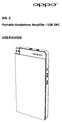
HA-2. Portable Headphone Amplifier / USB DAC USER GUIDE
|
|
|
- Joshua McKinney
- 9 years ago
- Views:
Transcription
1 HA-2 Portable Headphone Amplifier / USB DAC USER GUIDE

2 1. Important Information The exclamation point within an equilateral triangle is intended to alert the user to the presence of important operation and maintenance (servicing)instruction in the literature accompanying the appliance. WARNING:TO REDUCE THE RISK OF FIRE OR ELECTRICSHOCK, DO NOT EXPOSE THIS APPLIANCE TO RAINOR MOISTURE. DO NOT OPENTHE CABINET. REFER SERVICING TO QUALIFIEDPERSONNEL ONLY.THE APPARATUS SHALL NOT BE EXPOSED TODRIPPING OR SPLASHING AND THAT NO OBJECTSFILLED WITH LIQUIDS, SUCH AS VASES SHALL BEPLACED ON THE APPARATUS. 1. Read these instructions. 2. Keep these instructions. 3. Heed all warnings. 4. Follow all instructions. 5. Do not use this device near water. 6. Clean only with a dry cloth. 7. Do not install near any heat sources such as radiators, heat registers, stoves, or other apparatuses (including amplifiers) that produce heat. 8. Only use attachments and accessories specified by the manufacturer. 9. Refer all servicing to qualified service personnel. Servicing is required when the apparatus has been damaged in any way, such as when the power supply cord or plug is damaged, liquid has been spilled or objects have fallen into the apparatus, the apparatus has been exposed to rain or moisture, does not operate normally, or has been dropped. WARNING: To prevent possible hearing damage, do not listen at high volume levels for long periods. Caution should be taken when using earphones or headphones with the product because excessive sound pressure (volume) from earphones or headphones can cause hearing loss.

3 Legal Notice Made for ipod, Made for iphone, and Made for ipad mean that an electronic accessory has been designed to connect specifically to ipod, iphone, or ipad, respectively, and has been certified by the developer to meet Apple performance standards. Apple is not responsible for the operation of this device or its compliance with safety and regulatory standards. Please note that the use of this accessory with ipod, iphone, or ipad may affect wireless performance. ipad, iphone, ipod and ipod touch are trademarks of Apple Inc., registered in the U.S. and other countries. Compatible ipod/iphone/ipad Models USB works with iphone 6, iphone 6 Plus, iphone 5S, iphone 5C, iphone 5, iphone 4S, ipad (4th generation), ipad mini, ipod touch (5th generation). Android Compatibility USB works with Android devices that support USB OTG (USB On-The-Go) and USB Audio Class. Not all devices are compatible. Android is a trademark of Google Inc.

4 2. Introduction Thank you for choosing the OPPO HA-2 portable headphone amplifier and USB DAC. The HA-2draws upon the success of the HA-1 desktop headphone amplifier, and is optimized for portable use. Featuring a hybrid class AB amplifier and a USB DAC supporting 384 khz PCM and DSD256, the HA-2 offers high performance digital-to-analog conversion for both Apple s iphone/ipod and many Android devices. A 3.5 mm input works with the remaining portable music players that do not have a USB-compatible digital output. Convenience features such as VOOC rapid charging and a mobile device power bank make the HA-2 a true companion for music on the go. Accessories Ensure that the following accessories have been included with your OPPO HA-2: 1x USB A Lightning data cable 1x USB micro-b USB micro-b data cable 1x 3.5 mm 3.5 mm stereo audio cable 1x USB A USB micro-b data and rapid charging cable 1x VOOC rapid charger 2x Silicone rubber bands This user guide Features Digital-to-Analogue conversion by ESS Sabre 32 Reference ES9018-2M DAC chip Supports PCM audio up to 384 khz / 32-bit, DSD audio up to 12 MHz (DSD256 or DSD4x) Supports multiple device types for digital-to-analogue conversion via USB: ipod / iphone / ipad, smartphones with USB OTG feature, PC and Mac computers Stereo headphone output and line-out Two gain settings for optimal headphone matching Bass boost OPPO VOOC rapid charging Mobile power bank for charging other mobile devices

5 Names and Functions of Parts Top: 1. Power/Volume Knob: Turn this knob clockwise to turn on the unit and increase the volume. Turn it counterclockwise to decrease the volume. Turn it counterclockwise until it clicks to turn off the unit. 2. Power Indicator: A green light indicates that the power is on. The light also serves as a reference point for the scale on the Volume Knob. 3. Audio-in / Line-Out Jack: When the Source Selector is set to C, this jack can be connected to an analog audio source, such as a portable music player. When the Source Selector is set to A or B, this jack acts as the line-out for the USB DAC. 3. Headphone Jack: Plug your headphones into this jack. CAUTION: Always reduce the volume before plugging headphones in and putting them on. While wearing headphones, do not connect or disconnect them. Doing so could result in a sudden loud noise that could harm your hearing.

6 Bottom: 4. Source Selector: Select one of the three input sources: USB A port, USB micro-b port, or Audio-in. 5. USB A Port: For connecting to an ipod, iphone or ipad; or for charging a mobile device when using the power bank function. 6. USB micro-b Port: For connecting to a PC, Mac, or smartphone with USB OTG feature. This port is also used for charging the HA-2 s internal battery. Side: 7. Power Bank Indicator: A blue light indicates that the HA-2 is supplying power to a connected device via the USB A port. 8. Battery Level / Charging Indicators: Four green lights indicate the HA-2 s internal battery level. When charging, these lights also indicate the charging status and currently charged capacity. 9. Battery Check / Power Bank Button: A single press of this button lights up the Battery Level Indicators to show the HA-2 s internal battery level. Press and hold this button to turn on/off the power bank function, as indicated by the Power Bank Indicator. 10. Bass Boost Switch: Allows you to enable the Bass Boost feature. A visible green bar means Bass Boost is enabled. 11. Gain Switch:Allows you to select low (L) or high (H) gain for the headphone output.

7 12. Charging and Battery Use This unit has a built-in rechargeable lithium polymer battery. It should be charged before use. VOOC Rapid Charging Connect the USB micro-b port of the HA-2 to the supplied VOOC Rapid Charger using the included USB A USB micro-b data and rapid charging cable. Plugging the charger into a power outlet will begin charging the HA-2 s battery, and the Charging Indicators on the side of the unit will start to blink. It may take a few seconds to enter the rapid charging mode, which is indicated by the Charging Indicators quickly blinking. When the battery is almost full, rapid charging will change to normal charging automatically, and the blinking speed of the Charging Indicators will slow down. Normal Charging The unit can also be charged by connecting the USB micro-b port to a USB port on a Mac or PC. The Charging Indicators on the side of the unit will blink when the unit is being charged. Rapid charging is not possible using this connection method.

8 Charging Status: The Charging Indicators on the side of the unit may show the following statuses: < 25% 25% - 50% 50% - 75% 75% - 100% Fully Charged Legend: - dark - slowly flashing: normal charging; quickly flashing: rapid charging - green light CAUTION: Use only the VOOC Rapid Charger and the USB A USB micro-b data and rapid charging cable to charge the unit. Make sure the environment temperature is between 10 C - 35 C (50 F - 95 F) when charging the unit. If trying to charge outside of this temperature range, charging may not occur properly. If you do not plan to use the unit for a long period of time, please store it in a cool place avoiding high temperatures. Charge the unit at least once every 6 months in order to avoid completely draining the battery.

9 Checking Battery Level Press the Battery Check / Power Bank Button briefly to check the battery level. The Battery Level Indicators will light up to show the remaining battery power: <20% 20% - 25% 25% - 50% 50% - 75% 75% - 100% Legend: - dark - red light - green light When the battery level is below 20%, the Battery Level Indicators will automatically light up in red as a reminder to charge as soon as possible. Charging Other Devices The unit can be used as a power bank to charge other mobile devices. Connect the mobile device to the unit s USB A port using the charging cable that comes with your mobile device. Press and hold the Battery Check / Power Bank Button until the blue Power Bank Indicator lights up. The HA-2 is now supplying power to the mobile device. Press and hold the Battery Check / Power Bank Button again until the blue Power Bank Indicator goes off when you no longer need to supply power to the mobile device. CAUTION:When the HA-2 is being charged, it cannot supply power to an external device at the same time.

10 13. Source Device Connections It is recommended that you turn the unit off before making the connections. ipod / iphone / ipad Set the Source Selector to position A. Connect the USB A port of the unit to the ipod / iphone / ipad using the supplied USB A Lightning data cable, or the cable that comes with your ipod / iphone / ipad. Smartphones with USB OTG Feature Set the Source Selector to position B. Connect the USB micro-b port of the unit to the smartphone using the supplied USB micro-b USB micro-b data cable. Computers Set the Source Selector to position B. Connect the USB micro-b port of the unit to a USB port on the computer. For Mac, no driver is required. You may need to select the HA-2 as the sound output device by going into System Preferences / Sound in Mac OS X. For PC, please download the HA-2 USB driver from the OPPO Digital web site ( and follow the instructions to install the driver. Other Playback Devices Set the Source Selector to position C. Connect the Audio-in port of the unit to the playback device using the supplied 3.5 mm 3.5 mm stereo audio cable, or any other audio cable with a 3.5 mm stereo jack.

11 14. Listening to Music To listen to music, you can connect a pair of headphones to the headphone jack, or connect an amplifier or a pair of powered speakers to the line-out jack. Using Headphones Plug the headphones into the Headphone Jack of the unit. Connect the unit to your music source according to the connections described above. Set the Source Selector to the correct position. Turn on the unit by rotating the Power/Volume Knob clockwise. Start music playback from the source device. Put on the headphones and adjust the volume. Turn on Bass Boostif desired Using Line-out Connect the line-out jack to the stereo audio input of your amplifier or powered speakers. Connect the unit to your music source according to the connections described above. Set the Source Selector to the correct position. Please note that the Line-out is only active when sources A or B are selected. Turn on your amplifier or powered speakers and set at minimum volume. Turn on the unit by rotating the Power/Volume Knob clockwise. Start music playback from the source device. Gradually increase the volume on your amplifier or powered speakers to a comfortable listening level. CAUTION: When both the Headphone Jack and the Line-out Jack are plugged in, only the Headphone Jack will output

12 sound. Please do not plug in headphones if you need to use the Line-out Jack. The Line-out is at a fixed volume level. The Power/Volume Knob of the unit does not affect the volume of the Lineout. Please use the volume control on your amplifier or powered speakers. Quick Reference Chart Input, Output, and Source Selector for various sources: Playback Source Source Selector Input Port Output Jacks ipod, iphone, ipad A (left) USB A Headphone or Line-out Other Smartphone s B (center) USB micro-b Headphone or Line-out Computers B (center) USB micro-b Headphone or Line-out Other Devices C (right) Audio-in Headphone Gain Selection The HA-2 has two gain levels. The low gain (L) level is intended for use with high sensitivity headphones and In-Ear Monitors (IEMs). The high gain (H) level can be used for other headphones if you feel that the volume is too low in low gain level even when the Power/Volume Knob has been rotated to the maximum volume position. Please follow this procedure to safely change gain level: Turn off the unit first. Flip the Gain Switch to the high gain (H) position. Turn on the unit and gradually adjust the volume. Remember to reset the Gain Switch to low gain (L) position if you switch to a new pair of headphones.

13 For certain IEMs, if at the low gain setting the volume is still too loud, you can adjust the volume control on your playback device. For Apple products connected to the USB A port or playback software that supports USB volume, the HA-2 s internal 32-bit digital volume control will be usedso there will be no loss of resolution or truncation of audio samples. CAUTION:Changing the gain level on the fly may result in a sudden increase of the output power, and may damage your headphones and hearing. Bass Boost If you like to listen to music with a strong bass effect, you may turn on the Bass Boost function of the unit. To do so, flip the Bass Boost switch so a green bar is shown.

14 15. Troubleshooting Use this chart to resolve general operational problems. If there are any problems that you cannot resolve, please contact your OPPO service center. Symptom: No sound Possible Cause and Solution: The unit is not turned on. Turn on the unit by rotating the Power / Volume Knob The battery is completely drained and the Power Indicator does not come on. Charge the unit until the battery is full before using. The volume is too low. Adjust the volume of the source device, and/or adjust the volume of the HA-2. Incorrect connection to the source device. Please check the connection by referring to the Source Device Connection section of this guide. Incorrect Source Selector position. Check which input source is in use and set the Source Selector accordingly. Line-out is muted when headphones are plugged in. Unplug the headphones if you wish to use line-out. Symptom: The unit fails to charge Possible Cause and Solution: Incorrect cable connection. Check the cable connection and reset all cables. Incompatible charger or cable. Please use the supplied original VOOC rapid charger and data / charging cable. Reset required. Please press and hold the Battery Check / Power Bank button for 20 seconds. Any lit indicator light will go dark and then come back on again after a successful reset. Symptom: Temporary malfunction Possible Cause and Solution: The protection mechanism is triggered. Please turn off the unit, remove all connections, and wait for 30 seconds before trying again. Interference from other devices. Identify interference by turning off other devices, and then relocate or replace the offending device.

15 16. Specifications General Dimensions (W x H x D) Weight Frequency Response Audio-in Level Line-out Level Recommended Headphone Impedance Maximum Headphone Output Power Output Jacks Input Ports DAC Chip Input Format PCM Sampling Frequencies DSD Sampling Frequencies 2.5 x 6.2 x 0.5 inches, 68x 157 x 12mm 6.2 oz, 175 grams 20 Hz 200 khz 1 Vrms 0 dbfs 16 Ohm 300 Ohm 300 mw into 16 Ohm 220mW into 32 Ohm 30mW into 300 Ohm 3.5 mm stereo headphone 3.5 mm stereo line-out Analog: 3.5 mm stereo audio-in Digital: USB A for ipod / iphone / ipad; USB micro- B for smartphones with USB OTG feature and computers. ESS Sabre 32 Reference ES9018-2M Stereo PCM, Stereo DSD (DoP v1.1 or native) 44.1 khz khz, 16 / 24 / 32- bit MHz (DSD64), MHz (DSD128), MHz (DSD256,

16 Profile Battery Built-in Battery type Battery Operation Time native mode only) USB 2.0, USB Audio mah lithium polymer rechargeable battery Approx. 13 hours for analog source via Audio-in; approx. 7 hours for digital sources via USB Approx. 1 hour 20 Charging Time minutes Designs and specifications are subject to change without notice.

17 2014 All rights reserved. OPPO Digital UK Ltd 42 Hellesdon Park Road, Norwich, Norfolk, NR6 5DR V1.0

18

HA-2. Portable Headphone Amplifier / USB DAC USER GUIDE
 HA-2 Portable Headphone Amplifier / USB DAC USER GUIDE Important Information The exclamation point within an equilateral triangle is intended to alert the user to the presence of important operation and
The Bouncer Bluetooth Stereo Speaker
 The Bouncer Bluetooth Stereo Speaker 1 Welcome to JLab! Thank you for purchasing The Bouncer Bluetooth Speaker! Enjoy your music wirelessly from any smartphone, tablet, laptop, or other Bluetooth enabled
STEREO BLUETOOTH WIRELESS HEADPHONES
 STEREO BLUETOOTH WIRELESS HEADPHONES model: AF32 USER MANUAL part of the series PACKAGE CONTENTS Runaway AF32 Stereo Bluetooth Wireless Headphones Charging cable (USB 3.5mm) Stereo audio cable (3.5mm 3.5mm)
BTX180 Wireless Bluetooth Speaker
 BTX180 Wireless Bluetooth Speaker User Manual 2012 Kinivo LLC. All rights reserved. Kinivo is a trademark of Kinivo LLC. Bluetooth word mark and the Bluetooth logo are registered trademarks of Bluetooth
BTH240 Wireless Bluetooth Headphone
 BTH240 Wireless Bluetooth Headphone User Manual 2012 Kinivo LLC. All rights reserved. Kinivo is a trademark of Kinivo LLC. Bluetooth word mark and the Bluetooth logo are registered trademarks of Bluetooth
Desktop Headphone amplifier with Advanced DAC
 HugoTT Instruction Manual Desktop Headphone amplifier with Advanced DAC Thank you for purchasing the Chord HugoTT. In order to get the most from your product, please take a few moments to read the instructions.
Press Release Sony s New Portable Headphone Amplifier PHA-1 Delivers Powerful Sound Quality Hong Kong, December 6, 2012
 Press Release Sony s New Portable Headphone Amplifier PHA-1 Delivers Powerful Sound Quality Used with the Latest Balanced Armature Series Earphones for a Higher Level of Music Enjoyment PHA-1 XBA-40 Portable
1. Product Description
 1. Product Description The Avantree Saturn Pro is a 2-in-1 Bluetooth receiver and transmitter incorporating the latest "aptx Low Latency" codec for Bluetooth High quality audio streaming. The Saturn Pro
Business Audio System: Music & Messaging MP3 Player. by Grace Digital Audio. User Guide. Model No. GDI-USBM10
 Business Audio System: Music & Messaging MP3 Player by Grace Digital Audio User Guide Model No. GDI-USBM10 User Guide Contents Introduction 2 Safety & General Use Information 2 Features 3 Set Up & Operation
Bluetooth Portable Boombox
 www.sharkk.com Bluetooth Portable Boombox Owner s Guide Introduction Thank you for your purchase of the SHARKK Bluetooth 4.0 Box Speaker. Please take the time to read this manual carefully before you begin
COMPANION 20 MULTIMEDIA SPEAKER SYSTEM. Owner s Guide Guía de usuario Notice d utilisation
 COMPANION 20 MULTIMEDIA SPEAKER SYSTEM Owner s Guide Guía de usuario Notice d utilisation Safety and Regulatory Information Please read this owner s guide Please take the time to follow the instructions
BOSE. Link AL8 HOMEWIDE WIRELESS AUDIO LINK
 BOSE Link AL8 HOMEWIDE WIRELESS AUDIO LINK Français English SAFETY INFORMATION Please read this owner s guide Please take the time to follow the instructions in this owner s guide carefully. It will help
When you switch off your system, or mute the sound, the red indicator light appears immediately, indicating that the subwoofer is not in use.
 BeoLab 11 Guide WARNING: To reduce the risk of fire or electric shock, do not expose this appliance to rain or moisture. Do not expose this equip ment to dripping or splashing and ensure that no objects
Chord Limited. Mojo Dac Headphone Amplifier OPERATING INSTRUCTIONS
 Chord Limited Mojo Dac Headphone Amplifier OPERATING INSTRUCTIONS -!1 - Cleaning and care instructions: Mojo requires no special care other than common sense. Spray window cleaner (clear type) may be used
AZATOM USER MANUAL. Droid Portable Bluetooth Speaker
 AZATOM Droid Portable Bluetooth Speaker USER MANUAL www.azatom.com AZATOM is a registered trademark of 4 Cool Technology Ltd Based in the United Kingdom AZATOM Thank you for purchasing the AZATOM Droid
Product Overview. Product Interface
 mobile speaker Product Overview Thank you for purchasing the bēm wireless Mobile Speaker. Our speaker will bring you a new found freedom from wires while delivering an incredible sound. The Mobile Speaker
Safety and General Information
 User Guide Safety and General Information Please read the following information before using this product Users are not permitted to make changes or modify the product and the accessories in any way. Do
Prescott. CD Alarm Clock Radio INSTRUCTION MANUAL
 1215205 Prescott CD Alarm Clock Radio INSTRUCTION MANUAL Important Safety Instructions CAUTION RISK OF ELECTRIC SHOCK DO NOT OPEN The lightning flash with arrowhead symbol, within an equilateral triangle
1. Product Description
 1. Product Description Avantree Jogger Pro (AS6P) is a lightweight Bluetooth stereo headphone with integral microphone. It is great for use during active pursuits, such as jogging and exercising. It has
USER MANUAL. M9B Stereo Wireless Earphones. Please read this manual in its entirety to ensure best fit and sound.
 USER MANUAL M9B Stereo Wireless Earphones Please read this manual in its entirety to ensure best fit and sound. R PACKAGE CONTENTS EN M9B Stereo Wireless Earphones M9B Stereo Wireless Earphones Micro-USB
DSB-100 Portable Premium Bluetooth Speaker Owner s Manual
 . DSB-100 Portable Premium Bluetooth Speaker Owner s Manual You can print more than one page of a PDF onto a single sheet of paper. 1 Index Preparation Unpacking 3 Overview 4 Sound Quality 4 Design 4 Operation
Aura. Wireless Speaker System Owner s Manual
 Wireless Speaker System Owner s Manual Table of Contents Introduction 3 Included IteMS 3 Controls and ConnectionS 3 Harman Kardon Aura Front Panel ControlS 3 Harman Kardon Aura Rear Panel ControlS 4 ConnectionS
Register your product and get support at. www.philips.com/welcome AS111. User manual
 Register your product and get support at www.philips.com/welcome AS111 User manual Contents 1 Important 4 Safety 4 English 2 Your docking speaker for AndroidTM 5 Introduction 5 What's in the box 5 Overview
QLINK User Manual Stereo Audio Transmitter
 QLINK User Manual Stereo Audio Transmitter ClearSounds QLINK Bluetooth Stereo Transmitter Contents Before use.1 1. About the QLINK... 1 2. Overview..2 Getting started. 1 1. Parts Checklist. 1 2. Charging
SOUNDDOCK DIGITAL MUSIC SYSTEM. Owner s Guide Guía de usuario Notice d utilisation
 SOUNDDOCK DIGITAL MUSIC SYSTEM Owner s Guide Guía de usuario Notice d utilisation TAB 8 TAB 7 TAB 6 TAB 5 TAB 4 TAB 3 TAB 2 English IMPORTANT SAFETY INSTRUCTIONS Please read this owner s guide Please take
Bluetooth Audio Receiver GDI-BTPB300. Quick Start Guide
 Bluetooth Audio Receiver GDI-BTPB300 Quick Start Guide 1. Before You Start Using Your 3play Bluetooth Audio Receiver Important Safety Instructions and Warnings Please read this user guide carefully before
PORTABLE ALARM CLOCK. Dual Alarm. FM Radio. Wake-up Sounds. USB Phone Charger G-1CR
 G-BUZZ PORTABLE ALARM CLOCK Dual Alarm FM Radio Wake-up Sounds USB Phone Charger G-1CR Welcome Alarm clocks can be boring. Get ready to shake things up with your new G-BUZZ. Slap the snooze for more ZZZ
Bluetooth Stereo Headphone. User Guide. Hive
 Bluetooth Stereo Headphone User Guide Hive 1. Product Description Avantree Hive is a Bluetooth stereo headphone with MIC from the Avantree family. It delivers clear voice transmission and high quality
Model Number : J-1AK. 5,800mAh Power Case with Bluetooth Keyboard Designed for ipad Air
 5,800mAh Power Case with Bluetooth Keyboard Designed for ipad Air Model Number : J-1AK 1) ipad Air Case with Built-In Rechargeable Battery and Bluetooth Keyboard 2) USB Wall Charger 3) USB to Micro-USB
Daily use. Never use alcohol or other solvents to clean any part of the loudspeakers!
 BeoLab 6002 Guide WARNING: To reduce the risk of fire or electric shock, do not expose this appliance to rain or moisture. Do not expose this equip ment to dripping or splashing and ensure that no objects
Evolution Digital HD Set-Top Box Important Safety Instructions
 Evolution Digital HD Set-Top Box Important Safety Instructions 1. Read these instructions. 2. Keep these instructions. 3. Heed all warnings. 4. Follow all instructions. 5. Do not use this apparatus near
CAUTION RISK OF ELECTRIC SHOCK NO NOT OPEN
 Evolution Digital HD Set-Top Box Important Safety Instructions 1. Read these instructions. 2. Keep these instructions. 3. Heed all warnings. 4. Follow all instructions. 5. Do not use this apparatus near
User Guide. BlackBerry Remote Stereo Gateway
 User Guide BlackBerry Remote Stereo Gateway MAT-17698-001 PRINTSPEC-021 SWD-324580-0416090732-001 Contents Basics...3 About the BlackBerry Remote Stereo Gateway...3 Components...4 LED notification...5
DAB2+ Dear Customer, Congratulations with your new Argon DAB2+
 Dear Customer, Quality has always been our driving force and founding Argon Audio is a natural extension of this philosophy. We have 20 years' experience in creating and specifying high quality products,
Setup Guide. www.audioengineusa.com D1. Premium 24-bit DAC
 Setup Guide www.audioengineusa.com D1 24-bit DAC Premium 24-bit DAC Contents Introduction Package Contents Cleaning Features Overview Quick Setup Troubleshooting Specifications Contact Us About Audioengine
Important Safety Instructions
 PR-D7 GB Revision 1 Important Safety Instructions 1. Read these instructions. 2. Keep these instructions. 3. Heed all warnings. 4. Follow all instructions. 5. Do not use this apparatus near water. 6. Clean
User Guide. CR-111IP Clock radio with dock for ipod
 User Guide CR-111IP Clock radio with dock for ipod IMPORTANT SAFETY INFORMATION CAUTION! RISK OF ELECTRIC SHOCK DO NOT OPEN TO REDUCE THE RISK OF ELECTRIC SHOCK DO NOT REMOVE COVER (OR BACK) This symbol
ATTENTION RISQUE D ÉLECTROCUTION! NE PAS OUVRIR!
 Quick Start Guide ATTENTION RISQUE D ÉLECTROCUTION! NE PAS OUVRIR! CAUTION: TO REDUCE THE RISK OF ELECTRIC SHOCK, DO NOT REMOVE COVER (OR BACK). NO USER-SERVICEABLE PARTS INSIDE. REFER SER- VICING TO QUALIFIED
Spider IV 15. Pilot s Handbook Manuel de pilotage Pilotenhandbuch Pilotenhandboek Manual del Piloto 取 扱 説 明 書
 Spider IV 15 Pilot s Handbook Manuel de pilotage Pilotenhandbuch Pilotenhandboek Manual del Piloto 取 扱 説 明 書 40-00-0187 Pilot s Handbook available @ www.line6.com/manuals Rev D Important Safety Instructions
BTC450 Bluetooth Car Kit
 BTC450 Bluetooth Car Kit User Manual 2012 Kinivo LLC. All rights reserved. Kinivo is a trademark of Kinivo LLC. Bluetooth word mark and the Bluetooth logo are registered trademarks of Bluetooth SIG. All
MINIRIGR. portable rechargeable bluetooth speaker. mrbt user s Guide
 MINIRIGR portable rechargeable bluetooth speaker mrbt user s Guide Safety Information Warning Listening at high volume for a long time may damage your hearing The exclamation point within an equilateral
Contents Contents Contents Overview Charging your headset Wearing the headset Powering on the headset Connecting your headset for dictation
 1 Contents Contents Contents 2 Overview 3 Charging your headset 4 Wearing the headset 4 Powering on the headset 4 Connecting your headset for dictation 5 The adapter 5 Adjusting your computer's audio settings
BlueGate. Your easy to use reference for getting the most out of your product USER GUIDE. Enjoy FREE REGISTRATION
 TM BlueGate Your easy to use reference for getting the most out of your product USER GUIDE Enjoy FREE REGISTRATION Thank you for purchasing the Accessory Power GOgroove BlueGate Bluetooth audio receiver.
AI-101DA Integrated Amplifier with USB DAC. Defining the Micro Component, Stunning Audio Performance for the next generation.
 AI-101DA Integrated Amplifier with USB DAC Defining the Micro Component, Stunning Audio Performance for the next generation Main Features USB DAC for High-resolution audio playback from a computer Bluetooth
Uncompressed. Uncommon. Unlocked.
 The Theorem 720 DAC delivers uncompressed, high quality audio from ipod, iphone, Mac or PC to portable headphone amplifiers, or home audio systems. Some Android devices are also supported (see our website
24 Wide Screen LED Monitor with HDMI
 24 Wide Screen LED Monitor with HDMI USER MANUAL L24LE11B_MANUAL_EN_R1 Please read this manual carefully before using, and keep it for future reference. TABLE OF CONTENTS GETTING STARTED Monitor Stand
STEREO BLUETOOTH WIRELESS SPORTS In-Ear Headphones
 STEREO BLUETOOTH WIRELESS SPORTS In-Ear Headphones USER MANUAL model: X7 PACKAGE CONTENTS EN X7 Stereo Bluetooth Wireless Sports In-Ear Headphones Micro-USB charging cable Carrying case 3 pairs of eartips
May 2016 2004-2016 by Sonos, Inc. All rights reserved.
 THIS DOCUMENT CONTAINS INFORMATION THAT IS SUBJECT TO CHANGE WITHOUT NOTICE. No part of this publication may be reproduced or transmitted in any form or by any means, electronic or mechanical, including
Comfort Contego User Manual
 Comfort Contego User Manual Please read the User Manual before using this product. Comfort Contego T900 Transmitter English Comfort Contego R900 Receiver DO NOT USE the COMFORT CONTEGO if you have a PACEMAKER
AK10 INSTRUCTION BOOK INSTRUCTION MANUAL
 AK10 INSTRUCTION BOOK INSTRUCTION MANUAL CONTENTS Getting started _01 Components Names of parts Power supply management 02 03 04 Using _02 Connecting iphone/ipod and listening to music Using the USB DAC
INSTRUCTION MANUAL PLEASE READ ALL THE INSTRUCTIONS COMPLETELY BEFORE USE AND SAVE THIS MANUAL FOR FUTURE REFERENCE
 INSTRUCTION MANUAL PLEASE READ ALL THE INSTRUCTIONS COMPLETELY BEFORE USE AND SAVE THIS MANUAL FOR FUTURE REFERENCE m Before Use Please read IMPORTANT SAFETY INSTRUCTIONS on page 10 before use. It is important
AM/FM ALARM CLOCK RADIO
 AM/FM ALARM CLOCK RADIO Instruction Manual JL-206 Please read this manual carefully before operating and save it for future reference. Have a question? Please visit http:// INTRODUCTION Thank you for purchasing
Jarv Joggerz BT-301 Bluetooth Stereo Headphones Users Guide
 Jarv Joggerz BT-301 Bluetooth Stereo Headphones Users Guide Features: Bluetooth Wireless technology Compact design fits in the palm of your hand and weighs less than 2 oz. Comfortable Behind the Neck design
WIRELESS EARPHONES with ACTIVE NOISE CANCELLING Thank you for purchasing PHIATON BT 100 NC
 WIRELESS EARPHONES with ACTIVE NOISE CANCELLING Thank you for purchasing PHIATON BT 100 NC - Please follow the directions, and read the guidelines carefully before use. Please keep the owner s guide for
COMPANION 2 Series II MULTIMEDIA SPEAKERS
 COMPANION 2 Series II MULTIMEDIA SPEAKERS Owner s Guide Guia del usuario Notice d utilisation Français English SAFETY INFORMATION Please read this owner s guide Please take the time to follow the instructions
STEREO WIRELESS BLUETOOTH HEADPHONES
 STEREO WIRELESS BLUETOOTH HEADPHONES model: AF52 USER MANUAL part of the series TABLE OF CONTTS Product Overview Charging Powering On and Off Pairing with Bluetooth Devices iphone, ipad, and ipod touch
Onyx Studio. Wireless Speaker System with Rechargeable Battery Owner s Manual
 Onyx Studio Wireless Speaker System with Rechargeable Battery Owner s Manual Table of Contents Introduction 3 Description and FeatureS 3 Design and Performance 3 Wireless Connection 3 Included IteMS 3
user s manual Battery Case model #: SPB3200 Battery Case Charger for Samsung Galaxy S 4
 user s manual model #: SPB3200 Charger for Samsung Galaxy S 4 What s Included Unpack the battery case and make sure all accessories are put aside so they will not be lost. hello. USB to Micro USB Cable
INSTRUCTION MANUAL RM-5750. AM/FM Digital Alarm Clock Radio
 INSTRUCTION MANUAL RM-5750 AM/FM Digital Alarm Clock Radio Fig. 1 CAUTION: THE APPARATUS SHALL NOT BE EX- POSED TO DRIPPING OR SPLASHING. NO OBJECTS FILLED WITH LIQUIDS, SUCH AS VASES, SHALL BE PLACED
CAUTION RISK OF ELECTRIC SHOCK DO NOT OPEN
 BeoLab 4 Guide CAUTION RISK OF ELECTRIC SHOCK DO NOT OPEN CAUTION: To reduce the risk of electric shock, do not remove cover (or back). No User-serviceable parts inside. Refer servicing to qualified service
1. Product Description. 2. Product Overview
 1. Product Description Avantree BTTC-200 is a 2-in-1 Bluetooth stereo audio transceiver, which can easily switch between receive and transmit modes. With standard 3.5mm audio jack, it's plug & play, no
VoiceTone T1 USER S MANUAL
 VoiceTone T1 USER S MANUAL Important Safety Instructions 1 Read these instructions. 2 Keep these instructions. 3 Heed all warnings. 4 Follow all instructions. 5 Do not use this apparatus near water. 6
igadgitz Bluetooth Audio Transmitter & Receiver (BTT009 / U3442) User Guide
 igadgitz Bluetooth Audio Transmitter & Receiver (BTT009 / U3442) User Guide For more instructions in English please visit: Eine Anleitung in Deutsch nden Sie unter: Para obtener instrucciones en Español
Owner s Manual AWM910 JENSEN AWM910 COMPACT DISC PLAYER RADIO CD COMPACT MUSIC SYSTEM MUTE AUX BAND AUX IN PUSH PUSH PWR VOL ALARM T/F AUD SPK A SPK B
 AWM910 Owner s Manual COMPACT DISC PLAYER PUSH 1 2 3 4 5 6 RPT SCAN RDM H M PUSH PWR VOL ALARM SET ON/OFF EQ T/F AUD RADIO CD COMPACT MUSIC SYSTEM MUTE AUX BAND CD AUX IN A B A+B JENSEN AWM910 Thank You!
GLOBE CRUISER TM AH-NCW500. On-Ear Headphones / Wireless Headphones. Owner s Manual
 GLOBE CRUISER TM AH-NCW00 On-Ear Headphones / Wireless Headphones Owner s Manual Getting started Thank you for purchasing your Denon Globe Cruiser headphones. Denon s engineers have taken great care to
Quick Start USER GUIDE
 ECOSTONE Features & Operation Models: GDI-EGST700--710 QUICK START 1-2-3 STEP 1: STEP 2: STEP 3: Power ON your ECOSTONE SEARCH your Bluetooth Connection on your Smart-device PAIR & PLAY STANDBY ON/OFF
Portavision-50 AM/FM/TV1/TV2 Portable Radio (120-0687) Features Faxback Doc. #
 (120-0687) Features Faxback Doc. # Your Portavision-50 AM/FM/TV1/TV2 Portable Radio lets you hear your favorite television shows wherever you go. Set it on your desk, or take it with you in your car to
SAFETY WARNINGS. Important Safety Instructions. FCC Notice. Caution
 Table of Contents SAFETY WARNINGS...2 FCC Notice...2 Caution...2 Important Safety Instructions...2 Basic Instructions...3 Equipment checklist...3 Input Voltage...3 Power Indicator Light...3 Function Keys...3
Sound Spot SFQ-07. User Manual
 Sound Spot SFQ-07 User Manual Safety Information The lightning flash with arrowhead symbol, within an equilateral triangle is intended to alert the user to the presence of uninsulated "dangerous voltage"
Key. ➍ Micro USB Port ➎ Operating System Toggle Keys ➏ Foam Screen Protectors. ➊ On/Off switch ➋ Bluetooth Connect Button (flashes when searching)
 INSTRUCTION MANUAL ➏ ➋ ➊ Product Features ➎ ➍ ➌ Built-in wireless Bluetooth 3.0 keyboard Compatible across ios, Android, and Windows, enabling you to mix and match with devices Ultra-thin, lightweight
Portable Bluetooth Speaker. Quick Start Guide. Model: BTS201
 Portable Bluetooth Speaker Quick Start Guide Model: BTS201 Disclaimer All the information, design and specifications contained in this manual were correct at the time of publication. However, as the product
CAUTION RISK OF ELECTRIC SHOCK DO NOT OPEN
 BeoLab 7-6 Guide CAUTION RISK OF ELECTRIC SHOCK DO NOT OPEN CAUTION: To reduce the risk of electric shock, do not remove cover (or back). No User-serviceable parts inside. Refer servicing to qualified
Model 70A00-1. GSM Cellular Communications Center
 Home Automation, Inc. Model 70A00-1 GSM Cellular Communications Center Operation Manual Document Number 70I00-1 Rev A August, 2009 Contents Description... 1 Use with security systems...1 Everyday use...2
Tiny Audio C3. English TINY AUDIO C3. Please read carefully before using this product
 English TINY AUDIO C3 Please read carefully before using this product 1 Safety Instructions: 1. Do not use this radio near water. 2. Clean with dry cloth. 3. Do not block any ventilation openings. 4. Do
Single Day Alarm Clock with. Bluetooth and USB Play-through
 Single Day Alarm Clock with Bluetooth and USB Play-through MODEL : BSC 200 READ THIS INSTRUCTION MANUAL BEFORE OPERATING THE APPLIANCE. SAVE THIS MANUAL FOR FUTURE REFERENCE. TABLE OF CONTENTS IMPORTANT
SoundTouch 30/20. Wi-Fi music systems. Owner s Guide
 SoundTouch 30/20 Wi-Fi music systems Owner s Guide Safety Please take the time to carefully read and follow these Important Safety Instructions. They will help you set up and operate your system properly
THE ELEMENT SUPPORT OPERATING INSTRUCTIONS AMP+DACS ONLINE BY PHONE BY MAIL [email protected] 314-252-0936
 OPERATING INSTRUCTIONS AMP+S THE ELEMENT SUPPORT ONLINE BY PHONE BY MAIL [email protected] JDSLABS.COM/SUPPORT 314-252-0936 9:30AM-6PM CST, MONDAY THROUGH FRIDAY 909 N BLUFF RD COLLINSVILLE, IL 62234
MANUAL PC1000R [email protected]
 MANUAL PC1000R [email protected] Features The APart PC1000R is a professional multisource CD/USB/SD card music player, equipped with balanced and unbalanced analog outputs, coaxial and optical digital
FRX3 Hand Turbine AM/FM/Weather Alert Radio with USB Smartphone Charger
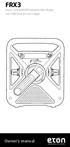 FRX3 Hand Turbine AM/FM/Weather Alert Radio with USB Smartphone Charger Owner s manual NEED HELP? CONTACT US. Etón Corporation, 1015 Corporation Way, Palo Alto, CA 94303, USA. 1-800-872-2228 (U.S.); 1-800-637-1648
BIG GAMES HOME VIDEO ARCADE ASSEMBLY INSTRUCTIONS
 TM BIG GAMES HOME VIDEO ARCADE ASSEMBLY INSTRUCTIONS IN-HOME ASSEMBLY OF YOUR BIGGAMES HOME VIDEO ARCADE MAY BE AVAILABLE IN YOUR AREA FOR AN ADDITIONAL CHARGE. FOR INFORMATION, PLEASE CALL (800) 749-4345.
Contents. Product Code -------------------------------------------------------15. Page 1
 Contents Important Safety Instructions -------------------------------------2 BT HP01 --------------------------------------------------------------4 BT HP01 Anatomy ---------------------------------------------------5
PolyTune USER S MANUAL
 PolyTune USER S MANUAL Important Safety Instructions 1 Read these instructions. 2 Keep these instructions. 3 Heed all warnings. 4 Follow all instructions. 5 Do not use this apparatus near water. 6 Clean
Jarv Nmotion BTHL-201 Bluetooth Stereo Earbuds Users Guide
 Jarv Nmotion BTHL-201 Bluetooth Stereo Earbuds Users Guide Features: Bluetooth wireless technology Comfortable lightweight in-ear design with detachable sports ear hooks for added support High Definition
INSTRUCTION MANUAL PLEASE READ ALL THE INSTRUCTIONS COMPLETELY BEFORE USE AND SAVE THIS MANUAL FOR FUTURE REFERENCE
 INSTRUCTION MANUAL PLEASE READ ALL THE INSTRUCTIONS COMPLETELY BEFORE USE Ver. 2.0 AND SAVE THIS MANUAL FOR FUTURE REFERENCE Table of Contents Unpacking... 3 About the CCRadio-EP... 4 Quick Start Guide...
Wireless Mobile Projector. You always put on such a show
 Wireless Mobile Projector You always put on such a show Brookstone assumes no responsibility for any errors that may appear in this manual. Information contained herein is subject to change without notice.
HD udta Quick-Start Guide
 HD udta Quick-Start Guide Vyve Broadband HD Set-Top Box Important Safety Instructions 1. Read these instructions. 2. Keep these instructions. 3. Heed all warnings. 4. Follow all instructions. 5. Do not
MPA-101. WARNING: Improper installation could result in damage to the amplifier and/or speakers. Read all instructions before installation.
 MPA-101 WARNING: Improper installation could result in damage to the amplifier and/or speakers. Read all instructions before installation. The lightning flash with arrowhead, within an equilateral triangle,
Intercom and Music System Bluetooth Player Operation & User s Guide. DMC System Master with DMCBT Bluetooth Player
 Intercom and Music System Bluetooth Player Operation & User s Guide DMC System Master with DMCBT Bluetooth Player Safety Warnings CAUTION RISK OF ELECTRIC SHOCK DO NOT OPEN CAUTION: TO REDUCE THE RISK
Jabra FREEWAY. User manual. www.jabra.com
 Jabra FREEWAY User manual www.jabra.com CONTENTS THANK YOU...2 ABOUT YOUR...2 WHAT YOUR SPEAKERPHONE CAN DO...3 GETTING STARTED...4 CHARGE YOUR SPEAKERPHONE...4 TURNING YOUR SPEAKERPHONE ON AND OFF...5
Controls. Opening the cover
 BTS-102 GB 2013 CSR plc and its group companies. The aptx mark and the aptx logo are trademarks of CSR plc or one of its group companies and may be registered in one or more jurisdictions. The Bluetooth
User Manual I1010Q16DCZ
 User Manual I1010Q16DCZ Explanation, Note and Warning *Explanation: important information, which can help you better use your tablet PC. *Note: indicates that not observing the content may result in hardware
Installation & Operation Manual HANDS-FREE BLUETOOTH MEDIA INTEGRATION KIT. Perfect for ANDROID TM
 GET CONNECTED Installation & Operation Manual HANDS-FREE BLUETOOTH MEDIA INTEGRATION KIT TranzIt BLU HF ISFM2351 Perfect for ANDROID TM Note to Readers, The information contained within the following documentation
User Manual DIGITAL MONITOR SPEAKERS MS /MS. 24-Bit/192 khz Digital 40/20-Watt Stereo Near Field Monitors
 User Manual DIGITAL MONITOR SPEAKERS MS /MS 24-Bit/192 khz Digital 40/20-Watt Stereo Near Field Monitors 2 DIGITAL MONITOR SPEAKERS /MS20 User Manual User Manual Table of Contents Thank you... 2 Important
Wave/PC Interactive System USB Adapter Kit. Installation Guide
 Wave/PC Interactive System USB Adapter Kit Installation Guide Safety Information 1. Read these instructions for all components before using this product. 2. Keep these instructions for future reference.
Focusrite Saffire 6 USB. User Guide
 Focusrite Saffire 6 USB User Guide 1 IMPORTANT SAFETY INSTRUCTIONS 1. Read these instructions. 2. Keep these instructions. 3. Heed all warnings. 4. Follow all instructions. 5. Do not use this apparatus
BLUETOOTH STEREO HEADPHONES
 HIGH PERFORMANCE BLUETOOTH STEREO HEADPHONES WITH INTEGRATED MICROPHONE XVTHB100 QUICK START GUIDE IMPORTANT SAFETY INSTRUCTIONS Do not use headphones while operating a motor vehicle or a bicycle. Doing
TV Ears Digital System Installation Guide
 TV Ears Digital System Installation Guide Hear TV Like Never Before Safety Instructions 1. Read all instructions completely and heed all warnings. Install in accordance with TV Ears, Inc. s instructions.
Fast Track Solo Guide
 Fast Track Solo Guide Legal Notices 2013 Avid Technology, Inc., ( Avid ), all rights reserved. This guide may not be duplicated in whole or in part without the written consent of Avid. Avid, the Avid logo,
Model PS-4001 Power Supply User Instructions
 Model PS-4001 Power Supply User Instructions 9350-7710-000 Rev E 9/2009 PROPRIETARY NOTICE The product information and design disclosed herein were originated by and are the property of Bosch Security