
Centralized Logging with syslog-ng and SEC
|
|
|
- Estella Rogers
- 10 years ago
- Views:
Transcription
1 Centralized Logging with syslog-ng and SEC Leon Towns-von Stauber Cascadia IT, March Distilling Information from Data Contents Introduction 3 Example Issues 14 syslog-ng 26 Ye Olden Days 54 Simple Event Correlator 58 Support Tools 120 Review & Future Activities 139 2

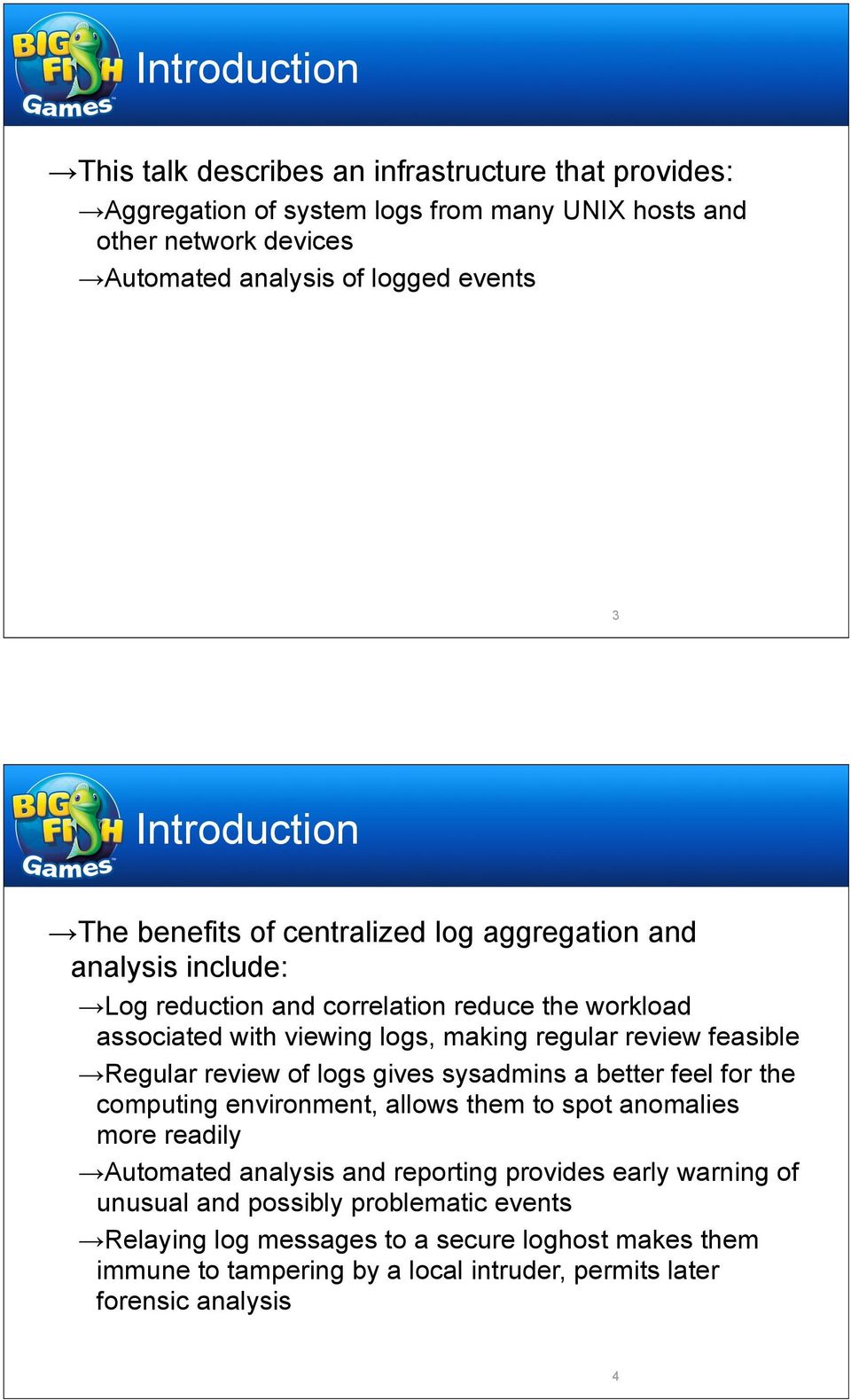
2 Introduction This talk describes an infrastructure that provides: Aggregation of system logs from many UNIX hosts and other network devices Automated analysis of logged events 3 Introduction The benefits of centralized log aggregation and analysis include: Log reduction and correlation reduce the workload associated with viewing logs, making regular review feasible Regular review of logs gives sysadmins a better feel for the computing environment, allows them to spot anomalies more readily Automated analysis and reporting provides early warning of unusual and possibly problematic events Relaying log messages to a secure loghost makes them immune to tampering by a local intruder, permits later forensic analysis 4
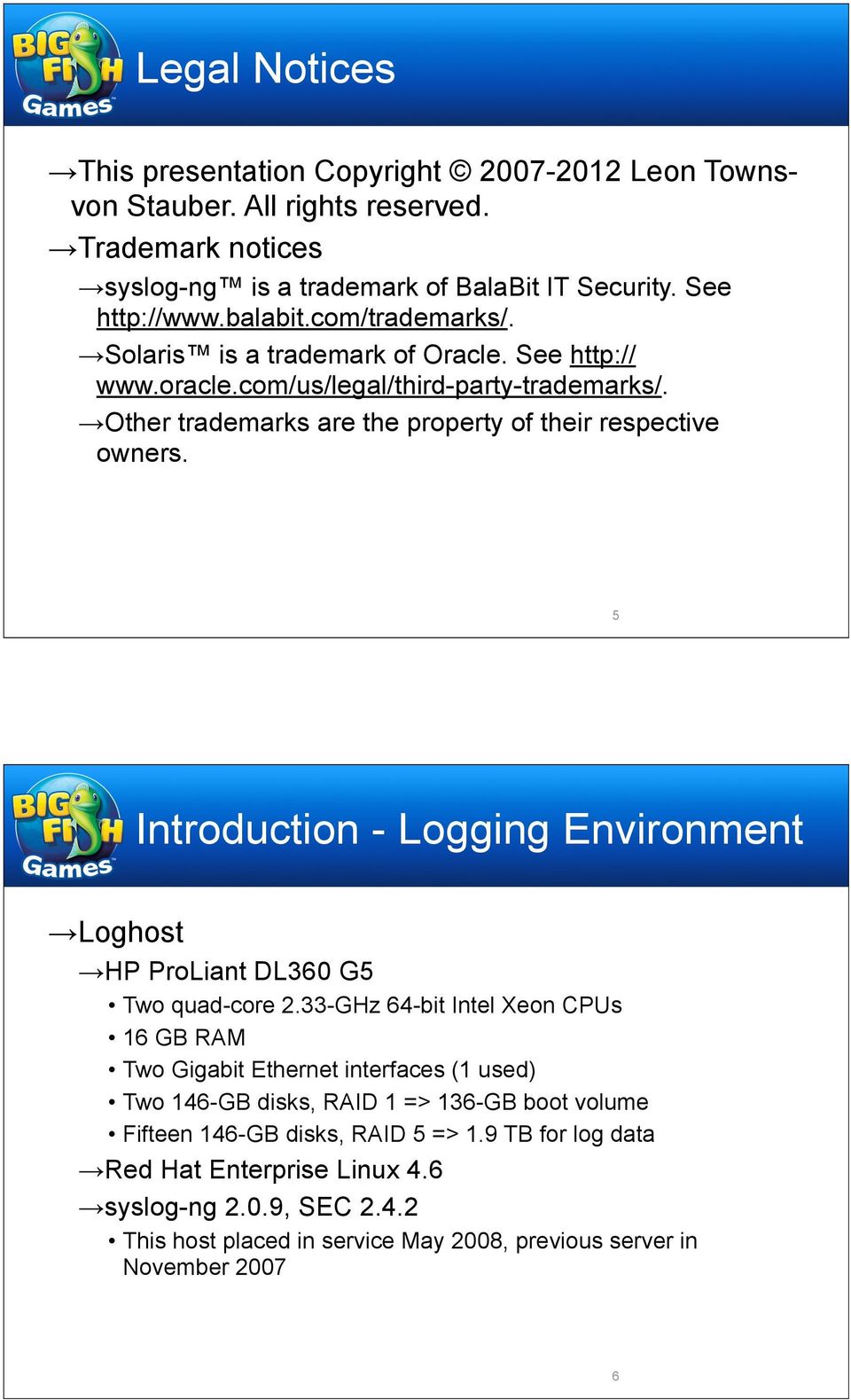
3 Legal Notices This presentation Copyright Leon Townsvon Stauber. All rights reserved. Trademark notices syslog-ng is a trademark of BalaBit IT Security. See Solaris is a trademark of Oracle. See Other trademarks are the property of their respective owners. 5 Introduction - Logging Environment Loghost HP ProLiant DL360 G5 Two quad-core 2.33-GHz 64-bit Intel Xeon CPUs 16 GB RAM Two Gigabit Ethernet interfaces (1 used) Two 146-GB disks, RAID 1 => 136-GB boot volume Fifteen 146-GB disks, RAID 5 => 1.9 TB for log data Red Hat Enterprise Linux 4.6 syslog-ng 2.0.9, SEC This host placed in service May 2008, previous server in November
4 Introduction - Logging Environment Clients About 400 Red Hat Enterprise Linux hosts Over 80 networking devices: F5 BIG-IP load balancers, Juniper NetScreen firewalls and SSL-VPN concentrators, Cisco, Juniper, and Nortel switches, Cisco wireless controllers 7 Introduction - Logging Environment Centralized Logging Environment 8

5 Introduction General approach Artificial ignorance (Marcus Ranum, 1997) We can t know about everything we ll find interesting in advance Insufficient understanding of environment, new services, rarely seen events, etc. Selective attention to expected events can blind you to the unexpected We have a better idea of what s normal and uninteresting Analyze everything, toss the boring stuff, look at what s left 9 Introduction General approach Process Send all logs from clients to loghost Run all logs through filters Suppress routine or unimportant things Use correlation to simplify complex logging events Send whatever makes it through to admins on a regular basis Plus realtime alerts for specific known events 10

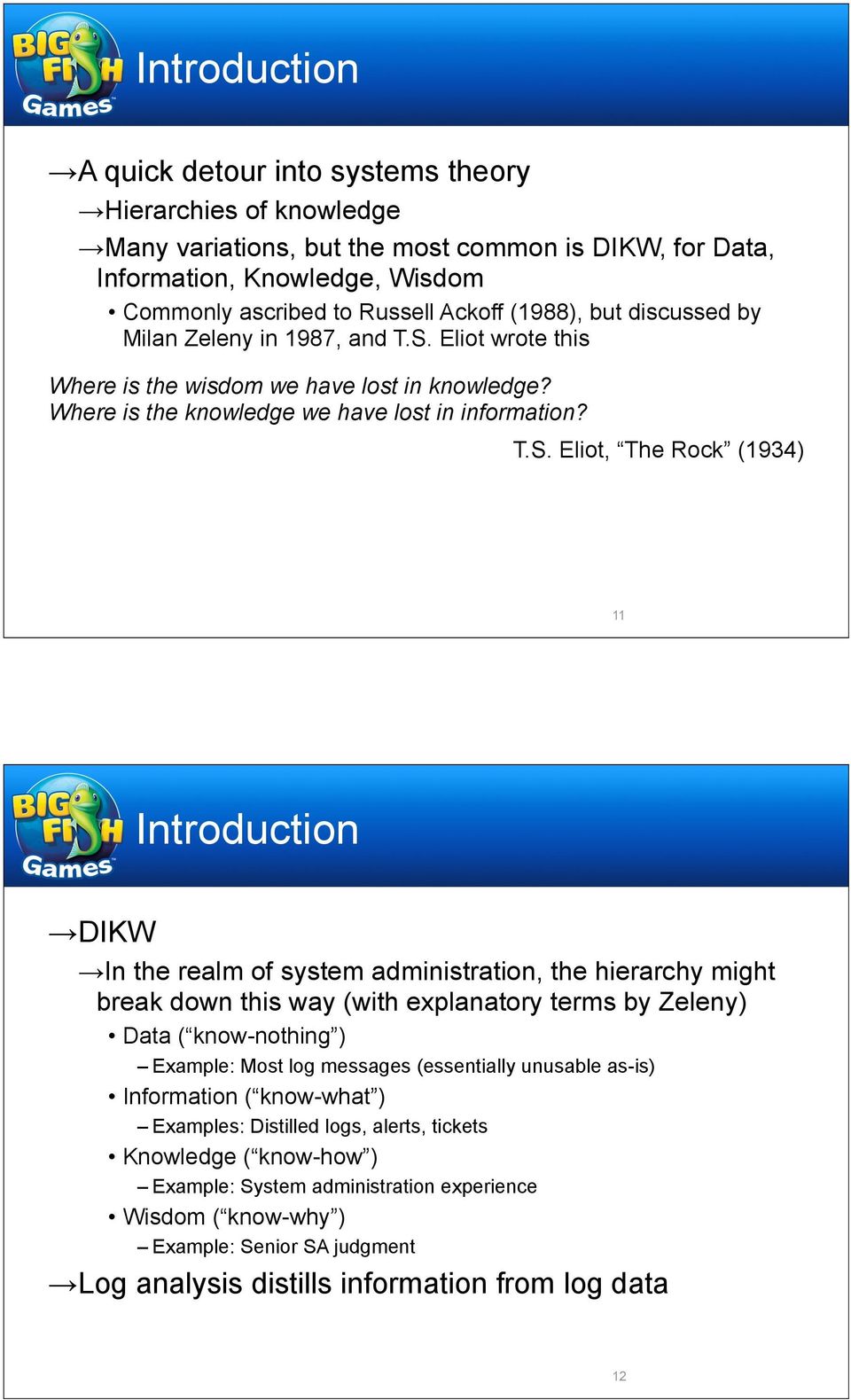
6 Introduction A quick detour into systems theory Hierarchies of knowledge Many variations, but the most common is DIKW, for Data, Information, Knowledge, Wisdom Commonly ascribed to Russell Ackoff (1988), but discussed by Milan Zeleny in 1987, and T.S. Eliot wrote this Where is the wisdom we have lost in knowledge? Where is the knowledge we have lost in information? T.S. Eliot, The Rock (1934) 11 Introduction DIKW In the realm of system administration, the hierarchy might break down this way (with explanatory terms by Zeleny) Data ( know-nothing ) Example: Most log messages (essentially unusable as-is) Information ( know-what ) Examples: Distilled logs, alerts, tickets Knowledge ( know-how ) Example: System administration experience Wisdom ( know-why ) Example: Senior SA judgment Log analysis distills information from log data 12
7 Introduction Raw logs go in... System administrator...reduced logs come out Distilling Information from Data 13 Example Issues

8 Example Issues To help motivate the discussion, following are descriptions of issues, some trivial and others more serious, discovered through the use of automated log analysis, and the actions taken to resolve them The focus is on issues that might have been difficult or impossible to detect with other tools you have in use 15 Loose fan Example Issue - Hardware problems Mar 4 09:37:26 host1.example.com hpasmlited: WARNING: System Fans Not Redundant (Location Power Supply) Mar 4 09:37:36 host1.example.com hpasmlited: NOTICE: System Fans Not Redundant (Location Power Supply) has been repaired Mar 4 09:55:50 host1.example.com hpasmlited: WARNING: System Fans Not Redundant (Location Power Supply) Mar 4 09:56:00 host1.example.com hpasmlited: NOTICE: System Fans Not Redundant (Location Power Supply) has been repaired Broken fan Apr 2 10:00:11 host2.example.com hpasmlited: CRITICAL: Fan Failure (Fan 2, Location CPU) Apr 2 10:00:11 host2.example.com hpasmlited: WARNING: System Fans Not Redundant (Location CPU) Apr 2 10:00:21 host2.example.com hpasmlited: NOTICE: Fan Failure (Fan 2, Location CPU) has been repaired Apr 2 10:00:21 host2.example.com hpasmlited: NOTICE: System Fans Not Redundant (Location CPU) has been repaired Apr 2 10:39:13 host2.example.com hpasmlited: CRITICAL: Fan Failure (Fan 2, Location CPU) Apr 2 10:39:13 host2.example.com hpasmlited: WARNING: System Fans Not Redundant (Location CPU) Fan reseated or replaced 16

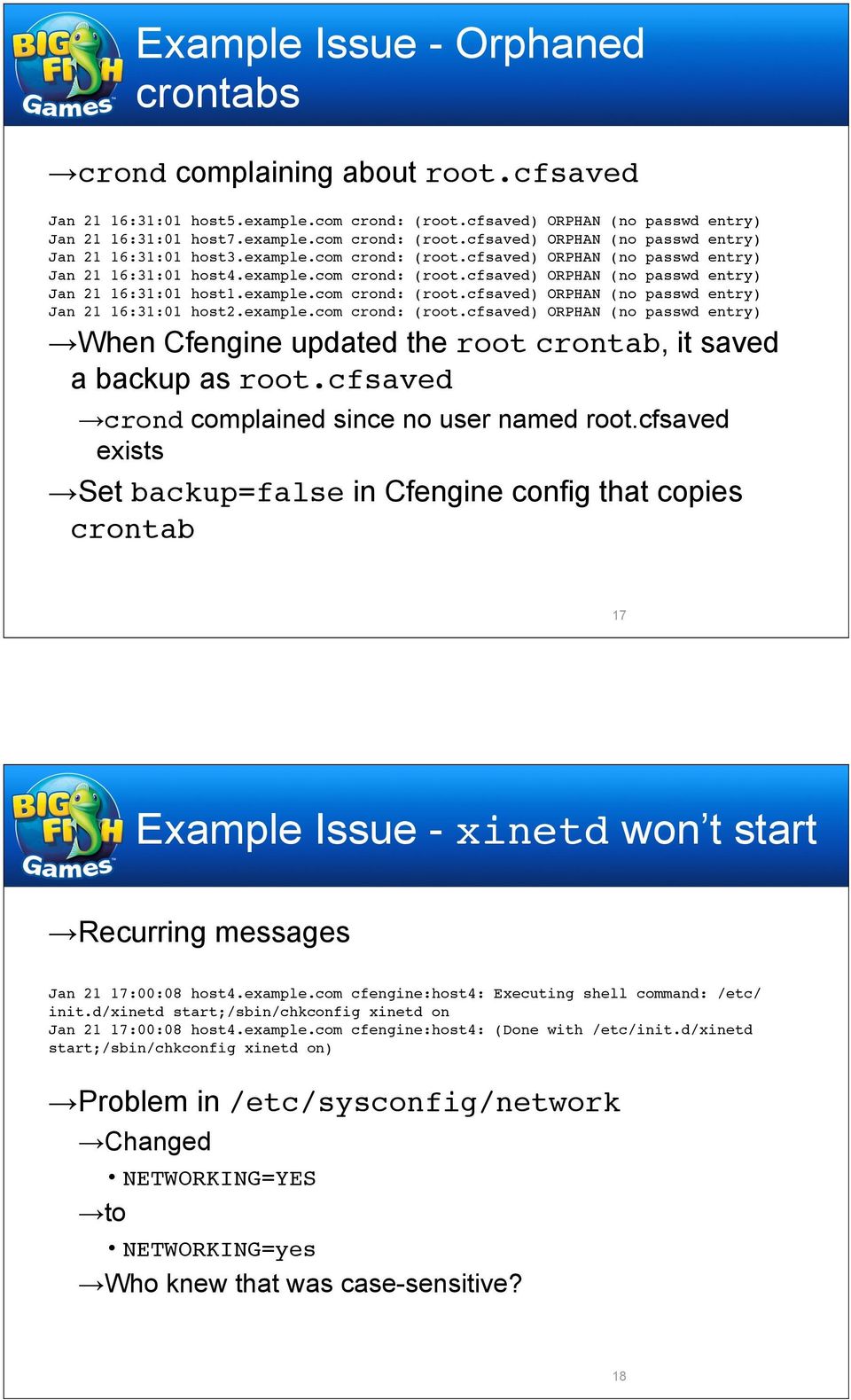
9 Example Issue - Orphaned crontabs crond complaining about root.cfsaved Jan 21 16:31:01 host5.example.com crond: (root.cfsaved) ORPHAN (no passwd entry) Jan 21 16:31:01 host7.example.com crond: (root.cfsaved) ORPHAN (no passwd entry) Jan 21 16:31:01 host3.example.com crond: (root.cfsaved) ORPHAN (no passwd entry) Jan 21 16:31:01 host4.example.com crond: (root.cfsaved) ORPHAN (no passwd entry) Jan 21 16:31:01 host1.example.com crond: (root.cfsaved) ORPHAN (no passwd entry) Jan 21 16:31:01 host2.example.com crond: (root.cfsaved) ORPHAN (no passwd entry) When Cfengine updated the root crontab, it saved a backup as root.cfsaved crond complained since no user named root.cfsaved exists Set backup=false in Cfengine config that copies crontab 17 Example Issue - xinetd won t start Recurring messages Jan 21 17:00:08 host4.example.com cfengine:host4: Executing shell command: /etc/ init.d/xinetd start;/sbin/chkconfig xinetd on Jan 21 17:00:08 host4.example.com cfengine:host4: (Done with /etc/init.d/xinetd start;/sbin/chkconfig xinetd on) Problem in /etc/sysconfig/network Changed NETWORKING=YES to NETWORKING=yes Who knew that was case-sensitive? 18
10 Example Issue - DHCP misconfiguration Errors from dhcpd Apr 7 12:56:34 host1.example.com dhcpd: /etc/dhcpd/ conf line 153: expecting numeric value. Apr 7 12:56:34 host1.example.com dhcpd: hardware ethernet 00:b0:c7:82:3u: Apr 7 12:56:34 host1.example.com dhcpd: ^ Apr 7 12:56:34 host1.example.com dhcpd: /etc/dhcpd/ conf line 158: expecting numeric value. Apr 7 12:56:34 host1.example.com dhcpd: /etc/dhcpd.conf line 17: /etc/dhcpd/ conf: bad parse. Apr 7 12:56:34 host1.example.com dhcpd: include "/etc/dhcpd/ conf" Apr 7 12:56:34 host1.example.com dhcpd: ^ Apr 7 12:56:34 host1.example.com dhcpd: Configuration file errors encountered -- exiting 3e mistakenly entered as non-hexadecimal 3u 19 Example Issue - Defunct Realtime Blackhole List Postfix errors saying relays.ordb.org had been shut down some time ago Mar 26 23:50:08 host2.example.com postfix/smtpd[31301]: AF8AC159EBA: reject: RCPT from dsl.telesp.net.br[ ]: 554 Service unavailable; Client host [ ] blocked using relays.ordb.org; ordb.org was shut down on December 18, Please remove from your mailserver.; from=<lutz-ataiccar@964- rock.com> to=<[email protected]> proto=esmtp helo=< dsl.telesp.net.br> Mar 26 23:50:10 host2.example.com postfix/smtpd[32311]: 4C00F15A131: reject: RCPT from server live-servers.net[ ]: 554 Service unavailable; Client host [ ] blocked using relays.ordb.org; ordb.org was shut down on December 18, Please remove from your mailserver.; from=<[email protected]> to=<[email protected]> proto=smtp helo=<[ ]> Removed references to relays.ordb.org from /etc/ postfix/.cf, reloaded Postfix 20

11 Example Issue - logrotate exiting abnormally Errors from daily logrotate run Apr 12 04:02:04 host3.example.com logrotate: ALERT exited abnormally with [1] Apr 13 04:02:02 host3.example.com logrotate: ALERT exited abnormally with [1] Apr 14 04:02:02 host3.example.com logrotate: ALERT exited abnormally with [1] Running logrotate -v /etc/logrotate.conf gives error: bad line 29 in state file /var/lib/logrotate.status End of /var/lib/logrotate.status looks like "/var/log/up2date" "/var/log/wtmp" "/var/log/yum.log" /wtmp" Last entry munged somehow Removed the last line from logrotate.status 21 Example Issue - logrotate exiting abnormally Errors from weekly logrotate run Apr 6 04:05:50 host1.example.com logrotate: ALERT exited abnormally with [1] Apr 13 04:04:09 host1.example.com logrotate: ALERT exited abnormally with [1] Running logrotate -v showed no problems Edited logrotate cron job to run verbosely Squid postrotate script, squid -k rotate, failing with ERROR: No running copy Not sure why (PID file missing?), but restarted Squid, no more errors 22

12 Example Issue - NTP problems Time not synced very well on some hosts, as indicated by weekly cron jobs running off schedule This rule suppresses logs associated with weekly syslogd restart within a 10-second time window type=suppress desc=syslogd restart after regular log rotation ptype=regexp pattern=04:02:0\d [\w.-]+ syslogd [\d.]+: restart\. So when syslogd restarts show up, it s worth investigating Dec 2 04:02:13 host6 syslogd 1.4.1: restart. Dec 2 04:02:10 host5 syslogd 1.4.1: restart. Dec 2 04:01:43 host1 syslogd 1.4.1: restart. Dec 9 04:02:10 host6 syslogd 1.4.1: restart. Dec 9 04:01:41 host1 syslogd 1.4.1: restart. Dec 16 04:01:39 host1 syslogd: restarted Dec 16 04:02:12 host5 syslogd: restarted Dec 23 04:01:37 host1 syslogd: restarted 23 Example Issue - NTP problems Variety of fixes Resetting clock Starting ntpd Updating zoneinfo files Relinking /etc/localtime Replacing /etc/ntp.conf to use correct servers 24

13 Example Issue - DNS probes Lots of DNS zone transfer attempts on our external nameservers from a variety of sources Dec 4 17:08:50 MULTIPLE-HOSTS named: PROBE from : zone transfer ' in-addr.arpa' denied Dec 4 17:08:52 MULTIPLE-HOSTS named: PROBE from : zone transfer 'example.com' denied Dec 4 17:08:52 MULTIPLE-HOSTS named: PROBE from : zone transfer 'example.com' denied Dec 4 17:08:52 MULTIPLE-HOSTS named: PROBE from : zone transfer 'example.com' denied Dec 4 17:08:53 MULTIPLE-HOSTS named: PROBE from : zone transfer 'example.com' denied Traced to a PlanetLab project described here: Contacted researchers, added our nameservers to exclusion list 25 syslog-ng

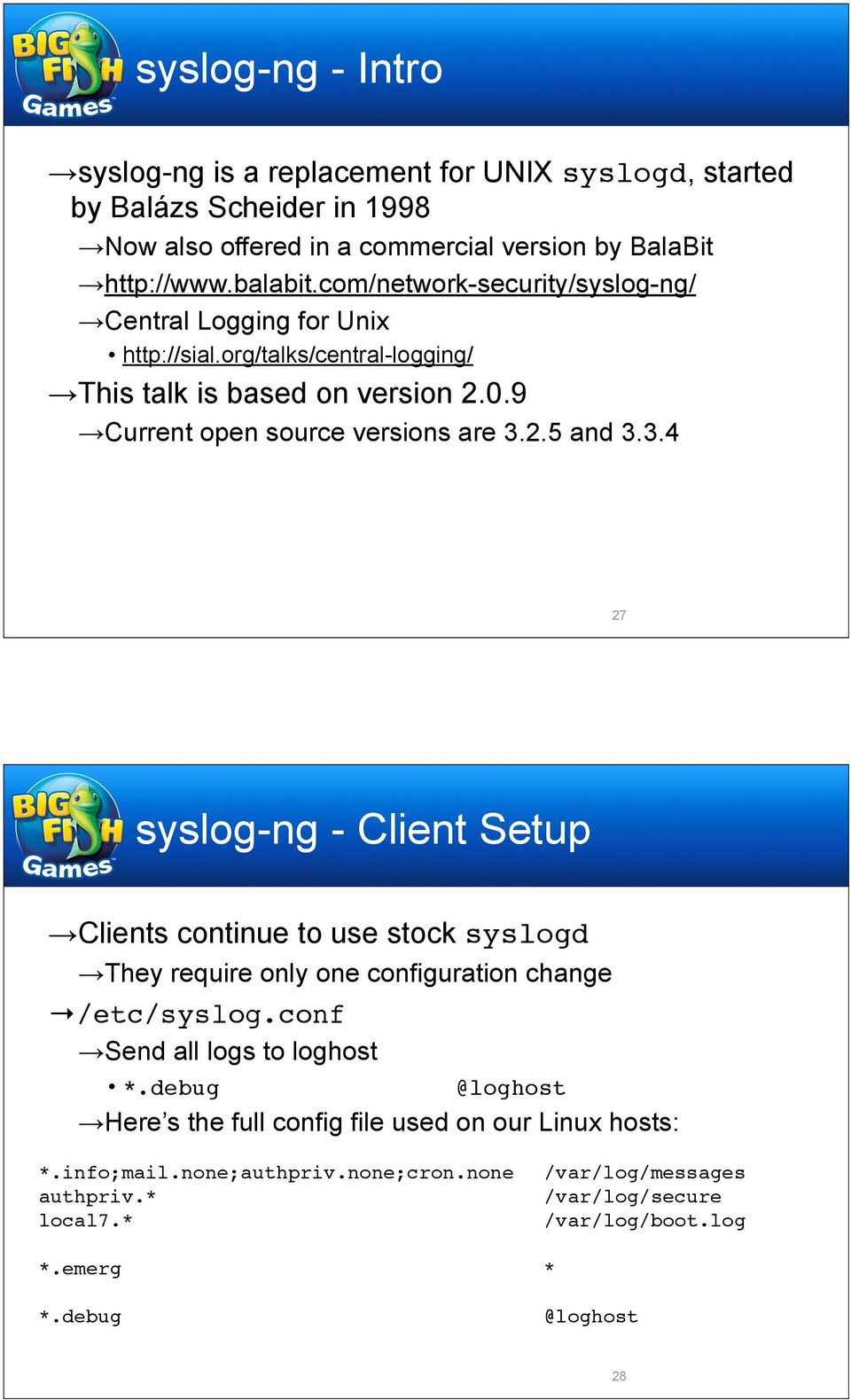
14 syslog-ng - Intro syslog-ng is a replacement for UNIX syslogd, started by Balázs Scheider in 1998 Now also offered in a commercial version by BalaBit Central Logging for Unix This talk is based on version Current open source versions are and syslog-ng - Client Setup Clients continue to use stock syslogd They require only one configuration change /etc/syslog.conf Send all logs to loghost Here s the full config file used on our Linux hosts: *.info;mail.none;authpriv.none;cron.none! /var/log/messages authpriv.*!!!!!!!!!! /var/log/secure local7.*!!!!!!!!!! /var/log/boot.log *.emerg!!!!!!!!!! * 28
15 syslog-ng - Client Setup /etc/syslog.conf Send all logs to loghost Here s what I ve used on Solaris hosts: *.err;kern.notice;auth.notice!!!! /dev/sysmsg *.err;kern.debug;daemon.notice;mail.crit! /var/adm/messages *.alert;kern.err;daemon.err!!!!! operator *.alert!!!!!!!!!! root *.emerg!!!!!!!!!! * Remember to remove the Solaris-default loghost alias to the host itself (in /etc/hosts) 29 syslog-ng - Server Setup Dedicated account for use by syslog-ng syslog:x:514:514::/mnt0/syslog:/bin/false Locked password Group is used by those who need to view logs After compiling, installed under /usr/local/ Created init script On Solaris 10, created an SMF service /lib/svc/method/syslog-ng Startup script on next slide /var/svc/manifest/system/syslog-ng.xml Can provide SMF manifest upon request Disabled syslogd 30

16 syslog-ng - Server Setup #!/sbin/sh DAEMON=/usr/local/sbin/syslog-ng USER=syslog CONFFILE=/usr/local/etc/syslog-ng.conf PIDFILE=/var/run/syslog-ng.pid echo 'syslog-ng service starting.' # Before syslogd starts, save any messages from previous crash dumps so that # messages appear in chronological order. /usr/bin/savecore -m if [ -r /etc/dumpadm.conf ]; then!. /etc/dumpadm.conf! [ -n "$DUMPADM_DEVICE" -a "x$dumpadm_device"!= xswap ] && \!! /usr/bin/savecore -m -f $DUMPADM_DEVICE fi $DAEMON -u $USER -f $CONFFILE -p $PIDFILE /lib/svc/method/syslog-ng 31 syslog-ng - Server Setup All the log files are under /mnt0/syslog/ The complete record for the day is all The working files used by SEC for regular updates are net.tmp and unix.tmp These files go away when a regular update is sent out syslog-ng-filtered logs are in byfac/ and byapp/ Some handy symlinks are in bylnk/, to help remember what the various local facilities (local1, local2, etc.) are used for SEC-filtered logs are in sec/ Rotated log files are in archive/ 32
![]; then!. /etc/dumpadm.conf! [ -n "$DUMPADM_DEVICE" -a "x$dumpadm_device"!= xswap ] && \!](/docs-images/40/1991071/images/page_16.jpg "! /usr/bin/savecore -m -f $DUMPADM_DEVICE fi $DAEMON -u $USER -f $CONFFILE -p $PIDFILE /lib/svc/method/syslog-ng 31 syslog-ng - Server Setup All the log files are under /mnt0/syslog/ The complete")
17 syslog-ng - Server Setup -rw-r--r-- 1 syslog syslog Feb 27 13:00 all drwxr-s--- 6 syslog syslog 4096 Jul archive drwxr-s--- 2 syslog syslog 4096 Feb 26 23:55 byapp drwxr-s--- 2 syslog syslog 4096 Feb 27 12:59 byfac drwxr-s--- 2 syslog syslog 4096 Mar bylnk drwxr-s--- 2 syslog syslog 4096 Feb 20 23:58 sec -rw-r--r-- 1 root syslog 165 Feb 27 12:57 unix.tmp Contents of /mnt0/syslog/ 33 syslog-ng - Server Setup byapp: -rw-r--r-- 1 syslog syslog 225 Feb 27 05:15 disk -rw-r--r-- 1 syslog syslog Feb 27 07:48 emerg -rw-r--r-- 1 syslog syslog 0 Feb 20 23:56 hitemp -rw-r--r-- 1 syslog syslog Feb 27 11:42 su -rw-r--r-- 1 syslog syslog Feb 27 13:01 traffic byfac: -rw-r--r-- 1 syslog syslog Feb 27 13:00 auth -rw-r--r-- 1 syslog syslog Feb 27 13:01 authpriv -rw-r--r-- 1 syslog syslog Feb 27 13:01 cron -rw-r--r-- 1 syslog syslog Feb 27 13:01 daemon -rw-r--r-- 1 syslog syslog Feb 27 13:01 kern -rw-r--r-- 1 syslog syslog Feb 27 13:01 local0 -rw-r--r-- 1 syslog syslog Feb 27 10:05 local1 -rw-r--r-- 1 syslog syslog Feb 27 13:01 local2 -rw-r--r-- 1 syslog syslog Feb 27 13:00 local3 -rw-r--r-- 1 syslog syslog Feb 27 13:01 local4 -rw-r--r-- 1 syslog syslog Feb 27 12:58 local5 -rw-r--r-- 1 syslog syslog Feb 27 13:01 local6 -rw-r--r-- 1 syslog syslog Feb 27 13:01 local7 -rw-r--r-- 1 syslog syslog Feb 27 13:01 mail -rw-r--r-- 1 syslog syslog Feb 27 13:01 syslog -rw-r--r-- 1 syslog syslog Feb 27 13:01 user Contents of /mnt0/syslog/ 34

18 syslog-ng - Server Setup bylnk: lrwxrwxrwx 1 syslog syslog 15 May boot ->../byfac/local7 lrwxrwxrwx 1 syslog syslog 15 May cisco ->../byfac/local7 lrwxrwxrwx 1 syslog syslog 15 Jul clamd ->../byfac/local6 lrwxrwxrwx 1 syslog syslog 15 Feb enviromux ->../byfac/local0 lrwxrwxrwx 1 syslog syslog 15 Aug juniper ->../byfac/local7 lrwxrwxrwx 1 root syslog 15 Mar mysqld ->../byfac/daemon lrwxrwxrwx 1 syslog syslog 13 Aug nagios ->../byfac/user lrwxrwxrwx 1 syslog syslog 15 May named ->../byfac/local4 lrwxrwxrwx 1 syslog syslog 13 May netbackup ->../byfac/user lrwxrwxrwx 1 syslog syslog 15 May rsyncd ->../byfac/local3 lrwxrwxrwx 1 syslog syslog 15 May sec ->../byfac/local1 lrwxrwxrwx 1 syslog syslog 15 May slapd ->../byfac/local4 lrwxrwxrwx 1 syslog syslog 17 May sudo ->../byfac/authpriv lrwxrwxrwx 1 syslog syslog 15 Apr ups ->../byfac/local2 Contents of /mnt0/syslog/ 35 syslog-ng - Config File Config file is /usr/local/etc/syslog-ng.conf The config file has 5 kinds of statements General options Sources and destinations Filters Log statements, where you direct messages from sources to destinations through filters I use this configuration for rough filtering and message routing, and to launch SEC processes for further, finergrained parsing Also, SEC can t filter based on facility or severity unless they re included in the message text, so syslog-ng is useful for that 36

19 syslog-ng - Config File Options options {! group("syslog");! perm(0644);! create_dirs(yes);! dir_group("syslog");! dir_perm(0755);! use_fqdn(yes);! chain_hostnames(no);! dns_cache_expire(21600);! dns_cache_size(2000);! log_fifo_size(200000); }; Setting group and permissions create_dirs(yes) - Create log dirs on the fly use_fqdn(yes) - Log messages with host s FQDN chain_hostnames(no) - Record only the source host of a message 37 syslog-ng - Config File Options options {! group("syslog");! perm(0644);! create_dirs(yes);! dir_group("syslog");! dir_perm(0755);! use_fqdn(yes);! chain_hostnames(no);! dns_cache_expire(21600);! dns_cache_size(2000);! log_fifo_size(200000); }; dns_cache_expire, dns_cache_size - Increase retention time and size of DNS lookup cache (default 3600 secs and 1007) log_fifo_size - Increase size of message buffer (default 100) 38

20 syslog-ng - Config File Here s the first log statement log { source(s_all); destination(d_all); }; Every log message received by syslog-ng goes to the d_all destination (no filtering) Here s the source definition source s_all {! internal();! unix-stream("/dev/log");! udp(); }; Messages are generated internally by syslog-ng, from loghost itself, or from remote clients (via UDP) On Solaris, replace unix-stream line with: sun-streams( /dev/log door( /var/run/syslog_door )); 39 syslog-ng - Config File Here s the first log statement log { source(s_all); destination(d_all); }; Here s the destination destination d_all! { file("/mnt0/syslog/all"!!! template("$r_date $HOST $MSG\n")!!! template_escape(no));!!! program("`/usr/local/bin/secstart `"!!! template("$r_date $HOST $MSG\n")!!! template_escape(no)); }; All messages are recorded in /mnt0/syslog/all In addition, when this destination is set up the secstart script runs, used to spawn an SEC process to handle the same set of messages More on secstart later 40
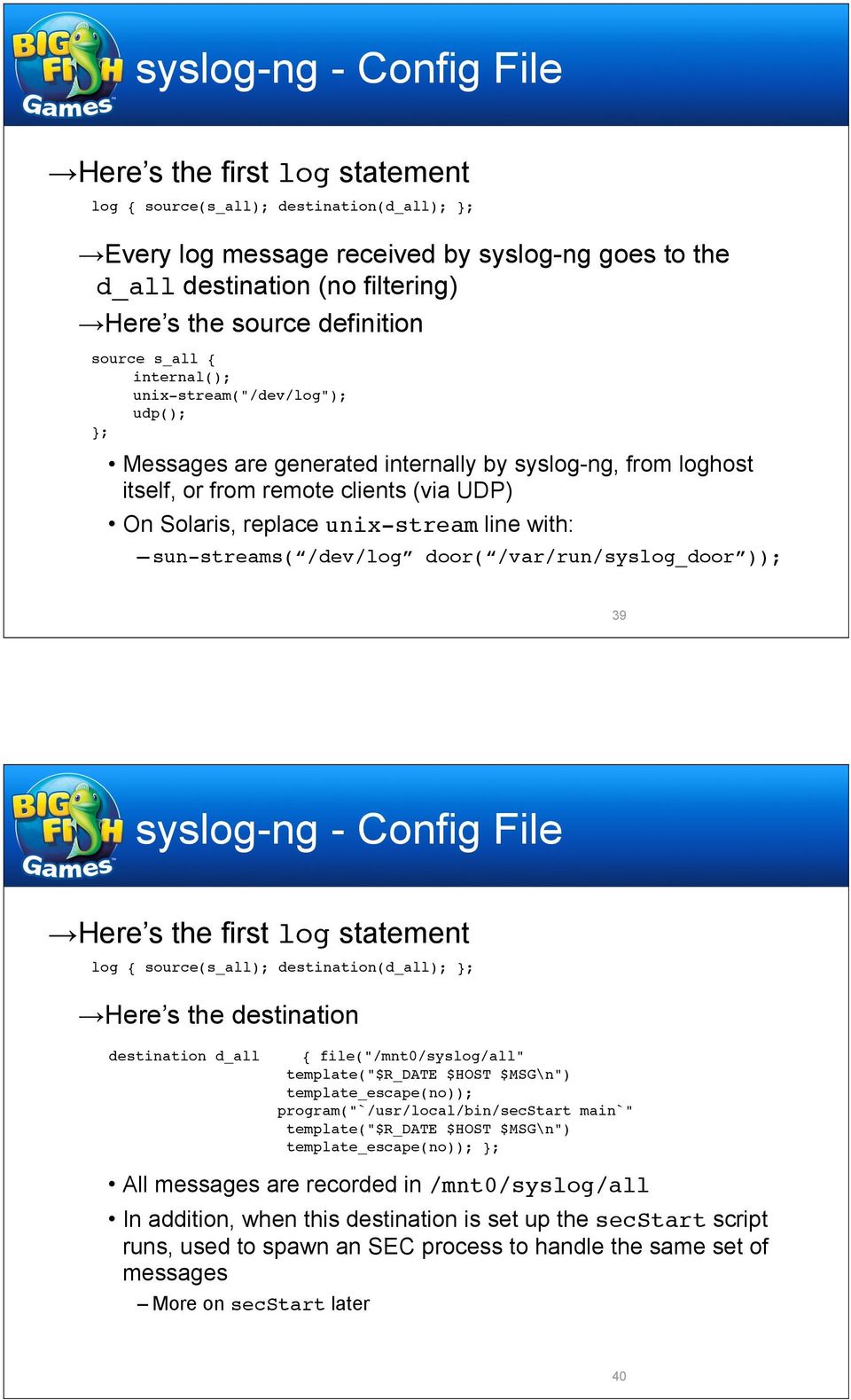
21 syslog-ng - Config File Here s the first log statement log { source(s_all); destination(d_all); }; Here s the destination destination d_all! { file("/mnt0/syslog/all"!!! template("$r_date $HOST $MSG\n")!!! template_escape(no));!!! program("`/usr/local/bin/secstart `"!!! template("$r_date $HOST $MSG\n")!!! template_escape(no)); }; Records messages with the time received, the source hostname, and the message content, consistent with standard syslog format Timestamps supplied by clients are rewritten, otherwise hosts with bad clocks or in different timezones confuse things Also, later versions of Solaris (8+?) insert a priority code at the beginning of the line if you don t specify a template 41 syslog-ng - Config File The second log statement log { source(s_all); destination(d_fac); }; Here s the destination destination d_fac! { file("/mnt0/syslog/byfac/$facility"!!! template("$r_date $HOST $MSG\n")!!! template_escape(no)); }; Messages are automatically sorted into separate log files per syslog facility /mnt0/syslog/byfac/auth, /mnt0/syslog/byfac/daemon, / mnt0/syslog/byfac/kern, /mnt0/syslog/byfac/local0, etc. 42
22 syslog-ng - Config File The third log statement introduces the final flag, meant to stop further processing if a message makes it through this filter, as the reing log statements are for specific, non-overlapping purposes log { source(s_int); destination(d_int); flags(final); }; Source source s_int { internal(); }; Destination destination d_int! { file("/mnt0/syslog/byfac/syslog"!!! template("$r_date $HOST $MSG\n")!!! template_escape(no)); }; Log internally-generated messages to a separate file Not otherwise logged to a facility-specific file by the previous statement, even though internal source included in s_all 43 syslog-ng - Config File The fourth log statement has a simple filter attached log { source(s_all); filter(f_emerg); destination(d_emerg); }; Destination destination d_emerg! { file("/mnt0/syslog/byapp/emerg"!!! template("$r_date $HOST $MSG\n")!!! template_escape(no));!!! program("`/usr/local/bin/secstart emerg`"!!! template("$r_date $HOST $MSG\n")!!! template_escape(no)); }; Messages of emerg severity have a dedicated SEC process to generate immediate notifications Filter filter f_emerg { level(emerg); }; You can use keywords (such as level, program, or host) and Boolean logic to construct filters 44
23 syslog-ng - Config File The fifth log statement has a more complex filter, meant to process disk and RAID card accelerator cache errors log { source(s_all); filter(f_disk); destination(d_disk); flags(final); }; Destination destination d_disk!{ file("/mnt0/syslog/byapp/disk"!!!!! template("$r_date $HOST $MSG\n")!!!!! template_escape(no));!!!!! program("`/usr/local/bin/secstart disk`"!!!!! template("$r_date $HOST $MSG\n")!!!!! template_escape(no)); }; Filter filter f_disk!! { program("cmaidad") or program("cmaeventd"); }; 45 syslog-ng - Config File The sixth log statement processes high-temperature events log { source(s_all); filter(f_hitemp); destination(d_hitemp); flags(final); }; Destination is similar to previous ones Filter filter f_hitemp!! { not program("sendmail") and!!!!! not program("mimedefang.pl") and!!!!! not program("mimedefang-multiplexor") and!!!!! not program("spamd") and not program("smartd") and!!!!! not program("mgd") and not program("sec") and!!!!! (match("temperature") or match("temperature") or match("humidity")); }; This filter performs regular expression matches on the full contents of the message Regex matches can consume more processing power, so prepend match keywords with program, level, or other keywords to reduce number of required matches 46
24 syslog-ng - Config File Here s a statement I used to gather possible memory errors from Solaris clients log { source(s_all); filter(f_mem); destination(d_mem); flags(final); }; Destination is similar to previous ones Filter filter f_hitemp!! { program("sunw,ultrasparc") or!!!!! match("\\[aft") or!!!!! (match("afar") and not match("safari")) or!!!!! match("fault_pc") or!!!!!!!!! match("memory Module") or!!!!!!!!! match("softerror") or!!!!!!!!! (program("unix") and match("remov") and match("age")); }; 47 syslog-ng - Config File The final log statement funnels logged su and sudo commands into a separate file log { source(s_all); filter(f_su); destination(d_su); flags(final); }; Destination destination d_su! { file("/mnt0/syslog/byapp/su"!!!! template("$r_date $HOST $MSG\n")!!!! template_escape(no)); }; Filter filter f_su { (program("su") and not program("sudo")) or (program("sudo") and (match("sh$") or match("command=/.*/su"))); }; 48
25 syslog-ng - Performance At its peak (early 2010), this installation of syslog-ng handled million log messages per day (over 800 msgs/sec on average) Up from million in 4/09, 4-5 million in 11/08, and 1.3 million in 6/08 About 65 million from firewalls Nearly all the reing logs are related to , BIG-IPs, SSH, cron, and Nagios agents (nrpe) At that rate, syslog-ng takes about 25 MB of RAM, using about 5% of CPU 49 syslog-ng - Performance 24,000,000 Loghost Syslog Metrics 21,000,000 18,000,000 11/11/08 McColo shutdown Categorized Messages Per Day 15,000,000 12,000,000 9,000,000 6,000,000 3,000,000 weekly periodicity 0 11/07! 12/07! 1/08! 2/08! 3/08! 4/08! 5/08! 6/08! 7/08! 8/08! 9/08! 10/08! 11/08! 12/08! 1/09! 2/09! 3/09! 4/09 Firewall Firewall BIG-IP BIG-IP nrpe nrpe cron cron sshd sshd dhcpd dhcpd Messages Per Day 50
26 syslog-ng - Performance 90,000,000 Loghost Syslog Metrics 80,000,000 70,000,000 Categorized Messages Per Day 60,000,000 50,000,000 40,000,000 30,000,000 11/11/08 McColo shutdown 20,000,000 10,000,000 weekly periodicity 0 11/07! 1/08! 3/08! 5/08! 7/08! 9/08! 11/08! 1/09! 3/09! 5/09! 7/09! 9/09! 11/09! 1/10! 3/10 Firewall Firewall BIG-IP BIG-IP nrpe nrpe cron cron sshd sshd dhcpd dhcpd Messages Per Day 51 syslog-ng - Performance Drinking from a firehose 52
27 syslog-ng - Performance 90,000,000 80,000,000 90,000,000 Loghost Syslog Metrics 70,000,000 80,000,000 Categorized Messages Categorized Per Day Messages Per Day 60,000,000 70,000,000 50,000,000 60,000,000 40,000,000 50,000,000 30,000,000 40,000,000 20,000,000 30,000,000 11/11/08 McColo shutdown 10,000,000 20,000, ,000,000 weekly periodicity 0! 12/07! 3/08!! 12/07! 6/08! 3/08! 9/08! 6/08! 12/08! 9/08! 3/09! 12/08! 6/09! 3/09! 9/09! 6/09! 12/09! 9/09! 3/10! 12/09! 6/10! 3/10! 9/10! 6/10! 12/10! 9/10! 3/11! 12/10! 6/11 3/11! 6/11 Juniper BIG-IP iptables nrpe Ganglia cron sshd dhcpd snmpd named Messages Per Day 53 Ye Olden Days
28 The Olden Days - Swatch Join me in those thrilling days of yesteryear... Back in the 20th century, I set up a centralized loghost on a Pentium system running Caldera Linux, taking logs from AIX, HP-UX, Solaris, DYNIX/ptx, Linux and other UNIXy hosts, and Cisco border routers, Ascend and other network gear None of that is relevant now Tool used: Swatch Nice thing about Swatch: It s simple 55 The Olden Days - Swatch ignore = /(above last) message repeat(s ed) \d+ time/ ignore = /-- MARK --/ ignore = /sendmail\[\d+\]:.+ stat=sent/ ignore = /sendmail\[\d+\]:.+ relay=/ ignore = /printd\[\d+\]:/ ignore = /lp(stat)?\[\d+\]:/ ignore = /sshd\[\d+\]: log: Password authentication for \w+ accepted\./ watchfor = /\%SEC\-6\-IPACCESSLOGD?P:/ append = /log/swatch/cisco_acl throttle = 15:00 watchfor = /\%\w+\-\d\-[\w_]+:/ append = /log/swatch/cisco throttle = 15:00 watchfor = /sendmail\[\d+\]:/ append = /log/swatch/mail throttle = 15:00 watchfor = /named(\-xfer)?\[\d+\]:/ append = /log/swatch/named throttle = 15:00 watchfor = /.*/ append = /log/swatch/misc throttle = 15:00 Excerpts from swatchrc 56
29 The Olden Days - Swatch Bad thing about Swatch: It s simple One line, one rule Can t deal with multi-line events Sendmail, boot, shutdown, scans, etc. My immediate motivation for setting up an SEC-based system c was network scans Shop I was at had a shell script on each host, run by cron, that would track its place in the messages log, grep out some stuff, and the rest Among other failings, during regular network scans we were bombarded with dozens of messages Swatch wasn t going to cut it 57 Simple Event Correlator
30 SEC - Intro Simple Event Correlator (SEC) is written by Risto Vaarandi, and was first released in Working with SEC article.html It s essentially an line Perl script used to automatically process log messages of any kind Similar to Swatch, but much more sophisticated, and with that sophistication comes greater complexity This talk is based on version Current version is SEC - Intro Started by syslog-ng using secstart script Argument to secstart specifies SEC config to use Why do this instead of running independent sec processes to monitor the log files themselves? Difficult to guarantee that messages wouldn t be missed, or parsed two or more times, when procs restarted (during log rotation, config update, etc.) Know that every message received by syslog-ng is parsed exactly once by the appropriate sec proc, and that all procs stop and start in sync secstart makes syslog-ng.conf much cleaner 60
31 SEC - Intro #!/bin/sh # # secstart - Print SEC command line with default options. usage () {! echo "usage:! $progname config! 'config' is the name of an SEC config file in /usr/local/etc/ sec/." >&2! exit 2 } progname=`basename $0` [ $# -eq 1 ] usage echo "/usr/local/sbin/sec -conf=/usr/local/etc/sec/$1 -pid=/var/run/ sec-$1.pid -dump=/mnt0/syslog/sec-$1.dump -debug=5 -syslog=local1 - intevents -input=-" secstart 61 SEC - Configuration SEC config files are located in /usr/local/etc/ sec/ They could be located anywhere, as they re specified in the sec command line There s a config (5800 lines, 960+ rules) and some small special-purpose configs (disk, emerg, and hitemp, lines and 5-8 rules apiece) 62
32 SEC - Configuration An SEC configuration is composed of multi-line stanzas, or rule definitions, with each line containing a key and value Keys include: type - Type of rule (examples later) desc - Textual description of rule ptype - Type of pattern (typically regexp) pattern - String or Perl-style regular expression used to match log message context - Apply rule only when named context in effect action - What to do when rule is matched continue - After this rule, continue or stop (default) 63 SEC - Configuration Rule types used in the examples suppress - Simple rule to toss messages that match single - If message matches, take immediate action singlewithsuppress - If message matches, take immediate action, but then ignore similar messages for a time given by value of window singlewiththreshold - Take action if the number of matching messages within a given window reaches a threshold pairwithwindow - Specify 2 patterns; when 1st pattern matches, watch for 2nd pattern to appear within window; if it does, execute action; if not, execute different action 64
33 SEC - Configuration For each message, rules are processed one at a time, in order, until the message matches a rule without continue=takenext, or end-of-file is reached We ll start with a simple configuration, one that was used to rewrite simplified messages for outbound firewall connections (/usr/local/etc/sec/ outbound) 65 SEC - Configuration Example: outbound type=single desc=set log file and addressee list ptype=substr pattern=sec_startup context=sec_internal_event action=assign %f /mnt0/syslog/firewall/outbound A rule like this appears at the top of each config file It matches internally-generated messages used by SEC to mark startup, and sets variables for later use %f - file in which to record parsed messages 66
34 SEC - Configuration Example: outbound The internal startup messages look like this: Apr 23 12:13:13 loghost.example.com sec[16832]: SEC (Simple Event Correlator) Apr 23 12:13:13 loghost.example.com sec[16832]: Reading configuration from /usr/ local/etc/sec/outbound Apr 23 12:13:13 loghost.example.com sec[16832]: Creating SEC internal context 'SEC_INTERNAL_EVENT' Apr 23 12:13:13 loghost.example.com sec[16832]: Creating SEC internal event 'SEC_STARTUP' Apr 23 12:13:13 loghost.example.com sec[16832]: Deleting SEC internal context 'SEC_INTERNAL_EVENT' More on contexts in a bit 67 SEC - Configuration Example: outbound type=singlewithsuppress desc=$2 $3 $4 ptype=regexp pattern=(\w+\s+\d+\s+\d+:\d+:\d+).+netscreen device_id=([\w.-]+)\s+\[root\]systemnotification-00257\(traffic\):.+(policy_id=\d+).+(src=\d+\.\d+\.\d+\.\d+ dst=\d+\.\d +\.\d+\.\d+) src_port=\d+ (dst_port=\d+) action=write %f $1 $2 $3 $4 $5 window=600 This rule looks for NetScreen firewall traffic logs Elements of the message (timestamp, hostname, policy ID, source and destination data) are captured in Perl regexp backreferences ($1, $2, etc.) A new log message is then written out to a log file 68
35 SEC - Configuration Example: outbound type=singlewithsuppress desc=$2 $3 $4 ptype=regexp pattern=(\w+\s+\d+\s+\d+:\d+:\d+).+netscreen device_id=([\w.-]+)\s+\[root\]systemnotification-00257\(traffic\):.+(policy_id=\d+).+(src=\d+\.\d+\.\d+\.\d+ dst=\d+\.\d +\.\d+\.\d+) src_port=\d+ (dst_port=\d+) action=write %f $1 $2 $3 $4 $5 window=600 For singlewithsuppress and other rules, the event description (the value of desc) is critical Subsequent messages are suppressed within the specified window only if their event descriptions are identical (so don t include timestamp, for example) 69 SEC - Configuration Example: disk Now we ll take a look at a configuration that makes use of a context (/usr/local/etc/sec/disk) A context is a named state that can be set by a rule, which affects the processing of other rules until the context lifetime runs out, it s deleted by another rule, or the SEC process dies A context can also store a set of related messages First, set up variables for notification addresses type=single desc=set addressee lists ptype=substr pattern=sec_startup context=sec_internal_event action=assign %a sec-notify;\! assign %rt [email protected] 70
36 SEC - Configuration Example: disk type=suppress desc=no new reports w/in timeout ptype=regexp pattern=\w+\s+\d+\s+\d+:\d+:\d+ ([\w.-]+) cmaidad\[\d+\]: Physical Drive context=disk_$1 type=single desc=$1 $2 $3 ptype=regexp pattern=(\w+\s+\d+\s+\d+:\d+:\d+) ([\w.-]+) cmaidad\[\d+\]: Physical Drive Status Change: (Slot \d+ Port \w+ Box \d+ Bay \d+\. Status is now (Failed Predictive Failure)\.) action=create DISK_$2 5; create OUT; add OUT %s; add OUT.; add OUT.;\! add OUT You can check log1:/mnt0/syslog/byapp/disk for further status.;\! report OUT /bin/mail -s "SEC: Disk failure on $2" %a;\! report OUT /bin/mail -s "log issue: Disk failure on $2" %rt The first rule has no effect until a context is set, so we have to look at the second rule to make sense of this The second rule catches log messages that indicate a physical drive failure 71 SEC - Configuration Example: disk type=suppress desc=no new reports w/in timeout ptype=regexp pattern=\w+\s+\d+\s+\d+:\d+:\d+ ([\w.-]+) cmaidad\[\d+\]: Physical Drive context=disk_$1 type=single desc=$1 $2 $3 ptype=regexp pattern=(\w+\s+\d+\s+\d+:\d+:\d+) ([\w.-]+) cmaidad\[\d+\]: Physical Drive Status Change: (Slot \d+ Port \w+ Box \d+ Bay \d+\. Status is now (Failed Predictive Failure)\.) action=create DISK_$2 5; create OUT; add OUT %s; add OUT.; add OUT.;\! add OUT You can check log1:/mnt0/syslog/byapp/disk for further status.;\! report OUT /bin/mail -s "SEC: Disk failure on $2" %a;\! report OUT /bin/mail -s "log issue: Disk failure on $2" %rt When the second rule matches, it creates a context named DISK_hostname which lasts for 5 seconds While this context is in effect, further messages are suppressed by the first rule to prevent something like a RAID disconnect from sending multiple alerts 72
37 SEC - Configuration Example: disk type=suppress desc=no new reports w/in timeout ptype=regexp pattern=\w+\s+\d+\s+\d+:\d+:\d+ ([\w.-]+) cmaidad\[\d+\]: Physical Drive context=disk_$1 type=single desc=$1 $2 $3 ptype=regexp pattern=(\w+\s+\d+\s+\d+:\d+:\d+) ([\w.-]+) cmaidad\[\d+\]: Physical Drive Status Change: (Slot \d+ Port \w+ Box \d+ Bay \d+\. Status is now (Failed Predictive Failure)\.) action=create DISK_$2 5; create OUT; add OUT %s; add OUT.; add OUT.;\! add OUT You can check log1:/mnt0/syslog/byapp/disk for further status.;\! report OUT /bin/mail -s "SEC: Disk failure on $2" %a;\! report OUT /bin/mail -s "log issue: Disk failure on $2" %rt In addition, the rule creates a context named OUT The matched message is added to the event store, along with a comment to guide further investigation The report command then s the contents of the event store, and creates an RT ticket (via ) 73 SEC - Configuration Example: Now onto the configuration This is a large file, so I ll choose a few excerpts First, some words about the overall structure Most of the work of reducing and correlating logs is done in the vast middle of the file At the end, any messages that ran the gauntlet are tagged (PARSED: is prepended to the message), and sent back through the rule set with an event action This is done so that duplicate messages can be suppressed; near the beginning of the file are rules that eliminates duplicates of PARSED: messages that show up within 15 minutes of each other 74
38 SEC - Configuration Example: Structure (cont d.) The same rules that suppress duplicates retag the reing messages (prepending UNDUPED: to the message) The tag is necessary so that log messages don t match the following rules their first time through UNDUPED: messages are then counted in sliding time windows of 10 minutes; if the number reaches a threshold (currently 15), an is sent immediately, as logging volume may indicate a problem 75 SEC - Configuration Example: Structure (cont d.) Finally, UNDUPED: messages are written out to log files (without the UNDUPED: tag) Most Sendmail messages are written to dedicated log files; their volume is so high, and their actionability so low, that they re written to separate files and not counted as described earlier All other messages go to unix.tmp or drupal.tmp (for periodic reports) and to files in sec/ Log messages written to these files are in standard syslog format, in case further processing is desired We ll see what these rules look like in a bit 76
39 SEC - Configuration Example: -rw-r--r-- 1 syslog syslog 2055 Feb 27 09:04 attack -rw-r--r-- 1 syslog syslog 2622 Feb 27 06:37 drupal -rw-r--r-- 1 syslog syslog Feb 27 15:29 mail_custserv -rw-r--r-- 1 syslog syslog Feb 27 15:24 mail_inbound -rw-r--r-- 1 syslog syslog Feb 27 15:29 mail_outbound -rw-r--r-- 1 root syslog Feb 27 15:32 mysql_err -rw-r--r-- 1 syslog syslog 3378 Feb 24 14:34 pdu -rw-r--r-- 1 syslog syslog Feb 27 14:23 unix Contents of /mnt0/syslog/sec/ 77 SEC - Configuration Example: Here s how the file breaks down Setup rule (1 rule, 29 lines) Set variables for log pathnames, notification Temporary rules (23 rules, 130 lines) Suppress logs for issues being worked on Deduplication rules (6 rules, 55 lines) Suppress duplicate messages Post-dedupe rules (22 rules, 167 lines) Work on deduplicated logs, ly to correlate network outages Real-time alert rules (10 rules, 75 lines) Send alerts for specific messages 78
40 SEC - Configuration Example: Breakdown (cont d.) Output rules (13 rules, 94 lines) Count parsed messages and write to log files Scan rules (27 rules, 177 lines) Correlate messages from network security scans Network device rules (22 rules, 124 lines) Handle network device logs Syslog heartbeat rule (1 rule, 14 lines) Watch for devices that have stopped logging Misc. suppression rules (87 rules, 436 lines) Lots of basic suppress rules 79 SEC - Configuration Example: Breakdown (cont d.) Time-specific rules (30 rules, 153 lines) Suppress daily events Overload rules (13 rules, 92 lines) Correlate logs associated with overloaded hosts Service rules (613 rules, 3588 lines) Suppress or correlate messages for iptables, DHCP, BIND, Sendmail, SSH, Drupal, LDAP, NTP, MySQL, kernel, VMware, etc. Boot/Shutdown/Upgrade rules (65 rules, 424 lines) Correlate messages from system boots, shutdowns, and OS upgrades 80
41 SEC - Configuration Example: Breakdown (cont d.) Power & environmental systems rules (14 rules, 99 lines) Handle logs from PDUs, UPSes, EMUs, etc. Catchall rules (14 rules, 87 lines) Tag reing messages and send them back through TOTAL: 961 rules, 5744 lines 81 SEC - Configuration Example: Flow of Log Messages Through Configuration 82
42 SEC - Configuration Example: Flow of Log Messages Through Configuration 83 SEC - Configuration Example: Here s an explanatory video that also demonstrates what happens to the log messages 84
43 SEC - Configuration Example: For a detailed look, we ll start at the end of the file Here are some of the catchall rules to tag parsed messages type=single desc=log messages w/o (usually) unhelpful PID and subprogram ptype=regexp pattern=(\w+\s+\d+\s+\d+:\d+:\d+ [\w.-]+.+?)\([\w.-]+\)\[\d+\]: (.+) action=event 0 PARSED:$1: $2 type=single desc=log messages w/o (usually) unhelpful PID ptype=regexp pattern=(\w+\s+\d+\s+\d+:\d+:\d+ [\w.-]+.+?)\[\d+\]: (.+) action=event 0 PARSED:$1: $2 type=single desc=log all reing messages ptype=regexp pattern=.+ action=event 0 PARSED:$0 85 SEC - Configuration Example: The catchall rules remove some elements that aren t usually helpful in evaluating importance (syslog message ID, process ID) with the use of Perl backrefs Then event 0 puts the parsed and tagged message back into the message queue without delay Back toward the beginning of the file, the PARSED: messages are matched by the duplicate suppression rules 86
44 SEC - Configuration Example: type=singlewithsuppress desc=$2 ptype=regexp pattern=^parsed:(\w+\s+\d+\s+\d+:\d+:\d+) (.+) action=event 0 UNDUPED:$1 $2 window=900 # In case something somehow gets to here... type=singlewithsuppress desc=malformed message $1 ptype=regexp pattern=^parsed:(.+) action=event 0 UNDUPED:%s window=900 The singlewithsuppress rule uses the value of desc to determine whether messages are similar Since the timestamp isn t included in the event description, messages are compared only on content These rules prevent flooding by lots of similar messages 87 SEC - Configuration Example: After de-duplication, reing messages are counted: # Count parsed messages. type=singlewiththreshold desc=over 15 interesting log messages received in the last 10 minutes. continue=takenext ptype=regexp pattern=^unduped: action=create WARNED_OF_EXCESSIVE_INTERESTING_LOGS 1800;\ pipe '' /usr/bin/mail -s "SEC: Excessive logging detected at %t" %a context=!warned_of_excessive_interesting_logs window=600 thresh=15 If at least 15 messages are counted in any 10-minute (600-second) period, an is sent A context is used to prevent such s from being sent more than twice an hour When the threshold is tripped, the context prevents this rule from operating for 30 minutes (1800 seconds) 88
45 SEC - Configuration Example: I used to have a count for raw (unparsed) logs as the messages came in, the idea being that heavy volume could indicate a problem (unauthorized scan, broken software, etc.), but be reflected in log messages that you would typically pay no attention to The can spur you to investigate the raw logs However, with mail servers, firewalls, cron, sshd, etc. sending so many bursty logs, it became difficult to set a reasonable threshold You can suppress many of the highest-volume logs first, but it s still unreliable, and makes figuring out what caused the burst by investigating the raw logs more difficult 89 SEC - Configuration Example: Multi-host correlation Simple singlewiththreshold example This comes early, right after de-duplication # Correlate similar messages appearing w/in 5 minutes on multiple hosts. type=singlewiththreshold desc=$2 continue=takenext ptype=regexp pattern=^unduped:(\w+\s+\d+\s+\d+:\d+:\d+) [\w.-]+ (.+) action=create MULTIHOST_$2 300; event 0 UNDUPED:$1 MULTIPLE-HOSTS $2 window=300 thresh=3 If a similar message appears more than twice within 5 minutes, the MULTIHOST context is entered Key is that correlation is based on message content only ($2), excluding hostname 90
46 SEC - Configuration Example: Multi-host correlation This rule actually comes earlier, right before de-dupe # Suppress additional messages in multi-host events. See creation of correlation # a few rules below. Need to put this here to suppress PARSED messages, because # if we suppress UNDUPED messages, we suppress the multi-host message itself. type=single desc=multi-host event ptype=regexp pattern=^parsed:\w+\s+\d+\s+\d+:\d+:\d+ [\w.-]+ (.+) action=set MULTIHOST_$1 300 context=multihost_$1 This acts to suppress additional similar messages (since there s no continue=takenext), and extends the context lifetime with set The context will survive until 5 minutes after the last similar message is seen, providing a sliding window 91 SEC - Configuration Example: Multi-host correlation Together, these rules (along with other correlation rules, as in the next example) can turn this Apr 22 13:07:31 host2.example.com syslogd 1.4.1: restart. Apr 22 13:07:31 host2.example.com syslog: syslogd startup succeeded Apr 22 13:07:31 host2.example.com syslog: klogd startup succeeded Apr 22 13:07:33 host2.example.com syslog: syslogd shutdown succeeded Apr 22 13:08:06 host3.example.com syslogd 1.4.1: restart. Apr 22 13:08:06 host3.example.com syslog: syslogd startup succeeded Apr 22 13:08:06 host3.example.com syslog: klogd startup succeeded Apr 22 13:08:08 host3.example.com syslog: syslogd shutdown succeeded Apr 22 13:08:40 host4.example.com syslogd 1.4.1: restart. Apr 22 13:08:40 host4.example.com syslog: syslogd startup succeeded Apr 22 13:08:40 host4.example.com syslog: klogd startup succeeded Apr 22 13:08:42 host4.example.com syslog: syslogd shutdown succeeded Apr 22 13:09:13 host5.example.com syslogd 1.4.1: restart. Apr 22 13:09:13 host5.example.com syslog: syslogd startup succeeded Apr 22 13:09:13 host5.example.com syslog: klogd startup succeeded Apr 22 13:09:16 host5.example.com syslog: syslogd shutdown succeeded Apr 22 13:09:47 host6.example.com syslogd 1.4.1: restart. Apr 22 13:09:47 host6.example.com syslog: syslogd startup succeeded Apr 22 13:09:47 host6.example.com syslog: klogd startup succeeded Apr 22 13:09:50 host6.example.com syslog: syslogd shutdown succeeded 92
47 SEC - Configuration Example: Multi-host correlation Into this Apr 22 13:07:31 host2.example.com syslogd: restarted Apr 22 13:08:06 host3.example.com syslogd: restarted Apr 22 13:08:40 host4.example.com syslogd: restarted Apr 22 13:07:31 MULTIPLE-HOSTS syslogd: restarted 93 SEC - Configuration Example: Service restart correlation (using pairwithwindow) # Useful for simple services like xinetd, dhcpd,... # Disable the correlation if it's part of a reboot. type=pairwithwindow desc=service $3 restart on $2 ptype=regexp pattern=(\w+\s+\d+\s+\d+:\d+:\d+) ([\w.-]+) (\w+): \w+ shutdown succeeded action=event 0 PARSED:$1 $2 $3: shutdown context=!shutdown_$2 desc2=service startup ptype2=regexp pattern2=(\w+\s+\d+\s+\d+:\d+:\d+) $2 $3: $3 startup succeeded action2=event 0 PARSED:$1 %2 %3: restarted window=10 If we see shutdown succeeded followed shortly (within 10 secs) by startup succeeded for a service on a host, combine the two messages into a single restarted message 94
48 SEC - Configuration Example: Service restart correlation (using pairwithwindow) # Useful for simple services like xinetd, dhcpd,... # Disable the correlation if it's part of a reboot. type=pairwithwindow desc=service $3 restart on $2 ptype=regexp pattern=(\w+\s+\d+\s+\d+:\d+:\d+) ([\w.-]+) (\w+): \w+ shutdown succeeded action=event 0 PARSED:$1 $2 $3: shutdown context=!shutdown_$2 desc2=service startup ptype2=regexp pattern2=(\w+\s+\d+\s+\d+:\d+:\d+) $2 $3: $3 startup succeeded action2=event 0 PARSED:$1 %2 %3: restarted window=10 If a system shutdown context is in effect, the first message that triggers this rule will instead be left alone, so it can be suppressed by a later rule 95 SEC - Configuration Example: Correlation of boot logs ############## # BOOT RULES # ############## type=single desc=create boot context ptype=regexp pattern=(\w+\s+\d+\s+\d+:\d+:\d+) ([\w.-]+) kernel: Linux version action=create BOOT_$2 240; create SAN_UP_$2 240; create CFENGINE_BOOT_$2 900;\ create NTP_STOPSTART_$2 900; event 0 UNDUPED:$1 $2 starting up... context=!boot_$2 This first rule sets up the host-specific boot context Also sets up contexts for SAN-related, Cfengine, and NTP logs that show up later than the rest Logs a message as UNDUPED:, rather than PARSED:, to bypass multi-host correlation and see every bootup 96
49 SEC - Configuration Example: Correlation of boot logs Solaris version ############## # BOOT RULES # ############## type=single desc=create boot context ptype=regexp pattern=(\w+\s+\d+\s+\d+:\d+:\d+) ([\w.-]+) (gen)?unix:.+(sunos Release Copyright \d\d Sun Microsystems) action=create BOOT_$2 600; event 0 PARSED:$1 $2 starting up... context=!boot_$2 97 SEC - Configuration Example: Correlation of boot logs Reing rules are suppressions, which can turn this 98 Apr 24 14:22:50 host2.example.com syslogd 1.4.1: restart. Apr 24 14:22:50 host2.example.com syslog: syslogd startup succeeded Apr 24 14:22:50 host2.example.com kernel: klogd 1.4.1, log source = /proc/kmsg started. Apr 24 14:22:50 host2.example.com kernel: Bootdata ok (command line is ro root=label=/ console=tty0 console=ttys1) Apr 24 14:22:50 host2.example.com kernel: Linux version ELsmp ([email protected]) (gcc version (Red Hat )) #1 SMP Wed Nov 7 13:56:44 EST 2007 Apr 24 14:22:50 host2.example.com kernel: BIOS-provided physical RAM map: Apr 24 14:22:50 host2.example.com kernel: BIOS-e820: f400 (usable) Apr 24 14:22:50 host2.example.com kernel: BIOS-e820: f a0000 (reserved) Apr 24 14:22:50 host2.example.com kernel: BIOS-e820: f (reserved) Apr 24 14:22:50 host2.example.com kernel: BIOS-e820: cfe56000 (usable) Apr 24 14:22:50 host2.example.com kernel: BIOS-e820: cfe cfe5e000 (ACPI data) Apr 24 14:22:50 host2.example.com kernel: BIOS-e820: cfe5e cfe5f000 (usable) Apr 24 14:22:50 host2.example.com kernel: BIOS-e820: cfe5f d (reserved) Apr 24 14:22:50 host2.example.com kernel: BIOS-e820: e f (reserved) Apr 24 14:22:50 host2.example.com kernel: BIOS-e820: fec fed00000 (reserved) Apr 24 14:22:50 host2.example.com kernel: BIOS-e820: fee fee10000 (reserved) Apr 24 14:22:50 host2.example.com syslog: klogd startup succeeded Apr 24 14:22:50 host2.example.com kernel: BIOS-e820: ffc (reserved) Apr 24 14:22:50 host2.example.com kernel: BIOS-e820: ffff000 (usable) Apr 24 14:22:50 host2.example.com kernel: ACPI: RSDP (v002 HP 0x f4f00 Apr 24 14:22:50 host2.example.com kernel: ACPI: XSDT (v001 HP ProLiant 0x x cfe567c0 Apr 24 14:22:50 host2.example.com kernel: ACPI: FADT (v003 HP ProLiant 0x x cfe56840 Apr 24 14:22:50 host2.example.com kernel: ACPI: SPCR (v001 HP SPCRRBSU 0x x cfe56140 Apr 24 14:22:50 host2.example.com kernel: ACPI: MCFG (v001 HP ProLiant 0x x cfe561c0 Apr 24 14:22:50 host2.example.com kernel: ACPI: HPET (v001 HP ProLiant 0x x cfe56200 Apr 24 14:22:50 host2.example.com kernel: ACPI: SPMI (v005 HP ProLiant 0x x cfe56240 Apr 24 14:22:50 host2.example.com kernel: ACPI: ERST (v001 HP ProLiant 0x x cfe56280 Apr 24 14:22:50 host2.example.com kernel: ACPI: MADT (v001 HP ProLiant 0x x cfe56480 Apr 24 14:22:50 host2.example.com kernel: ACPI: FFFF (v001 HP ProLiant 0x x cfe56540 Apr 24 14:22:50 host2.example.com kernel: ACPI: BERT (v001 HP ProLiant 0x x cfe566c0 Apr 24 14:22:50 host2.example.com kernel: ACPI: HEST (v001 HP ProLiant 0x x cfe56700 Apr 24 14:22:50 host2.example.com kernel: ACPI: DSDT (v001 HP DSDT 0x INTL 0x Apr 24 14:22:50 host2.example.com kernel: No NUMA configuration found Apr 24 14:22:50 host2.example.com kernel: Faking a node at ffff000 Apr 24 14:22:50 host2.example.com kernel: Bootmem setup node ffff000 Apr 24 14:22:50 host2.example.com kernel: On node 0 totalpages: Apr 24 14:22:50 host2.example.com kernel: DMA zone: 4096 pages, LIFO batch:1 Apr 24 14:22:50 host2.example.com kernel: Normal zone: pages, LIFO batch:16 Apr 24 14:22:50 host2.example.com kernel: HighMem zone: 0 pages, LIFO batch:1 Apr 24 14:22:50 host2.example.com kernel: DMI 2.4 present. Apr 24 14:22:50 host2.example.com kernel: ServerWorks chipset detected. Disabling timer routing over Apr 24 14:22:50 host2.example.com kernel: ACPI: PM-Timer IO Port: 0x908 Apr 24 14:22:50 host2.example.com kernel: ACPI: Local APIC address 0xfee00000 Apr 24 14:22:50 host2.example.com kernel: ACPI: LAPIC (acpi_id[0x00] lapic_id[0x00] enabled) Apr 24 14:22:50 host2.example.com kernel: Processor #0 6:15 APIC version 16 Apr 24 14:22:50 host2.example.com kernel: ACPI: LAPIC (acpi_id[0x04] lapic_id[0x04] enabled) Apr 24 14:22:50 host2.example.com kernel: Processor #4 6:15 APIC version 16 Apr 24 14:22:50 host2.example.com kernel: ACPI: LAPIC (acpi_id[0x02] lapic_id[0x02] enabled) Apr 24 14:22:50 host2.example.com kernel: Processor #2 6:15 APIC version 16 Apr 24 14:22:50 host2.example.com kernel: ACPI: LAPIC (acpi_id[0x06] lapic_id[0x06] enabled) Apr 24 14:22:50 host2.example.com kernel: Processor #6 6:15 APIC version 16 Apr 24 14:22:50 host2.example.com kernel: ACPI: LAPIC (acpi_id[0x01] lapic_id[0x01] enabled) Apr 24 14:22:50 host2.example.com kernel: Processor #1 6:15 APIC version 16 Apr 24 14:22:50 host2.example.com kernel: ACPI: LAPIC (acpi_id[0x05] lapic_id[0x05] enabled) Apr 24 14:22:50 host2.example.com kernel: Processor #5 6:15 APIC version 16 Apr 24 14:22:50 host2.example.com kernel: ACPI: LAPIC (acpi_id[0x03] lapic_id[0x03] enabled) Apr 24 14:22:50 host2.example.com kernel: Processor #3 6:15 APIC version 16 Apr 24 14:22:50 host2.example.com kernel: ACPI: LAPIC (acpi_id[0x07] lapic_id[0x07] enabled) Apr 24 14:22:50 host2.example.com kernel: Processor #7 6:15 APIC version 16 Apr 24 14:22:50 host2.example.com kernel: ACPI: LAPIC_NMI (acpi_id[0xff] dfl dfl lint[0x1]) Apr 24 14:22:50 host2.example.com kernel: Setting APIC routing to flat Apr 24 14:22:50 host2.example.com kernel: ACPI: IOAPIC (id[0x08] address[0xfec00000] gsi_base[0]) Apr 24 14:22:50 host2.example.com kernel: IOAPIC[0]: apic_id 8, version 32, address 0xfec00000, GSI 0-23 Apr 24 14:22:50 host2.example.com kernel: ACPI: IOAPIC (id[0x09] address[0xfec80000] gsi_base[24]) Apr 24 14:22:50 host2.example.com kernel: IOAPIC[1]: apic_id 9, version 32, address 0xfec80000, GSI Apr 24 14:22:50 host2.example.com kernel: ACPI: INT_SRC_OVR (bus 0 bus_irq 0 global_irq 2 high edge) Apr 24 14:22:50 host2.example.com kernel: ACPI: INT_SRC_OVR (bus 0 bus_irq 9 global_irq 9 high level) Apr 24 14:22:50 host2.example.com kernel: ACPI: IRQ0 used by override. Apr 24 14:22:50 host2.example.com kernel: ACPI: IRQ2 used by override. Apr 24 14:22:50 host2.example.com kernel: ACPI: IRQ9 used by override. Apr 24 14:22:50 host2.example.com kernel: ACPI: HPET id: 0x8086a201 base: 0xfed00000 Apr 24 14:22:50 host2.example.com kernel: Using ACPI (MADT) for SMP configuration information Apr 24 14:22:50 host2.example.com kernel: Allocating PCI resources starting at d (gap: d : ) Apr 24 14:22:50 host2.example.com kernel: Checking aperture... Apr 24 14:22:50 host2.example.com kernel: Built 1 zonelists Apr 24 14:22:50 host2.example.com kernel: Kernel command line: ro root=label=/ console=tty0 console=ttys1 Apr 24 14:22:50 host2.example.com kernel: Initializing CPU#0 Apr 24 14:22:50 host2.example.com kernel: PID hash table entries: 4096 (order: 12, bytes) Apr 24 14:22:50 host2.example.com kernel: time.c: Using MHz HPET timer. Apr 24 14:22:50 host2.example.com kernel: time.c: Detected MHz processor. Apr 24 14:22:50 host2.example.com kernel: Console: colour VGA+ 80x25 Apr 24 14:22:50 host2.example.com kernel: Dentry cache hash table entries: (order: 13, bytes) Apr 24 14:22:50 host2.example.com kernel: Inode-cache hash table entries: (order: 12, bytes) Apr 24 14:22:50 host2.example.com kernel: Placing software IO TLB between 0x x Apr 24 14:22:50 host2.example.com kernel: Memory: k/ k available (2126k kernel code, 0k reserved, 1313k data, 212k init) Apr 24 14:22:50 host2.example.com kernel: Calibrating delay using timer specific routine BogoMIPS (lpj= ) Apr 24 14:22:50 host2.example.com kernel: Security Scaffold v1.0.0 initialized Apr 24 14:22:50 host2.example.com kernel: SELinux: Initializing. Apr 24 14:22:50 host2.example.com kernel: SELinux: Starting in permissive mode Apr 24 14:22:50 host2.example.com irqbalance: irqbalance startup succeeded Apr 24 14:22:50 host2.example.com kernel: There is already a security framework initialized, register_security failed. Apr 24 14:22:50 host2.example.com kernel: selinux_register_security: Registering secondary module capability Apr 24 14:22:50 host2.example.com kernel: Capability LSM initialized as secondary Apr 24 14:22:50 host2.example.com kernel: Mount-cache hash table entries: 256 (order: 0, 4096 bytes) Apr 24 14:22:50 host2.example.com kernel: CPU: L1 I cache: 32K, L1 D cache: 32K Apr 24 14:22:50 host2.example.com kernel: CPU: L2 cache: 4096K Apr 24 14:22:50 host2.example.com kernel: using mwait in idle threads. Apr 24 14:22:50 host2.example.com kernel: CPU0: Physical Processor ID: 0 Apr 24 14:22:50 host2.example.com kernel: CPU0: Processor Core ID: 0 Apr 24 14:22:50 host2.example.com kernel: CPU0: Initial APIC ID: 0 Apr 24 14:22:50 host2.example.com kernel: Using IO APIC NMI watchdog Apr 24 14:22:50 host2.example.com kernel: CPU: L1 I cache: 32K, L1 D cache: 32K Apr 24 14:22:50 host2.example.com kernel: CPU: L2 cache: 4096K Apr 24 14:22:50 host2.example.com kernel: CPU0: Physical Processor ID: 0 Apr 24 14:22:50 host2.example.com kernel: CPU0: Processor Core ID: 0 Apr 24 14:22:50 host2.example.com kernel: CPU0: Initial APIC ID: 0 Apr 24 14:22:50 host2.example.com kernel: CPU0: Intel(R) Xeon(R) CPU 2.33GHz stepping 0b Apr 24 14:22:50 host2.example.com kernel: per-cpu timeslice cutoff: usecs. Apr 24 14:22:50 host2.example.com kernel: task migration cache decay timeout: 4 msecs. Apr 24 14:22:50 host2.example.com kernel: Booting processor 1/4 rip 6000 rsp f5f58 Apr 24 14:22:50 host2.example.com kernel: Initializing CPU#1 Apr 24 14:22:50 host2.example.com kernel: Calibrating delay using timer specific routine BogoMIPS (lpj= ) Apr 24 14:22:50 host2.example.com kernel: CPU: L1 I cache: 32K, L1 D cache: 32K Apr 24 14:22:50 host2.example.com kernel: CPU: L2 cache: 4096K Apr 24 14:22:50 host2.example.com kernel: CPU1: Physical Processor ID: 1 Apr 24 14:22:50 host2.example.com kernel: CPU1: Processor Core ID: 4 Apr 24 14:22:50 host2.example.com kernel: CPU1: Initial APIC ID: 4 Apr 24 14:22:50 host2.example.com kernel: Intel(R) Xeon(R) CPU 2.33GHz stepping 0b Apr 24 14:22:50 host2.example.com kernel: Booting processor 2/2 rip 6000 rsp 10716d2df58 Apr 24 14:22:50 host2.example.com kernel: Initializing CPU#2 Apr 24 14:22:50 host2.example.com kernel: Calibrating delay using timer specific routine BogoMIPS (lpj= ) Apr 24 14:22:50 host2.example.com kernel: CPU: L1 I cache: 32K, L1 D cache: 32K Apr 24 14:22:50 host2.example.com kernel: CPU: L2 cache: 4096K Apr 24 14:22:50 host2.example.com kernel: CPU2: Physical Processor ID: 0 Apr 24 14:22:50 host2.example.com kernel: CPU2: Processor Core ID: 2 Apr 24 14:22:50 host2.example.com kernel: CPU2: Initial APIC ID: 2 Apr 24 14:22:50 host2.example.com kernel: Intel(R) Xeon(R) CPU 2.33GHz stepping 0b Apr 24 14:22:50 host2.example.com kernel: Booting processor 3/6 rip 6000 rsp 100cfe23f58 Apr 24 14:22:50 host2.example.com kernel: Initializing CPU#3 Apr 24 14:22:50 host2.example.com kernel: Calibrating delay using timer specific routine BogoMIPS (lpj= ) Apr 24 14:22:50 host2.example.com kernel: CPU: L1 I cache: 32K, L1 D cache: 32K Apr 24 14:22:50 host2.example.com kernel: CPU: L2 cache: 4096K Apr 24 14:22:50 host2.example.com kernel: CPU3: Physical Processor ID: 1 Apr 24 14:22:50 host2.example.com kernel: CPU3: Processor Core ID: 6 Apr 24 14:22:50 host2.example.com kernel: CPU3: Initial APIC ID: 6 Apr 24 14:22:50 host2.example.com kernel: Intel(R) Xeon(R) CPU 2.33GHz stepping 0b Apr 24 14:22:50 host2.example.com kernel: Booting processor 4/1 rip 6000 rsp 10037e99f58 Apr 24 14:22:50 host2.example.com kernel: Initializing CPU#4 Apr 24 14:22:50 host2.example.com portmap: portmap startup succeeded Apr 24 14:22:50 host2.example.com kernel: Calibrating delay using timer specific routine BogoMIPS (lpj= ) Apr 24 14:22:50 host2.example.com kernel: CPU: L1 I cache: 32K, L1 D cache: 32K Apr 24 14:22:50 host2.example.com kernel: CPU: L2 cache: 4096K Apr 24 14:22:50 host2.example.com kernel: CPU4: Physical Processor ID: 0 Apr 24 14:22:50 host2.example.com kernel: CPU4: Processor Core ID: 1 Apr 24 14:22:50 host2.example.com kernel: CPU4: Initial APIC ID: 1 Apr 24 14:22:50 host2.example.com kernel: Intel(R) Xeon(R) CPU 2.33GHz stepping 0b Apr 24 14:22:50 host2.example.com kernel: Booting processor 5/5 rip 6000 rsp 10037e11f58 Apr 24 14:22:50 host2.example.com kernel: Initializing CPU#5 Apr 24 14:22:50 host2.example.com kernel: Calibrating delay using timer specific routine BogoMIPS (lpj= ) Apr 24 14:22:50 host2.example.com kernel: CPU: L1 I cache: 32K, L1 D cache: 32K Apr 24 14:22:50 host2.example.com kernel: CPU: L2 cache: 4096K Apr 24 14:22:50 host2.example.com kernel: CPU5: Physical Processor ID: 1 Apr 24 14:22:50 host2.example.com kernel: CPU5: Processor Core ID: 5 Apr 24 14:22:50 host2.example.com kernel: CPU5: Initial APIC ID: 5 Apr 24 14:22:50 host2.example.com kernel: Intel(R) Xeon(R) CPU 2.33GHz stepping 0b Apr 24 14:22:50 host2.example.com kernel: Booting processor 6/3 rip 6000 rsp 10037e47f58 Apr 24 14:22:50 host2.example.com kernel: Initializing CPU#6 Apr 24 14:22:50 host2.example.com kernel: Calibrating delay using timer specific routine BogoMIPS (lpj= ) Apr 24 14:22:50 host2.example.com kernel: CPU: L1 I cache: 32K, L1 D cache: 32K Apr 24 14:22:50 host2.example.com kernel: CPU: L2 cache: 4096K Apr 24 14:22:50 host2.example.com kernel: CPU6: Physical Processor ID: 0 Apr 24 14:22:50 host2.example.com kernel: CPU6: Processor Core ID: 3 Apr 24 14:22:50 host2.example.com kernel: CPU6: Initial APIC ID: 3 Apr 24 14:22:50 host2.example.com kernel: Intel(R) Xeon(R) CPU 2.33GHz stepping 0b Apr 24 14:22:50 host2.example.com kernel: Booting processor 7/7 rip 6000 rsp 10037e7df58 Apr 24 14:22:50 host2.example.com kernel: Initializing CPU#7 Apr 24 14:22:50 host2.example.com kernel: Calibrating delay using timer specific routine BogoMIPS (lpj= ) Apr 24 14:22:50 host2.example.com kernel: CPU: L1 I cache: 32K, L1 D cache: 32K Apr 24 14:22:50 host2.example.com kernel: CPU: L2 cache: 4096K Apr 24 14:22:50 host2.example.com kernel: CPU7: Physical Processor ID: 1 Apr 24 14:22:50 host2.example.com kernel: CPU7: Processor Core ID: 7 Apr 24 14:22:50 host2.example.com kernel: CPU7: Initial APIC ID: 7 Apr 24 14:22:50 host2.example.com kernel: Intel(R) Xeon(R) CPU 2.33GHz stepping 0b Apr 24 14:22:50 host2.example.com rpc.statd[3107]: Version Starting Apr 24 14:22:50 host2.example.com kernel: Total of 8 processors activated ( BogoMIPS). Apr 24 14:22:50 host2.example.com kernel: activating NMI Watchdog... done. Apr 24 14:22:50 host2.example.com kernel: testing NMI watchdog... OK. Apr 24 14:22:50 host2.example.com kernel: Using local APIC timer interrupts. Apr 24 14:22:50 host2.example.com kernel: Detected MHz APIC timer. Apr 24 14:22:50 host2.example.com kernel: checking TSC synchronization across 8 CPUs: passed. Apr 24 14:22:50 host2.example.com kernel: Brought up 8 CPUs Apr 24 14:22:50 host2.example.com kernel: time.c: Using HPET/TSC based timekeeping. Apr 24 14:22:50 host2.example.com kernel: checking if image is initramfs... it is Apr 24 14:22:50 host2.example.com kernel: NET: Registered protocol family 16 Apr 24 14:22:50 host2.example.com kernel: PCI: Using configuration type 1 Apr 24 14:22:50 host2.example.com kernel: PCI: Using MMCONFIG at e Apr 24 14:22:50 host2.example.com kernel: mtrr: v2.0 ( ) Apr 24 14:22:50 host2.example.com kernel: ACPI: Subsystem revision Apr 24 14:22:50 host2.example.com kernel: ACPI: Interpreter enabled Apr 24 14:22:50 host2.example.com kernel: ACPI: Using IOAPIC for interrupt routing Apr 24 14:22:50 host2.example.com kernel: ACPI: PCI Root Bridge [PCI0] (00:00) Apr 24 14:22:50 host2.example.com kernel: PCI: Probing PCI hardware (bus 00) Apr 24 14:22:50 host2.example.com kernel: PCI: Ignoring BAR0-3 of IDE controller 0000:00:1f.1 Apr 24 14:22:50 host2.example.com kernel: PCI: Transparent bridge :00:1e.0 Apr 24 14:22:50 host2.example.com kernel: ACPI: PCI Interrupt Routing Table [\_SB_.PCI0._PRT] Apr 24 14:22:50 host2.example.com kernel: ACPI: PCI Interrupt Routing Table [\_SB_.PCI0.IP2P._PRT] Apr 24 14:22:50 host2.example.com kernel: ACPI: PCI Interrupt Routing Table [\_SB_.PCI0.PT02._PRT] Apr 24 14:22:50 host2.example.com kernel: ACPI: PCI Interrupt Routing Table [\_SB_.PCI0.PT02.IPE4._PRT] Apr 24 14:22:50 host2.example.com kernel: ACPI: PCI Interrupt Routing Table [\_SB_.PCI0.PT02.IPE4.IPE1._PRT] Apr 24 14:22:50 host2.example.com kernel: ACPI: PCI Interrupt Routing Table [\_SB_.PCI0.PT02.P2P2._PRT] Apr 24 14:22:50 host2.example.com kernel: ACPI: PCI Interrupt Routing Table [\_SB_.PCI0.PT03._PRT] Apr 24 14:22:50 host2.example.com kernel: ACPI: PCI Interrupt Routing Table [\_SB_.PCI0.PT04._PRT] Apr 24 14:22:50 host2.example.com kernel: ACPI: PCI Interrupt Routing Table [\_SB_.PCI0.PT06.NB01._PRT] Apr 24 14:22:50 host2.example.com kernel: ACPI: PCI Interrupt Routing Table [\_SB_.PCI0.PT07.NB02._PRT] Apr 24 14:22:50 host2.example.com kernel: ACPI: PCI Interrupt Link [LNKA] (IRQs * ) Apr 24 14:22:50 host2.example.com kernel: ACPI: PCI Interrupt Link [LNKB] (IRQs 5 * ) Apr 24 14:22:50 host2.example.com kernel: ACPI: PCI Interrupt Link [LNKC] (IRQs 5 7 *10 11) Apr 24 14:22:50 host2.example.com kernel: ACPI: PCI Interrupt Link [LNKD] (IRQs 5 7 *10 11) Apr 24 14:22:50 host2.example.com kernel: ACPI: PCI Interrupt Link [LNKE] (IRQs ) *0, disabled. Apr 24 14:22:50 host2.example.com kernel: ACPI: PCI Interrupt Link [LNKF] (IRQs * ) Apr 24 14:22:50 host2.example.com kernel: ACPI: PCI Interrupt Link [LNKG] (IRQs 5 7 *10 11) Apr 24 14:22:50 host2.example.com kernel: ACPI: PCI Interrupt Link [LNKH] (IRQs 5 * ) Apr 24 14:22:50 host2.example.com kernel: usbcore: registered new driver usbfs Apr 24 14:22:50 host2.example.com kernel: usbcore: registered new driver hub Apr 24 14:22:50 host2.example.com kernel: PCI: Using ACPI for IRQ routing Apr 24 14:22:50 host2.example.com kernel: GSI 16 sharing vector 0xA9 and IRQ 16 Apr 24 14:22:50 host2.example.com kernel: ACPI: PCI Interrupt 0000:00:1d.0[A] -> GSI 16 (level, low) -> IRQ 169 Apr 24 14:22:50 host2.example.com kernel: GSI 17 sharing vector 0xB1 and IRQ 17 Apr 24 14:22:50 host2.example.com kernel: ACPI: PCI Interrupt 0000:00:1d.1[B] -> GSI 17 (level, low) -> IRQ 177 Apr 24 14:22:50 host2.example.com kernel: GSI 18 sharing vector 0xB9 and IRQ 18 Apr 24 14:22:50 host2.example.com kernel: ACPI: PCI Interrupt 0000:00:1d.2[C] -> GSI 18 (level, low) -> IRQ 185 Apr 24 14:22:50 host2.example.com nfslock: rpc.statd startup succeeded Apr 24 14:22:50 host2.example.com kernel: GSI 19 sharing vector 0xC1 and IRQ 19 Apr 24 14:22:50 host2.example.com kernel: ACPI: PCI Interrupt 0000:00:1d.3[D] -> GSI 19 (level, low) -> IRQ 193 Apr 24 14:22:50 host2.example.com kernel: ACPI: PCI Interrupt 0000:00:1d.7[A] -> GSI 16 (level, low) -> IRQ 169 Apr 24 14:22:50 host2.example.com kernel: ACPI: PCI Interrupt 0000:00:1f.1[A] -> GSI 17 (level, low) -> IRQ 177 Apr 24 14:22:50 host2.example.com kernel: ACPI: PCI Interrupt 0000:0a:00.0[A] -> GSI 16 (level, low) -> IRQ 169 Apr 24 14:22:50 host2.example.com kernel: ACPI: PCI Interrupt 0000:0a:01.0[A] -> GSI 17 (level, low) -> IRQ 177 Apr 24 14:22:50 host2.example.com kernel: ACPI: PCI Interrupt 0000:0a:02.0[A] -> GSI 18 (level, low) -> IRQ 185 Apr 24 14:22:50 host2.example.com kernel: ACPI: PCI Interrupt 0000:06:00.0[A] -> GSI 16 (level, low) -> IRQ 169 Apr 24 14:22:50 host2.example.com kernel: ACPI: PCI Interrupt 0000:03:00.0[A] -> GSI 18 (level, low) -> IRQ 185 Apr 24 14:22:50 host2.example.com kernel: ACPI: PCI Interrupt 0000:05:00.0[A] -> GSI 19 (level, low) -> IRQ 193 Apr 24 14:22:50 host2.example.com kernel: GSI 20 sharing vector 0xC9 and IRQ 20 Apr 24 14:22:50 host2.example.com kernel: ACPI: PCI Interrupt 0000:01:03.0[A] -> GSI 23 (level, low) -> IRQ 201 Apr 24 14:22:50 host2.example.com kernel: GSI 21 sharing vector 0xD1 and IRQ 21 Apr 24 14:22:50 host2.example.com kernel: ACPI: PCI Interrupt 0000:01:04.0[A] -> GSI 21 (level, low) -> IRQ 209 Apr 24 14:22:50 host2.example.com kernel: GSI 22 sharing vector 0xD9 and IRQ 22 Apr 24 14:22:50 host2.example.com kernel: ACPI: PCI Interrupt 0000:01:04.2[B] -> GSI 22 (level, low) -> IRQ 217 Apr 24 14:22:50 host2.example.com kernel: ACPI: PCI Interrupt 0000:01:04.4[B] -> GSI 22 (level, low) -> IRQ 217 Apr 24 14:22:50 host2.example.com kernel: ACPI: PCI Interrupt 0000:01:04.6[A] -> GSI 21 (level, low) -> IRQ 209 Apr 24 14:22:50 host2.example.com kernel: PCI-DMA: Using software bounce buffering for IO (SWIOTLB) Apr 24 14:22:50 host2.example.com kernel: IA32 emulation $Id: sys_ia32.c,v /03/24 13:02:28 ak Exp $ Apr 24 14:22:50 host2.example.com kernel: audit: initializing netlink socket (disabled) Apr 24 14:22:50 host2.example.com kernel: audit( :1): initialized Apr 24 14:22:50 host2.example.com kernel: Total HugeTLB memory allocated, 0 Apr 24 14:22:50 host2.example.com kernel: VFS: Disk quotas dquot_6.5.1 Apr 24 14:22:50 host2.example.com kernel: Dquot-cache hash table entries: 512 (order 0, 4096 bytes) Apr 24 14:22:50 host2.example.com kernel: SELinux: Registering netfilter hooks Apr 24 14:22:50 host2.example.com kernel: Initializing Cryptographic API Apr 24 14:22:50 host2.example.com kernel: ksign: Installing public key data Apr 24 14:22:50 host2.example.com kernel: Loading keyring Apr 24 14:22:50 host2.example.com kernel: - Added public key A17F0A96D8 Apr 24 14:22:50 host2.example.com kernel: - User ID: Red Hat, Inc. (Kernel Module GPG key) Apr 24 14:22:50 host2.example.com kernel: pci_hotplug: PCI Hot Plug PCI Core version: 0.5 Apr 24 14:22:50 host2.example.com kernel: ACPI: Processor [CPU0] (supports C1) Apr 24 14:22:50 host2.example.com kernel: ACPI: Processor [CPU1] (supports C1) Apr 24 14:22:50 host2.example.com kernel: ACPI: Processor [CPU2] (supports C1) Apr 24 14:22:50 host2.example.com kernel: ACPI: Processor [CPU3] (supports C1) Apr 24 14:22:50 host2.example.com kernel: ACPI: Processor [CPU4] (supports C1) Apr 24 14:22:50 host2.example.com kernel: ACPI: Processor [CPU5] (supports C1) Apr 24 14:22:50 host2.example.com kernel: ACPI: Processor [CPU6] (supports C1) Apr 24 14:22:50 host2.example.com kernel: ACPI: Processor [CPU7] (supports C1) Apr 24 14:22:50 host2.example.com kernel: ACPI: Thermal Zone [THM0] (8 C) Apr 24 14:22:50 host2.example.com kernel: Real Time Clock Driver v1.12 Apr 24 14:22:50 host2.example.com kernel: Linux agpgart interface v0.100 (c) Dave Jones Apr 24 14:22:50 host2.example.com kernel: serio: i8042 AUX port at 0x60,0x64 irq 12 Apr 24 14:22:50 host2.example.com kernel: serio: i8042 KBD port at 0x60,0x64 irq 1 Apr 24 14:22:50 host2.example.com kernel: Serial: 8250/16550 driver $Revision: 1.90 $ 68 ports, IRQ sharing enabled Apr 24 14:22:50 host2.example.com kernel: ttys0 at I/O 0x3f8 (irq = 4) is a 16550A Apr 24 14:22:50 host2.example.com kernel: ttys1 at I/O 0x2f8 (irq = 3) is a 16550A Apr 24 14:22:50 host2.example.com kernel: RAMDISK driver initialized: 16 RAM disks of 16384K size 1024 blocksize Apr 24 14:22:50 host2.example.com kernel: divert: not allocating divert_blk for non-ethernet device lo Apr 24 14:22:50 host2.example.com kernel: Uniform Multi-Platform E-IDE driver Revision: 7.00alpha2 Apr 24 14:22:50 host2.example.com kernel: ide: Assuming 33MHz system bus speed for PIO modes; override with idebus=xx Apr 24 14:22:50 host2.example.com kernel: ESB2: IDE controller at PCI slot 0000:00:1f.1 Apr 24 14:22:50 host2.example.com kernel: ACPI: PCI Interrupt 0000:00:1f.1[A] -> GSI 17 (level, low) -> IRQ 177 Apr 24 14:22:50 host2.example.com kernel: ESB2: chipset revision 9 Apr 24 14:22:50 host2.example.com kernel: ESB2: not 100% native mode: will probe irqs later Apr 24 14:22:50 host2.example.com kernel: ide0: BM-DMA at 0x0500-0x0507, BIOS settings: hda:dma, hdb:pio Apr 24 14:22:50 host2.example.com kernel: ide1: BM-DMA at 0x0508-0x050f, BIOS settings: hdc:pio, hdd:pio Apr 24 14:22:50 host2.example.com kernel: Probing IDE interface ide0... Apr 24 14:22:50 host2.example.com kernel: hda: DW-224E-V, ATAPI CD/DVD-ROM drive Apr 24 14:22:50 host2.example.com kernel: Using cfq io scheduler Apr 24 14:22:50 host2.example.com kernel: ide0 at 0x1f0-0x1f7,0x3f6 on irq 14 Apr 24 14:22:50 host2.example.com kernel: Probing IDE interface ide1... Apr 24 14:22:50 host2.example.com kernel: Probing IDE interface ide1... Apr 24 14:22:50 host2.example.com kernel: Probing IDE interface ide2... Apr 24 14:22:50 host2.example.com kernel: Probing IDE interface ide3... Apr 24 14:22:50 host2.example.com kernel: Probing IDE interface ide4... Apr 24 14:22:50 host2.example.com kernel: Probing IDE interface ide5... Apr 24 14:22:50 host2.example.com kernel: hda: ATAPI 24X DVD-ROM CD-R/RW drive, 1654kB Cache, UDMA(33) Apr 24 14:22:50 host2.example.com kernel: Uniform CD-ROM driver Revision: 3.20 Apr 24 14:22:50 host2.example.com kernel: ide-floppy driver 0.99.newide Apr 24 14:22:50 host2.example.com kernel: usbcore: registered new driver hiddev Apr 24 14:22:50 host2.example.com kernel: usbcore: registered new driver usbhid Apr 24 14:22:50 host2.example.com kernel: drivers/usb/input/hid-core.c: v2.0:usb HID core driver Apr 24 14:22:50 host2.example.com kernel: mice: PS/2 mouse device common for all mice Apr 24 14:22:50 host2.example.com kernel: input: AT Translated Set 2 keyboard on isa0060/serio0 Apr 24 14:22:50 host2.example.com kernel: md: md driver MAX_MD_DEVS=256, MD_SB_DISKS=27 Apr 24 14:22:50 host2.example.com kernel: NET: Registered protocol family 2 Apr 24 14:22:50 host2.example.com kernel: IP route cache hash table entries: (order: 10, bytes) Apr 24 14:22:50 host2.example.com kernel: TCP established hash table entries: (order: 10, bytes) Apr 24 14:22:50 host2.example.com kernel: TCP bind hash table entries: (order: 10, bytes) Apr 24 14:22:50 host2.example.com kernel: TCP: Hash tables configured (established bind ) Apr 24 14:22:50 host2.example.com kernel: Initializing IPsec netlink socket Apr 24 14:22:50 host2.example.com kernel: NET: Registered protocol family 1 Apr 24 14:22:50 host2.example.com kernel: NET: Registered protocol family 17 Apr 24 14:22:50 host2.example.com kernel: ACPI wakeup devices: Apr 24 14:22:50 host2.example.com kernel: Apr 24 14:22:50 host2.example.com kernel: ACPI: (supports S0 S4 S5) Apr 24 14:22:50 host2.example.com kernel: Freeing unused kernel memory: 212k freed Apr 24 14:22:50 host2.example.com kernel: SCSI subsystem initialized Apr 24 14:22:50 host2.example.com kernel: HP CISS Driver (v RH1) Apr 24 14:22:50 host2.example.com kernel: cciss: Device 0x3230 has been found at bus 6 dev 0 func 0 Apr 24 14:22:50 host2.example.com kernel: ACPI: PCI Interrupt 0000:06:00.0[A] -> GSI 16 (level, low) -> IRQ 169 Apr 24 14:22:50 host2.example.com kernel: MSI INIT SUCCESS Apr 24 14:22:50 host2.example.com kernel: cciss: using DAC cycles Apr 24 14:22:50 host2.example.com kernel: blocks= block_size= 512 Apr 24 14:22:50 host2.example.com kernel: heads= 255, sectors= 32, cylinders= Apr 24 14:22:50 host2.example.com kernel: Apr 24 14:22:50 host2.example.com kernel: blocks= block_size= 512 Apr 24 14:22:50 host2.example.com kernel: heads= 255, sectors= 32, cylinders= Apr 24 14:22:50 host2.example.com kernel: Apr 24 14:22:50 host2.example.com kernel: cciss/c0d0: p1 p2 p3 p4 < p5 p6 > Apr 24 14:22:50 host2.example.com kernel: libata version 2.00 loaded. Apr 24 14:22:50 host2.example.com kernel: EXT3-fs: INFO: recovery required on readonly filesystem. Apr 24 14:22:50 host2.example.com kernel: EXT3-fs: write access will be enabled during recovery. Apr 24 14:22:50 host2.example.com kernel: kjournald starting. Commit interval 5 seconds Apr 24 14:22:50 host2.example.com kernel: EXT3-fs: recovery complete. Apr 24 14:22:50 host2.example.com kernel: EXT3-fs: mounted filesystem with ordered data mode. Apr 24 14:22:50 host2.example.com kernel: SELinux: Disabled at runtime. Apr 24 14:22:50 host2.example.com kernel: SELinux: Unregistering netfilter hooks Apr 24 14:22:50 host2.example.com kernel: inserting floppy driver for ELsmp Apr 24 14:22:50 host2.example.com kernel: Floppy drive(s): fd0 is 1.44M Apr 24 14:22:50 host2.example.com kernel: floppy0: no floppy controllers found Apr 24 14:22:50 host2.example.com kernel: Broadcom NetXtreme II Gigabit Ethernet Driver bnx2 v rh (June 4, 2007) Apr 24 14:22:50 host2.example.com kernel: ACPI: PCI Interrupt 0000:03:00.0[A] -> GSI 18 (level, low) -> IRQ 185 Apr 24 14:22:50 host2.example.com kernel: divert: allocating divert_blk for eth0 Apr 24 14:22:50 host2.example.com kernel: eth0: Broadcom NetXtreme II BCM Base-T (B2) PCI-X 64-bit 133MHz found at mem f , IRQ 185, node addr 001cc4aba452 Apr 24 14:22:50 host2.example.com kernel: ACPI: PCI Interrupt 0000:05:00.0[A] -> GSI 19 (level, low) -> IRQ 193 Apr 24 14:22:50 host2.example.com kernel: divert: allocating divert_blk for eth1 Apr 24 14:22:50 host2.example.com kernel: eth1: Broadcom NetXtreme II BCM Base-T (B2) PCI-X 64-bit 133MHz found at mem fa000000, IRQ 193, node addr 001cc4aba432 Apr 24 14:22:50 host2.example.com kernel: hw_random: RNG not detected Apr 24 14:22:50 host2.example.com kernel: USB Universal Host Controller Interface driver v2.2 Apr 24 14:22:50 host2.example.com kernel: ACPI: PCI Interrupt 0000:00:1d.0[A] -> GSI 16 (level, low) -> IRQ 169 Apr 24 14:22:50 host2.example.com kernel: uhci_hcd 0000:00:1d.0: UHCI Host Controller Apr 24 14:22:50 host2.example.com kernel: PCI: Setting latency timer of device 0000:00:1d.0 to 64 Apr 24 14:22:50 host2.example.com kernel: uhci_hcd 0000:00:1d.0: irq 169, io base Apr 24 14:22:50 host2.example.com kernel: uhci_hcd 0000:00:1d.0: new USB bus registered, assigned bus number 1 Apr 24 14:22:50 host2.example.com kernel: hub 1-0:1.0: USB hub found Apr 24 14:22:50 host2.example.com kernel: hub 1-0:1.0: 2 ports detected Apr 24 14:22:50 host2.example.com kernel: ACPI: PCI Interrupt 0000:00:1d.1[B] -> GSI 17 (level, low) -> IRQ 177 Apr 24 14:22:50 host2.example.com kernel: uhci_hcd 0000:00:1d.1: UHCI Host Controller Apr 24 14:22:50 host2.example.com kernel: PCI: Setting latency timer of device 0000:00:1d.1 to 64 Apr 24 14:22:50 host2.example.com kernel: uhci_hcd 0000:00:1d.1: irq 177, io base Apr 24 14:22:50 host2.example.com kernel: uhci_hcd 0000:00:1d.1: new USB bus registered, assigned bus number 2 Apr 24 14:22:50 host2.example.com kernel: hub 2-0:1.0: USB hub found Apr 24 14:22:50 host2.example.com kernel: hub 2-0:1.0: 2 ports detected Apr 24 14:22:50 host2.example.com kernel: ACPI: PCI Interrupt 0000:00:1d.2[C] -> GSI 18 (level, low) -> IRQ 185 Apr 24 14:22:50 host2.example.com kernel: uhci_hcd 0000:00:1d.2: UHCI Host Controller Apr 24 14:22:50 host2.example.com kernel: PCI: Setting latency timer of device 0000:00:1d.2 to 64 Apr 24 14:22:50 host2.example.com kernel: uhci_hcd 0000:00:1d.2: irq 185, io base Apr 24 14:22:50 host2.example.com kernel: uhci_hcd 0000:00:1d.2: new USB bus registered, assigned bus number 3 Apr 24 14:22:50 host2.example.com kernel: hub 3-0:1.0: USB hub found Apr 24 14:22:50 host2.example.com kernel: hub 3-0:1.0: 2 ports detected Apr 24 14:22:50 host2.example.com kernel: ACPI: PCI Interrupt 0000:00:1d.3[D] -> GSI 19 (level, low) -> IRQ 193 Apr 24 14:22:50 host2.example.com kernel: uhci_hcd 0000:00:1d.3: UHCI Host Controller Apr 24 14:22:50 host2.example.com kernel: PCI: Setting latency timer of device 0000:00:1d.3 to 64 Apr 24 14:22:50 host2.example.com kernel: uhci_hcd 0000:00:1d.3: irq 193, io base Apr 24 14:22:50 host2.example.com kernel: uhci_hcd 0000:00:1d.3: new USB bus registered, assigned bus number 4 Apr 24 14:22:50 host2.example.com kernel: hub 4-0:1.0: USB hub found Apr 24 14:22:50 host2.example.com kernel: hub 4-0:1.0: 2 ports detected Apr 24 14:22:50 host2.example.com kernel: ACPI: PCI Interrupt 0000:01:04.4[B] -> GSI 22 (level, low) -> IRQ 217 Apr 24 14:22:50 host2.example.com kernel: uhci_hcd 0000:01:04.4: UHCI Host Controller Apr 24 14:22:50 host2.example.com kernel: uhci_hcd 0000:01:04.4: irq 217, io base Apr 24 14:22:50 host2.example.com kernel: uhci_hcd 0000:01:04.4: new USB bus registered, assigned bus number 5 Apr 24 14:22:50 host2.example.com kernel: uhci_hcd 0000:01:04.4: port count misdetected? forcing to 2 ports Apr 24 14:22:50 host2.example.com kernel: hub 5-0:1.0: USB hub found Apr 24 14:22:50 host2.example.com kernel: hub 5-0:1.0: 2 ports detected Apr 24 14:22:50 host2.example.com kernel: ACPI: PCI Interrupt 0000:00:1d.7[A] -> GSI 16 (level, low) -> IRQ 169 Apr 24 14:22:50 host2.example.com kernel: ehci_hcd 0000:00:1d.7: EHCI Host Controller Apr 24 14:22:50 host2.example.com kernel: PCI: Setting latency timer of device 0000:00:1d.7 to 64 Apr 24 14:22:50 host2.example.com kernel: ehci_hcd 0000:00:1d.7: irq 169, pci mem ffffff000001a000 Apr 24 14:22:50 host2.example.com kernel: ehci_hcd 0000:00:1d.7: new USB bus registered, assigned bus number 6 Apr 24 14:22:50 host2.example.com kernel: PCI: cache line size of 32 is not supported by device 0000:00:1d.7 Apr 24 14:22:50 host2.example.com kernel: ehci_hcd 0000:00:1d.7: USB 2.0 enabled, EHCI 1.00, driver 2004-May-10 Apr 24 14:22:50 host2.example.com kernel: hub 6-0:1.0: USB hub found Apr 24 14:22:50 host2.example.com kernel: hub 6-0:1.0: 8 ports detected Apr 24 14:22:50 host2.example.com kernel: md: Autodetecting RAID arrays. Apr 24 14:22:50 host2.example.com kernel: md: autorun... Apr 24 14:22:50 host2.example.com kernel: md:... autorun DONE. Apr 24 14:22:50 host2.example.com kernel: ACPI: Power Button (FF) [PWRF] Apr 24 14:22:50 host2.example.com kernel: usb 5-1: new full speed USB device using address 2 Apr 24 14:22:50 host2.example.com kernel: input: USB HID v1.01 Keyboard [HP Virtual Keyboard] on usb-0000:01: Apr 24 14:22:50 host2.example.com kernel: input: USB HID v1.01 Mouse [HP Virtual Keyboard] on usb-0000:01: Apr 24 14:22:50 host2.example.com kernel: usb 5-2: new full speed USB device using address 3 Apr 24 14:22:50 host2.example.com kernel: hub 5-2:1.0: USB hub found Apr 24 14:22:50 host2.example.com kernel: hub 5-2:1.0: 7 ports detected Apr 24 14:22:50 host2.example.com kernel: EXT3 FS on cciss/c0d0p1, internal journal Apr 24 14:22:50 host2.example.com kernel: device-mapper: ioctl ( ) initialised: [email protected] Apr 24 14:22:50 host2.example.com kernel: kjournald starting. Commit interval 5 seconds Apr 24 14:22:50 host2.example.com kernel: EXT3 FS on cciss/c0d0p2, internal journal Apr 24 14:22:50 host2.example.com kernel: EXT3-fs: mounted filesystem with ordered data mode. Apr 24 14:22:50 host2.example.com kernel: kjournald starting. Commit interval 5 seconds Apr 24 14:22:50 host2.example.com kernel: EXT3 FS on cciss/c0d0p6, internal journal Apr 24 14:22:50 host2.example.com kernel: EXT3-fs: mounted filesystem with ordered data mode. Apr 24 14:22:50 host2.example.com kernel: kjournald starting. Commit interval 5 seconds Apr 24 14:22:50 host2.example.com kernel: EXT3 FS on cciss/c0d0p3, internal journal Apr 24 14:22:50 host2.example.com kernel: EXT3-fs: mounted filesystem with ordered data mode. Apr 24 14:22:50 host2.example.com kernel: Adding k swap on /dev/cciss/c0d0p5. Priority:-1 extents:1 Apr 24 14:22:50 host2.example.com kernel: IA-32 Microcode Update Driver: v1.14 <[email protected]> Apr 24 14:22:50 host2.example.com kernel: microcode: No new microdata for cpu 2 Apr 24 14:22:50 host2.example.com kernel: microcode: No new microdata for cpu 4 Apr 24 14:22:50 host2.example.com kernel: microcode: No new microdata for cpu 6 Apr 24 14:22:50 host2.example.com kernel: microcode: No new microdata for cpu 7 Apr 24 14:22:50 host2.example.com kernel: microcode: No new microdata for cpu 1 Apr 24 14:22:50 host2.example.com kernel: microcode: No new microdata for cpu 3 Apr 24 14:22:50 host2.example.com kernel: microcode: No new microdata for cpu 5 Apr 24 14:22:50 host2.example.com kernel: microcode: No new microdata for cpu 0 Apr 24 14:22:50 host2.example.com kernel: IA-32 Microcode Update Driver v1.14 unregistered Apr 24 14:22:50 host2.example.com kernel: ip_tables: (C) Netfilter core team Apr 24 14:22:50 host2.example.com kernel: ip_conntrack version 2.1 (8192 buckets, max) bytes per conntrack Apr 24 14:22:50 host2.example.com kernel: bnx2: eth0: using MSI Apr 24 14:22:50 host2.example.com kernel: bnx2: eth0 NIC Link is Up, 1000 Mbps full duplex Apr 24 14:22:50 host2.example.com rpcidmapd: rpc.idmapd startup succeeded Apr 24 14:22:50 host2.example.com netfs: Mounting NFS filesystems: succeeded Apr 24 14:22:50 host2.example.com netfs: Mounting other filesystems: succeeded Apr 24 14:22:51 host2.example.com kernel: i2c /dev entries driver Apr 24 14:22:51 host2.example.com rc: Starting lm_sensors: succeeded Apr 24 14:22:51 host2.example.com acpid: acpid startup succeeded Apr 24 14:22:51 host2.example.com snmpd: snmpd startup succeeded Apr 24 14:22:51 host2.example.com sshd[3243]: Server listening on port 22. Apr 24 14:22:51 host2.example.com sshd: succeeded Apr 24 14:22:51 host2.example.com xinetd[3258]: Reading included configuration file: /etc/xinetd.d/bpcd [file=/etc/xinetd.conf] [line=15] Apr 24 14:22:51 host2.example.com xinetd: xinetd startup succeeded Apr 24 14:22:51 host2.example.com xinetd[3258]: Reading included configuration file: /etc/xinetd.d/bpjava-msvc [file=/etc/xinetd.d/bpjava-msvc] [line=11] Apr 24 14:22:51 host2.example.com xinetd[3258]: Reading included configuration file: /etc/xinetd.d/chargen [file=/etc/xinetd.d/chargen] [line=12] Apr 24 14:22:51 host2.example.com xinetd[3258]: Reading included configuration file: /etc/xinetd.d/chargen-udp [file=/etc/xinetd.d/chargen-udp] [line=18] Apr 24 14:22:51 host2.example.com xinetd[3258]: Reading included configuration file: /etc/xinetd.d/cups-lpd [file=/etc/xinetd.d/cups-lpd] [line=17] Apr 24 14:22:51 host2.example.com ntpd[3270]: ntpd 4.2.0a@ r Thu Oct 5 04:11:33 EDT 2006 (1) Apr 24 14:22:51 host2.example.com ntpd[3270]: precision = usec Apr 24 14:22:51 host2.example.com ntpd[3270]: Listening on interface wildcard, #123 Apr 24 14:22:51 host2.example.com ntpd: ntpd startup succeeded Apr 24 14:22:51 host2.example.com ntpd[3270]: Listening on interface lo, #123 Apr 24 14:22:51 host2.example.com ntpd[3270]: Listening on interface eth0, #123 Apr 24 14:22:51 host2.example.com ntpd[3270]: kernel time sync status 0040 Apr 24 14:22:51 host2.example.com xinetd[3258]: Reading included configuration file: /etc/xinetd.d/daytime [file=/etc/xinetd.d/daytime] [line=11] Apr 24 14:22:51 host2.example.com snmpd[3231]: NET-SNMP version Apr 24 14:22:51 host2.example.com xinetd[3258]: Reading included configuration file: /etc/xinetd.d/daytime-udp [file=/etc/xinetd.d/daytime-udp] [line=15] Apr 24 14:22:51 host2.example.com xinetd[3258]: Reading included configuration file: /etc/xinetd.d/echo [file=/etc/xinetd.d/echo] [line=15] Apr 24 14:22:51 host2.example.com xinetd[3258]: Reading included configuration file: /etc/xinetd.d/echo-udp [file=/etc/xinetd.d/echo-udp] [line=14] Apr 24 14:22:51 host2.example.com xinetd[3258]: Reading included configuration file: /etc/xinetd.d/eklogin [file=/etc/xinetd.d/eklogin] [line=15] Apr 24 14:22:51 host2.example.com xinetd[3258]: Reading included configuration file: /etc/xinetd.d/gssftp [file=/etc/xinetd.d/gssftp] [line=13] Apr 24 14:22:51 host2.example.com ntpd[3270]: frequency initialized PPM from /var/lib/ntp/drift Apr 24 14:22:51 host2.example.com xinetd[3258]: Reading included configuration file: /etc/xinetd.d/klogin [file=/etc/xinetd.d/klogin] [line=14] Apr 24 14:22:51 host2.example.com xinetd[3258]: Reading included configuration file: /etc/xinetd.d/krb5-telnet [file=/etc/xinetd.d/krb5-telnet] [line=13] Apr 24 14:22:51 host2.example.com xinetd[3258]: Reading included configuration file: /etc/xinetd.d/kshell [file=/etc/xinetd.d/kshell] [line=13] Apr 24 14:22:51 host2.example.com xinetd[3258]: Reading included configuration file: /etc/xinetd.d/nrpe [file=/etc/xinetd.d/nrpe] [line=13] Apr 24 14:22:51 host2.example.com xinetd[3258]: Reading included configuration file: /etc/xinetd.d/rsync [file=/etc/xinetd.d/rsync] [line=17] Apr 24 14:22:51 host2.example.com xinetd[3258]: Reading included configuration file: /etc/xinetd.d/time [file=/etc/xinetd.d/time] [line=13] Apr 24 14:22:51 host2.example.com xinetd[3258]: Reading included configuration file: /etc/xinetd.d/time-udp [file=/etc/xinetd.d/time-udp] [line=17] Apr 24 14:22:51 host2.example.com xinetd[3258]: Reading included configuration file: /etc/xinetd.d/vnetd [file=/etc/xinetd.d/vnetd] [line=19] Apr 24 14:22:51 host2.example.com xinetd[3258]: Reading included configuration file: /etc/xinetd.d/vopied [file=/etc/xinetd.d/vopied] [line=13] Apr 24 14:22:51 host2.example.com xinetd[3258]: removing chargen Apr 24 14:22:51 host2.example.com xinetd[3258]: removing chargen Apr 24 14:22:51 host2.example.com xinetd[3258]: removing printer Apr 24 14:22:51 host2.example.com xinetd[3258]: removing daytime Apr 24 14:22:51 host2.example.com xinetd[3258]: removing daytime Apr 24 14:22:51 host2.example.com xinetd[3258]: removing echo Apr 24 14:22:51 host2.example.com xinetd[3258]: removing echo Apr 24 14:22:51 host2.example.com xinetd[3258]: removing eklogin Apr 24 14:22:51 host2.example.com xinetd[3258]: removing ftp Apr 24 14:22:51 host2.example.com xinetd[3258]: removing klogin Apr 24 14:22:51 host2.example.com xinetd[3258]: removing telnet Apr 24 14:22:51 host2.example.com xinetd[3258]: removing kshell Apr 24 14:22:51 host2.example.com xinetd[3258]: removing rsync Apr 24 14:22:51 host2.example.com xinetd[3258]: removing time Apr 24 14:22:51 host2.example.com xinetd[3258]: removing time Apr 24 14:22:51 host2.example.com xinetd[3258]: xinetd Version started with libwrap loadavg options compiled in. Apr 24 14:22:51 host2.example.com xinetd[3258]: Started working: 5 available services Apr 24 14:22:52 host2.example.com sendmail[3285]: alias database /etc/aliases rebuilt by root Apr 24 14:22:52 host2.example.com sendmail[3285]: /etc/aliases: 68 aliases, longest 84 bytes, 856 bytes total Apr 24 14:22:52 host2.example.com sendmail[3294]: starting daemon (8.13.1): SMTP+queueing@01:00:00 Apr 24 14:22:52 host2.example.com sendmail: sendmail startup succeeded Apr 24 14:22:52 host2.example.com sm-msp-queue[3306]: starting daemon (8.13.1): queueing@01:00:00 Apr 24 14:22:52 host2.example.com sendmail: sm-client startup succeeded Apr 24 14:22:52 host2.example.com gpm[3340]: *** info [startup.c(95)]: Apr 24 14:22:52 host2.example.com gpm[3340]: Started gpm successfully. Entered daemon mode. Apr 24 14:22:52 host2.example.com gpm[3340]: *** info [mice.c(1766)]: Apr 24 14:22:52 host2.example.com gpm[3340]: imps2: Auto-detected intellimouse PS/2 Apr 24 14:22:52 host2.example.com rc.sysinit: -e Apr 24 14:22:52 host2.example.com date: Thu Apr 24 14:22:33 PDT 2008 Apr 24 14:22:52 host2.example.com rc.sysinit: Setting clock (localtime): Thu Apr 24 14:22:33 PDT 2008 succeeded Apr 24 14:22:52 host2.example.com start_udev: Starting udev: succeeded Apr 24 14:22:52 host2.example.com udevsend[1663]: starting udevd daemon Apr 24 14:22:52 host2.example.com rc.sysinit: -e Apr 24 14:22:52 host2.example.com sysctl: net.ipv4.ip_forward = 0 Apr 24 14:22:52 host2.example.com sysctl: net.ipv4.conf.default.rp_filter = 1 Apr 24 14:22:52 host2.example.com sysctl: net.ipv4.conf.default.accept_source_route = 0 Apr 24 14:22:52 host2.example.com sysctl: kernel.sysrq = 0 Apr 24 14:22:52 host2.example.com sysctl: kernel.core_uses_pid = 1 Apr 24 14:22:52 host2.example.com sysctl: net.core.somaxconn = 512 Apr 24 14:22:52 host2.example.com sysctl: net.core.optmem_max = Apr 24 14:22:52 host2.example.com sysctl: net.core.netdev_max_backlog = 1024 Apr 24 14:22:52 host2.example.com sysctl: net.core.dev_weight = 64 Apr 24 14:22:52 host2.example.com gpm: gpm startup succeeded Apr 24 14:22:52 host2.example.com sysctl: net.core.rmem_default = Apr 24 14:22:52 host2.example.com sysctl: net.core.wmem_default = Apr 24 14:22:52 host2.example.com sysctl: net.core.rmem_max = Apr 24 14:22:52 host2.example.com sysctl: net.core.wmem_max = Apr 24 14:22:52 host2.example.com sysctl: fs.file-max = Apr 24 14:22:52 host2.example.com rc.sysinit: Configuring kernel parameters: succeeded Apr 24 14:22:52 host2.example.com rc.sysinit: Loading default keymap succeeded Apr 24 14:22:52 host2.example.com rc.sysinit: Setting hostname host2.example.com: succeeded Apr 24 14:22:52 host2.example.com fsck: [/sbin/fsck.ext3 (1) -- /] fsck.ext3 -a /dev/cciss/c0d0p1 Apr 24 14:22:52 host2.example.com fsck: /: clean, 97515/ files, / blocks Apr 24 14:22:52 host2.example.com rc.sysinit: Checking root filesystem succeeded Apr 24 14:22:52 host2.example.com rc.sysinit: Remounting root filesystem in read-write mode: succeeded Apr 24 14:22:52 host2.example.com lvm.static: No volume groups found Apr 24 14:22:52 host2.example.com rc.sysinit: Setting up Logical Volume Management: succeeded Apr 24 14:22:52 host2.example.com fsck: Checking all file systems. Apr 24 14:22:52 host2.example.com fsck: [/sbin/fsck.ext3 (1) -- /tmp] fsck.ext3 -a /dev/cciss/c0d0p2 Apr 24 14:22:52 host2.example.com fsck: /tmp: recovering journal Apr 24 14:22:52 host2.example.com crond[3416]: (CRON) STARTUP (V5.0) Apr 24 14:22:52 host2.example.com crond: crond startup succeeded Apr 24 14:22:52 host2.example.com fsck: /tmp: clean, 691/ files, / blocks Apr 24 14:22:52 host2.example.com fsck: [/sbin/fsck.ext3 (1) -- /usr/local] fsck.ext3 -a /dev/cciss/c0d0p6 Apr 24 14:22:52 host2.example.com fsck: /usr/local: recovering journal Apr 24 14:22:52 host2.example.com fsck: /usr/local: clean, 21736/ files, / blocks Apr 24 14:22:52 host2.example.com fsck: [/sbin/fsck.ext3 (1) -- /var] fsck.ext3 -a /dev/cciss/c0d0p3 Apr 24 14:22:52 host2.example.com fsck: /var: recovering journal Apr 24 14:22:52 host2.example.com fsck: /var: clean, 669/ files, 81825/ blocks Apr 24 14:22:52 host2.example.com rc.sysinit: Checking filesystems succeeded Apr 24 14:22:52 host2.example.com rc.sysinit: Mounting local filesystems: succeeded Apr 24 14:22:52 host2.example.com rc.sysinit: Enabling local filesystem quotas: succeeded Apr 24 14:22:52 host2.example.com rc.sysinit: Enabling swap space: succeeded Apr 24 14:22:52 host2.example.com init: Entering runlevel: 3 Apr 24 14:22:52 host2.example.com microcode_ctl: microcode_ctl startup succeeded Apr 24 14:22:52 host2.example.com sysstat: Calling the system activity data collector (sadc): Apr 24 14:22:52 host2.example.com sysstat: Apr 24 14:22:52 host2.example.com rc: Starting sysstat: succeeded Apr 24 14:22:52 host2.example.com rc: Starting openibd: succeeded Apr 24 14:22:52 host2.example.com anacron[3425]: Anacron 2.3 started on Apr 24 14:22:52 host2.example.com anacron: anacron startup succeeded Apr 24 14:22:52 host2.example.com iptables: succeeded Apr 24 14:22:52 host2.example.com sysctl: net.ipv4.ip_forward = 0 Apr 24 14:22:52 host2.example.com sysctl: net.ipv4.conf.default.rp_filter = 1 Apr 24 14:22:52 host2.example.com sysctl: net.ipv4.conf.default.accept_source_route = 0 Apr 24 14:22:52 host2.example.com sysctl: kernel.sysrq = 0 Apr 24 14:22:52 host2.example.com sysctl: kernel.core_uses_pid = 1 Apr 24 14:22:52 host2.example.com sysctl: net.core.somaxconn = 512 Apr 24 14:22:52 host2.example.com sysctl: net.core.optmem_max = Apr 24 14:22:52 host2.example.com sysctl: net.core.netdev_max_backlog = 1024 Apr 24 14:22:52 host2.example.com sysctl: net.core.dev_weight = 64 Apr 24 14:22:52 host2.example.com sysctl: net.core.rmem_default = Apr 24 14:22:52 host2.example.com sysctl: net.core.wmem_default = Apr 24 14:22:52 host2.example.com sysctl: net.core.rmem_max = Apr 24 14:22:52 host2.example.com sysctl: net.core.wmem_max = Apr 24 14:22:52 host2.example.com sysctl: fs.file-max = Apr 24 14:22:52 host2.example.com network: Setting network parameters: succeeded Apr 24 14:22:52 host2.example.com network: Bringing up loopback interface: succeeded Apr 24 14:22:52 host2.example.com network: Bringing up interface eth0: succeeded Apr 24 14:22:52 host2.example.com atd: atd startup succeeded Apr 24 14:22:52 host2.example.com anacron[3425]: Normal exit (0 jobs run) Apr 24 14:22:52 host2.example.com cfenvd[3441]: cfenvd: starting Apr 24 14:22:52 host2.example.com cfenvd: cfenvd startup succeeded Apr 24 14:22:53 host2.example.com cfexecd[3453]: cfexecd starting Thu Apr 24 14:22: Apr 24 14:22:53 host2.example.com cfexecd[3572]: Lock lock..host2.cfexecd.execd_12 expired (after 30430/0 minutes) Apr 24 14:22:53 host2.example.com cfexecd: cfexecd startup succeeded Apr 24 14:26:04 host2.example.com ntpd[3270]: synchronized to , stratum 2 Apr 24 14:26:04 host2.example.com ntpd[3270]: time reset s Apr 24 14:26:04 host2.example.com ntpd[3270]: kernel time sync disabled 0041 Apr 24 14:30:21 host2.example.com ntpd[3270]: synchronized to , stratum 1 Apr 24 14:31:24 host2.example.com ntpd[3270]: kernel time sync enabled 0001
50 SEC - Configuration Example: Correlation of boot logs Into this Apr 24 14:22:50 host2.example.com starting up... :-) 99 SEC - Configuration Example: Correlation of boot logs Here are what anomalous boots can look like Apr 25 10:07:31 host8.example.com starting up... Apr 25 10:07:35 host8.example.com nscd: 4032 invalid persistent database file "/var/db/nscd/passwd": verification failed Apr 26 14:55:28 host1.example.com starting up... Apr 26 14:55:30 host1.example.com /usr/sbin/gmond: Unable to create UDP client for ganglia.example.com:9450. Exiting. Apr 27 17:11:57 host9.example.com starting up... Apr 27 17:12:01 host9.example.com mysqld: InnoDB: The log sequence number in ibdata files does not match Apr 27 17:12:01 host9.example.com mysqld: InnoDB: the log sequence number in the ib_logfiles! Apr 27 17:12:01 host9.example.com mysqld: InnoDB: Database was not shut down normally! Apr 27 17:12:01 host9.example.com mysqld: Lots of unmatched messages Errors stand out clearly 100
51 SEC - Configuration Example: Example Sendmail correlation Sendmail events are split across multiple messages type=single desc=save from address ptype=regexp pattern=\w+\s+\d+\s+\d+:\d+:\d+ ([\w.-]+) (sendmail.+sm-mta)\[\d+\]: (\w+): from= (\S+), action=create MAIL_$1_$3 360; fill MAIL_$1_$3 $4 This rule grabs the sender address from one log message Creates a context named after host and message ID, puts sender address into it 101 SEC - Configuration Example: Example Sendmail correlation type=single desc=mail receiver unknown ptype=regexp pattern=(\w+\s+\d+\s+\d+:\d+:\d+) ([\w.-]+) (sendmail.+sm-mta)\[\d+\]: (\w+): to= (\S+),.+(relay=[^,]+),.+stat=(User unknown Service unavailable) action=copy MAIL_$2_$4 %from;\ event 0 PARSED:$1 $2 sendmail: User $5 unknown from %from ($6) context=mail_$2_$4 This is one of several possible followup rules, depending on how the SMTP transaction goes Enabled when context from prior rule is in effect Copies the sender address from the context into a variable, uses it to construct a single correlated log message 102
52 SEC - Configuration Example: Example Sendmail correlation Along with some suppression rules, they turn this Apr 25 04:59:46 host5.example.com sendmail[14779]: m3pbxkhp014779: Authentication- Warning: host5.example.com: apache set sender to [email protected] using -f Apr 25 04:59:46 host5.example.com sendmail[14779]: m3pbxkhp014779: [email protected], size=738, class=0, nrcpts=1, msgid=< [email protected]>, relay=apache@localhost Apr 25 04:59:46 host5.example.com sendmail[14782]: m3pbxkhf014782: from=<[email protected]>, size=1076, class=0, nrcpts=1, msgid=< [email protected]>, proto=esmtp, daemon=mta, relay=localhost.localdo [ ] Apr 25 04:59:46 host5.example.com sendmail[14779]: m3pbxkhp014779: [email protected], [email protected] (48/48), delay=00:00:00, xdelay=00:00:00, mailer=relay, pri=30738, relay=[ ] [ ], dsn=2.0.0, stat=sent (m3pbxkhf Message accepted for delivery) Apr 25 04:59:53 host5.example.com sendmail[14784]: m3pbxkhf014782: to=<[email protected]>, delay=00:00:07, xdelay=00:00:07, mailer=esmtp, pri=121076, relay=mx2.yandex.ru. [ ], dsn=5.1.1, stat=user unknown Apr 25 04:59:53 host5.example.com sendmail[14784]: m3pbxkhf014782: m3pbxrhf014784: DSN: User unknown 103 SEC - Configuration Example: Example Sendmail correlation Into this Apr 25 04:59:53 host5.example.com sendmail: User <[email protected]> unknown from <[email protected]> (relay=mx2.yandex.ru. [ ]) 104
53 SEC - Configuration Example: Example Sendmail correlation Remember that order of rules can make a difference For instance, these suppress rules appear after all the correlations of mail message logs are complete # Suppress this after reducing mail errors, otherwise we can miss second message # of pair. type=suppress desc=deferred ptype=regexp pattern=(sendmail.+sm-mta).+stat=deferred # Suppress this after reducing mail errors, otherwise we can miss second message # of pair when there are multiple addressees and some are successful. type=suppress desc=successful ptype=regexp pattern=(sendmail.+sm-mta).+msgid= If they appeared earlier, they could prevent correlations from working 105 SEC - Configuration Example: Another Sendmail correlation: Load average When the load average on a host exceeds a threshold, Sendmail stops processing connections and logs the value of the load average That can be a lot of log messages This rule reduces logging volume by only reporting load in factors of 10 # Replace last digit in load average with "0+", to cut down on number of msgs type=single desc=high load average ptype=regexp pattern=(\w+\s+\d+\s+\d+:\d+:\d+ [\w.-]+ sendmail).+rejecting connections on daemon M[ST]A: (load average: \d+)\d action=assign %loadavg $2; event 0 PARSED:$1: %{loadavg}0+ 106
54 SEC - Configuration Example: Another Sendmail correlation: Load average Turns this Apr 17 17:54:19 host3.example.com sendmail[2942]: rejecting connections on daemon MTA: load average: 48 Apr 17 17:54:34 host3.example.com sendmail[2942]: rejecting connections on daemon MTA: load average: 54 Apr 17 17:54:49 host3.example.com sendmail[2942]: rejecting connections on daemon MTA: load average: 58 Apr 17 17:55:04 host3.example.com sendmail[2942]: rejecting connections on daemon MTA: load average: 57 Apr 17 17:55:19 host3.example.com sendmail[2942]: rejecting connections on daemon MTA: load average: 57 Apr 17 17:55:34 host3.example.com sendmail[2942]: rejecting connections on daemon MTA: load average: 58 Apr 17 17:55:49 host3.example.com sendmail[2942]: rejecting connections on daemon MTA: load average: 54 Apr 17 17:56:04 host3.example.com sendmail[2942]: rejecting connections on daemon MTA: load average: 52 Apr 17 17:56:19 host3.example.com sendmail[2942]: rejecting connections on daemon MTA: load average: 51 Apr 17 17:56:34 host3.example.com sendmail[2942]: rejecting connections on daemon MTA: load average: 48 Into this Apr 17 17:54:19 host3.example.com sendmail: load average: 40+ Apr 17 17:54:34 host3.example.com sendmail: load average: SEC - Configuration Example: Detecting syslog-ng overflow syslog-ng logs statistics on messages it s processed Via internal source, every 10 minutes by default Messages look like this Apr 25 08:40:05 loghost.example.com syslog-ng[16671]: Log statistics; dropped='program(`/usr/local/bin/secstart emerg`)=0', dropped='program(`/usr/local/ bin/secstart `)=0', dropped='program(`/usr/local/bin/secstart nmi`)=0', dropped='program(`/usr/local/bin/secstart outbound`)=0', processed='center(queued) = ', processed='center(received)= ', processed='destination(d_emerg) =3204', processed='destination(d_fac)= ', processed='destination(d_all) = ', processed='destination(d_su)=13', processed='destination(d_nmi)=0', processed='destination(d_outbound)=5204', processed='destination(d_int)=0', processed='source(s_int)=0', processed='source(s_all)= ' Most of the time we don t care to see these, but if syslog-ng drops any messages, particularly to the SEC process, we want to know 108
55 SEC - Configuration Example: Detecting syslog-ng overflow # Drop regular log stats reports unless messages get dropped. If that happens, # send reduced message, but not too frequently, since this won't go away until # syslog-ng is restarted. type=suppress ptype=regexp pattern=loghost\.intelius\.com syslog-ng\[\d+\]: Log statistics\;.+dropped=\'program \(\`\/usr\/local\/bin\/secstart \`\)=0\' type=singlewithsuppress desc=dropped $2 messages ptype=regexp pattern=(\w+\s+\d+\s+\d+:\d+:\d+ loghost\.intelius\.com syslog-ng)\[\d+\]: Log statistics\;.+dropped=\'program\(\`\/usr\/local\/bin\/secstart \`\)=(\d+)\' action=event 0 PARSED:$1: dropped $2 messages window= SEC - Configuration Example: sent when overflow detected type=single desc=syslog-ng overwhelmed continue=takenext ptype=regexp pattern=^unduped:(\w+\s+\d+\s+\d+:\d+:\d+ log1\.tuk\.intelius\.com syslog-ng: dropped \d+ messages) action=pipe '$1' /bin/mail -s "SEC: syslog-ng message buffer overrun" %a 110
56 SEC - Configuration Example: Password expiration notification This rule sends to a user when his or her password is about to expire # Window is set to a day, which basically means as long as SEC/syslog-ng go # without restarting (and thus, resetting this correlation). type=singlewithsuppress desc=the user account "$2" on $1 $3. If you use this account, please log in and change your password. continue=takenext ptype=regexp pattern=^unduped:\w+\s+\d+\s+\d+:\d+:\d+ ([\w.-]+) sshd: password for user (\w+) (will expire in \d+ days) action=pipe '%s' /usr/bin/mail -s "SEC: Your account on $1 $3" [email protected] window= SEC - Configuration Example: Syslog heartbeat The following rule detects devices that have stopped sending logs type=single desc=haven't received syslogs from $2 continue=takenext ptype=regexp pattern=(\w+\s+\d+\s+\d+:\d+:\d+) ([\w.-]+).+ action=create HEARTBEAT_$ event 0 UNDUPED:$1 $2 No syslog heartbeat in over 40 minutes Every log message sets (or resets) a host-specific context with a lifetime of 40 minutes (2400 seconds) If the context ever expires, a message is generated 112
57 SEC - Configuration Example: Syslog heartbeat This rule converts the message to an type=single desc=haven't received syslogs from $1 $2 ptype=regexp pattern=^unduped:\w+\s+\d+\s+\d+:\d+:\d+ ([\w.-]+) No syslog heartbeat (in over.+) action=pipe '' /bin/mail -s "SEC: No contact from $1" %a Useful for a number of situations Host is down, and network monitoring not in place Syslog daemon dies, and process monitoring not in place Syslog misconfigured, and configuration management not in place Network device stops forwarding syslogs 113 SEC - Conclusion By far, the bulk of the setup work is creating the log filters The process is iterative Let logs through, figure out what you don t care to see, create filters to suppress or correlate Repeat until volume is bearable Learn your Perl regular expressions Missing important log messages is bad But having so many to look at that you ignore them can be just as bad 114
58 SEC - Conclusion How much ongoing work is it? Let s look at changes to the config Very stable environment, devices, mostly a mix of Solaris servers and workstations, 2 primary system admins Average of 9.6 changes per month in first year Average of 1.6 changes per month in second year Highly dynamic environment, devices, mostly Linux servers, ~15 people making changes to devices Average of 13.5 changes per week in first year Average of 12.8 changes per week in second year Average of 10.0 changes per week in third year 115 SEC - Conclusion How effective is the log reduction and correlation at highlighting anomalous events? Let s look at how many messages make it to the regular reports At a volume of about 4.4 million messages per day (not counting firewall logs) Average of 300 messages per day (~13 per hour) make it to the regular ed reports Pretty stable since 2010; down from ~26/hr 11/08, ~36/hr 5/08 Reduced to about 0.007% of total % of messages filtered or correlated 116
59 SEC - Conclusion 200,000 Loghost Syslog Metrics 5/13/10 New service deployed 175, ,000 SEC-Processed Messages Per Day 125, ,000 75,000 10/3/08 SMTP RCPT floods start 1/15/09-1/16/09 SMTP RCPT floods are back 50,000 11/11/08 McColo shutdown 25,000 9/09! 12/09! 3/10! 6/10! 9/10! 12/10! 3/11! 6/11 0! 12/07! 3/08! 6/08! 9/08! 12/08! 3/09! 6/09! 9/09! 12/09! 3/10! 6/10! 9/10! 12/10! 3/11! 6/11 SEC unix SEC net SEC probe SEC-Processed Messages Per Day 117 SEC - Conclusion What is the drain on system resources imposed by SEC? As stated earlier, normal volume is ~4.4M msgs/day Each message is processed at least once by SEC, often multiple times Many messages are held in memory due to contexts, pairwithwindow rules, etc. At that rate Smaller processes (disk, emerg, hitemp) each take up about 8 MB of RAM and negligible CPU The process uses ~14 MB RAM and 10% CPU 118
60 SEC - Conclusion Juniper NetScreen firewall traffic logs used to be processed by a specialized SEC config, bypassing the config Only one singlewithsuppress rule that rewrote the logs into a simpler format Volume: million msgs/day This SEC process used nearly 200 MB and ~65% of a CPU 119 Support Tools
61 Support Tools - logrotate Defaults of create (create new files after rotation) and compress defined in /etc/logrotate.conf Specific configuration in /etc/logrotate.d/ syslog-ng /mnt0/syslog/byfac/* {! weekly! rotate 10! dateext! olddir../archive/byfac! delaycompress } Logs in byapp/ and byfac/ rotated weekly to archive/ (except firewall traffic logs, which are rotated daily), with 20 old copies of each retained Rotated log files get datestamp filename extension Delay compression by one cycle, so logs aren t lost 121 Support Tools - logrotate /etc/logrotate.d/syslog-ng /mnt0/syslog/all {! daily! rotate 1000! dateext! olddir archive/all! delaycompress! postrotate!! /etc/init.d/syslog-ng restart! endscript } all rotated daily to archive/all/all- YYYYMMDD.gz Don t compress latest copy, to make searching it faster 1000 old copies retained; can t specify infinite copies This is the last syslog-ng log file to rotate, so restart when finished to get syslog-ng writing to the new files 122
62 Support Tools - logrotate /etc/logrotate.d/syslog-ng /mnt0/syslog/sec/* { weekly rotate 1000 dateext olddir../archive/sec } SEC logs rotated weekly to archive/sec/ Again, keep infinite copies No need to restart processes for these, as SEC doesn t keep a handle open on the files 123 Support Tools - logrotate Cron job * * * /usr/sbin/logrotate /etc/logrotate.conf Run near end of day, so that datestamped files include logs for that day Give it time to finish before midnight After 39 months saving every log message from every system, archived logs took up 184 GB of disk Exception: Firewall traffic logs changed to 20-day retention At that rate, compressed raw logs are using up about 70 MB per day, or 25 GB per year 124
63 Support Tools - logadm Included with Solaris since version 9 Not quite as flexible as logrotate in most ways, and the config file is a little harder to understand, but certainly good enough Configured in /etc/logadm.conf Can be manually edited, or via logadm commands 125 Support Tools - logadm Key to example logadm.conf lines -C - Retain this many old copies (0 for unlimited) -N - Don t complain about missing log files -c - Rotate by copying file then truncating -p - Rotate this often -P - Time of last rotation, in UTC (automatically updated) -t - Name of rotated file (including macros) -z - Compress rotated files with gzip, keeping this many uncompressed (doesn t seem to work properly) -a - Execute this command after rotation 126
64 Support Tools - logadm Here s what I added directly to logadm.conf /mnt0/syslog/sec/* -C 0 -N -p 1w -t '/mnt0/syslog/archive/sec/%y/$basename.%f' -z 0 /mnt0/syslog/byapp/* -C 30 -N -c -p 1w -t '/mnt0/syslog/archive/byapp/$basename.%f' -z 0 /mnt0/syslog/byfac/* -C 5 -N -c -p 1w -t '/mnt0/syslog/archive/byfac/$basename.%f' - z 0 /mnt0/syslog/all -C 0 -P 'Thu Oct 11 07:01: ' -a '/usr/sbin/svcadm restart syslog-ng' -p 1d -t /mnt0/syslog/archive/all.%y-%m/all.%f -z 0 All log files in sec/, byapp/, and byfac/ rotated weekly to archive/, and gzipped Files from sec/ rotated to archive/sec/yyyy/ filename.yyyy-mm-dd.gz, never removed Files from byapp/ rotated to archive/byapp/ filename.yyyy-mm-dd.gz, 30 files retained 127 Support Tools - logadm Here s what I added directly to logadm.conf /mnt0/syslog/sec/* -C 0 -N -p 1w -t '/mnt0/syslog/archive/sec/%y/$basename.%f' -z 0 /mnt0/syslog/byapp/* -C 30 -N -c -p 1w -t '/mnt0/syslog/archive/byapp/$basename.%f' -z 0 /mnt0/syslog/byfac/* -C 5 -N -c -p 1w -t '/mnt0/syslog/archive/byfac/$basename.%f' - z 0 /mnt0/syslog/all -C 0 -P 'Thu Oct 11 07:01: ' -a '/usr/sbin/svcadm restart syslog-ng' -p 1d -t /mnt0/syslog/archive/all.%y-%m/all.%f -z 0 Files from byfac/ rotated to archive/byfac/ filename.yyyy-mm-dd.gz, 5 files retained Finally, /mnt0/syslog/all rotated daily to archive/ all.yyyy-mm/all.yyyy-mm-dd.gz, retained indefinitely After that, syslog-ng restarted, along with the SEC processes 128
65 Support Tools - logadm logadm keeps track of when to next rotate a log file by making changes to logadm.conf Here s what logadm dynamically added /mnt0/syslog/sec/all_reduced -P 'Fri Oct 5 07:01: ' /mnt0/syslog/sec/mem_errors -P 'Fri Oct 5 07:01: ' /mnt0/syslog/sec/misdirected_ -P 'Fri Oct 5 07:01: ' /mnt0/syslog/sec/root_su -P 'Fri Oct 5 07:01: ' /mnt0/syslog/byapp/disksuite -P 'Fri Oct 5 07:01: ' /mnt0/syslog/byapp/memory -P 'Fri Oct 5 07:01: ' /mnt0/syslog/byapp/netapp -P 'Fri Oct 5 07:01: ' /mnt0/syslog/byapp/scsi -P 'Fri Oct 5 07:01: ' /mnt0/syslog/byapp/su -P 'Fri Oct 5 07:01: ' /mnt0/syslog/byfac/auth -P 'Fri Oct 5 07:01: ' /mnt0/syslog/byfac/b -P 'Fri Oct 5 07:01: ' /mnt0/syslog/byfac/daemon -P 'Fri Oct 5 07:01: ' /mnt0/syslog/byfac/kern -P 'Fri Oct 5 07:01: ' /mnt0/syslog/byfac/local0 -P 'Fri Oct 5 07:01: ' /mnt0/syslog/byfac/local1 -P 'Fri Oct 5 07:01: ' /mnt0/syslog/byfac/local2 -P 'Fri Oct 5 07:01: ' Support Tools - logadm One advantage of logadm over logrotate is that timestamps on rotated log files can be tailored to your whim However... logadm always works in UTC Example: I tried running the logadm cron job at 23:58, to easily separate logs by whole days Rotated logs for 3/8/2006 were named with a datestamp of , since logadm thought it was 07:58 of the next day Eventually scheduled job for 12:01 AM, and just kept in mind that archived log files were dated a day late Notice how the rotation times on the previous slide are at 7:01 AM (PDT being 7 hours behind UTC)? 130
66 Support Tools - tidylogarchives tidylogarchives Since logrotate can t generate timestamps the ways I d like, I needed something else to do final archiving Script cleans up after logrotate by moving old all logs into subdirectories named for month and year, and old SEC logs into subdirectories named for year Runs from cron once a month, on the 2nd 131 Support Tools - tidylogarchives #!/bin/sh # # tidylogarchives - Move archived logs into subdirs. PATH=/bin:/usr/bin LOG_DIR=/mnt0/syslog ARCH_DIR=$LOG_DIR/archive YEAR=`date +%Y` MON=`date +%m` case $MON in! 01)! lastmon="12"; year=`expr $YEAR - 1`;;! 02)! lastmon="01"; year=$year;;! 03)! lastmon="02"; year=$year;;! 04)! lastmon="03"; year=$year;;! 05)! lastmon="04"; year=$year;;! 06)! lastmon="05"; year=$year;;! 07)! lastmon="06"; year=$year;;! 08)! lastmon="07"; year=$year;;! 09)! lastmon="08"; year=$year;;! 10)! lastmon="09"; year=$year;;! 11)! lastmon="10"; year=$year;;! 12)! lastmon="11"; year=$year;; esac cd $ARCH_DIR/all mkdir -p -m 0750 ${year}-${lastmon} chown syslog:syslog ${year}-${lastmon} mv all-${year}${lastmon}*.gz ${year}-${lastmon} cd $ARCH_DIR/sec mkdir -p -m 0750 ${year} chown syslog:syslog ${year} mv *-${year}*.gz ${year} tidylogarchives 132
67 Support Tools - tidylogarchives drwxr-s--- 2 syslog syslog 4096 Dec drwxr-s--- 2 syslog syslog 4096 Jan drwxr-s--- 2 syslog syslog 4096 Feb drwxr-s--- 2 syslog syslog 4096 Mar drwxr-s--- 2 syslog syslog 4096 Apr drwxr-s--- 2 syslog syslog 4096 May drwxr-s--- 2 syslog syslog 4096 Jun drwxr-s--- 2 syslog syslog 4096 Jul drwxr-s--- 2 syslog syslog 4096 Jul drwxr-s--- 2 syslog syslog 4096 Aug drwxr-s--- 2 syslog syslog 4096 Sep 2 00: drwxr-s--- 2 syslog syslog 4096 Oct 2 00: drwxr-s--- 2 syslog syslog 4096 Nov 2 00: drwxr-s--- 2 syslog syslog 4096 Dec 2 00: drwxr-s--- 2 syslog syslog 4096 Jan 2 00: drwxr-s--- 2 syslog syslog 4096 Feb 2 00: rw-r--r-- 1 syslog syslog Feb 2 23:57 all gz -rw-r--r-- 1 syslog syslog Feb 3 23:57 all gz -rw-r--r-- 1 syslog syslog Feb 4 23:57 all gz... -rw-r--r-- 1 syslog syslog Feb 24 23:57 all gz -rw-r--r-- 1 syslog syslog Feb 25 23:57 all gz -rw-r--r-- 1 syslog syslog Feb 26 23:57 all gz -rw-r--r-- 1 syslog syslog Feb 26 23:57 all Contents of /mnt0/syslog/archive/all/ 133 Support Tools - tidylogarchives drwxr-s--- 2 syslog syslog 4096 Jan drwxr-s--- 2 syslog syslog Jan drwxr-s--- 2 syslog syslog Jan drwxr-s--- 2 syslog syslog Jan 2 00: drwxr-s--- 2 syslog syslog 4096 Feb 2 00: rw-r--r-- 1 syslog syslog 612 Feb 6 23:58 attack gz -rw-r--r-- 1 syslog syslog 546 Feb 13 23:58 attack gz -rw-r--r-- 1 syslog syslog 414 Feb 20 23:58 attack gz -rw-r--r-- 1 syslog syslog 459 Feb 6 23:58 drupal gz -rw-r--r-- 1 syslog syslog 875 Feb 13 23:58 drupal gz -rw-r--r-- 1 syslog syslog 396 Feb 20 23:58 drupal gz -rw-r--r-- 1 syslog syslog Feb 6 23:58 mail_custserv gz -rw-r--r-- 1 syslog syslog Feb 13 23:58 mail_custserv gz -rw-r--r-- 1 syslog syslog Feb 20 23:58 mail_custserv gz -rw-r--r-- 1 syslog syslog 2475 Feb 6 23:58 mail_inbound gz -rw-r--r-- 1 syslog syslog 2072 Feb 13 23:58 mail_inbound gz -rw-r--r-- 1 syslog syslog 2073 Feb 20 23:58 mail_inbound gz -rw-r--r-- 1 syslog syslog Feb 6 23:58 mail_outbound gz -rw-r--r-- 1 syslog syslog Feb 13 23:58 mail_outbound gz -rw-r--r-- 1 syslog syslog Feb 20 23:58 mail_outbound gz -rw-r--r-- 1 root syslog Feb 6 23:58 mysql_err gz -rw-r--r-- 1 root syslog Feb 13 23:58 mysql_err gz -rw-r--r-- 1 root syslog Feb 20 23:58 mysql_err gz -rw-r--r-- 1 syslog syslog 751 Feb 6 23:58 pdu gz -rw-r--r-- 1 syslog syslog 1014 Feb 13 23:58 pdu gz -rw-r--r-- 1 syslog syslog 699 Feb 20 23:58 pdu gz -rw-r--r-- 1 syslog syslog Feb 6 23:58 unix gz -rw-r--r-- 1 syslog syslog Feb 13 23:58 unix gz -rw-r--r-- 1 syslog syslog Feb 20 23:58 unix gz Contents of /mnt0/syslog/archive/sec/ 134
68 Support Tools - UNIX Text Processing & Pipelines You ll often need to dive into the logs to follow up on an issue that SEC shows you Get used to using zcat, zgrep, grep, cut, awk, sort, uniq, wc, xargs, and pipelines They will be your constant companions Unless you have Splunk 135 Support Tools - sendlogs sendlogs cron calls sendlogs to issue regular reports of anomalous events 0 0,6-18 * * 1-5 /usr/local/bin/sendlogs 0 0,6,12,18 * * 0,6 /usr/local/bin/sendlogs # Temporary holiday schedule #0 0,6,12,18 * * * /usr/local/bin/sendlogs Hourly during work hours (6 AM - 6 PM weekdays), every six hours otherwise 136
69 Support Tools - sendlogs #!/bin/sh # # sendlogs - accumulated reduced logs to admins. # PATH=/bin:/usr/bin LOG_DIR=/mnt0/syslog for group in unix net drupal; do! if [ -s ${LOG_DIR}/${group}.tmp ]; then!! logfile=$log_dir/$group!! mv $logfile.tmp $logfile.$$!! cat $logfile.$$ mail -s "SEC: Interesting $group logs `date`" $group-log-report!! rm $logfile.$$! fi done sendlogs 137 Support Tools - sendlogs sendlogs Example Subject: SEC: Interesting unix logs Thu Apr 24 06:00:01 PDT 2008 Date: Thu, 24 Apr :00: From: "loghost root" <[email protected]> To: <[email protected]> Apr 24 00:55:34 host1.example.com kernel: ide-cd: cmd 0x1e timed out Apr 24 02:37:22 host2.example.com cmaeventd: Logical drive 2 of Array Controller in slot 1: surface analysis consistency initialization completed. Apr 24 02:46:18 loghost.example.com nrpe: Error: Could not complete SSL handshake. 5 Apr 24 02:50:15 host1.example.com kernel: ide-cd: cmd 0x1e timed out Apr 24 03:17:46 loghost.example.com nrpe: Error: Could not complete SSL handshake. 5 Apr 24 04:05:57 host1.example.com kernel: ide-cd: cmd 0x1e timed out Apr 24 04:39:29 host1.example.com kernel: ide-cd: cmd 0x1e timed out Apr 24 04:45:01 host3.example.com sshd: Disallowed user root from
70 Review and Future Activities Review Client config files /etc/syslog.conf Server config files /usr/local/etc/syslog-ng.conf /usr/local/etc/sec/* /etc/logrotate.d/syslog-ng or /etc/ logadm.conf 140
71 Review Server cron jobs /usr/sbin/logrotate or /usr/sbin/logadm - Daily /usr/local/bin/tidylogarchives - Monthly /usr/local/bin/sendlogs - Hourly or every six hours Logs /mnt0/syslog/ 141 Future Change transport protocol from UDP to TCP Could enable SSL/TLS encryption Server load would increase by unknown amount Requires replacing syslogd with syslog-ng on all clients Premium version of syslog-ng includes built-in TLS Send more application logs to syslog-ng Apache? PHP? Over 120 million messages per day from Apache Over 1.3 billion messages per day from PHP apps Would have to increase intake capacity Integrate logging metrics into network monitoring system 142
72 Future Script and/or web interface to generate SEC configs from simpler templates Don t know if there d be enough of a gain; most complexity is in regexes, and alternate interface won t help with that 143 Leon Towns-von Stauber Cascadia IT, March Centralized Logging with syslog-ng and SEC Distilling Information from Data
An Introduction to Event Modeling and Correlation. Stephen Rondeau Institute of Technology
 An Introduction to Event Modeling and Correlation Stephen Rondeau Institute of Technology Agenda Background Recording Events Event Operations Modeling Events Correlating Events Commercial Approaches Rule
Topics. CIT 470: Advanced Network and System Administration. Logging Policies. System Logs. Throwing Away. How to choose a logging policy?
 Topics CIT 470: Advanced Network and System Administration Logging 1. System logs 2. Logging policies 3. Finding logs 4. Syslog 5. Syslog servers 6. Log monitoring CIT 470: Advanced Network and System
Security Correlation Server Quick Installation Guide
 orrelog Security Correlation Server Quick Installation Guide This guide provides brief information on how to install the CorreLog Server system on a Microsoft Windows platform. This information can also
Security Correlation Server Quick Installation Guide
 orrelogtm Security Correlation Server Quick Installation Guide This guide provides brief information on how to install the CorreLog Server system on a Microsoft Windows platform. This information can also
Cisco Setting Up PIX Syslog
 Table of Contents Setting Up PIX Syslog...1 Introduction...1 Before You Begin...1 Conventions...1 Prerequisites...1 Components Used...1 How Syslog Works...2 Logging Facility...2 Levels...2 Configuring
TimeIPS Server. IPS256T Virtual Machine. Installation Guide
 TimeIPS Server IPS256T Virtual Machine Installation Guide TimeIPS License Notification The terms and conditions applicable to the license of the TimeIPS software, sale of TimeIPS hardware and the provision
syslog - centralized logging
 syslog - centralized logging David Morgan A logging system Conforming programs emit categorized messages Messages are candidates for logging syslog handles the logging performed by syslogd per /etc/syslog.conf
Syslog & xinetd. Stephen Pilon
 Syslog & xinetd Stephen Pilon What create log files? Logging Policies Throw away all data immediately Reset log files at periodic intervals Rotate log files, keeping data for a fixed time Compress and
Configuring System Message Logging
 CHAPTER 1 This chapter describes how to configure system message logging on the Cisco 4700 Series Application Control Engine (ACE) appliance. Each ACE contains a number of log files that retain records
Red Condor Syslog Server Configurations
 Red Condor Syslog Server Configurations May 2008 2 Red Condor Syslog Server Configurations This application note describes the configuration and setup of a syslog server for use with the Red Condor mail
Computer Security DD2395 http://www.csc.kth.se/utbildning/kth/kurser/dd2395/dasakh10/
 Computer Security DD2395 http://www.csc.kth.se/utbildning/kth/kurser/dd2395/dasakh10/ Fall 2010 Sonja Buchegger [email protected] Lecture 13, Dec. 6, 2010 Auditing Security Audit an independent review and examination
Network Monitoring & Management Log Management
 Network Monitoring & Management Log Management Network Startup Resource Center www.nsrc.org These materials are licensed under the Creative Commons Attribution-NonCommercial 4.0 International license (http://creativecommons.org/licenses/by-nc/4.0/)
Syslog (Centralized Logging and Analysis) Jason Healy, Director of Networks and Systems
 Syslog (Centralized Logging and Analysis) Jason Healy, Director of Networks and Systems Last Updated Mar 18, 2008 2 Contents 1 Syslog (Centralized Logging and Analysis) 5 1.1 Introduction..............................
Using New Relic to Monitor Your Servers
 TUTORIAL Using New Relic to Monitor Your Servers by Alan Skorkin Contents Introduction 3 Why Do I Need a Service to Monitor Boxes at All? 4 It Works in Real Life 4 Installing the New Relic Server Monitoring
Fifty Critical Alerts for Monitoring Windows Servers Best practices
 Fifty Critical Alerts for Monitoring Windows Servers Best practices The importance of consolidation, correlation, and detection Enterprise Security Series White Paper 6990 Columbia Gateway Drive, Suite
Logging with syslog-ng, Part One
 Logging with syslog-ng, Part One By Line Forrest Hoffman Used properly, system logs are like the pulse of a system. A log can often explain sources of configuration problems or foretell of impending hardware
Configuring Logging. Information About Logging CHAPTER
 52 CHAPTER This chapter describes how to configure and manage logs for the ASASM/ASASM and includes the following sections: Information About Logging, page 52-1 Licensing Requirements for Logging, page
Trend Micro Incorporated reserves the right to make changes to this document and to the products described herein without notice.
 Trend Micro Incorporated reserves the right to make changes to this document and to the products described herein without notice. Before installing and using the software, please review the readme files,
Nimsoft Monitor. sysloggtw Guide. v1.4 series
 Nimsoft Monitor sysloggtw Guide v1.4 series Legal Notices Copyright 2012, CA. All rights reserved. Warranty The material contained in this document is provided "as is," and is subject to being changed,
Chapter 8 Monitoring and Logging
 Chapter 8 Monitoring and Logging This chapter describes the SSL VPN Concentrator status information, logging, alerting and reporting features. It describes: SSL VPN Concentrator Status Active Users Event
Basic Installation of the Cisco Collection Manager
 CHAPTER 3 Basic Installation of the Cisco Collection Manager Introduction This chapter gives the information required for a basic installation of the Cisco Collection Manager and the bundled Sybase database.
Heroix Longitude Quick Start Guide V7.1
 Heroix Longitude Quick Start Guide V7.1 Copyright 2011 Heroix 165 Bay State Drive Braintree, MA 02184 Tel: 800-229-6500 / 781-848-1701 Fax: 781-843-3472 Email: [email protected] Notice Heroix provides
Network Monitoring & Management Log Management
 Network Monitoring & Management Log Management These materials are licensed under the Creative Commons Attribution-Noncommercial 3.0 Unported license (http://creativecommons.org/licenses/by-nc/3.0/) Syslog
insync Installation Guide
 insync Installation Guide 5.2 Private Cloud Druva Software June 21, 13 Copyright 2007-2013 Druva Inc. All Rights Reserved. Table of Contents Deploying insync Private Cloud... 4 Installing insync Private
Real-time log file analysis using the Simple Event Correlator (SEC)
 Real-time log file analysis using the Simple Event Correlator (SEC) John P. Rouillard University of Massachusetts at Boston For LISA 2004 Conference: Atlanta, GA November 2004 Abstract Log analysis is
syslog-ng Store Box PRODUCT DESCRIPTION Copyright 2000-2009 BalaBit IT Security All rights reserved. www.balabit.com
 syslog-ng Store Box PRODUCT DESCRIPTION Copyright 2000-2009 BalaBit IT Security All rights reserved. www.balabit.com Introduction Log messages contain information about the events happening on the hosts.
Linux System Administration. System Administration Tasks
 System Administration Tasks User and Management useradd - Adds a new user account userdel - Deletes an existing account usermod - Modifies an existing account /etc/passwd contains user name, user ID #,
Analyzing cluster log files using Logsurfer
 Analyzing cluster log files using Logsurfer James E. Prewett The Center for High Performance Computing at UNM (HPC@UNM) Abstract. Logsurfer is a log file analysis tool that simplifies cluster maintenance
Linux logging and logfiles monitoring with swatch
 Linux logging and logfiles monitoring with swatch, wire.less.dk edit: November 2009, Pacnog6 http://creativecommons.org/licenses/by-nc-sa/3.0/ 1 Agenda Linux logging The most important logs Swatch and
Linux Server Support by Applied Technology Research Center. Proxy Server Configuration
 Linux Server Support by Applied Technology Research Center Proxy Server Configuration We configure squid for your LAN. Including transparent for HTTP and proxy for HTTPS. We also provide basic training
CSE/ISE 311: Systems Administra5on Logging
 Logging Por$ons courtesy Ellen Liu Outline Introduc$on Finding log files Syslog: the system event logger Linux logrotate tool Condensing log files to useful informa$on Logging policies 13-2 Who and Why
DocuShare Installation Guide
 DocuShare Installation Guide Publication date: February 2011 This document supports DocuShare Release 6.6.1 Prepared by: Xerox Corporation DocuShare Business Unit 3400 Hillview Avenue Palo Alto, California
TECHNICAL NOTE. Technical Note P/N 300-999-649 REV 03. EMC NetWorker Simplifying firewall port requirements with NSR tunnel Release 8.
 TECHNICAL NOTE EMC NetWorker Simplifying firewall port requirements with NSR tunnel Release 8.0 and later Technical Note P/N 300-999-649 REV 03 February 6, 2014 This technical note describes how to configure
How To Set Up A Network Map In Linux On A Ubuntu 2.5 (Amd64) On A Raspberry Mobi) On An Ubuntu 3.5.2 (Amd66) On Ubuntu 4.5 On A Windows Box
 CSC-NETLAB Packet filtering with Iptables Group Nr Name1 Name2 Name3 Date Instructor s Signature Table of Contents 1 Goals...2 2 Introduction...3 3 Getting started...3 4 Connecting to the virtual hosts...3
NATIONAL POPULATION REGISTER (NPR)
 NATIONAL POPULATION REGISTER (NPR) Project Name: NPR Version No: 1.0.0 Release Date: Group Name: NPR-ECIL Version Date: LINUX SERVER INSTALLATION AND CONFIGURATION FOR JAVA BASED NPR DATAENTRY SOFTWARE
Features. The Samhain HIDS. Overview of available features. Rainer Wichmann
 Overview of available features November 1, 2011 POSIX (e.g. Linux, *BSD, Solaris 2.x, AIX 5.x, HP-UX 11, and Mac OS X. Windows 2000 / WindowsXP with POSIX emulation (e.g. Cygwin). Please note that this
McAfee Web Gateway 7.4.1
 Release Notes Revision B McAfee Web Gateway 7.4.1 Contents About this release New features and enhancements Resolved issues Installation instructions Known issues Find product documentation About this
PARALLELS SERVER BARE METAL 5.0 README
 PARALLELS SERVER BARE METAL 5.0 README 1999-2011 Parallels Holdings, Ltd. and its affiliates. All rights reserved. This document provides the first-priority information on the Parallels Server Bare Metal
Chapter 8 Router and Network Management
 Chapter 8 Router and Network Management This chapter describes how to use the network management features of your ProSafe Dual WAN Gigabit Firewall with SSL & IPsec VPN. These features can be found by
Maintaining Non-Stop Services with Multi Layer Monitoring
 Maintaining Non-Stop Services with Multi Layer Monitoring Lahav Savir System Architect and CEO of Emind Systems [email protected] www.emindsys.com The approach Non-stop applications can t leave on their
CSE 265: System and Network Administration
 CSE 265: System and Network Administration If you aren't measuring it, you aren't managing it. Service Monitoring Syslog and Log files Historical data Real-time monitoring Alerting Active monitoring systems
SAN TECHNICAL - DETAILS/ SPECIFICATIONS
 SAN TECHNICAL - DETAILS/ SPECIFICATIONS Technical Details / Specifications for 25 -TB Usable capacity SAN Solution Item 1) SAN STORAGE HARDWARE : One No. S.N. Features Description Technical Compliance
Setting up pfsense as a Stateful Bridging Firewall.
 Setting up pfsense as a Stateful Bridging Firewall. Contents Contents Setting up pfsense as a Stateful Bridging Firewall.... 1 What king of system these directions will try and help you create.... 1 Selecting
Basic System. Vyatta System. REFERENCE GUIDE Using the CLI Working with Configuration System Management User Management Logging VYATTA, INC.
 VYATTA, INC. Vyatta System Basic System REFERENCE GUIDE Using the CLI Working with Configuration System Management User Management Logging Vyatta Suite 200 1301 Shoreway Road Belmont, CA 94002 vyatta.com
IBM Tivoli Composite Application Manager for Microsoft Applications: Microsoft Hyper-V Server Agent Version 6.3.1 Fix Pack 2.
 IBM Tivoli Composite Application Manager for Microsoft Applications: Microsoft Hyper-V Server Agent Version 6.3.1 Fix Pack 2 Reference IBM Tivoli Composite Application Manager for Microsoft Applications:
CGL Architecture Specification
 CGL Architecture Specification Mika Karlstedt Helsinki 19th February 2003 Seminar paper for Seminar on High Availability and Timeliness in Linux University of Helsinki Department of Computer science i
Red Hat System Administration 1(RH124) is Designed for IT Professionals who are new to Linux.
 Red Hat Enterprise Linux 7- RH124 Red Hat System Administration I Red Hat System Administration 1(RH124) is Designed for IT Professionals who are new to Linux. This course will actively engage students
Ahsay Replication Server v5.5. Administrator s Guide. Ahsay TM Online Backup - Development Department
 Ahsay Replication Server v5.5 Administrator s Guide Ahsay TM Online Backup - Development Department October 9, 2009 Copyright Notice Ahsay Systems Corporation Limited 2008. All rights reserved. Author:
System Admin Module User Guide. Schmooze Com Inc.
 Schmooze Com Inc. Chapters Overview Using the Module DDNS DNS Email Setup FTP Server Intrusion Detection License Network Settings Notification Settings Port Management Power Options Storage Time Zone Updates
LOCKSS on LINUX. Installation Manual and the OpenBSD Transition 02/17/2011
 LOCKSS on LINUX Installation Manual and the OpenBSD Transition 02/17/2011 1 Table of Contents Overview... 3 LOCKSS Hardware... 5 Installation Checklist... 7 BIOS Settings... 10 Installation... 11 Firewall
CYAN SECURE WEB APPLIANCE. User interface manual
 CYAN SECURE WEB APPLIANCE User interface manual Jun. 13, 2008 Applies to: CYAN Secure Web 1.4 and above Contents 1 Log in...3 2 Status...3 2.1 Status / System...3 2.2 Status / Network...4 Status / Network
System Administration Guide
 www.novell.com/documentation System Administration Guide Data Synchronizer 1.2 August 22, 2012 Legal Notices Novell, Inc. makes no representations or warranties with respect to the contents or use of this
System Administration
 Performance Monitoring For a server, it is crucial to monitor the health of the machine You need not only real time data collection and presentation but offline statistical analysis as well Characteristics
Red Hat Linux Administration II Installation, Configuration, Software and Troubleshooting
 Course ID RHL200 Red Hat Linux Administration II Installation, Configuration, Software and Troubleshooting Course Description Students will experience added understanding of configuration issues of disks,
############################## # cut from beginning inthere # ############################## Mar 15 00:04:40 linux sudo: andrzej : TTY=pts/3 ;
 ############################## # cut from beginning inthere # ############################## Mar 15 00:04:40 linux sudo: andrzej : TTY=pts/3 ; PWD=/home/andrzej ; USER=root ; COMMAND=/opt/kde3/bin/kdesu_stub
co Characterizing and Tracing Packet Floods Using Cisco R
 co Characterizing and Tracing Packet Floods Using Cisco R Table of Contents Characterizing and Tracing Packet Floods Using Cisco Routers...1 Introduction...1 Before You Begin...1 Conventions...1 Prerequisites...1
Virtual Web Appliance Setup Guide
 Virtual Web Appliance Setup Guide 2 Sophos Installing a Virtual Appliance Installing a Virtual Appliance This guide describes the procedures for installing a Virtual Web Appliance. If you are installing
Centralizing Syslog with Syslog-ng and Logmuncher. Russell Adams
 Centralizing Syslog with Syslog-ng and Logmuncher Russell Adams Who is this guy? Russell Adams Over a Decade in Information Technology Professional Systems Administrator Large systems (1000+ users) Linux
readme_asm.txt -------------------------------------------------------------------- README.TXT
 README.TXT Adaptec Storage Manager as of March 27, 2006 Please review this file for important information about issues and erratas that were discovered after completion of the standard product documentation.
Network Monitoring & Management Log Management
 Network Monitoring & Management Log Management Network Startup Resource Center www.nsrc.org These materials are licensed under the Creative Commons Attribution-NonCommercial 4.0 International license (http://creativecommons.org/licenses/by-nc/4.0/)
Configuring System Message Logging
 CHAPTER 5 This chapter describes how to configure system message logging on Cisco NX-OS devices. This chapter includes the following sections: Information About System Message Logging, page 5-1 Licensing
Cloud.com CloudStack Community Edition 2.1 Beta Installation Guide
 Cloud.com CloudStack Community Edition 2.1 Beta Installation Guide July 2010 1 Specifications are subject to change without notice. The Cloud.com logo, Cloud.com, Hypervisor Attached Storage, HAS, Hypervisor
RH033 Red Hat Linux Essentials or equivalent experience with Red Hat Linux..
 RH131 Red Hat Linux System Administration Course Summary For users of Linux (or UNIX) who want to start building skills in systems administration on Red Hat Linux, to a level where they can attach and
Logging and Log Analysis - The Essential. kamal hilmi othman NISER
 Logging and Log Analysis - The Essential kamal hilmi othman NISER Series 1. Logging and Log Analysis - The Essential 2. TCP/IP - Packet Analysis 3. Network Security Monitoring - Using Snort 4. Honeypot
Integrated Cisco Products
 Installation Guide Supplement for use with Integrated Cisco Products Websense Web Security Websense Web Filter v7.5 1996 2010, Websense Inc. All rights reserved. 10240 Sorrento Valley Rd., San Diego, CA
DocuShare Installation Guide
 DocuShare Installation Guide Publication date: May 2009 This document supports DocuShare Release 6.5/DocuShare CPX Release 6.5 Prepared by: Xerox Corporation DocuShare Business Unit 3400 Hillview Avenue
- The PIX OS Command-Line Interface -
 1 PIX OS Versions - The PIX OS Command-Line Interface - The operating system for Cisco PIX/ASA firewalls is known as the PIX OS. Because the PIX product line was acquired and not originally developed by
OnCommand Performance Manager 1.1
 OnCommand Performance Manager 1.1 Installation and Setup Guide For Red Hat Enterprise Linux NetApp, Inc. 495 East Java Drive Sunnyvale, CA 94089 U.S. Telephone: +1 (408) 822-6000 Fax: +1 (408) 822-4501
Installing and Configuring Websense Content Gateway
 Installing and Configuring Websense Content Gateway Websense Support Webinar - September 2009 web security data security email security Support Webinars 2009 Websense, Inc. All rights reserved. Webinar
v7.8.2 Release Notes for Websense Content Gateway
 v7.8.2 Release Notes for Websense Content Gateway Topic 60086 Web Security Gateway and Gateway Anywhere 12-Mar-2014 These Release Notes are an introduction to Websense Content Gateway version 7.8.2. New
Syncplicity On-Premise Storage Connector
 Syncplicity On-Premise Storage Connector Implementation Guide Abstract This document explains how to install and configure the Syncplicity On-Premise Storage Connector. In addition, it also describes how
Red Hat Linux Networking
 The information presented should act as a guide to Red Hat Linux networking. It is intended to be accompanied with training and self study. To access most of these items you will need to have root access,
Virtuoso and Database Scalability
 Virtuoso and Database Scalability By Orri Erling Table of Contents Abstract Metrics Results Transaction Throughput Initializing 40 warehouses Serial Read Test Conditions Analysis Working Set Effect of
Detailed Features. Detailed Features. EISOO AnyBackup Family 1 / 19 WWW.EISOO.COM
 Detailed EISOO AnyBackup Family 1 / CONTENT Chapter 1. About AnyBackup Family... 4 Chapter 2. Detailed... 5 2.1 Data Protection... 5 2.2 Regular Backup... 6 2.3 Regular Backup and Restore for File... 7
Setup Cisco Call Manager on VMware
 created by: Rainer Bemsel Version 1.0 Dated: July/09/2011 The purpose of this document is to provide the necessary steps to setup a Cisco Call Manager to run on VMware. I ve been researching for a while
syslog-ng 3.0 Monitoring logs with Nagios
 syslog-ng 3.0 Monitoring logs with Nagios Scheidler Balázs [email protected] Table of Contents Short introduction to syslog The syslog-ng story Changes in the log processing landscape New vision
Features Overview Guide About new features in WhatsUp Gold v14
 Features Overview Guide About new features in WhatsUp Gold v14 Contents New Features in Ipswitch WhatsUp Gold v14 Welcome to WhatsUp Gold v14!... 1 About the Welcome Center About the Quick Setup Assistant...
HP Device Manager 4.6
 Technical white paper HP Device Manager 4.6 Installation and Update Guide Table of contents Overview... 3 HPDM Server preparation... 3 FTP server configuration... 3 Windows Firewall settings... 3 Firewall
Where is the memory going? Memory usage in the 2.6 kernel
 Where is the memory going? Memory usage in the 2.6 kernel Sep 2006 Andi Kleen, SUSE Labs [email protected] Why save memory Weaker reasons "I ve got 1GB of memory. Why should I care about memory?" Old machines
Real-time Log File Analysis Using the Simple Event Correlator (SEC)
 Real-time Log File Analysis Using the Simple Event Correlator (SEC) John P. Rouillard University of Massachusetts at Boston ABSTRACT Log analysis is an important way to keep track of computers and networks.
OS Installation Guide Red Hat Linux 9.0
 OS Installation Guide Red Hat Linux 9.0 C o n t e n t s Contents 3 About This Guide 5 1 Planning Your Installation 7 Requirements 7 2 Installing Red Hat 9.0 Error! Bookmark not defined. What s Next? 19
LOCKSS on LINUX. CentOS6 Installation Manual 08/22/2013
 LOCKSS on LINUX CentOS6 Installation Manual 08/22/2013 1 Table of Contents Overview... 3 LOCKSS Hardware... 5 Installation Checklist... 6 BIOS Settings... 9 Installation... 10 Firewall Configuration...
Configuring System Message Logging
 CHAPTER 25 This chapter describes how to configure system message logging on the Catalyst 2960 switch. Note For complete syntax and usage information for the commands used in this chapter, see the Cisco
Managing your Domino Clusters
 Managing your Domino Clusters Kathleen McGivney President and chief technologist, Sakura Consulting www.sakuraconsulting.com Paul Mooney Senior Technical Architect, Bluewave Technology www.bluewave.ie
Chapter 9 Monitoring System Performance
 Chapter 9 Monitoring System Performance This chapter describes the full set of system monitoring features of your ProSafe Dual WAN Gigabit Firewall with SSL & IPsec VPN. You can be alerted to important
IceWarp to IceWarp Server Migration
 IceWarp to IceWarp Server Migration Registered Trademarks iphone, ipad, Mac, OS X are trademarks of Apple Inc., registered in the U.S. and other countries. Microsoft, Windows, Outlook and Windows Phone
PATROL Console Server and RTserver Getting Started
 PATROL Console Server and RTserver Getting Started Supporting PATROL Console Server 7.5.00 RTserver 6.6.00 February 14, 2005 Contacting BMC Software You can access the BMC Software website at http://www.bmc.com.
-------------------------------------------------------------------- README.TXT
 README.TXT Adaptec Storage Manager (ASM) as of September 17, 2007 Please review this file for important information about issues and erratas that were discovered after completion of the standard product
Tue Apr 19 11:03:19 PDT 2005 by Andrew Gristina thanks to Luca Deri and the ntop team
 Tue Apr 19 11:03:19 PDT 2005 by Andrew Gristina thanks to Luca Deri and the ntop team This document specifically addresses a subset of interesting netflow export situations to an ntop netflow collector
FINFISHER: FinFly ISP 2.0 Infrastructure Product Training
 1 FINFISHER: FinFly ISP 2.0 Infrastructure Product Training Table of content 2 1. Introduction 2. The infrastructure - ADMF Client and Infection GUI - Administration: ADMF - iproxy: NDP01/02 - Radius Probe:
Monitoring Windows Servers and Applications with GroundWork Monitor Enterprise 6.7. Product Application Guide October 8, 2012
 Monitoring Windows Servers and Applications with GroundWork Monitor Enterprise 6.7 Product Application Guide October 8, 2012 Table of Contents Introduction...3 Definitions and Abbreviations...3 GroundWork
Web Application Firewall
 Web Application Firewall Getting Started Guide August 3, 2015 Copyright 2014-2015 by Qualys, Inc. All Rights Reserved. Qualys and the Qualys logo are registered trademarks of Qualys, Inc. All other trademarks
Tivoli Log File Agent Version 6.2.3 Fix Pack 2. User's Guide SC14-7484-03
 Tivoli Log File Agent Version 6.2.3 Fix Pack 2 User's Guide SC14-7484-03 Tivoli Log File Agent Version 6.2.3 Fix Pack 2 User's Guide SC14-7484-03 Note Before using this information and the product it
Avira AntiVir MailGate 3.2 Release Notes
 Release Notes 1. Features 1.1 Assigning recipient addresses to groups either by using Active Directory or a plain text file 1.1.1 Using a Active Directory server MailGate communicates with Active Directory
Extreme Control Center, NAC, and Purview Virtual Appliance Installation Guide
 Extreme Control Center, NAC, and Purview Virtual Appliance Installation Guide 9034968 Published April 2016 Copyright 2016 All rights reserved. Legal Notice Extreme Networks, Inc. reserves the right to
Virtual Managment Appliance Setup Guide
 Virtual Managment Appliance Setup Guide 2 Sophos Installing a Virtual Appliance Installing a Virtual Appliance As an alternative to the hardware-based version of the Sophos Web Appliance, you can deploy
Server Manager Performance Monitor. Server Manager Diagnostics Page. . Information. . Audit Success. . Audit Failure
 Server Manager Diagnostics Page 653. Information. Audit Success. Audit Failure The view shows the total number of events in the last hour, 24 hours, 7 days, and the total. Each of these nodes can be expanded
System Requirements Table of contents
 Table of contents 1 Introduction... 2 2 Knoa Agent... 2 2.1 System Requirements...2 2.2 Environment Requirements...4 3 Knoa Server Architecture...4 3.1 Knoa Server Components... 4 3.2 Server Hardware Setup...5