
QUICK REFERENCE GUIDE
|
|
|
- Edwina Johns
- 10 years ago
- Views:
Transcription
1 Dragon M131 READERS QUICK REFERENCE GUIDE eng (Rev. B) 09/07

2 UPDATES AND LANGUAGE AVAILABILITY UK/US The latest drivers and documentation updates for this product are available on Internet. Log on to : I Su Internet sono disponibili le versioni aggiornate di driver e documentazione di questo prodotto. Questo manuale è disponibile anche nella versione italiana. Collegarsi a : F Les versions mises à jour de drivers et documentation de ce produit sont disponibles sur Internet. Ce manuel est aussi disponible en version française. Cliquez sur : D Im Internet finden Sie die aktuellsten Versionen der Treiber und Dokumentation von diesem Produkt. Die deutschsprachige Version dieses Handbuches ist auch verfügbar. Adresse : E En Internet están disponibles las versiones actualizadas de los drivers y documentación de este producto. También está disponible la versión en español de este manual. Dirección Internet :

3 DRAGON M131 USING DRAGON M131 The Dragon M131 series readers can be used with either an OM-30X0 cradle or Stargate radio base station to build a Cordless Reading System for the collection, decoding and transmission of barcoded data. Dragon M131 laser guns automatically scan barcodes at a distance. Simply aim and pull the trigger. SCAN LINE POSITION Code scanning is performed along the scan line emitted from the reading window. This line must cross the entire code. The best reading angles are indicated in the figure below: READING ANGLE Successful scanning is obtained by tilting the reader with respect to the barcode to avoid direct reflections that impair the reading performance, see the figure below. 1

4 DATALOGIC AIMING SYSTEM Dragon M131 provides an aiming system. If enabled, a partial trigger press produces a red spot, which should be aimed over the code center to get the best reading performance (see figure above, ). By completely pressing the trigger the scan line appears to start the code scanning. After setting up the reader, you can enable or disable the aiming system by reading the codes below: Disable Aiming System (Default) Ì$+Bj0$-"Î Enable Aiming System Ì$+Bj1$-'Î 2

5 DRAGON M131 CHARGING THE BATTERIES Once the OM-30X0/C-3000 is powered, you can charge the reader's batteries. Place the Dragon M131 into the OM-30X0 cradle or the C-3000 battery charger. The "Reader" LED on the cradle/battery charger turns red. The battery is completely charged when the "Reader" LED on the cradle/battery charger turns green. To change the batteries, unscrew the retaining screw and extract the battery pack from the reader handle. Then, insert the new battery pack into the reader handle and tighten the screw. (See the following figures). 1 2 Figure 1 Changing the Batteries WARNING Do not incinerate, disassemble, short terminals or expose to high temperature. Risk of fire, explosion. Use specified charger only. Risk of explosion if the battery is replaced by an incorrect type. Dispose of the batteries as required by the relevant laws in force. 3

6 DATALOGIC SETUP Dragon M131/OM-30X0 Point-to Point Configuration 1. Connect an OM-30X0 cradle to the Host. For installation and connection information see the OM-30X0 Quick Reference Manual. 2. Charge the Dragon M131 battery using an OM-30X0 or the C-3000 charger as described in this Quick Reference manual. A full charge takes 4 hours if using an external power supply; while it takes up to 10 hours if supplying power through the USB port. 3. Configure the reader as described in this Quick Reference - Dragon M131/OM-30X0 Point-to-Point Setup. 4. Configure the OM-30X0 cradle. See OM-30X0 Configuration in the OM-30X0 Quick Reference. Dragon M131/OM-30X0 Stand Alone Configuration or 1. Connect an OM-30X0 cradle to the Host. For installation and connection information see the OM-30X0 Quick Reference Manual. 2. Charge the Dragon M131 battery using an OM-30X0 or the C-3000 charger as described in this Quick Reference manual. A full charge takes 4 hours if using an external power supply; while it takes up to 10 hours if supplying power through the USB port. 3. Configure the reader as described in this Quick Reference - Dragon M131/OM-30X0 Stand Alone Setup. 4. Configure the OM-30X0 cradle. See OM-30X0 Configuration in the OM-30X0 Quick Reference. Dragon M131/STAR-System Configuration or 1. Charge the Dragon M131 battery using an OM-3000 or the C-3000 charger as described in this Quick Reference manual. A full charge takes 4 hours if using an external power supply; while it takes up to 10 hours if supplying power through the USB port. 2. Configure the reader as described in this Quick Reference Dragon M131/STAR-System Setup. 4

7 DRAGON M131 DRAGON M131 CONFIGURATION DRAGON M131/OM-30X0 POINT-TO-POINT SETUP A rapid configuration procedure has been devised for point-to-point applications where a single reader is associated exclusively with its own OM-30X0 base station and where it is not necessary to set the Date and Time parameters. A special pre-printed bind-address label provided in the OM-30X0 base station package can be used to bind the Dragon M131 reader to the base station with the address coded on the label. The address is also written numerically on the label to be easily recognized. Valid addresses are in the range from 0000 to Make sure that all cradles used in the same area have different addresses. To rapidly configure your point-to-point application: 1. Apply the bind-address label onto the OM-30X0 base station as indicated in the OM-30X0 Quick Reference Manual. 2. When the OM-30X0 cradle is connected and powered, read the Bind-Address label to pair the Dragon M131 to the OM-30X0 cradle. The green LED on the Dragon M131 will blink: the reader is ready to be positioned onto the cradle. 3. Firmly position the reader onto the cradle within 10 seconds, a beep will be emitted, signaling that the OM-30X0 cradle has been paired to the Dragon M131, and the green LED on the reader will go off. Green LED If it ever becomes necessary to change the reader, just read the bind-address label applied to the cradle and position the new reader onto the cradle. Do not use multiple guns with this configuration method. 4. Configure the OM-30X0 cradle, refer to the OM-30X0 Quick Reference. END of procedure. YOUR READER IS NOW READY TO READ CODES. 5

8 DATALOGIC DRAGON M131/OM-30X0 STAND ALONE SETUP When the OM-30X0 cradle is connected and powered, configure the Dragon M131 by reading the following codes in the given sequence and follow the instructions. Note: for the numeric code selection of steps 3, 4, and 5 use the table at the end of this Quick Reference. 1. Restore Dragon M131 Default Ì$+$*oÎ 2. Enter Configuration Ì$+;Î 3. Set Date ÌIA%Î + six digits for Day, Month and Year (DDMMYY). 4. Set Time ÌIB'Î + four digits for Hours and Minutes (HHMM). 5. Set Radio Address ÌRA0RFHÎ + four digits for the Dragon M131 Address (from 0000 to 1999). All readers used in the same area must have different addresses. 6. Exit and Save Configuration Ì$-?Î 6

9 DRAGON M Read the Bind code to pair the Dragon M131 to the OM-30X0 cradle. The reader is dedicated to the cradle. Any previously bound reader will be excluded. To connect several readers to the same cradle see the following section "Using Multiple Readers with Same Cradle". Bind Ì$+RN0$-IÎ The green LED on the Dragon M131 will blink: the reader is ready to be positioned onto the cradle. 8. Firmly position the reader onto the cradle within 10 seconds, a beep will be emitted, signaling that the OM-30X0 cradle has been paired to the Dragon M131, and the green LED on the reader will go off. Green LED 9. Configure the OM-30X0 cradle, refer to the OM-30X0 Quick Reference. END of procedure. YOUR READER IS NOW READY TO READ CODES. 7

10 DATALOGIC USING MULTIPLE READERS WITH SAME CRADLE If you want to use several readers associated with the same cradle, you must first Bind the cradle with one of the readers (see previously described configuration procedure). Successive readers can be associated with the same cradle by following the configuration procedure substituting the Bind command with Join. 7. Join Ì$+RN1$-NÎ The green LED on the Dragon M131 will blink: the reader is ready to be positioned onto the cradle. Complete step 8. END of procedure. CAUTION All readers associated with the same cradle must have different addresses. DRAGON M/STAR-MODEM STAND ALONE SETUP To configure a Dragon M131 reader to communicate with STAR-Modem in Stand Alone Mode, follow the "Dragon M131/OM-30X0 Stand Alone Setup" procedure substituting steps 6 and 7 with those below: 6. STAR-Modem Address ÌRSRÎ Read the code above and the four-digit address of the STAR-Modem. 7. Exit and Save Configuration Ì$-?Î END of procedure. YOUR READER IS NOW READY TO READ CODES. 8

11 DRAGON M131 DRAGON M131/STAR-SYSTEM SETUP The following procedure allows configuring a Dragon M131 reader to communicate with various STAR-System devices such as Stargate RF base stations: 1. Restore Dragon M131 Default Ì$+$*oÎ 2. Enter Configuration Ì$+;Î 3. Set Date ÌIA%Î + six digits for Day, Month and Year (DDMMYY). 4. Set Time ÌIB'Î + four digits for Hours and Minutes (HHMM). 5. Set the connection according to the length of the codes to be read: Code Length 240 Characters ÌRA1aÎ Code Length >240 Characters (not for systems with OM-30X0 as Master) ÌRA2dÎ 9

12 DATALOGIC 6. Set Radio Address ÌRF8Î + four digits from the Numeric Table for the Dragon M131 Address (from 0000 to 1999). All readers used in the same area must have different addresses. 7. Set First STAR-System Address ÌRSRÎ + four digits from the Numeric Table in the range 0000 to Set Last STAR-System Address ÌRTTÎ + four digits from the Numeric Table in the range 0000 to 1999 NOTE Whenever the system is composed of a single base station, the first and last base station addresses (steps 7 and 8) must have the same value. 9. Exit and Save Configuration Ì$-?Î END of procedure. YOUR READER IS NOW READY TO READ CODES. 10

13 DRAGON M131 DRAGON M131 DEFAULT CONFIGURATION DATA FORMAT code identifier disabled, field adjustment disabled, code length not transmitted, character replacement disabled CODE SELECTION enabled codes EAN 8/EAN 13 / UPC A/UPC E without ADD ON check digit transmitted, no conversions Interleaved 2/5 check digit control and transmission, variable length code; 4-99 characters Standard Code 39 no check digit control, variable length code; 1-99 characters Code 128 variable length code; 1-99 characters disabled codes EAN 128, ISBT128, Code 93, Codabar, pharmaceutical codes, RSS codes, MSI, Code 11, Code 16K, Code 49 RADIO PARAMETERS radio protocol timeout = 2 seconds, power-off timeout = 4 hours, transmission mode = one-way, beeper control for radio response = normal, single store disabled, batch mode disabled, find me enabled 11

14 DATALOGIC TECHNICAL FEATURES Electrical Features Battery Type 2150 Li-Ion battery pack Time of recharge max. 4 hours with external power supply max. 10 hours with Host power Operating autonomy (continuous reading) 60,000 reads (typical) Display LCD 4 lines x 16 chars (Only available with some models) Programmable font and backlight Indicators Good Read LED green Good Read Spot green Beeper Laser Features M131 M131-LR Power (max) in mw 0.9 mw 1.4 mw Light Source VLD in the range between 630~680 nm Scan Rate 35 ± 5 scans/sec Reading Field Width (typical) see reading diagram Max. Resolution mm (3 mils) 0.25 mm (10 mils) PCS minimum (Datalogic Test Chart) 15% 40% Scan Angle Laser Safety Class 2 (EN / CDRH) Radio Features European Models USA Models Working Frequency MHz 910 MHz Bit rate baud baud Range (in open air) 50 m 30 m System Configuration OM-30X0 STARGATE Max. number of devices per base station Max. number of devices in the same reading area 2000 Environmental Features Working Temperature -20 to +50 C / -4 to +122 F Storage Temperature -20 to +70 C / -4 to +158 F Humidity 90% non condensing Drop resistance (on concrete) 2 m Protection Class IP64 Mechanical Features Weight (with batteries) about 400 g (14.10 oz) Dimensions 212 x 109 x 71 mm (8.34 x 4.29 x 2.79 in) Material Polycarbonate molded with rubber 12

15 DRAGON M131 READING DIAGRAMS Dragon M cm mm (5 mils) mm (7.5 mils) 0.25 mm (10 mils) 0.33 mm (13 mils) 0.38 mm (15 mils) 0.50 mm (20 mils) 36 cm 1.00 mm (40 mils) 1.38 mm (55 mils) Dragon M131 Long Range cm mm (40 mils) 1.38 mm (55 mils) 0.25 mm (10 mils) mm 0.50 mm (15 mils) (20 mils) 1.00 mm (40 mils) 1.38 mm (55 mils) 75 cm 13

16 DATALOGIC WARRANTY Datalogic warranties this product against defects in workmanship and materials, for a period of 3 years from the date of shipment, provided that the product is operated under normal and proper conditions. Datalogic has the faculty to repair or replace the product; these provisions do not prolong the original warranty term. The warranty does not apply to any product that has been subject to misuse, accidental damage, unauthorized repair or tampering. SERVICES AND SUPPORT Datalogic provides several services as well as technical support through its website. Log on to and click on the links indicated for further information including: PRODUCTS Search through the links to arrive at your product page where you can download specific Manuals and Software & Utilities including: - Datalogic Aladdin a multi-platform utility program that allows device configuration using a PC. It provides RS232/USB-COM interface configuration as well as configuration barcode printing. SERVICES & SUPPORT - Datalogic Services - Warranty Extensions and Maintenance Agreements - Authorised Repair Centres CONTACT US form and listing of Datalogic Subsidiaries PATENTS This product is covered by one or more of the following patents: U.S. patents 5,992,740; 6,305,606 B1; 6,442,180 B1; 6,808,114 B1; and 6,997,385 B2 European patents 789,315 B1; 895,175 B1; and 1,128,315 B1 Additional Patents and Design Patents pending. 14

17 DRAGON M131 COMPLIANCE This device must be opened by qualified personnel only. The batteries must be removed before opening the device. FCC COMPLIANCE Modifications or changes to this equipment without the expressed written approval of Datalogic could void the authority to use the equipment. This device complies with PART 15 of the FCC Rules. Operation is subject to the following two conditions: (1) This device may not cause harmful interference, and (2) this device must accept any interference received, including interference which may cause undesired operation. FCC ID U4F0015. RADIO COMPLIANCE Contact the competent authority responsible for the management of radio frequency devices of your country to verify any possible restrictions or licenses required. Refer to the web site for further information. LASER SAFETY COMPLIANCE The laser scanner conforms to the applicable requirements of both CDRH 21 CFR 1040 and EN at the date of manufacture. The laser light is visible to the human eye and is emitted from the output window. Laser warning and classification label. CAUTION Use of controls or adjustments or performance of procedures other than those specified herein may result in exposure to hazardous visible laser light. 15

18 DATALOGIC The laser scanner utilizes a low-power laser diode. Although staring directly at the laser beam momentarily causes no known biological damage, avoid staring at the beam as one would with any very strong light source, such as the sun. Avoid that the laser beam hits the eye of an observer, even through reflective surfaces such as mirrors, etc. The following information is shown on the laser scanner device class label: DO NOT STARE INTO BEAM This product complies with 21 CFR Subchapter J LASER LIGHT - DO NOT STARE INTO BEAM CLASS 2 LASER PRODUCT MAX. OUTPUT RADIATION 1.4 mw EMITTED WAVELENGTH 630~680 nm EN : 2001 CAUTION - CLASS 2 LASER LIGHT WHEN OPEN AVOID EXPOSURE LASER LIGHT IS EMITTED FROM THIS APERTURE ITALIANO DEUTSCH Classe 2: LUCE LASER Klasse 2: LASERSTRAHLUNG NON FISSARE IL RAGGIO NICHT IN DEN STRAHL APPARECCHIO LASER DI CLASSE 2 PRODUKT DER LASERKLASSE 2 FRANÇAIS ESPAÑOL Classe 2: RAYON LASER Clase 2: RAYO LÁSER EVITER DE REGARDER LE RAYON NO MIRAR FIJO EL RAYO APPAREIL LASER DE CLASSE 2 APARATO LÁSER DE CLASE 2 LED CLASS Class 1 LED product. This product conforms to EN :2001. WEEE COMPLIANCE 16

19 DRAGON M131 NUMERIC TABLE Ì01Î 0 Ì12Î 1 Ì23Î 2 Ì34Î 3 Ì45Î 4 Ì56Î 5 Ì67Î 6 Ì78Î 7 Ì89Î 8 Ì9:Î 9 17

20 Datalogic Scanning, Inc. 959 Terry Street Eugene, OR dichiara che declares that the déclare que le bescheinigt, daß das Gerät declare que el DRAGON Mxxx e tutti i suoi modelli and all its models et tous ses modèles und seine Modelle y todos sus modelos sono conformi alle Direttive del Consiglio Europeo sottoelencate: are in conformity with the requirements of the European Council Directives listed below: sont conformes aux spécifications des Directives de l'union Européenne ci-dessous: den nachstehenden angeführten Direktiven des Europäischen Rats: cumple con los requisitos de las Directivas del Consejo Europeo, según la lista siguiente: 1999/5/EEC R&TTE Questa dichiarazione è basata sulla conformità dei prodotti alle norme seguenti: This declaration is based upon compliance of the products to the following standards: Cette déclaration repose sur la conformité des produits aux normes suivantes: Diese Erklärung basiert darauf, daß das Produkt den folgenden Normen entspricht: Esta declaración se basa en el cumplimiento de los productos con la siguientes normas: ETSI EN V1.4.1, AUGUST 2002 : ELECTROMAGNETIC COMPATIBILITY AND RADIO SPECTRUM MATTERS (ERM); ELECTROMAGNETIC COMPATIBILITY (EMC) STANDARD FOR RADIO EQUIPMENT AND SERVICES; PART 3: SPECIFIC CONDITIONS FOR SHORT-RANGE DEVICES (SRD) OPERATING ON FREQUENCIES BETWEEN 9KHZ AND 40GHZ ETSI EN V1.1.1, SEPTEMBER 2000 : ELECTROMAGNETIC COMPATIBILITY AND RADIO SPECTRUM MATTERS (ERM); SHORT RANGE DEVICES (SRD); RADIO EQUIPMENT TO BE USED IN THE 25MHZ TO 1000MHZ FREQUENCY RANGE WITH POWER LEVELS RANGING UP TO 500MW; PART 3: HARMONIZED EN COVERING ESSENTIAL REQUIREMENTS UNDER ARTICLE 3.2 OF THE R&TTE DIRECTIVE EN , DECEMBER 2001 : INFORMATION TECHNOLOGY EQUIPMENT - SAFETY - PART 1 : GENERAL REQUIREMENTS March 1st, 2007

Datalogic Scanning, Inc. 959 Terry Street Eugene, Oregon 97402 Telephone: (541) 683-5700 Fax: (541) 345-7140
 Datalogic Scanning, Inc. 959 Terry Street Eugene, Oregon 97402 Telephone: (541) 683-5700 Fax: (541) 345-7140 An Unpublished Work - All rights reserved. No part of the contents of this documentation or
DS1500. Tx Data/Active LED. Laser On LED. Warning and Device Class Label. Figure A
 DS500 QUICK GUIDE DS500 General View: 4 5 6 7 9 8 0 Laser Beam Output Window 5 External Trigger/Ready LED 9 Mounting Holes Test Key 6 Tx Data/Active LED 0 Product Label Power On LED 7 Laser On LED 5-pin
PWR-480A INSTALLATION MANUAL
 PWR-480A INSTALLATION MANUAL Datalogic Automation S.r.l. Via S. Vitalino 13 40012 - Lippo di Calderara di Reno Bologna - Italy PWR-480A Installation Manual Ed.: 12/2008 ALL RIGHTS RESERVED Datalogic reserves
QuickScan Mobile. Quick Reference Guide
 QuickScan Mobile Quick Reference Guide Datalogic Scanning, Inc. 959 Terry Street Eugene, Oregon 97402 USA Telephone: (541) 683-5700 Fax: (541) 345-7140 An Unpublished Work - All rights reserved. No part
QUICK START GUIDE. Wasp WLS 9500. www.waspbarcode.com
 QUICK START GUIDE Wasp WLS 9500 www.waspbarcode.com LED Scan Window Beeper Trigger CORD ATTACHMENT Model Number and Serial Number appear here. Cable interface Interface cable modular connector Interface
DS8100A QUICK REFERENCE GUIDE. 821001103 (Rev. D)
 DSA QUICK REFERENCE GUIDE 23 (Rev. D) UPDATES AND LANGUAGE AVAILABILITY UK/US I F D E The latest drivers and documentation updates for this product are available on Internet. Log on to: www.automation.datalogic.com
DX6400 QUICK REFERENCE GUIDE. 821001214 (Rev. E)
 DX6400 QUICK REFERENCE GUIDE 8004 (Rev. E) UPDATES AND LANGUAGE AVAILABILITY UK/US I F D E The latest drivers and documentation updates for this product are available on Internet. Log on to: www.automation.datalogic.com
Wireless Laser Barcode Scanner ils 6300BU. User s Manual
 Wireless Laser Barcode Scanner ils 6300BU User s Manual FCC Compliance This equipment has been tested and found to comply with the limits for a Class A digital device, pursuant to Part 15 of the FCC Rules.
Laser Barcode Scanner
 Laser Barcode Scanner User s Manual FCC Compliance This equipment has been tested and found to comply with the limits for a Class A digital device, pursuant to Part 15 of the FCC Rules. These limits are
BCST-20 Barcode Scanner. Instruction Manual. www.inateck.com
 BCST-20 Barcode Scanner Instruction Manual www.inateck.com IMPORTANT NOTICE Safety Precaution * DO NOT disassemble the scanner, or place foreign matter into the scanner causing a short circuit or circuit
QuickScan Mobile. Reference Manual
 QuickScan Mobile Reference Manual Datalogic Scanning, Inc. 959 Terry Street Eugene, Oregon 97402 USA Telephone: (541) 683-5700 Fax: (541) 345-7140 An Unpublished Work - All rights reserved. No part of
Laser Barcode Scanner User s Manual
 Laser Barcode Scanner User s Manual FCC Compliance This equipment has been tested and found to comply with the limits for a Class A digital device, pursuant to Part 15 of the FCC Rules. These limits are
Gryphon L GD4300. General Purpose Corded Handheld Laser Bar Code Reader. Quick Reference Guide
 Gryphon L GD4300 General Purpose Corded Handheld Laser Bar Code Reader Quick Reference Guide Datalogic Scanning, Inc. 959 Terry Street Eugene, Oregon 97402 USA Telephone: (541) 683-5700 Fax: (541) 345-7140
Regulatory Compliance Statement
 Regulatory Compliance Statement 0560 EU Declaration of Conformity The declaration of conformity may be consulted at www.kobo.com/userguides SAR Limits The exposure standard for wireless devices employs
Matrix 400 QUICK REFERENCE GUIDE
 Matrix 400 QUICK REFERENCE GUIDE 1 2 3 4 5 2 10 7 8 2 9 Figure A 6 1 Device Class Label 6 HMI X-PRESS Interface 2 Mounting Holes (12) 7 "POWER ON" LED 3 Lens Cover 8 Power - Serial Interfaces - I/O Connector
Introduction. Setting Up Your Remote Installing the Battery. Contents. System Requirements
 410-1681-001F / AMP13US 1 YEAR LIMITED WARRANTY: We pride ourselves on the quality of our products. For complete warranty details and a list of our worldwide offices, please visit www.targus.com. Features
Wi-Fi Barcode Scanner
 Wireless Wi-Fi Barcode Scanner A world-class Wi-Fi barcode scanner for enterprise WLAN connectivity Thanks to the convergence of the cutting-edge FuzzyScan 2.0 Imaging Technology and IEEE 802.11 wireless
Digital Library Assistant Model 701
 Digital Library Assistant Model 701 Intended Use The 3M Digital Library Assistant Model 701 (DLA) is designed and tested for use in processing 3M Digital Identification Tags. These tags are used to identify
Laser Scanner Programming Guide (SE923 laser engine)
 Laser Scanner Programming Guide (SE923 laser engine) CONTENT Technical note... 5 How to recognise the type of the laser barcode engine... 5 How to program the laser barcode reader into default value...
Bluetooth Version FUZZYSCAN FAMILY. Quick Start Guide WIRELESS SCANNER
 Bluetooth Version FUZZYSCAN FAMILY Quick Start Guide WIRELESS SCANNER Getting Familiar with Your FuzzyScan Thank you for choosing Cino FuzzyScan Bluetooth Cordless Image Scanner. Powered by the combination
WIRELESS MAGNETIC CONTACT
 WIRELESS MAGNETIC CONTACT The magnetic contact wireless MAG HCS is a sensor able to detect opening or closing doors or windows and transmits via radio a alarm signal. It is composed of two distinct elements:
RL HW / RL HW+ / RL HGW / RL HV / RL HVPW/RL HVPW-G
 Auto-Levelling Rotary Laser Level RL HW / RL HW+ / RL HGW / RL HV / RL HVPW/RL HVPW-G 77-496 / 77-429 / 77-439 / 77-497 / 77-427/ 77-441 Please read these instructions before operating the product Auto-Levelling
Industrial Bar Code Scanners
 DS2100N & DS2400N Industrial Bar Code Scanners Enhanced Connectivity Ease of use Configuration SW Tool ACR-Lite APPLICATIONS Small conveyor sorting Picking systems Items and parts tracking Process control
IMATION SECURE SCAN. ck Start Guide. Imation Secure Scan
 IMATION SECURE SCAN Quick ck Start Guide Imation Corp 2012 Imation Secure Scan page 1 of 6 1 Unpacking your Imation Secure Scan The following items are contained inside the case: 1 2 Imation Secure Scan
MADRIX NEO Quick Start Guide & User Manual
 MADRIX NEO Quick Start Guide & User Manual 4 th Edition, Last Update: March 2011 Thank You for Purchasing MADRIX NEO Please read this manual carefully and thoroughly before using the MADRIX NEO. Make sure
PowerScan D8330/ M8300/M8300-DK
 PowerScan D8330/ M8300/M8300-DK Product Reference Guide Datalogic ADC, Inc. 959 Terry Street Eugene, OR 97402 USA Telephone: (541) 683-5700 Fax: (541) 345-7140 2007-2014 Datalogic, Inc. An Unpublished
Introduction. Setting Up Your Remote Installing the Battery. Contents. System Requirements
 410-1680-001E / AMP09US 1 YEAR LIMITED WARRANTY: We pride ourselves on the quality of our products. For complete warranty details and a list of our worldwide offices, please visit www.targus. com. Features
HS-251xW-TS Series Laser Barcode Scanner User s Manual
 HS-251xW-TS Series Laser Barcode Scanner User s Manual FCC Notes: This equipment generates, uses, and can radiate radio frequency energy and, if not installed and used in accordance with the instructions
LASER DIAGRAM TABLE OF CONTENTS. SKY Technologies Inc. www.skytechlasers.com. Laser Diagram. Technical Specifications. Laser Operation.
 TABLE OF CONTENTS LASER DIAGRAM Laser Diagram 1 Technical Specifications 2 Laser Operation 3 Laser Safety 5 Maintanence 6 Limitation of Liability 7 Warranty 8 Laser Pointer Series Operations Manual Page
USER'S GUIDE NUSCAN 2100 Series
 BARCODE SCANNER USER'S GUIDE NUSCAN 2100 Series Table of Contents 1. Limited Warranty...1 2. Introduction...2 3. Contents...3 4. Barcode Symbologies...3 5. Product Introduction...3 6. Installation...4
INFINEA TAB USER MANUAL. INFINEA ipad TAB
 INFINEA TAB USER MANUAL INFINEA ipad TAB CONTACT INFORMATION National Sales Headquarters: Infinite Peripherals, Inc. 1124 Main Street Suite B Irvine, CA 92614 Toll Free: (866) 278-7860 Office: (949) 222-0300
Targus Wireless Remote Presenter USER S GUIDE. Making Your Mobile Life Easier. Making Your Mobile Life Easier.
 Targus Wireless Remote Presenter Making Your Mobile Life Easier. Visit our Web site at: www.targus.com Features and specifications are subject to change without notice. 2003 Targus Corp. 400-0110-001B
GETTING TO KNOW YOUR PRE-PAID TELSTRA WI-FI 4G
 GETTING TO KNOW YOUR PRE-PAID TELSTRA WI-FI 4G LET S GET THIS SHOW ON THE ROAD You must be excited about your brand new Pre-Paid Telstra Wi-Fi 4G. This guide will help you get connected as quickly and
ES-CAM3A Outdoor IP Camera
 ES-CAM3A Outdoor IP Camera www.etiger.com EN Specifications - Image sensor: 1/3 CMOS, 3.15 MP - Video resolution: 160x90, 320x180, 640x360, 1280x720 (H.264) - Digital zoom: 2x - Focal: 3.6mm, Aperture:
DL910 SERIES. Instruction Manual
 DL910 SERIES Instruction Manual DL910 SERIES INSTRUCTION MANUAL ALL RIGHTS RESERVED Datalogic reserves the right to make modifications and improvements without prior notification. Datalogic shall not
CL90i. 77-021 Please read these instructions before operating the product. 3 - Beam Self-Leveling Cross Line Laser
 3 - Beam Self-Leveling Cross Line Laser CL90i 77-01 Please read these instructions before operating the product Self-Leveling GB D F I E PT NL DK SE FIN NO PL GR CZ RU HU SK SI BG RO EE LV LT Contents
HT580 User Reference Guide. Version 1.0
 Version 1.0 NOTICE 1. Li-Ion Battery Pack The HT580 Portable Terminal and the Li-Ion Battery Pack are packaged separately. You will have to install the Battery Pack when you receive your terminal. Please
Industrial Bar Code Scanners
 DS4800 Industrial Bar Code Scanners Enhanced Connectivity Ease of use Configuration SW Tool ACR4 technology Smart focus adjustment APPLICATIONS Automated warehousing Reading on pallets Picking systems
Drayton Digistat +2RF/+3RF
 /+3RF Programmable Room Thermostat Wireless Model: RF700/22090 Model: RF701/22092 Power Supply: Battery - Thermostat Mains - Digistat SCR Invensys Controls Europe Customer Service Tel: 0845 130 5522 Customer
GV- RK1352 Card Reader
 GV- RK1352 Card Reader The GV-RK1352 is a card reader with keypad, designed to recognize PIN codes, identification cards or both. Featured with the Wiegand and RS-485 outputs, the unit can be connected
TMCT-10 Barcode Scanner User Manual. 102, 5661-99 St. Edmonton, AB T6E 3N8 Ph. 780.988.0215 Fax 780.988.0465
 TMCT-10 Barcode Scanner User Manual 102, 5661-99 St. Edmonton, AB T6E 3N8 Ph. 780.988.0215 Fax 780.988.0465 IMPORTANT NOTICE Safety Precaution * DO NOT disassemble the scanner, or place foreign matter
Wireless Internet Keyboard and Laser Mouse
 Wireless Internet Keyboard and Laser Mouse User s Manual Model KB1045LSR FCC STATEMENT KB1045LSR This device complies with part 15 of FCC Rules. Operation is subject to the following two conditions: (1)
Mini Speaker. Printed in China Part No. 480-919-P Version D. CWA BT300 Product Information Guide
 Mini Speaker Printed in China Part No. 480-919-P Version D CWA BT300 Product Information Guide IMPORTANT To get the full capability of your new Cobra Airwave Mini, please read this manual. It's more than
USB Plus+ RFID Reader Setup Guide
 875-0042-03 RevA USB Plus+ RFID Reader Setup Guide 1 Government Limited Rights Notice: All documentation and manuals were developed at private expense and no part of it was developed using Government funds.
Bluetooth Stereo Headphone. User Guide. Hive
 Bluetooth Stereo Headphone User Guide Hive 1. Product Description Avantree Hive is a Bluetooth stereo headphone with MIC from the Avantree family. It delivers clear voice transmission and high quality
Perle 10/100 Ethernet Media Converters
 Perle 10/100 Ethernet Media Converters Installation Guide S-110-XXXXXX S-110-XXXXXX-XT P/N 5500302-16 (Rev B) Overview This document contains instructions necessary for the installation and operation of
1. INTRODUCTION TO SUUNTO SMART BELT 2. GETTING STARTED WITH SUUNTO SMART BELT
 EN TABLE OF CONTENTS 1. INTRODUCTION TO SUUNTO SMART BELT... 3 2. GETTING STARTED WITH SUUNTO SMART BELT... 3 3. DOWNLOADING AND ANALYZING DATA RECORDED WITH SUUNTO SMART BELT... 7 4. ERRORS AND WARNINGS...
aseries A13B Mini Bullet Camera User Manual
 aseries A13B Mini Bullet Camera User Manual Thank you for purchasing our product. If there are any questions, or requests, please do not hesitate to contact the dealer. This manual applies to the MicroView
because we care MS910 Wireless Barcode Scanner Quick Guide Full user s manual is available on the enclosed CD. Version 1.2 400947G
 because we care MS910 Wireless Barcode Scanner Quick Guide Full user s manual is available on the enclosed CD. Version 1.2 400947G because we care OUT OF THE BOX INTRODUCTION 2. Trigger 3. LED Indicator
1545 Bar Code Laser Scanner
 User s Guide 1545 Bar Code Laser Scanner P/N 057286-003 6001 36th Avenue West PO Box 4280 Everett, WA 98203-9280 Phone (206) 348-2600 P/N 057286-003 This device meets Class B limit requirements of CISPR
Targus Wireless RF Mouse USER S GUIDE. Making Your Mobile Life Easier.
 Targus Wireless RF Mouse Visit our Web site at: www.targus.com Features and specifications are subject to change without notice. 2004 Targus Group International and Targus, Inc.. 400-0111-001B USER S GUIDE
C24-CAMANL Video Server/Encoder
 C24-CAMANL Video Server/Encoder User s Guide Table of Contents CHAPTER 1 INTRODUCTION... 1 Overview... 1 Physical Details - Video Server... 2 Package Contents... 3 CHAPTER 2 BASIC SETUP... 4 System Requirements...
ES-CAM2AU IP Camera. www.etiger.com
 ES-CAM2AU IP Camera www.etiger.com EN Box content Connect your smartphone to the camera - ES-CAM2AU x1 - Mounting bracket x1 - AC Adaptor x1 - User Manual x1 and apps Before using the ES-CAM2AU, download
Dual Laser InfraRed (IR) Thermometer with Color Alert
 User Manual Dual Laser InfraRed (IR) Thermometer with Color Alert MODEL 42509 Introduction Congratulations on your purchase of the Model 42509 IR Thermometer with Color Alert. This Infrared thermometer
Dual Laser InfraRed (IR) Thermometer
 User s Manual Dual Laser InfraRed (IR) Thermometer MODEL 42511 Introduction Congratulations on your purchase of the Model 42511 IR Thermometer. This Infrared thermometer measures and displays non-contact
High Performance Visible Laser Diode Scanners
 A B ALLEN-BRADLEY High Performance Visible Laser Diode Scanners (Catalog No. 27-LD4z1, -LD4z4 27-LD8z1, -LD8z4) Product Data These high performance, fixed-mount scanners use a Visible Laser Diode (VLD)
Industrial Bar Code Scanners
 DS6400 Industrial Bar Code Scanners Configuration SW Tool ACR4 technology PackTrack APPLICATIONS Automated warehousing Medium conveyor sorting Reading on forklift trucks Picking systems Automated shop
2 Advanced Scanner Configuration Guide
 2 Advanced Scanner Configuration Guide Table of contents Introduction...4 Operational Parameters...4 Set Default Parameter...7 Default Parameters...7 Beeper Volume...7 Beeper Tone...8 Beeper Frequency
User Guide. Soft-Touch TM Bluetooth Laser Mouse N2953
 Soft-Touch TM Bluetooth Laser Mouse 410-XXXXXXXXXXX 1 YEAR LIMITED WARRANTY: We pride ourselves on the quality of our products. For complete warranty details and a list of our worldwide offices, please
ZigBee Extender 3. Features. Supported Models and Requirements. Important Safety Instructions. What Is Included: Specifications
 ZigBee Extender 3 Features The Card Access ZigBee Extender 3 operates as a ZigBee (IEEE 802.15.4) router and mesh extender. The Extender is designed to improve ZigBee signal latency that can occur when
CLASS 1 VS. CLASS 2 BAR CODE LASER SCANNERS
 Copyright 2001 Socket Communications. All rights reserved. CLASS 1 VS. CLASS 2 BAR CODE LASER SCANNERS A technology brief on bar code laser scanners By Jack Brandon Product Marketing Manager, Scanner Products
Mini Portable Reader (MPR) Model HS 5900L F
 Mini Portable Reader (MPR) Model HS 5900L F TABLE OF CONTENTS Chapter 1: Mini Portable Reader (MPR) Basics 1 1.1 Preparing for Operation 1 1.2 Installing/Changing Batteries 1 1.3 Scanning with the Mini
Loc-1Tx/Loc-5Tx/Loc-10Tx Data Sheet V3.3
 Typical Applications Typical Applications Construction Transmitter Assembly Pipe & cable locator transmitter Transmitting active signals for the location of buried pipes and cables High impact ABS Weight
GETTING TO KNOW YOUR TELSTRA PRE-PAID 3G WI-FI
 GETTING TO KNOW YOUR TELSTRA PRE-PAID 3G WI-FI LET S GET THIS SHOW ON THE ROAD You must be excited about your brand new Telstra Pre-Paid 3G Wi-Fi. This guide will help you get connected as quickly and
Copyright 2010. All rights reserved. No warranty of any kind is made in regard to this material, including, but not limited to, implied warranties of
 Copyright 2010. All rights reserved. No warranty of any kind is made in regard to this material, including, but not limited to, implied warranties of merchantability or fitness for a particular purpose.
ACRS 2.0 User Manual 1
 ACRS 2.0 User Manual 1 FCC Regulatory Information This device complies with part 15 of the FCC Rules. Operation is subject to the following two conditions: (1) This device may not cause harmful interference,
ATA User Manual. iinet ATA Telephone Adapter. Setting up for ADSL and VoIP. For model F1PG200ENau
 ATA User Manual Please insert your installation CD now and then follow the on screen instructions iinet ATA Telephone Adapter Setting up for ADSL and VoIP. For model F1PG200ENau F1PG200ENau Table of Contents
Dual Laser InfraRed (IR) Thermometer
 User Manual Dual Laser InfraRed (IR) Thermometer MODEL 42570 Introduction Congratulations on your purchase of the Model 42570 IR Thermometer. This Infrared thermometer measures and displays non-contact
User s Manual. 2014 VTech Printed in China 91-009683-001 US
 User s Manual TM Fire Command Rescue Center 2014 VTech Printed in China 91-009683-001 US INTRODUCTION Thank you for purchasing the VTech Go! Go! Smart Wheels Fire Command Rescue Center playset learning
XPAND (DLP -Link ) 3D Glasses
 XPAND (DLP -Link ) 3D Glasses Model No. X105-DLP-X1 User Guide Glasses Overview (1) Button (ON, OFF, Pairing) located on the inner side of the right earpiece. (2) LED located on the outer side of the
Baracoda RoadRunners. User Guide. This document is to be used with the Baracoda RoadRunners. Baracoda RoadRunners
 User Guide Baracoda RoadRunners This document is to be used with the Baracoda RoadRunners Baracoda RoadRunners Package contents Check that you have the following items. Contact your reseller if any item
HANDS-FREE BLUETOOTH CONTROLLER for SMART READY TABLETS AND COMPUTERS
 HANDS-FREE BLUETOOTH CONTROLLER for SMART READY TABLETS AND COMPUTERS Operating Manual 2 CONTENTS Before Turning on Your PED... 4 Power... 5 ON... 5 OFF... 5 Modes... 6 Changing the MODE... 7 Connecting
MINIRIGR. portable rechargeable bluetooth speaker. mrbt user s Guide
 MINIRIGR portable rechargeable bluetooth speaker mrbt user s Guide Safety Information Warning Listening at high volume for a long time may damage your hearing The exclamation point within an equilateral
ONLINE LAUNCHER. Choose one of the following: RADEON Products. HydraVision. Compliance Information
 ONLINE LAUNCHER Choose one of the following: RADEON Products HydraVision RADEON Products RADEON 9800 Series RADEON 9600 Series RADEON 9200 Series FCC This device complies with FCC Rules Part 15. Operation
VersaScan II. Barcode Scanner Quick Start Manual. ID TECH 10721 Walker Street Cypress, CA 90630 (714) 761-6368 www.idtechproducts.
 VersaScan II TM Barcode Scanner Quick Start Manual ID TECH 10721 Walker Street Cypress, CA 90630 (714) 761-6368 www.idtechproducts.com 80105501-001 rev.a FCC WARNING STATEMENT This equipment has been tested
How To Set Up An Ecm Display On A D210 (D210) (D2) (Ecm) (Emc) (Mcd) (Power Supply) (Mm) (Camellom) (Ios)
 English Customer Display DM-D210 Installation Manual 401285101 CAUTIONS This document shall apply only to the product(s) identified herein. No part of this document may be reproduced, stored in a retrieval
LINĒA-PRO 4 iphone /ipod Touch 1D/2D SCANNER LINĒA-PRO 4 USER MANUAL
 LINĒA-PRO 4 iphone /ipod Touch 1D/2D SCANNER LINĒA-PRO 4 CONTACT INFORMATION National Sales Headquarters: Infinite Peripherals, Inc. 1124 Main Street Suite B Irvine, CA 92614 Toll Free: (866) 278-7860
Model: 616-146v2 Quick Setup Guide DC: 071015 Atomic Projection Alarm with Indoor and Outdoor Temperature
 Model: 616-146v2 Quick Setup Guide DC: 071015 Atomic Projection Alarm with Indoor and Outdoor Temperature Snooze/Backlight BUTTONS Time, Alarm with Snooze, & Calendar Projection Arm Rotates 180 Indoor/Outdoor
Table of Contents Function Keys of Your RF Remote Control Quick Setup Guide Advanced Features Setup Troubleshooting
 Congratulations on your purchase of the AT&T U-verse TV Point Anywhere RF Remote Control. This product has been designed to provide many unique and convenient features to enhance your AT&T U-verse experience.
OPERATOR S Manual All specifications are subject to change without notice
 OPERATOR S Manual All specifications are subject to change without notice Warning - U.S. This equipment has been tested and founded to comply with the limits for a Class A digital device pursuant to Part
Wireless Mouse USER GUIDE. for Mac. www.targus.com/us/formac ONE YEAR LIMITED WARRANTY N2953
 AMW43US / 410-1514-001C N2953 www.targus.com/us/formac 2008 Manufactured or imported by Targus Group International, Inc. (for U.S. sales: 1211 North Miller Street, Anaheim, CA 92806 USA, for Australia
EZmoto V2. Product description Rev. 6 10/01/2014. EZmoto V2 Product description Rev.6 10/01/2014
 EZmoto V2 Product description Rev. 6 10/01/2014 1 Contents 1. Overview... 3 2. Hardware Interface Description... 3 2.1 Main features of the EZmoto... 3 2.2 Hardware block diagram... 4 2.3 Internal Hardware
MS9500 SERIES VOYAGER PRODUCT GUIDE. Single Line, Hand-Held, 1D, High-Density 1D, PDF-417 2D and Wireless Laser Bar Code Scanners
 MS9500 SERIES VOYAGER PRODUCT GUIDE Single Line, Hand-Held, 1D, High-Density 1D, PDF-417 2D and Wireless Laser Bar Code Scanners Contents About Voyager Scanners Voyager Selection Chart MS9520 Voyager MS9540
FACTORY AUTOMATION MANUAL VB6-240-V BARCODE SCANNER
 FACTORY AUTOMATION MANUAL VB6-240-V BARCODE SCANNER CONTENTS REFERENCES... 4 Conventions... 4 SAFETY REGULATIONS... 4 Laser Safety... 4 Power Supply... 6 Weee Compliance... 6 GENERAL VIEW... 7 GUIDE TO
Pebble. E-Paper Watch for iphone and Android. 1 Button A. 4 Button B. 5 Button C. 2 Display. 6 Button D. 3 Charge Port
 2 4 4 5 3 6 Button A 2 Display 4 Button B 5 Button C 3 Charge Port 6 Button D Page of 4 Certifications and Safety Approvals FCC Compliance Statement This device complies with Part 5 of the FCC Rules. Operation
DS6300 QUICK REFERENCE GUIDE. 821000689 (Rev. J)
 DS63 QUICK REFERENCE GUIDE 8689 (Rev. J) UPDATES AND LANGUAGE AVAILABILITY UK/US I F D E The latest drivers and documentation updates for this product are available on Internet. Log on to: www.automation.datalogic.com
Pocket Tach 99 (PT99) Non-Contact Tachometer
 CE DECLARATION OF CONFORMITY As Manufacturer: Monarch Instrument Division of Monarch International Inc. 15 Columbia Drive, Amherst NH 03031 USA declares under Monarch s sole responsibility that the product:
MODEL : LK-P31 MOBILE PRINTER
 SEWOO TECH CO.,LTD. Doosung BD, 689-20, Geumjung-dong, Gunpo-si, Gyeonggi-do, 435-862 South Korea TEL : +82-31-459-8200 FAX : +82-31-459-8880 www.miniprinter.com MODEL : LK-P31 MOBILE PRINTER Rev. 1.0
BTX180 Wireless Bluetooth Speaker
 BTX180 Wireless Bluetooth Speaker User Manual 2012 Kinivo LLC. All rights reserved. Kinivo is a trademark of Kinivo LLC. Bluetooth word mark and the Bluetooth logo are registered trademarks of Bluetooth
Laser Wireless Rechargeable Mouse. User s Manual
 Laser Wireless Rechargeable Mouse Model #: LM8000WR User s Manual Rev. 060801 User s Record: To provide quality customer service and technical support, it is suggested that you keep the following information
Installation Instructions. Wireless Adapter/Repeater. Introduction. 30-3001-887 Rev C
 /Repeater Installation Instructions 30-3001-887 Rev C Workstation Ethernet bcx Controller Repeater Repeater Introduction Schneider Electric has designed a device that allows Andover Continuum controllers
GV-Keyboard. User's Manual V2.0
 GV-Keyboard User's Manual V2.0 Before attempting to connect or operate this product, please read these instructions carefully and save this manual for future use. 2007 GeoVision, Inc. All rights reserved.
User manual. Your best protection against theft and loss. (Android) Made for
 User manual Made for Your best protection against theft and loss (Android) Warranty SCOPE OF THE WARRANTY Subject to legal provisions, the responsibility of SECU4 under this warranty is limited to the
DELORME. Getting Started with. Earthmate GPS BT-20. Bluetooth
 DELORME Getting Started with GPS BT-20 Bluetooth Earthmate Table of Contents Overview... 2 Hardware Features... 2 Using the Earthmate GPS BT-20... 3 Charging the Battery... 4 Troubleshooting... 4 Hardware
ENGLISH USER S MANUAL. compact handheld 1D/2D code scanner
 ENGLISH USER S MANUAL compact handheld 1D/D code scanner 11175-en-GB 5J006 04 006 1 3 A B 4 C INSTALLATION INSTRUCTIONS FIRST STEP: TURN POWER OFF! Exercise caution at all times when working with AC and
User guide. Stereo Bluetooth Headset SBH70
 User guide Stereo Bluetooth Headset SBH70 Contents Introduction...3 Function overview...3 Hardware overview...3 Basics...5 Charging the battery...5 Battery and power management...5 Turning the headset
T55003. TPMS Tool Manual 1. T55003 INTRODUCTION 2. KEYPAD SUMMARY AND FUNCTIONS
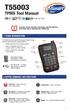 T55003 TPMS Tool Manual To ensure correct operation and service, read the following instructions before operating the T55003 Tool. 1. T55003 INTRODUCTION The T55003 interacts with the tire pressure sensor
Table of Contents. Stanley TLM330 1
 Table of Contents EN Instrument Set-up - - - - - - - - - - - - - - - - - - - - - - - Introduction- - - - - - - - - - - - - - - - - - - - - - - - - - - - - - - Overview - - - - - - - - - - - - - - - - -
TCNM AD/EX Barcode Scanner. Instruction Manual
 TCNM AD/EX Barcode Scanner Instruction Manual Original Instructions 174476 Rev. A 28 January 2014 Contents 1 Safety and Compliance Notices... 4 2 Installation... 6 2.1 Package Contents...6 2.1.1 General
ES-CAM2A IP Camera. www.etiger.com
 ES-CAM2A IP Camera www.etiger.com EN Box content - ES-CAM2A x1 - Mounting bracket x1 - AC Adaptor x1 - User Manual x1 and apps Before using the ES-CAM2A, download the app isecurity+ on the App Store or