
Citrix CloudPortal Services Manager 11.0 API User s Guide
|
|
|
- Fay Bates
- 10 years ago
- Views:
Transcription

1 Citrix CloudPortal Services Manager 11.0 API User s Guide Document Version 1.1

2 Copyright and Trademarks Use of the product documented herein is subject to your prior acceptance of the End User License Agreement. A printable copy of the End User License Agreement is included with your installation media. Information in this document is subject to change without notice. Companies, names, and data used in examples herein are fictitious unless otherwise noted. No part of this document may be reproduced or transmitted in any form or by any means, electronic or mechanical, for any purpose, without the express written permission of Citrix Systems, Inc Citrix Systems, Inc. All rights reserved. The following are trademarks of Citrix Systems, Inc. and/or one or more of its subsidiaries, and may be registered in the United States Patent and Trademark Office and in other countries: Citrix, XenApp, XenDesktop, HDX All other trademarks and registered trademarks are the property of their respective owners. ii

3 Version Release Date Edits 1.0 Aug. 10, 2012 Initial 10.0 Release 1.1 June 10, Release iii

4 Contents Contents... iv Introduction... 1 Why use the API?... 2 Who should use the API?... 2 How it works... 2 CPSM Entities Customers, Users and Services... 2 Provisioning... 2 Services... 2 Customer Plans... 3 User Plans... 3 API Usage... 4 Accessing the API... 5 Where is the Citrix API web service located?... 5 SSL... 5 Granting users access to the API... 5 Request Basics... 7 Authentication... 7 Request Structure... 7 Request Actions... 7 Response Status... 9 Response Examples... 9 Find Action Response... 9 Get Action Response Set / Delete Action Responses Cortex API Tester iv

5 Basic API Customer Demo Find Customer(s) Create a Customer Request XML Response XML Provision/Find Users Provision Users Find Users Provision a Customer Service Hosted Exchange Provision a User Service Hosted Exchange De-provision a User/Customer Service and the Customer itself De-provision a User Service Hosted Exchange De-provision a Customer Service Hosted Exchange De-provision a Customer Delete a User/Customer Delete User Delete a Customer Creating SET requests SET request discovery process Step 1: Send a FIND request Step 2: Send a GET request Step 3: Convert the GET response to a SET request Step 4: Remove unneeded tags Step 5: Update values and send Advanced properties Sending an API request PowerShell Example VBScript Example Useful Techniques Find all Customers Users Find all Services for a Customer Find all Services for a User v

6 Find all Services Provisioned to Customer Find all Services a Reseller can Resell Multi-Item Provision Multi-User Provision Multi-User Plan (userpackage) Provisioning Create a Customer and Provision the Hosted Exchange Service Get Customer Information Using the Get command to View Hidden Properties... Error! Bookmark not defined. Request... Error! Bookmark not defined. Response... Error! Bookmark not defined. Set property... Error! Bookmark not defined. Advanced Techniques Get all User plans and Packages Get all Instances for Multi-Instance Services Identity Get requesters details Global Locations Finding Locations Get Customer Properties for a Location Get User Properties for a Location Provisioning Requests Get Requests Get the Logging from a Request Get the Processing Times of a Request Querying Data Find Reports Get Reports vi
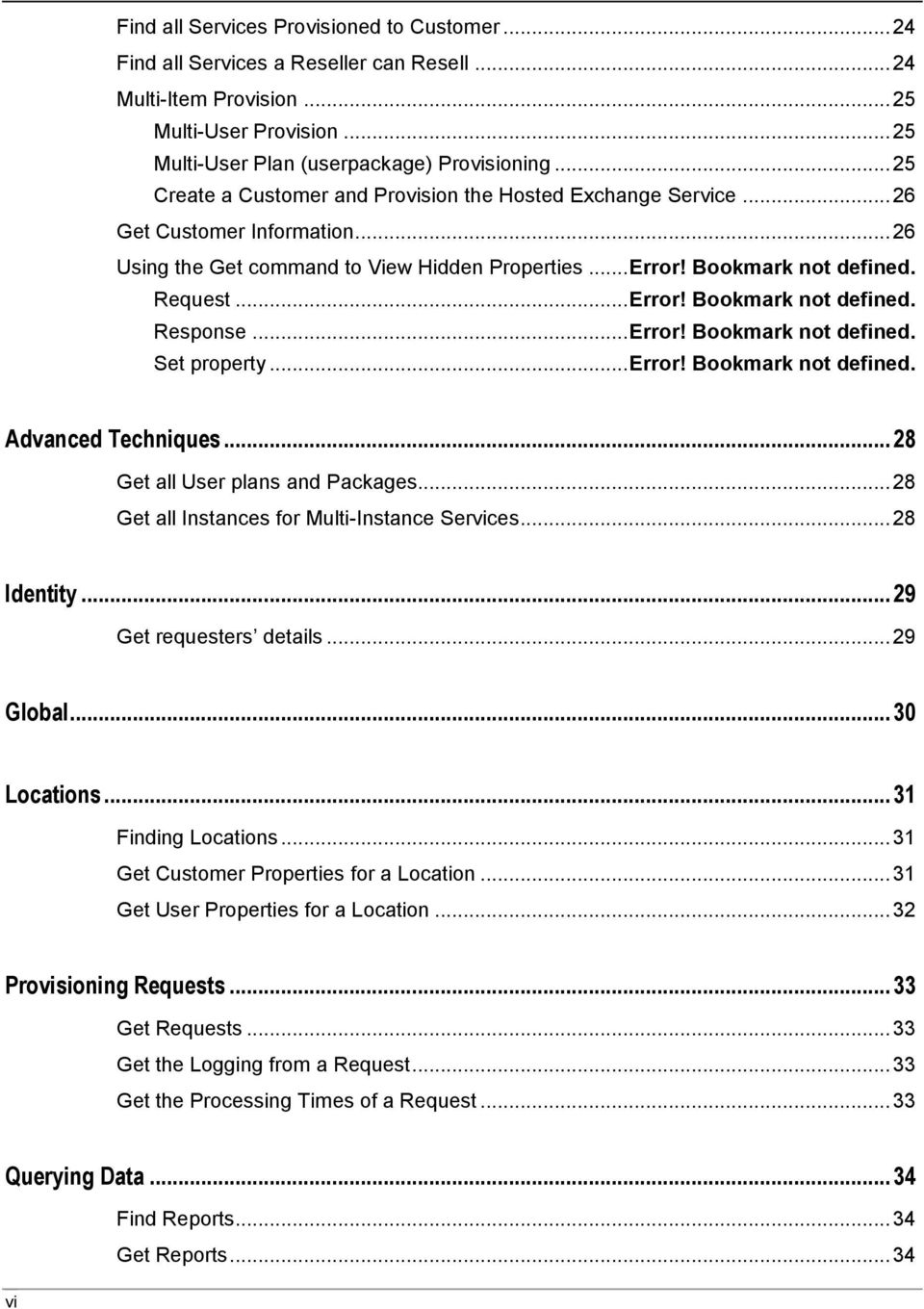
7 Examples Querying Services CRM 2011 for a Customer CRM 2011 for a User File Sharing Service for a Customer Hosted Apps & Desktops for a Customer Hosted Apps & Desktops for a User Mail Archiving for a Customer MySQL for a Customer SharePoint 2010 for a Customer SharePoint 2010 Sites for a Customer SharePoint Sites for a User Provisioning Services File Sharing Service to a Customer Hosted Apps and Desktops to a Customer Hosted Apps and Desktops to a User Hosted Exchange Get Distribution Groups Get Distribution Groups with a Filter Get Distribution Group Members Get Distribution Groups of which the User is a Member Add a User to a Distribution Group Get Contacts Set Contact Users Provisioning Users Customers Deprovisioning Customers Re-provisioning Customers Disabling Customers Enabling Customers Workflow Approval Get Approval Provider Subscriptions Set Approval Provider Subscriptions Set Workflow Managers Set Workflow Groups Delete Workflow Groups Approval management Get Customer Approval Requests vii

8 Set Customer Approval Request Get User Approval Requests Set User Approval Request Get Approval Request Information Appendix A API Exception Codes Appendix B Service Names viii

9 Chapter 1 Introduction Topics: Why use the API? Who should use the API? How it works. CloudPortal Services Manager Entities Customers, Users and Services The application programming interface (API) is a powerful interface that allows you to interact directly with the CloudPortal Services Manager (CPSM) without using the CPSM Web User Interface (UI). The API grants a user, with some development knowledge, the ability to easily manage all core objects within CPSM (Customers, Users, Services) from virtually any programming language. CPSM uses a Web based API service, which sends and receives Extensible Mark-up Language (XML) formatted requests. 1

10 Why use the API? Using the API, you can automate tasks or allow other external software products and solutions, which are not controlled by CPSM, to interact with CPSM directly. For example, you can interface CPSM with a billing application to generate billing every month, further automating an otherwise manual process. The API is also secure, as only a user that has the rights to carry out a task in the CSPM UI will have the same rights in the API. Granting a customer access to the API is safe, as they can only alter the details of the customer they belong to. The API is useful in migration tasks. Correctly formatted data is used to automatically provision users and services. The API can also be used to automate complex bulk tasks for example, adding a particular service to a large volume of users. Who should use the API? Anyone with a basic understanding of scripting or programming should have sufficient knowledge to leverage the power of the API. The API test tool allows you to construct XML requests and run them without having to create a full C Sharp (C#) or Visual Basic (VB) application. How it works XML requests are sent to the CPSM API web service which interprets the request and either returns information or performs the action requested. The API web service passes the request onto the provisioning engine and then the request is carried out in a similar way as it would if the request had been performed manually through the CPSM UI. CPSM Entities Customers, Users and Services The CPSM API provides programmatic access to the same entities that are managed by the CPSM user interface: Customers are the main entities within CPSM. Each customer contains users. Both customers and users have services. Each of these entities has properties that can be changed using the API. Provisioning CPSM uses a database to store customer, user, and service configuration information. A process called provisioning is used to push these configurations out to the systems and servers that provide the service. When an API call is made, the CPSM database is updated immediately. However, changes are not propagated out to the servers until an entity is provisioned. Provisioning kicks off what can sometimes be a lengthy process of updating systems and servers. This happens as a background process and does not delay the response you will receive from an API request. Customers, customer services, users, and user services can be provisioned. Each entity has a provisioning status that reflects the current state of the entity. The following table describes these states: Services 2 Status CPSM UI Indicator (color) CSPM API Status Not provisioned Grey NotProvisioned Provisioning requested Yellow Requested Provisioning in progress Orange InProgress Provisioned Green Provisioned Provisioning failed Red Failed Pending Changes Blue Pending Services can be provisioned to a customer. These are called customer services. After a customer has been provisioned with a customer service, the service can then be provisioned to a user. These are called user services.

11 Citrix CloudPortal Services Manager Integration API User Guide Provisioning a customer service sets up all the customer-related properties for that service and provisioning a user service sets up all the user-related properties for that service. For example, when provisioning the Hosted Exchange service to a customer you will need to decide whether or not to create public folders and add the domain names for which mail will be accepted. When provisioning the Hosted Exchange service to a user, you need to set the user s mail. Customer Plans Customer plans (formerly Packages or Package Templates) group together common customer service properties. Some customer services don t have customer plans. For those that do, you can only select one customer plan when provisioning the customer with the service. User Plans User plans (formerly Service Access Levels) group together common user service properties. Some user services don t have a user plan. In the context of the Hosted Exchange service, User plans are also referred to as user packages. When provisioning a customer service, you can specify which user plans are available for provisioning the service to a user. Then, when provisioning the user service, you can select from one of the user plans enabled by the customer service. Provisioning limits can be applied to each user plan. For example, you can allow 10 users to be created with the Gold user plan and 100 users with the Silver user plan. 3

12 Chapter 2 CloudPortal Services Manager Chapter 2 API Usage Topics: Accessing the API This chapter discusses how to use the API with CPSM. Many examples and explanations will be provided throughout the section. Request Basics Basic API Customer Demo Useful Techniques Advanced Techniques 4

13 Citrix CloudPortal Services Manager Integration API User Guide Accessing the API Where is the Citrix API web service located? By default, the CPSM API web service is located on the same server as the CPSM Web platform server. If you are a reseller accessing the CPSM API web service, you need to request the CPSM API URL from your service provider. For the service provider: 1. Connect to the CPSM Web server and launch Internet Information Services (IIS) Manager (Start > Run > inetmgr.exe) 2. Expand the Sites folder, select Cortex Management, and then select CortexAPI. 3. Browse to the Default.aspx page. 4. When prompted, input your CPSM username and password. If the API is working correctly, the following response appears: <?xml version="1.0" encoding="utf-8"?> <response version="1.0" /> *Note: This does not necessarily mean that your CPSM Username and Password is working correctly. The URL for this page should be similar to the following: CPSM-Web-Server/CortexAPI/Default.aspx For example, might be the external URL that you provide to your clients so they can use the API. SSL Citrix strongly recommends accessing this API only over SSL. Although the installers install the API with SSL, the API will still work, even without SSL. Granting users access to the API To grant a user access to the API, you will need to give the user a security role that has the API Access role permission within CPSM. Citrix recommends creating a new security role that includes only the API Access permission at the level of access you specify. This allows you to keep the current security roles you have assigned to the user already. To create a new role, perform the following actions: 1. From the Services Manager menu bar, select Configuration > Security > Security Roles. 2. Click New Role and name the role API Access. 3. Under Role Permissions, on the Customers tab, select API Access and click to choose the level of access. 4. Click Save. Afterward, you provision the security role to the customer so the customer can assign the security role to a specific user. To assign the security role to a customer, perform the following actions: 1. From the Services Manager menu bar, select Customers and then locate the customer to whom you want to assign the security role. Click Edit Customer. 2. Click Advanced Properties and, in Allowed Roles, select the API Access role you created earlier. 5

14 Chapter 2 CloudPortal Services Manager 3. Click Provision to enable the security role for the customer. 4. Assign the security role to users: a. Log in to CPSM as the customer administrator, or go to the customer s Users list. b. Pick a user and click Edit User. c. Click Account Settings and then click Advanced Options. d. Select Configure a custom role collection and then select the API Access role. e. Click Provision to assign the role to the user. Be sure to provide the user with sufficient privileges that allow them to fully carry out required tasks. If the user can only access the current customer s users, they will not be able to create any sub customers. So, granting the user the Reseller Administrator security role might be required if the API is being used by resellers. 6

15 Citrix CloudPortal Services Manager Integration API User Guide Request Basics Requests are sent using an HTTP Post to the CPSM API s URL. The request is formatted using XML with a content type of text/xml. An action attribute determines what type of operation to perform. Authentication All requests must be authenticated and using HTTP Basic authentication. The use of SSL is strongly recommended to protect the username and password. The identity used to authenticate must be a valid CPSM administrative user. The user s security permissions will determine what the user can see and what actions the user can perform. The security role of the identity must include administrative permissions and the API Access permission. Request Structure The following XML defines the request structure: <request version="1.0" action="x"> entity All of the tags and attributes names are case sensitive. Invalid names or those with the wrong case will be ignored. The Action attribute is mandatory and defines what operation the request performs. Valid definitions are FIND, GET, SET or DELETE. Not all actions are available on all entities. You can use a GET action on an entity which will return a response that can then be used as the basis of the SET request for that same entity. The Version attribute is mandatory and should be set to 1.0. This is used internally to allow backward compatible changes to the API interface. The Entity is the object on which the request is operating. Valid objects are customer, location, or template. The customer is the most common entity and it contains service and user entities. The layout of requests follows a similar pattern for every action. Here s an example to get a customer: <request version="1.0" action="get"> <name>cs</name><!-- The customer short name --> The action attribute on the request tag determines the action that is executed. Since we want detailed information, we set it to GET. The name tag in the customer tag expects the customer short name. Request Actions There are four actions that you can perform when passing in information to the API. These actions dictate how the information is handled and the returned responses. FIND Action The FIND action executes a search and retrieves a summarized list of matching entities. Search criteria can be specified to filter the results. If search criteria are not specified, then all entities accessible to the user are returned in the response. Customers can be searched by using any combination of these filters: Name 7

16 Chapter 2 CloudPortal Services Manager Fullname Id (CustomerID) BillingId PrimaryDomain Status Parent Customer services can be searched for by using any combination of these filters: Name Fullname Location Status Users can be searched for by using any combination of these filters: Name Fullname Id (UserID) UPN Location Department Status User services can be searched for by using any combination of these filters: Name Fullname Status GET Action The GET action retrieves details for the entities you request. Customers can be selected with one of these fields: Name Fullname Id BillingId Users can be selected with one of these fields: Name Fullname Id UPN 8

17 Citrix CloudPortal Services Manager Integration API User Guide Properties User services can be selected with one of these fields: Name Fullname SET Action The SET action either creates or updates a customer, service or user. The entity definition response from a GET action can be used as the basis for a SET action. The required fields (refer to entity reference section) must be specified if you are creating the entity, not just updating it. Customer creation requires all of these fields: Fullname ContactName Contact PrimaryDomain The Name field will be auto-generated if not specified. User creation requires one of these fields: Name UPN The Name field will be auto-generated if not specified. DELETE Action The DELETE action deletes the entity, using the same format as the GET request. For example, if you specify a customer, then that customer is deleted. The DELETE action can also be applied to users. Only service instances can be deleted; services without instances can be de-provisioned only. Response Status If the request is successful the HTTP response has a status of 200 OK. This is returned along with the relevant response. If there is a problem processing the request, the response has an error tag with a numeric ID and a textual message explaining the reason for the error. Possible errors are: Error code Description 400 Invalid Request (Action specified was invalid, or the request format was invalid): Resending the request will always fail. 401 Unauthorized Access: The credentials used do not have the authorization to perform the action. 500 Request could not be processed: Resending the request may work at some time in the future. Response Examples There are three main response types: Find, Get, and Set / Delete. Find Action Response The Find action returns data according to the parameters you specify. 9

18 Chapter 2 CloudPortal Services Manager For example if you specify a service that does not exist, the action still returns the customer information, but not the service details. <?xml version="1.0" encoding="utf-8"?> <response version="1.0">.. </response> If the action returns the following response, it means the requested customer information is not found. A possible reason may be that the customer is not in the system. <?xml version="1.0" encoding="utf-8"?> <response version="1.0" /> Get Action Response The Get action returns all information it can about the entities you specify in the request. <?xml version="1.0" encoding="utf-8"?> <response version="1.0">.. </response> If all the specified entities cannot not be found, then the action returns an error message stating what could not be found. <?xml version="1.0" encoding="utf-8"?> <response version="1.0"> <error> <id>###</id> <message>customer BAC not found.</message> </error> </response> Set / Delete Action Responses A successful Set or Delete command returns the following response: <response version="1.0"> <request> <id>14452</id> </response> If the following response is returned, then you need to refer to the error message to find out why the requested action could not be completed. <response version="1.0"> <error> <id>###</id> <message>text of error message</message> </error> </response> 10

19 Citrix CloudPortal Services Manager Integration API User Guide 11


20 Chapter 2 CloudPortal Services Manager Cortex API Tester The Cortex API Tester allows you to send request files to the API and view the responses it returns. It s not available on the Windows menu; however, it can be run directly from the API web service s binary folder. The file is called TestWebRequest.exe and is typically installed into the C:\inetpub\Cortex Management\CortexAPI\bin folder. When using the tool, enter the following information: Address: CPSM API s web service address Request: The name of the file with the request Username and Password: The credentials used for the request Additionally, the Send button sends the request and the Generate button creates new request files for customers, users, and services. 12

21 Citrix CloudPortal Services Manager Integration API User Guide Basic API Customer Demo The best way to learn how to effectively leverage the API is to test it in a lab environment. In this demo, most of the code samples below provide the minimum parameters required for provisioning to occur. Some samples also include recommended parameters as well. This demo customer will be called Basic API Customer, and we will provision services and users to it. We will then deprovision and delete all the entities. Find Customer(s) Step 1: Check whether or not the customer name you want to use is already taken by another customer. For this, use the Find command. <request version="1.0" action="find"> <fullname>basic API Customer</fullname> The Action attribute on the Request tag is set to FIND. Since we want to know whether or not the customer s Fullname attribute exists, we put it inside the Customer tag. If the customer s Fullname attribute doesn't exist the following response is returned: <?xml version="1.0" encoding="utf-8"?> <response version="1.0" /> This response means no information was returned in from the Find request. However, if a customer with the Fullname attribute of Basic API Customer does exist, the response appears as follows. <?xml version="1.0" encoding="utf-8"?> <response version="1.0"> <name>bac</name> <id>325</id> <fullname>basic API Customer</fullname>... </response> In this response, the action returned information contained within a Customer tag. All tags in between the customer tags represent information about the customer specified in the Find request. If the customer is already there, you can alter the demo XML to use a new customer name or you can de-provision and delete the existing customer first. If you want to include all the customers in the Find action, rather than just a specific one, use this request: <?xml version="1.0" encoding="utf-8"?> <request version="1.0" action="find"> <customer /> Create a Customer When you create a customer in the CPSM control panel, there are required fields that you must complete. These fields are Full Name, Contact Name, Address, and Domain Name. These fields are also required for the CPSM API. 13
22 Chapter 2 CloudPortal Services Manager Request XML <request version="1.0" action="set"> <fullname>basic API Customer</fullname> <contactname>admin</contactname> <contact >[email protected]</contact > <primarydomain>csm.local</primarydomain> <parent> <fullname>citrix Service Provider</fullname> </parent> The action attribute on the Request tag is set to SET as we want to provision a customer. The tags in between the Customer tags are required for creating a customer as previously mentioned. The Parent tag specifies the Fullname attribute of the reseller under which this customer will be created in the customer hierarchy. Specifying the parent reseller in this way is not required but recommended if you are dealing with multiple tiers of resellers within the customer hierarchy. Response XML A response like this is returned for a successful request. <response version="1.0"> <request> <id>14452</id> </response> If you leave one of the required fields empty, an error like this is returned. Bad Request 6 Unable to create customer. A new customer must specify the name, fullname, contactname, contact and primarydomain. You don t have to specify a Name tag because CPSM automatically generates the short code (short name) for the customer. However, if you want the customer to have a specific code, you can specify it here. Provision/Find Users Provision Users <request version="1.0" action="set"> <name>bac</name> <user> <name>user1</name> </user> The Action attribute on the Request tag is set to SET as we want to create a user. The Name tag in the Customer tag contains the short name of the customer to whom the user belongs. In the User tag, we specify the Name attribute of the user. The user s upn, firstname, lastname, and external attributes default to your environment settings. Find Users If you want to find all the users for a customer, use this request: 14
23 <request version="1.0" action="find"> <fullname>basic API Customer</fullname> <user /> Citrix CloudPortal Services Manager Integration API User Guide Provision a Customer Service Hosted Exchange <request action="set" version="1.0"> <name>bac</name> <name>he</name> <version>2010</version> <userpackage> <fullname>ex10 Basic</fullname> <enabled>true</enabled> </userpackage> <package> <name>basic</name> <enabled>true</enabled> </package> The Action attribute on the Request tag is set to SET as we want to provision the Hosted Exchange service to a customer. The Name tag in the Customer tag expects the customer short name. The Service tag specifies that we want to alter details about a service. In the sample code above, we want to provision the service. So, we need to specify the Name attribute of the service. Additionally, we need to specify the Version attribute for the version of Exchange that users will receive. The Userpackage tag is the user plan that can be provisioned to users. For backward compatibility, Hosted Exchange is the only service where this tag is named userpackage. For all other services, the tag is named userplan. The Userpackage tag must include an Enabled tag set to True; otherwise, it will be disabled by default. The Package tag is the package that will be provisioned to the customer. Commonly, packages are called Basic and Public Folders. Provision a User Service Hosted Exchange The syntax to provision a user with a service is very similar to provisioning a customer with a service. <request version="1.0" action="set"> <name>bac</name> <user> <name>user1</name> <name>he</name> <userpackage> <fullname>ex10 Basic</fullname> </userpackage> </user> Here, the Service tag is contained within the User tag. We do not have to specify the Exchange version or the package because they are defined at the customer level. 15
24 Chapter 2 CloudPortal Services Manager De-provision a User/Customer Service and the Customer itself De-provisioning a service is very simple as you only have to specify the minimum requirements for the API to find the service. De-provision a User Service Hosted Exchange <request version="1.0" action="set"> <name>bac</name> <user> <name>user1</name> <name>he</name> <status>notprovisioned</status> </user> The Action attribute on the Request tag is set to SET as we want to alter the status of a service provisioned to the user. We add the Status tag as it specifies the status we want to set. The valid statuses are Provisioned, Failed, Pending, Requested, InProgress, and NotProvisioned. De-provision a Customer Service Hosted Exchange <request version="1.0" action="set"> <name>bac</name> <name>he</name> <status>notprovisioned</status> In this example, we want to de-provision the customer service. By doing so, CPSM de-provisions all users with the HE (Hosted Exchange) service. The Status tag is contained within the Service tag. De-provision a Customer <request version="1.0" action="set"> <name>bac</name> <status>notprovisioned</status> Here we want to de-provision the customer which will de-provision all users and their services. The Status tag is contained within the Customer tag. Delete a User/Customer WARNING: Please take care when using the Delete action. Unlike the CPSM UI, you may specify a Delete action to a user or customer that is yet to be de-provisioned. If you make a mistake, the user or customer might lose their information. 16
25 Citrix CloudPortal Services Manager Integration API User Guide Delete User <request version="1.0" action="delete"> <name>bac</name> <user> <name>user1</name> </user> The Action attribute on the Request tag is set to DELETE as we want delete the user. As you can see, the same details are required for deleting the user as for de-provisioning, except you do not need to specify the Status tag. Error Message If you have been following all the examples up to this point, you should have one customer with one user in your environment. So, when you run the Delete User script, you will get the following error message: <message>unable to delete the last user from the customer</message> CPSM requires at least one user to exist for each customer. So, if the customer has only one user, CPSM will not allow you to delete it. Before you test this script, create another user. Delete a Customer <request version="1.0" action="delete"> <name>bac</name> The Action attribute on the Request tag is set to DELETE as we want delete the customer. In the example above, the only tag required is the customer s Name tag. 17
26 Chapter 2 CloudPortal Services Manager Creating SET requests SET requests are requests that update something. They are designed to be somewhat discoverable. You can use the result of a GET request to discover what can be sent in a SET request. SET request discovery process The response from a GET request can be used to create a SET request. The process goes like this: 1. Send a FIND request to get the name of the customer, customer service, user, or user service. 2. Send a GET request with this name to get the customer or user s details. 3. Convert the response of the GET request into a SET request. 4. Remove any tags that don t need to change to create a template. 5. Update the remaining tags with the values you want and send the new request. Step 1: Send a FIND request For this example, we know the name of a customer and want to change a property of the File Sharing service. We send a FIND request to find all services for the customer: <request version="1.0" action="find"> <fullname>atest Customer</fullname> <service/> This request returns the name of the File Sharing service: <response version="1.0"> <name>atest</name> <id>498</id> <fullname>atest Customer</fullname> <billingid /> <primarydomain>atest.local</primarydomain> <status>provisioned</status> <name>fss</name> <fullname>file Sharing</fullname> <location>csm.local</location> <status>provisioned</status> </response> Step 2: Send a GET request We update the request to include the service name from our last response and change the action to GET: 18
27 <request version="1.0" action="get"> <fullname>atest Customer</fullname> <name>fss</name> The request returns detailed information about both the customer and the service: <response version="1.0"> <name>atest</name> <id>498</id> <fullname>atest Customer</fullname> <name>fss</name> <fullname>file Sharing</fullname> <location>csm.local</location> <userlimit>unlimited</userlimit> <isbilled>true</isbilled> <status>provisioned</status> <approvalpending>false</approvalpending> <userplan> <name>full</name> <fullname>full</fullname> <userlimit>unlimited</userlimit> <used>false</used> <enabled>true</enabled> </userplan> <userplan> <name>read</name> <fullname>read</fullname> <userlimit>unlimited</userlimit> <used>false</used> <enabled>true</enabled> </userplan> <userplan> <name>list</name> <fullname>list</fullname> <userlimit>unlimited</userlimit> <used>false</used> <enabled>true</enabled> </userplan> <package> <name>full</name> <fullname>full</fullname> <enabled>true</enabled> </package> </response> Citrix CloudPortal Services Manager Integration API User Guide Step 3: Convert the GET response to a SET request Change the response tag into a request tag and add the SET action attribute: 19
28 Chapter 2 CloudPortal Services Manager <request version="1.0" action="set"> <name>atest</name> <id>498</id> <fullname>atest Customer</fullname> Step 4: Remove unneeded tags Remove any settings that you don t want to change. In this example, we only want to change the user limit: <request version="1.0" action="set"> <name>atest</name> <name>fss</name> <userlimit>unlimited</userlimit> Step 5: Update values and send Update the user limit to 5 and send the request: <request version="1.0" action="set"> <name>atest</name> <name>fss</name> <userlimit>5</userlimit> Advanced properties Customers, customer services, users, and user services have properties that are not returned in a default GET request. Adding a Properties tag to these items returns more information in the response. The optional Detail attribute returns even more information and should only be added if required. Similar to the example in the previous section, these properties can then be used in a SET request. For customers, use the Properties tag with the optional Detail attribute. The details attribute returns a much more detailed description of the property which isn t normally required. <request version="1.0" action="get"> <name>atest</name> <properties detail="true"/> For users, you can use the Properties tag and the Additionalproperties tag. The Additionalproperties tag represents the users Active Directory properties. Only use the Detail attribute if required. 20
29 Citrix CloudPortal Services Manager Integration API User Guide <request version="1.0" action="get"> <name>atest</name> <user> <name>test_atest</name> <properties detail="true"/> <additionalproperties/> </user> For customer and user services, there is an optional Filter attribute that can be used to show hidden properties. Only use the Detail attribute if required. <request version="1.0" action="get"> <name>atest</name> <name>fss</name> <properties detail="true" filter="all"/> The Properties tag can also be used for customer and user plans, with the optional Filter attribute. Only use the Detail attribute if required. <request version="1.0" action="get"> <name>atest</name> <name>fss</name> <userplan> <name>full</name> <properties detail="true" filter="all"/> </userplan> <request version="1.0" action="get"> <name>atest</name> <user> <name>test_atest</name> <name>fss</name> <userplan> <name>full</name> <properties detail="true" filter="all"/> </userplan> </user> 21
30 Chapter 2 CloudPortal Services Manager Sending an API request PowerShell Example Here s a sample PowerShell script that uses the.net WebClient to send a request to the API: ################################## # Sample API Request in PowerShell ################################## # API Request to find the CSP Customer # Note: Be careful when "@ Here-String PowerShell construction format to create the request. # Extra spacing could cause "bad request" to be returned. However, Here-String makes this request much more readable. $apirequest <request version="1.0" action="find"> <name>csp</name> "@ # URL to the CortexAPI $apiurl = " # Initialize the client $client = New-Object System.Net.WebClient $client.credentials = New-Object System.Net.NetworkCredential("cspadmin_csp","<YourPassword>") $client.uploadstring($apiurl,$apirequest) The response was a string dumped to the console by the UploadString() method call on the.net WebClient object: <response version="1.0"> <name>csp</name> <id>1</id> <fullname>cortex Service Provider</fullname> <billingid /> <primarydomain>csp.local</primarydomain> <status>provisioned</status> </response> 22
31 Citrix CloudPortal Services Manager Integration API User Guide VBScript Example '################################ '# Sample API Request in VBScript '################################ ' API Request to find all customers On Error Resume Next Dim Request, Response Const Url = " Const Username = "cspadmin_csp" Const Password = "<YourPassword>" Request = "<?xml version=""1.0"" encoding=""utf-8""?>" & _ "<request action=""find"" version=""1.0"">" & _ " <customer/>" & _ "" Err.Clear Set Response = SendRequest(Url, Username, Password, Request) If Err.Number<>0 Then WScript.Echo "Failed [0x" & Hex(Err.Number) & "] " & Trim(Err.Description) Else If Response.Status = 200 Then WScript.Echo "OK" Else WScript.Echo "Failed [" & Response.Status & "] " & Response.StatusText Set ResponseNode = Response.responseXML.DocumentElement WScript.Echo ">>" & ResponseNode.SelectSingleNode("/response/error/message").Text End If WScript.Echo WScript.Echo Response.responseText End If Private Function SendRequest(ByVal Url, ByVal Username, ByVal Password, ByVal Request) Dim XmlHttp Set XmlHttp = CreateObject("MSXML2.XmlHttp") XmlHttp.Open "POST", Url, False, Username, Password XmlHttp.SetRequestHeader "Content-Type", "text/xml" XmlHttp.Send Request Set SendRequest = XmlHttp End Function 23
32 Chapter 2 CloudPortal Services Manager Useful Techniques Find all Customers Users To find all of the users provisioned for the customer "CSP" use this request: <request action="find" trace="true" version="1.0"> <name>csp</name> <user /> Find all Services for a Customer To find all of the services (including those that are not provisioned) that are available to a customer, use this request: <request action="find" trace="false" version="1.0"> <name>csp</name> <service /> Find all Services for a User To find all of the services or userplans (including those that are not provisioned) that are available to a user, use this request: <request action="find" trace="false" version="1.0"> <name>csp</name> <user> <name>cspadmin_csp</name> <service /> </user> Find all Services Provisioned to Customer To find information about all the services a customer was provisioned, use this request: <request action="find" version="1.0"> <name>bac</name> <service /> Find all Services a Reseller can Resell To see all the services a reseller can resell, use this request: 24
33 Citrix CloudPortal Services Manager Integration API User Guide <request action="get" version="1.0"> <name>aa</name> <name>reseller</name> You can also use this with multiple locations. The Fullname setting will be different, but the Name setting will always be "Reseller." Multi-Item Provision Instead of sending the same request multiple times to provision users, you can chain the items into one request which can be done as many times as you require. This is useful for multiple users, services, and service settings. Multi-User Provision <request version="1.0" action="set"> <name>bac</name> <user> <name>user3</name> </user> <user> <name>user4</name> </user> In this example, we are provisioning two users. By closing and opening the User tag, both users will be provisioned under customer BAC. Multi-User Plan (userpackage) Provisioning This example is really helpful for provisioning multiple user plans in the Hosted Exchange Example. 25
34 Chapter 2 CloudPortal Services Manager <request action="set" version="1.0"> <name>bac</name> <name>he</name> <version>2010</version> <userpackage> <fullname>ex10 Basic</fullname> <enabled>true</enabled> </userpackage> <userpackage> <fullname>ex10 Full</fullname> <enabled>true</enabled> </userpackage> <package> <name>basic</name> <enabled>true</enabled> </package> Create a Customer and Provision the Hosted Exchange Service <request version="1.0" action="set"> <fullname>basic API Customer</fullname> <contactname>admin</contactname> <contact >[email protected]</contact > <primarydomain>csm.local</primarydomain> <parent> <fullname>citrix Service Provider</fullname> </parent> <name>he</name> <version>2010</version> <userpackage> <fullname>ex10 Basic</fullname> <enabled>true</enabled> </userpackage> <package> <name>basic</name> <enabled>true</enabled> </package> Get Customer Information The easiest way to create an API request is to use the Get command. Using this command with a customer returns the requested information in a format that you can cut and paste into a Set action and use again. To reuse the information, you change the Response tag to request, change the request action to SET, and modify or add any other settings according to the information you want to create or update. 26
35 Citrix CloudPortal Services Manager Integration API User Guide <request action='get' version='1.0'> <name>bac</name> 27
36 Chapter 2 CloudPortal Services Manager Advanced Techniques The following sections show how to use the Get and Set actions to work with extra properties or information. Altering some these properties should be done with caution as several of them set system configurations and should never be altered. Get all User plans and Packages If you wish to see all the user plan and package names under a service, use this request: <request action="get" version="1.0"> <name>bac</name> <name>he</name> Get all Instances for Multi-Instance Services To view information about the instances of the CRM 2011, SharePoint 2010, Microsoft SQL Server Hosting, or Windows Web Hosting services, use this request: <request action="get" version="1.0"> <name>bac</name> <name>sharepoint2010</name> <instances /> 28
37 Citrix CloudPortal Services Manager Integration API User Guide Identity With the identity tag you can get information about the requesting user. Get requesters details The requesting user is the user whose credentials were used to authenticate the API request. To get information about the requesting user, send the following request: <request version="1.0" action="get"> <identity/> The request returns something like this: <response version="1.0"> <identity> <name>csp</name> <id>1</id> <fullname>cortex Service Provider</fullname> <billingid /> <primarydomain>csp.local</primarydomain> <user> <name>cspadmin_csp</name> <id>1</id> <fullname>cspadmin</fullname> <location>unassigned</location> <department>unassigned</department> </user> </identity> </response> 29
38 Chapter 2 CloudPortal Services Manager Global The Global tag returns version information about the API and the database: <request version="1.0" action="get"> <global/> The request returns something like this: <response version="1.0"> <global> <version> <api> </api> <database> </database> </version> </global> </response> 30
39 Citrix CloudPortal Services Manager Integration API User Guide Locations The Location tag allows you to manage CPSM locations. You can FIND, GET, SET, and DELETE locations. Finding Locations To get a list of locations: <request version="1.0" action="find"> <location/> To get the services available at each location: <request version="1.0" action="find"> <location> <service/> </location> You can also specify a service name or a service fullname to get a specific service: <request version="1.0" action="find"> <location> <name>he</name> </location> To get detailed information about a location: <request version="1.0" action="get"> <location> <name>csm.local</name> </location> Get Customer Properties for a Location This request gets the properties available for a customer in the specified location: <request version="1.0" action="get"> <location> <name>csm.local</name> <customerproperties/> </location> 31
40 Chapter 2 CloudPortal Services Manager Get User Properties for a Location This request gets the Active Directory properties for a user in the specified location: <request version="1.0" action="get"> <location> <name>csm.local</name> <user> <additionalproperties/> </user> </location> 32
41 Citrix CloudPortal Services Manager Integration API User Guide Provisioning Requests Every time you provision or delete a customer, user, or service, you generate one or more provisioning requests that carry out the desired action. These actions consist of a top level request that has one or more children. The ID of the top level request is returned in the response to SET and DELETE actions. Get Requests To get a request with its ID: <request version="1.0" action="get"> <request> <id>14882</id> To get all children requests with the request s parent ID: <request version="1.0" action="get"> <request> <parentid>14882</parentid> Get the Logging from a Request To get the current logging for a request: <request version="1.0" action="get"> <request> <id>14882</id> <log/> Get the Processing Times of a Request To get the times of various stages of request processing: <request version="1.0" action="get"> <request> <id>14882</id> <times/> 33
42 Chapter 2 CloudPortal Services Manager Querying Data Although CPSM has a comprehensive Data Warehouse with its own API, you might need the results of a simple query or stored procedure. That s where this simple reports feature is useful. You can use the CPSM API to run simple report queries on the CPSM database and return the results in XML or tab delimited (TSV) format. To generate these queries, perform the following actions: 1. On the CPSM web server, open the web.config file for the API. This is located in the /%Program Files (x86)%/citrix/cortex/cortexweb/cortexapi/ directory. 2. Copy the connection string value for the APIConnectionString key. 3. On the CPSM database server hosting the OLM database, open the dbo.reportqueries table and update all reports with the connection string that you have copied from the API s web.config file. The dbo.reportsqueries table defines the report queries that can be executed by the CPSM API. You can add more report queries to this table. WARNING: If you add your own report queries, they can potentially expose information about customers that the API caller would not normally have permissions to view. To mitigate this situation, the customer ID of the API caller is automatically added to the GET report query parameters. The query or stored procedure should use this ID to limit the results returned. See the example 'Customers with Query' in the dbo.reportqueries table that uses the tf_customerhierarchy function. The tf_customerhierarchy function returns the ID of all customers under the specified customer ID (if the second parameter is 1 it includes the specified customer ID as well). This is then used in a join to filter the results to customers under the API caller s customer: select customers.* from customers inner join tf_customerhierarchy(@callingcustomerid,1) ch ON ch.customerid = customers.customerid where Name Find Reports The following request returns all reports that are configured in the dbo.reportqueries table: <request action="find" version="1.0"> <report /> For each report, a list of parameter names is displayed. These parameters can be used to specify the context of the report to be produced. Get Reports The Get action attribute will generate a report via the API. The following tags can be used: Tag <name> <parameter name= [ParameterName] > <timeout> <column> Description The name of the report. The report s parameter name. A value should be entered for the parameter tag. Sets a timeout period in milliiseconds. The value 0 indicates no timeout. Returns the data for the specified column only. The format that the API will return the data can be defined by using one of the following options: Format <dataformat columnnames= [True] >xml</dataformat> <dataformat header= [True] >tsv</dataformat> Description Report is generated in XML. If columnnames is set to True, the column names appear in the returned tags. Report is generated in TSV format. If header is set to True, the column names appear at the top of the report. 34
43 Citrix CloudPortal Services Manager Integration API User Guide The following API query returns all customers where the customer name begins with C. The report will be in XML format with the column names appearing in the returned tags. <request action="get" version="1.0"> <report> <name>customers with Stored Procedure</name><!-- Name of the Report --> <parameter name= Name >C%</parameter> <dataformat columnnames= true >xml</dataformat> </report> The API returns the data as: <response version="1.0"> <report> <name>customers with Stored Procedure</name> <description /> <result> <column type="int">customerid</column> <column type="int">locationid</column> <column type="nvarchar">name</column> <column type="nvarchar">label</column> <column type="nvarchar">billingid</column> <column type="nvarchar">primarydomain</column> <column type="int">statusid</column> <row> <CustomerID>3</CustomerID> <LocationID>1</LocationID> <Name>CS</Name> <Label>Citrix Systems</Label> <BillingID /> <PrimaryDomain>citrix.com</PrimaryDomain> <StatusID>1</StatusID> </row> <row> <CustomerID>1</CustomerID> <LocationID>1</LocationID> <Name>CSP</Name> <Label>Cortex service Provider</Label> <BillingID /> <PrimaryDomain>csp.local</PrimaryDomain> <StatusID>1</StatusID> </row> </result> </report> </response> The following API query returns the details for customer code CSP. The report will be in TSV.format with the column names shown. There is no timeout set for the report query. <request action="get" version="1.0"> <report> <name>customers with Query</name> <timeout>0</timeout> <parameter name="name">csp</parameter> <dataformat header="true">tsv</dataformat> </report> 35
44 Chapter 2 CloudPortal Services Manager The API returns the data as: <?xml version="1.0" encoding="utf-8"?> <response version="1.0"> <report> <name>customers with Query</name> <description /> <result> <column type="int">customerid</column> <column type="nvarchar">name</column> <column type="nvarchar">label</column> <column type="nvarchar">location</column> <column type="nvarchar">contactname</column> <column type="nvarchar">contact </column> <column type="nvarchar">description</column> <column type="datetime">created</column> <column type="nvarchar">phonenumber</column> <column type="nvarchar">faxnumber</column> <column type="int">minpwlength</column> <column type="int">bannerpwdays</column> <column type="int">modifiedby</column> <column type="datetime">datedisabled</column> <column type="datetime">datedeleted</column> <column type="nvarchar">brandname</column> <column type="nvarchar">ou_name</column> <column type="int">objectid</column> <column type="nvarchar">billingid</column> <column type="int">impersonatinguserid</column> <column type="nvarchar">brandtype</column> <column type="int">parentid</column> <data> <![CDATA[ CustomerID Name Label Location ContactName Contact Description Created PhoneNumber FaxNumber MinPWLength BannerPWDays ModifiedBy DateDisabled DateDeleted BrandName OU_Name ObjectID BillingID ImpersonatingUserID BrandType ParentID 1 CSP Cortex service Provider CSP Admin [email protected] 7/29/2012 8:36:22 PM Default customers DNS ]]> </data> </result> </report> </response> 36
45 Citrix CloudPortal Services Manager Integration API User Guide Examples This section includes examples for how to query and set core services. In these examples we will be querying the details of a service for the "CSP" customer. Querying Services When you query a service that has not yet been provisioned to a customer, the results show you what will happen by default when the service is provisioned to the customer, but no customer plans are specified. For instance, assume that a service has three customer plans and three user plans. If you query a customer that does not yet have the service provisioned, the query yields the following results: The first customer plan has a status of <enabled>true<enabled>. The other customer plans has a status of <enabled>false<enabled>. All of the user plans have a status of <enabled>true<enabled>. CRM 2011 for a Customer Assume that the CRM 2011 service provisioned to this customer has an instance named "Site01." <?xml version="1.0" encoding="utf-8"?> <request action="get" version="1.0" trace="true"> <name>csp</name> <name>crm2011</name> <instances> <instance> <name>site01</name> </instance> </instances> To query all of the instances for that customer s service: <?xml version="1.0" encoding="utf-8"?> <request action="get" version="1.0" trace="true"> <name>csp</name> <name>crm2011</name> <instances /> CRM 2011 for a User Assume that we wish to query the CRM 2011 service that was provisioned to user01_csp for the Site01 instance of CRM. <?xml version="1.0" encoding="utf-8"?> <request action="get" version="1.0" trace="true"> <name>csp</name> <user> <name>user01_csp</name> 37
46 Chapter 2 CloudPortal Services Manager <name>crm2011</name> <instances> <instance> <name>site01</name> </instance> </instances> </user> File Sharing Service for a Customer The File Sharing Service has both customer plans and user plans, and it is not a multi-instance service. However, it does have some specific service settings, so we need to use the <properties> tag. <request action="get" trace="true" version="1.0"> <name>ftc</name> <name>fss</name> <properties filter="all" /> Hosted Apps & Desktops for a Customer The Hosted Apps and Desktops service also has both customer plans and user plans: <request action="get" trace="true" version="1.0"> <name>xtc</name> <name>hostedappsanddesktops</name> Hosted Apps & Desktops for a User Users provisioned with the Hosted Apps and Desktops service can have multiple user plans. <request action="get" trace="false" version="1.0"> <name>xtc</name> <user> <name>barryh_xtc</name> <name>hostedappsanddesktops</name> </user> Mail Archiving for a Customer 38
47 Mail Archiving is fairly straightforward. To see all the properties, use a filter, as shown. <request action="get" version="1.0"> <name> TestCust01</name> <name>march</name> <properties filter="all" /> Citrix CloudPortal Services Manager Integration API User Guide MySQL for a Customer The MySQL service provisions database resources to customers. You can query the available resources that are provisioned by including the <resourceconfiguration /> tag in the request. <?xml version="1.0" encoding="utf-8"?> <request action="get" version="1.0"> <name>crc</name> <name>mysql</name> <resourceconfiguration /> SharePoint 2010 for a Customer The SharePoint 2010 service is a multi-instance service, similar to the CRM 2011 service. <request action="get" version="1.0"> <name>csp</name> <name>sharepoint2010</name> <resourceconfiguration /> To get a list of all properties: <request action="get" trace="true" version="1.0"> <name>csp</name> <name>sharepoint2010</name> <properties filter="all" /> <instances /> To get all the data in a single request, you can combine the above two queries, including both the <resourceconfiguration /> and <instances /> tags in the same request. 39
48 Chapter 2 CloudPortal Services Manager SharePoint 2010 Sites for a Customer An example of how to query the SharePoint 2010 sites that were provisioned to a customer named "CSP." <request action="get" trace="true" version="1.0"> <name>csp</name> <name>sharepoint2010</name> <properties filter="all" /> <instances /> SharePoint Sites for a User An example of how to query the SharePoint sites that were provisioned to user "FTC_u1_CSP" of a customer named "CSP." <request action="find" version="1.0"> <name>csp</name> <user> <name>ftc_u1_csp</name> <name>sharepoint2010</name> <instances /> </user> Provisioning Services In the following examples we provision services to a customer named "CSP." If you provision a service to a customer and you don't specify the customer plan to use, the first customer plan is automatically provisioned by default. Likewise, if you don't specify any user plans, then all user plans are enabled. If you want some user plans to be disabled for the customer, you must set those user plans to <enabled>false<enabled> in the request. File Sharing Service to a Customer The File Sharing Service has one required setting: FileShareServer. This value must be the name of a file server that already exists in the environment. The File Sharing Service has user plans, but they are built-in and cannot be changed. Omitting the <userplan> tag does not cause any problems, and all three user plans can be provisioned to a user afterwards. <request action="set" trace="true" version="1.0"> <name>zcsp</name> <name>fss</name> <status>provisioned</status> <properties> <property> <name>fileshareserver</name> <value>cspfilehost01</value> </property> 40
49 Citrix CloudPortal Services Manager Integration API User Guide </properties> <package> <name>basic</name> <enabled>true</enabled> </package> Hosted Apps and Desktops to a Customer The following example provisions the "Shared Site Web Interface" customer plan to the user and enables the "Desktops" user plan for that customer. <request action="set" trace="true" version="1.0"> <name>xtc</name> <name>hostedappsanddesktops</name> <package> <name>sharedsitewebinterfacemode</name> <enabled>true</enabled> </package> <userplan> <name>desktops</name> <enabled>true</enabled> </userplan> Hosted Apps and Desktops to a User The Hosted Apps and Desktops service allows you to provision multiple user plans to a user. The following example provisions the "Office Apps" and "Desktops" user plans to the user. <request action="set" trace="true" version="1.0"> <name>xtc</name> <user> <name>user1_xtc</name> <name>hostedappsanddesktops</name> <userplan> <name>desktops</name> </userplan> <userplan> <name>officeapps</name> </userplan> </user> Hosted Exchange Get Distribution Groups 41
50 Chapter 2 CloudPortal Services Manager <?xml version="1.0" encoding="utf-8"?> <request action="get" version="1.0"> <fullname>justice League Unlimited</fullname> <name>he</name> <distributiongroups /> Get Distribution Groups with a Filter <?xml version="1.0" encoding="utf-8"?> <request action="get" version="1.0"> <fullname>justice League Unlimited</fullname> <name>he</name> <distributiongroups> <displaynamefilter>m</displaynamefilter> < filter>m</ filter> <pageindex>1</pageindex> <pagesize>1000</pagesize> </distributiongroups> Get Distribution Group Members Distribution group members are not returned by default to include members in the list, you can use the following syntax: <?xml version="1.0" encoding="utf-8"?> <request action="get" trace="true" version="1.0"> <name></name> <name>he</name> <distributiongroups> <distributiongroup> <members /> <sendrestrictionacceptedmembers /> <sendrestrictionrejectedmembers /> <sendasmembers /> </distributiongroup> </distributiongroups> For synchronization purposes, it is possible to request distribution group details for a specific object identifier (objectsid or objectguid) from a remote domain, and to query for the status of members from the remote domain using the following syntax: <?xml version="1.0" encoding="utf-8"?> <request action="get" trace="true" version="1.0"> <name></name> <name>he</name> <distributiongroups> <distributiongroup> 42
51 Citrix CloudPortal Services Manager Integration API User Guide <syncobjectid>s </syncobjectid> <members> <member> <syncobjectid>b5ef275a-d953-4fbc-9e89-b72ac </syncobjectid> </member> </members> <sendrestrictionacceptedmembers /> <sendrestrictionrejectedmembers /> <sendasmembers /> </distributiongroup> </distributiongroups> The returned distribution group contains member lists indicating whether or not each member exists in the managed domain and whether or not they are a group member in the managed domain. Additional tags may be provided to filter by display name, , and to retrieve a specified page size and index. <?xml version="1.0" encoding="utf-8"?> <request action="get" trace="true" version="1.0"> <name></name> <name>he</name> <distributiongroups> <displaynamefilter></displaynamefilter> < filter></ filter> <pageindex></pageindex> <pagesize></pagesize> </distributiongroups> Get Distribution Groups of which the User is a Member <?xml version="1.0" encoding="utf-8"?> <request action="get" version="1.0"> <fullname>justice League Unlimited</fullname> <user> <name>donald_e2010</name> <name>he</name> <distributiongroups /> </user> Add a User to a Distribution Group To add or modify a distribution group, you use a SET request. This request requires the customer and service name, as well as the <distributiongroups> tag with the <distributiongroup> tag containing the group details. The <syncobjectid> tag may be specified to indicate that the group has been synced from a remote domain. You can set the <selected> tag on <members>, <sendasmembers>, <sendrestrictionacceptedmembers>, and <sendrestrictionrejectedmembers> to True or False and indicate whether the member should be added or removed from the group. It is not necessary to provide all members when submitting a request; if a member is not included in the request, it will not be modified. Use the <syncobjectid> tag for members to perform a search in the managed domain for users, contacts, or distribution groups. 43
52 Chapter 2 CloudPortal Services Manager Specify the full list of owners as existing owners will be replaced with the owners from the request when the <owners> tag is provided. The <syncobjectid> tag for owners is used to perform a search in the managed domain for users only. Similarly, you must specify the full list of addresses as existing addresses will be replaced with the addresses from the request when the < addresses> tag is provided. <?xml version="1.0" encoding="utf-8"?> <request action="set" version="1.0"> <fullname>justice League Unlimited</fullname> <user> <name>batman_jlu</name> <name>he</name> <distributiongroups> <distributiongroup> <path>cn=heroes,ou=distribution Groups,OU=Justice League Unlimited(JLU),OU=Customers,DC=dev,DC=local</path> <selected>true</selected> </distributiongroup> <distributiongroup> <displayname>enemies</displayname> <selected>false</selected> </distributiongroup> </distributiongroups> </user> A more complete request: <request action="set" trace="true" version="1.0"> <name></name> <name>he</name> <distributiongroups> <distributiongroup> <displayname></displayname> <syncobjectid></syncobjectid> <enabled></enabled> <path></path> < ></ > < alias></ alias> <mailtip></mailtip> <grouptype></grouptype> <hidefromaddresslists></hidefromaddresslists> <requiresenderauthentication></requiresenderauthentication> <memberjoinrestriction></memberjoinrestriction> <memberdepartrestriction></memberdepartrestriction> <sendmoderationnotifications></sendmoderationnotifications> < addresses> < address></ address> </ addresses> <owners> <owners> <displayname></displayname> <syncobjectid></syncobjectid> <path></path> < ></ > </owners> </owners> 44
53 <members> <member> <displayname></displayname> <syncobjectid></syncobjectid> <path></path> < ></ > <enabled></enabled> </member> </members> <sendasmembers> <sendasmember> <displayname></displayname> <syncobjectid></syncobjectid> <path></path> < ></ > <enabled></enabled> </sendasmember> </sendasmembers> <sendrestrictionacceptedmembers> <sendrestrictionacceptedmember> <displayname></displayname> <syncobjectid></syncobjectid> <path></path> < ></ > <enabled></enabled> </sendrestrictionacceptedmember> </sendrestrictionacceptedmembers> <sendrestrictionrejectedmembers> <sendrestrictionrejectedmember> <displayname></displayname> <syncobjectid></syncobjectid> <path></path> < ></ > <enabled></enabled> </sendrestrictionrejectedmember> </sendrestrictionrejectedmembers> </distributiongroup> </distributiongroups> Citrix CloudPortal Services Manager Integration API User Guide Tag Tag Options <grouptypes> Universal_Distribution Global_Distribution Local_Distribution Universal_Security Global_Security Local_Security <memberjoinrestriction> Open Closed ApprovalRequired <memberdepartrestriction> Open Closed ApprovalRequired <sendmoderationnotification> True False <hidefromaddresslists> True False <requiresenderauthentication> True 45
54 Chapter 2 CloudPortal Services Manager Get Contacts To retrieve a list of contacts, use a GET request. This request requires the customer name and service name, as well as the <contacts /> tag which includes the list of contacts in the response. 46 False <?xml version="1.0" encoding="utf-8"?> <request action="get" trace="true" version="1.0"> <name></name> <name>he</name> <contacts /> You can provide additional tags to filter by display name or the sync object identifier, and to retrieve a specified page size and index. <?xml version="1.0" encoding="utf-8"?> <request action="get" trace="true" version="1.0"> <name></name> <name>he</name> <contacts> <displaynamefilter></displaynamefilter> <syncfilter></syncfilter> <pageindex></pageindex> <pagesize></pagesize> </contacts> Set Contact To add or modify a contact, a SET request is used. This request requires the customer and service name, as well as the <contacts> tag with the <contact> tag containing the contact details. You can specify the <syncobjectid> tag to indicate that the contact has been synced from a remote domain. <request action="set" trace="true" version="1.0"> <name></name> <name>he</name> <contacts> <contact> <displayname></displayname> <syncobjectid></syncobjectid> <enabled></enabled> <path></path> < ></ > < alias></ alias> <firstname></firstname> <lastname></lastname> <initials></initials> <jobtitle></jobtitle> <companyname></companyname> <businessphone></businessphone> <businessfax></businessfax>
55 <homephone></homephone> <mobile></mobile> <webpage></webpage> <street></street> <city></city> <state></state> <country></country> <postcode></postcode> <hidefromaddresslists></hidefromaddresslists> </contact> </contacts> Users Provisioning Users To create a new user with a specific password: <?xml version="1.0" encoding="utf-8"?> <request action="set" version="1.0"> <name>csp</name> <user> <name>user1_csp</name> <password> <password>hello123</password> <changeatnextlogon>true</changeatnextlogon> <expires>never</expires> </password> </user> If no password is provided, then a password is generated. Citrix CloudPortal Services Manager Integration API User Guide Note that the first user provisioned to a customer will always become the customer administrator user. To specify security roles for a user, use the <roles> XML element within the <user> XML element. Customers Deprovisioning Customers To deprovision a customer named "ZCSP," send the following request: <request action="set" trace="true" version="1.0"> <name>zcsp</name> <status>notprovisioned</status> Re-provisioning Customers To re-provision a customer named "ZCSP," set the status value to "Provisioned." 47
56 Chapter 2 CloudPortal Services Manager <request action="set" trace="true" version="1.0"> <name>zcsp</name> <status>provisioned</status> Disabling Customers To disable a customer named "ZCSP," send the following request: <request action="set" trace="true" version="1.0"> <name>zcsp</name> <enabled>false</enabled> Enabling Customers To re-enable a customer named "ZCSP," set the <enabled> value to True. <request action="set" trace="true" version="1.0"> <name>zcsp</name> <enabled>true</enabled> Workflow Approval This section describes how to configure workflow approval subscription for a customer. Sample requests are included to manage the "Workflow Managers" and "Workflow Groups" providers. Get Approval Provider Subscriptions Customer subscriptions can only be managed for enabled approval providers via the API. A user must have the Update role permission to view and manage approval providers for a customer. Use the following request to retrieve a list of approval providers for a customer with the CSP customer code. <request action="get" version="1.0"> <name>csp</name> <approvalproviders /> Set Approval Provider Subscriptions Use the GET request from the example above to create a SET request to manage approval providers. It is recommended to configure subscriptions in CPSM control panel to evaluate how the requests should be formatted via the API. Only approval providers that are specified will be managed. The configuration settings are optional and only applied if the tag is specified. Subscriptions are optional and are only applied to the tags that are specified. 48
57 Set Workflow Managers Citrix CloudPortal Services Manager Integration API User Guide Use the following request to manage the Workflow Managers approval provider for a customer with the CSP customer code. <request action="set" version="1.0"> <name>csp</name> <approvalproviders> <approvalprovider> <name>workflow Managers</name> <configuration> <managers>5</managers> <timeoutdays>4</timeoutdays> <reminderdays>1</reminderdays> </configuration> <subscriptions> <users> <subscription> <name>provision</name> <access>object</access> </subscription> <subscription> <name>deprovision</name> <access>object</access> </subscription> </users> <userservices> <label>hosted Exchange</label> <subscription> <name>provision</name> <access>none</access> </subscription> <subscription> <name>deprovision</name> <access>none</access> </subscription> </userservices> </subscriptions> </approvalprovider> </approvalproviders> Set Workflow Groups Use the following request to manage the Workflow Groups approval provider for a customer with the CSP short code. <request action="set" version="1.0"> <name>csp</name> <approvalproviders> <approvalprovider> <name>workflow Groups</name> <description>allow groups of people to subscribe to events that require approval</description> <groups> <group> <name>customer Service Approval</name> 49
58 Chapter 2 CloudPortal Services Manager <description>this group will approve all customer services</description> <configuration> <memberstoapprove>1</memberstoapprove> <timeoutdays>5</timeoutdays> <reminderdays>2</reminderdays> </configuration> <members> <member> <displayname>jocelyn Brittain</displayname> <username>jocelynb_csp</username> </member> <member> <displayname>roger Alborough</displayname> <username>rogera_csp</username> </member> </members> <subscriptions> <services> <label>all</label> <subscription> <name>provision</name> <access>object</access> </subscription> <subscription> <name>deprovision</name> <access>object</access> </subscription> </services> </subscriptions> </group> </groups> </approvalprovider> </approvalproviders> For the request shown above, the Customer Service Approvals group is either created (if it does not exist) or updated (if it already exists). Members will only be managed when the <members> tag is specified, so it is possible to update a group without changing its membership. The <members> tag must contain a list of all the members. Members that are not included in the <members> tag will be removed from the group. Only the <username> tag is required when a member is added and the <displayname> tag will be ignored. Deprovisioned users cannot be added as a member of a group. Delete Workflow Groups Use the following request to delete Group A for the "CSP" customer. <request action="set" version="1.0"> <name>csp</name> <approvalproviders> <approvalprovider> <name>workflow Groups</name> <description>allow groups of people to subscribe to events that require approval</description> <groups> <group> <name>group A</name> <action>delete</action> 50
59 Citrix CloudPortal Services Manager Integration API User Guide </group> </groups> </approvalprovider> </approvalproviders> Approval management Workflow approval is triggered at the object level, so nothing is required via the API to generate an approval request when an object is provisioned or deprovisioned. Standard functionality such as viewing pending requests that is available in CPSM control panel is also supported via the XML API. This section describes how to manage approval requests for the API. Approval Status The approval status of an object such as a customer, user, customer service, or user service is included automatically when a GET request is made. All of the objects listed above have an existing provisioning status tag which will remain the same. A new read-only approvalpending boolean will also be included in the results to state whether the object is currently waiting on approval. Here is an example status. <status>provisioned</status> <approvalpending>false</approvalpending> Get Customer Approval Requests Use the following request to retrieve a list of approval requests for a customer with a CSP short code. <request action="get" version="1.0"> <name>csp</name> <approvalresponses /> If a customer has users with pending approval responses, then the following approvalresponses tag will be returned. <approvalresponses> <approvalresponse> <description>provision User - Minnie Mouse</description> <status>pending</status> <requestdate> </requestdate> <resolveddate /> <name>csp</name> <fullname>cortex Service Provider</fullname> <requestedbyuser> <name>steve_csp</name> <fullname>steve McQueen</fullname> < >[email protected]</ > </requestedbyuser> <subscription> <id>b17edee6-50a bcd8-29f67d2d5ac1</id> <requestdate> </requestdate> <resolveddate /> <status>pending</status> <reason /> <user> 51
60 Chapter 2 CloudPortal Services Manager <name>donald_csp</name> <fullname>donald Duck</fullname> < >[email protected]</ > </user> </subscription> <subscription> <id>b360825a-d7b a1cc-ceb94b81fa4a</id> <requestdate> </requestdate> <resolveddate /> <status>pending</status> <reason /> <user> <name>mickey_csp</name> <fullname>mickey Mouse</fullname> < >[email protected]</ > </user> </subscription> </approvalresponse> </approvalresponses> Each approvalresponse tag represents an approval request. The approvalresponse tag contains information such as a description, status, and request date. The following sub tags are also included: Sub tag Requestedbyuser Subscription Customer Description Contains information about the user who requested the change. Each Subscription tag contains an approval response that a user needs to approve. The user s information and response status is included. As well, a unique subscription identifier (GUID) is included that can be used for responding to a request or retrieving detailed request information. Contains the customer information to state which organization the request belongs to. The customer information is useful when sub-customer requests have to be approved. Only pending approvals are returned by default. Change the <approvalresponses /> filter to <approvalresponses filter="all" /> to include all approval requests for the customer. Set Customer Approval Request Use the following request to accept an approval request for a subscription with ID b360825a-d7b a1cc-ceb94b81fa4a. <request action="set" version="1.0"> <name>csp</name> <approvalresponses> <approvalresponse> <subscription> <id>b360825a-d7b a1cc-ceb94b81fa4a</id> <status>accepted</status> <reason>go ahead and perform the update - from the API :)</reason> </subscription> </approvalresponse> </approvalresponses> Get User Approval Requests Use the following request to retrieve a list of pending approval requests for a user with a username Mickey_CSP and customer short code CSP : <request action="get" version="1.0"> 52
61 Citrix CloudPortal Services Manager Integration API User Guide <name>csp</name> <user> <name>mickey_csp</name> <approvalresponses /> </user> Similar to the customer results, each approvalresponse tag represents an approval request that the user has subscribed. <approvalresponses> <approvalresponse> <description>provision User - Minnie Mouse</description> <status>pending</status> <requestdate> </requestdate> <resolveddate /> <name>csp</name> <fullname>cortex service Provider</fullname> <requestedbyuser> <name>steve_csp</name> <fullname>steve McQueen</fullname> < >[email protected]</ > </requestedbyuser> <subscription> <id>b360825a-d7b a1cc-ceb94b81fa4a</id> <requestdate> </requestdate> <resolveddate /> <status>pending</status> <reason /> <user> <name>mickey_csp</name> <fullname>mickey Mouse</fullname> < >[email protected]</ > </user> </subscription> </approvalresponse> </approvalresponses> Note that only pending approvals will be returned by default. Change the <approvalresponses /> filter to <approvalresponses filter="all" /> to include all approval requests for the user. Set User Approval Request Use the following request to accept an approval request for a subscription with ID b360825a-d7b a1cc-ceb94b81fa4a. <request action="set" version="1.0"> <name>csp</name> <user> <name>mickey_csp</name> <approvalresponses> <approvalresponse> <subscription> <id>b360825a-d7b a1cc-ceb94b81fa4a</id> <status>accepted</status> <reason>mickey said it's okay - from the API :)</reason> </subscription> </approvalresponse> </approvalresponses> </user> 53
62 Chapter 2 CloudPortal Services Manager Get Approval Request Information Use the following request to retrieve the XML document of the approval request for a subscription with ID b360825a-d7b a1cc-ceb94b81fa4a. <request action="get" version="1.0"> <approval> <id>b360825a-d7b a1cc-ceb94b81fa4a</id> </approval> 54
63 Citrix CloudPortal Services Manager Integration API User Guide Appendix A API Exception Codes API Error Code/ Exception Description 0 Unknown Unclassified API error details in error message 1 CustomerError Error in a customer level request invalid attribute or setting. 2 TemplateNotFound The template specified in the request was not found on the server 3 InvalidXmlFormat This will be raised if the XML in the request is incorrectly formatted e.g. missing tags. 4 InvalidObject Deprecated 5 InvalidAction This will be raised if the ActionName attribute is missing or is not a valid action (find, get, set, delete) 6 InvalidNewCustomer Unable to create customer because either the name, fullname, contactname, contact and primarydomain was not specified. 7 InvalidUnlimited A non-numeric property of type limit was specified and the value was non numeric with a value other than 'unlimited'. 8 InvalidNumericDelta A non-numeric amount was entered in a delta amount for increasing/decreasing a quantity. 9 InvalidNumericType A non-numeric amount was entered in a delta amount for increasing/decreasing a quantity 10 InvalidService Relates to a problem related to the tag this can apply when within a customer or user node. Errors will be specific to the service. 11 NotAuthenticated The user authentication failed 12 NotAuthorized The current user (connecting to the API) does not have the required permissions within Cortex to execute the API request. 13 ReportError An error occurred while processing an API report. 14 ReportNotFound The report specified by the Name attribute was not found on the server. 15 InvalidUser Error related to a User API request 16 UserNotFound The user specified in the request does not exist in the customer specified. 17 InvalidStatus Error will be raised if the <status> tag is not set to one of the following: Provisioned, Failed, Pending, Requested, InProgress, NotProvisioned 18 InvalidReference When an XML node is passed by reference, this error is raised if the referenced node does not exist 19 InvalidProperty Raised when an invalid property is specified in a request. 20 LocationNotFound The <name> specified for an active directory location does not exist. 21 ServiceNotFound The specified does not exist or has not been configured. 22 RoleNotFound The role specified does not exist 23 CitrixItemNotFound The Citrix application or resource specified does not exist 24 CitrixItemInUse The item could not be removed because it is still in use 25 CitrixCollectionNotFound The application group specified does not exist 26 CitrixCollectionInvalid The Citrix Farm name is missing or does not match the farm that is configured against the customer account 27 LocationError The <LocationName> can not be deleted as it is in use 28 TokenNotFound If the <name> specified for a token does not exist this error will be raised. 29 BrandTypeNotFound The brand type was not specified or was not one of DNS, Parent or Custom 30 BrandNameNotFound The brand name specified does not exist 31 HMCNotValid If HMC was specified in a request and the location is not an HMC location. 32 InvalidBoolean Returned If a non-boolean value was used (something other than true, yes, 1, -1, 0, no 33 InvalidKey If the secure attribute of the action is specified and the key provided cannot be decrypted 34 CustomerNotFound The customer specified by <name> <id> <fullname> or <billingid> could not be located 35 PasswordNeverExpiredNotAllowed Returned when a password is set to never expire when this is not enabled for the specified customer 36 InvalidAccountExpiration The date specified for the invalid account expiration is not a valid format that can be cast to YYYY-MM-dd 37 InvalidPasswordExpiration The date specified for the invalid account expiration is not a valid format that can be cast to YYYY-MM-dd 55
64 Chapter 2 CloudPortal Services Manager 38 InvalidInteger The number specified is not an integer 56
65 Citrix CloudPortal Services Manager Integration API User Guide Appendix B Service Names The following table lists all the internal service names for the services that CloudPortal Services Manager supports. This value should be used when using the <Name> tag in the API requests Service Display Name Name AD Sync ADSync BlackBerry 5 BlackBerry5 Citrix Citrix Customer Relationship Management 2011 CRM2011 DNS DNS File Sharing FSS Hosted Apps and Desktops HostedAppsandDesktops Hosted Exchange HE Lync 2010 for Hosters LyncHosted Lync Enterprise LyncEnterprise Mail Archiving MARCH Microsoft SQL Server Hosting SQL2005Hosting MySQL MySQL Office Communication Server 2007 OCS Reseller Reseller SharePoint 2010 SharePoint 2010 Virtual Machine VirtualMachine Windows Web-Hosting WinWebHost 57
WatchDox SharePoint Beta Guide. Application Version 1.0.0
 Application Version 1.0.0 Confidentiality This document contains confidential material that is proprietary WatchDox. The information and ideas herein may not be disclosed to any unauthorized individuals
Windows Azure Pack Installation and Initial Configuration
 Windows Azure Pack Installation and Initial Configuration Windows Server 2012 R2 Hands-on lab In this lab, you will learn how to install and configure the components of the Windows Azure Pack. To complete
Upgrading CloudPortal Services Manager 11.0 to Version 11.0.1
 Upgrading CloudPortal Services Manager 11.0 to Version 11.0.1 www.citrix.com Table of contents Recommended upgrade process... 4 Prerequisites... 4 Upgrade the database... 5 Upgrade the platform components...
Cortex Release 8.4. Cortex Release Notes. Jocelyn Brittain
 Cortex Release 8.4 Cortex Release Notes High Level summary document outlining all enhancements, system fixes that have been implemented in Release 8.4. Known system defects documented. Jocelyn Brittain
WebSpy Vantage Ultimate 2.2 Web Module Administrators Guide
 WebSpy Vantage Ultimate 2.2 Web Module Administrators Guide This document is intended to help you get started using WebSpy Vantage Ultimate and the Web Module. For more detailed information, please see
TIBCO Spotfire Automation Services 6.5. User s Manual
 TIBCO Spotfire Automation Services 6.5 User s Manual Revision date: 17 April 2014 Important Information SOME TIBCO SOFTWARE EMBEDS OR BUNDLES OTHER TIBCO SOFTWARE. USE OF SUCH EMBEDDED OR BUNDLED TIBCO
Master Data Services. SQL Server 2012 Books Online
 Master Data Services SQL Server 2012 Books Online Summary: Master Data Services (MDS) is the SQL Server solution for master data management. Master data management (MDM) describes the efforts made by an
WatchDox Administrator's Guide. Application Version 3.7.5
 Application Version 3.7.5 Confidentiality This document contains confidential material that is proprietary WatchDox. The information and ideas herein may not be disclosed to any unauthorized individuals
Secure Messaging Server Console... 2
 Secure Messaging Server Console... 2 Upgrading your PEN Server Console:... 2 Server Console Installation Guide... 2 Prerequisites:... 2 General preparation:... 2 Installing the Server Console... 2 Activating
Management Center. Installation and Upgrade Guide. Version 8 FR4
 Management Center Installation and Upgrade Guide Version 8 FR4 APPSENSE MANAGEMENT CENTER INSTALLATION AND UPGRADE GUIDE ii AppSense Limited, 2012 All rights reserved. part of this document may be produced
How To Integrate An Ipm With Airwatch With Big Ip On A Server With A Network (F5) On A Network With A Pb (Fiv) On An Ip Server On A Cloud (Fv) On Your Computer Or Ip
 F5 Networks, Inc. F5 Recommended Practices for BIG-IP and AirWatch MDM Integration Contents Introduction 4 Purpose 5 Requirements 6 Prerequisites 6 AirWatch 6 F5 BIG-IP 6 Network Topology 7 Big-IP Configuration
Citrix Systems, Inc.
 Citrix Password Manager Quick Deployment Guide Install and Use Password Manager on Presentation Server in Under Two Hours Citrix Systems, Inc. Notice The information in this publication is subject to change
CloudPortal Services Manager Version 11.0 CU2 Deployment Guide
 CloudPortal Services Manager Version 11.0 CU2 Deployment Guide Contents Install... 3 Requirements... 3 Recommended deployment procedure... 3 Impacted Servers... 3 Prerequisites... 4 Upgrade the database...
Administrator s Guide for the Polycom Video Control Application (VCA)
 Administrator s Guide for the Polycom Video Control Application (VCA) Version 1.1 November 2007 Edition 3725-26448-004/A Trademark Information Polycom and the Polycom logo design are registered trademarks
DocuSign Connect for Salesforce Guide
 Information Guide 1 DocuSign Connect for Salesforce Guide 1 Copyright 2003-2013 DocuSign, Inc. All rights reserved. For information about DocuSign trademarks, copyrights and patents refer to the DocuSign
Authoring for System Center 2012 Operations Manager
 Authoring for System Center 2012 Operations Manager Microsoft Corporation Published: November 1, 2013 Authors Byron Ricks Applies To System Center 2012 Operations Manager System Center 2012 Service Pack
Vyapin Office 365 Management Suite
 Vyapin Office 365 Management Suite Last Updated: May 2015 Copyright 2015 Vyapin Software Systems Private Limited. All rights reserved. This document is being furnished by Vyapin Software Systems Private
IBM Unica emessage Version 8 Release 6 February 13, 2015. User's Guide
 IBM Unica emessage Version 8 Release 6 February 13, 2015 User's Guide Note Before using this information and the product it supports, read the information in Notices on page 403. This edition applies to
RoomWizard Synchronization Software Manual Installation Instructions
 2 RoomWizard Synchronization Software Manual Installation Instructions Table of Contents Exchange Server Configuration... 4 RoomWizard Synchronization Software Installation and Configuration... 5 System
SOA Software API Gateway Appliance 7.1.x Administration Guide
 SOA Software API Gateway Appliance 7.1.x Administration Guide Trademarks SOA Software and the SOA Software logo are either trademarks or registered trademarks of SOA Software, Inc. Other product names,
DreamFactory on Microsoft SQL Azure
 DreamFactory on Microsoft SQL Azure Account Setup and Installation Guide For general information about the Azure platform, go to http://www.microsoft.com/windowsazure/. For general information about the
CloudPortal Services Manager Version 11.0 CU1 Deployment Guide
 CloudPortal Services Manager Version 11.0 CU1 Deployment Guide Contents Install... 3 Recommended deploy process... 3 Impacted Servers... 3 Prerequisites... 3 Upgrade the database... 4 Upgrade the platform
Scribe Online Integration Services (IS) Tutorial
 Scribe Online Integration Services (IS) Tutorial 7/6/2015 Important Notice No part of this publication may be reproduced, stored in a retrieval system, or transmitted in any form or by any means, photocopying,
Okta/Dropbox Active Directory Integration Guide
 Okta/Dropbox Active Directory Integration Guide Okta Inc. 301 Brannan Street, 3rd Floor San Francisco CA, 94107 [email protected] 1-888- 722-7871 1 Table of Contents 1 Okta Directory Integration Edition for
Qlik REST Connector Installation and User Guide
 Qlik REST Connector Installation and User Guide Qlik REST Connector Version 1.0 Newton, Massachusetts, November 2015 Authored by QlikTech International AB Copyright QlikTech International AB 2015, All
CRM Migration Manager 3.1.1 for Microsoft Dynamics CRM. User Guide
 CRM Migration Manager 3.1.1 for Microsoft Dynamics CRM User Guide Revision D Issued July 2014 Table of Contents About CRM Migration Manager... 4 System Requirements... 5 Operating Systems... 5 Dynamics
PRODUCT WHITE PAPER LABEL ARCHIVE. Adding and Configuring Active Directory Users in LABEL ARCHIVE
 PRODUCT WHITE PAPER LABEL ARCHIVE Adding and Configuring Active Directory Users in LABEL ARCHIVE TEKLYNX International March 19, 2010 Introduction Now more than ever, businesses large and small alike are
DEPLOYMENT GUIDE Version 1.1. Deploying the BIG-IP LTM v10 with Citrix Presentation Server 4.5
 DEPLOYMENT GUIDE Version 1.1 Deploying the BIG-IP LTM v10 with Citrix Presentation Server 4.5 Table of Contents Table of Contents Deploying the BIG-IP system v10 with Citrix Presentation Server Prerequisites
Note: With v3.2, the DocuSign Fetch application was renamed DocuSign Retrieve.
 Quick Start Guide DocuSign Retrieve 3.2.2 Published April 2015 Overview DocuSign Retrieve is a windows-based tool that "retrieves" envelopes, documents, and data from DocuSign for use in external systems.
Administrators Help Manual
 Administrators Help Manual Lepide Active Directory Self Service Lepide Software Private Limited Page 1 Administrators Help Manual for Active Directory Self-Service Lepide Active Directory Self Service
IceWarp to IceWarp Server Migration
 IceWarp to IceWarp Server Migration Registered Trademarks iphone, ipad, Mac, OS X are trademarks of Apple Inc., registered in the U.S. and other countries. Microsoft, Windows, Outlook and Windows Phone
Connector for Microsoft Dynamics Configuration Guide for Microsoft Dynamics SL
 Microsoft Dynamics Connector for Microsoft Dynamics Configuration Guide for Microsoft Dynamics SL Revised August, 2012 Find updates to this documentation at the following location: http://www.microsoft.com/download/en/details.aspx?id=10381
Chapter 15: Forms. User Guide. 1 P a g e
 User Guide Chapter 15 Forms Engine 1 P a g e Table of Contents Introduction... 3 Form Building Basics... 4 1) About Form Templates... 4 2) About Form Instances... 4 Key Information... 4 Accessing the Form
Monitoring Replication
 Monitoring Replication Article 1130112-02 Contents Summary... 3 Monitor Replicator Page... 3 Summary... 3 Status... 3 System Health... 4 Replicator Configuration... 5 Replicator Health... 6 Local Package
Citrix EdgeSight for Load Testing User s Guide. Citrix EdgeSight for Load Testing 3.8
 Citrix EdgeSight for Load Testing User s Guide Citrix EdgeSight for Load Testing 3.8 Copyright Use of the product documented in this guide is subject to your prior acceptance of the End User License Agreement.
Pcounter CGI Utilities Installation and Configuration For Pcounter for Windows version 2.55 and above
 Pcounter CGI Utilities Installation and Configuration For Pcounter for Windows version 2.55 and above About this document The core Pcounter application contains a number of CGI extension applications which
Dashboard Admin Guide
 MadCap Software Dashboard Admin Guide Pulse Copyright 2014 MadCap Software. All rights reserved. Information in this document is subject to change without notice. The software described in this document
Step-by-Step Guide for Microsoft Advanced Group Policy Management 4.0
 Step-by-Step Guide for Microsoft Advanced Group Policy Management 4.0 Microsoft Corporation Published: September 2009 Abstract This step-by-step guide describes a sample scenario for installing Microsoft
Utilities. 2003... ComCash
 Utilities ComCash Utilities All rights reserved. No parts of this work may be reproduced in any form or by any means - graphic, electronic, or mechanical, including photocopying, recording, taping, or
c360 Email to Case Installation and Configuration Guide
 c360 Email to Case Installation and Configuration Guide Microsoft Dynamics CRM 2011 compatible c360 Solutions, Inc. www.c360.com [email protected] Table of Contents c360 Email to Case Installation and
Microsoft FTP Configuration Guide for Helm 4
 for Helm 4 How to configure Microsoft FTP for use with Helm WebHost Automation Ltd http://www.webhostautomation.com/ January 2007 Doc: HELM 4.0.0.0 Complying with all applicable copyright laws is the responsibility
ECAT SWE Exchange Customer Administration Tool Web Interface User Guide Version 6.7
 ECAT SWE Exchange Customer Administration Tool SWE - Exchange Customer Administration Tool (ECAT) Table of Contents About this Guide... 3 Audience and Purpose... 3 What is in this Guide?... 3 CA.mail Website...
ShoreTel Enterprise Contact Center Using Agent Toolbar
 ShoreTel Enterprise Contact Center Using Agent Toolbar USER GUIDES RELEASE 7 Document and Software Copyrights Copyright 1998 2011 ShoreTel, Inc. All rights reserved. Printed in the United States of America.
CRM to Exchange Synchronization
 CRM to Exchange Synchronization Installation, Configuration and End-User Instructions VERSION 1.0 DATE PREPARED: 9/1/2012 DEVELOPMENT: BRITE GLOBAL, INC. 2012 Brite Global, Incorporated. All rights reserved.
Lepide Exchange Recovery Manager
 Configuration Guide Lepide Exchange Recovery Manager Lepide Software Private Limited, All Rights Reserved This User Guide and documentation is copyright of Lepide Software Private Limited, with all rights
Single Sign-On Guide for Blackbaud NetCommunity and The Patron Edge Online
 Single Sign-On Guide for Blackbaud NetCommunity and The Patron Edge Online 062212 2012 Blackbaud, Inc. This publication, or any part thereof, may not be reproduced or transmitted in any form or by any
Franchise Hosted Exchange Solution
 Franchise Hosted Exchange Solution Version 1.0 Nigel Webster September 2008 P a g e 1 1. Contents 1. Contents... 2 2. Background... 3 3. Customer Hierarchy... 4 4. Overview of the Hosted Exchange Solution...
Migrating Exchange Server to Office 365
 Migrating Exchange Server to Office 365 By: Brien M. Posey CONTENTS Domain Verification... 3 IMAP Migration... 4 Cut Over and Staged Migration Prep Work... 5 Cut Over Migrations... 6 Staged Migration...
Administration Guide for the System Center Cloud Services Process Pack
 Administration Guide for the System Center Cloud Services Process Pack Microsoft Corporation Published: May 7, 2012 Author Kathy Vinatieri Applies To System Center Cloud Services Process Pack This document
Team Foundation Server 2012 Installation Guide
 Team Foundation Server 2012 Installation Guide Page 1 of 143 Team Foundation Server 2012 Installation Guide Benjamin Day [email protected] v1.0.0 November 15, 2012 Team Foundation Server 2012 Installation
SAS Business Data Network 3.1
 SAS Business Data Network 3.1 User s Guide SAS Documentation The correct bibliographic citation for this manual is as follows: SAS Institute Inc. 2014. SAS Business Data Network 3.1: User's Guide. Cary,
ShoreTel Contact Center Using ShoreWare Agent Toolbar
 ShoreTel Contact Center Using ShoreWare Agent Toolbar USER GUIDES RELEASE 6 Document and Software Copyrights Copyright 1998 2010 ShoreTel, Inc. All rights reserved. Printed in the United States of America.
Log Analyzer Reference
 IceWarp Unified Communications Log Analyzer Reference Version 10.4 Printed on 27 February, 2012 Contents Log Analyzer 1 Quick Start... 2 Required Steps... 2 Optional Steps... 3 Advanced Configuration...
Management Reporter Integration Guide for Microsoft Dynamics AX
 Microsoft Dynamics Management Reporter Integration Guide for Microsoft Dynamics AX July 2013 Find updates to this documentation at the following location: http://go.microsoft.com/fwlink/?linkid=162565
DEPLOYMENT GUIDE DEPLOYING THE BIG-IP LTM SYSTEM WITH CITRIX PRESENTATION SERVER 3.0 AND 4.5
 DEPLOYMENT GUIDE DEPLOYING THE BIG-IP LTM SYSTEM WITH CITRIX PRESENTATION SERVER 3.0 AND 4.5 Deploying F5 BIG-IP Local Traffic Manager with Citrix Presentation Server Welcome to the F5 BIG-IP Deployment
Installation and configuration guide
 Installation and Configuration Guide Installation and configuration guide Adding X-Username support to Forward and Reverse Proxy TMG Servers Published: December 2010 Applies to: Winfrasoft X-Username for
INTEGRATING MICROSOFT DYNAMICS CRM WITH SIMEGO DS3
 INTEGRATING MICROSOFT DYNAMICS CRM WITH SIMEGO DS3 Often the most compelling way to introduce yourself to a software product is to try deliver value as soon as possible. Simego DS3 is designed to get you
How to move a SharePoint Server 2007 32-bit environment to a 64-bit environment on Windows Server 2008.
 1 How to move a SharePoint Server 2007 32-bit environment to a 64-bit environment on Windows Server 2008. By & Steve Smith, MVP SharePoint Server, MCT Penny Coventry, MVP SharePoint Server, MCT Combined
Adeptia Suite LDAP Integration Guide
 Adeptia Suite LDAP Integration Guide Version 6.2 Release Date February 24, 2015 343 West Erie, Suite 440 Chicago, IL 60654, USA Phone: (312) 229-1727 x111 Fax: (312) 229-1736 DOCUMENT INFORMATION Adeptia
Lepide Active Directory Self Service. Installation Guide. Lepide Active Directory Self Service Tool. Lepide Software Private Limited Page 1
 Installation Guide Lepide Active Directory Self Service Tool Lepide Software Private Limited Page 1 Lepide Software Private Limited, All Rights Reserved This User Guide and documentation is copyright of
SQ TRADING STATION User Guide & Installation
 SQ TRADING STATION User Guide & Installation Table of content 1. Downloading the SQ Trading Station 2 2. Launching the SQ Trading Station 3 3. The SQ Trading Station User Interface 4 4. How to place a
User Guide. DocAve Lotus Notes Migrator for Microsoft Exchange 1.1. Using the DocAve Notes Migrator for Exchange to Perform a Basic Migration
 User Guide DocAve Lotus Notes Migrator for Microsoft Exchange 1.1 Using the DocAve Notes Migrator for Exchange to Perform a Basic Migration This document is intended for anyone wishing to familiarize themselves
Click Studios. Passwordstate. Installation Instructions
 Passwordstate Installation Instructions This document and the information controlled therein is the property of Click Studios. It must not be reproduced in whole/part, or otherwise disclosed, without prior
2X ApplicationServer & LoadBalancer Manual
 2X ApplicationServer & LoadBalancer Manual 2X ApplicationServer & LoadBalancer Contents 1 URL: www.2x.com E-mail: [email protected] Information in this document is subject to change without notice. Companies,
Vector HelpDesk - Administrator s Guide
 Vector HelpDesk - Administrator s Guide Vector HelpDesk - Administrator s Guide Configuring and Maintaining Vector HelpDesk version 5.6 Vector HelpDesk - Administrator s Guide Copyright Vector Networks
Nexio Insight LDAP Synchronization Service
 Nexio Insight LDAP Synchronization Service 15-May-2015 Revision: Release Publication Information 2015 Imagine Communications Corp. Proprietary and Confidential. Imagine Communications considers this document
User Management Guide
 AlienVault Unified Security Management (USM) 4.x-5.x User Management Guide USM v4.x-5.x User Management Guide, rev 1 Copyright 2015 AlienVault, Inc. All rights reserved. The AlienVault Logo, AlienVault,
Lab 05: Deploying Microsoft Office Web Apps Server
 Lab 05: Deploying Microsoft Office Web Apps Server DISCLAIMER 2013 Microsoft Corporation. All rights reserved. Microsoft, Active Directory, Hyper-V, Internet Explorer, Lync, PowerPoint, Silverlight, SQL
MaaS360 Cloud Extender
 MaaS360 Cloud Extender Installation Guide Copyright 2013 Fiberlink Communications Corporation. All rights reserved. Information in this document is subject to change without notice. The software described
FTP, IIS, and Firewall Reference and Troubleshooting
 FTP, IIS, and Firewall Reference and Troubleshooting Although Cisco VXC Manager automatically installs and configures everything you need for use with respect to FTP, IIS, and the Windows Firewall, the
Jet Data Manager 2012 User Guide
 Jet Data Manager 2012 User Guide Welcome This documentation provides descriptions of the concepts and features of the Jet Data Manager and how to use with them. With the Jet Data Manager you can transform
Learn how to create web enabled (browser) forms in InfoPath 2013 and publish them in SharePoint 2013. InfoPath 2013 Web Enabled (Browser) forms
 Learn how to create web enabled (browser) forms in InfoPath 2013 and publish them in SharePoint 2013. InfoPath 2013 Web Enabled (Browser) forms InfoPath 2013 Web Enabled (Browser) forms Creating Web Enabled
User Manual. Onsight Management Suite Version 5.1. Another Innovation by Librestream
 User Manual Onsight Management Suite Version 5.1 Another Innovation by Librestream Doc #: 400075-06 May 2012 Information in this document is subject to change without notice. Reproduction in any manner
Administration Quick Start
 www.novell.com/documentation Administration Quick Start ZENworks 11 Support Pack 3 February 2014 Legal Notices Novell, Inc., makes no representations or warranties with respect to the contents or use of
Galaxy Software Addendum
 Galaxy Software Addendum for Importing Users from Active Directory Includes Encryption of Connection Strings Page 1 of 9 System Galaxy Version 10.3 How to Guide For Importing users from Active Directory
User Guide. Version 3.2. Copyright 2002-2009 Snow Software AB. All rights reserved.
 Version 3.2 User Guide Copyright 2002-2009 Snow Software AB. All rights reserved. This manual and computer program is protected by copyright law and international treaties. Unauthorized reproduction or
ThirtySix Software WRITE ONCE. APPROVE ONCE. USE EVERYWHERE. www.thirtysix.net SMARTDOCS 2014.1 SHAREPOINT CONFIGURATION GUIDE THIRTYSIX SOFTWARE
 ThirtySix Software WRITE ONCE. APPROVE ONCE. USE EVERYWHERE. www.thirtysix.net SMARTDOCS 2014.1 SHAREPOINT CONFIGURATION GUIDE THIRTYSIX SOFTWARE UPDATED MAY 2014 Table of Contents Table of Contents...
MaaS360 On-Premises Cloud Extender
 MaaS360 On-Premises Cloud Extender Installation Guide Copyright 2014 Fiberlink Communications Corporation. All rights reserved. Information in this document is subject to change without notice. The software
Dell KACE K1000 System Management Appliance Version 5.4. Service Desk Administrator Guide
 Dell KACE K1000 System Management Appliance Version 5.4 Service Desk Administrator Guide October 2012 2004-2012 Dell Inc. All rights reserved. Reproduction of these materials in any manner whatsoever without
User Self-Service Configuration Overview
 User Self-Service Configuration Overview Version 8.2 Mobile Service Manager Legal Notice This document, as well as all accompanying documents for this product, is published by Good Technology Corporation
How To Set Up Chime For A Coworker On Windows 7.1.2 (Windows) With A Windows 7 (Windows 7) On A Windows 8.1 (Windows 8) With An Ipad (Windows).Net (Windows Xp
 INSTALLATION GUIDE July 2015 Copyright and Disclaimer This document, as well as the software described in it, is furnished under license of the Instant Technologies Software Evaluation Agreement and may
Silect Software s MP Author
 Silect MP Author for Microsoft System Center Operations Manager Silect Software s MP Author User Guide September 2, 2015 Disclaimer The information in this document is furnished for informational use only,
CentreWare for Microsoft Operations Manager. User Guide
 CentreWare for Microsoft Operations Manager User Guide Copyright 2006 by Xerox Corporation. All rights reserved. Copyright protection claimed includes all forms and matters of copyright material and information
Google Apps Deployment Guide
 CENTRIFY DEPLOYMENT GUIDE Google Apps Deployment Guide Abstract Centrify provides mobile device management and single sign-on services that you can trust and count on as a critical component of your corporate
Reference and Troubleshooting: FTP, IIS, and Firewall Information
 APPENDIXC Reference and Troubleshooting: FTP, IIS, and Firewall Information Although Cisco VXC Manager automatically installs and configures everything you need for use with respect to FTP, IIS, and the
29200 Northwestern Hwy Suite 350 Southfield, MI 48034. 1-866-4WINSPC winspc.com
 29200 Northwestern Hwy Suite 350 Southfield, MI 48034 1-866-4WINSPC winspc.com 2016 DataNet Quality Systems. All rights reserved. WinSPC is a registered trademark of DataNet Quality Systems. Document Version:
Configuration Guide for SQL Server This document explains the steps to configure LepideAuditor Suite to add and audit SQL Server.
 LEPIDE SOFTWARE Configuration Guide for SQL Server This document explains the steps to configure LepideAuditor Suite to add and audit SQL Server. LepideAuditor Suite Lepide Software Private Limited, All
AvePoint Tags 1.1 for Microsoft Dynamics CRM. Installation and Configuration Guide
 AvePoint Tags 1.1 for Microsoft Dynamics CRM Installation and Configuration Guide Revision G Issued August 2014 Table of Contents About AvePoint Tags for Microsoft Dynamics CRM... 3 Required Permissions...
Improving Performance of Microsoft CRM 3.0 by Using a Dedicated Report Server
 Improving Performance of Microsoft CRM 3.0 by Using a Dedicated Report Server January 2006 Downloaded from http://www.sonomapartners.com/ - 1 - Information in this document, including URL and other Internet
NetIQ. How to guides: AppManager v7.04 Initial Setup for a trial. Haf Saba Attachmate NetIQ. Prepared by. Haf Saba. Senior Technical Consultant
 How to guides: AppManager v7.04 Initial Setup for a trial By NetIQ Prepared by Haf Saba Senior Technical Consultant Asia Pacific 1 Executive Summary This document will walk you through an initial setup
Customer admin guide. UC Management Centre
 Customer admin guide UC Management Centre June 2013 Contents 1. Introduction 1.1 Logging into the UC Management Centre 1.2 Language Options 1.3 Navigating Around the UC Management Centre 4 4 5 5 2. Customers
FileMaker Server 13. FileMaker Server Help
 FileMaker Server 13 FileMaker Server Help 2010-2013 FileMaker, Inc. All Rights Reserved. FileMaker, Inc. 5201 Patrick Henry Drive Santa Clara, California 95054 FileMaker and Bento are trademarks of FileMaker,
Microsoft Project Server Integration with SharePoint 2010
 Microsoft Project Server Integration with SharePoint 2010 Microsoft Project Server 2010: brings together the business collaboration platform services of SharePoint Server 2010 with structured execution
VITAL SIGNS Quick Start Guide
 VITAL SIGNS Quick Start Guide Rev 2.6.0 Introduction 2 VITAL SIGNS FROM SAVISION / QUICK START GUIDE 2014 Savision B.V. savision.com All rights reserved. This manual, as well as the software described
Installing Microsoft Exchange Integration for LifeSize Control
 Installing Microsoft Exchange Integration for LifeSize Control September 2005 Part Number 132-00002-001, Version 1.1 Copyright Notice Copyright 2005 LifeSize Communications. All rights reserved. LifeSize
Tableau Server Security. Version 8.0
 Version 8.0 Author: Marc Rueter Senior Director, Strategic Solutions, Tableau Software June 2013 p2 Today s enterprise class systems need to provide robust security in order to meet the varied and dynamic
Web Work Module 11.6. User s Guide
 Web Work Module 11.6 User s Guide COPYRIGHT Copyright 2000 2005 MainSaver Software. All rights reserved. No part of this document may be copied or distributed, transmitted, transcribed, stored in a retrieval
ControlPoint. Advanced Installation Guide. Publication Date: January 12, 2016. Metalogix International GmbH., 2008-2016 All Rights Reserved.
 ControlPoint Publication Date: January 12, 2016 All Rights Reserved. This software is protected by copyright law and international treaties. Unauthorized reproduction or distribution of this software,
Intellect Platform - The Workflow Engine Basic HelpDesk Troubleticket System - A102
 Intellect Platform - The Workflow Engine Basic HelpDesk Troubleticket System - A102 Interneer, Inc. Updated on 2/22/2012 Created by Erika Keresztyen Fahey 2 Workflow - A102 - Basic HelpDesk Ticketing System