
Real-Time Performance Monitoring Services
|
|
|
- Carmel Boyd
- 10 years ago
- Views:
Transcription
1 Real-Time Performance Monitoring Services Published:

2 Juniper Networks, Inc North Mathilda Avenue Sunnyvale, California USA Juniper Networks, Junos, Steel-Belted Radius, NetScreen, and ScreenOS are registered trademarks of Juniper Networks, Inc. in the United States and other countries. The Juniper Networks Logo, the Junos logo, and JunosE are trademarks of Juniper Networks, Inc. All other trademarks, service marks, registered trademarks, or registered service marks are the property of their respective owners. Juniper Networks assumes no responsibility for any inaccuracies in this document. Juniper Networks reserves the right to change, modify, transfer, or otherwise revise this publication without notice. Real-Time Performance Monitoring Services All rights reserved. The information in this document is current as of the date on the title page. YEAR 2000 NOTICE Juniper Networks hardware and software products are Year 2000 compliant. Junos OS has no known time-related limitations through the year However, the NTP application is known to have some difficulty in the year END USER LICENSE AGREEMENT The Juniper Networks product that is the subject of this technical documentation consists of (or is intended for use with) Juniper Networks software. Use of such software is subject to the terms and conditions of the End User License Agreement ( EULA ) posted at By downloading, installing or using such software, you agree to the terms and conditions of that EULA. ii
3 Table of Contents About the Documentation xi Documentation and Release Notes xi Using the Examples in This Manual xi Merging a Full Example xii Merging a Snippet xii Documentation Conventions xiii Documentation Feedback xv Requesting Technical Support xv Self-Help Online Tools and Resources xv Opening a Case with JTAC xvi Part 1 Overview Chapter 1 RPM Services Real-Time Performance Monitoring Services Overview RFC 2544-Based Benchmarking Tests Overview Part 2 Configuration Chapter 2 Configuration Tasks [edit services rpm] Hierarchy Level Configuring BGP Neighbor Discovery Through RPM Configuring RPM Probes Configuring RPM Receiver Servers Limiting the Number of Concurrent RPM Probes Configuring RPM Timestamping Configuring TWAMP Configuring TWAMP Interfaces Configuring TWAMP Servers Enabling RPM for the Junos OS extension-provider package Configuring an RFC 2544-Based Benchmarking Test Configuring a Test Name for an RFC 2544-Based Benchmarking Test for a IPv4 Network Configuring a Test Name for an RFC 2544-Based Benchmarking Test for an Ethernet Pseudowire: Tracing RPM Operations Configuring the RPM Log File Name Configuring the Number and Size of RPM Log Files Configuring Access to the Log File Configuring a Regular Expression for Lines to Be Logged Configuring the Trace Operations iii

4 Real-Time Performance Monitoring Services Chapter 3 Examples Examples: Configuring BGP Neighbor Discovery Through RPM Examples: Configuring Real-Time Performance Monitoring Example: Configuring an RFC 2544-Based Benchmarking Test for Layer 3 IPv4 Services Example: Configuring an RFC 2544-Based Benchmarking Test for UNI Direction of Ethernet Pseudowires Example: Configuring an RFC 2544-Based Benchmarking Test for NNI Direction of Ethernet Pseudowires Chapter 4 Configuration Statements authentication-mode bgp client-list data-fill data-size destination-ipv4-address (RFC 2544 Benchmarking) destination-interface destination-port destination-udp-port (RFC 2544 Benchmarking) direction (RFC 2544 Benchmarking) dscp-code-point family (RFC 2544 Benchmarking) hardware-timestamp history-size inactivity-timeout (Services RPM) logical-system maximum-connections max-connection-duration maximum-connections-per-client maximum-sessions maximum-sessions-per-connection mode (RFC 2544 Benchmarking) moving-average-size one-way-hardware-timestamp port (RPM) port (TWAMP) probe probe-count probe-interval probe-limit probe-server probe-type routing-instance routing-instances rfc2544-benchmarking rpm rpm server iv

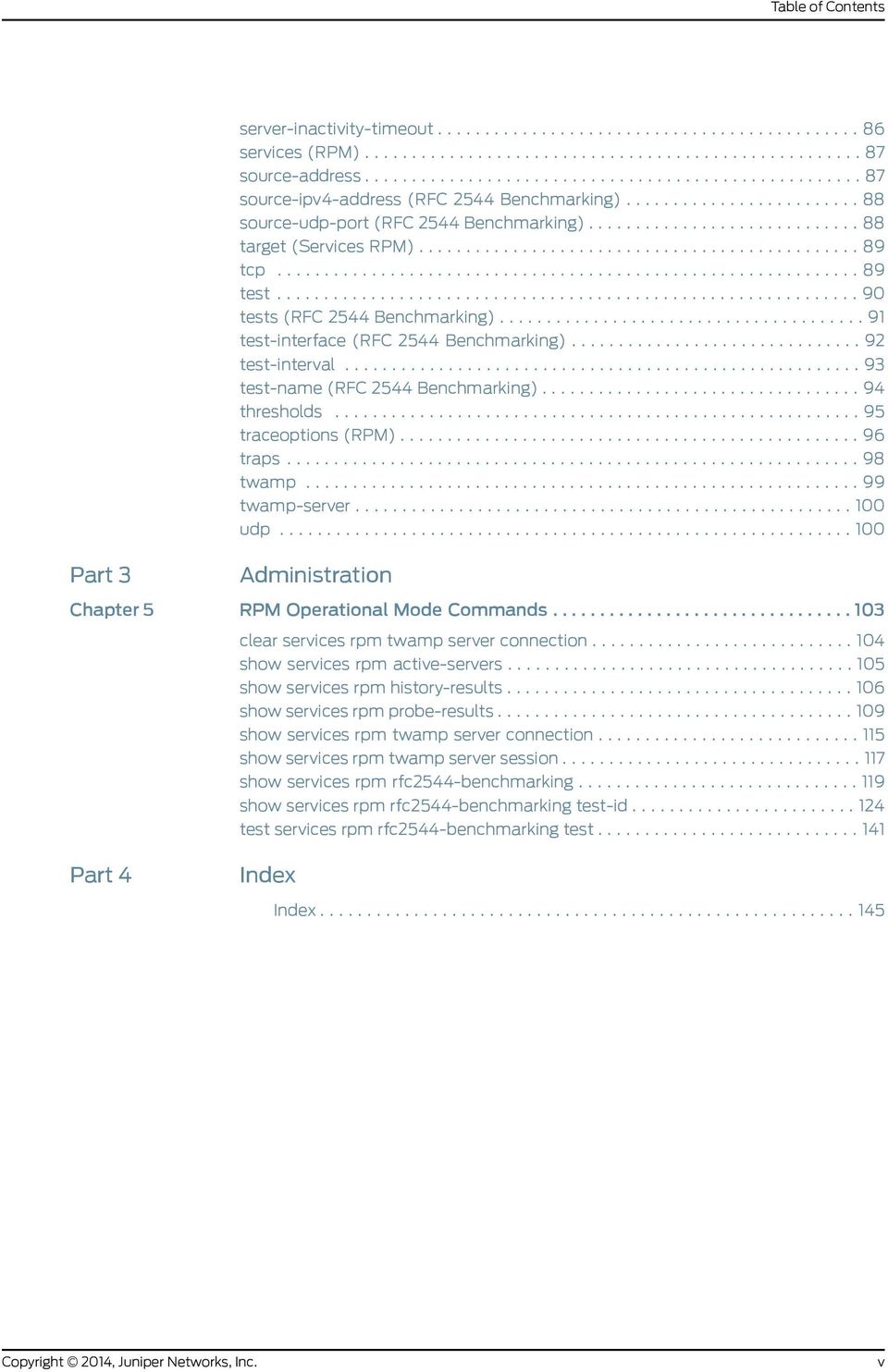
5 Table of Contents server-inactivity-timeout services (RPM) source-address source-ipv4-address (RFC 2544 Benchmarking) source-udp-port (RFC 2544 Benchmarking) target (Services RPM) tcp test tests (RFC 2544 Benchmarking) test-interface (RFC 2544 Benchmarking) test-interval test-name (RFC 2544 Benchmarking) thresholds traceoptions (RPM) traps twamp twamp-server udp Part 3 Administration Chapter 5 RPM Operational Mode Commands clear services rpm twamp server connection show services rpm active-servers show services rpm history-results show services rpm probe-results show services rpm twamp server connection show services rpm twamp server session show services rpm rfc2544-benchmarking show services rpm rfc2544-benchmarking test-id test services rpm rfc2544-benchmarking test Part 4 Index Index v
6 Real-Time Performance Monitoring Services vi

7 List of Figures Part 2 Configuration Chapter 3 Examples Figure 1: RFC 2544-Based Benchmarking Test for a Layer 3 IPv4 Service Figure 2: RFC 2544-Based Benchmarking Test for UNI Direction of an Ethernet Pseudowire Figure 3: RFC 2544-Based Benchmarking Test for NNI Direction of an Ethernet Pseudowire vii

8 Real-Time Performance Monitoring Services viii

9 List of Tables About the Documentation xi Table 1: Notice Icons xiii Table 2: Text and Syntax Conventions xiii Part 1 Overview Chapter 1 RPM Services Table 3: Supported Network Topologies for RFC 2544 Benchmarking Tests Part 2 Configuration Chapter 2 Configuration Tasks Table 4: RPM Tracing Flags Part 3 Administration Chapter 5 RPM Operational Mode Commands Table 5: show services rpm active-servers Output Fields Table 6: show services rpm history-results Output Fields Table 7: show services rpm probe-results Output Fields Table 8: show services rpm twamp server connection Output Fields Table 9: show services rpm twamp server session Output Fields Table 10: show services rpm rfc2544-benchmarking Output Fields Table 11: show services rpm rfc2544-benchmarking test-id Output Fields ix

10 Real-Time Performance Monitoring Services x

11 About the Documentation Documentation and Release Notes Documentation and Release Notes on page xi Using the Examples in This Manual on page xi Documentation Conventions on page xiii Documentation Feedback on page xv Requesting Technical Support on page xv Using the Examples in This Manual To obtain the most current version of all Juniper Networks technical documentation, see the product documentation page on the Juniper Networks website at If the information in the latest release notes differs from the information in the documentation, follow the product Release Notes. Juniper Networks Books publishes books by Juniper Networks engineers and subject matter experts. These books go beyond the technical documentation to explore the nuances of network architecture, deployment, and administration. The current list can be viewed at If you want to use the examples in this manual, you can use the load merge or the load merge relative command. These commands cause the software to merge the incoming configuration into the current candidate configuration. The example does not become active until you commit the candidate configuration. If the example configuration contains the top level of the hierarchy (or multiple hierarchies), the example is a full example. In this case, use the load merge command. If the example configuration does not start at the top level of the hierarchy, the example is a snippet. In this case, use the load merge relative command. These procedures are described in the following sections. xi

12 Real-Time Performance Monitoring Services Merging a Full Example To merge a full example, follow these steps: 1. From the HTML or PDF version of the manual, copy a configuration example into a text file, save the file with a name, and copy the file to a directory on your routing platform. For example, copy the following configuration to a file and name the file ex-script.conf. Copy the ex-script.conf file to the /var/tmp directory on your routing platform. system { scripts { commit { file ex-script.xsl; interfaces { fxp0 { disable; unit 0 { family inet { address /24; 2. Merge the contents of the file into your routing platform configuration by issuing the load merge configuration mode command: [edit] user@host# load merge /var/tmp/ex-script.conf load complete Merging a Snippet To merge a snippet, follow these steps: 1. From the HTML or PDF version of the manual, copy a configuration snippet into a text file, save the file with a name, and copy the file to a directory on your routing platform. For example, copy the following snippet to a file and name the file ex-script-snippet.conf. Copy the ex-script-snippet.conf file to the /var/tmp directory on your routing platform. commit { file ex-script-snippet.xsl; 2. Move to the hierarchy level that is relevant for this snippet by issuing the following configuration mode command: [edit] user@host# edit system scripts [edit system scripts] xii

13 About the Documentation 3. Merge the contents of the file into your routing platform configuration by issuing the load merge relative configuration mode command: [edit system scripts] load merge relative /var/tmp/ex-script-snippet.conf load complete Documentation Conventions For more information about the load command, see the CLI User Guide. Table 1: Notice Icons Table 1 on page xiii defines notice icons used in this guide. Icon Meaning Description Informational note Indicates important features or instructions. Caution Indicates a situation that might result in loss of data or hardware damage. Warning Alerts you to the risk of personal injury or death. Laser warning Alerts you to the risk of personal injury from a laser. Tip Indicates helpful information. Best practice Alerts you to a recommended use or implementation. Table 2: Text and Syntax Conventions Table 2 on page xiii defines the text and syntax conventions used in this guide. Convention Description Examples Bold text like this Represents text that you type. To enter configuration mode, type the configure command: user@host> configure Fixed-width text like this Represents output that appears on the terminal screen. user@host> show chassis alarms No alarms currently active xiii
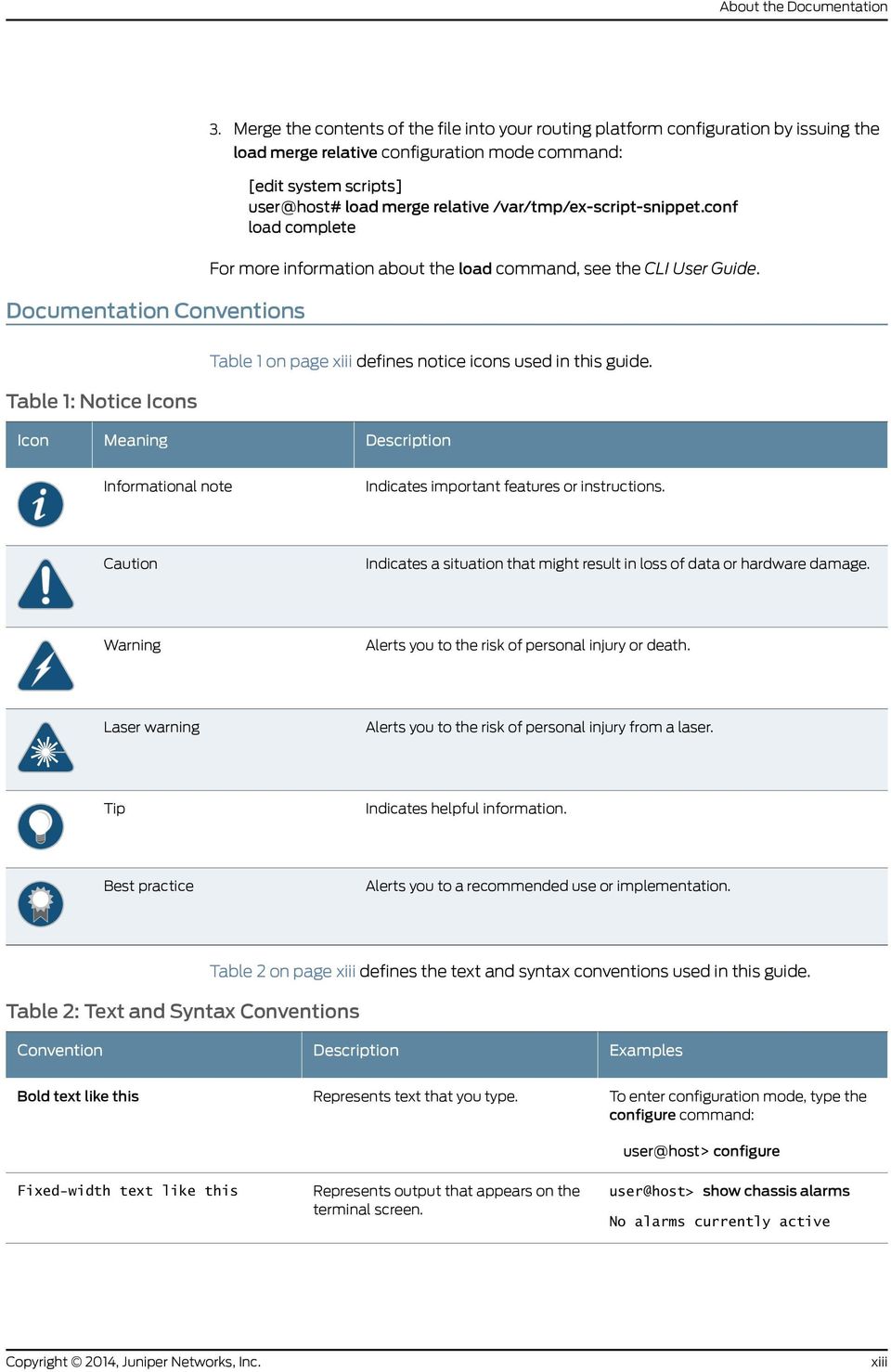
14 Real-Time Performance Monitoring Services Table 2: Text and Syntax Conventions (continued) Convention Description Examples Italic text like this Introduces or emphasizes important new terms. Identifies guide names. Identifies RFC and Internet draft titles. A policy term is a named structure that defines match conditions and actions. Junos OS CLI User Guide RFC 1997, BGP Communities Attribute Italic text like this Text like this Represents variables (options for which you substitute a value) in commands or configuration statements. Represents names of configuration statements, commands, files, and directories; configuration hierarchy levels; or labels on routing platform components. Configure the machine s domain name: [edit] root@# set system domain-name domain-name To configure a stub area, include the stub statement at the [edit protocols ospf area area-id] hierarchy level. The console port is labeled CONSOLE. < > (angle brackets) Encloses optional keywords or variables. stub <default-metric metric>; (pipe symbol) Indicates a choice between the mutually exclusive keywords or variables on either side of the symbol. The set of choices is often enclosed in parentheses for clarity. broadcast multicast (string1 string2 string3) # (pound sign) Indicates a comment specified on the same line as the configuration statement to which it applies. rsvp { # Required for dynamic MPLS only [ ] (square brackets) Encloses a variable for which you can substitute one or more values. community name members [ community-ids ] Indention and braces ( { ) ; (semicolon) Identifies a level in the configuration hierarchy. Identifies a leaf statement at a configuration hierarchy level. [edit] routing-options { static { route default { nexthop address; retain; GUI Conventions Bold text like this Represents graphical user interface (GUI) items you click or select. In the Logical Interfaces box, select All Interfaces. To cancel the configuration, click Cancel. > (bold right angle bracket) Separates levels in a hierarchy of menu selections. In the configuration editor hierarchy, select Protocols>Ospf. xiv

15 About the Documentation Documentation Feedback We encourage you to provide feedback, comments, and suggestions so that we can improve the documentation. You can send your comments to or fill out the documentation feedback form at If you are using , be sure to include the following information with your comments: Document or topic name URL or page number Software release version (if applicable) Requesting Technical Support Technical product support is available through the Juniper Networks Technical Assistance Center (JTAC). If you are a customer with an active J-Care or JNASC support contract, or are covered under warranty, and need post-sales technical support, you can access our tools and resources online or open a case with JTAC. JTAC policies For a complete understanding of our JTAC procedures and policies, review the JTAC User Guide located at Product warranties For product warranty information, visit JTAC hours of operation The JTAC centers have resources available 24 hours a day, 7 days a week, 365 days a year. Self-Help Online Tools and Resources For quick and easy problem resolution, Juniper Networks has designed an online self-service portal called the Customer Support Center (CSC) that provides you with the following features: Find CSC offerings: Search for known bugs: Find product documentation: Find solutions and answer questions using our Knowledge Base: Download the latest versions of software and review release notes: Search technical bulletins for relevant hardware and software notifications: xv

16 Real-Time Performance Monitoring Services Join and participate in the Juniper Networks Community Forum: Open a case online in the CSC Case Management tool: To verify service entitlement by product serial number, use our Serial Number Entitlement (SNE) Tool: Opening a Case with JTAC You can open a case with JTAC on the Web or by telephone. Use the Case Management tool in the CSC at Call JTAC ( toll-free in the USA, Canada, and Mexico). For international or direct-dial options in countries without toll-free numbers, see xvi

17 PART 1 Overview RPM Services on page 3 1

18 Real-Time Performance Monitoring Services 2

19 CHAPTER 1 RPM Services Real-Time Performance Monitoring Services Overview on page 3 RFC 2544-Based Benchmarking Tests Overview on page 4 Real-Time Performance Monitoring Services Overview Real-Time Performance Monitoring (RPM) enables you to configure active probes to track and monitor traffic. Probes collect packets per destination and per application, including PING Internet Control Message Protocol (ICMP) packets, User Datagram Protocol and Transmission Control Protocol (UDP/TCP) packets with user-configured ports, user-configured Differentiated Services code point (DSCP) type-of-service (ToS) packets, and Hypertext Transfer Protocol (HTTP) packets. RPM provides Management Information Base (MIB) support with extensions for RFC 2925, Definitions of Managed Objects for Remote Ping, Traceroute, and Lookup Operations. You can also configure RPM services to determine automatically whether a path exists between a host router and its configured BGP neighbors. You can view the results of the discovery using an SNMP client. Results are stored in pingresultstable, jnxpingresultstable, jnxpingprobehistorytable, and pingprobehistorytable. Probe configuration and probe results are supported by the command-line interface (CLI) and SNMP. The following probe types are supported with DSCP marking: ICMP echo ICMP timestamp HTTP get (not available for BGP RPM services) UDP echo TCP connection UDP timestamp With probes, you can monitor the following: Minimum round-trip time Maximum round-trip time 3
20 Real-Time Performance Monitoring Services Average round-trip time Standard deviation of the round-trip time Jitter of the round-trip time The difference between the minimum and maximum round-trip time One-way measurements for ICMP timestamp probes include the following: Minimum, maximum, standard deviation, and jitter measurements for egress and ingress times Number of probes sent Number of probe responses received Percentage of lost probes NOTE: Timestamping is not supported on PTX Series Packet Transport Routers. You can configure the following RPM thresholds: Round-trip time Ingress/egress delay Standard deviation Jitter Successive lost probes Total lost probes (per test) Support is also implemented for user-configured CoS classifiers and for prioritization of RPM packets over regular data packets received on an input interface. Related Documentation Configuring BGP Neighbor Discovery Through RPM on page 11 [edit services rpm] Hierarchy Level on page 9 Examples: Configuring BGP Neighbor Discovery Through RPM on page 31 RFC 2544-Based Benchmarking Tests Overview RFC 2544 defines a series of tests that can be used to describe the performance characteristics of a network-interconnecting device, such as a router, and outlines specific formats to report the results of the tests. These tests can be used to benchmark interconnected network devices and devise a guideline or a measurement pattern to analyze the health and efficiency of the network devices. Because of the ability of these tests to measure throughput, bursty frames, frame loss, and latency, this mechanism is also used to diagnose Ethernet-based networks. These tests are the standard benchmarking tests for Ethernet networks and are known as RFC 2544-based 4
21 Chapter 1: RPM Services benchmarking tests. The test methodology enables you to define various parameters such as different frame sizes to be examined (64, 128, 256, 512, 1024, 1280 and 1518 bytes), the test time for each test iteration, and the frame format (IP or UDP). In Junos OS Release 13.3, MX104 routers support only the reflector function and the corresponding benchmarking tests. These tests display only the reflected bytes and packets on the routers. RFC 2544-based benchmarking test is performed by transmitting test packets from a device that functions as the generator or the initiator. The initiator is also called the originator. These packets are sent to a device that functions as the reflector, which receives and returns the packets back to the initiator. The RFC 2544 methodology assesses different parameters that are defined in service-level agreements (SLAs). By measuring the performance availability, transmission delay, link bursts, and service integrity, a carrier provider can certify that the working parameters of the deployed Ethernet circuit comply with the SLA and other defined policies. Table 3 on page 5 describes the different network topologies in which the benchmarking test is supported: Table 3: Supported Network Topologies for RFC 2544 Benchmarking Tests Type of Network Traffic Direction Supported Packet Types Whether the Benchmarking Test Is Supported Ethernet pseudowire Ingress and Egress All EtherTypes for Ingress and MPLS encapsulated packets for Egress Supported Layer 3 IPv4 Egress IPv4 in Layer 3 and any protocol in Layer 2 Supported Related Documentation Configuring an RFC 2544-Based Benchmarking Test on page 25 5
22 Real-Time Performance Monitoring Services 6
23 PART 2 Configuration Configuration Tasks on page 9 Examples on page 31 Configuration Statements on page 59 7
24 Real-Time Performance Monitoring Services 8
25 CHAPTER 2 Configuration Tasks [edit services rpm] Hierarchy Level [edit services rpm] Hierarchy Level on page 9 Configuring BGP Neighbor Discovery Through RPM on page 11 Configuring RPM Probes on page 13 Configuring RPM Receiver Servers on page 18 Limiting the Number of Concurrent RPM Probes on page 18 Configuring RPM Timestamping on page 19 Configuring TWAMP on page 22 Enabling RPM for the Junos OS extension-provider package on page 24 Configuring an RFC 2544-Based Benchmarking Test on page 25 Tracing RPM Operations on page 28 To configure Real-Time Performance Monitoring (RPM) services, include the rpm statement at the [edit services]hierarchy level: [edit services] rpm { bgp { data-fill data; data-size size; destination-port port; history-size size; logical-system logical-system-name [routing-instances routing-instance-name]; moving-average-size number; probe-count count; probe-interval seconds; probe-type type; routing-instances instance-name; test-interval interval; probe owner { test test-name { data-fill data; data-size size; destination-interface interface-name; 9
26 Real-Time Performance Monitoring Services destination-port port; dscp-code-point dscp-bits; hardware-timestamp; history-size size; moving-average-size number; one-way-hardware-timestamp; probe-count count; probe-interval seconds; probe-type type; routing-instance instance-name; source-address address; target (url url address address); test-interval interval; thresholds thresholds; traps traps; probe-server { tcp { destination-interface interface-name; port number; udp { destination-interface interface-name; port number; probe-limit limit; traceoptions { file filename <files number> <match regular-expression > <size maximum-file-size> <world-readable no-world-readable>; flag flag; twamp { server { authentication-mode (authenticated encrypted none); client-list list-name { [ address address ]; inactivity-timeout seconds; maximum-connections-duration hours; maximum-connections count; maximum-connections-per-client count; maximum-sessions count; maximum-sessions-per-connection count; port number; server-inactivity-timeout minutes; rfc2544-benchmarking { tests{ test-name (RFC 2544 Benchmarking) test-name { test-interface interface-name; mode reflect; family (inet ccc); destination-ipv4-address address; 10
27 Chapter 2: Configuration Tasks destination-udp-port port-number; source-ipv4-address address; source-udp-port port-number; direction (egress ingress); NOTE: RPM does not require an Adaptive Services (AS) or Multiservices PIC or Multiservices Dense Port Concentrator (DPC) unless you are configuring RPM timestamping as described in Configuring RPM Timestamping on page 19. Related Documentation Configuring BGP Neighbor Discovery Through RPM on page 11 Configuring RPM Probes on page 13 Configuring RPM Receiver Servers on page 18 Limiting the Number of Concurrent RPM Probes on page 18 Configuring RPM Timestamping on page 19 Configuring TWAMP on page 22 Enabling RPM for the Junos OS extension-provider package on page 24 Tracing RPM Operations on page 28 Configuring BGP Neighbor Discovery Through RPM BGP neighbors can be configured at the following hierarchy levels: [edit protocols bgp group group-name] Default logical system and default routing instance. [edit routing-instances instance-name protocols bgp group group-name] Default logical system with a specified routing instance. [edit logical-systems logical-system-name protocols bgp group group-name] Configured logical system and default routing instance. [edit logical-systems logical-system-name routing-instances instance-name protocols bgp group group-name] Configured logical system with a specified routing instance. When you configure BGP neighbor discovery through RPM, if you do not specify a logical system, the RPM probe applies to configured BGP neighbors for all logical systems. If you do not specify a routing instance, the RPM probe applies to configured BGP neighbors in all routing instances. You can explicitly configure RPM probes to apply only to the default logical system, the default routing instance, or to a particular logical system or routing instance. 11
28 Real-Time Performance Monitoring Services To configure BGP neighbor discovery through RPM, configure the probe properties at the [edit services rpm bgp] hierarchy: data-fill data; data-size size; destination-port port; history-size size; logical-system logical-system-name [routing-instances routing-instance-name]; moving-average-size number; probe-count count; probe-interval seconds; probe-type type; routing-instances instance-name; test-interval interval; To specify the contents of the data portion of Internet Control Message Protocol (ICMP) probes, include the data-fill statement at the [edit services rpm bgp] hierarchy level. The value can be a hexadecimal value. To specify the size of the data portion of ICMP probes, include the data-size statement at the [edit services rpm bgp] hierarchy level. The size can be from 0 through and the default size is 0. To specify the User Datagram Protocol (UDP) port or Transmission Control Protocol (TCP) port to which the probe is sent, include the destination-port statement at the [edit services rpm bgp] hierarchy level. The destination-port statement is used only for the UDP and TCP probe types. The value can be 7 or from through To specify the number of stored history entries, include the history-size statement at the [edit services rpm bgp] hierarchy level. Specify a value from 0 to 512. The default is 50. To specify the logical system used by ICMP probes, include the logical-system logical-system-name statement at the [edit services rpm bgp] hierarchy level. If you do not specify a logical system, the RPM probe applies to configured BGP neighbors for all logical systems. To apply the probe to only the default logical system, you must set the value of logical-system-name to null. To specify a number of samples for making statistical calculations, include the moving-average-size statement at the [edit services rpm bgp] hierarchy level. Specify a value from 0 through 255. To specify the number of probes within a test, include the probe-count statement at the [edit services rpm bgp] hierarchy level. Specify a value from 1 through 15. To specify the time to wait between sending packets, include the probe-interval statement at the [edit services rpm bgp] hierarchy level. Specify a value from 1 through 255 seconds. To specify the packet and protocol contents of the probe, include the probe-type statement at the [edit services rpm bgp] hierarchy level. The following probe types are supported: icmp-ping Sends ICMP echo requests to a target address. icmp-ping-timestamp Sends ICMP timestamp requests to a target address. 12
29 Chapter 2: Configuration Tasks tcp-ping Sends TCP packets to a target. udp-ping Sends UDP packets to a target. udp-ping-timestamp Sends UDP timestamp requests to a target address. NOTE: Some probe types require additional parameters to be configured. For example, when you specify the tcp-ping or udp-ping option, you must configure the destination port using the destination-port port statement. The udp-ping-timestamp option requires a minimum data size of 12; any smaller data size results in a commit error. The minimum data size for TCP probe packets is 1. To specify the routing instance used by ICMP probes, include the routing-instances statement at the [edit services rpm bgp] hierarchy level. The default routing instance is Internet routing table inet.0. If you do not specify a routing instance, the RPM probe applies to configured BGP neighbors in all routing instances. To apply the RPM probe to only the default routing instance, you must explicitly set the value of instance-name to default. To specify the time to wait between tests, include the test-interval statement at the [edit services bgp probe] hierarchy level. Specify a value from 0 through seconds. Related Documentation Real-Time Performance Monitoring Services Overview on page 3 [edit services rpm] Hierarchy Level on page 9 Examples: Configuring BGP Neighbor Discovery Through RPM on page 31 Configuring RPM Probes The owner name and test name identifiers of an RPM probe together represent a single RPM configuration instance. When you specify the test name, you also can configure the test parameters. To configure the probe owner, test name, and test parameters, include the probe statement at the [edit services rpm] hierarchy level: probe owner { test test-name { data-fill data; data-size size; destination-interface interface-name; destination-port port; dscp-code-point dscp-bits; hardware-timestamp; history-size size; moving-average-size number; one-way-hardware-timestamp; probe-count count; probe-interval seconds; 13
30 Real-Time Performance Monitoring Services probe-type type; routing-instance instance-name; source-address address; target (url url address address); test-interval interval; thresholds thresholds; traps traps; Keep the following points in mind when you configure RPM clients and RPM servers: You cannot configure an RPM client that is PIC-based and an RPM server that is based on either the Packet Forwarding Engine or Routing Engine to receive the RPM probes. You cannot configure an RPM client that is Packet Forwarding Engine-based and an RPM server that receives the RPM probes to be on the PIC or Routing Engine. The RPM client and RPM server must be located on the same type of module. For example, if the RPM client is PIC-based, the RPM server must also be PIC-based, and if the RPM server is Packet Forwarding Engine-based, the RPM client must also be Packet Forwarding Engine-based. To specify a probe owner, include the probe statement at the [edit services rpm] hierarchy level. The probe owner identifier can be up to 32 characters in length. To specify a test name, include the test statement at the [edit services rpm probe owner] hierarchy level. The test name identifier can be up to 32 characters in length. A test represents the range of probes over which the standard deviation, average, and jitter are calculated. To specify the contents of the data portion of Internet Control Message Protocol (ICMP) probes, include the data-fill statement at the [edit services rpm probe owner] hierarchy level. The value can be a hexadecimal value. The data-fill statement is not valid with the http-get or http-metadata-get probe types. To specify the size of the data portion of ICMP probes, include the data-size statement at the [edit services rpm probe owner] hierarchy level. The size can be from 0 through and the default size is 0. The data-size statement is not valid with the http-get or http-metadata-get probe types. NOTE: If you configure the hardware timestamp feature (see Configuring RPM Timestamping on page 19): The data-size default value is 32 bytes and 32 is the minimum value for explicit configuration. The UDP timestamp probe type is an exception; it requires a minimum data size of 44 bytes. The data-size must be at least 100 bytes smaller than the default MTU of the interface of the RPM client interface. On M Series and T Series routers, you configure the destination-interface statement to enable hardware timestamping of RPM probe packets. You specify an sp- interface 14
31 Chapter 2: Configuration Tasks to have the AS or Multiservices PIC add the hardware timestamps; for more information, see Configuring RPM Timestamping on page 19. You can also include the one-way-hardware-timestamp statement to enable one-way delay and jitter measurements. To specify the User Datagram Protocol (UDP) port or Transmission Control Protocol (TCP) port to which the probe is sent, include the destination-port statement at the [edit services rpm probe owner test test-name] hierarchy level. The destination-port statement is used only for the UDP and TCP probe types. The value can be 7 or from through When you configure either probe-type udp-ping or probe-type udp-ping-timestamp along with hardware timestamping, the value for the destination-port can be only 7. A constraint check prevents you from configuring any other value for the destination port in this case. This constraint does not apply when you are using one-way hardware timestamping. To specify the value of the Differentiated Services (DiffServ) field within the IP header, include the dscp-code-point statement at the [edit services rpm probe owner test test-name] hierarchy level. The DiffServ code point (DSCP) bits value can be set to a valid 6-bit pattern; for example, It also can be set using an alias configured at the [edit class-of-service code-point-aliases dscp] hierarchy level. The default is To specify the number of stored history entries, include the history-size statement at the [edit services rpm probe owner test test-name] hierarchy level. Specify a value from 0 to 512. The default is 50. To specify a number of samples for making statistical calculations, include the moving-average-size statement at the [edit services rpm probe owner test test-name] hierarchy level. Specify a value from 0 through 255. To specify the number of probes within a test, include the probe-count statement at the [edit services rpm probe owner test test-name] hierarchy level. Specify a value from 1 through 15. To specify the time to wait between sending packets, include the probe-interval statement at the [edit services rpm probe owner test test-name] hierarchy level. Specify a value from 1 through 255 seconds. To specify the packet and protocol contents of the probe, include the probe-type statement at the [edit services rpm probe owner test test-name] hierarchy level. The following probe types are supported: http-get Sends a Hypertext Transfer Protocol (HTTP) get request to a target URL. http-metadata-get Sends an HTTP get request for metadata to a target URL. icmp-ping Sends ICMP echo requests to a target address. icmp-ping-timestamp Sends ICMP timestamp requests to a target address. tcp-ping Sends TCP packets to a target. 15
32 Real-Time Performance Monitoring Services udp-ping Sends UDP packets to a target. udp-ping-timestamp Sends UDP timestamp requests to a target address. The following probe types support hardware timestamping of probe packets: icmp-ping, icmp-ping-timestamp, udp-ping, udp-ping-timestamp. NOTE: Some probe types require additional parameters to be configured. For example, when you specify the tcp-ping or udp-ping option, you must configure the destination port using the destination-port statement. The udp-ping-timestamp option requires a minimum data size of 12; any smaller data size results in a commit error. The minimum data size for TCP probe packets is 1. When you configure either probe-type udp-ping or probe-type udp-ping-timestamp along with the one-way-hardware-timestamp command, the value for the destination-port can be only 7. A constraint check prevents you for configuring any other value for the destination port in this case. To specify the routing instance used by ICMP probes, include the routing-instance statement at the [edit services rpm probe owner test test-name] hierarchy level. The default routing instance is Internet routing table inet.0. To specify the source IP address used for ICMP probes, include the source-address statement at the [edit services rpm probe owner test test-name] hierarchy level. If the source IP address is not one of the router s assigned addresses, the packet will use the outgoing interface s address as its source. To specify the destination address used for the probes, include the target statement at the [edit services rpm probe owner test test-name] hierarchy level. For HTTP probe types, specify a fully formed URL that includes in the URL address. For all other probe types, specify an IP version 4 (IPv4) address for the target host. To specify the time to wait between tests, include the test-interval statement at the [edit services rpm probe owner test test-name] hierarchy level. Specify a value from 0 through seconds. To specify thresholds used for the probes, include the thresholds statement at the [edit services rpm probe owner test test-name] hierarchy level. A system log message is generated when the configured threshold is exceeded. Likewise, an SNMP trap (if configured) is generated when a threshold is exceeded. The following options are supported: egress-time Measures maximum source-to-destination time per probe. ingress-time Measures maximum destination-to-source time per probe. jitter-egress Measures maximum source-to-destination jitter per test. jitter-ingress Measures maximum destination-to-source jitter per test. 16
33 Chapter 2: Configuration Tasks jitter-rtt Measures maximum jitter per test, from 0 through microseconds. rtt Measures maximum round-trip time per probe, in microseconds. std-dev-egress Measures maximum source-to-destination standard deviation per test. std-dev-ingress Measures maximum destination-to-source standard deviation per test. std-dev-rtt Measures maximum standard deviation per test, in microseconds. successive-loss Measures successive probe loss count, indicating probe failure. total-loss Measures total probe loss count indicating test failure, from 0 through 15. Traps are sent if the configured threshold is met or exceeded. To set the trap bit to generate traps, include the traps statement at the [edit services rpm probe owner test test-name] hierarchy level. The following options are supported: egress-jitter-exceeded Generates traps when the jitter in egress time threshold is met or exceeded. egress-std-dev-exceeded Generates traps when the egress time standard deviation threshold is met or exceeded. egress-time-exceeded Generates traps when the maximum egress time threshold is met or exceeded. ingress-jitter-exceeded Generates traps when the jitter in ingress time threshold is met or exceeded. ingress-std-dev-exceeded Generates traps when the ingress time standard deviation threshold is met or exceeded. ingress-time-exceeded Generates traps when the maximum ingress time threshold is met or exceeded. jitter-exceeded Generates traps when the jitter in round-trip time threshold is met or exceeded. probe-failure Generates traps for successive probe loss thresholds crossed. rtt-exceeded Generates traps when the maximum round-trip time threshold is met or exceeded. std-dev-exceeded Generates traps when the round-trip time standard deviation threshold is met or exceeded. test-completion Generates traps when a test is completed. test-failure Generates traps when the total probe loss threshold is met or exceeded. Related Documentation Real-Time Performance Monitoring Services Overview on page 3 Examples: Configuring Real-Time Performance Monitoring on page 32 17
34 Real-Time Performance Monitoring Services [edit services rpm] Hierarchy Level on page 9 Configuring RPM Receiver Servers The RPM TCP and UDP probes are proprietary to Juniper Networks and require a receiver to receive the probes. To configure a server to receive the probes, include the probe-server statement at the [edit services rpm] hierarchy level: [edit services rpm] probe-server { tcp { destination-interface interface-name; port number; udp { port number; The port number specified for the UDP and TCP server can be 7 or from through NOTE: The destination-interface statement is not supported on PTX Series Packet Transport Routers. When you configure either probe-type udp-ping or probe-type udp-ping-timestamp along with the one-way-hardware-timestamp command, the value for the destination-port can be only 7. A constraint check prevents you for configuring any other value for the destination port in this case. Related Documentation Real-Time Performance Monitoring Services Overview on page 3 [edit services rpm] Hierarchy Level on page 9 Examples: Configuring Real-Time Performance Monitoring on page 32 Limiting the Number of Concurrent RPM Probes To configure the maximum number of concurrent probes allowed, include the probe-limit statement at the [edit services rpm] hierarchy level: probe-limit limit; Specify a limit from 1 through 500. The default maximum number is 100. Related Documentation Real-Time Performance Monitoring Services Overview on page 3 [edit services rpm] Hierarchy Level on page 9 Examples: Configuring Real-Time Performance Monitoring on page 32 18
35 Chapter 2: Configuration Tasks Configuring RPM Timestamping To account for latency in the communication of probe messages, you can enable timestamping of the probe packets. You can timestamp the following RPM probe types: icmp-ping, icmp-ping-timestamp, udp-ping, and udp-ping-timestamp. On M Series and T Series routers with an Adaptive Services (AS) or Multiservices PIC, and MX Series routers with a Multiservices DPC, and on EX Series switches, you can enable hardware timestamping of RPM probe messages. The timestamp is applied on both the RPM client router (the router or switch that originates the RPM probes) and the RPM probe server and applies only to IPv4 traffic. It is supported on the following: Layer 2 services package on all Mulitservices PICs and DPCs. Layer 3 service package on AS and Multiservices PICs and Multiservices DPCs. Extension-provider services package on M Series, MX Series, and T Series services PICs that support the Extension-Provider packages (In Junos OS releases earlier than 12.3, the extension-provider packages were variously referred to as Junos Services Framework (JSF), MP-SDK, and ejunos.) Layer 2, Layer 3, SDK Services, and PFE RPM timestamping interoperate with each other. Here, the RPM client can be on the Layer 3 sp- interface and the RPM server can be on an SDK Services package. NOTE: Hardware timestamping is not supported on PTX Series Packet Transport Routers. Two-way timestamping is available on sp- and ms- interfaces. To configure two-way timestamping on M Series and T Series routers, include the destination-interface statement at the [edit services rpm probe probe-owner test test-name] hierarchy level: destination-interface sp-fpc/pic/port.logical-unit destination-interface ms-fpc/pic/port.logical-unit Specify the RPM client router and the RPM server router on the adaptive services logical interface or the multiservices interface by including the rpm statement at the [edit interfaces interface-name unit logical-unit-number] hierarchy level: rpm (client server); The logical interface must be dedicated to the RPM task. It requires configuration of the family inet statement and a /32 address, as shown in the example. This configuration is also needed for other services such as NAT and stateful firewall. You cannot configure RPM service on unit 0 because RPM requires a dedicated logical interface; the same unit cannot support both RPM and other services. Because active flow monitoring requires unit 0, but RPM can function on any logical interface, a constraint check prevents you from committing an RPM configuration there. 19
36 Real-Time Performance Monitoring Services NOTE: If you configure RPM timestamping on an AS PIC, you cannot configure the source-address statement at the [edit services rpm probe probe-name test test-name] hierarchy level. On MX Series routers, on M-320 routers using the Enhanced Queuing MPC, and on EX Series switches, you include the hardware-timestamp statement at the [edit services rpm probe probe-name test test-name] hierarchy level to specify that the probes are to be timestamped in the Packet Forwarding Engine host processor: hardware-timestamp; On the client side, these probes are timestamped in the Packet Forwarding Engine host processor on the egress DPC on the MX or M-320 Series router or EX Series switch originating the RPM probes (RPM client). On the responder side (RPM server), the RPM probes to be timestamped are handled by the Packet Forwarding Engine host processor, which generates the response instead of the RPM process. The RPM probes are timestamped only on the router that originates them (RPM client). As a result, only round-trip time is measured for these probes. When using the hardware-timestamp, the data-size value for the probe must be at least 100 bytes smaller than the default MTU of the interface of the RPM client interface (see Configuring RPM Probes on page 13). NOTE: The Packet Forwarding Engine-based RPM feature does not support any stateful firewall configurations. If you need to combine RPM timestamping with a stateful firewall, you should use the interface-based RPM timestamping service described earlier in this section. Multiservices DPCs support stateful firewall processing as well as RPM timestamping. To configure one-way timestamping, you must also include the one-way-hardware-timestamp statement at the [edit services rpm probe probe-owner test test-name] hierarchy level: one-way-hardware-timestamp; 20
37 Chapter 2: Configuration Tasks NOTE: If you configure RPM probes for a services interface (sp-), you need to announce local routes in a specific way for the following routing protocols: For OSPF, you can announce the local route by including the services interface in the OSPF area. To configure this setting, include the interface sp-fpc/pic/port statement at the [edit protocols ospf area area-number] hierarchy level. For BGP and IS-IS, you must export interface routes and create a policy that accepts the services interface local route. To export interface routes, include the point-to-point and lan statements at the [edit routing-options interface-routes family inet export] hierarchy level. To configure an export policy that accepts the services interface local route, include the protocol local, rib inet.0, and route-filter sp-interface-ip-address/32 exact statements at the [edit policy-options policy-statement policy-name term term-name from] hierarchy level and the accept action at the [edit policy-options policy-statement policy-name term term-name then] hierarchy level. For the export policy to take effect, apply the policy to BGP or IS-IS with the export policy-name statement at the [edit protocols protocol-name] hierarchy level. For more information about these configurations, see the Routing Policy Feature Guide for Routing Devices or the Junos OS Routing Protocols Library for Routing Devices. Routing the probe packets through the adaptive services or Multiservices PIC also enables you to filter the probe packets to particular queues. The following example shows the RPM configuration and the filter that specifies queuing: services rpm { probe p1 { test t1 { probe-type icmp-ping; target address ; probe-count 10; probe-interval 10; test-interval 10; dscp-code-points af11; data-size 100; destination-interface sp-1/2/0.0; firewall { filter f1 { term t1 { from { dscp af11; then { forwarding-class assured-forwarding; 21
38 Real-Time Performance Monitoring Services interfaces sp-1/2/0 { unit 2 { rpm client; family inet { address /32; filter { input f1; interfaces sp-1/2/1 { unit 2 { rpm server; family inet { address /32; filter { input f1; For more information about firewall filters, see the Routing Policy Feature Guide for Routing Devices; for more information about queuing, see the Junos OS Class of Service Library for Routing Devices. Related Documentation Real-Time Performance Monitoring Services Overview on page 3 [edit services rpm] Hierarchy Level on page 9 Examples: Configuring Real-Time Performance Monitoring on page 32 Configuring TWAMP You can configure the Two-Way Active Measurement Protocol (TWAMP) on all M Series and T Series routers that support Multiservices PICs (running in either Layer 2 or Layer 3 mode), and on MX Series routers. Only the responder (server) side of TWAMP is supported. NOTE: TWAMP is not supported on PTX Series Packet Transport Routers. For more information on TWAMP, see RFC 5357, A Two-Way Active Measurement Protocol (TWAMP). To configure TWAMP properties, include the twamp statement at the [edit services rpm] hierarchy level: [edit services rpm] twamp { 22
39 Chapter 2: Configuration Tasks server { client-list list-name { [ address address ]; authentication-mode mode; max-connection-duration hours; maximum-connections count; maximum-connections-per-client count; maximum-sessions count; maximum-sessions-per-connection count; port number; server-inactivity-timeout minutes; The TWAMP configuration process includes the following tasks: Configuring TWAMP Interfaces on page 23 Configuring TWAMP Servers on page 23 Configuring TWAMP Interfaces To specify the service PIC logical interface that provides the TWAMP service, include the twamp-server statement at the [edit interfaces sp-fpc/pic/port unit logical-unit-number hierarchy level: twamp-server; NOTE: On MX Series routers that do not include a Multiservices DPC, you can configure the twamp-server statement on any interface (for example, ge-1/0/1.10). It is not necessary to configure this statement on a service interface (sp- or ms-) but you do need to include it in the configuration to activate the TWAMP reflector functionality. Configuring TWAMP Servers You can specify a number of TWAMP server properties, some of which are optional, by including the server statement at the [edit services rpm twamp] hierarchy level: [edit services rpm twamp] server { client-list list-name { [ address address ]; authentication-mode mode; max-connection-duration hours; maximum-connections count; maximum-connections-per-client count; maximum-sessions count; maximum-sessions-per-connection count; port number; server-inactivity-timeout minutes; 23
40 Real-Time Performance Monitoring Services To specify the list of allowed control client hosts that can connect to this server, include the client-list statement at the [edit services rpm twamp server] hierarchy level. Each value you include must be a Classless Interdomain Routing (CIDR) address (IP address plus mask) that represents a network of allowed hosts. You can include multiple client lists, each of which can contain a maximum of 64 entries. You must configure at least one client address to enable TWAMP. You must specify the authentication mode by including the authentication-mode statement at the [edit services rpm twamp server] hierarchy level. There is no default value. You can configure authenticated or encrypted mode, based on RFC 4656; if there is no authentication or encryptions mode specified, you should set the value to none. This statement is required in the TWAMP configuration. To specify the inactivity timeout period in seconds, include the inactivity-timeout statement at the [edit services rpm twamp server] hierarchy level. By default, the value is 1800; the range is 0 through 3600 seconds. To specify the maximum number of concurrent connections the server can have to client hosts, include the maximum-connections statement at the [edit services rpm twamp server] hierarchy level. The allowed range of values is 1 through 1000 and the default value is 64. You can also limit the number of connections the server can make to a particular client host by including the maximum-connections-per-client statement. The allowed range of values is 1 through 500 and the default value is 64. To specify the maximum number of sessions the server can have running at one time, include the maximum-sessions statement at the [edit services rpm twamp server] hierarchy level. The allowed range of values is 1 through 2048 and the default value is 64. You can also limit the number of sessions the server can have on a single connection by including the maximum-sessions-per-connection statement. To specify the TWAMP server listening port, include the port statement at the [edit services rpm twamp server] hierarchy level. The range is 1 through 65,535. To specify the server inactivity timeout period in minutes, include the server-inactivity-timeout statement at the [edit services rpm twamp server] hierarchy level. The range is 0 through 30 minutes. Enabling RPM for the Junos OS extension-provider package Real-time performance monitoring (RPM), which has been supported on the adaptive services interface, is now supported by the Junos OS extension-provider package. RPM is supported on all platforms and service PICs that support the extension-provider package. NOTE: In Junos OS releases earlier than 12.3, the extension provider package was variously known as MP-SDK, Junos Services Framework (JSF), and ejunos. To enable RPM for the Junos OS extension-provider package on the adaptive services interface, configure the object-cache-size, policy-db-size, and package statements at the 24
41 Chapter 2: Configuration Tasks [edit chassis fpc slot-number pic pic-number adaptive-services service-package extension-provider] hierarchy level. For the extension-provider package, package-name in the package package-name statement is jservices-rpm. For more information about the extension-provider package, see the SDK Applications Configuration Guide and Command Reference. The following example shows how to enable RPM for the extension-provider package on the adaptive services interface: chassis fpc 1 { pic 2 { adaptive-services { service-package { extension-provider { control-cores 1; data-cores 1; object-cache-size 512; policy-db-size 64; package jservices-rpm; syslog daemon any; Related Documentation Real-Time Performance Monitoring Services Overview on page 3 [edit services rpm] Hierarchy Level on page 9 Examples: Configuring Real-Time Performance Monitoring on page 32 destination-interface on page 66 Configuring an RFC 2544-Based Benchmarking Test You can configure a benchmarking test to detect and measure performance attributes, such as throughput, latency, frame loss, and bursty or back-to-back frames, of network devices. RFC 2544-based benchmarking test is performed by transmitting test packets from a device that functions as the generator or the initiator. These packets are sent to a device that functions as the reflector, which receives and returns the packets back to the initiator. You must configure a test profile and reference the test profile in a unique test name that defines the parameters for the test to be performed on a certain device. However, the test profile is required when the test mode is configured as initiation and termination. The test-profile parameter is disregarded when the test mode is configured as reflection. MX104 routers support only the reflection function in the RFC 2544-based benchmarking tests. A reflection service does not use the parameters specified in the test profile because the reflection service it returns the frames to the initiator. 25
42 Real-Time Performance Monitoring Services The following topics describe how to configure a test name for an RFC 2544-based benchmarking test on an MX104 router for Layer 3 IPv4 and Ethernet pseudowire networks: Configuring a Test Name for an RFC 2544-Based Benchmarking Test for a IPv4 Network on page 26 Configuring a Test Name for an RFC 2544-Based Benchmarking Test for an Ethernet Pseudowire: on page 27 Configuring a Test Name for an RFC 2544-Based Benchmarking Test for a IPv4 Network You can configure a test name by including the test-name test-name statement at the [edit services rpm rfc2544-benchmarking] hierarchy level. In the test name, you can configure attributes of the test iteration, such as the address family (type of service, IPv4 or Ethernet), the logical interface, and test duration that are used for a benchmarking test to be run. To configure a test name and define its attributes for an IPv4 network: 1. In configuration mode, go to the [edit services] hierarchy level. [edit] user@host# edit services 2. Configure a instance. [edit services] user@host# edit rpm 3. Configure an RFC 2544-based benchmarking test for the RPM instance. [edit services rpm] user@host# edit rfc2544-benchmarking 4. Define a name for the test for example, test1. The test name identifier can be up to 32 characters in length. [edit services rpm rfc2544-benchmarking] user@host# edit tests test-name test1 5. Specify the test mode for the packets that are sent during the benchmarking test. The reflect option causes the test frames to be reflected on the IPv4 network. [edit services rpm rfc2544-benchmarking tests test-name test1] user@host# set mode reflect 6. Configure the address type family for the benchmarking test. The inet option indicates that the test is run on an IPv4 service. [edit services rpm rfc2544-benchmarking tests test-name test1] user@host# set family inet 7. Configure the destination IPv4 address for the test packets. This parameter is required only if you configure IPv4 family inet. If you do not configure the destination IPv4 address, the default value of is used. [edit services rpm rfc2544-benchmarking tests test-name test1] user@host# set destination-ipv4-address address 26
43 Chapter 2: Configuration Tasks 8. Specify the UDP port of the destination to be used in the UDP header for the generated frames. If you do not specify the UDP port, the default value of 4041 is used. [edit services rpm rfc2544-benchmarking tests test-name test1] set destination-udp-port port-number 9. (Optional) Specify the source IPv4 address to be used in generated test frames. If you do not configure the source IPv4 address for inet family, the source address of the interface is used to transmit the test frames. [edit services rpm rfc2544-benchmarking tests test-name test1] set source-ipv4-address address 10. Specify the UDP port of the source to be used in the UDP header for the generated frames. If you do not specify the UDP port, the default value of 4041 is used. [edit services rpm rfc2544-benchmarking tests test-name test1] set source-udp-port port-number 11. Specify the logical interface on which the RFC 2544-based benchmarking test is run. If you configure an inet family and the test mode to reflect the frames back on the sender from the other end, then the logical interface is used as the interface to enable the reflection service (reflection is performed on the packets entering the specified interface). If you not configure the logical interface for reflection test mode, then a lookup is performed on the source IPv4 address to determine the interface that hosts the address. [edit services rpm rfc2544-benchmarking tests test-name test1] user@host# set test-interface interface-name Configuring a Test Name for an RFC 2544-Based Benchmarking Test for an Ethernet Pseudowire: You can configure a test name by including the test-name test-name statement at the [edit services rpm rfc2544-benchmarking] hierarchy level. In the test name, you can configure attributes of the test iteration, such as the address family (type of serviceipv4 or Ethernet), the logical interface, and test duration, that are used for a benchmarking test to be run. The test name combined with the test profile represent a single real-time performance monitoring (RPM) configuration instance. To configure a test name and define its attributes for an Ethernet Pseudowire: 1. In configuration mode, go to the [edit services] hierarchy level. [edit] user@host# edit services 2. Configure an RPM service instance. [edit services] user@host# edit rpm 3. Configure an RFC 2544-based benchmarking test for the RPM instance. [edit services rpm] user@host# edit rfc2544-benchmarking 4. Define a name for the test for example, test1. The test name identifier can be up to 32 characters in length. 27
44 Real-Time Performance Monitoring Services [edit services rpm rfc2544-benchmarking] edit tests test-name test1 5. Specify the test mode for the packets that are sent during the benchmarking test. The reflect option causes the test frames to be reflected on the Ethernet pseudowire. [edit services rpm rfc2544-benchmarking tests test-name test1] set mode reflect 6. Configure the address type family for the benchmarking test. The ccc option indicates that the test is run on a CCC or Ethernet pseudowire service. [edit services rpm rfc2544-benchmarking tests test-name test1] user@host# set family ccc 7. Specify the direction of the interface on which the test must be run. This parameter is valid only for a family. To enable the test to be run in the egress direction of the interface (network-to-network interface (NNI)), use the egress option. To enable the test to be run in the ingress direction of the interface (user-to-network interface (UNI)), use the ingress option. [edit services rpm rfc2544-benchmarking tests test-name test1] user@host# set direction egress 8. (Optional) Specify the source IPv4 address to be used in generated test frames. If you do not configure the source IPv4 address for family, the default value of is used. [edit services rpm rfc2544-benchmarking tests test-name test1] user@host# set source-ipv4-address address 9. Specify the logical interface on which the RFC 2544-based benchmarking test is run. [edit services rpm rfc2544-benchmarking tests test-name test1] user@host# set test-interface interface-name Related Documentation RFC 2544-Based Benchmarking Tests Overview on page 4 Example: Configuring an RFC 2544-Based Benchmarking Test for UNI Direction of Ethernet Pseudowires on page 44 Example: Configuring an RFC 2544-Based Benchmarking Test for NNI Direction of Ethernet Pseudowires on page 51 Example: Configuring an RFC 2544-Based Benchmarking Test for Layer 3 IPv4 Services on page 36 Tracing RPM Operations Tracing operations track all RPM operations and record them in a log file. The logged error descriptions provide ed information to help you solve problems faster. By default, no events are traced. If you include the traceoptions statement at the [edit services rpm] hierarchy level, the default tracing behavior is the following: Important events are logged in a file called rmopd located in the /var/log directory. 28
45 Chapter 2: Configuration Tasks When the log file reaches 128 kilobytes (KB), it is renamed rmopd.0, then rmopd.1, and so on, until there are three trace files. Then the oldest trace file (rmopd.2) is overwritten. (For more information about how log files are created, see the Junos OS System Log Messages Reference.) Log files can be accessed only by the user who configures the tracing operation. Configuring the RPM Log File Name You can change this default behavior by using the traceoptions statements. Changing the defaults is described in the following sections: 1. Configuring the RPM Log File Name on page Configuring the Number and Size of RPM Log Files on page Configuring Access to the Log File on page Configuring a Regular Expression for Lines to Be Logged on page Configuring the Trace Operations on page 30 By default, the name of the file that records RPM trace output is rmopd. To specify a different file name: [edit services rpm traceoptions] set file filename Configuring the Number and Size of RPM Log Files To configure the limits on the number and size of RPM trace files: [edit services rpm traceoptions] user@host set file filename files number size size The number of files can be from 2 through 1000 files. The file size of each file can be from 10 KB through 1 gigabyte (GB). For example, set the maximum file size to 2 MB, and the maximum number of files to 20 for a log file named rpmtrace: Configuring Access to the Log File [edit services rpm traceoptions] user@host set file rpmtrace files 20 size 2MB When the rpmtrace file reaches 2 MB, it is renamed rpmtrace.0, and a new file called rpmtrace is created. When the new rpmtrace reaches 2 MB, rpmtrace.0 is renamed rpmtrace.1 and rpmtrace is renamed rpmtrace.0. This process repeats until there are 20 trace files. Then the oldest file (rpmtrace.19) is overwritten by rpmtrace.18. By default, log files can be accessed only by the user who configures the tracing operation. To specify that any user can read all log files: [edit services rpm traceoptions] user@host set file filename world-readable 29
46 Real-Time Performance Monitoring Services To explicitly set the default behavior: [edit services rpm traceoptions] set file filename no-world-readable Configuring a Regular Expression for Lines to Be Logged By default, the trace operation output includes all lines relevant to the logged events. To refine the output by specifying a regular expression (regex) to be matched: Configuring the Trace Operations [edit services rpm traceoptions] user@host set file filename match regular-expression By default, if the traceoptions configuration is present, only important events are logged. You can configure the trace operations to be logged by including the following statements at the [edit services rpm traceoptions] hierarchy level: flag { all; configuration; error; ipc; ppm; statistics Table 4 on page 30 describes the meaning of the RPM tracing flags. Table 4: RPM Tracing Flags Flag Description Default Setting all Trace all operations. Off configuration Trace configuration events. Off error Trace events related to catastrophic errors in daemon. Off ipc Trace IPC events. Off ppm Trace ppm events. Off statistics Trace statistics. Off 30
47 CHAPTER 3 Examples Examples: Configuring BGP Neighbor Discovery Through RPM on page 31 Examples: Configuring Real-Time Performance Monitoring on page 32 Example: Configuring an RFC 2544-Based Benchmarking Test for Layer 3 IPv4 Services on page 36 Example: Configuring an RFC 2544-Based Benchmarking Test for UNI Direction of Ethernet Pseudowires on page 44 Example: Configuring an RFC 2544-Based Benchmarking Test for NNI Direction of Ethernet Pseudowires on page 51 Examples: Configuring BGP Neighbor Discovery Through RPM Configure BGP neighbor discovery through RPM for all logical systems and all routing instances: [edit services rpm] bgp { probe-type icmp-ping; probe-count 5; probe-interval 1; test-interval 60; history-size 10; data-size 255; data-fill ; Configure BGP neighbor discovery through RPM for only the following logical systems and routing instances: LS1/RI1, LS1/RI2, LS2, and RI3: [edit services rpm] bgp { probe-type icmp-ping; probe-count 5; probe-interval 1; test-interval 60; history-size 10; data-size 255; data-fill ; logical-system { LS1 { routing-instances { 31
48 Real-Time Performance Monitoring Services RI1; RI2; LS2; routing-instance { RI3; NOTE: The logical-system statement is not supported on PTX Series Packet Transport Routers. Configure BGP neighbor discovery through RPM for only the default logical system and default routing instance: [edit services rpm] bgp { probe-type icmp-ping; probe-count 5; probe-interval 1; test-interval 60; history-size 10; data-size 255; data-fill ; logical-system { null { routing-instances { default; Related Documentation Real-Time Performance Monitoring Services Overview on page 3 Configuring BGP Neighbor Discovery Through RPM on page 11 [edit services rpm] Hierarchy Level on page 9 Examples: Configuring Real-Time Performance Monitoring Configure an RPM instance identified by the probe name probe1 and the test name test1: [edit services rpm] probe probe1{ test test1 { dscp-code-points ; probe-interval 1; probe-type icmp-ping; target address ; test-interval 20; thresholds rtt 10; 32
49 Chapter 3: Examples traps rtt-exceeded; probe-server { tcp { destination-interface lt-0/0/0.0 port 50000; udp { destination-interface lt-0/0/0.0 port 50001; probe-limit 200; Configure packet classification, using lt- interfaces to send the probe packets to a logical tunnel input interface. By sending the packet to the logical tunnel interface, you can configure regular and multifield classifiers, firewall filters, and header rewriting for the probe packets. To use the existing tunnel framework, the dlci and encapsulation statements must be configured. [edit services rpm] probe p1 { test t1 { probe-type icmp-ping; target address ; probe-count 10; probe-interval 10; test-interval 10; source-address ; dscp-code-points ef; data-size 100; destination-interface lt-0/0/0.0; [edit interfaces] lt-0/0/0 { unit 0 { encapsulation frame-relay; dlci 10; peer-unit 1; family inet; unit 1 { encapsulation frame-relay; dlci 10; peer-unit 0; family inet; [edit class-of-service] interfaces { lt-0/0/0 { unit 1 { classifiers { dscp default; 33
50 Real-Time Performance Monitoring Services Configure an input filter on the interface on which the RPM probes are received. This filter enables prioritization of the received RPM packets, separating them from the regular data packets received on the same interface. [edit firewall] filter recos { term recos { from { source-address { /32; destination-address { /32; then { loss-priority high; forwarding-class network-control; [edit interfaces] fe-5/0/0 { unit 0 { family inet { filter { input recos; address /24; Configure an RPM instance and enable RPM for the extension-provider packages on the adaptive services interface: [edit services rpm] probe probe1{ test test1 { data-size 1024; data-fill 0; destination-interface ms-1/2/0.10; dscp-code-points ; probe-count 10; probe-interval 1; probe-type icmp-ping; target address ; test-interval 20; thresholds rtt 10; traps rtt-exceeded; 34
51 Chapter 3: Examples [edit interfaces] ms-1/2/0 { unit 0 { family inet; unit 10 { rpm client; family inet { address /32; [edit chassis] fpc 1 { pic 2 { adaptive-services { service-package { extension-provider { control-cores 1; data-cores 1; object-cache-size 512; policy-db-size 64; package jservices-rpm; syslog { daemon any; NOTE: TWAMP is not supported on PTX Series Packet Transport Routers. Configure the minimum statements necessary to enable TWAMP: [edit services] rpm { twamp { server { authentication-mode none; port 10000; # Twamp server's listening port client-list LIST-1 { # LIST-1 is the name of the client-list. Multiple lists can be configured. address { /30; # IP address of the control client. [edit interfaces sp-5/0/0] unit 0 { family inet; unit 10 { 35
52 Real-Time Performance Monitoring Services rpm { twamp-server; # You must configure a separate logical interface on the service PIC interface for the TWAMP server. family inet { address /32; # This address must be a host address with a 32-bit mask. [edit chassis] fpc 5 { pic 0 { adaptive-services { service-package layer-2; # Configure the service PIC to run in Layer 2 mode. Configure additional TWAMP settings: [edit services] rpm { twamp { server { maximum-sessions 5; maximum-sessions-per-connection 2; maximum-connections 3; maximum-connections-per-client 1; port 10000; server-inactivity-timeout ; client-list LIST-1 { address { /30; Related Documentation Real-Time Performance Monitoring Services Overview on page 3 [edit services rpm] Hierarchy Level on page 9 Examples: Configuring BGP Neighbor Discovery Through RPM on page 31 Example: Configuring an RFC 2544-Based Benchmarking Test for Layer 3 IPv4 Services Requirements on page 36 Overview on page 37 Configuration on page 37 Verifying the Results of the Benchmarking Test for Layer 3 IPv4 Services on page 43 Requirements This example uses the following hardware and software components: 36
53 Chapter 3: Examples An ACX Series Universal Access Router Junos OS Release or later Overview Consider a sample topology in which a router, Router A, functions as an initiator and terminator of the test frames for an RFC 2544-based benchmarking test. Router A is connected over a Layer 3 network to another router, Router B, which functions as a reflector to reflect back the test frames it receives from Router A. IPv4 is used for transmission of test frames over the Layer 3 network. This benchmarking test is used to compute the IPv4 service parameters between Router A and Router B. Logical interfaces on both the routers are configured with IPv4 addresses to measure the performance attributes, such as throughput, latency, frame loss, and bursty frames, of network devices for the IPv4 service. Figure 1 on page 37 shows the sample topology to perform an RFC 2544 test for a Layer 3 IPv4 d ';[service. Figure 1: RFC 2544-Based Benchmarking Test for a Layer 3 IPv4 Service Configuration In this example, you configure the benchmarking test for a Layer 3 IPv4 service that is between interface ge-0/0/0 on Router A and interface ge-0/0/4 on Router B to detect and analyze the performance of the interconnecting routers. Configuring Benchmarking Test Parameters on Router A on page 38 Configuring Benchmarking Test Parameters on Router B on page 40 Results on page 42 CLI Quick Configuration To quickly configure this example, copy the following commands, paste them in a text file, remove any line breaks, change any s necessary to match your network configuration, and then copy and paste the commands into the CLI at the [edit] hierarchy level: Configuring Benchmarking Test 37
54 Real-Time Performance Monitoring Services Parameters on Router A Configuring Benchmarking Test Parameters on Router B set interfaces ge-0/0/0 unit 0 family inet address /24 set interfaces ge-0/0/0 unit 0 family mpls set rfc2544-benchmarking profiles test-profile throughput test-type throughput set rfc2544-benchmarking profiles test-profile throughput packet-size 64 set rfc2544-benchmarking profiles test-profile throughput test-duration 20m set rfc2544-benchmarking profiles test-profile throughput bandwidth-kbps 500 set rfc2544-benchmarking tests test-name test1 test-profile throughput set rfc2544-benchmarking tests test-name test1 interface ge-0/0/0.1 set rfc2544-benchmarking tests test-name test1 mode initiate-and-terminate set rfc2544-benchmarking tests test-name test1 family inet set rfc2544-benchmarking tests test-name test1 dest-address set rfc2544-benchmarking tests test-name test1 udp-port 4001 set interfaces ge-0/0/4 unit 0 family inet address /24 set interfaces ge-0/0/4 unit 0 family mpls set services rpm rfc2544-benchmarking tests test-name test1 interface ge-0/0/4.1 set services rpm rfc2544-benchmarking tests test-name test1 mode reflect set services rpm rfc2544-benchmarking tests test-name test1 family inet set services rpm rfc2544-benchmarking tests test-name test1 dest-address set services rpm rfc2544-benchmarking tests test-name test1 udp-port 4001 Configuring Benchmarking Test Parameters on Router A Step-by-Step Procedure The following require you to navigate various levels in the configuration hierarchy. For information about navigating the CLI, see Using the CLI Editor in Configuration Mode in the CLI User Guide. To configure the test parameters on Router A: 1. In configuration mode, go to the [edit interfaces] hierarchy level: [edit] user@host# edit interfaces 2. Configure the interface on which the test must be run. [edit interfaces] user@host# edit ge-0/0/0 3. Configure a logical unit and specify the protocol family. [edit interfaces ge-0/0/0] user@host# edit unit 0 family inet 4. Specify the address for the logical interface. [edit interfaces ge-0/0/0 unit 0 family inet] user@host# set address /24 5. Enter the up command to go the previous level in the configuration hierarchy. 38
55 Chapter 3: Examples [edit interfaces ge-0/0/0 unit 0 family inet] user@host# up 6. Configure the MPLS family on the logical interface. [edit interfaces ge-0/0/0 unit 0] user@host# set family mpls 7. Go to the top level of the configuration command mode. [edit interfaces ge-0/0/0 unit 0] user@host# top 8. In configuration mode, go to the [edit services] hierarchy level. [edit] user@host# edit services 9. Configure a real-time performance monitoring service (RPM) instance. [edit services] user@host# edit rpm 10. Configure an RFC 2544-based benchmarking test for the RPM instance. [edit services rpm] user@host# edit rfc2544-benchmarking 11. Define a name for a test profile for example, throughput. [edit services rpm rfc2544-benchmarking] user@host# edit profiles test-profile throughput 12. Configure the type of test to be performed as throughput. [edit services rpm rfc2544-benchmarking profiles test-profile throughput] user@host# set test-type throughput 13. Specify the size of the test packet as 64 bytes. [edit services rpm rfc2544-benchmarking profiles test-profile throughput] user@host# set test-type packet-size Specify the periodfor which the test is to be performed in hours, minutes, or seconds by specifying a number followed by the letter h (for hours), m (for minutes), or s (for seconds), respectively. [edit services rpm rfc2544-benchmarking profiles test-profile throughput] user@host# set test-type test-duration 20m 15. Define the theoretical maximum bandwidth for the test in kilobits per second, with a value from 1 Kbps through 1,000,000 Kbps. [edit services rpm rfc2544-benchmarking profiles test-profile throughput] user@host# set test-type bandwidth-kbps Enter the up command to go the previous level in the configuration hierarchy. [edit services rpm rfc2544-benchmarking profiles test-profile throughput] user@host# up 17. Enter the up command to go the previous level in the configuration hierarchy. [edit services rpm rfc2544-benchmarking profiles] 39
56 Real-Time Performance Monitoring Services up 18. Define a name for the test for example, test1. The test name identifier can be up to 32 characters in length. [edit services rpm rfc2544-benchmarking] user@host# edit tests test-name test1 19. Specify the name of the test profile for example, throughput to be associated with a particular test name. [edit services rpm rfc2544-benchmarking tests test-name test1] user@host# set test-profile throughput 20. Specify the logical interface, ge-0/0/0.1, on which the RFC 2544-based benchmarking test is run. [edit services rpm rfc2544-benchmarking tests test-name test1] user@host# set test-interface ge-0/0/ Specify the test mode for the packets that are sent during the benchmarking test as initiation and termination. [edit services rpm rfc2544-benchmarking tests test-name test1] user@host# set mode initiate-and-terminate 22. Configure the address type family, inet, for the benchmarking test. [edit services rpm rfc2544-benchmarking tests test-name test1] user@host# set family inet 23. Configure the destination IPv4 address for the test packets. [edit services rpm rfc2544-benchmarking tests test-name test1] user@host# set dest-address Specify the UDP port of the destination to be used in the UDP header for the generated frames as [edit services rpm rfc2544-benchmarking tests test-name test1] user@host# set udp-port Start the benchmarking test on the initiator. user@> test services rpm rfc2544-benchmarking test test1 start After the test is successfully completed, it is automatically stopped at the initiator. Configuring Benchmarking Test Parameters on Router B Step-by-Step Procedure The following you to navigate various levels in the configuration hierarchy. For information about navigating the CLI, see Using the CLI Editor in Configuration Mode in the CLI User Guide. To configure the test parameters on Router B: 1. In configuration mode, go to the [edit interfaces] hierarchy level: [edit] user@host# edit interfaces 40
57 Chapter 3: Examples 2. Configure the interface on which the test must be run. [edit interfaces] edit ge-0/0/4 3. Configure a logical unit and specify the protocol family as inet. [edit interfaces ge-0/0/4] user@host# edit unit 0 family inet 4. Specify the address for the logical interface. [edit interfaces ge-0/0/4 unit 0 family inet] user@host# set address /24 5. Enter the up command to go the previous level in the configuration hierarchy. [edit interfaces ge-0/0/4 unit 0 family inet] user@host# up 6. Configure the MPLS family on the logical interface. [edit interfaces ge-0/0/4 unit 0] user@host# set family mpls 7. Go to the top level of the configuration command mode. [edit interfaces ge-0/0/4 unit 0] user@host# top 8. In configuration mode, go to the [edit services] hierarchy level. [edit] user@host# edit services 9. Configure a real-time performance monitoring service (RPM) instance. [edit services] user@host# edit rpm 10. Configure an RFC 2544-based benchmarking test for the RPM instance. [edit services rpm] user@host# edit rfc2544-benchmarking 11. Define a name for the test for example, test1. The test name identifier can be up to 32 characters in length. [edit services rpm rfc2544-benchmarking] user@host# edit tests test-name test1 12. Specify the logical interface, ge-0/0/4.1, on which the RFC 2544-based benchmarking test is run. [edit services rpm rfc2544-benchmarking tests test-name test1] user@host# set test-interface ge-0/0/ Specify reflect as the test mode for the packets that are sent during the benchmarking test. [edit services rpm rfc2544-benchmarking tests test-name test1] user@host# set mode reflect 14. Configure the address type family, inet, for the benchmarking test. 41
58 Real-Time Performance Monitoring Services [edit services rpm rfc2544-benchmarking tests test-name test1] set family inet 15. Configure the destination IPv4 address for the test packets as [edit services rpm rfc2544-benchmarking tests test-name test1] set dest-address Specify the UDP port of the destination to be used in the UDP header for the generated frames as [edit services rpm rfc2544-benchmarking tests test-name test1] set udp-port Start the benchmarking test on the reflector. test services rpm rfc2544-benchmarking test test1 start After the test is successfully completed at the initiator, you can stop the test at the reflector by entering the test services rpm rfc2544-benchmarking test test1 command. Results In configuration mode, confirm your configuration on Router A and Router B by entering the show command. If the output does not display the intended configuration, repeat the configuration instructions in this example to correct it. Benchmarking Test Parameters on Router A: [edit interfaces] ge-0/0/0 { unit 0 { family inet { address /24; family mpls; [edit services rpm] rfc2544-benchmarking { profiles { test-profile throughput { test-type throughput packet-size 64; test-duration 20m; bandwidth-kbps 500; tests { test-name test1 { test-profile throughput; interface ge-0/0/0.1; mode initiate,terminate; family inet; dest-address udp-port 4001; 42
59 Chapter 3: Examples Benchmarking Test Parameters on Router B: [edit interfaces] ge-0/0/4 { unit 0 { family inet { address /24; family mpls; [edit services rpm] rfc2544-benchmarking { # Note, When in reflector mode, test profile is not needed tests { test-name test1 { interface ge-0/0/4.1; mode reflect; family inet; dest-address ; udp-port 4001; After you have configured the device, enter the commit command in configuration mode. Verifying the Results of the Benchmarking Test for Layer 3 IPv4 Services Examine the results of the benchmarking test that is performed on the configured service between Router A and Router B. Verifying the Benchmarking Test Results on page 43 Verifying the Benchmarking Test Results Purpose Verify that the necessary and desired statistical values are displayed for the benchmarking test that is run on the configured service between Router A and Router B. Action In operational mode, enter the show services rpm rfc2544-benchmarking (aborted-tests active-tests completed-tests summary) command to display information about the results of each category or state of the RFC 2544-based benchmarking test, such as aborted tests, active tests, and completed tests, for each real-time performance monitoring (RPM) instance. Related Documentation RFC 2544-Based Benchmarking Tests Overview on page 4 Configuring an RFC 2544-Based Benchmarking Test on page 25 43
60 Real-Time Performance Monitoring Services Example: Configuring an RFC 2544-Based Benchmarking Test for UNI Direction of Ethernet Pseudowires This example shows how to configure the benchmarking test for the user-to-network interface (UNI) direction of an Ethernet pseudowire service. Requirements on page 44 Overview on page 44 Configuration on page 45 Verifying the Results of the Benchmarking Test for UNI Direction of an Ethernet Pseudowire Service on page 51 Requirements This example uses the following hardware and software components: An ACX Series router f Junos OS Release or later Overview Consider a sample topology in which a router, Router A, functions as a reflector of the test frames for an RFC 2544-based benchmarking test. The logical customer edge (CE)-facing interface and inet family are configured on Router A. Router A is not part of a pseudowire and therefore, a Layer 3 family configuration is required on it. Router A, which is a customer edge device CE1 is connected to Router B, which functions as a provider edge device PE1 over an Ethernet pseudowire in the UNI direction with EtherType or Layer 2 Ethernet payload. The logical interface, family, and UNI direction are configured on Router B. Router B or PE1 is connected over an Ethernet pseudowire in the NNI direction to a provider edge device at the remote site, PE2. The link between CE1 and PE1 is an Ethernet Layer 2 network and it can be configured with any EtherType value. The link between PE1 and PE2 is an Ethernet line (E-LINE) or an Ethernet Private Line (EPL) that has Layer 2 payload and Layer 3 transport sent over it. Router B or PE1 functions as an initiator and terminator of the test frames that are sent to Router A and reflected back from it. This benchmarking test is used to compute the performance attributes in the user-to-network interface (UNI) direction of an Ethernet pseudowire service between Router A and Router B. Data traffic arriving from a network-to-network interface (NNI) toward the customer edge is ignored while the test is in progress. Packets from the CE are not sent toward the NNI because all packets are assumed to be test probes. Figure 2 on page 45 shows the sample topology to perform an RFC 2544 test for the UNI direction of an Ethernet pseudowire service. 44
61 Chapter 3: Examples Figure 2: RFC 2544-Based Benchmarking Test for UNI Direction of an Ethernet Pseudowire Configuration In this example, you configure the benchmarking test for the UNI direction of an Ethernet pseudowire service that is enabled between two routersto detect and analyze the performance of the interconnecting routers. Configuring Benchmarking Test Parameters on Router A on page 46 Configuring Benchmarking Test Parameters on Router B on page 48 Results on page 49 CLI Quick Configuration To quickly configure this example, copy the following commands, paste them in a text file, remove any line breaks, change any s necessary to match your network configuration, and then copy and paste the commands into the CLI at the [edit] hierarchy level: Configuring Benchmarking Test Parameters on Router A set interfaces ge-0/0/0 vlan-tagging set interfaces ge-0/0/0 unit 0 vlan-id 101 set interfaces ge-0/0/0 unit 0 family inet address /24 set services rpm rfc2544-benchmarking profiles test-profile throughput test-type throughput set services rpm rfc2544-benchmarking profiles test-profile throughput packet-size 64 set services rpm rfc2544-benchmarking profiles test-profile throughput test-duration 20m set services rpm rfc2544-benchmarking profiles test-profile throughput bandwidth-kbps 500 set services rpm rfc2544-benchmarking tests test-name test1 interface ge-0/0/0.1 set services rpm rfc2544-benchmarking tests test-name test1 test-profile throughput set services rpm rfc2544-benchmarking tests test-name test1 mode initiate,terminate set services rpm rfc2544-benchmarking tests test-name test1 family inet set services rpm rfc2544-benchmarking tests test-name test1 dest-address set services rpm rfc2544-benchmarking tests test-name test1 udp-port
62 Real-Time Performance Monitoring Services Configuring Benchmarking Test Parameters on Router B set interfaces ge-0/0/4 vlan-tagging set interfaces ge-0/0/4 unit 0 encapsulation vlan-ccc set interfaces ge-0/0/4 unit 0 vlan-id 101 set services rpm rfc2544-benchmarking tests test-name test1 interface ge-0/0/4.1 set services rpm rfc2544-benchmarking tests test-name test1 mode reflect set services rpm rfc2544-benchmarking tests test-name test1 mode family ccc set services rpm rfc2544-benchmarking tests test-name test1 direction uni Configuring Benchmarking Test Parameters on Router A Step-by-Step Procedure The following require you to navigate various levels in the configuration hierarchy. For information about navigating the CLI, see Using the CLI Editor in Configuration Mode in the CLI User Guide. To configure the test parameters on Router A: 1. In configuration mode, go to the [edit interfaces] hierarchy level: [edit] user@host# edit interfaces 2. Configure the interface on which the test must be run. [edit interfaces] user@host# edit ge-0/0/0 3. Configure VLAN tagging for transmission and reception of 802.1Q VLAN-tagged frames. [edit interfaces ge-0/0/0] user@host# set vlan-tagging 4. Configure a logical unit and specify the protocol family as inet. [edit interfaces ge-0/0/0] user@host# edit unit 0 family inet 5. Specify the address for the logical interface. [edit interfaces ge-0/0/0 unit 0 family inet] user@host# set address /24 6. Configure the VLAN ID on the logical interface as 101. [edit interfaces ge-0/0/0 unit 0] user@host# set vlan-id Go to the top level of the configuration command mode. [edit interfaces ge-0/0/0 unit 0] user@host# top 8. In configuration mode, go to the [edit services] hierarchy level. [edit] user@host# edit services 46
63 Chapter 3: Examples 9. Configure a real-time performance monitoring service (RPM) instance. [edit services] user@host# edit rpm 10. Configure an RFC 2544-based benchmarking test for the RPM instance. [edit services rpm] user@host# edit rfc2544-benchmarking 11. Define a name for a test profile for example, throughput. [edit services rpm rfc2544-benchmarking] user@host# edit profiles test-profile throughput 12. Configure the type of test to be performed as throughput. [edit services rpm rfc2544-benchmarking profiles test-profile throughput] user@host# set test-type throughput 13. Specify the size of the test packet as 64 bytes. [edit services rpm rfc2544-benchmarking profiles test-profile throughput] user@host# set test-type packet-size Specify the period for which the test is to be performed in hours, minutes, or seconds by specifying a number followed by the letter h (for hours), m (for minutes), or s (for seconds). In this example, you configure the period as 20 minutes. [edit services rpm rfc2544-benchmarking profiles test-profile throughput] user@host# set test-type test-duration 20m 15. Define the theoretical maximum bandwidth for the test in kilobits per second, with a value from 1 Kbps through 1,000,000 Kbps. [edit services rpm rfc2544-benchmarking profiles test-profile throughput] user@host# set test-type bandwidth-kbps Enter the up command to go the previous level in the configuration hierarchy. [edit services rpm rfc2544-benchmarking profiles test-profile throughput] user@host# up 17. Enter the up command to go the previous level in the configuration hierarchy. [edit services rpm rfc2544-benchmarking profiles] user@host# up 18. Define a name for the test for example, test1. The test name identifier can be up to 32 characters in length. [edit services rpm rfc2544-benchmarking] user@host# edit tests test-name test1 19. Specify the name of the test profile for example, throughput to be associated with a particular test name. [edit services rpm rfc2544-benchmarking tests test-name test1] user@host# set test-profile throughput 20. Specify the logical interface, ge-0/0/0.1, on which the RFC 2544-based benchmarking test is run. [edit services rpm rfc2544-benchmarking tests test-name test1] 47
64 Real-Time Performance Monitoring Services set test-interface ge-0/0/ Specify the test mode for the packets that are sent during the benchmarking test as initiation and termination. [edit services rpm rfc2544-benchmarking tests test-name test1] set mode initiate-and-terminate 22. Configure the address type family, inet, for the benchmarking test. [edit services rpm rfc2544-benchmarking tests test-name test1] set family inet 23. Configure the destination IPv4 address for the test packets as [edit services rpm rfc2544-benchmarking tests test-name test1] set dest-address Specify the UDP port of the destination to be used in the UDP header for the generated frames as [edit services rpm rfc2544-benchmarking tests test-name test1] set udp-port 4001 Configuring Benchmarking Test Parameters on Router B Step-by-Step Procedure The following require you to navigate various levels in the configuration hierarchy. For information about navigating the CLI, see Using the CLI Editor in Configuration Mode in the CLI User Guide. To configure the test parameters on Router B: 1. In configuration mode, go to the [edit interfaces] hierarchy level: [edit] user@host# edit interfaces 2. Configure the interface on which the test must be run. [edit interfaces] user@host# edit ge-0/0/4 3. Configure VLAN tagging for transmission and reception of 802.1Q VLAN-tagged frames. [edit interfaces ge-0/0/4] user@host# set vlan-tagging 4. Configure a logical unit for the interface. [edit interfaces ge-0/0/4] user@host# edit unit 0 5. Specify the encapsulation for Ethernet VLAN circuits. [edit interfaces ge-0/0/4 unit 0] user@host# set encapsulation vlan-ccc 6. Configure the VLAN ID as 101 on the logical interface. [edit interfaces ge-0/0/4 unit 0] user@host# set vlan-id
65 Chapter 3: Examples 7. Go to the top level of the configuration command mode. [edit interfaces ge-0/0/4 unit 0] top 8. In configuration mode, go to the [edit services] hierarchy level. [edit] edit services 9. Configure a real-time performance monitoring service (RPM) instance. [edit services] user@host# edit rpm 10. Configure an RFC 2544-based benchmarking test for the RPM instance. [edit services rpm] user@host# edit rfc2544-benchmarking 11. Define a name for the test for example, test1. The test name identifier can be up to 32 characters in length. [edit services rpm rfc2544-benchmarking] user@host# edit tests test-name test1 12. Specify the logical interface on which the RFC 2544-based benchmarking test is run. [edit services rpm rfc2544-benchmarking tests test-name test1] user@host# set test-interface ge-0/0/ Specify reflect as the test mode for the packets that are sent during the benchmarking test. [edit services rpm rfc2544-benchmarking tests test-name test1] user@host# set mode reflect 14. Configure the address type family, ccc, for the benchmarking test. [edit services rpm rfc2544-benchmarking tests test-name test1] user@host# set family ccc 15. Specify the direction of the interface on which the test must be run, which is UNI in this example. [edit services rpm rfc2544-benchmarking tests test-name test1] user@host# set direction uni Results In configuration mode, confirm your configuration on Router A and Router B by entering the show command. If the output does not display the intended configuration, repeat the configuration instructions in this example to correct it. Benchmarking Test Parameters on Router A: [edit interfaces] ge-0/0/0 { vlan-tagging; unit 0 { 49
66 Real-Time Performance Monitoring Services vlan-id 101; family inet { address /24; [edit services rpm] rfc2544-benchmarking { profiles { test-profile throughput { test-type throughput packet-size 64; test-duration 20m; bandwidth-kbps 500; tests { test-name test1 { interface ge-0/0/0.1; test-profile throughput; mode initiate,terminate; family inet; dest-address udp-port 4001; Benchmarking Test Parameters on Router B: [edit interfaces] ge-0/0/4 { vlan-tagging; unit 0 { encapsulation vlan-ccc; vlan-id 101; [edit services rpm] rfc2544-benchmarking { # Note, When in reflector mode, test profile is not needed tests { test-name test1 { interface ge-0/0/4.1; mode reflect; family ccc; direction uni; After you have configured the device, enter the commit command in configuration mode. 50
67 Chapter 3: Examples Verifying the Results of the Benchmarking Test for UNI Direction of an Ethernet Pseudowire Service Examine the results of the benchmarking test that is performed on the configured service between Router A and Router B. Verifying the Benchmarking Test Results on page 51 Verifying the Benchmarking Test Results Purpose Verify that the necessary and desired statistical values are displayed for the benchmarking test that is run on the configured service between Router A and Router B. Action In operational mode, enter the show services rpm rfc2544-benchmarking (aborted-tests active-tests completed-tests summary) command to display information about the results of each category or state of the RFC 2544-based benchmarking test, such as aborted tests, active tests, and completed tests, for each real-time performance monitoring (RPM) instance. Meaning The output displays the s of the benchmarking test that was performed. For more information about the show services rpm rfc2544-benchmarking operational command, see show services rpm rfc2544-benchmarking in the CLI Explorer. Related Documentation RFC 2544-Based Benchmarking Tests Overview on page 4 Configuring an RFC 2544-Based Benchmarking Test on page 25 Example: Configuring an RFC 2544-Based Benchmarking Test for NNI Direction of Ethernet Pseudowires This example shows how to configure the benchmarking test for a network-to-network interface (NNI) direction of an Ethernet pseudowire service. Requirements on page 51 Overview on page 52 Configuration on page 52 Verifying the Results of the Benchmarking Test for NNI Direction of an Ethernet Pseudowire Service on page 58 Requirements This example uses the following hardware and software components: An ACX Series router Junos OS Release or later 51
68 Real-Time Performance Monitoring Services Overview Consider a sample topology in which a router, Router A, functions as an initiator and terminator of the test frames for an RFC 2544-based benchmarking test. Router A operates as a provider edge devicepe1, which is connected to a customer edge device CE1 on one side and over an Ethernet pseudowire to another router Router B, which functions as a reflector to reflect back the test frames it receives from Router A. Router B operates as a provider edge device, PE2, which is the remote router located at the other side of the service provider core. The UNI direction of CE1 is connected to the NNI direction of PE1. An MPLS tunnel connects PE1 and PE2 over the Ethernet pseudowire or the Ethernet line (E-LINE). This benchmarking test is used to compute the performance attributes in the network-to-network interface (NNI) direction of an Ethernet pseudowire service between Router A and Router B. The logical interface under test on Router A is the CE1 interface with UNI as the direction, and the logical interface under test on Router B is the CE2 interface with NNI as the direction. Data traffic arriving from UNI toward NNI is ignored while the test is in progress. Packets from NNI are not sent toward the customer edge because all packets are assumed to be test frames. The family and NNI direction are configured on routers A and B. Figure 3 on page 52 shows the sample topology to perform an RFC 2544 test for the NNI direction of an Ethernet pseudowire service. Figure 3: RFC 2544-Based Benchmarking Test for NNI Direction of an Ethernet Pseudowire Configuration In this example, you configure the benchmarking test for the NNI direction of an Ethernet pseudowire service that is enabled between two routersto detect and analyze the performance of the interconnecting routers. Configuring Benchmarking Test Parameters on Router on page 53 Configuring Benchmarking Test Parameters on Router B on page 55 Results on page 57 52
69 Chapter 3: Examples CLI Quick Configuration To quickly configure this example, copy the following commands, paste them in a text file, remove any line breaks, change any s necessary to match your network configuration, and then copy and paste the commands into the CLI at the [edit] hierarchy level: Configuring Benchmarking Test Parameters on Router A set interfaces ge-0/0/0 vlan-tagging set interfaces ge-0/0/0 unit 0 encapsulation vlan-ccc set interfaces ge-0/0/0 unit 0 vlan-id 101 set services rpm rfc2544-benchmarking profiles test-profile throughput test-type throughput set services rpm rfc2544-benchmarking profiles test-profile throughput packet-size 64 set services rpm rfc2544-benchmarking profiles test-profile throughput test-duration 20 set services rpm rfc2544-benchmarking profiles test-profile throughput bandwidth-kbps 500 set services rpm rfc2544-benchmarking tests test-name test1 interface ge-0/0/0.1 set services rpm rfc2544-benchmarking tests test-name test1 test-profile throughput set services rpm rfc2544-benchmarking tests test-name test1 mode initiate,terminate set services rpm rfc2544-benchmarking tests test-name test1 family ccc set services rpm rfc2544-benchmarking tests test-name test1 direction nni Configuring Benchmarking Test Parameters on Router B set interfaces ge-0/0/4 vlan-tagging set interfaces ge-0/0/4 unit 0 encapsulation vlan-ccc set interfaces ge-0/0/4 unit 0 vlan-id 101 set services rpm rfc2544-benchmarking tests test-name test1 interface ge-0/0/4.1 set services rpm rfc2544-benchmarking tests test-name test1 mode reflect set services rpm rfc2544-benchmarking tests test-name test1 mode family ccc set services rpm rfc2544-benchmarking tests test-name test1 direction uni Configuring Benchmarking Test Parameters on Router Step-by-Step Procedure The following require you to navigate various levels in the configuration hierarchy. For information about navigating the CLI, see Using the CLI Editor in Configuration Mode in the CLI User Guide. To configure the test parameters on Router A: 1. In configuration mode, go to the [edit interfaces] hierarchy level: [edit] user@host# edit interfaces 2. Configure the interface on which the test must be run. [edit interfaces] user@host# edit ge-0/0/0 53
70 Real-Time Performance Monitoring Services 3. Configure VLAN tagging for transmission and reception of 802.1Q VLAN-tagged frames. [edit interfaces ge-0/0/0] set vlan-tagging 4. Configure a logical unit for the interface. [edit interfaces ge-0/0/0] user@host# edit unit 0 5. Specify the encapsulation for Ethernet VLAN circuits. [edit interfaces ge-0/0/0 unit 0] user@host# set encapsulation vlan-ccc 6. Configure the VLAN ID on the logical interface. [edit interfaces ge-0/0/0 unit 0] user@host# set vlan-id Go to the top level of the configuration command mode. [edit interfaces ge-0/0/0 unit 0] user@host# top 8. In configuration mode, go to the [edit services] hierarchy level. [edit] user@host# edit services 9. Configure a real-time performance monitoring service (RPM) instance. [edit services] user@host# edit rpm 10. Configure an RFC 2544-based benchmarking test for the RPM instance. [edit services rpm] user@host# edit rfc2544-benchmarking 11. Define a name for a test profile for example, throughput. [edit services rpm rfc2544-benchmarking] user@host# edit profiles test-profile throughput 12. Configure the type of test to be performed as throughput. [edit services rpm rfc2544-benchmarking profiles test-profile throughput] user@host# set test-type throughput 13. Specify the size of the test packet as 64 bytes. [edit services rpm rfc2544-benchmarking profiles test-profile throughput] user@host# set test-type packet-size Specify the period for example, 20 minutes for which the test is to be performed in hours, minutes, or seconds by specifying a number followed by the letter h (for hours), m (for minutes), or s (for seconds). [edit services rpm rfc2544-benchmarking profiles test-profile throughput] user@host# set test-type test-duration 20m 54
71 Chapter 3: Examples 15. Define the theoretical maximum bandwidth for the test in kilobits per second, with a value from 1 Kbps through 1,000,000 Kbps. [edit services rpm rfc2544-benchmarking profiles test-profile throughput] user@host# set test-type bandwidth-kbps Enter the up command to go the previous level in the configuration hierarchy. [edit services rpm rfc2544-benchmarking profiles test-profile throughput] user@host# up 17. Enter the up command to go the previous level in the configuration hierarchy. [edit services rpm rfc2544-benchmarking profiles] user@host# up 18. Define a name for the test for example, test1. The test name identifier can be up to 32 characters in length. [edit services rpm rfc2544-benchmarking] user@host# edit tests test-name test1 19. Specify the name of the test profile for example, throughput to be associated with a particular test name. [edit services rpm rfc2544-benchmarking tests test-name test1] user@host# set test-profile throughput 20. Specify the logical interface, ge-0/0/0.1, on which the RFC 2544-based benchmarking test is run. [edit services rpm rfc2544-benchmarking tests test-name test1] user@host# set test-interface ge-0/0/ Specify the test mode for the packets that are sent during the benchmarking test as initiation and termination. [edit services rpm rfc2544-benchmarking tests test-name test1] user@host# set mode initiate-and-terminate 22. Configure the address type family, ccc, for the benchmarking test. [edit services rpm rfc2544-benchmarking tests test-name test1] user@host# set family ccc 23. Specify the direction of the interface on which the test must be run, which is NNI in this example. [edit services rpm rfc2544-benchmarking tests test-name test1] user@host# set direction nni Configuring Benchmarking Test Parameters on Router B Step-by-Step Procedure The following require you to navigate various levels in the configuration hierarchy. For information about navigating the CLI, see Using the CLI Editor in Configuration Mode in the CLI User Guide. To configure the test parameters on Router B: 1. In configuration mode, go to the [edit interfaces] hierarchy level: 55
72 Real-Time Performance Monitoring Services [edit] edit interfaces 2. Configure the interface on which the test must be run. [edit interfaces] edit ge-0/0/4 3. Configure VLAN tagging for transmission and reception of 802.1Q VLAN-tagged frames. [edit interfaces ge-0/0/4] set vlan-tagging 4. Configure a logical unit for the interface. [edit interfaces ge-0/0/4] user@host# edit unit 0 5. Specify the encapsulation for Ethernet VLAN circuits. [edit interfaces ge-0/0/4 unit 0] user@host# set encapsulation vlan-ccc 6. Configure the VLAN ID on the logical interface. [edit interfaces ge-0/0/4 unit 0] user@host# set vlan-id Go to the top level of the configuration command mode. [edit interfaces ge-0/0/4 unit 0] user@host# top 8. In configuration mode, go to the [edit services] hierarchy level. [edit] user@host# edit services 9. Configure a real-time performance monitoring service (RPM) instance. [edit services] user@host# edit rpm 10. Configure an RFC 2544-based benchmarking test for the RPM instance. [edit services rpm] user@host# edit rfc2544-benchmarking 11. Define a name for the test for example, test1. The test name identifier can be up to 32 characters in length. [edit services rpm rfc2544-benchmarking] user@host# edit tests test-name test1 12. Specify the logical interface, ge-0/0/4.1, on which the RFC 2544-based benchmarking test is run. [edit services rpm rfc2544-benchmarking tests test-name test1] user@host# set test-interface ge-0/0/ Specify reflect as the test mode for the packets that are sent during the benchmarking test. 56
73 Chapter 3: Examples [edit services rpm rfc2544-benchmarking tests test-name test1] set mode reflect 14. Configure the address type family, ccc, for the benchmarking test. [edit services rpm rfc2544-benchmarking tests test-name test1] set family ccc 15. Specify the direction of the interface on which the test must be run, which is NNI in this example. [edit services rpm rfc2544-benchmarking tests test-name test1] set direction nni Results In configuration mode, confirm your configuration on Router A and Router B by entering the show command. If the output does not display the intended configuration, repeat the configuration instructions in this example to correct it. Benchmarking Test Parameters on Router A: [edit interfaces] ge-0/0/0 { vlan-tagging; unit 0 { encapsulation vlan-ccc; vlan-id 101; [edit services rpm] rfc2544-benchmarking { profiles { test-profile throughput { test-type throughput packet-size 64; test-duration 20m; bandwidth-kbps 500; tests { test-name test1 { interface ge-0/0/0.1; test-profile throughput; mode initiate,terminate; family ccc; direction nni; Benchmarking Test Parameters on Router B: [edit interfaces] ge-0/0/4 { vlan-tagging; 57
74 Real-Time Performance Monitoring Services unit 0 { encapsulation vlan-ccc; vlan-id 101; [edit services rpm] rfc2544-benchmarking { # Note, When in reflector mode, test profile is not needed tests { test-name test1 { interface ge-0/0/4.1; mode reflect; family ccc; direction nni; After you have configured the device, enter the commit command in configuration mode. Verifying the Results of the Benchmarking Test for NNI Direction of an Ethernet Pseudowire Service Examine the results of the benchmarking test that is performed on the configured service between Router A and Router B. Verifying the Benchmarking Test Results on page 58 Verifying the Benchmarking Test Results Purpose Verify that the necessary and desired statistical values are displayed for the benchmarking test that is run on the configured service between Router A and Router B. Action In operational mode, enter the show services rpm rfc2544-benchmarking (aborted-tests active-tests completed-tests summary) command to display information about the results of each category or state of the RFC 2544-based benchmarking test, such as aborted tests, active tests, and completed tests, for each real-time performance monitoring (RPM) instance. Meaning The output displays the s of the benchmarking test that was performed. For more information about the show services rpm rfc2544-benchmarking operational command, see show services rpm rfc2544-benchmarking in the CLI Explorer. Related Documentation RFC 2544-Based Benchmarking Tests Overview on page 4 Configuring an RFC 2544-Based Benchmarking Test on page 25 58
75 CHAPTER 4 Configuration Statements authentication-mode on page 61 bgp on page 62 client-list on page 63 data-fill on page 63 data-size on page 64 destination-ipv4-address (RFC 2544 Benchmarking) on page 65 destination-interface on page 66 destination-port on page 67 destination-udp-port (RFC 2544 Benchmarking) on page 68 direction (RFC 2544 Benchmarking) on page 68 dscp-code-point on page 69 family (RFC 2544 Benchmarking) on page 70 hardware-timestamp on page 71 history-size on page 71 inactivity-timeout (Services RPM) on page 72 logical-system on page 72 maximum-connections on page 73 max-connection-duration on page 73 maximum-connections-per-client on page 74 maximum-sessions on page 74 maximum-sessions-per-connection on page 75 mode (RFC 2544 Benchmarking) on page 75 moving-average-size on page 76 one-way-hardware-timestamp on page 76 port (RPM) on page 77 port (TWAMP) on page 77 probe on page 78 probe-count on page 79 59
76 Real-Time Performance Monitoring Services probe-interval on page 79 probe-limit on page 80 probe-server on page 81 probe-type on page 82 routing-instance on page 83 routing-instances on page 83 rfc2544-benchmarking on page 84 rpm on page 85 rpm on page 85 server on page 86 server-inactivity-timeout on page 86 services (RPM) on page 87 source-address on page 87 source-ipv4-address (RFC 2544 Benchmarking) on page 88 source-udp-port (RFC 2544 Benchmarking) on page 88 target (Services RPM) on page 89 tcp on page 89 test on page 90 tests (RFC 2544 Benchmarking) on page 91 test-interface (RFC 2544 Benchmarking) on page 92 test-interval on page 93 test-name (RFC 2544 Benchmarking) on page 94 thresholds on page 95 traceoptions (RPM) on page 96 traps on page 98 twamp on page 99 twamp-server on page 100 udp on page
77 Chapter 4: Configuration Statements authentication-mode Syntax authentication-mode (authenticated control-only-encrypted encrypted none); Hierarchy Level [edit services rpm twamp server] Release Information Statement introduced in Junos OS Release 9.5. Description Specify the authentication or encryption mode support for the TWAMP test protocol. This statement is required in the configuration; if no authentication or encryption is specified, you should set the value to none. Options authenticated Data packets are authenticated. control-only-encrypted TWAMP control packets are encrypted. TWAMP data packets are in plain text format. encrypted Data packets are encrypted. none No authentication or encryption. Required Privilege Level Related Documentation interface To view this statement in the configuration. interface-control To add this statement to the configuration. Configuring TWAMP on page 22 61
78 Real-Time Performance Monitoring Services bgp Syntax bgp { data-fill data; data-size size; destination-port port; history-size size; logical-system logical-system-name <routing-instances routing-instance-name>; moving-average-size size; probe-count count; probe-interval seconds; probe-type type; routing-instances instance-name; test-interval interval; Hierarchy Level [edit services rpm bgp] [edit protocols bgp group group-name] [edit routing-instances instance-name protocols bgp group group-name] [edit logical-system logical-system-name protocols bgp group group-name] [edit logical-system logical-system-name routing-instances instance-name protocols bgp group group-name] Release Information Statement introduced before Junos OS Release 7.4. Description Configure BGP neighbor discovery through Real-Time Performance Monitoring (RPM). Options bgp Define properties for configuring BGP neighbor discovery. The remaining statements are explained separately. NOTE: On MX Series routers, you can configure all the statements. On M Series and T Series routers, you can configure only the logical-system and routing-instances statements. Required Privilege Level Related Documentation interface To view this statement in the configuration. interface-control To add this statement to the configuration. Configuring BGP Neighbor Discovery Through RPM on page 11 62
79 Chapter 4: Configuration Statements client-list Syntax client-list list-name { address address; Hierarchy Level [edit services rpm twamp server] Release Information Statement introduced in Junos OS Release 9.3. Description List of allowed control client hosts that can connect to this server. Each entry is a Classless Interdomain Routing (CIDR) address (IP address plus mask) that represents a network of allowed hosts. You can configure more than one list, but you must configure at least one client address to enable TWAMP. Each list can contain up to 64 entries. Options list-name Name of client address list. address Address and mask for an allowed client. Required Privilege Level Related Documentation system To view this statement in the configuration. interface-control To add this statement to the configuration. Configuring TWAMP on page 22 data-fill Syntax data-fill data; Hierarchy Level [edit services rpm bgp], [edit services rpm probe owner test test-name] Release Information Statement introduced before Junos OS Release 7.4. Statement introduced in Junos OS Release 9.3 for EX Series switches. Statement introduced in Junos OS Release 93. for PTX Series Packet Transport Routers. Description Specify the contents of the data portion of Internet Control Message Protocol (ICMP) probes. The data-fill statement is not valid with the http-get or http-metadata-get probe types. Options data A hexadecimal value; for example, 0-9, A-F. Required Privilege Level Related Documentation system To view this statement in the configuration. interface-control To add this statement to the configuration. Configuring BGP Neighbor Discovery Through RPM on page 11 Configuring RPM Probes on page 13 63
80 Real-Time Performance Monitoring Services data-size Syntax data-size size; Hierarchy Level [edit services rpm bgp], [edit services rpm probe owner test test-name] Release Information Statement introduced before Junos OS Release 7.4. Statement introduced in Junos OS Release 9.3 for EX Series switches. Statement introduced in Junos OS Release 13.2 for PTX Series Packet Transport Routers. Description Specify the size of the data portion of ICMP probes. The data-size statement is not valid with the http-get or http-metadata-get probe type. Options data The size can be from 0 through Default: 0 NOTE: If you configure the hardware timestamp feature (see Configuring RPM Timestamping on page 19): The data-size default value is 32 bytes and 32 is the minimum value for explicit configuration. The UDP timestamp probe type is an exception; it requires a minimum data size of 52 bytes. The data-size must be at least 100 bytes smaller than the default MTU of the interface of the RPM client interface. Required Privilege Level Related Documentation system To view this statement in the configuration. interface-control To add this statement to the configuration. Configuring BGP Neighbor Discovery Through RPM on page 11 64
81 Chapter 4: Configuration Statements destination-ipv4-address (RFC 2544 Benchmarking) Syntax destination-ipv4-address address; Hierarchy Level [edit services rpm rfc2544-benchmarkingtests test-name test-name] Release Information Description Statement introduced in Junos OS Release 12.3X52 for ACX Series routers. Statement introduced in Junos OS Release 13.3 for MX104 3D Universal Edge Routers. Specify the destination IPv4 address to be used in generated test frames. You must configure this option if you specify inet as the family. This option is not required if you specify cccas the family. Options address Valid IPv4 address. Default: If you do not configure the destination IPv4 address, the default value of is used. Required Privilege Level Related Documentation interface To view this statement in the configuration. interface-control To add this statement to the configuration. Configuring an RFC 2544-Based Benchmarking Test on page 25 RFC 2544-Based Benchmarking Tests Overview on page 4 rfc2544-benchmarking on page 84 65
82 Real-Time Performance Monitoring Services destination-interface Syntax destination-interface interface-name; Hierarchy Level [edit services rpm probe owner test test-name], [edit services rpm probe-server (tcp udp)] Release Information Statement introduced in Junos OS Release 7.5. Description On M Series and T Series routers, specify a services (sp-) interface that adds a timestamp to RPM probe messages. This feature is supported only with icmp-ping, icmp-ping-timestamp, udp-ping, and udp-ping-timestamp probe types. You must also configure the rpm statement on the sp- interface and include the unit 0 family inet statement with a /32 address. On M Series, MX Series, and T Series routers, specify a multiservices (ms-) interface that adds a timestamp to RPM probe messages. This feature is supported only with icmp-ping, icmp-ping-timestamp, udp-ping, and udp-ping-timestamp probe types. You must also configure the rpm statement on the ms- interface and include the unit 0 family inet statement with a /32 address. To enable RPM for the extension-provider packages on the adaptive services interface, configure the object-cache-size, policy-db-size, and package statements at the [edit chassis fpc slot-number pic pic-number adaptive-services service-package extension-provider] hierarchy level. For the extension-provider package, package-name in the package package-name statement is jservices-rpm. Options interface-name Name of the adaptive services interface. Required Privilege Level Related Documentation system To view this statement in the configuration. interface-control To add this statement to the configuration. Configuring RPM Timestamping on page 19 Configuring RPM Receiver Servers on page 18 Configuring RPM Timestamping on page 19 hardware-timestamp on page 71 rpm on page 85 Enabling RPM for the Junos OS extension-provider package on page 24 66
83 Chapter 4: Configuration Statements destination-port Syntax destination-port port; Hierarchy Level [edit services rpm bgp], [edit services rpm probe owner test test-name] Release Information Statement introduced before Junos OS Release 7.4. Statement introduced in Junos OS Release 9.3 for EX Series switches. Statement introduced in Junos OS Release 13.2 for PTX Series Packet Transport Routers. Description Specify the User Datagram Protocol (UDP) or Transmission Control Protocol (TCP) port to which a probe is sent. This statement is used only for TCP or UDP probe types. The value for the destination-port can be only 7 when you configure along with hardware timestamping. A constraint check prevents you for configuring any other value for the destination port in this case. This constraint does not apply when you are using one-way hardware timestamping along with destination-port and either probe-type udp-ping or probe-type udp-ping-timestamp. Options port The port number can be 7 or from 49,160 to 65,535. Required Privilege Level Related Documentation system To view this statement in the configuration. interface-control To add this statement to the configuration. Configuring BGP Neighbor Discovery Through RPM on page 11 Configuring RPM Probes on page 13 67
84 Real-Time Performance Monitoring Services destination-udp-port (RFC 2544 Benchmarking) Syntax destination-udp-port port-number; Hierarchy Level [edit services rpm rfc2544-benchmarkingtests test-name test-name] Release Information Description Statement introduced in Junos OS Release 12.3X52 for ACX Series routers. Statement introduced in Junos OS Release 13.3 for MX104 3D Universal Edge Routers. Specify the UDP port of the destination to be used in the UDP header for the generated frames. If you do not specify the UDP port, the default value of 4041 is used. Options port-number UDP port number for the test frames Default: 4041 Required Privilege Level Related Documentation interface To view this statement in the configuration. interface-control To add this statement to the configuration. Configuring an RFC 2544-Based Benchmarking Test on page 25 RFC 2544-Based Benchmarking Tests Overview on page 4 rfc2544-benchmarking on page 84 direction (RFC 2544 Benchmarking) Syntax direction (egress ingress); Hierarchy Level [edit services rpm rfc2544-benchmarkingtests test-name test-name] Release Information Description Statement introduced in Junos OS Release 12.3X52 for ACX Series routers. Statement introduced in Junos OS Release 13.3 for MX104 3D Universal Edge Routers. Specify the direction of the interface on which the test must be run. This parameter is valid only for a ccc family. Options egress Causes the test to be run in the egress direction of the interface (network-to-network interface (NNI)). ingress Causes the test to be run in the ingress direction of the interface (user-to-network interface (UNI)). Required Privilege Level Related Documentation interface To view this statement in the configuration. interface-control To add this statement to the configuration. Configuring an RFC 2544-Based Benchmarking Test on page 25 RFC 2544-Based Benchmarking Tests Overview on page 4 rfc2544-benchmarking on page 84 68
85 Chapter 4: Configuration Statements dscp-code-point Syntax dscp-code-point dscp-bits; Hierarchy Level [edit services rpm probe owner test test-name] Release Information Statement introduced before Junos OS Release 7.4. Statement introduced in Junos OS Release 9.3 for EX Series switches. Statement introduced in Junos OS Release for PTX Series Packet Transport Routers. Description Specify the value of the Differentiated Services (DiffServ) field within the IP header. The DiffServ code point (DSCP) bits value must be set to a valid 6-bit pattern. Options dscp-bits A valid 6-bit pattern; for example, , or one of the following configured DSCP aliases: af11 Default: af12 Default: af13 Default: af21 Default: af22 Default: af23 Default: af31 Default: af32 Default: af33 Default: af41 Default: af42 Default: af43 Default: be Default: cs1 Default: cs2 Default: cs3 Default: cs4 Default: cs5 Default: cs6 Default: cs7 Default: ef Default: nc1 Default:
86 Real-Time Performance Monitoring Services nc2 Default: Required Privilege Level Related Documentation interface To view this statement in the configuration. interface-control To add this statement to the configuration. Configuring RPM Probes on page 13 family (RFC 2544 Benchmarking) Syntax family (inet ccc); Hierarchy Level [edit services rpm rfc2544-benchmarkingtests test-name test-name] Release Information Description Statement introduced in Junos OS Release 12.3X52 for ACX Series routers. Statement introduced in Junos OS Release 13.3 for MX104 3D Universal Edge Routers. Configure the address type family for the benchmarking test. Options inet Indicates that the test is run on an IPv4 service. ccc Indicates that the test is run on a circuit cross-connect (CCC) or Ethernet pseudowire service. The direction option specifies the direction (ingress or egress) to be used for the test. Required Privilege Level Related Documentation interface To view this statement in the configuration. interface-control To add this statement to the configuration. Configuring an RFC 2544-Based Benchmarking Test on page 25 RFC 2544-Based Benchmarking Tests Overview on page 4 rfc2544-benchmarking on page 84 70
87 Chapter 4: Configuration Statements hardware-timestamp Syntax hardware-timestamp; Hierarchy Level [edit services rpm probe owner test test-name] Release Information Statement introduced in Junos OS Release 8.1. Statement applied to MX Series routers in Junos OS Release Statement introduced in Junos OS Release 10.3 for EX Series switches. Description On MX Series routers, on M-320 routers using the Enhanced Queuing MPC, and on EX Series switches only, enable timestamping of RPM probe messages in the Packet Forwarding Engine host processor. This feature is supported only with icmp-ping, icmp-ping-timestamp, udp-ping, and udp-ping-timestamp probe types. When you configure either probe-type udp-ping or probe-type udp-ping-timestamp along with the hardware-timestamp command, the value for the destination-port can be only 7. A constraint check prevents you for configuring any other value for the destination port in this case. This constraint does not apply when you are configuring one-way-hardware-timestamp. Required Privilege Level Related Documentation interface To view this statement in the configuration. interface-control To add this statement to the configuration. Configuring RPM Timestamping on page 19 history-size Syntax history-size size; Hierarchy Level [edit services rpm bgp], [edit services rpm probe owner test test-name] Release Information Statement introduced before Junos OS Release 7.4. Statement introduced in Junos OS Release 9.3 for EX Series switches. Statement introduced in Junos OS Release 13.2 for PTX Series Packet Transport Routers. Description Specify the number of stored history entries. Options size A value from 0 to 512. Default: 50 Required Privilege Level Related Documentation interface To view this statement in the configuration. interface-control To add this statement to the configuration. Configuring BGP Neighbor Discovery Through RPM on page 11 Configuring RPM Probes on page 13 71
88 Real-Time Performance Monitoring Services inactivity-timeout (Services RPM) Syntax inactivity-timeout seconds; Hierarchy Level [edit services rpm twamp server] Release Information Statement introduced in Junos OS Release 9.3. Description Inactivity timeout period, in seconds. Options seconds Length of time the session is inactive before it times out. Default: 1800 seconds Required Privilege Level Related Documentation system To view this statement in the configuration. interface-control To add this statement to the configuration. Configuring TWAMP on page 22 logical-system Syntax logical-system logical-system-name { [ routing-instances instance-name ]; Hierarchy Level [edit services rpm bgp] Release Information Statement introduced in Junos OS Release 7.6. Description Specify the logical system used by the probes. The remaining statements are explained separately. Options logical-system-name Logical system name. Required Privilege Level Related Documentation interface To view this statement in the configuration. interface-control To add this statement to the configuration. Configuring BGP Neighbor Discovery Through RPM on page 11 72
89 Chapter 4: Configuration Statements maximum-connections Syntax maximum-connections count; Hierarchy Level [edit services rpm twamp server] Release Information Statement introduced in Junos OS Release 9.3. Description Maximum number of allowed connections between the server and all control client hosts. Options count Maximum number of connections. Range: 1 through 1000 Default: 64 Required Privilege Level Related Documentation system To view this statement in the configuration. interface-control To add this statement to the configuration. Configuring TWAMP on page 22 max-connection-duration Syntax max-connection-duration hours; Hierarchy Level [edit services rpm twamp server] Release Information Statement introduced in Junos OS Release Description Specify the maximum time a connection can exist between a client and the server. Options hours Number of hours a connection can exist between a client and the server. Required Privilege Level Related Documentation interface To view this statement in the configuration. interface-control To add this statement to the configuration. Configuring TWAMP on page 22 73
90 Real-Time Performance Monitoring Services maximum-connections-per-client Syntax maximum-connections-per-client count; Hierarchy Level [edit services rpm twamp server] Release Information Statement introduced in Junos OS Release 9.3. Description Maximum number of allowed connections between the server and a single control client host. Options count Maximum number of connections. Range: 1 through 500 Default: 64 Required Privilege Level Related Documentation system To view this statement in the configuration. interface-control To add this statement to the configuration. Configuring TWAMP on page 22 maximum-sessions Syntax maximum-sessions count; Hierarchy Level [edit services rpm twamp server] Release Information Statement introduced in Junos OS Release 9.3. Description Maximum number of allowed test sessions the server can have running at one time. Options count Maximum number of sessions. Range: 1 through 2048 Default: 64 Required Privilege Level Related Documentation system To view this statement in the configuration. interface-control To add this statement to the configuration. Configuring TWAMP on page 22 74
91 Chapter 4: Configuration Statements maximum-sessions-per-connection Syntax maximum-sessions-per-connection count; Hierarchy Level [edit services rpm twamp server] Release Information Statement introduced in Junos OS Release 9.3. Description Maximum number of allowed sessions the server can open on a single client connection. Options count Maximum number of sessions. Default: 64 Required Privilege Level Related Documentation system To view this statement in the configuration. interface-control To add this statement to the configuration. Configuring TWAMP on page 22 mode (RFC 2544 Benchmarking) Syntax mode reflect; Hierarchy Level [edit services rpm rfc2544-benchmarkingtests test-name test-name] Release Information Description Statement introduced in Junos OS Release 13.3 for MX104 3D Universal Edge Routers. Specify the test mode for the packets that are sent during the benchmarking test. Options reflect Causes the test frames to be reflected on the chosen service (IPv4 or Ethernet). Required Privilege Level Related Documentation interface To view this statement in the configuration. interface-control To add this statement to the configuration. Configuring an RFC 2544-Based Benchmarking Test on page 25 RFC 2544-Based Benchmarking Tests Overview on page 4 rfc2544-benchmarking on page 84 75
92 Real-Time Performance Monitoring Services moving-average-size Syntax moving-average-size number; Hierarchy Level [edit services rpm bgp], [edit services rpm probe owner test test-name] Release Information Statement introduced in Junos OS Release 8.5. Statement introduced in Junos OS Release 9.3 for EX Series switches. Statement Introduced in Junos OS Release 13.2 for PTX Series Packet Transport Routers. Description Enable statistical calculation operations to be performed across a configurable number of the most recent samples. Options number Number of samples to be used in calculations. Range: 0 through 255 Required Privilege Level Related Documentation interface To view this statement in the configuration. interface-control To add this statement to the configuration. Configuring RPM Probes on page 13 one-way-hardware-timestamp Syntax one-way-hardware-timestamp; Hierarchy Level [edit services rpm probe owner test test-name] Release Information Statement introduced in Junos OS Release 8.5. Statement introduced in Junos OS Release 9.3 for EX Series switches. Description Enable timestamping of RPM probe messages for one-way delay and jitter measurements. You must configure this statement along with the destination-interface statement to invoke timestamping. This feature is supported only with icmp-ping, icmp-ping-timestamp, udp-ping, and udp-ping-timestamp probe types. Required Privilege Level Related Documentation interface To view this statement in the configuration. interface-control To add this statement to the configuration. Configuring RPM Timestamping on page 19 destination-interface on page 66 hardware-timestamp on page 71 76
93 Chapter 4: Configuration Statements port (RPM) Syntax port number; Hierarchy Level [edit services rpm probe-server (tcp udp)] Release Information Statement introduced before Junos OS Release 7.4. Statement introduced in Junos OS Release 9.3 for EX Series switches. Statement introduced in Junos OS Release 13.2 for PTX Series Packet Transport Routers. Description Specify the port number for the probe server. Options number Port number for the probe server. The value can be 7 or 49,160 through 65,535. Required Privilege Level Related Documentation interface To view this statement in the configuration. interface-control To add this statement to the configuration. Configuring RPM Receiver Servers on page 18 port (TWAMP) Syntax port number; Hierarchy Level [edit services rpm twamp server] Release Information Statement introduced in Junos OS Release 9.3. Description TWAMP server listening port. Options number Port number. Range: 1 through 65,535 Required Privilege Level Related Documentation system To view this statement in the configuration. interface-control To add this statement to the configuration. Configuring TWAMP on page 22 77
94 Real-Time Performance Monitoring Services probe Syntax probe owner { test test-name { data-fill data; data-size size; destination-interface interface-name; destination-port port; dscp-code-point dscp-bits; hardware-timestamp; history-size size; moving-average-size number; one-way-hardware-timestamp; probe-count count; probe-interval seconds; probe-type type; routing-instance instance-name; source-address address; target (url address); test-interval interval; thresholds thresholds; traps traps; Hierarchy Level [edit services rpm] Release Information Statement introduced before Junos OS Release 7.4. Statement introduced in Junos OS Release 9.3 for EX Series switches. Description Specify an owner name. The owner name combined with the test name represent a single RPM configuration instance. Options owner Specify an owner name up to 32 characters in length. The remaining statements are explained separately. Required Privilege Level Related Documentation system To view this statement in the configuration. interface-control To add this statement to the configuration. Configuring RPM Probes on page 13 78
95 Chapter 4: Configuration Statements probe-count Syntax probe-count count; Hierarchy Level [edit services rpm bgp], [edit services rpm probe owner test test-name] Release Information Statement introduced before Junos OS Release 7.4. Statement introduced in Junos OS Release 9.3 for EX Series switches. Statement introduced in Junos OS Release 13.2 for PTX Series Packet Transport Routers. Description Specify the number of probes within a test. Options count A value from 1 through 15. Required Privilege Level Related Documentation interface To view this statement in the configuration. interface-control To add this statement to the configuration. Configuring BGP Neighbor Discovery Through RPM on page 11 Configuring RPM Probes on page 13 probe-interval Syntax probe-interval interval; Hierarchy Level [edit services rpm bgp], [edit services rpm probe owner test test-name] Release Information Statement introduced before Junos OS Release 7.4. Statement introduced in Junos OS Release 9.3 for EX Series switches. Statement introduced in Junos OS Release 13.2 for PTX Series Packet Transport Routers. Description Specify the time to wait between sending packets, in seconds. Options interval Number of seconds, from 1 through 255. Required Privilege Level Related Documentation interface To view this statement in the configuration. interface-control To add this statement to the configuration. Configuring BGP Neighbor Discovery Through RPM on page 11 Configuring RPM Probes on page 13 79
96 Real-Time Performance Monitoring Services probe-limit Syntax probe-limit limit; Hierarchy Level [edit services rpm] Release Information Statement introduced before Junos OS Release 7.4. Statement introduced in Junos OS Release 9.3 for EX Series switches. Statement introduced in Junos OS Release 13.2 for PTX Series Packet Transport Routers. Description Configure the maximum number of concurrent probes allowed. Options limit Maximum number of concurrent probes allowed. Range: 1 through 500(PTX Series Packet Transport Routers only) 1 through 200 Default: 100 Required Privilege Level Related Documentation interface To view this statement in the configuration. interface-control To add this statement to the configuration. Limiting the Number of Concurrent RPM Probes on page 18 80
97 Chapter 4: Configuration Statements probe-server Syntax probe-server { tcp { destination-interface interface-name; port number; udp { destination-interface interface-name; port number; Hierarchy Level [edit services rpm] Release Information Statement introduced before Junos OS Release 7.4. Statement introduced in Junos OS Release 9.3 for EX Series switches. Statement introduced in Junos OS Release 13.2 for PTX Series Packet Transport Routers. Description Specify the server to act as a receiver for the probes. The remaining statements are explained separately. NOTE: The destination-interface statement is not supported on PTX Series routers. Required Privilege Level Related Documentation interface To view this statement in the configuration. interface-control To add this statement to the configuration. Configuring RPM Receiver Servers on page 18 81
98 Real-Time Performance Monitoring Services probe-type Syntax probe-type type; Hierarchy Level [edit services rpm bgp], [edit services rpm probe owner test test-name] Release Information Statement introduced before Junos OS Release 7.4. Statement introduced in Junos OS Release 9.3 for EX Series switches. Statement introduced in Junos OS Release 13.2 for PTX Series Packet Transport Routers. Description Specify the packet and protocol contents of a probe. Options type Specify one of the following probe type values: http-get (Not available at the [edit services rpm bgp] hierarchy level.) Sends a Hypertext Transfer Protocol (HTTP) get request to a target URL. http-metadata-get (Not available at the [edit services rpm bgp] hierarchy level.) Sends an HTTP get request for metadata to a target URL. icmp-ping Sends ICMP echo requests to a target address. icmp-ping-timestamp Sends ICMP timestamp requests to a target address. tcp-ping Sends TCP packets to a target. udp-ping Sends UDP packets to a target. udp-ping-timestamp Sends UDP timestamp requests to a target address. Required Privilege Level Related Documentation interface To view this statement in the configuration. interface-control To add this statement to the configuration. Configuring BGP Neighbor Discovery Through RPM on page 11 82
99 Chapter 4: Configuration Statements routing-instance Syntax routing-instance instance-name; Hierarchy Level [edit services rpm probe owner test test-name] Release Information Statement introduced before Junos OS Release 7.4. Statement introduced in Junos OS Release 9.3 for EX Series switches. Statement introduced in Junos OS Release 13.2 for PTX Series Packet Transport Routers. Description Specify the routing instance used by the probes. Options instance-name A routing instance configured at the [edit routing-instance] hierarchy level. Default: Internet routing table inet.0. Required Privilege Level Related Documentation interface To view this statement in the configuration. interface-control To add this statement to the configuration. Configuring RPM Probes on page 13 routing-instances Syntax routing-instances instance-name; Hierarchy Level [edit services rpm bgp], [edit services rpm bgp logical-system logical-system-name] Release Information Statement introduced in Junos OS Release 7.6. Statement introduced in Junos OS Release 9.3 for EX Series switches. Statement introduced in Junos OS Release 13.2 for PTX Series Packet Transport Routers. Description Specify the routing instance used by the probes. Options instance-name A routing instance configured at the [edit routing-instances] hierarchy level. Default: Internet routing table inet.0. Required Privilege Level Related Documentation interface To view this statement in the configuration. interface-control To add this statement to the configuration. Configuring BGP Neighbor Discovery Through RPM on page 11 83
100 Real-Time Performance Monitoring Services rfc2544-benchmarking Syntax rfc2544-benchmarking { tests{ test-name (RFC 2544 Benchmarking) test-name { test-interface interface-name; mode reflect; family (inet ccc); destination-ipv4-address address; destination-udp-port port-number; source-ipv4-address address; source-udp-port port-number; direction (egress ingress); Hierarchy Level [edit services rpm] Release Information Description Statement introduced in Junos OS Release 12.3X52 for ACX Series routers. Statement introduced in Junos OS Release 13.3 for MX104 3D Universal Edge Routers. Configure the parameters for the RFC 2544-based benchmarking test. You must configure a test profile, which specifies the type of test and the manner in which it must be performed, and associate the test profile with a test name. The test name that you configure contains s, such as the address family and the test mode, for the test. You can associate the same test profile with multiple test names. Options rfc2544-benchmarking Define the attributes for the RFC 2544-based benchmarking test to examine and analyze the performance characteristics of a network interconnecting device. Required Privilege Level Related Documentation interface To view this statement in the configuration. interface-control To add this statement to the configuration. Configuring an RFC 2544-Based Benchmarking Test on page 25 RFC 2544-Based Benchmarking Tests Overview on page 4 show services rpm rfc2544-benchmarking on page 119 show services rpm rfc2544-benchmarking test-id on page
101 Chapter 4: Configuration Statements rpm Syntax rpm (client server); Hierarchy Level [edit interfaces interface-name unit logical-unit-number] Release Information Statement introduced in Junos OS Release 8.1. Statement introduced in Junos OS Release 9.3 for EX Series switches. Description Associate an RPM client (router or switch that originates RPM probes) or RPM server with a specified interface. Options client Identifier for RPM client router or switch. server Identifier for RPM server. Required Privilege Level Related Documentation interface To view this statement in the configuration. interface-control To add this statement to the configuration. Configuring RPM Timestamping on page 19 rpm Syntax rpm { bgp { data-fill data; data-size size; destination-port port; history-size size; logical-system logical-system-name <routing-instances routing-instance-name>; moving-average-size number; probe-count count; probe-interval seconds; probe-type type; routing-instances instance-name; test-interval interval; Hierarchy Level [edit services] Release Information Statement introduced before Junos OS Release 7.4. Description Configure BGP neighbor discovery through RPM. The remaining statements are explained separately. Usage Guidelines See Configuring BGP Neighbor Discovery Through RPM on page 11. Required Privilege Level interface To view this statement in the configuration. interface-control To add this statement to the configuration. 85
102 Real-Time Performance Monitoring Services server Syntax server { client-list list-name { [ address address ]; inactivity-timeout seconds; maximum-connections count; maximum-connections-per-client count; maximum-sessions count; maximum-sessions-per-connection count; port number; Hierarchy Level [edit services rpm twamp] Release Information Statement introduced in Junos OS Release 9.3. Description TWAMP server configuration settings. Options The remaining statements are described separately. Required Privilege Level Related Documentation system To view this statement in the configuration. interface-control To add this statement to the configuration. Configuring TWAMP on page 22 server-inactivity-timeout Syntax server-inactivity-timeout minutes; Hierarchy Level [edit services rpm twamp server] Release Information Statement introduced in Junos OS Release Description The maximum time the Two-Way Active Measurement Protocol (TWAMP) server has to finish the TWAMP control protocol negotiation. Options minutes Number of minutes the TWAMP server has to finish the TWAMP control protocol negotiation. Default: 15 minutes Range: 1-30 minutes Required Privilege Level Related Documentation interface To view this statement in the configuration. interface-control To add this statement to the configuration. Configuring TWAMP on page 22 86
103 Chapter 4: Configuration Statements services (RPM) Syntax services rpm {... Hierarchy Level [edit] Release Information Statement introduced before Junos OS Release 7.4. Statement introduced in Junos OS Release 13.2 for PTX Series Packet Transport Routers. Description Define the service rules to be applied to traffic. Options rpm Identifies the RPM set of rules statements. Required Privilege Level Related Documentation interface To view this statement in the configuration. interface-control To add this statement to the configuration. Configuring BGP Neighbor Discovery Through RPM on page 11 Configuring RPM Probes on page 13 Configuring RPM Receiver Servers on page 18 Limiting the Number of Concurrent RPM Probes on page 18 Configuring RPM Timestamping on page 19 Configuring TWAMP on page 22 Enabling RPM for the Junos OS extension-provider package on page 24 source-address Syntax source-address address; Hierarchy Level [edit services rpm probe owner test test-name] Release Information Statement introduced before Junos OS Release 7.4. Statement introduced in Junos OS Release 9.3 for EX Series switches. Statement introduced in Junos OS Release 13.2 for PTX Series Packet Transport Routers. Description Specify the source IP address used for probes. If the source IP address is not one of the router s or switch s assigned addresses, the packet will use the outgoing interface s address as its source. Options address Valid IP address. Required Privilege Level Related Documentation interface To view this statement in the configuration. interface-control To add this statement to the configuration. Configuring RPM Probes on page 13 87
104 Real-Time Performance Monitoring Services source-ipv4-address (RFC 2544 Benchmarking) Syntax source-ipv4-address address; Hierarchy Level [edit services rpm rfc2544-benchmarkingtests test-name test-name] Release Information Description Statement introduced in Junos OS Release 12.3X52 for ACX Series routers. Statement introduced in Junos OS Release 13.3 for MX104 3D Universal Edge Routers. Specify the source IPv4 address to be used in generated test frames. This parameter is optional for both ccc and inet families. If you do not configure the source IPv4 address for an inet family, the source address of the interface is used to transmit the test frames. Options address Valid IPv4 address. Default: If you do not configure the source IPv4 address for a ccc family, default value of is used. Required Privilege Level Related Documentation interface To view this statement in the configuration. interface-control To add this statement to the configuration. Configuring an RFC 2544-Based Benchmarking Test on page 25 RFC 2544-Based Benchmarking Tests Overview on page 4 rfc2544-benchmarking on page 84 source-udp-port (RFC 2544 Benchmarking) Syntax source-udp-port port-number; Hierarchy Level [edit services rpm rfc2544-benchmarkingtests test-name test-name] Release Information Description Statement introduced in Junos OS Release 12.3X52 for ACX Series routers. Statement introduced in Junos OS Release 13.3 for MX104 3D Universal Edge Routers. Specify the UDP port of the source to be used in the UDP header for the generated frames. If you do not specify the UDP port, the default value of 4041 is used. Options port-number Source UDP port number for the test frames Default: 4041 Required Privilege Level Related Documentation interface To view this statement in the configuration. interface-control To add this statement to the configuration. Configuring an RFC 2544-Based Benchmarking Test on page 25 RFC 2544-Based Benchmarking Tests Overview on page 4 rfc2544-benchmarking on page 84 88
105 Chapter 4: Configuration Statements target (Services RPM) Syntax target (url url address address); Hierarchy Level [edit services rpm probe owner test test-name] Release Information Statement introduced before Junos OS Release 7.4. Statement introduced in Junos OS Release 9.3 for EX Series switches. Statement introduced in Junos OS Release 13.2 for PTX Packet Transport Routers. Description Specify the destination address or URL used for the probes. Options url url For HTTP probe types, specify a fully formed URL that includes in the URL address. address address For all other probe types, specify an IPv4 address for the target host. Required Privilege Level Related Documentation interface To view this statement in the configuration. interface-control To add this statement to the configuration. Configuring RPM Probes on page 13 tcp Syntax tcp { destination-interface interface-name; port port; Hierarchy Level [edit services rpm probe-server] Release Information Statement introduced before Junos OS Release 7.4. Statement introduced in Junos OS Release 9.3 for EX Series switches. Statement introduced in Junos OS Release 13.2 for PTX Series Packet Transport Routers. Description Specify the port information for the TCP server. The remaining statements are explained separately. Required Privilege Level Related Documentation interface To view this statement in the configuration. interface-control To add this statement to the configuration. Configuring RPM Receiver Servers on page 18 89
106 Real-Time Performance Monitoring Services test Syntax test test-name { data-fill data; data-size size; destination-interface interface-name; destination-port port; dscp-code-point dscp-bits; hardware-timestamp; history-size size; moving-average-size number; one-way-hardware-timestamp; probe-count count; probe-interval seconds; probe-type type; routing-instance instance-name; source-address address; target (url url address address); test-interval interval; thresholds thresholds; traps traps; Hierarchy Level [edit services rpm probe owner] Release Information Statement introduced before Junos OS Release 7.4. Statement introduced in Junos OS Release 9.3 for EX Series switches. Statement introduced in Junos OS Release 13.2 for PTX Series Packet Transport Routers. Description Specify the range of probes over which the standard deviation, average, and jitter are calculated. The test name combined with the owner name represent a single RPM configuration instance. Options test-name Specify a test name. The name can be up to 32 characters in length. The remaining statements are explained separately. Required Privilege Level Related Documentation interface To view this statement in the configuration. interface-control To add this statement to the configuration. Configuring RPM Probes on page 13 90
107 Chapter 4: Configuration Statements tests (RFC 2544 Benchmarking) Syntax tests { test-name test-name { test-interface interface-name; mode reflect; family (inet ccc); destination-ipv4-address address; destination-udp-port port-number; source-ipv4-address address; source-udp-port port-number; direction (egress ingress); Hierarchy Level [edit services rpm rfc2544-benchmarking] Release Information Description Statement introduced in Junos OS Release 13.3 for MX104 3D Universal Edge Routers. Specify the attributes of the test iteration, such as the address family (type of service, IPv4 or Ethernet), the logical interface, test duration, and test packet size, that are used for a benchmarking test to be run. The test name combined with the test profile represent a single real-time performance monitoring (RPM) configuration instance. Options tests Define the test iteration for the RFC 2544-based benchmarking test. The remaining statements are explained separately. Required Privilege Level Related Documentation interface To view this statement in the configuration. interface-control To add this statement to the configuration. Configuring an RFC 2544-Based Benchmarking Test on page 25 RFC 2544-Based Benchmarking Tests Overview on page 4 rfc2544-benchmarking on page 84 91
108 Real-Time Performance Monitoring Services test-interface (RFC 2544 Benchmarking) Syntax test-interface interface-name; Hierarchy Level [edit services rpm rfc2544-benchmarkingtests test-name test-name] Release Information Description Statement introduced in Junos OS Release 13.3 for MX104 3D Universal Edge Routers. Specify the logical interface on which the RFC 2544-based benchmarking test is run. If you configure an inet family and the test mode to initiate and terminate test frames on the same device, the interface you configure is not effective. Instead, the test is run on the egress logical interface that is determined using route lookup on the specified destination IPv4 address. If you configure an inet family and the test mode to reflect the frames back on the sender from the other end, the logical interface is used as the interface to enable the reflection service (reflection is performed on the packets entering the specified interface). If you not configure the logical interface for reflection test mode, a lookup is performed on the source IPv4 address to determine the interface that hosts the address. Options interface-name Name of the logical interface on which the test needs to be run. Required Privilege Level Related Documentation interface To view this statement in the configuration. interface-control To add this statement to the configuration. Configuring an RFC 2544-Based Benchmarking Test on page 25 RFC 2544-Based Benchmarking Tests Overview on page 4 rfc2544-benchmarking on page 84 92
109 Chapter 4: Configuration Statements test-interval Syntax test-interval frequency; Hierarchy Level [edit services rpm bgp], [edit services rpm probe owner test test-name] Release Information Statement introduced before Junos OS Release 7.4. Statement introduced in Junos OS Release 9.3 for EX Series switches. Statement introduced in Junos OS Release 13.2 for PTX Series Packet Transport Routers. Description Specify the time to wait between tests, in seconds. Options frequency Number of seconds, from 0 through Required Privilege Level Related Documentation interface To view this statement in the configuration. interface-control To add this statement to the configuration. Configuring BGP Neighbor Discovery Through RPM on page 11 Configuring RPM Probes on page 13 93
110 Real-Time Performance Monitoring Services test-name (RFC 2544 Benchmarking) Syntax test-name test-name { test-interface interface-name; mode reflect; family (inet ccc); destination-ipv4-address address; destination-udp-port port-number; source-ipv4-address address; source-udp-port port-number; direction (egress ingress); Hierarchy Level [edit services rpm rfc2544-benchmarking tests] Release Information Description Statement introduced in Junos OS Release 13.3 for MX104 3D Universal Edge Routers. Define the name of the RFC 2544-based benchmarking test. For each unique test name that you configure, you can specify a test profile, which contains the settings for a test and its type, and also a test interface, which contains the settings for test packets that are sent and received on the selected interface. Options test-name Specify a test name. The name can be up to 32 characters in length. The remaining statements are explained separately. Required Privilege Level Related Documentation interface To view this statement in the configuration. interface-control To add this statement to the configuration. Configuring an RFC 2544-Based Benchmarking Test on page 25 RFC 2544-Based Benchmarking Tests Overview on page 4 rfc2544-benchmarking on page 84 94
111 Chapter 4: Configuration Statements thresholds Syntax thresholds thresholds; Hierarchy Level [edit services rpm probe owner test test-name] Release Information Statement introduced before Junos OS Release 7.4. Statement introduced in Junos OS Release 9.3 for EX Series switches. Statement introduced in Junos OS Release 13.2 for PTX Packet Series Transport Routers. Description Specify thresholds used for the probes. A system log message is generated when the configured threshold is exceeded. Likewise, an SNMP trap (if configured) is generated when a threshold is exceeded. Options thresholds Specify one or more threshold measurements. The following options are supported: egress-time Measures maximum source-to-destination time per probe. ingress-time Measures maximum destination-to-source time per probe. jitter-egress Measures maximum source-to-destination jitter per test. jitter-ingress Measures maximum destination-to- source jitter per test. jitter-rtt Measures maximum jitter per test, from 0 through 60,000,000 microseconds. rtt Measures maximum round-trip time per probe, in microseconds. std-dev-egress Measures maximum source-to-destination standard deviation per test. std-dev-ingress Measures maximum destination-to-source standard deviation per test. std-dev-rtt Measures maximum standard deviation per test, in microseconds. successive-loss Measures successive probe loss count, indicating probe failure. total-loss Measures total probe loss count indicating test failure, from 0 through 15. Required Privilege Level Related Documentation interface To view this statement in the configuration. interface-control To add this statement to the configuration. Configuring RPM Probes on page 13 95
112 Real-Time Performance Monitoring Services traceoptions (RPM) Syntax traceoptions { file filename <files number> <match regular-expression > <size maximum-file-size> <world-readable no-world-readable>; flag flag; Hierarchy Level [edit services rpm] Release Information Statement introduced in Junos OS Release Description Define tracing operations for RPM processes. Options file filename Name of the file to receive the output of the tracing operation. All files are placed in the directory /var/log. Default: rmopd files number (Optional) Maximum number of trace files to create before overwriting the oldest one. If you specify a maximum number of files, you also must specify a maximum file size with the size option. Range: 2 through 1000 Default: 3 files match regular-expression (Optional) Refine the output to include lines that contain the regular expression. size maximum-file-size (Optional) Maximum size of each trace file. By default, the number entered is treated as bytes. Alternatively, you can include a suffix to the number to indicate kilobytes (KB), megabytes (MB), or gigabytes (GB). If you specify a maximum file size, you also must specify a maximum number of trace files with the files option. Range: 10 KB through 1 GB Default: 128 KB world-readable (Optional) Enable unrestricted file access. no-world-readable (Default) Disable unrestricted file access. This means the log file can be accessed only by the user who configured the tracing operation. flag flag Tracing operation to perform. To specify more than one tracing operation, include multiple flag statements. You can include the following flags: all Trace all operations. configuration Trace configuration events. error Trace events related to catastrophic errors in daemon. ipc Trace IPC events. ppm Trace ppm events. statistics Trace statistics. 96
113 Chapter 4: Configuration Statements Required Privilege Level Related Documentation trace To view this statement in the configuration. trace-control To add this statement to the configuration. Tracing RPM Operations on page 28 97
114 Real-Time Performance Monitoring Services traps Syntax traps traps; Hierarchy Level [edit services rpm probe owner test test-name] Release Information Statement introduced before Junos OS Release 7.4. Statement introduced in Junos OS Release 9.3 for EX Series switches. Statement introduced in Junos OS Release 13.2 for PTX Series Packet Transport Routers. Description Set the trap bit to generate traps for probes. Traps are sent if the configured threshold is met or exceeded. Options traps Specify one or more traps. The following options are supported: egress-jitter-exceeded Generates traps when the jitter in egress time threshold is met or exceeded. egress-std-dev-exceeded Generates traps when the egress time standard deviation threshold is met or exceeded. egress-time-exceeded Generates traps when the maximum egress time threshold is met or exceeded. ingress-jitter-exceeded Generates traps when the jitter in ingress time threshold is met or exceeded. ingress-std-dev-exceeded Generates traps when the ingress time standard deviation threshold is met or exceeded. ingress-time-exceeded Generates traps when the maximum ingress time threshold is met or exceeded. jitter-exceeded Generates traps when the jitter in round-trip time threshold is met or exceeded. probe-failure Generates traps for successive probe loss thresholds crossed. rtt-exceeded Generates traps when the maximum round-trip time threshold is met or exceeded. std-dev-exceeded Generates traps when the round-trip time standard deviation threshold is met or exceeded. test-completion Generates traps when a test is completed. test-failure Generates traps when the total probe loss threshold is met or exceeded. NOTE: For RPM traps to be generated, you must configure the remote-operations SNMP trap category by including the categories statement at the [edit snmp trap-group trap-group-name hierarchy level. 98
115 Chapter 4: Configuration Statements Required Privilege Level Related Documentation interface To view this statement in the configuration. interface-control To add this statement to the configuration. Configuring RPM Probes on page 13 categories twamp Syntax twamp { server { authentication-mode mode; client-list list-name { [ address address ]; inactivity-timeout seconds; max-connection-duration hours; maximum-connections count; maximum-connections-per-client count; maximum-sessions count; maximum-sessions-per-connection count; port number; server-inactivity-timeout minutes; Hierarchy Level [edit services rpm] Release Information Statement introduced in Junos OS Release 9.3. Description Two-Way Active Measurement Protocol (TWAMP) configuration settings. The remaining statements are described separately. Required Privilege Level Related Documentation system To view this statement in the configuration. interface-control To add this statement to the configuration. Configuring TWAMP on page 22 99
116 Real-Time Performance Monitoring Services twamp-server Syntax twamp-server; Hierarchy Level [edit interfaces sp-fpc/pic/port unit logical-unit-number] Release Information Statement introduced in Junos OS Release 9.3. Description Specify the service PIC logical interface to provide the TWAMP service. Required Privilege Level Related Documentation system To view this statement in the configuration. interface-control To add this statement to the configuration. Configuring TWAMP on page 22 udp Syntax udp { destination-interface interface-name; port port; Hierarchy Level [edit services rpm probe-server] Release Information Statement introduced before Junos OS Release 7.4. Statement introduced in Junos OS Release 9.3 for EX Series switches. Statement introduced in Junos OS Release 13.2 for PTX Series Packet Transport Routers. Description Specify the port information for the UDP server. The remaining statements are explained separately. NOTE: The destination-interface statement is not supported on PTX Series routers. Required Privilege Level Related Documentation interface To view this statement in the configuration. interface-control To add this statement to the configuration. Configuring RPM Receiver Servers on page
117 PART 3 Administration RPM Operational Mode Commands on page
118 Real-Time Performance Monitoring Services 102
119 CHAPTER 5 RPM Operational Mode Commands clear services rpm twamp server connection show services rpm active-servers show services rpm history-results show services rpm probe-results show services rpm twamp server connection show services rpm twamp server session show services rpm rfc2544-benchmarking show services rpm rfc2544-benchmarking test-id test services rpm rfc2544-benchmarking test 103
120 Real-Time Performance Monitoring Services clear services rpm twamp server connection Syntax clear services rpm twamp server connection <connection-id> Release Information Command introduced in Junos OS Release 9.3. Description Clear connections established between the real-time performance monitoring (RPM) Two-Way Active Measurement Protocol (TWAMP) server and control clients. By default all established connections are cleared (along with the sessions on those connections). To clear only a specific connection, specify the connection ID when you issue the command. Options connection-id (Optional) Clear only the specified connection. Required Privilege Level clear 104
121 Chapter 5: RPM Operational Mode Commands show services rpm active-servers Syntax show services rpm active-servers Release Information Command introduced before Junos OS Release 7.4. Command introduced in Junos OS Release 9.0 for EX Series switches. Command introduced in Junos OS Release 13.2 for PTX Series Packet Transport Routers. Description Display the protocols and corresponding ports for which a router or switch is configured as a real-time performance monitoring (RPM) server. Options This command has no options. Required Privilege Level view List of Sample Output show services rpm active-servers on page 105 Output Fields Table 5 on page 105 lists the output fields for the show services rpm active-servers command. Output fields are listed in the approximate order in which they appear. Table 5: show services rpm active-servers Output Fields Field Name Field Description Protocol Protocol configured on the receiving probe server. The protocol can be the User Datagram Protocol (UDP) or the Transmission Control Protocol (TCP). Port Port configured on the receiving probe server. Destination interface name Output interface name for the probes. Sample Output show services rpm active-servers user@host> show services rpm active-servers Protocol: TCP, Port: 50000, Destination interface name: lt-0/0/0.0 Protocol: UDP, Port: 50001, Destination interface name: lt-0/0/
122 Real-Time Performance Monitoring Services show services rpm history-results Syntax show services rpm history-results <brief > <owner owner> <since time> <test name> Release Information Command introduced before Junos OS Release 7.4. Command introduced in Junos OS Release 9.0 for EX Series switches. Command introduced in Junos OS Release 13.2 for PTX Series Packet Transport Routers. Description Display standard information about the results of the last 50 probes for each real-time performance monitoring (RPM) instance. Options none Display the results of the last 50 probes for all RPM instances. brief (Optional) Display the specified level of output. owner owner (Optional) Display information for the specified probe owner. since time (Optional) Display information from the specified time. Specify time as yyyy-mm-dd.hh:mm:ss. test name (Optional) Display information for the specified test. Required Privilege Level view List of Sample Output show services rpm history-results on page 107 show services rpm history-results on page 107 Output Fields Table 6 on page 106 lists the output fields for the show services rpm history-results command. Output fields are listed in the approximate order in which they appear. Table 6: show services rpm history-results Output Fields Field Name Field Description Level of Output Owner Probe owner. All levels Test Name of a test for a probe instance. All levels Probe received Timestamp when the probe result was determined. All levels Round trip time Average ping round-trip time (RTT), in microseconds. All levels Probe results Result of a particular probe performed by a remote host. The following information is contained in the results: Response received Timestamp when the probe result was determined. Rtt Average ping round-trip time (RTT), in microseconds. 106
123 Chapter 5: RPM Operational Mode Commands Table 6: show services rpm history-results Output Fields (continued) Field Name Field Description Level of Output Results over current test Displays the results for the current test by probe at the time each probe was completed, as well as the status of the current test at the time the probe was completed. Probes sent Number of probes sent with the current test. Probes received Number of probe responses received within the current test. Loss percentage Percentage of lost probes for the current test. Measurement Increment of measurement. Possible values are round-trip time delay and, for the probe type icmp-pin-timestamp, the egress and ingress delay: Minimum Minimum RTT, ingress delay, or egress delay measured over the course of the current test. Maximum Maximum RTT, ingress delay, or egress delay measured over the course of the current test. Average Average RTT, ingress delay, or egress delay measured over the course of the current test. Jitter Difference, in microseconds, between the maximum and minimum RTT measured over the course of the current test. Stddev Standard deviation of the round-trip time, in microseconds, measured over the course of the current test. Sample Output show services rpm history-results show services rpm history-results Owner, Test Probe received Round trip time p1, t1 Wed Aug 12 01:02: usec p1, t1 Wed Aug 12 01:02: usec p1, t1 Wed Aug 12 01:02: usec p1, t1 Wed Aug 12 01:02: usec p1, t1 Wed Aug 12 01:02: usec p1, t1 Wed Aug 12 01:02: usec p1, t1 Wed Aug 12 01:02: usec p1, t1 Wed Aug 12 01:02: usec show services rpm history-results show services rpm history-results Owner: p1, Test: t1, Probe type: icmp-ping-timestamp Probe results: Response received, Wed Aug 12 01:02: , Client and server hardware timestamps Rtt: 315 usec Results over current test: Probes sent: 1, Probes received: 1, Loss percentage: 0 Measurement: Round trip time Samples: 1, Minimum: 315 usec, Maximum: 315 usec, Average: 315 usec, Peak to peak: 0 usec, Stddev: 0 usec, Sum: 315 usec 107
124 Real-Time Performance Monitoring Services Owner: p1, Test: t1, Probe type: icmp-ping-timestamp Probe results: Response received, Wed Aug 12 01:02: , Client and server hardware timestamps Rtt: 266 usec, Round trip jitter: -50 usec, Round trip interarrival jitter: 3 usec Results over current test: Probes sent: 2, Probes received: 2, Loss percentage: 0 Measurement: Round trip time Samples: 2, Minimum: 266 usec, Maximum: 315 usec, Average: 291 usec, Peak to peak: 49 usec, Stddev: 24 usec, Sum: 581 usec Measurement: Negative round trip jitter Samples: 1, Minimum: 50 usec, Maximum: 50 usec, Average: 50 usec, Peak to peak: 0 usec, Stddev: 0 usec, Sum: 50 usec Owner: p1, Test: t1, Probe type: icmp-ping-timestamp Probe results: Response received, Wed Aug 12 01:02: , Client and server hardware timestamps Rtt: 314 usec, Round trip jitter: 49 usec, Round trip interarrival jitter: 6 usec Results over current test: Probes sent: 3, Probes received: 3, Loss percentage: 0 Measurement: Round trip time Samples: 3, Minimum: 266 usec, Maximum: 315 usec, Average: 298 usec, Peak to peak: 49 usec, Stddev: 23 usec, Sum: 895 usec Measurement: Positive round trip jitter Samples: 1, Minimum: 49 usec, Maximum: 49 usec, Average: 49 usec, Peak to peak: 0 usec, Stddev: 0 usec, Sum: 49 usec Measurement: Negative round trip jitter Samples: 1, Minimum: 50 usec, Maximum: 50 usec, Average: 50 usec, Peak to peak: 0 usec, Stddev: 0 usec, Sum: 50 usec Owner: p1, Test: t1, Probe type: icmp-ping-timestamp Probe results: Response received, Wed Aug 12 01:02: , Client and server hardware timestamps Rtt: 388 usec, Round trip jitter: 74 usec, Round trip interarrival jitter: 10 usec Results over current test: Probes sent: 4, Probes received: 4, Loss percentage: 0 Measurement: Round trip time Samples: 4, Minimum: 266 usec, Maximum: 388 usec, Average: 321 usec, Peak to peak: 122 usec, Stddev: 44 usec, Sum: 1283 usec Measurement: Positive round trip jitter Samples: 2, Minimum: 49 usec, Maximum: 74 usec, Average: 62 usec, Peak to peak: 25 usec, Stddev: 12 usec, Sum: 123 usec Measurement: Negative round trip jitter Samples: 1, Minimum: 50 usec, Maximum: 50 usec, Average: 50 usec, Peak to peak: 0 usec, Stddev: 0 usec, Sum: 50 usec 108
125 Chapter 5: RPM Operational Mode Commands show services rpm probe-results Syntax show services rpm probe-results <owner owner> <test name> Release Information Command introduced before Junos OS Release 7.4. Command introduced in Junos OS Release 9.0 for EX Series switches. Command introduced in Junos OS Release 13.2 for PTX Series Packet Transport Series Routers. Description Display the results of the most recent real-time performance monitoring (RPM) probes. Options none Display all results of the most recent RPM probes. owner owner (Optional) Display information for the specified probe owner. test name (Optional) Display information for the specified test. Required Privilege Level view List of Sample Output show services rpm probe-results on page 112 show services rpm probe-results (BGP Neighbor Discovery) on page 114 Output Fields Table 7 on page 109 lists the output fields for the show services rpm probe-results command. Output fields are listed in the approximate order in which they appear. Table 7: show services rpm probe-results Output Fields Field Name Field Description Owner Owner name. When you configure the probe owner statement at the [edit services rpm] hierarchy level, this field displays the configured owner name. When you configure BGP neighbor discovery through RPM, the output for this field is Rpm-Bgp-Owner. Test Name of a test representing a collection of probes. When you configure the test test-name statement at the [edit services rpm probe owner] hierarchy level, the field displays the configured test name. When you configure BGP neighbor discovery through RPM, the output for this field is Rpm-BGP-Testn, where n is a cumulative number. Target address Destination address used for the probes. Source address Source address used for the probes. Probe type Protocol configured on the receiving probe server: http-get, http-metadata-get, icmp-ping, icmp-ping-timestamp, tcp-ping, udp-ping, or udp-ping-timestamp. Test size Number of probes within a test. 109
126 Real-Time Performance Monitoring Services Table 7: show services rpm probe-results Output Fields (continued) Field Name Field Description Routing Instance Name (BGP neighbor discovery) Name of the configured (if any) routing instance, logical system name, or both, in which the probe is configured: When a routing instance is defined within a logical system, the logical system name is followed by the routing instance name. A slash ( / ) is used to separate the two entities. For example, if the routing instance called R1 is configured within the logical system called LS, the name in the output field is LS/R1. When a routing instance is configured but the default logical system is used, the name in the output field is the name of the routing instance. When a logical system is configured but the default routing instance is used, the name in the output field is the name of the logical system followed by default. A slash (/) is used to separate the two entities. For example, LS/default. Probe results Raw measurement of a particular probe sample done by a remote host. This data is provided separately from the calculated results. The following information is contained in the raw measurement: Response received Timestamp when the probe result was determined. Client and server hardware timestamps If timestamps are configured, an entry appears at this point. Rtt Average ping round-trip time (RTT), in microseconds. Egress jitter Egress jitter, in microseconds. Ingress jitter Ingress jitter, in microseconds. Round trip jitter Round-trip jitter, in microseconds. Egress interarrival jitter Egress interarrival jitter, in microseconds. Ingress interarrival jitter Ingress interarrival jitter, in microseconds. Round trip interarrival jitter Round-trip interarrival jitter, in microseconds. Results over current test Probes are grouped into tests, and the statistics are calculated for each test. If a test contains 10 probes, the average, minimum, and maximum results are calculated from the results of those 10 probes. If the command is issued while the test is in progress, the statistics use information from the completed probes. Probes sent Number of probes sent within the current test. Probes received Number of probe responses received within the current test. Loss percentage Percentage of lost probes for the current test. Measurement Measurement type. Possible values are round-trip time, positive round-trip jitter, negative round-trip jitter, egress time, positive egress jitter, negative egress jitter, ingress time, positive ingress jitter, negative ingress jitter, and, for the probe type icmp-ping-timestamp, the egress delay and ingress delay. For each measurement type, the following individual calculated results are provided: Samples Number of probes. Minimum Minimum RTT, ingress delay, or egress delay measured over the course of the current test. Maximum Maximum RTT, ingress delay, or egress delay measured over the course of the current test. Average Average RTT, ingress delay, or egress delay measured over the course of the current test. Peak to peak Peak-to-peak difference, in microseconds. Stddev Standard deviation, in microseconds. Sum Statistical sum. 110
127 Chapter 5: RPM Operational Mode Commands Table 7: show services rpm probe-results Output Fields (continued) Field Name Field Description Results over last test Results for the most recently completed test. If the command is issued while the first test is in progress, this information is not displayed Probes sent Number of probes sent for the most recently completed test. Probes received Number of probe responses received for the most recently completed test. Loss percentage Percentage of lost probes for the most recently completed test. Test completed Time the most recent test was completed. Measurement Measurement type. Possible values are round-trip time, positive round-trip jitter, negative round-trip jitter, egress time, positive egress jitter, negative egress jitter, ingress time, positive ingress jitter, negative ingress jitter, and, for the probe type icmp-ping-timestamp, the egress delay and ingress delay. For each measurement type, the following individual calculated results are provided: Samples Number of probes. Minimum Minimum RTT, ingress delay, or egress delay measured for the most recently completed test. Maximum Maximum RTT, ingress delay, or egress delay measured for the most recently completed test. Average Average RTT, ingress delay, or egress delay measured for the most recently completed test. Peak to peak Peak-to-peak difference, in microseconds. Stddev Standard deviation, in microseconds. Sum Statistical sum. Results over all tests Displays statistics made for all the probes, independently of the grouping into tests, as well as statistics for the current test. Probes sent Number of probes sent in all tests. Probes received Number of probe responses received in all tests. Loss percentage Percentage of lost probes in all tests. Measurement Measurement type. Possible values are round-trip time, positive round-trip jitter, negative round-trip jitter, egress time, positive egress jitter, negative egress jitter, ingress time, positive ingress jitter, negative ingress jitter, and, for the probe types icmp-ping-timestamp and udp-ping-timestamp, the egress delay and ingress delay. For each measurement type, the following individual calculated results are provided: Samples Number of probes. Minimum Minimum RTT, ingress delay, or egress delay measured over the course of the current test. Maximum Maximum RTT, ingress delay, or egress delay measured over the course of the current test. Average Average RTT, ingress delay, or egress delay measured over the course of the current test. Peak to peak Peak-to-peak difference, in microseconds. Stddev Standard deviation, in microseconds. Sum Statistical sum. 111
128 Real-Time Performance Monitoring Services Table 7: show services rpm probe-results Output Fields (continued) Field Name Field Description Error Stats Displays error statistics for each probe. Invalid client recv timestamp Number of client receive timestamp less than client send timestamp. Invalid server send timestamp Number of server send timestamp less than server receive timestamp. Invalid server processing time Number of server side spent time greater than RTT. NOTE: Error Stats is displayed in the output only if non-zero statistics exists. Sample Output show services rpm probe-results show services rpm probe-results Owner: ADSN-J4300.ADSN-J2300.D2, Test: Target address: , Source address: , Probe type: udp-ping-timestamp, Test size: 10 probes Probe results: Response received, Tue Feb 6 14:53: , Client and server hardware timestamps Rtt: 575 usec, Egress jitter: 5 usec, Ingress jitter: 8 usec, Round trip jitter: 12 usec, Egress interarrival jitter: 8 usec, Ingress interarrival jitter: 7 usec, Round trip interarrival jitter: 7 usec, Round trip interarrival jitter: 669 usec Results over current test: Probes sent: 10, Probes received: 10, Loss percentage: 0 Measurement: Round trip time Samples: 10, Minimum: 805 usec, Maximum: 2859 usec, Average: 1644 usec, Peak to peak: 2054 usec, Stddev: 738 usec, Sum: xxxx usec Measurement: Positive round trip jitter Samples: 5, Minimum: 5 usec, Maximum: 2054 usec, Average: 876 usec, Peak to peak: 2049 usec, Stddev: 679 usec, Sum: xxxx usec Measurement: Negative round trip jitter Samples: 5, Minimum: 5 usec, Maximum: 1812 usec, Average: 926 usec, Peak to peak: 1807 usec, Stddev: 665 usec, Sum: xxxx usec Measurement: Egress time Samples: 10, Minimum: 805 usec, Maximum: 2859 usec, Average: 1644 usec, Peak to peak: 2054 usec, Stddev: 738 usec, Sum: xxxx usec Measurement: Positive Egress jitter Samples: 5, Minimum: 5 usec, Maximum: 2054 usec, Average: 876 usec, Peak to peak: 2049 usec, Stddev: 679 usec, Sum: xxxx usec Measurement: Negative Egress jitter Samples: 5, Minimum: 5 usec, Maximum: 1812 usec, Average: 926 usec, Peak to peak: 1807 usec, Stddev: 665 usec, Sum: xxxx usec Measurement: Ingress time Samples: 10, Minimum: 805 usec, Maximum: 2859 usec, Average: 1644 usec, Peak to peak: 2054 usec, Stddev: 738 usec, Sum: xxxx usec Measurement: Positive Ingress jitter Samples: 5, Minimum: 5 usec, Maximum: 2054 usec, Average: 876 usec, Peak to peak: 2049 usec, Stddev: 679 usec, Sum: xxxx usec Measurement: Negative Ingress jitter Samples: 5, Minimum: 5 usec, Maximum: 1812 usec, Average: 926 usec, Peak to peak: 1807 usec, Stddev: 665 usec, Sum: xxxx usec Results over last test: Probes sent: 10, Probes received: 10, Loss percentage: 0 112
129 Chapter 5: RPM Operational Mode Commands Test completed on Tue Feb 6 14:53: Measurement: Round trip time Samples: 10, Minimum: 805 usec, Maximum: 2859 usec, Average: 1644 usec, Peak to peak: 2054 usec, Stddev: 738 usec, Sum: xxxx usec Measurement: Positive round trip jitter Samples: 5, Minimum: 5 usec, Maximum: 2054 usec, Average: 876 usec, Peak to peak: 2049 usec, Stddev: 679 usec, Sum: xxxx usec Measurement: Negative round trip jitter Samples: 5, Minimum: 5 usec, Maximum: 1812 usec, Average: 926 usec, Peak to peak: 1807 usec, Stddev: 665 usec, Sum: xxxx usec Measurement: Egress time Samples: 10, Minimum: 805 usec, Maximum: 2859 usec, Average: 1644 usec, Peak to peak: 2054 usec, Stddev: 738 usec, Sum: xxxx usec Measurement: Positive Egress jitter Samples: 5, Minimum: 5 usec, Maximum: 2054 usec, Average: 876 usec, Peak to peak: 2049 usec, Stddev: 679 usec, Sum: xxxx usec Measurement: Negative Egress jitter Samples: 5, Minimum: 5 usec, Maximum: 1812 usec, Average: 926 usec, Peak to peak: 1807 usec, Stddev: 665 usec, Sum: xxxx usec Measurement: Ingress time Samples: 10, Minimum: 805 usec, Maximum: 2859 usec, Average: 1644 usec, Peak to peak: 2054 usec, Stddev: 738 usec, Sum: xxxx usec Measurement: Positive Ingress jitter Samples: 5, Minimum: 5 usec, Maximum: 2054 usec, Average: 876 usec, Peak to peak: 2049 usec, Stddev: 679 usec, Sum: xxxx usec Measurement: Negative Ingress jitter Samples: 5, Minimum: 5 usec, Maximum: 1812 usec, Average: 926 usec, Peak to peak: 1807 usec, Stddev: 665 usec, Sum: xxxx usec Results over all tests: Probes sent: 560, Probes received: 560, Loss percentage: 0 Measurement: Round trip time Samples: 560, Minimum: 805 usec, Maximum: 3114 usec, Average: 1756 usec, Peak to peak: 2309 usec, Stddev: 519 usec, Sum: xxxx usec Measurement: Positive round trip jitter Samples: 257, Minimum: 0 usec, Maximum: 2054 usec, Average: 597 usec, Peak to peak: 2054 usec, Stddev: 427 usec, Sum: xxxx usec Measurement: Negative round trip jitter Samples: 302, Minimum: 1 usec, Maximum: 1812 usec, Average: 511 usec, Peak to peak: 1811 usec, Stddev: 408 usec, Sum: xxxx usec Measurement: Egress time Samples: 10, Minimum: 805 usec, Maximum: 2859 usec, Average: 1644 usec, Peak to peak: 2054 usec, Stddev: 738 usec, Sum: xxxx usec Measurement: Positive Egress jitter Samples: 5, Minimum: 5 usec, Maximum: 2054 usec, Average: 876 usec, Peak to peak: 2049 usec, Stddev: 679 usec, Sum: xxxx usec Measurement: Negative Egress jitter Samples: 5, Minimum: 5 usec, Maximum: 1812 usec, Average: 926 usec, Peak to peak: 1807 usec, Stddev: 665 usec, Sum: xxxx usec Measurement: Ingress time Samples: 10, Minimum: 805 usec, Maximum: 2859 usec, Average: 1644 usec, Peak to peak: 2054 usec, Stddev: 738 usec, Sum: xxxx usec Measurement: Positive Ingress jitter Samples: 5, Minimum: 5 usec, Maximum: 2054 usec, Average: 876 usec, Peak to peak: 2049 usec, Stddev: 679 usec, Sum: xxxx usec Measurement: Negative Ingress jitter Samples: 5, Minimum: 5 usec, Maximum: 1812 usec, Average: 926 usec, Peak to peak: 1807 usec, Stddev: 665 usec, Sum: xxxx usec Error Stats: Invalid client recv timestamp: 3, Invalid server send timestamp: 0 Invalid server processing time: 0 113
130 Real-Time Performance Monitoring Services show services rpm probe-results (BGP Neighbor Discovery) show services rpm probe-results Owner: Rpm-Bgp-Owner, Test: Rpm-Bgp-Test-1 Target address: , Probe type: icmp-ping, Test size: 5 probes Routing Instance Name: LS1/RI1 Probe results: Response received, Fri Oct 28 05:20: Rtt: 662 usec Results over current test: Probes sent: 5, Probes received: 5, Loss percentage: 0 Measurement: Round trip time Minimum: 529 usec, Maximum: 662 usec, Average: 585 usec, Jitter: 133 usec, Stddev: 53 usec Results over all tests: Probes sent: 5, Probes received: 5, Loss percentage: 0 Measurement: Round trip time Minimum: 529 usec, Maximum: 662 usec, Average: 585 usec, Jitter: 133 usec, Stddev: 53 usec 114
131 Chapter 5: RPM Operational Mode Commands show services rpm twamp server connection Syntax show services rpm twamp server connection <connection-id> Release Information Command introduced in Junos OS Release 9.3. Description Display information about the connections established between the real-time performance monitoring (RPM) Two-Way Active Measurement Protocol (TWAMP) server and control-clients. By default, all established sessions are displayed, unless you specify a session ID when you issue the command. Options connection-id (Optional) Display only information about the specified connection ID. Required Privilege Level view List of Sample Output show services rpm twamp server connection on page 115 Output Fields Table 8 on page 115 lists the output fields for the show services rpm twamp server connection command. Output fields are listed in the approximate order in which they appear. Table 8: show services rpm twamp server connection Output Fields Field Name Field Description Connection ID Connection ID that uniquely identifies the connection between the TWAMP server and a particular client. Client address Client IP address. Client port Client port number. Server address Server IP address. Server port Server port number. Session count Session count. Auth mode Authentication mode. Sample Output show services rpm twamp server connection user@host> show services rpm twamp server connection Connection Client Client Server Server Session Auth ID address port address port count mode none 115
132 Real-Time Performance Monitoring Services none none authenticated encrypted 116
133 Chapter 5: RPM Operational Mode Commands show services rpm twamp server session Syntax show services rpm twamp server session <session-id> Release Information Command introduced in Junos OS Release 9.3. Description Display information about the sessions established between the real-time performance monitoring (RPM) Two-Way Active Measurement Protocol (TWAMP) server and control clients. By default, all established sessions are displayed, unless you specify a session ID when you issue the command. Options session-id (Optional) Display only information about the specified session ID. Required Privilege Level view List of Sample Output show services rpm twamp server session on page 117 Output Fields Table 9 on page 117 lists the output fields for the show services rpm twamp server session command. Output fields are listed in the approximate order in which they appear. Table 9: show services rpm twamp server session Output Fields Field Name Field Description Session ID Session ID that uniquely identifies the session between the TWAMP server and a particular client. Connection ID Connection ID that uniquely identifies the connection between the TWAMP server and a particular client. Sender address Sender IP address. Sender port Sender port number. Reflector address Reflector IP address. Reflector port Reflector port number. Sample Output show services rpm twamp server session user@host> show services rpm twamp server session Session Connection Sender Sender Reflector Reflector ID ID address port address port
134 Real-Time Performance Monitoring Services 118
135 Chapter 5: RPM Operational Mode Commands show services rpm rfc2544-benchmarking Syntax show services rpm rfc2544-benchmarking <aborted-tests (test-id test-id brief )> <active-tests (test-id test-id brief )> <completed-tests (test-id test-id brief )> <summary> Release Information Description Command introduced in Junos OS Release 12.3X52 for ACX Series routers. Command introduced in Junos OS Release 13.3R1 for MX104 3D Universal Edge Routers. Display information about the results of each category or state of the RFC 2544-based benchmarking test, such as aborted tests, active tests, and completed tests, for each real-time performance monitoring (RPM) instance. You can view the results of each test state for all of the configured test IDs or for a specific test ID. Also, you can display statistics about the total number of tests of each state for a high-level, quick analysis. The values in the output displayed vary, depending on the state in which the test is passing through, when you issue the command. You can view the test results of multiple test IDs at the same time by entering the IDs in a single command. If you enter multiple test ID values, you must separate each number with a space. Options aborted-tests Display the list of tests that were aborted or stopped. This list includes tests that failed due to various error conditions and tests that you terminated by entering the test service rpm rfc2544-benchmarking test test-name stop command. The Status field in the output specifies the reason for the termination of the test. test-id test-id Unique identifier of the test for which the test results must be displayed. brief (Optional) Display the specified level of output. active-tests Display the results of the set of tests that are currently running. completed-tests Display the results of the set of tests that were successfully completed. A completed test is one that passes through all the test steps or states specified in RFC A test that is marked as completed after it went through all the states from the beginning to the end can still be reported as a failed test. For example, a failed test can be a test that sends the desired number of packets, but does not receive the frames back from the other end. summary (Optional) Display summary output. Required Privilege Level Related Documentation view Configuring an RFC 2544-Based Benchmarking Test on page 25 RFC 2544-Based Benchmarking Tests Overview on page 4 rfc2544-benchmarking on page
136 Real-Time Performance Monitoring Services List of Sample Output show services rpm rfc2544-benchmarking summary on page 121 show services rpm rfc2544-benchmarking aborted-tests (ACX Series router) on page 121 show services rpm rfc2544-benchmarking completed-tests (ACX Series router) on page 121 show services rpm rfc2544-benchmarking active-tests (ACX Series router) on page 122 show services rpm rfc2544-benchmarking aborted-tests (MX104 router) on page 122 show services rpm rfc2544-benchmarking completed-tests (MX104 router) on page 122 show services rpm rfc2544-benchmarking active-tests (MX104 router) on page 123 Output Fields Table 10 on page 120 lists the output fields for the show services rpm rfc2544-benchmarking (aborted-tests active-tests completed-tests) command. Output fields are listed in the approximate order in which they appear. Table 10: show services rpm rfc2544-benchmarking Output Fields Field Name Field Description Test information Details of the performed RFC 2544 benchmarking test. Test id Unique identifier configured for the test. Test name Name configured for the test. Test type The type of statistical that is collected for the test, based on the configured test type. Throughput-related, latency, frame-loss, or back-to-back frames-related information is displayed for ACX Series routers. Reflected packets-related information is displayed for MX104 routers.. Test mode Mode configured for the test on the router. Test modes are: Initiate-and-Terminate: Test frames are initiated from one end and terminated at the same end. This mode requires a reflector to be configured at the peer end to enable the test frames to be returned to the source. This mode is supported only on ACX Series routers Reflect: Test frames that originate from one end are reflected at the other end on the selected service, such as IPv4 or Ethernet. Test packet size Size of the test packets in bytes. This field is valid only when the test mode is Initiate-and-Terminate. Test state State of the test that is in progress or active when the output is displayed. Status Indicates whether the test is currently in progress or has been terminated. This field is displayed for tests that are in progress or were aborted by entering the testservicesrpmrfc2544-benchmarkingtest<test-name test-id>stop command. Test start time Time at which the test started in Coordinated Universal Time (UTC) format (YYYY-MM-DD-HH:MM:SS). Test finish time Time at which the test completed. 120
137 Chapter 5: RPM Operational Mode Commands Table 10: show services rpm rfc2544-benchmarking Output Fields (continued) Field Name Field Description Counters last cleared Date, time, and how long ago the statistics for the test were cleared. The format is year-month-day hour:minute:second:timezone (hour:minute:second ago). For example, :51:28 PDT (00:04:33 ago). If you did not clear the statistics previously at any point, Never is displayed. Number of active tests Total number of tests that are currently running. Number of completed tests Total number of tests that were successfully completed Number of aborted tests Total number of tests that were aborted or halted. Sample Output show services rpm rfc2544-benchmarking summary show services rpm rfc2544-benchmarking summary Rfc2544 tests summary : Number of active tests: 0, Number of completed tests: 4, Number of aborted tests: 52 This output indicates that no test iteration is currently in progress (at the time of issue of the command), 4 tests were completed successfully, and 52 tests were halted. show services rpm rfc2544-benchmarking aborted-tests (ACX Series router) user@host> show services rpm rfc2544-benchmarking aborted-tests Test information : Test id: 1, Test name: test1, Test type: Throughput Test mode: Initiate-and-Terminate Test packet size: Test state: RFC2544_TEST_STATE_STOPPED Status: User-aborted-via-cli Test start time: :19:58 UTC Test finish time: :20:00 UTC Counters last cleared: Never Test id: 2, Test name: test1, Test type: Throughput Test mode: Initiate-and-Terminate Test packet size: Test state: RFC2544_TEST_STATE_STOPPED Status: User-aborted-via-cli Test start time: :20:00 UTC Test finish time: :20:02 UTC Counters last cleared: Never show services rpm rfc2544-benchmarking completed-tests (ACX Series router) user@host> show services rpm rfc2544-benchmarking completed-tests 121
138 Real-Time Performance Monitoring Services Test information : Test id: 18, Test name: test1, Test type: Throughput Test mode: Initiate-and-Terminate Test packet size: Test state: RFC2544_TEST_STATE_COMPLETED Test start time: :20:34 UTC Test finish time: :21:23 UTC Counters last cleared: Never show services rpm rfc2544-benchmarking active-tests (ACX Series router) user@host> show services rpm rfc2544-benchmarking active-tests Test information : Test id: 57, Test name: test1, Test type: Back-Back-Frames Test mode: Initiate-and-Terminate Test packet size: Test state: RFC2544_TEST_STATE_RUNNING Status: Running Test start time: :15:41 UTC Test finish time: TEST_RUNNING Counters last cleared: Never show services rpm rfc2544-benchmarking aborted-tests (MX104 router) user@host> show services rpm rfc2544-benchmarking aborted-tests Test information : Test id: 1, Test name: prof_tput1, Test type: Reflect Test mode: Reflect Test packet size: 0 Test state: TEST_STATE_STOPPED Status: Test-intf-ifl-change Test start time: :54:27 PST Test finish time: :30:28 PST Counters last cleared: Never Test id: 2, Test name: prof_tput1, Test type: Reflect Test mode: Reflect Test packet size: 0 Test state: TEST_STATE_STOPPED Status: User-aborted-via-cli Test start time: :31:06 PST Test finish time: :36:22 PST Counters last cleared: Never Test id: 3, Test name: prof_tput1, Test type: Reflect Test mode: Reflect Test packet size: 0 Test state: TEST_STATE_STOPPED Status: User-aborted-via-cli Test start time: :36:24 PST Test finish time: :49:24 PST Counters last cleared: Never show services rpm rfc2544-benchmarking completed-tests (MX104 router) user@host> show services rpm rfc2544-benchmarking completed-tests Test information : Test id: 18, Test name: test1, Test type: Reflect Test mode: Reflect Test packet size: 0 Test state: TEST_STATE_COMPLETED 122
139 Chapter 5: RPM Operational Mode Commands Test start time: :20:34 UTC Test finish time: :21:23 UTC Counters last cleared: Never show services rpm rfc2544-benchmarking active-tests (MX104 router) show services rpm rfc2544-benchmarking active-tests Test information : Test id: 4, Test name: prof_tput1, Test type: Reflect Test mode: Reflect Test packet size: 0 Test state: TEST_STATE_RUNNING Status: Running Test start time: :49:26 PST Test finish time: TEST_RUNNING Counters last cleared: Never 123
140 Real-Time Performance Monitoring Services show services rpm rfc2544-benchmarking test-id Syntax show services rpm rfc2544-benchmarking test-id test-id <brief > Release Information Description Command introduced in Junos OS Release 12.3X52 for ACX Series routers. Command introduced in Junos OS Release 13.3R1 for MX104 3D Universal Edge Routers. Display information about the results of the RFC 2544-based benchmarking test for a specific test ID for each real-time performance monitoring (RPM) instance. The values in the output displayed vary, depending on the state in which the test is passing through, when you issue the command. Options none Display brief information about a specific test ID of the benchmarking test. test-id test-id Unique identifier of the test for which the test results must be displayed. brief (Optional) Display the specified level of output. Required Privilege Level Related Documentation view Configuring an RFC 2544-Based Benchmarking Test on page 25 RFC 2544-Based Benchmarking Tests Overview on page 4 rfc2544-benchmarking on page 84 List of Sample Output Output Fields show services rpm rfc2544-benchmarking test-id (Throughput Test on ACX Series routers ) on page 132 show services rpm rfc2544-benchmarking test-id (Latency Test on ACX Series routers) on page 133 show services rpm rfc2544-benchmarking test-id (Frame Loss Test on ACX Series routers) on page 136 show services rpm rfc2544-benchmarking test-id (Back-to-Back Frames Test on ACX Series routers) on page 137 show services rpm rfc2544-benchmarking test-id (Reflection Test on MX104 routers) on page 138 show services rpm rfc2544-benchmarking test-id brief (Reflection Test on MX104 routers) on page 139 show services rpm rfc2544-benchmarking test-id (Reflection Test on MX104 routers) on page 139 show services rpm rfc2544-benchmarking test-id brief (Reflection Test on MX104 routers) on page 140 Table 11 on page 125 lists the output fields for the show services rpm rfc2544-benchmarking test-id command. Output fields are listed in the approximate order in which they appear. 124
141 Chapter 5: RPM Operational Mode Commands Table 11: show services rpm rfc2544-benchmarking test-id Output Fields Field Name Field Description Level of Output Test information Details of the performed RFC 2544 benchmarking test. None specified Test id Unique identifier configured for the test. None specified Test name Name configured for the test. None specified Test type The type of statistical that is collected for the test, based on the configured test type. Throughput-related, latency, frame-loss, or back-to-back frames-related information is displayed for ACX Series routers. Reflected packets-related information is displayed for MX104 routers. None specified Test mode Mode configured for the test on the router. Test modes are: Initiate-and-Terminate: Test frames are initiated from one end and terminated at the same end. This mode requires a reflector to be configured at the peer end to enable the test frames to be returned to the source. This mode is supported only on ACX Series routers. Reflect: Test frames that originate from one end are reflected at the other end on the selected service, such as IPv4 or Ethernet. None specified Test packet size Size of the test packets in bytes. This field is valid only when the test mode is Initiate-and-Terminate. None specified Test state State of the test that is in progress or active when the output is displayed. For s about the states, see RFC 2544-Based Benchmarking Test States. None specified Status Indicates whether the test is currently in progress or has been terminated. None specified Test start time Time at which the test started in Coordinated Universal Time (UTC) format (YYYY-MM-DD-HH:MM:SS). None specified Test finish time Time at which the test completed. None specified Counters last cleared Date, time, and how long ago the statistics for the test were cleared. The format is year-month-day hour:minute:second:timezone (hour:minute:second ago). For example, :51:28 PDT (00:04:33 ago). If you did not clear the statistics previously at any point, Never is displayed. None specified Test-profile Configuration (ACX Series routers only) Details of the specified test profile Test-profile name (ACX Series routers only) Name of the configured test profile that contains the parameters for the test Test packet size (ACX Series routers only) Size of the test packets in bytes Theoretical max bandwidth (ACX Series routers only) Theoretical maximum bandwidth configured for the test. This value is typically set to the bandwidth of the server being tested. Valid values are 1 Kbps through 1,000,000 Kbps (1 Gbps). The value defined is the highest bandwidth value tested for this test. 125
142 Real-Time Performance Monitoring Services Table 11: show services rpm rfc2544-benchmarking test-id Output Fields (continued) Field Name Field Description Level of Output Test Configuration Details of the configured test ID. Test mode Mode configured for the test. Test modes are Initiate-and-Terminate and Reflect. Duration in seconds Period in seconds for which the test has been performed. Test family The underlying service on which the test is run. Test families are: INET: Indicates that the test is run on a IPV4 service. CCC: Indicates that the test is run on a circuit cross-connect (CCC) or pseudowire service. Routing Instance Name (ACX Series routers only) Name of the routing instance for the test Inet family Configuration Details of the configured inet family for an IPv4 service Egress Interface Name of the egress interface from which the test frames are sent Source ipv4 address Source IPv4 address used in the IP header of the generated test frame. Destination ipv4 address Destination IPv4 address used in the IP header of the generated test frame. Source udp port Source UDP port number used in the UDP header of the generated test frame. Destination udp port Destination UDP port number used in the UDP header of the generated test frame. Ccc family Configuration Details of the configured CCC family for an Ethernet service Source MAC address (ACX Series routers only) Source MAC address used in generated test frames for a CCC or Ethernet pseudowire service. Destination MAC address (ACX Series routers only) Destination MAC address used in generated test frames for a CCC or Ethernet pseudowire service. Ivlan-id (ACX Series routers only) Inner VLAN ID for test-frames. Ovlan-id (ACX Series routers only) Outer VLAN ID for test-frames. Direction egress Test is run in the egress direction of the interface (NNI) Direction ingress Test is run in the ingress direction of the interface (UNI) 126
143 Chapter 5: RPM Operational Mode Commands Table 11: show services rpm rfc2544-benchmarking test-id Output Fields (continued) Field Name Field Description Level of Output Rfc2544 throughput test information Initial test load percentage (ACX Series routers only) Details of the throughput test Percentage of the steady state load for the test. Test iteration mode Mode of the test iteration: Binary or step-down. Test iteration step percent The test step percentage for tests. If not specified, the default step-percent is 10 percent. This parameter is ignored for all type of tests other than frame-loss tests. Theoretical max bandwidth The theoretical limit of the media for the frame size configured for the test. This value is typically set to the bandwidth of the server being tested. Test packet size: Packet size of the test frames in bytes. Iteration Number of the test iteration. Duration (sec) Period in seconds for which the test iteration is run Elapsed time Amount of time that has passed, in seconds, since the start of the test. pps Total count of packets-per-second (pps) transmitted during the test. Tx Packets Number of transmitted test packets. Rx Packets Number of received test packets. Tx Bytes Number of transmitted bytes. Rx Bytes Number of received bytes. Percentage throughput Percentage of throughput for the test iteration. Result of the iteration runs (Throughput) : Results of the completed throughput test for a particular packet size. Best iteration Number of the iteration with the highest throughout, among the listed iterations. Best iteration (pps) Packets-per-second (pps) count of the iteration with the highest throughout, among the listed iterations. Best iteration throughput Percentage of throughput of the iteration with the highest throughout, among the listed iterations. 127
144 Real-Time Performance Monitoring Services Table 11: show services rpm rfc2544-benchmarking test-id Output Fields (continued) Field Name Field Description Level of Output RFC2544 Throughput test results summary Consolidated information of the throughput test. summary Packet Size Size of the test packet in bytes. summary Theoretical rate (pps) Theoretical frame rate in packets-per-second. summary Tx Packets Number of transmitted packets. summary Rx Packets Number of received packets. summary Offered throughput (percentage) The offered throughput in percentage of the chosen service (such as Layer 3 or Ethernet pseudowire). summary Measured bandwidth (kbps) Available bandwidth of the service based on the calculated throughput. summary Rfc2544 latency test information : Theoretical max bandwidth (ACX Series routers only) Details of the latency test Theoretical maximum bandwidth configured for the test. This value is typically set to the bandwidth of the server being tested. Valid values are 1 Kbps through 1,000,000 Kbps (1 Gbps). The value defined is the highest bandwidth value used for this test. Initial test load percentage Percentage of the steady state load for the test. Duration in seconds Period in seconds for which the test has been performed. Test packet size Size of the test packet in bytes. Iteration Number of the test iteration. Duration (sec) Period in seconds for which the test iteration is run. Elapsed time Amount of time that has passed, in seconds, since the start of the test. pps Total count of packets-per-second (pps) transmitted during the test. Tx Packets Number of transmitted test packets. Rx Packets Number of received test packets. Latency Displays the latency parameters. 128
145 Chapter 5: RPM Operational Mode Commands Table 11: show services rpm rfc2544-benchmarking test-id Output Fields (continued) Field Name Field Description Level of Output Min(ns) Aggregated minimum latency in nanoseconds. Avg(ns) Aggregated average latency in nanoseconds. Max(ns) Aggregated maximum latency in nanoseconds. Probe(ns) Aggregated probe latency in nanoseconds. Result of the iteration runs (Latency) Results of the latency test completed for a particular packet size. Avg (min) Latency Average of the minimum latency in nanoseconds. Avg (avg) latency Average of the average latency in nanoseconds. Avg (Max) latency Average of the maximum latency in nanoseconds. Avg (probe) latency Average of the probe latency in nanoseconds. RFC2544 Latency test results summary: Consolidated statistics of the latency test. summary Packet Size Size of the test packet in bytes. summary Theoretical rate (pps) Theoretical frame rate in packets-per-second. summary Tx Packets Number of transmitted packets. summary Rx Packets Number of received packets. summary Latency Displays the latency parameters. summary Min(ns) Aggregated minimum latency in nanoseconds. summary Avg(ns) Aggregated average latency in nanoseconds. summary Max(ns) Aggregated maximum latency in nanoseconds. summary Probe(ns) Aggregated probe latency in nanoseconds. summary Rfc2544 Back-Back test information : Initial burst length: (ACX Series routers only) Details of the back-to-back frames or bursty frames test. Length of the first burst when test frames are sent, as a measure of number of seconds at the rate of Kbps. 129
146 Real-Time Performance Monitoring Services Table 11: show services rpm rfc2544-benchmarking test-id Output Fields (continued) Field Name Field Description Level of Output Test iteration mode : Mode of the test iteration: Binary or step-down. Test iteration step percent The test step percentage for tests. If not specified, the default step-percent is 10 percent. This parameter is ignored for all type of tests other than frame-loss tests. Theoretical max bandwidth The theoretical limit of the media for the frame size configured for the test. This value is typically set to the bandwidth of the server being tested. Test packet size: Packet size of the test frames in bytes. Iteration Number of the test iteration. Burst Length (Packets) Number of packets in the burst. Elapsed time Amount of time that has passed, in seconds, since the start of the test. Tx Packets Number of transmitted test packets. Rx Packets Number of received test packets. Tx Bytes Number of transmitted bytes. Rx Bytes Number of received bytes. Result of the iteration runs : Results of the back-to-back frames test completed for a certain packet size. Best iteration : Number of the iteration with the longest burst. Measured burst (num sec) Time in seconds of the burst of the iteration with the longest burst. Measured burst (num pkts) Number of packets during the burst of the iteration with the longest burst. RFC2544 Back-Back test results summary: Consolidated statistics of the back-to-back frames test. summary Packet Size Size of the test packets in bytes. summary Measure Burst length (Packets) Computed burst length in terms of number of packets. summary 130
147 Chapter 5: RPM Operational Mode Commands Table 11: show services rpm rfc2544-benchmarking test-id Output Fields (continued) Field Name Field Description Level of Output Rfc2544 frame-loss test information : Initial burst length: (ACX Series routers only) Details of the frame-loss test. Length of the first burst when test frames are sent, as a measure of number of seconds at the rate of Kbps. Test iteration mode : Mode of the test iteration: Binary or step-down. Test iteration step percent The test step percentage for tests. If not specified, the default step-percent is 10 percent. This parameter is ignored for all type of tests other than frame-loss tests. Theoretical max bandwidth The theoretical limit of the media for the frame size configured for the test. This value is typically set to the bandwidth of the server being tested. Test packet size Size of the test packets in bytes. Iteration Number of the test iteration. Duration (sec) Period, in seconds, for which the test iteration is run. Offered throughput (percentage) The offered throughput in percentage of the chosen service (such as Layer 3 or Ethernet pseudowire) Elapsed time Amount of time that has passed, in seconds, since the start of the test. pps Theoretical frame rate in packets-per-second. Tx Packets Number of transmitted test packets. Rx Packets Number of received test packets. Tx Bytes Number of transmitted bytes. Rx Bytes Number of received bytes. Frame-loss rate % Percentage of frames that must been forwarded by the router under steady state (constant) load, but were not forwarded due to lack of resources. Result of the iteration runs : Results of the frame-loss test completed for a certain packet size. Frame-loss rate (percent) : Percentage of dropped frames for the specified packet size RFC2544 Frame-loss test results summary Consolidated statistics of the frame-loss test 131
148 Real-Time Performance Monitoring Services Table 11: show services rpm rfc2544-benchmarking test-id Output Fields (continued) Field Name Field Description Level of Output Packet Size Size of the test packet in bytes. summary Theoretical rate (pps) Theoretical frame rate in packets-per-second. summary Percentage throughput Percentage of throughput for the test iteration. summary Tx Packets Number of transmitted packets. summary Rx Packets Number of received packets. summary Frame Loss rate percent Percentage of dropped frames for the specified packet size summary Sample Output show services rpm rfc2544-benchmarking test-id (Throughput Test on ACX Series routers ) user@host> show services rpm rfc2544-benchmarking test-id 19 Test information : Test id: 19, Test name: test1, Test type: Throughput Test mode: Initiate-and-Terminate Test packet size: Test state: RFC2544_TEST_STATE_COMPLETED Test start time: :25:00 UTC Test finish time: :26:02 UTC Counters last cleared: Never Test-profile Configuration: Test-profile name: prof_tput Test packet size: Therotical max bandwidth : kbps Test Configuration: Test mode: Initiate-and-Terminate Duration in seconds: 20 Test family: INET Routing Instance Name: default Inet family Configuration: Egress Interface : ge-0/1/1.0 Source ipv4 address: Destination ipv4 address: Source udp port: 2020 Destination udp port: 3030 Rfc2544 throughput test information : Initial test load percentage : % Test iteration mode : Binary Test iteration step percent : % Therotical max bandwidth : kbps 132
149 Chapter 5: RPM Operational Mode Commands Test packet size: 64 Iteration Duration Elapsed pps Tx Rx Tx Rx Percentage (sec) time Packets Packets Bytes Bytes throughput % % Result of the iteration runs : Throughput Test complete for packet size 64 Best iteration : 2, Best iteration (pps) : Best iteration throughput : % Test packet size: 1280 Iteration Duration Elapsed pps Tx Rx Tx Rx Percentage (sec) time Packets Packets Bytes Bytes throughput % % Result of the iteration runs : Throughput Test complete for packet size 1280 Best iteration : 2, Best iteration (pps) : Best iteration throughput : % RFC2544 Throughput test results summary: Packet Theoretical Tx Rx Offered throughput Measured Size rate (pps) Packets Packets (percentage) bandwidth (kbps) % % show services rpm rfc2544-benchmarking test-id (Latency Test on ACX Series routers) user@host> show services rpm rfc2544-benchmarking test-id 37 Test information : Test id: 37, Test name: test1, Test type: Latency Test mode: Initiate-and-Terminate Test packet size: Test state: RFC2544_TEST_STATE_COMPLETED Test start time: :26:41 UTC Test finish time: :36:15 UTC Counters last cleared: Never Test-profile Configuration: Test-profile name: prof_latency Test packet size: Therotical max bandwidth : kbps Test Configuration: Test mode: Initiate-and-Terminate Duration in seconds: 10 Test family: INET Routing Instance Name: default 133
150 Real-Time Performance Monitoring Services Inet family Configuration: Egress Interface : ge-0/1/1.0 Source ipv4 address: Destination ipv4 address: Source udp port: 2020 Destination udp port: 3030 Rfc2544 latency test information : Therotical max bandwidth : kbps Initial test load percentage : % Duration in seconds: 10 Test packet size: 64 Iteration Duration Elapsed pps Tx Rx (sec) time Packets Packets Latency Min(ns) Avg(ns) Max(ns) Probe(ns)
151 Chapter 5: RPM Operational Mode Commands Result of the iteration runs : Latency Test complete for packet size 64 Avg (min) Latency : Avg (avg) latency : Avg (Max) latency : Avg (probe) latency : Test packet size: 1280 Iteration Duration Elapsed pps Tx Rx (sec) time Packets Packets Latency Min(ns) Avg(ns) Max(ns) Probe(ns) Result of the iteration runs : Latency Test complete for packet size 1280 Avg (min) Latency : Avg (avg) latency :
152 Real-Time Performance Monitoring Services Avg (Max) latency : Avg (probe) latency : RFC2544 Latency test results summary: Packet Theoretical Tx Rx Latency Size rate (pps) Packets Packets Min(ns) Avg(ns) Max(ns) Probe(ns) show services rpm rfc2544-benchmarking test-id (Frame Loss Test on ACX Series routers) user@host> show services rpm rfc2544-benchmarking test-id 73 Test information : Test id: 73, Test name: test1, Test type: Frame-Loss Test mode: Initiate-and-Terminate Test packet size: Test state: RFC2544_TEST_STATE_COMPLETED Test start time: :38:41 UTC Test finish time: :41:19 UTC Counters last cleared: Never Test-profile Configuration: Test-profile name: prof_fl Test packet size: Therotical max bandwidth : kbps Test Configuration: Test mode: Initiate-and-Terminate Duration in seconds: 20 Test family: INET Routing Instance Name: default Inet family Configuration: Egress Interface : ge-0/1/1.0 Source ipv4 address: Destination ipv4 address: Source udp port: 2020 Destination udp port: 3030 Rfc2544 frame-loss test information : Initial test load percentage : % Test iteration mode : step-down Test iteration step percent : 10 % Therotical max bandwidth : kbps Test packet size: 64 Iteration Duration Elapsed Offered pps Tx Rx Tx Rx Frame-loss (sec) time throughput% Packets Packets Bytes Bytes rate % % % % % % % % % 136
153 Chapter 5: RPM Operational Mode Commands Result of the iteration runs : Frame-loss test complete for packet size 64 Frame-loss rate (percent) : 0.00 % Test packet size: 1280 Iteration Duration Elapsed Offered pps Tx Rx Tx Rx Frame-loss (sec) time throughput% Packets Packets Bytes Bytes rate % % % % % % % % % Result of the iteration runs : Frame-loss test complete for packet size 1280 Frame-loss rate (percent) : 0.00 % RFC2544 Frame-loss test results summary: Packet Theoretical Percentage Tx Rx Frame Loss Size rate (pps) throughput Packets Packets rate percent % % % % show services rpm rfc2544-benchmarking test-id (Back-to-Back Frames Test on ACX Series routers) user@host> show services rpm rfc2544-benchmarking test-id 55 Test information : Test id: 55, Test name: test1, Test type: Back-Back-Frames Test mode: Initiate-and-Terminate Test packet size: Test state: RFC2544_TEST_STATE_COMPLETED Test start time: :36:54 UTC Test finish time: :37:57 UTC Counters last cleared: Never Test-profile Configuration: Test-profile name: prof_b2b Test packet size: Therotical max bandwidth : kbps Test Configuration: Test mode: Initiate-and-Terminate Duration in seconds: 20 Test family: INET Routing Instance Name: default 137
154 Real-Time Performance Monitoring Services Inet family Configuration: Egress Interface : ge-0/1/1.0 Source ipv4 address: Destination ipv4 address: Source udp port: 2020 Destination udp port: 3030 Rfc2544 Back-Back test information : Initial burst length: 20 seconds at kbps Test iteration mode : Binary Test iteration step percent : % Test packet size: 64 Iteration Burst Length Elapsed Tx Rx Tx Rx (Packets) time Packets Packets Bytes Bytes Result of the iteration runs : Back-Back-Frames Test complete for packet size 64 Best iteration : 2 Measured burst (num sec) : 20 sec, Measured burst (num pkts) : packets Result of the iteration runs : Back-Back-Frames Test complete for packet size 64 Best iteration : 2 Measured burst (num sec) : 20 sec, Measured burst (num pkts) : packets Test packet size: 1280 Iteration Burst Length Elapsed Tx Rx Tx Rx (Packets) time Packets Packets Bytes Bytes Result of the iteration runs : Back-Back-Frames Test complete for packet size 12 Best iteration : 2 Measured burst (num sec) : 20 sec, Measured burst (num pkts) : packets RFC2544 Back-Back test results summary: Packet Measure Burst Size length (Packets) packets packets show services rpm rfc2544-benchmarking test-id (Reflection Test on MX104 routers) user@host> show services rpm rfc2544-benchmarking test-id 1 138
155 Chapter 5: RPM Operational Mode Commands Test information : Test id: 1, Test name: fort_uni_inet_ref, Test type: Reflect Test mode: Reflect Test packet size: 0 Test state: RFC2544_TEST_STATE_RUNNING Status: Running Test start time: :24:52 IST Test finish time: TEST_RUNNING Counters last cleared: Never Test Configuration: Test mode: Reflect Duration in seconds: Test family: INET Routing Instance Name: default Inet family Configuration: Egress Interface : ge-0/3/1.0 Destination ipv4 address: Destination udp port: 200 Elapsed Reflected Reflected time Packets Bytes show services rpm rfc2544-benchmarking test-id brief (Reflection Test on MX104 routers) user@host> show services rpm rfc2544-benchmarking test-id brief 1 Test information : Test id: 1, Test name: fort_uni_inet_ref, Test type: Reflect Test mode: Reflect Test packet size: 0 Test state: RFC2544_TEST_STATE_RUNNING Status: Running Test start time: :24:52 IST Test finish time: TEST_RUNNING Counters last cleared: Never show services rpm rfc2544-benchmarking test-id (Reflection Test on MX104 routers) user@host> show services rpm rfc2544-benchmarking test-id 2 Test information : Test id: 2, Test name: fort_uni_inet_ref, Test type: Reflect Test mode: Reflect Test packet size: 0 Test state: RFC2544_TEST_STATE_RUNNING Status: Running Test start time: :39:18 IST Test finish time: TEST_RUNNING Counters last cleared: Never Test Configuration: Test mode: Reflect Duration in seconds: Test family: CCC Routing Instance Name: default CCC family Configuration: Interface : ge-0/3/2.0 Test direction: Egress 139
156 Real-Time Performance Monitoring Services Elapsed Reflected Reflected time Packets Bytes show services rpm rfc2544-benchmarking test-id brief (Reflection Test on MX104 routers) show services rpm rfc2544-benchmarking test-id 2 brief Test information : Test id: 2, Test name: fort_uni_inet_ref, Test type: Reflect Test mode: Reflect Test packet size: 0 Test state: RFC2544_TEST_STATE_RUNNING Status: Running Test start time: :39:18 IST Test finish time: TEST_RUNNING Counters last cleared: Never 140
157 Chapter 5: RPM Operational Mode Commands test services rpm rfc2544-benchmarking test Syntax test services rpm rfc2544-benchmarking test(acx Series) <clear-counters> <routing-instance> <test-name> <test-id> <start>> <stop> Syntax test services rpm rfc2544-benchmarking test(mx104 Router) <test-name> <test-id> <start>> <stop> Release Information Description Command introduced in Junos OS Release 12.3X52 for ACX Series routers. Command introduced in Junos OS Release 13.3R1 for MX104 3D Universal Edge Routers. Start or stop an RFC 2544-based benchmarking test. You can start or stop all of the test names that are defined on a router, or start or stop a specific test name. You can also stop a test based on its test identifier. You can also clear the statistical counters associated with the test. When you trigger an RFC 2544-based benchmarking test, it passes through a series of states. These states are displayed in the Test state field in the brief or displayed output information of the show services rpm rfc2544-benchmarking command. NOTE: The RFC 2544 test is stopped at the initiator automatically after the test successfully completes all of the test steps. You need not explicitly enter the test services rpm rfc2544-benchmarking test <test-name test-id> stop command. However, at the reflector, you must explicitly enter this command to stop the test after the test is completed at the initiator. Options start Start the RFC 2544-based benchmarking test stop Terminate the RFC 2544-based benchmarking test clear-counters (ACX Series routers only) Clear the statistics associated with the benchmarking test that was run. routing-instance (ACX Series routers only) Name of the routing instance for the test. test-name Name of the benchmarking test that must be started or stopped. test-id Unique identifier of the test that must be stopped. You can stop a test based on the test identifier. You can use the test-id option with only the test services rpm rfc2544-benchmarking stop command. 141
158 Real-Time Performance Monitoring Services Additional Information The test session is supported in out-of-service mode for the underlying service. You must not transmit any traffic to the UNI port, configured as a generator or a reflector, that is being tested during the duration of the test. Required Privilege Level Related Documentation view Configuring an RFC 2544-Based Benchmarking Test on page 25 RFC 2544-Based Benchmarking Tests Overview on page 4 rfc2544-benchmarking on page 84 List of Sample Output test services rpm rfc2544-benchmarking on page 142 Output Fields To display the results of the benchmarking test, use the show services rpm rfc2544-benchmarking command. Sample Output test services rpm rfc2544-benchmarking user@host> test services rpm rfc2544-benchmarking test test-name test1 start Test "test1" id 56 started The response specifies that a test has been started with test id 56. The test ID can be further used in show commands to view test output. 142
159 PART 4 Index Index on page
160 Real-Time Performance Monitoring Services 144
161 Index Symbols #, comments in configuration statements...xiv ( ), in syntax descriptions...xiv < >, in syntax descriptions...xiv [ ], in configuration statements...xiv {, in configuration statements...xiv (pipe), in syntax descriptions...xiv A authentication-mode statement RPM...61 B benchmarking test See RFC 2544 benchmarking test, RPM service bgp statement RPM...62 braces, in configuration statements...xiv brackets angle, in syntax descriptions...xiv square, in configuration statements...xiv C clear services rpm twamp server connection command client-list statement...63 comments, in configuration statements...xiv conventions text and syntax...xiii curly braces, in configuration statements...xiv customer support...xv contacting JTAC...xv D data-fill statement...63 data-size statement...64 destination-interface statement RPM...66 destination-ipv4-address (RFC 2544 Benchmarking)...65 destination-port statement RPM...67 destination-udp-port (RFC 2544 Benchmarking)...68 direction (RFC 2544 Benchmarking)...68 documentation comments on...xv dscp-code-point statement RPM...69 F family (RFC 2544 Benchmarking)...70 font conventions...xiii H hardware-timestamp statement...71 history-size statement...71 usage guidelines...12 I inactivity-timeout statement RPM...72 L logical-system statement RPM...72 usage guidelines...12 M manuals comments on...xv max-connection-duration statement...73 maximum-connections statement...73 maximum-connections-per-client statement...74 maximum-sessions statement...74 maximum-sessions-per-connection statement...75 mode (RFC 2544 Benchmarking)...75 moving-average-size statement...76 O one-way-hardware-timestamp statement...76 usage guidelines...20 P parentheses, in syntax descriptions...xiv port statement RPM...77 TWAMP
162 Real-Time Performance Monitoring Services probe statement RPM...78 probe-count statement...79 probe-interval statement...79 probe-limit statement...80 probe-server statement...81 probe-type statement...82 R RFC 2544 benchmarking test, RPM service configuring...25 example, configuring for Layer 3 IPv4 services...36 example, configuring for NNI of Ethernet pseudowires...51 example, configuring for UNI of Ethernet pseudowires...44 overview...4 statistical s of a specific test ID, displaying statistical s of a test type, displaying test name, configuring...25 test profile, configuring...25 routing-instance statement RPM...83 routing-instances statement RPM...83 usage guidelines...13 RPM...3 example configuration...32 RPM services benchmark test, performing benchmarking test configuring...25 example, configuring for Layer 3 IPv4 services...36 example, configuring for NNI of Ethernet pseudowires...51 example, configuring for UNI of Ethernet pseudowires...44 overview...4 benchmarking test results displaying by test state test ID, displaying test type, displaying displaying information of an RFC 2544 benchmarking test for a particular test type displaying information of an RFC 2544 benchmarking test for a specific test ID probe results history, displaying recent, displaying protocols and ports, displaying rpm statement...85 RPM statements traceoptions...96 RPM TWAMP server connections, clearing connections, displaying sessions, displaying S server statement...86 server-inactivity-timeout statement...86 services statement rpm usage guidelines...9 RPM...87 show services rpm active-servers command show services rpm history-results command show services rpm probe-results command show services rpm rfc2544-benchmarking command show services rpm rfc2544-benchmarking test-id command show services rpm twamp server connection command show services rpm twamp server session command source-address statement RPM...87 source-ipv4-address (RFC 2544 Benchmarking)...88 source-udp-port (RFC 2544 Benchmarking)...88 support, technical See technical support syntax conventions...xiii T target statement...89 RPM...89 tcp statement RPM...89 technical support contacting JTAC...xv test services rpm rfc2544-benchmarking command
163 Index test statement RPM...90 test-interface (RFC 2544 Benchmarking) RPM...92 test-interval statement...93 test-name (RFC 2544 Benchmarking)...94 tests (RFC 2544 Benchmarking)...91 thresholds statement RPM...95 traceoptions statement RPM...96 tracing operations RPM...28 traps statement...98 TWAMP server connections, clearing connections, displaying sessions, displaying twamp statement...99 twamp-server statement U udp statement RPM
164 Real-Time Performance Monitoring Services 148
Real-Time Performance Monitoring Services
 Real-Time Performance Monitoring Services Published: 2013-12-16 Juniper Networks, Inc. 1194 North Mathilda Avenue Sunnyvale, California 94089 USA 408-745-2000 www.juniper.net Juniper Networks, Junos, Steel-Belted
Managing Service Design for PTP Timing
 Managing Service Design for PTP Timing Published: 2012-02-06 Juniper Networks, Inc. 1194 North Mathilda Avenue Sunnyvale, California 94089 USA 408-745-2000 www.juniper.net All rights reserved. Juniper
Juniper Secure Analytics
 Juniper Secure Analytics Virtual Appliance Installation Guide Release 2014.1 Published: 2014-12-04 Juniper Networks, Inc. 1194 North Mathilda Avenue Sunnyvale, California 94089 USA 408-745-2000 www.juniper.net
Juniper Secure Analytics
 Juniper Secure Analytics Big Data Management Guide Release 2014.1 Published: 2014-03-17 Juniper Networks, Inc. 1194 North Mathilda Avenue Sunnyvale, California 94089 USA 408-745-2000 www.juniper.net All
Juniper Secure Analytics
 Juniper Secure Analytics Big Data Management Guide Release 2014.2 Published: 2014-08-12 Juniper Networks, Inc. 1194 North Mathilda Avenue Sunnyvale, California 94089 USA 408-745-2000 www.juniper.net All
Junos OS for EX Series Ethernet Switches
 Junos OS for EX Series Ethernet Switches Analyzers for EX9200 Switches Release 13.3 Published: 2014-08-07 Juniper Networks, Inc. 1194 North Mathilda Avenue Sunnyvale, California 94089 USA 408-745-2000
Junos OS. Firewall Filters Feature Guide for Routing Devices. Release 13.2. Published: 2013-09-17. Copyright 2013, Juniper Networks, Inc.
 Junos OS Firewall Filters Feature Guide for Routing Devices Release 13.2 Published: 2013-09-17 Juniper Networks, Inc. 1194 North Mathilda Avenue Sunnyvale, California 94089 USA 408-745-2000 www.juniper.net
Junos OS for EX Series Ethernet Switches
 Junos OS for EX Series Ethernet Switches Services Feature Guide for EX4600 Switches Release 14.1X53 Modified: 2015-08-26 Juniper Networks, Inc. 1133 Innovation Way Sunnyvale, California 94089 USA 408-745-2000
Junos Space. Audit Logs. Release 14.1. Published: 2014-08-21. Copyright 2014, Juniper Networks, Inc.
 Junos Space Audit Logs Release 14.1 Published: 2014-08-21 Juniper Networks, Inc. 1194 North Mathilda Avenue Sunnyvale, California 94089 USA 408-745-2000 www.juniper.net All rights reserved. Juniper Networks,
Intrusion Detection and Prevention
 Intrusion Detection and Prevention Published: 2013-08-29 Juniper Networks, Inc. 1194 North Mathilda Avenue Sunnyvale, California 94089 USA 408-745-2000 www.juniper.net This product includes the Envoy SNMP
Juniper Secure Analytics
 Juniper Secure Analytics Vulnerability Manager User Guide Release 2014.2 Published: 2014-12-08 Juniper Networks, Inc. 1194 North Mathilda Avenue Sunnyvale, California 94089 USA 408-745-2000 www.juniper.net
Junos OS for EX Series Ethernet Switches
 Junos OS for EX Series Ethernet Switches Network Management and Monitoring on EX4300 Switches Release 13.2X50 Published: 2014-03-18 Juniper Networks, Inc. 1194 North Mathilda Avenue Sunnyvale, California
Junos OS for EX Series Ethernet Switches
 Junos OS for EX Series Ethernet Switches Network Management and Monitoring on EX Series Switches Release 13.2X51 Published: 2014-04-23 Juniper Networks, Inc. 1194 North Mathilda Avenue Sunnyvale, California
Junos OS. System Log Messages. Release 15.1. Modified: 2015-05-19. Copyright 2015, Juniper Networks, Inc.
 Junos OS System Log Messages Release 15.1 Modified: 2015-05-19 Juniper Networks, Inc. 1133 Innovation Way Sunnyvale, California 94089 USA 408-745-2000 www.juniper.net Juniper Networks, Junos, Steel-Belted
Junos Space. Network Director Monitor Mode User Guide. Release 1.5. Published: 2013-10-15. Copyright 2013, Juniper Networks, Inc.
 Junos Space Network Director Monitor Mode User Guide Release 1.5 Published: 2013-10-15 Juniper Networks, Inc. 1194 North Mathilda Avenue Sunnyvale, California 94089 USA 408-745-2000 www.juniper.net All
Firewall Filters Feature Guide for EX9200 Switches
 Firewall Filters Feature Guide for EX9200 Switches Release 15.1 Modified: 2015-06-28 Juniper Networks, Inc. 1133 Innovation Way Sunnyvale, California 94089 USA 408-745-2000 www.juniper.net Juniper Networks,
Junos OS. MPLS Network Operations Guide. Published: 2012-12-10. Copyright 2012, Juniper Networks, Inc.
 Junos OS MPLS Network Operations Guide Published: 2012-12-10 Juniper Networks, Inc. 1194 North Mathilda Avenue Sunnyvale, California 94089 USA 408-745-2000 www.juniper.net This product includes the Envoy
Junos OS. Flow Monitoring Feature Guide for Routing Devices. Release 14.1. Published: 2014-09-27. Copyright 2014, Juniper Networks, Inc.
 Junos OS Flow Monitoring Feature Guide for Routing Devices Release 14.1 Published: 2014-09-27 Juniper Networks, Inc. 1194 North Mathilda Avenue Sunnyvale, California 94089 USA 408-745-2000 www.juniper.net
REAL-TIME PERFORMANCE MONITORING ON JUNIPER NETWORKS DEVICES
 APPLICATION NOTE REAL-TIME PERFORMANCE MONITORING ON JUNIPER NETWORKS DEVICES Tips and Tools for Assessing and Analyzing Network Efficiency Copyright 2010, Juniper Networks, Inc. Table of Contents Table
Real-Time Performance Monitoring on
 APPLICATION NOTE Real-Time Performance Monitoring on Juniper Networks Devices Tips and Tools for Assessing and Analyzing Network Efficiency Copyright 2009, Juniper Networks, Inc. Table of Contents Table
Junos OS. Firewall Filters Configuration Guide. Release 12.3. Published: 2012-12-10. Copyright 2012, Juniper Networks, Inc.
 Junos OS Firewall Filters Configuration Guide Release 12.3 Published: 2012-12-10 Juniper Networks, Inc. 1194 North Mathilda Avenue Sunnyvale, California 94089 USA 408-745-2000 www.juniper.net This product
Junos Space. Network Director Monitor Mode User Guide. Release 1.6. Published: 2014-06-30. Copyright 2014, Juniper Networks, Inc.
 Junos Space Network Director Monitor Mode User Guide Release 1.6 Published: 2014-06-30 Juniper Networks, Inc. 1194 North Mathilda Avenue Sunnyvale, California 94089 USA 408-745-2000 www.juniper.net All
Junos OS for EX Series Ethernet Switches
 Junos OS for EX Series Ethernet Switches Routing Policy and Packet Filtering for EX Series Switches Release 13.2X50 Published: 2013-09-30 Juniper Networks, Inc. 1194 North Mathilda Avenue Sunnyvale, California
Junos OS. DHCP Relay Agent Feature Guide for Subscriber Management. Release 13.3. Published: 2013-12-05. Copyright 2013, Juniper Networks, Inc.
 Junos OS DHCP Relay Agent Feature Guide for Subscriber Management Release 13.3 Published: 2013-12-05 Juniper Networks, Inc. 1194 North Mathilda Avenue Sunnyvale, California 94089 USA 408-745-2000 www.juniper.net
Network Configuration Example
 Network Configuration Example Configuring IP Monitoring on an SRX Series Device for the Branch Published: 2014-01-10 Juniper Networks, Inc. 1194 North Mathilda Avenue Sunnyvale, California 94089 USA 408-745-2000
Junos OS. Flow Monitoring Feature Guide for Routing Devices. Release 13.2. Published: 2014-01-09. Copyright 2014, Juniper Networks, Inc.
 Junos OS Flow Monitoring Feature Guide for Routing Devices Release 13.2 Published: 2014-01-09 Juniper Networks, Inc. 1194 North Mathilda Avenue Sunnyvale, California 94089 USA 408-745-2000 www.juniper.net
Load Balancing. Published: 2012-11-27. Copyright 2012, Juniper Networks, Inc.
 Load Balancing Published: 2012-11-27 Juniper Networks, Inc. 1194 North Mathilda Avenue Sunnyvale, California 94089 USA 408-745-2000 www.juniper.net This product includes the Envoy SNMP Engine, developed
Junos Space Security Director
 Junos Space Security Director Logging and Reporting Getting Started Guide Release 13.3 Published: 2014-04-29 Juniper Networks, Inc. 1194 North Mathilda Avenue Sunnyvale, California 94089 USA 408-745-2000
Load Balancing. Published: 2013-12-09. Copyright 2013, Juniper Networks, Inc.
 Load Balancing Published: 2013-12-09 Juniper Networks, Inc. 1194 North Mathilda Avenue Sunnyvale, California 94089 USA 408-745-2000 www.juniper.net Juniper Networks, Junos, Steel-Belted Radius, NetScreen,
Junos OS for EX Series Ethernet Switches
 Junos OS for EX Series Ethernet Switches Access Control on EX4300 Switches Release 13.2X50 Published: 2014-03-18 Juniper Networks, Inc. 1194 North Mathilda Avenue Sunnyvale, California 94089 USA 408-745-2000
Junos OS. Integrated User Firewall Feature Guide for Security Devices. Release 12.1X47-D10. Published: 2014-09-15
 Junos OS Integrated User Firewall Feature Guide for Security Devices Release 12.1X47-D10 Published: 2014-09-15 Juniper Networks, Inc. 1194 North Mathilda Avenue Sunnyvale, California 94089 USA 408-745-2000
Juniper Secure Analytics
 Juniper Secure Analytics Users Guide Release 2014.1 Modified: 2015-06-25 Juniper Networks, Inc. 1133 Innovation Way Sunnyvale, California 94089 USA 408-745-2000 www.juniper.net All rights reserved. Juniper
Configuration and File Management Feature Guide for QFabric Systems
 Configuration and File Management Feature Guide for QFabric Systems Release 14.1X53 Modified: 2015-08-20 Juniper Networks, Inc. 1133 Innovation Way Sunnyvale, California 94089 USA 408-745-2000 www.juniper.net
Junos OS. Processing Overview for Security Devices. Release 12.1X44-D10. Published: 2014-07-07. Copyright 2014, Juniper Networks, Inc.
 Junos OS Processing Overview for Security Devices Release 12.1X44-D10 Published: 2014-07-07 Juniper Networks, Inc. 1194 North Mathilda Avenue Sunnyvale, California 94089 USA 408-745-2000 www.juniper.net
Junos OS. Tunnel and Encryption Services Interfaces Feature Guide for Routing Devices. Release 15.1. Modified: 2015-05-27
 Junos OS Tunnel and Encryption Services Interfaces Feature Guide for Routing Devices Release 15.1 Modified: 2015-05-27 Juniper Networks, Inc. 1133 Innovation Way Sunnyvale, California 94089 USA 408-745-2000
Load Balancing. Published: 2014-05-02. Copyright 2014, Juniper Networks, Inc.
 Load Balancing Published: 2014-05-02 Juniper Networks, Inc. 1194 North Mathilda Avenue Sunnyvale, California 94089 USA 408-745-2000 www.juniper.net Juniper Networks, Junos, Steel-Belted Radius, NetScreen,
Junos OS. Distributed Denial-of-Service Protection Feature Guide. Release 13.2. Published: 2013-07-25. Copyright 2013, Juniper Networks, Inc.
 Junos OS Distributed Denial-of-Service Protection Feature Guide Release 13.2 Published: 2013-07-25 Juniper Networks, Inc. 1194 North Mathilda Avenue Sunnyvale, California 94089 USA 408-745-2000 www.juniper.net
Firefly Host. Installation and Upgrade Guide for VMware. Release 6.0. Published: 2014-01-14. Copyright 2014, Juniper Networks, Inc.
 Firefly Host Installation and Upgrade Guide for VMware Release 6.0 Published: 2014-01-14 Juniper Networks, Inc. 1194 North Mathilda Avenue Sunnyvale, California 94089 USA 408-745-2000 www.juniper.net All
Juniper Secure Analytics
 Juniper Secure Analytics Log Sources Users Guide Release 2014.1 Modified: 2015-11-30 Juniper Networks, Inc. 1133 Innovation Way Sunnyvale, California 94089 USA 408-745-2000 www.juniper.net All rights reserved.
Junos Pulse Access Control Service
 Junos Pulse Access Control Service User Access Management Framework Feature Guide Release 5.0 Published: 2013-11-18 Juniper Networks, Inc. 1194 North Mathilda Avenue Sunnyvale, California 94089 USA 408-745-2000
Junos OS for EX Series Ethernet Switches
 Junos OS for EX Series Ethernet Switches Security on EX4600 Release 13.2X51 Published: 2014-07-29 Juniper Networks, Inc. 1194 North Mathilda Avenue Sunnyvale, California 94089 USA 408-745-2000 www.juniper.net
Junos OS. Authentication and Integrated User Firewalls Feature Guide for Security Devices. Release 12.3X48-D10. Modified: 2015-09-01
 Junos OS Authentication and Integrated User Firewalls Feature Guide for Security Devices Release 12.3X48-D10 Modified: 2015-09-01 Juniper Networks, Inc. 1133 Innovation Way Sunnyvale, California 94089
SRC Virtualization. Modified: 2015-06-19. Copyright 2015, Juniper Networks, Inc.
 SRC Virtualization Modified: 2015-06-19 Juniper Networks, Inc. 1133 Innovation Way Sunnyvale, California 94089 USA 408-745-2000 www.juniper.net All rights reserved. Juniper Networks, Junos, Steel-Belted
Junos OS. Layer 2 Bridging and Transparent Mode for Security Devices. Release 12.1X44-D10. Published: 2014-07-18
 Junos OS Layer 2 Bridging and Transparent Mode for Security Devices Release 12.1X44-D10 Published: 2014-07-18 Juniper Networks, Inc. 1194 North Mathilda Avenue Sunnyvale, California 94089 USA 408-745-2000
Building and Managing a Branch Office Network Using Junos Space Network Director
 Building and Managing a Branch Office Network Using Junos Space Network Director Release 1.6 Published: 2015-01-18 Juniper Networks, Inc. 1194 North Mathilda Avenue Sunnyvale, California 94089 USA 408-745-2000
Juniper Secure Analytics
 Juniper Secure Analytics Managing Vulnerability Assessment Release 2014.2 Published: 2014-07-15 Juniper Networks, Inc. 1194 North Mathilda Avenue Sunnyvale, California 94089 USA 408-745-2000 www.juniper.net
Junos OS. Firewall User Authentication for Security Devices. Release 12.1X44-D10. Published: 2013-01-06. Copyright 2013, Juniper Networks, Inc.
 Junos OS Firewall User Authentication for Security Devices Release 12.1X44-D10 Published: 2013-01-06 Juniper Networks, Inc. 1194 North Mathilda Avenue Sunnyvale, California 94089 USA 408-745-2000 www.juniper.net
DDoS Secure. VMware Virtual Edition Installation Guide. Release 5.13.2-0. Published: 2013-11-25. Copyright 2013, Juniper Networks, Inc.
 DDoS Secure VMware Virtual Edition Installation Guide Release 5.13.2-0 Published: 2013-11-25 Juniper Networks, Inc. 1194 North Mathilda Avenue Sunnyvale, California 94089 USA 408-745-2000 www.juniper.net
Junos OS. Denial-of-Service Attacks Feature Guide for Security Devices. Release 12.1X47-D10. Modified: 2015-09-03
 Junos OS Denial-of-Service Attacks Feature Guide for Security Devices Release 12.1X47-D10 Modified: 2015-09-03 Juniper Networks, Inc. 1133 Innovation Way Sunnyvale, California 94089 USA 408-745-2000 www.juniper.net
Junos Pulse. Windows In-Box Junos Pulse Client Solution. Release 5.0. Published: 2013-11-20. Copyright 2013, Juniper Networks, Inc.
 Junos Pulse Windows In-Box Junos Pulse Client Solution Release 5.0 Published: 2013-11-20 Juniper Networks, Inc. 1194 North Mathilda Avenue Sunnyvale, California 94089 USA 408-745-2000 www.juniper.net All
Juniper Secure Analytics
 Juniper Secure Analytics Managing Vulnerability Assessment Release 2014.4 Published: 2015-02-23 Juniper Networks, Inc. 1133 Innovation Way Sunnyvale, California 94089 USA 408-745-2000 www.juniper.net All
Junos OS. Application Tracking. Release 12.1X44-D10. Published: 2014-12-09. Copyright 2014, Juniper Networks, Inc.
 Junos OS Application Tracking Release 12.1X44-D10 Published: 2014-12-09 Juniper Networks, Inc. 1194 North Mathilda Avenue Sunnyvale, California 94089 USA 408-745-2000 www.juniper.net Juniper Networks,
Junos OS. Traffic Sampling, Forwarding, and Monitoring Feature Guide for Routing Devices. Release 13.3. Published: 2014-01-10
 Junos OS Traffic Sampling, Forwarding, and Monitoring Feature Guide for Routing Devices Release 13.3 Published: 2014-01-10 Juniper Networks, Inc. 1194 North Mathilda Avenue Sunnyvale, California 94089
Junos OS. Application Tracking Feature Guide for Security Devices. Release 12.1X46-D10. Published: 2014-12-09. Copyright 2014, Juniper Networks, Inc.
 Junos OS Application Tracking Feature Guide for Security Devices Release 12.1X46-D10 Published: 2014-12-09 Juniper Networks, Inc. 1194 North Mathilda Avenue Sunnyvale, California 94089 USA 408-745-2000
Juniper Secure Analytics
 Juniper Secure Analytics Configuring Offboard Storage Guide Release 2014.3 Published: 2015-01-19 Juniper Networks, Inc. 1194 North Mathilda Avenue Sunnyvale, California 94089 USA 408-745-2000 www.juniper.net
Juniper Secure Analytics
 Juniper Secure Analytics Log Event Extended Format Release 2014.6 Modified: 2016-04-12 Juniper Networks, Inc. 1133 Innovation Way Sunnyvale, California 94089 USA 408-745-2000 www.juniper.net All rights
Junos OS. IPv6 Neighbor Discovery Feature Guide for Routing Devices. Release 15.1. Modified: 2015-05-26. Copyright 2015, Juniper Networks, Inc.
 Junos OS IPv6 Neighbor Discovery Feature Guide for Routing Devices Release 15.1 Modified: 2015-05-26 Juniper Networks, Inc. 1133 Innovation Way Sunnyvale, California 94089 USA 408-745-2000 www.juniper.net
Junos OS. MPLS Configuration Guide for Security Devices. Release 12.1. Published: 2012-03-07. Copyright 2012, Juniper Networks, Inc.
 Junos OS MPLS Configuration Guide for Security Devices Release 12.1 Published: 2012-03-07 Juniper Networks, Inc. 1194 North Mathilda Avenue Sunnyvale, California 94089 USA 408-745-2000 www.juniper.net
Voice over IP. Published: 2012-02-15. Copyright 2012, Juniper Networks, Inc.
 Voice over IP Published: 2012-02-15 Juniper Networks, Inc. 1194 North Mathilda Avenue Sunnyvale, California 94089 USA 408-745-2000 www.juniper.net All rights reserved. Juniper Networks, Junos, Steel-Belted
CTPView Network Management System Administration
 CTPView Network Management System Administration Modified: 2015-09-29 Juniper Networks, Inc. 1133 Innovation Way Sunnyvale, California 94089 USA 408-745-2000 www.juniper.net All rights reserved. Juniper
Network Monitoring. Published: 2013-05-20. Copyright 2013, Juniper Networks, Inc.
 Network Monitoring Published: 2013-05-20 Juniper Networks, Inc. 1194 North Mathilda Avenue Sunnyvale, California 94089 USA 408-745-2000 www.juniper.net All rights reserved. Juniper Networks, Junos, Steel-Belted
Juniper Secure Analytics
 Juniper Secure Analytics Administration Guide Release 204.2 Modified: 206-0-28 Copyright 206, Juniper Networks, Inc. Juniper Networks, Inc. Innovation Way Sunnyvale, California 94089 USA 408-745-2000 www.juniper.net
Junos Space. Junos Space Network Management Platform Getting Started Guide. Release 14.1. Modified: 2015-07-27
 Junos Space Junos Space Network Management Platform Getting Started Guide Release 14.1 Modified: 2015-07-27 Juniper Networks, Inc. 1133 Innovation Way Sunnyvale, California 94089 USA 408-745-2000 www.juniper.net
Passive Flow Monitoring
 Passive Flow Monitoring Published: 2013-08-29 Juniper Networks, Inc. 1194 North Mathilda Avenue Sunnyvale, California 94089 USA 408-745-2000 www.juniper.net This product includes the Envoy SNMP Engine,
Junos OS. Layer 2 Overview, Routing Instances, and Basic Services Feature Guide for Routing Devices. Release 14.2. Published: 2014-10-21
 Junos OS Layer 2 Overview, Routing Instances, and Basic Services Feature Guide for Routing Devices Release 14.2 Published: 2014-10-21 Juniper Networks, Inc. 1194 North Mathilda Avenue Sunnyvale, California
Network Configuration Example
 Network Configuration Example Configuring Multiple Port Mirroring Sessions on EX4200 Switches Published: 2014-04-09 Juniper Networks, Inc. 1194 North Mathilda Avenue Sunnyvale, California 94089 USA 408-745-2000
Junos Space. Junos Space Security Director Restful Web Services API Reference. Modified: 2016-06-10. Copyright 2016, Juniper Networks, Inc.
 Junos Space Junos Space Security Director Restful Web Services API Reference Modified: 2016-06-10 Juniper Networks, Inc. 1133 Innovation Way Sunnyvale, California 94089 USA 408-745-2000 www.juniper.net
Junos OS. Installation and Upgrade Guide. Release 14.1. Modified: 2016-06-17. Copyright 2016, Juniper Networks, Inc.
 Junos OS Installation and Upgrade Guide Release 14.1 Modified: 2016-06-17 Juniper Networks, Inc. 1133 Innovation Way Sunnyvale, California 94089 USA 408-745-2000 www.juniper.net Juniper Networks, Junos,
Junos OS for EX Series Ethernet Switches
 Junos OS for EX Series Ethernet Switches Access Control on EX Series Switches Release 12.3 Modified: 2015-11-13 Juniper Networks, Inc. 1133 Innovation Way Sunnyvale, California 94089 USA 408-745-2000 www.juniper.net
Network Configuration Example
 Network Configuration Example Configuring Security Options for BGP with TCP Published: 2014-01-10 Juniper Networks, Inc. 1194 North Mathilda Avenue Sunnyvale, California 94089 USA 408-745-2000 www.juniper.net
Junos OS for EX Series Ethernet Switches
 Junos OS for EX Series Ethernet Switches System Monitoring on EX Series Switches Release 12.1 Published: 2012-06-07 Juniper Networks, Inc. 1194 North Mathilda Avenue Sunnyvale, California 94089 USA 408-745-2000
Complete Hardware Guide for EX4300 Ethernet Switches
 Complete Hardware Guide for EX4300 Ethernet Switches Modified: 2015-06-23 Revision 6 Juniper Networks, Inc. 1194 North Mathilda Avenue Sunnyvale, California 94089 USA 408-745-2000 www.juniper.net Juniper
VoIP Services in an SRC-Managed Network
 VoIP Services in an SRC-Managed Network Modified: 2015-06-23 Juniper Networks, Inc. 1133 Innovation Way Sunnyvale, California 94089 USA 408-745-2000 www.juniper.net All rights reserved. Juniper Networks,
Junos OS. UTM Content Filtering for Security Devices. Release 12.1. Published: 2012-08-30. Copyright 2012, Juniper Networks, Inc.
 Junos OS UTM Content Filtering for Security Devices Release 12.1 Published: 2012-08-30 Juniper Networks, Inc. 1194 North Mathilda Avenue Sunnyvale, California 94089 USA 408-745-2000 www.juniper.net This
Spotlight Secure. Spotlight Secure Connector Getting Started Guide. Modified: 2015-06-04. Copyright 2015, Juniper Networks, Inc.
 Spotlight Secure Spotlight Secure Connector Getting Started Guide Modified: 2015-06-04 Juniper Networks, Inc. 1133 Innovation Way Sunnyvale, California 94089 USA 408-745-2000 www.juniper.net All rights
Juniper Secure Analytics
 Juniper Secure Analytics Installation Guide Release 2014.1 Published: 2014-11-26 Juniper Networks, Inc. 1194 North Mathilda Avenue Sunnyvale, California 94089 USA 408-745-2000 www.juniper.net All rights
Technology Overview. Class of Service Overview. Published: 2014-01-10. Copyright 2014, Juniper Networks, Inc.
 Technology Overview Class of Service Overview Published: 2014-01-10 Juniper Networks, Inc. 1194 North Mathilda Avenue Sunnyvale, California 94089 USA 408-745-2000 www.juniper.net Juniper Networks, Junos,
Junos Space. Network Monitoring. Release 13.3. Published: 2014-10-19. Copyright 2014, Juniper Networks, Inc.
 Junos Space Network Monitoring Release 13.3 Published: 2014-10-19 Juniper Networks, Inc. 1194 North Mathilda Avenue Sunnyvale, California 94089 USA 408-745-2000 www.juniper.net All rights reserved. Juniper
Junos Space. User Interface. Release 14.1. Published: 2014-08-19. Copyright 2014, Juniper Networks, Inc.
 Junos Space User Interface Release 14.1 Published: 2014-08-19 Juniper Networks, Inc. 1194 North Mathilda Avenue Sunnyvale, California 94089 USA 408-745-2000 www.juniper.net All rights reserved. Juniper
Network Configuration Example
 Network Configuration Example Configuring Branch SRX Series for MPLS over IPsec (1500-byte MTU) Published: 2014-12-17 Juniper Networks, Inc. 1194 North Mathilda Avenue Sunnyvale, California 94089 USA 408-745-2000
Junos OS IPv6 Neighbor Discovery Feature Guide for Security Devices Release 15.1X49-D30 Modified: 2015-11-30 Copyright 2015, Juniper Networks, Inc.
 Junos OS IPv6 Neighbor Discovery Feature Guide for Security Devices Release 15.1X49-D30 Modified: 2015-11-30 Juniper Networks, Inc. 1133 Innovation Way Sunnyvale, California 94089 USA 408-745-2000 www.juniper.net
Junos Space. Network Management Platform Monitoring and Troubleshooting Guide. Release 13.3. Published: 2014-03-10
 Junos Space Network Management Platform Monitoring and Troubleshooting Guide Release 13.3 Published: 2014-03-10 Juniper Networks, Inc. 1194 North Mathilda Avenue Sunnyvale, California 94089 USA 408-745-2000
Junos Space. Virtual Appliance Deployment and Configuration Guide. Release 14.1R2. Modified: 2015-08-14 Revision 2
 Junos Space Virtual Appliance Deployment and Configuration Guide Release 14.1R2 Modified: 2015-08-14 Revision 2 Juniper Networks, Inc. 1133 Innovation Way Sunnyvale, California 94089 USA 408-745-2000 www.juniper.net
Concepts & Examples ScreenOS Reference Guide
 Concepts & Examples ScreenOS Reference Guide Address Translation Release 6.3.0, Rev. 02 Published: 2012-12-10 Revision 02 Juniper Networks, Inc. 1194 North Mathilda Avenue Sunnyvale, California 94089 USA
Firefly Host. Getting Started Guide for VMware. Release 6.0. Published: 2014-06-23. Copyright 2014, Juniper Networks, Inc.
 Firefly Host Getting Started Guide for VMware Release 6.0 Published: 2014-06-23 Juniper Networks, Inc. 1194 North Mathilda Avenue Sunnyvale, California 94089 USA 408-745-2000 www.juniper.net All rights
WinCollect User Guide
 Juniper Secure Analytics Release 2014.1 Juniper Networks, Inc. 1194 North Mathilda Avenue Sunnyvale, CA 94089 USA 408-745-2000 www.juniper.net Published: 2014-03-14 Copyright Notice Copyright 2014 Juniper
WebApp Secure 5.5. Published: 2014-06-27. Copyright 2014, Juniper Networks, Inc.
 WebApp Secure 5.5 Published: 2014-06-27 Juniper Networks, Inc. 1194 North Mathilda Avenue Sunnyvale, California 94089 USA 408-745-2000 www.juniper.net All rights reserved. Juniper Networks, Junos, Steel-Belted
Network Configuration Example
 Network Configuration Example Logging Network Statistics Using Accounting Profiles Published: 2014-01-10 Juniper Networks, Inc. 1194 North Mathilda Avenue Sunnyvale, California 94089 USA 408-745-2000 www.juniper.net
Junos Space. Network Monitoring. Published: 2013-05-06. Copyright 2013, Juniper Networks, Inc.
 Junos Space Network Monitoring Published: 2013-05-06 Juniper Networks, Inc. 1194 North Mathilda Avenue Sunnyvale, California 94089 USA 408-745-2000 www.juniper.net All rights reserved. Juniper Networks,
Juniper Secure Analytics
 Juniper Secure Analytics Log Sources Users Guide Release 2014.2 Modified: 2015-11-30 Juniper Networks, Inc. 1133 Innovation Way Sunnyvale, California 94089 USA 408-745-2000 www.juniper.net All rights reserved.
Junos Space Security Director
 Junos Space Security Director Logging and Reporting Getting Started Guide Release 14.1 R2 Published: 2015-01-27 Juniper Networks, Inc. 1194 North Mathilda Avenue Sunnyvale, California 94089 USA 408-745-2000
STRM Log Manager Administration Guide
 Security Threat Response Manager Release 2013.1 Juniper Networks, Inc. 1194 North Mathilda Avenue Sunnyvale, CA 94089 USA 408-745-2000 www.juniper.net Published: 2013-03-15 Copyright Notice Copyright 2013
MX Series Routers as a Service Node in an SRC-Managed Network
 MX Series Routers as a Service Node in an SRC-Managed Network Published: 2014-12-10 Juniper Networks, Inc. 1194 North Mathilda Avenue Sunnyvale, California 94089 USA 408-745-2000 www.juniper.net All rights
Junos OS. Network Management Configuration Guide. Release 12.1. Published: 2012-03-13. Copyright 2012, Juniper Networks, Inc.
 Junos OS Network Management Configuration Guide Release 12.1 Published: 2012-03-13 Juniper Networks, Inc. 1194 North Mathilda Avenue Sunnyvale, California 94089 USA 408-745-2000 www.juniper.net This product
Junos OS. Session Border Control Solutions Guide Using BGF and IMSG. Release 11.2. Published: 2011-10-27. Copyright 2011, Juniper Networks, Inc.
 Junos OS Session Border Control Solutions Guide Using BGF and IMSG Release 11.2 Published: 2011-10-27 Juniper Networks, Inc. 1194 North Mathilda Avenue Sunnyvale, California 94089 USA 408-745-2000 www.juniper.net
Junos Space Network Management Platform
 Junos Space Network Management Platform Monitoring and Troubleshooting Guide Release 15.1 Modified: 2015-09-09 Juniper Networks, Inc. 1133 Innovation Way Sunnyvale, California 94089 USA 408-745-2000 www.juniper.net