
White Paper: Cisco Unity Data and the Directory
|
|
|
- Mervyn Gordon
- 10 years ago
- Views:
Transcription
1 White Paper: Cisco Unity Data and the Directory Published February 28, 2002 This document describes the Cisco Unity data that is stored in the directory and explains how this data is kept consistent with the SQL database on the Cisco Unity server. Included in this document are tables that map the Cisco Unity attributes to their corresponding Exchange 5.5 and Active Directory attributes. Introduction The architecture of Cisco Unity 3.x is significantly different from earlier versions of the product in that almost all of the information about subscriber accounts and other Cisco Unity objects is stored in a SQL database on the Cisco Unity server, rather than in the directory. However, a minimal amount of Cisco Unity information about subscribers, distribution lists, and locations is also still stored in the directory. For detailed information, see the following topics: About Subscribers, page 2 About Distribution Lists, page 2 About Locations, page 3 Corporate Headquarters: Cisco Systems, Inc., 170 West Tasman Drive, San Jose, CA USA Copyright Cisco Systems, Inc. All rights reserved.

2 Introduction About Subscribers Anyone who has an account on Cisco Unity is a subscriber. A subscriber is also an Active Directory user, and has an Exchange mailbox in which Cisco Unity stores voice messages. The user objects for subscribers in Active Directory or the Exchange 5.5 directory contain Cisco Unity-specific attributes (see Table 1 on page 10 and Table 4 on page 12). In addition to regular subscriber accounts, Cisco Unity has a number of special subscriber accounts. An Internet subscriber is an Active Directory contact (or an Exchange 5.5 custom recipient), as are AMIS and Bridge subscribers. The contacts in Active Directory or the custom recipients in the Exchange 5.5 directory for Internet, AMIS, and Bridge subscribers contain Cisco Unity-specific attributes. Note the following specifics about these subscribers: Internet subscribers do not have mailboxes on the local Exchange network. Instead, voice messages for Internet subscribers are sent to an address that you specify when you create the Internet subscriber account. AMIS subscribers are individuals who use a voice messaging system other than Cisco Unity. They are Cisco Unity subscribers, but voice messages addressed to them are sent to their voice messaging system by using the AMIS analog protocol. Bridge subscribers are individuals who use an Octel voice messaging system. They are Cisco Unity subscribers, but voice messages addressed to them are sent to their voice messaging system by using the Cisco Unity Bridge. The Cisco Unity Bridge and Bridge subscribers are available beginning with the 3.1(3) release of Cisco Unity. Unless you explicitly hide subscribers in Active Directory Users and Computers or in the Exchange 5.5 System Administrator, all subscribers (including Internet, AMIS, and Bridge subscribers) are listed in the Exchange address book. (Note however that the Cisco Unity Administrator provides a setting to hide Bridge subscribers from the address book.) About Distribution Lists A Cisco Unity public distribution list is an Active Directory group or an Exchange 5.5 distribution list that contains Cisco Unity-specific attributes (see Table 2 on page 10 and Table 5 on page 13). 2

3 The Cisco Unity Database and the Directory Distribution lists can contain both subscribers and non-subscribers. When a voice message is sent to a distribution list, it is delivered as a voice message to the mailboxes of subscribers and as an with a WAV attachment to the mailboxes of non-subscribers. Distribution lists, like subscribers, appear in the Exchange address book unless you explicitly hide them. About Locations Locations are Cisco Unity-specific objects that are used in networking (see Table 3 on page 11 and Table 6 on page 14). There are two types of locations: primary locations and delivery locations. Each Cisco Unity server is associated with one location object referred to as the primary location which is created during installation and which cannot be deleted. Each primary location contains the network information that identifies the Cisco Unity server to other Cisco Unity servers and other voice messaging systems. A delivery location contains the network information that Cisco Unity needs to send messages to and receive messages from other voice messaging servers which may or may not be Cisco Unity servers. You create a delivery location for each voice messaging server that the local Cisco Unity server will communicate with. The delivery location identifies the voice messaging system to Cisco Unity. See the Networking in Cisco Unity guide for more information about networking in Cisco Unity. The Networking in Cisco Unity guide is available on Cisco.com at ex.htm. The Cisco Unity Database and the Directory In versions of Cisco Unity prior to 3.x, all Cisco Unity data (except for recorded greetings) is stored in the directory. For small organizations where the Cisco Unity server is the only Exchange server, storing all the data in the directory works fine. However, storing all the Cisco Unity data in the directory proved to be 3

4 The Cisco Unity Database and the Directory impractical for larger organizations. By using both the SQL database and the directory, Cisco Unity 3.x provides the groundwork for enhancements that benefit both large and small organizations. See the following sections for more information: The Cisco Unity Database, page 4 This section briefly describes the structure and content of the tables in the SQL database on the Cisco Unity server. Why the SQL Database Is Used, page 4 This section explains the benefits of storing data in the SQL database. The Directory, page 5 This section describes which directory Cisco Unity uses. Why the Directory Is Used, page 6 This section explains the benefits of storing selected data in the directory. The Cisco Unity Database The Cisco Unity database is a Structured Query Language (SQL)-based, scalable, relational database. Depending on your configuration, the database that Cisco Unity uses is either Microsoft SQL Server 2000 or Microsoft Data Engine 2000 (MSDE 2000). (Note that the MSDE 2000 data engine is fully SQL Server compatible.) Cisco Unity stores its data in a database called Unitydb. Unitydb contains tables for each type of Cisco Unity object. These tables contain all of the Cisco Unity objects that have been created on the local Cisco Unity server. Additionally, there are global tables that contain information about the subscriber accounts and locations that were created on other Cisco Unity servers. When subscriber accounts and location objects from other servers replicate in the directory, Cisco Unity detects these objects and saves information about them in the global tables. You can use the standard database tools on the Cisco Unity server to run SQL queries on the Unitydb tables to view the data, but you should use the tools that Cisco Unity provides to modify the data. In particular, do not add or delete tables, and do not add or delete columns from the tables in the Unitydb. Note that recorded voice names and greetings are stored in files on the Cisco Unity server and not in the SQL database. 4

5 The Cisco Unity Database and the Directory Why the SQL Database Is Used By storing its data in a SQL database rather than in the directory, Cisco Unity 3.x provides the following improvements: Performance Because the SQL database is on the Cisco Unity server itself and because the database is heavily indexed, accessing data including looking up subscriber extensions is fast. Reliability Because subscriber data is stored on the Cisco Unity server, Cisco Unity can answer calls, let outside callers look up subscriber extensions, and take messages when the Exchange network is down. (While the Exchange network is unavailable, messages are stored on the Cisco Unity server, and subscribers have access to those messages.) Scalability SQL Server 2000 is designed to support the largest enterprise data processing systems, so there is more than enough room for storing the Cisco Unity data. MSDE is based on the same data engine as SQL Server. Although MSDE has storage limitations that SQL Server does not, it is more than adequate for the Cisco Unity configurations for which it is sold. Network Impact Only a small subset of subscriber information needs to be stored in the directory, and that information does not change frequently. Therefore, directory replication caused by changes to Cisco Unity data is minimal after subscriber accounts have been created. The Directory Cisco Unity stores data in either the Exchange 5.5 directory or Active Directory. The directory that Cisco Unity uses for data storage depends on the Exchange server that is selected in the Cisco Unity Server Configuration Wizard during setup. In turn, the server that is selected depends on the nature of your Exchange network, as follows. When your network consists only of Exchange 5.5 servers: The Exchange server that Cisco Unity is connected to must be an Exchange 5.5 server. You can choose to install Exchange 5.5 on the Cisco Unity server, or configure Cisco Unity to connect to an Exchange 5.5 server on your network. Cisco Unity stores data in the Exchange 5.5 directory. 5

6 The Cisco Unity Database and the Directory When your network consists only of Exchange 2000 servers, or a mixture of Exchange 2000 and Exchange 5.5 servers: The Exchange server that Cisco Unity is connected to must be an Exchange 2000 server. You can choose to install Exchange 2000 on the Cisco Unity server, or configure Cisco Unity to connect to an Exchange 2000 server on your network. Cisco Unity stores data in Active Directory. Why the Directory Is Used Supporting Unified Messaging Because there is a SQL database on the Cisco Unity server, it may not be clear why any Cisco Unity objects are stored in the directory. At first glance, it seems to add complexity, because of the need to keep two data stores synchronized. While this is a valid concern, there are three main reasons for storing information in the directory: To support unified messaging. See the Supporting Unified Messaging section on page 6. To support networking. See the Supporting Networking section on page 7. To provide flexible administration. See the Flexible Administration section on page 8. Cisco Unity provides true unified messaging: voice messages are stored along with messages in the Exchange information store. Cisco Unity uses the Exchange message transfer agent to route voice messages to subscribers. Because of the reliance on Exchange, some information about subscribers and distribution lists must be stored in the directory to support unified messaging. Cisco Unity needs access to Active Directory user account information and/or the associated Exchange mailboxes in order to: Authenticate subscribers when they log on to Cisco Unity. Provide the text-to-speech feature, allowing subscribers to have their messages read to them over the phone. Allow subscribers to use the same address book when addressing voice mails by using the phone that they use when addressing s by using Outlook. 6

7 The Cisco Unity Database and the Directory Supporting Networking Support ViewMail for Outlook, which allows subscribers to record and play voice messages within Outlook. Turn on and off message waiting indicators on subscriber phones. In organizations with two or more Cisco Unity servers connected to a network, each Cisco Unity installation serves a distinct group of subscribers. In Cisco Unity, networking is the general term for messaging between Cisco Unity servers, and between Cisco Unity and other voice messaging systems. The term networking has a broad definition and encompasses the following ideas: Subscribers associated with one Cisco Unity server can use the phone to send voice messages to: Subscribers associated with another Cisco Unity server. Individuals with access to a computer connected to the Internet. Individuals who use a voice messaging system other than Cisco Unity. Outside callers can find any subscriber in the directory and leave a voice message. Depending on the phone system and network configuration, outside callers who reach the Cisco Unity automated attendant or directory assistance can be transferred to any subscriber phone, even to the phone of a subscriber who is not associated with the local server. By storing all the attributes for primary and delivery location objects in the directory, the addressing information that Cisco Unity needs for messaging between other Cisco Unity servers and other voice messaging systems replicates to all the Cisco Unity servers in the Active Directory forest or the Exchange 5.5 directory. In order to address messages to subscribers associated with another Cisco Unity server, each server in the network needs access to some subscriber attributes such as the location the subscriber is associated with and the subscriber extension. These subscriber attributes (and others) are stored in the directory so that they replicate to all Cisco Unity servers on the network. Cisco Unity stores this replicated data in a table for global subscriber data in the SQL server. Like other voice messaging systems, Cisco Unity allows subscribers to record their names. A subscriber must have a recorded name in order to be listed in Cisco Unity directory assistance. The recorded name is played when outside 7

8 The Cisco Unity Database and the Directory callers use directory assistance to look up a subscriber extension by pressing keys on the phone to spell part of the recipient name ( For John Smith at extension 5512, press 1; for Jane Smith at extension 5591, press 2. ). When subscribers use the phone to address messages, the recorded name is played so that the subscribers can confirm that the extension they entered is correct. To allow outside callers to look up any subscriber in directory assistance no matter which Cisco Unity server the subscriber is associated with, the recorded name must be stored in the directory so that it replicates to the other Cisco Unity servers. Similarly, to provide confirmation to subscribers when they address messages over the phone to subscribers on other Cisco Unity servers, the recorded name must be in the directory. Flexible Administration Because information is stored in the directory, Cisco Unity allows for flexible administration of subscribers and distribution lists. You can create subscriber accounts and distribution lists by using the Cisco Unity Administrator, which is a Web-based interface to all Cisco Unity data. When creating a subscriber, Internet subscriber, or distribution list, Cisco Unity creates the corresponding user, contact, and group automatically; it is not necessary to first create the directory objects by using the standard Microsoft tools. In addition, if the directory objects already exist, they can be imported into Cisco Unity. For example, if your organization has an existing directory of Exchange users, then these users can be imported into Cisco Unity in bulk by using the Cisco Unity Import utility. When the user data is imported, the Cisco Unity-specific data is added to the user accounts. You can then use the Cisco Unity Administrator to view and modify the subscriber accounts as needed. (Note you can also use the Cisco Unity Administrator to import existing Exchange users one at a time.) However, if you delete a subscriber, Internet subscriber, or distribution list in the Cisco Unity Administrator, for security reasons the objects are not deleted from the directory. Instead, only the Cisco Unity-specific attributes are deleted from the directory object. You can then use standard Microsoft tools to delete the directory object. Because Cisco Unity synchronizes the information between the SQL database and the directory, if you make a change to a subscriber account in the Cisco Unity Administrator (such as changing the last name of the subscriber), this information is written to the directory. Similarly, if you change the last name of a user in 8

9 The Cisco Unity Data in the Directory Active Directory Users and Computers, Cisco Unity detects the change and updates the SQL database. See the About Synchronization section on page 15 for more information. The Cisco Unity Data in the Directory The Cisco Unity data stored in Active Directory is the same as the data stored in the Exchange 5.5 directory. How Cisco Unity stores the objects and their attributes is quite different in each directory. With the exception of the recorded voice name, the Cisco Unity-specific attributes added to subscriber accounts is small (approximately 1K or less). In general, the length of a recording for a voice name will be approximately 2 seconds. The size depends on the codec, and on the version of Cisco Unity used to make the recording. The size of recorded voice names in version 3.1(2) (and later) of Cisco Unity is smaller than in previous versions. The size of both the Exchange 5.5 directory and Active Directory increases in stages. For example, when you create numerous subscriber accounts, the directory grows to accommodate the new data and provides room to grow. Subsequently, when you create additional subscriber accounts, the directory may not increase in size until a certain threshold is reached, and then the size of the directory jumps. In this way, space does not need to be allocated in the directory each time you add a subscriber. For more information about the size impact of the Cisco Unity attributes and capacity planning for Cisco Unity, refer to the white paper, Cisco Unity Active Directory Capacity Planning, which will be available on Cisco.com in spring For details on the information stored in the Exchange 5.5 Directory, see the Exchange 5.5 Directory section on page 9. For details on the information stored in the Active Directory, see the Active Directory section on page 12. 9

10 The Cisco Unity Data in the Directory Exchange 5.5 Directory Users and Custom Recipients The schema for the Exchange 5.5 directory is not extensible like Active Directory is. However, there are four hidden Custom Attributes that applications may use. If you open the Exchange Administrator in raw mode (use the /r command line option to open in raw mode), you can look at a list of the attributes in the schema. This list includes Custom Attribute 11 through Custom Attribute 14. Because the Custom Attributes are available to any application running on your network, you need to verify that none of them store data in the Custom Attributes that Cisco Unity uses. Cisco Unity checks to see if the Custom Attributes that it needs are in use before it creates a subscriber account or distribution list. If the Custom Attributes that it needs already contains data, then the creation fails, and Cisco Unity displays an error message. The Cisco Unity-specific attributes in Table 1 are added to Exchange 5.5 users and custom recipients. Specifically, the mail-recipient and mailbox object classes are used to store data for regular subscribers, and the remote-address object class is used to store data for Internet, AMIS, and Bridge subscribers. Table 1 User and Custom Recipient Attributes in Exchange 5.5 Alternate Extensions AMIS Disable Outbound Extension List In Phone Directory Call Transfer String Location Object ID Recorded Voice Name Object Type Exchange 5.5 Attribute (LDAP Name) Voic -Greetings Voic -Speed Voic -User-ID Voic -Flags Extension-Attribute-14 Extension-Attribute-12 Voic -Recorded-Name ObjectClass 10

11 The Cisco Unity Data in the Directory For regular and Internet subscribers, the Location Dial ID is the Dial ID of the primary location. For AMIS and Bridge subscribers, the Location Dial ID is the Dial ID of the delivery location with which the subscribers are associated. Distribution Lists The Cisco Unity-specific attributes in Table 2 are added to Exchange 5.5 distribution lists. Table 2 Distribution List Attributes in Exchange 5.5 Extension Location Object ID Voice Enabled Alias Recorded Voice Name Object Type Exchange 5.5 Attribute (LDAP Name) Voic -User-ID Extension-Attribute-12 Voic -Speed uid Voic -Recorded-Name ObjectClass Location Objects Locations are Cisco Unity-specific objects. Because additional object classes cannot be added to the Exchange 5.5 schema, an existing Exchange 5.5 object class is used to store data for location objects. Specifically, the Exchange 5.5 person object class is used to store information about locations, and in some cases, more than one Cisco Unity attribute is added to one Exchange 5.5 attribute. Table 3 shows the attributes for location objects. Table 3 Location Object Attributes in Exchange 5.5 Addressing Max Scope Allow Blind Addressing AMIS Delivery Phone Number AMIS Node Active Exchange 5.5 Attribute (LDAP Name) Voic -Speed Extension-Attribute-1 Extension-Attribute-5 Voic -Password 11

12 The Cisco Unity Data in the Directory Table 3 Location Object Attributes in Exchange 5.5 AMIS Node ID Blind Addressing Max Scope Destination Type Dialing Domain Name Dial ID SMTP Domain Location Object ID System ID Undeletable Display Name Directory ID Recorded Voice Name Home Server Alias Object Changed ID Exchange 5.5 Attribute (LDAP Name) Extension-Attribute-14 Voic -Recording-Length Extension-Attribute-2 Extension-Attribute-5 Voic -User-ID mail Extension-Attribute-12 Extension-Attribute-3 Extension-Attribute-4 Admin-Description distinguishedname Voic -Recorded-Name Extension-Attribute-6 uid USN_Changed For Cisco Unity installations that will be using the Cisco Unity Bridge, the location object will also store a node ID and server address for the Bridge. Active Directory The Active Directory schema can be extended to store application-specific data. Active Directory supports the use of LDAP Data Interchange Format (LDIF) scripts to extend the schema. Before installing Cisco Unity 3.x for use with Exchange 2000, you must run a script that makes the Cisco Unity-specific modifications to the Active Directory schema. The LDIF script with the Cisco Unity schema extensions is located on the Cisco Unity compact disc 1 in the file Schema\LdifScripts\avdirmonex2k.ldf. 12

13 The Cisco Unity Data in the Directory Users and Contacts The Cisco Unity-specific attributes in Table 4 are added to Active Directory users and contacts. Table 4 User and Contact Attributes in Active Directory Alternate Extensions AMIS Disable Outbound Extension List In Phone Directory Call Transfer String Location Object ID Undeletable Recorded Voice Name Object Type Active Directory Attribute ciscoecsbualternatedtmfids ciscoecsbuamisdisableoutbound ciscoecsbudtmfid ciscoecsbulistinumdirectory ciscoecsbutransferid ciscoecsbuumlocationobjectid ciscoecsbuundeletable msexchrecordedname ciscoecsbuobjecttype For regular and Internet subscribers, the Location Dial ID is the Dial ID of the primary location. For AMIS and Bridge subscribers, the Location Dial ID is the Dial ID of the delivery location with which the subscribers are associated. Distribution Lists The Cisco Unity-specific attributes in Table 5 are added to Active Directory groups. Table 5 Distribution List Attributes in Active Directory Extension Location Object ID Undeleteable Voice Enabled Active Directory Attribute ciscoecsbudtmfid ciscoecsbuumlocationobjectid ciscoecsbuundeletable ciscoecsbuvoiceenabled 13

14 The Cisco Unity Data in the Directory Table 5 Distribution List Attributes in Active Directory Alias Recorded Voice Name Object Type Active Directory Attribute mailnickname msexchrecordedname ciscoecsbuobjecttype Location Objects Table 6 shows the attributes for location objects in Active Directory. Table 6 Location Object Attributes in Active Directory Addressing Max Scope Allow Blind Addressing AMIS Delivery Phone Number AMIS Node Active AMIS Node ID Blind Addressing Max Scope Destination Type Dialing Domain Name Location Dial ID Include Locations SMTP Domain Domain ID Location Object ID System ID Schema Version Undeletable Display Name Alias Active Directory Attribute ciscoecsbuaddressingmaxscope ciscoecsbuallowblindaddressing ciscoecsbuamisdialid ciscoecsbuamisnodeactive ciscoecsbuamisnodeid ciscoecsbublindaddressingmaxscope ciscoecsbudestinationtype ciscoecsbudialingdomainname ciscoecsbudtmfid ciscoecsbuincludelocations ciscoecsbuumdomain ciscoecsbuumdomainid ciscoecsbuumlocationobjectid ciscoecsbuumsystemid ciscoecsbuumschemaversion ciscoecsbuundeletable displayname ciscoecsbudirectoryalias 14

15 About Synchronization Table 6 Location Object Attributes in Active Directory Recorded Voice Name Object Type Home Server Active Directory Attribute msexchrecordedname ciscoecsbuobjecttype ciscoecsbuumserver For Cisco Unity installations that will be using the Cisco Unity Bridge, the location object will also store a node ID and server address for the Bridge. These schema modifications are in the script omnigateway.ldf. About Synchronization Cisco Unity includes directory monitors that keep the Cisco Unity objects in the directory synchronized with the SQL database on the Cisco Unity server. In addition to monitoring the directory for changes, the monitors also work in the other direction, and write changed information from Cisco Unity to the directory. There are separate directory monitors for Active Directory and for Exchange 5.5. For Active Directory, there are two monitors: one monitors changes to Cisco Unity objects associated with the local server, and the other monitors the Active Directory global catalog for changes to Cisco Unity objects associated with other servers. See the following sections for more detailed information about synchronization: For information on updates to the directory, see the Updates to the Directory Are Synchronous section on page 15. For information on updates to the SQL database, see the Updates to the SQL Database Are Asynchronous section on page 16. For information on synchronization in Exchange 5.5, see the Exchange 5.5 Directory Monitor section on page 17. For information on synchronization in Active Directory, see the Active Directory Monitors section on page

16 About Synchronization Updates to the Directory Are Synchronous Changes to subscriber accounts, distribution lists, and location objects made by using the Cisco Unity Administrator (or another Cisco Unity application) are written to the directory when the change occurs, so that both the SQL database and the directory remain consistent, as Figure 1 illustrates. The changes made to the directory depend on the action in the Cisco Unity application: create, import, modify, or delete. Create When subscriber accounts, distribution lists, and location objects are created, the objects are written to both the SQL database and the directory. The objects in the directory include Cisco Unity-specific attributes. Import When subscriber accounts and distribution lists are created by importing existing directory objects, the objects are written to the SQL database, and the Cisco Unity-specific attributes are written to the directory objects. Modify When a subscriber account, distribution list, or location object is modified by using a Cisco Unity application, the updated information is written to both the SQL database and the directory. Delete When subscriber accounts and distribution lists are deleted by using the Cisco Unity Administrator, the objects are deleted from the SQL database, and the Cisco Unity-specific attributes are deleted from the directory objects. You then use standard Microsoft tools to delete the directory objects. When location objects are deleted by using the Cisco Unity Administrator, the location objects are deleted from both the SQL database and the directory. 16

17 About Synchronization Figure 1 Updates to the Directory Are Synchronous Cisco Unity Applications Cisco Unity process (AvCsMgr) Directory monitor SQL Directory Updates to the SQL Database Are Asynchronous Every few minutes the directory monitor polls for new, changed, and deleted objects and then queues the detected changes. The changed information is pulled from the queue and written to the SQL database. Figure 2 illustrates this process. Figure 2 Updates to the SQL Database Are Asynchronous Change queue (MSMQ) Write changes Change writer Poll for changes Directory monitor Get changes Changes from standard Microsoft tools SQL Directory Changes replicated from other Cisco Unity servers

18 About Synchronization Exchange 5.5 Directory Monitor The Exchange 5.5 directory monitor, AvDSEx55.exe, runs as a service on the Cisco Unity server. Polling is done at regular, configurable intervals; the default is every ten minutes. The directory monitor queries the directory to filter out all non-cisco Unity objects. By comparing the universal sequence number (USN) from the last polling to the USN of each object, the query filters out all the objects that have not changed since the last polling. When a change is detected, the monitor sends a notification by using Microsoft Message Queuing (MSMQ). The notification specifies whether the object has been changed or deleted. The notification includes the value of each object property that is used by Cisco Unity. In case of conflict, changes to an object made by using the Cisco Unity Administrator take precedence over changes detected in the directory. By default, the directory monitor looks for changes from the site level down, but you can configure the directory monitor to look for changes in the entire Exchange organization if you have Cisco Unity servers installed in different sites. Subscriber Attributes that Are Synchronized The directory monitor keeps the subscriber attributes shown in Table 7 synchronized. The Cisco Unity-specific attributes are in bold. Table 7 Subscriber Attributes Synchronized in Exchange 5.5 Alias First Name Last Name Display Name Primary Fax Number SMTP Address Object Changed ID Directory ID Location Object ID Exchange Attribute (LDAP Name) uid givenname sn cn facsimiletelephonenumber mail USN-Changed distinguishedname Extension-Attribute-12 18

19 About Synchronization Table 7 Subscriber Attributes Synchronized in Exchange 5.5 Extension Mailbox ID Mail Server Address Type Voice Name Data Transfer String SID Address AMIS Disable Outbound Alternate Extensions List In Directory Distinguished Name Remote Address Mail Database Mailbox Warning Limit Mailbox Send Limit Mailbox Send/Receive Limit Mailbox Use Default Limits Exchange Attribute (LDAP Name) Voic -User-ID distinguishedname Obtained from Home-MDB Obtained from Target-Address Voic -Recorded-Name Extension-Attribute-14 Assoc-NT-Account distinguishedname Voic -Speed Voic -Greetings Voic -Flags distinguishedname Target-Address Home-MDB MDB-Storage-Quota MDB-Over-Quota-Limit DXA-Task MDB-Use-Defaults Distribution List Attributes that Are Synchronized The directory monitor keeps the distribution list attributes shown in Table 8 synchronized. The Cisco Unity-specific attributes are in bold. Table 8 Distribution List Attributes Synchronized in Exchange 5.5 Alias Display Name Exchange Attribute (LDAP Name) uid cn 19

20 About Synchronization Table 8 Distribution List Attributes Synchronized in Exchange 5.5 DTMF Dlist ID (Extension) SMTP Address Directory ID Object Changed ID Voice Name Data Distinguished Name Address Voice Enabled Location Object ID Exchange Attribute (LDAP Name) Voic -User-ID mail distinguishedname USN-Changed Voic -Recorded-Name distinguishedname distinguishedname Voic -Speed Extension-Attribute-12 Location Attributes that Are Synchronized All location attributes are synchronized. See Table 3 on page 11 for a list of location object attributes. Active Directory Monitors The Active Directory monitors run as services on the Cisco Unity server. Both Active Directory domain controller (DC) databases and global catalog (GC) databases are polled for changes. There are two monitors: AvDSAD.exe Monitors Active Directory for the domains that contain Cisco Unity objects. AvDSAD.exe looks for changes to objects associated with the local Cisco Unity server. Polling is done at regular, configurable intervals; the default is every two minutes. AvDSGlobalCatalog.exe Monitors the Active Directory global catalog. AvDSGlobalCatalog.exe looks for changes to objects associated with other Cisco Unity servers in the network. Polling is done at regular, configurable intervals; the default is every fifteen minutes. AvDSGlobalCatalog.exe writes information to the global tables in the SQL database. 20

21 About Synchronization Changes to Active Directory objects that are in the same domain as the Cisco Unity server will be reflected in Cisco Unity within the two-minute polling interval. In order for changes to objects associated with other Cisco Unity servers to be reflected, the changes first have to be replicated to the Active Directory global catalog, and then the monitor can detect the changes. The time that it takes for changes to be reflected in the global catalog depends upon your network configuration and replication schedule. The monitors query the DC and GC databases to filter out all non-cisco Unity objects. The query then filters out all objects that have not changed since the last time polling was done. The monitors use the universal sequence number (USN) of each object to determine whether the object has changed since the last polling. When a change is detected, the monitor sends a notification by using Microsoft Message Queue (MSMQ). The notification specifies whether the object has been changed or deleted, and whether the change has been detected in the DC or in the GC. The notification includes the value of each object property that is used by Cisco Unity. In case of conflict, changes to an object made by using the Cisco Unity Administrator take precedence over changes detected in Active Directory. The monitor uses a table called ADMonitorDirObjsList in the SQL database that associates each object used by Cisco Unity with the domain in which it resides. Additionally, the monitor uses a table called ADMonitorDistributionListMember in the SQL database that associates each distribution list used by Cisco Unity with the members of the list. Subscriber Attributes that Are Synchronized The directory monitor keeps the subscriber attributes shown in Table 9 synchronized. The Cisco Unity-specific attributes begin with the letters ciscoecsbu, except for msexchrecordedname, and are in bold. Table 9 Subscriber Attributes Synchronized in Active Directory Alias First Name Last Name Display Name Active Directory Attribute mailnickname givenname surname displayname 21
22 About Synchronization Table 9 Subscriber Attributes Synchronized in Active Directory (continued) Primary Fax Number SMTP Address Object Changed ID Directory ID Location Object ID Extension Mailbox ID Recorded Voice Name Call Transfer String SID Address AMIS Disable Outbound Alternate Extensions List in Directory SID History Remote Address Mail Database Mailbox Warning Limit Mailbox Send Limit Mailbox Send Receive Limit Mailbox Use Default Limits Active Directory Attribute facsimiletelephonenumber Mail usnchanged objectguid ciscoecsbuumlocationobjectid ciscoecsbudtmfid LegacyExchangeDN msexchrecordedname ciscoecsbutransferid objectsid Mail ciscoecsbuamisdisableoutbound ciscoecsbualternatedtmfids ciscoecsbulistinumdirectory SIDHistory targetaddress homemdb mdbstoragequota mdboverquotalimit mdboverhardquotalimit mdbusedefaults Distribution List Attributes that Are Synchronized The directory monitor keeps the distribution list attributes shown in Table 10 synchronized. The Cisco Unity-specific attributes are in bold. 22
23 About Synchronization Table 10 Distribution List Attributes Synchronized in Active Directory Alias Display Name Recorded Voice Name DTMF Dlist ID SMTP Address Directory ID Object Changed ID Location Object ID Address Cisco Unity or List Active Directory Attribute mailnickname displayname msexchrecordedname ciscoecsbudtmfid mail objectguid usnchanged ciscoecsbuumlocationobjectid legacyexchangedn ciscoecsbuvoiceenabled Location Attributes that Are Synchronized All attributes for location objects are synchronized. For a list of the location object attributes, see Table 6 on page 14. CCIP, the Cisco Powered Network mark, the Cisco Systems Verified logo, Cisco Unity, Fast Step, Follow Me Browsing, FormShare, Internet Quotient, iq Breakthrough, iq Expertise, iq FastTrack, the iq Logo, iq Net Readiness Scorecard, Networking Academy, ScriptShare, SMARTnet, TransPath, and Voice LAN are trademarks of Cisco Systems, Inc.; Changing the Way We Work, Live, Play, and Learn, Discover All That s Possible, The Fastest Way to Increase Your Internet Quotient, and iquick Study are service marks of Cisco Systems, Inc.; and Aironet, ASIST, BPX, Catalyst, CCDA, CCDP, CCIE, CCNA, CCNP, Cisco, the Cisco Certified Internetwork Expert logo, Cisco IOS, the Cisco IOS logo, Cisco Press, Cisco Systems, Cisco Systems Capital, the Cisco Systems logo, Empowering the Internet Generation, Enterprise/Solver, EtherChannel, EtherSwitch, GigaStack, IOS, IP/TV, LightStream, MGX, MICA, the Networkers logo, Network Registrar, Packet, PIX, Post-Routing, Pre-Routing, RateMUX, Registrar, SlideCast, StrataView Plus, Stratm, SwitchProbe, TeleRouter, and VCO are registered trademarks of Cisco Systems, Inc. and/or its affiliates in the U.S. and certain other countries. All other trademarks mentioned in this document or Web site are the property of their respective owners. The use of the word partner does not imply a partnership relationship between Cisco and any other company. (0201R) 23
24 About Synchronization Copyright 2002, Cisco Systems, Inc. All rights reserved. 24
White Paper: Active Directory Capacity Planning (Cisco Unity Versions 4.x, 3.1, and 3.0(3) and Later with Microsoft Exchange)
 White Paper: Active Directory Capacity Planning (Cisco Unity Versions 4.x, 3.1, and 3.0(3) and Later with Microsoft Exchange) Revised August 10, 2007 Purpose This document provides capacity planning recommendations
Cisco IP Phone 7961G/7961G-GE and 7941G/7941G-GE Enhancements
 Enhancements The purpose of this document is to provide a summary of some of the feature behavior enhancements on the new, and how they differ from the Cisco IP Phone 7960G/7940G. Complete information
Getting Started. Cisco Desktop Product Suite 4.5 (ICD)
 Getting Started Cisco Desktop Product Suite 4.5 (ICD) Corporate Headquarters Cisco Systems, Inc. 170 West Tasman Drive San Jose, CA 95134-1706 USA http://www.cisco.com Tel: 408 526-4000 800 553-NETS (6387)
Overview: Cisco Wireless Network Management Suite 1.0
 Overview: Cisco Wireless Network Management Suite 1.0 Introduction Cisco Wireless Network Management Suite 1.0 (CWNMS 1.0) is a client/server based network management application suite for Broadband Fixed
Cisco Network Planning Solution 2.0.2 Documentation Guide and Supplemental License Agreement
 Cisco Network Planning Solution 2.0.2 Documentation Guide and Supplemental License Agreement June 2007 This documentation guide contains the End User Supplemental License Agreement for Cisco Systems Network
Cisco IP Phone 7912G. At a Glance
 At a Glance Cisco IP Phone 7912G 1 Overview 2 Connecting Your Phone 3 Introducing Your Cisco IP Phone 7912G 4 Tips for Using Your Phone 5 Using Additional Features 6 Where to Find More Information 7 Safety
Cisco Router and Security Device Manager File Management
 Application Note Cisco Router and Security Device Manager File Management Introduction Cisco Router and Security Device Manager (SDM) allows you to view and manage the file system on your Cisco router
Installing and Configuring External Flash Memory Cards in Cisco 3600 Series Routers
 Installing and Configuring External Flash Memory Cards in Cisco 3600 Series Routers Product Numbers: MEM3600-4FC=, MEM3600-8FC=, MEM3600-16FC=, MEM3600-20FC= This document describes how to install external
CISCO IOS SOFTWARE FEATURE PACKS FOR THE CISCO 1700 SERIES MODULAR ACCESS ROUTERS AND CISCO 1800 SERIES (MODULAR) INTEGRATED SERVICES ROUTERS
 CISCO IOS SOFTWARE FEATURE PACKS FOR THE CISCO 1700 SERIES MODULAR ACCESS ROUTERS AND CISCO 1800 SERIES (MODULAR) INTEGRATED SERVICES ROUTERS This product bulletin provides details on the Cisco IOS s for
CISCO MEETINGPLACE FOR OUTLOOK 5.3
 DATA SHEET CISCO MEETINGPLACE FOR OUTLOOK 5.3 Rich-media Conferencing for Microsoft Outlook PRODUCT OVERVIEW Cisco MeetingPlace part of the Cisco IP Communications system is a complete rich-media conferencing
FXO, FXS, and E&M Voice Interface Card Support on Cisco 1700 Series Routers
 FXO, FXS, and E&M Voice Interface Card Support on Cisco 1700 Series Routers This document describes the support on the Cisco 1751 and Cisco 1760 routers for the following new voice interface cards (VICs):
Cisco IP Phone 7960 and 7940 Series. At a Glance
 At a Glance Cisco IP Phone 7960 and 7940 Series 1 Overview 2 Connecting Your Cisco IP Phone 3 Introducing Your Cisco IP Phone 4 Tips for Using Your Phone 5 How to Get Help with Keys and Features 6 Where
Cisco 10-Gigabit Ethernet Transceiver Modules Compatibility Matrix
 Cisco 10-Gigabit Ethernet Transceiver Modules Compatibility Matrix This publication contains information about the Cisco platforms and software versions that support the 10-Gigabit Ethernet transceiver
Danish Train Operator Gets Customer Service Back On Track
 Danish Train Operator Gets Customer Service Back On Track Danish Rail uses Cisco Unified Communications to sharpen its customer focus and revitalise its call centre operation EXECUTIVE SUMMARY Customer
CD Installation Guide for the Cisco SIP Proxy Server on Linux
 CD Installation Guide for the Cisco SIP Proxy Server on Linux The describes how to install the Cisco SIP Proxy Server software on a Pentium-based server running Linux Kernel 2.2.13 or later. Network engineers,
Cisco OC-3/OC-12/OC-48 SFP Transceiver Modules Compatibility Matrix
 Cisco OC-3/OC-12/OC-48 SFP Transceiver Modules Compatibility Matrix This publication contains information about the Cisco platforms and software versions that support the OC-3/OC-12/OC-48 Small Form-Factor
L2TP Dial-Out Load Balancing and Redundancy
 L2TP Dial-Out Load Balancing and Redundancy The L2TP Dial-Out Load Balancing and Redundancy feature enables an L2TP network server (LNS) to dial out to multiple L2TP access concentrators (LACs) When the
CISCO SMALL AND MEDIUM BUSINESS CLASS VOICE SOLUTIONS: CISCO CALLMANAGER EXPRESS BUNDLES
 OVERVIEW CISCO SMALL AND MEDIUM BUSINESS CLASS VOICE SOLUTIONS: CISCO CALLMANAGER EXPRESS BUNDLES COMPANY PROFILE Cisco CallManager Express (CME) promotional bundles are appropriate for small businesses
Release Notes for the Cisco WAN Modeling Tools, Release 15.4.00 Patch 1
 Release Notes for the Cisco WAN Modeling Tools, Release 15.4.00 Patch 1 June 2007 Rev. A0 These release notes are for use with the Cisco WAN Modeling Tools, which includes the following subsystems: NMT
Data Center Infrastructure Design Guide 2.1 Readme File
 Data Center Infrastructure Design Guide 2.1 Readme File Corporate Headquarters Cisco Systems, Inc. 170 West Tasman Drive San Jose, CA 95134-1706 USA http://www.cisco.com Tel: 408 526-4000 800 553-NETS
CISCO IP PHONE EXPANSION MODULE 7914
 DATA SHEET CISCO IP PHONE EXPANSION MODULE 7914 Call coverage is a critical capability for administrative assistants and others who must monitor, manage, and cover the various status of calls. This requires
Cisco Outbound Option
 Data Sheet Cisco Outbound Option Today s contact center is about more than just handling inbound telephone calls it is about fully integrated, multi-channel customer interaction. The Cisco Intelligent
NETWORK AVAILABILITY IMPROVEMENT SUPPORT OPERATIONAL RISK MANAGEMENT ANALYSIS
 DATA SHEET NETWORK AVAILABILITY IMPROVEMENT SUPPORT OPERATIONAL RISK MANAGEMENT ANALYSIS Operational Risk Management Analysis helps you maintain and improve network availability by evaluating the risks
Constraining IP Multicast in a Switched Ethernet Network
 Constraining IP Multicast in a Switched Ethernet Network This module describes how to configure routers to use the Cisco Group Management Protocol (CGMP) in switched Ethernet networks to control multicast
Customizing Your Cisco Unified IP Phone on the Web
 Phone Guide Customizing Your Cisco Unified IP Phone on the Web Corporate Headquarters Cisco Systems, Inc. 170 West Tasman Drive San Jose, CA 95134-1706 USA http://www.cisco.com Tel: 408 526-4000 800 553-NETS
Cisco Solution Incentive Program Asia Pacific
 Channel Incentive Offerings Cisco Solution Incentive Program Asia Pacific User Guide This program will expire on December 31, 2006. Cisco Systems reserves the right to cancel or modify this program at
Cisco SIP IP Phone 7960 Version 2.1 Release Note
 Cisco SIP IP Phone 7960 Version 2.1 Release Note June, 2001 This document lists the known problems in the Cisco SIP IP Phone 7960 Version 2.1 and contains information about the Cisco SIP IP Phone 7960
Cisco 10-Gigabit Ethernet Transceiver Modules Compatibility Matrix
 Cisco 10-Gigabit Ethernet Transceiver Modules Compatibility Matrix This publication contains information about the Cisco platforms and software versions that support the 10-Gigabit Ethernet transceiver
How to Register, Start, and Access a Cisco Online Exam
 How to Register, Start, and Access a Cisco Online Exam Lifecycle Services and SMB Exams The process for registering and taking a Cisco online exam is different from the process for registering and taking
CISCO NETWORK CONNECTIVITY CENTER MPLS MANAGER 1.0
 DATA SHEET CISCO NETWORK CONNECTIVITY CENTER MPLS MANAGER 1.0 Cisco Network Connectivity Center (NCC) Multiprotocol Label Switching (MPLS) Manager maximizes the availability of VPNs based on MPLS technology.
Upgrading to the Cisco ubr7246vxr Universal Broadband Router
 Upgrading to the Cisco ubr7246vxr Universal Broadband Router This document outlines the process for upgrading an existing Cisco ubr7246 universal broadband router to a Cisco ubr7246vxr chassis, along with
Cisco Registered Envelope Recipient Guide
 September 8, 2008 Americas Headquarters Cisco Systems, Inc. 170 West Tasman Drive San Jose, CA 95134-1706 USA http://www.cisco.com Tel: 408 526-4000 800 553-NETS (6387) Fax: 408 527-0883 Text Part Number:
Cisco IronPort Encryption Appliance 6.5.5 Release Notes
 Cisco IronPort Encryption Appliance 6.5.5 Release Notes Published: August 30, 2011 Contents These release notes contain important information about running the latest version of the IronPort Encryption
CISCO WAN MANAGER 15 DATA SHEET
 DATA SHEET CISCO WAN MANAGER 15 Cisco WAN Manager is a high-performance carrier-class element and network management product for the Cisco MGX, Cisco BPX, and Cisco IGX series multiservice switches and
CISCO CALLMANAGER EXPRESS 3.2
 ORDERING GUIDE CISCO CALLMANAGER EXPRESS 3.2 To be used by authorized partners and direct accounts only. HOW TO ORDER CISCO CALLMANAGER EXPRESS 3.2 Cisco CallManager Express (CME) is a feature in Cisco
Disaster Recovery System Administration Guide for Cisco Unified Presence Server Release 1.0(3)
 Disaster Recovery System Administration Guide for Cisco Unified Presence Server Release 1.0(3) The Disaster Recovery System Administration Guide provides an overview of the Disaster Recovery System, describes
Voice-Over IP Monitoring Best Practices Deployment Guide for CAD 6.0/6.1
 Voice-Over IP Monitoring Best Practices Deployment Guide for CAD 6.0/6.1 Corporate Headquarters Cisco Systems, Inc. 170 West Tasman Drive San Jose, CA 95134-1706 USA http://www.cisco.com Tel: 408 526-4000
Terminal Services Overview
 Terminal Services Overview This chapter provides an overview of Cisco IOS terminal services and includes the following main sections: Cisco IOS Network Access Devices Line Characteristics and s Asynchronous
Transferring Files Using HTTP or HTTPS
 Transferring Files Using HTTP or HTTPS First Published: May 5, 2005 Last Updated: May 14, 2009 Cisco IOS Release 12.4 provides the ability to transfer files between your Cisco IOS software-based device
CISCO CATALYST 6500 SUPERVISOR ENGINE 32
 PRODUCT BULLETIN NO. 2678 CISCO CATALYST 6500 SUPERVISOR ENGINE 32 Cisco Systems introduces the Cisco Catalyst 6500 Series Supervisor Engine 32, the next generation of supervisor engine for the Cisco Catalyst
Enabling High Availability for Voice Services in Cable Networks
 White Paper Enabling High Availability for Voice Services in Cable Networks When customers place a telephone call, they expect it to go through on the first attempt and they expect it to continue without
CISCO CATALYST 3750 SERIES SWITCHES
 AT-A-GLANCE CISCO CATALYST 3750 SERIES SWITCHES Product Part Number Port Speed Number Cisco Catalyst 3750-24TS 3750-24TS 3750-24FS 3750-24PS 3750-24PS 3750-48TS 3750-48TS 3750-48PS WS-C3750-24TS-S 10/100
Figure 1. The Cisco Aironet Power Injectors Provide Inline Power to Cisco Aironet Access Points and Bridges
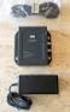 DATA SHEET CISCO AIRONET POWER INJECTOR Cisco Aironet Power Injector products increase the deployment flexibility of Cisco Aironet wireless access points and bridges by providing an alternative powering
Cisco GLBP Load Balancing Options
 Data Sheet Cisco GLBP Load Balancing Options Last updated: December 2005 INTRODUCTION The purpose of this document is to discuss the options that Cisco Gateway Load Balancing Protocol (GLBP) one of Cisco
SERIAL AND ASYNCHRONOUS HIGH-SPEED WAN INTERFACE CARDS FOR CISCO 1800, 2800, AND 3800 SERIES INTEGRATED SERVICES ROUTERS
 DATA SHEET SERIAL AND ASYNCHRONOUS HIGH-SPEED WAN INTERFACE CARDS FOR CISCO 1800, 2800, AND 3800 SERIES INTEGRATED SERVICES ROUTERS Serial and asynchronous high-speed WAN interface cards (HWICs) provide
CISCO SFP OPTICS FOR PACKET-OVER-SONET/SDH AND ATM APPLICATIONS
 DATA SHEET CISCO SFP OPTICS FOR PACKET-OVER-SONET/SDH AND ATM APPLICATIONS The Cisco industry-standard Small Form-Factor Pluggable Interface Converter (SFP) for packet-over-sonet/sdh (POS), optical networking,
Installation Guide for Cisco Unified ICM/Contact Center Enterprise and Hosted Release 9.0(1)
 Installation Guide for Cisco Unified ICM/Contact Center Enterprise and Hosted Release 9.0(1) First Published: June 21, 2012 Americas Headquarters Cisco Systems, Inc. 170 West Tasman Drive San Jose, CA
Cisco IP Phone 7914 Expansion Module
 Quick Start Guide Cisco IP Phone 7914 Expansion Module 1 Introduction to the Cisco IP Phone 7914 Expansion Module 2 Installing the 7914 Expansion Module 3 Features 4 How to Use the 7914 Expansion Module
Configuring Cisco Unified Communications Manager for the NovaTec TransNova S3 Voice Gateway
 Configuring Cisco Unified Communications Manager for the NovaTec TransNova S3 Voice Gateway This document describes how to configure Cisco Unified Communications Manager systems to use the NovaTec TransNova
System Message Logging
 System Message Logging This module describes how to configure system message logging on your wireless device in the following sections: Understanding System Message Logging, page 1 Configuring System Message
Getting Started with the Cisco IP Phone 7910 Series
 Getting Started with the Cisco IP Phone 7910 Series Corporate Headquarters Cisco Systems, Inc. 170 West Tasman Drive San Jose, CA 95134-1706 USA http://www.cisco.com Tel: 408 526-4000 800 553-NETS (6387)
CISCO IOS SOFTWARE RELEASES 12.4 MAINLINE AND 12.4T FEATURE SETS FOR THE CISCO 3800 SERIES ROUTERS
 PRODUCT BULLETIN NO. 2877 CISCO IOS SOFTWARE RELEASES 12.4 MAINLINE AND FEATURE SETS FOR THE CISCO 3800 SERIES ROUTERS This product bulletin details changes to the Cisco IOS Software packaging for Cisco
CISCO 100BASE-X SFP FOR FAST ETHERNET SFP PORTS
 DATA SHEET CISCO 100BASE-X SFP FOR FAST ETHERNET SFP PORTS PRODUCT OVERVIEW The Cisco 100BASE-X Small Form-factor Pluggable (SFP) is a hot-swappable input/output device that plugs into a Fast Ethernet
Cisco Aironet 5-dBi Omnidirectional Antenna (AIR-ANT2450V-N)
 Cisco Aironet 5-dBi Omnidirectional Antenna (AIR-ANT2450V-N) This document describes the Cisco Aironet AIR-ANT2450V-N 5-dBi Omnidirectional Antenna and provides instructions for mounting it. The antenna
Cisco Router and Security Device Manager USB Storage
 Application Note Cisco Router and Security Device Manager USB Storage Introduction The USB Storage feature on the Cisco Router and Security Device Manager (Cisco SDM) allows the Cisco 871 and Cisco 1800,
Cisco Unified CallConnector for Microsoft Office Troubleshooting Guide
 Cisco Unified CallConnector for Microsoft Office Troubleshooting Guide First Published: April 2007 Last Updated: April 2007 OL 13005-01 In this document you will find basic information that will help you
Cause Codes and Debug Values
 s and Debug Values This chapter contains the following information: Details of s and Debug Values for VoIP, page 1 Internal s for SIP and H.323, page 4 Additional cause code information can be found in
Cisco Aironet 1130AG Series
 Ordering Guide Cisco Aironet 1130AG Series The Cisco Aironet 1130AG Series IEEE 802.11a/b/g Access Point is a fixed-configuration, dual-band access point. Built in to the access point are two radios each
CISCO AIRONET POWER INJECTOR
 DATA SHEET CISCO AIRONET POWER INJECTOR Cisco Aironet Power Injector products increase the deployment flexibility of Cisco Aironet wireless access points and bridges by providing an alternative powering
User Guide for Cisco Unified MeetingPlace Web Conferencing
 User Guide for Cisco Unified MeetingPlace Web Conferencing Release 5.4 Revised August, 2007 Americas Headquarters Cisco Systems, Inc. 170 West Tasman Drive San Jose, CA 95134-1706 USA http://www.cisco.com
CISCO IOS SOFTWARE RELEASES 12.4 MAINLINE AND 12.4T FEATURE SETS FOR THE CISCO 2800 SERIES ROUTERS
 PRODUCT BULLETIN NO. 2879 CISCO IOS SOFTWARE RELEASES 12.4 MAINLINE AND FEATURE SETS FOR THE CISCO 2800 SERIES ROUTERS This product bulletin details changes to the Cisco IOS Software packaging for Cisco
CISCO ISDN BRI S/T WIC FOR THE CISCO 1700, 1800, 2600, 2800, 3600, 3700, AND 3800 SERIES
 DATA SHEET CISCO ISDN BRI S/T WIC FOR THE CISCO 1700, 1800, 2600, 2800, 3600, 3700, AND 3800 SERIES Offering a single ISDN BRI S/T interface, this WIC may require an external Network Termination 1 (NT1),
Enabling and Monitoring NetFlow on Subinterfaces
 Enabling and Monitoring NetFlow on Subinterfaces This module contains instructions for enabling and monitoring NetFlow on a router subinterface or a Versatile Interface Processor (VIP) controller interface.
Release Notes for Cisco Support Tools Release 2.4(1)
 Release Notes for Cisco Support Tools Release 2.4(1) July 2009 Contents Introduction, page 1 System Requirements, page 2 New Features, page 4 Limitations and Restrictions, page 4 Important Notes, page
How To Install A Cisco Antenna For Outdoor Use
 Cisco Aironet 5.5-dBi Omnidirectional Antenna (AIR-ANT2455V-N) This document describes the Cisco Aironet AIR-ANT2455V-N 5.5-dBi Omnidirectional Antenna and provides instructions for mounting it. The antenna
Integrating CAD with Thin Client and Virtual Desktop Environments
 Integrating CAD with Thin Client and Virtual Desktop Environments CAD for Cisco Unified Contact Center Express, releases 6.2 10.5 CAD for Cisco Unified Contact Center Enterprise, releases 7.0 10.0 First
Calling Name Delivery (CNAM)
 Calling Name Delivery (CNAM) Document Release History Publication Date June 25, 2007 Comments Initial version of the document. Feature History Release Modification 9.7(3) The Calling Name Delivery (CNAM)
Cisco 100-Megabit Ethernet SFP Modules Compatibility Matrix
 Cisco 100-Megabit Ethernet SFP Modules Compatibility Matrix This document contains information about the Cisco platforms and software versions that support the 100-Megabit Ethernet Small Form-Factor Pluggable
Cisco IP Communicator
 Q & A Cisco IP Communicator Q. What is Cisco IP Communicator? A. Cisco IP Communicator is a software-based application that delivers enhanced telephony support through personal computers. This application
Installing Cisco Security Agent for Cisco Intelligent Contact Management Software, Release 6.0(0)
 Installing Cisco Security Agent for Cisco Intelligent Contact Management Software, Release 6.0(0) October 2004 This document provides installation instructions and information about Cisco Security Agent
This feature was introduced. This feature was integrated in Cisco IOS Release 12.2(11)T.
 BGP Link Bandwidth The Border Gateway Protocol (BGP) Link Bandwidth feature is used to advertise the bandwidth of an autonomous system exit link as an extended community. This feature is configured for
Cisco IP Contact Center Express Edition Enhanced
 Data Sheet Cisco IP Contact Center Express Edition Enhanced Cisco IP Communications is a comprehensive system of powerful, enterprise-class solutions including IP telephony, unified communications, IP
CISCO NETWORK ASSISTANT
 DATA SHEET CISCO NETWORK ASSISTANT PRODUCT OVERVIEW Cisco Network Assistant is a PC-based network management application optimized for LANs of small and medium-sized business with up to 250 users. Cisco
CISCO ISDN BRI S/T WIC FOR THE CISCO 1700, 1800, 2600, 2800, 3600, 3700, AND 3800 SERIES
 DATA SHEET CISCO ISDN BRI S/T WIC FOR THE CISCO 1700, 1800, 2600, 2800, 3600, 3700, AND 3800 SERIES Offering a single ISDN BRI S/T interface, this WIC may require an external Network Termination 1 (NT1),
6000 WATT AC POWER SUPPLY FOR THE CISCO CATALYST 6500 SERIES CHASSIS
 DATA SHEET 6000 WATT AC POWER SUPPLY FOR THE CISCO CATALYST 6500 SERIES CHASSIS PRODUCT OVERVIEW The 6000-watt (W) power supply for the Cisco Catalyst 6500 Series chassis (Figure 1) is a dual AC input
Cisco Data Center Infrastructure Design Guide 2.1 Release Notes
 Cisco Data Center Infrastructure Design Guide 2.1 Release Notes Corporate Headquarters Cisco Systems, Inc. 170 West Tasman Drive San Jose, CA 95134-1706 USA http://www.cisco.com Tel: 408 526-4000 800 553-NETS
CISCO IP CONTACT CENTER HOSTED EDITION A CROSS-NETWORK (PSTN TO IP), DISTRIBUTED, INTELLIGENT, HOSTED PLATFORM FOR CONTACT CENTERS
 BROCHURE CISCO IP CONTACT CENTER HOSTED EDITION A CROSS-NETWORK (PSTN TO IP), DISTRIBUTED, INTELLIGENT, HOSTED PLATFORM FOR CONTACT CENTERS Responding to a changing marketplace and intense competition,
Cisco Unified Attendant Console Backup and Restore Guide
 Cisco Unified Attendant Console Backup and Restore Guide Revised: January 28, 2013, 2011, This document describes how to back up Cisco Unified Attendant Console server Version 9.0 (all Editions), and restore
New Cisco Catalyst 3750 Series Switches Overview
 Product Bulletin No. 2119 New Cisco Catalyst 3750 Series Switches Overview Cisco Systems is pleased to introduce the new Cisco Catalyst 3750 Series switches, an innovative product line that improves LAN
Voice Call Flow Overview
 oice Call Flow Overview To troubleshoot problems with voice networks, you must follow the call both inside the router and outside on the network in order to isolate the problem. You must understand the
Cisco Networking Academy Program The Future Is Yours
 Cisco Networking Academy Program The Future Is Yours Cisco Networking Academy Program I was able to complete the Cisco Networking Academy Program at Erie Community College. I now have networking skills,
CISCO WAN MANAGER 15.1
 DATA SHEET CISCO WAN MANAGER 15.1 Cisco WAN Manager is a high-performance, carrier-class element- and network-management product for the Cisco MGX Family, Cisco BPX Family, and Cisco IGX Family of multiservice
Connecting Cisco Fast Ethernet ISDN PRI Network Modules to the Network
 Connecting Cisco Fast Ethernet ISDN PRI Network Modules to the Network Revised: May 1, 2008, OL-12808-01 This guide describes how to connect Cisco Fast Ethernet Integrated Services Digital Network (ISDN)
CISCO 10GBASE X2 MODULES
 DATA SHEET CISCO 10GBASE X2 MODULES Figure 1. Cisco 10GBASE X2 and Xenpak Module PRODUCT OVERVIEW The Cisco 10GBASE X2 modules (Figure 1) offers customers a wide variety of 10 Gigabit Ethernet connectivity
Cisco Smart Care Services Questions and Answers About the Voice Quality Monitor Service
 Cisco Smart Care Services Questions and Answers About the Voice Quality Monitor Service For Qualified Cisco Partners October 2008 Americas Headquarters Cisco Systems, Inc. 170 West Tasman Drive San Jose,
Per-Port, Per-VLAN Quality of Service. Trunk-Port Security. 802.1x Private VLAN Assignment. 802.1x Private Guest VLAN
 PRODUCT BULLETIN NO. 2782 INTRODUCING CISCO CATALYST 4948-10GE SWITCH 10 Gigabit Ethernet Switching for High-Performance, Rack-Optimized Server Switching Cisco Systems announces the Cisco Catalyst 4948-10GE,
END-OF-SALE AND END-OF-LIFE ANNOUNCEMENT FOR SELECTIVE CISCO CATALYST 6503, CATALYST 6506 AND CATALYST 6509 CHASSIS
 PRODUCT BULLETIN NO. 3037 END-OF-SALE AND END-OF-LIFE ANNOUNCEMENT FOR SELECTIVE CISCO CATALYST 6503, CATALYST 6506 AND CATALYST 6509 CHASSIS Cisco Systems announces the end-of-sale and end-of-life dates
USER GUIDE Cisco Unified Communications Manager Express User Guide for Cisco Unified IP Phones 7942G and 7962G 1
 USER GUIDE Cisco Unified Communications Manager Express User Guide for Cisco Unified IP Phones 7942G and 7962G 1 Overview 2 Operating Your Phone 3 Phone Features Index 1 Overview This guide provides phone
City Government Improves Caller Service and Cultivates Economic Vitality
 Customer Case Study City Government Improves Caller Service and Cultivates Economic Vitality EXECUTIVE SUMMARY CITY OF SACRAMENTO, CALIFORNIA 445,000 residents 97 square miles INDUSTRY Local Government
CISCO CATALYST OPERATING SYSTEM SOFTWARE RELEASE 8.4 FOR CISCO CATALYST 6500 SERIES SWITCHES
 PRODUCT BULLETIN NO. 2679 CISCO CATALYST OPERATING SYSTEM SOFTWARE RELEASE 8.4 FOR CISCO CATALYST 6500 SERIES SWITCHES The Cisco Catalyst Operating System (Catalyst OS) Software Release 8.4 for the supervisor
1C - FIPS 140-2 Cisco VPN Client Security Policy
 This document describes the Cisco VPN Client security policy. Introduction This non-proprietary cryptographic module security policy describes how version 3.6.5 of the Cisco software VPN Client meets the
Cisco Unified Communications
 Cisco Unified Communications Brochure Cisco Unified Communications To effectively excel in today s fast-paced world, employees must communicate and collaborate in every imaginable way, including mobile
Implementation Note for NetFlow Collectors
 This document describes the implementation details for NetFlow collectors for the ASA 5580 adaptive security appliance, and includes the following sections: Event-Driven Data Export Bidirectional Flows
PCI Compliance: Improve Payment Security
 PCI Compliance: Improve Payment Security The latest Payment Card Industry (PCI) Data Security Standards (DSS) for customer data give you more ways to address an evolving risk environment and meet PCI compliance