
Range ES300 Control, Self-Cleaning Oven with Sealed Gas Burners
|
|
|
- Apuntes apuntes
- 10 years ago
- Views:
Transcription
1 Gas Range ES300 Control, Self-Cleaning Oven with Sealed Gas Burners Visit the Frigidaire Web Site at: Welcome... 2 Important Safety Instructions Features at a Glance... 5 Before Setting Oven Controls Setting Surface Controls...6 Oven Control Functions...7 Setting Oven Controls Self Cleaning General Care & Cleaning Adjusting Oven Temperature...14 Questions or for Service Call: (U.S.) (Canada) Before You Call Solutions to Common Problems Warranty... Back Page READ AND SAVE THESE INSTRUCTIONS p/n (0605)

2 Welcome & Congratulations Congratulations on your purchase of a new range! At Electrolux Home Products, we are very proud of our product and are completely committed to providing you with the best service possible. Your satisfaction is our number one priority. We know you ll enjoy your new range and Thank You for choosing our product. We hope you consider us for future purchases. Serial plate location: Open storage drawer (some models) or remove outer lower panel (some models). PLEASE CAREFULLY READ AND SAVE THESE INSTRUCTIONS This Use & Care Manual provides specific operating instructions for your model. Use your range only as instructed in this manual. These instructions are not meant to cover every possible condition and situation that may occur. Common sense and caution must be practiced when installing, operating and maintaining any appliance. Please record your model and serial numbers below for future reference. Model Number: Serial Number: Purchase Date: This Use & Care Manual contains general operating instructions for your appliance and feature information for several models. Your range may not have all the described features. The graphics shown are representative. The graphics on your range may not look exactly like those shown Electrolux Home Products, Inc. All rights reserved Product Registration Be sure to register your product. The self-addressed PRODUCT REGISTRATION CARD should be filled in completely, signed and returned to Electrolux Home Products. Grounding Instructions Avoid fire hazard or electrical shock. Do not use an adapter plug, an extension cord, or remove grounding prong from electrical power cord. Failure to follow this warning can cause serious injury, fire or death. This appliance is equipped with a 3-prong grounding plug for your protection against shock hazard and should be plugged directly into a properly grounded receptacle. DO NOT cut or remove the grounding prong from this plug. For personal safety, the range must be properly grounded. For maximum safety, the power cord must be plugged into an electrical outlet that is correctly polarized and properly grounded. If a 2-prong wall receptacle is the only available outlet, it is the personal responsibility of the consumer to have it replaced with a properly grounded 3-prong wall receptacle installed by a qualified electrician. See the INSTALLATION INSTRUCTIONS packaged with this range for complete installation and grounding instructions. Conversion to Liquefied Petroleum Gas (or L.P. Gas) Personal injury or death from electrical shock may occur if the range is not installed by a qualified installer or electrician. Any additions, changes or conversions required in order for this appliance to satisfactorily meet the application needs must be made by a qualified technician. The natural gas range is designed to allow for conversion to Liquefied Petroleum (L.P.) Gas. If L.P. conversion is needed, contact your local appliance dealer for assistance. The L.P. Conversion Kit may be obtained from your appliance dealer and should be installed by a qualified service technician. Before installing the kit be sure to follow the L.P. Installation Instructions carefully. 2

3 Important Safety Instructions Read all instructions before using this appliance. Save these instructions for future reference. This manual contains important safety symbols and instructions. Please pay attention to these symbols and follow all instructions given. This symbol will help alert you to situations that may cause serious bodily harm, death or property damage. This symbol will help alert you to situations that may cause bodily injury or property damage. If the information in this manual is not followed exactly, a fire or explosion may result causing property damage, personal injury or death. FOR YOUR SAFETY: Do not store or use gasoline or other flammable vapors and liquids in the vicinity of this or any other appliance. WHAT TO DO IF YOU SMELL GAS: Do not try to light any appliance. Do not touch any electrical switch; do not use any phone in your building. Immediately call your gas supplier from a neighbor's phone. Follow the gas supplier's instructions. If you cannot reach your gas supplier, call the fire department. Installation and service must be performed by a qualified installer, servicer or the gas supplier. Remove all tape and packaging before using the range. Destroy the carton and plastic bags after unpacking the range. Never allow children to play with packaging material. Proper Installation Be sure your appliance is properly installed and grounded by a qualified technician in accordance with the National Fuel Gas Code ANSI Z223.- latest edition, or in Canada CAN/CGA B149.1, and CAN/CGA B149.2, and the the National Electrical Code ANSI/NFPA No.70-latest edition, or in Canada CSA Standard C22.1, Canadian Electrical Code, Part 1, and local code requirements. Install only per installation instructions provided in the literature package for this range. Ask your dealer to recommend a qualified technician and an authorized repair service. Know how to disconnect the power to the range at the circuit breaker or fuse box in case of an emergency. User servicing Do not repair or replace any part of the appliance unless specifically recommended in the manuals. All other servicing should be done only by a qualified technician, This may reduce the risk of personal injury and damage to the range. Never modify or alter the construction of a range by removing leveling legs, panels, wire covers, anti-tip brackets/screws, or any other part of the product. Stepping, leaning or sitting on the doors or drawers of this range can result in serious injuries and also cause damage to the range. Do not allow children to climb or play around the range. The weight of a child on an open door may cause the range to tip, resulting in serious burns or other injury. 3 NEVER use this appliance as a space heater to heat or warm the room. Doing so may result in carbon monoxide poisoning. NEVER cover any slots, holes or passages in the oven bottom or cover an entire rack with materials such as aluminum foil. Doing so blocks air flow through the oven and may cause carbon monoxide poisoning. Aluminum foil linings may trap heat, causing a fire hazard. Do not use the oven or warmer drawer (if equipped) for storage. Do not store items of interest to children in the cabinets above a range or on the backguard of a range. Children climbing on the range to reach items could be seriously injured. Never Use Your Appliance for Warming or Heating the Room. Storage in or on Appliance Flammable materials should not be stored in an oven, warmer drawer, near surface burners or in the storage drawer. This includes paper, plastic and cloth items, such as cookbooks, plasticware and towels, as well as flammable liquids. Do not store explosives, such as aerosol cans, on or near the range.

4 Important Safety Instructions Do Not Leave Children Alone Children should not be left alone or unattended in the area where appliance is in use. They should never be allowed to sit or stand on any part of the appliance. DO NOT TOUCH SURFACE BURNERS, AREAS NEAR THESE BURNERS, OVEN BURNERS OR INTERIOR SURFACES OF THE OVEN. Both surface and oven burners may be hot even though flames are not visible. Areas near surface burners may become hot enough to cause burns. During and after use, do not touch, or let clothing or other flammable materials touch these areas until they have had sufficient time to cool. Among these areas are the cook top, surfaces facing the cook top, the oven vent openings and surfaces near these openings, oven door and window. Wear Proper Apparel Loose-fitting or hanging garments should never be worn while using the appliance. Do not let clothing or other flammable materials contact hot surfaces. Do Not Use Water or Flour on Grease Fires Smother the fire with a pan lid, or use baking soda, a dry chemical or foam-type extinguisher. When heating fat or grease, watch it closely. Fat or grease may catch fire if allowed to become too hot. Use Only Dry Potholders Moist or damp potholders on hot surfaces may result in burns from steam. Do not let potholders touch hot heating burners. Do not use a towel or other bulky cloth instead of a potholder. Do Not Heat Unopened Food Containers Buildup of pressure may cause container to burst and result in injury. Remove the oven door from any unused range if it is to be stored or discarded. IMPORTANT ELECTRIC IGNITION MODELS ONLY: Do not attempt to operate the oven during a power failure. If the power fails, always turn off the oven. If the oven is not turned off and the power resumes, the oven will begin to operate again. Once the power resumes, reset the clock and oven function. IMPORTANT INSTRUCTIONS FOR USING YOUR COOKTOP Use Proper Flame Size Adjust flame size so it does not extend beyond the edge of the utensil. The use of undersized utensils will expose a portion of the burner flame to direct contact and may result in ignition of clothing. Proper relationship of utensil to flame will also improve efficiency. Know which knob controls each surface burner. Place a pan of food on the burner before turning it on, and turn the burner off before removing the pan. Always turn knob to the full LITE position when igniting top burners. Visually check that burner has lit. Then adjust the flame so it does not extend beyond the edge of the utensil. Utensil Handles Should Be Turned Inward and Not Extend Over Adjacent Surface Burners To reduce the risk of burns, ignition of flammable materials, and spillage due to unintentional contact with the utensil, the handle of the utensil should be positioned so that it is turned inward, and does not extend over adjacent surface burners. Never Leave Surface Burners Unattended at High Heat Settings Boilovers cause smoking and greasy spillovers that may ignite, or a pan that has boiled dry may melt. Protective Liners Do not use aluminum foil to line surface burner pans, or oven bottom, except as suggested in this manual. Improper installation of these liners may result in risk of electric shock, or fire. 4 Glazed Cooking Utensils Only certain types of glass, glass/ ceramic, ceramic, earthenware, or other glazed utensils are suitable for cooktop service without breaking due to the sudden change in temperature. Check the manufacturer s recommendations for cooktop use. IMPORTANT INSTRUCTIONS FOR USING YOUR OVEN Use Care When Opening Oven Door or Warmer Drawer Stand to the side of the range when opening the door of a hot oven. Let hot air or steam escape before you remove or replace food in the oven. Keep Oven Vent Ducts Unobstructed. The oven vent is located below the backguard. Touching the surfaces in this area when the oven is operating may cause severe burns. Also, do not place plastic or heat-sensitive items on or near the oven vent. These items could melt or ignite. Placement of Oven Racks. Always place oven racks in desired location while oven is cool. If rack must be moved while oven is hot use extreme caution. Use potholders and grasp the rack with both hands to reposition. Do not let potholders contact the hot heating elements in the oven. Remove all utensils from the rack before moving. Do not use the broiler pan without its insert. The broiler pan and its insert allow dripping fat to drain and be kept away from the high heat of the broiler. Do not cover the broiler insert with aluminum foil. Exposed fat and grease could ignite. Cold temperatures can damage the electronic control. When using the appliance for the first time, or when the appliance has not been used for an extended period of time, be certain the unit has been in temperatures above 32 F (0 C) for at least 3 hours before turning on the power to the appliance. IMPORTANT INSTRUCTIONS FOR CLEANING YOUR RANGE Clean the range regularly to keep all parts free of grease that could catch fire. Pay particular attention to the area underneath each surface element. Do not allow grease to accumulate. Refer to the range manufacturer s instructions for cleaning. Kitchen cleaners and aerosols Always follow the manufacturer s recommended directions for use. Be aware that excess residue from cleaners and aerosols may ignite causing damage and injury. SELF CLEANING OVENS Clean in the self-cleaning cycle only the parts listed in this Owner s Guide. Before self cleaning the oven, remove the broiler pan and any utensils or foods from the oven. Do Not Use Oven Cleaners No commercial oven cleaner or oven liner protective coating of any kind should be used in or around any part of the oven. Do Not Clean Door Gasket The door gasket is essential for a good seal. Care should be taken not to rub, damage or move the gasket. Important Safety Notice The California Safe Drinking Water and Toxic Enforcement Act requires the Governor of California to publish a list of substances known to the state to cause cancer, birth defects or other reproductive harm, and requires businesses to warn customers of potential exposure to such substances.

5 Features At A Glance Your Gas Range Features Include: Electronic Oven Control with Kitchen Timer Speed Bake Cooking System Control Switch & Indicator Light (some models) Left Front Burner Valve & Knob. 4. Left Rear Burner Valve & Knob Right Rear Burner Valve & Knob. 6. Right Front Burner Valve & Knob Easy to clean Upswept Cooktop 8. Dishwasher safe Burner Grates (colors vary) Self-Clean Oven Door Latch. 10. Manual Oven Light Switch (some models). 11. Automatic Oven Door Light Switch (some models). 12. Oven Interior Light with Shield (some models). 13. Self-Cleaning Oven interior. 14. Adjustable Oven Rack(s). 15. Speed Bake Cooking System Fan (some models). 16. Large 1 piece Oven Door Handle. 17. Full width Oven Door (styles vary with model) Storage Drawer with integrated Handle (some models) or lower cover panel (some models) ,000 BTU Simmer Burner (some models) ,500 BTU Burner (some models) ,000 BTU Power Plus Burner (some models) ,000 BTU Power Plus Burner (some models). 23. Burner Drip pans (some models) Broil Pan (some models). 25. Broil Pan Insert (some models). 26. Leveling Legs and Anti-tip Bracket (included). NOTE: The features of your range may vary according to model Before Setting Oven Controls Fig. 1 Oven Vent Location The oven vent is located below the backguard (See Fig. 1). When the oven is on, warm air is released through this vent. This venting is necessary for proper air circulation in the oven and good baking results. DO NOT BLOCK THE VENT. Removing & Replacing Oven Racks To remove, pull the rack forward until it stops. Lift up front of rack and slide out. To replace, fit the rack onto the guides on the oven walls. Tilt the front of the rack upward and slide the rack back into place. Oven Racks Your range is equipped with one or more Flat Oven Rack(s). Place the rack(s) into the positions shown in Fig. 2. Refer to the following Recommended Rack Positions for Broiling, Baking & Roasting for complete information. Flat Oven Rack Fig. 2 5

6 Before Setting Oven Controls (cont d) Arranging Oven Racks ALWAYS ARRANGE OVEN RACKS WHEN THE OVEN IS COOL (PRIOR TO OPERATING THE OVEN). Always use oven mitts when using the oven. Recommended Rack Positions for Broiling, Baking & Roasting: Food Rack Position Broiling hamburgers & steaks See Broil section Broiling meats, chicken or fish See Broil section Cookies, cakes, pies, biscuits & Muffins 2 or 3 Frozen pies, angel food cake, yeast, bread, casseroles, small cuts of meat or poultry Turkey, roast or ham 1 or Roasting Shelf Fig. 1 Baking Layer Cakes with 1 or 2 Oven Racks For best results when baking cakes using 2 oven racks, place cookware on rack positions 1 & 4 (See Figs. 1 & 2). For best results when using a single oven Flat Rack, place cookware on rack position 2 or 3 (See Figs. 1 & 3). Air Circulation in the Oven For best air circulation and baking results allow 2-4" (5-10 cm) around the cookware for proper air circulation and be sure pans and cookware do not touch each other, the oven door, sides or back of the oven cavity. The hot air must be able to circulate around the pans and cookware in the oven for even heat to reach around the food. Setting Surface Controls Roasting Shelf Fig. 2 Fig Setting Surface Controls Your range may be equipped with different sized surface burners. The SIMMER burner (some models) is best used for simmering delicate sauces, etc. The standard burners can be used for most surface cooking needs. The POWER PLUS burner(s) (some models) are best suited for bringing large quantities of liquid to temperature & when preparing larger quantities of food. Regardless of size, always select cookware that is suitable for the amount and type of food being prepared. Select a burner & flame size appropriate to the pan. Never allow flames to extend beyond the outer edge of the pan. Operating the Gas Surface Burners: 1. Place cooking utensil on surface burner. 2. Push the surface control knob in and turn counterclockwise out of the OFF position. 3. Release the knob and rotate to the LITE position. Note: All four electronic surface ignitors will spark at the same time. However, only the burner you are turning on will ignite (Refer to Fig. 4). 3. Visually check that the burner has lit. 4. Push the control knob in & turn counterclockwise to the desired flame size. The surface control knobs do not have to be set at a particular setting. Use the guides & adjust the flame as needed. DO NOT cook with the surface control knob in the LITE position. (The electronic ignitor will continue to spark if the knob is left in the LITE position.) 6 Setting Proper Surface Burner Flame Size For most cooking start on the highest control setting & then turn to a lower one to complete the process. Use the recommendations below as a guide for determining proper flame size for various types of cooking. The size & type of utensil used & the amount of food being cooked will influence the setting needed for cooking. Use a high flame to start most foods; bring water to a boil or pan broiling. Use a medium flame to maintain a slow boil; thicken sauces, gravies or steaming. Use a low flame to keep foods cooking; poaching or stewing. Fig. 4 Do not place plastic items such as salt and pepper shakers, spoon holders or plastic wrappings on top of the range when it is in use. These items could melt or ignite. Potholders, towels or wood spoons could catch fire if placed too close to a flame. In the event of an electrical power outage, the surface burners can be lit manually. To light a surface burner, hold a lit match to the burner head, then slowly turn the surface control knob to LITE. After burner lights push in & turn knob to desired setting. Use caution when lighting surface burners manually.

7 Oven Control Functions READ THE INSTRUCTIONS CAREFULLY BEFORE USING THE OVEN. For satisfactory use of your oven, become familiar with the various pad functions of the oven as described below. CLOCK PAD Used to set the time of day. BAKE TIME PAD Used to enter the length of the baking time. TIMER ON/OFF PAD Used to set or cancel the minute timer. The minute timer does not start or stop cooking. Also, TIMER ON/OFF pad is used to set the Continuous Bake feature. START TIME PAD Used to set the desired start time for baking & Self-Clean. May be used with BAKE TIME to program a delayed bake cycle. *Note: The OVEN indicator light on the electronic display will turn ON & OFF when using the Bake feature & during preheat. This is normal & indicates that the oven is cycling to maintain the selected baking temperature. When the preheat indicator light turns OFF, your oven is ready. UP and DOWN ARROW PADS Used along with the function pads to select oven temperature, cook time, start time (when programming an automatic start time), time of day, clean time and minute timer. OVEN, PREHEAT & DOOR LOCKED LIGHTS* The "OVEN" light will glow each time the oven turns on to maintain the set oven temperature. The "PREHEAT" light will glow when the oven is first set to operate, or if the desired temperature is reset higher than the actual oven temperature. The "DOOR LOCKED" light will flash when the oven door locks and unlocks or when using the Self- Clean cycle or the oven door lockout is activated. FEATURE INDICATOR LIGHTS These light to show which feature is in use. BAKE PAD Used to select the bake function. BROIL PAD Used to select the variable broil function. SELF-CLEAN PAD Used to select the Self- Cleaning cycle. A 2 or 3 hour Self-Clean time may be selected. CLEAR/OFF PAD Used to clear any function previously entered except the time of day and minute timer. Press CLEAR/OFF to stop cooking. Also the CLEAR/OFF pad is used to activate oven door lockout setting. Temperature conversion The electronic oven control is set to operate in F (Fahrenheit) when shipped from the factory. The oven can be programmed for any temperature from 170 F to 550 F (77 C to 287 C). For a silent control panel When choosing a function, a beep will be heard each time a pad is pressed. If desired, the control can be programmed for silent operation. Press and hold. After 7 seconds, the control will beep once. This will block the controls from sounding when a pad is pressed. To return the sound, press and hold once. again for 7 seconds until the control beeps To change the temperature to C (Celsius) or from C to F (control should not be in a Bake or Clean mode): 1. Press. " " appears in the display. 2. Press and hold the until "HI" appears in the display. 3. Press and hold until F or C appears in the display. 4. Press the or to change F to C or C to F. 5. Press any control pad to return to normal operating mode. Setting Oven Controls Note: The time of day must first be set in order to operate the oven. NOTE: To turn the time of day display OFF or ON in the display press and hold for 15 seconds (the control will beep once) and then release. This feature does not remove the set time of day from the memory of the control. When the display is turned OFF the time of day will re-appear for a few seconds any time the pad is touched. 7

8 Setting Oven Controls (cont d) To Set the Clock When the range is first plugged in or when the power supply to the appliance has been interrupted, the display will flash "12:00". 1. Press once (do not hold pad down). 2. Within 5 seconds press & hold the or until the correct time of day appears in the display. Note: The clock cannot be changed during any timed bake or Self-Clean cycle. To Set the Minute Timer: 1. Press. 2. Press the to increase the time in one minute increments. Press & hold the to increase the time in 10 minute increments. The timer can be set for any amount of time from 1 minute to 11 hours & 59 minutes. Note: If the pad is pressed first, the timer will advance to 11 hours & 59 minutes. 3. The display shows the timer countdown in minutes until 1 minute remains. Then the display will countdown in seconds. 4. When the set time has run out, the timer will beep 3 times & will continue to beep 3 times every 60 seconds until is pressed. NOTE: The indicator light located above the pad will glow while the minute timer is active.the minute timer does not start or stop cooking. It serves as an extra timer in the kitchen that will beep when the set time has run out. The minute timer can be used alone or during any of the other oven functions. When the minute timer is in use with any other function, the minute timer will be shown in the display. To view other functions, press the pad for that function. To Change the Minute Timer while it is in use: While the timer is active and shows in the display, press & hold the or to increase or decrease the time. To Cancel the Minute Timer before the set time has run out: Press. To Set or Change the Temperature for Baking The oven can be programmed to bake at any temperature from 170 F to 550 F (77 C to 287 C). To Set the Controls for Baking: 1. Press. " " appears in the display. 2. Within 5 seconds, press the or. The display will show "350 F (177 C)." By pressing & holding 8 the or, the temperature can then be adjusted in 5 F increments (1 C if the control is set to display Celsius). 3. As soon as the or pad is released, the oven will begin heating to the selected temperature. When the displayed temperature reaches the desired baking temperature, the preheat indicator light will turn OFF & the control will beep 3 times. 4. To cancel baking, press. To Change the Oven Temperature after Baking has Started: 1. Press and make sure the bake temperature is displayed. 2. Press the or pad to increase or decrease the set temperature. To Set Control for Continuous Bake or 12 Hour Energy Saving The oven control has a built-in 12 Hour Energy Saving feature that will shut OFF the oven if the control is left ON for more than 11 hours & 59 minutes. The oven can be programmed to override this feature for continuous baking. To set control for continuous baking: 1. Press & hold down for 5 seconds until tone is heard, " hr" will appear in display for continuous cooking. The current time of day will return to the display. 2. To cancel the Continuous Bake function, press & hold for 5 seconds until a tone is heard. "12hr" will appear in display indicating that the control has returned to the 12 Hour Energy Saving feature. Oven Lockout The control can be programmed to lock the oven door & lockout the oven control pads. To set Control for Oven Lockout feature: 1. Press & hold for 3 seconds. Loc will appear in display, the Door Locked indicator light will flash & the motor driven door lock will begin to close automatically. DO NOT open the oven door while the indicator light is flashing. Allow about 15 seconds for the oven door to lock. Once the oven door is locked, the current time of day will appear in the display. 2. To cancel the Oven Lockout feature, press & hold for 3 seconds. The control will unlock the oven door & resume normal operation. Note: If any control pad is pressed while in the Oven Lockout mode, Loc will appear in the display until the control pad is released.

9 Setting Oven Controls (cont d) To Set Timed Bake with Delay Start The BAKE TIME and START TIME pads operate the features that will turn the oven ON & OFF at the times you select in advance. The oven may be programmed to start immediately & shut off automatically (Timed Bake) or to begin baking at a later time with a delayed start time. To Program the Oven to Begin Baking Immediately & to Shut Off Automatically (Timed Bake): 1. Be sure that the clock shows the correct time of day. 2. Place the food in the oven. 3. Press. " " appears in the display. 4. Within 5 seconds, press the or pad. The display will show "350 F (177 C)." By holding the or, the temperature can then be adjusted in 5 F increments (1 C if the control is set to display Celsius). 5. Press. "0:00" will flash in the display (HR:MIN). 6. Press the or pad until the desired baking time appears in the display. 7. The oven will turn ON & begin heating. To Program Oven for a Delayed Start Time & to Shut- Off Automatically (Delayed Timed Bake): 1. Be sure that the clock shows the correct time of day. 2. Place the food in the oven. 3. Press. " " appears in the display. 4. Within 5 seconds, press the or. The display will show "350 F (177 C)." By holding the or, the temperature can then be adjusted in 5 F increments (1 C if the control is set to display Celsius). 5. Press. "0:00" will flash in the display (HR:MIN). 6. Press the or until the desired baking time appears. 7. Press. The earliest possible start time will appear in the display. 8. Press the or until the desired start time appears in the display. 9. Once the controls are set, the control calculates the time when baking will stop in order to start at the time you have set. 10. The oven will turn ON at the delayed start time and begin heating. When the Set Bake Time Runs Out: a. "END" will appear in the display window and the oven will shut-off automatically. b. The control will beep 3 times every 60 seconds until is pressed. 9 To Change the Oven Temperature or Bake Time after Baking has Started: 1. Press the function pad you want to change. 2. Press the or to adjust the setting. NOTE: During Timed Bake the preheat indicator light will not function. Use caution with the Timed Bake & Delayed Start (Delayed Timed Bake) features. Foods that can easily spoil such as milk, eggs, fish, meat or poultry, should be chilled in the refrigerator first. Even when chilled, they should not stand in the oven for more than 1 hour before cooking begins & should be removed promptly when cooking is completed. Speed Bake Cooking System (some models) Benefits of Speed Bake Cooking System: Foods cook up to 25 to 30% faster, saving time & energy. Multiple rack baking. No special pans or bakeware needed. How Speed Bake Cooking System works The Speed Bake Cooking System uses a fan to circulate the oven's heat uniformly and continuously around the oven (See Fig. 1). This improved heat distribution allows for fast, even cooking & browning results. It also gives better baking results when using 2 racks at the same time. Heated air flows around the food from all sides, sealing in juices & flavors. Meats cooked with Speed Bake Cooking System are juicer. Poultry is crisp on the outside while staying tender & moist on the inside. Breads & pastry brown more evenly. Most foods baked in a standard oven can be cooked faster & more evenly with the Speed Bake Cooking System. Speed Bake Cooking Instructions: For Baking: 1. For optimum cooking results it is recommended to preheat the oven when baking foods such as cookies, biscuits & breads. 2. Reduce oven temperature 25 F from recipe s recommended oven temperature. Follow the remainder of the recipe s instructions using the minimum recommended cook time. 3. When using 2 oven racks at the same time, place in positions 1 & 4 for best results (See Fig. 2). Note: Layer cakes will have better results using the normal Bake feature. Fig. 1 Fig

10 Setting Oven Controls (cont d) For Roasting: 1. Preheating is not necessary when roasting foods with Speed Bake Cooking System. 2. Since Speed Bake cooks food faster, reduce the cook time by 25% from the recommended cook time of your recipe. Increase the time until the desired doneness is obtained. Note: Cook time reductions will vary depending on the amount & type of food being cooked. To Set Speed Bake Cooking System: 1. Program the oven as you normally would to bake. Speed Bake may be used with Bake, Timed Bake & Delayed Time Bake features. 2. Press & release Speed Bake switch. The indicator light located above the Speed Bake switch will glow & the fan will turn on. The fan stays on when the oven door is closed & shuts off while the oven door is opened. The fan will continue to operate until cooking is complete. 3. To cancel Speed Bake, press on the oven control as you would to stop any baking function. NOTE: The Speed Bake fan will take 6 minutes to begin rotating once the Speed Bake switch has been turned ON. The Speed Bake feature will not activate during a Self-Clean cycle. Broiling 1. Arrange the oven rack while oven is still cool. Position the oven rack as suggested in the Broil Oven Rack Position Table. 2. Press. " " will appear in display. 3. Press & hold the or until the desired broil 5. Place the insert on the broil pan (some models) then place the food on the insert. 6. Place the broiler pan & insert on the oven rack (some models). 7. Close the oven door when broiling. Broil on one side until food is browned. Turn & broil food on 2nd side. Note: Always pull the oven rack out to the stop position before turning or removing the food. 8. When broiling is finished press. Broil Oven Rack Position Table (Refer to Fig. 2) Position Food category 5 Medium-rare steaks/medium-well hamburgers 4 Fish, medium steaks & pork chops 3 Well-done foods such as chicken & lobster The broiler pan & the insert (See Fig. 1; some models) allows grease to drain & be kept away from the high heat of the broiler. DO NOT use the pan without the insert. DO NOT cover the insert with foil; the exposed grease could ignite. DO NOT use the broil pan without the insert or cover the insert with aluminum foil. The exposed fat could ignite. Fig. 1 Fig setting level appears in the display. Press the for HI broil or the for LO broil. Most foods may be broiled at the HI broil setting. Select the LO broil setting to avoid excess browning or drying of foods that should be cooked to the well-done stage. 4. For optimum browning, preheat broil burner for 3 or 4 minutes before adding food. To insure proper results when broiling use ONLY Electrolux Home Products, Inc. approved Broil Pan & Insert (some models). Should an oven fire occur, close the oven door and turn the oven OFF. If the fire continues, use a fire extinguisher. DO NOT put water or flour on the fire. Flour may be explosive. To Operate the Oven Light (some models) The interior oven light will automatically turn ON when the oven door is opened. Press the Oven Light Switch located on the upper left control panel to turn the interior oven light ON and OFF whenever the oven door is closed (Fig.3). The interior oven light is located at the upper left rear wall of the oven interior and is covered with a glass shield held by a wire holder. The glass shield must be in place whenever the oven is in use. To change the interior oven light, see "Changing the Oven Light" in the General Care & Cleaning section. Fig. 3 10

11 Self-Cleaning During the Self-Cleaning cycle, the outside of the range can become very hot to the touch. DO NOT leave small children unattended near the appliance. The health of some birds is extremely sensitive to the fumes given off during the Self-Cleaning cycle of any range. Move birds to another well-ventilated room. DO NOT line the oven walls, racks, oven bottom or any other part of the range with aluminum foil. Doing so will destroy heat distribution, produce poor baking results and cause permanent damage to the oven interior (aluminum foil will melt to the interior surface of the oven). DO NOT force the oven door open. This can damage the automatic door locking system. Use caution when opening the door after the Self-Cleaning cycle is completed. The oven may still be VERY HOT. Preparing for a Self-Clean Cycle A Self-Cleaning oven cleans itself with high temperatures (well above cooking temperatures) which eliminate soils completely or reduces them to a fine powdered ash you can wipe away with a damp cloth. Adhere to the following cleaning precautions: DO NOT use oven cleaners or oven protective coatings in or around any part of the Self-Cleaning oven. DO NOT clean the oven door gasket. The woven material of the oven door gasket is essential for a good seal. Care should be taken not to rub, damage or remove the gasket. DO NOT use any cleaning materials on the oven door gasket. Doing so could cause damage. Remove the broiler pan & insert (some models), all utensils & ANY aluminum foil. These items cannot withstand high cleaning temperatures. Remove oven racks. See "Removing & Replacing Oven Racks" under Before Setting Oven Controls. If they are not removed during the Self-Clean cycle their color will turn slightly blue & the finish will be dull. After the cycle is complete & the oven has cooled, rub the sides of the oven racks with wax paper or a cloth containing a small amount of salad oil (this will make the racks glide easier into the rack positions). Remove any excessive spillovers in the oven cavity before starting the Self-Cleaning cycle. To clean, use hot, soapy water and a cloth. Large spillovers can cause heavy smoke or fire when subjected to high temperatures. DO NOT allow food spills with a high sugar or acid content (such as milk, tomatoes, sauerkraut, fruit juices or pie filling) to remain on the surface as they may leave a dull spot even after cleaning. Hand clean any soil from the oven frame, the door liner outside the oven door gasket & the small area at the front 11 center of the oven bottom. These areas heat sufficiently to burn soil on. Clean with soap & water. Prior to setting the Self-Clean cycle, any spills remaining on the oven bottom should be removed. Starting the Self-Clean Cycle or a Delayed Start Self-Clean Cycle For satisfactory results, use a 2 hour Self-Clean cycle for light soils or a 3 hour cycle for heavier soils. NOTE: The kitchen area should be well ventilated using an open window, ventitlation fan or exhaust hood during the 1st Self- Clean cycle. This will help eliminate the normal odors associated with the 1st Self-Clean cycle. To Set the Controls for a Self-Clean Cycle or a Delayed Start Self-Clean Cycle: (Note: If you do not want to start a Delayed Self-Clean Cycle, skips steps 2 & 3.) 1. Be sure the clock shows the correct time of day. 2. Press. The " : " in the time of day will flash. 3. Press and hold the pad to scroll to the time to start the delayed Self-Clean cycle. Release the pad when the desired time is displayed. 4. Press. " " appears in the display. 5. Press the or once. "3:00" appears in the display for a 3 hour cycle. To change to a 2 hour cycle press. "2:00" appears in the display. As soon as the controls are set, the motor driven lock will begin to close automatically and the LOCK indicator light will flash. DO NOT open the oven door while the light is flashing (it takes about 15 seconds for the oven door to lock). 6. "CLn" will appear in the display during the Self-Clean cycle and the "LOCK" light will glow until the Self- Cleaning cycle is complete or cancelled and the oven temperature has cooled. When the Self-Clean Cycle has Completed: 1. The time of day or "End" will appear in the display window and the Clean and "LOCK" light will continue to glow. 2. Once the oven has cooled down for about 1 HOUR and the "LOCK" light has gone out, the oven door can be opened. 3. If End is in the display and the Clean indicator light remains ON, press the display.. The time of day will appear in NOTE: When the oven is cool, wipe away any residue or powdered ash with a damp cloth or paper towel.

12 Self-Cleaning (cont d) Stopping or Interrupting a Self-Cleaning Cycle If it becomes necessary to stop or interrupt a Self-Cleaning cycle: 1. Press. 2. Once the oven has cooled down for about 1 HOUR and the "LOCK" light has gone out, the oven door can be opened. 3. Restart the Self-Clean cycle once all conditions have been corrected. To avoid possible burns use care when opening the oven door after the Self-Cleaning cycle. Stand to the side of the oven when opening the door to allow hot air or steam to escape. DO NOT force the oven door open. This can damage the automatic door locking system. Use caution & avoid possible burns when opening the door after the Self- Cleaning cycle has completed. The oven may still be VERY HOT. General Care & Cleaning (Cleaning Table) Surfaces Glass, Painted Plastic Body Parts & Control Knobs Painted Control Panels & Display areas Porcelain Enamel Burner Grates, Cooktop Surface, Below Cooktop, Broiler Pan & Insert, Broiler Drawer, Door Liner & Oven Bottom Oven Racks How to Clean For general cleaning, use a soft cloth, clean with mild dish detergent & water or a 50/50 solution of vinegar & water. Follow by rinsing the area with clean water; dry & polish with a soft cloth. Glass cleaners may be used if sprayed on a soft cloth 1st. DO NOT spray liquids directly on the control pad and display areas. DO NOT use large amounts of water on the control panel - excess water on the control area may cause damage to the appliance. DO NOT use other liquid cleaners, abrasive cleaners, scouring pads, or some paper towels - they will damage the finish. Before cleaning the control panel, turn all controls to OFF & remove the control knobs. To remove, pull each knob straight off the shaft. Use the general cleaning instructions provided in the paragraph above. Clean burner grates, broiler pan & insert in the dishwasher and dry upon removal. If soils are not removed, follow the cooktop cleaning instructions below. Gentle scouring with a soapy scouring pad will remove most spots. Rinse with a 1:1 solution of clean water & ammonia. If necessary, cover difficult spots with an ammonia-soaked paper towel for 30 to 40 minutes. Rinse with clean water and a damp cloth, then scrub with a soap-filled scouring pad. Rinse & wipe dry with a clean cloth. Remove all cleaners or the porcelain may become damaged during future heating. DO NOT use spray oven cleaners on the range top. Remove racks. See "Removing & Replacing Oven Racks" under Before Setting Oven Controls. Use a mild, abrasive cleaner, following the cleaner s recommendations. Rinse with clean water & let dry. After cleaning the racks, rub the sides of the racks with wax paper or a cloth containing a small amount of salad oil (this will make the racks glide easier into the oven rack positions). Oven Door Stainless Steel Use soap & water to thoroughly clean the top, sides & front of the oven door. Rinse well. You may use a glass cleaner on the outside glass of the oven door. DO NOT immerse the door in water. DO NOT spray or allow water or the glass cleaner to enter the door vents. DO NOT use oven cleaners, cleaning powders or any harsh abrasive cleaning materials on the outside of the oven door. DO NOT clean the oven door gasket. The oven door gasket is made of a woven material, on Self-Cleaning models, which is essential for a good seal. Care should be taken not to rub, damage or remove this gasket. Clean stainless steel with hot soapy water & a dishcloth. Rinse with clean water and a cloth. DO NOT use cleaners with high concentrations of chlorides or chlorines. DO NOT use harsh scrubbing cleaners. Only use kitchen cleaners that are especially made for cleaning stainless steel. Always be sure to rinse the cleaners form the surface as bluish stains may occur during heating that cannot be removed. 12

13 General Care & Cleaning (cont d) Removing and Replacing the Lift-Off Oven Door Fig. 2 Fig. 3 Door Hinge locations with oven door fully open Fig. 1 The door is heavy. For safe, temporary storage, lay the door flat with the inside of the door facing down. To Remove Oven Door: 1. Open oven door completely (horizontal with floor - See Fig. 1). 2. Pull the door hinge locks on both left and right door hinges down from the oven frame completely towards the oven door (See Fig. 2). A tool such as a small flat-blade screwdriver may be required. 3. Firmly grasp both sides of oven door along the door sides (Do not use the oven door handle - See Fig. 3). 4. Close the door to the broil stop position (the oven door will stop into this position just before fully closing). 5. With the oven door in the broil stop position, lift the oven door hinge arms over the roller pins located on each side of the oven frame (See Fig. 4). To Replace Oven Door: 1. Firmly grasp both sides of oven door along the door sides (Do not use the oven door handle - See Fig. 3). 2. Holding the oven door at the same angle as the removal position, seat the hook of the hinge arm over the roller pins located on each side of the oven door frame (See Fig. 4). The hook of the hinge arms must be fully seated onto the roller pins. 3. Fully open the oven door (horizontal with floor - See Fig. 1). 4. Push the door hinge locks up towards and into the oven frame on both left and right oven door hinges (See Fig. 2) to the locked position. 5. Close the oven door. Special Door Care Instructions - Most oven doors contain glass that can break. Read the following recommendations: 1. Do not close the oven door until all the oven racks are fully in place. 2. Do not hit the glass with pots, pans, or any other object. 3. Scratching, hitting, jarring or stressing the glass may weaken its structure causing an increased risk of breakage at a later time. Care & Cleaning of Stainless Steel (some models) Some models are equipped with stainless steel exterior parts. Special care and cleaning are required for maintaining the appearance of stainless parts. Refer to the Cleaning Table at the beginning of this section for detailed cleaning instructions. Fig. 4 Changing the Oven Light (some models) For models equipped with the interior oven light, the light bulb is located at the rear of the oven and is covered with a glass shield held by a wire holder (See Fig. 5). The glass shield must be in place whenever the oven is in use. To replace the oven light bulb: 1. Turn electrical power off at the main source or unplug the range. 2. Press wire holder to one side to release the glass shield. 3. Replace bulb with a new 40 watt appliance bulb. 4. Replace glass shield over bulb and snap wire holder into place. 5. Turn power back on again at the main source (or plug the range back in). 6. The clock will then need to be reset. To reset, see Setting the Clock & Minute Timer in this Use & Care Guide. Fig. 5 Be sure the range is unplugged and all parts are COOL before replacing oven light. Wear a leather-faced glove for protection against possible broken glass. 13

14 General Care & Cleaning (cont d) Cleaning the Contoured Well Areas, Burner Cap, Burner Head & Burner Drip Pans (some models) The contoured well areas, burner cap, burner head and burner drip pans (some models) should be routinely cleaned. Keeping the burner ports clean will prevent improper ignition and an uneven flame. Refer to the following instructions: THE COOKTOP IS NOT REMOVABLE. Do not attempt to remove or lift the cooktop. Use caution when replacing the burner cap so the electrode is not damaged. This may cause a delayed ignition or prevent the burner from igniting. To Clean the Recessed & Contoured Areas of the Cooktop - If a spill occurs on or in the recessed or contoured areas, blot up spill with an absorbent cloth. Rinse with a clean, damp cloth and wipe dry. To Remove & Replace the Surface Burner Caps & Surface Burner Heads - Remove in the following order: (1st) surface burner grate, (2nd) surface burner cap, (3rd) surface burner head and (4th) surface burner drip pan (if equipped). Reverse the procedure above to replace the surface burner cap, surface burner head and surface burner drip pans (if equipped). Do not remove any parts from the cooktop until they have completely cooled and are safe to handle. Do not operate the surface burners without the surface burner cap and surface burner head properly in place. To Clean the Surface Burner Cap, Surface Burner Head & Surface Burner Drip Pan (if equipped) - Use a soap-filled scouring pad or a mild abrasive cleanser to clean the surface burner caps, surface burner heads and surface burner drip pans (if equipped). The ports (or slots) around the burner head must be routinely cleaned. If residue still remains in these ports, use a small-gauge wire or needle to clean the slots or holes. For proper flow of gas and ignition of the burner DO NOT ALLOW SPILLS, FOOD, CLEANING AGENTS OR ANY OTHER MATERIAL TO ENTER THE GAS ORIFICE HOLDER OPENING. ALWAYS keep the surface burner cap and surface burner head in place whenever a surface burner is in use. Adjusting Your Oven Temperature Your oven control has been precisely set at the factory. This setting may differ from your previous oven however, so your recipe times may not give you the results you expect. If you think that the oven is cooking too hot or too cool for your recipe times, you can adjust the control so that the oven cooks hotter or cooler than the temperature displayed. To Adjust Oven Temperature: 1. Press. 2. Set the temperature to 550 F (287 C) by pressing and holding the. 3. Within 2 seconds, press and hold until the 2 digit display appears. Release. The display now indicates the amount of degrees offset between the original factory temperature setting and the current temperature setting. If the oven control has the original factory calibration, the display will read "0." The temperature can now be adjusted up or down 35 F (17 C), in 5 F steps by pressing and holding the. Adjust until the desired amount of offset appears in the display. When lowering the oven temperature, a minus sign (-) will appear before the number to indicate that the oven will be cooler by the displayed amount of degrees. 5. When you have made the desired adjustment, press to go back to the time of day display. Note: Oven temperature adjustments made will not change the Self-Cleaning feature temperature. or

15 Before You Call Solutions to Common Problems Before you call for service, review the following list. It may save you time & expense. The list includes common occurrences (shown in bold) that are not the result of defective workmanship or materials in this appliance. The possible corrections to these problems are provided with the problem listed: Range is not level - (1) Poor installation. Place oven rack in center of oven. Place a level on the oven rack. Adjust leveling legs at base of range until the oven rack is level. (2) Be sure floor is level, strong & stable enough to adequately support range. (3) If floor is sagging or sloping, contact a carpenter to correct the situation. (4) Kitchen cabinet alignment may make range appear not level. Be sure cabinets are square & have sufficient room for range clearance. Cannot move appliance easily. Appliance must be accessible for service - (1) Cabinets not square or are built in too tightly. Contact builder or installer to make appliance accessible. (2) Carpet interferes with range. Provide sufficient space so range can be lifted over carpet. Surface burners do not light - (1) Surface control knob has not been completely turned to LITE. Push in & turn the surface control knob to LITE until burner ignites & then turn control knob to desired flame size. (2) Burner ports are clogged. With the burner OFF, use a small-gauge wire or needle to clean ports. See Cleaning the Contoured Well Areas, Burner Cap, Burner Head & Burner Drip Pans in the General Care & Cleaning section for complete cleaning instructions. (3) Range power cord is disconnected from outlet (electric ignition models only). Be sure cord is securely plugged into the outlet. (4) Electrical power outage (electric ignition models only). Burners can be lit manually. See Setting Surface Controls. Surface burner flame burns half way around - (1) Burner ports are clogged. With the burner off, clean ports by using a small-gauge wire or needle. (2) Moisture is present after cleaning. Lightly fan the flame and allow burner to operate until flame is full. Dry the burners thoroughly following instructions in the Cleaning the Contoured Well Areas, Burner Cap, Burner Head & Burner Drip Pans in the General Care & Cleaning section. Surface burner flame is orange - (1) Dust particles in main line. Allow the burner to operate a few minutes until flame turns blue. (2) In coastal areas, a slightly orange flame is unavoidable due to salt air. Oven does not operate - (1) Be sure the oven controls are set properly for the desired function. See Setting Oven Controls in this Use & Care Manual or read the instructions Entire appliance does not operate in this checklist. (2) Be sure gas regulator valve is ON. See installation instructions. Entire appliance does not operate - (1) The time of day is not set. The time of day must first be set in order to operate the oven. See To Set the Clock in the Setting Oven Controls section.(2) Make sure cord/plug is plugged correctly into outlet. (3) Service wiring is not complete. Contact your authorized service agent. (4) Electrical power outage. Check house lights to be sure. Call your local electric company for service. (5) Be sure gas supply is turned ON. Oven light does not work (some models) - Replace or tighten bulb. See Changing Oven Light section in this Use & Care Manual. Oven control beeps & displays any F code error (for example F11) - Electronic control has detected a fault condition. Press CLEAR/OFF to clear the display & stop beeping. Reprogram oven. If fault recurs, record fault number. Press CLEAR/OFF & contact an authorized service agent. Poor baking results - Many factors affect baking results. Make sure the proper oven rack position is used. Center food in the oven & space pans to allow air to circulate. Allow the oven to preheat to the set temperature before placing food in the oven. Try adjusting the recipe's recommended temperature or baking time. If you feel the oven is too hot or cool, see Adjusting Your Oven Temperature in this Use & Care Manual. Oven smokes excessively during broiling - (1) Control(s) not set properly. Follow Broil instructions under Setting Oven Controls. (2) Oven door is open. Make sure oven door is closed. (3) Meat too close to the broil burner. Reposition the broil rack to provide proper clearance between the meat & the burner. Preheat the broil burner for searing. (4) Meat not properly prepared. Remove excess fat from meat. Cut fatty edges to prevent curling, but do not cut into lean. (5) Insert on broiler pan wrong side up & grease not draining. Always place grid on the broiler pan with ribs up & slots down to allow grease to drip into pan (some models). (6) Grease has built up on oven surfaces or broiler pan & insert (some models). Regular cleaning is necessary when broiling frequently. Old grease or food spatters cause excessive smoking. Self-Cleaning cycle does not work - (1) Oven control not set properly. Follow instructions under Self-Cleaning. (2) Self- Cleaning cycle was interrupted. Follow steps under "Stopping or Interrupting a Self-Cleaning Cycle" under Self-Cleaning. Soil not completely removed after Self-Cleaning cycle - Failure to clean bottom, front top of oven, frame of oven or door area outside oven seal. These areas are not in the Self- Cleaning area, but get hot enough to burn on residue. Clean these areas before the Self-Cleaning cycle is started. Burnedon residue can be cleaned with a stiff nylon brush and water or a nylon scrubber. Be careful not to damage the oven gasket. Flames inside oven or smoking from oven vent - Excessive spillovers in oven. For example this will happen for pie spillovers or large amounts of grease left on the oven bottom. Wipe up excessive spillovers before starting oven. If flames or excessive smoke are present see Broiling in the Setting Oven Controls section. 15

16 Major Appliance Warranty Information Your appliance is covered by a one year limited warranty. For one year from your original date of purchase, Electrolux will pay all costs for repairing or replacing any parts of this appliance that prove to be defective in materials or workmanship when such appliance is installed, used and maintained in accordance with the provided instructions. Exclusions This warranty does not cover the following: 1. Products with original serial numbers that have been removed, altered or cannot be readily determined. 2. Product that has been transferred from its original owner to another party or removed outside the USA or Canada. 3. Rust on the interior or exterior of the unit. 4. Products purchased "as-is" are not covered by this warranty. 5. Food loss due to any refrigerator or freezer failures. 6. Products used in a commercial setting. 7. Service calls which do not involve malfunction or defects in materials or workmanship, or for appliances not in ordinary household use or used other than in accordance with the provided instructions. 8. Service calls to correct the installation of your appliance or to instruct you how to use your appliance. 9. Expenses for making the appliance accessible for servicing, such as removal of trim, cupboards, shelves, etc.,which are not a part of the appliance when it is shipped from the factory. 10. Service calls to repair or replace appliance light bulbs, air filters, water filters, other consumables, or knobs, handles, or other cosmetic parts. 11. Surcharges including, but not limited to, any after hour, weekend, or holiday service calls, tolls, ferry trip charges, or mileage expense for service calls to remote areas, including the state of Alaska. 12. Damages to the finish of appliance or home incurred during installation, including but not limited to floors, cabinets, walls, etc. 13. Damages caused by: services performed by unauthorized service companies; use of parts other than genuine Electrolux parts or parts obtained from persons other than authorized service companies; or external causes such as abuse, misuse, inadequate power supply, accidents, fires, or acts of God. DISCLAIMER OF IMPLIED WARRANTIES; LIMITATION OF REMEDIES CUSTOMER S SOLE AND EXCLUSIVE REMEDY UNDER THIS LIMITED WARRANTY SHALL BE PRODUCT REPAIR OR REPLACEMENT AS PROVIDED HEREIN. CLAIMS BASED ON IMPLIED WARRANTIES, INCLUDING WARRANTIES OF MERCHANTABILITY OR FITNESS FOR A PARTICULAR PURPOSE, ARE LIMITED TO ONE YEAR OR THE SHORTEST PERIOD ALLOWED BY LAW, BUT NOT LESS THAN ONE YEAR. ELECTROLUX SHALL NOT BE LIABLE FOR CONSEQUENTIAL OR INCIDENTAL DAMAGES SUCH AS PROPERTY DAMAGE AND INCIDENTAL EXPENSES RESULTING FROM ANY BREACH OF THIS WRITTEN LIMITED WARRANTY OR ANY IMPLIED WARRANTY. SOME STATES AND PROVINCES DO NOT ALLOW THE EXCLUSION OR LIMITATION OF INCIDENTAL OR CONSEQUENTIAL DAMAGES, OR LIMITATIONS ON THE DURATION OF IMPLIED WARRANTIES, SO THESE LIMITATIONS OR EXCLUSIONS MAY NOT APPLY TO YOU. THIS WRITTEN WARRANTY GIVES YOU SPECIFIC LEGAL RIGHTS. YOU MAY ALSO HAVE OTHER RIGHTS THAT VARY FROM STATE TO STATE. If You Need Service Keep your receipt, delivery slip, or some other appropriate payment record to establish the warranty period should service be required. If service is performed, it is in your best interest to obtain and keep all receipts. Service under this warranty must be obtained by contacting Electrolux at the addresses or phone numbers below. This warranty only applies in the USA and Canada. In the USA, your appliance is warranted by Electrolux Major Appliances North America, a division of Electrolux Home Products, Inc. In Canada, your appliance is warranted by Electrolux Canada Corp. Electrolux authorizes no person to change or add to any obligations under this warranty. Obligations for service and parts under this warranty must be performed by Electrolux or an authorized service company. Product features or specifications as described or illustrated are subject to change without notice. USA Electrolux Major Appliances North America P.O. Box Augusta, GA Canada Electrolux Canada Corp Terry Fox Way Mississauga, Ontario, Canada L5V 3E4

Use & Care Guide. Gas Cooktop. 318 203 659 (1103) Rev. B
 Use & Care Guide Gas Cooktop 318 203 659 (1103) Rev. B 2 Finding Information MAKE A RECORD FOR FUTURE USE Brand Purchase Date Model Number Serial Number NOTE The serial plate is located under the burner
Kenmore. Gas Range. Estufa de gas. Use & Care Guide Guía de uso y cuidada English / Español. Model/Modelos: 790. 7250*, 7271*, 7280*, 7290*
 Use & Care Guide Guía de uso y cuidada English / Español Model/Modelos: 790. 7250*, 7271*, 7280*, 7290* Kenmore Gas Range Estufa de gas * = color number, código de color P/N 316901023 Rev D Sears Brands
W10432290A. Table of Contents... 2
 SELF-CLEANING ELECTRIC RANGES Use & Care Guide For questions about features, operation/performance, parts, accessories or service, call: 1-800-253-1301. or visit our website at... www.whirlpool.com Table
Toaster Oven Broiler. User Manual. Gril du four grille-pain RTOB-11001
 Toaster Oven Broiler Gril du four grille-pain RTOB-11001 User Manual CONTENTS 1 1.Important safeguards 3 2.Save these instructions! 4 3.Control panel 5 4.Accessories 6 5.Instructions for use 6 6.Keep warm
Convection TCO650. For your safety and continued enjoyment of this product, always read the instruction book carefully before using.
 Convection Toaster Oven TCO650 For your safety and continued enjoyment of this product, always read the instruction book carefully before using. IMPORTANT SAFEGUARDS SAVE AND READ THESE INSTRUCTIONS When
Convection TCO600. For your safety and continued enjoyment of this product, always read the instruction book carefully before using.
 Convection Toaster Oven TCO600 For your safety and continued enjoyment of this product, always read the instruction book carefully before using. IMPORTANT SAFEGUARDS SAVE AND READ THESE INSTRUCTIONS When
ELECTRIC RANGE USER INSTRUCTIONS
 ELECTRIC RANGE USER INSTRUCTIONS THANK YOU for purchasing this high-quality product. If you should experience a problem not covered in TROUBLESHOOTING, please visit our website at www.kitchenaid.com for
Dehumidifier Users manual. For Models: DH45S DH65S
 Dehumidifier Users manual For Models: DH45S DH65S 950-0062-revD Jan. 9 2007 FORWARD The appearance of the units that you purchase might be slightly different from the ones described in the Manual, but
Electric Range user manual
 FTQ352IWUX FTQ352IWUB FTQ352IWUW Electric Range user manual imagine the possibilities Thank you for purchasing this Samsung product. To receive more complete service, please register your product at www.samsung.com/global/register
Deluxe Bottle Warmer
 Deluxe Bottle Warmer IMPORTANT SAFEGUARDS This product is for household use only. When using electrical appliances, basic safety precautions should always be followed including the following: Read all
orlando OWNER S MANUAL
 orlando OWNER S MANUAL 2 Assembling & operating manual Orlando 30 mbar - PORTABLE GAS BARBECUE 1. 2. 3. Improper installation, adjustment, alteration, service or maintenance can injury or property damage.
Operating and Installation Instructions
 Operating and Installation Instructions System Drawer ESS 2062 To prevent accidents and en - US, CA appliance damage, read these instructions before installation or use. M.-Nr. 07 342 360 Contents IMPORTANT
Hot Water Central. Electric Hot Water Dispenser. Instruction Manual AAP-325W. www.aromaco.com
 Hot Water Central Electric Hot Water Dispenser Instruction Manual www.aromaco.com AAP-325W With the Aroma Hot Water Central, hot water is just a button away. Boil up to 3 liters of water in just 30 minutes,
Electric Egg Boiler. Instruction Manual. Model Number: AEB-917
 Electric Egg Boiler Instruction Manual Model Number: AEB-917 Congratulations! Your Egg Boiler will surely become one of the most versatile and practical appliances in your home. Please read the following
Models GGG388LX, GGG390LX W10432286B. Table of Contents...2
 GAS DOUBLE OVEN RANGE Use & Care Guide For questions about features, operation/performance, parts, accessories or service, call: 1-800-253-1301. or visit our website at... www.whirlpool.com Table of Contents...2
INSTRUCTION MANUAL REFRIGERATOR BEFORE USE, PLEASE READ AND FOLLOW ALL SAFETY RULES AND OPERATING INSTRUCTIONS.
 INSTRUCTION MANUAL Model Number: BC-130 REFRIGERATOR BEFORE USE, PLEASE READ AND FOLLOW ALL SAFETY RULES AND OPERATING INSTRUCTIONS. 1 REFRIGERATOR SAFETY Your safety and the safety of others are very
Ceramic Glass Electric Galley Ranges
 Ceramic Glass Electric Galley Ranges OWNER S MANUAL Models # 65335, 65336, 75331, 75332 Read all instructions and warnings before operating. Force 10 Manufacturing Corporation Unit A 19169 21 st Ave Surrey,
GEAppliances.com. Safety Instructions...2 6 Operating Instructions. Electric Free-Standing, Slide-In and Drop-In. Ranges
 Ranges Electric Free-Standing, Slide-In and Drop-In For a Spanish version of this manual, visit our Website at. Para consultar una version en español de este manual de instrucciones, visite nuestro sitio
the Soft Top Breville Customer Service Center www.breville.com Instruction Book - Livret d instructions
 Breville Customer Service Center the Soft Top Instruction Book - Livret d instructions US Customers Mail: Breville USA 19400 S. Western Ave Torrance CA CA 90501-1119 Phone: Customer Service 1 (866) BREVILLE
Viking Use & Care Manual
 Viking Use & Care Manual Viking Range Corporation 111 Front Street Greenwood, Mississippi 38930 USA (662) 455-1200 For product information call 1-888-VIKING1 (845-4641) or visit the Viking Web Site at
Breville Customer Service Centre
 Breville Customer Service Centre Australian Customers Mail: PO Box 22 Botany NSW 2019 AUSTRALIA Phone: 1300 139 798 Fax: (02) 9384 9601 Email: Customer Service: [email protected] New Zealand Customers
SUPER WAVE OVEN. ROASTS, BAKES, BROILS, AIR FRIES, GRILLS, BOILS & STEAMS 1300 Watt Power/12.5 Quart
 SUPER WAVE OVEN ROASTS, BAKES, BROILS, AIR FRIES, GRILLS, BOILS & STEAMS 1300 Watt Power/12.5 Quart Customer Service: 1-800-423-4248 Printed in China Super Wave Oven ITEM NO.8217SI. The Sharper Image name
Use & Care. of your Iron. All about the TA B L E O F C O N T E N T S. USA and Canada 1-888-845-7330
 All about the Use & Care of your Iron Important Safeguards... 2 Iron Safety Instructions... 3 Parts and Features...4 TA B L E O F C O N T E N T S Using Your Iron...6 Cleaning and Maintenance... 8 Warranty...9
FOR THE FOLLOWING MODELS: EE-8075W EE-8075O EE-8075R EE-8075BK
 FIREPLACE HEATER FOR THE FOLLOWING MODELS: EE-8075W EE-8075O EE-8075R EE-8075BK If you have any questions about the operation of your fireplace heater, please contact Crane Customer Care. Toll Free: 888-599-0992
Call us toll free at: 1-800-GEVALIA (1-800-438-2542)
 LIMITED WARRANTY: This appliance shall be free from defects in materials and workmanship under normal home use for a period of one year from the date of receipt. During that period, defects will be repaired
SL280UHV SERIES GAS FURNACE WARNING
 2010 Lennox Industries Inc. Dallas, Texas, USA 506677 01 11/2010 Supersedes 506409 01 SL280UHV SERIES GAS FURNACE Litho U.S.A. FIRE OR EXPLOSION HAZARD. Failure to follow safety warnings exactly could
San josé OWNER S MANUAL
 San josé OWNER S MANUAL Assembling & operating manual San josé 30 mbar - PORTABLE GAS BARBECUE 1. 2. 3. Improper installation, adjustment, alteration, service or maintenance can injury or property damage.
3 0 S t o v e. Use and Care Guide. We care about our environment
 3 0 S t o v e Use and Care Guide Consumer Services...2, 31 Safety Instructions...2, 3, 4 Installation Instructions...2, 5 Operating Instructions, Tips Stove Features...6 Cooktop Element Information...7
Instruction Manual. Image of SP-3015 & SP-3815. Important Safeguards. Automatic Dispensing Hot Water Pot with Reboil Function
 Important Safeguards READ ALL INSTRUCTIONS BEFORE USE. Instruction Manual Automatic Dispensing Hot Water Pot with Reboil Function Image of SP-3015 & SP-3815 SP-3015: 3.0L SP-3815: 3.8L SP-3017: 3.0L (Stainless
IH 17025 E Sigma Island 90
 INSTRUCTIONS FOR USE Kitchen extractor hood Type: IH 17025 E Sigma Island 90 Dear Customer!! You are now a user of the newest generation kitchen extractor hood type IH 17025 E Sigma Island 90. This hood
KNOW YOUR FOOD SLICER
 KNOW YOUR FOOD SLICER Your food slicer is suitable for cutting bread, all kinds of meats (such as ham or sausage meat), as well as cheese and vegetables. Thickness guide Blade switch Sliding meat table
STAINLESS STEEL WINE / BEVERAGE COOLER INSTRUCTION MANUAL HVBC31ST
 STAINLESS STEEL WINE / BEVERAGE COOLER INSTRUCTION MANUAL Model No.: HVWC28ST HVBC31ST To ensure proper use of this appliance and your safety, please read the following instructions completely before operating
ELECTRIC RANGE USER INSTRUCTIONS
 ELECTRIC RANGE USER INSTRUCTIONS THANK YOU for purchasing this high-quality product. If you should experience a problem not covered in TROUBLESHOOTING, please visit our website at www.estateappliances.com,
Bathroom Installation Guide
 Bathroom Installation Guide Step-by-step installation of your cabinets We do a lot of groundwork to make it as simple as possible for you to assemble and install your new bathroom furniture yourself. We
IMPORTANT SAFETY INSTRUCTIONS WARNING READ AND SAVE THESE OPERATING AND SAFETY INSTRUCTIONS BEFORE USING THIS HEATER.
 THERMAWAVE CERAMIC HEATER Model HZ-850 Series Model HZ-860 Series IMPORTANT SAFETY INSTRUCTIONS WARNING READ AND SAVE THESE OPERATING AND SAFETY INSTRUCTIONS BEFORE USING THIS HEATER. Warning Failure to
USER MANUAL. Bottom Loading Bottled Water Dispenser SAVE THIS MANUAL FOR FUTURE USE. Model # 900172
 Model # 900172: Page 1 USER MANUAL Bottom Loading Bottled Water Dispenser Model # 900172 TO REDUCE THE RISK OF INJURY AND PROPERTY DAMAGE, USER MUST READ THIS MANUAL BEFORE ASSEMBLING, INSTALLING & OPERATING
USE AND CARE MANUAL FOR OUTDOOR USE ONLY MADE IN THE U.S.A.
 S o n o m a PLATINUM EDITION Sonoma Platinum Edition Grill: 27 Model TM USE AND CARE MANUAL FOR OUTDOOR USE ONLY MADE IN THE U.S.A. General Safety Instructions IMPORTANT SAFETY INFORMATION - Read this
Operating and Installation Instructions
 Operating and Installation Instructions Ceramic Cooktop with Induction KM 5773 To prevent accidents and en-us appliance damage, read these instructions before installation or use. M.-Nr. 06 766 180 Contents
W10110369. Table of Contents... 2
 GAS RANGE Use & Care Guide For questions about features, operation/performance, parts, accessories or service, call: 1-800-253-1301. or visit our website at... www.whirlpool.com Table of Contents... 2
BUILT-IN WINE & BEVERAGE COOLER WITH DUAL TEMPERATURE ZONES INSTRUCTION MANUAL. Model No.: MCWBC77DZC
 BUILT-IN WINE & BEVERAGE COOLER WITH DUAL TEMPERATURE ZONES INSTRUCTION MANUAL Model No.: MCWBC77DZC To ensure proper use of this appliance and your safety, please read the following instructions completely
SUPER WAVE OVEN. ROASTS, BAKES, BROILS, AIR FRIES, GRILLS, BOILS & STEAMS 1300 Watt Power/10.5 Quart
 SUPER WAVE OVEN ROASTS, BAKES, BROILS, AIR FRIES, GRILLS, BOILS & STEAMS 1300 Watt Power/10.5 Quart Customer Service: 1-800-423-4248 Printed in China Super Wave Oven ITEM NO.8217SI. The Sharper Image name
User s Guide. Oreck Air Purifier with HEPA Filtration. Important! Read this manual carefully, and keep for future reference.
 User s Guide Oreck Air Purifier with HEPA Filtration Important! Read this manual carefully, and keep for future reference. Enjoy Congratulations on your purchase of the Oreck Air Purifier with HEPA Filtration.
Wine Cooler with Thermo-Electric Cooling & Heating Technology
 Wine Cooler with Thermo-Electric Cooling & Heating Technology Model number: WC-0888H (8-bottles capacity) Instruction Manual Please read carefully and follow all safety rules and operating instructions.
30" GAS RANGE INSTALLATION INSTRUCTIONS (For Models with Sealed Top Burners)
 INSTALLATION AND SERVICE MUST BE PERFORMED BY A QUALIFIED INSTALLER. IMPORTANT: SAVE FOR LOCAL ELECTRICAL INSPECTOR'S USE. READ AND SAVE THESE INSTRUCTIONS FOR FUTURE REFERENCE. If the information in this
75th anniversary blender
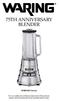 75th anniversary blender MBB1000 Series For your safety and continued enjoyment of this product, always read the instruction book carefully before using. CONTENTS Important Safeguards... 3 Grounding Instructions...
AROS SMART WINDOW AIR CONDITIONER
 AROS SMART WINDOW AIR CONDITIONER Part of the Quirky + GE collection of smart products, Aros is an app-enabled air conditioning unit that reacts to its surroundings to save you Time, Energy & Money. TABLE
AGA EC3 (ELECTRIC THREE OVEN) COOKER
 AGA EC3 (ELECTRIC THREE OVEN) COOKER Users Instructions & Cooking Guide PLEASE READ THESE INSTRUCTIONS BEFORE USING THIS APPLIANCE For use in GB and IE 01/07 EOPI 514199 WARNING This information is a copy
CARING FOR YOUR WATER HEATER
 http://waterheatertimer.org/troubleshoot-rheem-tankless-water-heater.html Water Heater Inspections CARING FOR YOUR WATER HEATER Venting System (Direct Vent Only) The venting system should be inspected
Model GGR200RDDS. Please Read and Save this Use and Care Book. USA/Canada 1-800-231-9786 THE LEAN MEAN FAT REDUCING GRILLING MACHINE
 TM THE LEAN MEAN FAT REDUCING GRILLING MACHINE Please Read and Save this Use and Care Book USA/Canada 1-800-231-9786 www.prodprotect.com/applica Register your product online at www.prodprotect.com/applica,
INSTALLATION INSTRUCTIONS - FREESTANDING GAS RANGE
 INSTALLATION AND SERVICE MUST BE PERFORMED BY A QUALIFIED INSTALLER. IMPORTANT: SAVE FOR LOCAL ELECTRICAL INSPECTOR'S USE. READ AND SAVE THESE INSTRUCTIONS FOR FUTURE REFERENCE. If the information in this
Please read this owner s Manual carefully before operating the unit. - Cooling - Heating - Dehumidifying - Fan
 Please read this owner s Manual carefully before operating the unit. - Cooling - Heating - Dehumidifying - Fan TABLE OF CONTENTS INTRODUCTION 2 IMPORTANT SAFEGUARDS...2 PACKAGE CONTAINS..2 NAMES OF PARTS.3
GNOME PELLET E.I. Pellet Heater Owner's Manual Installation and Operating Instructions. Please read this entire manual before installation.
 Pellet Heater Owner's Manual Installation and Operating Instructions Please read this entire manual before installation. Save these instructions. SAFETY NOTICE HEATER MUST BE PROPERLY INSTALLED AND MAINTAINED
ELECTRIC CONVECTION BUILT-IN OVEN
 ENGLISH ESPAÑOL FRANÇAIS INSTALLATION MANUAL ELECTRIC CONVECTION BUILT-IN OVEN Please read these instructions thoroughly before installing and operating the oven. LWS3081ST LWD3081ST LSWS305ST LSWD305ST
GAS RANGE USER INSTRUCTIONS
 GAS RANGE USER INSTRUCTIONS THANK YOU for purchasing this high-quality product. If you should experience a problem not covered in TROUBLESHOOTING, please visit our website at www.maytag.com for additional
GAS RANGE USER INSTRUCTIONS
 GAS RANGE USER INSTRUCTIONS THANK YOU for purchasing this high-quality product. If you should experience a problem not covered in TROUBLESHOOTING, please visit our website at www.whirlpool.com for additional
Cambridge Electric Infared Fireplace User Manual
 EL1239 WW12993 Cambridge Electric Infared Fireplace User Manual SAVE THESE INSTRUCTIONS FOR FUTURE REFERENCE. If you are assembling this unit for someone else, give this manual to him or her to read and
30" GAS RANGE INSTALLATION INSTRUCTIONS (For Models with Sealed Top Burners)
 INSTALLATION AND SERVICE MUST BE PERFORMED BY A QUALIFIED INSTALLER. IMPORTANT: SAVE FOR LOCAL ELECTRICAL INSPECTOR'S USE. READ AND SAVE THESE INSTRUCTIONS FOR FUTURE REFERENCE. If the information in this
IMPORTANT INSTRUCTIONS & OPERATING MANUAL. Houston 50 Inch Electric Wall Mounted Fireplace Black / White
 IMPORTANT INSTRUCTIONS & OPERATING MANUAL Houston 50 Inch Electric Wall Mounted Fireplace Black / White Model Number:MFE5050BK Model Number:MFE5050WH Read these instructions carefully before attempting
Electric Water Kettle
 Electric Water Kettle Instruction Manual Model: AWK-101 Congratulations! Your Water Kettle will surely become one of the most versatile and practical appliances in your home and office. Please read the
Table of Contents... 2
 GAS RANGE Use & Care Guide For questions about features, operation/performance parts, accessories or service, call: 1-800-253-1301. In Canada, call for assistance 1-800-461-5681, for installation and service,
Buyer's Guide Natural Gas Ranges and Ovens
 Buyer's Guide Natural Gas Ranges and Ovens Serious chefs prefer natural gas cooking for its even heat, excellent temperature control and instant on and off. Today's natural gas ranges, ovens, cooktops
Portable Air Conditioner
 Portable Air Conditioner Owner's Manual Model:3 in 1 12,000 Btu/h Series 3 Please read this owner s manual carefully before operation and retain it for future reference. CONTENTS 1. SUMMARY...1 2. PORTABLE
Instruction Manual. www.aromaco.com AWK-115S
 Hot H2O X-Press Electric Water Kettle Instruction Manual www.aromaco.com AWK-115S Congratulations on your purchase of the Aroma Hot H20 X-Press Kettle. This handy appliance provides more speed and convenience
Name of Equipment Silver King Model SKMCD1P/C1. This equipment chapter is to be inserted in the appropriate section of the Equipment Manual.
 Name of Equipment Silver King Model SKMCD1P/C1 This equipment chapter is to be inserted in the appropriate section of the Equipment Manual. Manufactured exclusively for McDonald s By Silver King Refrigeration,
Active and Passive Sash Replacement
 for Andersen Gliding Windows Read all instructions carefully before attempting this procedure. If you have any questions about your ability to complete the procedure, call Andersen at 1-888-888-7020 for
Gas cooktop. User guide. CG604DX & CG905DX models NZ AU
 Gas cooktop CG604DX & CG905DX models User guide NZ AU Contents 1 Safety and warnings 2 Introduction 5 Using your cooktop 6 Cooking guidelines and cookware 8 Care and cleaning 9 Troubleshooting 13 Warranty
Mikrobølgeovn. Model:OMF20MNIN0TW1
 Mikrobølgeovn Model:OMF20MNIN0TW1 Tjek 306 X 307 X 208 mm 10 kg Tjek Tjek Tjek Tjek tjekke DK-1 mad tjekkes Opsætning af mikrobølgeovnen Navn på ovndele og tilbehør Tag mikrobølgeovnen og alle materialer
INSTALLATION & OPERATION MANUAL
 INSTALLATION & OPERATION MANUAL VCH SERIES OVENS MODELS: VCH5 VCH8 VCH16 VCH88 ML-126365 ML-126366 ML-126367 ML-126368 VRT SERIES OVENS MODELS: VRT32I ML-138024 For additional information on Vulcan-Hart
Warming Drawer. Electric. GEAppliances.com. Owner s Manual and Installation Instructions
 GEAppliances.com Electric Warming Drawer Safety Instructions... 2, 3 Operating Instructions Control Knob...5 Crisping Stale Items...7 Drawer...6 Features...4 Moisture Selector...5 ON Signal Light...5 Proofing
Thank You... On behalf of the entire team at Thane Housewares, we appreciate your recent purchase
 User s Guide Thank You... On behalf of the entire team at Thane Housewares, we appreciate your recent purchase of the FLAVORCHEF cooking system, which will provide you with healthy and tasty meals for
GAS RANGE Use & Care Guide For questions about features, operation, performance, parts, accessories or service, call: 1-800-253-1301
 GAS RANGE Use & Care Guide For questions about features, operation, performance, parts, accessories or service, call: 1-800-253-1301 or visit our website at... www.whirlpool.com Table of Contents... 2
PROFESSIONAL POPCORN MAKER
 PROFESSIONAL POPCORN MAKER WPM40 Series For your safety and continued enjoyment of this product, always read the instruction book carefully before using. IMPORTANT SAFEGUARDS When using any electrical
Use & Care. All about the. of your Toaster Oven TA B L E O F C O N T E N T S
 All about the Use & Care of your Toaster Oven Important Safeguards... 2 Toaster Oven Safety Instructions...3 Parts and Features... 4 Prior To Using Your Toaster Oven... 7 Setting Cooking Rack Positions...
Electric Kettle. Model: SK-1717 INSTRUCTIONS MANUAL
 Electric Kettle Model: SK-1717 INSTRUCTIONS MANUAL Thank you for your purchase. Please read this Instruction Manual thoroughly before use and keep in a safe place for future reference. READ ALL INSTRUCTIONS
USER INSTRUCTIONS FOR GET PORTABLE 12k BTU AIR CONDITIONER MODEL No. GPACU12HR
 USER INSTRUCTIONS FOR GET PORTABLE 12k BTU AIR CONDITIONER MODEL No. GPACU12HR CONTENTS Introduction Safety Notes Identification of parts Installation instructions Operation instructions Maintenance Troubleshooting
This manual contains information for: Important Safeguards Installation Use and Care
 U L Coil Elements Instructions for Porcelain Enamel and Continuous Cleaning Oven Interiors This manual contains information for: Important Safeguards Installation Use and Care Certain ranges come equipped
PREVENTATIVE MAINTENANCE
 PREVENTATIVE MAINTENANCE PREVENTIVE MAINTENANCE Sandwich Unit: Proper Operation Turn on at least 45 minutes before loading Load only pre-chilled food 34-37 F Move quickly from walk-in to sandwich unit
3.6 CU.FT. REFRIGERATOR INSTRUCTION MANUAL
 3.6 CU.FT. REFRIGERATOR INSTRUCTION MANUAL Model No.: MCBR360W MCBR360B MCBR360S To ensure proper use of this appliance and your safety, please read the following instructions completely before operating
Convection Ovens. BX Classic. Models BX4 / FG 189C, BX4-6040 / FG 158C, BX10 / FG 180C. Operator's Manual
 Convection Ovens BX Classic Models BX4 / FG 189C, BX4-6040 / FG 158C, BX10 / FG 180C Operator's Manual Belshaw Bros., Inc. 814 44 th Street NW, Suite 103 Auburn, WA 98001 USA Phone: 206-322-5474 Fax: 206-322-5425
ASK THE EXPERT: Burner Troubleshooting Information & Maintenance
 ASK THE EXPERT: Burner Troubleshooting Information & Maintenance The burner is the heart of your BBQ. It is subject to a number of conditions that can cause damage, and lead to potential safety issues.
Electric Fryers Instruction Manual Models: 8047D, 8048D, 8049D, 8050D, 8051D 8066, 8068, 8068FL, 8073, 8073BF and 8075
 Part No. 89047 Electric Fryers Instruction Manual Models: 8047D, 8048D, 8049D, 8050D, 8051D 8066, 8068, 8068FL, 8073, 8073BF and 8075 Cincinnati, OH 45241-4807 USA ELECTRIC FRYER SAFETY PRECAUTIONS Installation
from the literature package located inside your freezer. Install that cover as shown in the above illustration.
 TLirlpool CORPORATION USC and Care CHEST FREEZER Model EHH-150CW Guide To help you get the most from your new freezer Before you freeze the first apple pie, you will want to know all about your new Whirlpool
IMPORTANT SAFETY RULES TO FOLLOW
 WARNING FLOOR & CARPET CLEANER Any piece of equipment can be dangerous if not operated properly. YOU are responsible for the safe operation of this equipment. The operator must carefully read and follow
INSTALLATION MANUAL ELECTRIC RANGE. Please read these instructions thoroughly before installing and operating the range.
 ENGLISH ESPAÑOL INSTALLATION MANUAL ELECTRIC RANGE Please read these instructions thoroughly before installing and operating the range. LRE3025ST LRE3085ST LRE3083ST LRE3083SB LRE3083SW LRE3021ST LDE3037ST
WATER BATH CANNER Instruction Manual
 WATER BATH CANNER Instruction Manual Register this and other Focus Electrics products through our website: www.registerfocus.com Water Bath Canning At A Glance... 2 Using Your Canner... 3 Processing Times...
ELECTRIC RANGE USER INSTRUCTIONS
 ELECTRIC RANGE USER INSTRUCTIONS THANK YOU for purchasing this high-quality product. If you should experience a problem not covered in TROUBLESHOOTING, please visit our website at www.maytag.com for additional
Appliances. Year Limited Warranty INCLUDED
 Appliances 5 Year Limited Warranty INCLUDED Everyday life at home puts high demands on kitchen appliances. Whatever you choose, you can rest assured that the quality of any appliances you buy at IKEA is
SPM-2 PLEASE READ THESE INSTRUCTIONS CAREFULLY AND RETAIN FOR FUTURE REFERENCE.
 SPM-2 PLEASE READ THESE INSTRUCTIONS CAREFULLY AND RETAIN FOR FUTURE REFERENCE. CONGRATULATIONS You are now the proud, new owner of a SMART PLANET Mini SUPERPRETZEL Soft Pretzels Maker with Melting Pod
HOMEOWNER MAINTENANCE MANUAL
 A CME LLC, A C ALIFORNIA L IMITED DEVELOPMENT L IABILITY C OMPANY HOMEOWNER MAINTENANCE MANUAL ACME VILLAS This manual has been written exclusively for Acme Villas, a project of Acme Development LLC, a
Guide to Care and Maintenance
 Village of Mount Prospect Guide to Care and Maintenance of Your Apartment Sponsored ed by: y: Village of Mount Prospect Envir nvironmental Health Division with the assistance of The Concerened ened Owners
Base Cabinet with Self-storing Folding Doors and Floor
 Usable Kitchens When designing a kitchen for use by persons with mobility impairments, especially those who use wheelchairs, careful layout of the kitchen is crucial to maintaining accessibility. People
PLEASE READ ALL INSTRUCTIONS BEFORE USE AND SAVE A COPY FOR FUTURE REFERENCE!
 PLEASE READ ALL INSTRUCTIONS BEFORE USE AND SAVE A COPY FOR FUTURE REFERENCE! 1. Read all instructions carefully before using the machine. 2. Do not touch hot surfaces. Use handles or knobs. The lid and
Foodservice Equipment Specialists P.O. Box 880 Saco, ME. / U.S.A. 04072 877-854-8006 * FAX (207) 283-8080
 Foodservice Equipment Specialists P.O. Box 880 Saco, ME. / U.S.A. 04072 877-854-8006 * FAX (207) 283-8080 FOR SERVICE ASSISTANCE U.S. AND CANADA CALL: 1-877-854-8006 24 HOURS/DAY 7 DAYS/WEEK TABLE OF CONTENTS
AROS SMART WINDOW AIR CONDITIONER
 AROS SMART WINDOW AIR CONDITIONER Part of the Quirky + GE collection of smart products, Aros is an app-enabled air conditioner that reacts to its surroundings to save you time, energy and money. TABLE
NewAir AC-10100E / AC-10100H Portable Air Conditioner Owner s Manual PLEASE READ AND SAVE THESE INSTRUCTIONS
 NewAir AC-10100E / AC-10100H Portable Air Conditioner Owner s Manual PLEASE READ AND SAVE THESE INSTRUCTIONS ELECTRICAL SAFETY This appliance is for indoor use only. Always turn off the unit and unplug
USER MANUAL Two Tier Steamer Model: 16145 Helpline No: 015394 88100
 Lakeland Alexandra Buildings, Windermere, Cumbria LA23 1BQ Tel: 015394 88100 Web: www.lakeland.co.uk USER MANUAL Two Tier Steamer Model: 16145 Helpline No: 015394 88100 INTRODUCTION Thank you for choosing
GEAppliances.com. Ranges
 GEAppliances.com Ranges XL44 Self-Cleaning Gas Safety Instructions.......2 5 Anti-tip Device...2, 3, 36, 44, 45 Operating Instructions, Tips Aluminum Foil..5, 15, 22 24, 31 Clock and Timer........10, 11