
PT201 Series LCD Monitor. Setup Manual
|
|
|
- Bryce Bond
- 10 years ago
- Views:
Transcription
1 PT201 Series LCD Monitor Setup Manual
2 E9529 June 2014 First Edition Information on the Disposal of this Equipment Do not throw your this product in municipal waste. This product has been designed to enable proper reuse of parts and recycling. The symbol of the crossed out wheeled bin indicates that the product (electrical, electronic equipment and mercury-containing button cell battery) should not be placed in municipal waste. Check local regulations for disposal of electronic products.
3 Contents IMPORTANT INFORMATION...3 DEAR ASUS CUSTOMER...3 SAFETY PRECAUTIONS...4 SAFETY INSTRUCTIONS...5 Supplied Components...5 Connecting Devices...6 Binding Cables...7 Connecting the Monitor to a Power Source...8 Installation...9 Turning Power On/Off...11 Specifications...12 IMPORTANT INFORMATION WARNING: TO REDUCE THE RISK OF FIRE OR ELECTRIC SHOCK, DO NOT EXPOSE THIS PRODUCT TO RAIN OR MOISTURE. CAUTION RISK OF ELECTRIC SHOCK DO NOT OPEN CAUTION: TO REDUCE THE RISK OF ELECTRIC SHOCK, DO NOT REMOVE COVER. NO USER-SERVICEABLE PARTS INSIDE. REFER SERVICING TO QUALIFIED SERVICE PERSONNEL. The lightning flash with arrowhead symbol, within a triangle, is intended to alert the user to the presence of uninsulated dangerous voltage within the product s enclosure that may be of sufficient magnitude to constitute a risk of electric shock to persons. The exclamation point within a triangle is intended to alert the user to the presence of important operating and maintenance (servicing) instructions in the literature accompanying the product. DEAR ASUS CUSTOMER Thank you for your purchase of an ASUS LCD product. To ensure safety and many years of trouble-free operation of your product, please read the Safety Precautions carefully before using this product. To maintain compliance with EMC regulations, use shielded cables to connect to the following terminals: HDMI input terminal and DisplayPort input terminal. If a monitor is not positioned in a sufficiently stable location, it can be potentially hazardous due to falling. Many injuries, particularly to children, can be avoided by taking simple precautions such as: Using fixing devices like wall mount brackets recommended by the manufacturer. Only using furniture that can safely support the monitor. Ensuring the monitor is not overhanging the edge of the supporting furniture. Not placing the monitor on tall furniture (for example, cupboards or bookcases) without anchoring both the furniture and the monitor to a suitable support. Not standing the monitors on cloth or other materials placed between the monitor and supporting furniture. Educating children about the dangers of climbing on furniture to reach the monitor or its controls. 3 E
4 SAFETY PRECAUTIONS Electricity is used to perform many useful functions, but it can also cause personal injuries and property damage if improperly handled. This product has been engineered and manufactured with the highest priority on safety. However, improper use can result in electric shock and/or fire. In order to prevent potential danger, please observe the following instructions when installing, operating and cleaning the product. To ensure your safety and prolong the service life of your LCD product, please read the following precautions carefully before using the product. 1. Read instructions All operating instructions must be read and understood before the product is operated. 2. Keep this manual in a safe place These safety and operating instructions must be kept in a safe place for future reference. 3. Observe warnings All warnings on the product and in the instructions must be observed closely. 4. Follow instructions All operating instructions must be followed. 5. Cleaning Unplug the power cord from the AC outlet before cleaning the product. Use a dry cloth to clean the product. Do not use liquid cleaners or aerosol cleaners. 6. Attachments Do not use attachments not recommended by the manufacturer. Use of inadequate attachments can result in accidents. 7. Water and moisture Do not use the product near water. Do not install the product in a place where water may splash onto it. Be careful of equipment which drains water such as an air-conditioner. 8. Ventilation The vents and other openings in the cabinet are designed for ventilation. Do not cover or block these vents and openings since insufficient ventilation can cause overheating and/or shorten the life of the product. Do not place the product on a sofa, rug or other similar surface, since they can block ventilation openings. Do not place the product in an enclosed place such as a bookcase or rack, unless proper ventilation is provided or the manufacturer s instructions are followed. 9. Power cord protection The power cords must be routed properly to prevent people from stepping on them or objects from resting on them. 10. The screen used in this product is made of glass. Therefore, it can break when the product is dropped or applied with impact. Be careful not to be injured by broken glass pieces in case the screen breaks. 11. Overloading Do not overload AC outlets or extension cords. Overloading can cause fire or electric shock. 12. Entering of objects and liquids Never insert an object into the product through vents or openings. High voltage flows in the product, and inserting an object can cause electric shock and/or short internal parts. For the same reason, do not spill water or liquid on the product. 13. Servicing Do not attempt to service the product yourself. Removing covers can expose you to high voltage and other dangerous conditions. Request a qualified service person to perform servicing. 14. Repair If any of the following conditions occurs, unplug the power cord from the AC outlet, and request a qualified service person to perform repairs. a. When the power cord or plug is damaged. b. When a liquid was spilled on the product or when objects have fallen into the product. c. When the product has been exposed to rain or water. d. When the product does not operate properly as described in the operating instructions. Do not touch the controls other than those described in the operating instructions. Improper adjustment of controls not described in the instructions can cause damage, which often requires extensive adjustment work by a qualified technician. e. When the product has been dropped or damaged. f. When the product displays an abnormal condition. Any noticeable abnormality in the product indicates that the product needs servicing. 15. Replacement parts In case the product needs replacement parts, make sure that the service person uses replacement parts specified by the manufacturer, or those with the same characteristics and performance as the original parts. Use of unauthorized parts can result in fire, electric shock and/or other danger. 16. Safety checks Upon completion of service or repair work, request the service technician to perform safety checks to ensure that the product is in proper operating condition. 17. Wall mounting When mounting the product on a wall, be sure to install the product according to the method recommended by the manufacturer. 18. Heat sources Keep the product away from heat sources such as radiators, heaters, stoves and other heat-generating products (including amplifiers). 19. Usage of the monitor must not be accompanied by fatal risks or dangers that, could lead directly to death, personal injury, severe physical damage or other loss, including nuclear reaction control in nuclear facility, medical life support system, and missile launch control in a weapon system. 20. Do not touch the parts of the product or the AC adapter that become hot for long periods of time. Doing so may result in low-temperature burns. E 4
5 SAFETY INSTRUCTIONS - Do not use the monitor where there is a lot of dust, where humidity is high, or where the monitor may come into contact with oil or steam. Do not use in an environment where there are corrosive gases (sulfur dioxide, hydrogen sulfide, nitrogen dioxide, chlorine, ammonia, ozone, etc.). As this could lead to fire. - Ensure that the monitor does not come into contact with water or other fluids. Ensure that no objects such as paper clips or pins enter the monitor as this could lead to fire or electric shock. - Do not place the monitor on top of unstable objects or in unsafe places. Do not allow the monitor to receive strong shocks or to strongly vibrate. Causing the monitor to fall or topple over may damage it. - Do not use the monitor near heating equipment or in places where there is likelihood of high temperature, as this may lead to generation of excessive heat and outbreak of fire. - Do not use the monitor in places where it may be exposed to direct sunlight. - The AC outlet shall be installed near the equipment and shall be easily accessible. - Do not use in applications where water or other fluid may adhere to the screen. If fluid adheres to the screen, the touch panel may not operate correctly. - Do not use your nails, touch pens or digitizer pens other than the one supplied, ASUS pencils, or other hard objects to operate the unit. - If the pen tip of the digitizer pen is worn or damaged, replace the pen tip. Failure to do so may scratch the screen or cause the digitizer pen functions to not operate correctly. The Power Cord and AC Adapter - Use only the power cord and AC adapter supplied with the monitor. - When handling the AC adapter, observe the following: Incorrect handling may result in fire, electric shock, or injury. Do not drop the AC adapter or subject it to impact. Never disassemble the AC adapter. It contains high voltage parts that are dangerous to touch. The AC adapter is for indoor use only. Do not use it outside. Do not use the supplied AC adapter with other devices. - Do not damage the power cord and AC adapter nor place heavy objects on it, stretch it or over bend it. Also, do not add extension cords. Damage to the cord may result in fire or electric shock. - Do not use the power cord with a power tap. Adding an extension cord may lead to fire as a result of overheating. - Do not remove or insert the power plug with wet hands. Doing so could result in electric shock. - Unplug the power cord if it is not used for a long time. - Do not attempt to repair the power cord if it is broken or malfunctioning. Refer the servicing to the service representative. - Do not stay in contact with the parts of the product and the AC adapter that become hot for long periods of time. Doing so may result in low-temperature burns. - For your health, observe the following: If using the monitor continuously, take a 10- to 15-minute break every hour to rest your eyes. Do not use the monitor in high-contrast light conditions. Do not use the monitor in locations where the screen is subject to direct sunlight. Supplied Components If any component should be missing, please contact your dealer. Liquid Crystal Display Monitor: 1 Power cord CD-ROM (Utility Disk): 1 Digitizer pen: 1 Digitizer pen cable clamper (clamper, fixing screw: 1): 1 Variable stand (stand, fixing screws: 4, hexagonal wrench): 1 AC adapter: 1 USB cable (USB-microUSB Type B for touch panel): 1 Setup Manual: 1 Digitizer pen stand: 1 Digitizer pen spare pen tips: 1 DisplayPort cable: 1 5 E
6 Connecting Devices Be sure to turn off the power and disconnect the plug from the power outlet before connecting/disconnecting cables. Also, read the manual of the equipment to be connected. Do not forcibly bend or apply force to cables. Doing so may result in wire breakage or other damage. When connecting cables, spread a soft cloth on a stable level surface such as a desk, and gently place the monitor on it with the screen facing down. Do not use any cable that has a damaged or deformed terminal. Using such cables may cause malfunctions. Connect USB devices that have the following thicknesses around the connector area. D B C A A B C D 1/2 inch (12mm) 1-1/2 inch (38mm) 5/16 inch (8mm) 11/16 inch (17mm) TIPS Images may not be displayed properly depending on the computer (video card) to be connected. To use the digitizer pen, the necessary software must be installed on the computer from the supplied CD-ROM. When connecting a USB device to the USB terminal, use only USB devices with current consumption of 500mA or lower. Connection with a PC Connect the monitor and a PC using the connection cable. Inputting video and audio HDMI input terminal Commercially available HDMI cable (conforming to the HDMI standard) TIPS The length of the signal cables or surrounding environment may affect the image quality. The video from the terminal that has signal input is displayed. In this state, even if a signal is input from the other terminal, the display is not switched. To switch the display, use [Input Select] on the menu screen. If the LCD monitor is turned on when there are input signals from both terminals, the video from the DisplayPort input terminal is displayed (factory default). Using the touch panel To use the touch panel, connect the monitor to a USB port on a PC using the supplied USB cable. Supplied USB cable USB terminal Touch panel terminal To USB port on PC Check the orientation of the connector and insert it horizontally as far as it will go. Connecting USB devices When using a commercially available mouse, keyboard, or other device, connect the device to the USB port. USB cable HDMI input terminal To HDMI output terminal on PC Check the orientation of the connector and insert it horizontally as far as it will go. DisplayPort input terminal USB terminal Check the orientation of the connector and insert it horizontally as far as it will go. Connecting the digitizer pen When using the supplied digitizer pen, connect the digitizer pen cable. Commercially available DisplayPort cable Digitizer pen cable E 6 DisplayPort input terminal To DisplayPort output terminal on PC Check the orientation of the connector and insert it horizontally as far as it will go. Digitizer pen connection terminal Check the orientation of the connector and insert it horizontally as far as it will go.
7 Binding Cables When connecting cables, spread a soft cloth on a stable level surface such as a desk, and gently place the monitor on it with the screen facing down. Video cable and USB cable Secure the video cable (HDMI or DisplayPort) and USB cable using the cable clamp. 1. Remove the cable clamp. 2. Route the cables through the cable restraint slot. 3. Push the cable clamp down into place. Cable restraint slot Cable clamp Cable clamp Digitizer pen cable You can secure the digitizer pen cable using the supplied clamper and fixing screw. 1. Pass the digitizer pen cable through the ring of the clamper. 2. Attach the clamper using the fixing screw. Clamper Fixing screw Digitizer pen cable 7 E
8 Connecting the Monitor to a Power Source Use only the AC adapter and power cord supplied with the monitor. 1. Connect the monitor to the power outlet using the supplied AC adapter and power cord. Back of monitor For power outlet AC adapter connection terminal Core restrainer AC adapter (Supplied) Power cord (Supplied) AC adapter core 2. Push the AC adapter core into the core restrainer. E 8
9 Installation Installing on a stand (Standing position) Placement on the variable stand Place the unit on the supplied variable stand. 3. Place the monitor in the standing position, and adjust the angle of the stand. Hold the top of the display with one hand so that it does not fall over, hold the rear leg of the stand with your other hand, and adjust the angle of the stand. The variable stand is designed for placement of the unit in the landscape orientation. It cannot be used for the portrait orientation. When connecting the stand, spread a soft cloth on a stable level surface such as a desk, and gently place the monitor on it with the screen facing down. Applying excessive pressure to the LCD panel with your hands may result in damage to the unit. Be careful not to get your fingers caught when adjusting the angle. There is a risk of injury. 1. Place the variable stand on the rear of the monitor, insert the fixing screws and tighten by hand to position the stand. The legs can extend about 20 to 75 degrees in relation to the flat surface Securely tighten the fixing screws using the supplied hexagonal wrench E
10 Installation Installing on a table (Pen writing position/horizontal position) Remove the monitor from the stand and place face-down on a table or other level surface. Do not exert a large amount of force on the monitor from above. Doing so may damage the flap. After removing the monitor from the rack stand, store the stand so that the screws will not be lost. Horizontal position Place the monitor on a table or other level surface. When using the monitor horizontally, use the horizontal tab in the upright position. 1. Lift up the two tabs on the back of the monitor. Pen writing position Place the monitor on a table or other level surface. 1. Hold the flap by the depression on the back of the monitor and pull the flap up. 2. Place the monitor where you want to use it. Depression 2. Place the monitor where you want to use it. E 10
11 Turning Power On/Off Turning on the power 1. Press the POWER button. Turning off the power 1. Turn off the PC. 2. Depress the POWER button for around 2 seconds. POWER button POWER button The power LED turns on. 2. Turn on the PC. The screen appears. Green lit Orange lit Status Alternately flashing red and green Press Power LED Status of the monitor Signal input No signal input Abnormal temperature The power LED turns off. Depress for around 2 seconds If the monitor will not be used for a long time, disconnect the power plug from the power outlet. This product is equipped with a new technology film on the display for a smooth writing. With this sheet, the product enables a new writing experience on digitizer pen which is included in the carton box. DO NOT remove this film at any time. When switching the POWER button off and back on, always wait for an interval of at least 5 seconds. Rapid switching may lead to errors or malfunctions. High temperatures inside the unit are indicated when the Power LED is alternately flashing red and green, and may lead to the power turning off automatically. For a complete electrical disconnection, pull out the main plug. Operation Mode When the monitor is turned on for the first time after being shipped from the factory, the operation mode setting screen will be displayed. Set it to ECO Mode or Normal Mode. ECO Mode - If there is no operation for 4 hours or more, the monitor automatically turns off the power. Normal Mode - Will perform standard operation. Even after being set, changes can be made using [Operation Mode], located in the menu of the monitor. 11 E
12 Specifications Product Specifications Model PT201 LCD component 19.5 (49.3 cm diagonal)tft LCD Max. resolution (pixels) 1920 x 1080 Max. colors Approx million colors Pixel pitch 0.225mm (H) x mm (V) Viewing angle 178 right/left/up/down (contrast ratio 10) Screen display size (mm) 432 x 243 Input terminals HDMI x 1 DisplayPort x 1 Other terminals USB USB Type A Ver.2.0 Digitizer pen terminal x 1 Speaker output 1 W + 1 W (stereo) Touch panel Touch screen system Capacitive USB (for touch panel x 1, microusb Type B Ver.2.0 communication) Maximum touch points 10-point multi-touch Power requirement AC 100 V V, 50/60 Hz (when using the supplied AC adapter), DC 19 V Operating temperature 0 C to 35 C Operating humidity 20% to 80% (no condensation) Power consumption 41W (29W, 0.3W) (when using the supplied AC adapter) (during normal operation, power off) * Dimensions (excluding protrusions) (mm) Approx x 25.2 x (WDH) Weight (kg) Approx. 2.3 (excluding stand) Approx. 3.6 (including stand) * When the DisplayPort input terminal and touch panel are connected. As a part of our policy of continuous improvement, ASUS reserves the right to make design and specification changes for product improvement without prior notice. The performance specification figures indicated are nominal values of production units. There may be some deviations from these values in individual units. E 12
LCD MONITOR MONITEUR LCD MONITOR LCD
 PN-H701 LCD MONITOR MONITEUR LCD MONITOR LCD ENGLISH FRANÇAIS ESPAÑOL SETUP MANUAL MANUEL D INSTALLATION MANUAL DE INSTALACIÓN ENGLISH... E1 FRANÇAIS... F1 ESPAÑOL... S1 IMPORTANT: To aid reporting in
TABLE OF CONTENTS QUICK START... 1 DIAGRAM OF THE DIGITAL PHOTO FRAME... 2 KEYPAD BUTTON FUNCTIONS... 3 REMOTE CONTROL FUNCTIONS..
 TABLE OF CONTENTS QUICK START........ 1 DIAGRAM OF THE DIGITAL PHOTO FRAME... 2 KEYPAD BUTTON FUNCTIONS..... 3 REMOTE CONTROL FUNCTIONS..4 DIGITAL PHOTO FRAME NAVIGATION........5 OSD MENU FUNCTIONS..6
esata External Storage
 esata External Storage Operation Manual DA-ES110 Before reading this manual This operation manual contains basic instruction on installing and using esata External Storage, an IDIS product. Users who are
Digital Photo Picture Frame. Operation Manual
 Digital Photo Picture Frame Operation Manual 20070309 CONGRATULATIONS on your purchase of a Polaroid 7 LCD Digital Photo Picture Frame. Please read carefully and follow all warnings and instructions in
MPA-101. WARNING: Improper installation could result in damage to the amplifier and/or speakers. Read all instructions before installation.
 MPA-101 WARNING: Improper installation could result in damage to the amplifier and/or speakers. Read all instructions before installation. The lightning flash with arrowhead, within an equilateral triangle,
Single Day Alarm Clock with. Bluetooth and USB Play-through
 Single Day Alarm Clock with Bluetooth and USB Play-through MODEL : BSC 200 READ THIS INSTRUCTION MANUAL BEFORE OPERATING THE APPLIANCE. SAVE THIS MANUAL FOR FUTURE REFERENCE. TABLE OF CONTENTS IMPORTANT
How To Use A Sata Dsa Hard Disk Storage System
 EXTERNAL RAID STORAGE OF HDDS INSTRUCTION MANUAL CAUTION RISK OF ELECTRIC SHOCK CAUTION TO REDUCE THE RISK OF ELECTRIC SHOCK, DO NOT OPEN COVER. NO USER SERVICEABLE PARTS INSIDE. REFER SERVICING TO QUALIFIED
CAUTION RISK OF ELECTRIC SHOCK DO NOT OPEN
 BeoLab 7-6 Guide CAUTION RISK OF ELECTRIC SHOCK DO NOT OPEN CAUTION: To reduce the risk of electric shock, do not remove cover (or back). No User-serviceable parts inside. Refer servicing to qualified
XPanel V2. Remote Control Panel. User Manual. XILICA Audio Design
 XPanel V2 Remote Control Panel User Manual XILICA Audio Design Important Safety Instructions 1. READ THESE INSTRUCTIONS All the safety and operating instructions should be read before the product is operated.
15-INCH TFT-LCD MONITOR
 15-INCH TFT-LCD MONITOR 15RTV INSTRUCTION MANUAL Please read this manual thoroughly before use, and keep it handy for future reference. SAFETY INSTRUCTION.2-3 CAUTIONS....4 FCC RF INTERFERENCE STATEMENT.5
ANI-9005. Instruction Manual DIGITAL INDOOR/OUTDOOR TV ANTENNA OMNI-DIRECTIONAL WITH AMPLIFIER INTRODUCTION:
 INTRODUCTION: This is a specially designed new concept antenna for digital indoor, outdoor analogue, and terrestrial HDTV broadcasting reception. It is the best solution for home reception and digital
Daily use. Never use alcohol or other solvents to clean any part of the loudspeakers!
 BeoLab 6002 Guide WARNING: To reduce the risk of fire or electric shock, do not expose this appliance to rain or moisture. Do not expose this equip ment to dripping or splashing and ensure that no objects
Installation and Operation Guide
 Video Intercom System Door Station Installation and Operation Guide Model No. VL-GC002A Thank you for purchasing a Panasonic Door Station. Please read this Installation and Operation Guide before using
ATTENTION RISQUE D ÉLECTROCUTION! NE PAS OUVRIR!
 Quick Start Guide ATTENTION RISQUE D ÉLECTROCUTION! NE PAS OUVRIR! CAUTION: TO REDUCE THE RISK OF ELECTRIC SHOCK, DO NOT REMOVE COVER (OR BACK). NO USER-SERVICEABLE PARTS INSIDE. REFER SER- VICING TO QUALIFIED
24 Wide Screen LED Monitor with HDMI
 24 Wide Screen LED Monitor with HDMI USER MANUAL L24LE11B_MANUAL_EN_R1 Please read this manual carefully before using, and keep it for future reference. TABLE OF CONTENTS GETTING STARTED Monitor Stand
MICA HEATER INSTRUCTION MANUAL Model No: UHM-786 230V 50Hz 2200W
 MICA HEATER INSTRUCTION MANUAL Model No: UHM-786 230V 50Hz 2200W Safety Precautions To reduce the risk of personal injury or damage to property, basic safety precautions must be observed including the
Evolution Digital HD Set-Top Box Important Safety Instructions
 Evolution Digital HD Set-Top Box Important Safety Instructions 1. Read these instructions. 2. Keep these instructions. 3. Heed all warnings. 4. Follow all instructions. 5. Do not use this apparatus near
CAUTION RISK OF ELECTRIC SHOCK NO NOT OPEN
 Evolution Digital HD Set-Top Box Important Safety Instructions 1. Read these instructions. 2. Keep these instructions. 3. Heed all warnings. 4. Follow all instructions. 5. Do not use this apparatus near
CAUTION RISK OF ELECTRIC SHOCK DO NOT OPEN
 BeoLab 4000 Guide CAUTION RISK OF ELECTRIC SHOCK DO NOT OPEN CAUTION: To reduce the risk of electric shock, do not remove cover (or back). No User-serviceable parts inside. Refer servicing to qualified
The Bouncer Bluetooth Stereo Speaker
 The Bouncer Bluetooth Stereo Speaker 1 Welcome to JLab! Thank you for purchasing The Bouncer Bluetooth Speaker! Enjoy your music wirelessly from any smartphone, tablet, laptop, or other Bluetooth enabled
FUTURE CALL PICTURE CARE PHONE MODEL: FC-1007 USER MANUAL
 FUTURE CALL PICTURE CARE PHONE MODEL: FC-1007 USER MANUAL Please follow instructions for repairing if any otherwise do not alter or repair any parts of device except specified. IMPORTANT SAFETY INSTRUCTIONS
How To Use A Power Supply Unit (Upu)
 BRAVER UPS (Uninterruptible Power System) User s Manual Safety CAUTION! This UPS utilizes voltages that may be hazardous. Do not attempt to disassemble the unit. The unit contains no user replaceable parts.
IMPORTANT INSTRUCTIONS & OPERATING MANUAL. Houston 50 Inch Electric Wall Mounted Fireplace Black / White
 IMPORTANT INSTRUCTIONS & OPERATING MANUAL Houston 50 Inch Electric Wall Mounted Fireplace Black / White Model Number:MFE5050BK Model Number:MFE5050WH Read these instructions carefully before attempting
USER MANUAL Stand Alone Power Supply PSQ 2909 / PSQ 3909 / PSQ 4909 PSQ 2920 / PSQ 3920 / PSQ 4920
 USER MANUAL Stand Alone Power Supply PSQ 2909 / PSQ 3909 / PSQ 4909 PSQ 2920 / PSQ 3920 / PSQ 4920 [This page intentionally left blank] Warning for Your Protection 1. Read these instructions. 2. Keep these
USER INSTRUCTIONS FOR GET PORTABLE 12k BTU AIR CONDITIONER MODEL No. GPACU12HR
 USER INSTRUCTIONS FOR GET PORTABLE 12k BTU AIR CONDITIONER MODEL No. GPACU12HR CONTENTS Introduction Safety Notes Identification of parts Installation instructions Operation instructions Maintenance Troubleshooting
When you switch off your system, or mute the sound, the red indicator light appears immediately, indicating that the subwoofer is not in use.
 BeoLab 11 Guide WARNING: To reduce the risk of fire or electric shock, do not expose this appliance to rain or moisture. Do not expose this equip ment to dripping or splashing and ensure that no objects
=============================== WARNING
 =============================== WARNING EXPLANATION OF GRAPHICAL SYMBOLS This symbol is intended to alert the user to the presence of unprotected dangerous voltage" within the product's enclosure that
Ultrasonic Jewelry/DVD Cleaner. make jewelry, dvds and more sparkle like new
 Ultrasonic Jewelry/DVD Cleaner make jewelry, dvds and more sparkle like new Table of contents Cautions & Warnings...................................................... 2-4 Location of Controls........................................................
CAUTION RISK OF ELECTRIC SHOCK DO NOT OPEN
 BeoLab 4 Guide CAUTION RISK OF ELECTRIC SHOCK DO NOT OPEN CAUTION: To reduce the risk of electric shock, do not remove cover (or back). No User-serviceable parts inside. Refer servicing to qualified service
IMPORTANT SAFETY INSTRUCTIONS
 IMPORTANT SAFETY INSTRUCTIONS Before you install or use the apparatus, you must read and understand these Important Safety Instructions. At all times when using the apparatus you must follow these Important
User Manual. Video Doorphone CDV-1020AQ
 User Manual Video Doorphone CDV-1020AQ 513-11, Sangdaewon-dong, Jungwon-gu, Seongnam-si, Gyeonggi-do, Korea Int l Business Dept. Tel. : +82-31-7393-540~550 Fax. : +82-31-745-2133 Web site : www.commax.com
FT-100 Fire Training Fog Machine User Manual English
 FT-100 Fire Training Fog Machine User Manual English 2015 Antari Lighting and Effects Ltd. User Manual - English Safety Information Please read the following safety information carefully before operating
CELO5. User & Installation Manual. www.audac.eu
 CELO5 User & Installation Manual www.audac.eu 2 Introduction 5 High-end Slim Ceiling Speaker The CELO5 is the 5 version of AUDAC s CELO High-end Slim ceiling speaker series with an RMS power of 50 Watt
COLOR VIDEO DOOR PHONE CDV-71BE/D
 COLOR VIDEO DOOR PHONE CDV-71BE/D 513-11, Sangdaewon-dong, Jungwon-gu, Seongnam-si, Gyeonggi-do, Korea Int l Business Dept. : Tel.; +82-31-7393-540~550 Fax.; +82-31-745-2133 Web site : www.commax.com Printed
Table of Contents WARNINGS AND PRECAUTIONS... 3 DISPOSAL... 4 WARRANTY... 4 STANDARD WARRANTY... 4 TWO YEAR WARRANTY... 5 PACKING LIST...
 1 Table of Contents WARNINGS AND PRECAUTIONS... 3 DISPOSAL... 4 WARRANTY... 4 STANDARD WARRANTY... 4 TWO YEAR WARRANTY... 5 PACKING LIST... 5 INTRODUCTION... 6 FEATURES... 6 CONNECTIONS & CONTROLS... 7
7 High-Resolution Digital Photo Frame
 TM 16-1003 User s Guide 7 High-Resolution Digital Photo Frame One demo photo included, as illustrated Please read this user s guide before using your new photo frame. Package contents Photo Frame AC Adapter
focus TOuCh P10 FOR DISPLAYS: 55, 70 AND 82 ENgliSh V01.3-2014-7
 focus TOuCh P10 FOR DISPLAYS: 55, 70 AND 82 ENgliSh V01.3-2014-7 Thank you for purchasing our product. Please read this manual carefully before operation your set and retain it for future reference. FT55-P10
Register your product and get support at. www.philips.com/welcome AS111. User manual
 Register your product and get support at www.philips.com/welcome AS111 User manual Contents 1 Important 4 Safety 4 English 2 Your docking speaker for AndroidTM 5 Introduction 5 What's in the box 5 Overview
Doorbell Intercom Security System
 Doorbell Intercom Security System POWER IN USE OFF A B C LOCK CALL TALK Installation Guide Model WHDB-301 EXPLANATION OF GRAPHIC WARNING SYMBOLS This symbol is intended to alert the user to the presence
Panasonic. Proprietary Telephone for Electronic Modular Switching System MODEL NO. KX-17030. Illustrated Model: White 1
 Panasonic Proprietary Telephone for Electronic Modular Switching System MODEL NO. KX-17030 Illustrated Model: White 1 KX-T7030 is compatible with all of the Panasonic Electronic Modular Switching Systems
Rack Mount LCD KVM Assembly Installer/User Guide
 Rack Mount LCD KVM Assembly Installer/User Guide Japanese Notification Chinese Notification Taiwanese Notification Rack Mount LCD KVM Assembly Installer/User Guide Avocent, the Avocent logo and The Power
16/32 Channel 1U Rack Mount CCTV Power Supply
 16/32 Channel 1U Rack Mount CCTV Power Supply Manual PH-A3224-GUQ Shown 16-Channel 32-Channel PTC PH-A1612-PUQ PH-A3224-PUQ Glass Fuse PH-A1612-GUQ PH-A3224-GUQ Industrial design 12 Amp 3 Amps per channel
12-Volt 10-Amp Regulated Power Supply
 22-506.fm Page 1 Friday, August 6, 1999 12:55 PM Cat. No. 22-506 OWNER S MANUAL Please read before using this equipment. 12-Volt 10-Amp Regulated Power Supply 22-506.fm Page 2 Friday, August 6, 1999 12:55
Daker DK 1, 2, 3 kva. Manuel d installation Installation manual. Part. LE05334AC-07/13-01 GF
 Daker DK 1, 2, 3 kva Manuel d installation Installation manual Part. LE05334AC-07/13-01 GF Daker DK 1, 2, 3 kva Index 1 Introduction 24 2 Conditions of use 24 3 LCD Panel 25 4 Installation 28 5 UPS communicator
aseries A13B Mini Bullet Camera User Manual
 aseries A13B Mini Bullet Camera User Manual Thank you for purchasing our product. If there are any questions, or requests, please do not hesitate to contact the dealer. This manual applies to the MicroView
PAR Tablet 10 Quick Start Guide
 ParTech, Inc. 8383 Seneca Turnpike New Hartford, NY 13413 p.800.458.6898 www.partech.com PAR Tablet 10 Quick Start Guide PN 770505503 This material has been created in order to accommodate a wide range
SP-1700 OWNERS MANUAL
 SP-1700 OWNERS MANUAL www.visionaudiovisual.com/techaudio/sp-1700 1 DECLARATION OF CONFORMITY Where applicable Vision products are certified and comply with all known local regulations to a CB Certification
IMPORTANT SAFETY INSTRUCTIONS WARNING READ AND SAVE THESE OPERATING AND SAFETY INSTRUCTIONS BEFORE USING THIS HEATER.
 THERMAWAVE CERAMIC HEATER Model HZ-850 Series Model HZ-860 Series IMPORTANT SAFETY INSTRUCTIONS WARNING READ AND SAVE THESE OPERATING AND SAFETY INSTRUCTIONS BEFORE USING THIS HEATER. Warning Failure to
AM/FM ALARM CLOCK RADIO
 AM/FM ALARM CLOCK RADIO Instruction Manual JL-206 Please read this manual carefully before operating and save it for future reference. Have a question? Please visit http:// INTRODUCTION Thank you for purchasing
LIFESTYLE V35/V25 HOME ENTERTAINMENT SYSTEMS T20/ T10 HOME THEATER SYSTEMS. Setup Guide Guía de instalación Guide d'installation
 LIFESTYLE LIFESTYLE V35/V25 HOME ENTERTAINMENT SYSTEMS T20/ T10 HOME THEATER SYSTEMS Setup Guide Guía de instalación Guide d'installation TAB 8 TAB 7 TAB 6 TAB 5 TAB 4 TAB 3 TAB 2 English SAFETY INFORMATION
DAB Radio. Instruction Manual L55DAB10
 DAB Radio Instruction Manual L55DAB10 L55DAB10_IB_110810_Zell.indd 1 L55DAB10_IB_110810_Zell.indd 2 Contents Unpacking...5 Product Overview...6 Top View... 6 Rear View... 6 Power Source...7 Battery Power...
English. Acer LCD Monitor Quick Start Guide (QSG)
 Acer LCD Monitor Quick Start Guide (QSG) Important safety instructions Please read the following instructions carefully. 1. To clean the LCD monitor screen: Turn off the LCD monitor and unplug the power
Senses SV series industrial monitor user manual
 Industrial Monitors Senses SV series Senses SV19 / SV17 User manual (Issue A) Part No: 85090084 Page 1 of 25 Copyright Copyright 2008 Amplicon Liveline Ltd. All rights reserved. This publication, including
Indoor Remote Controlled Power Points
 Indoor Remote Controlled Power Points Model Number: HE214039 INSTRUCTION MANUAL Description goes here Indoor Remote Controlled Power Points Warranty Details The product is guaranteed to be free from defects
Big Button Plus 20200
 Big Button Plus 20200 Congratulations on your selection of the Big Button Plus 20200 from Northwestern Bell Phones. This quality telephone, like all Genuine BELL products, has been designed to give you
VIDEO DOOR PHONE SYSTEM
 ENGLISH VIDEO DOOR PHONE SYSTEM USER MANUAL Manual covers IH-692 Master and IH-692 Slave Monitors PRECAUTIONS BEFORE INSTALLATION Connect this unit ONLY to other compatible units. Do not connect it to
Use and Care Manual. Model CPA12KH AIR CONDITIONER
 Use and Care Manual Model CPA12KH AIR CONDITIONER Introduction Thank you for choosing this air conditioner to provide you and your family with all of the "Home Comfort" requirements for your home, cottage
Tone Hammer 500. Owners Manual. Manual Version 1.0
 Tone Hammer 500 Owners Manual Manual Version 1.0 1. Incorporating the preamp from the popular Tone Hammer preamp/di pedal this superlight bass head combines three bands of flexible EQ, a colorful "Drive"
THE NEW GENERATION IN TECHNOLOGY. NI-3103A Alarm Clock w/fm Radio ipod & iphone Docking. Operating Instructions
 THE NEW GENERATION IN TECHNOLOGY NI-3103A Alarm Clock w/fm Radio ipod & iphone Docking Operating Instructions Table of Contents Important Safeguards... 3 Parts... 6 Controls... 6 To Set Up... 7 ipod/iphone
User Manual Color video door phone
 User Manual Color video door phone CDV-70KM Thank you for purchasing COMMAX products. Please carefully read this User s Guide (in particular, precautions for safety) before using a product and follow instructions
IT-12M IT-12D Ver_2.0 INTERPRETATION SYSTEM. User s Manual
 IT-12M IT-12D Ver_2.0 INTERPRETATION SYSTEM User s Manual Important Notice All the safety and instructions for operation and use of the equipment should be read carefully before the system is operated.
AIR-CONDITIONER SPLIT TYPE
 FILE NO. A08-016 SERVICE MANUAL AIR-CONDITIONER SPLIT TYPE RAS-M10PKVP-E, RAS-M13PKVP-E, RAS-M16PKVP-E, RAS-M18PKVP-E / RAS-M10PKVP-ND, RAS-M13PKVP-ND, RAS-M16PKVP-ND, RAS-M18PKVP-ND / RAS-3M26GAV-E1,
NewAir AC-10100E / AC-10100H Portable Air Conditioner Owner s Manual PLEASE READ AND SAVE THESE INSTRUCTIONS
 NewAir AC-10100E / AC-10100H Portable Air Conditioner Owner s Manual PLEASE READ AND SAVE THESE INSTRUCTIONS ELECTRICAL SAFETY This appliance is for indoor use only. Always turn off the unit and unplug
BOSE. Link AL8 HOMEWIDE WIRELESS AUDIO LINK
 BOSE Link AL8 HOMEWIDE WIRELESS AUDIO LINK Français English SAFETY INFORMATION Please read this owner s guide Please take the time to follow the instructions in this owner s guide carefully. It will help
User Guide. BlackBerry Remote Stereo Gateway
 User Guide BlackBerry Remote Stereo Gateway MAT-17698-001 PRINTSPEC-021 SWD-324580-0416090732-001 Contents Basics...3 About the BlackBerry Remote Stereo Gateway...3 Components...4 LED notification...5
CMP30. User Manual. www.audac.eu
 CMP30 User Manual www.audac.eu 2 Index Introduction 4 Precautions 5 Safety requirements 5 Caution servicing 5 EC Declaration of Conformity 5 Waste of Electrical and Electronic Equipment (WEEE) 6 Caution
Portable Air Conditioner
 Portable Air Conditioner Owner's Manual Model:3 in 1 12,000 Btu/h Series 3 Please read this owner s manual carefully before operation and retain it for future reference. CONTENTS 1. SUMMARY...1 2. PORTABLE
User Manual I1010Q16DCZ
 User Manual I1010Q16DCZ Explanation, Note and Warning *Explanation: important information, which can help you better use your tablet PC. *Note: indicates that not observing the content may result in hardware
Active Monitor Box McCrypt S.T.E.V.E. 15. Order No. 30 17 06
 Active Monitor Box McCrypt S.T.E.V.E. 15 Order No. 30 17 06 1 McCrypt Active Monitor 15 Introduction Dear Customer, Thank you for purchasing this McCrypt Active Monitor. You have chosen a quality product
User s Manual AURORA 1.2K/2.2K
 User s Manual AURORA 1.2K/2.2K Uninterruptible Power System Safety CAUTION This UPS utilizes voltages that may be hazardous. Do not attempt to disassemble the unit. The unit contains no user serviceable
Tablet Management Rack 16
 Tablet Management Rack 16 User's Guide Table of Contents Hazard Symbols Review... 2 Components... 2 Charging Set-up... 3-4 LED and Syncing... 4-5 Cleaning and Maintenance... 6 Specifications... 6 Service
D/N VANDAL RESISTANT 700TVL VARI-FOCAL IR DOME CAMERA CMR6082X/6082MX3.6 N/P CMR6086X/6086MX3.6 N/P
 D/N VANDAL RESISTANT 700TVL VARI-FOCAL IR DOME CAMERA CMR6082X/6082MX3.6 N/P CMR6086X/6086MX3.6 N/P INSTRUCTION MANUAL IMPORTANT SAFEGUARDS CAUTION RISK OF ELECTRIC SHOCK DO NOT OPEN CAUTION TO REDUCE
PA500II Enterprise Mobile Computer
 PA500II Enterprise Mobile Computer - PA500II - Quick Reference Guide 400891G Version 1.0 PA500II Product Introduction & Accessory Kit After opening the box, ensure the following accessories for the PA500II
FOR THE FOLLOWING MODELS: EE-8075W EE-8075O EE-8075R EE-8075BK
 FIREPLACE HEATER FOR THE FOLLOWING MODELS: EE-8075W EE-8075O EE-8075R EE-8075BK If you have any questions about the operation of your fireplace heater, please contact Crane Customer Care. Toll Free: 888-599-0992
ECM-30 30A AC Power Module Spike Suppressor
 Owner s Manual 30A AC Power Module Spike Suppressor 1 AtlasSound.com Specifications are subject to change without notice. Owner s Manual Table of Contents Important Safety Instructions... 3 Introduction...
USER INSTRUCTIONS FOR 10 LITRE PORTABLE DEHUMIDIFIER MODEL NO. DHMD102
 USER INSTRUCTIONS FOR 10 LITRE PORTABLE DEHUMIDIFIER MODEL NO. DHMD102 THANK YOU FOR CHOOSING YOUR NEW DEHUMIDIFIER. BEFORE USING THE UNIT READ THESE INSTRUCTIONS FULLY AND RETAIN THEM FOR FUTURE REFERENCE
HOME THEATER SYSTEM. Instruction Manual. Model ASR150. Please read the instruction manual carefully before using your unit.
 SURROUND SOUND HOME THEATER SYSTEM Instruction Manual Model ASR150 Please read the instruction manual carefully before using your unit. For support visit : www.1800customersupport.com GENERAL TABLE OF
Portable Air Conditioner. OWNER S MANUAL Read these instructions before use. Model: MF08CESWW. Voltage rating: 115V~60Hz Power rating : 800W
 MODE ALARM Portable Air Conditioner OWNER S MANUAL Read these instructions before use 8 Model: MF08CESWW Voltage rating: 115V~60Hz Power rating : 800W Customer Support : 1-800-474-2147 For product inquiries
AW10 All-in-One Printer
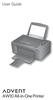 START OK All-in-One Printer AW10 User Guide AW10 All-in-One Printer ADVENT AW10 All-in-One Printer Your ADVENT Printer combines ease of use and KODAK Color Technology to print crisp-looking documents and
PLL2210W LED LCD Monitor
 PLL2210W LED LCD Monitor USER'S GUIDE www.planar.com Content Operation Instructions...1 Safety Precautions...2 First Setup...3 Front View of the Product...4 Rear View of the Product...5 Quick Installation...6
Business Audio System: Music & Messaging MP3 Player. by Grace Digital Audio. User Guide. Model No. GDI-USBM10
 Business Audio System: Music & Messaging MP3 Player by Grace Digital Audio User Guide Model No. GDI-USBM10 User Guide Contents Introduction 2 Safety & General Use Information 2 Features 3 Set Up & Operation
Ultrasonic support removal tank
 Ultrasonic support removal tank User guide and safety manual See inside for use and safety information. The Ultrasonic support removal tank automatically removes PLA support material from a printed ABS
DAB2+ Dear Customer, Congratulations with your new Argon DAB2+
 Dear Customer, Quality has always been our driving force and founding Argon Audio is a natural extension of this philosophy. We have 20 years' experience in creating and specifying high quality products,
Wireless Powerlink II Receiver Set Active
 Wireless Powerlink II Receiver Set Active Installation Guide Contents 1 General WirelessPowerlink Page 2 Package Contents Safety Instructions Page 3 Disposal of Old Electrical Devices Page 4 Installation
ATTENTION RISQUE D ÉLECTROCUTION! NE PAS OUVRIR!
 Quick Start Guide ATTENTION RISQUE D ÉLECTROCUTION! NE PAS OUVRIR! CAUTION: TO REDUCE THE RISK OF ELECTRIC SHOCK, DO NOT REMOVE COVER (OR BACK). NO USER-SERVICEABLE PARTS INSIDE. REFER SER- VICING TO QUALIFIED
SPL 2-00/-01 OPERATION INSTRUCTIONS
 SPL 2-00/-01 OPERATION INSTRUCTIONS Powerline Ethernet Adapter 500 Mbps EN Read and keep Operation Instructions SPL 2-00/-01 Safety Notes Do NOT use this product near water, for example, in a wet basement
Solo. Operating Guide Guía de usuario Notice d utilisation
 Solo TV Sound System Operating Guide Guía de usuario Notice d utilisation SAFETY INFORMATION Please read this guide Please take the time to follow the instructions in this owner s guide carefully. It will
Thank you... 6 Unpacking... 6
 Solo TV Sound System Owner s Guide Brugervejledning Bedienungsanleitung Gebruikershandleiding Guía del usuario Käyttöohje Notice d utilisation Manuale di istruzioni Kezelési útmutató Podręcznik użytkownika
MultiDim MKII V.2 ORDERCODE 50386
 MultiDim MKII V.2 ORDERCODE 50386 Congratulations! You have bought a great, innovative product from Showtec. The Showtec MultiDim brings excitement to any venue. Whether you want simple plug-&-play action
MS-800B Mobile Video Studio
 MS-800B Mobile Video Studio Instruction Manual http:// www.datavideo-tek.com Rev: 141206 Contents Warnings and Precautions ----------------------------------------------------------------------------------3
NewAir AC-10000E, AC-10000H Portable Air Conditioner Owner s Manual PLEASE READ AND SAVE THESE INSTRUCTIONS
 NewAir AC-10000E, AC-10000H Portable Air Conditioner Owner s Manual PLEASE READ AND SAVE THESE INSTRUCTIONS BEFORE USE GENERAL SAFETY INSTRUCTIONS: ALWAYS OPERATE THE UNIT IN AN UPRIGHT POSITION AND PLACE
HDMI USB Extender VE803 User Manual
 HDMI USB Extender VE803 User Manual www.aten.com VE803 User Manual FCC Information This is an FCC Class A product. In a domestic environment this product may cause radio interference in which case the
LED Par 56 Short DMX ORDERCODE 42421
 LED Par 56 Short DMX ORDERCODE 42421 Congratulations! You have bought a great, innovative product from Showtec. The Showtec LED Par 56 brings excitement to any venue. Whether you want simple plug-&-play
Model PS-4001 Power Supply User Instructions
 Model PS-4001 Power Supply User Instructions 9350-7710-000 Rev E 9/2009 PROPRIETARY NOTICE The product information and design disclosed herein were originated by and are the property of Bosch Security
COLOR TFT LCD MONITOR. User Manual
 COLOR TFT LCD MONITOR User Manual GENERAL INFORMATION Thank you for choosing our TFT LCD(liquid crystal display) monitor. This product employs integrate circuits, low power consumption, and no radiation
Quick Start Turning on the Tablet PC for the First Time
 User s Manual DL46 Getting Started Congratulations on your purchase of a Tablet PC. The Tablet PC is a fully functional PC with built-in LAN, and wireless connectivity. With your Tablet PC you will be
How To Use A Cell Phone On A Cellphone On A Kx-Tvm Series 2 (Kx) (Kox-Tvp) ( Kx) Series 2.5 (Kuk) Series (Kq) Series 1
 Model No. KX-DT321 Thank you for purchasing a Digital Proprietary Telephone (DPT). Please read this manual carefully before using this product and save this manual for future use. For more details, please
ZaapTV HD509N. User s Guide. How to use the HD509N set-top box
 ZaapTV HD509N User s Guide How to use the HD509N set-top box Contents 1. Safety... 1 2. Appearance... 4 3. Rear Panel Connection... 5 4. Remote... 7 5 First Time Set-Up... 9 6. Network Settings... 10 6.1
Portable Air Conditioner. OWNER S MANUAL Read these instructions before use. Model: MM14CCS. Voltage rating: 115V~60Hz Power rating : 1400W
 Portable Air Conditioner OWNER S MANUAL Read these instructions before use Model: MM14CCS Customer Support : 1-800-474-2147 Voltage rating: 115V~60Hz Power rating : 1400W For product inquiries or support
User Manual. DXS-1000 Player
 User Manual DXS-1000 Player Table of contents 1. Safety instructions... 3 1.1. FOR SAFE AND EFFICIENT OPERATION... 3 2. Operation... 4 3. Software Display... 8 2 / 9 1. Safety instructions This device