
XP112a XP115a. Owner's Manual
|
|
|
- Oswin Reynolds
- 10 years ago
- Views:
Transcription
1 XP112a XP115a Owner's Manual

2 If you want to dispose this product, do not mix it with general household waste. There is a separate collection system for used electronic products in accordance with legislation that requires proper treatment, recovery and recycling. Private household in the 28 member states of the EU, in Switzerland and Norway may return their used electronic products free of charge to designated collection facilities or to a retailer (if you purchase a similar new one). For Countries not mentioned above, please contact your local authorities for a correct method of disposal. By doing so you will ensure that your disposed product undergoes the necessary treatment, recovery and recycling and thus prevent potential negative effects on the environment and human health. Copyright 2014, Samson Technologies Corp. v1.1 Samson Technologies Corp. 45 Gilpin Avenue Hauppauge, New York Phone: SAMSON ( ) Fax:

3 Important Safety Information AVIS RISQUE DE CHOC ÉLECTRONIQUE - NE PAS OUVRIR CAUTION: TO REDUCE THE RISK OF ELECTRIC SHOCK, DO NOT REMOVE COVER (OR BACK). NO USER-SERVICEABLE PARTS INSIDE. REFER SERVICING TO QUALIFIED SERVICE PERSONNEL. This lightning flash with arrowhead symbol within an equilateral triangle is intended to alert the user to the presence of non-insulated dangerous voltage within the product s enclosure that may be of sufficient magnitude to constitute a risk of electric shock. The exclamation point within an equilateral triangle is intended to alert the user to the presence of important operating and maintenance instructions in the literature accompanying the appliance. 1. Read these instructions. 2. Keep these instructions. 3. Heed all warnings. 4. Follow all instructions. 5. This apparatus shall not be exposed to dripping or splashing liquid and no object filled with liquid, such as a vase, should be placed on the apparatus. 6. Clean only with a dry cloth. 7. Do not block any of the ventilation openings. Install in accordance with the manufacturer's instructions. 8. Do not install near any heat sources such as radiators, heat registers, stoves, or other apparatuses (including amplifiers) that produce heat. 9. Only use attachments/accessories specified by the manufacturer. 10. Unplug this apparatus during lightning storms or when not in use for long periods of time. 11. Do not override the intended purpose of the polarized or grounding-type plug. A polarized plug has two blades, with one wider than the other. A grounding-type plug has two blades and a third grounding prong. The wide blade, or third prong, is provided for your safety. If the provided plug does not fit your outlet, consult an electrician to replace the obsolete outlet. 12. Protect the power cord from being walked on or pinched, particularly at the prongs, convenience receptacles, the point where they exit from the apparatus. 13. Use only with the cart stand, tripod bracket, or table specified by the manufacture, or sold with the apparatus. When a cart is used, utilize caution when moving the cart/apparatus combination to avoid injury from tip-over. 14. Refer all servicing to qualified service personnel. Servicing is required if the apparatus has been damaged in any way, such as power-supply cord or plug breakage, damage due to liquid or objects falling onto the apparatus, exposure to rain or moisture, or if the apparatus does not operate normally, or has been dropped. 15. POWER ON/OFF SWITCH: For products with a power switch, the power switch DOES NOT break the connection from the mains. 16. MAINS DISCONNECT: The plug should remain readily operable. For rack-mount or installation where plug is not accessible, an all-pole mains switch with a contact separation of at least 3 mm in each pole shall be incorporated into the electrical installation of the rack or building. 17. FOR UNITS EQUIPPED WITH EXTERNALLY ACCES- SIBLE FUSE RECEPTACLE: Replace fuse with same type and rating only. 18. MULTIPLE-INPUT VOLTAGE: This equipment may require the use of a different line cord, attachment plug, or both, depending on the available power source at installation. Connect this equipment only to the power source indicated on the equipment rear panel. To reduce the risk of fire or electric shock, refer servicing to qualified service personnel or equivalent. Expedition XP112/XP115 3

4 Introduction Thank you for purchasing the Samson Expedition professional, powered loudspeaker. The Expedition XP112a and XP115a are compact and powerful speaker cabinets featuring 500 watts of bi-amped onboard power. The Expedition XP112a and XP115a, respectively, feature 12 and 15 heavy-duty, long-excursion woofers, as well as 1 neodymium high frequency driver on 1 throat wide dispersion horns. The speaker cabinets provide both XLR and ¼ phone jacks that handle microphone or line level inputs. The XLR Line Output allows you to daisy-chain multiple Expedition cabinets together to create larger sound reinforcement systems. Each cabinet s trapezoidal shape allows it to be configured for either front-of-house use, or for operation as a wedge-style monitor. In addition, the compact cabinets can easily be stacked, using the built-in bumpers or can be stand-mounted using the integral 1 3/8 pole-mount receptacles. Each Expedition PA system s durable enclosure is made of high-impact polypropylene with a scuff-resistant textured finish, and include a heavy-grade steel grill, offering excellent protection against wear and tear for truly portable audio. The Expedition active monitors are ideal for live music, DJ, lecture, and installed sound applications, or anywhere serious power and superior sound quality are desired. In these pages, you ll find a detailed itemization of the features of the Expedition PA system, as well as a description of its front and rear panels, step-by-step instructions for its setup and use, and full specifications. You ll also find a warranty card enclosed please don t forget to fill it out and mail it in so that you can receive online technical support, and so that we can send you updated information about this and other Samson products in the future. Also, be sure to check out our website ( for complete information about our full product line. We recommend you record your serial number in the space provided below for future reference. Serial number: Date of purchase: With proper care and maintenance, your Expedition loudspeaker will operate trouble-free for many years. Should your speaker ever require servicing, a Return Authorization (RA) number must be obtained before shipping your unit to Samson. Without this number, the unit will not be accepted. Please call Samson at SAMSON ( ) for an RA number prior to shipping your unit. Please retain the original packing materials and, if possible, return the unit in its original carton. If your Expedition speaker was purchased outside of the United States, contact your local distributor for warranty details and service information. Also, be sure to check out our website ( for information about our full product line. 4

5 Features Here is a look at some the features of the Expedition powered loudspeakers: 500 watt, two-way active loudspeakers for live sound applications Ultra-wide, flat frequency response Custom-designed, heavy-duty, 12 /15 long throw low frequency drivers provide enhanced bass response 1 neodymium tweeter with 1 throat for smooth high-end reproduction Balanced Mic/Line input with Volume control and Signal/Limit LED Contour equalization switch XLR Line Output connectors to daisy-chain multiple Expedition cabinets Internal time aligned electronic crossover 45-degree monitor angles for near and far field coverage Standard 1 3/8-inch (35mm) speaker stand receptacle Versatile, portable design with integrated side handles Tuned, ported bass reflex design for extended low end Rugged, lightweight polypropylene cabinet construction Expedition XP112/XP115 5

6 Quick Start The following steps will help you set up your Expedition XP112a/XP115a loudspeakers. 1. Turn the VOLUME control on the rear panel fully counterclockwise. 2. Set the Contour switch in the out (OFF) position. 3. Turn the Power switch OFF. 4. Connect either a line-level signal from your mixer (or other source) or a microphone to the Input jack on the Expedition XP112a/XP115a rear panel. 5. Connect the supplied power cable to the IEC socket on the back of the loudspeaker. Plug the power cable into an AC outlet. Note: Always make sure that the AC outlet is configured with the correct voltage as indicated on the rear panel of the Expedition loudspeaker. 6. Switch the Expedition s Power switch to the ON position. 7. Run an audio signal from your mixer, or talk into the microphone. 8. Slowly raise the Expedition s VOLUME control until you have reached the desired level. 9. If the volume from the speakers gets really loud, or you see the Limit indicator blinking frequently, turn down the VOLUME control on the Expedition XP112a/ XP115a a little until the Peak indicator does not light, or only lights occasionally with signal peaks. 6

7 Rear Panel Layout 1. XLR & ¼ Combo Input - Use this XLR / 1 4 input for balanced microphone or line level device. 2. SENSITIVITY Switch (Mic/Line) - The MIC position changes the gain of the input jacks from MIC to LINE level. 3. LINK Output - Male XLR connector used to link multiple Expedition cabinets. 4. VOLUME Control - This control adjusts the overall signal level at the input of the power amplifiers. 5. SIGNAL / LIMIT Indicator - This indicator lights green when signal is present. It will light red when the amp is near the clipping point and the limiter is engaged. If the indicator frequently lights red, turn down the VOLUME control on the loudspeaker or turn down the signal at the source, until the indicator no longer lights red, or lights occasionally with signal peaks. 6. POWER Indicator - This LED lights GREEN when amp is active. 7. CONTOUR Switch - This switch enables an equalization curve that is ideal for music playback. 8. AC Power Inlet - Connect the supplied standard IEC AC power cable here. 9. Fuse Holder - The fuse holder comes from the factory with the appropriately rated fuse for your model. If you need to change this fuse for any reason, replace it with one that has the same exact rating. 10. POWER Switch - Switches on the Expedition s main power Expedition XP112/XP115 7

8 Connecting a Microphone Follow these steps to connect a dynamic microphone to your Expedition loudspeaker: Set the Expedition XP112a/XP115a Power switch to the off position. Turn the VOLUME control fully counterclockwise to the off position. Connect the power cable to an AC socket. Using a standard XLR cable, plug a dynamic microphone into the Expedition s XLR INPUT. Set the SENSITIVITY switch to the MIC position. Switch the Power switch to the ON position. While speaking or singing into the microphone, slowly raise the VOLUME control until you have reached the desired level. For larger sound reinforcement you can run several monitors using the Link Output to daisy-chain one Expedition to another. Set the input Sensitivity on the additional cabinets to the LINE level position. 8

9 Connecting a Stereo Signal Source The following steps describes connecting Stereo Line Level Signal to two Expedition loudspeakers: Set the Expedition XP112a/XP115a Power switch to the off position. Turn the LEVEL control fully counterclockwise to the off position. Connect the power cable to an AC socket. Using standard XLR or 1/4 cables, connect the line level signals from a mixer or keyboard into the Expedition Inputs. Set the SENSITIVITY switch to the LINE position. Switch the Power switch to the ON position. Now, run an audio signal from your mixer (like music from a CD) while slowly raising the Expedition s Level control until you have reached the desired level. Expedition XP112/XP115 9

10 Positioning the Expedition XP112a/XP115a Speaker Placement Whenever possible, it is a good idea to raise the speakers above the heads of the listening audience. The Expedition enclosures feature standard 1 3/8 pole mount receptacles with locking bolts, which are compatible with speaker stands from a variety of manufacturers. In a smaller setting like a school cafeteria, library, or a mall kiosk, you can also use the Expedition loudspeaker in the tilt back monitor positions, which will improve the projection of the speakers and may eliminate the need for speaker stands. Note: When using a speaker pole mount, be sure the pole is capable of supporting the weight of the Expedition loudspeaker. Note: Always have another person to assist when mounting the Expedition speaker onto a speaker stand, or when adjusting the stand while the speaker is mounted on the stand. Floor Monitor The Expedition XP112a/XP115a is an ideal solution for stage monitoring thanks to its wedge monitor positions. When placed on its side, with the high frequency horn facing to the right of the enclosure, the Expedition is tilted at a 45 degree angle, optimizing performance when used on a stage. 10

11 Specifications Output Power XP112a XP115a 500 Watts Peak (400 LF HF) 250 Watts RMS (200 LF + 50 HF) Low Frequency 12 Woofer, 2 Voice Coil 15 Woofer, 2 Voice Coil High Frequency 1 Neodymium Driver, 1 Voice Coil Frequency Response 60Hz - 20KHz 50Hz - 20kHz Max. SPL (1M) 119dB 121dB Limiter Optical Horn Coverage 90 H x 60 V Crossover Frequency Inputs Output Contour Equalization Electronic Protection Power Consumption AC Connector Fuse Enclosure Dimensions (LxWxH) 15 x 12.9 x mm x 327mm x 606.5mm 2.5KHz-at 12dB/Oct Balanced XLR / ¼ Mic/Line Connectors Balanced XLR Line Output 100Hz & 12K Hz Boost Thermal, Overload, Analog limiter, Compressor 260 W 3-pin IEC 250 VAC, 20 A male 110V-120V T4A AC250V; 220V-240V T2A AC250V Polypropylene, Metal grille, Rubber feet, 3* Handles 15.2 x 14 x mm x 356mm x 631.5mm Weight 30.8lb / 14kg 32.6lb / 14.8kg Mounting Method Integral 1 3/8 Pole Mount Receptacle Expedition XP112/XP115 11

12 Samson Technologies Corp. 45 Gilpin Avenue Hauppauge, New York Phone: SAMSON ( ) Fax:

ATTENTION RISQUE D ÉLECTROCUTION! NE PAS OUVRIR!
 Quick Start Guide ATTENTION RISQUE D ÉLECTROCUTION! NE PAS OUVRIR! CAUTION: TO REDUCE THE RISK OF ELECTRIC SHOCK, DO NOT REMOVE COVER (OR BACK). NO USER-SERVICEABLE PARTS INSIDE. REFER SER- VICING TO QUALIFIED
ATTENTION RISQUE D ÉLECTROCUTION! NE PAS OUVRIR!
 Quick Start Guide ATTENTION RISQUE D ÉLECTROCUTION! NE PAS OUVRIR! CAUTION: TO REDUCE THE RISK OF ELECTRIC SHOCK, DO NOT REMOVE COVER (OR BACK). NO USER-SERVICEABLE PARTS INSIDE. REFER SER- VICING TO QUALIFIED
Model PS-4001 Power Supply User Instructions
 Model PS-4001 Power Supply User Instructions 9350-7710-000 Rev E 9/2009 PROPRIETARY NOTICE The product information and design disclosed herein were originated by and are the property of Bosch Security
The Bouncer Bluetooth Stereo Speaker
 The Bouncer Bluetooth Stereo Speaker 1 Welcome to JLab! Thank you for purchasing The Bouncer Bluetooth Speaker! Enjoy your music wirelessly from any smartphone, tablet, laptop, or other Bluetooth enabled
Spider IV 15. Pilot s Handbook Manuel de pilotage Pilotenhandbuch Pilotenhandboek Manual del Piloto 取 扱 説 明 書
 Spider IV 15 Pilot s Handbook Manuel de pilotage Pilotenhandbuch Pilotenhandboek Manual del Piloto 取 扱 説 明 書 40-00-0187 Pilot s Handbook available @ www.line6.com/manuals Rev D Important Safety Instructions
Evolution Digital HD Set-Top Box Important Safety Instructions
 Evolution Digital HD Set-Top Box Important Safety Instructions 1. Read these instructions. 2. Keep these instructions. 3. Heed all warnings. 4. Follow all instructions. 5. Do not use this apparatus near
CAUTION RISK OF ELECTRIC SHOCK NO NOT OPEN
 Evolution Digital HD Set-Top Box Important Safety Instructions 1. Read these instructions. 2. Keep these instructions. 3. Heed all warnings. 4. Follow all instructions. 5. Do not use this apparatus near
SUB 10 ACTIVE STUDIO SUBWOOFER
 USER S MANUAL SUB 10 ACTIVE STUDIO SUBWOOFER CONTENTS page INTRODUCTION GENERAL INFORMATION 3 REAR PANEL REAR PANEL 4 INPUTS/OUTPUTS 4 SWITCHES 5 INDICATORS 6 TECHNICAL SPECIFICATIONS TECHNICAL SPECIFICATIONS
BIG GAMES HOME VIDEO ARCADE ASSEMBLY INSTRUCTIONS
 TM BIG GAMES HOME VIDEO ARCADE ASSEMBLY INSTRUCTIONS IN-HOME ASSEMBLY OF YOUR BIGGAMES HOME VIDEO ARCADE MAY BE AVAILABLE IN YOUR AREA FOR AN ADDITIONAL CHARGE. FOR INFORMATION, PLEASE CALL (800) 749-4345.
Operation Manual. Multi Channel Power Amplifier DPA-430L
 Operation Manual Multi Channel Power Amplifier DPA-430L Welcome A personal welcome to you from the management and employees of Inter-M All of the co-workers here at Inter-M are dedicated to providing excellent
XPanel V2. Remote Control Panel. User Manual. XILICA Audio Design
 XPanel V2 Remote Control Panel User Manual XILICA Audio Design Important Safety Instructions 1. READ THESE INSTRUCTIONS All the safety and operating instructions should be read before the product is operated.
USER MANUAL Stand Alone Power Supply PSQ 2909 / PSQ 3909 / PSQ 4909 PSQ 2920 / PSQ 3920 / PSQ 4920
 USER MANUAL Stand Alone Power Supply PSQ 2909 / PSQ 3909 / PSQ 4909 PSQ 2920 / PSQ 3920 / PSQ 4920 [This page intentionally left blank] Warning for Your Protection 1. Read these instructions. 2. Keep these
VIEW. SLX300 SpeakerLinX IP Zone. Amplifier Installation and Setup Guide. AVoIP
 VIEW SLX300 SpeakerLinX IP Zone Amplifier Installation and Setup Guide TM AVoIP ClearOne 5225 Wiley Post Way Suite 500 Salt Lake City, UT 84116 Telephone 1.800.283.5936 1.801.974.3760 Tech Sales 1.800.705.2103
USER GUIDE LOUDBOX MINI
 USER GUIDE LOUDBOX MINI Whenever this symbol appears, it alerts you to the presence of important operating and maintenance (servicing) instructions in the user s manual for this amplifier. Wherever this
Setup Guide. www.audioengineusa.com D1. Premium 24-bit DAC
 Setup Guide www.audioengineusa.com D1 24-bit DAC Premium 24-bit DAC Contents Introduction Package Contents Cleaning Features Overview Quick Setup Troubleshooting Specifications Contact Us About Audioengine
User Manual DIGITAL MONITOR SPEAKERS MS /MS. 24-Bit/192 khz Digital 40/20-Watt Stereo Near Field Monitors
 User Manual DIGITAL MONITOR SPEAKERS MS /MS 24-Bit/192 khz Digital 40/20-Watt Stereo Near Field Monitors 2 DIGITAL MONITOR SPEAKERS /MS20 User Manual User Manual Table of Contents Thank you... 2 Important
MPA-101. WARNING: Improper installation could result in damage to the amplifier and/or speakers. Read all instructions before installation.
 MPA-101 WARNING: Improper installation could result in damage to the amplifier and/or speakers. Read all instructions before installation. The lightning flash with arrowhead, within an equilateral triangle,
Important Safety Instructions
 PR-D7 GB Revision 1 Important Safety Instructions 1. Read these instructions. 2. Keep these instructions. 3. Heed all warnings. 4. Follow all instructions. 5. Do not use this apparatus near water. 6. Clean
PB-1000 SB-1000 POWERED SUBWOOFERS OWNER S MANUAL
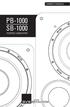 PB-1000 SB-1000 POWERED SUBWOOFERS OWNER S MANUAL Thank you, and congratulations on purchasing your new SVS subwoofer! Prepare to be pleasantly shocked at what an SVS subwoofer will bring to your home
IMPORTANT SAFETY INSTRUCTIONS
 IMPORTANT SAFETY INSTRUCTIONS Before you install or use the apparatus, you must read and understand these Important Safety Instructions. At all times when using the apparatus you must follow these Important
OWNER S MANUAL PB-2000 SB-2000 POWERED SUBWOOFERS
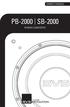 OWNER S MANUAL PB-2000 SB-2000 POWERED SUBWOOFERS Thank you, and congratulations on purchasing your new SVS subwoofer! Prepare to be pleasantly shocked at what an SVS subwoofer will bring to your home
EKX Passive Loudspeakers
 EKX Passive Loudspeakers EKX-12, EKX-15, EKX-15S, and EKX-18S en User Manual en 3 Table of contents 1 Safety 4 1.1 Important Safety Instructions 4 1.2 Precautions 4 1.3 Suspension 5 2 Description 6 2.1
16-CHANNEL TRUE DIVERSITY UHF WIRELESS SYSTEM OWNER'S MANUAL
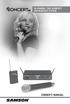 16-CHANNEL TRUE DIVERSITY UHF WIRELESS SYSTEM OWNER'S MANUAL Copyright 2013, Samson Technologies Corp. v2 Samson Technologies Corp. 45 Gilpin Ave Hauppauge, NY 11788 www.samsontech.com Important Safety
Doorbell Intercom Security System
 Doorbell Intercom Security System POWER IN USE OFF A B C LOCK CALL TALK Installation Guide Model WHDB-301 EXPLANATION OF GRAPHIC WARNING SYMBOLS This symbol is intended to alert the user to the presence
Rock-Ola Music Center Set-Up and Installation Guide For all Q-Series models 230V, Export
 Part No. 61745-01 Rock-Ola Music Center Set-Up and Installation Guide For all Q-Series models 230V, Export IMPORTANT SAFETY INSTRUCTIONS a. Read these instructions. b. Keep these instructions. c. Follow
DLT-15A Powered Professional Two-Way Sound Reinforcement Loudspeaker
 DLT-15A Powered Professional Two-Way Sound Reinforcement Loudspeaker 11/11 Contents CUSTOMER SUPPORT...2 UNPACKING...2 HANDLING PRECAUTIONS...3 FEATURES...4 PRODUCT REGISTRATION...5 REAR PANEL CONTROLS...7
CAUTION RISK OF ELECTRIC SHOCK DO NOT OPEN
 BeoLab 4 Guide CAUTION RISK OF ELECTRIC SHOCK DO NOT OPEN CAUTION: To reduce the risk of electric shock, do not remove cover (or back). No User-serviceable parts inside. Refer servicing to qualified service
CELO5. User & Installation Manual. www.audac.eu
 CELO5 User & Installation Manual www.audac.eu 2 Introduction 5 High-end Slim Ceiling Speaker The CELO5 is the 5 version of AUDAC s CELO High-end Slim ceiling speaker series with an RMS power of 50 Watt
Active Monitor Box McCrypt S.T.E.V.E. 15. Order No. 30 17 06
 Active Monitor Box McCrypt S.T.E.V.E. 15 Order No. 30 17 06 1 McCrypt Active Monitor 15 Introduction Dear Customer, Thank you for purchasing this McCrypt Active Monitor. You have chosen a quality product
CAUTION RISK OF ELECTRIC SHOCK DO NOT OPEN
 BeoLab 7-6 Guide CAUTION RISK OF ELECTRIC SHOCK DO NOT OPEN CAUTION: To reduce the risk of electric shock, do not remove cover (or back). No User-serviceable parts inside. Refer servicing to qualified
Achat 115MA full-range speaker. user manual
 Achat 115MA full-range speaker user manual Musikhaus Thomann Thomann GmbH Hans-Thomann-Straße 1 96138 Burgebrach Germany Telephone: +49 (0) 9546 9223-0 E-mail: [email protected] Internet: www.thomann.de
When you switch off your system, or mute the sound, the red indicator light appears immediately, indicating that the subwoofer is not in use.
 BeoLab 11 Guide WARNING: To reduce the risk of fire or electric shock, do not expose this appliance to rain or moisture. Do not expose this equip ment to dripping or splashing and ensure that no objects
2 series II COMPANION MULTIMEDIA SPEAKERS
 COMPANION MULTIMEDIA SPEAKERS Quick Setup Guide and Safety Information GuÍa rápida de instalación y información de seguridad Notice de montage et informations relatives à la sécurité 2 series II For additional
Daily use. Never use alcohol or other solvents to clean any part of the loudspeakers!
 BeoLab 6002 Guide WARNING: To reduce the risk of fire or electric shock, do not expose this appliance to rain or moisture. Do not expose this equip ment to dripping or splashing and ensure that no objects
IT-12M IT-12D Ver_2.0 INTERPRETATION SYSTEM. User s Manual
 IT-12M IT-12D Ver_2.0 INTERPRETATION SYSTEM User s Manual Important Notice All the safety and instructions for operation and use of the equipment should be read carefully before the system is operated.
UB1 P R O F E S S I O N A L M I C R O P H O N E S
 UB1 P R O F E S S I O N A L M I C R O P H O N E S Table of Contents Introduction........................... 1 UB1 Features............................2 Installing the UB1......................3-6 Operating
User Manual EUROLIVE B1220DSP. Digital Processor-Controlled 600-Watt 12" PA Speaker System with Integrated Mixer
 User Manual Digital Processor-Controlled 600-Watt 12" PA Speaker System with Integrated Mixer 2 User Manual Table of Contents Thank you... 2 Important Safety Instructions... 3 Legal Disclaimer... 3 Limited
SP-1700 OWNERS MANUAL
 SP-1700 OWNERS MANUAL www.visionaudiovisual.com/techaudio/sp-1700 1 DECLARATION OF CONFORMITY Where applicable Vision products are certified and comply with all known local regulations to a CB Certification
User Guide. MT-91 / MT-90 / MT-92 Interlinking Transmitter Module MT-90/MT-92 MT-91
 User Guide MT-9 / MT-90 / MT-9 MT-90/MT-9 All rights reserved. MN 04/08 Do not copy or forward without prior approvals MIPRO. Specifications and design subject to change without notice. CE5 0 4 A MT-9
User Guide ACT-32T Bodypack Transmitters
 User Guide ACT-T s All rights reserved. Do not copy or forward without prior approvals MIPRO. Specifications and design subject to change without notice. MN 0/0 CE5 A IMPORTANT SAFETY INSTRUCTIONS WARNING.
Line Level Converter Box. S Class Signal Processors
 Line Level Converter Box S Class Signal Processors Table Of Contents Introduction and Features 3 Front and Rear Panel Layout 4 Operating the S convert Using the LEVEL controls 5 Typical Set-up 6 Wiring
www.fishman.com USER GUIDE SA220
 www.fishman.com USER GUIDE SA220 Whenever this symbol appears, it alerts you to the presence of important operating and maintenance (servicing) instructions in the user s manual for this amplifier. Wherever
MXP124/MXP124FX STEREO MIXERS OWNER S MANUAL
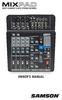 MXP124/MXP124FX STEREO MIXERS OWNER S MANUAL Important Safety Information EMC Notice * MXP124 and MXP124FX can be used in following electromagnetic environment: residential, commercial and light industrial,
COMPANION 2 Series II MULTIMEDIA SPEAKERS
 COMPANION 2 Series II MULTIMEDIA SPEAKERS Owner s Guide Guia del usuario Notice d utilisation Français English SAFETY INFORMATION Please read this owner s guide Please take the time to follow the instructions
Altec Lansing Computer Speaker System
 Altec Lansing Computer Speaker System User Guide ACS45.1 IMPORTANT If you experience any difficulties with your computer speaker system, please call us. It may be a simple problem that we can help you
AM/FM ALARM CLOCK RADIO
 AM/FM ALARM CLOCK RADIO Instruction Manual JL-206 Please read this manual carefully before operating and save it for future reference. Have a question? Please visit http:// INTRODUCTION Thank you for purchasing
MCA Series Multi-Channel Amplifiers. Operation Manual
 MCA Series Multi-Channel Amplifiers Operation Manual February 2012 Biamp Systems, 9300 SW Gemini Drive, Beaverton, Oregon 97008 U.S.A. (503) 641-7287 www.biamp.com IMPORTANT SAFETY INSTRUCTIONS IMPORTANT
HD udta Quick-Start Guide
 HD udta Quick-Start Guide Vyve Broadband HD Set-Top Box Important Safety Instructions 1. Read these instructions. 2. Keep these instructions. 3. Heed all warnings. 4. Follow all instructions. 5. Do not
Albrecht DR314. DAB/DAB+/FM Radio 1.) User Manual
 Albrecht DR314 DAB/DAB+/FM Radio 1.) User Manual -1- Important Safety Notes TO PREVENT FIRE OR SHOCK HAZARD, DO NOT USE THIS PLUG WITH AN EXTENSION CORD, RECEPTACLE OR OTHER OUTLET UNLESS THE BLADES CAN
CAUTION RISK OF ELECTRIC SHOCK DO NOT OPEN
 BeoLab 4000 Guide CAUTION RISK OF ELECTRIC SHOCK DO NOT OPEN CAUTION: To reduce the risk of electric shock, do not remove cover (or back). No User-serviceable parts inside. Refer servicing to qualified
esata External Storage
 esata External Storage Operation Manual DA-ES110 Before reading this manual This operation manual contains basic instruction on installing and using esata External Storage, an IDIS product. Users who are
USER S GUIDE V:1614-0805-10. BC118 Portable Boombox. For the most up-to-date version of this User s Guide, go to www.gpx.com
 USER S GUIDE V:1614-0805-10 BC118 Portable Boombox For the most up-to-date version of this User s Guide, go to www.gpx.com Warnings and Precautions CAUTION: TO PREVENT ELECTRIC SHOCK, MATCH WIDE BLADE
Instruction Manual. 5.1 Power Amplified Home Theatre Speaker System w/ Remote Control DSS-200
 R Instruction Manual DSS-200 R 5.1 Power Amplified Home Theatre Speaker System w/ Remote Control Read this manual carefully to get the excellent acoustics from this unit. SPECIFICATIONS SAFETY INFORMATION
EUROLIVE F1220A. User Manual A50-56333-00001
 User Manual A50-56333-00001 * presence! operating *! Important safety instructions This symbol, wherever it appears, alerts you to the of uninsulated dangerous voltage inside the enclosure - voltage that
1 ULTRA-DI DI100 User Manual. User Manual ULTRA-DI DI100. Professional Battery/Phantom Powered DI-Box
 1 ULTRA-DI DI100 User Manual User Manual ULTRA-DI DI100 Professional Battery/Phantom Powered DI-Box 2 ULTRA-DI DI100 User Manual Table of Contents Thank you... 2 1. Control Elements... 7 2. DI100 Configurations...
ANTENNA DISTRIBUTION SYSTEM USER'S GUIDE
 Model User Guide ANTENNA DISTRIBUTION SYSTEM USER'S GUIDE 2009 Shure Incorporated 27AS8862 (Rev.4) Printed in U.S.A. POWERING ON/POWERING OFF THE Last powered on First powered off To avoid damaging internal
OPERATING MANUAL PUBLIC ADDRESS POWER AMPLIFIER PA-9336
 OPERATING MANUAL PUBLIC ADDRESS POWER AMPLIFIER PA-9336 1 UNPACKING AND INSTALLATION Although it is neither complicated to install nor difficult to operate your PA amplifier, a few minutes of your time
Prescott. CD Alarm Clock Radio INSTRUCTION MANUAL
 1215205 Prescott CD Alarm Clock Radio INSTRUCTION MANUAL Important Safety Instructions CAUTION RISK OF ELECTRIC SHOCK DO NOT OPEN The lightning flash with arrowhead symbol, within an equilateral triangle
HDVD 800. Pure audio in perfection. Instruction manual
 HDVD 800 Pure audio in perfection Instruction manual Contents Contents Important safety instructions... 2 The HDVD 800 headphone amplifier... 4 Package contents... 5 Product overview... 6 Overview of the
KEYBOARD EXTENDED RANGE. Sixty Owner, s Manual P/N 049254
 THE SOUND THAT CREATES LEGENDS KEYBOARD EXTENDED RANGE Sixty Owner, s Manual P/N 049254 INTRODUCTION Your new Fender KXR 60 Keyboard Amplifier is the result of Fender s ongoing dialog with many of today
TABLETOP CONTROLLER USER'S MANUAL
 TABLETOP CONTROLLER USER'S MANUAL Preface TABLETOP CONTROLLER USER S MANUAL CLEARONE PART NO. 800-151-891 OCTOBER 2009 (REV. 2.1) 2009 ClearOne Communications, Inc. All rights reserved. No part of this
DIGITAL MONITOR SPEAKERS MS20/MS40
 User s Manual Version 1.1 August 2005 IMPORTANT SAFETY INSTRUCTIONS DETAILED SAFETY INSTRUCTIONS: 1) Read these instructions. 2) Keep these instructions. 3) Heed all warnings. 4) Follow all instructions.
LOXONE 12 Channel Amplifier
 LOXONE 12 Channel Amplifier Item no.: 200110 Thank you for purchasing the Loxone Twelve Channel Amplifier. The versatility of the Amplifier makes it the perfect choice for almost every type of custom multi-room
MANUAL ENGLISH Clubmate II Ordercode: D3264
 MANUAL ENGLISH Clubmate II Highlite International B.V. Vestastraat 2 6468 EX Kerkrade the Netherlands Table of contents Warning... 2 Unpacking Instructions... 2 Safety Instructions... 2 Operating Determinations...
ANI-9005. Instruction Manual DIGITAL INDOOR/OUTDOOR TV ANTENNA OMNI-DIRECTIONAL WITH AMPLIFIER INTRODUCTION:
 INTRODUCTION: This is a specially designed new concept antenna for digital indoor, outdoor analogue, and terrestrial HDTV broadcasting reception. It is the best solution for home reception and digital
CMP30. User Manual. www.audac.eu
 CMP30 User Manual www.audac.eu 2 Index Introduction 4 Precautions 5 Safety requirements 5 Caution servicing 5 EC Declaration of Conformity 5 Waste of Electrical and Electronic Equipment (WEEE) 6 Caution
Tone Hammer 500. Owners Manual. Manual Version 1.0
 Tone Hammer 500 Owners Manual Manual Version 1.0 1. Incorporating the preamp from the popular Tone Hammer preamp/di pedal this superlight bass head combines three bands of flexible EQ, a colorful "Drive"
S/PDIF D/A Converter. User Manual. Rev.B, December 2011 Audial d.o.o Belgrade, Serbia www.audialonline.com, [email protected]
 S/PDIF D/A Converter User Manual Rev.B, December 2011 Audial d.o.o Belgrade, Serbia www.audialonline.com, [email protected] IMPORTANT PRECAUTIONS 1. Do not expose this device to rain or moisture,
PERSONAL MONITOR MIXER/HEADPHONE AMP. S Class Signal Processors
 PERSONAL MONITOR MIXER/HEADPHONE AMP S Class Signal Processors Table Of Contents Features 3 Front and Rear Panel Layout 4 Operating the S monitor 5-7 Specifications 8 Wiring Guide 8 Copyright 2003, Samson
AvediaServer c1500 series Chassis. Installation Guide
 AvediaServer c1500 series Chassis Installation Guide AvediaServer c1500 series Installation Guide Notices Exterity Limited 2003-2013 This document contains information that is protected by copyright. Reproduction,
Register your product and get support at. www.philips.com/welcome AS111. User manual
 Register your product and get support at www.philips.com/welcome AS111 User manual Contents 1 Important 4 Safety 4 English 2 Your docking speaker for AndroidTM 5 Introduction 5 What's in the box 5 Overview
THE MOST POWERFUL EON EVER
 E O N 5 1 0 E O N 5 1 5 E O N 5 1 8 S THE NEXT GENERATION E N THE MOST POWERFUL EON EVER For the past 14 years JBL has led the portable PA market with EON, the best selling powered speaker in professional
BOSE. Link AL8 HOMEWIDE WIRELESS AUDIO LINK
 BOSE Link AL8 HOMEWIDE WIRELESS AUDIO LINK Français English SAFETY INFORMATION Please read this owner s guide Please take the time to follow the instructions in this owner s guide carefully. It will help
CV-900 / CV-1800 / CV-2800 HEAVY DUTY PROFESSIONAL AMPLIFIERS
 CV-900 / CV-1800 / CV-2800 HEAVY DUTY PROFESSIONAL AMPLIFIERS USER MANUAL IMPORTANT SAFETY INSTRUCTIONS 1. Read Instructions All the safety and operating instructions should be read before this product
S-8, S-10 AND S-12 POWERED SUBWOOFER. Owner s Manual
 S-8, S-10 AND S-12 POWERED SUBWOOFER Owner s Manual Introduction Congratulations on your purchase of an RBH Sound powered subwoofer! Your subwoofer is the result of many years of research and development
Congratulations! Thank you!
 TM-47 ORDERCODE D1370 Congratulations! You have bought a great, innovative product from DAP Audio. The DAP Audio Microphone range brings excitement to any venue. Whether you want simple plug-&-play action
Fast Track Solo Guide
 Fast Track Solo Guide Legal Notices 2013 Avid Technology, Inc., ( Avid ), all rights reserved. This guide may not be duplicated in whole or in part without the written consent of Avid. Avid, the Avid logo,
igroove SXT Owner's Manual
 TM igroove SXT Owner's Manual Important Safety Safety Information Information 1. READ these instructions. 2. KEEP these instructions. 3. HEED all warnings. 4. FOLLOW all instructions. 5. DO NOT use this
ENGLISH PSS-108 MKII / PSS-110 MKII
 MANUAL ENGLISH PSS-108 MKII / PSS-110 MKII Highlite International B.V. Vestastraat 2 6468 EX Kerkrade the Netherlands Table of contents Warning... 2 Safety Instructions... 2 Operating Determinations...
RCF NX SERIES. Touring audio solutions
 RCF NX SERIES Touring audio solutions The NX Series - a new line of active loudspeakers specifi cally designed to be the everyday tool for rental companies and professional musicians. With its ultra compact
ETX Powered Loudspeakers
 ETX Powered Loudspeakers ETX-10P, ETX-12P, ETX-15P, ETX-35P, ETX-15SP, and ETX-18SP en User Manual en 3 Table of contents 1 Safety 4 2 Description 7 2.1 Quick setup 7 2.2 System features 8 3 System overview
VoiceTone T1 USER S MANUAL
 VoiceTone T1 USER S MANUAL Important Safety Instructions 1 Read these instructions. 2 Keep these instructions. 3 Heed all warnings. 4 Follow all instructions. 5 Do not use this apparatus near water. 6
AM / FM Tuner + RDS. Model: TU-101. www.pulse-audio.co.uk
 AM / FM Tuner + RDS Model: TU-101 www.pulse-audio.co.uk 1 Safety Information The lightning bolt within a triangle is intended to alert the user to the presence of dangerous voltage levels within the product
Dual Alarm Clock with SmartSet Auto Time Setting System
 Dual Alarm Clock with SmartSet Auto Time Setting System (U.S. Patent No. 6,567,344) OWNER S MANUAL AC100 Visit our web site at www.emersonradio.com AC100_072806.p65 16 TO PREVENT FIRE OR SHOCK HAZARD,
Gemini II. Subwoofer System OWNERS MANUAL
 Gemini II Subwoofer System OWNERS MANUAL CONTENTS Page No. 1) Safety instructions. 2) 3) 4) Connecting up your Gemini II. Connecting up using the high level input. Connecting up using the low level input.
Sound Spot SFQ-07. User Manual
 Sound Spot SFQ-07 User Manual Safety Information The lightning flash with arrowhead symbol, within an equilateral triangle is intended to alert the user to the presence of uninsulated "dangerous voltage"
EUROLIVE B1520DSP. User manual V01 2007-07
 User manual V01 2007-07 Important safety instructions Caution: To reduce the risk of electric shock, do not remove the top cover (or the rear section). No user serviceable parts inside; refer servicing
2XWSXWFKDQQHOV 3KDVH &+ CH 2 &+ CH 4 &+ CH 6 L1 X X L2 X X L3 X X
 INSTALLATION INSTRUCTIONS ENGLISH Version 1 1 January 2004 EUROLIGHT LD6230 IMPORTANT SAFETY INSTRUCTIONS DETAILED SAFETY INSTRUCTIONS: 1) Read these instructions 2) Keep these instructions 3) Heed all
IMPORTANT SAFETY INSTRUCTIONS
 IMPORTANT SAFETY INSTRUCTIONS When using this electronic device, basic precautions should always be taken, including the following: 1. Read all instructions before using the product. 2. Do not use this
DAB+ / FM Tuner Model: TU-201
 DAB+ / FM Tuner Model: TU-201 Instruction Manual www.pulse-audio.co.uk 1 Safety Information The lightning bolt within a triangle is intended to alert the user to the presence of dangerous voltage levels
10B-LR 10B-STD 10B-SUB OWNER S MANUAL
 10B-LR 10B-STD 10B-SUB OWNER S MANUAL INTRODUCTION: The 10B crossover is available in three stock versions; 10B-SUB incorporating frequencies more suitable to sub-woofer applications (40Hz to 500hz), 10B-STD
Focusrite Saffire 6 USB. User Guide
 Focusrite Saffire 6 USB User Guide 1 IMPORTANT SAFETY INSTRUCTIONS 1. Read these instructions. 2. Keep these instructions. 3. Heed all warnings. 4. Follow all instructions. 5. Do not use this apparatus
DIGITAL CABLE TV RECEIVER OPERATION MANUAL DVB-C8080AL DIGITAL CABLE RECEIVER DEAR CONSUMER
 DIGITAL CABLE TV RECEIVER OPERATION MANUAL DVB-C8080AL DIGITAL CABLE RECEIVER DEAR CONSUMER GREAT APPRECIATION FOR PURCHASING OUR PRODUCT TO ENSURE THE BEST PERFORMANCE AND THE HIGHEST SAFETY, PLEASE READ
Dear Customer, User Memo: Please visit us on facebook or twitter! Thank you for purchasing this product.
 Owner s Manual 1 Dear Customer, Thank you for purchasing this product. For optimum performance and safety, please read these instructions carefully. User Memo: Date of purchase: Dealer name: Dealer address:
5 CHANNEL MIXER. S Class Signal Processors
 0 10 0 10 0 10 0 10 5 CHANNEL MIXER S Class Signal Processors Table Of Contents Introduction and Features 3 Front and Rear Panel Layout 4 Operating the S mix Setting up the S mix 5 Connecting the Input
AvediaServer Chassis Installation Guide
 00 AvediaServer Chassis Installation Guide Notices Exterity Limited 2003-2011 This document contains information that is protected by copyright. Reproduction, adaptation, or translation without prior permission
DAB2+ Dear Customer, Congratulations with your new Argon DAB2+
 Dear Customer, Quality has always been our driving force and founding Argon Audio is a natural extension of this philosophy. We have 20 years' experience in creating and specifying high quality products,