
IR Range Extender Accessory for UVC-G3. Model: UVC-G3-LED
|
|
|
- Griselda Miranda Turner
- 9 years ago
- Views:
Transcription
1 IR Range Extender Accessory for UVC-G3 Model: UVC-G3-LED

2 IR Range Extender Accessory for UVC-G3 Model: UVC-G3-LED Introduction Thank you for purchasing the Ubiquiti Networks IR Extender for the UniFi Video Camera G3. This Quick Start Guide is designed to guide you through installation and includes warranty terms. Package Contents UVC-G3-LED Quick Start Guide Installation Requirements UniFi Video Camera G3, model UVC-G3 Phillips screwdriver

3 Hardware Overview Accessory Connector LED Ring LED Ring Houses six high-intensity infrared LEDs for extended night vision range. Accessory Connector Connects to the UVC-G3 for power and IR control. WARNING: Do not connect any device to the accessory port on the UVC-G3. Damage to the device may occur. The accessory port is designed for use with the UVC-G3-LED accessory only.

4 Hardware Installation 1. Pull out the sun visor and remove it. Then remove the accessory port cover located on the bottom of the UVC-G3. 2. Orient the UVC-G3-LED with the Accessory Connector at the bottom. Place the LED Ring over the front of the UVC-G3 in place of the sun visor. Insert the LED Ring until it locks into place.

5 3. Insert the Accessory Connector into the accessory port until it locks into place. 4. Tighten the two screws located at the bottom of the LED Ring to secure it. Important: Do not over-tighten the two screws. Excessive torque may damage the LED Ring and/or the UVC-G3.

6 Enabling the External IR LEDs The UVC-G3-LED may be enabled using UniFi Video or directly through the camera UI. Once enabled, the UVC-G3-LED will automatically turn on under low light conditions. UniFi Video 1. Launch UniFi Video and log in. 2. On the Cameras page, locate the UVC-G3 with the installed UVC-G3-LED, and click the name of the camera.

7 3. The camera configuration panel will appear on the right side of the window. Click Accessories, and then click the toggle box next to Enable External Accessory. 4. Click Save.

8 Camera UI Access the camera UI using the Ubiquiti Device Discovery Tool. The utility is available as a stand alone application and as a Chrome extension (Chrome browser required). The utility is available for download at: Note: If you know the IP address of the UVC-G3, you may access the camera UI directly by entering the IP address in a web browser, and skip to step Launch the Ubiquiti Device Discovery Tool. 2. A list of Ubiquiti devices on the network will appear. Locate the UVC-G3 with the installed UVC-G3-LED. Click the IP address of the camera in the Host column. 3. The UniFi Video Camera UI portal will appear in a new browser window. Enter your Username and Password to log in.

9 4. On the Configure window, check the box next to Enable External Accessory. 5. Click Save Changes.

10 Specifications Dimensions Weight LEDs IR Range Power Method Power Supply UVC-G3-LED Ø 80 x 26 mm (Ø 3.15 x 1.02") 75 g (2.65 oz) (6) Infrared LEDs Up to 25 m (82 ft) Accessory Connector UVC-G3 Max. Power Consumption 7.5W Operating Temperature Operating Humidity -30 to 70 C -22 to 158 F 20 to 90% Noncondensing * *

11 Safety Notices 1. Read, follow, and keep these instructions. 2. Heed all warnings. 3. Only use attachments/accessories specified by the manufacturer. WARNING: Hot Surface. Do not touch. WARNING: Do not use this product in location that can be submerged by water. WARNING: Avoid using this product during an electrical storm. There may be a remote risk of electric shock from lightning. Electrical Safety Information 1. Compliance is required with respect to voltage, frequency, and current requirements indicated on the manufacturer s label. Connection to a different power source than those specified may result in improper operation, damage to the equipment or pose a fire hazard if the limitations are not followed. 2. There are no operator serviceable parts inside this equipment. Service should be provided only by a qualified service technician.

12 Limited Warranty UBIQUITI NETWORKS, Inc ( UBIQUITI NETWORKS ) warrants that the product(s) furnished hereunder (the Product(s) ) shall be free from defects in material and workmanship for a period of one (1) year from the date of shipment by UBIQUITI NETWORKS under normal use and operation. UBIQUITI NETWORKS sole and exclusive obligation and liability under the foregoing warranty shall be for UBIQUITI NETWORKS, at its discretion, to repair or replace any Product that fails to conform to the above warranty during the above warranty period. The expense of removal and reinstallation of any Product is not included in this warranty. The warranty period of any repaired or replaced Product shall not extend beyond its original term. Warranty Conditions The above warranty does not apply if the Product: (I) (II) (III) (IV) (V) (VI) (VII) has been modified and/or altered, or an addition made thereto, except by Ubiquiti Networks, or Ubiquiti Networks authorized representatives, or as approved by Ubiquiti Networks in writing; has been painted, rebranded or physically modified in any way; has been damaged due to errors or defects in cabling; has been subjected to misuse, abuse, negligence, abnormal physical, electromagnetic or electrical stress, including lightning strikes, or accident; has been damaged or impaired as a result of using third party firmware; has no original Ubiquiti MAC label, or is missing any other original Ubiquiti label(s); or has not been received by Ubiquiti within 30 days of issuance of the RMA. In addition, the above warranty shall apply only if: the product has been properly installed and used at all times in accordance, and in all material respects, with the applicable Product documentation; all Ethernet cabling runs use CAT5 (or above), and for outdoor installations, shielded Ethernet cabling is used, and for indoor installations, indoor cabling requirements are followed.

13 Returns No Products will be accepted for replacement or repair without obtaining a Return Materials Authorization (RMA) number from UBIQUITI NETWORKS during the warranty period, and the Products being received at UBIQUITI NETWORKS facility freight prepaid in accordance with the RMA process of UBIQUITI NETWORKS. Products returned without an RMA number will not be processed and will be returned freight collect or subject to disposal. Information on the RMA process and obtaining an RMA number can be found at: Disclaimer EXCEPT FOR ANY EXPRESS WARRANTIES PROVIDED HEREIN, UBIQUITI NETWORKS, ITS AFFILIATES, AND ITS AND THEIR THIRD PARTY DATA, SERVICE, SOFTWARE AND HARDWARE PROVIDERS HEREBY DISCLAIM AND MAKE NO OTHER REPRESENTATION OR WARRANTY OF ANY KIND, EXPRESS, IMPLIED OR STATUTORY, INCLUDING, BUT NOT LIMITED TO, REPRESENTATIONS, GUARANTEES, OR WARRANTIES OF MERCHANTABILITY, ACCURACY, QUALITY OF SERVICE OR RESULTS, AVAILABILITY, SATISFACTORY QUALITY, LACK OF VIRUSES, QUIET ENJOYMENT, FITNESS FOR A PARTICULAR PURPOSE AND NON-INFRINGEMENT AND ANY WARRANTIES ARISING FROM ANY COURSE OF DEALING, USAGE OR TRADE PRACTICE IN CONNECTION WITH SUCH PRODUCTS AND SERVICES. BUYER ACKNOWLEDGES THAT NEITHER UBIQUITI NETWORKS NOR ITS THIRD PARTY PROVIDERS CONTROL BUYER S EQUIPMENT OR THE TRANSFER OF DATA OVER COMMUNICATIONS FACILITIES, INCLUDING THE INTERNET, AND THAT THE PRODUCTS AND SERVICES MAY BE SUBJECT TO LIMITATIONS, INTERRUPTIONS, DELAYS, CANCELLATIONS AND OTHER PROBLEMS INHERENT IN THE USE OF COMMUNICATIONS FACILITIES. UBIQUITI NETWORKS, ITS AFFILIATES AND ITS AND THEIR THIRD PARTY PROVIDERS ARE NOT RESPONSIBLE FOR ANY INTERRUPTIONS, DELAYS, CANCELLATIONS, DELIVERY FAILURES, DATA LOSS, CONTENT CORRUPTION, PACKET LOSS, OR OTHER DAMAGE RESULTING FROM ANY OF THE FOREGOING. In addition, UBIQUITI NETWORKS does not warrant that the operation of the Products will be error-free or that operation will be uninterrupted. In no event shall UBIQUITI NETWORKS be responsible for damages or claims of any nature or description relating to system performance, including coverage, buyer s selection of products (including the Products) for buyer s application and/or failure of products (including the Products) to meet government or regulatory requirements.

14 Limitation of Liability EXCEPT TO THE EXTENT PROHIBITED BY LOCAL LAW, IN NO EVENT WILL UBIQUITI OR ITS SUBSIDIARIES, AFFILIATES OR SUPPLIERS BE LIABLE FOR DIRECT, SPECIAL, INCIDENTAL, CONSEQUENTIAL OR OTHER DAMAGES (INCLUDING LOST PROFIT, LOST DATA, OR DOWNTIME COSTS), ARISING OUT OF THE USE, INABILITY TO USE, OR THE RESULTS OF USE OF THE PRODUCT, WHETHER BASED IN WARRANTY, CONTRACT, TORT OR OTHER LEGAL THEORY, AND WHETHER OR NOT ADVISED OF THE POSSIBILITY OF SUCH DAMAGES. Note Some countries, states and provinces do not allow exclusions of implied warranties or conditions, so the above exclusion may not apply to you. You may have other rights that vary from country to country, state to state, or province to province. Some countries, states and provinces do not allow the exclusion or limitation of liability for incidental or consequential damages, so the above limitation may not apply to you. EXCEPT TO THE EXTENT ALLOWED BY LOCAL LAW, THESE WARRANTY TERMS DO NOT EXCLUDE, RESTRICT OR MODIFY, AND ARE IN ADDITION TO, THE MANDATORY STATUTORY RIGHTS APPLICABLE TO THE LICENSE OF ANY SOFTWARE (EMBEDDED IN THE PRODUCT) TO YOU. The United Nations Convention on Contracts for the International Sale of Goods shall not apply to any transactions regarding the sale of the Products.

15 Compliance FCC Changes or modifications not expressly approved by the party responsible for compliance could void the user s authority to operate the equipment. This device complies with Part 15 of the FCC Rules. Operation is subject to the following two conditions: 1. This device may not cause harmful interference, and 2. This device must accept any interference received, including interference that may cause undesired operation. NOTE: This equipment has been tested and found to comply with the limits for a Class A digital device, pursuant to part 15 of the FCC Rules. These limits are designed to provide reasonable protection against harmful interference when the equipment is operated in a commercial environment. This equipment generates, uses, and can radiate radio frequency energy and, if not installed and used in accordance with the instruction manual, may cause harmful interference to radio communications. Operations of this equipment in a residential area is likely to cause harmful interference in which case the user will be required to correct the interference at his own expense. Industry Canada CAN ICES-3(A)/NMB-3(A) This Class A digital apparatus complies with Canadian ICES-003. CAN ICES-3(A)/NMB-3(A) Cet appareil numérique de la classe A est conforme à la norme NMB-003 du Canada. CE Marking CE marking on this product represents the product is in compliance with all directives that are applicable to it.

16 RoHS/WEEE Compliance Statement English European Directive 2002/96/EC requires that the equipment bearing this symbol on the product and/or its packaging must not be disposed of with unsorted municipal waste. The symbol indicates that this product should be disposed of separately from regular household waste streams. It is your responsibility to dispose of this and other electric and electronic equipment via designated collection facilities appointed by the government or local authorities. Correct disposal and recycling will help prevent potential negative consequences to the environment and human health. For more detailed information about the disposal of your old equipment, please contact your local authorities, waste disposal service, or the shop where you purchased the product. Deutsch Die Europäische Richtlinie 2002/96/EC verlangt, dass technische Ausrüstung, die direkt am Gerät und/oder an der Verpackung mit diesem Symbol versehen ist, nicht zusammen mit unsortiertem Gemeindeabfall entsorgt werden darf. Das Symbol weist darauf hin, dass das Produkt von regulärem Haushaltmüll getrennt entsorgt werden sollte. Es liegt in Ihrer Verantwortung, dieses Gerät und andere elektrische und elektronische Geräte über die dafür zuständigen und von der Regierung oder örtlichen Behörden dazu bestimmten Sammelstellen zu entsorgen. Ordnungsgemäßes Entsorgen und Recyceln trägt dazu bei, potentielle negative Folgen für Umwelt und die menschliche Gesundheit zu vermeiden. Wenn Sie weitere Informationen zur Entsorgung Ihrer Altgeräte benötigen, wenden Sie sich bitte an die örtlichen Behörden oder städtischen Entsorgungsdienste oder an den Händler, bei dem Sie das Produkt erworben haben.

17 Español La Directiva 2002/96/CE de la UE exige que los equipos que lleven este símbolo en el propio aparato y/o en su embalaje no deben eliminarse junto con otros residuos urbanos no seleccionados. El símbolo indica que el producto en cuestión debe separarse de los residuos domésticos convencionales con vistas a su eliminación. Es responsabilidad suya desechar este y cualesquiera otros aparatos eléctricos y electrónicos a través de los puntos de recogida que ponen a su disposición el gobierno y las autoridades locales. Al desechar y reciclar correctamente estos aparatos estará contribuyendo a evitar posibles consecuencias negativas para el medio ambiente y la salud de las personas. Si desea obtener información más detallada sobre la eliminación segura de su aparato usado, consulte a las autoridades locales, al servicio de recogida y eliminación de residuos de su zona o pregunte en la tienda donde adquirió el producto. Français La directive européenne 2002/96/CE exige que l équipement sur lequel est apposé ce symbole sur le produit et/ou son emballage ne soit pas jeté avec les autres ordures ménagères. Ce symbole indique que le produit doit être éliminé dans un circuit distinct de celui pour les déchets des ménages. Il est de votre responsabilité de jeter ce matériel ainsi que tout autre matériel électrique ou électronique par les moyens de collecte indiqués par le gouvernement et les pouvoirs publics des collectivités territoriales. L élimination et le recyclage en bonne et due forme ont pour but de lutter contre l impact néfaste potentiel de ce type de produits sur l environnement et la santé publique. Pour plus d informations sur le mode d élimination de votre ancien équipement, veuillez prendre contact avec les pouvoirs publics locaux, le service de traitement des déchets, ou l endroit où vous avez acheté le produit. Italiano La direttiva europea 2002/96/EC richiede che le apparecchiature contrassegnate con questo simbolo sul prodotto e/o sull imballaggio non siano smaltite insieme ai rifiuti urbani non differenziati. Il simbolo indica che questo prodotto non deve essere smaltito insieme ai normali rifiuti domestici. È responsabilità del proprietario smaltire sia questi prodotti sia le altre apparecchiature elettriche ed elettroniche mediante le specifiche strutture di raccolta indicate dal governo o dagli enti pubblici locali. Il corretto smaltimento ed il riciclaggio aiuteranno a prevenire conseguenze potenzialmente negative per l ambiente e per la salute dell essere umano. Per ricevere informazioni più dettagliate circa lo smaltimento delle vecchie apparecchiature in Vostro possesso, Vi invitiamo a contattare gli enti pubblici di competenza, il servizio di smaltimento rifiuti o il negozio nel quale avete acquistato il prodotto.

18 Declaration of Conformity Česky [Czech] Dansk [Danish] Nederlands [Dutch] English Eesti [Estonian] Suomi [Finnish] Français [French] Deutsch [German] Ελληνική [Greek] Magyar [Hungarian] Íslenska [Icelandic] Italiano [Italian] Latviski [Latvian] UBIQUITI NETWORKS tímto prohlašuje, že toto UBIQUITI NETWORKS zařízení, je ve shod se základními požadavky a dalšími příslušnými ustanoveními směrnice 1999/5/ES. Hermed, UBIQUITI NETWORKS, erklærer at denne UBIQUITI NETWORKS enhed, er i overensstemmelse med de væsentlige krav og øvrige relevante krav i direktiv 1999/5/EF. Hierbij verklaart UBIQUITI NETWORKS, dat deze UBIQUITI NETWORKS apparaat, in overeenstemming is met de essentiële eisen en de andere relevante bepalingen van richtlijn 1999/5/EC. Hereby, UBIQUITI NETWORKS, declares that this UBIQUITI NETWORKS device, is in compliance with the essential requirements and other relevant provisions of Directive 1999/5/EC. Käesolevaga UBIQUITI NETWORKS kinnitab, et antud UBIQUITI NETWORKS seade, on vastavus olulistele nõuetele ja teistele asjakohastele sätetele direktiivi 1999/5/EÜ. Täten UBIQUITI NETWORKS vakuuttaa, että tämä UBIQUITI NETWORKS laite, on yhdenmukainen olennaisten vaatimusten ja muiden sitä koskevien direktiivin 1999/5/EY. Par la présente UBIQUITI NETWORKS déclare que l appareil UBIQUITI NETWORKS, est conforme aux exigences essentielles et aux autres dispositions pertinentes de la directive 1999/5/CE. Hiermit erklärt UBIQUITI NETWORKS, dass sich dieses UBIQUITI NETWORKS Gerät, in Übereinstimmung mit den grundlegenden Anforderungen und den anderen relevanten Vorschriften der Richtlinie 1999/5/EG befindet. Δια του παρόντος, UBIQUITI NETWORKS, δηλώνει ότι αυτή η συσκευή UBIQUITI NETWORKS, είναι σε συμμόρφωση με τις βασικές απαιτήσεις και τις λοιπές σχετικές διατάξεις της οδηγίας 1995/5/ΕΚ. Ezennel UBIQUITI NETWORKS kijelenti, hogy ez a UBIQUITI NETWORKS készülék megfelel az alapvető követelményeknek és más vonatkozó 1999/5/EK irányelv rendelkezéseit. Hér, UBIQUITI NETWORKS, því yfir að þetta UBIQUITI NETWORKS tæki er í samræmi við grunnkröfur og önnur viðeigandi ákvæði tilskipun 1999/5/EC. Con la presente, UBIQUITI NETWORKS, dichiara che questo dispositivo UBIQUITI NETWORKS, è conforme ai requisiti essenziali ed alle altre disposizioni pertinenti della direttiva 1999/5/CE. Ar šo, UBIQUITI NETWORKS, deklarē, ka UBIQUITI NETWORKS ierīce, ir saskaņā ar būtiskajām prasībām un citiem attiecīgiem noteikumiem Direktīvā 1999/5/EK.

19 Lietuviškai [Lithuanian] Malti [Maltese] Norsk [Norwegian] Slovensky [Slovak] Svenska [Swedish] Español [Spanish] Polski [Polish] Português [Portuguese] Română [Romanian] Online Resources Support support.ubnt.com UBIQUITI NETWORKS deklaruoja, kad šis UBIQUITI NETWORKS įrenginys atitinka esminius reikalavimus ir kitas 1999/5/EB Direktyvos nuostatas. Hawnhekk, UBIQUITI NETWORKS, tiddikjara li dan il-mezz UBIQUITI NETWORKS huwa konformi mar-rekwiżiti essenzjali u dispożizzjonijiet rilevanti oħrajn ta Direttiva 1999/5/EC. Herved UBIQUITI NETWORKS, erklærer at denne UBIQUITI NETWORKS enheten, er i samsvar med de grunnleggende kravene og andre relevante bestemmelser i direktiv 1999/5/EF. Týmto UBIQUITI NETWORKS, prehlasuje, že toto UBIQUITI NETWORKS zariadenie, je v súlade so základnými požiadavkami a ďalšími relevantnými ustanoveniami smernice 1999/5/ES. Härmed UBIQUITI NETWORKS, intygar att denna UBIQUITI NETWORKS enhet är i överensstämmelse med de väsentliga egenskapskrav och övriga relevanta bestämmelser som framgår av direktiv 1999/5/EG. Por medio de la presente UBIQUITI NETWORKS declara que este dispositivo UBIQUITI NETWORKS, cumple con los requisitos esenciales y cualesquiera otras disposiciones aplicables o exigibles de la Directiva 1999/5/CE. Niniejszym, Ubiquiti Networks, oświadcza, że urządzenie UBIQUITI NETWORKS, jest zgodny z zasadniczymi wymaganiami oraz pozostałymi stosownymi postanowieniami Dyrektywy 1999/5/EC. UBIQUITI NETWORKS declara que este dispositivo UBIQUITI NETWORKS, está conforme com os requisitos essenciais e outras disposições da Directiva 1999/5/CE. Prin prezenta, UBIQUITI NETWORKS declară că acest dispozitiv UBIQUITI NETWORKS este în conformitate cu cerințele esențiale și alte prevederi relevante ale Directivei 1999/5/CE. Community community.ubnt.com Downloads downloads.ubnt.com

20 Ubiquiti Networks, Inc. All rights reserved. Ubiquiti, Ubiquiti Networks, the Ubiquiti U logo, the Ubiquiti beam logo, and UniFi are trademarks or registered trademarks of Ubiquiti Networks, Inc. in the United States and in other countries. All other trademarks are the property of their respective owners. PH092215

Model: UC-CK. Web Browser: Google Chrome, Mozilla Firefox, or Microsoft Internet Explorer 10 (or above)
 RESET Model: UC-CK RESET Model: UC-CK Introduction Thank you for purchasing the Ubiquiti Networks UniFi Cloud Key. This Quick Start Guide is designed to guide you through installation and also includes
24V PoE Adapter Power Cord Quick Start Guide
 Package Contents Package Contents airrouter HP Antenna Ethernet Cable 24V PoE Adapter Power Cord Quick Start Guide System Requirements Microsoft Windows XP, Windows Vista, Windows 7, Linux, or Mac OS X
1080p Indoor/Outdoor IP Camera with Infrared. Model: UVC-G3
 1080p Indoor/Outdoor IP Camera with Infrared Model: UVC-G3 1080p FHD Indoor/Outdoor Surveillance Camera with Built-In Infrared Model: UVC-G3 Introduction Thank you for purchasing the Ubiquiti Networks
Managed PoE+ Gigabit Switch with SFP. Model: US-16-150W
 Managed PoE+ Gigabit Switch with SFP Model: US-16-150W Introduction Thank you for purchasing the Ubiquiti Networks UniFi Switch. This Quick Start Guide is designed to guide you through the installation
5-Port Power over Ethernet Managed Switch. Model: TS-5-POE
 5-Port Power over Ethernet Managed Switch Model: TS-5-POE 5-Port Power over Ethernet Managed Switch Model: TS-5-POE Introduction Thank you for purchasing the Ubiquiti Networks TOUGHSwitch PoE. This Quick
802.11n PRO Access Point. Model: UAP-PRO
 802.11n PRO Access Point Model: UAP-PRO 802.11n PRO Access Point Model: UAP-PRO Introduction Thank you for purchasing the Ubiquiti Networks UniFi AP PRO. This Quick Start Guide is designed to guide you
QUICK START GUIDE HOME WI-FI PERFECTED. MODEL: AFi-HD
 QUICK START GUIDE TM HOME WI-FI PERFECTED MODEL: AFi-HD Introduction Thank you for purchasing the AmpliFi HD Home Wi-Fi System. This Quick Start Guide is designed to guide you through installation and
Intelligent WISP Control with FiberProtect. Model: EP-R6
 Intelligent WISP Control with FiberProtect Model: EP-R6 Intelligent WISP Control with FiberProtect Model: EP-R6 Introduction Introduction Thank you for purchasing the Ubiquiti Networks EdgePoint Router.
Desktop Security Camera
 Desktop Security Camera k S u y Introduction Introduction Thank you for purchasing the Ubiquiti Networks aircam Mini. This Quick Start Guide includes the warranty terms and is designed to guide you through
5 GHz, 23 dbi airmax CPE with InnerFeed Technology. Model: LBE-M5-23
 5 GHz, 23 dbi airmax CPE with InnerFeed Technology Model: LBE-M5-23 5 GHz 23 dbi airmax CPE with InnerFeed Technology Model: LBE-M5-23 Introduction Thank you for purchasing the Ubiquiti Networks LiteBeam.
Carrier Class airmax BaseStation. Models: M900/M2/M3/M365/M5/M6
 Carrier Class airmax BaseStation Models: M900/M2/M3/M365/M5/M6 Carrier Class airmax BaseStation Models: M900/M2/M3/M365/M5/M6 Introduction Thank you for purchasing the Ubiquiti Networks Rocket. This Quick
AirRouter Power Adapter Ethernet Cable Quick Start Guide
 Package Contents Package Contents AirRouter Power Adapter Ethernet Cable Quick Start Guide System Requirements Microsoft Windows XP, Windows Vista, Windows 7, Linux, or Mac OS X Java Runtime Environment
5 GHz, 19 dbi airmax ac CPE. Model: NBE-5AC-19
 5 GHz, 19 dbi airmax ac CPE Model: NBE-5AC-19 5 GHz, 19 dbi airmax ac CPE Model: NBE-5AC-19 Introduction Thank you for purchasing the Ubiquiti Networks NanoBeam ac. This Quick Start Guide is designed to
Enterprise WiFi System
 Enterprise WiFi System Enterprise WiFi System Package Contents Package Contents Wall Mount UniFi Enterprise AP Wall-Mount Bracket Ceiling-Mount Plate UniFi Controller CD with User Guide Quick Start Guide
FIREWIRE PCI IEEE1394 PCI CARD
 FIREWIRE PCI IEEE1394 PCI CARD User Manual F4U900 Features VIA VT6306 chipset FIREWIRE PCI IEEE1394 PCI CARD Compliant IEEE 1394-1995, 1394a (rev. 1.1) and OHCI Interface Specification 1.0 Supports data
Overview. Installation Requirements. TOUGHCable Ethernet Connectors
 Overview Overview Thank you for purchasing Ubiquiti Networks TOUGHCable CARRIER cabling. This Quick Start Guide is designed to provide wiring instructions and includes the warranty terms. Ubiquiti offers
802.11ac Dual-Radio Long Range Access Point. Model: UAP-AC-LR
 802.11ac Dual-Radio Long Range Access Point Model: UAP-AC-LR 802.11AC Scalable Enterprise Wi-Fi Technology Model: UAP-AC-LR Introduction Thank you for purchasing the Ubiquiti Networks UniFi AP. This Quick
5-Port Router with Power over Ethernet. Model: ERPoe-5
 5-Port Router with Power over Ethernet Model: ERPoe-5 5-Port Router with Power over Ethernet Model: ERPoe-5 Introduction Thank you for purchasing the Ubiquiti Networks EdgeRouter PoE 5-Port Router, which
5 GHz 2x2 MIMO BaseStation Sector Antenna. Model: AM-5AC21-60
 5 GHz 2x2 MIMO BaseStation Sector Antenna Model: AM-5AC21-60 Introduction Thank you for purchasing the Ubiquiti Networks airmax ac 5 GHz 2x2 MIMO BaseStation Sector Antenna. This Quick Start Guide is designed
Enterprise WiFi System. Model: UAP-AC
 Enterprise WiFi System Model: UAP-AC Enterprise WiFi System Model: UAP-AC Introduction Thank you for purchasing the Ubiquiti Networks UniFi Enterprise WiFi System. This system includes the UniFi Controller
Meraki Outdoor Hardware Installation Guide
 Meraki Outdoor Hardware Installation Guide Trademarks Meraki, Meraki Outdoor, Meraki Cloud Controller, and Meraki Mesh are trademarks of Meraki, Inc. Other brand and product names are registered trademarks
Preface. FCC Statement. Warranty
 1 Preface FCC Statement Warranty This equipment has been tested and complies with the limits for a Class B digital device, pursuant to Part 15 of the FCC Rules. These limits are designed to provide reasonable
High-Performance 16 dbi airmax CPE. Model: NBE-M5-16
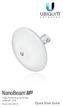 High-Performance 16 dbi airmax CPE Model: NBE-M5-16 High-Performance 16 dbi airmax CPE Model: NBE-M5-16 Introduction Thank you for purchasing the Ubiquiti Networks NanoBeam. This Quick Start Guide is designed
Plug n Play Wireless 10/100 Ethernet Cable
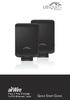 Plug n Play Wireless 10/100 Ethernet Cable Plug n Play Wireless 10/100 Ethernet Cable Package Contents Package Contents AirWire (Qty. 2) Power Adapter (Qty. 2) Ethernet Cable (Qty. 2) Quick Start Guide
mfi Power Strip with Wi-Fi Connectivity Model: mpower (EU)
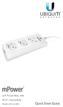 3 2 1 mfi Power Strip with Wi-Fi Connectivity Model: mpower (EU) 1 2 3 Wall Mount Slide 1 2 3 mfi Power Strip with Wi-Fi Connectivity Model: mpower (EU) Introduction Thank you for purchasing the Ubiquiti
6-Port mfi Power Strip with Ethernet and Wi-Fi. Model: mpower PRO (EU)
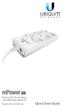 6 5 4 6-Port mfi Power Strip with Ethernet and Wi-Fi Model: mpower PRO (EU) 6 5 4 Wall Mount Slide 5 8-Port mfi Power Strip with Ethernet and Wi-Fi Model: mpower PRO 1 6 2 7 3 8 4 Introduction Thank you
Seagate Wireless User Manual
 Seagate Wireless User Manual Model: 1AYBA5 Click here to access an up-to-date online version of this document. You will also find the most recent content as well as expandable illustrations, easier navigation,
How To Warranty An Ipad From $99 To $99.99 Per Month On A Microsoft Macbook (I.O.A.O) (Ios) (A.S.A) (For A Microos) And
 Specifications mport Serial Dimensions 100 x 60 x 27.5 mm (H x W x D) 100 x 60 x 36.5 mm (with Bracket) Weight Power Supply Max. Power Consumption Networking Interface Ports Wi-Fi Standards Serial Protocols
Meraki MR12/16. Hardware Installation Guide
 Meraki MR12/16 Hardware Installation Guide Trademarks Meraki, Meraki MR12, Meraki MR16, Meraki Cloud Controller, and Meraki Mesh are trademarks of Meraki, Inc. Other brand and product names are registered
M511W Wireless Day/Night Pan/Tilt IP Camera. Hardware User Manual
 0 M511W User Manual M511W Wireless Day/Night Pan/Tilt IP Camera M511W User Manual Hardware User Manual -Contents- Statement and Declaration..2 CHAPTER 1. SAFETY INSTRUCTION...6 CHAPTER 2. INTRODUCTION...8
ENGLISH FRANÇAIS DEUTSCH ESPAÑOL ÐÓÑÑÊÈÉ
 ÐÓÑÑÊÈÉ ESPAÑOL DEUTSCH FRANÇAIS ENGLISH ÐÓÑÑÊÈÉ ESPAÑOL DEUTSCH FRANÇAIS ENGLISH ÐÓÑÑÊÈÉ ESPAÑOL DEUTSCH FRANÇAIS ENGLISH ÐÓÑÑÊÈÉ ESPAÑOL DEUTSCH FRANÇAIS ENGLISH ÐÓÑÑÊÈÉ ESPAÑOL DEUTSCH FRANÇAIS ENGLISH
QUICK INSTALLATION. 8-Port Telephony Gateway. Model: SPA8000
 QUICK INSTALLATION 8-Port Telephony Gateway Model: SPA8000 Table of Contents Connect................................................. 4 Regulatory Information....................................12 WEEE
HP-5101. User Manual. 08-2012 / v1.1
 HP-5101 User Manual 08-2012 / v1.1 0 COPYRIGHT Copyright Edimax Technology Co., Ltd. all rights reserved. No part of this publication may be reproduced, transmitted, transcribed, stored in a retrieval
Universal WiFi Range Extender WN3000RP
 Universal WiFi Range Extender WN3000RP User Manual 350 East Plumeria Drive San Jose, CA 95134 USA February 2013 202-10789-02 v1.0 2011 NETGEAR, Inc. All rights reserved. No part of this publication may
WIRELESS 150N USB 2.0 ADAPTER. User Manual
 WIRELESS 150N USB 2.0 ADAPTER User Manual Federal Communication Commission Interference Statement This equipment has been tested and found to comply with the limits for a Class B digital device, pursuant
WISP Switch. Spec Sheet Quick Start. Managed PoE+ Gigabit Switches with SFP. Models
 Spec Sheet Quick Start WISP Switch Models WS-24-400A MSRP $599.95 WS-24-400B MSRP $549.95 WS-12-250A MSRP $379.95 WS-12-250B MSRP $349.95 Managed PoE+ Gigabit Switches with SFP Gigabit Ethernet RJ45 and
Hardware Overview. Front
 Enterprise VoIP Phone with 5" Touchscreen Model: UVP Introduction Thank you for purchasing the Ubiquiti Networks UniFi VoIP Phone, model UVP. The phone interface is based on the popular Android platform
Wireless Stereo Headphone System
 3-254-600-32(1) Wireless Stereo Headphone System Operating Instructions MDR-RF820RK MDR-RF850RK 2005 Sony Corporation WARNING To prevent fire or shock hazard, do not expose the unit to rain or moisture.
Quick Start Guide Guide de démarrage rapide Schnellstart Anleitung
 USB Analog & Digital Audio Adapter Adaptateur audio USB analogique et numérique USB analoger & digitaler Audio-Adapter Quick Start Guide Guide de démarrage rapide Schnellstart Anleitung FCC DECLARATION
NETGEAR N150 Wireless USB Adapter WNA1100
 NETGEAR N150 Wireless USB Adapter WNA1100 User Manual 350 East Plumeria Drive San Jose, CA 95134 USA August 2011 202-10947-01 v1.0 2011 NETGEAR, Inc. All rights reserved No part of this publication may
Enterprise Gateway Router with Gigabit Ethernet. Model: USG
 Enterprise Gateway Router with Gigabit Ethernet Model: USG Introduction Thank you for purchasing the Ubiquiti Networks UniFi Security Gateway, which is part of the UniFi Enterprise System. The UniFi Enterprise
Europe. Creative Labs (Ireland) Ltd Ballycoolin Business Park Blanchardstown, Dublin 15 IRELAND. Japan
 Owner s Manual Owner s Manual 2006 E-MU Systems All Rights Reserved E-MU World Headquarters E-MU Systems 1500 Green Hills Road Scotts Valley, CA 95066 USA Europe Creative Labs (Ireland) Ltd Ballycoolin
ZigBee Extender 3. Features. Supported Models and Requirements. Important Safety Instructions. What Is Included: Specifications
 ZigBee Extender 3 Features The Card Access ZigBee Extender 3 operates as a ZigBee (IEEE 802.15.4) router and mesh extender. The Extender is designed to improve ZigBee signal latency that can occur when
Cabling and Connectors
 Cabling and Connectors Contents Contents Overview.... 1 Installation Requirements... 1 Wiring the Cable (Level 1 Shielding)... 2 Wiring the Cable (Level 2 Shielding)... 8 Cable Wiring Specification (T568B)...
TRENDnet User s Guide. Cover Page
 Cover Page Contents Product Overview... 2 Package Contents... 2 Overview... 2 Interface... 3 Setting up... 4 WPS Setup... 4 Web Browser Setup... 4 ios Setup... 4 Android Setup... 7 Managing the App...
Quick Installation Guide TK-209K TK-409K
 Quick Installation Guide TK-209K TK-409K Table of of Contents Contents English... 1. Before You Start... 2. How to Connect... 3. Operation... 1 1 2 4 Troubleshooting... 5 Version 03.16.2007 1. Before You
Regulatory Compliance Statement
 Regulatory Compliance Statement 0560 EU Declaration of Conformity The declaration of conformity may be consulted at www.kobo.com/userguides SAR Limits The exposure standard for wireless devices employs
Quick-Start Guide. Arrival Sensor
 Quick-Start Guide Arrival Sensor Meet your Arrival Sensor The Arrival Sensor lets you stay connected to people, pets, and cars by sending you a push notification when they arrive and leave home. How to
16-Port Gigabit Green Switch (TEG-S16Dg) 24-Port Gigabit Green Switch (TEG-S24Dg)
 16-Port Gigabit Green Switch (TEG-S16Dg) 24-Port Gigabit Green Switch (TEG-S24Dg) ŸGuide d'installation rapide (1) ŸTechnical Specifications (3) ŸTroubleshooting (4) 1.02 1. Avant de commencer Contenu
5-Port Gigabit GREENnet Switch TEG-S5g ŸGuía de instalación rápida (1) ŸTechnical Specifications (3) ŸTroubleshooting (4)
 5-Port Gigabit GREENnet Switch TEG-S5g ŸGuía de instalación rápida (1) ŸTechnical Specifications (3) ŸTroubleshooting (4) 2.02 1. Antes de iniciar Contenidos del paquete ŸTEG-S5g ŸGuía de instalación rápida
User Manual for the NETGEAR 11 Mbps Wireless USB Adapter MA111. NETGEAR, Inc. 4500 Great America Parkway Santa Clara, CA 95054 USA
 User Manual for the NETGEAR 11 Mbps Wireless USB Adapter MA111 NETGEAR, Inc. 4500 Great America Parkway Santa Clara, CA 95054 USA Version v1.0 June 2004 Technical Support Please refer to the support information
F5321 and H5321 User Guide
 USER GUIDE 1/1553-KRD 131 21 Uen Rev E Ericsson AB 2011 All rights reserved. The information in this document is the property of Ericsson. Except as specifically authorized in writing by Ericsson, the
HP-5103 User Manual. 03-2014 / v1.0
 HP-5103 User Manual 03-2014 / v1.0 COPYRIGHT Copyright Edimax Technology Co., Ltd. all rights reserved. No part of this publication may be reproduced, transmitted, transcribed, stored in a retrieval system,
Universal Dual Band WiFi Range Extender WN2500RP
 Universal Dual Band WiFi Range Extender WN2500RP User Manual 350 East Plumeria Drive San Jose, CA 95134 USA November 2012 202-10932-02 v1.0 2012 NETGEAR, Inc. All rights reserved. No part of this publication
User Manual for the NETGEAR 54 Mbps Wireless USB 2.0 Adapter WG111
 User Manual for the NETGEAR 54 Mbps Wireless USB 2.0 Adapter WG111 NETGEAR, Inc. 4500 Great America Parkway Santa Clara, CA 95054 USA Version v1.0 February 2004 Technical Support Please refer to the support
Quick Installation Guide TK-209K TK-409K
 Quick Installation Guide TK-209K TK-409K Table of of Contents Contents English... 1. Before You Start... 2. How to Connect... 3. Operation... 1 1 2 4 Troubleshooting... 5 Version 09.07.2006 1. Before You
DC3 Standard Installation Guide
 DRC 303 B / July 2009 www.drivecam.com DC3 Standard Installation Guide How to install the DC3 Video Event Recorder (VER) using the Standard Power Cable with no additional components. Start Here... 3 Mounting
Gateway Port Replicator User Guide
 Gateway Port Replicator User Guide Using the Port Replicator Identifying features Connecting and disconnecting the port replicator 1 Using the Port Replicator Top Power button Component Icon Description
Guía de instalación rápida. TEG-S16g TEG-S24g 1.01
 Guía de instalación rápida TEG-S16g TEG-S24g 1.01 Table of Contents Español 1 1. Antes de iniciar 1 2. Instalación del Hardware 2 3. LEDs 3 Technical Specifications 4 Troubleshooting 5 Version 01.12.2011
802.11ac USB WiFi Adapter (A6200)
 802.11ac USB WiFi Adapter (A6200) User Manual 350 East Plumeria Drive San Jose, CA 95134 USA November 2012 202-11093-01 v1.0 Support Thank you for choosing NETGEAR. After installing your device, locate
24 GHz Point to Point 1.4+ Gbps Radio. Model: AF-24
 24 GHz Point to Point 1.4+ Gbps Radio Model: AF-24 24 GHz Point to Point 1.4+ Gbps Radio Model: AF-24 Introduction Thank you for purchasing the Ubiquiti Networks airfiber 24 GHz Point-to-Point Radio.
WiFi Booster for Mobile WN1000RP
 WiFi Booster for Mobile WN1000RP User Manual 350 East Plumeria Drive San Jose, CA 95134 USA November 2012 202-10990-02 v1.0 NETGEAR, Inc. All rights reserved. No part of this publication may be reproduced,
Mini Speaker. Printed in China Part No. 480-919-P Version D. CWA BT300 Product Information Guide
 Mini Speaker Printed in China Part No. 480-919-P Version D CWA BT300 Product Information Guide IMPORTANT To get the full capability of your new Cobra Airwave Mini, please read this manual. It's more than
EW-7438AC Quick Installation Guide
 EW-7438AC Quick Installation Guide 06-2015 / v1.0 I. Product Information I-1. Package Contents - EW-7438AC - CD with multi-language QIG & user manual - Quick installation guide (QIG) - Access key card
USB 3.0 SATA/IDE 2.5 Hard Drive Enclosure
 USB 3.0 SATA/IDE 2.5 Hard Drive Enclosure UNI251BMU33 *actual product may vary from photos DE: Bedienungsanleitung - de.startech.com FR: Guide de l'utilisateur - fr.startech.com ES: Guía del usuario -
FortiFone QuickStart Guide for FON-370i
 FortiFone QuickStart Guide for FON-370i FortiFone QuickStart Guide for FON-370i Revision 2 August 17, 2015 Copyright 2015 Fortinet, Inc. All rights reserved. Fortinet, FortiGate, FortiCare and FortiGuard,
Conference Phone UserÕs Manual. Part No. 54-2070-01R1 Printed in Korea. 2002 Bogen Communications, Inc.
 Part No. 54-2070-01R1 Printed in Korea. 2002 Bogen Communications, Inc. UserÕs Manual Notice Every effort was made to ensure that the information in this guide was complete and accurate at the time of
Regulatory Compliance. IC Certification. FCC Certification. Declaration of Conformity
 VP6495 Regulatory Compliance This device complies with Part 15 of the FCC Rules. Operation is subject to the following two conditions: (1) This device may not cause harmful interference, and (2) This device
Mid-Gain Advanced RF Isolation Variable Beamwidth Antenna. Model: AM-V5G-Ti
 Mid-Gain Advanced RF Isolation Variable Beamwidth Antenna Model: AM-V5G-Ti Mid-Gain Advanced RF Isolation Variable Beamwidth Antenna Model: AM-V5G-Ti Introduction Thank you for purchasing the Ubiquiti
NETGEAR RangeMax NEXT Wireless Router WNR854T User Manual. NETGEAR, Inc. 4500 Great America Parkway Santa Clara, CA 95054 USA
 NETGEAR RangeMax NEXT Wireless Router WNR854T User Manual NETGEAR, Inc. 4500 Great America Parkway Santa Clara, CA 95054 USA 202-10187-02 January 2007 2007 by NETGEAR, Inc. All rights reserved.. Product
safe, smart, protected
 safe, smart, protected en Safety, Regulatory, &Legal Charging Dock Operation Charging Dock Operation The charging dock is designed for tabletop use. To be compliant with RF exposure guidelines and to
USB 3.0 to M.2 NGFF SSD Enclosure with UASP
 USB 3.0 to M.2 NGFF SSD Enclosure with UASP SM2NGFFMBU33 *actual product may vary from photos DE: Bedienungsanleitung - de.startech.com FR: Guide de l'utilisateur - fr.startech.com ES: Guía del usuario
Triple Expansion Chassis
 Triple Expansion Chassis AP9604 Installation Manual Contents Introduction............................. 1 Installation.............................. 2 Power Considerations...................... 5 Operations..............................
Universal Dual Band WiFi Extender Wallplug Edition
 Universal Dual Band WiFi Extender Wallplug Edition User Manual 350 East Plumeria Drive San Jose, CA 95134 USA October 2011 202-11049-01 v1.0 Universal Dual Band WiFi Extender Wallplug Edition Support Thank
Wireless Optical Travel Mouse
 Wireless Optical Travel Mouse User s Manual PLEASE READ THESE INSTRUCTIONS CAREFULLY BEFORE INSTALLING THIS DEVICE. Table of Contents FCC Statement Page 3 Introduction.. Page 6 Package Contents.. Page
Installation & User Manual
 Messager USB Installation & User Manual Note: All units support MP3 playback of up to 128Kbps @ 48KHz. Units with serial numbers starting with 15 or above will support the addition of WAV playback done
User guide. Miracast Wireless Display IM10
 User guide Miracast Wireless Display IM10 Contents Miracast Wireless Display User guide...3 Setting up the Miracast Wireless Display...4 Hardware overview...4 Turning on and connecting the Miracast Wireless
VGA to HDMI video converter with scaler
 VGA to HDMI video converter with scaler VGA2HDPRO2 *actual product may vary from photos DE: Bedienungsanleitung - de.startech.com FR: Guide de l'utilisateur - fr.startech.com ES: Guía del usuario - es.startech.com
www.fisher-price.com
 M9523 Please keep this instruction sheet for future reference, as it contains important information. Requires three LR44 button cell alkaline batteries (included) for bear toy operation. Adult assembly
Wireless Keyboard and Optical Mouse Bundle
 Wireless Keyboard and Optical Mouse Bundle Enjoy the freedom of wireless optical precision User Manual F8E832-BNDL TABLE OF CONTENTS Introduction....................................1 Compatible Equipment............................2
HDMI or Component Standalone Capture Device 1080p
 HDMI or Component Standalone Capture Device 1080p USB2HDCAPS *actual product may vary from photos DE: Bedienungsanleitung - de.startech.com FR: Guide de l'utilisateur - fr.startech.com ES: Guía del usuario
Enterprise WiFi System. Models: UAP/UAP-LR (Long Range)
 Enterprise WiFi System Models: UAP/UAP-LR (Long Range) Enterprise WiFi System Models: UAP UAP-LR (Long Range) Introduction Thank you for purchasing the Ubiquiti Networks UniFi Enterprise WiFi System. The
USB Peripheral Switch Share a USB device with up to four computers
 Belkin Corporation 501 West Walnut Street Compton CA 90220 USA Tel: 310.898.1100 Fax: 310.898.1111 Belkin Components, Ltd. Express Business Park Shipton Way Rushden NN10 6GL United Kingdom Tel: +44 (0)
Quick Installation Guide. 1000Base-SX/LX Fiber Converters
 Quick Installation Guide Base-SX/LX Fiber Converters Table Table of Contents of Contents English... 1. Before You Start... 2. Hardware Installation... 1 1 2 Spefications... Ordering Information... Troubleshooting...
Universal Dual Band WiFi Internet Adapter (WNCE3001)
 Universal Dual Band WiFi Internet Adapter (WNCE3001) User Manual 350 East Plumeria Drive San Jose, CA 95134 USA November 2011 202-10876-01 v1.0 2011 NETGEAR, Inc. All rights reserved No part of this publication
Model: UVC-Micro. Quick Start Guide
 Model: UVC-Micro Quick Start Guide Before You Begin The UVC Micro is designed to work with the UniFi Video (v3.1.1 or higher) controller software. The software may be hosted on either: The Ubiquiti Networks
Universal Dual Band WiFi Range Extender WN2500RP
 Universal Dual Band WiFi Range Extender WN2500RP User Manual 350 East Plumeria Drive San Jose, CA 95134 USA November 2012 202-10932-02 v1.0 2012 NETGEAR, Inc. All rights reserved. No part of this publication
P73474-F5U006-UNV-AM-man.qxd 9/18/00 10:10 AM Page 1
 P73474-F5U006-UNV-AM-man.qxd 9/18/00 10:10 AM Page 1 En 4-Port USB PCI Card User Manual Guide d utilisation de la carte PCI USB à quatre ports Manual de usuario para la tarjeta PCI USB de 4 puertos Placa
BroadBand PowerShield. User Manual
 BroadBand PowerShield User Manual 990-0375G 12/2006 Chapter 1 General Information The PowerShield provides a power source for broadband telephony and other DC applications. Safety This Safety Guide contains
5 GHz High-Performance Integrated InnerFeed Antenna. Model: AG-HP-5G23
 5 GHz High-Performance Integrated InnerFeed Antenna Model: AG-HP-5G23 Introduction Thank you for purchasing the Ubiquiti Networks airgrid 5 GHz High-Performance Integrated InnerFeed Antenna. This Quick