
MICROWAVE HOOD COMBINATION USER INSTRUCTIONS
|
|
|
- Milo Martin Patterson
- 9 years ago
- Views:
Transcription
1 MICROWAVE HOOD COMBINATION USER INSTRUCTIONS THANK YOU for purchasing this high-quality product. If you should experience a problem not covered in TROUBLESHOOTING, please visit our website at for additional information. If you still need assistance, call us at You will need your model and serial number located on the front facing of the microwave oven opening, behind the door. Para obtener acceso a Instrucciones para el usuario de la combinación microondas campana en español, o para obtener información adicional acerca de su producto, visite: Tenga listo su número de modelo completo. Puede encontrar su número de modelo y de serie en la etiqueta ubicada en la parte frontal de la abertura del horno de microondas, detrás de la puerta. Microwave Hood Combination Safety Your safety and the safety of others are very important. We have provided many important safety messages in this manual and on your appliance. Always read and obey all safety messages. This is the safety alert symbol. This symbol alerts you to potential hazards that can kill or hurt you and others. All safety messages will follow the safety alert symbol and either the word DANGER or WARNING. These words mean: DANGER You can be killed or seriously injured if you don't immediately follow instructions. WARNING You can be killed or seriously injured if you don't follow instructions. All safety messages will tell you what the potential hazard is, tell you how to reduce the chance of injury, and tell you what can happen if the instructions are not followed. IMPORTANT SAFETY INSTRUCTIONS When using electrical appliances basic safety precautions should be followed, including the following: WARNING: To reduce the risk of burns, electric shock, fire, injury to persons, or exposure to excessive microwave energy: Read all instructions before using the microwave oven. Read and follow the specific PRECAUTIONS TO AVOID POSSIBLE EXPOSURE TO EXCESSIVE MICROWAVE ENERGY found in this section. The microwave oven must be grounded. Connect only to properly grounded outlet. See GROUNDING INSTRUCTIONS found in this section and in the provided Installation Instructions. SAVE THESE INSTRUCTIONS Install or locate the microwave oven only in accordance with the provided Installation Instructions. Some products such as whole eggs in the shell and sealed containers for example, closed glass jars are able to explode and should not be heated in the microwave oven. W B

2 IMPORTANT SAFETY INSTRUCTIONS Use the microwave oven only for its intended use as described in this manual. Do not use corrosive chemicals or vapors in the microwave oven. This type of oven is specifically designed to heat, cook, or dry food. It is not designed for industrial or laboratory use. As with any appliance, close supervision is necessary when used by children. Do not operate the microwave oven if it has a damaged cord or plug, if it is not working properly, or if it has been damaged or dropped. The microwave oven should be serviced only by qualified service personnel. Call an authorized service company for examination, repair, or adjustment. See door surface cleaning instructions in the Microwave Oven Care section. To reduce the risk of fire in the oven cavity: Do not overcook food. Carefully attend the microwave oven when paper, plastic, or other combustible materials are placed inside the oven to facilitate cooking. Remove wire twist-ties from paper or plastic bags before placing bags in oven. If materials inside the oven ignite, keep oven door closed, turn oven off, and disconnect the power cord, or shut off power at the fuse or circuit breaker panel. Do not use the cavity for storage purposes. Do not leave paper products, cooking utensils, or food in the cavity when not in use. Liquids, such as water, coffee, or tea are able to be overheated beyond the boiling point without appearing to be boiling. Visible bubbling or boiling when the container is removed from the microwave oven is not always present. THIS COULD RESULT IN VERY HOT LIQUIDS SUDDENLY BOILING OVER WHEN THE CONTAINER IS DISTURBED OR A SPOON OR OTHER UTENSIL IS INSERTED INTO THE LIQUID. To reduce the risk of injury to persons: Do not overheat the liquid. Stir the liquid both before and halfway through heating it. Do not use straight-sided containers with narrow necks. After heating, allow the container to stand in the microwave oven for a short time before removing the container. PRECAUTIONS TO AVOID POSSIBLE EXPOSURE TO EXCESSIVE MICROWAVE ENERGY (a) Do not attempt to operate this oven with the door open since open-door operation can result in harmful exposure to microwave energy. It is important not to defeat or tamper with the safety interlocks. (b) Do not place any object between the oven front face and the door or allow soil or cleaner residue to accumulate on sealing surfaces. SAVE THESE INSTRUCTIONS Use extreme care when inserting a spoon or other utensil into the container. Oversized foods or oversized metal utensils should not be inserted in the microwave oven as they may create a fire or risk of electric shock. Do not clean with metal scouring pads. Pieces can burn off the pad and touch electrical parts involving a risk of electric shock. Suitable for use above both gas and electric cooking equipment. Intended to be used above ranges with maximum width of 36" (91.44 cm). Clean Ventilating Hoods Frequently - Grease should not be allowed to accumulate on hood or filter. Do not use paper products when appliance is operated in convection, combination, grill or PAN BROWN mode (on models with such features). Do not store any materials, other than manufacturer s recommended accessories, in this oven when not in use. Do not store anything directly on top of the microwave oven when the microwave oven is in operation. When flambeing foods under the hood, turn the fan on. Use care when cleaning the vent-hood filter. Corrosive cleaning agents, such as lye-based oven cleaners, may damage the filter. Do not cover or block any openings on the microwave oven. Do not store this microwave oven outdoors. Do not use the microwave oven near water - for example, near a kitchen sink, in a wet basement, or near a swimming pool, or similar locations. Do not immerse cord or plug in water. Keep cord away from heated surfaces. Do not let cord hang over edge of table or counter. Do not mount over a sink. Do not cover racks or any other part of the oven with metal foil. This will cause overheating of the oven. (c) Do not operate the oven if it is damaged. It is particularly important that the oven door close properly and that there is no damage to the: (1) Door (bent), (2) Hinges and latches (broken or loosened), (3) Door seals and sealing surfaces. (d) The oven should not be adjusted or repaired by anyone except properly qualified service personnel. 2

3 Electrical Requirements WARNING Electrical Shock Hazard Plug into a grounded 3 prong outlet. Do not remove ground prong. Do not use an adapter. Do not use an extension cord. Failure to follow these instructions can result in death, fire, or electrical shock. Observe all governing codes and ordinances. Required: A 120 volt, 60 Hz, AC only, 15- or 20-amp electrical supply with a fuse or circuit breaker. Recommended: A time-delay fuse or time-delay circuit breaker. A separate circuit serving only this microwave oven. GROUNDING INSTRUCTIONS For all cord connected appliances: The microwave oven must be grounded. In the event of an electrical short circuit, grounding reduces the risk of electric shock by providing an escape wire for the electric current. The microwave oven is equipped with a cord having a grounding wire with a grounding plug. The plug must be plugged into an outlet that is properly installed and grounded. WARNING: Improper use of the grounding plug can result in a risk of electric shock. Consult a qualified electrician or serviceman if the grounding instructions are not completely understood, or if doubt exists as to whether the microwave oven is properly grounded. Do not use an extension cord. If the power supply cord is too short, have a qualified electrician or serviceman install an outlet near the microwave oven. SAVE THESE INSTRUCTIONS This device complies with Part 18 of the FCC Rules. Clock The Clock is a 12-hour (12:00-11:59) clock. Touch CLOCK, enter time, then touch CLOCK or the Start control. Timer With the microwave oven in standby mode, touch the Timer control, enter time, then touch the Timer control or the Start control. Cook functions may be entered while the Timer is counting down. To cancel timer, touch Timer control while the Timer countdown is active in the display. Control Lock Activate to avoid unintended start. Touch and hold the Cancel control for about 3 seconds until 2 tones sound and padlock icon appears in the display. Repeat to unlock control. Vent Fan High ( SPd2 ), low ( SPd1 ) and off. Comes on automatically as cooling fan during any cook function. Vent Timer (on some models): Set vent fan to run for exactly 30 minutes, or to run for only 30 minutes more (off after 30 minutes). The vent fan may be turned off at any time using the Vent Fan control. Touch and hold number pad 4 for about 3 seconds, until a tone sounds and the vent fan turns on. Settings/Features Tones Programming tones and signals. Programming tones may be turned off, or all tones (including end-of-function signals) may be turned off. To turn off programming tones, touch and hold number pad 1 for about 3 seconds, until a confirmation tone sounds. Repeat to turn back on programming tones. To turn off all tones, touch and hold number pad 2 for about 3 seconds, until a confirmation tone sounds. Repeat to turn back on all tones. Demo Mode Activate to practice using the control without actually turning on the magnetron. Touch and hold number pad 3 for about 3 seconds, until a confirmation tone sounds, and DEMO icon lights up in the display. Repeat to deactivate. Turntable For best cooking results, do not operate the microwave oven without having the turntable in place. 3

4 Microwave-Safe Browning dish (Follow manufacturer recommendations.) Ceramic glass, glass China, earthenware (Follow manufacturer recommendations.) Melamine (Follow manufacturer recommendations.) Paper towels, paper plates, napkins (Use non-recycled paper.) Plastic wraps, bags, covers, dinnerware, containers (Follow manufacturer recommendations.) Pottery and clay (Follow manufacturer recommendations.) Silicone bakeware (Follow manufacturer recommendations.) Wax paper Cookware and Dinnerware Do Not Use Metal cookware and bakeware Straw or wicker Gold, silver or pewter Non-approved meat thermometers, skewers Twist ties Foil liners, such as sandwich wrappers Staples Objects with gold or silver trim or with metallic glaze To Test Cookware/Dinnerware: Place dish in microwave oven with 1 cup (250 ml) of water beside it. Program 1 minute of cook time at 100%. If dish becomes hot and the water stays cool, do not use the dish in the microwave oven. Microwave Oven Use For list of preset programs, see the Cooking Guide label on the front facing of the microwave oven opening, behind the door. Manual Cooking/Stage Cooking Touch COOK TIME, touch number pads to enter time, touch COOK POWER (if not 100%), touch number pads to enter power level (10-90), then touch the Start control. If programming additional stages, enter the cook time and cook power of each before touching the Start control. Preset Cooking Touch COOK, enter number code of food item, enter quantity, then touch the Start control. Preset Reheating Touch REHEAT, enter number code of food item, enter quantity if needed, then touch the Start control. Preset Defrosting Unwrap food. Touch DEFROST, enter number code of food item, enter weight, then touch the Start control. Soften/Melt Touch SOFTEN/MELT, enter number code of food item, enter quantity, then touch the START control. Popcorn Touch POPCORN. Enter bag size in ounces: 3.0 or 3.5 (85 or 99 g), then touch START control Potato Touch POTATO. Enter number of potatoes: 1, 2, 3 or 4, about 10 to 13 oz (283 to 367 g) each, then touch START control. NOTE: Place fork-pierced potatoes around turntable edges, at least 1" (2.5 cm) apart. Place a single potato to the side of the turntable (not in the center). Pizza (reheat) Touch PIZZA. Enter number of slices: 1, 2 or 3, about 4 oz (113 g) each, then touch START control. Microwave Oven Care General Cleaning IMPORTANT: Before cleaning, make sure all controls are off and the microwave oven is cool. Always follow label instructions on cleaning products. To avoid damage to the microwave oven caused by arcing due to soil buildup, keep cavity, microwave inlet cover and area where the door touches the frame clean. Clean with mild soap, water and a soft cloth or sponge, or as indicated below. Grease filters: mild soap and water or dishwasher. Door and exterior: mild soap and water, or glass cleaner applied to paper towel. Control panel: sponge or soft cloth and water. Stainless steel (on some models): mild soap and water, then rinse with clean water and dry with soft cloth, or use stainless steel cleaner. Turntable: mild soap and water or dishwasher. Installing/Replacing Filters and Light Bulbs Grease filters: Grease filters are on the underside of microwave oven. Clean monthly. Slide the filter away from the tab area, and drop out the filter. To reinstall, place end of the filter into the opening opposite the tab area, swing up the other end, and slide it toward the tab area. Charcoal filter: The charcoal filter is behind the vent grille at the top front of the microwave oven. The charcoal filter cannot be cleaned, and should be replaced about every 6 months. Remove two screws on the vent grille, tilt the grille forward, lift it out, and remove filter. To reinstall, place the filter into its slotted area wire mesh side up, replace vent grille, and secure with screws. Cooktop light: The cooktop light bulb is located on the underside of the microwave oven, and is replaceable. Remove bulb cover screws, and open the bulb cover. Replace bulb, close bulb cover, and secure with screws. Cavity light: The cavity light bulb is located behind the vent grille at the top front of the microwave oven, under the bulb cover, and is replaceable. Remove two screws on the vent grille, tilt the grille forward, and lift it out. Remove bulb cover screw, open bulb cover and replace bulb. Close bulb cover, and secure with screw. Replace vent grille, and secure with screws. 4

5 Troubleshooting First try the solutions suggested here or visit our website and reference FAQs (Frequently Asked Questions) to possibly avoid the cost of a service call. Microwave oven will not operate Check the following: Household fuse or circuit breaker If a household fuse has blown or a circuit breaker has tripped, replace the fuse or reset the circuit breaker. If the problem continues, call an electrician. Magnetron Try to heat 1 cup (250 ml) of cold water for 2 minutes at 100% cooking power. If water does not heat, try the steps in the bullets below. If microwave oven still does not operate, call for service. Door Firmly close door. On some models, if a packaging spacer is attached to inside of the door, remove it, then firmly close door. If a message about the door appears in the display, the door has been closed for 5 minutes or more without the microwave oven being started. This occurs to avoid unintended starting of the microwave oven. Open and close the door, then start the cycle. Control Make sure control is set properly. Make sure Control Lock is off. Make sure Demo Mode (on some models) is off. Arcing in the microwave oven Check the following: Soil buildup Soil buildup on cavity walls, microwave inlet cover, cooking rack supports, and area where the door touches the frame can cause arcing. See General Cleaning in Microwave Oven Care section. Turntable alternates rotation directions This is normal and depends on motor rotation at the beginning of the cycle. Display shows messages A flashing : or PF means there has been a power failure. Reset the clock. A letter followed by a number is an error indicator. Call for assistance. Fan running during cooktop usage This is normal. The microwave oven s cooling fan (on some models), which is separate from the vent fan, automatically comes on during microwave oven operation to cool the microwave oven. It may also automatically come on and cycle on and off to cool the microwave oven s controls while the cooktop below is being used. Radio, TV or cordless phone interference Check the following: Proximity Move the receiver away from the microwave oven, or adjust the radio or TV antenna. Soil Make sure the microwave oven door and sealing surfaces are clean. Frequency Some 2.4 GHz-based cordless phones and home wireless networks may experience static or noise while microwave oven is on. Use a corded phone, a different frequency cordless phone or avoid using these items during microwave oven operation. Replacement Parts and Cleaning Supplies Following is a list of available parts and supplies which may be purchased separately. Please refer to the cover for contact and model identification information. Replacement Parts Turntable Turntable support and rollers Turntable hub Grease filter Charcoal filter Cooktop light bulb Cavity light bulb Cleaning Supplies Heavy Duty Degreaser affresh Kitchen Appliance Cleaner affresh Stainless Steel Cleaner affresh Stainless Steel Wipes 5

6 WHIRLPOOL CORPORATION MAJOR APPLIANCE WARRANTY LIMITED WARRANTY For one year from the date of purchase, when this major appliance is operated and maintained according to instructions attached to or furnished with the product, Whirlpool Corporation or Whirlpool Canada LP (hereafter Whirlpool ) will pay for Factory Specified Parts and repair labor to correct defects in materials or workmanship. Service must be provided by a Whirlpool designated service company. This limited warranty is valid only in the United States or Canada and applies only when the major appliance is used in the country in which it was purchased. Outside the 50 United States and Canada, this limited warranty does not apply. Proof of original purchase date is required to obtain service under this limited warranty. ITEMS EXCLUDED FROM WARRANTY This limited warranty does not cover: 1. Service calls to correct the installation of your major appliance, to instruct you on how to use your major appliance, to replace or repair house fuses, or to correct house wiring or plumbing. 2. Service calls to repair or replace appliance light bulbs, air filters or water filters. Consumable parts are excluded from warranty coverage. 3. Repairs when your major appliance is used for other than normal, single-family household use or when it is used in a manner that is contrary to published user or operator instructions and/or installation instructions. 4. Damage resulting from accident, alteration, misuse, abuse, fire, flood, acts of God, improper installation, installation not in accordance with electrical or plumbing codes, or use of consumables or cleaning products not approved by Whirlpool. 5. Cosmetic damage, including scratches, dents, chips or other damage to the finish of your major appliance, unless such damage results from defects in materials or workmanship and is reported to Whirlpool within 30 days from the date of purchase. 6. Any food loss due to refrigerator or freezer product failures. 7. Costs associated with the removal from your home of your major appliance for repairs. This major appliance is designed to be repaired in the home and only in-home service is covered by this warranty. 8. Repairs to parts or systems resulting from unauthorized modifications made to the appliance. 9. Expenses for travel and transportation for product service if your major appliance is located in a remote area where service by an authorized Whirlpool servicer is not available. 10. The removal and reinstallation of your major appliance if it is installed in an inaccessible location or is not installed in accordance with published installation instructions. 11. Major appliances with original model/serial numbers that have been removed, altered or cannot be easily determined. This warranty is void if the factory applied serial number has been altered or removed from your major appliance. The cost of repair or replacement under these excluded circumstances shall be borne by the customer. DISCLAIMER OF IMPLIED WARRANTIES; LIMITATION OF REMEDIES CUSTOMER'S SOLE AND EXCLUSIVE REMEDY UNDER THIS LIMITED WARRANTY SHALL BE PRODUCT REPAIR AS PROVIDED HEREIN. IMPLIED WARRANTIES, INCLUDING WARRANTIES OF MERCHANTABILITY OR FITNESS FOR A PARTICULAR PURPOSE, ARE LIMITED TO ONE YEAR OR THE SHORTEST PERIOD ALLOWED BY LAW. WHIRLPOOL SHALL NOT BE LIABLE FOR INCIDENTAL OR CONSEQUENTIAL DAMAGES. SOME STATES AND PROVINCES DO NOT ALLOW THE EXCLUSION OR LIMITATION OF INCIDENTAL OR CONSEQUENTIAL DAMAGES, OR LIMITATIONS ON THE DURATION OF IMPLIED WARRANTIES OF MERCHANTABILITY OR FITNESS, SO THESE EXCLUSIONS OR LIMITATIONS MAY NOT APPLY TO YOU. THIS WARRANTY GIVES YOU SPECIFIC LEGAL RIGHTS, AND YOU MAY ALSO HAVE OTHER RIGHTS WHICH VARY FROM STATE TO STATE OR PROVINCE TO PROVINCE. If outside the 50 United States and Canada, contact your authorized Whirlpool dealer to determine if another warranty applies. 9/07 For additional product information or to view FAQs (Frequently Asked Questions), visit If you do not have access to the Internet and you need assistance using your product, you may contact Whirlpool at the number below. Have your complete model number ready. You can find your model number and serial number on the label located on the upper or lower front facing of the microwave oven opening, behind the door. For assistance or service, call If you need further assistance, you can write to Whirlpool with any questions or concerns at: Whirlpool Brand Home Appliances Customer experience Center 553 Benson Road Benton Harbor, MI Please include a daytime phone number in your correspondence. Please keep this User Instructions and model number information for future reference. W B SP PN W A 2012 Whirlpool Corporation. All rights reserved. Registered Trademark/TM Trademark of Whirlpool, U.S.A. 1/12 Printed in China

MICROWAVE HOOD COMBINATION USER INSTRUCTIONS
 MICROWAVE HOOD COMBINATION USER INSTRUCTIONS THANK YOU for purchasing this high-quality product. If you should experience a problem not covered in TROUBLESHOOTING, please visit our website at www.whirlpool.com
Your safety and the safety of others are very important.
 User Guide Microwave Hood Combination THANK YOU for purchasing this high-quality product. Register your new oven at www.maytag.com. For future reference, please make a note of your product model and serial
Microwave Oven. Warning: a) This oven is not for commercial use. b) Don't open the cover of the machine except professional person.
 HOME ELECTRONICS HE900E/CONV-SS Instruction manual for electronic control microwave oven CONTENTS 1. Specifications 2. Check after unpacking 3. General Safety instructions 4. Special safety instruction
Model AMC1070 W10305738B. Table of Contents... 2
 MICROWAVE OVEN USE & CARE GUIDE For questions about features, operation/performance, parts or service, call: 1-800-843-0304, or visit our website at www.amana.com Table of Contents... 2 Model AMC1070 W10305738B
MICROWAVE OVEN. Model WMC20005 W10389942B. Table of Contents...2
 MICROWAVE OVEN Use & Care Guide For questions about features, operation/performance, parts, accessories or service, call: 1-800-253-1301. or visit our website at... www.whirlpool.com Table of Contents...2
Convection TCO600. For your safety and continued enjoyment of this product, always read the instruction book carefully before using.
 Convection Toaster Oven TCO600 For your safety and continued enjoyment of this product, always read the instruction book carefully before using. IMPORTANT SAFEGUARDS SAVE AND READ THESE INSTRUCTIONS When
Mikrobølgeovn. Model:OMF20MNIN0TW1
 Mikrobølgeovn Model:OMF20MNIN0TW1 Tjek 306 X 307 X 208 mm 10 kg Tjek Tjek Tjek Tjek tjekke DK-1 mad tjekkes Opsætning af mikrobølgeovnen Navn på ovndele og tilbehør Tag mikrobølgeovnen og alle materialer
Convection TCO650. For your safety and continued enjoyment of this product, always read the instruction book carefully before using.
 Convection Toaster Oven TCO650 For your safety and continued enjoyment of this product, always read the instruction book carefully before using. IMPORTANT SAFEGUARDS SAVE AND READ THESE INSTRUCTIONS When
Electric Kettle. Model: SK-1717 INSTRUCTIONS MANUAL
 Electric Kettle Model: SK-1717 INSTRUCTIONS MANUAL Thank you for your purchase. Please read this Instruction Manual thoroughly before use and keep in a safe place for future reference. READ ALL INSTRUCTIONS
Use & Care. of your Iron. All about the TA B L E O F C O N T E N T S. USA and Canada 1-888-845-7330
 All about the Use & Care of your Iron Important Safeguards... 2 Iron Safety Instructions... 3 Parts and Features...4 TA B L E O F C O N T E N T S Using Your Iron...6 Cleaning and Maintenance... 8 Warranty...9
BUILT-IN MICROWAVE OVEN INSTALLATION INSTRUCTIONS
 UILT-IN MIROWVE OVEN INSTLLTION INSTRUTIONS 24" (61.0 cm), 27" (68.6 cm), 30" (76.2 cm) This product is suitable for use above electric or gas built-in ovens, and below non-vented electric or gas cooktops.
Model KCMS1655 W10677558A. Table of Contents... 2
 MICROWAVE OVEN Use & Care Guide For questions about features, operation/performance, parts, accessories or service, call: 1-800-422-1230, or visit our website at... www.kitchenaid.com Table of Contents...
BUILT-IN MICROWAVE OVEN
 BUILT-IN MICROWAVE OVEN Use & Care Guide For questions about features, operation/performance, parts, accessories or service, call: 1-800-422-1230, or visit our website at... www.kitchenaid.com Table of
WHYNTER 21 Bottle Dual Temperature Zone Freestanding Wine Cooler
 WHYNTER 21 Bottle Dual Temperature Zone Freestanding Wine Cooler MODEL# : WC-211DZ SB/W Instruction Manual Thank you for your purchase of this WHYNTER product. Please read this Instruction Manual carefully
Instruction Manual. www.aromaco.com AWK-115S
 Hot H2O X-Press Electric Water Kettle Instruction Manual www.aromaco.com AWK-115S Congratulations on your purchase of the Aroma Hot H20 X-Press Kettle. This handy appliance provides more speed and convenience
Master Prep Professional
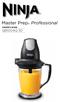 OWNER S GUIDE QB1004Q 30 IMPORTANT SAFETY INSTRUCTIONS SAVE THESE INSTRUCTIONS For Household Use Only WHEN USING ELECTRICAL APPLIANCES, BASIC SAFETY PRECAUTIONS SHOULD ALWAYS BE FOLLOWED, INCLUDING THE
Wireless Indoor/ Outdoor Thermometer
 Wireless Indoor/ Outdoor Thermometer Owner s Manual Please read before using this equipment. ˆ Contents FCC Information... 3 FCC Declaration of Conformity... 5 Preparation... 5 Installing Batteries...
NFC Communication Tray Model: HHX-IT3-Z
 INSTRUCTION MANUAL NFC Communication Tray Model: HHX-IT3-Z ENGLISH CONTENTS Introduction...3 Important safety information...4 Know your unit...6 Transferring data to the PC...7 Care and maintenance...8
INSTRUCTION MANUAL REFRIGERATOR BEFORE USE, PLEASE READ AND FOLLOW ALL SAFETY RULES AND OPERATING INSTRUCTIONS.
 INSTRUCTION MANUAL Model Number: BC-130 REFRIGERATOR BEFORE USE, PLEASE READ AND FOLLOW ALL SAFETY RULES AND OPERATING INSTRUCTIONS. 1 REFRIGERATOR SAFETY Your safety and the safety of others are very
Instruction Manual. Image of SP-3015 & SP-3815. Important Safeguards. Automatic Dispensing Hot Water Pot with Reboil Function
 Important Safeguards READ ALL INSTRUCTIONS BEFORE USE. Instruction Manual Automatic Dispensing Hot Water Pot with Reboil Function Image of SP-3015 & SP-3815 SP-3015: 3.0L SP-3815: 3.8L SP-3017: 3.0L (Stainless
3 WATT LED SPOTLIGHT Model No. SLM - 3801
 3 WATT LED SPOTLIGHT Model No. SLM - 3801 OWNER'S MANUAL Customer Service Tel: 1-800-268-3319 Superex Canada Ltd, Toronto,M2H 3B8 Made in China Table of Contents A). Important Safety Instructions B). Charging
PROFESSIONAL POPCORN MAKER
 PROFESSIONAL POPCORN MAKER WPM40 Series For your safety and continued enjoyment of this product, always read the instruction book carefully before using. IMPORTANT SAFEGUARDS When using any electrical
Please read and keep these instructions. Run water through your machine before first use
 47070 Rev 1 24/3/05 2:23 PM Page 1 12 cup filter coffee maker Please read and keep these instructions getting the best from your new coffee maker Safety first Caution must be used when handling hot water,
75th anniversary blender
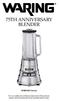 75th anniversary blender MBB1000 Series For your safety and continued enjoyment of this product, always read the instruction book carefully before using. CONTENTS Important Safeguards... 3 Grounding Instructions...
Hot Water Central. Electric Hot Water Dispenser. Instruction Manual AAP-325W. www.aromaco.com
 Hot Water Central Electric Hot Water Dispenser Instruction Manual www.aromaco.com AAP-325W With the Aroma Hot Water Central, hot water is just a button away. Boil up to 3 liters of water in just 30 minutes,
2 YEAR WARRANTY S7200PAU USE & CARE MANUAL ADVANCED CERAMIC TECHNOLOGY. To register your product go to www.remington-products.com.
 USE & CARE MANUAL PLEASE READ PRIOR TO USE To register your product go to www.remington-products.com.au ADVANCED CERAMIC TECHNOLOGY 2 YEAR WARRANTY S7200PAU 1 IMPORTANT SAFEGUARDS Warning: When the straightener
electric kettle owner's manual SAVE THIS USE AND CARE BOOK Please call 1-800-231-9786 with questions. MGD550
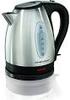 electric kettle owner's manual SAVE THIS USE AND CARE BOOK MGD550 * Please call 1-800-231-9786 with questions. IMPORTANT SAFEGUARDS When using electrical appliances, in order to reduce the risk of fire,
TABLE OF CONTENTS CABINET SAFETY
 CABINET SAFETY...2 ASSEMBLY INSTRUCTIONS...3 Tools and Parts...3 Cabinet Use Requirements...3 Unpack the Cabinet...3 TABLE OF CONTENTS CABINET SAFETY Install the Bumper...3 Install the Casters...4 Install
2-SLICE COOL TOUCH TOASTER
 2-SLICE COOL TOUCH TOASTER PLA0405 Instruction Manual Due to on-going product improvements, specifications and accessories may change without notice. Actual product may differ slightly to that depicted.
NewAir AC-10000E, AC-10000H Portable Air Conditioner Owner s Manual PLEASE READ AND SAVE THESE INSTRUCTIONS
 NewAir AC-10000E, AC-10000H Portable Air Conditioner Owner s Manual PLEASE READ AND SAVE THESE INSTRUCTIONS BEFORE USE GENERAL SAFETY INSTRUCTIONS: ALWAYS OPERATE THE UNIT IN AN UPRIGHT POSITION AND PLACE
Name of Equipment Silver King Model SKMCD1P/C1. This equipment chapter is to be inserted in the appropriate section of the Equipment Manual.
 Name of Equipment Silver King Model SKMCD1P/C1 This equipment chapter is to be inserted in the appropriate section of the Equipment Manual. Manufactured exclusively for McDonald s By Silver King Refrigeration,
RC930 Manual 6/10/99 1:23 PM Page 1. Wireless Modem Jack
 RC930 Manual 6/10/99 1:23 PM Page 1 Wireless Modem Jack Table of Contents Safety Precautions...1 Important Notes...4 Getting Started...5 System Installation...5 Connecting to Computer...6 Trouble Shooting...7
DC REFRIGERATORS 12/24 VOLTS INSTALLATION AND OWNER S MANUAL
 DC REFRIGERATORS 12/24 VOLTS INSTALLATION AND OWNER S MANUAL Service Information If service or parts are required, contact the nearest Norcold Service Center. To find an authorized Norcold Service Center
Issue 3. Robinhood 60cm 10 Function Pyrolytic Oven
 Issue 3 Description: Model Number: Robinhood 60cm 10 Function Pyrolytic Oven OBP6010T56G, OBP6010T56SS IMPORTANT BEFORE USE: Heat empty oven on self cleaning function (Pyrolitic) for 45 minutes to remove
Ultrasonic Jewelry/DVD Cleaner. make jewelry, dvds and more sparkle like new
 Ultrasonic Jewelry/DVD Cleaner make jewelry, dvds and more sparkle like new Table of contents Cautions & Warnings...................................................... 2-4 Location of Controls........................................................
user s manual Battery Case model #: SPB3200 Battery Case Charger for Samsung Galaxy S 4
 user s manual model #: SPB3200 Charger for Samsung Galaxy S 4 What s Included Unpack the battery case and make sure all accessories are put aside so they will not be lost. hello. USB to Micro USB Cable
the Soft Top Breville Customer Service Center www.breville.com Instruction Book - Livret d instructions
 Breville Customer Service Center the Soft Top Instruction Book - Livret d instructions US Customers Mail: Breville USA 19400 S. Western Ave Torrance CA CA 90501-1119 Phone: Customer Service 1 (866) BREVILLE
AROS SMART WINDOW AIR CONDITIONER
 AROS SMART WINDOW AIR CONDITIONER Part of the Quirky + GE collection of smart products, Aros is an app-enabled air conditioning unit that reacts to its surroundings to save you Time, Energy & Money. TABLE
Use & Care. All about the. of your Toaster Oven TA B L E O F C O N T E N T S
 All about the Use & Care of your Toaster Oven Important Safeguards... 2 Toaster Oven Safety Instructions...3 Parts and Features... 4 Prior To Using Your Toaster Oven... 7 Setting Cooking Rack Positions...
EVAPORATIVE AIR COOLER INSTRUCTION MANUAL
 EVAPORATIVE AIR COOLER INSTRUCTION MANUAL Model: SF-614P Please read this manual thoroughly before using this product. Keep in a safe place for future reference. CONTENTS A. PRODUCT INTRODUCTION 2 B. TECHNICAL
AROS SMART WINDOW AIR CONDITIONER
 AROS SMART WINDOW AIR CONDITIONER Part of the Quirky + GE collection of smart products, Aros is an app-enabled air conditioner that reacts to its surroundings to save you time, energy and money. TABLE
FOR THE FOLLOWING MODELS: EE-8075W EE-8075O EE-8075R EE-8075BK
 FIREPLACE HEATER FOR THE FOLLOWING MODELS: EE-8075W EE-8075O EE-8075R EE-8075BK If you have any questions about the operation of your fireplace heater, please contact Crane Customer Care. Toll Free: 888-599-0992
infinity Burr Model #565 #560 Instructions Warranty Product Registration CONICAL Grinder 100W / 120V~ / 60 Hz
 infinity Burr CONICAL Grinder Model #565 #560 Instructions Warranty Product Registration 100W / 120V~ / 60 Hz IMPORTANT SAFEGUARDS When using electrical appliances, basic safety precautions should always
Portable Air Conditioner. OWNER S MANUAL Read these instructions before use. Model: MN12CES / MN10CESWW
 Portable Air Conditioner OWNER S MANUAL Read these instructions before use 8 Model: MN12CES / MN10CESWW Voltage rating: 120V~60Hz Power rating : 1100W (MN12CES) Power rating : 900W (MN10CESWW) Customer
LF-IRX. Limited Warranty LF-IRX. Remote Control Extender OWNER S MANUAL
 Limited Warranty OWNER S MANUAL Audiovox Corporation (Audiovox) warrants this product against defects in materials or workmanship for one (1) year from the date of purchase. During this period, this product
17 litre piano black microwave oven
 17 litre piano black microwave oven User's manual Model number: RHM1714B Please read these instructions carefully and keep for future reference. Contents About this microwave oven... Safety instructions...
ELECTRIC RANGE USER INSTRUCTIONS
 ELECTRIC RANGE USER INSTRUCTIONS THANK YOU for purchasing this high-quality product. If you should experience a problem not covered in TROUBLESHOOTING, please visit our website at www.estateappliances.com,
Portable Air Conditioner. OWNER S MANUAL Read these instructions before use. Model: MM14CCS. Voltage rating: 115V~60Hz Power rating : 1400W
 Portable Air Conditioner OWNER S MANUAL Read these instructions before use Model: MM14CCS Customer Support : 1-800-474-2147 Voltage rating: 115V~60Hz Power rating : 1400W For product inquiries or support
Deluxe Bottle Warmer
 Deluxe Bottle Warmer IMPORTANT SAFEGUARDS This product is for household use only. When using electrical appliances, basic safety precautions should always be followed including the following: Read all
Wine Cooler with Thermo-Electric Cooling & Heating Technology
 Wine Cooler with Thermo-Electric Cooling & Heating Technology Model number: WC-0888H (8-bottles capacity) Instruction Manual Please read carefully and follow all safety rules and operating instructions.
Thank You... On behalf of the entire team at Thane Housewares, we appreciate your recent purchase
 User s Guide Thank You... On behalf of the entire team at Thane Housewares, we appreciate your recent purchase of the FLAVORCHEF cooking system, which will provide you with healthy and tasty meals for
12-Volt 10-Amp Regulated Power Supply
 22-506.fm Page 1 Friday, August 6, 1999 12:55 PM Cat. No. 22-506 OWNER S MANUAL Please read before using this equipment. 12-Volt 10-Amp Regulated Power Supply 22-506.fm Page 2 Friday, August 6, 1999 12:55
Call us toll free at: 1-800-GEVALIA (1-800-438-2542)
 LIMITED WARRANTY: This appliance shall be free from defects in materials and workmanship under normal home use for a period of one year from the date of receipt. During that period, defects will be repaired
Toaster Oven Broiler. User Manual. Gril du four grille-pain RTOB-11001
 Toaster Oven Broiler Gril du four grille-pain RTOB-11001 User Manual CONTENTS 1 1.Important safeguards 3 2.Save these instructions! 4 3.Control panel 5 4.Accessories 6 5.Instructions for use 6 6.Keep warm
IR Repeater. Operation Manual P8620
 IR Repeater Operation Manual P8620 Congratulations on your purchase of the P8620 IR Repeater. This operating manual will provide a guide to installation and operation of the product. Please read thoroughly
Instruction Manual. Fun Pop 8oz. Popper
 Instruction Manual Fun Pop 8oz. Popper 0700 Medallion Drive, Cincinnati, Ohio 4524-4807 USA Part No. 5940 SAFETY PRECAUTIONS Page 2 INSTALLATION INSTRUCTIONS Inspection of Shipment Unpack all cartons and
FASCINATION 700 HVLP TANNING PRO SYSTEM USER MANUAL
 FASCINATION 700 HVLP TANNING PRO SYSTEM USER MANUAL Congratulations on choosing the Fascination 700 HVLP Tanning Pro System! Your system includes the following items: 1 Fascination 700 HVLP Tanning Pro
SAFETY PRECAUTIONS Read all of the instructions before using this appliance. When using this appliance, always exercise basic safely precautions,
 SAFETY PRECAUTIONS Read all of the instructions before using this appliance. When using this appliance, always exercise basic safely precautions, including the following: Do not use if the power supply
FUTURE CALL PICTURE CARE PHONE MODEL: FC-1007 USER MANUAL
 FUTURE CALL PICTURE CARE PHONE MODEL: FC-1007 USER MANUAL Please follow instructions for repairing if any otherwise do not alter or repair any parts of device except specified. IMPORTANT SAFETY INSTRUCTIONS
ENGLISH INSTRUCTION & INSTALLATION MANUAL DUCTLESS MINI SPLIT AIR CONDITIONING SYSTEMS
 ENGLISH INSTRUCTION & INSTALLATION MANUAL DUCTLESS MINI SPLIT AIR CONDITIONING SYSTEMS Céliera Corporation. All rights reserved. Unauthorized duplication, reproduction prohibited. CONTENTS SAFETY PRECAUTIONS...
Electric Egg Boiler. Instruction Manual. Model Number: AEB-917
 Electric Egg Boiler Instruction Manual Model Number: AEB-917 Congratulations! Your Egg Boiler will surely become one of the most versatile and practical appliances in your home. Please read the following
7 High-Resolution Digital Photo Frame
 TM 16-1003 User s Guide 7 High-Resolution Digital Photo Frame One demo photo included, as illustrated Please read this user s guide before using your new photo frame. Package contents Photo Frame AC Adapter
BUILT-IN WINE & BEVERAGE COOLER WITH DUAL TEMPERATURE ZONES INSTRUCTION MANUAL. Model No.: MCWBC77DZC
 BUILT-IN WINE & BEVERAGE COOLER WITH DUAL TEMPERATURE ZONES INSTRUCTION MANUAL Model No.: MCWBC77DZC To ensure proper use of this appliance and your safety, please read the following instructions completely
Pet hair clipper. Model 96822. Diagrams within this manual may not be drawn proportionally.
 Pet hair clipper Model 96822 Cleaning And Operation Instructions Diagrams within this manual may not be drawn proportionally. Due to continuing improvements, actual product may differ slightly from the
Cooktop Low-Profile Ventilation Hoods
 INSTALLATION GUIDE Cooktop Low-Profile Ventilation Hoods Contents Wolf Cooktop Low-Profile Ventilation Hoods........ 3 Cooktop Low-Profile Hood Specifications.......... 4 Cooktop Low-Profile Hood Installation............
Ceramic Glass Electric Galley Ranges
 Ceramic Glass Electric Galley Ranges OWNER S MANUAL Models # 65335, 65336, 75331, 75332 Read all instructions and warnings before operating. Force 10 Manufacturing Corporation Unit A 19169 21 st Ave Surrey,
Dehumidifier Users manual. For Models: DH45S DH65S
 Dehumidifier Users manual For Models: DH45S DH65S 950-0062-revD Jan. 9 2007 FORWARD The appearance of the units that you purchase might be slightly different from the ones described in the Manual, but
MODEL VG08008 CONTENT PACKING LIST / TOOLS NEEDED PANEL DIMENSIONS FITTINGS / TECHNICAL DATA WALL/CORNER INSTALLATION CARE AND TROUBLE SHOOTING
 CONTENT PACKING LIST / TOOLS NEEDED PANEL DIMENSIONS FITTINGS / TECHNICAL DATA WALL/CORNER INSTALLATION CARE AND TROUBLE SHOOTING WARRANTY 1 PACKING LIST DESCRIPTION MODEL NUMBER - PANEL HOUSING 88062
Operating and Installation Instructions
 Operating and Installation Instructions System Drawer ESS 2062 To prevent accidents and en - US, CA appliance damage, read these instructions before installation or use. M.-Nr. 07 342 360 Contents IMPORTANT
User and Installation Guide
 Connect the AC adapter with the amplifier BEFORE plugging the AC adapter into an outlet to avoid spark generation! User and Installation Guide BlueFIDELITYTM Bluetooth Audio Amplifier Model 300 Contents
Foodservice Equipment Specialists P.O. Box 880 Saco, ME. / U.S.A. 04072 877-854-8006 * FAX (207) 283-8080
 Foodservice Equipment Specialists P.O. Box 880 Saco, ME. / U.S.A. 04072 877-854-8006 * FAX (207) 283-8080 FOR SERVICE ASSISTANCE U.S. AND CANADA CALL: 1-877-854-8006 24 HOURS/DAY 7 DAYS/WEEK TABLE OF CONTENTS
Cambridge Electric Infared Fireplace User Manual
 EL1239 WW12993 Cambridge Electric Infared Fireplace User Manual SAVE THESE INSTRUCTIONS FOR FUTURE REFERENCE. If you are assembling this unit for someone else, give this manual to him or her to read and
IMPORTANT SAFETY INSTRUCTIONS WARNING READ AND SAVE THESE OPERATING AND SAFETY INSTRUCTIONS BEFORE USING THIS HEATER.
 THERMAWAVE CERAMIC HEATER Model HZ-850 Series Model HZ-860 Series IMPORTANT SAFETY INSTRUCTIONS WARNING READ AND SAVE THESE OPERATING AND SAFETY INSTRUCTIONS BEFORE USING THIS HEATER. Warning Failure to
IH 17025 E Sigma Island 90
 INSTRUCTIONS FOR USE Kitchen extractor hood Type: IH 17025 E Sigma Island 90 Dear Customer!! You are now a user of the newest generation kitchen extractor hood type IH 17025 E Sigma Island 90. This hood
Intelli-Time Alarm Clock model 13027
 Instruction Manual Intelli-Time Alarm Clock model 13027 CONTENTS Unpacking Instructions... 2 Package Contents... 2 Product Registration... 2 Features & Benefits... 3 Clock Setup... 4 Intelli-Time Clock...
NewAir AC-10100E / AC-10100H Portable Air Conditioner Owner s Manual PLEASE READ AND SAVE THESE INSTRUCTIONS
 NewAir AC-10100E / AC-10100H Portable Air Conditioner Owner s Manual PLEASE READ AND SAVE THESE INSTRUCTIONS ELECTRICAL SAFETY This appliance is for indoor use only. Always turn off the unit and unplug
Model GGR200RDDS. Please Read and Save this Use and Care Book. USA/Canada 1-800-231-9786 THE LEAN MEAN FAT REDUCING GRILLING MACHINE
 TM THE LEAN MEAN FAT REDUCING GRILLING MACHINE Please Read and Save this Use and Care Book USA/Canada 1-800-231-9786 www.prodprotect.com/applica Register your product online at www.prodprotect.com/applica,
Mini Power Bank and Charger
 Mini Power Bank and Charger Owner s Manual Please read before using this equipment. Your charger is ETL listed to UL standards and meets all applicable FCC standards. WARNING: To reduce the risk of fire
WARMER or COOKER/WARMER
 WARMER or COOKER/WARMER Use & Care Manual FW-S500 WARMER 3138365 Conforms to: UL STD: 197 3138365 Conforms to: NSF STD.4 FW-S600 COOKER / WARMER Model Description Size Voltage Hz Wattage FW-S500 Electric
Electric Water Kettle
 Electric Water Kettle Instruction Manual Model: AWK-101 Congratulations! Your Water Kettle will surely become one of the most versatile and practical appliances in your home and office. Please read the
Wireless Phone Jack System
 926 Manual V2.0(1J9643) 6/10/99 1:39 PM Page 1 RC926 Wireless Phone Jack System (Digital Satellite System # D916) The Wireless Phone Jack System works with most telephone line devices, such as: Answering
USER MANUAL. Bottom Loading Bottled Water Dispenser SAVE THIS MANUAL FOR FUTURE USE. Model # 900172
 Model # 900172: Page 1 USER MANUAL Bottom Loading Bottled Water Dispenser Model # 900172 TO REDUCE THE RISK OF INJURY AND PROPERTY DAMAGE, USER MUST READ THIS MANUAL BEFORE ASSEMBLING, INSTALLING & OPERATING
AM/FM Emergency Weather Radio/Light With Hand Crank Back-Up Power
 VEC173 ONE YEAR LIMITED WARRANTY PROGRAM This limited warranty program is the only one that applies to this product, and it sets forth all the responsibilities of Vector Manufacturing, regarding this product.
Operating Instructions Control Settings...5 Inside of Refrigerator...5 Care and Cleaning...6
 GE Appliances Refrigerators Safety Information Safety Precautions...................3 Proper Disposal of Refrigerator.......3 Use of Extension Cords..............3 How to Connect Electricity...........4
Portable Air Conditioner. OWNER S MANUAL Read these instructions before use. Model: MF08CESWW. Voltage rating: 115V~60Hz Power rating : 800W
 MODE ALARM Portable Air Conditioner OWNER S MANUAL Read these instructions before use 8 Model: MF08CESWW Voltage rating: 115V~60Hz Power rating : 800W Customer Support : 1-800-474-2147 For product inquiries
Please read this owner s Manual carefully before operating the unit. - Cooling - Heating - Dehumidifying - Fan
 Please read this owner s Manual carefully before operating the unit. - Cooling - Heating - Dehumidifying - Fan TABLE OF CONTENTS INTRODUCTION 2 IMPORTANT SAFEGUARDS...2 PACKAGE CONTAINS..2 NAMES OF PARTS.3
Instruction Manual MODEL: VE-94 120V~, 60Hz, 1500W
 by Enjoy perfectly browned bagels, waffles and English muffins by 4-Slice Toaster Montgomery Ward Customer Service 3650 Milwaukee Street, Madison, WI 53714 8:00 am to Midnight, Monday through Friday Wards.com
Whynter 62 QT DUAL ZONE PORTABLE FRIDGE / FREEZER
 Whynter 62 QT DUAL ZONE PORTABLE FRIDGE / FREEZER MODEL# : FM-62DZ Instruction Manual Congratulations on your new WHYNTER product. To ensure proper operation, please read this Instruction Manual carefully
NOTE: Additional user information for your printer may be available in the "Manuals" section at support.dell.com.
 CAUTION: General Safety Instructions Use the following safety guidelines to help ensure your own personal safety and to help protect your equipment and working environment from potential damage. NOTE:
4 in 1 Air Compressor
 4 in 1 Air Compressor Operating Instructions and Parts Manual Model W-1704! This is the safety alert symbol. It is used to alert you to potential personal injury hazards. Obey all safety messages that
Doorbell Intercom Security System
 Doorbell Intercom Security System POWER IN USE OFF A B C LOCK CALL TALK Installation Guide Model WHDB-301 EXPLANATION OF GRAPHIC WARNING SYMBOLS This symbol is intended to alert the user to the presence