
Precision Cooling For Business-Critical Continuity. Liebert Mini-Mate2. User Manual - 2 & 3 Tons, 50 & 60Hz
|
|
|
- Edwin Murphy
- 9 years ago
- Views:
Transcription
1 Precision Cooling For Business-Critical Continuity Liebert Mini-Mate2 User Manual - 2 & 3 Tons, 50 & 60Hz

2

3 TABLE OF CONTENTS IMPORTANT SAFETY INSTRUCTIONS PRODUCT NUMBER NOMENCLATURE INTRODUCTION Designed to Match Computer and Electronic Equipment Needs From Installation to Operation STANDARD FEATURES 2 & 3 TON SYSTEMS Evaporator Section - Split Systems Condensing Unit Section Split Systems Indoor Centrifugal Fan Condensing Units Outdoor Prop Fan Condensing Units Indoor Water/Glycol Condensing Units Chilled Water Units System Controls Other Standard Control Features OPTIONAL FACTORY-INSTALLED FEATURES EVAPORATOR/CHILLED WATER UNITS Reheat Humidifier Sensors Switches and Motors Free-Cooling Optional Configurations Prop Fan Condensing Units Optional Configurations Water/Glycol Condensing Units Optional Configurations Chilled Water Units SHIP-LOOSE ACCESSORIES FIELD-INSTALLED Remote Monitoring, Autochangeover and Leak Detection Equipment SITE PREPARATION AND INSTALLATION Installation Considerations System Configurations Room Preparation Location Considerations Ceiling Unit Weights Equipment Inspection Upon Receipt Packaging Material Installing the Ceiling Units Close-Coupled Installations Evaporator Air Distribution Piping Connections and Coolant Requirements Condensate Pump Kit Installation All Units Electrical Connections i

4 5.6 Indoor Air-Cooled Centrifugal Fan Condensing Unit Installation Location Considerations Electrical Connections Piping Connections Ducting Outdoor Air Cooled Condensing Unit Installation Location Considerations Piping Connections Electrical Connections Water and Glycol Cooled Condensing Unit Location Considerations Electrical Connections Piping Connections Optional Equipment Piping Free-Cooling Coil Hot Water Reheat Coil Checklist for Completed Installation MICROPROCESSOR CONTROL Feature Overview Main Menu <Menu> Setpoints Status Active Alarms Time Date Setback Setup Operation Restart Time Delay C/F Degrees Humidity Control Method Change Passwords Calibrate Sensors Alarm Enable Alarm Time Delay Common Alarm Enable Custom Alarms Standard Custom Alarm Messages Custom Text Run Diagnostics (Available On Rev and Higher) SYSTEM PERFORMANCE MICROPROCESSOR CONTROLS Temperature Control Cooling/Heating Required Cooling Operation (Cooling, Compressorized Direct Expansion and Chilled Water) Heating Operation ii

5 7.2 Humidity Control Dehumidification/Humidification Required Dehumidification Operation, Compressorized Direct Expansion (DX) Systems Humidification Operation Load Control Features Communication ALARMS Standard Alarms: Definitions and Troubleshooting Custom Alarms High Head Pressure Humidity Level Temperature Humidifier Problem Alarm High Water Alarm Loss of Power Short Cycle Optional/Custom Alarms Change Filter High Temperature Sensor Smoke Detected SYSTEM TESTING AND MAINTENANCE System Testing Environmental Control Functions Cooling Heating Humidification Dehumidification High Temperature Sensor Optional Smoke Detector Sensor Remote Shutdown Maintenance Electric Panel Filters Direct Drive Blower Package High Static Belt Drive Blower Package (Option) Refrigeration System Humidifier Circuit Board Adjustments Replacement Procedures Compressor Replacement Electrical Failure Replacing the Humidifier Canister MAINTENANCE INSPECTION CHECKLIST TROUBLESHOOTING iii

6 FIGURES Figure 1 Model number nomenclature Evaporator units Figure 2 Model number nomenclature Air-cooled, indoor condensing units Figure 3 Model number nomenclature Outdoor air-cooled prop fan condensing units Figure 4 Model number nomenclature Water/glycol-cooled condensing units Figure 5 Model number nomenclature Chilled water units Figure 6 Wall-box Figure 7 Free-cooling arrangement Figure 8 Air-cooled systems, 2 and 3 tons Figure 9 Water/glycol-cooled systems, 2 and 3 tons Figure 10 Chilled water systems, 3 tons Figure 11 Threaded rod and hardware kit installation Figure 12 Refrigerant piping diagram Figure 13 Dimensions, evaporator and chilled water units with direct drive blower Figure 14 Dimensions, evaporator units with optional belt drive blower assembly Figure 15 Evaporator and chilled water unit piping data Figure 16 Evaporator and chilled water unit electrical connections Figure 17 Close-coupled installation Figure 18 Indoor air-cooled centrifugal condenser dimensions and pipe connections Figure 19 Centrifugal condenser electrical connections Figure 20 Cabinet and floor planning dimensional data, outdoor condensing unit Figure 21 General arrangement (air- cooled condensing unit) Figure 22 Cabinet dimensions and piping data, water/glycol indoor condensing module Figure 23 General arrangement, water/glycol split systems Figure 24 Optional free-cooling coil (3-way valve) on water/glycol units Figure 25 Optional hot water reheat (two-way valve) Figure 26 Control key locations all-mounted display box Figure 27 Control menu Figure 28 Control board (inside evaporator) Figure 29 Wall box board Figure 30 Ground current detector Figure 31 Hot gas bypass iv

7 TABLES Table 1 System configurations - 60Hz Table 2 System configurations - 50Hz Table 3 Application limits, evaporator and chilled water units* Table 4 Application limits, indoor and outdoor air-cooled condensing units Table 5 Application limits, indoor water/glycol-cooled condensing units Table 6 Ceiling unit weights Table 7 Cooling unit air flow at 0.3 IWG (75PA) ESP Table 8 Recommended refrigerant line sizes Table 9 Pipe length and condenser elevation relative to evaporator Table 10 Line charges - refrigerant per 100 ft. (30m) of Type L copper tube Table 11 Refrigerant charge in Liebert pre-charged R-407C line sets Table 12 Equivalent lengths for various pipe fittings, ft (m) Table 13 Refrigerant charge Table 14 Connection sizes and torque Table 15 Net weights evaporator and chilled water units Table 16 Net weight, high static blower module Table 17 Indoor condensing unit airflow, CFM at 0.5 iwg esp Table 18 Centrifugal condenser dimensions, weights Table 19 Dimensions and net weights air-cooled outdoor condensing units Table 20 Net weight, indoor water/glycol-cooled condensing unit Table 21 View default setpoints and allowable ranges Table 22 Microprocessor night and weekend setback Table 23 Setup functions, default values and allowable ranges Table 24 Alarm default time delays Table 25 Switch settings (wall box board) Table 26 Equipment switch settings (unit control board) Table 27 Cooling and dehumidification load response of hot gas bypass Table 28 External static pressure available Table 29 Typical discharge pressure Table 30 DIP switch settings for humidifier control board (2- and 3-ton unit Table 31 Troubleshooting v

8 vi

9 Important Safety Instructions IMPORTANT SAFETY INSTRUCTIONS SAVE THESE INSTRUCTIONS This manual contains important safety instructions that should be followed during the installation and maintenance of the Liebert Mini-Mate2. Read this manual thoroughly before attempting to install or operate this unit. Only qualified personnel should move, install or service this equipment. Adhere to all warnings, cautions and installation, operating and safety instructions on the unit and in this manual. Follow all installation, operation and maintenance instructions and all applicable local and national building, electrical and plumbing codes.! WARNING Arc flash and electric shock hazard. Disconnect all electric power supplies and wear protective equipment per NFPA 70E before working within electric control enclosure. Failure to comply can cause serious injury or death. Customer must provide earth ground to unit, per NEC, CEC and local codes, as applicable. Before proceeding with installation, read all instructions, verify that all the parts are included and check the nameplate to be sure the voltage matches available utility power. The Liebert microprocessor control does not isolate power from the unit, even in the Unit Off mode. Some internal components require and receive power even during the Unit Off mode. The line side of the disconnect switch on the front of the unit contains live high-voltage. The only way to ensure that there is NO voltage inside the unit is to install and open a remote disconnect switch and check the internal power supply wires with a voltmeter. Refer to unit electrical schematic. Follow all applicable local and national electric codes.! WARNING Risk of explosive discharge from high-pressure refrigerant. Can cause injury or death. This unit contains fluids and gases under high pressure. Relieve pressure before working with piping.! WARNING Risk of refrigerant system rupture or explosion from overpressurization. Can cause equipment damage, injury or death. If a pressure relief device is not provided with the condenser unit, the system installer must provide and install a discharge pressure relief valve per local and national codes in the high side refrigerant circuit. Do not install a shutoff valve between the compressor and the field installed relief valve. Do not isolate any refrigerant circuits from overpressurization protection.! WARNING Risk of high-speed moving parts. Can cause injury or death. Open all local and remote electrical power disconnect switches before working in the unit and component electrical enclosures.! CAUTION Risk of contact with hot surfaces. Can cause injury. The compressors, refrigerant discharge lines, humidifiers and reheats are extremely hot during unit operation. Allow sufficient time for them to cool before working within the unit cabinet. Use extreme caution and wear protective gloves and arm protection when working on or near hot compressors, discharge lines, humidifiers and reheats. 1 Liebert Mini-Mate2

10 NOTICE Important Safety Instructions! CAUTION Risk of leaking water. Can cause equipment and building damage. This unit requires a water drain connection. It may also require an external water supply to operate. Improper installation, application and service practice can result in water leakage from the unit. Water leakage can result in severe property damage and loss of critical data center equipment. Do not locate unit directly above any equipment that could sustain water damage. Emerson recommends installing leak detection equipment for unit and supply lines and in the secondary drain pan. Check drain lines periodically for leaks, sediment buildup, obstructions, kinks and/or damage and verify that they are free running.! CAUTION Risk of sharp edges, splinters and exposed fasteners. Can cause injury. Only properly trained and qualified personnel wearing appropriate safety headgear, gloves, shoes and glasses should attempt to move the unit, lift it, remove packaging from or prepare the unit for installation. Risk of a leaking coil due to freezing and/or corrosion. Can cause equipment and serious building damage. Cooling coils and piping systems that are connected to open cooling towers or other open water/glycol systems are at high risk for freezing and premature corrosion. Fluids in these systems must contain the proper antifreeze and inhibitors to prevent freezing and premature coil corrosion. The water or water/glycol solution must be analyzed by a competent water treatment specialist before startup to establish the inhibitor requirement. The water or water/glycol solution must be analyzed every six months to determine the pattern of inhibitor depletion. The complexity of water-caused problems and their correction makes it important to obtain the advice of a water treatment specialist and follow a regularly scheduled maintenance program. NOTICE Risk of damage from forklift. Can cause unit damage. Keep tines of the forklift level and at a height suitable to fit below the skid and/or unit to prevent exterior and/or underside damage. NOTICE Risk of improper storage. Can cause unit damage. Keep the Liebert Mini-Mate2 upright, indoors and protected from dampness, freezing temperatures and contact damage. Liebert Mini-Mate2 2

11 Product Number Nomenclature PRODUCT NUMBER NOMENCLATURE Figure 1 MM Model number nomenclature Evaporator units MM = Liebert Mini-Mate2 D = Disconnect Switch 0 = No Disconnect Switch Nominal Capacity Unit Type E = Split Evaporator K = Split Evaporator with Free-Cooling Blower Type D = Direct Drive Internal Blower B = Belt Drive External Blower D 36 E 7 A H E D A Refrigerant 7 = R-407C Supply Power P = 208/230V - 1 ph - 60Hz X = 277V - 1 ph - 60Hz S = 220V - 1 ph - 50Hz (3-ton only) A = 460V - 3 ph - 60Hz (3-ton only) Y = 208/230V - 3 ph - 60Hz (3-ton only) M = 380/415V - 3ph - 50Hz (3-ton only) Reheat Type 0 = No Reheat E = Electric Reheat S = SCR Reheat (not available with free-cooling) Humidification H = Canister Humidifier 0 = No Humidifier R = Remote Humidifier Contact J = Canister Humidifier and Remote Humidifier Contact Figure 2 MC Model number nomenclature Air-cooled, indoor condensing units MC = Liebert Mini-Mate2 indoor condensing units D = Disconnect Switch 0 = No Disconnect Switch Nominal Capacity 24 = 2-ton, 60Hz 35 = 3-ton, 50Hz 36 = 3-ton, 60Hz Sensor Packages 0 = None A = Filter Clog B = Smoke Sensor C = High-Temperature Sensor D = Filter Clog & Smoke Sensor E = Filter Clog & High-Temperature Sensor F = Smoke Sensor & High-Temperature Sensor G = Filter Clog, Smoke Sensor & High-Temperature Sensor Cooling Method A = Air-Cooled Supply Power P = 208/230V - 1 ph - 60Hz X = 277V - 1 ph - 60Hz S = 220V - 1 ph - 50Hz (3-ton only) A = 460V - 3 ph - 60Hz (3-ton only) Y = 208/230V - 3 ph - 60Hz (3-ton only) M = 380/415V - 3ph - 50Hz (3-ton only) Refrigerant 7 = R-407C D 36 A L A H 7 Head Pressure Controls L = Liebert Lee-Temp Receiver H = Hot Gas Bypass 3 Liebert Mini-Mate2

12 Figure 3 PFH Figure 4 MC Model number nomenclature Outdoor air-cooled prop fan condensing units PF = Prop Fan Condensing Unit with Hot Gas Bypass 0 = Std. Sound Level Z = Quiet-Line Nominal Capacity, kbtuh Cooling Method A = Air-Cooled P = 208/230V - 1ph - 60Hz Y = 208/230V - 3ph - 60Hz (3-ton only) A = 460V - 3ph - 60Hz (3-ton only) B = 575V - 3ph - 60Hz (3-ton only) S = 220V - 1ph - 50Hz (3-ton only) M = 380/415V - 3ph - 50Hz (3-ton only) Model number nomenclature Water/glycol-cooled condensing units Product Number Nomenclature 0 37 A P L 7 = Standard Coil C = Coated Coil MC = Liebert Mini-Mate2 indoor condensing units D = Disconnect Switch 0 = No Disconnect Switch Nominal Capacity 26 = 2-ton, 60Hz 37 = 3-ton, 50Hz 38 = 3-ton, 60Hz Cooling Method W = Water/Glycol Refrigerant 7 = R-407C L = 95 F Ambient, Liebert Lee-Temp H = 105 F High Ambient, Liebert Lee-Temp Supply Power P = 208/230V - 1 ph - 60Hz X = 277V - 1ph - 60Hz S = 220V - 1ph - 50Hz (3-ton only) A = 460V - 3ph - 60Hz (3-ton only) Y = 208/230V - 3ph - 60Hz (3-ton only) M = 380/415V 3ph-50Hz (3-ton only) D 38 W 2 A H 7 Head Pressure Controls 2 = 2-Way Standard Pressure Water Reg Valve 3 = 3-Way Standard Pressure Water Reg Valve D = 2-Way High-Pressure Water Reg Valve T = 3-Way High-Pressure Water Reg Valve Refrigerant 7 = R-407C H = Hot Gas Bypass Liebert Mini-Mate2 4

13 Product Number Nomenclature Figure 5 MM Model number nomenclature Chilled water units MM = Liebert Mini-Mate2 D = Disconnect Switch 0 = No Disconnect Switch Nominal Capacity 39 = 3-ton, 50Hz 40 = 3-ton, 60Hz Cooling Method C = Chilled Water Valve Type 2 = 2-Way Chilled Water Valve 3 = 3-Way Chilled Water Valve D 40 C 3 A H E Blower Type D = Direct Drive Internal Blower B = Belt Drive External Blower D A Supply Power P = 208/230V - 1 ph - 60Hz X = 277V - 1ph - 60Hz S = 220V - 1ph - 50Hz A = 460V - 3ph - 60Hz Y = 208/230V - 3ph - 60Hz M = 380/415V 3ph-50Hz Reheat Type 0 = No Reheat E = Electric Reheat H = Hot Water Reheat Humidification H = Canister Humidifier 0 = No Humidifier R = Remote Humidifier Contact J = Canister Humidifier and Remote Humidifier Contact Sensor Packages 0 = None A = Filter Clog B = Smoke Sensor C = High-Temperature Sensor D = Filter Clog & Smoke Sensor E = Filter Clog & High-Temperature Sensor F = Smoke Sensor & High Temperature Sensor G = Filter Clog, Smoke Sensor & High- Temperature Sensor 5 Liebert Mini-Mate2

14 Introduction 1.0 INTRODUCTION 1.1 Designed to Match Computer and Electronic Equipment Needs From Installation to Operation Installed above the ceiling, Liebert Mini-Mate2 Precision Cooling systems control the cooling, humidity and air distribution required by sensitive electronic equipment. A range of sizes and configurations is available to meet varying sites needs. The Liebert Mini-Mate2 is also easy to use. Advanced microprocessor technology allows easy, precise control, and menu-driven monitoring keeps you informed of system operation through the LCD readout. These features, combined with Emerson quality construction and reliable components, guarantee satisfaction from installation through operation. Liebert Precision Cooling Liebert Precision Cooling systems are designed to control the environment required for computers and other sensitive electronic equipment. The Liebert Mini-Mate2 provides complete control on an around-the-clock basis and the high sensible heat ratio required by sensitive electronic equipment. Easy Installation The Liebert Mini-Mate2 is a split-system evaporator combined with an air-, water- or glycol-cooled condensing unit or is a self-contained, chilled water unit. Each split system has thermostat-type wiring to controls and condensing unit. System components are pre-charged with refrigerant and can be connected together with optional pre-charged line sets or optional sweat adapters for field refrigerant piping. Easy to Service Low-maintenance components are easily accessed through removable front panels. Spare parts are always in Emerson inventory and available on short notice. Advanced Control Technology A menu-driven microprocessor control system provides precise temperature and humidity control and accurate alarm setpoints. Using touch-sensitive buttons, the wall-mounted monitor/control panel allows you to select and display temperature and other monitored parameters. High Efficiency High sensible heat ratio, scroll compressor and precise microprocessor control allow the system to operate efficiently. Space Saving Design All indoor components are installed above the ceiling, so no floor space is required. Reliable The Liebert Mini-Mate2 family installed base is a testimony to the system reliability. Components include a rugged scroll compressor, high-efficiency copper tube, aluminum-fin evaporator coil and a double inlet, direct drive fan. Agency Listed Standard 60Hz units are CSA certified to the harmonized U.S. and Canadian product safety standard, CSA C22.2 No 236/UL 1995 for Heating and Cooling Equipment and are marked with the CSA c-us logo. Location When considering installation locations, consider that these units contain water and that water leaks can cause damage to sensitive equipment below. Do not mount these units above sensitive equipment. A fieldsupplied pan with drain must be supplied beneath cooling units and water/glycol condensers. Do not mount units in areas where normal unit operating sound might disturb the working environment. Liebert Mini-Mate2 6

15 Standard Features 2 & 3 Ton Systems 2.0 STANDARD FEATURES 2 & 3 TON SYSTEMS 2.1 Evaporator Section - Split Systems The evaporator section is designed for ceiling installation. The cabinet and chassis are constructed of heavy gauge galvanized steel. The unit can be serviced using only one side increasing its versatility in mounting locations. Mounting brackets are factory-attached to the cabinet. Internal cabinet insulation meets ASHRAE 62.1 requirements for Mold Growth, Humidity & Erosion, tested per UL 181 and ASTM 1338 standards. The evaporator section includes the evaporator coil, R-407C unit charge, filter-drier, factory-mounted disconnect switch, two-speed direct-drive blower assembly and microprocessor control with wallmounted control box. The unit is provided with supply and return air openings for field-supplied ducting or supply/return plenum. Evaporators can be configured with canister humidifier and/or reheat. An indoor or outdoor condensing unit must be selected for each evaporator. 2.2 Condensing Unit Section Split Systems Indoor Centrifugal Fan Condensing Units Indoor Air-Cooled Centrifugal Fan Condensing Units include scroll compressor, factory-mounted disconnect switch, condenser coil, R-407C unit charge, belt-driven centrifugal blower assembly, high-pressure switch, Liebert Lee-Temp head pressure control system, hot gas bypass and liquidline solenoid valve. Unit must be mounted indoors. Condensing unit is designed to use outdoor air with temperatures ranging from -30 F to 95 F (-34 C to 35 C) Outdoor Prop Fan Condensing Units Outdoor Prop Fan Condensing Units include scroll compressor, condenser coil, R-407C unit charge, prop fan, liquid-line solenoid valve, high pressure switch, Liebert Lee-Temp head pressure control and hot gas bypass. Condensing unit is designed for outdoor locations with operating ambients ranging from -30 F to 95 F (-34 C to 35 C) Indoor Water/Glycol Condensing Units Indoor Water/Glycol Condensing Units includes scroll compressor, R-407C unit charge, factory-mounted disconnect, coaxial condenser, hot gas bypass, high head pressure switch and two-way water regulating valve designed for 150psi (1034.3kPa). Condensing units can be used on either a water or glycol cooling loop. 2.3 Chilled Water Units Chilled Water Units are designed for ceiling installation. The cabinet and chassis are constructed of heavy gauge galvanized steel. The unit can be serviced using only one side increasing its versatility in mounting locations. Mounting brackets are factory-attached to the cabinet. Internal cabinet insulation meets ASHRAE 62.1 requirements for Mold Growth, Humidity & Erosion, tested per UL 181 and ASTM 1338 standards. Chilled water models are self-contained and include a chilled water coil, two-speed, direct-drive centrifugal blower, factory-mounted disconnect switch and twoway, slow-close motorized valve. Design pressure is 300psi (2068kPa), 60psi (414kPa) close-off differential. 7 Liebert Mini-Mate2

16 Standard Features 2 & 3 Ton Systems 2.4 System Controls System controls include a microprocessor control board mounted in the evaporator/chilled water unit and a wall-mounted interface with a two-line, 16-character liquid crystal display. An eight-key, membrane keypad for setpoint/program control, unit On/Off, fan speed and alarm silence is below the LCD screen. It provides temperature setpoint and sensitivity adjustment, humidity setpoint and sensitivity adjustment, digital display of temperature, humidity, setpoints, sensitivities, fan speed and alarm conditions. The wall-box is field-wired to the microprocessor control using standard four-conductor thermostat wire (field-supplied). The temperature and humidity sensors are in the wall box, which can be installed up to 300 feet (91.4m) from the evaporator unit. The unit-mounted control board also includes common alarm terminals and shutdown terminals. The unit automatically restarts after a power outage. Figure 6 Wall-box Other Standard Control Features Adjustable auto restart 5 day/2 day setback Password protection Alarm enable/disable Self-diagnostics Calibrate sensors Predictive humidity control Common alarm output Remote shutdown terminals Liebert Mini-Mate2 8

17 Optional Factory-Installed Features Evaporator/Chilled Water Units 3.0 OPTIONAL FACTORY-INSTALLED FEATURES EVAPORATOR/CHILLED WATER UNITS 3.1 Reheat Electric Reheat includes 304/304 stainless steel finned tubular reheat elements, with high limit safety switch. SCR Electric Reheat uses an SCR controller and unit control software to provide full cooling with modulating of the electric reheat elements to control air temperatures. Reheat capacity is up-sized to offset the cooling capacity. (The SCR Electric Reheat is not available on chilled water, free-cooling or 575V units.) Hot Water Reheat includes hot water coil, 2-way solenoid valve and Y-strainer. 3.2 Humidifier The Canister Humidifier includes a steam-generating type humidifier with automatic flushing circuit, inlet strainer, drain, 1" (25.4mm) air gap on fill line and solenoid valves. Humidifier problem alarm annunciates at the wall-mounted display panel. Remote Humidifier Contact allows the unit s humidity controller to control a humidifier outside the unit. Power to operate the remote humidifier does not come from the Liebert Mini-Mate2. Available on units with or without internal humidifier. 3.3 Sensors NOTE This option is available only on Chilled Water units, but not with other reheat options. Smoke Sensor checks return air, shuts down the unit upon sensing smoke and activates visual and audible alarms at the wall-box display. This smoke sensor is not intended to function as or replace any smoke sensor system that may be required by local or national codes. High-Temperature Sensor senses the return air temperature and shuts down unit if the temperature reaches 125 F (52 C). This device is not meant to replace any fire detection system that may be required by local or national codes. 3.4 Switches and Motors Filter Clog senses pressure drop across the filters and activates visual and audible alarms at the wall-box display. The wall-box display annunciates the alarm and flashes a notification upon reaching a customer setpoint. A Factory-Installed Non-Fused Disconnect Switch allows unit to be turned off for maintenance. A disconnect switch is standard for the evaporators, chilled water units and indoor condensing units, but these units may be specified without the switch. Direct-Drive blower can be factory-eliminated from the evaporator/chilled water cabinet for high static applications (0.9 to 1.5in. [23 to 38mm] w.g.). See Ship-Loose Accessories Field- Installed for the optional, externally mounted high static blower assembly. 9 Liebert Mini-Mate2

18 3.5 Free-Cooling Optional Factory-Installed Features Evaporator/Chilled Water Units Free-cooling option includes separate cooling coil, three-way slow-close valve and separate supply and return piping. Free-cooling is activated when the water temperature reaches a field-adjustable temperature, typically 45 F (7 C). The valve is rated for 300psi (2068kPa) working pressure. Air-cooled condensing units can be matched with evaporators using free-cooling coils with chilled water sources to serve as backup cooling. When matched with a water/glycol condensing unit, a three-way water regulating valve is recommended for the condensing unit to simplify piping to the main supply pipes. The coil is designed for closed-loop applications using properly treated and circulated fluid. Not available with SCR reheat options. Figure 7 Free-cooling arrangement Free-cooling option: A second cooling coil allows the system to take advantage of colder outdoor temperatures and bypass compressor operation. When the water temperature goes below 45 F (7 C), cooling switches over to free-cooling operation. A separate chilled water source can also be used with air-cooled systems. Drycooler Water Temperature Sensor Liebert Mini-Mate2 Free - Cooling Coil Water/Glycol Condenser Field Piping NOTE If free-cooling is applied to an open water tower, an optional copper-nickel (CuNi) coil is required to prevent premature corrosion, or a heat exchanger must separate the tower water from the free-cooling loop. The copper-nickel coil requires an extended lead time. 3.6 Optional Configurations Prop Fan Condensing Units Outdoor Prop Fan Condensing Units are also available in the following optional configurations: High ambient models for providing catalog capacities at ambient temperatures up to 105 F (40 C). Quiet-Line models for low noise level conditions (below 56 dba) and for providing catalog capacities at ambient temperatures up to 95 F (35 C). Condenser coils can be phenolic-coated for extended coil life in coastal areas. 3.7 Optional Configurations Water/Glycol Condensing Units Indoor Water/Glycol Condensing Units are also available with the following piping options: Two-way water reg. valve with 350 psi (2413kPa) design pressure. Three-way water reg. valve with 150psi (1034kPa) design pressure. Three-way water reg. valve with 350psi (2413kPa) design pressure. 3.8 Optional Configurations Chilled Water Units Chilled Water Units are also available with the following valve option: Three-way, slow-close, motorized chilled water valve rated for 300 psi (2068 kpa) working pressure. Valve is non-spring return. Liebert Mini-Mate2 10

19 Ship-Loose Accessories Field-Installed 4.0 SHIP-LOOSE ACCESSORIES FIELD-INSTALLED A High Static Blower Assembly can be field-attached to the evaporator to provide up to 2.0" (51mm) of external static pressure on the discharge side of the evaporator. The blower box contains a centrifugal-type double-inlet blower. This blower is equipped with a belt drive and 1.5 hp single speed motor mounted to an adjustable motor base. Note: Unit must be ordered without the internal direct drive motor and the high static blower disables the two-speed fan operation feature. Filter box kit (for ducted applications) includes filter box with duct flange connection, one MERV 8 (ASHRAE ) filter (20"x20"x4" [508mm x 508mm x 102mm]), and a duct flange for use on the supply air opening of the unit Air Distribution Plenum includes molded plastic three-way discharge plenum, 16"x25"x4" (406mm x 535mm x 102mm) MERV 8 filter (ASHRAE ), and sheet metal block-off plates for covering the duct openings on the evaporator unit. Plenum mounting requires T-bar ceiling grid. The Condensate Pump is field-mounted external to the cabinet, wired to the unit power block and is equipped with a check valve. A secondary float can be field-wired to shut down the unit upon high condensate level. A Remote Temperature and Humidity Sensor package includes sensors in an attractive case with 30 ft. (9 m) of cable. Can be wall or duct mounted. Remote sensors should be used when the wall box is not located in the space to be conditioned. NOTE Installing the remote sensors disables the sensors included in the wall box. Field-Installed Kits available for filter clog, smoke sensor, high-temperature sensor, electric reheat and humidifier. The kits include installation instructions and are designed to be added to the evaporator unit before it is installed in the ceiling. Electric reheat kits cannot be installed in units with free-cooling. 277-to-208V step-down transformer (37.5 amps) allows use of supply power with a Prop Fan Condensing unit. The transformer is coated with epoxy and contained in an enclosed, non-ventilated electrical box with adaptable mounting brackets. Single-Point Power Kit contains the necessary electrical components to interconnect the high-voltage sections of a close-coupled evaporator and an MCD condensing unit. Pre-Charged Refrigerant Line Set (R-407C) contains an insulated copper suction line and a copper liquid line for interconnection of the indoor and outdoor sections. Available in 15-foot (4.5m) and 30-foot (9m) sections. The Refrigerant-Line Sweat Adapter Kit contains two suction and two liquid line fittings that allow field-supplied refrigerant piping between the evaporator and condensing unit. 11 Liebert Mini-Mate2

20 Ship-Loose Accessories Field-Installed 4.1 Remote Monitoring, Autochangeover and Leak Detection Equipment The Liebert RCM4 is a four-point, normally open, dry contact monitoring panel. One Form-C, dry contact common alarm relay output (rated at 24 VAC, 3 Amp) is provided. Four red LEDs illuminate on the respective alarm and the alarm buzzer is silenced by a front panel switch. The RCM4 requires a 24VAC or 24VDC power source. Power supply is not included. The Liebert AC4 Autochangeover Controller provides autochangeover and autosequence control for up to four Liebert Mini-Mate2 units within a room. The Liebert AC4 will enable redundant units in an alarm condition, balance usage and test standby units at programmed intervals. Two common alarm relay outputs are available. A built-in LCD and RS-232 port for direct PC/terminal connection provides two options for configuration and monitoring of the product. The Liebert AC4 requires 24VAC input power. The Liebert AC8 is ideal for coordinated control of systems with redundant units. The Liebert AC8 enables redundant devices during an alarm condition, balances usage of devices and tests standby devices at programmable intervals. Supports four zones and can use the 4-20mA temperature sensor (TW420) for temperature staging in each zone. Two programmable output control relays are available for auxiliary control such as humidity lockout. Emergency power operation input provided for device control during an emergency. Two common alarm relay outputs are available. A built-in LCD and RS-232 port for direct PC/terminal connection provides two options for configuration and monitoring of the product. The Liebert ENV-DO interface card provides 16 discrete outputs, corresponding to status and major alarm conditions of Environmental units. The Liebert ENV-DO-ENCL1 packages one Environmental DO interface card in its own steel enclosure and the ENV-DO-ENCL2 packages two Environmental DO interface cards in one enclosure for installation external to the Liebert Mini-Mate2. The self-contained kit includes an external 120VAC-to-24VAC power transformer. Wiring harnesses are not provided. Power and communication wiring is field-provided. The Liebert Liqui-tect 410 Point Leak Detection Sensor detects the presence of conductive liquid using a pair of corrosion-resistant, gold-plated probes mounted in a painted, height-adjustable enclosure. Dual Form-C, dry contact common alarm relays (rated at 24VAC, 3A) signal a leak detected as well as loss of power and cable fault. The Liebert Liqui-tect 410 requires an external 24VAC or 24VDC power source. Liebert LT460 Zone Leak Detection Kits include one LT460 sensor, a specified length of LT500-xxY cable (maximum length is 100 ft [30.5m]) and a corresponding number of hold-down clips. The Liebert LT460 requires an external 24VAC, 0.12A power source, such as EXT-XFMR or XFMR24. Liebert SiteScan is a monitoring solution that gives you decision-making power to effectively manage the equipment critical to your business. Liebert SiteScan enables communication from Liebert environmental and power units, as well as many other pieces of analog or digital equipment, to a front-end software package that provides real-time status and alarms so you can react quickly to changing situations. Liebert SiteScan is designed with flexibility for both small systems and large, complex systems such as those in computer rooms, telecommunications facilities or industrial process control rooms. Contact your local Emerson representative for assistance with a Liebert SiteScan system. The NIC-ENCL1 and NIC-ENCL2 package one or two Liebert IntelliSlot Web/485 Cards with Adapters, respectively, in one steel enclosure for installation external to the Liebert Mini-Mate2. The Liebert IntelliSlot Web/485 Card with Adapter provides communication with the Liebert Mini-Mate2 via SNMP, HTTP, RTU Modbus 485 and BACnet IP. The self-contained kit includes an external 120VAC-to-24VAC transformer as a power source. Wiring harnesses are not provided. Power and communication wiring are field-provided. Liebert Mini-Mate2 12

21 Site Preparation and Installation 5.0 SITE PREPARATION AND INSTALLATION NOTE Before installing unit, determine whether any building alterations are required to run piping, wiring and ductwork. Carefully follow all unit dimensional drawings and refer to the submittal engineering dimensional drawings of individual units for proper clearances. 5.1 Installation Considerations The evaporator unit is usually mounted above the suspended ceiling of the space to be conditioned. Ducted systems may be installed in a different room System Configurations The typical system configuration has a separate evaporator or cooling unit and a condensing unit. Chilled water systems are self-contained units. Refer to Tables 1 and 2 and to Figures 8, 9 and 10 for different system combinations and unit configurations that are possible. Table 1 Nominal Capacity System configurations - 60Hz Cooling Unit Indoor Air-Cooled Centrifugal fan Condensing Unit Outdoor Air-Cooled Propeller Fan Indoor Water/Glycol 2 Tons MM_24E MC_24A PFH_27A MC_26W 3 Tons Table 2 Nominal Capacity 3 Tons Table 3 MM_36E MC_36A PFH_37A MC_38W MM_40C Self-Contained - Chilled Water System configurations - 50Hz Cooling Unit Indoor Air-Cooled Centrifugal fan Condensing Unit Outdoor Air-Cooled Propeller Fan Indoor Remote Water/Glycol-Cooled MM_35E MC_35A PFH_36A MC_37W MM_39C Self-Contained - Chilled Water Application limits, evaporator and chilled water units* Input Voltage Range of Return Air Conditions to Unit Minimum Maximum Dry Bulb Temperature Relative Humidity -5% +10% 65 F to 85 F (18 C to 29 C) 20% to 80% * Unit will operate at these conditions but will not control to these extremes of conditions. Table 4 Application limits, indoor and outdoor air-cooled condensing units Input Voltage Entering Dry Bulb Air Temperature Condensing Minimum Maximum Units Minimum Maximum -5% +10% Outdoor Prop Fan Condensing Unit Indoor Air-Cooled Condensing Unit -30 F (-34 C) 115 F (46 C) standard unit* 125 F (52 C) high ambient unit* 115 F (46 C)* * Unit capacity ratings are stated for 95 F (35 C) for standard units and 105 F (41 C) for high ambient PFH units only. Exceeding these rating points by 20 F (11 C) will result in lower cooling capacities, but will not damage the equipment. Table 5 Application limits, indoor water/glycol-cooled condensing units Input Voltage Entering Fluid Temperature Minimum Maximum Minimum Maximum -5% +10% 65 F (18.3 C) * 115 F (46 C) * Operation below 65 F (18 C) may result in reduced valve life and fluid noise. 13 Liebert Mini-Mate2
22 5.1.2 Room Preparation Site Preparation and Installation The room should be well insulated and must have a sealed vapor barrier. The vapor barrier in the ceiling and walls can be a polyethylene film. Paint on concrete walls and floors should contain either rubber or plastic. NOTE The single most important requirement for maintaining environmental control in the conditioned room is the vapor barrier. Outside or fresh air should be kept to a minimum when tight temperature and humidity control is required. Outside air adds to the cooling, heating, dehumidifying and humidifying loads of the site. Doors should be properly sealed to minimize leaks and should not contain ventilation grilles Location Considerations! CAUTION Risk of leaking water/glycol. Can cause building and equipment damage. Do not mount units over equipment and furniture that can be damaged by leaking water/glycol. Install a watertight drain pan with a drain connection under the cooling unit and water/glycol condenser unit. Route the drain to a frequently used maintenance sink so that running water can be observed and reported in a timely manner. Post a sign to alert people to report water flowing from the secondary drain pan. NOTE Do not mount units in areas where normal unit operating sound may disturb the working environment. Install the evaporator unit over an unobstructed floor space if possible. This will allow easy access for routine maintenance or service. Do not attach additional devices (such as smoke detectors, etc.) to the housing, as they could interfere with the maintenance or service. NOTE Temperature and humidity sensors are in the wall box. Install the wall box where discharge air DOES NOT blow directly on the sensors. When using the optional air distribution plenum, avoid locating the evaporator unit in confined areas that affect the air flow pattern. Such locations could cause short cycles, downdrafts and air noise. Avoid locating the unit in an alcove or at the extreme end of a long, narrow room. Avoid installing multiple units close to each other. This could result in crossing air patterns, uneven loads and competing operating modes. When installing an air-cooled or water/glycol-cooled unit inside a space, ensure that national and local codes are met for refrigerant concentration limits that might vary with building type and use. Liebert Mini-Mate2 14
23 Site Preparation and Installation Figure 8 Air-cooled systems, 2 and 3 tons Split System Evaporator Supply and Return Air Plenum Indoor Air-cooled Condensing Unit Split System Evaporator Supply and Return Air Ducted Indoor Air-cooled Condensing Unit Split System Evaporator Supply and Return Air Plenum Outdoor Air-Cooled Condensing Unit Split System Evaporator Supply and Return Air Ducted Outdoor Air-Cooled Condensing Unit Figure 9 Water/glycol-cooled systems, 2 and 3 tons Condensing Unit Evaporator Condensing Unit Evaporator Drycooler Drycooler Split System Evaporator Supply and Return Air Plenum Remote Water/Glycol Condensing Unit Split System Evaporator Supply and Return Air Ducted Remote Water/Glycol Condensing Unit Condensing Unit Evaporator Condensing Unit Evaporator Cooling Tower Cooling Tower Split System Evaporator Supply and Return Air Plenum Remote Water/Glycol Condensing Unit Split System Evaporator Supply and Return Air Ducted Remote Water/Glycol Condensing Unit Figure 10 Chilled water systems, 3 tons Chilled Water Supply and Return Plenum Chilled Water Ducted 15 Liebert Mini-Mate2
24 Site Preparation and Installation 5.2 Ceiling Unit Weights Table 6 Ceiling unit weights Weight Model # lb (kg) Cooling Units * MMD24E 225 (102) MMD35E 225 (102) MMD36E 225 (102) MMD39C 230 (104) MMD40C 230 (104) Indoor Condensing Units MCD24A 270 (125) MCD35A 280 (130) MCD36A 280 (130) MCD26W 190 (90) MCD37W 200 (95) MCD38W 200 (95) MCD38W 200 (95) * Add 20 lb. (9kg) to units with free-cooling or hot water reheat coils. 5.3 Equipment Inspection Upon Receipt When the unit arrives, do not uncrate equipment until it is close to its final location. All required assemblies are banded and shipped in corrugated containers. If you discover any damage when you uncrate the unit, report it to the shipper immediately. If you later find any concealed damaged, report it to the shipper and to your Liebert supplier. 5.4 Packaging Material All material used to package this unit is recyclable. Save it for future use or dispose of the material appropriately. 5.5 Installing the Ceiling Units! WARNING Risk of ceiling collapse and heavy unit falling. Can cause building and equipment damage, serious injury or death. Verify that the supporting roof structure is capable of supporting the weight of the unit(s) and the accessories. (see Ceiling Unit Weights.) Be sure to securely anchor the top ends of the suspension rods. Make sure all nuts are tight. The evaporator unit and condensing unit are usually mounted above the ceiling and must be securely mounted to the roof structure. The ceiling and ceiling supports of existing buildings may require reinforcements. Be sure to follow all applicable national and local codes. Use field-supplied threaded suspension rods and 3/8-16 factory hardware kit. Recommended clearance between ceiling grids and building structural members is unit height plus 3 in (76mm). Install the four field-supplied rods by suspending them from suitable building structural members. Locate the rods so that they will align with the four mounting holes in the flanges that are part of the unit base. Liebert Mini-Mate2 16
25 Site Preparation and Installation Using a suitable lifting device that is rated for the weight of the unit (see Ceiling Unit Weights), raise the unit and pass the threaded rods through the four mounting holes in the flanges that are part of the unit base. Attach the threaded rods to the unit flanges using the supplied nuts and grommets. (See Figure 11). The rubber grommets provide vibration isolation. 1. First, use the plain nuts to hold unit in place. Adjust these nuts so that the weight of the unit is supported evenly by the four rods, does not rest on the ceiling grid, and to ensure the unit is level. NOTE The units must be level in order to drain condensate properly. 2. Second, use the shake-proof nuts to jam the plain nuts. Figure 11 Threaded rod and hardware kit installation 3/8" Threaded Rod (field-supplied) 3/8" Hex Nut 3/8" Washer Sleeve Isolator 3/8" Fender Washer 3/8" Hex Nut 3/8" Hex Nut Nylock Close-Coupled Installations If the evaporator and indoor condensing units are to be mounted back-to-back (close-coupled), hang each unit before connecting them together. Align four bolt holes in the condensing unit with cage nuts in the evaporator. Insert rubber spacers and secure with provided hardware. Align the refrigerant connections and tighten them as described in Piping Connections and Coolant Requirements (see Figure 17). Close-coupled installations may take advantage of a single-point power kit to allow one power feed to provide input for both evaporator and condensing units. Kit should be mounted in evaporator unit before raising unit into ceiling area Evaporator Air Distribution Unit Base Pan (ref) Filter Box The optional filter box is available for the unit and mounts directly to the return air opening of the evaporator. The 2 and 3 ton filter box is supplied with a MERV 8 filter (per ASHRAE ) measuring 20 in. x 20 in. x 4 in. (508x508x102mm). 17 Liebert Mini-Mate2
26 Plenum Installation Site Preparation and Installation The 2- and 3-ton non-ducted evaporators can use the optional ceiling-mounted plenum to provide four-way air distribution. The plenum fastens to the bottom of the evaporator. The plenum includes a 16 in. x 25 in x 4 in (406x635x102mm) MERV 8 filter (per ASHRAE ). 1. The evaporator should be mounted above the bottom of the T-bar supports with at least 30 in. (762mm) clearance from return air end to wall (for replacing filter). 2. Check the contents of the plenum kit. 3. Follow the installation instructions included with the plenum kit. Connections for Ducted Systems In a ducted configuration, the direct drive evaporator has a maximum allowable external static pressure of 0.3" wg (7.6 mm). Use flexible ductwork or non-flammable cloth collars to attach ductwork to the unit and to help control the transmission of vibrations to building structures. Insulation of ductwork is vital to prevent condensation during the cooling cycle. The use of a vapor barrier is required to prevent absorption of moisture from the surrounding air into the insulation. If the return air duct is short, or if noise is likely to be a problem, sound-absorbing insulation should be used inside the duct. Ductwork should be fabricated and installed in accordance with local and national codes. Table Piping Connections and Coolant Requirements The following pipe connections are required: A drain line from the evaporator coil drain pan (This line also serves as the drain for the optional humidifier.) A drain line from the secondary drain pan beneath the unit. A water supply line to the optional humidifier (if applicable). Refrigerant piping connections between the evaporator unit and the condensing unit (air, water, or glycol). If the evaporator unit is chilled water, connections to the building chilled water source are required. Drain Line NOTE Do not operate the unit without filters installed in the return air system. Cooling unit air flow at 0.3 IWG (75PA) ESP Fan Speed 2 Ton CFM (CMH) 3 Ton CFM (CMH) High 885 (1504) 1250 (2124) Low 800 (1359) 1000 (1699) NOTICE Risk of water backing up in the evaporator coil drain line. Can cause building and equipment damage from overflowing water. Do not install an external trap in the drain line. This line already has a factory-installed trap inside the cabinet. This line may contain boiling water. Use copper or other suitable material for the drain line. A 3/4 in. (19.1 mm) NPT female connection is provided for the evaporator coil condensate drain. This line also drains the humidifier, if applicable. The drain line must be located so it will not be exposed to freezing temperatures. The drain should be the full size of the drain connection. The evaporator drain pan includes a float switch to prevent operation if drain becomes blocked. Liebert Mini-Mate2 18
27 Site Preparation and Installation The optional condensate pump kit is required when the evaporator is installed below the level of the gravity-fed drain line. NOTE Remove any shipping band from the float switch in the evaporator pan before operating unit. Humidifier Water Supply Line Units supplied with the optional humidifier package have a 1/4 in. (6.4 mm) compression fitting with ferrule at the water supply connection Supply pressure range is 10 PSIG to 150 PSIG. Required flow rate is 1 gpm. A shut-off valve should be installed in this line to isolate the humidifier for maintenance. Assembly Instructions 1. Cut tube square and remove cutoff burr. 2. Slide nut then sleeve on tube, threaded end on nut facing end of tube. 3. Insert tube into fitting seating it against stop shoulder and thread nut to body hand-tight. 4. With proper wrench tighten 1-1/4 to 2-1/4 turns. NOTICE Risk of improper tightening of the piping fittings. Can cause fitting damage and leaks that can result in building and equipment damage. Do not over tighten the piping fittings Chilled Water Loop On chilled water units, install manual service shutoff valves at the supply and return lines of each unit. These shutoff valves are used for routine service or emergency isolation of the unit. Chilled water supply and return lines must be insulated. Insulating them will prevent condensation of the water supply and return lines to the unit. The minimum recommended water temperature is 42 F. Design pressure is 300psig (2068 kpag). Connection sizes are 7/8 in (22.2mm) OD copper for 3 ton units. 19 Liebert Mini-Mate2
28 Water/Glycol Loop Site Preparation and Installation Emerson recommends installing manual service shutoff valves at the supply and return line to each unit. This permits routine service and emergency isolation of the unit. Install 1/2" (13mm) diameter condensing fluid inlet and 1/2" (13mm) diameter condensing fluid outlet. When the condensing fluid quality is poor, Emerson recommends placing proper filters in the supply line to extend the service life of the condenser. These filters must be easily replaced or cleaned. The standard maximum fluid pressure is 150 psig (1034 kpa) or optional 350 psig (2413 kpa) systems. For applications above this pressure, consult the factory. The water/glycol-cooled system will operate in conjunction with a cooling tower, city water or drycooler. NOTICE Risk of frozen pipes and corrosion from improper coolant mixture. Can cause equipment and building damage. When piping or the Liebert Mini-Mate2 may be exposed to freezing temperatures, charge the system with the proper percentage of glycol and water for the coldest design ambient. Automotive antifreeze is unacceptable and must NOT be used in any glycol fluid system. Use only an HVAC glycol solution only that has been prepared according to industry practices. Refrigerant (R-407C) Loop All split systems require two refrigerant lines (an insulated copper suction line and a copper liquid line) between the evaporator and the condensing unit. The refrigerant lines can be piped by installing: an optional sweat adapter kit and hard piping between the two units optional pre-charged line sets (maximum combined length of 45' [13.7m]) close coupling the units together using the quick connects. (See Figure 17)! WARNING Risk of explosive discharge from high-pressure refrigerant. Can cause injury or death. This unit contains fluids and gases under high pressure. Relieve pressure before working with piping. All refrigeration piping should be installed with high-temperature brazed joints. Prevailing good refrigeration practices should be employed for piping supports, leak testing, evacuation, dehydration and charging of the refrigeration circuits. The refrigeration piping should be isolated from the building with vibration-isolating supports. To prevent tube damage when sealing openings in walls and to reduce vibration transmission, use a soft, flexible material to pack around the tubes. NOTICE Risk of twisted or kinked piping. Can cause flow restriction or leaks. Handle the pre-charged lines with care so they do not get kinked or damaged. Use tube benders and make all bends before making connections to either end. Coil any excess tubing in a horizontal plane with the slope of the tubing toward the condensing unit. Liebert Mini-Mate2 20
29 Site Preparation and Installation Field-Fabricated Piping All field-fabricated refrigeration piping should use copper pipe with high-temperature brazed joints. A brazing alloy with a minimum temperature of 1350 F (732 C), such as Sil-Fos. Avoid soft solders such as 50/50 or 95/5. 1. Use sweat adapter kit matched to the Liebert Mini-Mate2 and outdoor condensing unit refrigerant connection sizes. 2. Measure pipe runs and calculate pipe size and equivalent feet of suction and liquid lines per Tables 8 and Use a flow of dry nitrogen through the piping during brazing to prevent formation of copper oxide scale inside the piping. Copper oxide forms when copper is heated in the presence of air. POE oil will dissolve these oxides from inside the copper pipes and deposit them throughout the system, clogging filter driers and affecting other system components. A pure dry nitrogen flow of 1-3 ft 3 /min ( l/s) inside the pipe during brazing is sufficient to displace the air. Control the flow using a suitable metering device. 4. Pressurize and leak-test the completed lines at approximately 150 psig (1034kPa) pressure. 5. Evacuate each line twice to 250 microns. Break the vacuum each time with clean, dry nitrogen. 6. Evacuate the lines a third time to 250 microns. 7. See Quick Connect Fittings on page 23 for the proper procedure to connect lines to each unit of the split system. 8. Add refrigerant (R-407C) to the completed system as calculated per Table 10 for both liquid and suction line sizes used. When installing remote condensing units above the evaporator, the suction gas line should be trapped at the evaporator. This trap will retain refrigerant oil during the Off cycle. When the unit starts, oil in the trap is carried up the vertical riser and returns to the compressor (see Figure 12). Figure 12 Refrigerant piping diagram Evaporator Suction Line Piping Condensing Unit Below Evaporator Pitch down 1/2" (13mm) per 10 ft. (3m) NOTE When installing remote condensing units below the evaporator, the suction gas line should be trapped with an inverted trap to the height of the evaporator. This prevents refrigerant migration to the compressors during off cycles. Maximum recommended vertical level drop to condensing unit is 15 ft. (4.6m). Condensing Unit Condensing Unit See Table 9 for recommended maximum vertical rise above/fall below evaporator. Evaporator Suction Line Piping Condensing Unit Above Evaporator Traps recommended at the base of riser exceeding 5 ft (1.5m) and every 20 feet (6m) of vertical rise. Pitch down 1/2" (13mm) per 10 ft. (3m) NOTE When installing remote condensing units below the evaporator, the suction gas line should be trapped with an inverted trap the height of the evaporator. This prevents refrigerant migration to the compressor during off cycles. 21 Liebert Mini-Mate2
30 Site Preparation and Installation Table 8 Recommended refrigerant line sizes Equivalent 2 Ton 3 Ton Length, ft (m) Suction Liquid Suction Liquid 50 (15.2) 7/8" 3/8" 7/8" 1/2" 100 (30.5) 7/8" 1/2" 1-1/8" 2 1/2" 150 (45.7) 7/8" 1/2" 1-1/8" 2 1/2" 1. Suction line and liquid line sizing based on < 3 psi pressure drop in each and horizontal suction line refrigerant velocities >700FPM (3.6m/s). 2. Suction size should be reduced one pipe size for vertical riser sections to maintain suction line velocity > 1000FPM (5.1m/s) for proper oil return. Table 9 Nominal System Size Tons Pipe length and condenser elevation relative to evaporator Max. Equiv. Pipe Length ft. (m) Maximum PFH Level Above Evaporator, ft. (m) Maximum PFH Level Below Evaporator, ft. (m) (45) 40 (12) 15 (4.6) (45) 50 (15) 15 (4.6) Maximum recommended total equivalent pipe length is 150 ft (46m). Suction and liquid lines may require additional specialty items when vertical lines exceed 20 ft. (6m) and/or condensing unit installation is more than 15 ft. (4.6m) below the evaporator. Contact Emerson Application Engineering for assistance. Table 10 Line Size, O.D., in. Table 11 Line charges - refrigerant per 100 ft. (30m) of Type L copper tube R-407C, lb/100 ft. (kg/30m) Liquid Line Suction Line 3/8 3.7 (1.7) 1/2 6.9 (3.1) 5/ ( (0.2) 3/ (7.1) 0.6 (0.3) 7/ (10.4) 1.0 (0.4) 1-1/8 1.7 (0.7) 1-3/8 2.7 (1.1) Refrigerant charge in Liebert pre-charged R-407C line sets Line Size, in. Length, ft. (m) Charge R-407C, oz (kg) 3/8 liquid 5/8 or 7/8 suction 15 (4.5) 5 (0.14) 30 (9) 10 (0.28) 15 (4.5) 5 (0.14) 30 (9) 10 (0.28) Table 12 Equivalent lengths for various pipe fittings, ft (m) Copper Pipe OD, in. 90 Degree Elbow Copper 90 Degree Elbow Cast 45 Degree Elbow Tee Gate Valve Globe Valve Angle Valve 1/2 0.8 (0.24) 1.3 (0.39) 0.4 (0.12) 2.5 (0.76) 0.26 (0.07) 7.0 (2.13) 4.0 (1.21) 5/8 0.9 (0.27) 1.4 (0.42) 0.5 (0.15) 2.5 (0.76) 0.28 (0.08) 9.5 (2.89) 5.0 (1.52) 3/4 1.0 (0.3) 1.5 (0.45) 0.6 (0.18) 2.5 (0.76) 0.3 (0.09) 12.0 (3.65) 6.5 (1.98) 7/ (0.44) 1.8 (0.54) 0.8 (0.24) 3.6 (1.09) 0.36 (0.1) 17.2 (5.24) 9.5 (2.89) 1-1/ (0.56) 2.2 (0.67) 1.0 (0.3) 4.6 (1.4) 0.48 (0.14) 22.5 (6.85) 12.0 (3.65) 1-3/8 2.4 (0.73) 2.9 (0.88) 1.3 (0.39) 6.4 (1.95) 0.65 (0.19) 32.0 (9.75) 16.0 (4.87) 1-5/8 2.9 (0.88) 3.5 (1.06) 1.6 (0.48) 7.2 (2.19) 0.72 (0.21) 36.0 (10.97) 19.5 (5.94) Refrigerant trap = Four times equivalent length of pipe per this table Liebert Mini-Mate2 22
31 Site Preparation and Installation Refrigerant Charge Requirements Total R-407C refrigerant charge will be required only if units are evacuated during installation or maintenance. For safe and effective operation, refer to pressures in Piping Connections and Coolant Requirements. Total Refrigerant = Units and Lines Table 13 Refrigerant charge Model # Charge R-407C 60Hz 50Hz oz (kg) MM*24E/K 7 (0.198) MM*36E/K MM*35E/K 7 (0.198) MC*24AL_H7 134 (3.80) MC*36AL_H7 MC*35AL_H7 213 (6.04) MC*26W_H7 41 (1.16) MC*38W_H7 MC*37W_H7 54 (1.54) PFH027-_L7 134 (3.80) PFH027-_H7 213 (6.04) PFHZ27-_L7 213 (6.04) PFH037-_L7 PFH036-_L7 213 (6.04) PFH037-_H7 PFH036-_H7 426 (12.08) PFHZ37-_L7 PFHZ36-_L7 426 (12.08) Quick Connect Fittings NOTE When hard piping is used, complete all piping and evacuate lines before connecting quick connects. Be especially careful when connecting the quick connect fittings. Read through the following steps before making the connections. 1. Remove protector caps and plugs. 2. Carefully wipe coupling seats and threaded surfaces with a clean cloth. 3. Lubricate the male diaphragm and synthetic rubber seal with refrigerant oil. 4. Thread the coupling halves together by hand to insure that the threads mate properly. 5. Tighten the coupling body hex nut and union nut with the proper size wrench until the coupling bodies bottom out or until a definite resistance is felt. 6. Using a marker or pen, make a line lengthwise from the coupling union nut to the bulkhead. 7. Tighten the nuts an additional quarter-turn; the misalignment of the lines shows how much the coupling has been tightened. This final quarter-turn is necessary to insure that the joint will not leak. Refer to Table 14 for torque requirements. Table 14 Connection sizes and torque Size OD Cu Model Tons Coupling Size Torque Ib-ft. 3/8 2 and 3 # /8 2 and 3 # Liebert Mini-Mate2
32 Site Preparation and Installation Figure 13 Dimensions, evaporator and chilled water units with direct drive blower 3-7/8" 1" (98mm) (25.4mm) 11" (279mm) 18" (457mm) 20" (508mm) 18" (457mm) Duct Flange 3/4" (19mm) 15" (381mm) 1" (25.4mm) 19-7/8" (505mm) Filter Box (optional) Cover Plate Supplied With Plenum Customer-Supplied Threaded Rods for Module Suport from Ceiling (Typ. 4) 11-1/8" (283mm) 24" (610mm) Cabinet Dimension 1-7/16" (37mm) 18" (457mm) Hanging Bracket Cabinet Outline 30" (762mm) Cabinet Dimension 27-13/16" (706mm) Threaded Rod Centers 14" (356mm) Shaded area indicates a recommended clearance of 30" (762mm) for access and filter removal 11-5/8" (295mm) 18" (457mm) Cabinet Dimension same as above 1-7/16" (37mm) Removable Access Panels 7/8" (22mm) holes for module rigging (typ. 2 each end). 14" (356mm) 54" (1372mm) Cabinet 57-13/16" Dimension (1468mm) Overall 55-13/16" (1418mm) Dimension Threaded Rod Centers Module Dimensions 10-7/8" (276mm) 14" (356mm) 18" (457mm) Shaded area indicates a recommended clearance of 30" (762mm) for access and filter removal Note: Unit is spaced evenly in reference to threaded rod centers Optional discharge air duct flange supplied when optional filter box is ordered Removable panel on side of plenum. Minimum clearance 30" (762mm) for filter access and removal 6" (152mm) Air Discharge out sides of plenum 48" (1219mm) Overall Dimension 24" (610mm) Overall Dimension Air Discharge out sides of plenum 3-1/4" (83mm) 5" (127mm) Air Inlet through grille in center of plenum Optional Air Distribution Plenum All piping and electrical field connections are the same Table 15 Net weights evaporator and chilled water units Model # 60Hz 50Hz Weight, lb (kg) MM*24E 225 (102) MM*24K 245 (111) MM*36E MM*35E 225 (102) MM*36K MM*35K 245 (111) MM*40C MM*39C 230 (104) Source: DPN000193, Rev. 3 DPN Rev. 3 Liebert Mini-Mate2 24
33 Site Preparation and Installation Figure /16" (427mm) Threaded Rod Centers 5-7/8" (149mm) Dimensions, evaporator units with optional belt drive blower assembly 19" (483mm) Blower Box Dimension 9-3/4" Outlet (248mm) 6-7/8" (175mm) 6-5/16" (160mm) Outlet 4-29/32" (125mm) Threaded Rod To Threaded Rod High Static Blower Module 3-7/32" (82mm) Base to Base 29-7/8" (759mm) Threaded Rod Centers 30" (762mm) Blower Box Dimension 4-29/32" (125mm) Cabinet to Cabinet 57-13/16" (1468mm) Overall Dimension 55-13/16" (1418mm) Threaded Rod Centers Evap Unit 24" (610mm) Cabinet Dimension 54" (1372mm) Cabinet Dimension 14" (356mm) Outlet Dimension 30" (762mm) Cabinet Dimension 18 " (457mm) Outlet Dimension DPN Rev. 3 Table 16 Unit High Static Blower Module Net weight, high static blower module Net Weight lb (kg) 85 (39) Source: DPN000194, Rev Liebert Mini-Mate2
34 Site Preparation and Installation Figure 15 Evaporator and chilled water unit piping data Entrance for Customer High-Voltage Connections Entrance for Customer High- Voltage Connections with (SPPK) Single Point Power Kit FRONT OF UNIT Evaporator Air Inlet on Ducted Version Filter Clog Switch Option Connection Point Entrance for Customer Low- Volt Connections 7/8" (22.2mm) Diameter Entrance For Low-Voltage Connection to Condensing Unit (if applicable) Hot Water Reheat 5/8" (15.9mm) OD Cu or Free Cooling Outlet 7/8" (22.2mm) OD Cu Extends 3-1/2" (88.9mm) Beyond Panel Exterior Hot Water Reheat 5/8" (15.9mm) OD Cu or Free Cooling Inlet 7/8" (22.2mm) OD Cu Extends 3-1/2" (88.9mm) Beyond Panel Exterior Evaporator Air Outlet on Ducted Version Optional 1/4" O. D. Compression Fitting. Use Copper Lines for Humidifer Supply Line NOTE: Route supply line to Clear hanging rods 7/8" Dia. (22.2mm) Electrical Entrance for Condensate Pump Connection Suction Refrigerant Line Quick Connect Female Coupling with Access Valve Evaporator Air Outlet For Plenum Version Power Supply from Electric Service Power Block in Fan/Coil Module Fan/Coil Unit Condensate Drain CONDENSATE PUMP (Field-installed) On Unit with Air Outlet Ductwork Air Outlet Duct Drain Line (Field-Supplied) 3/4" Hose Barb Supplied on Pump Tank Flexible Rubber Tubing 3/4" FPT Customer Connection Field-Supplied Rigid Piping (Support as Required) Liquid Refrigerant Line Quick Connect Female Coupling with Access Valve 3/4" NPT Female Condensate Drain Connection Drain is trapped internally and Must Not betrapped outside the module Chilled Water Supply Line(IN) 7/8" (22.2mm) OD Cu Extends 3-1/2" (88.9mm) beyond panel exterior Chilled Water Return Line(OUT) 7/8" (22.2mm) OD Cu Extends 3-1/2" (88.9mm) beyond panel exterior Single Point Power Kit (SPPK) Harness Connection from Condensing Unit Fan/Coil Unit Condensate Pump Condensate Drain Drain Line (Field-Supplied) Note: 3/4" (19.1mm) Flexible Rubber Tubing Assembly (Supplied with Pump Kit) must be installed on pump end of rigid piping; support as required. BACK OF UNIT Evaporator Air Inlet For Plenum Version Field-Supplied Rigid Piping (Support as Required) Power Supply from Electric Service Power Block in Fan/Coil Module 3/4" Hose Barb Supplied on Pump Tank Flexible Rubber Tubing 3/4" FPT Customer Connection Condensate Pump Support Brace CONDENSATE PUMP (Field-installed) On Unit with Air Distribution Plenum DPN00192 Rev. 1 Liebert Mini-Mate2 26
35 5.5.4 Condensate Pump Kit Installation All Units Site Preparation and Installation! WARNING Risk of electric shock. Can cause injury or death. Open all local and remote electric power disconnect switches before making electrical wiring connections. 1. Refer to detail instructions and drawings supplied with the pump. 2. Disconnect all power to the unit. 3. Remove access panels. NOTE Remove any shipping bands from float switch in evaporator pan 4. Use mounting brackets if pump is not attached to ductwork. Pump inlet must be at least 1/2 in. (12.7mm) below evaporator drain. Mount the pump to unit exterior as shown in Figure Connect 3/4 in. flexible rubber tubing with hose clamp (both supplied with pump kit) to 3/4 in. hose barb fitting on pump. 6. Connect evaporator drain to 3/4 in. NPT-Female hose assembly on pump inlet using 3/4 in. hard pipe with no trap in the line. Provide at least 1 in. (25.4mm) clearance between the access panel and the drain line. Support piping as required. 7. Connect a drain line to the pump discharge 3/8 in. O.D. Cu (compression fitting provided). 8. Connect electric leads L1 and L2 to the line voltage terminal block in the cooling unit. Connect the ground lead to the lug near the terminal block. 9. Connect wires from the Auxiliary Pump contacts to terminals TB1-8 and TB1-9 to shut down unit at the occurrence of a high water condition in the pump. 10. Reinstall the access panels. 11. Reconnect power to the unit. 12. Run the unit to make sure the pump works properly. Operate the pump and check the drain line and discharge line for leaks. Correct as needed. NOTE 3/4" flexible rubber tubing assembly (supplied with pump kit) must be installed on pump end of rigid piping (field-provided and supported as required) Electrical Connections Each unit is shipped from the factory with internal wiring completed. Refer to electrical schematic when making connections. Electrical connections to be made at the installation site are:! WARNING Arc flash and electric shock hazard. Open all local and remote electric power disconnect switches and wear protective equipment per NFPA 70E before working within the electric control enclosure. Failure to comply can cause injury or death. Unit contains hazardous voltage/electric power. Line side of factory disconnect remains energized when factory disconnect is Off. Power supply to each ceiling unit. Control wiring between the evaporator unit and the condensing unit, if applicable. Control wiring between the control panel (wall box) and the evaporator unit control board. Entrance locations for these connections are noted on drawing in each installation section. 27 Liebert Mini-Mate2
36 Power Connections Site Preparation and Installation All power and control wiring and ground connections must be in accordance with the National Electrical Code and local codes. Refer to electrical schematic on unit for electrical requirements.! WARNING Risk of loose electrical wiring connections. Can cause over heating of wire, smoke, and fire resulting in building and equipment damage, serious injury or death. Use copper wiring only. Make sure that all connections are tight. Voltage supplied must agree with the voltage specified on the unit name plate. If a field-supplied disconnect switch is required, it may be bolted to the ceiling unit but not to any of the removable panels. This would interfere with access to the unit. Make sure that no refrigerant lines are punctured when mounting the disconnect switch. Route the electrical service conduit through the hole provided in the cabinet and terminate it at the electric box. Make connections at the factory terminal block or disconnect switch, L1, L2, (L3). Connect earth ground to lug provided. For 208VAC applications, the low voltage transformer tap must be changed. Refer to the electrical schematic. An optional single point power kit is available for units that are installed close-coupled. This kit should be mounted inside the evaporator before installing the unit in the ceiling (See Figure 17). Specific installation instructions are included with the single point power kit. Control Connections A field-supplied 4-wire control connection (24 VAC) is required between the evaporator and the condensing unit. Control wiring must be installed in accordance with the National Electrical Code (NEC) Class 2 circuit. Glycol cooled units also require a two-wire control connection to the drycooler and pump. A Class 1 circuit is required for Water/Glycol units. Control wiring between the evaporator and the condensing unit must not allow a voltage drop in the line of more than 1 volt (16 gauge minimum for 75 feet). Do not connect additional electrical devices to the control circuit. The circuit breaker, contained in the transformer housing, is sized only for the factory-supplied control system. Additional control wiring will be required if your system includes other optional monitoring and control devices. NOTE Refer to specifications for full load amp. and wire size amp. ratings. Liebert Mini-Mate2 28
37 Site Preparation and Installation Figure 16 Evaporator and chilled water unit electrical connections Remote Control Panel Connection to TB3-1,2,3,4 connected with field-supplied thermostat wire (22ga., shielded/ jacketed: available from Emerson or others). Unit Control Board terminals marked GND, +5V, T-, T+ must be connected to corresponding terminals on Remote Control Wall Box. Common alarm connection. Field-supplied 24V Class 2 wiring to common alarm conn TB1-6 and TB1-7 Site monitoring connection. Terminals TB4-1(+) TB4-2(-) are for connection of a 2 wire. twisted pair, communication cable (available from Emerson or others) to optional Liebert SiteScan Customer remote alarm connection field-supplied 24V. Class 2 wiring to conn TB1-1, TB1-2 & TB1-3 Remote unit shutdown. Replace existing jumper between Terminals TB1-4 & TB1-5 with normally closed switch having a minimum 75VA rating. Use field-supplied 24V Class 1 wire. Field-supplied unit disconnect switch when factory unit disconnect switch is not supplied Optional condensate pump aux float switch connection to term TB1-8 & TB1-9 Heat rejection connection. Field-supplied 24V NEC class 2 wiring. See note 2. For remote air cooled units from terminals TB2-1, 2, 3 & 4 in the Fan/Coil module to wires 1, 2, 3 & 4 in the condensing module 1. 24V GND 2. 24V Supply 3. High Pressure Alarm (OPT) 4. Hot Gas Bypass Connection Earth ground connection Connection terminal for fieldsupplied earth grounding wire Entrance for customer low-voltage connections. Remote Humidifier Contact Field-Supplied 24V class 2 wiring to terminals 11 & 12, located in field wire compartment High-Voltage Power Connections. Electric service connection terminals Electric service not by Emerson Factory-installed disconnect switch Entrance for Customer High-Voltage Connections Electrical entrance for optional condensate pump Drycooler/Circulating pump control circuit TB Optional w/econ-o-cycle models. Use field-supplied 24V Class 2 wire. Field-supplied, field-wired thermostat wire to remote wall box NOTES: 1.Refer to specification sheet for full load amp and wire size amp ratings. 2.Control voltage wiring must be a minimum of 16ga. (1.3mm) for up to 75' (23m) or not to exceed 1 volt drop in control line Entrance for Customer Low-Voltage Connections Field-supplied 24V (NEC Class 2 wiring) to condensing module. (if applicable) DPN Rev Liebert Mini-Mate2
38 Site Preparation and Installation Figure 17 Close-coupled installation Line Voltage Electrical Power Supply Entrance (Electric service not by Emerson) Close-Coupled Centrifugal Air-Cooled or Water/Glycol Condenser Condenser Evaporator Evaporator Unit Electric Box Single-Point Power Kit Option Factory-supplied, field-installed and field-wired DPN Rev Indoor Air-Cooled Centrifugal Fan Condensing Unit Installation Location Considerations The centrifugal fan air-cooled condensing unit may be located above the dropped ceiling or any remote indoor area. If noise is of concern, the condensing unit should be located away from personnel. Normal operating sound may be objectionable if the condensing unit is placed near quiet work areas. Refer to Table 9 for maximum refrigerant line lengths. To mount the unit in the ceiling, refer to Installing the Ceiling Units Electrical Connections Refer to Electrical Connections for general wiring requirement and cautions. Refer to the unit s electrical schematic when making connections. Refer to the unit s specifications for full load amp and wire size amp ratings. Liebert Mini-Mate2 30
39 5.6.3 Piping Connections Site Preparation and Installation Details for refrigerant (R-407C) loop piping are in Piping Connections and Coolant Requirements Ducting The total external static pressure for the inlet and outlet ducts, including grille, must not exceed 0.5 inches of water. General Considerations Use flexible ductwork or nonflammable cloth collars to attach ductwork to the unit and to control vibration transmission to the building. Attach the ductwork to the unit using the flanges provided. Locate the unit and ductwork so that the discharge air does not short circuit to the return air inlet. Ductwork that runs through a conditioned space or is exposed to areas where condensation may occur must be insulated. Ductwork should be suspended using flexible hangers. Ductwork should not be fastened directly to the building structure. For multiple unit installations, space the units so that the hot condensing unit exhaust air is not directed toward the air inlet of an adjacent unit. Considerations for Specific Applications In applications where the ceiling plenum is used as the heat rejection domain, the discharge air must be directed away from the condensing unit air inlet and a screen must be added to the end of the discharge duct to protect service personnel. Locate the air discharge a minimum of 4 feet from an adjacent wall. Failure to do so may result in reduced air flow and poor system performance. If the condensing unit draws air from the outside of the building, rain hoods must be installed. Hood intake dimensions should be the same as the condensing unit duct dimensions. In addition, install a triple layer bird screen over rain hood openings to eliminate the possibility of insects, birds, water, or debris entering the unit.avoid directing the hot exhaust air toward adjacent doors or windows. Table 17 Indoor condensing unit airflow, CFM at 0.5 iwg esp 2 Ton 3 Ton Liebert Mini-Mate2
40 Site Preparation and Installation Figure 18 Indoor air-cooled centrifugal condenser dimensions and pipe connections 50-1/4" (1276mm) Overall Dimension 46-1/2" (1181mm) Cabinet Dimension 48-1/4" (1225mm) Threaded Rod Centers 22-3/4" (578mm) Overall Dimension 21-1/2 " (546mm) Cabinet Dimension 19-1/2" (495mm) Threaded Rod Centers Customer Supplied Threaded Rods for Module Support from Ceiling (typ. 4) C 20-3/4" (527mm) 22-1/2" (572mm) Cabinet Dimension Holes for Module Rigging (typ. 2 each end) Integral Hanging Bracket Minimum Clearance 33" (838mm) This End for Component Access and Removal 7/8" (22.2mm) Dia. Electrical Entrance for Line Voltage Connection. 7/8" (22.2mm) Dia. Electrical Entrance for Low Voltage Connection. 20-7/16" (519mm) Coil Inlet Duct Conn. 1" (25.4mm) 1/2" (13mm) 2-1/4" (57mm) DIMENSIONAL DATA 30-1/8" (765mm) Coil Inlet Duct Connection Duct Flange D Air Outlet Duct Connection B Air Outlet Duct Dimension A Blower Motor Service Access Panel on Bottom of Unit Minimum Clearance 33" (838mm) for Component Access and Removal. Note: Unit is evenly spaced in reference to threaded rod centers. Suction Line Male Quick Connect Liquid Line Male Quick Connect Table 18 Centrifugal condenser dimensions, weights Model A B C D MC*24A MC*35A 1-7/16 (37) 11-7/16 (290) 1/2 (13) 20-7/16 (519) MC*36A Source: DPN000206, Rev. 1 Net Weight lb (kg) 230 (104) 240 (109) DPN Rev. 1 Liebert Mini-Mate2 32
41 Site Preparation and Installation Figure 19 Centrifugal condenser electrical connections Field-supplied unit disconnect switch when factory unit disconnect is not provided in unit Single- or three-phase electric service not by Emerson Field-supplied 24V NEC Class 2 wiring to fan/coil unit Single- or three-phase electric service not by Liebert Line voltage electric power supply conduit entrance Factory-installed disconnect switch Factory-wired to components on electric panel Connection terminal for field-supplied earth grounding wire Low voltage electric power supply entrance Heat rejection connection Field-supplied 24V NEC Class 2 wiring. See note 2. Wire connections from evaporator mod: 1. 24V GRD 2. 24V Supply 3. High-Pressure Alarm (OPT) 4. Hot Gas Bypass Connection NOTES: 1. Refer to specification sheet for full load amp and wire size amp. ratings. DPN Rev. 2 2.Control voltage wiring must be a minimum of 16GA (1.3mm) for up to 75' (23m) or not to exceed 1 volt drop in control line. 33 Liebert Mini-Mate2
42 Site Preparation and Installation 5.7 Outdoor Air Cooled Condensing Unit Installation Location Considerations NOTE Follow all national and local building, electrical and plumbing codes. To ensure a satisfactory air supply, locate air cooled propeller fan condensing units in an environment providing clear air, away from loose dirt and foreign matter that may clog the coil. Condensing units must not be located in the vicinity of steam, hot air, or fume exhausts, or closer than 18 inches from a wall, obstruction, or adjacent unit. Avoid areas where heavy snow will accumulate at air inlet and discharge locations. The condensing unit should be located for maximum security and maintenance accessibility. Avoid ground-level sites with public access. Refer to Table 9 for maximum refrigerant line lengths. Install a solid base, capable of supporting the weight of the condensing unit. The base should be at least 2 inches higher than the surrounding grade and 2 inches larger than the dimensions of the condensing unit base. For snowy areas, a base of sufficient height to clear snow accumulation must be installed. Figure 20 Cabinet and floor planning dimensional data, outdoor condensing unit Fan Rotation CCW (left side) A Removable (right) panel for access to refrigeration component Right Air Discharge Left Air Intake B Shaded area indicates a minimum clearance of 18" (457mm) for proper air flow. Shaded area indicates a minimum clearance of 18" (457mm) for proper air flow C Removable panel for access to high-voltage and low-voltage connections and refrigeration components Shaded area indicates a recommended clearance of 24" (610mm) for component access and removal. DPN Rev. 1 Liebert Mini-Mate2 34
43 Table Piping Connections Site Preparation and Installation Details for Refrigerant (R-407C) Loop piping are in Piping Connections and Coolant Requirements Electrical Connections Refer Electrical Connections for general wiring requirements and cautions. Refer to electrical schematic when making connections. Power Connections Dimensions and net weights air-cooled outdoor condensing units Model Numbers Dimensions, inches (mm) Module Net Weight 60Hz 50Hz A B C lb (kg) PFH027A-L 40 (1016) 23-1/2 (597) 18 (457) 200 (91) PFH027A-H PFHZ27A-L 48 (1219) 31 (787) 18 (457) 241 (109) PFH037A-L PFH036A-L PFH037A-H PFH036A-H 53 (1343) 36-1/4 (918) 18 (457) 351 (159) PFHZ37A-L PFHZ36A-L Source: DPN000130, Rev. 1 The outdoor condensing unit requires its own power source and earth ground, with a disconnect switch (field supplied) to isolate the unit for maintenance. A transformer is available for 277 VAC, single phase, applications (2- and 3-ton). Control Connections Field-supplied control wires must be connected between the evaporator and the condensing unit. (See Figure 16 and the electrical schematic on the units for more details.) Four wires are required between the evaporator and condensing unit. 35 Liebert Mini-Mate2
44 Site Preparation and Installation Figure 21 General arrangement (air- cooled condensing unit) Condenser Coil Scroll Compressor High Pressure Switch External Equalizer Liquid Injection Valve Bulb Suction Line Male Quick Connect Coupling Suction Line Female Quick Connect Coupling Sensing Bulb Service Access Ports * Liquid Injection Valve Hot Gas Bypass Control Valve Hot Gas Bypass Solenoid Valve Liquid Line Solenoid Valve * Liquid Line Male Quick Connect Coupling Liquid Line Female Quick Connect Coupling 3 - Way Head Pressure Relief Valve Check Valve Receiver Heater Pressure Limiting Switch 3/8" SAE 45 Male Flare (MCD) or Atmospheric (PFH) Pressure Relief Valve Lee - Temp Receiver Pressure Balancing Valve Sight Glass Evaporator Coil Expansion Valve * Use Liebert sweat adapter kit with field hard piping or use Liebert pre-charged line set. Close-coupling option available with MCD. Field Piping Factory Piping DPN Rev Water and Glycol Cooled Condensing Unit NOTE Follow all national and local building, electrical and plumbing codes Location Considerations The centrifugal fan air cooled condensing unit may be located above the dropped ceiling or any remote indoor area. If noise is of concern, the condensing unit should be located away from personnel. Normal operating sound may be objectionable if the condensing unit is placed near quiet work areas. Refer to Table 9 for maximum refrigerant line lengths. To mount the unit in the ceiling, refer to Installing the Ceiling Units. Liebert Mini-Mate2 36
45 Site Preparation and Installation Figure 22 Cabinet dimensions and piping data, water/glycol indoor condensing module 3-7/8" (98mm) 8-7/8" (225mm) 50-1/4" (1276mm) Overall Dimension 14" (356mm) Overall Cabinet Dimension 8-7/16" (214mm) 48-1/4" (1225mm) Threaded Rod Centers 46-1/2" (1181mm) 12" (305mm) Threaded Rod Centers Customer-Supplied Threaded Rods for Module Support from Ceiling (typ. 4) Outlet Inlet Cabinet Dimension 20-3/4" (527mm) 22-1/2" (572mm) Cabinet Dimension Holes for Module Rigging (typ. 2 each end) Integral Hanging Bracket DIMENSIONAL DATA Note: Unit is spaced evenly in reference to threaded rod centers Minimum Clearance 33" (838mm) this side for component access and removal. 7/8" (22.2mm) OD CU Water/Glycol Outlet Connection Extends 3-1/2" (88.9mm) beyond panel exterior 7/8" (22.2mm) OD CU Water/Glycol Inlet Connection Extends 3-1/2" (88.9mm) beyond panel exterior 7/8" (22mm) Dia. Electrical Entrance for High Voltage Connection Suction Line Male Quick Connect Liquid Line Male Quick Connect 7/8" (22mm) Dia. Electrical Entrance for Low Voltage Connection PIPING CONNECTIONS DPN Rev. 4 Table 20 Net weight, indoor water/glycol-cooled condensing unit Model # Weight 60Hz 50Hz lb (kg) MC*26W 175 (79) MC*38W MC*37W 220 (100) Source: DPN000208, Rev Liebert Mini-Mate2
46 5.8.2 Electrical Connections Site Preparation and Installation Refer to Electrical Connections for general wiring requirements and cautions. Refer to electrical schematic when making connections. Refer to specifications for full load amp. and wire size amp. ratings. Control Connections A 4-wire control connection is required from the evaporator unit to the condensing unit. Glycol cooled units also require a two-wire control connection to the drycooler and pump package Piping Connections Details for refrigerant (R-407C) loop piping are in Piping Connections and Coolant Requirements. Water/Glycol Piping Considerations Manual service shutoff valves should be installed at the supply and return line to each unit. This enables routine service and/or emergency isolation of the unit. When the condensing unit fluid quality is poor, filters that can be easily serviced should be placed in the supply line. These filters extend the service life of the condensing unit. Condensing Unit Fluid Requirements The maximum fluid pressure is 150 PSI standard pressure and 350 PSI for high pressure units (refer to unit nameplate and model number description page at beginning of this manual). The water cooled system will operate in conjunction with either a cooling tower or city water. Glycol cooled systems will operate in conjunction with a cooling tower, city water, or drycooler. Automotive anti-freeze must not be used in glycol systems. Prepare glycol solution using customary practices. Regulating Valve Water/Glycol cooled units include a coolant flow regulating valve which is factory adjusted and should not need field adjustment. Standard pressure and high pressure valves are adjusted differently. Contact Emerson Network Power Liebert Services before making any adjustments. Liebert Mini-Mate2 38
47 Site Preparation and Installation Figure 23 General arrangement, water/glycol split systems Scroll Compressor High Pressure Scroll Switch Tube in Tube Condenser External Equalizer Suction Line Male Quick Connect Coupling Suction Line Female Quick Connect Coupling Sensing Bulb Liquid Injection Valve Bulb * Liquid Injection Valve Hot Gas Bypass Solenoid Valve Hot Gas Bypass Control Valve Fluid Return From Unit Water/Glycol Return Line Water/Glycol Supply Line Tube in Tube Condenser Evaporator Coil Service Access Ports Filter Drier Expansion Valve Liquid Line * Male Quick Connect Liquid Line Coupling Female Quick Connect Coupling * Use Liebert sweat adapter kit with field hard piping or use Liebert pre-charged line set. Close-coupling option available with MCD. ** Components are not supplied by Liebert but are recommended for proper circuit operation and maintenance. Shutoff ** Valves Hose Bibs ** Fluid Supply To Unit FIELD PIPING FACTORY PIPING 2 - Way Water Regulating Valve Fluid Return From Unit Fluid Supply To Unit DPN REV Way Water Regulating Valve (Optional) 39 Liebert Mini-Mate2
48 Site Preparation and Installation 5.9 Optional Equipment Piping Free-Cooling Coil The free-cooling coil is a secondary coil located downstream of the DX coil. The free-coiling coil does not operate at the same time as the DX coil. A temperature sensor is factory-mounted to the freecooling piping. If the water temperature is less than the set temperature (usually 45 F [7.2 C]), the 3- way valve opens to allow chilled water flow to the free-cooling coil and the compressor is locked off. If the water temperature is above the set temperature, the 3-way valve closes (bypasses) and enables the compressor. To keep deposits from building up in the free-cooling coil, an adjustable timer is factory-set to flush every 400 minutes. NOTE If the free-cooling coil is piped to an open water tower, a CU/NI (copper-nickel) type coil must be ordered to prevent corrosion of the copper tubes; or a heat exchanger must separate the tower water from the free-cooling loop. On water-cooled systems, the free-cooling coil outlet can be field piped to the condensing unit inlet, provided a 3-way regulating valve has been installed within the water/glycol condensing unit (see Figure 24). Figure 24 Optional free-cooling coil (3-way valve) on water/glycol units Bleed Valve Fluid Return From Unit Shutoff* Valves Hose* Bibs Fluid Supply To Unit Free-Cooling Control Valve Temperature Stat Shutoff* Valves Free-Cooling Coil Hose* Bibs Fluid Return From Unit Fluid Supply To Unit Tube in Tube Condenser 3-Way Water Regulating Valve (Optional) NOTE: RECOMMENDED PIPING FOR UNITS WITH FREE-COOLING COIL OPTION AND WATER/GLYCOL CONDENSER. FIELD PIPING FACTORY PIPING * Components are not supplied by Emerson but are recommended for proper circuit operation and maintenance. DPN Rev. 3 Liebert Mini-Mate2 40
49 5.9.2 Hot Water Reheat Coil Site Preparation and Installation Building hot water can be piped to a factory-installed hot water reheat coil, located downstream of the cooling coil. A factory-installed solenoid valve opens upon a call for reheat. Figure 25 Optional hot water reheat (two-way valve) Bleed Valve Water Return From Unit Shutoff Valves * Hose Bibs * Water Supply To Unit Hot Water Reheat Control Valve Y-Strainer * Components are not supplied by Liebert but are recommended for proper circuit operation and maintenance. Hot Water Reheat Coil FIELD PIPING FACTORY PIPING NOTE: Hot water reheat only available on chilled water units. DPN Rev Liebert Mini-Mate2
50 5.10 Checklist for Completed Installation Site Preparation and Installation 1. Proper clearance for service access have been maintained around the equipment. 2. Equipment is level and mounting fasteners are tight. 3. Piping completed to refrigerant or coolant loop (if required). Refrigerant charge added (if required). 4. Condensate pump installed (if required). 5. Drain line(s) connected/and checked for leaks. 6. Water supply line connected to humidifier (if required). 7. All piping connections are tight. 8. Field provided pan with drain installed under all ducted cooling units and water/glycol condensing units. 9. Filter box installed on ducted units. 10. Ducting completed or optional plenum installed. 11. Filter(s) installed in return air duct. 12. Line voltage to power wiring matches equipment nameplate. 13. Power wiring connections completed between disconnect switch, evaporator and condensing unit, including earth ground. 14. Power line circuit breakers or fuses have proper ratings for equipment installed. 15. Control wiring connections completed to evaporator and condensing unit (if required, including wiring to wall-mounted control panel and optional controls). 16. Control panel DIP switches set based on customer requirements. 17. All wiring connections are tight. 18. Foreign materials have been removed from in and around all equipment installed (shipping materials, construction materials, tools, etc.) 19. Fans and blowers rotate freely without unusual noise. 20. Inspect all piping connections for leaks during initial operations. Correct as needed. 21. Drain pan is installed under ducted cooling unit and ceiling mounted condensing unit. 22. Rubber band is removed from evaporator condensate pan float switch. Liebert Mini-Mate2 42
51 Microprocessor Control 6.0 MICROPROCESSOR CONTROL The Microprocessor Control for the Liebert Mini-Mate2 features an easy to-use, menu-driven liquid crystal display. The menus, control features and circuit board details are described in this section. Detailed information concerning controls (7.0 - System Performance Microprocessor Controls) and alarms (8.0 - Alarms) are provided. 6.1 Feature Overview To turn the unit ON, press the ON/OFF (I/O) key after power is applied. To turn the unit OFF, press the ON/OFF (I/O) key before power is disconnected. The following control keys may be used to move through the menus, as prompted on the LCD: On/Off (I/O): Turns unit on or off (top far left). Menu: Enables user to access the program menu to change control parameters, alarms, setback schedule, etc. (top near left). Up Arrow: Increases the value of displayed parameter while in a set mode (setpoints, time, etc.) (Arrow-top near right). Fan Speed (HI/LO): Changes the fan speed between high and low fan speed on direct-drive blower models; not available on high-static belt-driven motor (bottom far left, when present). Escape (ESC): Allows user to move back to a previous menu (top far right). Alarm Silence/? (Help): If an alarm is present, pressing this key will silence he alarm. If this key is pressed when no alarms are present, help text will appear (bottom near left). Down Arrow: Decreases the value of displayed parameter while in a set mode (bottom near right). Enter (ENTER): After setting a control point, press Enter to store the information in the microprocessor (bottom far right). Figure 26 Control key locations all-mounted display box Menu Key Up Arrow On/Off Key Fan Speed Key Escape Key Enter Key Alarm Silence/ Help Key Down Arrow Active alarms appear on the LCD and sound an audible beeper. To silence an alarm, press the Alarm Silence/Help key as prompted on the display. Setpoints, DIP switch settings and other selections were made during factory testing of your unit and are based upon typical operating experience. (Other default selections were made according to options included with your unit). MAKE ADJUSTMENTS TO THE FACTORY DEFAULT SELECTIONS ONLY IF THEY DO NOT MEET YOUR SPECIFICATIONS. Allowable ranges are displayed by pressing the help key. A password will be required (if enabled) to change setpoints, time delays, etc. The display normally shown includes the present room temperature, humidity, active status functions (cooling, heating, dehumidifying, humidifying), normal fan speed/low fan speed and active alarms. The Status Display may also be selected from the Main Menu. 43 Liebert Mini-Mate2
52 6.2 Main Menu <Menu> Microprocessor Control Press the MENU key to display the Main Menu. The Menu selections (in the following order) include: SETPOINTS STATUS ACTIVE ALARMS TIME DATE SETBACK SETUP OPERATION SETPOINT PASSWORD SETUP PASSWORD CALIBRATE SENSORS ALARM ENABLE ALARM TIME DELAY COMMON ALARM ENABLE CUSTOM ALARMS CUSTOM TEXT DIAGNOSTICS END OF MENU Use the Up/Down arrow to scroll through the selections. When ready to select a particular function press Enter. 6.3 Setpoints Setpoints and system setup parameters are kept in nonvolatile memory. Selecting SETPOINTS from the Main Menu will display the following selections: TEMPERATURE SETPOINT TEMPERATURE SENSITIVITY HUMIDITY SETPOINT HUMIDITY SENSITIVITY HIGH TEMPERATURE ALARM LOW TEMPERATURE ALARM HIGH HUMIDITY ALARM LOW HUMIDITY ALARM Scroll through this submenu by using the Up/Down arrow, then press Enter to select a particular function. To change a particular value, press Enter and use the Up/Down arrows to change the value. When the value has been changed press Enter to store the value. For example to change the temperature setpoint from the main status display. 1. Press the Menu key to display the main menu. 2. Scroll to SETPOINTS using the Up/Down arrow key. Press the Enter key. 3. Scroll to TEMP SETPOINT using the Up/Down arrow key. Press the Enter key. 4. Use the Up/Down arrow to change the value. Press the Enter key. Table 21 View default setpoints and allowable ranges Setpoint Default Range Temperature Setpoint 72 F F (5-32 C) Temperature Sensitivity 2.0 F F ( C) Humidity Setpoint 50% 20-80% RH Humidity Sensitivity 5% 1-30% RH High Temperature Alarm 80 F F (2-35 C) Low Temperature Alarm 65 F F (2-35 C) High Humidity Alarm 60% 15-85% RH Low Humidity Alarm 40% 15-84% RH Liebert Mini-Mate2 44
53 6.4 Status Microprocessor Control The operator can monitor the percentage heating, cooling, dehumidifying and humidifying status of the unit by selecting the STATUS sub-menu. 6.5 Active Alarms 6.6 Time 6.7 Date The operator can monitor the alarms status by selecting ALARMS which will display a No Alarm Present or Alarm XX of YY alert and description. If more than one alarm is activated, use the Up/Down Arrow to scroll through the alarms list. ( XX reference is the number of the alarm shown, while the YY reference is the total number of alarms activated). The controller clock must be set to allow for the setback control. The clock uses the 24-hour system (i.e., 12 midnight is displayed as 24:00). To change the time, press Enter to select the function, then use the Up/Down arrow to change the first character, press Enter to store, then press the Up/Down arrow to change the section character, press Enter to store, etc. THERE IS A BATTERY BACKUP FOR THE DATE AND TIME FEATURES. The controller date must be set to allow for the setback control. To change the date press Enter, then use the Up/Down arrow to change the first character, press Enter to store, press the up/down button to change the second character, etc. 6.8 Setback The microprocessor can be programmed for night and weekend setback. Two (2) events can be programmed per day for a five-day workweek and two (2) events can be programmed for a two-day weekend. Table 22 can be used to devise a setback plan. Table 22 Microprocessor night and weekend setback Event Weekend Weekday Time 1 Temperature 1 Sensitivity 1 Humidity 1 Humidity Sensitivity 1 Time 2 Temperature 2 Sensitivity 2 Humidity 2 Humidity Sensitivity 2 45 Liebert Mini-Mate2
54 6.9 Setup Operation Microprocessor Control Selecting Setpoint/Setup from the Main Menu will display the following selections: RESTART TIME DELAY C/F DEGREES HUMIDITY CONTROL METHOD Use the Up/Down Arrow to scroll through the submenu. Press Enter to select a particular function Restart Time Delay This function delays unit restart after main power is restored to the unit. If several systems are operating, the time delays should be set to different values to cause a sequential start. Delay can be set from 0.1 to 9.9 minutes (6 to 594 seconds). Setting the value to zero (0) will prevent unit restart when power is restored. In this case, the unit must be restarted manually by pressing the ON/OFF button on the keypad C/F Degrees The control may be selected to show readings and setpoints in either degrees Fahrenheit ( F) or Celsius ( C). To change the value use Enter to select this function, then use the Up/Down Arrow to change the value. Press Enter to store the value Humidity Control Method The operator may select either relative (direct) or absolute (predictive) humidity control. If relative is selected, the RH control is taken directly from the RH sensor. If absolute is selected, the RH control is automatically adjusted whenever return air temperature deviates from the desired temperature setpoint (i.e., predictive humidity control). The LCD will indicate percentage relative humidity for both methods of control. If the absolute feature is selected, the adjusted humidity reading will also be shown. When utilizing the predictive humidity control feature, the humidity level is automatically adjusted ~2% RH for each degree difference between the return air temperature and the temperature setpoint. Unnecessary dehumidification can result when overcooling occurs during a dehumidification cycle. This is due to a higher than normal RH reading caused by overcooling the room (about 2% RH for each degree of overcooling). This drop in temperature extends the dehumidification cycle. Later, when the dehumidification ends and the temperature rises to the setpoint, the RH reading falls. The final RH reading will then be lower than actually desired. If the temperature drop was significant enough, the percentage RH could be low enough to activate the humidifier. If the absolute humidity control is selected, over-dehumidification may be avoided. When overcooling occurs (i.e., causing an increase in the RH reading) the humidity control program estimates what the RH will be when the dehumidification cycle ends and temperature returns to the setpoint. This allows the dehumidification cycle to end at the proper time. The predictive humidity control can greatly reduce energy consumption by minimizing compressor/reheat operation. Use the Up/Down Arrow key to select the desired humidity control method. Table 23 Setup functions, default values and allowable ranges Function Default Range Restart Time Delay 0.1 minute 0 to 9.9 min (0 = manual restart) C/F Degrees F C or F Humidity Control Rel Relative or Absolute 6.10 Change Passwords The display will prompt the operator to enter a three digit password when attempting to make changes. The system includes two (2) passwords: one for setpoints and one for setup. The system allows the password to be changed by first entering the default password set at the factory (1-2-3) for setpoints and (3-2-1) for setup. The password function provides system security, so that only authorized personnel are allowed to make changes to the system. (If unauthorized changes are being made, the passwords may be compromised and new ones should be selected). The password function can be disabled by setting DIP switch 8 in the wall box to ON, then resetting power to the unit. Liebert Mini-Mate2 46
55 6.11 Calibrate Sensors Microprocessor Control The temperature and humidity sensor can be calibrated by selecting the CALIBRATE SENSORS menu item. The temperature sensor can be calibrated ±5 F (2.8 C), while the humidity sensor can be calibrated ±10% RH. When calibrating the humidity sensor, the value shown will always be % RH, even though absolute humidity control may be selected. If absolute humidity control is selected, the Normal Status Display will display the adjusted reading. This reading may not agree with the relative humidity reading displayed while in calibration. If the sensors are subject to frequent wide temperature and humidity swings, it may be necessary to shorten the cycling by increasing the sensor time delay. If the sensors are located too close to the air discharge, they will likely experience rapid swings in measurement. Another method in reducing compressor cycling is to increase the temperature and/or humidity sensitivity Alarm Enable Each alarm can be disabled or enabled. Use the Up/Down Arrow to select a particular alarm, press Enter to select either enable or disable. Then press Enter again to store the change. When the alarm is disabled it will NOT report to either the wall box beeper or the common alarm relay Alarm Time Delay NOTE The high water alarm will automatically shut the unit off, even if the alarm is disabled. similarly, optional factory-installed smoke sensor is wired to shut the evaporator unit Off, regardless of the enable/disable status. Each individual alarm can be programmed with a time delay, causing the unit to delay a specified amount of time (0-255 seconds) before recognizing the alarm. See Table 24 for the default times. The alarm condition must be present for the full amount of the time delay before the alarm will sound. If the alarm condition is diverted prematurely, the alarm will not be recognized and the time delay time will automatically reset. NOTE For software alarms such as loss of power and short cycle, the time delay should be left at the factory default of 0. Table 24 Alarm default time delays Alarm Default Time Delay (seconds) Humidifier Problem 2 High Head Pressure 2 Custom Alarm #1 0 Custom Alarm #2 6 High Temperature 30 Low Temperature 30 High Humidity 30 Low Humidity 30 Short Cycle 0 Loss of Power Common Alarm Enable Each individual alarm can be selected to activate/deactivate the common alarm relay. If the energize common alarm function is set to YES, the relay is energized immediately as the alarm is annunciated and de-energized when the alarm condition is diverted after the alarm has been recognized. If the alarm is completely DISABLED, the alarm has no effect on the common alarm relay. Use the Up/Down arrows to scroll to a particular alarm, press the Enter button to select it, then press the Enter button again to select Yes or No. 47 Liebert Mini-Mate2
56 6.15 Custom Alarms Microprocessor Control The custom alarm messages can be selected from a list of standard alarm messages, or the operator may write his/her own message. A MAXIMUM OF TWO (2) ALARM MESSAGES CAN BE CUSTOMIZED. The two custom alarm messages will initially display the previously programmed message but can be changed. The text for custom alarms can be changed at any time by selecting CUSTOM ALARMS. To change the text for a custom alarm, select the alarm you would like to change, 1 or 2. Using the Up/Down Arrows, step through the list of five standard alarm messages (listed below) and two custom alarms. Select the alarm message desired and store it by pressing Enter Standard Custom Alarm Messages WATER FLOW LOSS SMOKE DETECTED LOSS OF AIR FLOW HUMIDIFIER PROBLEM FILTER CLOG 6.16 Custom Text To modify the two custom alarm messages select CUSTOM TXT. Then select CUS TXT #1 or CUS TXT #2. Text can be up to 20 characters in length and can be either a blank space or any of the following alphanumeric characters and symbols: A,B,C,D,E,F,G,H,I,J,K,L,M,N,O,P,Q,R,S,T,U,V,W,X,Y,Z #,%,*,- 0,1,2,3,4,5,6,7,8 or 9 Use the Up/Down Arrows to select a character, then press Enter. The cursor will move to the next space where you may once again use the Up/Down Arrows to select another character, etc. LCD Contrast The level of contrast due to the viewing angle of the Liquid Crystal Display (LCD) can be adjusted using a potentiometer screw, inside the wall box next to the display. Nonvolatile Memory All critical information is stored in nonvolatile memory. Setpoints and setup parameters are kept inside the microcontroller in EEPROM. Equipment Options Switches Equipment options are selected and enabled using DIP switches 1 through 7. These are on the control board near TB1. These switches are factory-set and should not require any user changes. The setting and function of the switches can be individually read on the LCD. NOTE In order to update the DIP switch settings, power must be cycled Off, then On, from the unit disconnect switch. Liebert Mini-Mate2 48
57 Microprocessor Control Table 25 Equipment switch settings (unit control board) Switch OFF Position ON Position 1 Compressor Chill Water 2 Staged Reheat SCR Reheat 3 Not Used--Must remain in OFF position 4 Not Used--Must remain in OFF position 5 Enable Reheat Disable Reheat 6 Enable Humidifier Disable Humidifier 7 Enable Dehumidifier Disable Dehumidifier 8 Electric Reheat Gas Reheat Table 26 Switch settings (wall box board) Switch OFF Position ON Position 1 Disable Beeper Enable Beeper 2 Not Used--Must remain in OFF position 3 Not Used--Must remain in OFF position 4 Not Used--Must remain in OFF position 5 Not Used--Must remain in OFF position 6 Compressor on continuously for tight control Economy Mode 7 Disable Setback Enable Setback 8 Enable Password Disable Password 49 Liebert Mini-Mate2
58 6.17 Run Diagnostics (Available On Rev and Higher) Microprocessor Control By selecting Run Diagnostics, maintenance personnel can check system inputs, outputs and conduct a test of the microcontroller circuit board from the wall box control. A review of the system inputs and the microcontroller test can be done without interrupting normal operation. Show Inputs With the unit on and the fan running, the input states may be displayed for the following devices: High Water Alarm: Normally off unless High Water Alarm is active. High Head Pressure Alarm: Normally Off unless High head Pressure alarm is active. Custom alarm #1: Normally Off unless this special customer selectable alarm is active. Custom alarm #2: Normally Off unless this special customer selectable alarm is active. Power: Normally On unless unit is turned off through the wall box, or any of these optional devices: high temperature sensor, smoke detector, high water alarm or remote shutdown Test Outputs When this feature is selected, the unit is effectively turned Off. When stepping from one load to the next, the previous load is automatically turned Off. The loads can also be toggled on/ off by selecting ENTER. Once turned on, the output will remain on for five minutes unless toggled off or the test outputs function is exited by selecting MENU/ESC (Compressor is limited to 15 seconds on to prevent damage.) NOTICE Risk of overheating the compressor during the Test Outputs mode. Can cause compressor damage. Testing the compressor output for more than a few seconds can damage the compressor. Do not operate the unit in the Test Outputs mode any longer than is necessary for troubleshooting. NOTICE Risk of extended unit operation in the Test Outputs mode for troubleshooting. Can cause damage to unit. DO NOT operate unit in the Test Outputs mode any longer than is necessary for troubleshooting The outputs are: Normal Fan: Normal speed fan contactor Low Speed Fan: Low speed fan contactor Humidifier: Humidifier contactor Cool: Compressor contactor HGBP: Hot gas bypass valve Reheat: Reheat contactor Common Alarm: Common alarm relay NOTE Fan turned on with all loads. Test Control Board By selecting this function, the microcontroller will perform a self test lasting approximately 10 seconds. When the test is complete, the display will show the ROM checksum, ROM part number and firmware vision number. Liebert Mini-Mate2 50
59 Microprocessor Control Figure 27 Control menu Setpoints / Setup Temp Setpt Temp Sens Hum Setpt Hum Sens Hi Temp Alm Lo Temp Alm Hi Hum Alrm Hi Hum Alm Lo Hum Alm Setup Password Enter New PSW Setup PSW = 000 Calibrate Sensors Temp Cal Hum Cal Temp Delay Hum Delay Status Display 75 F 50 %RH NO ALARMS Menu Setpoints Status Active Alarms Time Date Setback Setup Operation Setpoint Password Setup Password Calibrate Sensors Alarm Enable Alarm Time Delay Common Alarm Enable Custom Alarms Custom Text Diagnostics End of Menu Status Heat% 0 DX Cool% 0 Dehumidify% 0 Humidify% 0 Active Alarms No Alarms or Alarm 01 of 01 High Head Time Date Setback Wknd Time 1 Wknd Temp 1 Wknd Tsens 1 Wknd Humd 1 Wknd Hsens 1 Wknd Time 2 Wknd Temp 2 Wknd Tsens 2 Wknd Humd 2 Wknd Hsens 2 Wkdy Temp 1 Wkdy Tsens 1 Wkdy Humd 1 Wkdy Hsens 1 Wkdy Time 2 Wkdy Temp 2 Wkdy Tsens 2 Wkdy Humd 2 Wkdy Hsens 2 Alarms Enable Custom #1 Custom #2 HighTemp Low Temp High Hum Low Hum Short Cyc Loss Pwr Alarm Time Delay Custom #1 Custom #2 HighTemp Low Temp High Hum Low Hum Short Cycle Loss Pwr Common Alarms Enable Hi Water Hi Head Custom #1 Custom #2 HighTemp Low Temp High Hum Low Hum Short Cyc Loss Pwr Custom Alarms Custom Alarm 1 Custom Alarm 2 Setup Operation Restart TD C/F Degrees Humidity Control Dipswch Pos Setpoint Password Enter New PSW Setpt PSW = 000 Custom Text Custom Text 1 Custom Text 2 Diagnostics Test Inputs Test Outputs Test Microcontroller 51 Liebert Mini-Mate2
60 Microprocessor Control Figure 28 Control board (inside evaporator) TB2-4 Hot Gas Bypass TB1-3 Customer Alarm Connection #2 TB2-3 High Head Alarm Connection TB1-2 Customer Alarm Connection # 1 TB2-2 Heat Rejection TB1-1 Customer Alarm Connection (Common) TB2-1 Heat Rejection TB3-4 Connection to TB3 Pin 4 of wall box TB1-9 Condensate Pump Aux Alarm TB3-3 Connection to TB3 Pin 3 of wall box TB1-8 Condensate Pump Aux Alarm TB3-2 Connection to TB3 Pin 2 wall box TB1-7 Common Alarm Connection TB3-1 Connection to TB3 Pin 1 of wall box TB1-6 Common Alarm Connection TB4-2 Site Monitoring Connection (-) TB1-5 Remote Shutdown TB4-1 Site Monitoring Connection (+) TB1-4 Remote Shutdown P16 Remote Sensor Connection Figure 29 Wall box board Wall Box DIP switches 1-8 Liebert Mini-Mate2 52
61 7.0 SYSTEM PERFORMANCE MICROPROCESSOR CONTROLS System Performance Microprocessor Controls This section provides a detailed description of how the Liebert Mini-Mate2 responds to operator inputs and room conditions. 7.1 Temperature Control Cooling/Heating Required The temperature control program for the microprocessor is based on a calculated percentage requirement for cooling/heating Cooling Operation (Cooling, Compressorized Direct Expansion and Chilled Water) Cooling is ACTIVATED when the temperature control calculates a requirement for cooling of 100%. It is DEACTIVATED when the cooling requirement drops below 50%. The optional hot gas bypass is energized when a call for cooling occurs, unless there is also a call for dehumidification. Table 27 Cooling and dehumidification load response of hot gas bypass Situation Response Cooling only ON Dehumidification only OFF Cooling with Dehumidification OFF 53 Liebert Mini-Mate2
62 System Performance Microprocessor Controls Heating Operation Electric Heat or Hot Water The reheat stage is ACTIVATED when the temperature control calculates a requirement of 100%. Conversely, the reheat is DEACTIVATED when the heat requirement is 50% less than the activation point. Ground Current Detector (GCD) A Ground Current Detector is factory-installed on all 1-ton through 3-ton Liebert Mini-Mate2 units with reheat. The GCD detects reheat leakage current and shuts down operation of the reheat. A steady green LED indicates that the reheat is operating properly. A red LED indicates that the reheat has failed and both the reheat element and GCD need to be replaced.! WARNING Do not remove or disable the ground current detector. Failure to leave the GCD in place could result in smoke or fire. Figure 30 Ground current detector Liebert Unit Control ALM ALM 24G 24H 24H Current Sensing and One-Shot Control Circuit CT2 Jumper CT1 Current Transformer 24G BR - Backup Contactor If Present RH Contactor Or BR Contactor, As Required 24DG 24DH RH - Reheat Contactor Or SCR Control Reheat Assembly! WARNING Risk of heater element failure, smoke and fire. Can cause building and equipment damage, injury or death. Do not remove or disable the ground current detector. Liebert Mini-Mate2 54
63 System Performance Microprocessor Controls SCR Electric Reheat The SCR (Silicon Controlled Rectifier) controller proportionally controls the stainless steel reheat feature to maintain the selected room temperature. The rapid cycling made possible by the SCR controller provides precise temperature control, while the constant element temperature improves heater life. During operation of the SCR control, THE COMPRESSOR OPERATES CONTINUOUSLY. The heaters are modulated to provide temperature control. The display status will show when the unit is cooling and heating. The control will automatically lock the compressor cooling to ON position, except when the temperature falls below the low temperature alarm setpoint. Cooling will then be disabled until the room temperature reaches this minimum temperature setpoint. 7.2 Humidity Control Dehumidification/Humidification Required The humidity control is based on a calculated percentage requirement for dehumidification or humidification (i.e., the difference between the return air humidity and the humidity setpoint). As the return air humidity rises above the humidity setpoint, the percent dehumidification required increases proportionally from 0% to 100% over a humidity band equal to the humidity sensitivity setting. The converse is true for percent humidification requirement Dehumidification Operation, Compressorized Direct Expansion (DX) Systems Dehumidification with the standard configuration is accomplished by operating the compressor without the hot gas bypass active. On cooling units with direct drive motors, the fan will operate at low speed unless the cooling requirement reaches 100%. At that point, the low speed fan is disabled (unless manually overridden by the user) until the cooling requirement decreases to 0%. Dehumidification will also be disabled if the heating requirement exceeds 125%. It will be re-enabled when the heating requirement reaches 50% Humidification Operation The canister humidifier is activated when the humidity control calculates a requirement of 100% humidification, and it is deactivated when the humidification requirement falls below 50%. 7.3 Load Control Features The control system monitors the compressor and prevents it from turning on within a 3-minute period of being off. If this on-off-on cycle occurs too often (e.g., 10 times in a one-hour period), a Short Cycle Alarm will occur Communication The control system uses a two-wire, RS-422 channel to communicate with Liebert Site Products via a proprietary protocol. A converter board (ECA2) is available to allow communications with a dumb terminal or a computer using RS-232 channel. More details are provided in the Site Products and ECA2 user manual. The communications channel provides both monitoring and control options, including: TEMPERATURE/HUMIDITY: Current temperature and humidity readings. STATUS (%): Cooling/heating and humidify/dehumidify operating status. PRESENT ALARMS: Alarms currently activated. SETPOINTS: Temperature Setpoint Temperature Sensitivity Humidity Setpoint Humidity Sensitivity High Temperature Alarm Low Temperature Alarm High Humidity Alarm Low Humidity Alarm ON/OFF STATUS SILENCE ALARM 55 Liebert Mini-Mate2
64 Alarms 8.0 ALARMS The microprocessor control system will audibly and visually signal all ENABLED Alarms (including two (2) custom alarms). These special alarms can be chosen from the optional alarm list and/ or can have their own fully custom text. The custom alarm inputs are contact closures wired from terminal TB1-1 through a normally open contact to either TB1-2 (alarm 1) or TB1-3 (alarm 2). The alarms can be enabled/disabled (refer to Microprocessor Control) and a time delay of seconds can be set. The alarms can also be programmed to either sound the alarm & activate the common alarm relay OR to sound the alarm only. When a new alarm occurs, it is displayed on the screen and the audible alarm is activated. (If communicating with a Liebert Site Product, the alarm is also transmitted). The message PRESS ALARM SILENCE will prompt the operator to silence the alarm. After the alarm is silenced, the display will return to the Normal Status Display. Alarms can be reviewed by selecting the ACTIVE ALARMS feature. The alarms can also be silenced through communications with a Liebert Site Products Unit. Many alarms will reset automatically when the alarm condition is no longer represented and only after it has been acknowledged by being Silenced. The exceptions are: 1. Software alarms (i.e., Loss of Power and Short Cycle) will reset automatically 30 seconds after being silenced or acknowledged; and 2. Specific alarms monitoring overload or high pressure switches may require a manual reset depending upon the model. 8.1 Standard Alarms: Definitions and Troubleshooting The following list provides a definition and troubleshooting suggestions for each type of alarm. Refer to Troubleshooting for additional details. If you need further assistance, contact your Liebert supplier. THE CUSTOMER MUST SPECIFY ALARM(S) AT THE TIME OF ORDER. OTHER DEVICES AND WIRING MAY BE REQUIRED AT THE FACTORY FOR SOME OF THE ALARMS Custom Alarms Custom alarm(s) messages are programmed at the LCD. The message displayed may be included in a list of provided alarms or it may be customized text (for up to 2 alarms). IF CUSTOMIZED TEXT IS USED, MAINTENANCE PERSONNEL SHOULD BE INFORMED OF THE ALARM FUNCTION AND THE REQUIRED ACTION High Head Pressure Compressor head pressure is monitored with a pressure-sensor switch. (One SPDT pressure switch is used) for the compressor in the unit. If head pressure exceeds 400 psig (2785 kpa), the switch opens the compressor contactor and sends an input signal to the control. The high head pressure condition is acknowledged by pressing the alarm silence button on the wall box, which will clear the alarm if the high head pressure condition no longer exists. If the compressor is off for 1 hour, the control goes into a special cold start mode. In the cold start mode on a call for cooling or dehumidification, the liquid line solenoid valve (LLSV) is energized. If the high pressure switch does NOT trip within 10 seconds, the control returns to normal operation of monitoring the high head pressure switch for three occurrences in a 12 hour period. It is a rolling timer and after the third high head alarm occurs and is acknowledged by the user, it will lock off the compressor. If while in the cold start mode, the high head pressure switch DOES trip within 10 seconds of the activation of the LLSV, the control does not annunciate the alarm. The control will turn off the LLSV and delay 10 seconds. The control will permit this occurrence two more times or a total of 3 times. If on the fourth try, the high head pressure switch trips within 10 seconds, the control will annunciate the alarm, turn off the LLSV, wait for the user to acknowledge the alarm and hold the compressor off for 3 minutes, the length of the normal short cycle control. The control will permit this occurrence three times. On the third occurrence, the control will lock the compressor off until the control power is reset. Liebert Mini-Mate2 56
65 Air-Cooled Systems Alarms Check for power shut off to the condensing unit, condenser fans not working, defective head pressure control valves, closed service valves, dirty condenser coils or crimped lines. Also, make sure that when the compressor contactor is energized, the side switch on the contactor closes to energize the control circuit on the condensing unit. Water/Glycol/ Systems Check water regulating valves. Verify water/glycol flow (i.e., pumps operating and service valves open). Is water tower or drycooler operating? Is the coolant temperature entering the condenser at or below design conditions? Is AUX relay (terminals 70 & 71) operating during cooling to turn on the drycooler? Humidity Level The humidity level alarm may be activated under the following conditions: High: The room return air humidity exceeds the pre-set high humidity alarm set point. Is the unit set up for dehumidification? Check DIP switch. Low: The room return air humidity decreases to the high humidity alarm set point. Is the unit set up for humidification? Check DIP switch. High and Low Humidity (simultaneously): The simultaneous display of two alarms results in loss of the humidity input signal. DASHES WILL BE DISPLAYED IN THE HUMIDITY READING DISPLAY Under these conditions, the control system deactivates both humidification and dehumidification. Check for a disconnected cable or failed sensor Temperature The temperature level alarm may be activated under the following conditions: High: The room return air temperature increases to the high temperature alarm set point. Check for proper set point value. Is the room load more than the unit can handle (i.e., capacity too small)? Make sure cooling components are operating (compressor or valves). Low: The room return air temperature decreases to the low temperature alarm set point. Check for proper set point value. Make sure all heating components are operating (e.g., contactors, reheats, etc.). Are reheats drawing the proper current (refer to amp rating on nameplate). High and Low (simultaneously): The simultaneous display of these two alarms results in loss of the temperature input signal (or the humidity is out of sensor range: 15 to 85% RH). Dashes will be displayed for the temperature reading. The control system will initiate 100% cooling. Check for a disconnected cable or a failed sensor Humidifier Problem Alarm The Humidifier Problem Alarm will sound and display a message if any of the following humidifier conditions occur: overcurrent detection; fill system fault or end of cylinder life. Check fault indicator LED on the humidifier control board: Constant LED on = Overcurrent 1 second LED Flash = Fill System 1/2 second LED Flash = Replace Tank High Water Alarm A float switch in the evaporator pan will shutdown the evaporator on a high water level. Clear the drain and reset power to the unit in order to clear the alarm Loss of Power The Loss of Power Alarm will activate (after power is restored to the unit) if the unit has lost power or the disconnect switch was incorrectly turned off before the unit On/Off switch was pressed. A Liebert remote monitoring unit (optional) will immediately indicate loss of power. 57 Liebert Mini-Mate2
66 8.1.8 Short Cycle Alarms A Short Cycle Alarm will occur if the compressor system has exceeded 10 cooling start attempts in a one-hour period. This can be caused by low refrigerant level or room cooling load is small compared to capacity of the unit. Check for leaks, crimped lines and defective components. If room load is low, increase sensitivity to reduce cycle. 8.2 Optional/Custom Alarms Change Filter Periodically, the return air filters in the evaporator must be changed. The Change Filter alarm notifies the user that filter replacement is necessary. A differential air pressure switch closes when the pressure drop across the filters becomes excessive. The switch is adjustable using the procedure on the switch label High Temperature Sensor The optional high temperature sensor feature is a bimetal operated sensing device with a closed switch under normal conditions. Connected between pins 1-8 and 1-9, this device will shut down the entire unit Smoke Detected The smoke detector senses the return air, shuts down the unit upon detection and sends visual and audible alarm. This smoke detector is not intended to function as or replace any room smoke detection system that may be required by local or national codes. Locate source of smoke and follow appropriate emergency procedures. Liebert Mini-Mate2 58
67 System Testing and Maintenance 9.0 SYSTEM TESTING AND MAINTENANCE This section describes system testing, maintenance and replacement procedures. Use copies of the Maintenance Inspection Checklist to record preventive maintenance inspections. 9.1 System Testing Environmental Control Functions The performance of all control circuits can be tested by changing the setpoints, which actuates each of the main functions Cooling To test the cooling function, set the set point to a temperature of 10 F (5 C) below room temperature. A call for cooling should register and prompt the equipment to begin cooling cycle. (Disregard any temperature alarms). Upon completion of testing, return setpoint to the desired temperature Heating! WARNING Risk of electric shock. Can cause injury or death. Open all local and remote electric power disconnect switches before working within the electrical enclosures. Line side of factory disconnect remains energized when factory disconnect is Off. Reheat may be tested by setting the setpoint for 10 F (5 C) above room temperature. A call for heating should register and prompt the equipment to begin heating cycle. (Disregard any temperature alarms). Upon completion of testing, return set point to the desired temperature Humidification To check humidification, set the humidity set point at RH 10% above the room humidity reading. After a short delay, the canister will fill with water and steam will be produced. Upon completion of testing, return the humidity set point to the desired humidity Dehumidification The dehumidification performance can be tested by setting the humidity set point at R.H. 10% below room relative humidity. On cooling units with direct drive motor, the compressor should turn on and the fan should switch to low speed. Upon completion of testing, return humidity set point to the desired humidity High Temperature Sensor Optional The optional high temperature sensor is a bi-metal operated sensing device with a closed switch under normal conditions. Connected between Pins 1-8 and 1-9, this device will shut down the entire unit when the inlet air temperature exceeds a preset point Smoke Detector Sensor While the smoke sensor is located in the unit, the optional smoke sensor power supply is located in the electric panel. It constantly samples return air through a tube. No adjustments are required Remote Shutdown A connection point is provided for remote shutdown devices supplied by the customer. This terminal strip is located on the printed circuit board. (Terminals TB1-4 and TB1-5 are fitted with a jumper when no remote shutdown device is installed). 59 Liebert Mini-Mate2
68 System Testing and Maintenance 9.2 Maintenance Electric Panel Filters The electric panel should be inspected on a semi-annual basis for any loose electrical connections. Filters are usually the most neglected item in an environmental control system. In order to maintain efficient operation, they should be checked monthly and changed as required. ALWAYS TURN POWER OFF BEFORE REPLACING FILTERS. Filters can be replaced by opening either the hinged door on the return air filter box or the return air grille (plenum version only). Replacement filters are commercially available in several efficiencies Direct Drive Blower Package Monthly inspection of the blower package include: motor mounts, fan bearings and impellers. Fan Impellers and Motor Bearings Fan impellers should be thoroughly inspected and any debris removed. Check whether they are tightly mounted on the fan shaft and do not rub against the fan housing during rotation. Although the unit's motor bearings are permanently sealed and self-lubricating, they should be inspected monthly for signs of wear. For units with the optional belt drive motor/blower, the drive belt should be checked monthly for signs of wear and proper tension. Pressing on belts midway between the sheave and pulley should produce from 1/2" to 1" (12 to 25mm) of deflection. Belts that are too tight can cause excessive bearing wear. Belt tension can be adjusted by raising or lowering the fan motor base. Loosen nut above motor mounting plate to remove belt. Turn nut below motor mounting plate to adjust belt tension. If belt appears cracked or worn, it should be replaced with a matched belt (identically sized). With proper care, a belt should last several years. NOTE After adjusting or changing the belt, always be certain that motor base nuts are tightened. The bottom adjustment nut should be finger-tight. The top locking nut should be tightened with a wrench. Air Distribution Since all unit models are designed for constant volume air delivery, any unusual restrictions within the air circuit must be avoided. Note that high efficiency filters can reduce air performance and evaporator capacity. Liebert Mini-Mate2 60
69 9.2.4 High Static Belt Drive Blower Package (Option) System Testing and Maintenance The High Static Blower option is a belt-driven blower box that is attached to the evaporator box. Belt drive should be checked monthly for signs of wear and proper tension. The motor sheave should be adjusted per the following chart. Table Refrigeration System Each month the components of the refrigeration system should be inspected for proper function and signs of wear. Since in most cases evidence of malfunction is present prior to component failure, periodic inspections can be a major factor in the prevention of most system failures. Refrigerant lines must be properly supported and not allowed to vibrate against ceilings, floors, or the unit frame. Inspect all refrigerant lines every six months for signs of wear and proper support. Inspect the capillary and equalizer lines from the expansion valve. Suction Pressure Suction pressure will vary with load conditions. Suction pressure normally ranges from 58psi to 75psi (405kPa to 517kPa). Discharge Pressure External static pressure available Sheave 2-Ton 885 CFM (1504 CMH) ESP 3-Ton 1250 CFM (2124 CMH) ESP Turns RPM in. (mm) in. (mm) (25.4) 0.4 (10.2) (28.8) 0.5 (13.6) (32.4) 0.7 (17.2) (36.1) 0.8 (20.9) (40.0) 1.0 (24.7) (44.0) 1.1 (28.7) (48.1) 1.3 (32.8) (52.4) 1.5 (37.1) (56.8) 1.6 (41.5) (61.3) 1.8 (46.1) (66.0) 2.0 (50.8) The discharge pressure will vary greatly with load and ambient conditions (see Table 29). The highpressure switch will shut the compressor down at its cut-out setting Table 29 Typical discharge pressure System Design Discharge Pressure, psig (kpa) Air-Cooled ( ) Water-Cooled 65 to 85 F water (18 to 29.4 C) ( ) Glycol-Cooled ( ) High-Pressure Cut-Out 400 (2760) Thermostatic Expansion Valve The thermostatic expansion valve keeps the evaporator supplied with enough refrigerant to satisfy load conditions. Proper valve operation can be determined by measuring superheat level. If too little refrigerant is being fed to the evaporator, then the superheat will be high. Conversely, if too much refrigerant is being supplied, then the superheat will be low. The correct superheat setting is between 10 and 15 F (5.6 and 8.3 C). 61 Liebert Mini-Mate2
70 Air-Cooled Condensing Units System Testing and Maintenance Restricted airflow through the condensing unit coil will reduce the operating efficiency of the unit. Additionally, it can result in high compressor head pressure and loss of cooling. Using compressed air or commercial coil cleaner, clean the coil of all debris that will inhibit airflow. In winter, do not permit snow to accumulate around the side or underneath the condenser. At the same time check for bent or damaged coil fins and repair as necessary. Check all refrigerant lines and capillaries for vibration and support as necessary. Carefully inspect all refrigerant lines for signs of oil leaks. Coaxial Condensers (Water/Glycol-Cooled Condensing Units Only) Each water or glycol-cooled module has a coaxial condenser consisting of an exterior steel tube and an interior copper tube. If the water supply is clean, coaxial condensers do not normally require maintenance or replacement. Should your system begin to operate at high head pressure with reduced capacity and all other causes have been eliminated, the condenser may be obstructed or fouled and should be cleaned or replaced. Regulating Valves The water regulating valve automatically regulate the amount of fluid necessary to remove the heat from the refrigeration system, permitting more fluid to flow when load conditions are high and less fluid to flow when load conditions are low. The valve consists of a brass body, balance spring, valve seat, valve disc holders, capillary tube to discharge pressure and adjusting screw. The water regulating valve is designed to begin opening at 180 psi (1240kPa) and be fully opened at 240 psi (1655kPa). The valve is factory-set and should not need adjustment. There is significant difference in the way standard pressure and high pressure valves are adjusted. Consult Liebert Services. Glycol Solution Maintenance It is difficult to establish a specific schedule of inhibitor maintenance since the rate of inhibitor depletion depends upon local water conditions. Analysis of water samples at time of installation and every six (6) months should help to establish a pattern of depletion. A visual inspection of the solution and filter residue is often helpful in judging whether or not active corrosion is occurring. The complexity of problems caused by water requires expert advice from a water treatment specialist plus a regular maintenance program schedule. It is important to note that improper use of water treatment chemicals can cause more severe problems than simply using none. Proper inhibitor maintenance must be performed in order to prevent corrosion of the glycol system. Consult your glycol manufacturer for proper testing and maintenance procedures. Do not mix products from different manufacturers. Hot Gas Bypass Operation The hot gas bypass valve is installed between the compressor discharge piping and suction piping, bypassing the condenser and evaporator coils. The discharge gas mixes with the suction gas, raising the suction temperature and pressure and decreasing the mass flow through the evaporator. The higher suction temperatures could cause compressor overheating, therefore a separate liquid quenching valve is provided to mix refrigerant from the system liquid line with the discharge gas before mixing with the suction gas entering the compressor. During normal operation, when the evaporator is under full load the hot gas bypass equalizer pressure will remain high enough to keep the valve port closed. If the evaporator load decreases, the evaporator temperature and pressure will drop. When the suction pressure reduces below the hot gas bypass valve setting the hot gas bypass valve opens diverting some of the refrigerant flow back to the compressor suction. The liquid quenching valve bulb senses this increased superheat and opens, allowing liquid refrigerant to mix with the discharge gas, desuperheating it. Proper mixing of the three refrigerant paths ensures stable operation and system performance. The liquid quenching valve bulb must be located downstream of all these connections to control superheat at the compressor inlet. Superheat settings for the liquid quenching valve are chosen to maintain consistency with the system expansion valve. During hot gas bypass operation higher superheats, F (19-15 C), may be observed at the compressor. The liquid quenching valve is internally equalized and superheat is not adjustable. Liebert Mini-Mate2 62
71 System Testing and Maintenance Adjustment 1. Install the suction and discharge pressure gauge. 2. Adjust temperature setpoint to call for cooling so that the refrigeration compressor will run continuously. 3. Remove the TOP adjusting nut from the valve. 4. Insert an Allen wrench in the brass hole at top of valve in adjusting port and turn CLOCKWISE if a higher evaporator temperature is required. Adjust no more than 1/4 turn at a time. Let the system stabilize for 15 minutes before determining if additional adjustment are necessary. 5. After obtaining the suction pressure required, reinstall cap tightly making sure there are no leaks. 6. Let the evaporator operate for approximately 10 to 15 minutes to make sure the suction pressure is within the range desired. 7. There may be a fluctuation of approximately 3 to 6 PSIG (21 to 41kPa) on the evaporator due to the differential on the hot gas bypass. 8. Return temperature setpoint to the desired setting. Figure 31 Hot gas bypass 63 Liebert Mini-Mate2
72 Steam Generating Humidifier-Operation Procedures System Testing and Maintenance Steam generating humidifiers operate efficiently over a wide range of water quality conditions and automatically adjust to changes in the conductivity of water. The system will automatically drain and refill to maintain an amperage set point and alert the operator when the humidifier canister needs to be replaced. The humidifier RUN/DRAIN switch is located in the humidifier assembly. This switch should be in the RUN position when the humidifier is in normal operation and in the DRAIN position when a manual drain sequence is required, such as during service. The electronic control board for the humidifier is also located in the humidifier assembly. When the unit is energized, power is available to humidifier. Operations involves the following steps: 1. During start-up, when the humidity control calls for humidification, the fill valve will open, allowing water to enter the canister. When the water level reaches the electrodes, current flows and the water will begin to warm. The canister fills until the amperage reaches the setpoint and the fill valve closes. As the water warms, its conductivity increases and the current flow, in turn, rises. If the amperage reaches 115% of the normal operating amperage, the drain valve opens and flushes some of the water out of the canister. This reduces electrode contact with the water and lowers the current flow to the amperage set point. Boiling soon commences and the canister operates normally. 2. If the conductivity of the water is low, the canister fills and the water level reaches the canister full electrode before the amperage set point is reached. The humidifier stops filling to prevent overflow. Boiling should commence in time. As water is boiled off, the mineral concentration in the canister increases and current flow also increases. The canister eventually reaches full output and goes to normal operation. No drain is permitted until then. 3. When full output is reached the circuit board starts a time cycle which is factory-set at 60 seconds. During this repeating time cycle, the fill valve will open periodically to replenish the water being boiled off and maintain a steady state output at the setpoint. The amperage variance will depend on the conductivity of the water. 4. After a period of time, the mineral concentration in the canister becomes too high. When this occurs, the water boils too quickly. As the water quickly boils off and less of the electrode is exposed, the current flow decreases. When the current crosses the low threshold point (factory-set at 85%) before the end of the time cycle, the drain valve opens, draining the mineral laden water out and replacing it with fresh water. This lowers the mineral concentration and returns the canister to steady state operation and prolongs canister life. The frequency of drains depends on water conductivity. 5. Over a period of time, the electrode surface will become coated with a layer of insulating material, which causes a drop in current flow. As this happens, the water level in the canister will slowly rise exposing new electrode surface to the water to maintain normal output. Eventually, the steady state water level will reach the canister full electrode and indicate so by activating the canister full alarm. At this point, all of electrode surface has been used up and the canister should be replaced. 6. After the entire electrode surface has been coated, the output will slowly decrease. This allows for maintenance scheduling. During these last hours of electrode life, the mineral concentration can increase and arcing can occur. If the electrodes start to arc, turn off the humidifier immediately and replace the canister with the identical part Humidifier Circuit Board Adjustments! WARNING Risk of electric shock. Can cause injury or death. Open all local and remote electric power disconnect switches before working on the humidifier printed circuit board. The printed circuit board contains hazardous voltage. Use extreme caution. Circuit board adjustment should be performed by properly trained and qualified personnel only. The humidifier control board governs humidifier operation. There are three potentiometers mounted on the board and can be used to adjust for extreme water conductivity conditions. Liebert Mini-Mate2 64
73 System Testing and Maintenance POT2 controls the amperage at which the drain will energize and is clearly marked in percentages. This adjustment is factory-set at 85%, which indicates that the unit will drain when the amperage falls off to 85% of the capacity set point. Raising the value increases the frequency of drain cycles. Lowering the value decreases the frequency of drain cycles. The frequency should be increased for highly conductive water and decreased for less conductive water. If adjustment is necessary and a change of 3 to 4 percent in either direction does not permit normal operation of the unit, consult your Liebert supplier. The POT1 controls the duration of the drain cycle. This adjustment is factory-set at 60 seconds and should not be readjusted without consulting your Liebert supplier. The DIP switch settings are used to set the capacity of the humidifier. If the humidifier is replaced in the field, the DIP switches should be set to the required settings described below. Table Replacement Procedures Compressor Replacement DIP switch settings for humidifier control board (2- and 3-ton unit Voltage SW1 SW2 SW3 SW4 Amps 208/230 Off On Off On /240 Off On Off On On Off Off On /415 Off Off On Off On On Off Off 3.4 Infrequently, a fault in the motor insulation may result in a motor burnout (if system is properly installed, motor burnout rarely occurs). Primarily this type of failure is due to mechanical or lubrication problems, where the burnout is a secondary consequence. Early detection can prevent a large percentage of the problems that can cause compressor failures. Periodic maintenance inspections by alert service personnel (i.e., identification of abnormal operation) can be a major factor in reducing maintenance costs. It is easier and more cost-effective to implement the necessary preventative steps that ensure proper system operation; rather than ignore a problem until it results in compressor failure and costly replacement. When troubleshooting a compressor problem, check all electrical components for proper operation:! WARNING Risk of contacting caustic substances. Can cause injury. Avoid touching or contacting the gas and oils with exposed skin. Severe burns will result. Wear protective clothing, safety goggles and long rubber gloves when handling contaminated parts. Check all fuses and circuit breakers. Check pressure switch operation. If a compressor failure has occurred, determine whether its cause is an electrical or mechanical problem.! WARNING Risk of explosive discharge of high pressure refrigerant. Can cause serious injury. This unit contains fluids and gasses under high pressure. Relieve pressure before working with piping/connections. Mechanical Failure: If a mechanical failure has occurred, the compressor must be replaced. If a burnout occurs, correct the problem and clean the system. It is important to note that successive burnouts OF THE SAME SYSTEM are usually caused by improper cleaning. If a severe burnout has occurred, the oil will be black and acidic. 65 Liebert Mini-Mate2
74 9.3.2 Electrical Failure System Testing and Maintenance In the event of an electrical failure and subsequent burnout of the refrigeration compressor motor, proper procedures must be followed to thoroughly remove any acids that would cause a future failure. There are two kits that can be used with a complete compressor burnout: Sporlan System Cleaner And Alco Dri-Kleener. Follow the manufacturer's procedure. DAMAGE TO A REPLACEMENT COMPRESSOR DUE TO IMPROPER SYSTEM CLEANING CONSTITUTES ABUSE UNDER THE TERMS OF THE WARRANTY, THEREBY VOIDING THE WARRANTY. Replace a Failed Compressor Proper procedures to remove and replace the failed compressor are: 1. Disconnect power 2. Attach suction and discharge gauges to access fittings. 3. Recover refrigerant using standard recovery procedures and equipment. Use a filter-drier when charging the system with recovered refrigerant. NOTE Release of refrigerant to the atmosphere is harmful to the environment and unlawful. Refrigerant must be recycled or discarded in accordance with federal, state and local regulations. 4. Remove failed compressor. 5. Install replacement compressor and make all connections. Use a flow of dry nitrogen through the piping during brazing to prevent formation of copper oxide scale inside the piping. Copper oxide forms when copper is heated in the presence of air. POE oil will dissolve these oxides from inside the copper pipes and deposit them throughout the system, clogging filter driers and affecting other system components. A pure dry nitrogen flow of 1-3 ft 3 /min ( l/s) inside the pipe during brazing is sufficient to displace the air. Control the flow using a suitable metering device.pressurize and leak test the system at approximately 150 psig (1034kPa) pressure. 6. Follow manufacturer's instructions for clean out kits. 7. Evacuate the system twice to 250 microns. Break the vacuum each time with clean, dry nitrogen. 8. Evacuate the system a third time to 250 microns. 9. Charge the system with refrigerant (R-407C) based on requirements of the evaporator, condensing unit and lines. Refer to the unit nameplate. 10. Apply power and operate the system. Check for proper operation. Refer to Table 29. Liebert Mini-Mate2 66
75 9.3.3 Replacing the Humidifier Canister System Testing and Maintenance! CAUTION Risk of contact with extremely hot surfaces. Can cause injury. The canister and steam hose may be hot. Allow time for the humidifier to cool before replacing parts. The proper procedure to replace the humidifier canister is: 1. Turn off the humidifier by lowering the humidity setpoint below the ambient humidity level. Record the original setpoint. 2. Place the RUN/DRAIN switch in the DRAIN position to drain the water from the canister. 3. Return the RUN/DRAIN switch to the RUN position after the canister has drained. 4. Turn OFF the power at the main unit electric power disconnect switch. 5. Remove the cover from the humidifier cabinet. 6. Locate the power wires to the steam canister. They are connected to the canister with 1/4" quick connects. Make note of the wiring configuration before removing any wires. Refer to schematic on unit. Slide the rubber boot back to expose the connections. Remove the two (2) power wires and the canister full wire. Do not loosen the screws that secure the electrodes. 7. Loosen the steam outlet hose clamps and slide the steam hose away from the canister fitting. Release the canister clamp along the base of the canister. 8. Remove the canister. 9. Reverse previous steps to re-assemble humidifier, paying special attention to the following: When replacing the wiring, connect the red wire from terminal #1 on the interface to the red tip terminal on the canister. Reconnect the power wires as before (#2 on the left and #1 on the right). When replacing the canister, always check the fill and drain solenoids for proper operation. 67 Liebert Mini-Mate2
76 Maintenance Inspection Checklist 10.0 MAINTENANCE INSPECTION CHECKLIST Date: Model #: Prepared By: Serial Number: NOTE Reheat element sheaths and fins are manufactured with stainless steel. Regular inspections are necessary to assure proper cleanliness of the reheating element. Should inspection reveal corrosion particles on the reheating element or adjoining surfaces (including ducts and plenums), appropriate cleaning should be performed. Periodic reheating element replacement may be required to meet specific application requirements. Monthly Inspection Items Filters 1. Check for restricted airflow. 2. Check for filter. 3. Wipe section clean. Fan Section 1. Impellers free of debris 2. Bearings in good condition Humidifier 1. Check canister for mineral deposits. 2. Check condition of electrodes. 3. All hoses and fittings tight. 4. Check water make-up valve for leaks. Drain Lines 1. Check for obstructions and sediment build up. 2. Check for external damage and/or corrosion. 3. Check for leaks. Semiannually Compressor Section Flood Back Head Pressure Control (if applicable) 1. Signs of oil leaks 1. Check refrigerant level. 2. Vibration isolation. Water or Glycol-Cooled Condensing Refrigeration 1. Water valve adjustment. Cycle 1. Suction pressure 2. Water flow 2. Head pressure 3. Water leaks 3. Superheat 4. Evaporator coil clean Glycol Pump (if applicable) 5. Insulation intact 1. Glycol leaks Air-Cooled Condensing Unit (if 2. Pump operation applicable) 1. Condenser coil clean. 3. Glycol solution 2. Motor mount tight. 4. ph level 3. Bearings in good condition. Electric Panel 4. Refrigerant lines properly 1. Check electrical connections. supported. 2. Operational sequence Notes: Signature: Make photocopies of this form for your records Liebert Mini-Mate2 68
77 Troubleshooting 11.0 TROUBLESHOOTING Table 31 Troubleshooting Symptom Possible Cause Check Or Remedy Unit will not start No cooling Compressor high head pressure Humidifier does not operate No power to unit Control voltage circuit breaker (at transformer) open Float switch relay has closed due to high water in the condensate pan. Jumper not in place Cooling is not displayed at the control panel. Short cycle prevention control. Compressor contactor not pulling in. Compressor high head pressure. Plugged filter/drier. Low refrigerant charge. Insufficient air flow across condenser coil Water/Glycol-cooled only: No fluid flowing through condenser. Self-Contained, Air- Cooled only: Condenser fan not operating DIP switch not set to enable humidifier option HUMIDIFY not displayed at control panel Defective board Failed humidity sensor No water flow Canister fill rate is not keeping up with the steam output. Check voltage at input terminal block. Locate short and reset circuit breaker. Has rubber band been removed from float switch? Check drain and line. Access from bottom through discharge air gills. Power must be cycled at the disconnect to reset. Check terminal TB1-4 and TB1-5 for jumper or N/C contact. Check pins 1-8 and 1-9 for jumper, or N/C high temperature sensor contact. Check pins 5-4 and 5-5 for jumper or N/C smoke detector contact. Adjust TEMP control setpoint and sensitivity to require cooling. Control software delays compressor 3 minutes cooling, from stop to start Check for 24 VAC ± 2 VAC at terminals P4-8 and P4-4. If voltage, check contactor. If no voltage at P4-8 and P4-4, check at terminals P2-3 and P2-8. If voltage, check freezestat. See below for cause. Replace filter/dryer. Check pressure gauges. See Table 11 and Table 13 for recommended pressures. At low ambient temperatures, proper refrigerant charge is very important on units with Lee-Temp receivers. Remove debris from coil and air inlets. Check fluid supply to regulating valve. Adjust valve if necessary. Check fan operation. See DIP switch setting Table 30. Increase humidity control setpoint and sensitivity to require humidification. Check voltage at P3-1 and P1-9 on interface board for 24VAC ± 2VAC. If no voltage, check wiring and/or replace board. Check wiring from control panel to board. Humidity display will indicate dashes. Check wiring from temperature/humidity board to the control board and from the wall box to the control board. Replace wall box or temperature/humidity circuit board (if remote). Make sure switch is in Run position. Check humidifier water supply (including filter screen) and check nylon overflow line if canister is full. Check fill valve screen opening and capillary tube for obstructions. Check water supply pressure (minimum 10 PSIG). 69 Liebert Mini-Mate2
78 Table 31 Reheat will not operate Fan will not operate at low speed when selected from control panel. Fan will not operate at low speed during dehumidification Cooling cycle too short Display freezes and control pads do not respond Condensate pump does not operate Continuous Cooling* Continuous Heating* Dehumidification* Humidification* Display Problem Troubleshooting (continued) Symptom Possible Cause Check Or Remedy DIP switch not set to enable reheat option HEAT not displayed at the control panel Reheat safety open, defective reheat contact or defective board Element is burned out GCD has tripped Open wiring or failed board Temperature requirement is too high. Sensor response delay too short Static discharge Open or short circuit in wiring Failed temperature sensor Shorted wiring or failed control board Incorrect wiring See DIP switch settings Table 30 Increase temperature set point to require heating. Troubleshooting Check voltage at P2-1 and P1-9 on interface board for 24 VAC ± 2 VAC. If voltage, check reheat contactor and reheat safety. If no voltage, check wiring and/or replace board. Turn off power. Check element continuity with Ohm meter. Replace GCD and heating element. Verify LOW FAN is displayed at the control panel. Check for 24 VAC ± 2 VAC at terminals P3-4 and P1-9. If no voltage, check wiring and/or replace interface board. Check fan relays. Verify with display. Cooling requirement overrides Dehumidification. Increase sensor response delay. See Calibrate Sensors. During period of low humidity, static electricity can cause the control program to freeze or display incorrect information. Although this is unlikely, the control can be reset by cycling power from the disconnect switch. Find open or short circuit and repair power to pump. Temperature display will indicate dashes. Check wiring from temperature/humidity board (remote sensors) to the control board or from control board to wall box. Replace temperature/humidity circuit board (remote sensors) or wall box. Check wiring and/or replace control board. Review section Electrical Connections. Verify VDC between 5 and 6 Volts at TB-3 Pin 1 (Ground) and TB-3 Pin 2 of the control board and wall box. If the transmit lines (TB-3 Pin 3 & 4) are not connected, only the power LED will be lit. It will flash once every second. If T- is connected, but not T+, TX1 will flash approximately every 2-3 second. And the power LED will flash once every second. If T+ and T- are reversed, the power LED and RX1 Will be lit and flash every second. NOTE: Erratic operation of the unit could occur. If no LED is lit, there is no power or the +5VDC polarity is reversed. If any of these conditions occur, remove power from the evaporator using the disconnect switch, and correct wiring from the control board to the wall box. NOTE: It may take up to 20 seconds for the display to appear on the wall box LCD after power is applied. Liebert Mini-Mate2 70
79
80 Ensuring The High Availability Of Mission-Critical Data And Applications. Emerson Network Power, a business of Emerson (NYSE:EMR), is the global leader in enabling Business-Critical Continuity from grid to chip for telecommunication networks, data centers, health care and industrial facilities. Emerson Network Power provides innovative solutions and expertise in areas including AC and DC power and precision cooling systems, embedded computing and power, integrated racks and enclosures, power switching and controls, infrastructure management, and connectivity. All solutions are supported globally by local Emerson Network Power service technicians. Liebert AC power, precision cooling and monitoring products and services from Emerson Network Power deliver Efficiency Without Compromise by helping customers optimize their data center infrastructure to reduce costs and deliver high availability. While every precaution has been taken to ensure the accuracy and completeness of this literature, Liebert Corporation assumes no responsibility and disclaims all liability for damages resulting from use of this information or for any errors or omissions Liebert Corporation All rights reserved throughout the world. Specifications subject to change without notice. Liebert is a registered trademark of Liebert Corporation. All names referred to are trademarks or registered trademarks of their respective owners. SL-10531_REV3_02-13 Technical Support / Service Web Site Monitoring [email protected] Outside North America: Single-Phase UPS & Server Cabinets [email protected] Outside North America: Three-Phase UPS & Power Systems Outside North America: Environmental Systems Outside the United States: Locations United States 1050 Dearborn Drive P.O. Box Columbus, OH Europe Via Leonardo Da Vinci 8 Zona Industriale Tognana Piove Di Sacco (PD) Italy Fax: Asia 29/F, The Orient Square Building F. Ortigas Jr. Road, Ortigas Center Pasig City 1605 Philippines Fax: Emerson Network Power. The global leader in enabling Business-Critical Continuity AC Power Connectivity DC Power Embedded Computing Embedded Power Infrastructure Management & Monitoring Outside Plant Power Switching & Controls Precision Cooling EmersonNetworkPower.com Racks & Integrated Cabinets Services Surge Protection Emerson, Business-Critical Continuity, Emerson Network Power and the Emerson Network Power logo are trademarks of Emerson Electric Co. or one of its affiliated companies Emerson Electric Co.
Liebert Mini-Mate2 2 & 3 Ton (7 & 10.5 kw) Capacity. Technical Data Manual Air, Water, Glycol, Chilled Water, 50 & 60Hz
 Liebert Mini-Mate2 2 & 3 Ton (7 & 10.5 kw) Capacity Technical Data Manual Air, Water, Glycol, Chilled Water, 50 & 60Hz TABLE OF CONTENTS 1.0 INTRODUCTION..........................................................1
Liebert Mini-Mate2 1 & 1.5 Ton (3.5 & 5kW) Capacity
 Precision Cooling For Business-Critical Continuity Liebert Mini-Mate2 1 & 1.5 Ton (3.5 & 5kW) Capacity Technical Data Manual Air, Water, Glycol, Chilled Water; 50 & 60 Hz TABLE OF CONTENTS 1.0 INTRODUCTION..........................................................1
Condenser planning dimensions MCM040, MCM080, MCM160 with/without Liebert Lee-Temp
 Site Preparation Figure 4 Condenser planning dimensions MCM040, MCM080, MCM160 with/without Liebert Lee-Temp 46-1/4" (1175mm) H Emerson recommends a clearance of 36" (915mm) on each side for proper operation
Liebert DataMate 1.5 to 3 Tons (5 to 10.5kW) Capacity. Technical Data Manual Air, Water/Glycol and Chilled Water Units, 50 & 60Hz
 Liebert DataMate 1.5 to 3 Tons (5 to 10.5kW) Capacity Technical Data Manual Air, Water/Glycol and Chilled Water Units, 50 & 60Hz TABLE OF CONTENTS 1.0 INTRODUCTION..........................................................1
MINI-MATE 2 HEAT REMOVAL ENGINEERING MANUAL
 HEAT REMOVAL MINI-MATE 2 ENGINEERING MANUAL Ceiling Mounted Systems Nominal 1 & 1.5 Ton Capacity Air Cooled Water/Glycol Cooled Chilled Water 50 & 60 Hz TABLE OF CONTENTS DESIGNED TO MATCH COMPUTER AND
SECTION 23 81 03 - PACKAGED ROOFTOP AIR CONDITIONING UNITS NON-CUSTOM
 SECTION 23 81 03 - PACKAGED ROOFTOP AIR CONDITIONING UNITS NON-CUSTOM PART 1 - GENERAL 1.1 SUMMARY A. Section Includes: 1. Packaged rooftop air conditioning unit (5 tons and smaller). 2. Roof curb. 1.2
Liebert DS Thermal Management Unit
 Liebert DS Thermal Management Unit System Design Manual - 28-105kW (8-30 Tons), Downflow/Upflow, 60Hz Floor Mounted, Air-Cooled, Water/Glycol-Cooled, GLYCOOL Economizer Coil, Dual-Cool DX with Secondary
SECTION 15750 PACKAGED ROOFTOP AIR CONDITIONING UNITS
 SECTION 15750 PART 1 - GENERAL 1.01 DESCRIPTION A. Section includes requirements for roof mounted, self-contained units, with electric cooling, and electric or reverse refrigeration cycle (heat pump) heating
SECTION 23 00 01 HEATING, VENTILATION AND AIR CONDITIONING EQUIPMENT
 SECTION 23 00 01 HEATING, VENTILATION AND AIR CONDITIONING EQUIPMENT PART 1 - GENERAL 1.1 DESCRIPTION A. The Work specified in this Section consists of designing, furnishing and installing factory-assembled
CoolTop. A unique water cooled air-conditioning unit for server room cooling from the top AC-TOPx-CW-240/60
 CoolTop A unique water cooled air-conditioning unit for server room cooling from the top AC-TOPx-CW-240/60 Application CoolTop is a new, unique air conditioning unit especially designed for datacenters.
Element D Services Heating, Ventilating, and Air Conditioning
 PART 1 - GENERAL 1.01 OVERVIEW A. This section supplements Design Guideline Element D3041 on air handling distribution with specific criteria for projects involving design of a Data Center spaces B. Refer
Liebert Deluxe System/3
 Precision Cooling For Business-Critical Continuity Liebert Deluxe System/3 Operation and Maintenance Manual 50 and 60 Hz, 6-30 Ton DX Systems (DH/DE/VH/VE); 12-60 Ton CW Systems (FH/UH) TABLE OF CONTENTS
Installation Manual. Rental Services. Air Handling Units CHS-SVN01A-EN. July 2008
 Installation Manual Rental Services Air Handling Units July 2008 CHS-SVN01A-EN Copyright 2008 Trane All rights reserved This document and the information in it are the property of Trane and may not be
Ammonia Detection System Codes and Design Specifications
 Ammonia Detection System Codes and Design Specifications December 28, 2015 Revision 5 920 N Trade Winds Pkwy Columbia, MO 65201 Ammonia detection system codes and design specifications Following is a discussion
A. Section includes air conditioning units, controls and control panels.
 SECTION 23 81 23 - COMPUTER-ROOM AIR-CONDITIONERS PART 1 - GENERAL 1.1 SUMMARY A. Section includes air conditioning units, controls and control panels. 1.2 REFERENCES A. Air-Conditioning, Heating, and
ModPac II 1 to 5-Ton Vertical Wall Mount Air Conditioners Models AVPA12-20-24-30-36-42-48-60
 ModPac II 1 to 5-Ton Vertical Wall Mount Air Conditioners Models AVPA12-20-24-30-36-42-48-60 General Description The Marvair ModPac II air conditioner is a vertical, wall mounted, cost effective air conditioner
CE6500 Energy Recovery Ventilator
 ADVANCED COMMERCIAL Energy Recovery Ventilator PRODUCT SPECIFICATIONS & TECHNICAL DATA Features NOMINAL CAPACITY 5500-7000 CFM CASING Double-wall cabinet White exterior paint, -gauge galvanized steel -gauge
Liebert CRV Row-Based Cooling Intelligent Precision Cooling For Data Center Equipment
 Liebert CRV Row-Based Cooling Intelligent Precision Cooling For Data Center Equipment The Intelligent Data Center Cooling Solution: Liebert CRV Trust the industry leader in Precision Cooling to deliver
Liebert Hiross HPW The High Performance Wallmount Cooling Solutions for Telecom Mobile Remote Access Nodes
 Precision Cooling for Business-Critical Continuity Liebert Hiross HPW The High Performance Wallmount Cooling Solutions for Telecom Mobile Remote Access Nodes We re Emerson Network Power, backed by Emerson,
Glossary of Heating, Ventilation and Air Conditioning Terms
 Glossary of Heating, Ventilation and Air Conditioning Terms Air Change: Unlike re-circulated air, this is the total air required to completely replace the air in a room or building. Air Conditioner: Equipment
CRAC Precision climate control units for data centres
 CRAC Precision climate control units for data centres 2 Rittal Computer Room Air Conditioner The whole is more than the sum of its parts The same is true of Rittal The System. With this in mind, we have
SECTION 23 81 43 HEAT PUMPS
 SECTION 23 81 43 HEAT PUMPS PART 1 GENERAL 1.1 SUMMARY A. Section Includes: 1. Packaged rooftop heat pumps. 1.2 REFERENCES A. American Society of Heating, Refrigerating and Air-Conditioning Engineers:
MAC-120HE-01 Air-Cooled Chiller
 MAC-120HE-01 Air-Cooled Chiller 10 Ton / 120,000 BTUH Air-Cooled Chiller 208/230-1-50/60 1 HVAC Guide Specifications Air-Cooled Liquid Chiller Nominal Size: 10 Tons Multiaqua Model Number: MAC-120HE-01
48/50EJ,EK,EW,EY038, 044, 048 SINGLE-PACKAGE COOLING UNITS VARIABLE VOLUME CONSTANT VOLUME FACTORY-INSTALLED OPTIONAL HEAT
 48/50E-4SB 48/50EJ,EK,EW,EY038, 044, 048 SINGLE-PACKAGE COOLING UNITS VARIABLE VOLUME CONSTANT VOLUME FACTORY-INSTALLED OPTIONAL HEAT GAS HEAT ELECTRIC HEAT PERFORMANCE DATA CERTIFIED DIMENSION PRINT CERTIFIED
Ceiling Mount Air Handler Manual
 www.surna.com 303.993.5271 Ceiling Mount Air Handler Manual Models: CMAH12, CMAH18, CMAH24, CMAH30, CMAH36, CMAH48, CMAH60 Revised: September 2014 Table of Contents Warranty Information 4 Limited Warranty
Installation Instructions
 CNPVU CNRVU Uncased Coils Upflow - Downflow Heating - Cooling Installation Instructions NOTE: Read the entire instruction manual before starting the installation. TABLE OF CONTENTS PAGE SAFETY CONSIDERATIONS...
Commercial Refrigeration Temperature and Defrost Controls
 Commercial Refrigeration Temperature and Defrost Controls UNI-LINE PRODUCT KNOWLEDGE 2010 Invensys. All Rights Reserved. The names, logos, and taglines identifying the products and services of Invensys
Bring the fresh in. Dedicated Outside Air Systems
 Bring the fresh in. Dedicated Outside Air Systems The inside story on outside air. On average, we breathe in 3,400 gallons of air each day. Ambient indoor air pollution is a major problem, affecting health
Oil and Coolant Circulating Heating System. Model - OCSM
 Oil and Coolant Circulating Heating System Model - OCSM Installation & Operation Manual 216280-000 REV 2 Identifying Your System The HOTSTART heating system is designed to heat fluids for use in marine
SWIMMING POOL AIR-HANDLING UNITS KU-DB Series
 SWIMMING POOL AIR-HANDLING UNITS KU-DB Series ME20 proklima 2 SWIMMING POOL AIR-HANDLING UNITS - KU-DB Series proklima 3 TABLE OF CONTENTS 1 Introduction page 3 2 Features page 4 SWIMMING POOL AREA t =
CARING FOR YOUR WATER HEATER
 http://waterheatertimer.org/troubleshoot-rheem-tankless-water-heater.html Water Heater Inspections CARING FOR YOUR WATER HEATER Venting System (Direct Vent Only) The venting system should be inspected
SECTION 15732 AIR CONDITIONING UNIT
 SECTION 15732 AIR CONDITIONING UNIT PART 1 GENERAL 1.01 SUMMARY A. Section includes: 1. Packaged, split system air conditioning unit No. 1. 1.02 REFERENCES A. Air-Conditioning, Heating, and Refrigeration
Air Conditioner Water Heater - A Product of HotSpot Energy LLC
 Air Conditioner Water Heater - A Product of HotSpot Energy LLC PLEASE READ THIS BEFORE YOU INSTALL THE UNIT 1. This air conditioner must be installed and/or repaired by a qualified technician. If you perform
Communicating Wall Control Installation Manual TSTAT0101SC
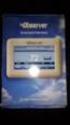 Communicating Wall Control Installation Manual TSTAT0101SC U.S. Patent No. 7,243,004 U.S. Patent No. 7,775,452 616 01 1017 02 08/07/12 Safety Considerations... 7 Introduction... 8 Quick Start... 9 Set
Mechanical Rooftop Custom Capabilities
 Mechanical Rooftop Custom Capabilities Mechanical Construction Capabilities Price manufactures a wide range of custom gas heat and DX cooled units to meet your new construction and retrofit needs. In addition
Condensing unit type EPSILON-ECHOS LE Technical information manual
 Condensing unit type EPSILON-ECHOS LE Technical information manual 2 > EPSILON ECHOS Water chiller > EPSILON ECHOS /HP Reversible heat pump > EPSILON ECHOS /ST Water chiller with storage tank and pumps
VertiCool Space Saver 2 to 15 tons Water-Cooled and Chilled Water
 2 to 15 tons Water-Cooled and Chilled Water Unique Solutions for Challenging HVAC Projects Your Choice for Limited Space Applications Water-Cooled Chilled Water The VertiCool Space Saver allows installation
Liebert CRV Row-Based Cooling Intelligent Precision Cooling For Data Center Equipment. Precision Cooling For Business-Critical Continuity
 Liebert Row-Based Cooling Intelligent Precision Cooling For Data Center Equipment Precision Cooling For Business-Critical Continuity The Intelligent Data Center Cooling Solution: Liebert Trust the industry
How and Why Mission- Critical Cooling Systems Differ From Common Air Conditioners
 How and Why Mission- Critical Cooling Systems Differ From Common Air Conditioners White Paper #56 Revision 2 Executive Summary Today's technology rooms require precise, stable environments in order for
LK Electric Boiler - 4,5
 LK Electric Boiler -, Design LK Electric Boiler, kw is a wall-mounted electric boiler, intended primarily for low-temperature heating systems, e.g. under floor heating. LK Electric Boiler, kw is delivered
SPACE COOLERS. P.O. Box 956 Paoli, PA 19301 (800) 523-7590 FAX (610) 251-0805 www.coilcompany.com. The leader in packaged Space Cooling.
 SPACE COOLERS P.O. Box 956 Paoli, PA 19301 (800) 523-7590 FAX (610) 251-0805 www.coilcompany.com The leader in packaged Space Cooling. 2 Table of Contents Description Space Cooler from Coil Company. A
Chilled Water Precision Air Conditioner For Critical Application
 AIRSYS-P-SC-OPTIMA-HD-E1304V01.2 HD Chilled Water Precision Air Conditioner For Critical Application Cooling capacity: 42.1kW~161.5kW OPTIMA product family is designed for medium to large data center.
TABLE OF CONTENTS. 1.1 Features... 1. 2.1 System Screen... 4 2.2 Main Unit Screen... 6 2.3 Navigating Through the Liebert icom Menus...
 Liebert icom User Manual -Intelligent Communications & Monitoring for Liebert Challenger 3000, Liebert Challenger ITR, Liebert CW, Liebert DS Liebert PeX with Software Version PA2.01.029.03R TABLE OF
ETC TWO STAGE ELECTRONIC TEMPERATURE CONTROL
 RANCO INSTALLATION INSTRUCTIONS ETC TWO STAGE ELECTRONIC TEMPERATURE CONTROL Relay Electrical Ratings PRODUCT DESCRIPTION The Ranco ETC is a microprocessor-based family of electronic temperature controls,
Central Air Conditioner
 Central Air Conditioner USER S INFORMATION MANUAL FOR THE OPERATION AND MAINTENANCE OF YOUR NEW RESIDENTIAL AIR CONDITIONER NOTE TO INSTALLER: THIS MANUAL MUST BE LEFT WITH THE EQUIPMENT USER. WELCOME
Digi-Motor Installation Guide
 Digi-Motor Installation Guide Installation Video...located at marsdelivers.com Digi-Motor Installation Guide Digi-Motor For technical assistance with your Azure Digi-Motor, call the MARS technical support
543-0032-00, 943-0032-00. User s Manual
 543-0032-00, 943-0032-00 User s Manual 1 Comfort Alert Diagnostics Faster Service And Improved Accuracy The Comfort Alert diagnostics module is a breakthrough innovation for troubleshooting heat pump and
Air Conditioning System
 Owner s Information Manual Air Conditioning ystem NOTE TO EQUIPMENT OWNER: For your convenience, please record the model and serial numbers of your new equipment in the space provided. This information,
INSTALLATION INSTRUCTIONS COMMERCIAL ROOM VENTILATORS WITH EXHAUST
 INSTALLATION INSTRUCTIONS COMMERCIAL ROOM VENTILATORS WITH EXHAUST MODEL CHCRV-5 For Use with Bard CH Series 3, 4 & 5 Ton 2-Stage Wall Mount Heat Pumps AND W38H, W43H, W49H and W61H Single Stage Wall Mount
Heating, Ventilation, Air Conditioning and Refrigeration (HVACR)
 Heating, Ventilation, Air Conditioning and Refrigeration (HVACR) I. Demonstrate safety skills in typical HVACR work situations to NATE Core Installer Knowledge Areas for Technician Excellence for Safety
The High Performance Floormount Indoor Package Cooling Solution. Precision Cooling for Business-Critical Continuity
 Liebert HPF The High Performance Floormount Indoor Package Cooling Solution Precision Cooling for Business-Critical Continuity We re Emerson Network Power, backed by Emerson, a global company that brings
Liebert DCR Part of the SmartRow Offering. Installation Manual 3-6, Single/Redundant and 5-10 Racks Higher Capacity Cooling Units, 60Hz
 Liebert DCR Part of the SmartRow Offering Installation Manual 3-6, Single/Redundant and 5-10 Racks Higher Capacity Cooling Units, 60Hz TABLE OF CONTENTS IMPORTANT SAFETY INSTRUCTIONS................................................1
MUELLER FALLING FILM CHILLERS
 MUELLER FALLING FILM CHILLERS MUELLER FALLING FILM CHILLERS ARE DESIGNED TO COOL ANY FLUID TO WITHIN 2 F OF ITS FREEZE POINT. The primary application for Mueller s falling film chiller is to cool food-grade
FTQ. Daikin Inverter Ducted Heat Pump
 FTQ Daikin Inverter Ducted Heat Pump A TRADITIONAL CENTRAL AIR SYSTEM MADE BETTER WITH DAIKIN CONSTANT COMFORT INVERTER TECHNOLOGY. The Daikin Inverter Ducted Heat Pump line is a cost effective alternative
The prevailing force in the field. AIR CONDITIONING SOLUTIONS FOR THE PULP AND PAPER INDUSTRY
 The prevailing force in the field. AIR CONDITIONING SOLUTIONS FOR THE PULP AND PAPER INDUSTRY About HDT Nordic HDT Global, in business for over 75 years, acquired Nordic Air in 2010. Nordic was founded
Data Aire Series Air Cooled, Water/Glycol Cooled 6 through 30 ton Dual Circuits R-410A R-410A 1 R-410A
 R-410A Data Aire Series Air Cooled, Water/Glycol Cooled 6 through 30 ton Dual Circuits R-410A 1 R-410A Data Aire the pioneer and builder of the most complete line of precision cooling equipment Data Aire
TECHNICAL DATA & SERVICE MANUAL SPLIT SYSTEM AIR CONDITIONER INDOOR UNIT: AW52AL AW64AL AW52AL 387030095 AW64AL 0.8180.463.0 07/05
 TECHNICAL DATA & SERVICE MANUAL INDOOR UNIT: AW52AL AW64AL SPLIT SYSTEM AIR CONDITIONER Model No. Product Code No. AW52AL 387030095 AW64AL 387030096 0.8180.463.0 07/05 IMPORTANT! Please read before installation
Daker DK 1, 2, 3 kva. Manuel d installation Installation manual. Part. LE05334AC-07/13-01 GF
 Daker DK 1, 2, 3 kva Manuel d installation Installation manual Part. LE05334AC-07/13-01 GF Daker DK 1, 2, 3 kva Index 1 Introduction 24 2 Conditions of use 24 3 LCD Panel 25 4 Installation 28 5 UPS communicator
INSTALLATION INSTRUCTIONS Fan Coil Replacement Coil Kit EBX & EBXX
 Fan Coil Replacement Coil Kit EBX & EBXX These instructions must be read and understood completely before attempting installation. These instructions covers the installation of replacement coil kit into
- White Paper - Data Centre Cooling. Best Practice
 - White Paper - Data Centre Cooling Best Practice Release 2, April 2008 Contents INTRODUCTION... 3 1. AIR FLOW LEAKAGE... 3 2. PERFORATED TILES: NUMBER AND OPENING FACTOR... 4 3. PERFORATED TILES: WITH
ECOCIAT. Domestic hot water heat recovery unit
 Heat recovery unit Domestic hot water High energy efficiency with R410A Compact and quiet Scroll compressors Brazed-plate heat exchangers Heating Heat recovery ENVIRONMENTALLY HFC R410A PROTECTION DE FRIENDLY
Select Radiators Installation Guide
 Select Radiators Installation Guide Table of Contents Informational Symbols...3 Before You Begin...4 Select Rough-In... 5 Connection Installation...6 Optional Piping Arrangements...7 Conventional Wall
Operating Instructions Split System Air Conditioner
 Operating Instructions Split System Air Conditioner Model No. Indoor Unit Type Indoor Unit Type Nominal Capacity 26 36 F2 Low Silhouette Ducted S-26PF2U6 S-36PF2U6 Connectable outdoor unit lineup This
Why Do I Need Precision Air Conditioning?
 Why Do I Need Precision Air Conditioning? Executive Summary Today's technology rooms require precise, stable environments in order for sensitive electronics to operate optimally. Standard comfort air
Replacement parts. WM97+ gas-fired water boiler Boiler Manual. OBTAIN PARTS ONLY THROUGH WEIL-McLAIN THE BOILER CONTAINS CERAMIC FIBER MATERIALS
 Replacement parts DO NOT SERVICE THE BOILER WITHOUT A WM97+ MAINTENANCE KIT AVAILABLE Failure to adhere to these guidelines can result in severe personal injury, death or substantial property damage. The
SWIMMING POOL HEAT PUMP
 SWIMMING POOL HEAT PUMP Installation & User Manual Model HP40B HP50B HP65B Hayward Pool Products Canada, Inc. T: 1-888-238-7665 www.haywardpool.ca CONTENT I. Application 4 II. Features 4 III. Technical
UNIFIED FACILITIES GUIDE SPECIFICATIONS
 USACE / NAVFAC / AFCEC / NASA UFGS-23 09 93 (November 2015) ----------------------------- Preparing Activity: USACE Superseding UFGS-23 09 23 (May 2011) UNIFIED FACILITIES GUIDE SPECIFICATIONS References
Explosion-Proof Electric Unit Heaters
 Type FX4 FX4 Explosion-Proof Electric Air Heaters FX4 heaters are UL listed and/or CSA certified for use in hazardous locations. They are designed for dry indoor industrial applications such as oil refineries,
LTR Series Uninterruptible Power Systems 700 VA - 2.1 KVA. General Specification
 08/17/12 Rev2 LTR Series General Specification 700 VA to 2.1 KVA 1.0 General LTR Series Uninterruptible Power Systems 700 VA - 2.1 KVA General Specification This specification describes the features and
with MERCURY FREE 1 HP Relays ! WARNING Before using this product read and understand instructions.
 B Installation & Maintenance Instructions MM-414 Series 150E and 157E Low Water Cut-Off/Pump Controllers For Steam Boilers and Other Level Control Applications A Typical Applications: Primary or secondary
Table Z. Troubleshooting Chart for Air Conditioners. Cause
 Troubleshooting Chart for Air Conditioners Type of Unit Complaint Cause With open-type compressor Electric motor will not start Power failure Check circuit for power source Compressor stuck Locate cause
Recommended Product Specifications Fuel Day Tank System Tramont UTRS Fuel Day Tank
 Recommended Product Specifications Fuel Day Tank System Tramont UTRS Fuel Day Tank This specification describes requirements for a Diesel Fuel Day Tank System consisting of one or more fuel tanks, an Electronic
PRODUCT PRODUCT CODE TECHNICAL INSTRUCTIONS PAGE
 Table of Contents PRODUCT PRODUCT CODE TECHNICAL INSTRUCTIONS PAGE # Electric Room Comfort Controller NEW! RDY2000 Room Comfort Controller RDY 129-905 D-3 Electric for Specialized Applications Surface
THERMO KING TRUCK & TRAILER UNIT ALARM CODES THIS DOCUMENT SHOWS ALL CURRENT ALARM CODES FOR THERMO KING TRUCK AND TRAILER UNITS.
 THERMO KING TRUCK & TRAILER UNIT ALARM CODES THIS DOCUMENT SHOWS ALL CURRENT ALARM CODES FOR THERMO KING TRUCK AND TRAILER UNITS. NOT ALL CODES ARE POSSIBLE ON ANY INDIVIDUAL UNIT. IF THE ALARM APPLIES
5-21kW. Ecotel Indoor Range. - 21kW. > Ecotel Indoor Range. www.airedale.com. Typical Applications
 5-21kW - 21kW > Ecotel Indoor Range Typical Applications > Telecommunications > Internet service providers > Computer rooms > Switching / Relay stations www.airedale.com Specifications Ecotel Indoor The
Programmable Thermostat MODEL 3312026.XXX With Dehumidify 3312024.XXX With Out Dehumidify
 Comfort Control Center 2 Thermostat Operating Instructions Programmable Thermostat MODEL 3312026.XXX With Dehumidify 3312024.XXX With Out Dehumidify TABLE OF CONTENTS About your new thermostat Features...2
The Different Types of Air Conditioning Equipment for IT Environments
 The Different Types of Air Conditioning Equipment for IT Environments By Tony Evans White Paper #59 Executive Summary Cooling equipment for an IT environment can be implemented in 10 basic configurations.
Lesson 36 Selection Of Air Conditioning Systems
 Lesson 36 Selection Of Air Conditioning Systems Version 1 ME, IIT Kharagpur 1 The specific objectives of this chapter are to: 1. Introduction to thermal distribution systems and their functions (Section
NetworkAIR FM Precision Air Conditioner. Operation and Maintenance
 NetworkAIR FM Precision Air Conditioner Operation and Maintenance Contents Operation...1 Display Interface.................................... 1 Using the Display................................... 2
Liebert COMPREHENSIVE DETECTION OF WATER BASED LEAKS IN CRITICAL SPACES. Liebert Liqui-tect. M o n i t o r i n g S o l u t i o n s
 Liebert Liebert Liqui-tect Leak Detection and Reporting M o n i t o r i n g S o l u t i o n s COMPREHENSIVE DETECTION OF WATER BASED LEAKS IN CRITICAL SPES Accurate, Reliable Systems For Detecting, Locating
marine/bespoke split applications
 split applications marine/bespoke evaporators, condensers and split air conditioning systems suitable for a multitude of applications such as coastal, extreme high and low ambients, harsh dusty environments
OPL BASIC. Dosing System for Professional Laundry machines. Contents
 OPL BASIC Dosing System for Professional Laundry machines Contents 1 Getting Started. Page 2 2 Installation. Page 4 3 Set Up & Operation. Page 8 4 Maintenance & Accessories. Page 10 5 Troubleshooting Page
COMMERCIAL HVAC CHILLER EQUIPMENT. Air-Cooled Chillers
 COMMERCIAL HVAC CHILLER EQUIPMENT Air-Cooled Chillers Technical Development Programs (TDP) are modules of technical training on HVAC theory, system design, equipment selection and application topics. They
CEILING CASSETTE FAN COIL UNIT
 CEILING CASSETTE FAN COIL UNIT Operation and Installation Manual MHCFC4W-04, 08, 12, 16 Four way ceiling cassette fan coil unit Please read this manual before using the fan coil unit. Installation and
Why and How we Use Capacity Control
 Why and How we Use Capacity Control On refrigeration and air conditioning applications where the load may vary over a wide range, due to lighting, occupancy, product loading, ambient weather variations,
Statement of Work. 3.0 Details of Service Pre Start-up. - 1 - Cooling Start-up Service. Installation Service. Table of Contents. 1.0 Executive Summary
 Installation Service Statement of Work - 1 - Cooling Start-up Service Cooling Start-up Service Service 1.0 Executive Summary Table of Contents 1.0 Executive Summary 2.0 Features & Benefits 3.0 Details
Automatic Transfer Switch FT-10 Network Control Communications Module (CCM-T) Kit 541 0811
 Instruction Sheet 1-2003 Automatic Transfer Switch FT-10 Network Control Communications Module (CCM-T) Kit 541 0811 PURPOSE OF KIT A CCM-T is used to monitor and control an automatic transfer switch. The
LIEBERT CORPORATION Air Products. Model Number Reference Guide. Revision: April 2004
 LIEBERT CORPORATION Air Products Model Number erence Guide Revision: April 2004 MODEL NUMBER INDEX BEGINNING MODEL PRODUCT PAGE FD, UD Deluxe System 2 1 FH, FE, UH, UE Deluxe System 3 1 DH, DE, VH, VE,
CENTRAL AIR CONDITIONER with PURON REFRIGERANT
 USER S INFORMATION MANUAL CENTRAL AIR CONDITIONER with PURON REFRIGERANT NOTE TO INSTALLER: This manual must be left with the equipment user. WELCOME TO EFFICIENT HOME COOLING COMFORT Congratulations on
R22. K Control. Indoor Unit. Nomenclature. Compatibility PL H 3 G K H B. Unit style Heat Pump Horse Power
 R22. K Control. Indoor Unit. Nomenclature. PL H 3 G K H B Compatibility Unit style Heat Pump Horse Power Control Boost Heaters R22. K Control. Outdoor Unit. Nomenclature. PU H 3 Y K A Compatibility Outdoor
Split System Cooling Product Data
 Split System Cooling Product XL16i 1½ 5 Tons PUB. NO. 22-1890-01 Features and Benefits Climatuff compressor Efficiency up to 16.0 SEER and 9.0 HSPF All aluminum Spine Fin coil WeatherGuard fasteners Quick-Sess
T 3 Series VAV Diffusers Analog Diffuser Steel Square Panel Horizontal Pattern Model: T 3 SQ
 TSQ--0 7-7-07 T Series VAV Diffusers Analog Diffuser Steel Square Panel Horizontal Pattern Model: T SQ Model Configuration T SQ- Heating / Cooling Border Type (Lay-In) Full Face Nominal Round Duct Size
Si10-417_C. Pocket Manual. Service Diagnosis SPLIT & MULTI
 Pocket Manual Service Diagnosis SPLIT & MULTI Service Diagnosis SPLIT & MULTI 1. Troubleshooting with LED...5 1.1 Indoor Unit... 5 1.2 Outdoor Unit... 10 2. Troubleshooting by Symptoms...11 2.1 Air conditioner
Medical Air Systems: Scroll
 GENERAL The Chemetron skid mount scroll medical air system is designed to provide medical breathing air for hospital and medical institutions. This system meets NFPA 99 requirements for Level 1 breathing
Water Fired Chiller/Chiller-Heater. WFC-S Series: 10, 20 and 30 RT Cooling
 Water Fired Chiller/Chiller-Heater WFC-S Series: 1, 2 and 3 RT Cooling W E A R E F R I E N D L Y T O T H E E A R T H Water Fired SINGLE-EFFECT Chiller or Chiller-Heater Absorption Principle Cooling Cycle
MODEL IX -WAC/HP AIR CONDITIONERS & HEAT PUMPS FOR HIGHLY CORROSIVE & HAZARDOUS AREAS
 1.5, 2, 2.5, 3, 3.5, 4, 5 & 6 Ton Industrial Grade Wall Mounted Air Conditioners & Heat Pumps Unit Application Bebco Model IX-WAC/HP Industrial Grade Air Conditioners & Heat Pumps are designed as a total
TWE+TTA TWE+TWA 6.25-20 T.R.
 TWE+TTA TWE+TWA 6.25-20 T.R. Main features : TWE indoor unit : Convertible cabinet, vertical or horizontal. Adjustable speed pulley-belt drive centrifugal fan motor. Aluminium fin coil with copper-tubes.
Portable Air Conditioner. OWNER S MANUAL Read these instructions before use. Model: MF08CESWW. Voltage rating: 115V~60Hz Power rating : 800W
 MODE ALARM Portable Air Conditioner OWNER S MANUAL Read these instructions before use 8 Model: MF08CESWW Voltage rating: 115V~60Hz Power rating : 800W Customer Support : 1-800-474-2147 For product inquiries
Engineering Specifications
 Engineering Specifications NORDIC W-85-H-B-*S-PD Water to Water Heat Pump Single-Stage R134a Nominal 7.5 Ton With Double Wall Condenser for Domestic Hot Water Production Maritime Geothermal Ltd. P.O. Box
Liebert icom - PEX Product Application
 Precision Cooling For Business-Critical Continuity Liebert icom - PEX Product Application User Manual - Intelligent Communications & Monitoring 1.0 INTRODUCTION TABLE OF CONTENTS 1.1 Features...................................................................