
Release 364 Quadro, NVS, Tesla, GRID, & Notebook Drivers - Version
|
|
|
- Grant Holmes
- 9 years ago
- Views:
Transcription
1 Release 364 Quadro, NVS, Tesla, GRID, & Notebook Drivers - Version RN _v02 April 4, 2016 Windows 10 Release Notes

2 TABLE OF CONTENTS 1 Introduction to Release Notes... 1 Structure of the Document... 1 Changes in this Edition Release 364 Driver Changes... 2 Version Highlights... 3 Existing Support... 3 What s New in Version What s New in Release Limitations Under Windows Discontinued and Unsupported Features in this Release... 6 Advanced Instructions for this Release... 7 Turning Off V-Sync to Boost Performance... 7 NVIDIA Application Configuration Engine (ACE)... 7 Using the WDDM Driver Model with Tesla GPU GOMs... 8 SLI Multi-OS GPU Assignment in System Virtualization Changes in Version Windows 10 Fixed Issues Known Product Limitations System Should not Enter Sleep/Hibernate Mode With SDI Capture in Progress Once Installed, the SDI Capture Driver Release Must Always Match the Graphics Driver Some APIs do not Report Total Available Graphics Memory Correctly.. 15 Using HDMI/DisplayPort Audio with Displays that have a High Native Resolution Using HDMI/DisplayPort Displays that do not Support Audio Using HDMI/DisplayPort Audio in Dualview or Clone Mode Configurations18 GPU Runs at a High Performance Level (full clock speeds) in Multi-display Modes Aero Must be Enabled for Windowed SLI AFR Mode Under Vista SLI Connector Requirement on NVIDIA Quadro SLI Cards Applying Workstation Application Profiles The Release 364 Driver...20 Release 364 Quadro, NVS, Tesla, GRID, & Notebook Drivers - Version RN _v02 i

3 TABLE OF CONTENTS Hardware and Software Support Supported Operating Systems Supported NVIDIA Products Supported NVIDIA Notebook Products Supported Languages Driver Installation Minimum Hard Disk Space Before You Begin Installation Instructions Appendix A: Mode Support for Windows...30 General Mode Support Information Default Modes Supported by GPU Understanding the Mode Format Tesla, Quadro, & NVS GPUs Quadro Notebook GPUs Modes Supported by TV Encoders Appendix B: NVIDIA Tesla Compute Cluster Mode...38 About Tesla Compute Cluster Mode TCC Overview Running CUDA Applications Operating on Systems with non-tcc NVIDIA GPUs Setting TCC Mode Release 364 Quadro, NVS, Tesla, GRID, & Notebook Drivers - Version RN _v02 ii

4 LIST OF TABLES Table 1 GOM and Driver Model Compatibility... 9 Table 3.1 Supported NVIDIA Quadro & NVS Products Table 3.2 Supported NVIDIA Quadro Sync Products Table 3.3 Supported NVIDIA Quadro G-Sync II Products Table 3.4 Supported NVIDIA Quadro SDI Products Table 3.5 Supported NVIDIA Quadro Plex Products Table 3.6 Supported NVIDIA Quadro Blade/Embedded Graphics Board Series Table 3.7 Supported NVIDIA Tesla Products Table 3.8 Supported NVIDIA GRID Products Table 3.9 NVIDIA NVS and Quadro NVS Notebook GPU Support Table 3.10 Supported NVIDIA Quadro M and Quadro FX M GPUs Table A.1 Modes Supported for High Resolution Displays Table A.2 Non-standard Modes Supported Table A.3 Mode Support for S-Video and Composite Out Table A.4 Mode Support for Component YPrPb Out and DVI Out Table B.1 Default TCC Mode Release 364 Quadro, NVS, Tesla, GRID, & Notebook Drivers - Version RN _v02 iii

5 01 INTRODUCTION TO RELEASE NOTES This edition of Release Notes describes the Release 364 family of NVIDIA Quadro, NVS, Tesla, GRID, and Quadro Notebook Drivers for Microsoft Windows 10. NVIDIA provides these notes to describe performance improvements and bug fixes in each documented version of the driver. Structure of the Document This document is organized in the following sections: Release 364 Driver Changes on page 2 gives a summary of changes, and fixed and open issues in this version. The Release 364 Driver on page 20 describes the NVIDIA products and languages supported by this driver, the system requirements, and how to install the driver. Mode Support for Windows on page 30 lists the default resolutions supported by the driver. NVIDIA Tesla Compute Cluster Mode on page 38 describes the Tesla Compute Cluster mode. Changes in this Edition This edition of the Release Notes for Windows 10 includes information about NVIDIA graphics driver version , and lists changes made to the driver since version These changes are discussed beginning with the chapter Release 364 Driver Changes on page 2. Release 364 Quadro, NVS, Tesla, GRID, & Notebook Drivers - Version RN _v02 1

6 02 RELEASE 364 DRIVER CHANGES This chapter describes open issues for version , and resolved issues and driver enhancements for versions of the Release 364 driver up to version The chapter contains these sections: Version Highlights on page 3 Advanced Instructions for this Release on page 7 Changes in Version on page 13 Known Product Limitations on page 14 Release 364 Quadro, NVS, Tesla, GRID, & Notebook Drivers - Version RN _v02 2

7 Chapter 02 : RELEASE 364 DRIVER CHANGES Version Highlights This section provides highlights of version of the NVIDIA Release 364 Driver for Windows Vista and later. Existing Support What s New in Version What s New in Release 364 Limitations Under Windows 10 Discontinued and Unsupported Features in this Release Existing Support This release supports the following APIs: Open Computing Language (OpenCL) 1.2 for and GPUs OpenGL 4.5 Vulcan 1.0 DirectX 12 (does not apply to GPUs) CUDA 7.5 This driver installs nview Desktop Manager version What s New in Version This driver adds support for the Quadro M5500 for notebooks. This is the recommended driver for the best VR performance, and includes performance optimizations and functional compatibility fixes. For gaming-related bug fix information, refer to the GeForce Driver Release Notes. What s New in Release 364 Quadro New Feature Driver This is a Quadro New Feature (QNF) driver. This driver is from the most recent driver release branch from NVIDIA, and contains the latest new features and functionality. It has been tested for workstation environments, and is recommended only for those users who need specific features mentioned in the release highlights or release notes. For the most stable and fully supported enterprise driver please use the 'Quadro ODE Graphics Driver' downloadable from the main NVIDIA Driver download page. Release 364 Quadro, NVS, Tesla, GRID, & Notebook Drivers - Version RN _v02 3

8 Chapter 02 : RELEASE 364 DRIVER CHANGES Release 364 Quadro, NVS, Tesla, GRID, & Notebook Drivers - Version RN _v02 4

9 Chapter 02 : RELEASE 364 DRIVER CHANGES New Features Supported This driver provides support for the Vulkan 3D API. More information is available here. Added Dynamic Super Resolution (DSR) support for SLI configurations driving a G- Sync monitor. Added SLI support for YUV422 at 4k and YUV420 with 12-bpc at any resolution. Power Saving: The driver now puts the GPU in the OFF state, with video memory in self-refresh mode, when the monitor is blanked or inactive. Expanded the list of SLI-certified motherboards and systems for workstation SLI support. Limitations Under Windows 10 Cross-adapter Clone Mode Under Windows 10, clone mode across graphics processors is handled by the Windows OS, and not by the NVIDIA driver. Consequently, there are no controls for cross-adapter clone mode in the NVIDIA Control Panel under Windows 10. Optimus Systems Because cross-adapter clone mode is handled by the Windows 10 OS, there are no display controls in the NVIDIA Control Panel if no display is connected to the NVIDIA GPU. Release 364 Quadro, NVS, Tesla, GRID, & Notebook Drivers - Version RN _v02 5

10 Chapter 02 : RELEASE 364 DRIVER CHANGES Discontinued and Unsupported Features in this Release Discontinued Features The NVIDIA AutoCAD Performance driver is no longer integrated in the graphics driver. Standalone versions or version updates can still be downloaded from the NVIDIA driver download page. The following features are removed from the NVIDIA Control Panel The Views option You no longer need to select between Standard and Advanced views for many NVIDIA Control Panel controls. The Profiles menu Support for Quadro SDI products is discontinued for Windows 8 and later operating systems. Limitations in This Release The following are features that are not currently supported or have limited support in this driver release: NVIDIA Control Panel Display Category The Graph tab on the Adjust Desktop Color Settings page is not available. Release 364 Quadro, NVS, Tesla, GRID, & Notebook Drivers - Version RN _v02 6

11 Chapter 02 : RELEASE 364 DRIVER CHANGES Advanced Instructions for this Release This section clarifies instructions for successfully accomplishing the following tasks: Turning Off V-Sync to Boost Performance NVIDIA Application Configuration Engine (ACE) Using the WDDM Driver Model with Tesla GPU GOMs SLI Multi-OS GPU Assignment in System Virtualization Turning Off V-Sync to Boost Performance To get the best benchmark and application performance measurements, turn V-Sync off as follows: 1 Open the NVIDIA Control Panel and make sure that Advanced Settings is selected from the control panel tool bar. 2 From the Select a Task pane, under 3D Settings, click Manage 3D Settings, then click the Global Settings tab. 3 From the Global presets pull-down menu, select Base profile. 4 From the Settings list box, select Vertical sync and change its value to Force off, then click Apply. 5 From the Global presets pull-down menu, select 3D App - Default Global Settings (the driver s default profile) or use the application profile that matches the application you are testing, then click Apply. Be sure to close the NVIDIA Control Panel completely leaving it open will affect benchmark and application performance. NVIDIA Application Configuration Engine (ACE) This driver includes the NVIDIA Application Configuration Engine (ACE), which automatically detects the workstation application and configures the appropriate profile settings in the NVIDIA Control Panel. See the NVIDIA Quadro Professional Drivers: NVIDIA Control Panel Quick Start Guide for more information about this feature. Release 364 Quadro, NVS, Tesla, GRID, & Notebook Drivers - Version RN _v02 7

12 Chapter 02 : RELEASE 364 DRIVER CHANGES Using the WDDM Driver Model with Tesla GPU GOMs Tesla GPU Operation Modes Tesla K20X and K20 GPU Accelerators offer the ability to specify the GPU operation mode using NV-SMI/NVML. (refer to: By setting the GPU operation mode, developers can selectively turn off certain features in the GPU to get the best performance per watt for certain workloads. The following are the supported GOMs: Compute-Only: For running compute tasks only. By default the Tesla K20X and K20 accelerator boards ship in this mode. Low-Double Precision: For graphics applications that don t require high bandwidth double precision. This is recommended for workloads that are not sensitive to double precision but at the same time need graphics capabilities. All On: This is recommended only when the workload needs full double precision as well as graphics capabilities. WDDM and TCC Driver Models Along with the GPU operation mode, the developer needs to select the compatible driver model for the Tesla K20X and K20. Tesla Compute Cluster (TCC): Optimized for running compute workloads. Windows Device Driver Model (WDDM): Designed for graphics application and not recommended for compute workloads. Release 364 Quadro, NVS, Tesla, GRID, & Notebook Drivers - Version RN _v02 8

13 Chapter 02 : RELEASE 364 DRIVER CHANGES Compatibility Between GOM and Driver Models Table 1 shows which GPU operation modes are compatible with which driver models. Table 1 GOM and Driver Model Compatibility GOM TCC Driver Model WDDM Driver Model Use Case Support All On YES YES All use cases are supported. Compute-Only YES NO The following are unsupported: X11 and those that require X11 (GLInterop, OCL conformance and VIPER) 32-bit Windows OS Low Double Precision YES YES All use cases supported. The compute-only GOM is supported only on the TCC driver model, while the WDDM driver model supports only GOM modes that enable graphics. The compute-only GOM and WDDM are incompatible and should not be used simultaneously. The Tesla K20 Active Accelerators for workstations ship in compute-only mode and cannot be modified. Therefore, use only the TCC driver model with these products. Using the WDDM Driver Model To use the WDDM driver model with Tesla K20x and K20 GPU Accelerators for servers, first switch the GOM mode from compute-only to All On, then switch from TCC to WDDM. Do not attempt to specify the driver model by editing the registry. Doing so can result in compute-only GOM and WDDM being configured simultaneously, which might require a clean installation of the driver to fix. Always use NVIDIA-provided tools to specify a processing mode or to switch between driver models. Such tools include nvidia-smi or the NVIDIA Control Panel->Manage Maximus Settings page. These tools provide warnings in the case of a conflict. Release 364 Quadro, NVS, Tesla, GRID, & Notebook Drivers - Version RN _v02 9

14 Chapter 02 : RELEASE 364 DRIVER CHANGES SLI Multi-OS GPU Assignment in System Virtualization On systems with two or more graphics cards installed, this driver supports a hypervisor's ability to directly assign GPUs to guest virtual machines (VMs). This direct assignment allows each guest VM to run on their own operating system with their own GPU and driver. The assignment allows full GPU performance and functionality in the guest VM. Hardware Platform Requirements To make use of GPU passthrough with virtual machines running Windows and Linux, the hardware platform must support the following features: A CPU with hardware-assisted instruction set virtualization: Intel VT-x or AMD-V. Platform support for I/O DMA remapping. On Intel platforms the DMA remapper technology is called Intel VT-d. On AMD platforms it is called AMD IOMMU. Support for these feature varies by processor family, product, and system, and should be verified at the manufacturer's website. Supported Hypervisors The following hypervisors are supported: Hypervisor Citrix XenServer VMware vsphere (ESX / ESXi) Parallels Workstation Extreme Notes Version 6.0 and later. Version 5.1 and later. Version 4 and later Supported Graphics Cards The following GPUs are supported for device passthrough: GPU Family Boards supported Quadro: K2200, M4000, M5000, M6000, M GB Tesla: M60, M6 GRID: K1, K2, K520, K340 Quadro: K2000, K4000, K4200, K5000, K5200, K6000 Tesla: K10, K20, K20x, K20Xm, K20c, K20s, K40m, K40c, K40s, K40st, K40t, K80 Release 364 Quadro, NVS, Tesla, GRID, & Notebook Drivers - Version RN _v02 10

15 Chapter 02 : RELEASE 364 DRIVER CHANGES GPU Family Notes and Known Issues VMware Boards supported Quadro: 2000, 4000, 5000, 6000 Quadro-MXM: 1000M, 3000M Tesla: C2050, C2075, M2050, M2070, M2070Q PCI I/O hole may need to be changed for Windows 64-bit VMs. Windows 64-bit VMs may require that you edit the VM configuration file to configure a larger PCI I/O hole for the GPU. Access Control Services is required on some switches. Starting with ESX 5.0 Update 1, Access Control Services (ACS) is required on any switches in the PCIe hierarchy above a PCIe device that is to be used for passthrough. If ACS is not present, ESX will not allow the device to be assigned directly to a VM. To allow assignment of devices below switches that do not support ACS, you can disable the ACS check as follows: esxcfg-advcfg -k true disableacscheck Configuring passthrough to a Windows Server 2008R2 VM. The VMware WDDM driver must be manually installed on Windows Server 2008 R2. Follow the steps provided at # MSI translation must be disabled. Blue-screen crashes may occur on VMs with assigned GPUs if MSI is initially enabled for passthrough devices. To avoid this issue, disable MSI translation by setting pcipassthru0.msienabled = "FALSE" in the VM s VMX file. Citrix Xenserver XenServer 6.1 workaround for 64-bit MMIO failures on PCI passthrough. Dom0 kernel may relocate GPU BARs to an invalid location immediately beyond the end of physical RAM. There are two workaround options to address this condition: Workaround option #1: Add pci=use_crs to the kernel parameters by running the following command in Dom0: /opt/xensource/libexec/xen-cmdline --set-dom0 pci=use_crs Release 364 Quadro, NVS, Tesla, GRID, & Notebook Drivers - Version RN _v02 11

16 Chapter 02 : RELEASE 364 DRIVER CHANGES Workaround option #2: Install the hotfix provided by Citrix at support.citrix.com/article/ctx137645): Multi-Monitor Support on GRID Multi-monitor support on GRID boards K1 and K2 requires the following VBIOS versions: GRID K1: AF or later GRID K2: 80:04:BA:00.00 or later Release 364 Quadro, NVS, Tesla, GRID, & Notebook Drivers - Version RN _v02 12

17 Changes in Version Changes in Version The following sections list the important changes and the most common issues resolved since driver version Windows 10 Fixed Issues [Mosaic][NVIDIA Control Panel]: The NVIDIA Control Panel stops working after changing the Mosaic topology. [Adobe Illustrator CC 2015]: Driver TDR error occurs, causing the application to close. Release 364 Quadro, NVS, Tesla, GRID, & Notebook Drivers - Version RN _v02 13
![Windows 10 Fixed Issues [Mosaic][NVIDIA Control Panel]: The NVIDIA Control Panel stops working after changing the Mosaic](/docs-images/47/20571932/images/page_17.jpg "topology. [Adobe Illustrator CC 2015]: Driver TDR error occurs, causing the application to close.")
18 Known Product Limitations This section describes problems that will not be fixed. Usually, the source of the problem is beyond the control of NVIDIA. Following is the list of problems and where they are discussed in this document: System Should not Enter Sleep/Hibernate Mode With SDI Capture in Progress on page 14 Once Installed, the SDI Capture Driver Release Must Always Match the Graphics Driver on page 15 Some APIs do not Report Total Available Graphics Memory Correctly on page 15 Using HDMI/DisplayPort Audio with Displays that have a High Native Resolution on page 17 Using HDMI/DisplayPort Displays that do not Support Audio on page 17 Using HDMI/DisplayPort Audio in Dualview or Clone Mode Configurations on page 18 GPU Runs at a High Performance Level (full clock speeds) in Multi-display Modes on page 18 Aero Must be Enabled for Windowed SLI AFR Mode Under Vista on page 18 SLI Connector Requirement on NVIDIA Quadro SLI Cards on page 19 Applying Workstation Application Profiles on page 19 System Should not Enter Sleep/Hibernate Mode With SDI Capture in Progress SDI capture programs will become non-responsive upon resume from sleep or hibernate modes. This is not a typical use case, so power management tests should not be performed when testing SDI. Release 364 Quadro, NVS, Tesla, GRID, & Notebook Drivers - Version RN _v02 14

19 Once Installed, the SDI Capture Driver Release Must Always Match the Graphics Driver To use the Quadro SDI Capture card, you need to install the NVIDIA WDM driver for the Quadro SDI Capture card after installing the Quadro professional driver. The WDM driver version must be from the same branch as the installed NVIDIA graphics driver. If at a later time you install a different Quadro professional driver version for example, when upgrading from a Release 260 driver to a Release 265 driver you must reinstall the WDM driver from the same driver branch as well in this example, Release 265. You must install the updated WDM driver even if remove the SDI Capture card and uninstall the WDM driver. Portions of the old WDM driver remain on the system, and the resulting mismatch with the updated graphics driver results in a faulty driver installation. Installing a matching WDM driver corrects this issue. Some APIs do not Report Total Available Graphics Memory Correctly Background TAG Memory In the Windows Display Driver Model (WDDM), Total Available Graphics (TAG) memory is reported as the sum of Dedicated Video Memory (video memory dedicated for graphics use) Dedicated System Memory (system memory dedicated for graphics use), and Shared System Memory (system memory shared between the graphics subsystem and the CPU). The values for each of these components are computed according to WDDM guidelines when the NVIDIA Display Driver is loaded. Issue NVIDIA has found that some TAG-reporting APIs represent video memory using 32-bits instead of 64-bits, and consequently do not properly report available graphics memory when the TAG would otherwise exceed 4 gigabytes (GB). This results in under reporting of available memory and potentially undesirable behavior of applications that rely on these APIs to report available memory. The reported memory can be severely reduced. For example, 6 GB might be reported as 454 MB, and 8 GB might be reported as 1259 MB. Release 364 Quadro, NVS, Tesla, GRID, & Notebook Drivers - Version RN _v02 15

20 NVIDIA Action for Some GeForce-based Systems For GeForce GPUs with 2.75 GB or less of video memory, the NVIDIA display driver constrains TAG memory to just below 4 GB 1. In this scenario, the Shared System Memory component of TAG is limited first, before limiting Dedicated Video Memory. This is a policy decision within the driver, and results in reliable reporting of sub-4 GB TAG memory. When TAG Reporting Would Not Be Limited For GeForce-based GPUs with more than 2.75 GB of video memory, as well as all Quadro and Tesla GPUs, the NVIDIA display driver does not constrain TAG memory reporting. The disadvantage of constraining TAG on systems with larger amounts of video and system memory is that memory which otherwise would be available for graphics use is no longer available. Since shared system memory is limited first, driver components and algorithms utilizing shared system memory may suffer performance degradation when TAG is constrained. Since these and similar scenarios are prevalent in many Workstation applications, the NVIDIA driver avoids constraining TAG on all Quadro and Tesla-based systems. Likewise, the driver does not constrain TAG for GeForce-based systems with more than 2.75 GB of video memory. 1. The WDDM guidelines dictate minimum and maximum values for the components, but the display driver may further constrain the values that are reported (within the allowed minimum and maximum). Release 364 Quadro, NVS, Tesla, GRID, & Notebook Drivers - Version RN _v02 16

21 Using HDMI/DisplayPort Audio with Displays that have a High Native Resolution To use HDMI/DisplayPort audio with some displays that have a native resolution higher than 1920x1080, you must set the display to a lower HD resolution. Some HDMI TV's have a native resolution that exceeds the maximum supported HD mode. For example, TVs with a native resolution of 1920x1200 exceed the maximum supported HD mode of 1920x1080. Applying this native mode results in display overscan which cannot be resized using the NVIDIA Control Panel since the mode is not an HD mode. To avoid this situation and provide a better user experience, the driver treats certain TVs such as the Viewsonic VX2835wm and the Westinghouse LVM- 37w3 as a DVI monitor when applying the native mode. Because the driver does not treat the TV as an HDMI in this case, the HDMI audio is not used. Using HDMI/DisplayPort Displays that do not Support Audio Some HDMI/DisplayPort displays do not support audio, or have issues with Quadro FX family and earlier NVIDIA graphics cards. The NVIDIA driver attempts to identify such displays and automatically disables the audio. For example, the NVIDIA driver disables HMDI audio for all Philips HDMI TVs, as these have been identified as having issues with Quadro FX family and earlier NVIDIA graphics cards. There may be cases where either the driver disables audio even though there is no problem, or does not disable the audio when in fact the audio does not work. The following sections describe these situations and provides guidance for handling them. Corrupted video and no audio The driver has not disabled audio and the display s audio signal is incompatible with the graphics card, causing video corruption. With a different display connected in order to establish video, disable audio for the HDMI display using the NVIDIA Control Panel-> Change Resolution page. From the connector list, select HDMI-HDTV (Audio Disabled). Release 364 Quadro, NVS, Tesla, GRID, & Notebook Drivers - Version RN _v02 17
22 Video but no audio Check the connector list on the NVIDIA Control Panel->Change Resolution page. If HDMI-HDTV (Audio Disabled) is selected and you want to test whether your HDMI audio does, in fact, work, then select HDMI-HDTV (Audio Enabled) and the driver will prompt you with instructions for testing HDMI audio with the display. If HDMI-HDTV (Audio Enabled) is selected, then the driver has not successfully detected that an incompatible display is connected. Future drive versions will properly identify such displays and disable audio. If there is no HDMI connector option in the NVIDIA Control Panel->Change Resolution page, the display does not support audio and has properly reported this to the NVIDIA driver. Using HDMI/DisplayPort Audio in Dualview or Clone Mode Configurations Two Audio-enabled Ports In a multi-display configuration where both HDMI/DisplayPort audio ports are enabled, only the primary display will provide the audio. One Audio-enabled Port In a multi-display configuration where only one audio port is enabled, such as when one display is a DVI display, then the HDMI/DisplayPort display can provide the audio whether is it the primary or secondary display. GPU Runs at a High Performance Level (full clock speeds) in Multi-display Modes This is a hardware limitation and not a software bug. Even when no 3D programs are running, the driver will operate the GPU at a high performance level in order to efficiently drive multiple displays. In the case of SLI or multi-gpu PCs, the second GPU will always operate with full clock speeds; again, in order to efficiently drive multiple displays. Today, all hardware from all GPU vendors have this limitation. Aero Must be Enabled for Windowed SLI AFR Mode Under Vista Windows 7 Aero must be enabled in order to achieve SLI acceleration using windowed AFR mode. Release 364 Quadro, NVS, Tesla, GRID, & Notebook Drivers - Version RN _v02 18
23 SLI Connector Requirement on NVIDIA Quadro SLI Cards The SLI connector that links two SLI cards is needed for proper SLI operation. However, the connector can be removed if you do not intend to enable SLI mode. If you remove the connector, then you must make sure that SLI mode is disabled from the NVIDIA control panel. Enabling SLI mode without the SLI connector installed will result in video corruption. Applying Workstation Application Profiles Background The workstation application profiles are software settings used by the NVIDIA Display Drivers to provide optimum performance when using a selected application. The profile also works around known application issues and bugs. If there is an available setting for an application, it should be used, otherwise incorrect behavior or reduced performance is likely to occur. Issues Configuration changes require that you restart the application. Once an application is running, it does not receive notification of configuration changes, Therefore, if you change the configuration while the application is running, you must exit and restart the application for the configuration changes to take effect. Release 364 Quadro, NVS, Tesla, GRID, & Notebook Drivers - Version RN _v02 19
24 03 THE RELEASE 364 DRIVER This chapter covers the following main topics: Hardware and Software Support on page 20 Driver Installation on page 28 Hardware and Software Support Supported Operating Systems The Release 364 driver, version , has been tested with Microsoft Windows 10, and supports both 32-bit and 64-bit versions. Release 364 Quadro, NVS, Tesla, GRID, & Notebook Drivers - Version RN _v02 20
25 Chapter 03 : THE RELEASE 364 DRIVER Supported NVIDIA Products The following tables list the NVIDIA products supported by the Release 364 driver, version Table 3.1, Supported NVIDIA Quadro & NVS Products on page 21 Table 3.2, Supported NVIDIA Quadro Sync Products on page 22 Table 3.3, Supported NVIDIA Quadro G-Sync II Products on page 22 Table 3.4, Supported NVIDIA Quadro SDI Products on page 23 Table 3.5, Supported NVIDIA Quadro Plex Products on page 23 Table 3.6, Supported NVIDIA Quadro Blade/Embedded Graphics Board Series on page 23 Table 3.7, Supported NVIDIA Tesla Products on page 24 Table 3.8, Supported NVIDIA GRID Products on page 24 NVIDIA Quadro & NVS Product Table 3.1 Supported NVIDIA Quadro & NVS Products Product NVIDIA Quadro M GB NVIDIA Quadro M6000 NVIDIA Quadro M5000 NVIDIA Quadro M4000 NVIDIA Quadro K6000 NVIDIA Quadro K5200 NVIDIA Quadro K5000 NVIDIA Quadro K4200 NVIDIA Quadro K4000 NVIDIA Quadro K2200 NVIDIA Quadro K2000 NVIDIA Quadro K1200 NVIDIA Quadro K620 NVIDIA Quadro K600 NVIDIA Quadro K420 NVIDIA Quadro 6000 NVIDIA Quadro 5000 NVIDIA Quadro 4000 NVIDIA Quadro 2000D NVIDIA Quadro 2000 Notes Release 364 Quadro, NVS, Tesla, GRID, & Notebook Drivers - Version RN _v02 21
26 Chapter 03 : THE RELEASE 364 DRIVER Table 3.1 Supported NVIDIA Quadro & NVS Products (continued) Product NVIDIA Quadro 600 NVIDIA Quadro 410 NVIDIA NVS 810 NVIDIA NVS 510 NVIDIA NVS 315 NVIDIA NVS 310 Notes NVIDIA Quadro Sync Products Table 3.2 Supported NVIDIA Quadro Sync Products Product NVIDIA Quadro M GB NVIDIA Quadro M6000 NVIDIA Quadro M5000 NVIDIA Quadro M4000 NVIDIA Quadro K6000 NVIDIA Quadro K5200 NVIDIA Quadro K5000 NVIDIA Quadro K4200 Notes NVIDIA Quadro G-Sync II Products Table 3.3 Supported NVIDIA Quadro G-Sync II Products Product NVIDIA Quadro 6000 NVIDIA Quadro 5000 Notes Release 364 Quadro, NVS, Tesla, GRID, & Notebook Drivers - Version RN _v02 22
27 Chapter 03 : THE RELEASE 364 DRIVER NVIDIA Quadro SDI Products Table 3.4 Supported NVIDIA Quadro SDI Products Product NVIDIA Quadro K6000 NVIDIA Quadro K5200 NVIDIA Quadro K5000 NVIDIA Quadro K4200 NVIDIA Quadro K4000 NVIDIA Quadro 6000 NVIDIA Quadro 5000 NVIDIA Quadro 4000 Notes Note: Quadro SDI products are not supported under Windows 8. NVIDIA Quadro Plex Products Table 3.5 Supported NVIDIA Quadro Plex Products Product NVIDIA Quadro Plex 7000 Notes NVIDIA Quadro Blade/Embedded Graphics Board Table 3.6 Supported NVIDIA Quadro Blade/Embedded Graphics Board Series Product NVIDIA Quadro K3100M NVIDIA Quadro 4000M NVIDIA Quadro 3000M NVIDIA Quadro 1000M NVIDIA Quadro 500M Notes Release 364 Quadro, NVS, Tesla, GRID, & Notebook Drivers - Version RN _v02 23
28 Chapter 03 : THE RELEASE 364 DRIVER NVIDIA Tesla Products The Tesla driver package is designed for systems that have one or more Tesla products installed. Only one GHIC can be connected to the server in a Tesla system. This release of the Tesla driver supports CUDA C/C++ applications and libraries that rely on the CUDA C Runtime and/or CUDA Driver API. Table 3.7 Product Supported NVIDIA Tesla Products Notes Tesla M-Series Products NVIDIA Tesla M60 NVIDIA Tesla M6 Tesla K-Series Products NVIDIA Tesla K80 64-bit OS only NVIDIA Tesla K40(m/c/s/st/t) 64-bit OS only NVIDIA Tesla K20(x/c/m/Xm/s) 64-bit OS only NVIDIA Tesla K10 Tesla S-Class Products NVIDIA Tesla S2050 Tesla M-Class Products NVIDIA Tesla M2090 NVIDIA Tesla M2075 NVIDIA Tesla M2070 NVIDIA Tesla M2070Q NVIDIA Tesla M2050 Tesla C-Class Products NVIDIA Tesla C2075 NVIDIA Tesla C2070 NVIDIA Tesla C2050 NVIDIA GRID Products Table 3.8 Supported NVIDIA GRID Products Product NVIDIA GRID K2 NVIDIA GRID K1 Notes Release 364 Quadro, NVS, Tesla, GRID, & Notebook Drivers - Version RN _v02 24
29 Chapter 03 : THE RELEASE 364 DRIVER Supported NVIDIA Notebook Products The notebook driver is part of the NVIDIA Verde Notebook Driver Program, and can be installed on supported NVIDIA notebook GPUs. However, please note that your notebook original equipment manufacturer (OEM) provides certified drivers for your specific notebook on their website. NVIDIA recommends that you check with your notebook OEM about recommended software updates for your notebook. OEMs may not provide technical support for issues that arise from the use of this driver. The following tables list the NVIDIA notebook products supported by the Release 364 driver, version : Table 3.9 NVIDIA NVS and Quadro NVS Notebook GPU Support Quadro Notebook Products NVS 5400M NVS 5200M NVS 4200M Notes Table 3.10 Supported NVIDIA Quadro M and Quadro FX M GPUs Consumer Products Quadro M5500 Quadro M5000M Quadro M4000M Quadro M3000M Quadro M2000M Quadro M1000M Quadro M600M Quadro M500M Notes Release 364 Quadro, NVS, Tesla, GRID, & Notebook Drivers - Version RN _v02 25
30 Chapter 03 : THE RELEASE 364 DRIVER Table 3.10 Supported NVIDIA Quadro M and Quadro FX M GPUs Consumer Products Quadro K5000M Quadro K5100M Quadro K4000M Quadro K4100M Quadro K3000M Quadro K3100M Quadro K2000M Quadro K2200M Quadro K2100M Quadro K1000M Quadro K1100M Quadro K620M Quadro K610M Quadro K510M Quadro K500M Quadro 5010M Quadro 5000M Quadro 4000M Quadro 3000M Quadro 2000M Quadro 1000M Notes Release 364 Quadro, NVS, Tesla, GRID, & Notebook Drivers - Version RN _v02 26
31 Chapter 03 : THE RELEASE 364 DRIVER Supported Languages The Release 364 Graphics Drivers supports the following languages in the main driver Control Panel: English (USA) German Portuguese (Euro/ Iberian) English (UK) Greek Russian Arabic Hebrew Slovak Chinese (Simplified) Hungarian Slovenian Chinese (Traditional) Italian Spanish Czech Japanese Spanish (Latin America) Danish Korean Swedish Dutch Norwegian Thai Finnish Polish Turkish French Portuguese (Brazil) Release 364 Quadro, NVS, Tesla, GRID, & Notebook Drivers - Version RN _v02 27
32 Chapter 03 : THE RELEASE 364 DRIVER Driver Installation Minimum Hard Disk Space The hard disk space requirement for international is minimum 393 MB. The hard disk space requirement for English-only is minimum 364 MB. Before You Begin ntune If you have previously installed NVIDIA ntune, NVIDIA recommends that you uninstall ntune before installing this driver. After the driver install is complete, you can reinstall NVIDIA ntune. Notebooks Check to make sure that your notebook has a supported GPU (see Supported NVIDIA Notebook Products on page 25). It is recommended that you back up your current system configuration. If you own a Dell Inspiron 1420, Dell XPS M1330, or Dell XPS M1530, or Dell LatitudeD630 or D630c, it is highly recommended that you first install this Dell software update. SLI Mosaic Mode You must make sure SLI Mosaic mode is disabled before installing a new driver over a previously installed driver. If SLI Mosaic mode is active on your displays when you install the new driver, the driver will not install properly. Installation Instructions 1 Follow the instructions on the NVIDIA.com Web site driver download page to locate the appropriate driver to download, based on your hardware and operating system. 2 Click the driver download link. The license agreement dialog box appears. 3 Click Accept if you accept the terms of the agreement, then either open the file or save the file to your PC and open it later. 4 Open the NVIDIA driver installation.exe file to launch the NVIDIA InstallShield Wizard. Release 364 Quadro, NVS, Tesla, GRID, & Notebook Drivers - Version RN _v02 28
33 Chapter 03 : THE RELEASE 364 DRIVER 5 Follow the instructions in the NVIDIA InstallShield Wizard to complete the installation. Note: If you are overinstalling the driver (installing over a previous driver without first removing the previous driver), then you must reboot your computer in order to complete the installation. Release 364 Quadro, NVS, Tesla, GRID, & Notebook Drivers - Version RN _v02 29
34 APPENDIX A MODE SUPPORT FOR WINDOWS This chapter details the Windows modes supported by the Release 364 driver for NVIDIA products. It contains these sections: General Mode Support Information on page 31 Default Modes Supported by GPU on page 32 Modes Supported by TV Encoders on page 37 Release 364 Quadro, NVS, Tesla, GRID, & Notebook Drivers - Version RN _v02 30
35 Appendix A : MODE SUPPORT FOR WINDOWS General Mode Support Information The NVIDIA graphics driver includes a standard list of display modes that are supported by default. These modes are listed in the section Default Modes Supported by GPU on page 32. The actual modes available depend on the capabilities of the display. In addition, the NVIDIA graphics driver has a dynamic EDID detection capability and will make available additional modes that are listed in the display EDID, provided the graphics hardware can support it. The NVIDIA graphics driver also supports the high resolutions available with the displays listed in Table A.1 as well as the non-standard modes listed in Table A.2. Table A.1 Modes Supported for High Resolution Displays Display Apple 30 Cinema HD Display (Dual link DVI) Dell WFP 3007 (Dual Link DVI) HP LP3065 dual-link DVI flat panel Maximum Resolution 60 Hz 60 Hz 60Hz. Table A.2 Non-standard Modes Supported Resolution 1680 x x 768 Release 364 Quadro, NVS, Tesla, GRID, & Notebook Drivers - Version RN _v02 31
36 Appendix A : MODE SUPPORT FOR WINDOWS Default Modes Supported by GPU This section lists the modes that are included by default in the driver INF for the following product families: Tesla, Quadro, & NVS GPUs on page 33 Quadro Notebook GPUs on page 35 Understanding the Mode Format Figure A.1 gives an example of how to read the mode information presented in this section. Resolution Color Depth Refresh Rates Example entry: 1024 x Meaning: Resolution: 1024 x 768 Color depth: 32 bpp Refresh rates: 60 Hz, 70 Hz, 72 Hz, 75 Hz, 85 Hz, 100 Hz, 120 Hz, 140 Hz, 144 Hz, 150 Hz, 170 Hz, and 200 Hz Figure A.1 Mode Format Note: Horizontal spanning modes of 3840x1080 and above, and vertical spanning modes of 1920x2160 and above generally require at least 32 MB of video memory at 32 bpp. An i next to the refresh rate indicates an interlaced refresh rate. Release 364 Quadro, NVS, Tesla, GRID, & Notebook Drivers - Version RN _v02 32
37 Appendix A : MODE SUPPORT FOR WINDOWS Tesla, Quadro, & NVS GPUs This sections lists the supported display resolutions, color depths, and refresh rates for the products listed in Supported NVIDIA Products on page 21. Standard Modes 640 x x x x x x x x x x x x x x x x x x x x x x x x x x x x x x x x x x x x x x Release 364 Quadro, NVS, Tesla, GRID, & Notebook Drivers - Version RN _v02 33
38 Appendix A : MODE SUPPORT FOR WINDOWS 1920 x x x x x x x x x x x x x x x x x x x x x x Release 364 Quadro, NVS, Tesla, GRID, & Notebook Drivers - Version RN _v02 34
39 Appendix A : MODE SUPPORT FOR WINDOWS Quadro Notebook GPUs This sections lists the supported display resolutions, color depths, and refresh rates for the products listed in Supported NVIDIA Notebook Products on page 25. Standard Modes 640 x x x x x x x x x x x x x x x x x x x x x x x x x x x x x x x x x x x x x x Release 364 Quadro, NVS, Tesla, GRID, & Notebook Drivers - Version RN _v02 35
40 Appendix A : MODE SUPPORT FOR WINDOWS 1920 x x x x x x x x x x x x x x x x x x x x x x Release 364 Quadro, NVS, Tesla, GRID, & Notebook Drivers - Version RN _v02 36
41 Appendix A : MODE SUPPORT FOR WINDOWS Modes Supported by TV Encoders Table A.3 and Table A.4 list the NTSC, PAL, and HDTV TV-Out modes supported by the NVIDIA driver. Table A.3 Mode Support for S-Video and Composite Out Resolution Bit depth Comments 320x200 8, 16, 32 DirectDraw mode; not selectable as a Windows desktop 320x240 8, 16, 32 DirectDraw mode; not selectable as a Windows desktop 640x400 8, 16, 32 DirectDraw mode; not selectable as a Windows desktop 640x480 8, 16, x480 8, 16, 32 Overscans (for video) 720x576 8, 16, 32 Overscans (for video) 800x600 8, 16, x768 8, 16, 32 Conexant only Table A.4 Resolution Mode Support for Component YPrPb Out and DVI Out Comments 480i (SDTV) 480p (EDTV) 720p (HDTV) 1080i (HDTV) 576i (PAL) 576p (PAL) Supported on graphics boards with Conexant 875 or Philips 7108 TV encoders and compatible connectors, and compatible GeForce 8 Series and later GPUs. The driver supports manual overscan correction for component and DVI outputs. See the online NVIDIA Control Panel Help for instructions on how to use the overscan correction features. Release 364 Quadro, NVS, Tesla, GRID, & Notebook Drivers - Version RN _v02 37
42 APPENDIX B NVIDIA TESLA COMPUTE CLUSTER MODE This chapter describes the Tesla Compute Cluster (TCC) mode. About Tesla Compute Cluster Mode on page 38 Operating on Systems with non-tcc NVIDIA GPUs on page 40 Setting TCC Mode on page 40 About Tesla Compute Cluster Mode TCC Overview Tesla Compute Cluster (TCC) mode is designed for compute cluster nodes that have one or more Tesla or Quadro products installed. Benefits TCC drivers make it possible to use NVIDIA GPUs in nodes with non-nvidia integrated graphics. NVIDIA GPUs on systems running the TCC drivers will be available via Remote Desktop, both directly and via cluster management systems that rely on Remote Desktop. NVIDIA GPUs will be available to applications running as a Windows service (i.e. in Session 0) on systems running the Tesla/Quadro driver in TCC mode. Release 364 Quadro, NVS, Tesla, GRID, & Notebook Drivers - Version RN _v02 38
43 Appendix B : NVIDIA TESLA COMPUTE CLUSTER MODE TCC Does not Support Graphics Acceleration TCC mode does not provide CUDA DirectX/OpenGL interoperability. It is a non-display driver, and NVIDIA GPUs using this driver will not support DirectX or OpenGL hardware acceleration. Running CUDA Applications This release of the Tesla driver supports CUDA C/C++ applications and libraries that rely on the CUDA C Runtime and/or CUDA Driver API. NVIDIA GPUs running the Tesla driver in TCC mode will be available for CUDA applications running via services or Remote Desktop. In this release, all GPUs will be in compute exclusive mode. As a result, only one CUDA context may exist on a particular device at a time. SDK applications that use graphics will not run properly under TCC mode. The following are examples of CUDA SDK applications that are not supported: bicubictexture boxfilter cudadecoded3d9 smokeparticles cudadecodegl fluidsd3d9 fluidsgl SobelFilter imagedenoising Mandelbrot marchingcubes volumerender nbody oceanfft particles postprocessgl recursivegaussian simpled3d10 simpled3d10texture simpled3d11texture simpled3d9 simpled3d9texture simplegl simpletexture3d Release 364 Quadro, NVS, Tesla, GRID, & Notebook Drivers - Version RN _v02 39
44 Appendix B : NVIDIA TESLA COMPUTE CLUSTER MODE Operating on Systems with non-tcc NVIDIA GPUs NVIDIA GPUs running under TCC mode may coexist with other display devices. The Tesla driver is overinstalled over any NVIDIA display driver in the system the NVIDIA Tesla/Quadro driver then becomes the only driver for all NVIDIA GPUs in the system. If the Tesla/Quadro driver is uninstalled at a later time, the previous driver is not restored. NVIDIA GPUs that do not support TCC mode will appear as VGA adapters in the Windows Device Manager and can be used to drive displays. Non-supported NVIDIA GPUs can still function as CUDA devices, but the GPU s graphics functionality is not available to applications. Setting TCC Mode To change the TCC mode, use the NVIDIA smi utility as follows: nvidia-smi -g (GPU ID) -dm (0 for WDDM, 1 for TCC) The following table shows the default TCC/non-TCC mode for supported products. Table B.1 Default TCC Mode Product K20Xm/c K20m C2075 C2050 C2070 S2050 M2050 M2070 M2075 M2070-Q M2090 Quadro (/) Default Mode TCC TCC Off TCC TCC Off TCC Off TCC TCC TCC TCC TCC Off TCC TCC Off Release 364 Quadro, NVS, Tesla, GRID, & Notebook Drivers - Version RN _v02 40
45 Notice ALL NVIDIA DESIGN SPECIFICATIONS, REFERENCE BOARDS, FILES, DRAWINGS, DIAGNOSTICS, LISTS, AND OTHER DOCUMENTS (TOGETHER AND SEPARATELY, "MATERIALS") ARE BEING PROVIDED "AS IS." NVIDIA MAKES NO WARRANTIES, EXPRESSED, IMPLIED, STATUTORY, OR OTHERWISE WITH RESPECT TO THE MATERIALS, AND EXPRESSLY DISCLAIMS ALL IMPLIED WARRANTIES OF NONINFRINGEMENT, MERCHANTABILITY, AND FITNESS FOR A PARTICULAR PURPOSE. Information furnished is believed to be accurate and reliable. However, NVIDIA Corporation assumes no responsibility for the consequences of use of such information or for any infringement of patents or other rights of third parties that may result from its use. No license is granted by implication of otherwise under any patent rights of NVIDIA Corporation. Specifications mentioned in this publication are subject to change without notice. This publication supersedes and replaces all other information previously supplied. NVIDIA Corporation products are not authorized as critical components in life support devices or systems without express written approval of NVIDIA Corporation. HDMI HDMI, the HDMI logo, and High-Definition Multimedia Interface are trademarks or registered trademarks of HDMI Licensing LLC. Macrovision Compliance Statement NVIDIA Products that are Macrovision enabled can only be sold or distributed to buyers with a valid and existing authorization from Macrovision to purchase and incorporate the device into buyer's products. Macrovision copy protection technology is protected by U.S. patent numbers 5,583,936; 6,516,132; 6,836,549; and 7,050,698 and other intellectual property rights. The use of Macrovision's copy protection technology in the device must be authorized by Macrovision and is intended for home and other limited pay-per-view uses only, unless otherwise authorized in writing by Macrovision. Reverse engineering or disassembly is prohibited. Third Party Notice Portions of the NVIDIA system software contain components licensed from third parties under the following terms: Clang & LLVM: Copyright (c) University of Illinois at Urbana-Champaign. All rights reserved. Portions of LLVM's System library: Copyright (C) 2004 extensible Systems, Inc. Developed by: LLVM Team University of Illinois at Urbana-Champaign Permission is hereby granted, free of charge, to any person obtaining a copy of this software and associated documentation files (the "Software"), to deal with the Software without restriction, including without limitation the rights to use, copy, modify, merge, publish, distribute, sublicense, and/or sell copies of the Software, and to permit persons to whom the Software is furnished to do so, subject to the following conditions:
46 Redistributions of source code must retain the above copyright notice, this list of conditions and the following disclaimers. Redistributions in binary form must reproduce the above copyright notice, this list of conditions and the following disclaimers in the documentation and/or other materials provided with the distribution. Neither the names of the LLVM Team, University of Illinois at Urbana-Champaign, nor the names of its contributors may be used to endorse or promote products derived from this Software without specific prior written permission. THE SOFTWARE IS PROVIDED "AS IS", WITHOUT WARRANTY OF ANY KIND, EXPRESS OR IMPLIED, INCLUDING BUT NOT LIMITED TO THE WARRANTIES OF MERCHANTABILITY, FITNESS FOR A PARTICULAR PURPOSE AND NONINFRINGEMENT. IN NO EVENT SHALL THE CONTRIBUTORS OR COPYRIGHT HOLDERS BE LIABLE FOR ANY CLAIM, DAMAGES OR OTHER LIABILITY, WHETHER IN AN ACTION OF CONTRACT, TORT OR OTHERWISE, ARISING FROM, OUT OF OR IN CONNECTION WITH THE SOFTWARE OR THE USE OR OTHER DEALINGS WITH THE SOFTWARE. Vulcan Notice Copyright (c) The Khronos Group Inc. Copyright (c) LunarG, Inc. Copyright (c) Valve Corporation Permission is hereby granted, free of charge, to any person obtaining a copy of this software and/or associated documentation files (the "Materials"), to deal in the Materials without restriction, including without limitation the rights to use, copy, modify, merge, publish, distribute, sublicense, and/or sell copies of the Materials, and to permit persons to whom the Materials are furnished to do so, subject to the following conditions: The above copyright notice(s) and this permission notice shall be included in all copies or substantial portions of the Materials. THE MATERIALS ARE PROVIDED "AS IS", WITHOUT WARRANTY OF ANY KIND, EXPRESS OR IMPLIED, INCLUDING BUT NOT LIMITED TO THE WARRANTIES OF MERCHANTABILITY, FITNESS FOR A PARTICULAR PURPOSE AND NONINFRINGEMENT. IN NO EVENT SHALL THE AUTHORS OR COPYRIGHT HOLDERS BE LIABLE FOR ANY CLAIM, DAMAGES OR OTHER LIABILITY, WHETHER IN AN ACTION OF CONTRACT, TORT OR OTHERWISE, ARISING FROM, OUT OF OR IN CONNECTION WITH THE MATERIALS OR THE USE OR OTHER DEALINGS IN THE MATERIALS. Unless otherwise noted in the LICENSE.txt file in the install folder, all components of the Vulkan Runtime are licensed under the above license. Licenses for any components not so licensed are listed in the LICENSE.txt file. Trademarks NVIDIA, the NVIDIA logo, NVIDIA nforce, GeForce, NVIDIA Quadro, NVDVD, NVIDIA Personal Cinema, NVIDIA Soundstorm, Vanta, TNT2, TNT, RIVA, RIVA TNT, VOODOO, VOODOO GRAPHICS, WAVEBAY, Accuview Antialiasing, Detonator, Digital Vibrance Control, ForceWare, NVRotate, NVSensor, NVSync, PowerMizer, Quincunx Antialiasing, Sceneshare, See What You've Been Missing, StreamThru, SuperStability, T-BUFFER, The Way It's Meant to be Played Logo, TwinBank, TwinView and the Video & Nth Superscript Design Logo are registered trademarks or trademarks of NVIDIA Corporation in the United States and/or other countries. Other company and product names may be trademarks or registered trademarks of the respective owners with which they are associated. OpenCL and the OpenCL logo are trademarks of Apple Inc. used by permission by Khronos. Vulkan and the Vulkan logo are trademarks of the Khronos Group Inc.
47 Copyright 2015, 2016 NVIDIA Corporation. All rights reserved.
Release 367 Quadro, NVS, Tesla, GRID, & Notebook Drivers - Version 368.39
 Release 367 Quadro, NVS, Tesla, GRID, & Notebook Drivers - Version 368.39 RN-07954-368.39_v01 June 7, 2016 Windows 10 Release Notes TABLE OF CONTENTS 1 Introduction to Release Notes... 1 Structure of the
Release 361 Quadro, NVS, Tesla, GRID, & Notebook Drivers - Version 362.77
 Release 361 Quadro, NVS, Tesla, GRID, & Notebook Drivers - Version 362.77 RN-07955-362.77_v01 June 15, 2016 Windows 10 Release Notes TABLE OF CONTENTS 1 Introduction to Release Notes... 1 Structure of
Release 352 Quadro, NVS, Tesla, GRID, & Notebook Drivers - Version 354.13
 Release 352 Quadro, NVS, Tesla, GRID, & Notebook Drivers - Version 354.13 RN-WQ35413-04_v01 September 15, 2015 Windows 10 Release Notes TABLE OF CONTENTS 1 Introduction to Release Notes... 1 Structure
Release 340 Quadro & NVS Professional Drivers for Windows - Version 341.95
 Release 340 Quadro & NVS Professional Drivers for Windows - Version 341.95 RN-WQ341-95-03_v01 March 16, 2016 Windows Server 2008 and Windows Server 2012 Release Notes TABLE OF CONTENTS 1 Introduction to
Release 361 Quadro, NVS, Tesla, GRID, & Notebook Drivers - Version 361.43
 Release 361 Quadro, NVS, Tesla, GRID, & Notebook Drivers - Version 361.43 RN-WQ36143-01_v01 December 21, 2015 Windows 7, Windows 8, & Windows 8.1 Release Notes TABLE OF CONTENTS 1 Introduction to Release
Release 295 Graphics Drivers for Windows - Version 296.17
 Release 295 Graphics Drivers for Windows - Version 296.17 RN-W29617-03v01 March 7, 2012 Windows 8 Release Notes TABLE OF CONTENTS 1 Introduction to Release Notes... 1 Structure of the Document... 1 Changes
Release 352 Quadro & NVS Professional Drivers for Windows - Version 354.13
 Release 352 Quadro & NVS Professional Drivers for Windows - Version 354.13 RN-WQ354-13-03_v01 September 14, 2015 Windows Server 2008 and Windows Server 2012 Release Notes TABLE OF CONTENTS 1 Introduction
Release 319 Quadro, NVS, Tesla, & GRID Drivers for Windows - Version 320.78
 Release 319 Quadro, NVS, Tesla, & GRID Drivers for Windows - Version 320.78 RN-WQ320-78-03_v01 August 21, 2013 WIndows Server 2003, Windows Server 2008, Windows Server 2012 Release Notes TABLE OF CONTENTS
How To Get A Better Performance On An Nvv3.3.4.3 (Vista) With Nv3D (V3) And V3.5.3-D (Nv3A) On A Power
 Release 340 Quadro, NVS, Tesla, GRID, & Notebook Drivers - Version 340.43 RN-WQ34043-01_v01 June 17, 2014 Windows 7, Windows 8, & Windows 8.1 Release Notes TABLE OF CONTENTS 1 Introduction to Release Notes...
Release 352 Quadro, NVS, Tesla, GRID, & Notebook Drivers - Version 354.13
 Release 352 Quadro, NVS, Tesla, GRID, & Notebook Drivers - Version 354.13 RN-WQ35413-01_v01 September 15, 2015 Windows 7, Windows 8, & Windows 8.1 Release Notes TABLE OF CONTENTS 1 Introduction to Release
Release 310 Quadro & NVS Professional Drivers for Windows - Version 310.90
 Release 310 Quadro & NVS Professional Drivers for Windows - Version 310.90 RN-WQ310-90-03_v01 January 3, 2013 WIndows Server 2003, Windows Server 2008, Windows Server 2012 Release Notes TABLE OF CONTENTS
Release 346 Quadro, NVS, Tesla, GRID, & Notebook Drivers - Version 347.09
 Release 346 Quadro, NVS, Tesla, GRID, & Notebook Drivers - Version 347.09 RN-WQ34709-01_v01 December 22, 2014 Windows 7, Windows 8, & Windows 8.1 Release Notes TABLE OF CONTENTS 1 Introduction to Release
NVIDIA Tesla Compute Cluster Driver for Windows
 NVIDIA Tesla Compute Cluster Driver for Windows v197.03 March 2010 Release Notes 01 NVIDIA TESLA COMPUTE CLUSTER DRIVER FOR WINDOWS This edition of Release 197 Notes describes the Release 197 Tesla Compute
Release 331 Quadro, NVS, Tesla, & GRID Drivers for Windows - Version 331.65
 Release 331 Quadro, NVS, Tesla, & GRID Drivers for Windows - Version 331.65 RN-WQ33165-01_v01 October 28, 2013 Windows Vista, WIndows 7, Windows 8, & Windows 8.1 Release Notes TABLE OF CONTENTS 1 Introduction
Release 302 Graphics Drivers for Windows - Version 302.80
 Release 302 Graphics Drivers for Windows - Version 302.80 RN-W30280-03v03 June 20, 2012 Windows 8 Release Notes TABLE OF CONTENTS 1 Introduction to Release Notes... 1 Structure of the Document... 1 Changes
Release 346 Quadro, NVS, Tesla, GRID, & Notebook Drivers - Version 348.17
 Release 346 Quadro, NVS, Tesla, GRID, & Notebook Drivers - Version 348.17 RN-WQ34817-01_v01 May 28, 2015 Windows 7, Windows 8, & Windows 8.1 Release Notes TABLE OF CONTENTS 1 Introduction to Release Notes...
NVIDIA Mosaic Technology
 NVIDIA Mosaic Technology DU-05620-001_v05 November 8, 2012 User s Guide TABLE OF CONTENTS 1 About NVIDIA Mosaic Technology... 1 About This Document... 2 System Requirements... 2 Feature Summary... 3 Limitations...
GeForce Drivers NVIDIA Control Panel Quick Start Guide. Driver Release 174/175 for Windows NVIDIA Corporation
 GeForce Drivers NVIDIA Control Panel Quick Start Guide Driver Release 174/175 for Windows NVIDIA Corporation May 2008 Published by NVIDIA Corporation 2701 San Tomas Expressway Santa Clara, CA 95050 Copyright
Release 310 Tesla, Quadro, & NVS Professional Drivers for Windows - Version 310.90
 Release 310 Tesla, Quadro, & NVS Professional Drivers for Windows - Version 310.90 RN-WQ31090-01_v01 January 3, 2013 Windows 7, Windows 8, Windows Vista Release Notes TABLE OF CONTENTS 1 Introduction to
Release 340 Graphics Drivers for Windows - Version 341.95
 Release 340 Graphics Drivers for Windows - Version 341.95 RN-W34195-02v01 March 16, 2016 Windows 10 Release Notes TABLE OF CONTENTS 1 Introduction to Release Notes... 1 Structure of the Document... 1 Changes
Release 331 Quadro & NVS Notebook Drivers for Windows - Version 331.82
 Release 331 Quadro & NVS Notebook Drivers for Windows - Version 331.82 RN-WQ33182-01n_v01 November 19, 2013 Windows Vista, WIndows 7, Windows 8, & Windows 8.1 Release Notes TABLE OF CONTENTS 1 Introduction
NVIDIA GRID 2.0 ENTERPRISE SOFTWARE
 NVIDIA GRID 2.0 ENTERPRISE SOFTWARE QSG-07847-001_v01 October 2015 Quick Start Guide Requirements REQUIREMENTS This Quick Start Guide is intended for those who are technically comfortable with minimal
NVIDIA GeForce Experience
 NVIDIA GeForce Experience DU-05620-001_v02 October 9, 2012 User Guide TABLE OF CONTENTS 1 NVIDIA GeForce Experience User Guide... 1 About GeForce Experience... 1 Installing and Setting Up GeForce Experience...
NVIDIA Quadro Professional Drivers Release 178 Notes
 NVIDIA Quadro Professional Drivers Release 178 Notes Version 178.92 For Windows XP / 2000 Windows XP Professional x64 Edition Windows Server 2003 x64 Edition NVIDIA Corporation March 5, 2009 Published
TESLA M2075 DUAL-SLOT COMPUTING PROCESSOR MODULE
 TESLA M2075 DUAL-SLOT COMPUTING PROCESSOR MODULE BD-05837-001_v01 May 2011 Board Specification DOCUMENT CHANGE HISTORY BD-05837-001_v01 Version Date Authors Description of Change 01 May 13, 2011 DS, SM
TESLA M2050 AND TESLA M2070 DUAL-SLOT COMPUTING PROCESSOR MODULES
 TESLA M2050 AND TESLA M2070 DUAL-SLOT COMPUTING PROCESSOR MODULES BD-05238-001_v02 April 2010 Board Specification DOCUMENT CHANGE HISTORY BD-05238-001_v02 Version Date Authors Description of Change 01
TESLA K10 GPU ACCELERATOR
 TESLA K10 GPU ACCELERATOR BD-06280-001_v06 September 2012 Board Specification DOCUMENT CHANGE HISTORY BD-06280-001_v06 Version Date Authors Description of Change 01 April 10, 2012 GG, SM Preliminary Information
Release 256 Quadro Professional Drivers for Windows - Version 265.90
 Release 256 Quadro Professional Drivers for Windows - Version 265.90 RN-WQ26590-02v01 November 30, 2010 PRELIMINARY Release Notes TABLE OF CONTENTS 1 Introduction to Release Notes... 1 Structure of the
NVIDIA GeForce GT630 DP (2GB) PCIe x16 Card Graphics Card. QuickSpecs. Overview. Models. DA - 14380 Worldwide Version 4 November 27, 2012 Page 1
 NVIDIA GeForce GT630 DP (2GB) PCIe x16 Graphics Models NVIDIA GeForce GT630 DP (2GB) PCIe x16 Graphics B4J92AA DA - 14380 Worldwide Version 4 November 27, 2012 Page 1 NVIDIA GeForce GT630 DP (2GB) PCIe
NVIDIA Quadro Professional Drivers Release 191 Notes
 NVIDIA Quadro Professional Drivers Release 191 Notes Version 191.00 For Windows Server 2003 32-bit and 64-bit and Windows Server 2008 32-bit and 64-bit NVIDIA Corporation September 23, 2009 Published by
ForceWare Graphics Drivers Release 100 Notes
 ForceWare Graphics Drivers Release 100 Notes Version 100.75 For Windows Vista 32-bit and Windows Vista 64-bit NVIDIA Corporation April 23, 2007 Confidential Information Published by NVIDIA Corporation
GRID VIRTUAL GPU FOR CITRIX XENSERVER Version 340.78, 341.44
 GRID VIRTUAL GPU FOR CITRIX XENSERVER Version 340.78, 341.44 RN-06927-001 February 23rd, 2015 Release Notes RN-06927-001 CONTENTS Release Notes... 1 Validated Platforms... 2 Known Issues... 3 Version 340.78,
GRID VGPU FOR VMWARE VSPHERE
 GRID VGPU FOR VMWARE VSPHERE DU-07354-001 March 2015 Quick Start Guide DOCUMENT CHANGE HISTORY DU-07354-001 Version Date Authors Description of Change 0.1 7/1/2014 AC Initial draft for vgpu early access
DisplayLink USB Graphics User Manual Software Version 5.6
 DisplayLink USB Graphics User Manual All materials (c) DisplayLink 2011 and may not be used without permission DisplayLink 2011 Issue 1 Page 1 Contents Introduction...3 PC Requirements...4 Windows 7...4
NVIDIA GRID K1 GRAPHICS BOARD
 GRAPHICS BOARD BD-06633-001_v02 January 2013 Board Specification DOCUMENT CHANGE HISTORY BD-06633-001_v02 Version Date Authors Description of Change 01 November 27, 2012 AP, SM Preliminary Information
NVIDIA CUDA GETTING STARTED GUIDE FOR MICROSOFT WINDOWS
 NVIDIA CUDA GETTING STARTED GUIDE FOR MICROSOFT WINDOWS DU-05349-001_v6.0 February 2014 Installation and Verification on TABLE OF CONTENTS Chapter 1. Introduction...1 1.1. System Requirements... 1 1.2.
NVIDIA GRID K2 GRAPHICS BOARD
 GRAPHICS BOARD BD-06580-001_v02 January 2013 Board Specification DOCUMENT CHANGE HISTORY BD-06580-001_v02 Version Date Authors Description of Change 01 October 16, 2012 AP, SM Initial Release 02 January
DisplayLink USB Graphics User Manual
 DisplayLink USB Graphics User Manual All materials (c) DisplayLink 2014 and may not be used without permission DisplayLink 2014 Issue 1 Page 1 1. Introduction... 4 2. PC Requirements... 5 2.1. Windows
NVIDIA Control Panel Quick Start Guide
 NVIDIA Control Panel Quick Start Guide DU-05479-295-v01 January 30, 2012 User s Guide TABLE OF CONTENTS 1 Introduction... 1 About the NVIDIA Control Panel... 2 Overview... 2 Feature Differences from the
Release 179 Graphics Drivers Release Notes
 Release 179 Graphics Drivers Release Notes Version 179.48 For Windows Vista 32-bit and Windows Vista 64-bit NVIDIA Corporation February 12, 2009 Published by NVIDIA Corporation 2701 San Tomas Expressway
TESLA C2075 COMPUTING PROCESSOR BOARD
 TESLA C2075 COMPUTING PROCESSOR BOARD BD-05880-001_v02 September 2011 Board Specification DOCUMENT CHANGE HISTORY BD-05880-001_v02 Version Date Authors Description of Change 01 July 25, 2011 MC, SM Initial
Quadro Professional Drivers Quadro FX 3800/4800/5800 and Quadro CX SDI User s Guide. Version 2.0
 Quadro Professional Drivers Quadro FX 3800/4800/5800 and Quadro CX SDI User s Guide Version 2.0 NVIDIA Quadro FX 3800/4800/5800 and Quadro CX SDI User s Guide v2.0 Published by 2701 San Tomas Expressway
TESLA C2050/2070 COMPUTING PROCESSOR INSTALLATION GUIDE
 TESLA C2050/2070 COMPUTING PROCESSOR INSTALLATION GUIDE TESLA C2050 INSTALLATION GUIDE NVIDIA Tesla C2050/2070 TABLE OF CONTENTS TABLE OF CONTENTS Introduction 1 About This Guide 1 Minimum System Requirements
NVIDIA Control Panel Quick Start Guide
 NVIDIA Control Panel Quick Start Guide Release 195/196 v30 January 15, 2010 User s Guide TABLE OF CONTENTS 1 Introduction... 1 About the NVIDIA Control Panel... 2 Overview... 2 Feature Differences from
Release 275 Tesla, Quadro, & NVS Professional Drivers for Windows - Version 275.89
 Release 275 Tesla, Quadro, & NVS Professional Drivers for Windows - Version 275.89 RN-WQ27589-02v02 August 11, 2011 Windows XP Release Notes TABLE OF CONTENTS 1 Introduction to Release Notes... 1 Structure
TESLA K20 GPU ACCELERATOR
 TESLA K20 GPU ACCELERATOR BD-06455-001_v09 October 2014 Board Specification DOCUMENT CHANGE HISTORY BD-06455-001_v09 Version Date Authors Description of Change 01 August 1, 2012 GG, SM Preliminary Information
TESLA K20X GPU ACCELERATOR
 TESLA K20 GPU ACCELERATOR BD-06397-001_v05 November 2012 Board Specification DOCUMENT CHANGE HISTORY BD-06397-001_v05 Version Date Authors Description of Change 01 July 31, 2012 GG, SM Preliminary Information
NVIDIA Quadro Professional Drivers Release 178 Notes
 NVIDIA Quadro Professional Drivers Release 178 Notes Version 178.62 For Windows XP / 2000 Windows XP Professional x64 Edition Windows Server 2003 x64 Edition NVIDIA Corporation December 23, 2008 Published
Release 364 Graphics Drivers for Windows, Version 364.72
 Release 364 Graphics Drivers for Windows, Version 364.72 RN-W36472-02v01 March 28, 2016 Windows XP Release Notes TABLE OF CONTENTS 1 Introduction to Release Notes... 1 Structure of the Document... 1 Changes
Technical Brief. Introducing Hybrid SLI Technology. March 11, 2008 TB-03875-001_v01
 Technical Brief Introducing Hybrid SLI Technology March 11, 2008 TB-03875-001_v01 Document Change History Version Date Responsible Description of Change 01 March 11, 2008 SR, DV Initial release ii March
NVIDIA GRID DASSAULT CATIA V5/V6 SCALABILITY GUIDE. NVIDIA Performance Engineering Labs PerfEngDoc-SG-DSC01v1 March 2016
 NVIDIA GRID DASSAULT V5/V6 SCALABILITY GUIDE NVIDIA Performance Engineering Labs PerfEngDoc-SG-DSC01v1 March 2016 HOW MANY USERS CAN I GET ON A SERVER? The purpose of this guide is to give a detailed analysis
NVIDIA GeForce GTX 580 GPU Datasheet
 NVIDIA GeForce GTX 580 GPU Datasheet NVIDIA GeForce GTX 580 GPU Datasheet 3D Graphics Full Microsoft DirectX 11 Shader Model 5.0 support: o NVIDIA PolyMorph Engine with distributed HW tessellation engines
Bridgit 4.6 software
 Release notes Bridgit 4.6 software About these release notes These release notes summarize the features and requirements of Bridgit 4.6 software and updates to resolved issues. Product information Bridgit
Poliscript Installation Guide
 Poliscript Installation Guide Version 4.0 Current Poliscript Build: Version 2.7 Build 23 Please note this document is correct up to 27 th July 2010 Important Information: - Please note that Poliscript
Release 195 Graphics Drivers for Notebooks Release Notes
 Release 195 Graphics Drivers for Notebooks Release Notes Version 195.62 For Windows 7 (32-bit and 64-bit), and Windows Vista (32-bit and 64-bit) NVIDIA Corporation December 3, 2009 Published by NVIDIA
QuickSpecs. NVIDIA Quadro M6000 12GB Graphics INTRODUCTION. NVIDIA Quadro M6000 12GB Graphics. Overview
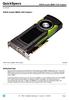 Overview L2K02AA INTRODUCTION Push the frontier of graphics processing with the new NVIDIA Quadro M6000 12GB graphics card. The Quadro M6000 features the top of the line member of the latest NVIDIA Maxwell-based
HP Workstations graphics card options
 Family data sheet HP Workstations graphics card options Quick reference guide Leading-edge professional graphics February 2013 A full range of graphics cards to meet your performance needs compare features
GRID LICENSING. DU-07757-001 April 2016. User Guide
 GRID LICENSING DU-07757-001 April 2016 User Guide DOCUMENT CHANGE HISTORY DU-07757-001 Version Date Authors Description of Change 1.0 9/1/2015 AC Release for GRID 2.0 2.0 4/4/2016 PD Release for GRID 3.0
DisplayLink USB Graphics User Manual
 DisplayLink USB Graphics User Manual All materials (c) DisplayLink 2014 and may not be used without permission DisplayLink 2013 Issue 3 Page 1 Contents 1. Introduction... 4 2. PC Requirements... 5 2.1.
GRID VIRTUAL GPU FOR CITRIX XENSERVER Version 346.68, 348.07
 GRID VIRTUAL GPU FOR CITRIX XENSERVER Version 346.68, 348.07 RN-06927-001 May 11 th, 2015 Release Notes RN-06927-001 CONTENTS Release Notes... 1 Validated Platforms... 2 Known Issues... 3 Version 346.68,
Installation Guide for RTX 2011 with Service Pack 1
 Installation Guide for RTX 2011 with Service Pack 1 Copyright 1996-2011 by IntervalZero, Inc. All rights reserved. No part of this document may be reproduced or transmitted in any form or by any means,
NVIDIA CUDA INSTALLATION GUIDE FOR MICROSOFT WINDOWS
 NVIDIA CUDA INSTALLATION GUIDE FOR MICROSOFT WINDOWS DU-05349-001_v7.5 September 2015 Installation and Verification on Windows TABLE OF CONTENTS Chapter 1. Introduction...1 1.1. System Requirements...
nview Desktop Manager v141.24
 nview Desktop Manager v141.24 DU-05774-141-24_v01 July 3, 2014 User s Guide TABLE OF CONTENTS 1 Introduction... 1 About this Guide... 1 Other Related Documentation... 2 About nview Desktop Manager... 2
Product Library v.1.1 EUR Release Notes. DVD Contents. January 10th, 2014. Windows. Windows. Windows 8. Server 2008 Server 2008 R2.
 1 of 8 Product Library v.1.1 EUR Release Notes January 10th, 2014 DVD Contents Printer Drivers Version KX DRIVER 5.1.1405e2 (Generic) KX DRIVER 6.0.3306 KX (XPS) DRIVER PCL Mini Driver (Generic) PCL Mini
HP Workstations graphics card options
 Family data sheet HP Workstations graphics card options Quick reference guide Leading-edge professional graphics March 2014 A full range of graphics cards to meet your performance needs compare features
Intel Chipset Software Installation Utility User s Manual
 Intel Chipset Software Installation Utility User s Manual Revision 2.00 September 2001 Tilottama S. System Software Applications Engineer Intel DPG System Software Marketing Shane K. System Software Support
Product Library v.2.0eur Release Notes. DVD Contents. October 8th, 2013. Windows Server 2008 Server 2008 R2. Windows 2000 Windows
 1 of 8 Product Library v.2.0eur Release Notes October 8th, 2013 DVD Contents Printer Drivers Version KX DRIVER 5.1.1405e2 (Generic) KX DRIVER 6.0.3024 KX (XPS) DRIVER PCL Mini Driver (Generic) PCL Mini
DisplayLink USB Graphics User Manual
 DisplayLink USB Graphics User Manual All materials (c) DisplayLink 2013 and may not be used without permission DisplayLink 2013 Issue 1 Page 1 1. Contents 2. Introduction... 4 3. PC Requirements... 5 3.1.
QUADRO AND NVS DISPLAY RESOLUTION SUPPORT
 QUADRO AND NVS DISPLAY RESOLUTION SUPPORT DA-07089-001_v02 October 2014 Application Note DOCUMENT CHANGE HISTORY DA-07089-001_v02 Version Date Authors Description of Change 01 November 1, 2013 AP, SM Initial
USB to DVI-I Graphics Adapter CSV-2300D USER S MANUAL
 USB to DVI-I Graphics Adapter CSV-2300D USER S MANUAL 1 of 40 Table of contents Safety instructions 3 Copyright 4 Trademarks 4 Introduction 4 Features 5 Application 5 Package contents 6 System requirement
NVIDIA GRID OVERVIEW SERVER POWERED BY NVIDIA GRID. WHY GPUs FOR VIRTUAL DESKTOPS AND APPLICATIONS? WHAT IS A VIRTUAL DESKTOP?
 NVIDIA GRID OVERVIEW Imagine if responsive Windows and rich multimedia experiences were available via virtual desktop infrastructure, even those with intensive graphics needs. NVIDIA makes this possible
User Manual Version 0.9.9.p BETA III December 23rd, 2015
 User Manual Version 0.9.9.p BETA III December 23rd, 2015 Disclaimer: This document is provided as-is. Information and views expressed in this document, including URL and other Internet website references,
HP Z Workstations graphics card options
 Sales guide HP Z Workstations graphics card options Quick reference guide Table of contents Desktop Workstations compatibility... 3 Mobile and All-in-One Workstations compatibility... 4 Compare features:
Parallels Desktop 4 for Windows and Linux Read Me
 Parallels Desktop 4 for Windows and Linux Read Me Welcome to Parallels Desktop for Windows and Linux build 4.0.6576. This document contains the information you should know to successfully install Parallels
About Parallels Desktop 7 for Mac
 About Parallels Desktop 7 for Mac Parallels Desktop 7 for Mac is a major upgrade to Parallels' award-winning software for running Windows on a Mac. About this Update This update for Parallels Desktop for
Trimble Office Synchronizer Release Notes. Version 1.68 November 2013
 Trimble Office Synchronizer Release Notes Version 1.68 November 2013 Corporate Office Trimble Navigation Limited Engineering and Construction Division 935 Stewart Drive Sunnyvale, California 94085 U.S.A.
HP Backup and Recovery Manager
 HP Backup and Recovery Manager User Guide Version 1.0 Table of Contents Introduction Installation How to Install Language Support HP Backup and Recovery Manager Reminders Scheduled Backups What Can Be
Release 367 Graphics Drivers for Windows, Version 368.81
 Release 367 Graphics Drivers for Windows, Version 368.81 RN-W36881-01v01 July 14, 2016 Windows 10 / Windows 8.1 / Windows 8 / Windows 7 Release Notes TABLE OF CONTENTS 1 Introduction to Release Notes...
NVIDIA Control Panel for Quadro Professional Drivers
 NVIDIA Control Panel for Quadro Professional Drivers DU-05524-331_v02 October 28, 2013 User s Guide TABLE OF CONTENTS 1 Introduction... 1 About the NVIDIA Control Panel... 2 Overview... 2 Feature Differences
Parallels Containers for Windows 6.0
 Parallels Containers for Windows 6.0 Readme June 30, 2014 Copyright 1999-2014 Parallels IP Holdings GmbH and its affiliates. All rights reserved. Contents About This Document... 3 About Parallels Containers
GEFORCE 3D VISION QUICK START GUIDE
 GEFORCE 3D VISION QUICK START GUIDE 01 minimum system requirements Thank you for choosing NVIDIA GeForce 3D Vision, the most immersive gaming experience for the PC. Before you begin, please review the
NVIDIA CUDA GETTING STARTED GUIDE FOR MAC OS X
 NVIDIA CUDA GETTING STARTED GUIDE FOR MAC OS X DU-05348-001_v6.5 August 2014 Installation and Verification on Mac OS X TABLE OF CONTENTS Chapter 1. Introduction...1 1.1. System Requirements... 1 1.2. About
Acer LCD Monitor Driver Installation Guide
 1 Contents 1 Contents... 1 2 Introduction... 2 3 Installation Guide... 2 3.1 PC requirements... 2 3.2 Installing the Acer LCD Monitor Driver on Windows Vista... 3 3.2.1 Hardware first install... 3 3.2.2
Technical Brief. Quadro FX 5600 SDI and Quadro FX 4600 SDI Graphics to SDI Video Output. April 2008 TB-03813-001_v01
 Technical Brief Quadro FX 5600 SDI and Quadro FX 4600 SDI Graphics to SDI Video Output April 2008 TB-03813-001_v01 Quadro FX 5600 SDI and Quadro FX 4600 SDI Graphics to SDI Video Output Table of Contents