
DU User s Guide for VA Loans
|
|
|
- Priscilla Hopkins
- 10 years ago
- Views:
Transcription
1 DU User s Guide for VA Loans

2 1999, 2005 Fannie Mae. All rights reserved. Desktop Originator and Desktop Underwriter are registered trademarks of Fannie Mae. DO, DU, and GUS are trademarks of Fannie Mae. pmiaura is a service mark of PMI Mortgage Insurance Company.

3 Contents Foreword...1 Introduction...1 Definitions...1 Desktop Underwriter...1 Desktop Originator...1 DO/DU user interface...2 DU and the Government Underwriting Service...2 pmiaura SM for VA loans...2 Loan application...2 Loan application sections...3 Loan List screen...3 Data entry instructions...3 How this guide is organized...4 Chapter 1: VA Information...5 VA guidelines...5 Additional resources...5 Fannie Mae customer support...5 Fannie Mae s Help Center...6 Training resources...6 Quick Steps...6 Practice cases...7 Underwriting information...7 VA offices with Loan Guaranty Service functions...7 Chapter 2: Entering Data for VA Loans...9 Data integrity...9 Data entry instructions...9 Type of Mortgage and Terms of Loan...9 Is this a Pre-Approval?...9 Mortgage Applied For...9 Loan Amount (excluding funding fee)...9 Interest Rate (%)...9 No. of Months...9 Amortization Type...10 Lender Loan Number...10 Subject Property Address and Purpose of Loan...10 Street, City, State/ZIP...10 No. of Units...10 Purpose of Loan...10 Occupancy...10 Estate Held In...10 If Refinance Loan Purpose of Refinance...10 Borrower Information...10 Employment Information...11 Current Employment...11 DU User s Guide for VA Loans iii

4 Secondary/Previous Employment...11 Monthly Income and Combined Housing Expense...11 Gross Monthly Income fields...11 Other Income...12 Combined Housing Expenses:...13 Assets...13 Real Estate Owned...14 Liabilities...15 New subordinate liens...17 Resubordinated liens...17 Non-purchasing spouse in a community property state...17 Additional Expenses...17 Details of Transaction...18 Line A. Purchase Price...18 Line B. Alterations, Improvements, Repairs...18 Line C. Land...18 Line D. Refinance (including debts to be paid off)...18 Line E. Estimated Prepaid Items...18 Line F. Estimated Closing Costs...18 Line G. PMI, MIP, Funding Fee...18 Line H. Discount...18 Line J. Subordinate Financing...18 Line K. Closing Costs Paid by Seller...18 Line L. Total Other Credits...19 Line M. Loan Amount (excluding PMI, MIP, Funding Fee Financed)...19 Line N. PMI, MIP, Funding Fee Financed...19 Line O. Loan Amount...19 Line P. Cash From/To Borrower...19 Declarations...19 Question A. Judgments...19 Question B. Bankruptcies...19 Question C. Foreclosures...20 Question D. Party to lawsuit...20 Question E. Significant delinquent debt...20 Question F. Current federal delinquent debt...20 Question G. Obligated to pay alimony or child support...20 Question H. Down payment borrowed...20 Question I. Endorser on a note...20 Question J. Citizenship...21 Question K. Permanent resident aliens...21 Question L. Intent to occupy...21 Question M. Previous ownership...21 Information for Government Monitoring Purposes...21 Additional Data screen...21 Property Appraised Value...21 First Year Buydown Rate...21 Subject Property Type...22 VA Government Information screen...22 iv DU User s Guide for VA Loans
5 Chapter 3: Underwriting Reports...25 Underwriting Findings report...26 Underwriting recommendations from DU...26 Approve/Eligible...26 Approve/Ineligible...27 Refer/Eligible...27 Refer/Ineligible...28 Ineligible transactions:...28 Verification Messages/Approval Conditions...28 Documentation waivers...28 Observations...29 Underwriting Analysis report...29 Income...30 Qualifying Ratios and Expense Ratios...30 Proposed Monthly Payment...30 Funds...30 Errors in the credit report...31 Appendix A: VA Maximum Loan Calculations...33 VA maximum loan amount calculation for Regular Cash-Out Refinance Transactions...34 Maximum loan amount based on appraised value calculation...34 Maximum loan amount based on entitlement calculation...34 VA maximum loan amount calculation for Interest Rate Reduction Refinance Loans (IRRRL)...35 VA maximum loan amount calculation for Purchase Transactions...36 Calculation A...36 Calculation B...36 Calculation C...37 Entitlement calculation details...37 Ginnie Mae maximum loan amount for VA loans...38 Maximum loan amount calculations performed by DU...38 Index...39 DU User s Guide for VA Loans v

6

7 Foreword Introduction Definitions Loan applications for the Department of Veterans (VA) mortgages can be processed using the Government Underwriting Service of Desktop Underwriter (DU). This reference manual, the DU User s Guide for VA Loans, provides detailed information on data entry requirements and system functionality for submitting VA loan applications to DU. Note: While this manual may provide instructions related to VA underwriting guidelines, any such instructions are for the purpose of helping lenders ensure accurate data entry and in no way are intended to interpret, explain, or supercede VA s guidelines or requirements. DU uses the pmiaura SM model in processing VA loans. On December 19, 1999, VA approved Fannie Mae s DU and the pmiaura System for use in connection with VA guaranteed home loans. For details on lenders responsibilities pertaining to VA loans processed through DU and for information on VA guidelines refer to the VA Lenders Handbook, Pamphlet 26-7 Guaranty or Insurance of Loans to Veterans GI Loan Programs (VA Lenders Handbook). For questions concerning VA guidelines, contact your local VA office or your sponsoring lender. Fannie Mae has a license to use the pmiaura model in DU for VA loans, and, therefore, the use of the pmiaura model is governed by the Fannie Mae Software Subscription Agreement and the DU (Expanded Use Version) Schedule. Lenders that have not executed these documents should contact their Fannie Mae customer account team or ebusiness Consultant. Desktop Underwriter Desktop Originator Desktop Underwriter (DU ) is Fannie Mae s automated mortgage loan underwriting system, which was developed to help lenders make informed lending decisions on conventional conforming, FHA and VA loans. DU in conjunction with the pmiaura model features fast, objective risk classification, reduced data entry requirements, reduced documentation, and comprehensive underwriting reports. Desktop Originator (DO ) is a technology tool developed by Fannie Mae that allows mortgage brokers to electronically enter a minimal amount of data in the loan application, order a credit report, submit the loan to DU via a DU User s Guide for VA Loans 1
8 sponsoring lender, and receive an underwriting recommendation and underwriting reports. DO/DU user interface The DO/DU user interface is Fannie Mae s online tool for entering data, ordering credit reports, submitting loan applications to DU, and managing the automated underwriting process. The DO/DU user interface features the Quick 1003, which allows you to enter a reduced set of loan data and submit the data for a quick underwriting recommendation. Registered users can log in to the DO/DU user interface by clicking Launch DO or Launch DU on the efanniemae.com home page. You will need to enter your DO/DU user ID and password to log into the DO/DU user interface. DU and the Government Underwriting Service pmiaura SM for VA loans Loan application The Fannie Government Underwriting Service is the component of DU that processes FHA and VA mortgage applications. VA loans are analyzed by the pmiaura model; FHA loans are analyzed by the FHA TOTAL Scorecard. For more information, see the Desktop Underwriter Government Underwriting Service page on efanniemae.com. The pmiaura (SM) for VA risk model is a statistical model developed by PMI and the Allstate Research and Planning Center (ARPC) based on a database of VA loan and performance data. The model is designed to be used in conjunction with eligibility screening in the automated underwriting of VA loan applications. pmiaura is the underwriting model used by DU for VA loans. The term loan application in this manual refers to Fannie Mae s online version of the Uniform Residential Loan Application (Form 1003) in the DO/DU user interface. The online loan application is available in two formats: Quick 1003 and Full The Quick 1003 allows you to submit a loan to DU with a minimal set of loan data, primarily for a quick underwriting recommendation. The Full 1003 allows you to complete all data fields. However, regardless of whether you use the reduced set of data fields in the Quick 1003 or the complete set of data fields in the Full 1003, only the required (minimal) data elements are evaluated to provide an underwriting recommendation and determine loan eligibility. DU User s Guide for VA Loans 2
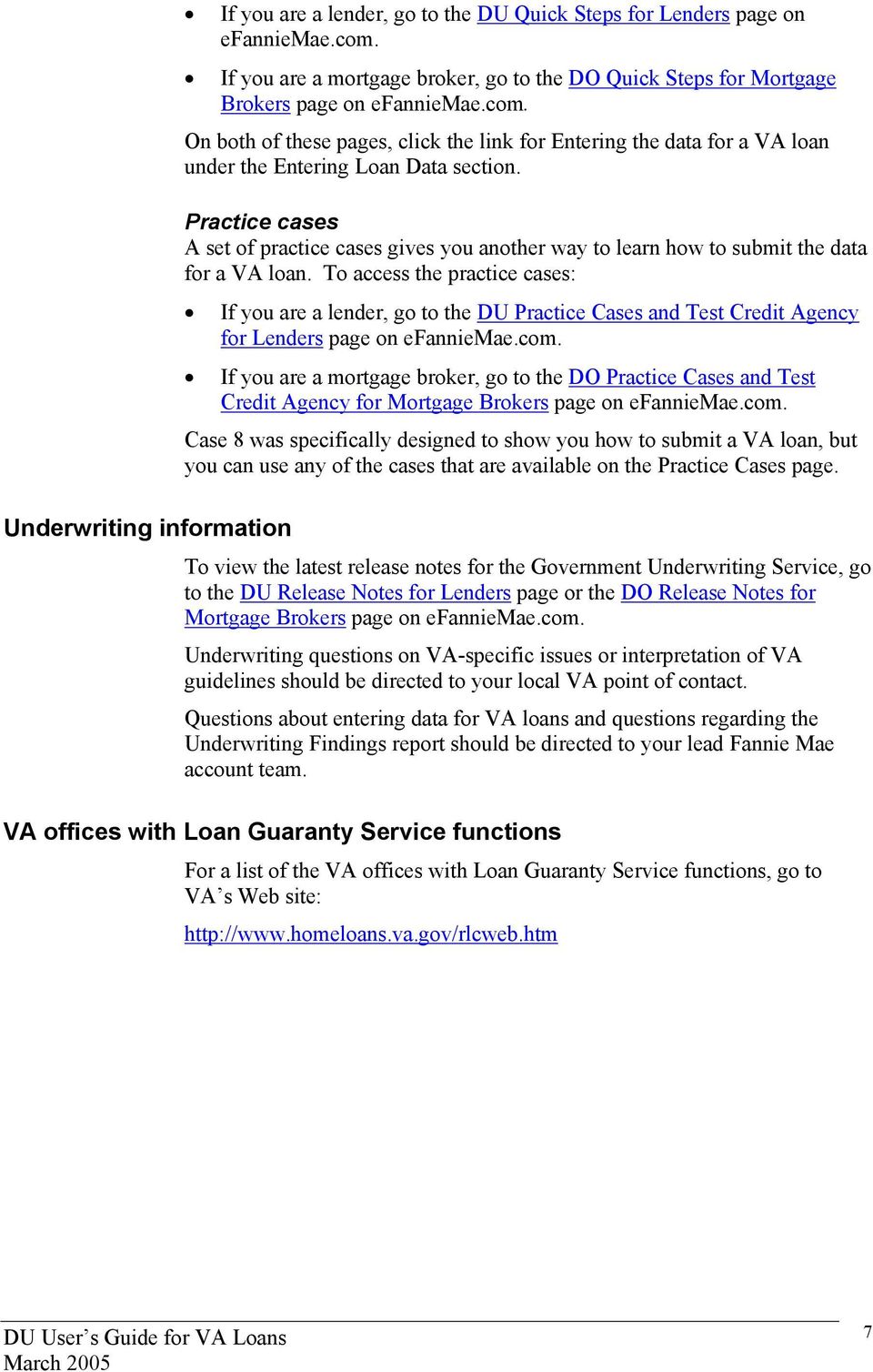
9 Loan application sections Data entry instructions for VA loans are provided for the following sections within the loan application: Type of Mortgage and Terms of Loan Subject Property, Address, and Purpose of Loan Borrower Information Employment Information Monthly Income and Combined Housing Expense Assets Real Estate Owned Liabilities Details of Transaction Declarations Information for Government Monitoring Purposes Additional Data VA Government Information Loan List screen The Loan List screen in DO/DU lists the loans that are in your pipeline and displays available functions, including Create Loan, Import Loan, Refresh Data, and Loan Search. A picture of the Loan List screen appears below: Data entry instructions All data entry instructions in this guide are provided specifically for the online loan application for VA loans in the DO/DU user interface for submission to DU. Lenders are responsible for determining that all appropriate data is properly transmitted to DU. See Chapter 2: Entering Data for VA Loans on page 9. DU User s Guide for VA Loans 3

10 How this guide is organized The following information appears in this guide. Chapter 1, VA Information, beginning on page 5, describes VA loan guaranty and provides information about the VA loan programs that are available in DU. Chapter 2, Entering Data for VA Loans, beginning on page 9, explains how to enter the data that DU needs for processing VA loans. Chapter 3, Underwriting Reports, beginning on page 25, describes the information that appears in the Fannie Mae Underwriting Findings report (Underwriting Findings report) and the Underwriting Analysis report for a VA loan. Appendix A. VA Maximum Loan Calculations, beginning on page 33, shows you how DU calculates the maximum VA loan amount for purchase and regular cash-out refinance transactions. DU User s Guide for VA Loans 4

11 VA guidelines Additional resources Chapter 1: VA Information This chapter contains general information for underwriting VA loans with DU. Lenders must follow all guidelines specified in the VA Lenders Handbook for loans submitted to DU. This handbook, which is published by the Department of Veterans Affairs, provides information on a number of VArelated topics, including lender requirements and responsibilities, the veteran s eligibility and entitlement, credit underwriting, and guidance on documentation requirements for VA loans. VA Form , Loan Summary Sheet, provides a block (#13) that you can check to indicate that a loan was processed under an approved automated underwriting system. Check this box to indicate that DU processed the VA loan. If the VA requests the complete origination package for audit purposes, you must be sure to include the final Fannie Mae Underwriting Findings report that is generated by DU. This report is not routinely required to be submitted with the guaranty submission package cited in paragraph 1.0 of the General Information Section of the VA Lenders Handbook. The following certification must accompany the Fannie Mae Underwriting Findings report: I, the undersigned lender, hereby certify that case number (insert VA loan number) was processed through Desktop Originator/Desktop Underwriter and received an rating. I further certify that all information entered into the system has been verified and that any credit discrepancies have been reconciled. The certification must be signed by a representative of the lender. It is not necessary for the underwriter to sign this form. In addition to this guide, the following Fannie Mae resources are available to assist you with submitting VA loans through DU. Fannie Mae customer support The Fannie Mae Customer Contact Center is available to assist you with general questions about DU, the Government Underwriting Service, and the DO/DU user interface. You can contact the Customer Contact Center at For additional information about the Customer Contact DU User s Guide for VA Loans 5

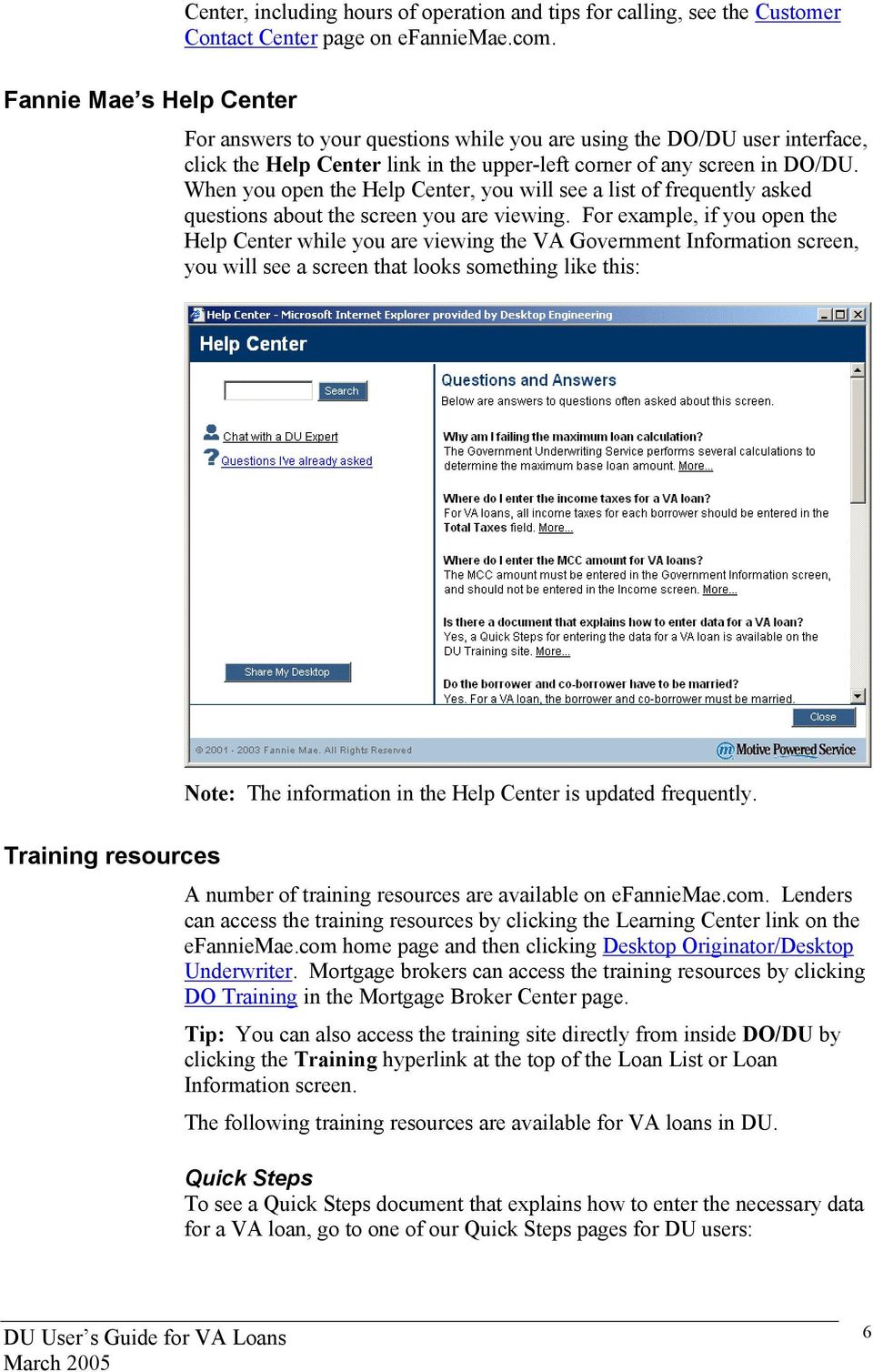
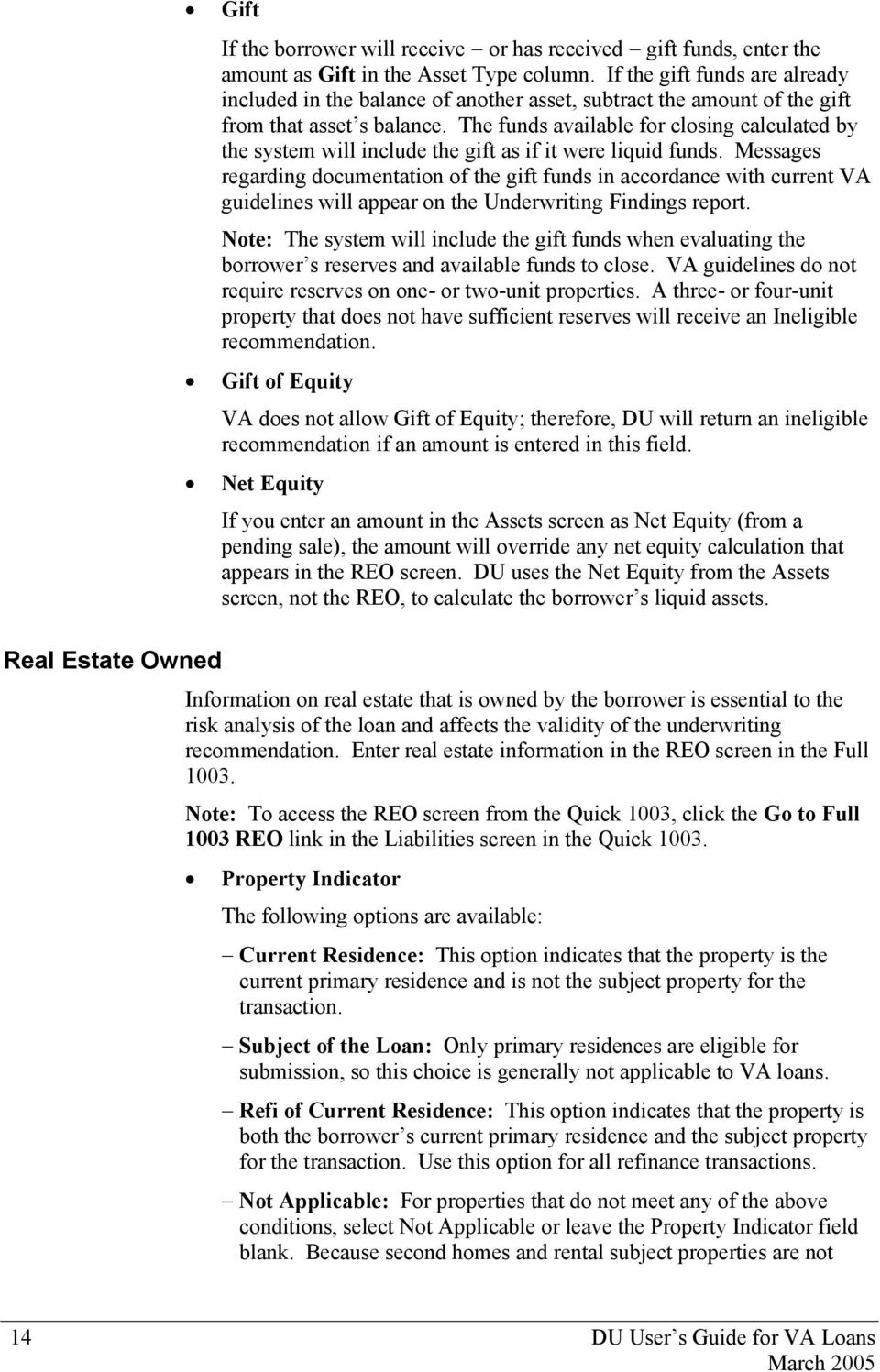
12 Center, including hours of operation and tips for calling, see the Customer Contact Center page on efanniemae.com. Fannie Mae s Help Center For answers to your questions while you are using the DO/DU user interface, click the Help Center link in the upper-left corner of any screen in DO/DU. When you open the Help Center, you will see a list of frequently asked questions about the screen you are viewing. For example, if you open the Help Center while you are viewing the VA Government Information screen, you will see a screen that looks something like this: Note: The information in the Help Center is updated frequently. Training resources A number of training resources are available on efanniemae.com. Lenders can access the training resources by clicking the Learning Center link on the efanniemae.com home page and then clicking Desktop Originator/Desktop Underwriter. Mortgage brokers can access the training resources by clicking DO Training in the Mortgage Broker Center page. Tip: You can also access the training site directly from inside DO/DU by clicking the Training hyperlink at the top of the Loan List or Loan Information screen. The following training resources are available for VA loans in DU. Quick Steps To see a Quick Steps document that explains how to enter the necessary data for a VA loan, go to one of our Quick Steps pages for DU users: DU User s Guide for VA Loans 6
13 Underwriting information If you are a lender, go to the DU Quick Steps for Lenders page on efanniemae.com. If you are a mortgage broker, go to the DO Quick Steps for Mortgage Brokers page on efanniemae.com. On both of these pages, click the link for Entering the data for a VA loan under the Entering Loan Data section. Practice cases A set of practice cases gives you another way to learn how to submit the data for a VA loan. To access the practice cases: If you are a lender, go to the DU Practice Cases and Test Credit Agency for Lenders page on efanniemae.com. If you are a mortgage broker, go to the DO Practice Cases and Test Credit Agency for Mortgage Brokers page on efanniemae.com. Case 8 was specifically designed to show you how to submit a VA loan, but you can use any of the cases that are available on the Practice Cases page. To view the latest release notes for the Government Underwriting Service, go to the DU Release Notes for Lenders page or the DO Release Notes for Mortgage Brokers page on efanniemae.com. Underwriting questions on VA-specific issues or interpretation of VA guidelines should be directed to your local VA point of contact. Questions about entering data for VA loans and questions regarding the Underwriting Findings report should be directed to your lead Fannie Mae account team. VA offices with Loan Guaranty Service functions For a list of the VA offices with Loan Guaranty Service functions, go to VA s Web site: DU User s Guide for VA Loans 7
14

15 Data integrity Chapter 2: Entering Data for VA Loans All data entry instructions in this guide are provided specifically for the online loan application for VA loans in the DO/DU user interface for submission to DU. You can use the Quick 1003 or the Full 1003 to enter data; however, in all cases, you must complete the data fields in the Government screen. In addition to entering data in the online loan application, lenders may be able to download the data into the DO/DU user interface from a loan origination system, or submit the loan data directly to DU from a loan origination system; however, lenders are responsible for determining that all appropriate data is properly transmitted to DU. Further, lenders are responsible for ensuring that all data submitted to DU is accurate and properly verified and documented. For VA s specific data integrity requirements, refer to the VA Lenders Handbook. Data entry instructions Most of the instructions in this chapter are based on the data fields in the Quick 1003; while other data fields are available only in the Full Type of Mortgage and Terms of Loan Is this a Pre-Approval? You can use this field to indicate whether the loan is being submitted as a pre-approval. Completion of this field is optional. Mortgage Applied For To specify that the loan is a VA loan, select VA in the Mortgage Applied For field. Loan Amount (excluding funding fee) Enter the base loan amount do not include the VA funding fee in the Loan Amount field. If the base loan amount changes, use this field to make the adjustment. Interest Rate (%) Enter the note rate. No. of Months Enter the loan term in months. DU User s Guide for VA Loans 9

16 Amortization Type Select Fixed Rate or ARM, as applicable. Lender Loan Number Enter the loan number you want to assign to the loan. Subject Property Address and Purpose of Loan Street, City, State/ZIP Enter the street address, city, and ZIP Code for the subject property. Select the property state from the State field. If the loan is a pre-approval, select the state where the subject property is located and leave the rest of the address fields blank. If your LOS requires an entry for the street address, enter prequal or tbd in that field for a pre-approval. Note: For guidance on entering the subject property address to increase the likelihood that DU will accurately identify the standardized address for the property, click the Help Center link while you are viewing the Types, Terms, and Property screen in the DO/DU user interface, then refer to the topic on entering subject property addresses. No. of Units Select the number of dwelling units in the subject property. Purpose of Loan In the Purpose of Loan field, select either Purchase or Refinance, as applicable. The other listed options (Construction, Construction-Permanent, and Other) are not currently available for VA loans submitted through DU. Occupancy Select Primary Residence. Only primary residences are eligible for automated underwriting on VA loans. Estate Held In Select Fee Simple or Leasehold, as applicable. If Refinance Loan Purpose of Refinance If you select Refinance in the Purpose of Loan field, you must select the appropriate option in the Purpose of Refinance field. For details on refinance options, refer to VA s guidelines. Borrower Information Enter the borrower information and co-borrower information, if applicable. Enter the number of dependents for each borrower. (Each dependent should be listed only once.) If the co-borrower has additional dependents that are 10 DU User s Guide for VA Loans

17 Employment Information not listed by the veteran, enter these dependents on the co-borrower s side of the screen. Note: The number of dependents should not include the veteran or the coborrower. Only two borrowers are permitted on VA loans submitted to DU. VA guidelines require a two-year residency history for each borrower; however, a two-year history is not required to submit the loan to DU for an underwriting recommendation. Note: If you need to add previous address data, click Previous Address Information in the navigation bar. The Mailing Address fields are optional. You can use these fields if the borrower receives mail at a different address (for example, a Post Office box). Current Employment Current employment information should be entered appropriately. You must indicate whether or not each borrower is self-employed. Secondary/Previous Employment Use this section to enter secondary, part-time, and previous employment. Do not enter homemaker, full-time student, or retired. Only actual employment information should be entered in this screen. Note: VA guidelines require a two-year employment history; however, a two-year history is not required to submit the loan to DU for an underwriting recommendation. Monthly Income and Combined Housing Expense Gross Monthly Income fields In this section, enter non-military income that is considered acceptable for qualifying purposes under VA s guidelines for borrowers and co-borrowers. Base Income (This field should include employment income, self-employment income, and income from a second job), Overtime, Bonuses, Commissions, Dividends/Interest, Other (This field is not editable. This field is automatically populated by the DU User s Guide for VA Loans 11

18 underwriting system based on the amounts entered in the Other Income section as described below.) Net Rental DU does not use this field for VA loans. Instead, DU collects the net rental income from the Real Estate Owned (REO) screen. As a reminder, net rental income applies to rental property other than the subject property. For details, see Real Estate Owned on page 14. The following formula is used by DU in calculating the net rental income from the Real Estate Owned data: (gross rental income x 75%) mortgage payment taxes/insurance/maintenance, misc. = net rental income Positive net rental income from all rental properties is included in the qualifying income for the borrowers. Negative net rental income is considered a liability and is included in the total expense ratio calculation for the borrower. Subject Net Cash field If the transaction is a two- to four-unit owner-occupied property, you will need to calculate the subject net cash flow and enter the amount in the Subject Net Cash field. Refer to current VA guidelines for additional information about calculating projected rents on a purchase transaction. Note: DU will provide specific messages on the Underwriting Findings report for each type of income you enter. Some of the messages may indicate reduced documentation requirements, while other messages may require you to consult the VA guidelines for documentation requirements. Other Income Enter all types of military income in the Other Income section, as well as all other types of income that are not covered in the Gross Monthly Income section above. For example, you would use the Other Income section to enter all military pay, military housing allowances, non-educational VA benefits, and alimony and child support income the borrower receives. Enter the borrower, description of income, and amount of income for each income type. A brief description of VA s guidelines for certain types of Other income is provided below: Boarder Income VA guidelines do not generally consider boarder income to be effective income; therefore, DU does not use this income in qualifying the borrower. The loan will receive an ineligible recommendation. Mortgage Credit Certificate (MCC) The MCC amount must be entered in the Government Information screen not in the Income screen. (If MCC is entered in the Income screen, DU returns an ineligible recommendation and a message indicating that the MCC was entered incorrectly.) 12 DU User s Guide for VA Loans

19 Trailing Co-Borrower Income This income is not generally consider by VA to be effective income; therefore, DU does not use this income in qualifying the borrower. The loan will receive an ineligible recommendation. Note: Per VA guidelines, you can gross-up non-taxable income for the purpose of calculating the debt-to-income ratio. To do so, enter the total of the income plus the grossed-up amount in the income data field. (On the other hand, the grossed-up portion of the income may not be used in calculating the residual income; therefore, the grossed-up portion must be included in the Total Taxes field in the Government Information Screen. See Total Taxes field described on page 23.) Combined Housing Expenses: Current Enter the borrower s and co-borrower s current primary housing expenses in the Current column. If there are multiple borrowers, enter the current primary housing expense separately for each additional borrower. Proposed DU calculates the amount in the First Mortgage (P&I) field based on the loan amount and the note rate. Use the other fields in the Proposed column to enter any other applicable proposed housing expenses, including the principal and interest for other mortgages, as well as hazard insurance, taxes, and homeowner s association dues for the subject property. Assets All liquid asset types will be counted in the available funds for a VA loan. Documentation to support the source of these funds must comply with VA guidelines. All of the liquid assets entered in the system must be verified based on the documentation level outlined in the Underwriting Findings report. A brief description of VA s guidelines for certain types of assets is provided below: Cash Deposit on Sale Cash desposits on sales contracts are considered non-liquid assets, and DU does not include the value in the amount of funds available for closing or in the reserves calculation. If a credit for a cash deposit on sales contract is entered in the Details of Transaction screen, the loan file must contain evidence that the funds have already cleared the account listed in the Assets screen. If this is not the case, the credit entered in the Details of Transaction screen should be removed. Cash on Hand VA considers cash on hand an acceptable source of funds. DU will include the amount of cash on hand in liquid assets. DU User s Guide for VA Loans 13

20 Real Estate Owned Gift If the borrower will receive or has received gift funds, enter the amount as Gift in the Asset Type column. If the gift funds are already included in the balance of another asset, subtract the amount of the gift from that asset s balance. The funds available for closing calculated by the system will include the gift as if it were liquid funds. Messages regarding documentation of the gift funds in accordance with current VA guidelines will appear on the Underwriting Findings report. Note: The system will include the gift funds when evaluating the borrower s reserves and available funds to close. VA guidelines do not require reserves on one- or two-unit properties. A three- or four-unit property that does not have sufficient reserves will receive an Ineligible recommendation. Gift of Equity VA does not allow Gift of Equity; therefore, DU will return an ineligible recommendation if an amount is entered in this field. Net Equity If you enter an amount in the Assets screen as Net Equity (from a pending sale), the amount will override any net equity calculation that appears in the REO screen. DU uses the Net Equity from the Assets screen, not the REO, to calculate the borrower s liquid assets. Information on real estate that is owned by the borrower is essential to the risk analysis of the loan and affects the validity of the underwriting recommendation. Enter real estate information in the REO screen in the Full Note: To access the REO screen from the Quick 1003, click the Go to Full 1003 REO link in the Liabilities screen in the Quick Property Indicator The following options are available: Current Residence: This option indicates that the property is the current primary residence and is not the subject property for the transaction. Subject of the Loan: Only primary residences are eligible for submission, so this choice is generally not applicable to VA loans. Refi of Current Residence: This option indicates that the property is both the borrower s current primary residence and the subject property for the transaction. Use this option for all refinance transactions. Not Applicable: For properties that do not meet any of the above conditions, select Not Applicable or leave the Property Indicator field blank. Because second homes and rental subject properties are not 14 DU User s Guide for VA Loans
21 eligible for VA loans in DU, the Current/Subject Property field should be left blank or marked as Not Applicable for these properties. Property Disposition The Property Disposition field must contain one of the following options: Sold: This option indicates that the property has already been sold, the closing has been completed, and any proceeds are already reflected in asset balances. DU does not calculate net equity for Sold properties and ignores any values in the risk analysis and ratio calculation. Note: Do not omit mortgages on properties entered as Sold. Instead, you should match these mortgages to the appropriate Sold property. Monthly payments on mortgages that are matched to Sold properties will not be included in the total expense ratio. Pending Sale: This option indicates that the property is under contract and will be sold prior to the closing of the transaction being submitted for underwriting. Rental: This option indicates that the property is a rental property with associated net rental income or net rental loss. Retained: Use this option for the subject property on a refinance transaction or for the primary residence of an allowable non-occupant coborrower. Note on real estate that will be sold If a listed property will be sold at or before closing, select Pending Sale in the Property Disposition field. DU will use the following formula to estimate the net equity: (Market value entered x 90%) outstanding mortgages Net equity is considered a liquid asset. You must verify and clearly document sales proceeds in the loan file according to current VA guidelines. If additional proceeds will be received from the sale of real estate (for example, if a borrower will receive a relocation package from an employer), enter the total amount of proceeds that will be received and select Net Equity as the asset type in the Assets screen. Note: Even though DU calculates the estimated net equity from data in the REO screen, if an amount for net equity is entered in the Assets screen, then DU will use the amount in the Asset screen. Liabilities Before a loan can be submitted for an underwriting recommendation, a threein-file merged credit report must be requested and received for all borrowers on the loan. You can automatically copy the liabilities from the credit report directly to the loan application by using the auto-populate liabilities option in the DO/DU user interface. You should determine whether your loan origination system offer this option for use with DU. If your loan origination system does not provide this option, or if you elect not to use the auto- DU User s Guide for VA Loans 15
22 populate liabilities option, you must manually enter all liabilities in the Liabilities screen. Any debts that are not disclosed on the credit report must be added to the liabilities prior to final submission of the loan. The total expense ratio will be calculated from the liabilities on the application, not the debts from the credit report. Note: The lender is required to review the credit report and is accountable for compliance with VA guidelines. Information on the credit report that has not been recognized by DU may require the lender to downgrade the underwriting recommendation. Excluded installment debt DU automatically excludes any installment debt that should not be considered in the ratios because it has fewer than 10 months remaining and a monthly payment of less than $100. If the loan application reflects any other debts that should not be considered in the ratios per VA guidelines, you should mark those debts as Omit. For details, see Omit liabilities, below. Note: DU will issue an informational message for any excluded installment debts. Omit If the borrower has a liability that is exempt from being included in qualifying the borrower, based on VA guidelines, the debt may be omitted. Omitted debts are not counted in the ratios. The loan file should contain documentation to support the omission, per VA guidelines. To mark a debt as omitted, click the check box in the Omit column for the debt you want to omit. If a debt has a balance but the monthly payment amount is 0, the debt is automatically omitted by DU. Omitted liabilities appear in a separate area on the Liabilities screen. A message on the Underwriting Findings report identifies the liabilities that were omitted. Note: You must follow all current VA guidelines regarding omission of liabilities. For all loans that receive a Refer recommendation, lenders must review all obligations, including those omitted by the system, to determine that the short term obligations will not negatively affect the borrower s ability to make the mortgage payments in the early months after closing. DU will issue an informational message for any excluded installment debts. Paid By Close For all transactions, mark the debts to be paid off by closing in the Liabilities screen. For a refinance transaction, you will also need to enter the sum of the balances of all the debts to be paid off (including existing liens and other debts) on Line D in the Details of Transaction screen. For details, see Line D. Refinance (including debts to be paid off) on page 18. Any debts that the borrowers will pay off must be documented and verified according to VA guidelines. If a debt will be paid by closing, click the check box in the Paid by Close column for that debt. The debt is not included in the ratios or total obligations. DU includes the balance amounts for all non-mortgage debts that are marked as Paid by Close in the amount of funds required to close. 16 DU User s Guide for VA Loans
23 New subordinate liens You must determine outside the system whether the terms of the subordinate financing are acceptable under VA guidelines. For a new subordinate lien that will close at the same time as the first mortgage, enter the actual loan balance in Line J, Subordinate Financing, in the Details of Transaction screen. If the new subordinate lien is a HELOC, use Line J to enter the amount drawn at the time of closing. If the borrower will not draw down a portion of the HELOC at closing (that is, if the outstanding balance at closing is $0.00), do not enter an amount in Line J. For details, see Line J. Subordinate Financing on page 18. Enter the principal and interest payment in the Proposed Housing Expense column as Other Financing (P&I). Resubordinated liens This section applies to refinance transactions where there is an existing lien (for example, a second mortgage) that will be resubordinated to the subject mortgage. Enter the borrower s monthly payments in the Other Financing (P&I) field under Proposed Combined Housing Expenses. Entering the monthly payment there will help to ensure that the underwriting ratios are calculated correctly. For details, see Combined Housing Expense: Proposed on page 11. You will also need to enter the monthly payment and the outstanding balance in the Liabilities screen and match the resubordinated lien to the subject property. If the resubordinated lien is a HELOC, enter the total amount drawn (or to be drawn at closing) in the Balance field. If the HELOC will have a zero balance at the time of closing, enter 0 in the Balance field in the appropriate row in the Liabilities screen. Non-purchasing spouse in a community property state If the property is located in a community property state, VA requires consideration of the spouse s credit (whether or not the spouse will be personally liable on the note and whether or not the applicant and spouse choose to have the spouse s income considered). If a married veteran wants to obtain the loan in his or her name only, the veteran may do so without regard to the spouse s credit only in a noncommunity property state. Additional Expenses Additional expenses, such as alimony, child support, separate maintenance, or job related expenses should be selected from the drop-down list in the Additional Expenses section in the Liabilities screen. Follow VA guidelines to determine which expenses must be included. DU User s Guide for VA Loans 17
24 Details of Transaction Instructions for entering data in the Details of Transaction are provided below: Line A. Purchase Price Enter the sales price in this field. Line B. Alterations, Improvements, Repairs If the borrower elects to pay for required repairs per the Certificate of Reasonable Value, enter the amount of those repairs in this field. Line C. Land This field is not applicable for VA loans. Line D. Refinance (including debts to be paid off) If the loan is a refinance transaction, enter the combined balances of any mortgage debts and any other non-mortgage debts that will be satisfied by closing. This field should not include additional amounts such as late fees, interest on the existing loans, and so on, that are necessary to satisfy the mortgage debts. Those amounts should be entered in Line E. Line E. Estimated Prepaid Items Enter the total of the prepaids that the borrower will pay. For a refinance transaction, the amount in Line E should include the late fees, interest, and so on, that were not included in the loan balances entered in Line D. For details, see Line D, Refinance including debts to be paid off above. Line F. Estimated Closing Costs Enter the total amount of allowable closing costs. Line G. PMI, MIP, Funding Fee Enter the entire dollar amount of the funding fee as required by VA guidelines. Line H. Discount Enter the entire amount of discount points that the borrower will be charged in the transaction. Line J. Subordinate Financing If a subordinate lien will be obtained in a purchase money transaction, enter the amount of the lien in this field. Do not use this field for a refinance transaction. Line K. Closing Costs Paid by Seller Enter the total amount of closing costs from Line F that will be paid by the seller or by another party to the transaction. Do not include prepaid items or sales concessions such as non-realty items. 18 DU User s Guide for VA Loans
25 Line L. Total Other Credits Line L is a summary field that shows the total of the credits that are entered in the Other Credits section at the bottom of the Details of Transaction screen. Use the rows in the Other Credits section to enter the amount of the cash deposit on the sales contract and any borrower-paid fees, but only if these funds have already cleared the borrower s depository account and were not included in the depository accounts in the Assets screen. For details, see Assets on page 13. Line M. Loan Amount (excluding PMI, MIP, Funding Fee Financed) This field will prefill from the base loan amount entered in the Loan Amount field in the Type of Mortgage and Terms of Loan screen. This field is not editable. Changes to the base loan amount must be made in the Type of Mortgage and Terms of Loan screen. Line N. PMI, MIP, Funding Fee Financed Enter the amount of funding fee that will be financed in the loan amount. Line O. Loan Amount The system adds Lines M and N, and displays the total in Line O. Line P. Cash From/To Borrower The system calculates this figure based on the entry in the previous lines in the Details of Transaction screen. A positive value indicates the amount of cash the borrower needs for closing. For a refinance transaction, a negative value indicates the amount of cash back the borrower will receive at closing. Declarations Answer each question Yes or No as appropriate for each borrower. The lender must ensure that VA guidelines have been met. Note: You must answer Question L, Do you intend to occupy the property as your primary residence? to submit the loan for an underwriting recommendation. Although all other answers in this section will default to No for a new loan, lenders must ensure that these questions are answered correctly before submitting the loan to DU. Question A. Judgments If you answer Yes to this question for any borrower, a message will appear in the Underwriting Findings report requiring documentation to support the issues surrounding the judgment and evidence that it has been satisfied. Question B. Bankruptcies If you answer Yes to this question for any borrower, a message will appear in the Underwriting Findings report requiring documentation to support the issues surrounding the bankruptcy and evidence that it has been discharged.. DU User s Guide for VA Loans 19
26 Note: If the credit report indicates a recent bankruptcy or does not indicate the discharge date, the loan will receive an Ineligible recommendation. For more information, see Chapter 3, VA Underwriting Reports on page 25. Question C. Foreclosures If you answer Yes to this question for any borrower, a message will appear in the Underwriting Findings report requiring documentation to support the issues surrounding the foreclosure and evidence that it has been resolved. Note: If the credit report indicates a recent foreclosure, the loan will receive an Ineligible recommendation. For more information, see Chapter 3, VA Underwriting Reports on page 25. Question D. Party to lawsuit If you answer Yes to this question for any borrower, a message will appear in the Underwriting Findings report requiring documentation to support the issues surrounding the lawsuit and to indicate when it will be resolved. Question E. Significant delinquent debt If you answer Yes to this question for any borrower, a message will appear in the Underwriting Findings report requiring documentation to support the issues surrounding the delinquent debt and evidence that it has been resolved. Note: If the credit report indicates recent late mortgage payments, the loan will receive an Ineligible recommendation. See Chapter 3, VA Underwriting Reports, on page 25 for additional information. Question F. Current federal delinquent debt If you answer Yes to this question for any borrower, a message will appear in the Underwriting Findings report requiring documentation to support the issues surrounding the current federal delinquent debt. Question G. Obligated to pay alimony or child support If the borrower is obligated to pay alimony or child support, answer Yes and enter the debt in the Liabilities screen. The appropriate message will be issued; however, the lender should refer to VA guidelines to document this obligation. Question H. Down payment borrowed If you answer Yes to this question for any borrower, a message will appear in the Underwriting Findings report requiring documentation to support the issues surrounding the borrowed down payment for the transaction. Question I. Endorser on a note If you answer Yes to this question for any borrower, a message will appear in the Underwriting Findings report requiring documentation to support that the contingent liability will not have any impact on the borrower s ability to repay the loan. 20 DU User s Guide for VA Loans
27 Question J. Citizenship Answer Yes or No as appropriate for all borrowers. Question K. Permanent resident aliens If you answered No to Question J, you must complete Question K. Question L. Intent to occupy Answer Yes or No as appropriate for all borrowers. VA loans that are submitted to DU must be secured by a principal residence. Question M. Previous ownership Answer Yes or No as appropriate for all borrowers. Information for Government Monitoring Purposes Additional Data screen You must complete this information per VA requirements; however, you do not need to enter the information to receive an underwriting recommendation through DU. Note: To access the Information for Government Monitoring Purposes section in the DO/DU user interface, scroll down to the bottom of the Declarations screen. The Information for Government Monitoring Purposes section is available in both the Quick 1003 and the Full Property Appraised Value If the Property Appraised Value field is blank, DU will return an underwriting recommendation of Refer/Ineligible. When you enter a prequalification loan into the system, use the anticipated sales price of the property as the appraised value. Once you obtain the appraisal, update the Appraised Value field in the Additional Data screen to reflect the correct appraised value, then resubmit the loan. As a reminder, you must follow all VA guidelines regarding obtaining and underwriting the Certificate of Reasonable Value or Notice of Value for the subject property. First Year Buydown Rate If the loan will have a buydown, enter the interest rate that will be in effect for the first year of the loan. DU will use the note rate, not the first year buydown rate, to qualify the borrower. A message will appear in the Underwriting Findings report to confirm that the loan was underwritten at the note rate. Refer to the VA Lender Handbook for information regarding buydowns. DU User s Guide for VA Loans 21
28 Subject Property Type Select one of the following options: Detached, Attached, Condominium, Planned Unit Development (PUD), or Manufactured Home. Refer to VA guidelines for information on allowable property types. Note: The following options are not available in conjunction with VA loans: High Rise Condo; Co-Operative; Detached Condo; and Manufactured Home: Condo/PUD/Co-Op. Use the Condominium option for a high-rise condominium. VA Government Information screen The following data fields in the Government Information screen are required for all VA loans: Agency Case Number Enter the VA Agency Case Number for the loan. Note: You do not need to enter an agency case number to receive an underwriting recommendation from DU. Co-Borrower Married to Borrower Answer Yes to this question if the loan includes a co-borrower who is married to the veteran borrower. If this field is not answered affirmatively and the loan includes a co-borrower, the loan will receive an Ineligible recommendation. Under certain circumstances, the VA will allow two unmarried individuals to obtain a joint loan. Refer to the VA Lender Handbook for guidance on processing and underwriting a joint loan outside of DU. Entitlement Amount Enter the amount of the veteran s entitlement as determined by the VA. The amount of entitlement is on the Veteran s Certificate of Eligibility (COE) and shall not exceed $36,000. Note: As described in VA Circular , the Veterans Benefits Improvement Act of 2004 changed the maximum guaranty amount for certain loans in excess of $144,000 to an amount equal to twenty five percent of the conventional conforming loan limit for a single family residence. The maximum original loan amounts are 50 percent higher for first mortgages on properties in Alaska, Hawaii, Guam and the U.S. Virgin Islands. This higher amount would also apply to VA loans in these areas. For loan amounts in excess of $144,000, DU will add the additional entitlement afforded the borrower based on the location of the property and transaction type. Refer to Appendix A beginning on page 34 for additional information. 22 DU User s Guide for VA Loans
29 Monthly MCC Enter any monthly tax credit that the borrower receives for mortgage interest on the current residence from a Mortgage Credit Certificate (MCC) issued by a federal, state, or local agency. DU adds the amount in this field to the borrower s income to calculate the residual income for borrower qualification. Note: Use the Monthly MCC field only for tax credits received because of an MCC. All other housing allowances should be entered as other income in the Monthly Income and Combined Housing Expenses screen. (For details, see Description of Other Income on page 12.) An informational message in the Underwriting Findings report will indicate the use of an MCC. Maintenance Enter the amount of monthly maintenance expense from your regional VA charts. DU will include the monthly maintenance expense in the residual income calculation. Utilities (including heat) Enter the amount of monthly utilities expense from the regional VA charts. DU will include the monthly utilities expense in the residual income calculation. Note: These figures are subject to change based on the square footage of the subject property, exterior materials (frame or brick), swimming pools, and air conditioning. Seller Concessions Use the Seller Concessions field to enter the amount of seller concessions that exceed the VA 4% limit (other than normal discount points and closing costs) that will be paid by the seller of the property. Include all of the following financial concessions: The VA funding fee; Prepaid taxes and insurance; Extra discount points paid to provide permanent interest rate buydowns; Escrowed funds to provide temporary interest rate buydowns; The payoff of credit balances on behalf of the buyer; and Furniture, carpeting, decorator allowances, and giveaways or other sales incentives from the sales contract. Note: This list is not all-inclusive. Total Taxes In the Total Taxes field, enter the sum of all monthly federal, state, Social Security, local payroll taxes for the borrower(s) and, if non-taxable income was grossed-up, include the grossed-up portion. The amount of taxes must be calculated outside the system from actual paystubs or from a current IRS Publication Circular E. DU User s Guide for VA Loans 23
30 CAIVRS # Enter the CAIVRS number that was assigned to each borrower, if it has been obtained. A message stating, Approval for this loan is subject to obtaining a valid CAIVRS number appears in the Underwriting Findings report for every VA loan as a reminder to obtain a CAIVRS number. Note: A valid CAIVRS number is not required for underwriting submission; however, it is required for each borrower before you submit the loan to the VA for guaranty. 24 DU User s Guide for VA Loans
31 Chapter 3: Underwriting Reports DU creates two underwriting reports. This chapter describes these reports and explains the analysis the system performs to create them. The Fannie Mae Underwriting Findings (Underwriting Findings) report summarizes the overall underwriting recommendation and lists the steps necessary to complete the processing of the loan file. The Underwriting Findings report is typically the first report viewed by an underwriter or a loan officer after the loan is submitted to DU. The Underwriting Analysis report contains key values used in the underwriting analysis. The Underwriting Analysis report is not a required VA form. Each time an underwriting request is submitted, the information in these reports is updated with information from the most recent submission. Each of these reports can be viewed online or printed. The following information appears at the top of each report: Primary Borrower Name, Co-Borrower Name, Lender Case Number, Casefile ID, The date and time when the loan was submitted to underwriting, The underwriting recommendation, and The user ID of the user who submitted the loan to underwriting. DU User s Guide for VA Loans 25
32 Underwriting Findings report The Underwriting Findings report is divided into four sections, and each section contains a different type of message. The diagram below explains the types of messages that appear in each section of the report. Fannie Mae Underwriting Findings This section contains messages pertaining to the risk assessment and the underwriting recommendation for the loan. If the loan is referred or ineligible, the specific referral or eligibility criteria appear in this section. POTENTIAL RED FLAGS Messages pertaining to potential red flags in the loan application will appear in this section. Note: Red flag messages identify certain inconsistent or contradictory loan data for loans submitted to DU. While messages identify potential red flags, the messages do not affect the underwriting recommendation. And, although these messages can help lenders detect inconsistencies and potentially fraudulent transactions, neither the presence nor absence of these messages alters the lender s responsibility to ensure accurate information in all areas of the loan process. These messages represent a value-added feature of DU and will not affect VA s ability to guarantee a loan. VERIFICATION MESSAGES/APPROVAL CONDITIONS The Verification Messages/Approval Conditions section lists follow-up processing steps the lender must complete to comply with DU requirements. Income and asset verification documentation waivers and any credit verifications waivers appear here. OBSERVATIONS The Observations section contains information calculated by or used by the system and is informational only. Underwriting recommendations from DU The following underwriting recommendations are available for VA loans that are underwritten through DU. Approve/Eligible An underwriting recommendation of Approve/Eligible indicates that the loan was considered to have acceptable credit characteristics and that the loan meets VA loan program eligibility requirements. Lenders remain responsible for compliance with all VA guidelines. The VA has accepted Approve/Eligible recommendations in lieu of requiring a VA Automatic underwriter to be responsible for the credit decision. Lenders must comply with all of the Verification Messages/Approval Conditions listed on the Underwriting Findings report and must document the loan file accordingly. Lenders must review the credit report to confirm 26 DU User s Guide for VA Loans
33 that the data that DU evaluated with respect to the borrower s credit history was accurate. If the borrowers had a bankruptcy or foreclosure within the most recent 24 month period, or a mortgage delinquency within the most recent 12 month period that was not reported on the credit report or that was reported incorrectly, the underwriting recommendation should be downgraded to an Approve/Ineligible and should be reviewed by a VA Automatic underwriter to ensure that the loan meets VA requirements. Approve/Ineligible Loans that receive an Approve/Ineligible recommendation meet VA credit requirements but do not meet certain VA eligibility guidelines. Lenders remain responsible for compliance with all VA guidelines. Lenders will receive detailed messages that will explain why the loan did not meet eligibility requirements. Loans that receive a recommendation of Approve/Ineligible may still be eligible for VA guaranty. VA loans will receive an Ineligible recommendation for all of the following reasons that apply: Recent late mortgage payments, bankruptcies, or foreclosures; Borrower and co-borrower not married to each other; Loan amount exceeds the maximum allowed based on the borrower s VA entitlement and Ginnie Mae s maximum loan requirement; Insufficient reserves on a three- or four-unit property; and Financed funding fee in excess of the total funding fee. To ensure eligibility, a VA Automatic underwriter must analyze the Underwriting Findings report for loans that receive an Approve/Ineligible recommendation, and must determine that the reason for the ineligibility is one that can be resolved in a manner that complies with VA underwriting guidelines. The VA Automatic underwriter will need to document the extenuating circumstances or other factors that were evaluated in making the decision to approve the loan in the remarks section of VA Form Loan Analysis. The VA Automatic underwriter will not be required to reunderwrite the entire loan, but must rather address each reason the loan received an ineligible recommendation and explain why the loan is now eligible for VA guaranty. Loans that receive a recommendation of Approve/Ineligible will receive the benefit of all other Approve documentation and credit waivers. Lenders may also attempt to correct the issues that caused the loan to be ineligible, and resubmit the loan in an attempt to obtain an Approve/Eligible recommendation. Refer/Eligible An underwriting recommendation of Refer/Eligible indicates that the loan application must be manually underwritten by a VA Automatic underwriter in accordance with VA guidelines. DU User s Guide for VA Loans 27
34 Refer/Ineligible An underwriting recommendation of Refer/Ineligible indicates that the loan application must be manually underwritten by a VA Automatic underwriter in accordance with VA guidelines. Further, the Ineligibility recommendation indicates that the loan does not meet one or more of VA s eligibility requirements. Note: If the loan receives a Refer recommendation because of data entry errors, the lender should correct the information and resubmit the loan. Ineligible transactions: The following transactions will receive an Ineligible recommendation from DU: investor loans, construction-to-permanent loans, and second homes. Verification Messages/Approval Conditions Approval conditions and messages related to the required documentation for the loan appear in this section of the Underwriting Findings report. By using DU for VA loans, lenders can take advantage of several credit waivers and documentation variances. The level of credit waivers and documentation depends on the overall risk assessment of the loan. Some waivers are available only for selected loans that meet more selective risk requirements. If the system does not grant specific credit variances or documentation waivers, lenders will be required to meet all standard credit and documentation requirements as described in the VA Lenders Handbook. In addition to providing an Approve or Refer recommendation, DU incorporates the following VA program eligibility rules and will provide specific messages on the Underwriting Findings report as appropriate: maximum loan amount based on remaining entitlement, required residual income limitations, loan product and mortgage characteristics, and seller concession limits. In addition to the messages that specify the documentation that is required, the Verification Messages/Approval Conditions section provides a detailed description of the debts, assets, and sources of income used in qualifying. This information can help you reconcile the data in the loan application. Documentation waivers Depending on the DU recommendation, borrowers may be eligible for certain documentation waivers. The chart below identifies certain waivers; for a complete list, refer to VA Lenders Handbook, Chapter 4, Section DU User s Guide for VA Loans
35 Available Waivers Credit-related waivers No verification of rent required. Income/employmentrelated waivers No explanation for discrepancies in reported debt. Self-employed borrowers do not need to produce a profit and loss (P&L) statement or a balance sheet for the business. Employment may be verified with one paystub and telephone confirmation (non self-employed). No explanation is necessary for gaps in employment less than 60 days. Ratio-related waivers No explanation for qualifying housing or debt ratios exceeding VA guidelines. Expanded debt ratio limits are imposed based on residual income and reserves. Asset-related waivers Verification by most recent monthly or quarterly account statement. Verification by most recent two months or quarterly statement. Observations The Observations section of the Underwriting Findings report provides, among other information, the following data for a VA loan: Residual income required, Actual residual income, Maximum loan amount, and Agency Case Number. Underwriting Analysis report The Underwriting Analysis report summarizes the underwriting analysis that was performed on the loan. The Underwriting Analysis report appears below the Underwriting Findings report. To view the Underwriting Analysis report, scroll down to the bottom of the report screen. The top of the Underwriting Analysis report shows general information about the loan, including property information and calculated values such as the LTV and the CLTV. The following sections of the report provide more detail. DU User s Guide for VA Loans 29
36 Income On the left side of the report, the totals of all borrowers income amounts are shown by income type. If there is positive net rental income from all rental properties or positive cash flow on the subject property (for two- to four-unit properties), this income will also appear in this section. Qualifying Ratios and Expense Ratios Proposed Monthly Payment To the right of the income information, the Underwriting Analysis report lists the ratios that DU calculated. The qualifying ratios are those on which the ratio analysis is performed. Near the bottom of the Underwriting Analysis report, the proposed monthly payment information is detailed using the note rate. The detailed housing payment information is taken from the Combined Housing Expense Information section, except for the P & I, which is calculated by DU. The Proposed Monthly Payment section also provides the following information: Any negative net rental payment, The sum of all payments the borrowers are making to creditors (except for omitted liabilities), and The total current primary residence housing payments from all of the loan applications that are associated with the loan. Funds Funds information appears at the bottom of the Underwriting Analysis report. The following information is available: Required Funds calculated from the Details of Transaction plus any debt to be paid by closing that is not attributed to a property being sold. Available Funds the sum of the liquid assets listed on the loan application. Cash Back to the Borrower calculated from the Details of Transaction. Net Cash Back cash back to the borrower minus net required funds. Reserves includes excess available funds after required funds are subtracted; excludes reserves attributed to cash back from a cash-out refinance transaction. Month Reserves reserves divided by the total monthly housing payment. 30 DU User s Guide for VA Loans
37 Errors in the credit report For all loans (including those with Approve recommendations), the lender must review the credit report to determine whether the evaluation was based on accurate data. Significant errors in the borrower s credit file could have an effect on the risk analysis of the loan. If there are significant errors (such as accounts that do not belong to the borrower) or omissions in the credit report, the lender must obtain documentation that supports the error. If the errors or omissions are significant and/or derogatory in nature, the lender s VA Automatic underwriter should evaluate the borrower s credit and capacity outside of DU in conjunction with all other risk factors in the case. DU User s Guide for VA Loans 31
38
39 Appendix A: VA Maximum Loan Calculations VA maximum loan amount calculation: Regular Cash-Out Refinance VA maximum loan amount calculation: Purchase Ginnie Mae maximum loan amounts for VA loans DU User s Guide for VA Loans 33
40 VA maximum loan amount calculation for Regular Cash-Out Refinance Transactions DU performs the following calculations to determine the maximum loan amount for a regular cash-out refinance transaction. Most values used in these calculations are taken from the Details of Transaction screen in DU. Values that are taken from the Additional Data (AD) or VA Government Information (GV) screens are indicated below. In determining the maximum loan amount, DU will use the lesser of the two calculations shown below. Maximum loan amount based on appraised value calculation 90% = Property Appraised Value (AD) + VA Funding Fee = Note: VA guidelines allow the cost of any energy efficient items, up to a $6,000 maximum, to be included in the maximum loan calculation. However, DU does not capture the cost of energy efficient items; therefore, you may need to perform the maximum loan calculation outside of DU. Maximum loan amount based on entitlement calculation Entitlement Amount (GV) 4 = 34 DU User s Guide for VA Loans
41 VA maximum loan amount calculation for Interest Rate Reduction Refinance Loans (IRRRL) As described in the VA Lenders Handbook, An IRRRL is a VA-guaranteed loan made to refinance an existing VA-guaranteed loan, generally at a lower interest rate than the existing VA loan, and with lower principal and interest payments than the existing VA loan. Generally, no appraisal, credit information or underwriting is required on an IRRRL, and any lender may close an IRRRL automatically; therefore, these loans are typically handled outside of DU. Exceptions and specific requirements are explained in the Lenders Handbook, Chapter 6. VA Form , IRRRL Worksheet, should be used to calculate the maximum loan amount. DU User s Guide for VA Loans 35
42 VA maximum loan amount calculation for Purchase Transactions DU performs the following calculations to determine the maximum base loan amount for a purchase transaction. Most values used in these calculations are taken from the Details of Transaction screen in DU. Values that are taken from the Additional Data (AD) or VA Government Information (GV) screens are indicated below. The maximum VA base loan amount is the lesser of: The purchase price, The appraised value (AD), or The result of the appropriate entitlement calculation as defined below. (For details on how the entitlement is calculated, see Entitlement calculation details on page 37.) Calculation A Calculation A applies only to properties that have a purchase price that is greater than $144,000. Entitlement Amount (GV) + Maximum Guaranty (25% of the conforming loan limit for a single family residence. The higher limits for properties in Guam, Hawaii, Virgin Islands, and Alaska apply to VA loans.) = 4 = Maximum Loan Amount Calculation B Calculation B is used for properties that have a purchase price that is less than or equal to $144, Entitlement Amount (GV) = Maximum Loan Amount 36 DU User s Guide for VA Loans
43 Calculation C Calculation C is used only if the entitlement amount is less than $36,000. For properties valued at greater than $144,000: 75% = Lesser of Purchase Price or Appraised Value + Entitlement Amount (GV) + Maximum Guaranty (25% of the conforming loan limit for a single family residence. The higher limits for properties in Guam, Hawaii, Virgin Islands, and Alaska apply to VA loans.) = For properties valued at less than or equal to $144,000: Lesser of Purchase Price or Appraised Value 75% = + Entitlement Amount (GV) = Entitlement calculation details The entitlement calculation will be: 1) Calculation A for all loans with a purchase price greater than $144,000 and full entitlement. 2) Calculation B for all loans with a purchase price less than or equal to $144,000 and full entitlement. 3) The greater of Calculations A or C with a purchase price greater than $144,000 and less than full entitlement. 4) The greater of Calculations B or C with a price less than or equal to $144,000 and less than full entitlement. DU User s Guide for VA Loans 37
44 Ginnie Mae maximum loan amount for VA loans Ginnie Mae announcement stated that Ginnie Mae increased the maximum loan amount for loans guaranteed by the Department of Veteran Affairs that are eligible for Ginnie Mae pools. Effective January 1, 2005, the maximum VA loan eligible for pooling will increase from $333,700 to $359,650, which is the maximum original loan amount for conventional conforming mortgages. For properties located in the high-cost areas of Alaska, Guam, Hawaii, and the Virgin Islands, the maximum loan amount is increased to $539,475. Based on Fannie Mae s 2005 conforming loan limits, the increased guaranty amount is $89,912 (25 percent of Fannie Mae s limit of $359,650) or $134,868 (25 percent of the limit of $539,475). The increased guaranty amount effectively raises the maximum no-down payment VA-guaranteed loan amount for 2005 from $240,000 to $359,650 and, for high-cost areas, to $539,475. In the future, as conforming loan limits increase, the maximum VA loan amount eligible for pooling will increase accordingly. Ginnie Mae will continue to require that the combination of the down payment and the amount of available VA guaranty equals at least twenty five percent of the lesser of the purchase price or Certificate of Reasonable Value (CRV). Maximum loan amount calculations performed by DU DU will calculate the maximum loan amount as described earlier in this section beginning on page 34. This will help ensure that the loan amount meets the Ginnie Mae pooling and minimum guaranty requirements. Loans that exceed Ginnie Mae s maximum loan limit will receive an Ineligible recommendation. Note: VA may permit a higher loan amount than what is allowed for Ginnie Mae pooling purposes. For loan amounts in excess of the Ginnie Mae limit, lenders must confirm outside of DU that the loan amount meets VA guidelines. 38 DU User s Guide for VA Loans
45 Index A Agency Case Number...22 alimony...20 Alterations, improvements, repairs...18 amortization type...10 appraised value...21 approval conditions...26, 28 Approve/Eligible...26 Approve/Ineligible...27 ARM loan... See amortization type assets...13 cash deposit on sales contract...13, 19 gift funds...14 liquid assets...13 net equity from pending sale...14 available funds...30 B bankruptcy...19 base income...11 base loan amount...9, 19 boarder income...12 bonus...11 buydown...21 C CAIVRS number...24 casefile manager...see Loan List screen cash back to the borrower...19, 30 cash deposit on sales contract...13, 19 Certificate of Entitlement...22 Certificate of Reasonable Value...21 child support...20 closing costs...18 co-borrower...10 COE...See Certificate of Entitlement. See Certificate of Entitlement commissions...11 credit report...28, 31 joint...11 Current/Subject field...14 Customer Contact Center...5 D data entry for DO/DU user interface... 9 data entry for loan origination systems... 9 Declarations definitions DO... 2 loan application... 2 delinquency dependents derogatory credit Desktop Originator definition of... 1 Details of Transaction discount points DO... 1 E earnest money deposit employment information entitlement errors in credit report estimated closing costs estimated prepaid items F federal delinquent debt financed funding fee fixed-rate loan...see amortization type foreclosure Form See loan application Full See loan application funding fee... 9, 18, 23 funds available for closing G gift funds Ginnie Mae H Help Center... 6 housing expense current DU User s Guide for VA Loans 39
46 proposed...13 I income...30 base income...11 bonus income...11 commissions...11 dividends...11 interest...11 net rental income...12 other income...11, 12 overtime...11 subject net cash flow...12 Information for Government Monitoring Purposes...21 installment debt...16 interest income...11 interest rate... See note rate investment property...see primary residence IRRRL...35 J joint credit report...11 judgment...19 L lawsuit...20 lender s certification...5 liabilities...28 excluded...16 installment debt...16 omitted...16 paid by closing...16 liquid assets...13 loan amount...19 loan application...3 DO/DU user interface...2, 9 sections...3 Loan List screen...3 loan origination systems...9 loan purpose...see Purpose of Loan field Loan Summary...5 M maximum loan amount...22, 28 purchase...36 refinance...34 MCC...See Mortgage Credit Certificate MCC (Mortgage Credit Certificate) messages approval conditions verification military income Monthly MCC Mortgage Credit Certificate N net cash back net equity net rental income non-occupant co-borrower primary residence of note rate... 9 O Observations... 26, 29 omitted liabilities other credits other income boarder income MCC other types of income overtime P paid by closing pending sale of real estate... 14, 15 pmiaura... 1 points prepaids pre-qualification... 10, 21 primary residence... 10, 21 proceeds from sale of property Property Disposition field purchase Purchase Price Purpose of Loan field Purpose of Refinance field Q qualifying ratios... 13, 30 Quick See loan application Quick Steps... 6 R Real Estate Owned DU User s Guide for VA Loans
47 reduced documentation...28 Refer/Eligible...27 Refer/Ineligible...28 refinance...18, 34 liabilities paid off by...16 Property Disposition field...15 resubordinated lien...17 release notes...7 reports...25 Underwriting Analysis...25, 29 Underwriting Findings...25, 26 required funds...19, 30 reserves...14, 30 residual income...28 resubordinated lien...17 S Scorecard...See pmiaura seller concessions...23, 28 subject net cash flow...30 Subject Property Type field...22 subordinate financing...17, 18 T technical support...5 total loan amount...19 training... 6 U Underwriting Analysis report... 25, 29 Underwriting Findings report... 25, 26 underwriting recommendation Approve/Eligible Approve/Ineligible Refer/Eligible Refer/Ineligible underwriting reports V VA Form VA Government Information screen VA guidelines... 5 VA Lenders Handbook... 1, 5 VA Loan Summary Sheet... 5 VA Monthly Income and Deductions verification messages approval conditions W waivers DU User s Guide for VA Loans 41
DU User s Guide for VA Loans
 DU User s Guide for VA Loans 1999 2008 Fannie Mae. All rights reserved. Desktop Originator, DO, Desktop Underwriter, and DU, are registered trademarks of Fannie Mae. pmiaura is a service mark of PMI Mortgage
DU User s Guide for FHA Loans
 DU User s Guide for FHA Loans 2003, 2005 Fannie Mae. All rights reserved. Desktop Originator, DO, Desktop Underwriter, and DU are registered trademarks of Fannie Mae. FICO is a registered trademark of
DU User s Guide for FHA Loans
 DU User s Guide for FHA Loans 1999 2008 Fannie Mae. All rights reserved. Desktop Originator, DO, Desktop Underwriter, and DU are registered trademarks of Fannie Mae. Equifax is a registered trademark of
Data Entry: You can create the 1003 loan application data in DO/DU in one of the following ways:
 DO/DU Case #4: VA Mortgage Purpose: Get practice using Desktop Originator /Desktop Underwriter (DO /DU ) to evaluate a VA mortgage for borrowers purchasing a primary residence. By using the data provided
ditech BUSINESS LENDING FREDDIE MAC ELIGIBLE ARM PRODUCT CORRESPONDENT ONLY
 1. PRODUCT DESCRIPTION Conventional Conforming five year/one year adjustable rate mortgage Servicing retained 30-year term Fully amortizing Non-convertible ARM Plan ID 2725 Manufactured homes not eligible
Conventional DU Refi Plus
 Endeavor America Loan Services Conventional DU Refi Plus Guidelines Conventional Guidelines... 3 Matrix... 3 Overview... 3 Program Expiration... 3 Loan Purpose... 4 Maximum LTV, CLTV, and HCLTV Ratios
VA FIXED RATE PROGRAM HIGHLIGHTS
 Program Summary Loan Term & Program Category Entitlement These guidelines represent underwriting requirements for VA fixed rate mortgages. Also review the VA Lender s Handbook for any guidelines not specifically
VA IRRL 2. CURRENT FIRST MORTGAGE ELIGIBILITY
 1. PRODUCT DESCRIPTION VA Fixed Rate and ARM Mortgages for Refinance Transactions Fixed Rate Mortgage 10 to 30 years in 5 year increments Fully amortizing Qualified Mortgage (QM) Safe Harbor loans are
VA Refinance Cash Out
 VA Refinance Cash Out This matrix is intended as an aid to help determine whether a property/loan qualifies for certain financing. It is not intended as a replacement for VA guidelines. Users are expected
E MORTGAGE MANAGEMENT LLC 303 DU REFI PLUS
 E MORTGAGE MANAGEMENT LLC 303 DU REFI PLUS PRODUCT GUIDELINES 12/8/2014 MORTGAGE ELIGIBILITY Product Description and Product Codes Code Short Description Long Description CF30RP 30 YR REFI PLUS CF30RP
I. TYPE OF MORTGAGE AND TERMS OF LOAN
 Uniform Residential Loan Application This application is designed to be completed by the applicant(s) with the Lender s assistance. Applicants should complete this form as Borrower or Co-Borrower, as applicable.
If this is an application for joint credit, Borrower and Co-Borrower each agree that we intend to apply for joint credit (sign below):
 UNIFORM RESIDENTIAL LOAN APPLICATION This application is designed to be completed by the applicant(s) with the Lender's assistance. Applicants should complete this form as "Borrower" or "Co-Borrower",
Contents. VA Credit Overlays
 Contents... 1 Introduction... 3 Links... 3 Transaction Types... 3 Purchase Transactions... 3 Refinance Transaction Regular Refinance... 3 Refinance Transaction Interest Rate Reduction Refinance Loan/IRRRL...
DU for Government Loans Release Notes July 2012 Release
 DU for Government Loans Release Notes July 2012 Release May 15, 2012 Updated June 26, 2012 During the weekend of July 21, 2012, Desktop Underwriter (DU ) for government loans will be updated with the following
E MORTGAGE MANAGEMENT, LLC 701 VA FIXED PRODUCT GUIDELINES
 E MORTGAGE MANAGEMENT, LLC 70 VA FIXED PRODUCT GUIDELINES 2/24/205 Mortgage Eligibility Product Code Short Description Long Description Description VF5 VA 5 YR VF5 - VA FIXED 5 YEAR VF20 VA 20 YR VF20
Uniform Residential Loan Application
 Uniform Residential Loan Application This application is designed to be completed by the applicant(s) with the Lender s assistance. Applicants should complete this form as Borrower or Co-Borrower, as applicable.
1030HARP DU REFI PLUS (6/8/12)
 1030HARP DU REFI PLUS (6/8/12) DESCRIPTION REQUIRED BORROWER BENEFIT DU Refi Plus is a limited cash-out refinance program that allows for expanded eligibility criteria, as well as reduced documentation
Uniform Residential Loan Application
 This application is designed to be completed by the applicant(s) with the Lender s assistance. Applicants should complete this form as Borrower or Co-Borrower, as applicable. Co-Borrower information must
Desktop Originator /Desktop Underwriter Version 5.5
 Desktop Originator /Desktop Underwriter Version 5.5 Release Notes May 20, 2005 Updated June 8, 2005 In July 2005, we will implement DU Version 5.5. This new version will contain a number of enhancements
Desktop Originator/Desktop Underwriter Release Notes DU Version 9.2
 Desktop Originator/Desktop Underwriter Release Notes DU Version 9.2 October 14, 2014 Last updated December 8, 2014 During the weekend of December 13, 2014, Fannie Mae will implement Desktop Underwriter
Uniform Residential Loan Application
 This application is designed to be completed by the applicant(s) with the Lender s assistance. Applicants should complete this form as Borrower or Co-Borrower, as applicable. Co-Borrower information must
Name Account Executive. Contact Number E-Mail Address Website Address
 VA Loan Information Name Account Executive Contact Number E-Mail Address Website Address Benefits of VA No Down Payment, 100% up to $417,000. No Monthly Mortgage Insurance Premiums. Leniency on Credit
VA Quick Reference Guides
 Finance Type Occupancy Product Codes Purchase, Cash-Out and Rate & Term Refinance, Interest Rate Reduction Refinance Loan (IRRRL) Owner Occupied only, Second Homes not allowed, Investment properties not
Uniform Residential Loan Application
 Uniform Residential Loan Application This application is designed to be completed by the applicant(s) with the Lender s assistance. Applicants should complete this form as or Co-, as applicable. Co- information
Page 1 of 9 Table of Contents
 Page 1 of 9 Table of Contents LTV MATRIX... 2 PROGRAM SUMMARY... 3 LOAN AMOUNTS... 3 Conforming... 3 High Balance... 3 LOAN PROGRAM CODES... 3 LOAN TERMS... 3 ADJUSTMENT RATE DETAILS... 4 ELIGIBLE PROPERTY
FHA Loan Application & Disclosures
 FHA Loan Application & Disclosures Questions? Call Now: (800) 931-7377 Getting a Free FHA Mortgage Pre-approval or Applying for FHA loan is simple as 1,2,3 1. Gather Your Documents (see checklist below)
VA Product Profile 05.01.2014
 Maximum LTV / CLTV and FICO Requirements Purchase VA IRRRL / Rate & Term Cash-out Refinance Maximum LTV 1 / CLTV 1 Min FICO 2 Maximum LTV 1 / CLTV 1 Min FICO 2 Maximum LTV 1 / CLTV 1 Min FICO 2 100% 640
E MORTGAGE MANAGEMENT, LLC 702 VA ARMS PRODUCT GUIDELINES
 E MORTGAGE MANAGEMENT, LLC 702 VA ARMS PRODUCT GUIDELINES 2/24/2015 Mortgage Eligibility Product Code Short Description Long Description Description VF31 VA 3 YR ARM VF31 - VA 3-1 ARM VF51 VA 5 YR ARM
Mortgage Loan Application Checklist
 Mortgage Loan Application Checklist The following documentation is needed in order to begin processing your loan request. Please return the requested items as soon as possible to ensure a smooth and quick
Multiple Financed Properties Program Fannie Mae/Freddie Mac. Table of Contents
 Table of Contents 1. Category... 2 2. High Balance... 2 3. Property Types...2 4. Applying the Multiple Financed property Policy to Manually Underwritten Loans... 2 5. Applying the Multiple Financed property
DU Refi Plus. Eligibility Matrix Loan Amount & LTV Limitations
 This matrix is intended as an aid to assist in determining if a property/loan qualifies for the DU Refi Plus program. It is not intended as a replacement for the full DU Refi Plus guidelines. Users are
Magnolia Bank VA Refinance Options
 Interest Rate Reduction Refinance Loans (IRRRLS) Eligibility Cash Out Refinance 1. ELIGIBLE PRODUCTS VA Fixed Rate Product VA Hybrid ARMs VA High Balance Products VA Fixed Rate Product VA Hybrid ARMs VA
PennyMac Correspondent Group DU Refi Plus 04.11.2016 The loan must have an application date on or before December 31, 2016
 PennyMac Correspondent Group DU Refi Plus 04.11.2016 The loan must have an application date on or before December 31, 2016 Overlays to Fannie Mae are underlined Maximum Loan Amounts Units Contiguous States,
E MORTGAGE MANAGEMENT, LLC 703 VA HIGH BALANCE PRODUCT GUIDELINES
 E MORTGAGE MANAGEMENT, LLC 703 VA HIGH BALANCE PRODUCT GUIDELINES 4/30/2014 Mortgage Eligibility Product Code Short Description Long Description Description VF30HB 30 YR VA HB VF30HB - 30 YR VA HIGH BALANCE
E MORTGAGE MANAGEMENT, LLC 504 FHA STREAMLINES
 E MORTGAGE MANAGEMENT, LLC 504 FHA STREAMLINES PRODUCT GUIDELINES 2/10/2015 504 FHA Streamlines Mortgage Eligibility Product Code Short Description Long Description Description FF15SL FHA 15 YR SL FF15SL
E MORTGAGE MANAGEMENT, LLC 704 VA
 E MORTGAGE MANAGEMENT, LLC 704 VA IRRRLs PRODUCT GUIDELINES 1/26/2015 Mortgage Eligibility Product Code Short Long Description Description Description VF15IRL VA 15 YR IRRRL VF15IRL - VA 15 YR IRRRL VF30IRL
FHA STREAMLINE REFINANCE PRODUCT PROFILE
 Terms 30 Year Terms 15 Year Terms Maximum LTV/CLTV LTV/CLTV Score LTV/CLTV Score Non-Credit Qualifying N/A N/A Credit Qualifying 97.75% 97.75% Applies to Case Numbers assigned on or after January 26, 2015
SECOND MORTGAGE APPLICATION CHECKLIST
 SECOND MORTGAGE APPLICATION CHECKLIST First City Credit Union, NMLS# 649182 This application is designed to be completed by the applicant(s) with the Lender's assistance. Applicants should complete this
QUICK MORTGAGE GUIDE
 QUICK MORTGAGE GUIDE TABLE OF CONTENTS FNMA CONVENTIONAL LOANS - Page 3 FHA LOANS - Page 7 VA LOANS - Page 11 ADJUSTABLE RATE MORTGAGES - Page 15 CONTACT INFORMATION - Page 16 FNMA CONVENTIONAL LOANS The
Section 2.04 - DU Refi Plus Loan Program
 Section 2.04 - DU Refi Plus Loan Program In This Product Description This product description contains the following topics: Overview... 2 Related Bulletins... 5 Existing Mortgage Eligibility Requirements...
Uniform Residential Loan Application 1003
 Uniform Residential Loan Application 1003 Purpose Mortgage Loan Application The loan application is your introduction to the borrower. Analysis of the form helps you to develop an image of the borrower
DU REFI PLUS FIXED AND 5/1 LIBOR ARM - APP DATE ON OR AFTER 12-1-2011 REVISED 5/25/2012
 DU REFI PLUS FIXED AND 5/1 LIBOR ARM - APP DATE ON OR AFTER 12-1-2011 REVISED 5/25/2012 DEFINITION OF DU REFI-PUS: Loan is serviced by an Outside Lender Existing Loan is owned by Fannie Mae All loans must
BORROWER'S SIGNATURE AUTHORIZATION
 BORROWER'S SIGNATURE AUTHORIZATION (s) Name and Address Lender Name and Address Subject Property Address Lender Contact Lender Phone No. Loan Number Authorization I hereby authorize the Lender to verify
Uniform Residential Loan Application Washington Federal Savings
 Uniform Residential Loan Application Washington Federal Savings This application is designed to be completed by the Applicant(s) with the Lender's assistance. Applicants should complete this form as "Borrower"
PURCHASE AND RATE TERM REFINANCE 1. Occupancy Units FICO LTV/CLTV Loan Amount
 EXPRESS JUMBO FIXED RATE AND ARM PROGRAM MATRIX: PURCHASE AND RATE TERM REFINANCE 1 Occupancy Units FICO LTV/CLTV Loan Amount 80/80 $1,500,000 Primary Residence 1 720 75/75 $1,750,000 70/70 $2,000,000
Uniform Residential Loan Application
 BANK OF COMMERCE, NMLS# 405284 Originator: BRIANALLEN WILLIAM BERMINGHAM, NMLS# 488684 This application is designed to be completed by the applicant(s) with the Lender's assistance. Applicants should complete
Uniform Residential Loan Application
 Uniform Residential Loan Application This application is designed to be completed by the applicant(s) with the Lender's assistance. Applicants should complete this form as "" or "," as applicable. information
Conventional Jumbo seven year/one year adjustable rate mortgage 30 year term Fully amortizing
 1. PRODUCT DESCRIPTION Conventional Jumbo fixed rate mortgage 15 and 30 year terms Fully amortizing Conventional Jumbo five year/one year adjustable rate mortgage 30 year term Fully amortizing Conventional
I. TYPE OF MORTGAGE AND TERMS OF LOAN. II. PROPERTY INFORMATION AND PURPOSE OF LOAN Subject Property Address (street, city, state, & ZIP)
 Sunset Science Park FCU Uniform Residential Loan Application This application is designed to be completed by the applicant(s) with the Lender's assistance. Applicants should complete this form as "" or
UNIFORM RESIDENTIAL LOAN APPLICATION
 UNIFORM RESIDENTIAL LOAN APPLICATION This application is designed to be completed by the applicant(s) with the Lender s assistance. Applicants should complete this form as or Co-, as applicable. Co- information
ditech BUSINESS LENDING VA PURCHASE PRODUCTS DELEGATED CLIENTS ONLY
 1. PRODUCT DESCRIPTION VA Fixed Rate Mortgage 10 to 30 years in 5 year increments Fully amortizing Servicing retained All transactions are considered Qualified Mortgage (QM) Safe Harbor loans ditech BUSINESS
Processing FHA TOTAL and VA Mortgages
 This reference contains information to help you process Federal Housing Administration (FHA) mortgages and Department of Veteran Affairs (VA) mortgages using Loan Prospector. Information on FHA TOTAL Mortgage
Announcement 09-13 May 11, 2009. Home Affordable Refinance Updates and Clarifications to Announcement 09-04
 Announcement 09-13 May 11, 2009 Amends these Guides: Selling Home Affordable Refinance Updates and Clarifications to Announcement 09-04 Introduction On March 4, 2009, Fannie Mae announced two new refinance
Uniform Residential Loan Application Instructions for completing
 Uniform Residential Loan Application Instructions for completing Lender: IMPORTANT APPLICANT INFORMATION: Federal law requires financial institutions to obtain sufficient information to verify your identity.
Conforming DU Refi Plus (HARP 2)
 Conforming DU Refi Plus (HARP 2) Investor 04 Retail Only SNMC will accept loan submissions for the Home Affordable Refinance Program - HARP 2. These loan submissions will be subject to the current FNMA
ditech BUSINESS LENDING FREDDIE MAC ELIGIBLE FIXED RATE TEXAS HOME EQUITY PRODUCT
 1. PRODUCT DESCRIPTION Conventional Conforming fixed rate mortgage Servicing retained 10 to 30 years in 5 year increments Fully amortizing Qualified Mortgage (QM) Safe Harbor loans are permitted Qualified
Processing FHA TOTAL and VA Mortgages
 This reference contains information to help you process Federal Housing Administration (FHA) mortgages and Department of Veteran Affairs (VA) mortgages using Loan Prospector. Information on FHA TOTAL Mortgage
Quick Reference Program Summary. The following is an outline of the underwriting and closing requirements of New Hampshire Housing.
 Quick Reference Program Summary The following is an outline of the underwriting and closing requirements of New Hampshire Housing. Specific Program Rules are attached to this reference. A reservation cannot
GMAC BANK JUMBO FIXED RATE PRODUCT
 GMAC BANK PRODUCT 1. PRODUCT DESCRIPTION Conventional Jumbo Fixed Rate 10 to 30 years in five-year increments Fully amortizing 2. PRODUCT CODES 002 15 Yr Jumbo Fixed 004 30 Yr Jumbo Fixed 3. INDEX N/A
Revolving Debt & Other Agency Guideline Revisions Note: SunTrust specific overlays are underlined.
 Assets Section 2.04 DU Refi Plus Loan Program DU Refi Plus STM to STM Transactions Asset Documentation Requirements Assets must be documented in accordance with DU Refi Plus eligible DU Findings report.
Home Loan Instructions
 Home Loan Instructions Thank you for giving NavyArmy the opportunity to assist you with your real estate needs. Below we have listed the type of home loans we offer and the required documents to begin
A Simplified Overview of FHA Loan Origination
 Introduction to FHA Origination A Simplified Overview of FHA Loan Origination Topics of Discussion Introduction to FHA Fundamentals of Loan Origination FHA Loan Limits Borrower Eligibility Property Eligibility
CALHOME MORTGAGE ASSISTANCE PROGRAM GUIDELINES
 PLANNING AND DEVELOPMENT DEPARTMENT HOUSING AND COMMUNITY DEVELOPMENT DIVISION CALHOME MORTGAGE ASSISTANCE PROGRAM GUIDELINES PROGRAM OVERVIEW The CalHome Mortgage Assistance Program is a program funded
Program Type Occupancy Units LTV/CLTV * Purchase Owner-occupied 1-4 100%
 Maximum DTI: 41% Maximum Loan Amount: 1 unit $417,000 2-units $533,850 DU Approve/Eligible Minimum Credit Score: 620 2 2- units $645,300 3-units $801,805 (Excluding VA IRRRL) Maximum LTVs Purchase 100%
MORTGAGE TERMS. Assignment of Mortgage A document used to transfer ownership of a mortgage from one party to another.
 MORTGAGE TERMS Acceleration Clause This is a clause used in a mortgage that can be enforced to make the entire amount of the loan and any interest due immediately. This is usually stipulated if you default
FHA Office of Single Family Housing. Training: Origination Through Post-Closing/ Endorsement
 Training: Origination Through Post-Closing/ Endorsement 1 Module 8A Programs and Products: Refinance Single Family Housing Policy Handbook 4000.1 Title II Insured Housing Program Forward Mortgages Origination
Max LTV/CLTV. Units. Max Debt Ratio Purchase or Refinance. 700 1 70% $1,500,000 40% Rate/Term Refinance Cash-Out N/A
 Jumbo Series 3 Summary Product Types Minimum Loan Amount 5/1 and 7/1 ARMs $417,001 or Fannie/Freddie loan limits 5/1 ARM qualifies at the greater of the fully indexed rate or Note rate +2%. 7/1 ARM qualifies
Program Type Occupancy Units LTV/CLTV * Purchase Owner-occupied 1-4 100%
 Maximum DTI: 41% Maximum Loan Amount: 1-unit $417,000 2-units $533,850 DU Approve/ 3-units $645,300 4-units $801,850 Minimum Loan Amount: $75,000 Maximums LTVs Purchase 100% LTV Rate/term & Cash-out 90%
Desktop Originator/Desktop Underwriter Release Notes DU Version 9.1
 Desktop Originator/Desktop Underwriter Release Notes DU Version 9.1 August 20, 2013 During the weekend of November 16, 2013, Fannie Mae will implement Desktop Underwriter (DU ) Version 9.1, which will
Uniform Residential Loan Application
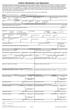 Uniform Residential Loan Application This application is designed to be completed by the applicant(s) with the Lender's assistance. Applicants should complete this form as "" or "," as applicable. information
Understanding Loan Prospector s Determination of Total Monthly Debt for FHA and VA Loans
 Understanding s Determination of Total Monthly Debt for FHA and Effective for new submissions on and after the October 19, 2014 Implementation The accuracy of the total monthly debt-to-income (DTI) ratio
VA Refinance IRRRL. VA Refinance IRRRL
 This matrix is intended as an aid to help determine whether a property/loan qualifies for certain financing. It is not intended as a replacement for VA guidelines. Users are expected to know and comply
Section 2.08 - Jumbo Solution Second Mortgage
 - In This Product Description This product description contains the following topics: Overview... 2 Related Bulletins... 3 Loan Terms... 4 Assumptions... 4 Eligible First and Second Mortgage Products...
How To Understand The Veteran Loan Policy
 Chapter 8. Borrower Fees and Charges and the VA Funding Fee Overview In this Chapter This chapter contains the following topics. Topic Topic Name See Page 1 VA Policy on Fees and Charges Paid by the Veteran-Borrower
Uniform Residential Loan Application Help Instructions
 Uniform Residential Loan Application Help Instructions Check the corresponding box to indicate whether you intend to use the income or assets of another person for a basis of qualification then sign at
Borrower Fees and Charges and the VA Funding Fee
 VA Pamphlet 26-7, Revised Chapter 8: Borrower Fees and Charges and the VA Funding Fee Chapter 8 Borrower Fees and Charges and the VA Funding Fee Overview Introduction This chapter contains information
HARP DU REFI PLUS Training
 HARP DU REFI PLUS Training Offered by FIRST MORTGAGE CORPORATION JUNE 14, 2013 Desktop Underwriter is a registered trademark of Fannie Mae. Loan Prospector is a registered trademark of Freddie Mac. This
WHOLESALE FHA 580 619 PRODUCT PROFILE
 Maximum LTV/CLTV & Minimum Credit Score Requirements LTV CLTV MIN CREDIT 2 INVESTOR CODES PURCHASE 96.50% 96.50% 580 I-12, I-15 1 NO CASH-OUT REFINANCE 97.75% 97.75% 580 I-12, I-15 1 CASH-OUT REFINANCE
Thank you for considering Heritage Grove as your mortgage loan provider!
 Cindy Benson, RE Loan Dept. 631 Winter St NE, Salem OR 97301 [email protected] 503 485 4373 phone 503 371 7323 fax NMLS #431433 Thank you for considering Heritage Grove as your mortgage loan provider!
What s s New With FHA?
 What s s New With FHA? Presented By: Bill Ladewig 866.204.9733 http://www.mortgage- FHA Calculator Calculates everything needed to quote or qualify FHA loans Click to Open: http://www.themtgmentor.com/fha_mortgage_calculator.html
Uniform Residential Loan Application
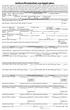 Uniform Residential Loan Application This application is designed to be completed by the applicant(s) with the lender's assistance. Applicants should complete this form as "Borrower" or "Co- Borrower",
The Chase Guaranteed Rural Housing Refinance Program Features
 PROGRAM ELIGIBILITY Borrower Eligibility In order to be eligible for a Rural Development guaranteed loan, the Borrowers adjusted household income cannot exceed the maximum allowable income limit set forth
VA Product Guidelines
 August 10, 2015 VA Product Guidelines Purchase Occupancy Units LTV CLTV Primary 1-4 100 100 620 Rate/Term Refinance Occupancy Units LTV CLTV Primary 1-4 100 100 620 IRRRL Occupancy Units LTV CLTV Primary
ditech BUSINESS LENDING FHA STANDARD REFINANCE PRODUCT FOR CASE NUMBERS ASSIGNED ON OR AFTER 9/14/15
 1. PRODUCT FHA Fixed Rate and ARM Mortgages for Rate and Term Refinance, Cash-Out Refinance and Simple Refinance Transactions DESCRIPTION Fixed Rate 5 to 30 year term in annual increments Fully amortizing
FNMA Jumbo Conforming Fixed (HIGH BALANCE LOANS) T300J09. 09-30 Year Fixed & T301J09-15 Year Fixed
 These guidelines cover the new Temporary Increase in conforming loan limits for high-cost areas authorized by the American Recovery and Reinvestment Act (ARRA). Specifically, the ARRA permits loans originated
11.1 INTRODUCTION 11.2 THE RATIOS
 0BCHAPTER 11: RATIO ANALYSIS 11.1 INTRODUCTION Ratios are used to determine whether the borrower s repayment income can reasonably be expected to meet the anticipated monthly housing expense and total
MORTGAGE CHECKLIST. If Investment Property: Rent Roll of the existing property List of all expenses associated with the units
 MORTGAGE CHECKLIST Thank you in advance for choosing CORNERSTONE BANK, N.A. to care for your financial needs. After we receive confirmation from you of your intent to proceed, please submit the following
Chapter 6: Refinancing Loans
 VA Pamphlet 26-7, Revised Chapter 6: Refinancing Loans Chapter 6 Refinancing Loans Overview In this Chapter This chapter contains the following topics. Topic See Page 6.01 Interest Rate Reduction Refinancing
Sponsored by: EQUITY. Sid Shah Director, Mortgage Origination [email protected] 614-571-3893 RESOURCES, INC. mortgages
 Sponsored by: EQUITY RESOURCES, INC. mortgages Sid Shah Director, Mortgage Origination [email protected] 614-571-3893 Exempt from Qualified Mortgage rule/law Any Veteran can refinance their Conventional,
Underwriting Guideline Matrix
 Program / Product Codes: NewLeaf Wholesale VA Lender ID Number: SKYLINE FINANCIAL CORPORATION 1690780000 Subject to Change Without Notice Valid as of: 11/06/2015 Copyright 2015 Skyline Financial Corp.
DU Refi Plus Program Guide Fixed Rate
 DU Refi Plus Program Guide Fixed Rate Wholesale Lending October 19, 2015 Table of Contents DU Refi Plus Program Guide... 1 Fixed Rate... 1 Table of Contents... 1 Program Overview... 3 Highlights... 3 Credit