
Administering Windows Server 2012 (20411) H4D01S
|
|
|
- Gerald Cox
- 9 years ago
- Views:
Transcription

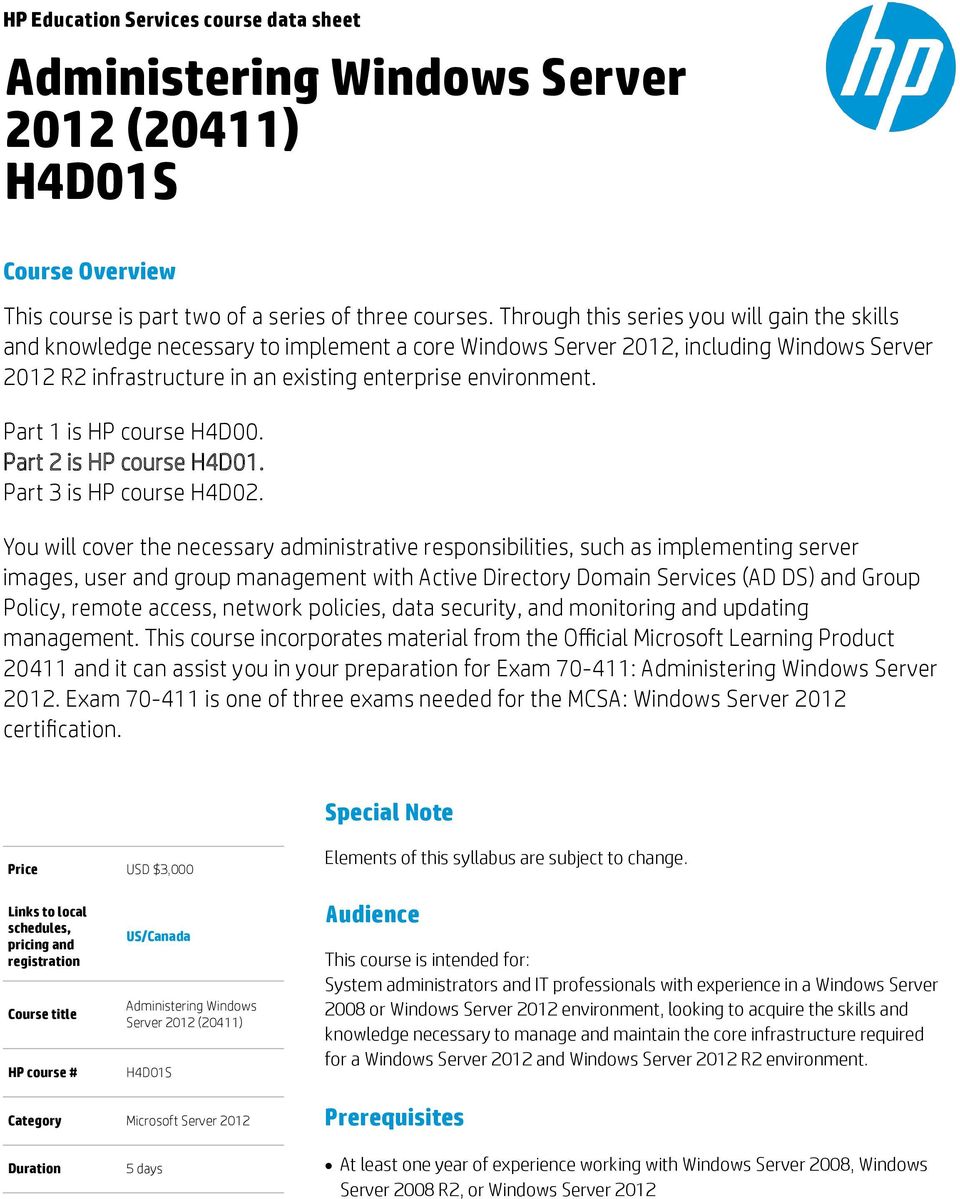
1 HP Education Services course data sheet Administering Windows Server 2012 (20411) H4D01S Course Overview This course is part two of a series of three courses. Through this series you will gain the skills and knowledge necessary to implement a core Windows Server 2012, including Windows Server 2012 R2 infrastructure in an existing enterprise environment. Part 1 is HP course H4D00. Part 2 is HP course H4D01. Part 3 is HP course H4D02. You will cover the necessary administrative responsibilities, such as implementing server images, user and group management with Active Directory Domain Services (AD DS) and Group Policy, remote access, network policies, data security, and monitoring and updating management. This course incorporates material from the Official Microsoft Learning Product and it can assist you in your preparation for Exam : Administering Windows Server Exam is one of three exams needed for the MCSA: Windows Server 2012 certification. Special Note Price USD $3,000 Elements of this syllabus are subject to change. Links to local schedules, pricing and registration Course title HP course # US/Canada Administering Windows Server 2012 (20411) H4D01S Audience This course is intended for: System administrators and IT professionals with experience in a Windows Server 2008 or Windows Server 2012 environment, looking to acquire the skills and knowledge necessary to manage and maintain the core infrastructure required for a Windows Server 2012 and Windows Server 2012 R2 environment. Category Microsoft Server 2012 Prerequisites Duration 5 days At least one year of experience working with Windows Server 2008, Windows Server 2008 R2, or Windows Server 2012
2 Understanding of Active Directory and networking infrastructure HP Course H4D00S "Installing and Configuring Windows Server 2012 (20410)" or equivalent experience Course objectives After completing this course, students will be able to: Manage user desktops with Group Policy Manage user and service accounts Maintain Active Directory Domain Services (AD DS) Configure and troubleshoot remote access Install, configure, and troubleshoot the network policy server (NPS) role Implement network access protection (NAP) Optimize file services Configure encryption and advanced auditing Implement update management Monitor Windows Server 2012 Course outline 1. Configuring and Troubleshooting DNS Configuring the DNS Server Role Configuring DNS Zones Configuring DNS Zone Transfers Managing and Troubleshooting DNS 2. Maintaining AD DS Implementing Virtualized Domain Controllers Implementing Read Only Domain Controllers Administering AD DS Managing the AD DS Database 3. Managing User and Service Accounts Configuring Password Policy and User Account Configuring Managed Service Accounts 4. Implementing a Group Policy Infrastructure Group Policy Implementing and Administering Group Policy Objects (GPOs) Group Policy Scope and Processing Troubleshooting Policy Application 5. Managing User Desktops with Group Policy Implementing Administrative Templates Configuring Folder Redirection and Scripts Configuring Group Policy Preferences Managing Software with Group Policy 2

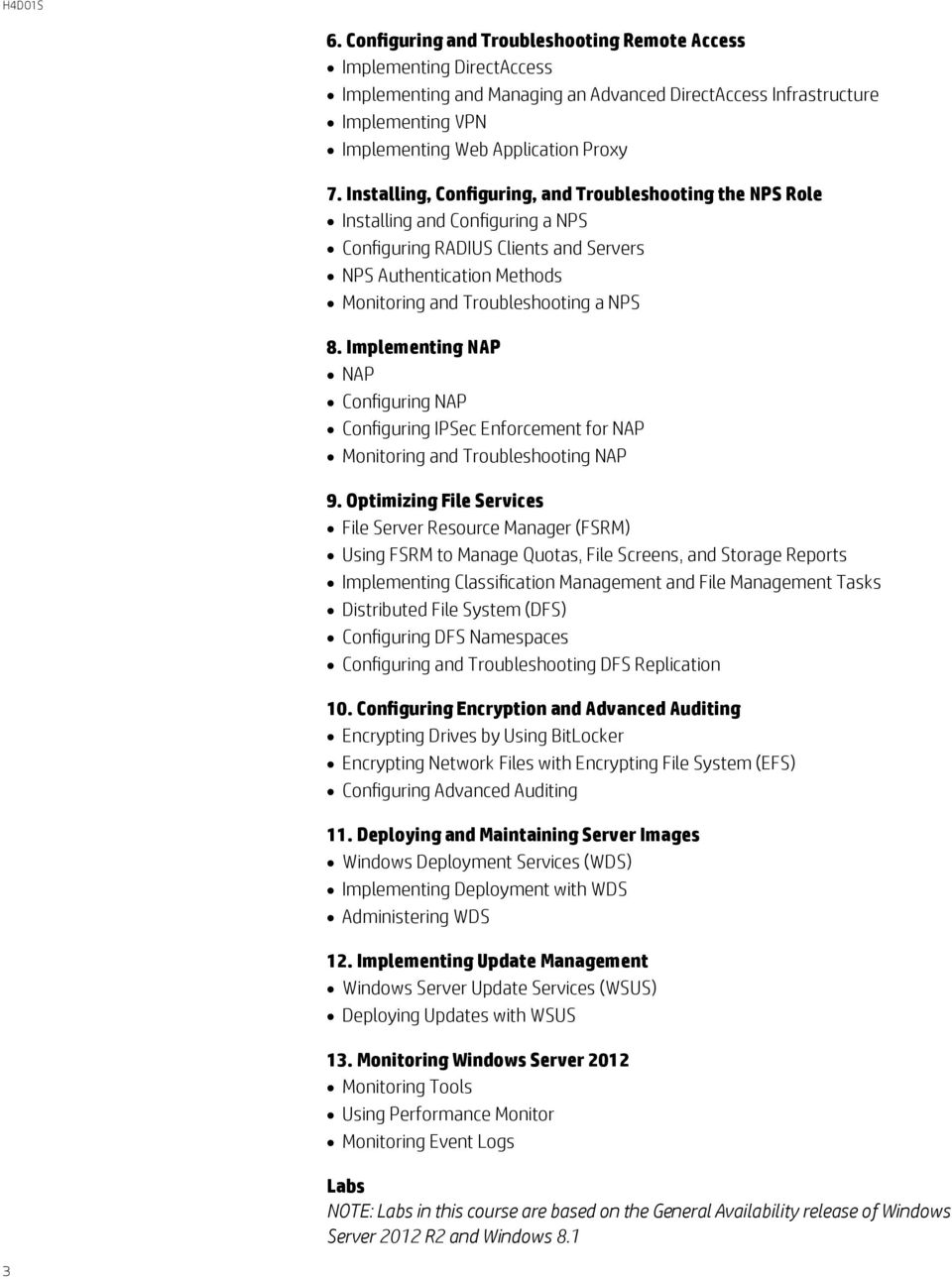
3 6. Configuring and Troubleshooting Remote Access Implementing DirectAccess Implementing and Managing an Advanced DirectAccess Infrastructure Implementing VPN Implementing Web Application Proxy 7. Installing, Configuring, and Troubleshooting the NPS Role Installing and Configuring a NPS Configuring RADIUS Clients and Servers NPS Authentication Methods Monitoring and Troubleshooting a NPS 8. Implementing NAP NAP Configuring NAP Configuring IPSec Enforcement for NAP Monitoring and Troubleshooting NAP 9. Optimizing File Services File Server Resource Manager (FSRM) Using FSRM to Manage Quotas, File Screens, and Storage Reports Implementing Classification Management and File Management Tasks Distributed File System (DFS) Configuring DFS Namespaces Configuring and Troubleshooting DFS Replication 10. Configuring Encryption and Advanced Auditing Encrypting Drives by Using BitLocker Encrypting Network Files with Encrypting File System (EFS) Configuring Advanced Auditing 11. Deploying and Maintaining Server Images Windows Deployment Services (WDS) Implementing Deployment with WDS Administering WDS 12. Implementing Update Management Windows Server Update Services (WSUS) Deploying Updates with WSUS 13. Monitoring Windows Server 2012 Monitoring Tools Using Performance Monitor Monitoring Event Logs Labs NOTE: Labs in this course are based on the General Availability release of Windows Server 2012 R2 and Windows 8.1 3
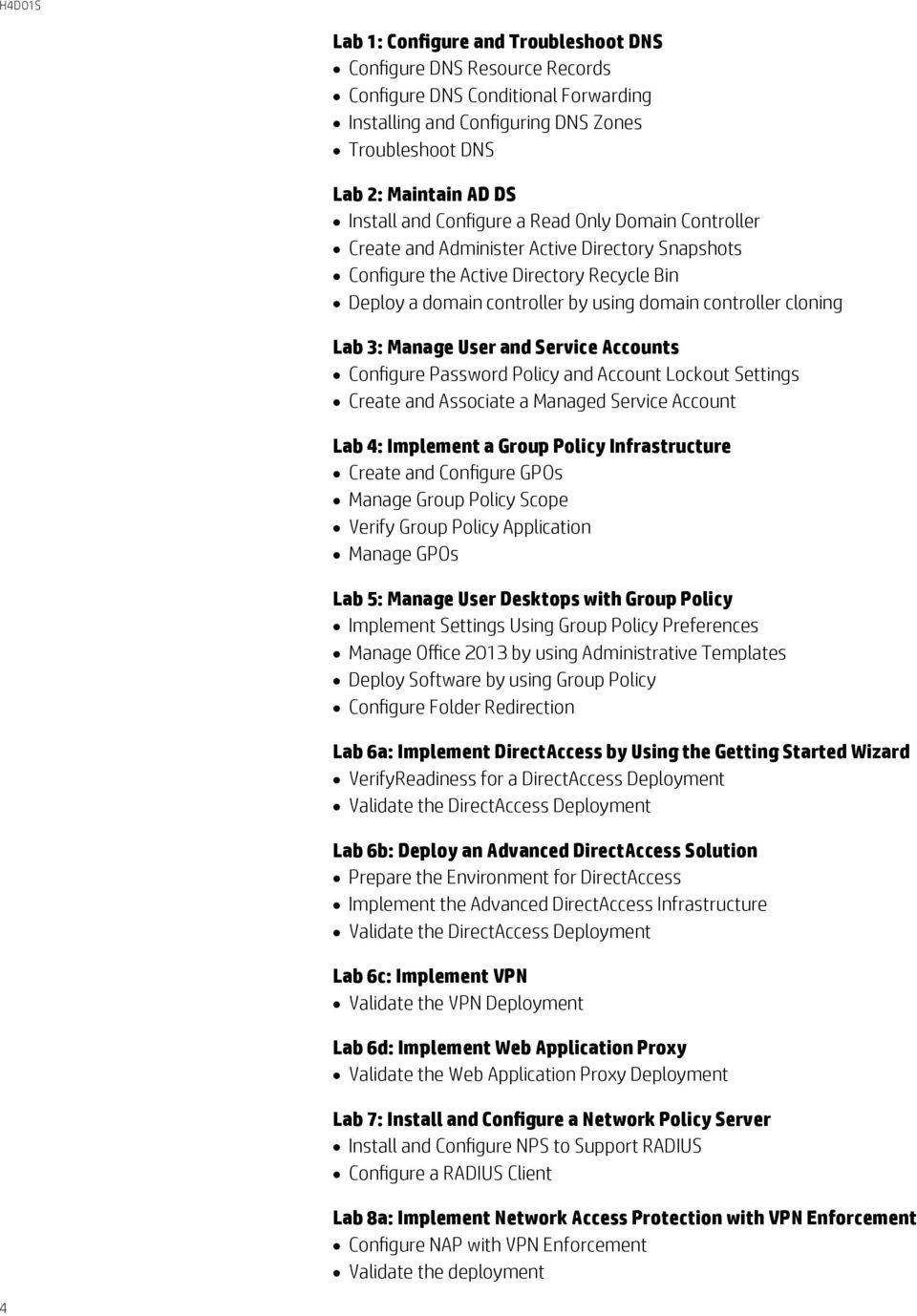
4 Lab 1: Configure and Troubleshoot DNS Configure DNS Resource Records Configure DNS Conditional Forwarding Installing and Configuring DNS Zones Troubleshoot DNS Lab 2: Maintain AD DS Install and Configure a Read Only Domain Controller Create and Administer Active Directory Snapshots Configure the Active Directory Recycle Bin Deploy a domain controller by using domain controller cloning Lab 3: Manage User and Service Accounts Configure Password Policy and Account Lockout Settings Create and Associate a Managed Service Account Lab 4: Implement a Group Policy Infrastructure Create and Configure GPOs Manage Group Policy Scope Verify Group Policy Application Manage GPOs Lab 5: Manage User Desktops with Group Policy Implement Settings Using Group Policy Preferences Manage Office 2013 by using Administrative Templates Deploy Software by using Group Policy Configure Folder Redirection Lab 6a: Implement DirectAccess by Using the Getting Started Wizard VerifyReadiness for a DirectAccess Deployment Validate the DirectAccess Deployment Lab 6b: Deploy an Advanced DirectAccess Solution Prepare the Environment for DirectAccess Implement the Advanced DirectAccess Infrastructure Validate the DirectAccess Deployment Lab 6c: Implement VPN Validate the VPN Deployment Lab 6d: Implement Web Application Proxy Validate the Web Application Proxy Deployment Lab 7: Install and Configure a Network Policy Server Install and Configure NPS to Support RADIUS Configure a RADIUS Client Lab 8a: Implement Network Access Protection with VPN Enforcement Configure NAP with VPN Enforcement Validate the deployment 4
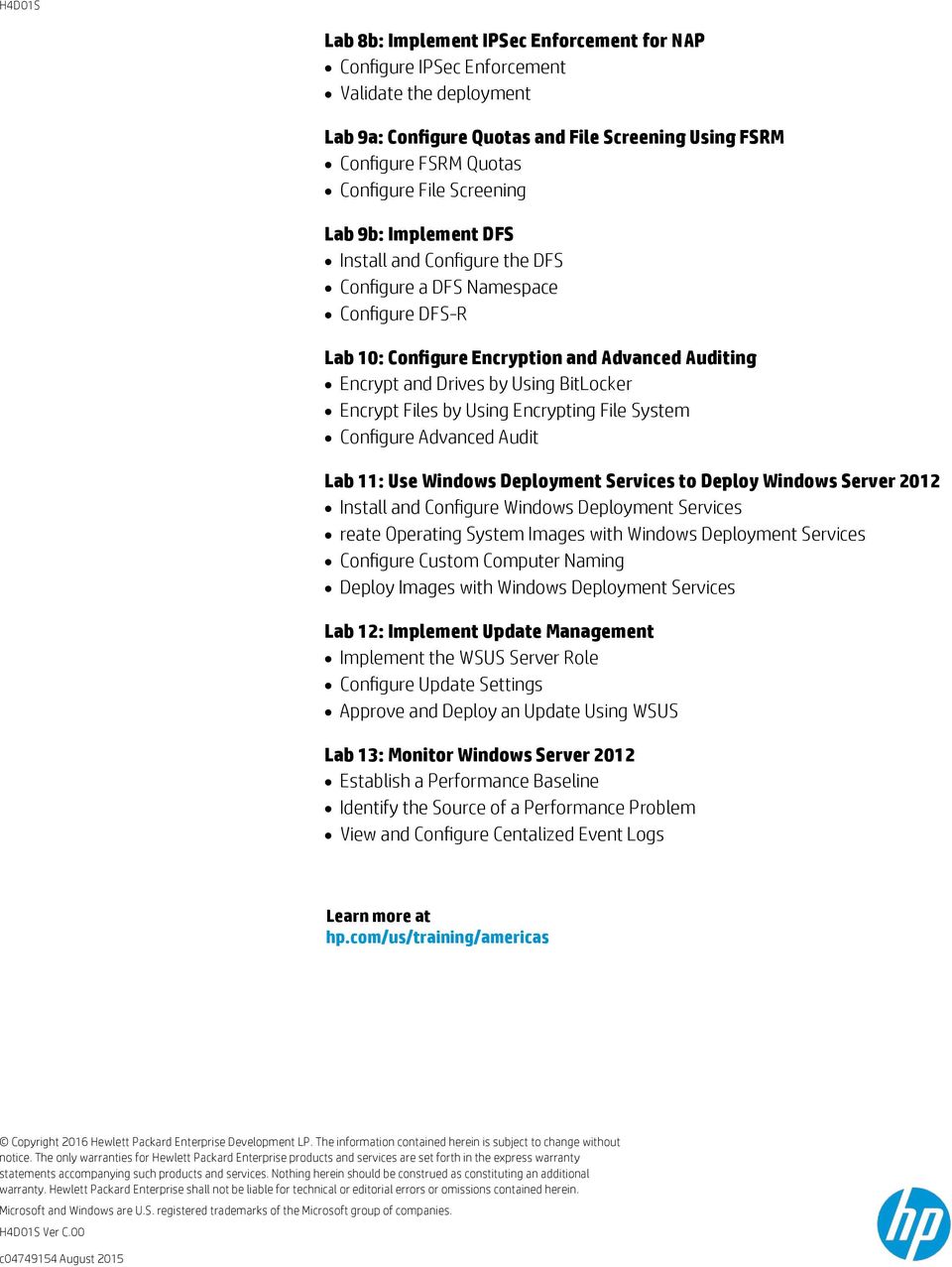
5 Lab 8b: Implement IPSec Enforcement for NAP Configure IPSec Enforcement Validate the deployment Lab 9a: Configure Quotas and File Screening Using FSRM Configure FSRM Quotas Configure File Screening Lab 9b: Implement DFS Install and Configure the DFS Configure a DFS Namespace Configure DFS-R Lab 10: Configure Encryption and Advanced Auditing Encrypt and Drives by Using BitLocker Encrypt Files by Using Encrypting File System Configure Advanced Audit Lab 11: Use Windows Deployment Services to Deploy Windows Server 2012 Install and Configure Windows Deployment Services reate Operating System Images with Windows Deployment Services Configure Custom Computer Naming Deploy Images with Windows Deployment Services Lab 12: Implement Update Management Implement the WSUS Server Role Configure Update Settings Approve and Deploy an Update Using WSUS Lab 13: Monitor Windows Server 2012 Establish a Performance Baseline Identify the Source of a Performance Problem View and Configure Centalized Event Logs Learn more at hp.com/us/training/americas Copyright 2016 Hewlett Packard Enterprise Development LP. The information contained herein is subject to change without notice. The only warranties for Hewlett Packard Enterprise products and services are set forth in the express warranty statements accompanying such products and services. Nothing herein should be construed as constituting an additional warranty. Hewlett Packard Enterprise shall not be liable for technical or editorial errors or omissions contained herein. Microsoft and Windows are U.S. registered trademarks of the Microsoft group of companies. H4D01S Ver C.00 c August 2015
Administering Windows Server 2012
 Administering Windows Server 2012 Course Summary Configuring and Troubleshooting Domain Name System Maintaining Active Directory Domain Services Managing User and Service Accounts Implementing a Group
Administering Windows Server 2012
 Course 20411C Administering Windows Server 2012 Course Length: 5 days Overview Get hands-on instruction and practice administering Windows Server 2012, including Windows Server 2012 R2, in this 5-day Microsoft
Administering Windows Server 2012
 Course 20411C: Administering Windows Server 2012 Page 1 of 8 Administering Windows Server 2012 Course 20411C: 4 days; Instructor-Led Introduction Get hands-on instruction and practice administering Windows
411-Administering Windows Server 2012
 411-Administering Windows Server 2012 Course Duration: 5 Days Module 1: Configuring and Troubleshooting Domain Name System This module explains how to configure and troubleshoot DNS, including DNS replication
Administering Windows Server 2012
 Course 20411D: Administering Windows Server 2012 Course Details Course Outline Module 1: Configuring and Troubleshooting Domain Name System This module explains how to configure and troubleshoot DNS, including
Administering Windows Server 2012
 20411D - Version: 1 25 June 2016 Administering Windows Server 2012 Administering Windows Server 2012 20411D - Version: 1 5 days Course Description: Get hands-on instruction and practice administering Windows
Administering Windows Server 2012
 www.etidaho.com (208) 327-0768 Course 20411D: Administering Windows Server 2012 5 Days About this Course Get hands on instruction and practice administering Windows Server 2012, including Windows Server
Administering Windows Server 2012
 Course Code: M20411 Vendor: Microsoft Course Overview Duration: 5 RRP: 2,025 Administering Windows Server 2012 Overview Get hands-on instruction and practice administering Windows Server 2012, including
COURSE 20411D: ADMINISTERING WINDOWS SERVER 2012
 ABOUT THIS COURSE Get hands-on instruction and practice administering Windows Server 2012, including Windows Server 2012 R2, in this five-day Microsoft Official course. This course is part two in a series
Administering Windows Server 2012
 Course 20411D: Administering Windows Server 2012 Page 1 of 8 Administering Windows Server 2012 Course 20411D: 4 days; Instructor-Led Introduction Get hands-on instruction and practice administering Windows
"Charting the Course... MOC 20411 D Administering Windows Server 2012. Course Summary
 Course Summary Description Get hands-on instruction and practice administering Windows Server 2012, including Windows Server 2012 R2, in this five-day Microsoft Official Course. This course is part two
Administering Windows Server 2012
 WINDOWS 2012 COURSE OUTLINE Visit Our Website to Enroll Now Www.ITBigBang.Com/IT-Training Administering Windows Server 2012 Course Title Administering Windows Server 2012 Course Code 20411D Days / Duration
This module explains how to configure and troubleshoot DNS, including DNS replication and caching.
 Module 1: Configuring and Troubleshooting Domain Name System This module explains how to configure and troubleshoot DNS, including DNS replication and caching. Configuring the DNS Server Role Configuring
NE-20411D Administering Windows Server 2012
 NE-20411D Administering Windows Server 2012 Summary Duration Vendor Audience 5 Days Microsoft IT Professionals Published Level Technology 13 May 2014 200 Windows Server 2012 Delivery Method Instructor-led
20411 - Administering Windows Server 2012
 20411 - Administering Windows Server 2012 Overview: The course is part two of a series of three courses, which provide the skills and knowledge necessary to implement a core Windows Server 2012 infrastructure
Course 20411B: Administering Windows Server 2012
 Course 20411B: Administering Windows Server 2012 Length: 5 Days Published: January 04, 2013 Language(s): English Audience(s): IT Professionals Level: 200 Technology: Windows Server 2012 Type: Course Delivery
Course Description. Course Page - Page 1 of 9. Administering Windows Server 2012 M-20411 Length: 5 days Price: $2,795.00
 Course Page - Page 1 of 9 Administering Windows Server 2012 M-20411 Length: 5 days Price: $2,795.00 Course Description Get hands-on instruction and practice administering Windows Server 2012, including
Course 20411D: Administering Windows Server 2012
 Course 20411D: Administering Windows Server 2012 Five Days, Instructor Led About this course Get hands-on instruction and practice administering Windows Server 2012, including Windows Server 2012 R2, in
20411 - Administering Windows Server 2012
 20411 - Administering Windows Server 2012 Duration: 5 Days Course Price: $2,975 Software Assurance Eligible Course Description Course Overview Get hands-on instruction and practice administering Windows
Administering Windows Server 2012
 Course 20411B: Administering Windows Server 2012 Length: Audience(s): 5 Days Level: 200 IT Professionals Technology: Windows Server 2012 Type: Delivery Method: Course Instructor-led (classroom) About this
Administering Windows Server 2012 MOC 20411
 Administering Windows Server 2012 MOC 20411 Course Outline Module 1: Deploying and Maintaining Server Images This module explains the functionality of Windows Deployment Services, and explains how to use
ADMINISTERING WINDOWS SERVER 2012
 Education and Support for SharePoint, Office 365 and Azure www.combined-knowledge.com COURSE OUTLINE Microsoft Course Code 20411 About this course ADMINISTERING WINDOWS SERVER 2012 Get hands-on instruction
HJ594S. Configuring, Managing and Mantaining Windows Server 2008 Servers (6419)
 HP Education Services course data sheet Configuring, Managing and Mantaining Windows Server 2008 Servers (6419) HJ594S Course Overview This 5-day instructor-led course provides students with the knowledge
IT SYSTEMS ADMINISTRATOR PROGRAM
 NH204-1011 Installing, Configuring & Administrating 136 Total Hours Windows Server 2012 COURSE TITLE: Installing, Configuring & Administrating Windows Server 2012 COURSE OVERVIEW: After completing this
Implementing an Advanced Server Infrastructure (20414) H4D07S
 HP Education Services course data sheet Implementing an Advanced Server Infrastructure (20414) H4D07S Course Overview In this course, you will cover new features and functionality in Windows Server 2012,
Training Name Installing and Configuring Windows Server 2012
 Training Name Installing and Configuring Windows Server 2012 Exam Code 70 410 At Course Completion After completing this course, students will be able to: Install and configure Windows Server 2012. Describe
AV-006: Installing, Administering and Configuring Windows Server 2012
 AV-006: Installing, Administering and Configuring Windows Server 2012 Career Details Duration 105 hours Prerequisites This course requires that student meet the following prerequisites, including that
Installing and Configuring Windows Server 2012 (20410) H4D00S
 HP Education Services course data sheet Installing and Configuring Windows Server 2012 (20410) H4D00S Course Overview This course is part one of a series of three courses. Through this series you will
Windows Server. Introduction to Windows Server 2008 and Windows Server 2008 R2
 Copyright 2006-2013 MilliByte SS Windows Server DƏRS Introduction to Windows Server 2008 and Windows Server 2008 R2 Functionality of Windows Server 2008 Windows Server 2008 Editions 1 Microsoft Hyper-V
MCSA Instructor-led Live Online Training Program. Course Outline MCSA 70-410. Deploying and Managing Windows Server 2012
 Course Outline MCSA 70-410 Deploying and Managing Windows Server 2012 Windows Server 2012 Overview Overview of Windows Server 2012 Management Installing Windows Server 2012 Post-Installation Configuration
Course Outline. Course 6419 : Configuring, Managing and Maintaining Windows Server 2008-based Servers. Duration: 5 Days
 Course 6419 : Configuring, Managing and Maintaining Windows Server 2008-based Servers Duration: 5 Days What you will learn This five-day instructor-led course provides students with the knowledge and skills
M6419 Configuring, Managing and Maintaining Windows Server 2008 Servers
 M6419 Configuring, Managing and Maintaining Windows Server 2008 Servers Looking at Training Differently... Course 6419A: Configuring, Managing and Maintaining Windows Server 2008 Servers Length: Published:
MS 6421 Configuring and Troubleshooting a Windows Server 2008 Infrastructure
 MS 6421 Configuring and Troubleshooting a Windows Server 2008 Infrastructure Description: Days: 5 Prerequisites: This five-day instructor-led course provides students with the knowledge and skills to configure
MCSA Windows Server Eğitimi İçeriği
 MCSA Windows Server Eğitimi İçeriği Öngereksinimler: Bilgisayar Kullanımı Kurs Tanımı: Microsoft Windows Server 2012 R2 işletim sistemi konusunda uzmanlık eğitimidir. Eğitimin büyük bir bölümü Windows
6419: Configuring, Managing, and Maintaining Server 2008
 6419: Configuring, Managing, and Maintaining Server 2008 Course Number: 6419 Category: Technical Duration: 5 days Course Description This five-day instructor-led course combines five days worth of instructor-led
Configuring, Managing and Maintaining Windows Server 2008-based Servers
 Course 6419B: Configuring, Managing and Maintaining Windows Server 2008-based Servers OVERVIEW About this Course This five-day instructor-led course provides students with the knowledge and skills that
MS 6419 Configuring, Managing and Maintaining Windows Server 2008-based Servers
 MS 6419 Configuring, Managing and Maintaining Windows Server 2008-based Servers Description: Days: 5 Prerequisites: This five-day instructor-led course provides students with the knowledge and skills that
Configuring Managing and Maintaining Windows Server 2008 Servers (6419B)
 Configuring Managing and Maintaining Windows Server 2008 Servers (6419B) Who Should Attend This course is intended for Windows Server administrators who operate Windows Servers on a daily basis and want
MOC 6419: Configuring, Managing, and Maintaining Windows Server 2008
 1 of 6 1/6/2010 3:23 PM MOC 6419: Configuring, Managing, and Maintaining Windows Server 2008 This five-day instructor-led course combines five days worth of instructor-led training content from the Network
Course 6419B: Configuring, Managing and Maintaining Windows Server 2008-based Servers
 Course 6419B: Configuring, Managing and Maintaining Windows Server 2008-based Servers Length: Delivery Method: 5 Days Instructor-led (classroom) About this Course This five-day instructor-led course provides
20411 Administering Windows Server 2012
 20411 Administering Windows Server 2012 Category: Technical Microsoft Duration: 5 days Objectives This 5 day course is part two, of a series of three courses, which provide the skills and knowledge necessary
MCSA: Windows Server 2012 Boot Camp
 www.etidaho.com (208) 327-0768 MCSA: Windows Server 2012 Boot Camp 9 Days Validate that you have the skills and knowledge necessary to administer a Windows Server 2012 in an enterprise environment. Gain
Configuring, Managing and Maintaining Windows Server 2008 Servers
 Configuring, Managing and Maintaining Windows Server 2008 Servers MOC6419 About this Course This five-day instructor-led course combines five days worth of instructor-led training content from the Network
Configuring, Managing and Maintaining Windows Server 2008 Servers
 Configuring, Managing and Maintaining Windows Server 2008 Servers Elements of this syllabus are subject to change Course Details Course Code: 6419 Duration: Notes: 5 day(s) This course syllabus should
Course 6419A: Configuring, Managing and Maintaining Windows Server 2008 Servers
 Course 6419A: Configuring, Managing and Maintaining Windows Server 2008 Servers Duration 5 Days About this Course This five-day instructor-led course combines five days worth of instructor-led training
Server Virtualization with Windows Server Hyper-V and System Center (20409) H8B93S
 HP Education Services course data sheet Server Virtualization with Windows Server Hyper-V and System Center (20409) H8B93S Course Overview Obtain the skills you need to deploy and manage a Microsoft Server
Configuring, Managing and Maintaining Windows Server 2008 Servers
 Configuring, Managing and Maintaining Windows Server 2008 Servers About this Course This five-day instructor-led course combines five days worth of instructor-led training content from the Network Infrastructure
MS 70-411 Exam Objectives Administering Windows Server 2012 R2
 MS 70-411 Exam Objectives Administering Windows Server 2012 R2 Below are the exam objectives for Administering Windows Server 2012 R2 Exam 70-411 Tasks measured as per latest update implemented in January
MS-6416: Updating your Network Infrastructure and Active Directory Technology Skills to Windows Server 2008
 MS-6416: Updating your Network Infrastructure and Active Directory Technology Skills to Windows Server 2008 This five-day instructor-led course teaches the features and technologies of Windows Server 2008
Course Outline. Course 6421B : Configuring and Troubleshooting a Windows Server 2008 Network Infrastructure
 Course 6421B : Configuring and Troubleshooting a Windows Server 2008 Network Infrastructure Duration: 5 Days What you will learn This five-day instructor-led course provides students with the knowledge
6421B - Windows Server 2008 R2 Network Infrastructure
 Configuring and Troubleshooting a Windows Server 2008 R2 Network Infrastructure Introduction This five-day instructor-led course provides students with the knowledge and skills to configure and troubleshoot
Course 6425C: Configuring and Troubleshooting Windows Server 2008 Active Directory Domain Services
 Course 6425C: Configuring and Troubleshooting Windows Server 2008 Active Directory Domain Services Course OutlineModule 1: Introducing Active Directory Domain Services This module provides an overview
MS-6416D: Updating Your Windows Server 2003 Technology Skills to Windows Server 2008
 MS-6416D: Updating Your Windows Server 2003 Technology Skills to Windows Server 2008 Description This five-day instructor-led course teaches the features and technologies of Windows Server 2008 and Windows
Updating Your Windows Server 2003 Technology Skills to Windows Server 2008
 Updating Your Windows Server 2003 Technology Skills to MS6416: 5 Days Course Overview This five-day instructor-led course teaches the features and technologies of and R2 to IT professionals who have specialist
NE-6416D Updating Your Windows Server 2003 Technology Skills to Windows Server 2008
 NE-6416D Updating Your Windows 2003 Technology Skills to Windows Summary Duration Vendor Audience 5 Days Microsoft IT Professionals Published Level Technology 25 October 2011 200 Delivery Method Instructor-led
Configuring and Troubleshooting a Windows Server 2008 Network Infrastructure
 Course 6421B: Configuring and Troubleshooting a Windows Server 2008 Network Infrastructure Length: Language(s): Audience(s): 5 Days English Level: 200 IT Professionals Technology: Windows Server 2008 Type:
Configuring and Troubleshooting a Windows Server 2008 Network Infrastructure (6421B)
 Configuring and Troubleshooting a Windows Server 2008 Network Infrastructure (6421B) Overview This five-day instructor-led course provides students with the knowledge and skills to configure and troubleshoot
Configuring & Troubleshooting Windows 2008 Server 2008 Network Infrastructure
 About this Course Configuring & Troubleshooting Windows T This five-day instructor-led course provides students with the knowledge and skills to configure and troubleshoot Windows Server 2008 and Windows
Microsoft 6421 - Configure and Troubleshoot Windows Server 2008 Network Infrastructure
 1800 ULEARN (853 276) www.ddls.com.au Microsoft 6421 - Configure and Troubleshoot Windows Server 2008 Network Infrastructure Length 5 days Price $4169.00 (inc GST) Overview This five-day instructor-led
Deploying and Managing Windows 10 Using Enterprise Services (20697-1) H0LQ1S
 HP Education Services course data sheet Deploying and Managing Windows 10 Using Enterprise Services (20697-1) H0LQ1S Course Overview This 5-day course provides administrators with the knowledge and skills
Microsoft Private Cloud
 Software Development & Education Center Microsoft Private Cloud Exam 70-410, Course 20410B Installing and Configuring Windows Server 2012 About this Course This course is part one of a three-part series
MS6419B: Configuring, Managing and Maintaining Windows Server 2008-Based Servers
 40 HORAS INTRODUCTION This five-day instructor-led course provides students with the knowledge and skills that are required to manage accounts and resources, maintain server resources, monitor server performance,
Monitoring and Operating a Private Cloud with System Center 2012 (10750) H7G37S
 HP Education Services course data sheet Monitoring and Operating a Private Cloud with System Center 2012 (10750) H7G37S Course Overview In this course, you will receive an overview of a private cloud infrastructure,
Planning for Windows Server 2008 Servers
 Planning for Windows Server 2008 Servers Course Number: 6430B Course Length: 3 Days Course Overview This 3-day course is intended for IT pros who are interested in the knowledge and skills necessary to
Designing and Implementing a Server Infrastructure
 Course Code: M20413 Vendor: Microsoft Course Overview Duration: 5 RRP: 2,025 Designing and Implementing a Server Infrastructure Overview Get hands-on instruction and practice planning, designing and deploying
Outline SSS6425 - Configuring and Troubleshooting Windows Server 2008 Active Directory
 Outline SSS6425 - Configuring and Troubleshooting Windows Server 2008 Active Directory Duration: Four consecutive Saturdays About this Course This instructor-led course provides the knowledge and skills
Designing and Implementing a Server Infrastructure
 Course 20413C: Designing and Implementing a Server Infrastructure Page 1 of 7 Designing and Implementing a Server Infrastructure Course 20413: 4 days; Instructor-Led Introduction This 4-day instructor-led
Designing and Implementing a Server Infrastructure
 Course Duration: 5 days Overview: Get hands-on instruction and practice planning, designing and deploying a physical and logical Windows Server 2012 R2 enterprise infrastructure in this 5-day Microsoft
MCITP: Enterprise Administrator 2010 Boot Camp H6C09S
 HP Education Services course data sheet MCITP: Enterprise Administrator 2010 Boot Camp H6C09S Course Overview Validate your Exchange Server skills with the MCITP: Enterprise Messaging Administrator certification.
Configuring, Managing, and Maintaining Server 2008 R2
 Configuring, Managing, and Maintaining Server 2008 R2 Eğitim Tipi ve Süresi: 5 Days VILT 5 Day VILT Configuring, Managing, and Maintaining Server 2008 R2 (M6419) Perform exclusive, hands-on lab exercises
20413C: Designing and Implementing a Server Infrastructure
 20413C: Designing and Implementing a Server Course Details Course Code: Duration: Notes: 20413C 5 days This course syllabus should be used to determine whether the course is appropriate for the students,
COURSE 20413C: DESIGNING AND IMPLEMENTING A SERVER INFRASTRUCTURE
 ABOUT THIS COURSE This 5 day course covers the knowledge and skills needed to provide an enterprise solution that supports manual and automated server installations in a physical and virtual environment
Designing and Implementing a Server Infrastructure 20413C; 5 days, Instructor-led
 Designing and Implementing a Server Infrastructure 20413C; 5 days, Instructor-led Course Description Get hands-on instruction and practice planning, designing and deploying a physical and logical Windows
What s in Installing and Configuring Windows Server 2012 (70-410):
 Brewster New York 10509 What s in Installing and Configuring Windows Server 2012 (70-410): The course provides skills and knowledge necessary to implement a core Windows Server 2012 infrastructure in an
Designing and Implementing a Server Infrastructure
 3 Riverchase Office Plaza Hoover, Alabama 35244 Phone: 205.989.4944 Fax: 855.317.2187 E-Mail: [email protected] Web: www.discoveritt.com Course 20413B: Designing and Implementing a Server Infrastructure
Course: Configuring and Troubleshooting Windows Server 2008 Active Direct-ory Domain Services
 Page 1 of 7 Course: Configuring and Troubleshooting Windows Server 2008 Active Direct-ory Domain Services Course 6425A Duration: 5 Days About this Course This five-day instructor-led course provides to
Course 20413: Designing and Implementing a Server Infrastructure
 Course 20413: Designing and Implementing a Server Infrastructure Overview About this course Get hands-on instruction and practice planning, designing and deploying a physical and logical Windows Server
VNLINFOTECH JOIN US & MAKE YOUR FUTURE BRIGHT. mcsa (70-413) Microsoft certified system administrator. (designing & implementing server infrasturcure)
 VNLINFOTECH JOIN US & MAKE YOUR FUTURE BRIGHT mcsa (70-413) Microsoft certified system administrator (designing & implementing server infrasturcure) www.vnlinfotech.com MODULE 1 : Considerations for Upgrades
Planning and Implementing Windows Server 2008
 Planning and Implementing Windows Server 2008 Course Number: 6433A Course Length: 5 Days Course Overview This five day course is intended for IT Professionals who are interested in the knowledge and skills
Designing and Implementing a Server Infrastructure
 WINDOWS 2012 COURSE OUTLINE Visit Our Website to Enroll Now Www.ITBigBang.Com/IT-Training Designing and Implementing a Server Infrastructure Course Title Designing and Implementing a Server Infrastructure