
I N S T A L L A T I O N M A N U A L
|
|
|
- Erik Rodgers
- 10 years ago
- Views:
Transcription
1 I N S T A L L A T I O N M A N U A L


2 2015 Fastnet SA, St-Sulpice, Switzerland. All rights reserved. Reproduction in whole or in part in any form of this manual without written permission of Fastnet SA is prohibited. MailCleaner is a registered trademark of Fastnet SA. All other trade names and trademarks cited in this manual are the properties of their respective owners.

3 S U M M A R Y 1 Infrastructure planning 4 Minimum requirements... 4 Installation CD... 4 Network environment... 4 Typical MailCleaner Installation... 5 Typical MailCleaner Installation with Firewall and DMZ Operating system installation 6 3 MailCleaner installation 7 System configuration... 7 Keyboard configuration... 7 Set root password... 7 Network configuration... 7 MailCleaner (re)installation... 7 Exit... 7 Finishing the installation Registration 9 Getting automatic updates... 9 What is your reseller ID... 9 What is your reseller password... 9 What is this client ID... 9 Finishing registration Cluster configuration (optional) 11 Master configuration Slave configuration Post installation 14 Test A 14 Test B 14 Final step VERY IMPORTANT: This manual has been written deliberately short, and consequently very accurate. Each requirement must be fulfilled and instructions strictly respected. No support will be provided if these conditions are not met. 3 MailCleaner Summary

4 C H A P T E R 1 1 Infrastructure planning Minimum requirements Make sure that your hardware meets the minimum requirements: 2 CPU, 4 GB RAM 60 GB, SATA III, 7200rpm hard drive 100 Mbps network card 2 Mbps network connectivity Installation CD Download and burn the latest MailCleaner installation CD ISO image from: Network environment Please have on hand an IP address and a hostname to be dedicated to your MailCleaner. The hostname must be resolvable via DNS. MailCleaner also needs Internet access on a number of ports. Make sure the firewall allows the following traffic: From the Internet to MailCleaner: 25 TCP (SMTP, from ANY or potentially from a specific gateway). 80 and 443 TCP (HTTP(S), optional but required for user and administrative interfaces). If your MailCleaner is in a private subnet behind a firewall, please do not forget to configure the necessary NAT rules to forward traffic from the WAN to your MailCleaner server. From MailCleaner to the Internet: 25 TCP (SMTP, to ANY or to a specific smtp gateway). 22 TCP (SSH, Mailcleaner updates, limited to /24 and /24). 80 and 443 TCP (HTTP(S), to ANY or to a specific gateway). 7 and 2703 TCP (Razor, to ANY) UDP (Pyzor, to ANY) UDP (DCC, to ANY). If you plan on building a MailCleaner Cluster (see chapter 5 for more information), make sure that traffic on the following protocols are allowed to pass between the different MailCleaner systems: 3306 and 3307 TCP (database synchronization). 22 TCP (MailCleaner internal synchronization) TCP (Web services). 161 UDP (SNMP, MailCleaner statistics) 4 MailCleaner Infrastructure planning

5 C H A P T E R 1 Typical MailCleaner Installation LAN AD or LDAP (Optional) IP:... Internet MailCleaner Enterprise or Appliance IP:... Mask:... Gw:... Mail Server IP:... Domain: Typical MailCleaner Installation with Firewall and DMZ LAN Firewall WAN IP:... LAN IP:... DMZ IP:... AD or LDAP IP:... Internet 25 TCP (SMTP) 22 TCP (SSH updates) 80 & 443 (HTTP(S)) 7 & 2703 TCP( Razor) UDP ( Pyzor) 6277 UDP (DCC) 25 TCP (SMTP NAT) 389 TCP (LDAP) 25 TCP (SMTP) Mail Server IP:... Domain: MailCleaner Enterprise or Appliance IP:... Mask:... Gw:... DMZ 5 MailCleaner Infrastructure planning

6 C H A P T E R 2 2 Operating system installation The first step will format the server's hard drives and install the MailCleaner Operating System (OS). Insert the MailCleaner installation CD in the server and start the server. boot from local disk: This option lets you boot on the currently installed operating system, if any. MailCleaner Automatic Installation: This option will start the MailCleaner OS installation. Choose the option MailCleaner Automatic Installation. The system installation will now proceed. This may take 10 to 30 minutes, depending on hardware performance. Once finished, the installer asks to press a key to restart. Do so and remove the CD. Once restarted, the system will lead you to the MailCleaner OS configuration menu. WARNING: any data currently on the system will be deleted. 6 MailCleaner Operating system installation

7 C H A P T E R 3 3 MailCleaner installation The MailCleaner base system configuration menu handles basic system configuration and MailCleaner software installation. You can simply follow the different steps as suggested by the installer. System configuration Keyboard configuration This option will allow you to set up the keyboard mapping. The default is a standard US keymap. Set root password This option will let you set the Unix root password of the system. The default is def. Network configuration This option brings you to the main network interface configuration. This important step will allow you to connect to the administrative web interface once the installation is finished. Use the dedicated IP information here. MailCleaner (re)installation This option will ask you a few questions and start the actual MailCleaner installation: Enter the unique ID of this MailCleaner in your infrastructure: The unique identifier of this server in the MailCleaner installation. A MailCleaner installation can contain a number of servers running in cluster (see chapter 5). Each of these servers must have a unique ID. In the case of a MailCleaner installation with only one server, use the value 1. Enter the admin user password: This password will be used for the administrative account admin in the web admin interface. The MailCleaner installation should then proceed and will take less than 15 minutes. Exit This option simply exits the installer tool. 7 MailCleaner MailCleaner installation

8 C H A P T E R 3 Finishing the installation Once the installation is finished, you can connect your favorite browser to the MailCleaner web administration interface: Where yourhost refers to either the hostname or the IP address you provided during the installation. The username is admin and the password is the one provided during the installation. See also chapter 6 Post Installation for more information. 8 MailCleaner MailCleaner installation

9 C H A P T E R 4 4 Registration This step will allow your MailCleaner to access the automatic update center to receive operating system updates, patches and especially filtering rule updates. Getting automatic updates If you wish to get automatic updates for your MailCleaner, you may want to register with MailCleaner s update service. Once you get the settings back from our service (client id, reseller id/password, etc.), you must connect your favorite browser to the MailCleaner web administration interface: Where yourhost refers to either the hostname or the IP address you provided during the installation. The username is admin and the password is the one provided during the installation. Select Configuration menu, Base system sub-menu and Registration section You must fill all fields of this section with the information provided on your license certificate, by your reseller or directly by MailCleaner Sales Department. What is your reseller ID The reseller ID as assigned by MailCleaner; use 0 for an installation without updates. What is your reseller password The password associated with the reseller ID (leave empty for an installation without updates). What is this client ID The client (or customer) ID as assigned by MailCleaner; use 0 for an installation without updates. 9 MailCleaner Registration

10 C H A P T E R 4 Finishing registration When finished, this step will register your MailCleaner installation with our update service. Available updates will then be fetched every 15 minutes. Anti-virus definitions are updated every hour by default. VERY IMPORTANT: Once you have installed and registered a MailCleaner server, let it fetch updates for a minimum of 2 hours prior to any configuration operation, including Cluster configuration. 10 MailCleaner Registration

11 C H A P T E R 5 5 Cluster configuration (optional) To filter very large volume of and/or for security and redundancy reasons, MailCleaner has been developed, from the very beginning, to work in a cluster configuration. One server, defined as the master, holds the database configuration and hosts the administrator and user web interfaces. The other servers in the cluster are defined as slaves. First, install each server independently. VERY IMPORTANT: Once you have installed and registered a MailCleaner server, let it fetch updates for a minimum of 2 hours prior to any Cluster configuration. VERY IMPORTANT: Don t make the cluster configuration until your servers are placed in their final location with definitive IP configuration, and until you have verified that all the ports configuration, described in chapter 1, is fulfilled for all members of your future cluster. Once installed, the next step is to obtain the password created by the MailCleaner installation process. This password is located in the file: /etc/mailcleaner.conf Use this command: grep 'MYMAILCLEANERPWD' /etc/mailcleaner.conf cut -d ' ' -f3 11 MailCleaner Cluster configuration

12 C H A P T E R 5 Master configuration Use the script located in: /usr/mailcleaner/scripts/configuration/slaves.pl. The first time, you will have to set the real hostname of the master. The real hostname is the Fully Qualified Domain Name (FQDN) of the master server. This name must be resolvable by DNS. Alternatively, you can use the master server's IP address in place of its name. Select option 1 (fully qualified hostname or ip). By default it is , which is to be changed in the case of a cluster. Select option 4 to add a slave and enter the hostname or IP address and the password of the server. Back in the main menu, hit q to apply changes. 12 MailCleaner Cluster configuration

13 C H A P T E R 5 Slave configuration Use the script located in: /usr/mailcleaner/scripts/configuration/slaves.pl. The first time, you will have to set the real hostname of the slave. The real hostname is the Fully Qualified Domain Name (FQDN) of this slave. This name must be resolvable by DNS. Alternatively, you can use the server's IP address in place of its name. Select option 1 (fully qualified hostname or ip). By default it is Select option 5 to set this server as a slave. Enter the master's FQDN or IP address and password. Back in the main menu, hit q to apply changes. You can now reach the admin interface of any server, but only the master will let you configure the system. The master is also the only server that allows users to access their quarantine. 13 MailCleaner Cluster configuration

14 C H A P T E R 6 6 Post installation You're almost finished! Now that you have completed the installation and registration of your MailCleaner, it is time to configure it for the domains that you wish to filter. Please connect your web browser to the MailCleaner web administrative console: Please configure the domains that you would like to protect. Remember: MailCleaner will not be operational until it is configured for the domain(s) that you would like to filter. Once you have completed your domain configuration you can now test your new installation. Test A Please verify that users of each domain can access the user web interface: Test B Verify that messages go correctly through your MailCleaner by directly sending a message for an existing user through your MailCleaner. For example, temporarily change your SMTP server in your mail software to point to your MailCleaner server, or initiate a manual SMTP session from a command console using the command telnet yourmailcleanerhost 25. Final step Once you have completed these two verifications, your MailCleaner installation is ready to be put in production. The final step is making your installation visible to the rest of the world. Modify your routing by changing the MX records for the filtered domains, or by altering your firewall or mail gateway configuration. Note: if you have more than one MailCleaner server (Cluster configuration), please use the same MX priority for all of your MailCleaner servers. Congratulations! Your installation is now complete. 14 MailCleaner Post installation

F-SECURE MESSAGING SECURITY GATEWAY
 F-SECURE MESSAGING SECURITY GATEWAY DEFAULT SETUP GUIDE This guide describes how to set up and configure the F-Secure Messaging Security Gateway appliance in a basic e-mail server environment. AN EXAMPLE
A D M I N I S T R A T O R V 1. 0
 A D M I N I S T R A T O R F A Q V 1. 0 2011 Fastnet SA, St-Sulpice, Switzerland. All rights reserved. Reproduction in whole or in part in any form of this manual without written permission of Fastnet SA
F-Secure Messaging Security Gateway. Deployment Guide
 F-Secure Messaging Security Gateway Deployment Guide TOC F-Secure Messaging Security Gateway Contents Chapter 1: Deploying F-Secure Messaging Security Gateway...3 1.1 The typical product deployment model...4
1 You will need the following items to get started:
 QUICKSTART GUIDE 1 Getting Started You will need the following items to get started: A desktop or laptop computer Two ethernet cables (one ethernet cable is shipped with the _ Blocker, and you must provide
It should be noted that the installer will delete any existing partitions on your disk in order to install the software required to use BLËSK.
 Installation Guide Introduction... 3 1. Booting from the CD... 4 2. Choose the server type to install... 5 3. Disk formatting and installation... 6 4. Confirmation of disk formatting... 7 5. Program installation...
Quick Start Guide. Sendio Email System Protection Appliance. Sendio 5.0
 Sendio Email System Protection Appliance Quick Start Guide Sendio 0 Sendio, Inc. 4911 Birch St, Suite 150 Newport Beach, CA 92660 USA +949.274375 www.sendio.com QUICK START GUIDE SENDIO This Quick Start
Kerio Operator. Administrator s Guide. Kerio Technologies
 Kerio Operator Administrator s Guide Kerio Technologies 2011 Kerio Technologies s.r.o. All rights reserved. This guide provides detailed description on Kerio Operator, version 1.0. All additional modifications
insync Installation Guide
 insync Installation Guide 5.2 Private Cloud Druva Software June 21, 13 Copyright 2007-2013 Druva Inc. All Rights Reserved. Table of Contents Deploying insync Private Cloud... 4 Installing insync Private
Virtual Appliance Setup Guide
 The Virtual Appliance includes the same powerful technology and simple Web based user interface found on the Barracuda Web Application Firewall hardware appliance. It is designed for easy deployment on
Firewall VPN Router. Quick Installation Guide M73-APO09-380
 Firewall VPN Router Quick Installation Guide M73-APO09-380 Firewall VPN Router Overview The Firewall VPN Router provides three 10/100Mbit Ethernet network interface ports which are the Internal/LAN, External/WAN,
How To - Configure Virtual Host using FQDN How To Configure Virtual Host using FQDN
 How To - Configure Virtual Host using FQDN How To Configure Virtual Host using FQDN Applicable Version: 10.6.2 onwards Overview Virtual host implementation is based on the Destination NAT concept. Virtual
Technical Support Information
 Technical Support Information Broadband Module/Broadband Module Plus Configuration Guidance Setting up Remote Access to a Network Device (Mail/File Server/Camera Etc) connected to the LAN port of the Broadband
How To Load balance traffic of Mail server hosted in the Internal network and redirect traffic over preferred Interface
 How To Load balance traffic of Mail server hosted in the Internal network and redirect traffic over preferred Interface How To Configure load sharing and redirect mail server traffic over preferred Gateway
How to Configure an Initial Installation of the VMware ESXi Hypervisor
 How to Configure an Initial Installation of the VMware ESXi Hypervisor I am not responsible for your actions or their outcomes, in any way, while reading and/or implementing this tutorial. I will not provide
A Guide to New Features in Propalms OneGate 4.0
 A Guide to New Features in Propalms OneGate 4.0 Propalms Ltd. Published April 2013 Overview This document covers the new features, enhancements and changes introduced in Propalms OneGate 4.0 Server (previously
Cyberoam Virtual Security Appliance - Installation Guide for XenServer. Version 10
 Cyberoam Virtual Security Appliance - Installation Guide for XenServer Version 10 Document Version 10.6.1-01/07/2014 Contents Preface... 4 Base Configuration... 4 Installation Procedure... 4 Cyberoam Virtual
SuperLumin Nemesis. Administration Guide. February 2011
 SuperLumin Nemesis Administration Guide February 2011 SuperLumin Nemesis Legal Notices Information contained in this document is believed to be accurate and reliable. However, SuperLumin assumes no responsibility
QUICK START GUIDE. Cisco C170 Email Security Appliance
 1 0 0 1 QUICK START GUIDE Email Security Appliance Cisco C170 303357 Cisco C170 Email Security Appliance 1 Welcome 2 Before You Begin 3 Document Network Settings 4 Plan the Installation 5 Install the Appliance
REQUIREMENTS AND INSTALLATION OF THE NEFSIS DEDICATED SERVER
 NEFSIS TRAINING SERIES Nefsis Dedicated Server version 5.1.0.XXX Requirements and Implementation Guide (Rev 4-10209) REQUIREMENTS AND INSTALLATION OF THE NEFSIS DEDICATED SERVER Nefsis Training Series
Sophos UTM Software Appliance
 Sophos UTM Software Appliance Quick Start Guide Product version: 9.300 Document date: Monday, December 01, 2014 Sophos UTM Minimum Hardware Requirements Intel compatible CPU 1.5 GHz+ 1 GB RAM (2 GB recommended)
CYAN SECURE WEB APPLIANCE. User interface manual
 CYAN SECURE WEB APPLIANCE User interface manual Jun. 13, 2008 Applies to: CYAN Secure Web 1.4 and above Contents 1 Log in...3 2 Status...3 2.1 Status / System...3 2.2 Status / Network...4 Status / Network
OnCommand Performance Manager 1.1
 OnCommand Performance Manager 1.1 Installation and Setup Guide For Red Hat Enterprise Linux NetApp, Inc. 495 East Java Drive Sunnyvale, CA 94089 U.S. Telephone: +1 (408) 822-6000 Fax: +1 (408) 822-4501
NEFSIS DEDICATED SERVER
 NEFSIS TRAINING SERIES Nefsis Dedicated Server version 5.2.0.XXX (DRAFT Document) Requirements and Implementation Guide (Rev5-113009) REQUIREMENTS AND INSTALLATION OF THE NEFSIS DEDICATED SERVER Nefsis
Preinstallation Requirements Guide
 Preinstallation Requirements Guide Synergy 3.4.9 June 2015 Synergy 2015 TOC 1: Introduction 4 Synergy platform modules 4 Synergy install procedure - your responsibilities 4 Further information about Synergy
Prestige 314 Read Me First
 Prestige 314 Read Me First Console WAN 10M PORT Prestige Rear Panel Connections CONNECTION Use an RS-232 console cable. Use the cable that came with your broadband modem. LAN 10/100M Port Number COMPUTER
Virtual Appliance Setup Guide
 Virtual Appliance Setup Guide 2015 Bomgar Corporation. All rights reserved worldwide. BOMGAR and the BOMGAR logo are trademarks of Bomgar Corporation; other trademarks shown are the property of their respective
Virtual Managment Appliance Setup Guide
 Virtual Managment Appliance Setup Guide 2 Sophos Installing a Virtual Appliance Installing a Virtual Appliance As an alternative to the hardware-based version of the Sophos Web Appliance, you can deploy
Configuration Guide. Websense Web Security Solutions Version 7.8.1
 Websense Web Security Solutions Version 7.8.1 To help you make the transition to Websense Web Security or Web Security Gateway, this guide covers the basic steps involved in setting up your new solution
Deploying IBM Lotus Domino on Red Hat Enterprise Linux 5. Version 1.0
 Deploying IBM Lotus Domino on Red Hat Enterprise Linux 5 Version 1.0 November 2008 Deploying IBM Lotus Domino on Red Hat Enterprise Linux 5 1801 Varsity Drive Raleigh NC 27606-2072 USA Phone: +1 919 754
Symantec Messaging Gateway 10.0 Installation Guide. powered by Brightmail
 Symantec Messaging Gateway 10.0 Installation Guide powered by Brightmail The software described in this book is furnished under a license agreement and may be used only in accordance with the terms of
Introduction to Mobile Access Gateway Installation
 Introduction to Mobile Access Gateway Installation This document describes the installation process for the Mobile Access Gateway (MAG), which is an enterprise integration component that provides a secure
First Installation Guide
 Getting started with gateprotect First Installation Guide Installation and First Configuration of Next Generation UTM and Firewall Appliances May 2013 Thank you for choosing a gateprotect Next Generation
ISERink Installation Guide
 ISERink Installation Guide Version 1.1 January 27, 2015 First developed to support cyber defense competitions (CDCs), ISERink is a virtual laboratory environment that allows students an opportunity to
eprism Email Security Suite
 Guide eprism 2505 eprism Email Security Suite 800-782-3762 www.edgewave.com 2001 2012 EdgeWave. All rights reserved. The EdgeWave logo is a trademark of EdgeWave Inc. All other trademarks and registered
Evaluation guide. Vyatta Quick Evaluation Guide
 VYATTA, INC. Evaluation guide Vyatta Quick Evaluation Guide A simple step-by-step guide to configuring network services with Vyatta Open Source Networking http://www.vyatta.com Overview...1 Booting Up
Virtual Web Appliance Setup Guide
 Virtual Web Appliance Setup Guide 2 Sophos Installing a Virtual Appliance Installing a Virtual Appliance This guide describes the procedures for installing a Virtual Web Appliance. If you are installing
WEBTITAN CLOUD. User Identification Guide BLOCK WEB THREATS BOOST PRODUCTIVITY REDUCE LIABILITIES
 BLOCK WEB THREATS BOOST PRODUCTIVITY REDUCE LIABILITIES WEBTITAN CLOUD User Identification Guide This guide explains how to install and configure the WebTitan Cloud Active Directory components required
Proof of Concept Guide
 Proof of Concept Guide Version 4.0 Published: OCT-2013 Updated: 2005-2013 Propalms Ltd. All rights reserved. The information contained in this document represents the current view of Propalms Ltd. on the
VMware Identity Manager Connector Installation and Configuration
 VMware Identity Manager Connector Installation and Configuration VMware Identity Manager This document supports the version of each product listed and supports all subsequent versions until the document
Trend Micro Incorporated reserves the right to make changes to this document and to the products described herein without notice.
 Trend Micro Incorporated reserves the right to make changes to this document and to the products described herein without notice. Before installing and using the software, please review the readme files,
Chapter 6 Configuring the SSL VPN Tunnel Client and Port Forwarding
 Chapter 6 Configuring the SSL VPN Tunnel Client and Port Forwarding This chapter describes the configuration for the SSL VPN Tunnel Client and for Port Forwarding. When a remote user accesses the SSL VPN
Virtual Appliance for VMware Server. Getting Started Guide. Revision 2.0.2. Warning and Disclaimer
 Virtual Appliance for VMware Server Getting Started Guide Revision 2.0.2 Warning and Disclaimer This document is designed to provide information about the configuration and installation of the CensorNet
QUICK START GUIDE Cisco M380 and Cisco M680 Content Security Management Appliance
 QUICK START GUIDE Cisco M380 and Cisco M680 Content Security Management Appliance 1 Welcome 2 Before You Begin 3 Document Network Settings 4 Plan the Installation 5 Install the Appliance in a Rack 6 Plug
Network Load Balancing
 Network Load Balancing Step by Step installation of Network Load Balancing in Windows Server 2008 R2. Prerequisite for NLB Cluster 1. Log on to NODE1 Windows Server 2008 R2 system with a domain account
QUICK START GUIDE. Cisco S170 Web Security Appliance. Web Security Appliance
 1 0 0 0 1 1 QUICK START GUIDE Web Security Appliance Web Security Appliance Cisco S170 303417 Cisco S170 Web Security Appliance 1 Welcome 2 Before You Begin 3 Document Network Settings 4 Plan the Installation
Multi-Homing Security Gateway
 Multi-Homing Security Gateway MH-5000 Quick Installation Guide 1 Before You Begin It s best to use a computer with an Ethernet adapter for configuring the MH-5000. The default IP address for the MH-5000
Unified Threat Management
 Unified Threat Management QUICK START GUIDE CR35iNG Appliance Document Version: PL QSG 35iNG/96000-10.04.5.0.007/250121014 DEFAULTS Default IP addresses Ethernet Port IP Address Zone A 172.16.16.16/255.255.255.0
OnCommand Performance Manager 1.1
 OnCommand Performance Manager 1.1 Installation and Administration Guide For VMware Virtual Appliances NetApp, Inc. 495 East Java Drive Sunnyvale, CA 94089 U.S. Telephone: +1 (408) 822-6000 Fax: +1 (408)
42goISP Documentation
 42goISP Documentation 42goISP Documentation I Table of Contents General...1 1 What is 42goISP?...1 2 Terms and structure of the manual...1 3 Installation/Upgrade/Deinstallation...1 3.1 Installation...1
Quick Setup Guide. 2 System requirements and licensing. 2011 Kerio Technologies s.r.o. All rights reserved.
 Kerio Control VMware Virtual Appliance Quick Setup Guide 2011 Kerio Technologies s.r.o. All rights reserved. This document provides detailed description on installation and basic configuration of the Kerio
nexvortex Setup Template
 nexvortex Setup Template ZULTYS, INC. April 2013 5 1 0 S P R I N G S T R E E T H E R N D O N V A 2 0 1 7 0 + 1 8 5 5. 6 3 9. 8 8 8 8 Introduction This document is intended only for nexvortex customers
Backup & Disaster Recovery Appliance User Guide
 Built on the Intel Hybrid Cloud Platform Backup & Disaster Recovery Appliance User Guide Order Number: G68664-001 Rev 1.0 June 22, 2012 Contents Registering the BDR Appliance... 4 Step 1: Register the
M2M Series Routers. Port Forwarding / DMZ Setup
 Introduction Port forwarding enables programs or devices running on your LAN to communicate with the internet as if they were directly connected. Many internet services and applications use designated
Multi-Homing Dual WAN Firewall Router
 Multi-Homing Dual WAN Firewall Router Quick Installation Guide M73-APO09-400 Multi-Homing Dual WAN Firewall Router Overview The Multi-Homing Dual WAN Firewall Router provides three 10/100Mbit Ethernet
User Guide. Cloud Gateway Software Device
 User Guide Cloud Gateway Software Device This document is designed to provide information about the first time configuration and administrator use of the Cloud Gateway (web filtering device software).
RSA Authentication Manager 8.1 Virtual Appliance Getting Started
 RSA Authentication Manager 8.1 Virtual Appliance Getting Started Thank you for purchasing RSA Authentication Manager 8.1, the world s leading two-factor authentication solution. This document provides
How to install/upgrade the LANDesk virtual Cloud service appliance (CSA)
 How to install/upgrade the LANDesk virtual Cloud service appliance (CSA) The upgrade process for the virtual Cloud Services Appliance is a side- by- side install. This document will walk you through backing
ISPS & WEBHOSTS SETUP REQUIREMENTS & SIGNUP FORM LOCAL CLOUD
 ISPS & WEBHOSTS SETUP REQUIREMENTS & SIGNUP FORM LOCAL CLOUD LOCAL CLOUD SETUP REQUIREMENTS Hardware Requirements Local Cloud Hardware Different hardware requirements apply depending on the amount of emails
HP A-IMC Firewall Manager
 HP A-IMC Firewall Manager Configuration Guide Part number: 5998-2267 Document version: 6PW101-20110805 Legal and notice information Copyright 2011 Hewlett-Packard Development Company, L.P. No part of this
IMF Tune Quarantine & Reporting Running SQL behind a Firewall. WinDeveloper Software Ltd.
 IMF Tune Quarantine & Reporting Running SQL behind a Firewall WinDeveloper Software Ltd. 1 Basic Setup Quarantine & Reporting Web Interface must be installed on the same Windows Domain as the SQL Server
HP IMC Firewall Manager
 HP IMC Firewall Manager Configuration Guide Part number: 5998-2267 Document version: 6PW102-20120420 Legal and notice information Copyright 2012 Hewlett-Packard Development Company, L.P. No part of this
CounterACT 7.0 Single CounterACT Appliance
 CounterACT 7.0 Single CounterACT Appliance Quick Installation Guide Table of Contents Welcome to CounterACT Version 7.0....3 Included in your CounterACT Package....3 Overview...4 1. Create a Deployment
TANDBERG MANAGEMENT SUITE 10.0
 TANDBERG MANAGEMENT SUITE 10.0 Installation Manual Getting Started D12786 Rev.16 This document is not to be reproduced in whole or in part without permission in writing from: Contents INTRODUCTION 3 REQUIREMENTS
EMC Data Domain Management Center
 EMC Data Domain Management Center Version 1.1 Initial Configuration Guide 302-000-071 REV 04 Copyright 2012-2015 EMC Corporation. All rights reserved. Published in USA. Published June, 2015 EMC believes
Basic Exchange Setup Guide
 Basic Exchange Setup Guide The following document and screenshots are provided for a single Microsoft Exchange Small Business Server 2003 or Exchange Server 2007 setup. These instructions are not provided
HOMEROOM SERVER INSTALLATION & NETWORK CONFIGURATION GUIDE
 HOMEROOM SERVER INSTALLATION & NETWORK CONFIGURATION GUIDE Level 1, 61 Davey St Hobart, TAS 7000 T (03) 6165 1555 www.getbusi.com Table of Contents ABOUT THIS MANUAL! 1 SYSTEM REQUIREMENTS! 2 Hardware
TDP43ME NetPS. Network Printer Server. Control Center. for Ethernet Module
 Panduit Corp. 2010 TDP43ME NetPS PA26306A01 Rev. 01 11-2010 Network Printer Server Control Center for Ethernet Module NOTE: In the interest of higher quality and value, Panduit products are continually
NETWORK SET UP GUIDE FOR
 NETWORK SET UP GUIDE FOR USZ11ZS USX21ZS USX31ZAND DVRX16D DVRX32D HDDX13D SUPPORTING ROUTER D-Link Linksys NETGEAR BELKI IP Addresses on the Internet When you connect to the Internet, through dialup connection,
Kerio Operator. Administrator s Guide. Kerio Technologies
 Kerio Operator Administrator s Guide Kerio Technologies 2011 Kerio Technologies s.r.o. All rights reserved. This guide provides detailed description on Kerio Operator, version 1.1.1. All additional modifications
ISPConfig Documentation
 ISPConfig Documentation ISPConfig Documentation I Table of Contents General...1 1 What is ISPConfig?...1 2 Terms and structure of the manual...1 3 Installation/Upgrade/Deinstallation...1 3.1 Installation...1
ReadyNAS Remote Troubleshooting Guide NETGEAR
 ReadyNAS Remote Troubleshooting Guide NETGEAR June 2010 Symptom: I cannot see any shares from my PC This symptom can be caused by a variety of reasons. To diagnose the problem, please make sure your are
v7.8.2 Release Notes for Websense Content Gateway
 v7.8.2 Release Notes for Websense Content Gateway Topic 60086 Web Security Gateway and Gateway Anywhere 12-Mar-2014 These Release Notes are an introduction to Websense Content Gateway version 7.8.2. New
PineApp Surf-SeCure Quick
 PineApp Surf-SeCure Quick Installation Guide September 2010 WEB BASED INSTALLATION SURF-SECURE AS PROXY 1. Once logged in, set the appliance s clock: a. Click on the Edit link under Time-Zone section.
DSL-G604T Install Guides
 Internet connection with NAT...2 Internet connection with No NAT, IP Un-number...6 Port Forwarding...12 Filtering & Firewall Setup...20 Access Control... 21 DMZ Setup... 26 Allow Incoming Ping... 27 How
WatchGuard XCSv Setup Guide
 WatchGuard XCSv Setup Guide All XCSv Editions Copyright and Patent Information Copyright 2010 2013 WatchGuard Technologies, Inc. All rights reserved. WatchGuard, the WatchGuard logo, LiveSecurity, and
MailMarshal SMTP in a Load Balanced Array of Servers Technical White Paper September 29, 2003
 Contents Introduction... 1 Network Load Balancing... 2 Example Environment... 5 Microsoft Network Load Balancing (Configuration)... 6 Validating your NLB configuration... 13 MailMarshal Specific Configuration...
JKW-IP. IP Video Entry System. QuikStart Guide
 1210 JKW-IP IP Video Entry System QuikStart Guide This is an abbreviated instruction manual for installation purposes. Please see the JKW-IP Installation Manual and JKW-IP Operation Manual for complete
What is the Barracuda SSL VPN Server Agent?
 The standard communication model for outgoing calls is for the appliance to simply make a direct connection to the destination host. This paradigm does not suit all business needs. The Barracuda SSL VPN
Alinto Mail Server Pro
 Alinto Mail Server Pro Installation Guide Alinto Version 2.0.1 Index 1. Introduction....................................................................................... 1 2. Prerequisites......................................................................................
Using the NetVanta 7100 Series
 MENU OK CANCEL 1 2 3 4 5 6 7 8 9 * 0 # MENU MENU OK CANCEL CANCEL 1 2 3 4 5 6 7 8 9 * 0 # MENU OK CANCEL CANCEL 1 2 3 4 5 6 7 8 9 * 0 # MENU OK CANCEL CANCEL 1 2 3 4 5 6 7 8 9 * 0 # MENU OK CANCEL 1 2
EXPLORER. TFT Filter CONFIGURATION
 EXPLORER TFT Filter Configuration Page 1 of 9 EXPLORER TFT Filter CONFIGURATION Thrane & Thrane Author: HenrikMøller Rev. PA4 Page 1 6/15/2006 EXPLORER TFT Filter Configuration Page 2 of 9 1 Table of Content
Multi-Homing Gateway. User s Manual
 Multi-Homing Gateway User s Manual Contents System 5 Admin Setting Date/Time Multiple Subnet Hack Alert Route Table DHCP DNS Proxy Dynamic DNS Language Permitted IPs Logout Software Update 8 12 21 22 33
F-Secure Internet Gatekeeper Virtual Appliance
 F-Secure Internet Gatekeeper Virtual Appliance F-Secure Internet Gatekeeper Virtual Appliance TOC 2 Contents Chapter 1: Welcome to F-Secure Internet Gatekeeper Virtual Appliance.3 Chapter 2: Deployment...4
HOWTO: Set up a Vyatta device with ThreatSTOP in router mode
 HOWTO: Set up a Vyatta device with ThreatSTOP in router mode Overview This document explains how to set up a minimal Vyatta device in a routed configuration and then how to apply ThreatSTOP to it. It is
EZblue BusinessServer The All - In - One Server For Your Home And Business
 EZblue BusinessServer The All - In - One Server For Your Home And Business Quick Start Guide Version 3.11 1 2 3 EZblue Server Overview EZblue Server Installation EZblue Server Configuration 4 EZblue Magellan
MN-700 Base Station Configuration Guide
 MN-700 Base Station Configuration Guide Contents pen the Base Station Management Tool...3 Log ff the Base Station Management Tool...3 Navigate the Base Station Management Tool...4 Current Base Station
Web Application Firewall
 Web Application Firewall Getting Started Guide August 3, 2015 Copyright 2014-2015 by Qualys, Inc. All Rights Reserved. Qualys and the Qualys logo are registered trademarks of Qualys, Inc. All other trademarks
Basic Exchange Setup Guide
 Basic Exchange Setup Guide The following document and screenshots are provided for a single Microsoft Exchange Small Business Server 2003 or Exchange Server 2007 setup. These instructions are not provided
Technical Note. vsphere Deployment Worksheet on page 2. Express Configuration on page 3. Single VLAN Configuration on page 5
 Technical Note The vfabric Data Director worksheets contained in this technical note are intended to help you plan your Data Director deployment. The worksheets include the following: vsphere Deployment
Required Virtual Interface Maps to... mgmt0. virtual network = mgmt0 wan0. virtual network = wan0 mgmt1. network adapter not connected lan0
 VXOA VIRTUAL APPLIANCES Microsoft Hyper-V Hypervisor Router Mode (Out-of-Path Deployment) 2013 Silver Peak Systems, Inc. Assumptions Windows 2008 server is installed and Hyper-V server is running. This
Load Balancing for esafe Gateway 3.0 when using Alteon s AD2 or AD3
 Load Balancing for esafe Gateway 3.0 when using Alteon s AD2 or AD3 page 3 Load Balancing for esafe Gateway 3.0 when using Alteon s AD2 or AD3 This document describes how to setup and configure Alteon
Installing and Configuring vcenter Support Assistant
 Installing and Configuring vcenter Support Assistant vcenter Support Assistant 5.5 This document supports the version of each product listed and supports all subsequent versions until the document is replaced
Getting Started Guide
 Getting Started Guide Sophos Firewall Software Appliance Document Date: November 2015 November 2015 Page 1 of 14 Contents Preface...3 Minimum Hardware Requirement...3 Recommended Hardware Requirement...3
Introduction to the EIS Guide
 Introduction to the EIS Guide The AirWatch Enterprise Integration Service (EIS) provides organizations the ability to securely integrate with back-end enterprise systems from either the AirWatch SaaS environment
Securely manage data center and network equipment from anywhere in the world.
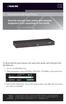 LES1516A LES1532A LES1548A Secure Server with Cisco Pinout Securely manage data center and network equipment from anywhere in the world. To download the user manual, this quick start guide, and software
LOCKSS on LINUX. CentOS6 Installation Manual 08/22/2013
 LOCKSS on LINUX CentOS6 Installation Manual 08/22/2013 1 Table of Contents Overview... 3 LOCKSS Hardware... 5 Installation Checklist... 6 BIOS Settings... 9 Installation... 10 Firewall Configuration...
Dell KACE K1000 Management Appliance. Administrator Guide. Release 5.3. Revision Date: May 16, 2011
 Dell KACE K1000 Management Appliance Administrator Guide Release 5.3 Revision Date: May 16, 2011 2004-2011 Dell, Inc. All rights reserved. Information concerning third-party copyrights and agreements,
This article describes a detailed configuration example that demonstrates how to configure Cyberoam to provide the access of internal resources.
 How To Configure Port Forwarding using Virtual Host to access devices on Internal network Applicable to versions 9.5.3 build 14 or above This article describes a detailed configuration example that demonstrates
Comodo MyDLP Software Version 2.0. Installation Guide Guide Version 2.0.010215. Comodo Security Solutions 1255 Broad Street Clifton, NJ 07013
 Comodo MyDLP Software Version 2.0 Installation Guide Guide Version 2.0.010215 Comodo Security Solutions 1255 Broad Street Clifton, NJ 07013 Table of Contents 1.About MyDLP... 3 1.1.MyDLP Features... 3
Kerio Operator. Getting Started Guide
 Kerio Operator Getting Started Guide 2011 Kerio Technologies. All rights reserved. 1 About Kerio Operator Kerio Operator is a PBX software for small and medium business customers. Kerio Operator is based