
HighlyavailableiSCSIstoragewith DRBDandPacemaker
|
|
|
- Eugene Curtis
- 10 years ago
- Views:
Transcription
1 HighlyavailableiSCSIstoragewith DRBDandPacemaker

2 HighlyavailableiSCSIstoragewithDRBDandPacemaker Brian Hellman & Florian Haas Copyright 2009, 2010, 2011 LINBIT HA-Solutions GmbH Trademark notice DRBD and LINBIT are trademarks or registered trademarks of LINBIT in Austria, the United States, and other countries. Other names mentioned in this document may be trademarks or registered trademarks of their respective owners. License information The text and illustrations in this document are licensed under a Creative Commons Attribution-NonCommercial-NoDerivs 3.0 Unported license ("CC BY-NC-ND"). A summary of CC BY-NC-ND is available at The full license text is available at In accordance with CC BY-NC-ND, if you distribute this document, you must provide the URL for the original version.

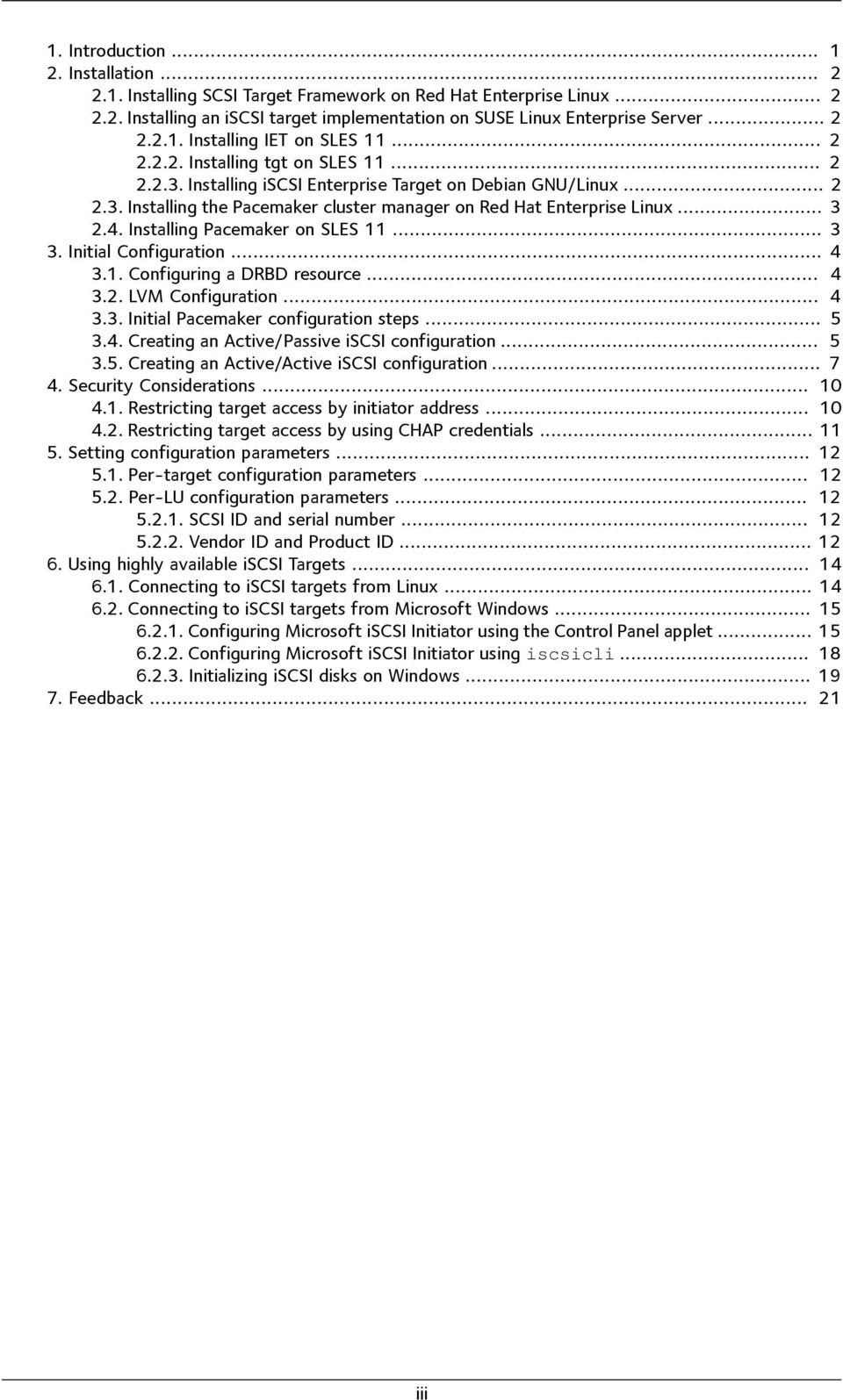
3 1. Introduction Installation Installing SCSI Target Framework on Red Hat Enterprise Linux Installing an iscsi target implementation on SUSE Linux Enterprise Server Installing IET on SLES Installing tgt on SLES Installing iscsi Enterprise Target on Debian GNU/Linux Installing the Pacemaker cluster manager on Red Hat Enterprise Linux Installing Pacemaker on SLES Initial Configuration Configuring a DRBD resource LVM Configuration Initial Pacemaker configuration steps Creating an Active/Passive iscsi configuration Creating an Active/Active iscsi configuration Security Considerations Restricting target access by initiator address Restricting target access by using CHAP credentials Setting configuration parameters Per-target configuration parameters Per-LU configuration parameters SCSI ID and serial number Vendor ID and Product ID Using highly available iscsi Targets Connecting to iscsi targets from Linux Connecting to iscsi targets from Microsoft Windows Configuring Microsoft iscsi Initiator using the Control Panel applet Configuring Microsoft iscsi Initiator using iscsicli Initializing iscsi disks on Windows Feedback iii
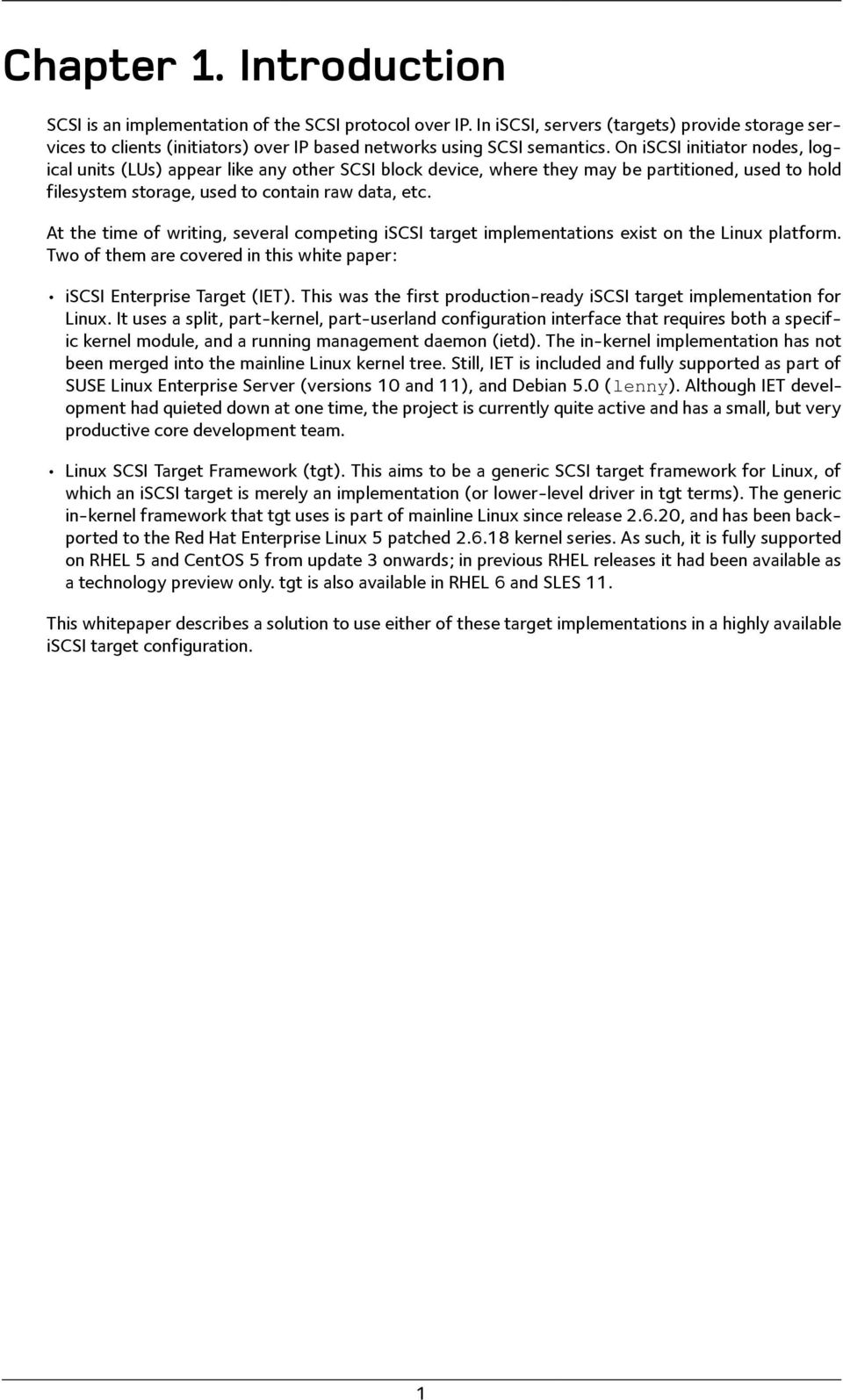
4 Chapter 1. Introduction SCSI is an implementation of the SCSI protocol over IP. In iscsi, servers (targets) provide storage services to clients (initiators) over IP based networks using SCSI semantics. On iscsi initiator nodes, logical units (LUs) appear like any other SCSI block device, where they may be partitioned, used to hold filesystem storage, used to contain raw data, etc. At the time of writing, several competing iscsi target implementations exist on the Linux platform. Two of them are covered in this white paper: iscsi Enterprise Target (IET). This was the first production-ready iscsi target implementation for Linux. It uses a split, part-kernel, part-userland configuration interface that requires both a specific kernel module, and a running management daemon (ietd). The in-kernel implementation has not been merged into the mainline Linux kernel tree. Still, IET is included and fully supported as part of SUSE Linux Enterprise Server (versions 10 and 11), and Debian 5.0 (lenny). Although IET development had quieted down at one time, the project is currently quite active and has a small, but very productive core development team. Linux SCSI Target Framework (tgt). This aims to be a generic SCSI target framework for Linux, of which an iscsi target is merely an implementation (or lower-level driver in tgt terms). The generic in-kernel framework that tgt uses is part of mainline Linux since release , and has been backported to the Red Hat Enterprise Linux 5 patched kernel series. As such, it is fully supported on RHEL 5 and CentOS 5 from update 3 onwards; in previous RHEL releases it had been available as a technology preview only. tgt is also available in RHEL 6 and SLES 11. This whitepaper describes a solution to use either of these target implementations in a highly available iscsi target configuration. 1
5 Chapter 2. Installation 2.1. InstallingSCSITargetFrameworkonRed HatEnterpriseLinux The SCSI Target Framework (tgt) is a fully supported iscsi implementation as of Red Hat Enterprise Linux 5 Update 3. To enable iscsi target functionality on RHEL, you must install the scsi-target-utils package, using the following command: yum install scsi-target-utils If, however, you use the older up2date package manager instead of YUM, you must issue the following command instead: up2date install scsi-target-utils After installation, you should make sure that the tgtd service on system startup: chkconfig tgtd on 2.2. InstallinganiSCSItargetimplementation onsuselinuxenterpriseserver SUSE Linux Enterprise Server 11 comes with two iscsi target implementations: iscsi Enterprise Target (IET) and the SCSI Target Framework (tgt). You may select either for installation InstallingIETonSLES11 To install IET, issue the following commands: zypper install iscsitarget iscsitarget-kmp-<flavor> Replace <flavor> with your kernel flavor (usually default). Then, make sure that the IET management daemon is started on system startup: insserv ietd InstallingtgtonSLES11 To install tgt, issue the following command: zypper install tgt tgt requires no additional kernel modules. Then, to make sure tgt is started automatically on system startup, issue: insserv tgtd InstallingiSCSIEnterpriseTargetonDebianGNU/ Linux iscsi Enterprise Target (IET) is available as part of Debian GNU/Linux 5.0 (lenny), although the IET kernel modules are not distributed as part of the Debian stock kernel. Thus, you must install two packages, one containing the IET administration utilities, and one containing the kernel modules: 2

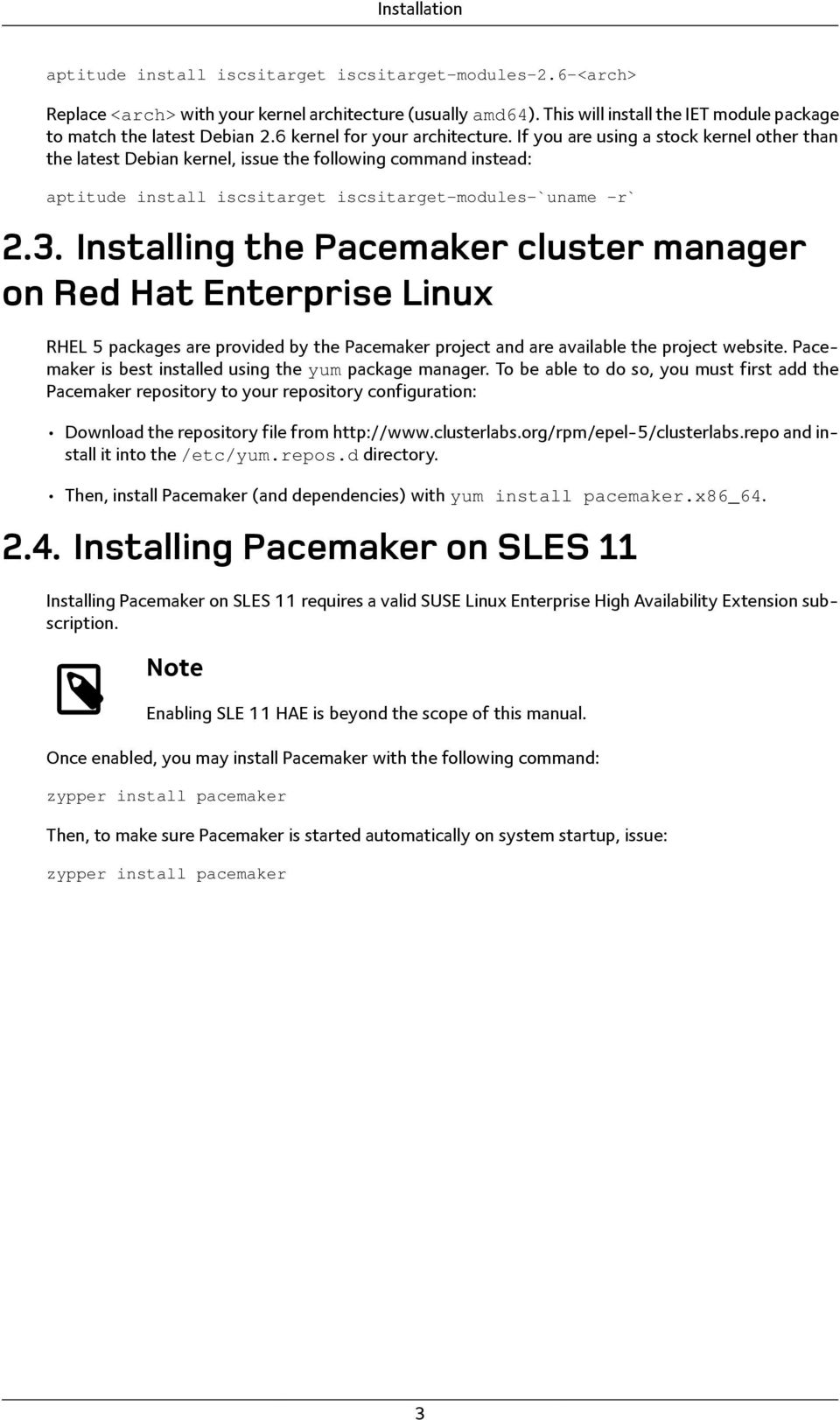
6 Installation aptitude install iscsitarget iscsitarget-modules-2.6-<arch> Replace <arch> with your kernel architecture (usually amd64). This will install the IET module package to match the latest Debian 2.6 kernel for your architecture. If you are using a stock kernel other than the latest Debian kernel, issue the following command instead: aptitude install iscsitarget iscsitarget-modules-`uname -r` 2.3. InstallingthePacemakerclustermanager onredhatenterpriselinux RHEL 5 packages are provided by the Pacemaker project and are available the project website. Pacemaker is best installed using the yum package manager. To be able to do so, you must first add the Pacemaker repository to your repository configuration: Download the repository file from and install it into the /etc/yum.repos.d directory. Then, install Pacemaker (and dependencies) with yum install pacemaker.x86_ InstallingPacemakeronSLES11 Installing Pacemaker on SLES 11 requires a valid SUSE Linux Enterprise High Availability Extension subscription. Note Enabling SLE 11 HAE is beyond the scope of this manual. Once enabled, you may install Pacemaker with the following command: zypper install pacemaker Then, to make sure Pacemaker is started automatically on system startup, issue: zypper install pacemaker 3
7 Chapter 3. InitialConfiguration This section describes the configuration of a highly available iscsi Target and Logical Units (LU) in the context of the Pacemaker cluster manager ConfiguringaDRBDresource First, it is necessary to configure a Pacemaker resource that manages a DRBD device. This resource will act as the Physical Volume of an LVM Volume Group to be created later. This example assumes that the LVM Volume Group is to be called iscsivg01, hence, the DRBD resource uses that same name. global { usage-count yes; } common { protocol C; disk { on-io-error detach; fencing resource-only; } net { cram-hmac-alg sha1; shared-secret "a6a0680c40bca2439dbe48343ddddcf4"; } syncer { rate 30M; al-extents 3389; } handlers { fence-peer "/usr/lib/drbd/crm-fence-peer.sh"; after-resync-target "/usr/lib/drbd/crm-unfence-peer.sh"; pri-on-incon-degr "echo b > /proc/sysrq-trigger"; } } resource iscsivg01 { device /dev/drbd1; disk /dev/sda1; meta-disk internal; } on alice { address :7790; } on bob { address :7790; } 3.2. LVMConfiguration It is necessary instruct LVM to read Physical Volume signatures from DRBD devices, rather than the underlying backing block devices. The easiest approach for doing this is to mask the underlying block device from the list of devices LVM scans for PV signatures. To do so, open the LVM configuration file (/etc/lvm/lvm.conf) and edit the following entries: filter = [ "r /dev/sdb.* " ] In addition, you should disable the LVM cache by setting: 4

8 Initial Configuration write_cache_state = 0 After disabling the LVM cache, make sure you remove any stale cache entries by deleting /etc/lvm/ cache/.cache. You must repeat the above steps on the peer node. Now, to be able to create an LVM Volume Group, it is first necessary to initialize the DRBD resource as an LVM Physical Volume. To do so, after you have initiated the initial synchronization of your DRBD resource, issue the following commands on the node where your resource is currently in the Primary role: pvcreate /dev/drbd/by-res/iscsivg01 Now, create an LVM Volume Group that includes this PV: vgcreate iscsivg01 /dev/drbd/by-res/iscsivg InitialPacemakerconfigurationsteps Note While this manual covers the configuration of the Pacemaker cluster manager, the configuration of the cluster stack that Pacemaker uses is beyond the scope of this manual. Please see Initial Configuration [ (from the ClusterLabs Wiki) for details on bootstrapping a Pacemaker cluster configuration. In a highly available iscsi target configuration that involves a 2-node cluster, you should Disable STONITH; Set Pacemaker s no quorum policy to ignore loss of quorum; Set the default resource stickiness to 200. To do so, issue the following commands from the CRM shell: crm(live)# configure crm(live)configure# property stonith-enabled="false" crm(live)configure# property no-quorum-policy="ignore" crm(live)configure# property default-resource-stickiness="200" crm(live)configure# commit 3.4. CreatinganActive/PassiveiSCSIconfiguration An active/passive iscsi Target consists of the following cluster resources: A DRBD resource to replicate data, which is switched from and to the Primary and Secondary roles as deemed necessary by the cluster resource manager; An LVM Volume Group, which is made available on whichever node currently holds the DRBD resource in the Primary role; A virtual, floating cluster IP address, allowing initiators to connect to the target no matter which physical node it is running on; The iscsi Target itself; 5

9 Initial Configuration One or more iscsi Logical Units (LUs), each corresponding to a Logical Volume in the LVM Volume Group. The following Pacemaker configuration example assumes that is the virtual IP address to use for a target with the iscsi Qualified Name (IQN) iqn com.example:storage.example.iscsivg01. The target is to contain two Logical Units with LUNs 1 and 2, mapping to Logical Volumes named lun1 and lun2, respectively. To start configuring these resources, open the crm shell as root (or any non-root user that is part of the haclient group), and issue the following commands: crm(live)# configure crm(live)configure# primitive p_drbd_iscsivg01 \ ocf:linbit:drbd \ params drbd_resource="iscsivg01" \ op monitor interval="29" role="master" \ op monitor interval="31" role="slave" crm(live)configure# ms ms_drbd_iscsivg01 p_drbd_iscsivg01 \ meta master-max="1" master-node-max="1" clone-max="2" \ clone-node-max="1" notify="true" This will create a Master/Slave resource corresponding to the DRBD resource iscsivg01. crm(live)configure# primitive p_ip_alicebob01 \ ocf:heartbeat:ipaddr2 \ params ip=" " cidr_netmask="24" \ crm(live)configure# primitive p_lvm_iscsivg01 \ ocf:heartbeat:lvm \ params volgrpname="iscsivg01" \ op monitor interval="30s" crm(live)configure# primitive p_target_iscsivg01 \ ocf:heartbeat:iscsitarget \ params iqn="iqn com.example:storage.example.iscsivg01" \ tid="1" \ Note You must specify the numeric target id (tid) if you are using the tgt implementation. For IET, setting this parameter is optional. Thus, we have configured a highly available IP address, Volume Group, and iscsi Target. We can now add Logical Units: crm(live)configure# primitive p_lu_iscsivg01_lun1 \ ocf:heartbeat:iscsilogicalunit \ params target_iqn="iqn com.example:storage.example.iscsivg01" \ lun="1" path="/dev/iscsivg01/lun1" \ crm(live)configure# primitive p_lu_iscsivg01_lun2 \ ocf:heartbeat:iscsilogicalunit \ params target_iqn="iqn com.example:storage.example.iscsivg01" \ lun="2" path="/dev/iscsivg01/lun2" \ Now to tie all of this together, we must first create a resource group from the resources associated with our iscsi Target: crm(live)configure# group rg_iscsivg01 \ p_lvm_iscsivg01 \ p_target_iscsivg01 p_lu_iscsivg01_lun1 p_lu_iscsivg01_lun2 \ 6

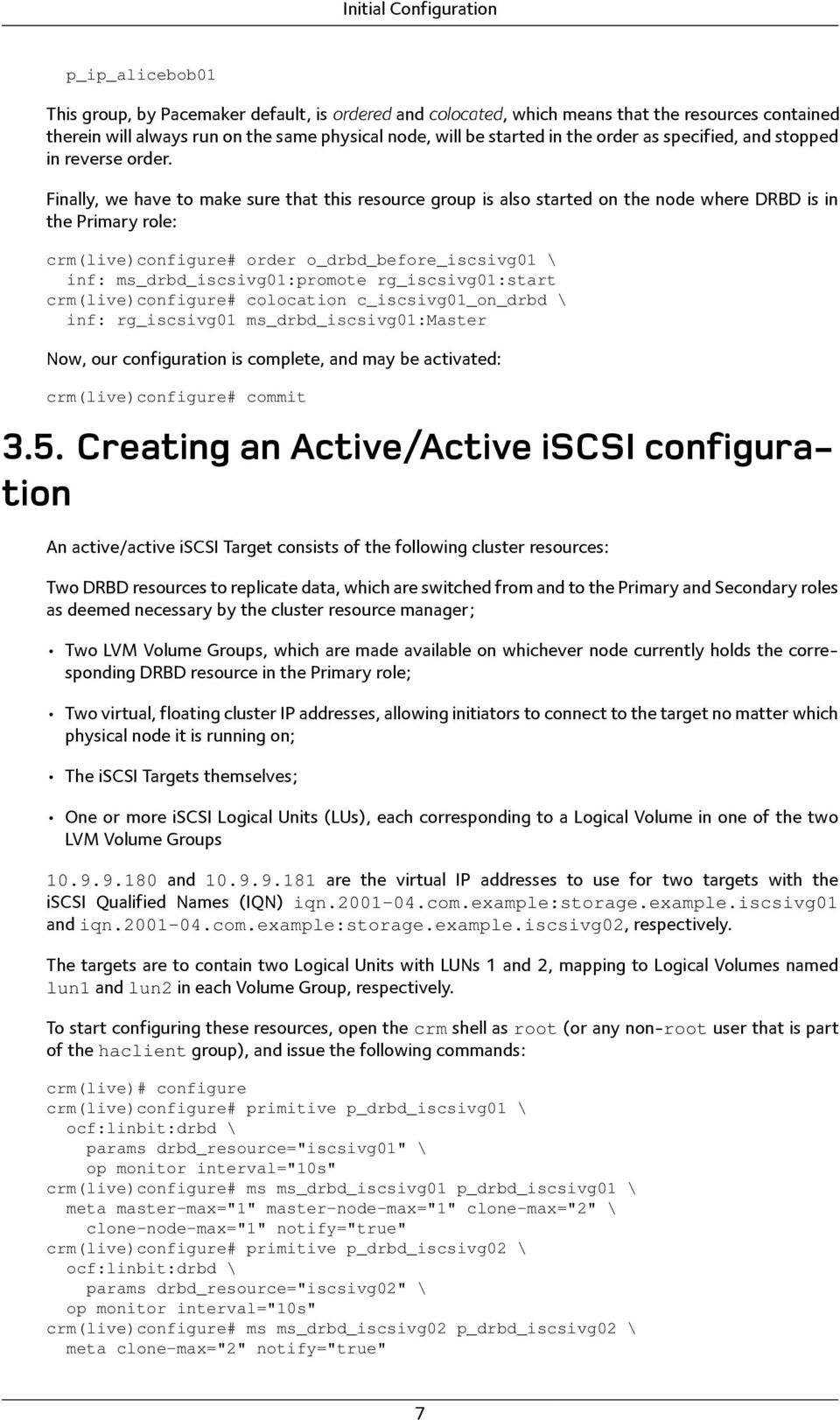
10 Initial Configuration p_ip_alicebob01 This group, by Pacemaker default, is ordered and colocated, which means that the resources contained therein will always run on the same physical node, will be started in the order as specified, and stopped in reverse order. Finally, we have to make sure that this resource group is also started on the node where DRBD is in the Primary role: crm(live)configure# order o_drbd_before_iscsivg01 \ inf: ms_drbd_iscsivg01:promote rg_iscsivg01:start crm(live)configure# colocation c_iscsivg01_on_drbd \ inf: rg_iscsivg01 ms_drbd_iscsivg01:master Now, our configuration is complete, and may be activated: crm(live)configure# commit 3.5. CreatinganActive/ActiveiSCSIconfiguration An active/active iscsi Target consists of the following cluster resources: Two DRBD resources to replicate data, which are switched from and to the Primary and Secondary roles as deemed necessary by the cluster resource manager; Two LVM Volume Groups, which are made available on whichever node currently holds the corresponding DRBD resource in the Primary role; Two virtual, floating cluster IP addresses, allowing initiators to connect to the target no matter which physical node it is running on; The iscsi Targets themselves; One or more iscsi Logical Units (LUs), each corresponding to a Logical Volume in one of the two LVM Volume Groups and are the virtual IP addresses to use for two targets with the iscsi Qualified Names (IQN) iqn com.example:storage.example.iscsivg01 and iqn com.example:storage.example.iscsivg02, respectively. The targets are to contain two Logical Units with LUNs 1 and 2, mapping to Logical Volumes named lun1 and lun2 in each Volume Group, respectively. To start configuring these resources, open the crm shell as root (or any non-root user that is part of the haclient group), and issue the following commands: crm(live)# configure crm(live)configure# primitive p_drbd_iscsivg01 \ ocf:linbit:drbd \ params drbd_resource="iscsivg01" \ crm(live)configure# ms ms_drbd_iscsivg01 p_drbd_iscsivg01 \ meta master-max="1" master-node-max="1" clone-max="2" \ clone-node-max="1" notify="true" crm(live)configure# primitive p_drbd_iscsivg02 \ ocf:linbit:drbd \ params drbd_resource="iscsivg02" \ crm(live)configure# ms ms_drbd_iscsivg02 p_drbd_iscsivg02 \ meta clone-max="2" notify="true" 7
11 Initial Configuration This will create Master/Slave resources corresponding to the DRBD resources iscsivg01 and iscsivg02. crm(live)configure# primitive p_ip_alicebob01 \ ocf:heartbeat:ipaddr2 \ params ip=" " cidr_netmask="24" \ crm(live)configure# primitive p_ip_alicebob02 \ ocf:heartbeat:ipaddr2 \ params ip=" " cidr_netmask="24" \ crm(live)configure# primitive p_lvm_iscsivg01 \ ocf:heartbeat:lvm \ params volgrpname="iscsivg01" \ op monitor interval="30s" crm(live)configure# primitive p_lvm_iscsivg02 \ ocf:heartbeat:lvm \ params volgrpname="iscsivg02" \ op monitor interval="30s" crm(live)configure# primitive p_target_iscsivg01 \ ocf:heartbeat:iscsitarget \ params iqn="iqn com.example:storage.example.iscsivg01" \ tid="1" \ crm(live)configure# primitive p_target_iscsivg02 \ ocf:heartbeat:iscsitarget \ params iqn="iqn com.example:storage.example.iscsivg02" \ tid="2" \ op monitor interval="10s Note You must specify the numeric target id (tid) if you are using the tgt implementation. For IET, setting this parameter is optional. Thus, we have configured a highly available IP address, Volume Group, and iscsi Target. We can now add Logical Units: crm(live)configure# primitive p_lu_iscsivg01_lun1 \ ocf:heartbeat:iscsilogicalunit \ params target_iqn="iqn com.example:storage.example.iscsivg01" \ lun="1" path="/dev/iscsivg01/lun1" \ crm(live)configure# primitive p_lu_iscsivg01_lun2 \ ocf:heartbeat:iscsilogicalunit \ params target_iqn="iqn com.example:storage.example.iscsivg01" \ lun="2" path="/dev/iscsivg01/lun2" crm(live)configure# primitive p_lu_iscsivg02_lun1 \ ocf:heartbeat:iscsilogicalunit \ params target_iqn="iqn com.example:storage.example.iscsivg02" \ lun="1" path="/dev/iscsivg02/lun1" \ crm(live)configure# primitive p_lu_iscsivg02_lun2 \ ocf:heartbeat:iscsilogicalunit \ params target_iqn="iqn com.example:storage.example.iscsivg02" \ lun="2" path="/dev/iscsivg02/lun2" \ Now to tie all of this together, we must first create resource groups from the resources associated with our iscsi Targets: crm(live)configure# group rg_iscsivg01 \ p_lvm_iscsivg01 \ p_target_iscsivg01 p_lu_iscsivg01_lun1 p_lu_iscsivg01_lun2 \ 8
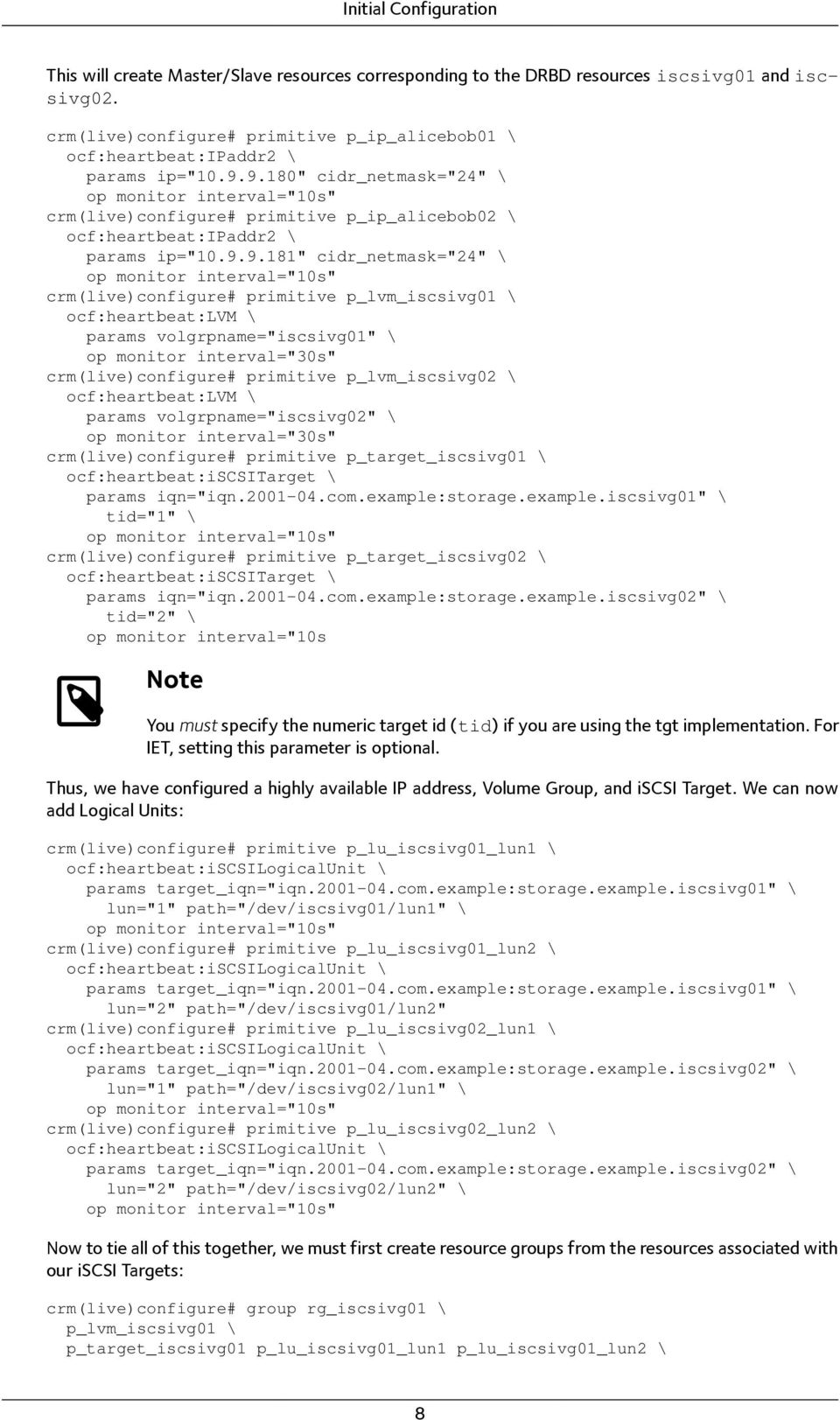
12 Initial Configuration p_ip_alicebob01 crm(live)configure# group rg_iscsivg02 \ p_lvm_iscsivg02 \ p_target_iscsivg02 p_lu_iscsivg02_lun1 p_lu_iscsivg02_lun2 \ p_ip_alicebob02 These groups, by Pacemaker default, are ordered and colocated, which means that the resources contained therein will always run on the same physical node, will be started in the order as specified, and stopped in reverse order. We now have to make sure that this resource group is also started on the node where DRBD is in the Primary role: crm(live)configure# order o_drbd_before_iscsivg01 \ inf: ms_drbd_iscsivg01:promote rg_iscsivg01:start crm(live)configure# colocation c_iscsivg01_on_drbd \ inf: rg_iscsivg01 ms_drbd_iscsivg01:master crm(live)configure# order o_drbd_before_iscsivg02 \ inf: ms_drbd_iscsivg02:promote rg_iscsivg02:start crm(live)configure# colocation c_iscsivg01_on_drbd \ inf: rg_iscsivg01 ms_drbd_iscsivg01:master crm(live)configure# colocation c_iscsivg02_on_drbd \ inf: rg_iscsivg02 ms_drbd_iscsivg02:master Now, our configuration is complete, and may be activated: crm(live)configure# commit 9

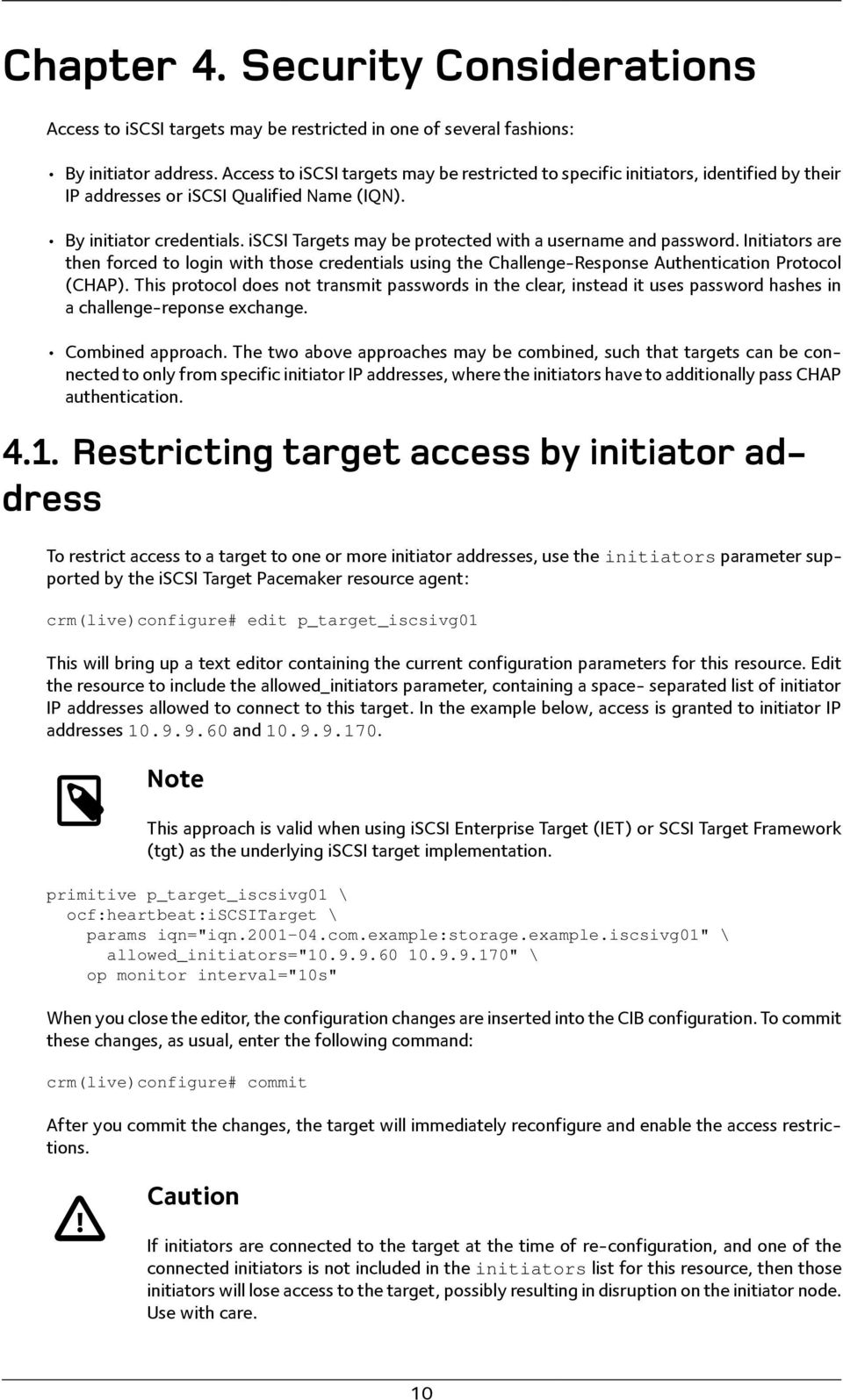
13 Chapter 4. SecurityConsiderations Access to iscsi targets may be restricted in one of several fashions: By initiator address. Access to iscsi targets may be restricted to specific initiators, identified by their IP addresses or iscsi Qualified Name (IQN). By initiator credentials. iscsi Targets may be protected with a username and password. Initiators are then forced to login with those credentials using the Challenge-Response Authentication Protocol (CHAP). This protocol does not transmit passwords in the clear, instead it uses password hashes in a challenge-reponse exchange. Combined approach. The two above approaches may be combined, such that targets can be connected to only from specific initiator IP addresses, where the initiators have to additionally pass CHAP authentication Restrictingtargetaccessbyinitiatoraddress To restrict access to a target to one or more initiator addresses, use the initiators parameter supported by the iscsi Target Pacemaker resource agent: crm(live)configure# edit p_target_iscsivg01 This will bring up a text editor containing the current configuration parameters for this resource. Edit the resource to include the allowed_initiators parameter, containing a space- separated list of initiator IP addresses allowed to connect to this target. In the example below, access is granted to initiator IP addresses and Note This approach is valid when using iscsi Enterprise Target (IET) or SCSI Target Framework (tgt) as the underlying iscsi target implementation. primitive p_target_iscsivg01 \ ocf:heartbeat:iscsitarget \ params iqn="iqn com.example:storage.example.iscsivg01" \ allowed_initiators=" " \ When you close the editor, the configuration changes are inserted into the CIB configuration. To commit these changes, as usual, enter the following command: crm(live)configure# commit After you commit the changes, the target will immediately reconfigure and enable the access restrictions. Caution If initiators are connected to the target at the time of re-configuration, and one of the connected initiators is not included in the initiators list for this resource, then those initiators will lose access to the target, possibly resulting in disruption on the initiator node. Use with care. 10
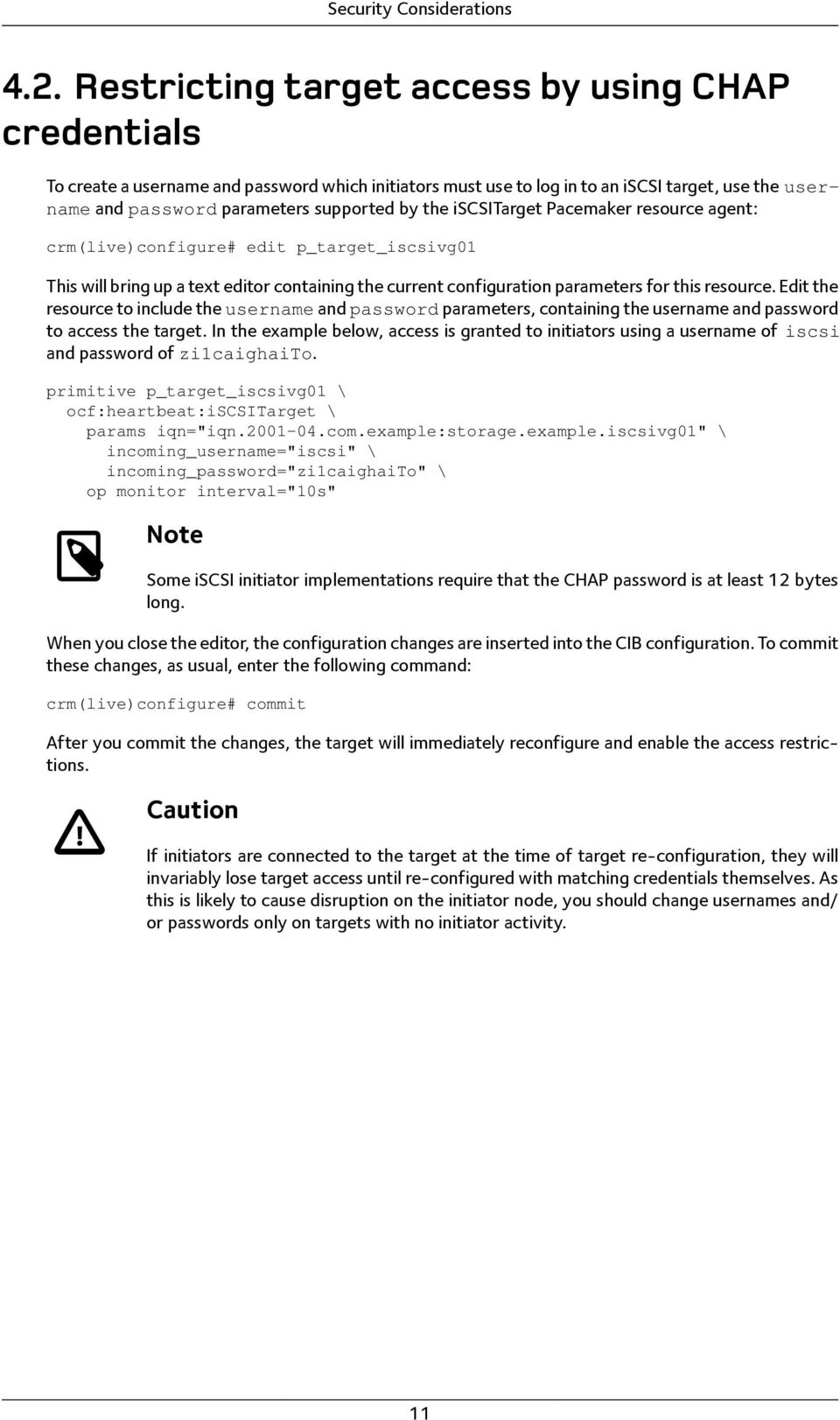
14 Security Considerations 4.2. RestrictingtargetaccessbyusingCHAP credentials To create a username and password which initiators must use to log in to an iscsi target, use the username and password parameters supported by the iscsitarget Pacemaker resource agent: crm(live)configure# edit p_target_iscsivg01 This will bring up a text editor containing the current configuration parameters for this resource. Edit the resource to include the username and password parameters, containing the username and password to access the target. In the example below, access is granted to initiators using a username of iscsi and password of zi1caighaito. primitive p_target_iscsivg01 \ ocf:heartbeat:iscsitarget \ params iqn="iqn com.example:storage.example.iscsivg01" \ incoming_username="iscsi" \ incoming_password="zi1caighaito" \ Note Some iscsi initiator implementations require that the CHAP password is at least 12 bytes long. When you close the editor, the configuration changes are inserted into the CIB configuration. To commit these changes, as usual, enter the following command: crm(live)configure# commit After you commit the changes, the target will immediately reconfigure and enable the access restrictions. Caution If initiators are connected to the target at the time of target re-configuration, they will invariably lose target access until re-configured with matching credentials themselves. As this is likely to cause disruption on the initiator node, you should change usernames and/ or passwords only on targets with no initiator activity. 11
15 Chapter 5. Settingconfiguration parameters This section outlines some of the configuration parameters one may want to set in a highly available iscsi Target configuration Per-targetconfigurationparameters You may set configuration parameters at the iscsi target level by using the additional_parameters instance attribute defined for the iscsitarget resource agent. To set, for example, the DefaultTime2Retain and DefaultTime2Wait session parameters to 60 and 5 seconds, respectively, modify your target resource as follows: crm(live)configure# edit p_target_iscsivg01 primitive p_target_iscsivg01 \ ocf:heartbeat:iscsitarget \ params iqn="iqn com.example:storage.example.iscsivg01" \ additional_parameters="defaulttime2retain=60 DefaultTime2Wait=5" crm(live)configure# commit 5.2. Per-LUconfigurationparameters SCSIIDandserialnumber For some applications, smooth uninterrupted failover requires that the SCSI ID associated with a Logical Unit is identical regardless of which node currently exports the LU. The same applies to the SCSI Serial Number. Examples of such applications are the device-mapper multipath target (dm-multipath) on Linux, and the Microsoft iscsi initiator on Windows. The iscsilogicalunit resource agent attempts to select sensible, consistent values for these fields as appropriate for the underlying iscsi implementation. Still, you may prefer to set the SCSI ID and/or serial number explicitly as part of the LU configuration. To set a SCSI ID or serial number for an exported LU, edit the iscsilogicalunit resource to include the scsi_id or scsi_sn parameter (or both): crm(live)configure# edit p_lu_lun1 primitive p_lu_lun1 \ ocf:heartbeat:iscsilogicalunit \ params target_iqn="iqn com.example:storage.example.iscsivg01" lun="1" path="/dev/iscsivg01/lun1" \ scsi_id="iscsivg01.lun1" scsi_sn="4711" \ crm(live)configure# commit VendorIDandProductID Two other SCSI Vital Product Data (VPD) fields that you may wish to set explicitly are the SCSI Vendor ID and Product ID fields. To do so, add the resource parameters vendor_id and/or product_id to your LU configuration: 12

16 Setting configuration parameters crm(live)configure# edit p_lu_lun1 primitive p_lu_lun1 \ ocf:heartbeat:iscsilogicalunit \ params target_iqn="iqn com.example:storage.example.iscsivg01" \ lun="1" path="/dev/iscsivg01/lun1" \ vendor_id="stgt" scsi_id="iscsivg01.lun1" scsi_sn="4711" \ crm(live)configure# commit Note Interestingly, STGT uses a default vendor ID of IET. If you are using the tgt target implementation, you may want to set the vendor ID to a non-default value as shown in the example, to avoid confusion. 13

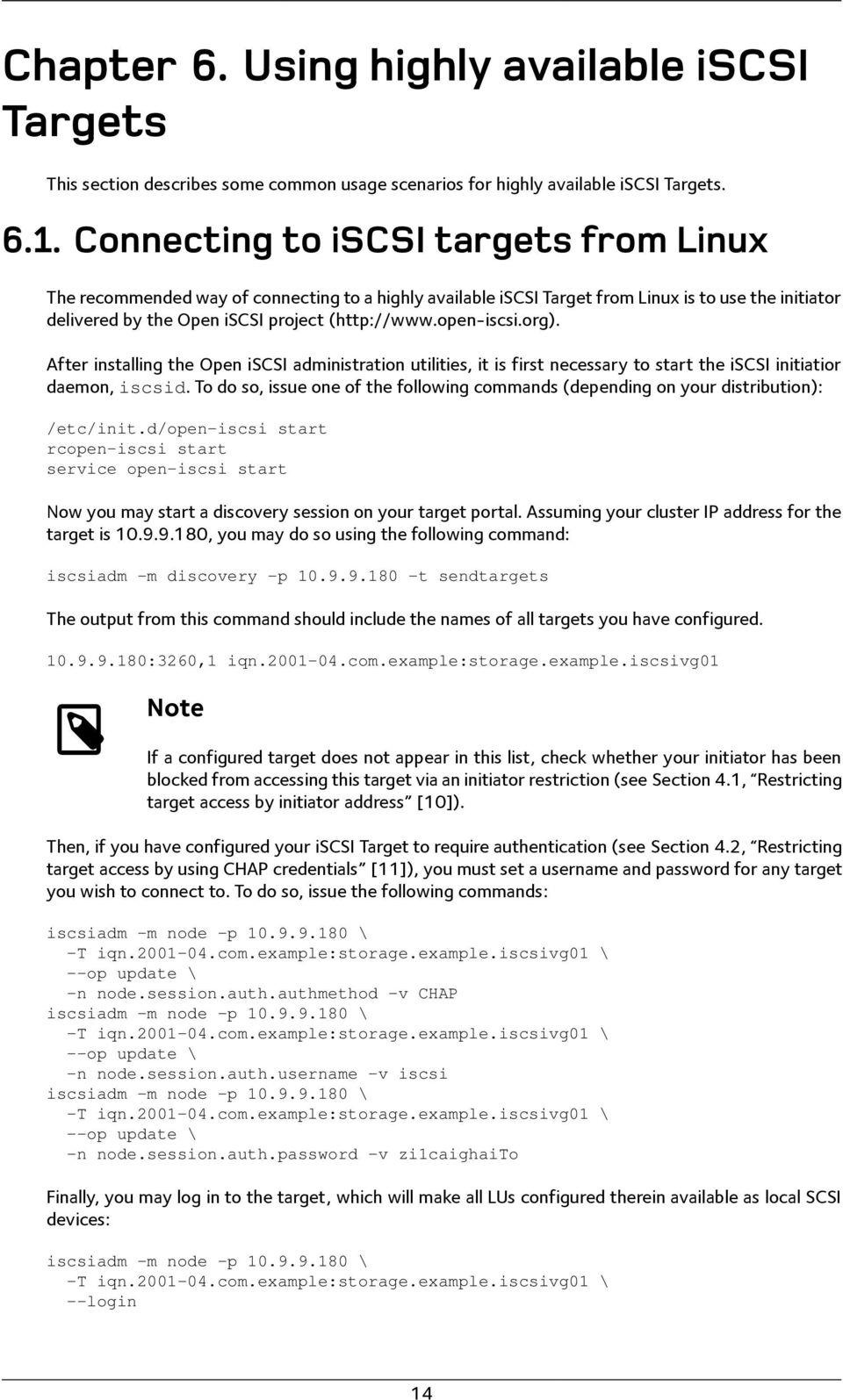
17 Chapter 6. UsinghighlyavailableiSCSI Targets This section describes some common usage scenarios for highly available iscsi Targets ConnectingtoiSCSItargetsfromLinux The recommended way of connecting to a highly available iscsi Target from Linux is to use the initiator delivered by the Open iscsi project ( After installing the Open iscsi administration utilities, it is first necessary to start the iscsi initiatior daemon, iscsid. To do so, issue one of the following commands (depending on your distribution): /etc/init.d/open-iscsi start rcopen-iscsi start service open-iscsi start Now you may start a discovery session on your target portal. Assuming your cluster IP address for the target is , you may do so using the following command: iscsiadm -m discovery -p t sendtargets The output from this command should include the names of all targets you have configured :3260,1 iqn com.example:storage.example.iscsivg01 Note If a configured target does not appear in this list, check whether your initiator has been blocked from accessing this target via an initiator restriction (see Section 4.1, Restricting target access by initiator address [10]). Then, if you have configured your iscsi Target to require authentication (see Section 4.2, Restricting target access by using CHAP credentials [11]), you must set a username and password for any target you wish to connect to. To do so, issue the following commands: iscsiadm -m node -p \ -T iqn com.example:storage.example.iscsivg01 \ --op update \ -n node.session.auth.authmethod -v CHAP iscsiadm -m node -p \ -T iqn com.example:storage.example.iscsivg01 \ --op update \ -n node.session.auth.username -v iscsi iscsiadm -m node -p \ -T iqn com.example:storage.example.iscsivg01 \ --op update \ -n node.session.auth.password -v zi1caighaito Finally, you may log in to the target, which will make all LUs configured therein available as local SCSI devices: iscsiadm -m node -p \ -T iqn com.example:storage.example.iscsivg01 \ --login 14
18 Using highly available iscsi Targets 6.2. ConnectingtoiSCSItargetsfromMicrosoftWindows On Microsoft Windows, iscsi Target connections are managed by the Microsoft iscsi Initiator Service, which is available free of charge from Microsoft and my be installed on Microsoft Windows Server 2003 and Important Smooth, uninterrupted target failover in conjunction with the Microsoft iscsi Initiator is guaranteed only if the Logical Units' SCSI IDs and serial numbers are persistent across the failover process. Refer to the Section 5.2.1, SCSI ID and serial number [12] for considerations on consistent SCSI IDs and SNs ConfiguringMicrosoftiSCSIInitiatorusingthe ControlPanelapplet To configure access to an iscsi target from Microsoft Windows, open the Control Panel item Microsoft iscsi Initiator. First, click on the Discovery tab, then under Target Portals click Add to add a connection to a target portal. In the IP address or DNS name field, enter the floating cluster IP address of your configured iscsi target as the target IP address. You may of course also use a host name if it resolves to the cluster IP address. Figure 6.1. Configuring target IP address on Windows If your target is protected by CHAP authentication, click Advanced to open the advanced settings dialog. Check the CHAP logon information checkbox. Enter the username and password configured for target authentication. 15
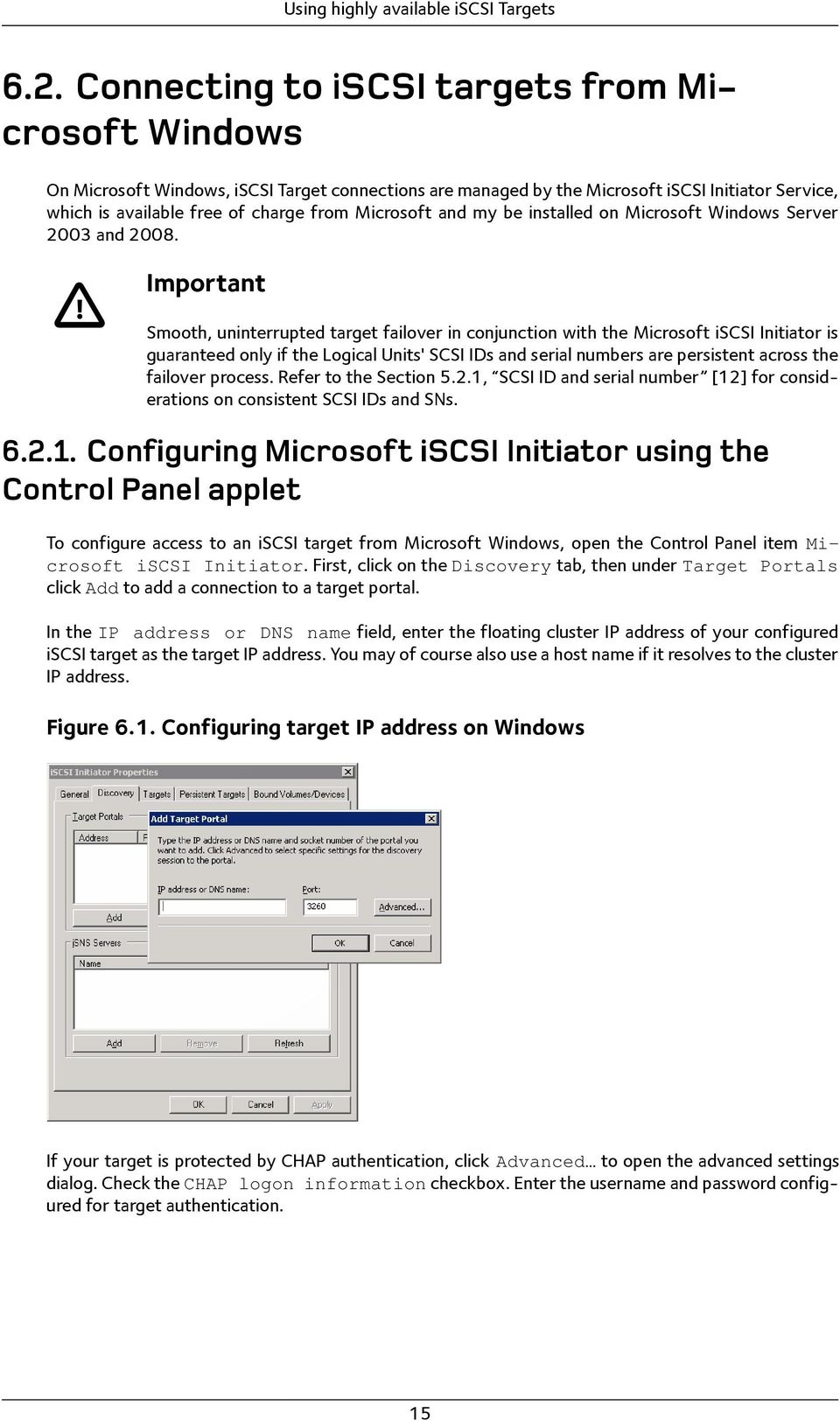
19 Using highly available iscsi Targets Figure 6.2. Configuring CHAP authentication on Windows Note Be sure to leave the Perform mutual authentication checkbox unchecked. Next, select the Targets tab. It should now list any targets visible to the initiatior under the configured portal address. In the example below, there is one target available. Since the target has not been logged into, its status is listed as Inactive: Figure 6.3. Discovered iscsi target on Windows You may now click Log On to log on to the target: 16
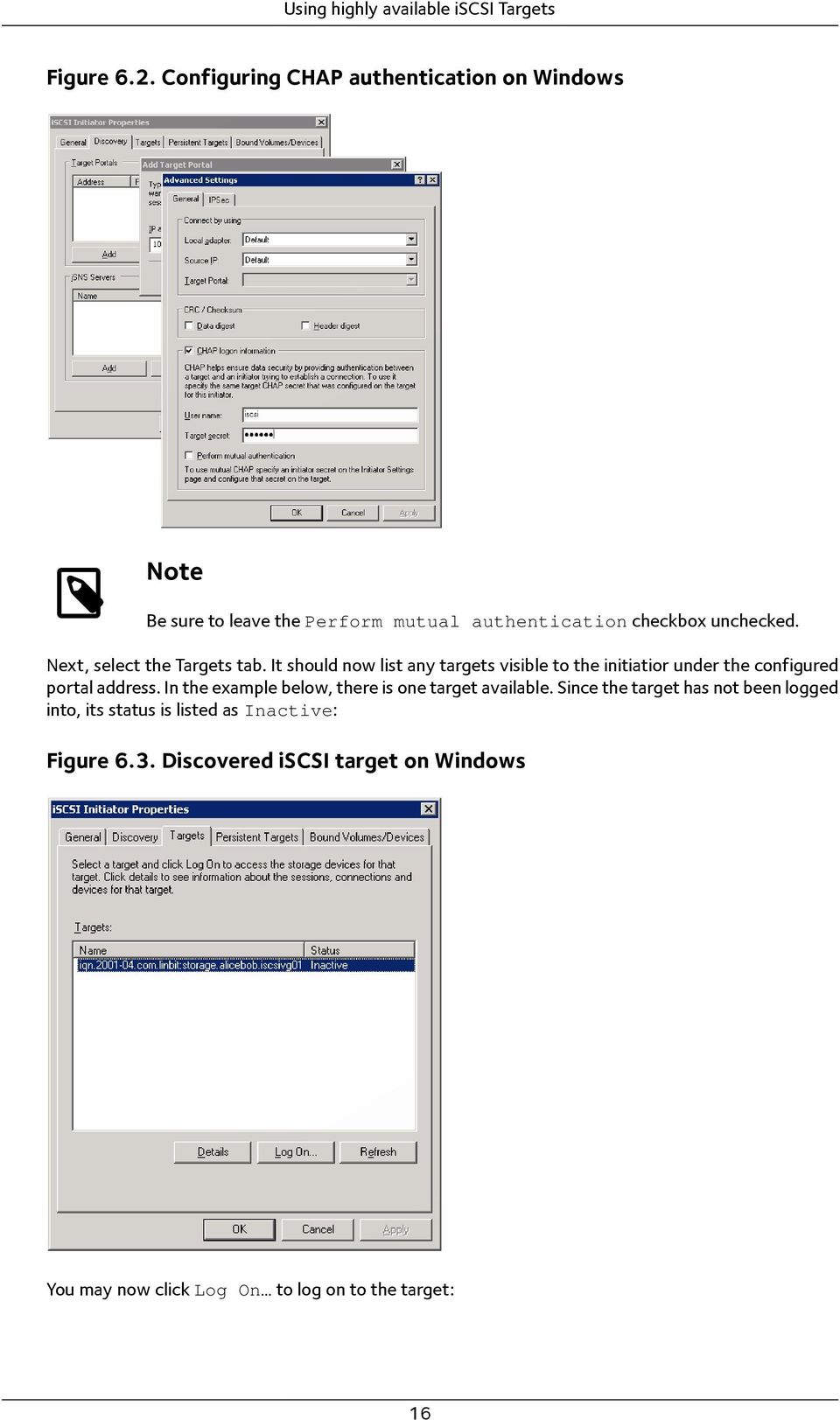
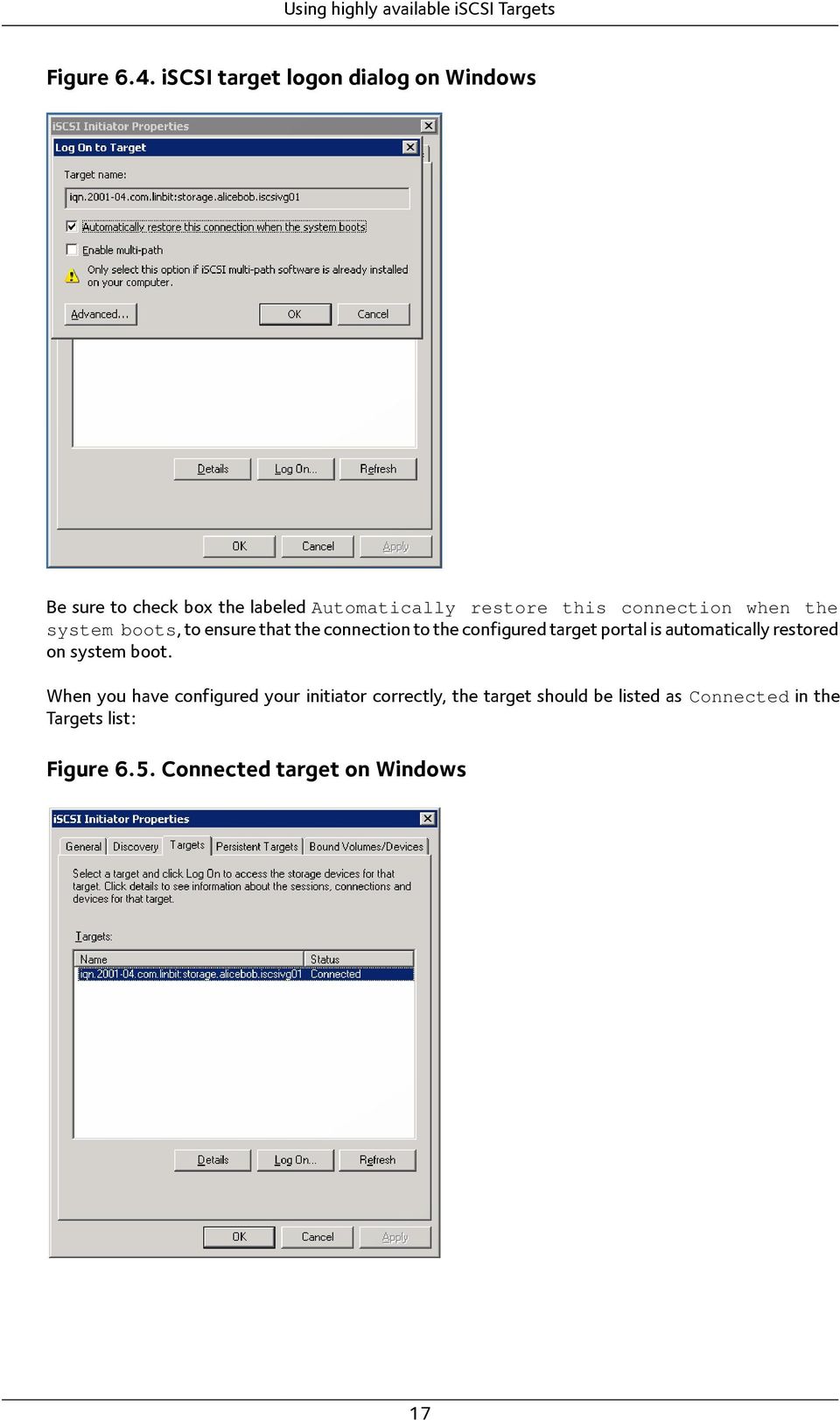
20 Using highly available iscsi Targets Figure 6.4. iscsi target logon dialog on Windows Be sure to check box the labeled Automatically restore this connection when the system boots, to ensure that the connection to the configured target portal is automatically restored on system boot. When you have configured your initiator correctly, the target should be listed as Connected in the Targets list: Figure 6.5. Connected target on Windows 17
21 Using highly available iscsi Targets ConfiguringMicrosoftiSCSIInitiatorusingiscsicli Microsoft iscsi Initiator comes with a command line utility named iscsicli, which may also be used to configure access to iscsi portals and targets. To connect to a target portal, use the following command: C:\>iscsicli QAddTargetPortal Microsoft iscsi Initiator version 2.0 Build 3825 The operation completed successfully. You should now be able to retrieve information associated with the newly added target: C:\>iscsicli ListTargetPortals Microsoft iscsi Initiator version 2.0 Build 3825 Total of 1 portals are persisted: Address and Socket : Symbolic Name : Initiator Name : Port Number : <Any Port> Security Flags : 0x0 Version : 0 Information Specified: 0x0 Login Flags : 0x0 The operation completed successfully. Next, list the targets accessible via this target portal: C:\>iscsicli ListTargets Microsoft iscsi Initiator version 2.0 Build 3825 Targets List: iqn com.linbit:storage.alicebob.iscsivg01 The operation completed successfully. You may now add the newly discovered target to your configuration, as a persistent target. iscsicli requires that you enter the same parameters both for target login, and for making the target persistent: C:\>iscsicli PersistentLoginTarget iqn com.linbit:storage.alicebob.iscsivg01 T * * * * * * * * * * * * * * * 0 Microsoft iscsi Initiator version 2.0 Build 3825 LoginTarget to iqn com.linbit:storage.alicebob.iscsivg01 on <no init instance> to <no portal>/0 The operation completed successfully. C:\>iscsicli LoginTarget iqn com.linbit:storage.alicebob.iscsivg01 T * * * * * * * * * * * * * * * 0 Microsoft iscsi Initiator version 2.0 Build 3825 LoginTarget to iqn com.linbit:storage.alicebob.iscsivg01 on <no init instance> to <no portal>/0 Session Id is 0xfffffadfe5f x Connection Id is 0xfffffadfe5f xf The operation completed successfully. 18
22 Using highly available iscsi Targets Note If your target is configured with CHAP authentication, replace the trailing * * 0 with <username> <password> 1. Finally, import Logical Units into your local disk configuration: C:\>iscsicli bindpersistentvolumes Microsoft iscsi Initiator version 2.0 Build 3825 The operation completed successfully InitializingiSCSIdisksonWindows Note When you connect a Windows host to a target that uses tgt for the first time, the Windows Plug and Play manager displays a new, unknown storage controller device. This is the virtual controller LUN 0 that tgt exposes. No driver for this device exists, nor is one necessary. Simply click through the New Device Wizard and choose not to install any driver. This consideration does not apply if your iscsi target cluster uses an implementation other than tgt. After you have added a target s Logical Units to your computer s configuration as local disks, open the Computer Management console from the Administrative Tools menu and select Logical Disk Manager. Your new disk should now be listed among the local drives available: Figure 6.6. New iscsi disks in Windows Logical Disk Manager Right-click on one of the new disks labeled Unknown and Not Initialized, and select Initialize Disk. You will be prompted to select one or more disks to initialize: 19
23 Using highly available iscsi Targets Figure 6.7. Initializing iscsi disks in Windows After drives are initialized, their status changes to Basic and Online. You may now format the drive, assign a drive letter, or mount point, just as you would with a local disk. Figure 6.8. iscsi disks in Windows after initialization Caution Do not convert the iscsi disk to a Dynamic Disk. This is not supported on Windows; iscsi connected drives should always remain configured as Basic Disks. 20
24 Chapter 7. Feedback Any questions or comments about this document are highly appreciated and much encouraged. Please contact the author(s) directly; contact addresses are listed on the title page. For a public discussion about the concepts mentioned in this white paper, you are invited to subscribe and post to the drbd-user mailing list. Please see drbd-user for details. 21
Highly Available NFS Storage with DRBD and Pacemaker
 Highly Available NFS Storage with DRBD and Pacemaker SUSE Linux Enterprise High Availability Extension 12 Florian Haas, Tanja Roth, and Thomas Schraitle This document describes how to set up highly available
FUJITSU Storage ETERNUS DX Configuration Guide -Server Connection-
 FUJITSU Storage ETERNUS DX Configuration Guide -Server Connection- (iscsi) for Linux This page is intentionally left blank. Preface This manual briefly explains the operations that need to be performed
StarWind iscsi SAN Software: Using StarWind with MS Cluster on Windows Server 2008
 StarWind iscsi SAN Software: Using StarWind with MS Cluster on Windows Server 2008 www.starwindsoftware.com Copyright 2008-2012. All rights reserved. COPYRIGHT Copyright 2008-2012. All rights reserved.
ZCP trunk (build 50384) Zarafa Collaboration Platform. Zarafa HA Manual
 ZCP trunk (build 50384) Zarafa Collaboration Platform Zarafa HA Manual Zarafa Collaboration Platform ZCP trunk (build 50384) Zarafa Collaboration Platform Zarafa HA Manual Edition 2.0 Copyright 2015 Zarafa
IBM Endpoint Manager Version 9.1. Patch Management for Red Hat Enterprise Linux User's Guide
 IBM Endpoint Manager Version 9.1 Patch Management for Red Hat Enterprise Linux User's Guide IBM Endpoint Manager Version 9.1 Patch Management for Red Hat Enterprise Linux User's Guide Note Before using
istorage Server: High-Availability iscsi SAN for Windows Server 2008 & Hyper-V Clustering
 istorage Server: High-Availability iscsi SAN for Windows Server 2008 & Hyper-V Clustering Tuesday, Feb 21 st, 2012 KernSafe Technologies, Inc. www.kernsafe.com Copyright KernSafe Technologies 2006-2012.
IBM Endpoint Manager Version 9.2. Patch Management for SUSE Linux Enterprise User's Guide
 IBM Endpoint Manager Version 9.2 Patch Management for SUSE Linux Enterprise User's Guide IBM Endpoint Manager Version 9.2 Patch Management for SUSE Linux Enterprise User's Guide Note Before using this
Overview: Clustering MySQL with DRBD & Pacemaker
 Overview: Clustering MySQL with DRBD & Pacemaker Trent Lloyd 1 Overview Software Packages (OpenAIS, Pacemaker/CRM, DRBD) Concepts Setup & configuration Installing packages Configure
Parallels Virtuozzo Containers 4.7 for Linux
 Parallels Virtuozzo Containers 4.7 for Linux Deploying Clusters in Parallels-Based Systems Copyright 1999-2011 Parallels Holdings, Ltd. and its affiliates. All rights reserved. Parallels Holdings, Ltd.
StarWind iscsi SAN: Configuring HA File Server for SMB NAS February 2012
 StarWind iscsi SAN: Configuring HA File Server for SMB NAS February 2012 TRADEMARKS StarWind, StarWind Software and the StarWind and the StarWind Software logos are trademarks of StarWind Software which
StarWind iscsi SAN & NAS: Configuring HA File Server on Windows Server 2012 for SMB NAS January 2013
 StarWind iscsi SAN & NAS: Configuring HA File Server on Windows Server 2012 for SMB NAS January 2013 TRADEMARKS StarWind, StarWind Software and the StarWind and the StarWind Software logos are trademarks
StarWind iscsi SAN Software: Using StarWind with MS Cluster on Windows Server 2003
 StarWind iscsi SAN Software: Using StarWind with MS Cluster on Windows Server 2003 www.starwindsoftware.com Copyright 2008-2011. All rights reserved. COPYRIGHT Copyright 2008-2011. All rights reserved.
StarWind iscsi SAN Configuring HA File Server for SMB NAS
 Hardware-less VM Storage StarWind iscsi SAN Configuring HA File Server for SMB NAS DATE: FEBRUARY 2012 TECHNICAL PAPER Trademarks StarWind, StarWind Software and the StarWind and the StarWind Software
StarWind iscsi SAN Software: Using an existing SAN for configuring High Availability storage with Windows Server 2003 and 2008
 StarWind iscsi SAN Software: Using an existing SAN for configuring High Availability storage with Windows Server 2003 and 2008 www.starwindsoftware.com Copyright 2008-2011. All rights reserved. COPYRIGHT
StarWind iscsi SAN & NAS: Configuring HA Shared Storage for Scale- Out File Servers in Windows Server 2012 January 2013
 StarWind iscsi SAN & NAS: Configuring HA Shared Storage for Scale- Out File Servers in Windows Server 2012 January 2013 TRADEMARKS StarWind, StarWind Software and the StarWind and the StarWind Software
Linux Host Utilities 6.1 Installation and Setup Guide
 Linux Host Utilities 6.1 Installation and Setup Guide NetApp, Inc. 495 East Java Drive Sunnyvale, CA 94089 U.S.A. Telephone: +1 (408) 822-6000 Fax: +1 (408) 822-4501 Support telephone: +1 (888) 4-NETAPP
Cluster Configuration Manual Cluster configuration on Database Servers
 Cluster configuration on Database Servers - 1 - Table of Contents 1. PREREQUISITES BEFORE SETTING UP CLUSTER... 3 2. INSTALLING CLUSTER PACKAGES... 3 3. CLUSTER CONFIGURATION... 4 3.1 CREATE NEW CONFIGURATION...
StarWind iscsi SAN Software: Providing shared storage for Hyper-V's Live Migration feature on two physical servers
 StarWind iscsi SAN Software: Providing shared storage for Hyper-V's Live Migration feature on two physical servers www.starwindsoftware.com Copyright 2008-2011. All rights reserved. COPYRIGHT Copyright
StarWind iscsi SAN Software: Challenge-Handshake Authentication Protocol (CHAP) for Authentication of Users
 StarWind iscsi SAN Software: Challenge-Handshake Authentication Protocol (CHAP) for Authentication of Users www.starwindsoftware.com Copyright 2008-2011. All rights reserved. COPYRIGHT Copyright 2008-2011.
StarWind iscsi SAN & NAS: Configuring HA Storage for Hyper-V October 2012
 StarWind iscsi SAN & NAS: Configuring HA Storage for Hyper-V October 2012 TRADEMARKS StarWind, StarWind Software and the StarWind and the StarWind Software logos are trademarks of StarWind Software which
HP LeftHand SAN Solutions
 HP LeftHand SAN Solutions Support Document Support Procedures Seting Up iscsi volumes on CENTOS 5, RedHat 5, Fedora 7 and, Debian Ubutu Linux Legal Notices Warranty The only warranties for HP products
Highly Available NFS Storage with DRBD and Pacemaker
 Florian Haas, Tanja Roth Highly Available NFS Storage with DRBD and Pacemaker SUSE Linux Enterprise High Availability Extension 11 SP4 July 14, 2015 1 www.suse.com This document describes how to set up
WhatsUp Gold v16.3 Installation and Configuration Guide
 WhatsUp Gold v16.3 Installation and Configuration Guide Contents Installing and Configuring WhatsUp Gold using WhatsUp Setup Installation Overview... 1 Overview... 1 Security considerations... 2 Standard
StarWind iscsi SAN Software: Tape Drives Using StarWind and Symantec Backup Exec
 StarWind iscsi SAN Software: Tape Drives Using StarWind and Symantec Backup Exec www.starwindsoftware.com Copyright 2008-2011. All rights reserved. COPYRIGHT Copyright 2008-2011. All rights reserved. No
User Manual. Onsight Management Suite Version 5.1. Another Innovation by Librestream
 User Manual Onsight Management Suite Version 5.1 Another Innovation by Librestream Doc #: 400075-06 May 2012 Information in this document is subject to change without notice. Reproduction in any manner
OnCommand Performance Manager 1.1
 OnCommand Performance Manager 1.1 Installation and Setup Guide For Red Hat Enterprise Linux NetApp, Inc. 495 East Java Drive Sunnyvale, CA 94089 U.S. Telephone: +1 (408) 822-6000 Fax: +1 (408) 822-4501
StarWind iscsi SAN Software: Using StarWind with VMware ESX Server
 StarWind iscsi SAN Software: Using StarWind with VMware ESX Server www.starwindsoftware.com Copyright 2008-2010. All rights reserved. COPYRIGHT Copyright 2008-2010. All rights reserved. No part of this
StarWind Virtual SAN Installing & Configuring a SQL Server 2012 Failover Cluster
 #1 HyperConverged Appliance for SMB and ROBO StarWind Virtual SAN Installing & Configuring a SQL Server 2012 Failover JANUARY 2015 TECHNICAL PAPER Trademarks StarWind, StarWind Software and the StarWind
Installing and Configuring a. SQL Server 2012 Failover Cluster
 Installing and Configuring a SQL Server 2012 Failover Cluster Edwin M Sarmiento Applies to: SQL Server 2012 SQL Server 2014 P a g e 1 Copyright This document is provided as-is. Information and views expressed
How To Set Up A Two Node Hyperv Cluster With Failover Clustering And Cluster Shared Volume (Csv) Enabled
 Getting Started with Hyper-V and the Scale Computing Cluster Scale Computing 5225 Exploration Drive Indianapolis, IN, 46241 Contents Contents CHAPTER 1 Introduction to Hyper-V: BEFORE YOU START. vii Revision
SafeGuard Enterprise upgrade guide. Product version: 6.1
 SafeGuard Enterprise upgrade guide Product version: 6.1 Document date: February 2014 Contents 1 About this guide...3 2 Check the system requirements...4 3 Download installers...5 4 About upgrading...6
Windows Host Utilities 6.0 Installation and Setup Guide
 Windows Host Utilities 6.0 Installation and Setup Guide NetApp, Inc. 495 East Java Drive Sunnyvale, CA 94089 U.S.A. Telephone: +1 (408) 822-6000 Fax: +1 (408) 822-4501 Support telephone: +1 (888) 4-NETAPP
Dell SupportAssist Version 2.0 for Dell OpenManage Essentials Quick Start Guide
 Dell SupportAssist Version 2.0 for Dell OpenManage Essentials Quick Start Guide Notes, Cautions, and Warnings NOTE: A NOTE indicates important information that helps you make better use of your computer.
StorSimple Appliance Quick Start Guide
 StorSimple Appliance Quick Start Guide 5000 and 7000 Series Appliance Software Version 2.1.1 (2.1.1-267) Exported from Online Help on September 15, 2012 Contents Getting Started... 3 Power and Cabling...
Synchronization Agent Configuration Guide
 SafeNet Authentication Service Synchronization Agent Configuration Guide 1 Document Information Document Part Number 007-012476-001, Revision A Release Date July 2014 Trademarks All intellectual property
Windows Host Utilities 6.0.2 Installation and Setup Guide
 Windows Host Utilities 6.0.2 Installation and Setup Guide NetApp, Inc. 495 East Java Drive Sunnyvale, CA 94089 U.S.A. Telephone: +1 (408) 822-6000 Fax: +1 (408) 822-4501 Support telephone: +1 (888) 463-8277
Red Hat System Administration 1(RH124) is Designed for IT Professionals who are new to Linux.
 Red Hat Enterprise Linux 7- RH124 Red Hat System Administration I Red Hat System Administration 1(RH124) is Designed for IT Professionals who are new to Linux. This course will actively engage students
StarWind iscsi SAN Software: Configuring High Availability Storage for VMware vsphere and ESX Server
 StarWind iscsi SAN Software: Configuring High Availability Storage for VMware vsphere and ESX Server www.starwindsoftware.com Copyright 2008-2011. All rights reserved. COPYRIGHT Copyright 2008-2011. All
Using Symantec NetBackup with VSS Snapshot to Perform a Backup of SAN LUNs in the Oracle ZFS Storage Appliance
 An Oracle Technical White Paper March 2014 Using Symantec NetBackup with VSS Snapshot to Perform a Backup of SAN LUNs in the Oracle ZFS Storage Appliance Introduction... 2 Overview... 3 Oracle ZFS Storage
Support for Storage Volumes Greater than 2TB Using Standard Operating System Functionality
 Support for Storage Volumes Greater than 2TB Using Standard Operating System Functionality Introduction A History of Hard Drive Capacity Starting in 1984, when IBM first introduced a 5MB hard drive in
User Guide. Version 3.2. Copyright 2002-2009 Snow Software AB. All rights reserved.
 Version 3.2 User Guide Copyright 2002-2009 Snow Software AB. All rights reserved. This manual and computer program is protected by copyright law and international treaties. Unauthorized reproduction or
Clustering ExtremeZ-IP 4.1
 Clustering ExtremeZ-IP 4.1 Installing and Configuring ExtremeZ-IP 4.x on a Cluster Version: 1.3 Date: 10/11/05 Product Version: 4.1 Introduction This document provides instructions and background information
Chip Coldwell Senior Software Engineer, Red Hat
 Chip Coldwell Senior Software Engineer, Red Hat Classical Storage Stack: the top layer File system examples: ext3, NFS, GFS built on Linux VFS ( Virtual File System abstraction) defines on-disk structure:
StarWind Virtual SAN Installation and Configuration of Hyper-Converged 2 Nodes with Hyper-V Cluster
 #1 HyperConverged Appliance for SMB and ROBO StarWind Virtual SAN Installation and Configuration of Hyper-Converged 2 Nodes with MARCH 2015 TECHNICAL PAPER Trademarks StarWind, StarWind Software and the
Implementing Moodle on a Windows High Availability Environment
 Implementing Moodle on a Windows High Availability Environment Implementing Moodle 1.9 on 2 Microsoft Load Balanced Web Front End Server and a Microsoft SQL Server 2008 R2 Cluster environment Written by:
Configuring, Customizing, and Troubleshooting Outlook Express
 3 Configuring, Customizing, and Troubleshooting Outlook Express............................................... Terms you ll need to understand: Outlook Express Newsgroups Address book Email Preview pane
High Availability Storage
 High Availability Storage High Availability Extensions Goldwyn Rodrigues High Availability Storage Engineer SUSE High Availability Extensions Highly available services for mission critical systems Integrated
iscsi Quick-Connect Guide for Red Hat Linux
 iscsi Quick-Connect Guide for Red Hat Linux A supplement for Network Administrators The Intel Networking Division Revision 1.0 March 2013 Legal INFORMATION IN THIS DOCUMENT IS PROVIDED IN CONNECTION WITH
Drobo How-To Guide. Topics. What You Will Need. Prerequisites. Deploy Drobo B1200i with Microsoft Hyper-V Clustering
 Multipathing I/O (MPIO) enables the use of multiple iscsi ports on a Drobo SAN to provide fault tolerance. MPIO can also boost performance of an application by load balancing traffic across multiple ports.
Configuring Windows Server Clusters
 Configuring Windows Server Clusters In Enterprise network, group of servers are often used to provide a common set of services. For example, Different physical computers can be used to answer request directed
CTERA Agent for Linux
 User Guide CTERA Agent for Linux September 2013 Version 4.0 Copyright 2009-2013 CTERA Networks Ltd. All rights reserved. No part of this document may be reproduced in any form or by any means without written
RedHat (RHEL) System Administration Course Summary
 Contact Us: (616) 875-4060 RedHat (RHEL) System Administration Course Summary Length: 5 Days Prerequisite: RedHat fundamentals course Recommendation Statement: Students should have some experience with
Compellent Storage Center
 Compellent Storage Center Microsoft Multipath IO (MPIO) Best Practices Guide Dell Compellent Technical Solutions Group October 2012 THIS BEST PRACTICES GUIDE IS FOR INFORMATIONAL PURPOSES ONLY, AND MAY
Using iscsi with BackupAssist. User Guide
 User Guide Contents 1. Introduction... 2 Documentation... 2 Terminology... 2 Advantages of iscsi... 2 Supported environments... 2 2. Overview... 3 About iscsi... 3 iscsi best practices with BackupAssist...
v7.8.2 Release Notes for Websense Content Gateway
 v7.8.2 Release Notes for Websense Content Gateway Topic 60086 Web Security Gateway and Gateway Anywhere 12-Mar-2014 These Release Notes are an introduction to Websense Content Gateway version 7.8.2. New
istorage Server: High Availability iscsi SAN for Windows Server 2012 Cluster
 istorage Server: High Availability iscsi SAN for Windows Server 2012 Cluster Tuesday, December 26, 2013 KernSafe Technologies, Inc www.kernsafe.com Copyright KernSafe Technologies 2006-2013.All right reserved.
How to configure Failover Clustering for Hyper-V hosts on HP ProLiant c-class server blades with All-in-One SB600c storage blade
 How to configure Failover Clustering for Hyper-V hosts on HP ProLiant c-class server blades with All-in-One SB600c storage blade Executive summary... 2 System requirements... 2 Hardware requirements...
Installing and Configuring a SQL Server 2014 Multi-Subnet Cluster on Windows Server 2012 R2
 Installing and Configuring a SQL Server 2014 Multi-Subnet Cluster on Windows Server 2012 R2 Edwin Sarmiento, Microsoft SQL Server MVP, Microsoft Certified Master Contents Introduction... 3 Assumptions...
SafeGuard Enterprise upgrade guide. Product version: 7
 SafeGuard Enterprise upgrade guide Product version: 7 Document date: December 2014 Contents 1 About this guide...3 2 Check the system requirements...4 3 Download installers...5 4 About upgrading...6 4.1
Table of Contents. Introduction...9. Installation...17. Program Tour...31. The Program Components...10 Main Program Features...11
 2011 AdRem Software, Inc. This document is written by AdRem Software and represents the views and opinions of AdRem Software regarding its content, as of the date the document was issued. The information
Clustering VirtualCenter 2.5 Using Microsoft Cluster Services
 Clustering VirtualCenter 2.5 Using Microsoft Cluster Services This paper documents the steps to successfully implement a high availability solution for VirtualCenter 2.5 using Microsoft s cluster services.
In order to upload a VM you need to have a VM image in one of the following formats:
 What is VM Upload? 1. VM Upload allows you to import your own VM and add it to your environment running on CloudShare. This provides a convenient way to upload VMs and appliances which were already built.
nitrobit update server
 nitrobit update server Administrator's Guide 2011 analytiq consulting gmbh. All rights reserved. Page 2 nitrobit update server Administrator's Guide Content I. Introduction... 4 Overview... 4 Components
Abstract. Microsoft Corporation Published: November 2011
 Linux Integration Services Version 3.2 for Hyper-V (Windows Server 2008, Windows Server 2008 R2, Microsoft Hyper-V Server 2008, and Microsoft Hyper-V Server 2008 R2) Readme Microsoft Corporation Published:
Pacemaker. A Scalable Cluster Resource Manager for Highly Available Services. Owen Le Blanc. I T Services University of Manchester
 Pacemaker A Scalable Cluster Resource Manager for Highly Available Services Owen Le Blanc I T Services University of Manchester C V 1980, U of Manchester since 1985 CAI, CDC Cyber 170/730, Prime 9955 HP
StarWind iscsi SAN Software: Implementation of Enhanced Data Protection Using StarWind Continuous Data Protection
 StarWind iscsi SAN Software: Implementation of Enhanced Data Protection Using StarWind Continuous Data Protection www.starwindsoftware.com Copyright 2008-2011. All rights reserved. COPYRIGHT Copyright
Abstract. Microsoft Corporation Published: August 2009
 Linux Integration Components Version 2 for Hyper-V (Windows Server 2008, Windows Server 2008 R2, Microsoft Hyper-V Server 2008, and Microsoft Hyper-V Server 2008 R2) Readme Microsoft Corporation Published:
Red Hat JBoss Core Services Apache HTTP Server 2.4 Apache HTTP Server Installation Guide
 Red Hat JBoss Core Services Apache HTTP Server 2.4 Apache HTTP Server Installation Guide For use with Red Hat JBoss middleware products. Red Hat Customer Content Services Red Hat JBoss Core Services Apache
Resource Manager Corosync/DRBD HA Installation Guide
 The Zenoss Enablement Series: Resource Manager Corosync/DRBD HA Installation Guide Document Version 422 P2 Zenoss, Inc. www.zenoss.com Copyright 2013 Zenoss, Inc., 275 West St., Suite 204, Annapolis, MD
How you configure Iscsi target using starwind free Nas software & configure Iscsi initiator on Oracle Linux 6.4
 How you configure Iscsi target using starwind free Nas software & configure Iscsi initiator on Oracle Linux 6.4 Download the software from http://www.starwindsoftware.com/ Click on products then under
Intelligent Power Protector User manual extension for Microsoft Virtual architectures: Hyper-V 6.0 Manager Hyper-V Server (R1&R2)
 Intelligent Power Protector User manual extension for Microsoft Virtual architectures: Hyper-V 6.0 Manager Hyper-V Server (R1&R2) Hyper-V Manager Hyper-V Server R1, R2 Intelligent Power Protector Main
Direct Storage Access Using NetApp SnapDrive. Installation & Administration Guide
 Direct Storage Access Using NetApp SnapDrive Installation & Administration Guide SnapDrive overview... 3 What SnapDrive does... 3 What SnapDrive does not do... 3 Recommendations for using SnapDrive...
EXPRESSCLUSTER X for Windows Quick Start Guide for Microsoft SQL Server 2014. Version 1
 EXPRESSCLUSTER X for Windows Quick Start Guide for Microsoft SQL Server 2014 Version 1 NEC EXPRESSCLUSTER X 3.x for Windows SQL Server 2014 Quick Start Guide Document Number ECX-MSSQL2014-QSG, Version
HP PolyServe Software 4.1.0 upgrade guide
 HP StorageWorks HP PolyServe Software 4.1.0 upgrade guide This document describes how to upgrade to HP PolyServe Matrix Server 4.1.0, HP PolyServe Software for Microsoft SQL Server 4.1.0, and HP PolyServe
Dell EqualLogic Red Hat Enterprise Linux 6.2 Boot from SAN
 Dell EqualLogic Red Hat Enterprise Linux 6.2 Boot from SAN A Dell EqualLogic best practices technical white paper Storage Infrastructure and Solutions Engineering Dell Product Group November 2012 2012
PRM and DRBD tutorial. Yves Trudeau October 2012
 PRM and DRBD tutorial Yves Trudeau October 2012 Agenda Introduction to Pacemaker PRM principle PRM Hands-on HA over shared storage What is DRBD? Impacts of DRBD on MySQL DRBD Hands-on About me Pacemaker
SteelEye Protection Suite for Linux v8.2.0 WebSphere MQ / MQSeries Recovery Kit. Administration Guide
 SteelEye Protection Suite for Linux v8.2.0 WebSphere MQ / MQSeries Recovery Kit Administration Guide October 2013 This document and the information herein is the property of SIOS Technology Corp. (previously
Red Hat Enterprise Linux 7 High Availability Add-On Administration. Configuring and Managing the High Availability Add-On
 Red Hat Enterprise Linux 7 High Availability Add-On Administration Configuring and Managing the High Availability Add-On Red Hat Enterprise Linux 7 High Availability Add-On Administration Configuring
Sophos for Microsoft SharePoint startup guide
 Sophos for Microsoft SharePoint startup guide Product version: 2.0 Document date: March 2011 Contents 1 About this guide...3 2 About Sophos for Microsoft SharePoint...3 3 System requirements...3 4 Planning
iscsi Boot for PRIMERGY Servers with Intel Network Controllers Installation and Configuration with Linux
 iscsi Boot for PRIMERGY Servers with Intel Network Controllers Installation and Configuration with Linux June 2015 Comments Suggestions Corrections The User Documentation Department would like to know
Moving to Plesk Automation 11.5
 Moving to Plesk Automation 11.5 Last updated: 2 June 2015 Contents About This Document 4 Introduction 5 Preparing for the Move 7 1. Install the PA Moving Tool... 8 2. Install Mail Sync Software (Windows
AVG Business SSO Connecting to Active Directory
 AVG Business SSO Connecting to Active Directory Contents AVG Business SSO Connecting to Active Directory... 1 Selecting an identity repository and using Active Directory... 3 Installing Business SSO cloud
Quick Start Guide for Parallels Virtuozzo
 PROPALMS VDI Version 2.1 Quick Start Guide for Parallels Virtuozzo Rev. 1.1 Published: JULY-2011 1999-2011 Propalms Ltd. All rights reserved. The information contained in this document represents the current
SafeGuard Enterprise Web Helpdesk. Product version: 6.1
 SafeGuard Enterprise Web Helpdesk Product version: 6.1 Document date: February 2014 Contents 1 SafeGuard web-based Challenge/Response...3 2 Scope of Web Helpdesk...4 3 Installation...5 4 Allow Web Helpdesk
Module 4 - Introduction to XenServer Storage Repositories
 Module 4 - Introduction to XenServer Storage Repositories Page 1 Table of contents Scenario... 3 Exercise 1: Creating an NFS Storage Repository... 4 Exercise 2: Probing an Storage Repository... 9 Exercise
Eucalyptus 3.4.2 User Console Guide
 Eucalyptus 3.4.2 User Console Guide 2014-02-23 Eucalyptus Systems Eucalyptus Contents 2 Contents User Console Overview...4 Install the Eucalyptus User Console...5 Install on Centos / RHEL 6.3...5 Configure
Integrating LANGuardian with Active Directory
 Integrating LANGuardian with Active Directory 01 February 2012 This document describes how to integrate LANGuardian with Microsoft Windows Server and Active Directory. Overview With the optional Identity
5nine Hyper-V Commander
 5nine Hyper-V Commander 5nine Hyper-V Commander provides a local graphical user interface (GUI), and a Framework to manage Hyper-V R2 server and various functions such as Backup/DR, HA and P2V/V2V. It
WebSpy Vantage Ultimate 2.2 Web Module Administrators Guide
 WebSpy Vantage Ultimate 2.2 Web Module Administrators Guide This document is intended to help you get started using WebSpy Vantage Ultimate and the Web Module. For more detailed information, please see
ENTERPRISE LINUX SYSTEM ADMINISTRATION
 ENTERPRISE LINUX SYSTEM ADMINISTRATION The GL250 is an in-depth course that explores installation, configuration and maintenance of Linux systems. The course focuses on issues universal to every workstation
Setup and Configuration Guide for Pathways Mobile Estimating
 Setup and Configuration Guide for Pathways Mobile Estimating Setup and Configuration Guide for Pathways Mobile Estimating Copyright 2008 by CCC Information Services Inc. All rights reserved. No part of
vtcommander Installing and Starting vtcommander
 vtcommander vtcommander provides a local graphical user interface (GUI) to manage Hyper-V R2 server. It supports Hyper-V technology on full and core installations of Windows Server 2008 R2 as well as on
Quick Start Guide for VMware and Windows 7
 PROPALMS VDI Version 2.1 Quick Start Guide for VMware and Windows 7 Rev. 1.1 Published: JULY-2011 1999-2011 Propalms Ltd. All rights reserved. The information contained in this document represents the
vsphere Host Profiles
 ESXi 5.1 vcenter Server 5.1 This document supports the version of each product listed and supports all subsequent versions until the document is replaced by a new edition. To check for more recent editions
Acronis Backup & Recovery 11.5 Quick Start Guide
 Acronis Backup & Recovery 11.5 Quick Start Guide Applies to the following editions: Advanced Server for Windows Virtual Edition Advanced Server SBS Edition Advanced Workstation Server for Linux Server
PrintFleet Local Beacon
 PrintFleet Local Beacon User Guide Version 2.5.15 as of March 3, 2008. 2008 PrintFleet Inc. All rights reserved. Copyright 2008 PrintFleet Inc. All rights reserved. PrintFleet Local Beacon User Guide.
Modular Messaging. Release 4.0 Service Pack 4. Whitepaper: Support for Active Directory and Exchange 2007 running on Windows Server 2008 platforms.
 Modular Messaging Release 4.0 Service Pack 4 Whitepaper: Support for Active Directory and Exchange 2007 running on Windows Server 2008 platforms. April 2009 2006-2009 Avaya Inc. All Rights Reserved. Notice
Deploying Windows Streaming Media Servers NLB Cluster and metasan
 Deploying Windows Streaming Media Servers NLB Cluster and metasan Introduction...................................................... 2 Objectives.......................................................
Integration Guide. Microsoft Active Directory Rights Management Services (AD RMS) Microsoft Windows Server 2008
 Integration Guide Microsoft Active Directory Rights Management Services (AD RMS) Microsoft Windows Server 2008 Integration Guide: Microsoft Active Directory Rights Management Services (AD RMS) Imprint