
Bluetooth GPS Receiver
|
|
|
- Amber Reynolds
- 9 years ago
- Views:
Transcription
1 English Edition Bluetooth GPS Receiver 4100 / 4420 / 4470 User Manual

2 Contents 1. Introduction Bluetooth GPS Receiver Features Connecting the Bluetooth GPS Receiver to your PDA Positioning the Bluetooth GPS Receiver in a Vehicle Batteries Optional Accessories Support Information

3 1. Introduction Bluetooth GPS Receiver User Manual Whether you travel in your own country, or overseas, the Bluetooth GPS Receiver will provide you with a Global Positioning System (GPS) based location accurate to within 5 m (15 ft) for 95% of the time. The Bluetooth GPS Receiver contains: A GPS antenna to receive signals from the GPS satellites, An internal microcomputer to calculate the position of the receiver on Earth, and A Bluetooth link to send the GPS position to your PDA within a radius of less than 10 m (33 ft). When using in a vehicle, the Bluetooth GPS Receiver can be mounted on your dash or back window in a position where it has a clear view of the sky and can receive GPS signals easily. GPS and GPS Signals The Global Positioning System (GPS) is a network of satellites that transmit accurate time and position information worldwide. GPS receivers receive signals from these satellites, and use the information to determine their exact location. GPS satellites orbit the Earth at around 12,000 miles. While a GPS receiver can detect signals from up to 12 satellites at any time, only three are needed to provide a two-dimensional position or fix (latitude and longitude) required for vehicle navigation systems. GPS data is available free of charge for any user. The Bluetooth GPS Receiver will send the GPS position information to your PDA which may then be used by your third-party software to plot your position on a map and direct you to your destination. Safety Notice In a vehicle, it is your sole responsibility to place, secure and use the Bluetooth GPS Receiver in a manner that will not cause accidents, personal injury or property damage. It is your sole responsibility to observe safe driving practices and to ensure that the vehicle mount installation instructions are read carefully, understood and used consistently with the laws of operation for each country in which the device is used. It is your sole responsibility to adhere to the following safety instructions at all times: Do not operate the Bluetooth GPS Receiver while driving or place the receiver in a position that obstructs the driver s view Do not mount in a way that interferes with airbags or other safety equipment Do not leave in view while your vehicle is unattended, especially in strong sunlight Do not use or handle the Bluetooth GPS Receiver when it is hot, leave it to cool out of direct sunlight. Navman disclaim all liability for use of this product in a way that may cause accidents, damage or that may violate law. 3

4 2. Bluetooth GPS Receiver Features It is recommended that you familiarise yourself with the basic operations of your Bluetooth GPS Receiver: Top Components Component 1 On/Off Button 2 Indicator Light 3 External Power Adapter Socket Description To turn on: Press for two seconds and release. To turn off: Press for two seconds and release. The Bluetooth GPS receiver will automatically turn off three minutes after the Bluetooth connection is closed or lost. The indicator light is built into the On/Off button. Off: The Bluetooth GPS Receiver power is off. Single flash every 1.5 seconds: The Bluetooth GPS Receiver is connected to the PDA via Bluetooth. Double flash every 1.5 seconds: The Bluetooth GPS Receiver is not connected to the PDA via Bluetooth. Light is blue: Battery voltage is good. Light is red: Battery voltage is low. Change the batteries. If the vehicle power adapter is plugged in, the Bluetooth GPS Receiver will use the external power supply instead of the internal batteries. Note: The external power adapter does not charge the internal batteries. 4

5 Side Components Component Description 1 Battery Cover Forms the base of the Bluetooth GPS Receiver and protects the internal batteries. Remove by squeezing the two side-clips while pulling the cover away from the main unit. 2 Side Clip Holds the battery cover in place. 3 Non-Slip Pad Prevents the receiver from slipping when it is not in the receiver cradle. 4 External GPS Antenna MCX Socket If an external GPS antenna is plugged in, the Bluetooth GPS Receiver will use the external antenna instead of the internal antenna. 3 Specifications Property/Item Size Weight Case Internal Batteries External Power Supply (optional) Operating Temperature Interface GPS Antenna GPS Receiver Time to First GPS Fix Description 95 x 62 x 26 mm (3.7 x 2.4 x 1 in) 223 g (7.9 oz) without batteries UV stable plastic 3 x AAA alkaline supplied 5 V DC, centre pin is positive -10 to +60 C (14 to 140 F) Bluetooth Class 3 Version 1.1 SPP (Serial Port Profile) Within 10 m (33 ft) range with no obstruction NMEA 0183 v.2.20, GPGGA, GPGSA, GPRMC and GPGSV Baud rate x 25 x 4 mm (1 x 1 x 0.2 in) ceramic patch SiRF low power chipset 12 channel parallel, automatic selection Hot Start - 8 seconds typical Warm Start - 38 seconds typical Cold Start - 45 seconds typical 5

6 3. Connecting the Bluetooth GPS Receiver to your PDA To establish a Bluetooth connection between your PDA and the Bluetooth GPS Receiver, complete the following steps: 1. Turn on the Bluetooth GPS Receiver. Press the On/Off button for two seconds. The On/Off button will flash blue twice every 1.5 seconds to indicate it is not connected to another Bluetooth device. On/Off Button 2. Turn on your PDA. 3. Turn on Bluetooth on your PDA and connect to the Bluetooth GPS Receiver. Ensure that the light on the Bluetooth GPS Receiver is still flashing. The receiver will turn off after three minutes if a Bluetooth connection is not established. Turn on Bluetooth on your PDA and establish a connection with the Bluetooth GPS Receiver by following the documentation supplied with your PDA or Bluetooth card. If you are prompted for a Passkey or Device PIN, use the appropriate Passkey / Device PIN as follows: Device Name NAVMAN GPS ONE Passkey / Device PIN NAVMAN NAVMAN BT GPS 1234 When a connection has been established between your PDA and Bluetooth GPS Receiver, the light on the receiver will change to flash once every 1.5 seconds. 4. Pocket PC Only Determine the Bluetooth COM Port. Identify the outbound COM port used to create a serial port connection between your PDA and the Bluetooth GPS receiver by following the documentation supplied with your PDA or Bluetooth card. Specify the outbound COM port in your third-party software to receive GPS data from the Bluetooth GPS Receiver. Note: If using Navman Smart, the COM Port is specified on the GPS Status screen. See the Smart User Manual for more information. You are now ready to obtain a GPS fix. Getting a GPS Fix The term "GPS fix" is used to describe when your Bluetooth GPS Receiver has enough information from three or more GPS satellites to calculate your position. You can monitor the strength of the GPS signal using your third-party software. Note: If using Navman Smart, the GPS status can be monitored on the GPS Status screen. See the Smart User Manual for more information. When you turn on your Bluetooth GPS Receiver, it may take several minutes to get the first GPS fix. You can minimise the amount of time this takes by: Positioning the Bluetooth GPS Receiver according to the guidelines in Chapter 4. Remaining stationary until the Bluetooth GPS Receiver has a GPS fix. 6

7 4. Positioning the Bluetooth GPS Receiver in a Vehicle Bluetooth GPS Receiver User Manual Use the following guides to choose a suitable position for the Bluetooth GPS Receiver: The receiver must have a good view of the sky and horizon. The receiver must not obstruct your view, or interfere with the operation of the vehicle or the vehicle safety equipment. The receiver must be accessible so that you can operate the On/Off button and replace the batteries. Avoid placing the receiver near sources of electrical interference or noise. Avoid locations subjected to excessive shock or vibration. The receiver must be within 10 m (33 ft) of your PDA. The receiver is not waterproof mount it where it will not get wet (including condensation). Note: If your vehicle is fitted with an athermic (heat reflecting) or a heated windscreen, you may need to purchase a Navman external antenna to allow your Bluetooth GPS Receiver to receive GPS signals inside the vehicle. See page 11. The Bluetooth GPS Receiver and your PDA are mounted separately in your vehicle. Follow these instructions carefully to ensure proper installation. For security purposes and to avoid overheating, do not leave the Bluetooth GPS Receiver or your PDA on the dash or attached to the windscreen while your vehicle is unattended, especially in strong sunlight. Positioning your Receiver Option One: Windscreen Suction Mount You can position the Bluetooth GPS Receiver on the inside of your vehicle windscreen or back window using the receiver windscreen suction mount and receiver cradle: 1. Insert the tab on the receiver windscreen suction mount into the receiver cradle slot. Tab Slot 2. Fasten the receiver cradle to the receiver windscreen suction mount by using the two screws provided. 3. Find a suitable position in your vehicle for the Bluetooth GPS Receiver to be mounted. 4. Use the alcohol swab to thoroughly clean the window area that the suction cup will be mounted to. Do not touch the area after it is cleaned. 5. Do not touch the bare suction cup surface. Press the suction cup firmly to the window, then pull the lever down and away from the window. 6. Slide the Bluetooth GPS Receiver into the receiver cradle. To remove the receiver windscreen suction mount from the windscreen or back window, press the lever down and toward the window and gently lift the tab on the rim of the suction cup. Tab Lever 7

8 Option Two: Mounting Pad on Dashboard (Permanent) You can attach the Bluetooth GPS Receiver to the dashboard using the receiver cradle and mounting pad: Warning: This is a permanent solution the mounting pad cannot be removed once fixed and will mark the dashboard if forcibly removed. 1. Remove one of the backing layers from the receiver mounting pad. 2. Attach the sticky side of the mounting pad to the under-side of the receiver cradle. 3. Find a suitable position in your vehicle for the Bluetooth GPS Receiver to be mounted. 4. Use the alcohol swab to thoroughly clean the area of the dashboard that the cradle will be mounted to. Do not touch the area after it is cleaned. 5. Remove the second backing layer from the mounting pad. 6. Press the cradle firmly to the dashboard for 30 seconds. 7. Slide the Bluetooth GPS Receiver into the receiver cradle. Positioning your PDA Option One: Windscreen Suction Mount You can position your PDA on the inside of your vehicle windscreen using the PDA windscreen suction mount (see figure one) and PDA cradle (see figure two): 1. Attach the PDA cradle to the PDA windscreen suction mount by inserting the four tabs at the end of the suction mount arm into the four slots on the cradle. Ensure that the Close arrow on the suction mount is pointed toward the top end of the cradle. 2. Find a suitable position on your windscreen where the PDA will be clearly visible by the driver. Warning: Do not mount your PDA in a way that interferes with airbags or other safety equipment. 3. Use the alcohol swab to thoroughly clean the window area that the suction cup will be mounted to. Do not touch the area after it is cleaned. 4. Do not touch the bare suction cup surface. Press the suction cup firmly to the window, then push the lever toward the window. 5. Place your PDA in the PDA cradle. 6. Squeeze the side arms of the cradle firmly until they are securely holding your PDA. 7. Bend the arm of the suction mount so that the PDA will be clearly visible by the driver. To remove the PDA windscreen suction mount from the windscreen, pull the lever away from the window and gently lift the tab on the rim of the suction cup. Figure One Figure Two 8

9 Option Two: Mounting Disc on Dashboard (Permanent) Bluetooth GPS Receiver User Manual You can position your PDA on the dashboard using the PDA windscreen suction mount (see figure one), PDA cradle (see figure two) and PDA mounting disc (see figure three). Warning: This is a permanent solution the mounting disc cannot be removed once fixed and will mark the dashboard if forcibly removed. 1. Attach the PDA cradle to the PDA windscreen suction mount by inserting the four tabs at the end of the suction mount arm in the four slots on the cradle. Ensure that the Close arrow on the suction mount is pointed toward the top end of the cradle. 2. Find a suitable position on your dashboard where the PDA will be clearly visible by the driver. Warning: Do not mount your PDA in a way that interferes with airbags or other safety equipment. 3. Use the alcohol swab to thoroughly clean the area of the dashboard that the disc will be mounted to. Do not touch the area after it is cleaned. 4. Remove the backing from the mounting disc. 5. Press the mounting disc firmly to the dashboard for 30 seconds. 6. Insert the suction cup in the mounting disc, then push the lever down. 7. Place your PDA in the PDA cradle. 8. Squeeze the side arms of the cradle firmly until they are securely holding your PDA. 9. Bend the arm of the suction mount so that the PDA will be clearly visible by the driver. To remove the PDA windscreen suction mount from the mounting disc, pull the lever up and gently lift the tab on the rim of the suction cup. Figure Three Powering the Bluetooth GPS Receiver with the Vehicle Power Adapter You can use the vehicle power adapter to power the Bluetooth GPS Receiver when in a vehicle. If the vehicle power adapter is plugged in, the receiver will use the external power supply instead of the internal batteries. 1. Plug the smaller end of the vehicle power adapter in to the external power adapter socket on the Bluetooth GPS Receiver. 2. Remove the cigarette lighter from your cigarette lighter socket. 3. Plug the larger end of the vehicle power adapter in your cigarette lighter socket. 9

10 5. Batteries When using the vehicle power-adapter, you need not remove the batteries. For minimum time to obtain a GPS fix, ensure that the three AAA batteries are always in the Bluetooth GPS Receiver. Battery life is up to 30 hours of active use; however, results vary with battery type. Replacing the Batteries When the light in the On/Off button turns red, replace the batteries in the Bluetooth GPS Receiver. To replace the batteries: 1. Remove the battery cover by squeezing the two side-clips while pulling the cover away from the main unit. 2. Remove the old batteries and insert three new AAA dry-cell, rechargeable, or alkaline batteries. 3. Replace the battery cover by inserting the clip in to the bottom slot on the main unit and pressing the side-clips back in the side slots. 10

11 6. Optional Accessories Bluetooth GPS Receiver User Manual External Antenna If your vehicle is fitted with an athermic (heat reflecting) or a heated windscreen, GPS signals to the Bluetooth GPS Receiver are greatly reduced or blocked. An external antenna is available to ensure that sufficient GPS signal is available. The antenna is attached by a magnet to the outside of your vehicle, usually on the roof. The antenna cable is plugged in to the External GPS Antenna MCX Socket. The cable may be threaded through the door opening. The external antenna is available from your Navman retailer. 11

12 Warranty Agreement IMPORTANT: The following terms and conditions may vary from country to country. Please check with Your Navman dealer from where You purchased the product. Hardware Product: Navman warrants its products to be free from defects in materials or workmanship under normal use for one year from the date of purchase (the Warranty Period) to the original owner (You). To claim under this warranty, You must return the product to the place of purchase, or a service centre approved by Navman (Service Centre). You must produce an original sales receipt as proof of purchase. You will be solely responsible for all shipping charges, freight, insurance and proper packaging to prevent breakage in transit. Navman will, at its discretion, repair or replace any defective product or its components at no cost to You for parts and labour. The replacement product or component takes on the warranty status of the original product or component. This is Your exclusive remedy for defective products. Limitations: This warranty does not apply to products that have been damaged or rendered defective: (a) as a result of incorrect installation, misuse, mishandling, misapplication, accident, abuse, breakage or other external causes; (b) by operation outside the usage specifications stated in the product documentation; (c) by modification or service other than by Navman or its approved Service Centres. Limitation of Liability: To the fullest extent permitted by law, Navman will not be liable in any event, whether in tort (including negligence), contract or otherwise for any damage including loss of profits, any consequential, indirect or special damage, loss or injury of any kind suffered by You or any other person. Except as expressly set out in this warranty, Navman makes no other warranties, express or implied, including any implied warranties of merchantability and fitness for a particular purpose. If any limitation or exclusion or liability contained in this warranty is held to be invalid for any reason and Navman becomes liable for loss or damage that would otherwise have been excluded, such liability will be limited to the total amount actually paid by You for the product. FCC Statement This equipment has been tested and found to comply with the limits for a Class B digital device, pursuant to Part 15 of the FCC Rules. These limits are designed to provide reasonable protection against harmful interference in a normal installation. This equipment generates, uses and can radiate radio frequency energy and, if not installed and used in accordance with the instructions, may cause harmful interference to radio communications. However, there is no guarantee that interference will not occur in a particular installation. If this equipment does cause harmful interference to radio or television reception, which can be determined by turning the equipment off and on, the user is encouraged to try to correct the interference by one or more of the following measures: Reorient or relocate the receiving antenna. Increase the separation between the equipment and receiver. Connect the equipment into an output on a circuit different from that to which the receiver is connected. Consult the dealer or an experienced technician for help. A shielded cable must be used when connecting a peripheral to the serial ports. CAUTION: Changes or modifications not expressly approved by the party responsible for compliance could void the user's authority to operate the equipment. Support Compliance Operation is subject to the following two conditions: (1) this device may not cause interference, and (2) this device must accept any interference, including interference that may cause undesired operation of the device. EMC compliance CE (Europe): EN301489, E-mark (Europe): Annex VII and Viii 95/54/EC FCC (USA): Part 15 Class B, , 15.35, C-tick (Australia): AS/NZS 3548 MIC (Korea): R-LARN Safety compliance UL60950,EN EN50371 SAR requirements FCC SAR guideline NMEA compliance NMEA 0183 Version 2.20 Communicate at 57,600 Baud Environmental compliance Not waterproof 12

13 Support Information Support for New Zealand: Navman NZ Ltd Kawana Street Northcote Auckland New Zealand Phone: 0800 GONAVMAN Support for US and Canada: Navman USA Limited Burbank Foothill Ranch, CA United States of America Phone: NAVMAN Support for Europe: Navman Europe Limited 4G Gatwick House Peeks Brook Lane Horley, Surrey RH6 9ST United Kingdom Support for Australia: Navman Australia Pty. Ltd PO Box 479 Gladesville New South Wales 2111 Australia Phone: (02) NAVMAN DISCLAIM ALL LIABILITY FOR ANY USE OF THIS PRODUCT IN A WAY THAT MAY CAUSE ACCIDENTS, DAMAGE OR VIOLATE THE LAW. Copyright 2004 Navman NZ Limited. Navman is a registered trademark of Navman NZ Limited. All rights reserved. Microsoft Windows 98, ME, 2000 or XP, Microsoft Internet Explorer are registered trademarks of Microsoft Corporation. Smart is a trademark of Navman NZ Limited. All rights reserved. Bluetooth is a trademark of the Bluetooth SIG, Inc. The Bluetooth trademarks are owned by Bluetooth SIG, Inc. USA. Acrobat Reader is a registered trademark of Adobe Systems Incorporated. All rights reserved. All other trademarks and registrations are the property of their respective owners. Published in New Zealand MN000385A 13

DELORME. Getting Started with. Earthmate GPS BT-20. Bluetooth
 DELORME Getting Started with GPS BT-20 Bluetooth Earthmate Table of Contents Overview... 2 Hardware Features... 2 Using the Earthmate GPS BT-20... 3 Charging the Battery... 4 Troubleshooting... 4 Hardware
NFC Communication Tray Model: HHX-IT3-Z
 INSTRUCTION MANUAL NFC Communication Tray Model: HHX-IT3-Z ENGLISH CONTENTS Introduction...3 Important safety information...4 Know your unit...6 Transferring data to the PC...7 Care and maintenance...8
READ FIRST! Universal Car/Air Adapter User Manual
 AutoAir Manual 1/9/03 2:03 PM Page 1 READ FIRST! Universal Car/Air Adapter User Manual Congratulations! Your new Kensington Universal Car/Air Adapter is a highly efficient Universal Car/Air Adapter for
User Guide. Cordless Optical Mouse N2953
 Cordless Optical Mouse 410-XXXXXXXXXXX 1 YEAR LIMITED WARRANTY: We pride ourselves on the quality of our products. For complete warranty details and a list of our worldwide offices, please visit www.targus.com.
PIR-1 Owner s Manual
 PIR-1 Owner s Manual PIR-1 Owner s Manual 2010 Universal Remote Control, Inc. The information in this manual is copyright protected. No part of this manual may be copied or reproduced in any form without
Optical Wireless Mouse. User s Manual
 Optical Wireless Mouse Model : OM4000W User s Manual 110935-109154 Rev. 061101 User s Record: To provide quality customer service and technical support, it is suggested that you keep the following information
AVerMedia AVerKey imicro User s Manual
 FCC NOTICE This device has been tested and found to comply with the limits for a Class B digital device, pursuant to Part 15 of the FCC Rules. These limits are designed to provide reasonable protection
Wireless Indoor/ Outdoor Thermometer
 Wireless Indoor/ Outdoor Thermometer Owner s Manual Please read before using this equipment. ˆ Contents FCC Information... 3 FCC Declaration of Conformity... 5 Preparation... 5 Installing Batteries...
user s manual Battery Case model #: SPB3200 Battery Case Charger for Samsung Galaxy S 4
 user s manual model #: SPB3200 Charger for Samsung Galaxy S 4 What s Included Unpack the battery case and make sure all accessories are put aside so they will not be lost. hello. USB to Micro USB Cable
User Guide. Soft-Touch TM Bluetooth Laser Mouse N2953
 Soft-Touch TM Bluetooth Laser Mouse 410-XXXXXXXXXXX 1 YEAR LIMITED WARRANTY: We pride ourselves on the quality of our products. For complete warranty details and a list of our worldwide offices, please
Contents. Product Code -------------------------------------------------------15. Page 1
 Contents Important Safety Instructions -------------------------------------2 BT HP01 --------------------------------------------------------------4 BT HP01 Anatomy ---------------------------------------------------5
User manual. Your best protection against theft and loss. (Android) Made for
 User manual Made for Your best protection against theft and loss (Android) Warranty SCOPE OF THE WARRANTY Subject to legal provisions, the responsibility of SECU4 under this warranty is limited to the
PCI Express USB 2.0 Adapter Card
 PEXUSB400 Instruction Manual PCI Express USB 2.0 Adapter Card 4-Port (Independent) PCI Express to High Speed USB 2.0 Adapter Card FCC Compliance Statement This equipment has been tested and found to comply
Serial ATA Hard Drive Enclosure
 SAT2510U2E SAT2510BU2E Instruction Manual Serial ATA Hard Drive Enclosure 2.5 esata/usb External Hard Drive Enclosure for Serial ATA Hard Drives FCC Compliance Statement This equipment has been tested
Weather Radio Alarm Clock
 1200093 User s Guide Weather Radio Alarm Clock Thank you for purchasing your Weather Radio Alarm Clock from RadioShack. Please read this user s guide before installing, setting up, and using your new weather
Stereo Bluetooth In-Car FM Transmitter. Owner s Manual. Model BTC008
 Stereo Bluetooth In-Car FM Transmitter Owner s Manual Model BTC008 Thank you for choosing the Alva FM transmitter Model BTC008. Please read this user s manual carefully before use. Features Play Smartphone
Wireless Mouse USER GUIDE. for Mac. www.targus.com/us/formac ONE YEAR LIMITED WARRANTY N2953
 AMW43US / 410-1514-001C N2953 www.targus.com/us/formac 2008 Manufactured or imported by Targus Group International, Inc. (for U.S. sales: 1211 North Miller Street, Anaheim, CA 92806 USA, for Australia
BroadBand PowerShield. User Manual
 BroadBand PowerShield User Manual 990-0375G 12/2006 Chapter 1 General Information The PowerShield provides a power source for broadband telephony and other DC applications. Safety This Safety Guide contains
PCI Express Serial Card
 PCI Express Serial Card 1 Port 16650 PCI Express Serial Card 2 Port 16650 PCI Express Serial Card PEX1S550 PEX2S550 Actual product may vary from photo FCC Compliance Statement This equipment has been tested
PCI Express USB 3.0 Controller Adapter Card
 PEXUSB3S2 Instruction Manual PCI Express USB 3.0 Controller Adapter Card 2-Port PCI Express SuperSpeed USB 3.0 Controller Adapter Card FCC Compliance Statement This equipment has been tested and found
Serial ATA Hard Drive Docking Station
 Serial ATA Hard Drive Docking Station UNIDOCK2U Instruction Manual USB to SATA, IDE External Hard Drive Docking Station for 2.5 or 3.5 Hard Drives FCC Compliance Statement This equipment has been tested
SATA and SAS Hard Drive Backplane
 SATSASBAY3BK Instruction Manual SATA and SAS Hard Drive Backplane 3 Drive 3.5 Removable SATA/SAS Mobile Rack Backplane FCC Compliance Statement This equipment has been tested and found to comply with the
Dual-Cool Notebook Cooler Pad. User s Manual
 Dual-Cool Notebook Cooler Pad Model #: CF4500U User s Manual Rev. 060801 User s Record: To provide quality customer service and technical support, it is suggested that you keep the following information
StructureScan HD Module. Installation Guide ENGLISH. www.bandg.com www.simrad-yachting.com www.lowrance.com
 StructureScan HD Module Installation Guide ENGLISH www.bandg.com www.simrad-yachting.com www.lowrance.com Disclaimer As Navico is continuously improving this product, we retain the right to make changes
Targus Bluetooth Keyboard for Tablets
 1 BLUETOOTH KEYBOARD for Tablets 410-2153-001B / AKB33US 1 YEAR LIMITED WARRANTY: We pride ourselves on the quality of our products. For complete warranty details and a list of our worldwide offices, please
User s Manual. Bluetooth Calculator Keypad. Page
 User s Manual Bluetooth Calculator Keypad Page Regulatory Compliance This device complies with Part 15 of the FCC Rules. Operation is subject to the following two conditions: (1) This device may not cause
Mini Speaker. Printed in China Part No. 480-919-P Version D. CWA BT300 Product Information Guide
 Mini Speaker Printed in China Part No. 480-919-P Version D CWA BT300 Product Information Guide IMPORTANT To get the full capability of your new Cobra Airwave Mini, please read this manual. It's more than
Manual. Simrad StructureScan LSS-1 Sonar Module. English
 Manual Simrad StructureScan LSS-1 Sonar Module English www.simrad-yachting.com A brand by Navico - Leader in Marine Electronics Disclaimer As Navico is continuously improving this product, we retain the
Regulatory Compliance. IC Certification. FCC Certification. Declaration of Conformity
 VP6495 Regulatory Compliance This device complies with Part 15 of the FCC Rules. Operation is subject to the following two conditions: (1) This device may not cause harmful interference, and (2) This device
Laser Wireless Rechargeable Mouse. User s Manual
 Laser Wireless Rechargeable Mouse Model #: LM8000WR User s Manual Rev. 060801 User s Record: To provide quality customer service and technical support, it is suggested that you keep the following information
HANDS-FREE BLUETOOTH CONTROLLER for SMART READY TABLETS AND COMPUTERS
 HANDS-FREE BLUETOOTH CONTROLLER for SMART READY TABLETS AND COMPUTERS Operating Manual 2 CONTENTS Before Turning on Your PED... 4 Power... 5 ON... 5 OFF... 5 Modes... 6 Changing the MODE... 7 Connecting
set up and go! GPS 10x
 set up and go! GPS 10x GPS receiver with Bluetooth wireless technology 2006-2008 Garmin Ltd. or its subsidiaries Garmin International, Inc. 1200 East 151st Street, Olathe, Kansas 66062, USA Tel. (913)
PCI USB 2.0 Card. 3 Port PCI USB 2.0 Card PCI330USB2. Instruction Manual. Actual product my vary from photo
 PCI USB 2.0 Card 3 Port PCI USB 2.0 Card PCI330USB2 Instruction Manual Actual product my vary from photo FCC Compliance Statement This equipment has been tested and found to comply with the limits for
TM Advanced Tracking Technologies, Inc. 2003 ATTI All rights reserved
 TM Advanced Tracking Technologies, Inc. 2003 ATTI All rights reserved Copyright 2003, Advanced Tracking Technologies, Inc. All rights reserved. No part of this publication may be reproduced or transmitted
User Guide. BLUETOOTH WIRELESS KEYBOARD for ipad
 BLUETOOTH WIRELESS KEYBOARD for ipad 410-2119-001A / AKB32US 1 YEAR LIMITED WARRANTY: We pride ourselves on the quality of our products. For complete warranty details and a list of our worldwide offices,
User Manual TuneCast Auto for ipod
 User Manual TuneCast Auto for ipod Introduction Congratulations and thank you for purchasing the innovative TuneCast Auto from Belkin. This product is designed to power, charge, and transmit audio from
Introduction. Setting Up Your Remote Installing the Battery. Contents. System Requirements
 410-1680-001E / AMP09US 1 YEAR LIMITED WARRANTY: We pride ourselves on the quality of our products. For complete warranty details and a list of our worldwide offices, please visit www.targus. com. Features
Wireless Travel Mouse with 5-Buttons User Manual
 Wireless Travel Mouse with 5-Buttons User Manual Product Features 1. Radio frequency 27MHz wireless transmission 2. Use of 256 ID codes to prevent interference between several wireless mice being used
Mini PCI Express FireWire Adapter Card
 MPEX1394B3 Instruction Manual Mini PCI Express FireWire Adapter Card 3-Port Mini PCI Express to 1394b FireWire Adapter Card Manual Revision:01/10/2011 For the most up-to-date information, please visit
Removable 2.5 SATA HDD Backup System
 Removable 2.5 SATA HDD Backup System SAT2510U3REM SAT2510U3S *actual product may vary from photos DE: Bedienungsanleitung - de.startech.com FR: Guide de l'utilisateur - fr.startech.com ES: Guía del usuario
4.3-inch Back-Up Camera
 TM 4.-inch Back-Up Camera Model No.: PKC0BU4 Owner s Manual and Warranty Information Read these instructions completely before using this product. Retain this Owner s Manual for future reference. INTRODUCTION
ANT1750F Multi-Directional Slim Digital Antenna / Antena multidireccional plana para interiores / Antenne numérique mince multidirectionnelle
 Multi-Directional Slim Digital Antenna / Antena multidireccional plana para interiores / Antenne numérique mince multidirectionnelle User s Guide / Guía del Usuario / Guide de l utilisateur FCC Statement
ExpressCard USB 3.0 Controller Adapter Card
 ECUSB3S2 Instruction Manual ExpressCard USB 3.0 Controller Adapter Card 2-Port ExpressCard SuperSpeed USB 3.0 Controller Adapter Card FCC Compliance Statement This equipment has been tested and found to
Owner's Manual STEREO EARPHONES WITH BLUETOOTH WIRELESS TECHNOLOGY. Model: CBH515-OD PLEASE READ BEFORE OPERATING THIS EQUIPMENT.
 Size: 148.5(W) x 210(H)mm (A5) STEREO EARPHONES WITH BLUETOOTH WIRELESS TECHNOLOGY Owner's Manual PLEASE READ BEFORE OPERATING THIS EQUIPMENT. Model: CBH515-OD FCC INFORMATION: This equipment has been
Wireless Keyboard and Optical Mouse Bundle
 Wireless Keyboard and Optical Mouse Bundle Enjoy the freedom of wireless optical precision User Manual F8E832-BNDL TABLE OF CONTENTS Introduction....................................1 Compatible Equipment............................2
USB 2.0 4-Port Hub with USB Power Cable. User s Manual
 USB 2.0 4-Port Hub with USB Power Cable Model: UH2500 User s Manual 251104-109159 Rev. 061107 User s Record: To provide quality customer service and technical support, it is suggested that you keep the
Intelli-Time Alarm Clock model 13027
 Instruction Manual Intelli-Time Alarm Clock model 13027 CONTENTS Unpacking Instructions... 2 Package Contents... 2 Product Registration... 2 Features & Benefits... 3 Clock Setup... 4 Intelli-Time Clock...
XTEND 900 MHZ WIRELESS MODEM For use with VEEDER-ROOT EMR³ DATALINK INSTALLATION INSTRUCTIONS Manual 577013-859, Rev. B
 INTRODUCTION This Installation Guide Contains the necessary information to Connect the Wireless Modems to the EMR³ Interconnect Box and the Office Computer for running the EMR³ Datalink Program. For Specific
High Speed File Share Cable USER GUIDE
 High Speed File Share Cable USER GUIDE Visit our Website at www.targus.com/emea Features and specifications are subject to change without notice. 2008 Targus Group International, Inc. and Targus, Inc.
ANT1100F Ultra-Thin Indoor HDTV Antenna
 ANT1100F Ultra-Thin Indoor HDTV Antenna User s Guide / Guide de l utilisateur / Guía del Usuario FCC Statement This device complies with part 15 of the FCC Rules. Operation is subject to the following
Introduction. Setting Up Your Remote Installing the Battery. Contents. System Requirements
 410-1681-001F / AMP13US 1 YEAR LIMITED WARRANTY: We pride ourselves on the quality of our products. For complete warranty details and a list of our worldwide offices, please visit www.targus.com. Features
juice pack juice pack Made for Samsung Galaxy S6 Made for Samsung Galaxy S6 edge USER MANUAL
 juice pack Made for Samsung Galaxy S6 juice pack Made for Samsung Galaxy S6 edge USER MANUAL Welcome Thank you for purchasing the mophie juice pack battery case for Samsung Galaxy S6 or S6 edge. Your juice
AM/FM Emergency Weather Radio/Light With Hand Crank Back-Up Power
 VEC173 ONE YEAR LIMITED WARRANTY PROGRAM This limited warranty program is the only one that applies to this product, and it sets forth all the responsibilities of Vector Manufacturing, regarding this product.
3.5 External Hard Drive Enclosure
 UNI3510U2E / UNI3510U2EGB UNI3510U2EB / UNI3510UEBGB Instruction Manual 3.5 External Hard Drive Enclosure 3.5 esata/usb 2.0 to IDE/SATA External Hard Drive Enclosure with One-Touch Backup FCC Compliance
PCI Express USB Card. PCI Express 4 Port USB 2.0 card PEX400USB2. Instruction Manual. Actual product may vary from photo
 PCI Express USB Card PCI Express 4 Port USB 2.0 card PEX400USB2 Actual product may vary from photo FCC Compliance Statement This equipment has been tested and found to comply with the limits for a Class
External USB 2.0 DVD-RW Drive
 External USB 2.0 DVD-RW Drive External Slim USB 2.0 8x DVD-RW Drive SLIMDVDRW8U2 Actual product may vary from photo FCC Compliance Statement This equipment has been tested and found to comply with the
BTX180 Wireless Bluetooth Speaker
 BTX180 Wireless Bluetooth Speaker User Manual 2012 Kinivo LLC. All rights reserved. Kinivo is a trademark of Kinivo LLC. Bluetooth word mark and the Bluetooth logo are registered trademarks of Bluetooth
Universal Laptop Charger
 USER GUIDE Universal Laptop Charger NS-PWLC591/NS-PWLC591-C Before using your new product, please read these instructions to prevent any damage. NS-PWLC591/NS-PWLC591-C Insignia NS-PWLC591/ NS-PWLC591-C
Quick Start Guide. Model #s: 360050 / 360051 / 360052 / 360053 / 360055 Lit# 98-1572/02-10
 Quick Start Guide Model #s: 360050 / 360051 / 360052 / 360053 / 360055 Lit# 98-1572/02-10 Full Instruction Manual available online at: http://www.bushnell.com/manuals/gps Control & Display Guide MARK/Backlight
The Third Rail System User Manual
 The Third Rail System User Manual System Contents: Slim Case and Smart Battery for iphone 4 Slim Case for iphone 4 Smart Battery micro-usb Cable USB Adapter Cable User Manual Smart Battery only Smart Battery
ARCHOS (www.archos.com/support).
 1 ! www.archos.com/register, ARCHOS.. ARCHOS, (www.archos.com/register).. ARCHOS (www.archos.com/support)., Windows, Windows Help Start ( ), Help and Support.. ARCHOS. 2 ,.! /, : ARCHOS 9,,,,,. -.,. ARCHOS
Installation & Operation Manual
 GET CONNECTED Installation & Operation Manual DEVICE INTEGRATION AND CHARGING KIT TranzIt USB IS32 Note to Readers, The information contained within the following documentation is subject to change without
PCI USB 2.0 Card PCI225USB PCI225USB_LP PCI425USB PCI625USB2I. Instruction Manual. Actual product may vary from photo
 PCI USB 2.0 Card 2 Port High-Speed USB 2.0 PCI Card 2 Port High-Speed USB 2.0 Low-Profile PCI Card 4 Port High-Speed USB 2.0 PCI Card 6 Port High-Speed USB 2.0 PCI Card PCI225USB PCI225USB_LP PCI425USB
USB to IDE or SATA Adapter
 USB to IDE or SATA Adapter USB 2.0 to IDE or SATA Adapter Cable USB2SATAIDE Instruction Manual Actual product may vary from photo FCC Compliance Statement This equipment has been tested and found to comply
2.5/3.5 SATA HDD Docking Station
 SATADOCKU2 SATADOCKU2E SATADOCK22UE 2.5/3.5 SATA HDD Docking Station FCC Compliance Statement This equipment has been tested and found to comply with the limits for a Class B digital device, pursuant to
Wolverine 35mm Film to Digital Converter. Model F2D USER MANUAL
 Wolverine 35mm Film to Digital Converter Model F2D USER MANUAL Version 1.01 December 2008 TABLE OF CONTENTS DESCRIPTION PAGE Table of Contents 1 Before Using the F2D Converter 3 FCC Certifications 3 Warning
Dome Security Camera with IR night vision
 Dome Security Camera with IR night vision EN INSTRUCTION MANUAL 1 Before you begin Limited Warranty Terms & Conditions Swann Communications warrants this product against defects in workmanship and material
Wireless Alarm System. Alarm Siren. User s Manual. Choice ALERT. Control all Sensors & accessories from one location
 45136 Wireless Alarm System Alarm Siren User s Manual Low Batt On Armed ON/OFF LEARN Choice ALERT Control all Sensors & accessories from one location Table of Contents Important Safeguards 4 Introduction
Alarm Clock USER GUIDE
 Alarm Clock USER GUIDE Jazwares, Inc. 2012 CONTENTS Please read the instructions along with the Alarm Clock carefully before you use it, so that you can operate it conveniently. WELCOME & Warnings Page
Bluetooth Stereo Headphone. User Guide. Hive
 Bluetooth Stereo Headphone User Guide Hive 1. Product Description Avantree Hive is a Bluetooth stereo headphone with MIC from the Avantree family. It delivers clear voice transmission and high quality
Business Audio System: Music & Messaging MP3 Player. by Grace Digital Audio. User Guide. Model No. GDI-USBM10
 Business Audio System: Music & Messaging MP3 Player by Grace Digital Audio User Guide Model No. GDI-USBM10 User Guide Contents Introduction 2 Safety & General Use Information 2 Features 3 Set Up & Operation
7 High-Resolution Digital Photo Frame
 TM 16-1003 User s Guide 7 High-Resolution Digital Photo Frame One demo photo included, as illustrated Please read this user s guide before using your new photo frame. Package contents Photo Frame AC Adapter
Owner s Manual. Not suitable for mobile applications. Important Safety Instructions 2. Quick Installation 3. Basic Operation 4. Storage & Service 7
 Register online today for a chance to win a FREE Tripp Lite product! www.tripplite.com/warranty Owner s Manual Internet Office & BC Personal UPS Systems Not suitable for mobile applications. Important
GPS Receiver M-215+ User Manual. Version: 1.0
 GPS Receiver M-215+ User Manual Version: 1.0 Table of Contents Overview...3 Packing List...4 Main features...4 Technical Specification...5 Product Overview...7 M-215+ INTRODUCTION...7 OUTPUT TERMINAL
Wireless Alarm System. Panic Button. User s Manual. Choice ALERT. Control all sensors, accessories and remote transmitters from one location
 Wireless Alarm System Panic Button User s Manual Choice ALERT Control all sensors, accessories and remote transmitters from one location Table of Contents Important Safeguards 4 Introduction 5 Activating
GPS 35 USB. installation and quick start guide
 GPS 35 USB installation and quick start guide 2001 GARMIN Corporation GARMIN International, Inc. 1200 E 151 st Street, Olathe, Kansas 66062 U.S.A. Tel. 913/397.8200 Fax. 913/397.8282 GARMIN (Europe) Ltd.
4 Port PCI Express Low Profile High Speed USB Card
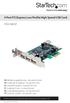 4 Port PCI Express Low Profile High Speed USB Card PEXUSB4DP DE: Bedienungsanleitung - de.startech.com FR: Guide de l'utilisateur - fr.startech.com ES: Guía del usuario - es.startech.com IT: Guida per
safe, smart, protected
 safe, smart, protected en Safety, Regulatory, &Legal Charging Dock Operation Charging Dock Operation The charging dock is designed for tabletop use. To be compliant with RF exposure guidelines and to
Wireless Stow-N-Go Keypad USER GUIDE
 Wireless Stow-N-Go Keypad USER GUIDE Table of Contents Introduction...3 System Requirements...3 Installing the Battery...4 Connecting the Receiver and Installing the Default Drivers...5 Turning the Keypad
Conference Phone UserÕs Manual. Part No. 54-2070-01R1 Printed in Korea. 2002 Bogen Communications, Inc.
 Part No. 54-2070-01R1 Printed in Korea. 2002 Bogen Communications, Inc. UserÕs Manual Notice Every effort was made to ensure that the information in this guide was complete and accurate at the time of
Targus Wireless RF Mouse USER S GUIDE. Making Your Mobile Life Easier.
 Targus Wireless RF Mouse Visit our Web site at: www.targus.com Features and specifications are subject to change without notice. 2004 Targus Group International and Targus, Inc.. 400-0111-001B USER S GUIDE
This equipment has been tested and found to comply with the limits for a Class B digital device, pursuant to part 15 of the FCC Rules.
 Power Max Level 2 Charging Station en Installation and Operating Instructions This equipment has been tested and found to comply with the limits for a Class B digital device, pursuant to part 15 of the
Mini Power Bank and Charger
 Mini Power Bank and Charger Owner s Manual Please read before using this equipment. Your charger is ETL listed to UL standards and meets all applicable FCC standards. WARNING: To reduce the risk of fire
ES-3305P V2 / ES-3308P V2. Quick Installation Guide. 09-2013 / v1.0
 ES-3305P V2 / ES-3308P V2 Quick Installation Guide 09-2013 / v1.0 1 COPYRIGHT Copyright Edimax Technology Co., Ltd. all rights reserved. No part of this publication may be reproduced, transmitted, transcribed,
Table of Contents Function Keys of Your RF Remote Control Quick Setup Guide Advanced Features Setup Troubleshooting
 Congratulations on your purchase of the AT&T U-verse TV Point Anywhere RF Remote Control. This product has been designed to provide many unique and convenient features to enhance your AT&T U-verse experience.
Quick Start Guide. Control & Display Guide. Direction to Location Battery Level Indicator. Local Time. Satellite Locked Icon MARK Button.
 Record Your Track Find Your Way Back Quick Start Guide Direction to Location Battery Level Indicator Local Time POWER Button TRIP/DATA Button Location Memory (1 of 5 icons shown) Satellite Locked Icon
LF-IRX. Limited Warranty LF-IRX. Remote Control Extender OWNER S MANUAL
 Limited Warranty OWNER S MANUAL Audiovox Corporation (Audiovox) warrants this product against defects in materials or workmanship for one (1) year from the date of purchase. During this period, this product
How To Use A Doxie Scanner
 paperless for everyone yes momma, i got a doxie! Alison, was that the door?... okay, don t make a mess... Hi, I m Doxie! Doxie Overview Power & USB Ports SD Card Slot (on back) Power Button Paper Slot
Alarm Clock USER GUIDE
 Alarm Clock USER GUIDE Jazwares, Inc. 2010 1 CONTENTS Please read the instructions along with the alarm clock carefully before you use it, so that you can operate it conveniently. WELCOME, Safety Tips
USB Serial Adapter ICUSB232SM3. Instruction Manual. 1-Port 3ft USB to RS232 DB9 Serial Adapter Cable
 ICUSB232SM3 Instruction Manual USB Serial Adapter 1-Port 3ft USB to RS232 DB9 Serial Adapter Cable Manual Revision:07/25/2011 For the most up-to-date information, please visit www.startech.com FCC Compliance
4 Port PCI Express Gigabit Ethernet PoE PSE Network Card
 4 Port PCI Express Gigabit Ethernet PoE PSE Network Card ST4000PEXPSE *actual product may vary from photos DE: Bedienungsanleitung - de.startech.com FR: Guide de l'utilisateur - fr.startech.com ES: Guía
IDE ATA/133 Controller
 IDE ATA/133 Controller 2 Port PCI ATA-133 IDE Adapter Card PCIIDE2 Actual product may vary from photo FCC Compliance Statement This equipment has been tested and found to comply with the limits for a Class
7 Port PCI USB Card Adapter
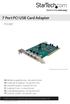 7 Port PCI USB Card Adapter PCIUSB7 *actual product may vary from photos DE: Bedienungsanleitung - de.startech.com FR: Guide de l'utilisateur - fr.startech.com ES: Guía del usuario - es.startech.com IT:
T855 Day & Night Security Camera
 T855 Day & Night Security Camera For use with Swann 4500 DVR EN INSTRUCTION MANUAL MT855_091014E Swann 2014 Before you begin Introduction Congratulations on your purchase of this T850 Day & Night Security
Pad. Quick Start Guide
 Pad Quick Start Guide Copyright 2008 Mimio Congratulations on your mimio Pad purchase! mimio Pad is a 4 GHz wireless pad. To configure mimio Pad for use, install the mimio Studio software and plug the
DMX USB PRO. User Manual. www.enttec.com
 DMX USB PRO User Manual www.enttec.com Firmware V1.43 February 2007 Package Contents Your DMX USB PRO package should contain these items: DMX USB PRO (Part No. 70304) Driver for Windows software on the
1789 Norwood Avenue Itasca, Illinois 60143-1095 630-893-1600 Customer Service: 1-800-945-4545 http://www.fellowes.com
 1789 Norwood Avenue Itasca, Illinois 60143-1095 630-893-1600 Customer Service: 1-800-945-4545 http://www.fellowes.com Australia Tullamarine, Vic. Benelux Vianen, NL Canada Markham, Ont. France Rennes,
SATA PCI Express Adapter PEXSATA22I
 SATA PCI Express Adapter PEXSATA22I FCC Compliance Statement This equipment has been tested and found to comply with the limits for a Class B digital device, pursuant to part 15 of the FCC Rules. These
MACTek Corporation. USB HART Interface. Users Manual
 MACTek Corporation USB HART Interface DM01003100AA February, 2003 LIMITED WARRANTY VIATOR Interface for HART MACTek Corporation warrants this Interface and all of its component against defects in materials
ST122VGAU. Instruction Manual. VGA Video Switch. 2-Port Automatic VGA Video Switch
 VGA Video Switch ST122VGAU Instruction Manual 2-Port Automatic VGA Video Switch FCC Compliance Statement This equipment has been tested and found to comply with the limits for a Class B digital device,