
Installation & User Guide
|
|
|
- Magnus Watson
- 9 years ago
- Views:
Transcription
1 For use with: Power Pucks Amplifier System (p/n: ) Power Pucks + 5-1/4" Coaxial Speakers (p/n: ) Power Pucks + 6-1/2" Coaxial Speakers (p/n: ) Installation & User Guide

2 Specifications: Amperage Draw Idle Full Power 60mA 1.5 Amps RMS Output Peak Output Impedance 45 watts 95 watts 2-4 Ohm Material: Aluminum Diameter: 3.0" Depth: 1.5" Weight: 0.5 lbs * Physical specifications are for a single amplifier Mounts Directly to the Speaker Magnets for: Harley-Davidson Speakers (98-05/4 Ohm) (06-Current/2 Ohm) Cycle Sounds Coaxial Speakers (5-1/4" & 6-1/2") Most J&M Faring Speakers Compatible with all 2 and 4 Ohm Radio Systems. Parts List: (2) Power Pucks Hybrid Speaker Amplifiers (1) Quick Connection Power Adapter (2) Red T-Tap Lock Connector (1) Installation/User Guide

3 Thank you for your purchase of the Power Pucks Hybrid Speaker Amplifiers. Please read ALL instructions and precautions before attempting to operate or install the Power Pucks. General Care and Maintenance 1. Always secure the Power Pucks to the speaker magnets or alternate secure location before riding. 2. Do not overtighten mounting set screws or lid screws. Excess pressure such as overtightening can cause the aluminum housing to crack or break. WARNING Operation of an audio device while driving a motor vehicle is strongly discouraged. Drivers should always stop completely before attempting to adjust volume or any other settings on an audio device. Failure to follow this warning may lead to serious injury or even death. Warranty Information All Cycle Sounds products are covered under a one year manufactures warranty against defects in craftsmanship and materials. Always keep a copy of your original receipt for warranty purposes as it will be needed to obtain warranty service. If you have a warranty question or issue please contact Cycle Sounds using the information below. Cycle Sounds Warranty Department: [email protected] 1(866)

4 k m l j umouting Screws vlids Screws w3.5mm Auxiliary Input xinput Terminals yled Power Light zoutput Terminal Leads {PWR/GRND Connector Turbo Boost Connector 3

5 Disassemble Fairing Consult your factory service manual for instructions on how to disassemble your fairing. Once the outer piece is separated from the inner fairing piece proceed with installation. Remove Speaker Connectors Remove the existing speaker terminal connectors on both sides by pulling upward gently on the connectors. Move these wires to the side to keep them out of the way for later use. Mounting the Power Pucks u Loosen the mounting screws (3) and slide each amplifier over the existing speaker magnets. Making sure to seat the amplifier housing completely onto the magnet, tighten each mounting screw one full turn at a time. Rotate around the amplifier housing until each set screw is tight and the amplifier is secure. DO NOT overtighten set screws or you may damage the housing and/or speaker. Alternate Mounting of the Power Pucks If your speaker magnets are too large to fit the Power Pucks directly onto them you can mount the Power Pucks anywhere in your fairing near the speakers. The Power Pucks fit onto some speaker magnets for convenience, but there is no requirement that they fit onto the speaker magnets for proper function. Simply secure the Power Pucks using any method available such as Velcro, tape, wire ties, etc. 4

6 Connect Output Leads z Route the wires around the speaker basket making sure wires do not get pinched. Connect the Power Pucks output terminal leads to the speaker terminals on both sides. Make sure to push the connectors firmly and completely onto the speaker terminals. Connect Speaker Leads to Power Pucks x Connect the stock speaker wires, previously removed from the speakers, to the Power Pucks input terminals on both sides. Once complete both speakers and Power Pucks should look like the illustration to the right. If they do not please review that you have correctly completed each step up to this point. Connect Power/ Ground Adapter { Using the supplied PWR/GRND quick connect adapter connect both Power Pucks as shown. IMPORTANT: DO NOT turn on your sound system at this point. 5

7 Connecting Power and Ground (Universal) First, find an accessory power location and ground wire on your bike. Do this by using a volt meter or consulting the factory service manual for your make/model. Once you have located the accessory power and ground wires attach a Red Locking T-Tap Connector to each wire as shown below. When doing so make sure to press the two halves of the T-Tap connector together firmly around the wires. Once the T-Tap Connectors are attached to the bike's power and ground attach the provided 2-Pin Quick Connector to each Power Puck connector as shown. To Left Boom Can To complete the power and ground connections simply plug the other ends of the 2-Pin Quick Connector to the attached Red T-Tap Connectors as shown. Make sure the red wires go to your 12v accessory power wire and the black wires to your ground wire. IMPORTANT: DO NOT turn on your sound system at this point. 6

8 Connect the Turbo Wire to Switch (Optional) By default the turbo wire is already connected to the power harness which enables the turbo function permanently and is the easiest setup. Optionally you can install a switch to toggle the turbo setting on/off for highway riding. To complete this option you will need to get some extra wire and an on/off switch. Think about what type of switch you would like to use and it's location before proceeding. Many bikes have extra cutouts for rocker style switches already in the fairings. 1) Install Switch in Desired Location on Bike 2) Connect Turbo Wire to Positive Lead on Switch 3) Connect Negative Switch Lead to Ground Refer to the wiring diagram below for further explanation of the Turbo Switch installation. Turbo Wire ON OFF Ground IMPORTANT: DO NOT attempt to turn on or adjust your sound system before completing the Amplifier Pot Adjustments step. Failure to follow this instruction may lead to damage of your speakers and/or stereo and amplifiers. 7

9 Optional Auxiliary Input Connection (mp3) To use the auxiliary input for an mp3 player without an existing radio head unit you must get the parts listed below. Cycle Sounds offers a Power Pucks Auxiliary Connection Kit (p/n: ) that includes the correct adapters and extensions. Auxiliary Input Connection Kit Includes (1) Y Splitter (3.5mm) Mono to Stereo Adapter (1) Extension Cables (3.5mm) Mono (3 ft.) Male-to-Female (1) Extension Cable (3.5mm) Stereo (3 ft.) Male-to-Male Connect Y Cable to AUX Ports w Once the Pucks are mounted to the speakers and connected as described in the previous steps, connect the male ends of the Y cable to the Power Pucks AUX ports. Then connect the (3.5mm) stereo extension to the female end of the Y splitter as shown. Male-to-Female (Mono) Y-Splitter Male-to-Male (Stereo) To MP3 Player Route the stereo extension wire to where your mp3 player will be mounted and proceed to the Amplifier Pot Adjustments in the next step. IMPORTANT: DO NOT attempt to turn on or adjust your sound system before completing the Amplifier Pot Adjustments step in the next section. 8

10 Amplifier Pot Adjustments (IMPORTANT!) To make amplifier adjustments remove the (2) screws on the top of the Power Pucks and remove the lid. You will see the board and (4) blue phillips head potentiometers as shown. Adjustments are made by turning the potentiometers with a small screw driver. The MATCH setting determines how much signal is being given to the Power Pucks amplifier from the radio. The GAIN setting determines how high the signal is coming from the Power Pucks amplifier to the speakers. The TONE setting determines the balance between treble and bass on the Power Pucks amplifier. The BOOST setting determines how high to bump the signal up coming from the radio when the boost setting is activate. IMPORTANT: The GAIN and BOOST setting are not the same and should be set independently according to the instructions on the next page. GAIN refers to the output level coming from the Power Pucks and BOOST refers to the input level going to the Power Pucks. This makes the Turbo Boost setting function much like the "Loudness" setting on other audio devices. 9

11 Potentiometer Adjustment Settings The Power Pucks do not come with any preset factory adjustments as these need to be set for your particular audio setup and personal preferences. This procedure should start by adjusting your radio equalizer's bass and treble settings to half way on the display and volume to half way. Setting MATCH This should be set to about 3/4 depending on your radio setup. Turn the pot clockwise to dial in the correct setting for your radio. Setting GAIN Set between 1/2 and 3/4 depending on your radio setup. Turn the pot clockwise to dial in your desired setting making sure the sound is not distorted at 3/4 radio volume. Setting TONE Make sure your radio equalizer's settings for bass and treble are set to half as described above. Turn the potentiometer clockwise for more bass and counter-clockwise for more treble. Make this setting based on your personal listening preferences and choice of music. Setting BOOST Make sure the boost wire is either hooked to ground or your turbo boost switch is on before making this setting. Turn the pot clockwise to 1/2 depending on your system. Make sure the sound from your speakers is clean and undistorted with the turbo boost on before completing installation. Once your potentiometer settings are complete replace the Power Pucks lids with the previously removed screws and reassemble your fairing. Further tone adjustments can now be made with your radio's equalizer to dial in the sound to your personal preference and choice of music. 10

12 WARNING: Please read and complete all instructions before turning on or doing any adjustment to your sound system. The Amplifier Potentiometer Adjustment section is particularly important so make sure to read and understand this section thoroughly. When the radio and Power Pucks amplifiers are set up correctly there should be no distortion of the sound at 3/4 volume. If there is please review the steps for adjustment and make sure your have set the adjustment pots correctly. Failure to follow all instructions correctly may result in damage to your sound system, speakers and/or amplifiers and void your manufacturer's warranty. Power Pucks User Guide Cycle Sounds LLC 275 NW Victoria Drive Lee's Summit, MO (866) / Toll Free (816) / Office (816) / Fax

INSTALLATION ADDENDUM
 INSTALLATION ADDENDUM FOR ALL HARLEY ROAD KING MODELS 2014-CURRENT Rev. 11-19-14 For proper installation of the amplifier bracket on Harley Road King models 2014-current please follow this addendum. DO
Owner s Manual AWM910 JENSEN AWM910 COMPACT DISC PLAYER RADIO CD COMPACT MUSIC SYSTEM MUTE AUX BAND AUX IN PUSH PUSH PWR VOL ALARM T/F AUD SPK A SPK B
 AWM910 Owner s Manual COMPACT DISC PLAYER PUSH 1 2 3 4 5 6 RPT SCAN RDM H M PUSH PWR VOL ALARM SET ON/OFF EQ T/F AUD RADIO CD COMPACT MUSIC SYSTEM MUTE AUX BAND CD AUX IN A B A+B JENSEN AWM910 Thank You!
INSTALLATION INSTRUCTIONS
 INSTALLATION INSTRUCTIONS Accessory Application 2009 PILOT Publications No. AII 39408 Issue Date MAY 2008 PARTS LIST Steering Wheel Trim (With Cruise and Audio) P/N 08Z13-SZA-130B (Chocolate) P/N 08Z13-SZA-140B
INSTALLATION INSTRUCTIONS
 INSTALLATION INSTRUCTIONS Accessory TRIM Application 2008 ACCORD 4-DOOR Publications No. AII 35362 Issue Date AUG 2007 PARTS LIST Steering Wheel Trim (Without Navigation) P/N 08Z13-TA0-100 Right steering
SB-C-CTS/10TW3 SKU# 94552 2008 & Up Cadillac CTS/CTS-V
 INSTALLATION GUIDE for the SB-C-CTS/10TW3 SKU# 94552 2008 & Up Cadillac CTS/CTS-V If you choose to perform the installation yourself, it is absolutely vital that the Stealthbox be properly mounted to the
INSTALLATION INSTRUCTIONS
 INSTALLATION INSTRUCTIONS Accessory Application Publications No. AII23628 2003 PILOT Issue Date MAY 2002 PARTS LIST Security System Kit (sold separately): P/N 08E51-S84-100 2 Remote controls Attachment
BXR 300C BXR 300R. Owner, s Manual P/N 040294
 THE SOUND THAT CREATES LEGENDS BXR 300C BXR 300R Owner, s Manual P/N 040294 INTRODUCTION The Fender BXR 300 AMPLIFIER is the most recent effort in state of the art bass amplifier technology, and is a member
Installation Instructions
 AUX Chapter 1 Getting Started Installation Instructions 1.1 Subject The GROM an integration between an MP3 player and a factory installed car stereo. Equipped with the specific vehicle harness and standard
TERMINOLOGY USED IN THIS MANUAL:
 designed and built in the u.s.a. HAWG WIRED HUA360 HARLEY UNIVERSAL ADAPTER KIT CONTENTS KIT ITEMS INCLUDED (BY QUANTITY): HUA360 HARLEY UNIVERSAL ADAPTER 1 24 STEERING WHEEL CONTROL JACK 1 TERMINAL BLOCK
WARNING! REQUIRED TOOLS & SUPPLIES: HIGH VOLTAGE
 INSTRUCTIONS Product: GEM Electric Motorcars Models: All Subject: Instructions for installing Stereo Accessory Estimated Completion Time:.75 Hours Parts: See Page # 7 REQUIRED TOOLS & SUPPLIES: (1) 3/8
TOA 900 SERIES II MIXER POWER AMPLIFIER
 Operating Instructions TOA 900 SERIES II MIXER POWER AMPLIFIER A-903MK2 A-906MK2 A-912MK2 TO REDUCE THE RISK OF ELECTRICAL SHOCK, DO NOT REMOVE COVER. NO USER SERVICEABLE PARTS INSIDE. REFER SERVICING
************* OWNER'S MANUAL BAMF800/2 BAMF1250/2 BAMF1800/2 BAMF2200/2 BAMF2600/2 BAMF1200/4 BAMF1600/4 BAMF2000/1D BAMF4000/1D BAMF5500/1D
 ************* OWNER'S MANUAL BAMF800/2 BAMF1250/2 BAMF1800/2 BAMF2200/2 BAMF2600/2 BAMF1200/4 BAMF1600/4 BAMF2000/1D BAMF4000/1D BAMF5500/1D INTRODUCTION Power Acoustik amplifiers provide high-performance
Operation Manual for Users
 Operation Manual for Users Model No.: FLTAMFMRCD!!!!!!!!!! ATTENTION!!!!!!!!!! THE RESET BUTTON MUST BE PRESSED TO ENSURE PROPER OPERATION. SEE INSTRUCTION MANUAL Table of Contents Table of Contents ---------------------------------------------------------------------------------------------
bba - Balboa Bluetooth Audio (AMP) Installation & User Guide
 bba - Balboa Bluetooth Audio (AMP) Installation & User Guide Bluetooth Integration CONNECT YOUR SMART DEVICE TO YOUR HOT TUB With Bluetooth connection you can now play all your favorite songs directly
INTRODUCTION. Please read this manual carefully for a through explanation of the Decimator ProRackG and its functions.
 INTRODUCTION The Decimator ProRackG guitar noise reduction system defines a new standard for excellence in real time noise reduction performance. The Decimator ProRackG was designed to provide the maximum
INSTRUCTION MANUAL PLEASE READ ALL THE INSTRUCTIONS COMPLETELY BEFORE USE AND SAVE THIS MANUAL FOR FUTURE REFERENCE
 INSTRUCTION MANUAL PLEASE READ ALL THE INSTRUCTIONS COMPLETELY BEFORE USE Ver. 2.0 AND SAVE THIS MANUAL FOR FUTURE REFERENCE Table of Contents Unpacking... 3 About the CCRadio-EP... 4 Quick Start Guide...
Model: LCDM40 4.0 LCD Rear Vision Mirror Monitor Installation Manual Features
 Model: LCDM40 4.0 LCD Rear Vision Mirror Monitor Installation Manual Features Mirror with built in 4.0 LCD Monitor Low Profile, Slim Design High Resolution TFT LCD Built in Speaker Two video inputs Fully
4.3-inch Back-Up Camera
 TM 4.-inch Back-Up Camera Model No.: PKC0BU4 Owner s Manual and Warranty Information Read these instructions completely before using this product. Retain this Owner s Manual for future reference. INTRODUCTION
HyperSound System (HSS) Demo and Evaluation Systems Set-Up and Operation Guide
 HyperSound System (HSS) Demo and Evaluation Systems Set-Up and Operation Guide Follow this step-by-step guide for an optimal installation. Included: ü 2 HSS Emitters (Speakers) ü 2 Sets of Red & Black
by Myles H. Kitchen M.H. KITCHEN & ASSOCIATES www.auto-electronic.com (2002 X5 4.4 owner) March 2, 2004
 INSTALLING THE TEKONSHA PRODIGY ELECTRIC TRAILER BRAKE CONTROL IN THE BMW X5 by Myles H. Kitchen M.H. KITCHEN & ASSOCIATES www.auto-electronic.com (2002 X5 4.4 owner) March 2, 2004 INTRODUCTION The 2000
P150SC15. Designed for 2015 Ford F150 Super-Cab and Super-Crew vehicles without Sony System. 2015 Stillwater Designs P150SC15-A2-20150813
 P150SC15 Designed for 2015 Ford F150 Super-Cab and Super-Crew vehicles without Sony System Subwoofer Assembly Amplifier Assembly Amplifier Harness 2015 Stillwater Designs P150SC15-A2-20150813 M6 Bolt M6
CONNECTOR AMPLIFIER FOR PROPORTIONAL VALVES (4-20 ma Input Version)
 TECHNICAL DATASHEET #TD1102AX CONNECTOR AMPLIFIER FOR PROPORTIONAL VALVES (4-20 ma Input Version) Part Number: Connector Amplifier CAPV-H-4-20MA-x complete with cable CAPV-4C-yM Where: x = current output
Thank you for purchasing the ButtKicker Gamer. This guide will help you to quickly set up your new ButtKicker system with your PC or gaming console.
 BK-GR2 ButtKicker Gamer Thank you for purchasing the ButtKicker Gamer. This guide will help you to quickly set up your new ButtKicker system with your PC or gaming console. Contents: a. ButtKicker Gamer
M-9424-463V Intake Manifold INSTALLATION INSTRUCTIONS
 Please visit www.fordracingparts.com for the most current instruction information!!! PLEASE READ ALL OF THE FOLLOWING INSTRUCTIONS CAREFULLY PRIOR TO INSTALLATION. AT ANY TIME YOU DO NOT UNDERSTAND THE
CLASS-D MONO BLOCK POWER AMPLIFIERS BZA-1000D / BZA-2000D OWNER'S MANUAL
 CLASS-D MONO BLOCK POWER AMPLIFIERS BZA-1000D / BZA-2000D OWNER'S MANUAL Table of Contents Table of Contents Introduction & Features Specification Features & Controls Installation & Precautions System
Cover Page. Factory Radio Other Documents Available For This Vehicle:
 & nstall Publication, Duplication, or Retransmission Of This Document Not Expressly Authorized n Writing By The nstall Doctor s Prohibited. Protected By U.S. Copyright Laws. 1997,1998,,2000. Factory Radio
PUSH BUTTON START INSTALLATION MANUAL
 PUSH BUTTON START INSTALLATION MANUAL ALTHOUGH THIS PRODUCT HAS BEEN THOROUGHLY TESTED KPIERSON TECHNOLOGIES ASSUMES NO RESPONSIBILITY FOR ANY DAMAGE THAT MAY RESULT BY THE INSTALLATION OF THIS PRODUCT.
60 WATT LED TRIPLE BEAM WORKLIGHT
 60 WATT LED TRIPLE BEAM WORKLIGHT OWNER S MANUAL WARNING: Read carefully and understand all ASSEMBLY AND OPERATION INSTRUCTIONS before operating. Failure to follow the safety rules and other basic safety
Oceanscience Cable Chimp II Cableway ROV System User Guide and Warranty
 Oceanscience Cable Chimp II Cableway ROV System User Guide and Warranty Page 1 Table of Contents Introduction Page 3 Overview Page 3 Setup and Operation Page 5 Remote Control Page 6 Power Management Page
AMPLIFIERS. and ACCESSORIES
 AMPLIFIERS and ACCESSORIES HISTORY OF EARTHQUAKE In 1984, Joseph J. Sahyoun, a music freak and Aerospace Engineer unhappy with existing loud speaker technology and performance, decided to put his advanced
PBXport. Rackmount PBX Digital Hybrid. User Guide. JK Audio
 PBXport Rackmount PBX Digital Hybrid User Guide JK Audio Introduction PBXport will allow you to send and receive audio through your multiline PBX, ISDN or analog telephone. While this may seem like a simple
Gemini II. Subwoofer System OWNERS MANUAL
 Gemini II Subwoofer System OWNERS MANUAL CONTENTS Page No. 1) Safety instructions. 2) 3) 4) Connecting up your Gemini II. Connecting up using the high level input. Connecting up using the low level input.
EVID Compact Sound Speaker System
 EVID Compact Sound Speaker System EVID-C44, EVID-C2.1, EVID-40C, EVID-S44, EVID-S44W, EVID-2.1, EVID-2.1W, EVID-40S, and EVID-40SW en Installation Manual en 3 Table of contents 1 Safety 4 2 Welcome 6
MTX-D, Oil Temperature/Pressure Gauge
 MTX-D, Oil Temperature/Pressure Gauge 1 Mounting and Sensor Installation... 3 1.1 Mounting the Gauge... 3 1.2 Oil Temp Sensor... 3 1.3 Oil Pressure Sensor... 3 2 Wiring... 3 2.1 Main Gauge Wiring... 4
INSTALLATION INSTRUCTIONS
 INSTALLATION INSTRUCTIONS Accessory Application Publications No. AII 26327 2004 S2000 Issue Date OCT 2004 PARTS LIST Security System: P/N 08E51-S84-100 Attachment Kit: P/N 08E55-S2A-101 2 Remote controls
Technical Guide 08/15/14
 Technical Guide 08/15/14 1 Table of Contents Contact information.3 Identifying your system..4-8 Model Number Serial number location Parts of your fuel system..9-14 Fuel pump diagram Wire harness schematics
Hegel H1 High End Integrated Amplifier
 Hegel H1 High End Integrated Amplifier www.hegel.com [email protected] USER GUIDE Congratulations on your new HEGEL! Our products are based on a simple philosophy: The component shall reproduce the original
POWER LOCK KIT GENERAL INSTALLATION -J04427 REV. 2007-12-04. Kit Number. Models. Additional Parts Required. Kit Contents
 -J0 REV. 00--0 POWER LOCK KIT GENERAL Kit Number -0, 0-0 Models For model fitment information, please see the P&A Retail Catalog or the Parts and Accessories section of www.harleydavidson.com (English
STEREO BLUETOOTH WIRELESS SPORTS In-Ear Headphones
 STEREO BLUETOOTH WIRELESS SPORTS In-Ear Headphones USER MANUAL model: X7 PACKAGE CONTENTS EN X7 Stereo Bluetooth Wireless Sports In-Ear Headphones Micro-USB charging cable Carrying case 3 pairs of eartips
DIY QUAD. Build Manual V.A 2014
 DIY QUAD Build Manual V.A 2014 1 Contents Thanks for purchasing a DIY Quad! These instructions will show you how to assemble a Quad using the Pixhawk autopilot system and ArduCopter/APM:Copter firmware.
AUTOMATIC CALL RECORDER JAMECO PART NO. 2163735
 AUTOMATIC CALL RECORDER JAMECO PART NO. 2163735 Experience Level: Intermediate Time Required: 1-2 Hours This project automatically records phone calls. The program, along with the adapter records each
Original Assembly Guide
 TCT Multipurpose Single Bevel Sliding Compound Mitre Saw Original Assembly Guide Read instructions before assembling this tool. Table of Contents GB Assembly Guide Read instructions before assembling this
INSTRUCTIONS FOR THE INSTALLATION AND OPERATION OF ACTIVATOR II
 INSTRUCTIONS FOR THE INSTALLATION AND OPERATION OF ACTIVATOR II ELECTRONIC TRAILER BRAKE CONTROL 5500 FOR 2, 4, 6 & 8 BRAKE SYSTEMS IMPORTANT: READ AND FOLLOW THESE INSTRUCTIONS CAREFULLY. KEEP THESE INSTRUCTIONS
High Power Receiver CR-W400U Operating Instructions
 High Power Receiver CR-W400U Operating Instructions Please read these instructions carefully before using this product and save this manual for future use. Panasonic welcomes you to our ever growing family
Universal Host. Desktop Digital Hybrid. User Guide. JK Audio
 Universal Host Desktop Digital Hybrid User Guide JK Audio Introduction Universal Host will allow you to send and receive audio through your multi-line PBX, ISDN, VoIP or analog telephone. While this may
The RIDZ 8x2 Audio Switcher
 The RIDZ 8x2 Audio Switcher Engineering Manual Support Number 800-765-2930 International 712-852-2813 Table of Contents General Information for the RIDZ (8 x 2) Switcher..... 3 Input 9 on the RIDZ Switcher....6
Model No.: MR-140. REMARK: FINISH SIZE IS 145x210mm. Effected 31 / May / 07
 Model No.: MR-0 HI-POWER x Watts INT RPT RDM 6 This product is sold and serviced exclusively by Prospec Electronic Inc. and must be returned to Prospec for in and out of warranty repairs. It can not be
Smarthome SELECT Bluetooth Wireless Stereo Audio Receiver and Amplifier INTRODUCTION
 Smarthome SELECT Bluetooth Wireless Stereo Audio Receiver and Amplifier INTRODUCTION The Smarthome SELECT Bluetooth Wireless Stereo Audio Receiver and Amplifier is a multi-functional compact device. It
MTX-D, Boost/Shift Gauge
 MTX-D, Boost/Shift Gauge 1 Mounting and Sensor Installation... 3 1.1 Mounting the Gauge... 3 1.2 MAP sensor... 3 2 Wiring... 3 2.1 Main Gauge Wiring... 3 2.2 MAP sensor wiring... 4 2.3 Tach signal wiring...
I Click on a link tab to jump to that page. Cover Page
 Publication, Duplication, or Retransmission Of This Document Not Expressly Authorized n Writing By The nstall Doctor s Prohibited. Protected By U.S. Copyright Laws. 1997,1998,1999,2000. Factory Radio Other
STEREO PREAMPLIFIER INSTRUCTIONS FOR USE
 XX STEREO PREAMPLIFIER INSTRUCTIONS FOR USE Thank you for purchasing the Musical Fidelity A5 CR Preamplifier. Used properly and carefully, it should give many years of outstanding musical reproduction.
Triac Printed Circuit Board Replacement
 Technical Service Bulletin: Triac Printed Circuit Board Replacement TRONIC 5000C Pro Models: WH17, WH27, WH36 Introduction Fig. 1 ELECTRICITY IS EXTREMELY DANGEROUS. TAKE EXTRA PRECAUTIONS AND ENSURE ALL
Digital FM/AM Receiver
 Digital FM/AM Receiver Model RM-350D User s Guide 54-5021-01 9609 Printed in USA Specifications Band Coverage............ AM.....................530-1620KHz FM......................87.5-107.9MHz Tuning....................PLL
CONTENTS. Zulu User Guide 3
 Copyright Lightspeed Aviation, Inc., 2008. All rights reserved. Lightspeed Aviation is a trademark and Zulu and FRC are registered trademarks of Lightspeed Aviation, Inc. Bluetooth is a registered trademark
2 Ohm Nominal Coaxial Speaker OWNER S MANUAL
 2 Ohm Nominal Coaxial Speaker OWNER S MANUAL 1 page 1 SPL 65 Coaxial Speaker Congratulations on your purchase of the Soundstream SPL 65 Coaxial Speaker. When used with a high quality 2 ohm rated power
Installation Instructions
 520 Installation Instructions Thank you very much for purchasing PIAA product. Please read this entire manual before installation and use of this product. For Installers Please give this Installation Manual
CUSTOM AUXILIARY FORWARD LIGHTING KIT
 -J0 REV. 0--0 CUSTOM AUXILIARY FORWARD LIGHTING KIT GENERAL Kit Number -0, 0000 Models This Custom Auxiliary Lighting Kit adds lamps and turn signals to 00 and later FLHX model motorcycles. Additional
TOOL SVC NUMBERS: 250-2598, 250-2600 SVC CONTENTS ITEM QTY DESCRIPTION PART NUMBER 1 1 CUTTING TOOL 250-2598 2 1 EXTRACTION TOOL/PART# 250-2600
 07-08 TOYOTA FJ CRUISER, 05-09 SIENNA, 06-08 SCION TC PART NUMBER: 250-1732 1 CRUISE CONTROL KIT TOOL SVC NUMBERS: 250-2598, 250-2600 2 2 1 BASE KIT CONTENTS ITEM QTY DESCRIPTION 1 1 CONTROL SWITCH ASSEMBLY
RECOMMENDED TOOLS PERSONAL & VEHICLE PROTECTION SAFETY GLASSES
 PART NUMBER: 250-9612 GENERAL APPLICABILITY THIS CRUISE WAS TESTED AND VERIFIED ON: FORD FOCUS SE & S MODELS (AT/MT) FORD TRANSIT ALL MODELS RECOMMENDED TOOLS PERSONAL & VEHICLE PROTECTION SAFETY GLASSES
Kit 106. 50 Watt Audio Amplifier
 Kit 106 50 Watt Audio Amplifier T his kit is based on an amazing IC amplifier module from ST Electronics, the TDA7294 It is intended for use as a high quality audio class AB amplifier in hi-fi applications
ACTIVE. www.edgecaraudio.com
 ACTIVE www.edgecaraudio.com INTRODUCTION This instruction manual is for your safety and must be adhered to at all times. Please read and ensure that you fully understand the installation and set up procedures
3. Enter the first five digits of desired frequency (2 2 5 0 0 for 225.000 MHz).
 Simplified Directions 1. Install the batteries. 2. Turn the unit on (rotate volume knob clockwise). 3. Enter the first five digits of desired frequency (2 2 5 0 0 for 225.000 MHz). 4. Listen. Table of
Traktor Audio Configuration
 Traktor Audio Configuration 1. Select the S4 CoreAudio (for Mac) or S4 ASIO (for Windows) driver. 2. Select Internal mixing mode and set the Output Monitor and Output Master using the available outputs
Owner s Manual Read and keep this manual. Patents World Wide
 Owner s Manual Read and keep this manual. Patents World Wide S & S Industries, Inc., Sarasota, FL, USA www.trail-gator.com Copyright 2008 All Rights Reserved The following manual is provided to assist
CONTENTS TOOLS REQUIRED: Ratchet 13mm Socket 10mm Socket Phillips Screwdriver Pliers Panel Removal Tool. Amp Installation
 CONTENTS 1EA. SUBWOOFER ASSEMBLY P/N RUWRANGLER 1EA. 200 WATT AMP/BRACKET ASSEMBLY P/N RM11JKBTL - Bracket P/N RE08BTL200R - Amp 1EA. POWER HARNESS P/N RHWRANGLERPWR 1EA. OVERLAY HARNESS P/N RHWRANGLER
Contents. Mission Statement...2. Warnings... 4. Wire Size...5. Installation Guidelines... 6. i-force Inputs...9. Bass Boost Control...10. i-force...
 Contents Mission Statement...2 Warnings... 4 Wire Size...5 Installation Guidelines... 6 i-force Inputs...9 Bass Boost Control...10 i-force...11 i-250...11 i-2100...14 i-450...17 i-4100...20 i-5100...23
Indoor/Outdoor Color Camera with Built-in 2.4 GHz Wireless Transmitter, plus X10 controlled power supply, and Video Receiver.
 Indoor/Outdoor Color Camera with Built-in 2.4 GHz Wireless Transmitter, plus X10 controlled power supply, and Video Receiver. OWNER'S MANUAL VR36A XC18A XM13A MODEL VK69A (INCLUDES XC18A CAMERA, XM13A
RECOMMENDED TOOLS PERSONAL & VEHICLE PROTECTION SAFETY GLASSES
 HYUNDAI ACCENT 2010- /ELANTRA 2012- / KIA RIO 2012- PART NUMBER: 250-9628 GENERAL APPLICABILITY THIS CRUISE WAS TESTED AND VERIFIED ON: (AT/MT) VEHICLES RECOMMENDED TOOLS PERSONAL & VEHICLE PROTECTION
EXTENDED-WIRE HANDLEBAR SWITCH KITS
 -J03396 REV. 2010-02-11 EXTENDED-WIRE HANDLEBAR SWITCH KITS ENERAL Kit Numbers 70246-10, 70318-10 Models Neither of these kits is compatible with cruise control-equipped 2007 or earlier models. Kit 70246-10
WOO AUDIO WA3. Stereo Headphone Amplifier. Single-Ended OTL, Class A Vacuum Tube Headphone & Pre Amplifier. Owner s Manual
 WOO AUDIO WA3 Stereo Headphone Amplifier Single-Ended OTL, Class A Vacuum Tube Headphone & Pre Amplifier Owner s Manual Please review this manual before operating your WOO AUDIO product. Inc. All rights
ELECTRIC BICYCLE OWNER S MANUAL
 ELECTRIC BICYCLE OWNER S MANUAL For Owners of EG Athens 250 Electric Bicycle Table of Contents Descriptions: Page Installation Instructions 2 How to install the bicycle out of the box 2 Operation Instructions
INSTALLATION INSTRUCTIONS
 INSTALLATION INSTRUCTIONS Accessory Application Publications No. ACCORD All 30209 2-AND 4-DOOR SYSTEM (VP, LX, SE) Issue Date AUG 2005 PARTS LIST Security System Attachment: P/N 08E55-SDA-100A Unit panel
I Click on a link tab to jump to that page. Cover Page
 & nstall Publication, Duplication, or Retransmission Of This Document Not Expressly Authorized n Writing By The nstall Doctor s Prohibited. Protected By U.S. Copyright Laws. 1997,1998,1999,2000. Factory
Installation & Operation Manual
 GET CONNECTED Installation & Operation Manual DEVICE INTEGRATION AND CHARGING KIT TranzIt USB IS32 Note to Readers, The information contained within the following documentation is subject to change without
40 Watt Mixer Amplifier Owners Manual with Media Player
 40 Watt Mixer Amplifier with Media Player Model #USB-80 2009 MCM Electronics MCM Custom Audio MCM Electronics Centerville, Ohio www.mcmelectronics.com SAFETY INSTRUCTIONS Please be sure to read all the
Hegel H80 High End Integrated Amplifier. User manual
 Hegel H80 High End Integrated Amplifier User manual USER GUIDE Congratulations on your new HEGEL H80! All Hegel products are based on a simple philosophy: The audio reproduction instrument shall reproduce
24 Wide Screen LED Monitor with HDMI
 24 Wide Screen LED Monitor with HDMI USER MANUAL L24LE11B_MANUAL_EN_R1 Please read this manual carefully before using, and keep it for future reference. TABLE OF CONTENTS GETTING STARTED Monitor Stand
MSD Pro-Billet Ready-to-Run Chevrolet V8 Distributor, PN 8360 Chevrolet 348, 409 Distributor, PN 8393
 MSD Pro-Billet Ready-to-Run Chevrolet V8 Distributor, PN 8360 Chevrolet 348, 409 Distributor, PN 8393 ONLINE PRODUCT REGISTRATION: Register your MSD product online and you ll be entered in our monthly
SIMRAD SD10 Sailboat Drive
 INSTALLATION MANUAL SIMRAD SD10 Sailboat Drive 20222683/A English Simrad SD10 Sailboat Drive About this document Rev. A First issue 2007 Navico AS. All rights reserved. No part of this work covered by
i ChatterBox! Motorcycle Security
 i Before you Start the Installation * Please read this manual to become familiar with the requirements necessary to complete the installation. * Use a high quality multi-meter to test all wires before
VOH681A Drop Down Video Monitor VOH682A Drop Down TV / Video Monitor OPEN. Installation Guide
 VOH681A Drop Down Video Monitor VOH682A Drop Down TV / Video Monitor ON OFF AUTO OPEN Installation Guide Important Notice It is unlawful in most jurisdictions for a person to drive a motor vehicle which
TOYOTA TACOMA 2008- HANDS FREE BLU LOGIC Preparation
 TOYOTA TACOMA 2008- HANDS FREE BLU LOGIC Preparation Part #: PT923-00112 Conflicts: JBL Audio, Factory Navigation NOTE: Part number of this accessory may not be the same as the part number shown. Kit Contents:
S-8, S-10 AND S-12 POWERED SUBWOOFER. Owner s Manual
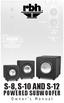 S-8, S-10 AND S-12 POWERED SUBWOOFER Owner s Manual Introduction Congratulations on your purchase of an RBH Sound powered subwoofer! Your subwoofer is the result of many years of research and development
LS-1 Series Tungsten Halogen Light Sources Installation and Operation Instructions
 LS-1 Series Tungsten Halogen Light Sources Installation and Operation Instructions Description The LS-1 Series of tungsten halogen light sources are versatile, white-light lamps optimized for use in the
Jabra BIZ 2400 USB USER MANUAL
 Jabra BIZ 2400 USB USER MANUAL 1 2011 GN Netcom A/S. All Rights Reserved. This user guide is published by GN Netcom A/S. The information in this user guide is furnished for informational use only, is subject
innkeeper PBX Desktop Digital Hybrid User Guide JK Audio
 innkeeper PBX Desktop Digital Hybrid User Guide JK Audio Introduction Innkeeper PBX will allow you to send and receive audio through your multi-line PBX, ISDN or analog telephone. While this may seem like
innkeeper PBX Desktop Digital Hybrid User Guide JK Audio Warranty
 Warranty Innkeeper PBX is covered by a 2-year warranty to be free from defective workmanship and materials. In the event that the innkeeper PBX needs repair, you must call us to get an authorization, and
CMD-8000 rev. A COMMANDER SERIES REMOTE CONTROL ENTRY SYSTEM
 INTRODUCTION CMD-8000 rev. A COMMANDER SERIES REMOTE CONTROL ENTRY SYSTEM Thank you for purchasing the CMD-8000 Commander from Dakota Digital. This, along with many other products that Dakota Digital has
CELO5. User & Installation Manual. www.audac.eu
 CELO5 User & Installation Manual www.audac.eu 2 Introduction 5 High-end Slim Ceiling Speaker The CELO5 is the 5 version of AUDAC s CELO High-end Slim ceiling speaker series with an RMS power of 50 Watt
SECURITY CAMERA INSTRUCTION MANUAL ENGLISH VERSION 1.0 LBC5451. www.lorextechnology.com
 SECURITY CAMERA INSTRUCTION MANUAL ENGLISH VERSION 1.0 LBC5451 www.lorextechnology.com Contents 1x Camera and mounting stand 1x Power adapter 1x Mounting kit 1x Allen key 1x Screw cap 1x 60 ft. (18m)
BTX180 Wireless Bluetooth Speaker
 BTX180 Wireless Bluetooth Speaker User Manual 2012 Kinivo LLC. All rights reserved. Kinivo is a trademark of Kinivo LLC. Bluetooth word mark and the Bluetooth logo are registered trademarks of Bluetooth
User Manual. Instructions for installing the Sure Stitch on the Next Generation Quilting Frame. Parts Included:
 User Manual Instructions for installing the Sure Stitch on the Next Generation Quilting Frame. Parts Included: 1: Display Console 1: Control Box 2: Encoder (Wires attached) (Not Shown) 1: 5v Power Supply
QUALITY AV PRODUCTS INMATE/INMATE USB PROFESSIONAL 19" MIXER. User Guide and Reference Manual
 INMATE/INMATE USB PROFESSIONAL " MIXER User Guide and Reference Manual INTRODUCTION Welcome to the NEWHANK INMATE and INMATE USB professional " mixers series user manual. INMATE and INMATE USB both offer
31.39 1.69. Determine the desired location fixture and center the coaxial cord location to the electrical box.
 Installation Instructions for JORN 00LSJORN_ 90LSJORN.0 GENERAL PRODUCT I NFORMATION: This product is suitable for indoor dry locations only. CAUTION RISK OF FIRE This product requires installation by
XIA-USB INSTALLATION INSTRUCTIONS
 ENT ESC R L USB INTERFACE XIA-USB INSTALLATION INSTRUCTIONS The Axxess XIA-USB is a digital interface designed to play the audio from the USB memory stick while being used in two separate scenarios; 1)
PARAMOUNT ME MOUNTING AND WIRING KITS FOR USE WITH THE TCF-S / IFW / Pyxis Revised 3/18/2008
 PARAMOUNT ME MOUNTING AND WIRING KITS FOR USE WITH THE TCF-S / IFW / Pyxis Revised 3/18/2008 Optec Stock #17496 for TCF-S OR IFW AND PYXIS Optec Stock #17497 for TCF-S OR IFW Optec Stock #17498 for PYXIS
CX Zoner Installation & User Guide
 CX Zoner Installation & User Guide Cloud Electronics Limited 140 Staniforth Road, Sheffield, S9 3HF England Tel +44 (0)114 244 7051 Fax +44 (0)114 242 5462 e-mail [email protected] web site http://www.cloud.co.uk
I Click on a link tab to jump to that page
 & nstall Publication, Duplication, or Retransmission Of This Document Not Expressly Authorized n Writing By The nstall Doctor s Prohibited. Protected By U.S. Copyright Laws. 1997,1998,1999,2000. Factory
GPS AutoSteer System Installation Manual
 GPS AutoSteer System Installation Manual Supported Vehicles John Deere Sprayers 4720 4630 4730 4830 AutoTrac Ready PN: 602-0227-01-A LEGAL DISCLAIMER Note: Read and follow ALL instructions in this manual