
1250 Wheel Balancer. Installation Instructions Operating Instructions Safety Instructions Maintenance Instructions
|
|
|
- Magnus Washington
- 9 years ago
- Views:
Transcription
1 1250 Wheel Balancer An Optional Feature See Balancing Your First Tire on page 2. Installation Instructions Operating Instructions Safety Instructions Maintenance Instructions READ these instructions before placing unit in service KEEP these and other materials delivered with the unit in a binder near the machine for ease of reference by supervisors and operators J. P. Hennessy Drive, LaVergne, TN USA / / Manual Part No.: HENNESSY INDUSTRIES INC. Manufacturer of AMMCO, COATS and BADA Automotive Service Equipment and Tools. Revision: 06/06

2 IMPORTANT SAFETY INSTRUCTIONS READ ALL INSTRUCTIONS 1. Eye and face protection recommendations: Protective eye and face equipment is required to be used where there is a reasonable probability of injury that can be prevented by the use of such equipment. O.S.H.A (a) Protective goggles, safety glasses, or a face shield must be provided by the owner and worn by the operator of the equipment. Care should be taken to see that all eye and face safety precautions are followed by the operator. ALWAYS WEAR SAFETY GLASSES. Everyday glasses only have impact resistant lenses, they are not safety glasses. 2. Do not disable hood safety interlock system, or in any way shortcut safety controls and operations. 3. Be sure that wheels are mounted properly, the hub nut engages the arbor for not less than four (4) turns, and the hub nut is firmly tightened before spinning the wheel. 4. Read and understand this manual before operating. Abuse and misuse will shorten the functional life. 5. Be sure the balancer is properly connected to the power supply and electrically grounded. 6. Do not operate equipment with a damaged cord or if the equipment has been dropped or damaged until it has been examined and repaired by a qualified serviceman. 7. Do not let cord hang over edge of table, bench, or counter or come in contact with hot manifolds or moving fan blades. 8. If an extension cord is necessary, a cord with a current rating equal to or more than that of the equipment should be used. Cords rated for less current than the equipment may overheat. Care should be taken to arrange the cord so that it will not be tripped over or pulled. 9. Keep guards and safety features in place and in working order. SAVE THESE INSTRUCTIONS 10. Wear proper clothing. Safety toe, non-slip footwear and protective hair covering to contain hair is recommended. Do not wear jewelry, loose clothing, neckties, or gloves when operating the balancer. 11. Keep work area clean and well lighted. Cluttered and/or dark areas invite accidents. 12. Avoid dangerous environments. Do not use power tools or electrical equipment in damp or wet locations, or expose them to rain. 13. Avoid unintentional starting. Be sure the balancer is turned off and power disconnected before servicing. 14. Disconnect the balancer before servicing. 15. Use only manufacturer s recommended accessories. Improper accessories may result in personal injury or property damage. 16. Repair or replace any part that is damaged or worn and that may cause unsafe balancer operation. Do not operate damaged equipment until it has been examined by a qualified service technician. 17. Never overload or stand on the weight tray or any part of the balancer. 18. Do not allow untrained persons to operate machinery. 19. To reduce the risk of fire, do not operate equipment in the vicinity of open containers or flammable liquids (gasoline). 20. Adequate ventilation should be provided when working on or operating internal combustion engines. 21. Keep hair, loose clothing, fingers, and all parts of body away from moving parts. 22. Use equipment only as described in this manual. 23. Use only manufacturer s recommended attachments and accessories. ii Important: Always read and follow the information box instructions.

3 Owner s Responsibility To maintain machine and user safety, the responsibility of the owner is to read and follow these instructions: Follow all installation instructions. Make sure installation conforms to all applicable Local, State, and Federal Codes, Rules, and Regulations; such as State and Federal OSHA Regulations and Electrical Codes. Carefully check the unit for correct initial function. Read and follow the safety instructions. Keep them readily available for machine operators. Make certain all operators are properly trained, know how to safely and correctly operate the unit, and are properly supervised. Allow unit operation only with all parts in place and operating safely. Carefully inspect the unit on a regular basis and perform all maintenance as required. Service and maintain the unit only with authorized or approved replacement parts. Keep all instructions permanently with the unit and all decals/labels/notices on the unit clean and visible. Do not override safety features. Operator Protective Equipment Personal protective equipment helps make tire servicing safer. However, equipment does not take the place of safe operating practices. Always wear durable work clothing during tire service activity. Loose fitting clothing should be avoided. Tight fitting leather gloves are recommended to protect operator s hands when handling worn tires and wheels. Sturdy leather work shoes with steel toes and oil resistant soles should be used by tire service personnel to help prevent injury in typical shop activities. Eye protection is essential during tire service activity. Safety glasses with side shields, goggles, or face shields are acceptable. Back belts provide support during lifting activities and are also helpful in providing operator protection. Consideration should also be given to the use of hearing protection if tire service activity is performed in an enclosed area, or if noise levels are high. Safety Definitions of Hazard Levels Identify the hazard levels used in this manual with the following definitions and signal words: DANGER Watch for this symbol: It Means: Immediate hazards, which will result in severe personal injury or death. WARNING Watch for this symbol: It Means: Hazards or unsafe practices, which could result in severe personal injury or death. CAUTION Watch for this symbol: DANGER WARNING CAUTION It Means: Hazards or unsafe practices, which may result in minor personal injury or product or property damage. Watch for this symbol! It means BE ALERT! Your safety, or the safety of others, is involved! Important: Always read and follow the information box instructions. iii

4 Safety Notices and Decals WARNING Failure to follow danger, warning, and caution instructions may lead to serious personal injury or death to operator or bystander or damage to property. Do not operate this machine until you read and understand all the dangers, warnings and cautions in this manual. For additional copies of either, or further information, contact: Hennessy Industries, Inc J.P. Hennessy Drive LaVergne, TN (615) or (800) The motor unit of this machine contains a Class IIIa laser with a maximum output less than 5mW at a wave length of nm. Avoid Exposure - Laser radiation is emitted from its aperture. CAUTION Use of controls, adjustments or performance of procedures other than those specified herein may result in hazardous radiation exposure. In case of failure, the entire motor unit must be replaced. NOTICE Read entire manual before assembling, installing, operating, or servicing this equipment. iv Important: Always read and follow the information box instructions.

5 Standard Safety Devices STOP key for stopping the wheel under emergency conditions. A hood guard of high impact plastic that is designed to prevent the counterweights from flying out in any direction except towards the floor. A hood switch interlock system that prevents the machine from starting if the guard is not lowered and stops the wheel whenever the guard is raised. Table of Contents Important Safety Instructions ii Owner s Responsibility iii Operator Protective Equipment iii Definitions of Hazard Levels iii Safety Notices and Decals iv - 1 Standard Safety Devices Balancing Your First Tire Principle Operating Parts Know Your Unit Power Switch Using The Offset Arm Using The Lasers Laser Guided Operation System Setting Wheel Dimensions (DIM) Definition of Dimensions (DIM) Basic Wheel Data Entry Entering Wheel Dimensions Manually Control Panel Function and Review Control Panel Quick Reference Weight Display and Weight Position LEDs Mode LED Indicators Direct Select Weight Location Information Box Balance Options Keypad Group Balancing Modes Dynamic Modes Static Modes EconoBalance Mode Special Modes Mounting Wheel on Spindle Shaft Standard Back Cone Mounting Standard Front Cone Mounting Alternate Mounting Match Balance (Optimization) Match Balance Mode Machine Calibration Calibration Maintenance Instructions Diagnostic Procedures After Balance Vibration Problems Troubleshooting Installation Instructions Receiving Electrical Requirements Setup Connect to Power Floor and Space Requirements Specifications Features Required Accessories Optional Accessories Important: Always read and follow the information box instructions. 1

6 Balancing Your First Tire 1. Turn the machine OFF then ON (resets machine). Note: The machine wakes up using standard clip-on wheel weight locations (Clip 1 & Clip 2) and wheel dimensions. 2. Mount a tire/wheel on the balancer that will use standard clip-on wheel weights. Use the most appropriate mounting method. 3. Always remove any weights already attached to the wheel. 4. Enter A & D wheel dimensions using offset arm. For Automatic Measurement pull offset arm out to the wheel, hold it still at clip-on weight position against wheel flange, and wait for BEEP. Return arm to home position. Clip-on Weight Location viewed on a cutaway rim for clarification. 7. Raise hood after tire stops rotating. Note: Wait for wheel to stop before raising the hood. 8. Rotate wheel until left plane center bar blinks. 9. Attach left plane corrective weight. Attach specified weight amount at top-dead-center on inside flange of wheel. 10.Rotate wheel until right plane center bar blinks. 11.Attach the right plane corrective weight. Attach specified weight amount at top-dead-center on outside flange of wheel. 12.Lower the hood to respin the tire/wheel and check balance. Your weight readings should now be Note: Throughout this manual tire dimensions are referred to as A, W, and D, see figure 2. Figure 1 - Clip-On Weight Location Note A & D dimension values in information box. 5. Enter Width wheel dimension. Use the plastic calipers to measure wheel width. Press the W key. Use the keypad to enter the Width value (between 2.0 and 20.0 inches). Note W dimension value in information box. 6. Lower the hood; wheel spins and unbalances are measured and displayed. The corrective weight amount appears in control panel weight display window for left and right planes of the wheel. Figure 2 - A, W, and D Tire Dimensions 2 Important: Always read and follow the information box instructions.

7 Principle Operating Parts Know Your Unit Compare this illustration with the unit before placing it into service. Maximum performance and safety will be obtained only when all persons using the unit are fully trained in its parts and operation. Each user should learn the function and location, of all controls. Prevent accidents and injuries by ensuring the unit is properly installed, operated and maintained. Registry Do It Now! Now is a good time to fill out the Owner s Card. Control Panel Plug (back of machine) ON/OFF Weight Tray with Dual Pockets for Weights thru 2 oz. - Deep Pockets thru 4 oz Locator Laser 1-1/8-inch Shaft Offset Arm, Measures A & D of Tire/Wheel (shown in home position) Hood Guard Line Laser Important: Always read and follow the information box instructions. 3

8 Power Switch The ON/OFF decal, see figure 3, indicates the location of the ON/OFF switch at the back of the balancer. When prompted by the instructions, use the offset arm (figure 5A), to enter A & D measurements automatically. Pull offset arm out and up against the wheel flange, hold it still at the clip-on weight location (figure 5B), against the wheel flange, and wait for the BEEP. ON/OFF Power Switch Figure 3 - On/Off Switch Using The Offset Arm When not in use or when prompted by the balancer instructions, store the offset arm in the home position as shown in figure 4. Figure 5A - Automatic Measurement At Clip-on Weight Location When measuring the A & D automatically at the clipon weight location, place the offset arm at the wheel flange as shown in figure 5B. Offset Arm In Home Position Figure 4 - Offset Arm Stored In Home Position Figure 5B - Clip-on Weight Location Using Offset Arm Viewed on a Cut-Away Rim for Clarification. Note: The offset arm can be used to automatically measure the A&D dimension for all balancing modes except Patch Static, refer to page Important: Always read and follow the information box instructions.

9 Use the offset arm to measure A2 and D2 automatically when using the T2 - Tape (hidden Tape-A-Weight ) location. Place the offset arm at the weight placement location as shown in figures 6A & 6B. Note: Throughout this manual wheel weights are referred to as Clip-on or Tape-A-Weight. Figure 7 shows an example of each weight. Clip-on Weight Tape-A-Weight Figure 7 - Corrective Weight Examples. For Best Results, use BADA Brand Wheel Weights. Figure 6A - Hidden Weight Location Viewed on a Cut-Away Rim for Clarification. Note: The A2 and D2 dimensions are only required when the T2 - Tape Direct Select Weight position is selected. Figure 6B - T2-Tape (Hidden Tape-A-Weight ) Data Entry Diagram Important: Always read and follow the information box instructions. 5

10 Using The Lasers When prompted by the instructions, use the knob on the laser locator, to enter the hidden weight location (see figures 8A & 8B). Rotate the knob on the laser locator assembly to position the laser dot in the right plane at the desired T2-Tape (hidden Tape-A-Weight ) location. Note: For best performance, choose a weight position in the right plane as far inward as wheel allows. When using the Laser Guided Operation feature, enter the wheel measurements by grasping the offset arm at the line laser and pulling it out and up to the wheel flange. Hold the offset arm still at the clip-on weight location and wait for the BEEP. Then, before returning the arm to the home position, press the button on the line laser to activate the line laser beam. Move the offset arm to the inner area of the wheel. Hold the offset arm still against the rim, in the same plane as the T2 - Tape laser locator dot position and wait for the BEEP. Refer to figures 8A, 8B & 9. Laser Locator Knob Laser Locator Dot Press Line Laser Button Figure 8A - Positioning Laser Locator Dot At Hidden Weight Plane Location (A2) Note: The A2 and D2 dimensions are only required when the T2 - Tape Direct Select Weight position is selected. Center Line Beam at T2 - Tape Laser Locator Dot Figure 9 - Positioning Line Laser Beam At Hidden Weight Plane Location (A2) Figure 8B - T2-Tape (Hidden Tape-A-Weight ) Data Entry Diagram 6 Important: Always read and follow the information box instructions.

11 Laser Guided Operation System The operator must select T2 - Tape Laser Locator to activate the Laser Guided Operation feature, see page 10 for the button selection. This Direct Select weight location is used when placing hidden adhesive weights at the inner area of the wheel and is the required weight location selection for the Behind Spoke mode. Follow these steps to use the Laser Guided Operation feature for accurate placement of hidden Tape-A-Weights : Important: Only use the Direct Select Weight position Clip 1 or T1 - Tape and T2 - Tape (LEDs illuminate). Refer to USING THE OFFSET ARM on page 4 and USING THE LASERS on page Begin by mounting the wheel assembly. 2. Make sure that you Direct Select T2 - Tape as the right plane weight location (refer to Dynamic Mode, Hidden Tape-A-Weights, page 12). Note: The laser locator dot activates and blinks. 3. Rotate the laser locator knob to position the laser locator dot at the desired weight location. See figures 8A & 8B. Note: For best performance, choose a weight position in the right plane as far inward as wheel allows. 4. Enter the A & D wheel measurements, wait for the BEEP; then before returning the arm to the home position, move the offset arm to the inner area of the wheel and position the line laser beam at the T2 - Tape laser locator dot position, and wait for the BEEP. 5. Lower the hood and press START. 6. When the unbalance is displayed, rotate the wheel until the left plane center bar blinks. Attach the left plane corrective weight at top-dead-center. 7. Next, rotate the wheel until the right plane center bar is steady and the two bars on either side blink. Note: The laser locator dot will stop blinking. 8. Center and attach the right plane corrective weight at the laser locator dot location as shown in figure Respin tire/wheel to check balance. Center Corrective Weight At Laser Locator Dot Location Figure 10 - Centering Corrective Hidden Weight At Laser Locator Dot Location Important: Always read and follow the information box instructions. 7

12 Setting Wheel Dimensions (DIM) Before a wheel can be balanced, wheel dimensions must be entered into the computer. Definition of Dimensions (DIM) A = Offset The distance measured from the balancer ( 0 on the offset arm) to the inner plane of the rim (inner weight location). W = Width The width of the wheel at the rim flanges, measured with the calipers as shown in figure 12A. Note: Only use calipers provided by the wheel balancer manufacturer because others may not be the same. D = Diameter The diameter of the wheel as indicated on the tire. Note: A thick flange, on some aluminum wheels, can effect the measured diameter. For example, a 16-inch rim can have a measured diameter of 15.5-inches. Entering Wheel Dimensions Manually Note: To manually enter the A2 offset, press SHIFT A. To manually enter the D2 offset, press SHIFT D. Wheel Offset - A 1. Press the A (wheel offset) key. 2. Position offset arm at weight location on wheel and read the number on the offset arm gauge, at the cabinet (this is the correct offset A DIM). 3. Use the keypad to enter the measurement. Wheel Diameter - D 1. Press the D (wheel diameter) key. 2. Inspect mounted tire sidewall to determine the exact diameter that is printed on the tire. 3. Use the keypad to enter the D (Diameter DIM) to match the tire sidewall size. Wheel Width - W 1. Press the W (wheel width) key. 2. Use the plastic calipers provided with the wheel balancer to measure the wheel width. Steel Wheels Alloy Wheels Figure 12A - Caliper Location Diagrams Figure 11 - A, W, and D Tire Dimensions Basic Wheel Data Entry 1. Select the Clip 1 or T1 -Tape weight location and the T3 - Tape or Clip 2 weight location. 2. Position offset arm at clip weight location; wait for BEEP (A & D enters automatically). 3. Return offset arm to home position. 4. Use caliper and measure rim width. 5. Enter caliper measurement into W on balancer. 6. Lower hood and spin wheel. Figure 12B - Caliper Placement On Wheel 3. Use the keypad to enter the W (Width DIM) to match the measured caliper width of the mounted rim. Note: Information entered into balancer for A, W, and D can be changed at anytime during the balancing procedure. Follow instructions for entering the measurements manually. The balancer will recalculate weights and positions based on the new measurements. 8 Important: Always read and follow the information box instructions.

13 Weight Display Windows Mode LED Indicators Left Weight Position LED Bars Right Weight Position LED Bars Direct Select & Wheel Cross-section Diagram Control Panel Function and Review Information Box Balancer Options Keypad Group Instructional Panel Figure 13 - Control Panel Feature Reference Control Panel Quick Reference If you select/press Then a Direct Select Weight key (Clip 1, on the Wheel Cross-section diagram, the activated weight location LED T1-Tape, Patch Static, T2-Tape, T3- illuminates. Tape, or Clip 2) the T2-Tape key the laser LED illuminates; the Laser Guided Operation mode activates. the Dynamic/Static key additonal balance modes may be accessed. For additional information, see Balance Options, page 11. the Behind Spoke key the LED illuminates indicating the mode is on. the Spoke 1/Spoke 2 key the LED illuminates indicating the activated spoke location. a Wheel Dimension key (A, D, or W) enter wheel data manually using the numbered keys. the Next key additional functions or instructions may be accessed. the Stop & Exit key a measurement cycle or function is ended. hold Shift and press 1 the Calibrate Machine mode is activated. hold Shift and press 4 either 0.25-ounce Standard roundoff or 0.50-ounce RV-Lite Truck (RV mode LED illuminates) is toggled on. hold Shift and press 5 the Match Balance LED illuminates indicating the mode is on. hold Shift and press 6 either the 0.25-ounce or 0.01-ounce weight increment is toggled on. hold Shift and press 7 either the Operator A or the Operator B mode LED illuminates to indicate the active operator memory. hold Shift and press 8 Hood Start is turned On or Off. hold Shift and press 9 either ounce or gram weight measurements is toggled on. Important: Always read and follow the information box instructions. 9

14 Weight Display Windows Mode LED Indicators Left Weight Position LED Bars Right Weight Position LED Bars Direct Select & Wheel Cross-section Diagram Information Box Balancer Options Keypad Group Instructional Pane Figure 13 - Control Panel Feature Reference Weight Display and Weight Position LEDs Two weight display windows (one inboard Left Plane and one outboard Right Plane ) are positioned above the wheel cross section diagram. After a wheel measurement cycle, the balancer calculates the corrective weight amount and indicates it in the appropriate display window. All weight readings are shown in ounces or grams. The Total Static window indicates the value of the total static unbalance. See MATCH BALANCE (Optimization) on page 16 for further details. Located on either side of the wheel cross section diagram are the weight position LED bars, one inboard (Left Plane) and one outboard (Right Plane). After a measurement cycle, rotate the wheel until the center weight position LED bar is blinks, indicating the correct weight placement position is at top-dead-center. Note: When in laser mode (T2-Tape Laser Locator), special blinking bars appear on either side of the center bar to indicate the correct weight placement position (right plane). Mode LED Indicators The mode s LED will illuminate to indicate the mode is activated. Modes are as follows: Operator A or Operator B - when illuminated, indicates which operator memory is selected. Match Balance - when illuminated, indicates that the Match Balance (Optimization) mode is activated. RV Mode - when illuminated, indicates that the ounce RV (heavy wheels) mode is activated. Laser - when illuminated, indicates that the Laser Guided Operation system is activated. Dynamic or Static - press to cycle through balance modes. For additional information, see Balance Options, page 11. Behind Spoke - when illuminated, indicates that the behind spoke mode is activated. Spoke 1 or Spoke 2 - when illuminated, indicates spoke location selection. 10 Important: Always read and follow the information box instructions.

15 Direct Select Weight Location Before spinning the wheel, use direct select to indicate weight placement locations as follows: Note: When the machine is turned ON, the balancer default is in the 2-plane dynamic mode using standard clip-on wheel weight locations (Clip 1 and Clip 2) and wheel dimensions. Clip 1 Top Center - select this location when a standard clip weight is used on the inboard rim flange (left plane). T-1 Tape Top Center - select this location when an adhesive weight is used on the horizontal plane at the outer edge of the inboard side of the wheel (left plane). Patch Static - select this location when a patch weight is used that is centered inside the tire. See PATCH WEIGHT BALANCE on page 13 for further details. T-2 Tape Laser Locator - select this location when an adhesive (hidden) weight is used on the horizontal plane at the inner area of the inboard side of the wheel (right plane). See LASER GUIDED OPERATION SYS- TEM on page 7 for further details. T-3 Tape Top Center - select this location when an adhesive weight is used on the horizontal plane on the outboard edge of the wheel (right plane). Clip 2 Top Center - select this location when a standard clip weight is used on the outboard rim flange (right plane). Information Box Displays A, W, and D values, functions, and instructions for the operator. Error messages will also be shown in this display. Balance Options The LED will illuminate to indicate the balance option. Functions are as follows: Dynamic/Static - press to cycle through either a Dynamic, a Dynamic with Total Static displayed, a Static, or the EconoBalance (if feature is activated) balance mode. LED Status Both LEDs Lit Top LED Lit Bottom LED Lit Neither LED Lit Balance Mode Dynamic Dynamic/Total Static Static EconoBalance Keypad Group The operator enters wheel data information, selects functions, and sets options using these keys. Numbered Keys - use to enter wheel data values. Cal Mach - press and hold the SHIFT key and press 1 to activate Calibrate Machine mode. See MACHINE CALIBRATION on page 17 for further details. RV-Lite Truck - press and hold the SHIFT key and press 4 to toggle between either the 0.25-ounce standard roundoff (most wheels) or 0.50-ounce RV-Lite Truck (heavy wheels) mode. The default is standard roundoff. Match Balance - press and hold the SHIFT key and press 5 to select the Match Balance mode. See MATCH BALANCE (Optimization) on page 16 for further details. Round Off - press and hold the SHIFT key and press 6 to toggle between either 0.25-ounce or 0.01-ounce weight increments. The default is 0.25-ounce. Operator A/B - press and hold the SHIFT key and press 7 to toggle between two operator memories (A or B). The default memory is Operator A. Hood Start - when on, sets the balancer to automatically start the spin cycle as soon as the hood is lowered completely and the hood safety interlock system is engaged. Press and hold the SHIFT key and press 8 to toggle Hood Start on or off. The default is on. Ounce/Gram - press and hold the SHIFT key and press 9 to toggle between either ounce or gram weight measurements. The default is ounce. Stop & Exit - press STOP to end a measurement cycle or exit a function. Start - press START to begin a measurement cycle, if the hood is lowered. Next - function key used when accessing balancer instructions. Shift - function key used when accessing balancer modes or options. Behind Spoke - toggle the Behind Spoke option on or off. See BEHIND SPOKE on page 12 for further details. Spoke 1/Spoke 2 - toggle to set the Spoke 1 location and the Spoke 2 location for adhesive weights (hidden weights). Important: Always read and follow the information box instructions. 11

16 Balancing Modes A variety of wheel configurations can be balanced using this wheel balancer. Read through this section, it will help in determining which mode and options are best suited for certain wheel assemblies. Refer to pages 2-8 to balance the wheel, for measurement, and, weight placement techniques. Refer to pages 9-11 for Control Panel functions. Remember: As with any balancing procedure, first remove any weights attached to the wheel, inspect the tire and wheel, and use the most appropriate balancer mounting method before beginning. Dynamic Modes Choose a dynamic balance to balance a wheel using two planes for correction. Direct Select the weight option that best fits the available weight locations. Clip-on Weights - The default; used for most passenger and light truck tire assemblies using the most common location for corrective weights. Clip-on weights are placed on the inner and outer rim flanges. Have the following items handy: appropriate style clip-on weights. Direct Select Weight position Clip 1 and Clip 2 (weight LEDs illuminate). At these locations place the corrective weight amount at top-dead-center. Tape-A-Weights and Hidden Tape-A-Weights - Used when one or both clip-on weight locations are not possible or desired. Select the weight location(s) that best fits the rim configuration. Have the following items handy: appropriate style clip-on weights and Tape-A-Weights. Direct Select Weight position Clip 1 or T1 - Tape and T2 - Tape, T3 - Tape or Clip 2 (LEDs illuminate). At all locations, except T-2 Tape, place the corrective weight amount at top-dead-center. If the T2 - Tape weight location is selected, the balancer activates its Laser Guided Operation feature (see page 7). Static Modes Choose a static balance for wheel assemblies that are not possible to balance dynamically or for narrow wheels. For example, a motorcycle wheel that has a small wheel width. Have the following items handy: an appropriate wheel assembly mounted on the balancer and a selection of weights. When in static mode, the only active Direct Select Weight location is Clip 1 or T2 - Tape. Select the weight location(s) that best fits the rim configuration. At the Clip 1 location, place the corrective weight amount at top-dead-center. If the T2 - Tape weight location is selected, the balancer activates its Laser Guided Operation feature (see page 7). EconoBalance Mode EconoBalance is an alternate approach to balancing a tire and wheel assembly. The technology seeks first to eliminate the static imbalance in a wheel assembly then, based on several parameters, calculates the minimum amount of corrective weight needed to bring dynamic imbalance within acceptable limits. Balancing wheel assemblies using EconoBalance often results in the application of less corrective weight. In addition to the potential direct savings in wheel weights, there is a potential productivity savings due to a reduction in the number of re-spins necessary to achieve an acceptable balance condition. For additional information, see Balance Options on page 11. Special Modes Choose a special mode option for the following special type wheel assemblies. Behind Spoke (T2 - Tape Mode Only) - Used to balance with two adhesive weights located behind the spokes in the outer correction plane. Only use the Direct Select Weight position Clip 1 or T1 - Tape and T2 - Tape (LEDs illuminate). When the T2 - Tape weight location is selected, the balancer activates its Laser Guided Operation feature (see page 7). 12 Important: Always read and follow the information box instructions.

17 Begin by following the Laser Guided Operation procedure, steps 1 through 4 on page When the unbalance is displayed, rotate the wheel until the left plane center bar blinks. Attach the left plane corrective weight at top-dead-center. 2. Next, rotate the wheel until the right plane center bar blinks and the two bars on either side blink. Note: The laser locator dot will stop blinking. 3. Select the BEHIND SPOKE mode option. Important: Be sure that the Spoke 1 and Spoke 2 locations are on either side of the original right plane corrective weight location, as shown in figure Rotate the wheel toward front so the laser locator dot is behind the first spoke; press SPOKE 1 (LED illuminates). 5. Rotate the wheel toward rear so the laser locator dot is behind the second spoke; press SPOKE 2 (LED illuminates). Now at the spoke 2 location, the right plane center bar stops blinking and the two bars on either side blink. Note: The laser locator dot will stop blinking. Patch Weight Balance - Use a static patch weight balance when there is a very large unbalance in a tire assembly or if a very large tire has a large unbalance. A weighted balance pad (patch weight) is placed inside the tire in the center to compensate for the large unbalance. Direct Select Weight position Patch Static (weight LED illuminates). At this location place the corrective weight amount at top-dead-center. Have the following items handy: measuring tape and various patch weight sizes. Note: Before proceeding with Patch Weight Balance, it is recommended that you use the Match Balance (Optimization) procedure first, see page 16, in order to use the smallest patch weight. WARNING The Patch Weight Balance involves the loosening of tire beads and the inflation of a tire. Training is necessary in tire changer operation and understanding the dangers involved during bead seating and tire inflation before attempting this stage of the Patch Weight Balance procedure. Read the operators manual supplied with the tire changer and consult a supervisor. The patch weight balance steps are as follows: 1. Direct Select Weight position PATCH STATIC. The balancer automatically sets itself for a STATIC balance. 2. Measure the outside tire diameter, see figure 15, and enter this diameter manually using the keypad. Outside Diameter Figure 14 - Spoke 1 And Spoke 2 Locations On Either Side Of Original Right Plane Weight Location 6. Center and attach the spoke 2 right plane corrective weight at the laser locator dot location (see figure 10 page 7). 7. Next, rotate the wheel toward the spoke 1 location until the right plane center bar stops blinking and the two bars on either side blink. Note: The laser locator dot will stop blinking. 8. Center and attach the spoke 1 right plane corrective weight at the laser locator dot location (see figure 10 page 7). 9. Respin tire/wheel to check balance. Figure 15 - Measure Outside Tire Diameter 3. Move the offset arm tip to the inside of rim to set weight location. Wait for beep. 4. Spin the wheel. 5. Rotate the wheel until the center weight position LED bar is blinks. Next, mark the tire and rim at 12 o clock. Then remove the wheel assembly from the machine. 6. Disassemble the tire and rim. Place patch weight in the tire at location marked on the tire. Reassemble tire and rim matching the marks on the tire and rim. 7. Complete by balancing the wheel assembly following normal procedures. Important: Always read and follow the information box instructions. 13

18 Mounting Wheel on Spindle Shaft CAUTION Avoid back injury, seek assistance when lifting heavy tire/rim assemblies onto the balancer shaft. Select the most appropriate mounting method for the wheel you are balancing. Using the proper method ensures secure mounting and safe balancer operation, and prevents damage to the wheel. On most wheels, the inner side of the wheel hub usually has the most uniform surface for wheel balancing. Always center the wheel by the most uniform shaped side of the hub to achieve the most accurate balance. Regardless of mounting type, always make sure that the wheel is forced firmly against the shaft faceplate and that the hub nut engages the threaded shaft for at least four complete turns. To assist in centering the wheel properly, rotate the wheel and the shaft while tightening the hub nut. Standard Back Cone Mounting Most original equipment and steel wheels can be mounted properly using this method. The wheel is centered on a cone from the inner side of the hub. 1. Place the cone spring onto the shaft with the large end towards the faceplate. 2. Select the cone that best fits the center hole in the wheel. Slide the cone onto the shaft with the large end towards the cone spring. 3. Lift the wheel onto the shaft and center it on the cone. 4. Attach the pressure cup to the hub nut and install the assembly onto the shaft. Tighten securely. Shaft Cone Spring Cone Protective Ring Hub Nut and Pressure Cup Figure 16 - Back Cone Mounting 14 Important: Always read and follow the information box instructions.

19 Standard Front Cone Mounting A wheel should be centered by the outer side of the hub only when the inner surface will not provide an accurate surface to center on. 1. Select the cone that best fits the center hole in the wheel. 2. Lift the wheel onto the shaft and slide it back against the shaft faceplate. 3. Slide the cone onto the shaft and into the center of the wheel. You will need to lift the tire to seat the cone in the center hole. 4. Install the hub nut (without pressure cup) onto the shaft. Tighten it securely against the cone. Alternate Mounting If the wheel has a protruding outer hub which will not permit the use of the pressure cup, or the cup will not permit the hub nut to engage at least four turns of the shaft, this alternate method should be used. 1. Place the cone spring onto the shaft with the large end towards the faceplate. 2. Select the cone that best fits the center hole in the wheel. Slide the cone onto the shaft with the large end towards the cone spring. 3. Lift the wheel onto the shaft and center it on the cone. 4. Use the small nylon spacer (no-mar ring) or a centering cone to press against the outer wheel hub. 5. Install the hub nut (without the pressure cup) onto the shaft. Tighten securely. Shaft Cone Shaft Cone No-Mar Ring Figure 17 - Front Cone Mounting Hub Nut Cone Spring Quick Lock Hub Nut Figure 18 - Alternate Mounting Important: Always read and follow the information box instructions. 15

20 Match Balance (Optimization) The Match Balance (Tire/Rim Weight Optimization) procedure is used to determine the best mating of tire and rim that will result in the least amount of total unbalance of the assembly. It requires two spins and two rotations of the tire on the rim. Match Balance may be needed when: The customer complains of ride problems. The balancer calls for Total Static weights in excess of 3 ounces (85 grams) on passenger car tires. Note: A high unbalance may indicate the improper mounting of the assembly on the balancer, or a rim that is out of round or misformed, or a tire with a bubble or other problem. If the unbalance is excessive, it may be prudent to replace the rim, the tire, or both. If either is replaced, do not continue with Match Balance. Balance the new tire and rim and evaluate the readings. Match Balance Mode If you choose to use Match Balance to correct for a condition, such as a large static unbalance, then follow the information box instructions for the MATCH BALANCE procedure as outlined in the following steps. Note: Use this procedure only after the wheel has spun and the corrective weight amount is displayed. Note: Use the total static display option. See BAL- ANCE OPTIONS, page 11, for further details. 1. Press and hold the SHIFT key and press 5 to select the Match Balance mode. A 1 will appear in the right plane weight display. 2. Raise the hood and rotate the wheel until the valve stem is at top-dead-center. Mark the tire sidewall at the valve stem. 3. Press 1 on the control panel; a 2 will appear in the right plane weight display. 4. Remove the wheel assembly from the balancer. WARNING The Match Balance involves the loosening of tire beads and the inflation of a tire. Training is necessary in tire changer operation and understanding the dangers involved during bead seating and tire inflation before attempting this stage of the Match Balance procedure. Read the operators manual supplied with the tire changer and consult a supervisor. 5. Using a tire changer, rotate the tire 180 degrees on the rim. 6. Remount wheel assembly on the balancer. Press 2 on the control panel; a 3 will appear in the right plane weight display. 7. Lower the hood and press START. The wheel spins. 8. When the wheel stops spinning, raise the hood and rotate the wheel until the valve stem is at topdead-center. 9. Press 4 on the control panel. Weight amounts appear on the control panel. The amount in the left plane weight display is the weight imbalance for the rim. The amount in the right plane weight display is the weight imbalance for the tire. Use these weight amounts to determine the suitability of the rim or tire. Note: If either the rim or the tire weight amount is close to zero or zero then using Match Balance will not affect the total unbalance of the assembly. 10. Rotate the wheel until the right weight position LED flashes. Mark the tire at top-dead-center. 11. Remove wheel assembly from balancer. WARNING The Match Balance involves the loosening of tire beads and the inflation of a tire. Training is necessary in tire changer operation and understanding the dangers involved during bead seating and tire inflation before attempting this stage of the Match Balance procedure. Read the operators manual supplied with the tire changer and consult a supervisor. 12. Using a tire changer, rotate the tire until the mark is aligned with the valve stem. 13. Remount the wheel assembly on the balancer. 14. Press NEXT or START to exit Match Balance. Select a balancing mode and balance the wheel assembly. 16 Important: Always read and follow the information box instructions.

21 Machine Calibration Calibration 1. Mount a 14, 15, or 16-inch steel tire/wheel assembly on the balancer. A balanced tire/wheel is required. Note: Position wheel so that no weights on either flange are at the top-dead-center location. Turn the machine OFF then ON. 2. Enter DIMS (A, W, and D wheel dimensions). 3. Press and hold the SHIFT key and press 1 to select the CAL MACHINE mode. 4. Lower the hood and press START. 5. After spin, raise the hood. Rotate wheel until the right plane center bar blinks; attach test weight to the outside flange at top-dead-center: 4-ounce (100 grams) Figure 19 - Test Weight On Outside Flange At Top-Dead-Center 6. Lower the hood and press START. Important: It is critical that the inner weight be placed accurately to achieve proper calibration. If the test weight is not moved from the outside flange directly across to the inside flange an inner weight placement error will occur. To correct, follow the information box instructions. 7. After spin, raise the hood. Rotate wheel until the left plane center bar blinks; move and attach test weight to the inside flange at top-dead-center: 4-ounce (100 grams) Maintenance Instructions The balancer requires only minor maintenance to keep the unit operating properly. 1. Keep the display clean and clear. Use a damp cloth. Do not use cleaners or solvents which leave oily or filmy residues behind. 2. Keep the adapters, cones, faceplate, threaded shaft, pressure cup, and hub nut clean. Grease and dirt buildup will cause inaccurate balancing and premature wear. Clean these items at least once a day with a vaporizing solvent. 3. Clean weight tray and any accessory posts, pegs, or storage shelves with a vaporizing solvent. Weights stored in a dirty tray may pick up grease and dirt which may keep them from securely attaching to the wheel. WARNING Use common sense, this is an electrical device. Exposing the balancer to water, either by hose or bucket, or by exposure to rain or snow, may cause risk of shock or electrocution to operator or bystanders. Place, store, and operate the balancer only in a dry, sheltered location. CAUTION Do not hose down with water or bucket wash the balancer. Extensive damage to the balancer will result. Sensitive electronic components, wiring harnesses, and other devices housed in the balancer are not intended to be exposed to water. 4. Keep the area around the balancer clear. Remove any tools or other items that are leaning against the balancer. Keep the area under the balancer clear. Remove any items that may cause the balancer to not sit level. Be particularly cautious of new or used wheel weights on the floor, as they may cause personal injury due to falls. Arm Laser Case Cap Figure 20 - Test Weight Moved (Directly Across) To Inside Flange 8. Lower the hood and press START. 9. Calibration complete. Press NEXT. Arm Laser Batteries A&D Arm 5. To replace Arm Laser battery, remove cap. Discard old batteries. Install two new batteries, plus side up. Replace cap. Important: Always read and follow the information box instructions. 17
22 6. Use only a lithium battery when replacing the battery located on the processor board. CAUTION Risk of explosion if battery is replaced by an incorrect type. Dispose of used batteries according to the instructions. 7. Use only COATS accessories. Accessories from other manufacturers may not fit or function properly, and may damage the balancer. Diagnostic Procedures After Balance Vibration Problems If vibration is still present after balancing the wheels and driving the vehicle on smooth pavement, remove the wheels and recheck the balance. If a wheel is out of balance the cause maybe: Wheel was not mounted/centered correctly on the balancer. A weight has come off the wheel (possibly the wrong clip style). Remove the other weights from the wheel and rebalance. Foreign material inside the tire. Remove the tire from the wheel, remove the foreign material, and remount. Remove wheel weights and rebalance the wheel. Stones or other foreign objects caught in the tire tread or rim. Remove the objects. Check and rebalance if needed. If the balancer still indicates the wheels are balanced to within 0.05 ounces on both inner and outer displays, the problem is not in the balance of the wheels. Check the following possible sources of vibration: Tire pressure. Bring all tires up to the recommended PSI. Radial or lateral runout in the tire or wheel. Replace the damaged part. Unbalance in wheel covers or trim rings. Remove the wheel covers or trim rings and test drive. If the vibration is gone, remove the shaft and use an appropriate adapter to mount the wheel to the balancer. Balance the wheel with the wheel cover or trim ring attached to the wheel. Incorrectly mounted wheel. Remount correctly. Damaged wheel bolt holes. Replace wheel. Worn universal joints. Replace as required. Drive shaft unbalance or damaged. Balance, repair, or replace. Unbalance in brake rotor(s) or drum(s). Suspension out of alignment. Align the vehicle and replace any damaged or worn parts. Troubleshooting A COATS Service Technician may ask for information to help diagnose service concerns (Please contact COATS directly at for the Certified Service Partner nearest you). Conveying this information to your service technician prior to servicing can help to expedite service to your equipment. Although much of the diagnostic information aids your COATS Service Technician, several remedies for balancer misfunctions are available to the operator. Note: Always EXIT error message and repeat function to see if error is eliminated. One of the following error messages, shown in the information box display, may appear indicating a problem with the balancer. Error 1 - Spin up is too slow - Verify power supply to balancer and motor connection E1 Error 2 - Spin up time too long - Check Wheel DIA and power supply - press STOP - EXIT E2 Error 3 - No rotation signal - Check motor & encoder function & wiring -press STOP - EXIT E3 Error 4 - Wheel rotation direction is reversed - Disconnect power and correct wiring E4 Error 5 - Stop time too long - Verify power supply and motor connection - press STOP - EXIT E5 Error 6 - Encoder is not connected or has failed - Disconnect power supply and repair E6 Error 9 - Wheel coast speed is too slow E9 Error 24 - Lower hood to spin E24 Error 25 - Loose hub nut. Tighten hub nut and respin E25 Error 26 - CAL ERROR E26 18 Important: Always read and follow the information box instructions.
23 Installation Instructions Receiving The shipment should be thoroughly inspected as soon as it is received. The signed bill of lading is acknowledgement, for the carrier, of receipt in good condition of the shipment covered by our invoice. If any of the goods called for on this bill of lading are shorted or damaged, do not accept them until the carrier makes a notation of the shorted or damaged goods on the freight bill. Do this for your own protection. NOTIFY THE CARRIER AT ONCE if any hidden loss or damage is discovered after receipt and request him to make an inspection. If the carrier will not do so, prepare an affidavit to the effect that you have so notified the carrier (on a certain date) and that he has failed to comply with your request. IT IS DIFFICULT TO COLLECT FOR LOSS OR DAM- AGE AFTER YOU HAVE GIVEN THE CARRIER A CLEAR RECEIPT. File your claim with the carrier promptly. Support your claim with copies of the bill of lading, freight bill, invoice, and photographs, if possible. Although COATS responsibility ceases upon delivery of the shipment to the carrier, we will gladly assist in tracing lost shipments. Our willingness to assist in every possible manner does not make COATS responsible for collection of claims, or replacement of lost or damaged materials. Electrical Requirements See serial tag for the appropriate power requirements of your machine. Always have a qualified electrician install the proper receptacles in accordance with state and local codes. Setup CAUTION Do not use the control panel, control panel base, accessory storage, faceplate, hood or shaft to lift the balancer. CAUTION Do not attempt to install and setup the unit yourself. Contact COATS as noted below. A factory trained COATS Service Technician must perform the install, setup, and initial test procedures on your wheel balancer. Do not attempt to install and setup the unit yourself. Accurate and reliable operation of your unit depends on proper installation. Please contact COATS directly at for the Certified Service Partner nearest you. Connect to Power Your factory trained COATS Service Technician should do the final check to verify the power installation before connecting the balancer to a power supply. Failure due to improper power connection may void the warranty. Floor and Space Requirements The balancer must be located on a flat floor of solid construction, preferably concrete. The balancer must sit solidly on its three feet. If the balancer is not level, does not sit solidly on its three feet, or is placed on an unstable floor, the balancer will not function properly and may produce inaccurate balance readings. Do not operate the balancer while it is on the pallet. Select a location for the balancer that provides a level, solid floor, and adequate clearance around and above the balancer. Make sure the location selected has enough room above and behind the unit so the hood can be raised completely. The location must also provide working room for mounting and removing wheels. Make sure the area has adequate lighting. 5 Ft. 5 Ft. 6.5 Ft. Figure 20 - Space Requirements Important: Always read and follow the information box instructions. 19
24 Balancing Modes 8 Wheel Diameter Range 8-30 inches Wheel Width Range 2-20 inches Specifications Maximum Outside Tire Diameter Up to 44 inches Maximum Tire/Wheel Weight 160 pounds (68 Kg) Mounting Shaft Diameter User choice of 28mm or 40mm Resolution (Round Off Mode) 0.25 ounce, position 1.40 degrees Resolution (Non-Round Off Mode) 0.01 ounce, position 1.40 degrees Balancing Display Increments 0.25 or 0.01 ounces Electrical Requirements 220 V, 1 Ph, 60 Hz 220V, 3Ph 440V, 3Ph (use grounding type plug) Footprint 60 inches x 60 inches Features Automatic Data Entry for Offset and Diameter - Manual Entry Backup on all Parameters Static-on-Screen Four Fixed Function Keys, Seven Program Keys for user Friendly Operation Balancing Modes Dynamic (Standard): Clip-on Weights Alloy: User Defined Static Patch (Tire Weight): Static Only Behind the Spoke Weight Placement (All Modes with Inside Wheel Weights) Auto Start When Hood is Lowered Single Spin Balancing - Dynamic and Static Easy-To-Read Position Indicators Laser Guided Operation Tape-A-Weight Placement with Offset Arm Hood Safety Interlock System Extended Mounting Faceplate for Deeper Wheels Removable Center Shaft for Closed Center Wheels Match Balance (Optimization) Operator Memory for Two Different Users User Friendly Weight and Position Calibration No Bolt-down Installation Solid State Motor Control UL/CSA Listing Shipping Weight 680 pounds (308 Kg) 20 Important: Always read and follow the information box instructions.
25 Accessory Options Contents Part Number Basic Kit (28mm) (40mm) Small Cone Medium Cone Large Cone Light Truck Back Cone Rim Width Calipers Wheel Weight Pliers Hubnut Small Pressure Cup & Rubber Lip Cone Spring Stub Shaft Extended Kit (28mm) (40mm) Basic Kit Short Cone Light Cone Kit Faceplate Extension Premium Kit (28mm) (40mm) Extended Kit Pin Plate System Balancer Mate Storage Rack Important: Always read and follow the information box instructions. 21
26 22 Important: Always read and follow the information box instructions.
27 Important: Always read and follow the information box instructions. 23
28 /06 Copyright 2005 Hennessy Industries and COATS All Rights Reserved Printed in USA
850 Solid State WHEEL BALANCER. Installation Instructions Operating Instructions Safety Instructions Maintenance Instructions
 850 Solid State WHEEL BALANCER Installation Instructions Operating Instructions Safety Instructions Maintenance Instructions READ these instructions before placing unit in service KEEP these and other
FJ2. 2 Ton Trolley Floor Jack Assembly & Operating Instructions
 FJ2 2 Ton Trolley Floor Jack Assembly & Operating Instructions READ ALL INSTRUCTIONS AND WARNINGS BEFORE USING THIS PRODUCT. This manual provides important information on proper operation & maintenance.
15GAL STEEL OIL DRAIN WITH 110V PUMP
 15GAL STEEL OIL DRAIN WITH 110V PUMP OWNER S MANUAL WARNING: Read carefully and understand all ASSEMBLY AND OPERATION INSTRUCTIONS before operating. Failure to follow the safety rules and other basic safety
1000-LB. TRAILER JACK OWNER S MANUAL
 1000-LB. TRAILER JACK OWNER S MANUAL WARNING: Read carefully and understand all INSTRUCTIONS before operating. Failure to follow the safety rules and other basic safety precautions may result in serious
8" BENCH GRINDER OWNER'S MANUAL
 8" BENCH GRINDER OWNER'S MANUAL WARNING: Read carefully and understand all INSTRUCTIONS before operating. Failure to follow the safety rules and other basic safety precautions may result in serious personal
Digital Fingerprint safe
 Digital Fingerprint safe Model 96846 Operation Instructions Diagrams within this manual may not be drawn proportionally. Due to continuing improvements, actual product may differ slightly from the product
National- Spencer Inc.
 9-27-2010 National- Spencer Inc. 19.2V HEAVY DUTY GREASE GUN PRODUCT SPECIFICATION Charger Input Power 110 VAC Battery Output Power 19.2V Battery Capacity 1500 MAH Battery Pack Charge Time 1 Hour Maximum
TURN TABLES 1.5 TON CAPACITY / 2 PC. Model 45742
 TURN TABLES 1.5 TON CAPACITY / 2 PC. Model 45742 OPERATING INFORMATION 3491 Mission Oaks Blvd., Camarillo, CA 93011 Visit our Web site at http://www.harborfreight.com Copyright 2001 by Harbor Freight Tools.
tire inflator with pressure gauge
 tire inflator with pressure gauge Model 95583 Assembly And Operation Instructions Due to continuing improvements, actual product may differ slightly from the product described herein. 3491 Mission Oaks
MBSAW. Meat Cutting Band Saw With Meat Grinder Assembly & Operating Instructions
 06/2011 MBSAW Meat Cutting Band Saw With Meat Grinder Assembly & Operating Instructions READ ALL INSTRUCTIONS AND WARNINGS BEFORE USING THIS PRODUCT. This manual provides important information on proper
Operating Manual Please Read Before Operating Unit
 Operating Manual Please Read Before Operating Unit Model RT2S Wire Stripper & Component Lead Cleaner Service and All Spare Parts Available The Eraser Company, Inc. PO Box 4961/ Oliva Drive Syracuse, NY
staple gun with 5/16 Long staples
 staple gun with 5/16 Long staples Model 95718 Assembly And Operation Instructions Due to continuing improvements, actual product may differ slightly from the product described herein. 3491 Mission Oaks
SELF-STEERING AXLE TABLE OF CONTENTS
 SELF-STEERING AXLE TABLE OF CONTENTS Section 1 - Introduction Section 2 - Pre-Installation Check List Section 3 - Ride Height Adjustments Section 4 - Suspension Mount Section 5 - Axle Mount Section 6 -
OPERATOR S MANUAL 18 VOLT, 1 HOUR CHARGER
 OPERATOR S MANUAL 18 VOLT, 1 HOUR CHARGER P110 Your battery charger has been engineered and manufactured to Ryobi s high standard for dependability, ease of operation, and operator safety. When properly
CONGRATULATIONS! TABLE OF CONTENTS. 1 Safety Warnings 2 About Your Wheels 3 Setting Up Your Wheels 7 Care and Cleaning 8 Warranty
 WHEEL MANUAL CONGRATULATIONS! Congratulations on your purchase of Oval Concepts Wheels. Developed to perform at a high level, it is important that you follow the operation and maintenance instructions
758 Heavy-duty Ratchet Guy Wire Cutter
 INSTRUCTION MANUAL 758 Heavy-duty Ratchet Guy Wire Cutter Read and understand all of the instructions and safety information in this manual before operating or servicing this tool. Register this product
PEDAL CAR - GO CART ASSEMBLY & OPERATING INSTRUCTIONS
 PEDAL CAR - GO CART 42822 ASSEMBLY & OPERATING INSTRUCTIONS 3491 Mission Oaks Blvd., Camarillo, CA 93011 Visit our Web site at: http://www.harborfreight.com Copyright 2000 by Harbor Freight Tools. All
Table of Contents WARNING SYMBOLS AND DEFINITIONS
 Table of Contents SAFETY INSTALLATION OPERATION MAINTENANCE Safety... 2 Specifications... 4 Installation... 5 Operation... 8 WARNING SYMBOLS AND DEFINITIONS Maintenance... 9 Parts List and Assembly Diagram...
PNEUMATIC PLANISHING HAMMER
 PNEUMATIC PLANISHING HAMMER 94847 ASSEMBLY AND OPERATING INSTRUCTIONS Due to continuing improvements, actual product may differ slightly from the product described herein. Distributed Exclusively by Harbor
Mini Pallet Jack OWNER S MANUAL
 Mini Pallet Jack OWNER S MANUAL WARNING: Read carefully and understand all ASSEMBLY AND OPERATION INSTRUCTIONS before operating. Failure to follow the safety rules and other basic safety precautions may
Mini-led spotlight with magnetic base
 Mini-led spotlight with magnetic base Model 95799 Assembly And Operation Instructions Due to continuing improvements, actual product may differ slightly from the product described herein. 3491 Mission
Cable Drum Machine. Operation Manual BC260 SERIES. Cleans 1 1/4" to 3" lines up to 50'
 Cable Drum Machine Operation Manual BC260 SERIES Cleans 1 1/4" to 3" lines up to 50' Used For: Sink, Shower & Floor Drains 42FM " WARNING - Read All Instructions, When Using Electric Tools, Basic Safety
DiscPlus DX195 and DX225 Air Disc Brakes
 Revised 11-04 Technical Bulletin Revised 1 Technical 11-04 Bulletin DiscPlus DX195 and DX225 Air Disc Brakes Inspection, Installation and Diagnostics Air Disc Brake Inspection Intervals and Procedures
Owner s Manual & Safety Instructions
 Owner s Manual & Safety Instructions Save This Manual Keep this manual for the safety warnings and precautions, assembly, operating, inspection, maintenance and cleaning procedures. Write the product s
SAFETY & OPERATING INSTRUCTIONS
 SAFETY & OPERATING INSTRUCTIONS EDLUND TOMATO LASER, Models ETL -316, -140 & -380 READ AND UNDERSTAND THIS MANUAL AND ALL INSTRUCTIONS BEFORE OPERATING THIS SLICER. 159 Industrial Parkway, Burlington,
SBC90. Abrasive Blast Cabinet Assembly & Operating Instructions
 SBC90 Abrasive Blast Cabinet Assembly & Operating Instructions READ ALL INSTRUCTIONS AND WARNINGS BEFORE USING THIS PRODUCT. SAVE THESE INSTRUCTIONS FOR FUTURE REFERENCE. This manual provides important
Pet hair clipper. Model 96822. Diagrams within this manual may not be drawn proportionally.
 Pet hair clipper Model 96822 Cleaning And Operation Instructions Diagrams within this manual may not be drawn proportionally. Due to continuing improvements, actual product may differ slightly from the
Unit: mm(in) Item Standard value Service limit Axle shaft run out - 0.2(0.008)
 Rear Wheel/Brake/Suspension 13. Rear Wheel/Brake/Suspension Service Information 13-1 Troubleshooting 13-2 Rear Wheel 13-3 Rear Cushion 13-4 Rear Swing Arm 13-7 Service Information General Safety If the
OWNER S MANUAL BIG BEAR VORTEX FAN MODEL #BB-1 INTRODUCTION OPERATION SAFETY SERVICE WARRANTY CONTACT SPECIFICATIONS TROUBLESHOOTING
 OWNER S MANUAL BIG BEAR VORTEX FAN MODEL #BB-1 INTRODUCTION OPERATION SAFETY SERVICE WARRANTY CONTACT SPECIFICATIONS TROUBLESHOOTING PLEASE READ AND SAVE THESE INSTRUCTIONS - 2 - INTRODUCTION TO THE BIG
ROUTER TABLE INSERT ASSEMBLY AND OPERATING INSTRUCTIONS
 ROUTER TABLE INSERT 94331 ASSEMBLY AND OPERATING INSTRUCTIONS 3491 Mission Oaks Blvd., Camarillo, CA 93011 Visit our Web site at http://www.harborfreight.com Copyright 2006 by Harbor Freight Tools. All
TIRE BASICS TIRE MOUNTING AND DEMOUNTING
 Tire mounting and demounting can be dangerous and should only be performed by a trained tire specialist using proper tools and procedures. Be sure to review your training manual and refer to the RMA wall
TOYOTA TECHNICAL. An example of a tire pressure monitor valve sub-assembly. This mounts to a drop area in the wheel.
 TOYOTA TIRE PRESSURE WARNING SYSTEM Toyota uses various tire pressure warning systems. Here, we ll discuss the system featured on the 2006 Land Cruiser. Combination meter warning reset switch warning reset
Auto-belay Cable Replacement Process
 Auto-belay Cable Replacement Process Version 2.00 WARNING: The air pressure in the auto-belay system is what causes the cable to be retracted when releasing the cable or climbing the wall with the cable
e 1 0 0 I N S T RUC TION M ANU A L
 e 1 0 0 I N S T RUC TION M ANU A L The Empire Digital Level Accuracy, Readability, Durability one FEATURES: Easy to read back light Display reads right side up even if the level is upside down Audio beep
AXLE SHAFTS - FRONT. 1998 Pontiac Bonneville MODEL IDENTIFICATION DESCRIPTION & OPERATION TROUBLE SHOOTING REMOVAL & INSTALLATION
 AXLE SHAFTS - FRONT 1998 Pontiac Bonneville 1998-99 DRIVE AXLES FWD Axle Shafts - Cars - "C", "G" & "H" Bodies GM Aurora, Bonneville, Eighty Eight, LeSabre, LSS, Park Avenue, Regency, Riviera MODEL IDENTIFICATION
Flat Bottom Long Ram Hydraulic Jack
 Flat Bottom Long Ram Hydraulic Jack 3 Ton 8 Ton 36468 36469 ASSEMBLY & OPERATING INSTRUCTIONS 349 Mission Oaks Blvd., Camarillo, CA 930 Visit our Web site at http://www.harborfreight.com TO PREVENT SERIOUS
Title: Best Practices Removal and Installation of Wheel Assembly (Tire Mounted to Rim Assembly) From Container Chassis
 INSTITUTE OF INTERNATIONAL CONTAINER LESSORS IICL Chassis Technical Bulletin CTB 021, February 12, 2015 Title: Best Practices Removal and Installation of Wheel Assembly (Tire Mounted to Rim Assembly) From
ReadyLift (Part# 66-5075) Strut Extension, Installation Instructions Toyota Tundra New Body Style 2WD & 4WD
 SAFETY WARNING: recommends this system be installed by a professional technician. In addition to these instructions, professional knowledge of disassembly/ reassembly procedures and post installation checks
Front brakes (FN- 3), servicing
 j a t Front brakes (FN- 3), servicing 46-1 Front brakes, servicing Note: Install complete repair kit. After replacing brake pads and before moving vehicle, depress brake pedal several times firmly to properly
PowerLine Magnetic-Laser Pulley Alignment System Instructions
 MONARCH INSTRUMENT 15 COLUMBIA DRIVE AMHERST, NEW HAMPSHIRE 03031 PHONE: 603-883-3390 FAX: 603-886-3300 E-mail: [email protected] Web site: www.monarchinstrument.com PowerLine Magnetic-Laser
PAINT SPRAY GUN WASHER
 PAINT SPRAY GUN WASHER 94996 ASSEMBLY AND OPERATING INSTRUCTIONS Visit our website at: http://www.harborfreight.com Read this material before using this product. Failure to do so can result in serious
PowerLine Magnetic-Laser Sheave Alignment System Instructions
 PowerLine Magnetic-Laser Sheave Alignment System Instructions The PowerLine Magnetic-Laser Sheave Alignment System laser aligns belts, pulleys, sheaves, sprockets, gear trains, rollers, platforms, conveyors,
SEWER CHEWER Wastewater / Sludge Grinder Submersible Gearmotor
 INSTALLATION, OPERATION AND MAINTENANCE MANUAL For SEWER CHEWER Wastewater / Sludge Grinder Submersible Gearmotor Yeomans Chicago Corporation 3905 Enterprise Court P.O. Box 6620 Aurora, IL 60598-0620 Phone:
Notes. Material 1. Tools the employee is expected to operate
 OSHA Standard29 CFR 1910.211-.247, Subpart O, Machinery and Machine Guarding, and Subpart P, Hand and Portable-Powered Tools and other Hand- Held Equipment. Hand Tool Safety Preparation 1. Read Applicable
DANA 30 MANUAL HUB CONVERSION KIT
 DANA 30 MANUAL HUB CONVERSION KIT 12194 PLEASE READ AND UNDERSTAND ALL INSTRUCTIONS BEFORE YOU BEGIN Your safety and the safety of other motorists is very important. Your Jeep is an off road capable vehicle
13. REAR WHEEL/BRAKE/SUSPENSION
 13. REAR WHEEL/BRAKE/SUSPENSION 13 3.5~4.5kg-m 8.0~10.0kg-m 0.8~1.2kg-m 3.0~4.0kg-m 2.4~3.0kg-m 3.5~4.5kg-m 6.0~8.0kg-m 13-0 13. REAR WHEEL/BRAKE/SUSPENSION 13 REAR WHEEL/BRAKE/SUSPENSION SERVICE INFORMATION...
Volkswagen Jetta, Golf, GTI 1999, 2000 Brake System 46 Brakes - Mechanical Components (Page GR-46)
 46 Brakes - Mechanical Components (Page GR-46) Front brakes Brake pads, removing and installing Brake pads, removing and installing FN 3 brake caliper, servicing FS III brake caliper, servicing Rear wheel
Section 6 Brake Drum Failure Analysis. Brake Drum Wear Conditions. What is Normal Wear? What is Deep or Excessive Wear? WARNING. Deep, Uniform Wear
 Section Brake Drum 6 Failure Analysis WARNING To prevent serious eye injury, always wear safe eye protection when you perform vehicle maintenance or service. Figure 6.1 ASBESTOS AND NON-ASBESTOS FIBERS
IMPORTANT SAFETY INSTRUCTIONS WARNING READ AND SAVE THESE OPERATING AND SAFETY INSTRUCTIONS BEFORE USING THIS HEATER.
 THERMAWAVE CERAMIC HEATER Model HZ-850 Series Model HZ-860 Series IMPORTANT SAFETY INSTRUCTIONS WARNING READ AND SAVE THESE OPERATING AND SAFETY INSTRUCTIONS BEFORE USING THIS HEATER. Warning Failure to
Read Instructions Before Using Your New Solar Go Kart
 Read Instructions Before Using Your New Solar Go Kart 1 NOTICE! Before using your new Solar Go Kart the first time, Charge the battery a minimum of 8 hours Always recharge the battery before the power
TL-12 Passenger Car Alignment System
 Operation and Service Manual Laser Guided Wheel Alignment System TL-12 Passenger Car Alignment System 8231 Blaine Road Blaine, WA 98230 360-371-0552 360-371-0553 fax 800-496-3777 toll free www.tru-line.net
Multi-Pitch Pitching Machine USER MANUAL
 Multi-Pitch Pitching Machine USER MANUAL TABLE OF CONTENTS Thank you for purchasing the Cimarron Multi-Pitch Pitching Machine. The Cimarron Multi-Pitch Pitching Machine is a high performance pitching machine
Owner s Manual Read and keep this manual. Patents World Wide
 Owner s Manual Read and keep this manual. Patents World Wide S & S Industries, Inc., Sarasota, FL, USA www.trail-gator.com Copyright 2008 All Rights Reserved The following manual is provided to assist
IMPORTANT INFORMATION - PLEASE READ. Table of Contents. Introduction. General Information
 IMPORTANT INFORMATION - PLEASE READ Introduction Congratulations! Welcome to the world of the ELLIPTICAL CROSS TRAINER. The ELLIPTICAL CROSS TRAINER is one of the finest and most comprehensive pieces of
LU6X-130 Instructions and Parts List (including LU6X Basic) Operating Instructions
 LORTONE LU6X-130 Item # 061-092 LU6X Basic Item # 061-090 LU6X-130 Instructions and Parts List (including LU6X Basic) Operating Instructions Introduction The LU6X is one the most versatile pieces of equipment
harbor cub Electric Remote Control Airplane Model 92906 assembly & Operating Instructions
 harbor cub Electric Remote Control Airplane Model 92906 assembly & Operating Instructions IMPORTANT: If damage is caused due to a crash, your warranty is void. Visit our website at: http://www.harborfreight.com
Drive shaft, servicing
 Volkswagen Passat B6 - Drive shaft, servicing Стр. 1 из 41 40-7 Drive shaft, servicing Drive shafts, overview I - Assembly overview: Drive axle with CV joint VL100 40-7, Drive axle with CV joint VL100,
MOHAWK INSTALLATION-OPERATION-SERVICE MANUAL ELECTRIC-HYDRAULIC LIFT 4-POST ARRANGEMENT WITH DRIVE-ON RUNWAYS
 MOHAWK INSTALLATION-OPERATION-SERVICE MANUAL ELECTRIC-HYDRAULIC LIFT 4-POST ARRANGEMENT WITH DRIVE-ON RUNWAYS MODELS: TR-30 TR-40 TR-60 CAPACITY: 30,000 40,000 60,000 Lb MOHAWK RESOURCES LTD. 65 VROOMAN
Class 5 to 7 Truck and Bus Hydraulic Brake System
 Class 5 to 7 Truck and Bus Hydraulic Brake System Diagnostic Guide 1st Edition * 5+0 Important Service tes The information in this publication was current at the time of printing. The information presented
MUSTANG II IFS COMPLETE PARTS PACKAGE
 MUSTANG II IFS COMPLETE PARTS PACKAGE Your Southern Rods & Parts Mustang II IFS Parts Package contains the following items: 1 pr) Upper Control Arms (2023) 1) Upper Arm Bolt Kit (MP-001-A) 1 pr) Lower
SCREAMIN' EAGLE "HEAVY BREATHER" PERFORMANCE AIR CLEANER KIT
 REV. 05-04- SCREAMIN' EAGLE "HEAVY BREATHER" PERFORMANCE AIR CLEANER KIT GENERAL Kit Numbers 95-08B, 9006-09B, 876-0A Models For model fitment information, see the P&A Retail Catalog or the Parts and Accessories
3/4 PIPE CLAMP WITH STAND
 3/4 PIPE CLAMP WITH STAND Model 94053 ASSEMBLY AND OPERATING INSTRUCTIONS (3/4 DIAMETER PIPE NOT INCLUDED.) 3491 Mission Oaks Blvd., Camarillo, CA 93011 Visit our Web site at: http://www.harborfreight.com
Operating Manual. Los Angeles Abrasion Machine HM-70A & HM-70AF
 Operating Manual Los Angeles Abrasion Machine HM-70A & HM-70AF Rev: 07/19/2012 PHONE: 800-444-1508 P.O. Box 200, Lewis Center, Ohio 43035-0200 FAX: 800-255-5314 740-548-7298 E-mail: [email protected]
8 ton air/hydraulic long ram jack
 8 ton air/hydraulic long ram jack Model 94562 Set up and Operating Instructions Visit our website at: http://www.harborfreight.com Read this material before using this product. Failure to do so can result
Model 854/856. Operating and Assembly Manual. Palmor Products Inc. 5225 Serum Plant Road Thorntown, IN 46071
 Model 854/856 Operating and Assembly Manual Palmor Products Inc. 55 Serum Plant Road Thorntown, IN 46071 3/31/2015 SAFETY RULES Remember, any power equipment can cause injury if operated improperly or
Always Moving Forward. Operating Manual. Please Read Before Operating Unit. Models DSP1, DSP2 & DSP3 Stripping Pots
 Always Moving Forward Operating Manual Please Read Before Operating Unit Models DSP1, DSP2 & DSP3 Stripping Pots Service and All Spare Parts Available The Eraser Company, Inc. PO Box 4961/ Oliva Drive
WARNING TO END USER, INSTALLER AND SELLER OF THIS PART!
 WARNING TO END USER, INSTALLER AND SELLER OF THIS PART! By installing this part you are accepting full responsibility and liability for proper wheel and tire fitment after installation. It is the installer
Spicer Axles & Brakes ABIB-0302
 Information Bulletin Bulletin Type: Parts / Service Information Topic: Dana LMS Hub Assembly Procedure Steer and Drive Axles Spicer Axles & Brakes ABIB-0302 Note: Bulletin ABIB-0302 replaces the original
48 INCH PAN AND BRAKE BOX
 Thank you very much for choosing a Klutch product. For future reference, please complete the owner s record below: Serial Number/Lot Date Code: Purchase Date: Save the receipt, warranty and these instructions.
Strut Spring Compressor
 Strut Spring Compressor Item 43753 Read this material before using this product. Failure to do so can result in serious injury. SAVE THIS MANUAL. When unpacking, make sure that the product is intact and
TECHNICAL BULLETIN. Meritor WABCO Cab Leveling Valves and Chassis Leveling Valves. How the Cab Leveling and Chassis Leveling Valves Work
 Revised 02-00 TECHNICAL BULLETIN Meritor WABCO Cab Leveling Valves and Chassis Leveling Valves This technical bulletin covers both cab and chassis leveling valves manufactured by Meritor WABCO. While the
PALLET JACK - 2.5 TON
 PALLET JACK - 2.5 TON 39939 SET UP AND OPERATING INSTRUCTIONS Visit our website at: http://www.harborfreight.com Read this material before using this product. Failure to do so can result in serious injury.
lamp post light Set up and Operating Instructions
 lamp post light 66240 Set up and Operating Instructions Distributed exclusively by Harbor Freight Tools. 3491 Mission Oaks Blvd., Camarillo, CA 93011 Visit our website at: http://www.harborfreight.com
COMPRESSED AIR DRYER
 COMPRESSED AIR DRYER Model 40211 ASSEMBLY and OPERATING INSTRUCTIONS 3491 Mission Oaks Blvd., Camarillo, CA 93011 Visit our Web site at http://www.harborfreight.com Copyright 2002 by Harbor Freight Tools.
BLAST CABINET ABRASIVE. 59001 Rev 59001-20090526 SAVE THESE INSTRUCTIONS. Important Safety Instructions are included in this manual
 59001 Rev 59001-20090526 10006 Santa Fe Springs Road Santa Fe Springs, CA 90670 USA Made in China Owner s Manual and Operating Instructions SAVE THESE INSTRUCTIONS Important Safety Instructions are included
1 HP MINI DUST COLLECTOR
 1 HP MINI DUST COLLECTOR 31810 Set up and Operating Instructions Visit our website at: http://www.harborfreight.com Read this material before using this product. Failure to do so can result in serious
Series 30000 Hose Reels
 Operating Instructions and Parts List for Series 30000 Hose Reels - MANUAL DRIVEN - - POWER DRIVEN - SAFETY PRECAUTIONS Personal injury and/or equipment damage may result if proper safety precautions are
BILLET HEADLAMP WITH SHORT/TALL MOUNTS
 -J099 REV. 00-0- BILLET HEADLAMP WITH SHORT/TALL MOUNTS GENERAL Kit Number 9-0, 9-0 Models Kit 9-0 is a -/ inch headlamp and kit 9-0 is a -/ inch headlamp. Both kits will fit the models listed in Table.
#12 Professional Meat Grinders
 #12 Professional Meat Grinders MG-203100 (52021040) Manual Instruction Thank you, and congratulations on purchasing the Non-corrosive electric meat grinder. Your grinder comes complete with everything
Volkswagen Jetta, Golf, GTI 1999, 2000 Brake System 47 Brakes - Hydraulic Components (Page GR-47)
 47 Brakes - Hydraulic Components (Page GR-47) FS III front brake calipers, servicing Front brake caliper piston, removing and installing FN 3 front brake calipers, servicing Front caliper piston, removing
BUGGY SETUP GUIDE. Volume GOKARTSUSA GY6 150, CN250. Buggy Setup Guide
 BUGGY SETUP GUIDE Volume 1 GOKARTSUSA GY6 150, CN250 Buggy Setup Guide GY6 150, CN250 DUNE BUGGY Buggy Setup Guide GOKARTSUSA.COM 2000 Highway 50 S. Lake Tahoe, CA 96150 Phone 800.603.1437 2 Table of Contents
Curtain Guards Made of PVC and designed to protect the operator from the risk of airborne chips or tool fragments.
 Two General Safety Rule for CNC Machines Never operate a CNC machine without proper training or consulting the specific operator's manual for that particular machine and control type. Never attempt to
Congratulations on your purchase of the Great Planes SLOT MACHINE, the first truly easy way to cut hinge slots in your model airplanes.
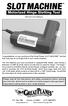 INSTRUCTION MANUAL Congratulations on your purchase of the Great Planes SLOT MACHINE, the first truly easy way to cut hinge slots in your model airplanes. The Slot Machine you have purchased is equipped
IMPORTANT SAFETY NOTICE
 IMPORTANT SAFETY NOTICE To: Our Valued Customers User safety is a major focus in the design of our products. Following the precautions outlined in this manual will minimize your risk of injury. ITT Goulds
SECTION 2B WHEEL ALIGNMENT TABLE OF CONTENTS
 SECTION 2B WHEEL ALIGNMENT TABLE OF CONTENTS Description and Operation... 2B2 Four Wheel Alignment... 2B2 Toein... 2B2 Caster... 2B2 Camber... 2B2 Diagnostic Information and Procedures... 2B3 Tire Diagnosis...
GOODYEAR EAGLE NCT5 GOODYEAR EAGLE RS-A EXTENDED MOBILITY TIRES. OWNER S MANUAL And LIMITED WARRANTY
 GOODYEAR EAGLE NCT5 GOODYEAR EAGLE RS-A EXTENDED MOBILITY TIRES Original Equipment Tires OWNER S MANUAL And LIMITED WARRANTY THE GOODYEAR TIRE & RUBBER COMPANY 1144 E. MARKET ST. AKRON, OHIO 44316 Goodyear
USER MANUAL. Bottom Loading Bottled Water Dispenser SAVE THIS MANUAL FOR FUTURE USE. Model # 900172
 Model # 900172: Page 1 USER MANUAL Bottom Loading Bottled Water Dispenser Model # 900172 TO REDUCE THE RISK OF INJURY AND PROPERTY DAMAGE, USER MUST READ THIS MANUAL BEFORE ASSEMBLING, INSTALLING & OPERATING
BRAKE DRUM AND ROTOR SERVICE INFORMATION
 SERVICE INFORMATION To achieve maximum drum life and optimum performance, proper brake maintenance and brake balance are essential. Consult your truck or trailer manufacturer s maintenance manual for proper
Owners & Installation Manual for the Sheridan, Mountainair, Pine Valley and Old Forge Ceiling Fan Family
 Owners & Installation Manual for the Sheridan, Mountainair, Pine Valley and Old Forge Ceiling Fan Family Part of the Kiva Lighting Family Custom Lighting and Fans Since 1992 1312 12th St NW Albuquerque,
Cylinder Leak- Down Tester
 Cylinder Leak- Down Tester Item 94190 INSTRUCTIONS AND PRECAUTIONS Visit our website at: http://www.harborfreight.com When unpacking, make sure that the product is intact and undamaged. If any parts are
ARVINMERITOR UNITIZED FRONT WHEEL HUB INSPECTION AND MAINTENANCE
 SERVICE BULLETIN (Also applies to Mack Trucks Australia) NUMBER: SB-423-002 DATE: 8/23/02 MODEL: All with FF981 Front Axle ARVINMERITOR UNITIZED FRONT WHEEL HUB INSPECTION AND MAINTENANCE The ArvinMeritor
D I G I T A L C L A M
 T h e M A X X P r e s s D I G I T A L C L A M O P E R A T O R S M A N U A L 6 x0 x5 5 x5 Folie & Papper Sweden AB Box 90 00 9 Göteborg Telefon 03-9 00 80 Fax 03-9 00 89 www.foliepapper.se Safety Instructions
OAK WORKBENCH WITH 2 DRAWERS
 OAK WORKBENCH WITH 2 DRAWERS Model 93991 ASSEMBLY Instructions Visit our website at: http://www.harborfreight.com Read this material before using this product. Failure to do so can result in serious injury.
Survival Laser SL-001BB Laser Parts Bundle Assembly & Operation Instructions
 Survival Laser SL-001BB Laser Parts Bundle Assembly & Operation Instructions WARNING: READ ALL INSTRUCTIONS AND THE ENCLOSED SAFETY PRECAUTIONS BEFORE ASSEMBLY AND USE Assemble and use these parts ONLY
MODEL E-AF. Drain Cleaning Machine. Operator s Manual
 MODEL E-AF Drain Cleaning Machine Operator s Manual!!!! FOR YOUR SAFETY Before you operate or maintenance this equipment, READ this manual carefully and completely! Purchase Date: Serial Number: ELECTRIC
OPERATORS MANUAL MG22 MEAT GRINDER MG22/0209 ED 1 0011220
 OPERATORS MANUAL MG22 MEAT GRINDER MG22/0209 ED 1 0011220 TO INSURE BOTH SAFE AND TROUBLE-FREE PERFORMANCE, WE STRESS THAT ALL PERSONNEL THAT WILL BE INVOLVED WITH YOUR NEW UNIVEX MEAT GRINDER MUST READ
Hand Held Metal Detector
 Hand Held Metal Detector Model 97245 Set up And Operating Instructions Diagrams within this manual may not be drawn proportionally. Due to continuing improvements, actual product may differ slightly from
Rear wheel brakes, servicing. Стр. 1 из 45. Note:
 Volkswagen Touareg - Rear wheel brakes, servicing Стр. 1 из 45 46-2 Rear wheel brakes, servicing Rear brakes, FN 44 brake caliper, servicing Note: After replacing brake pads, depress brake pedal firmly
3 WATT LED SPOTLIGHT Model No. SLM - 3801
 3 WATT LED SPOTLIGHT Model No. SLM - 3801 OWNER'S MANUAL Customer Service Tel: 1-800-268-3319 Superex Canada Ltd, Toronto,M2H 3B8 Made in China Table of Contents A). Important Safety Instructions B). Charging
MODEL T-4 TRENCHER. Operators Manual
 DO NOT THROW AWAY IMPORTANT MANUAL MODEL TRENCHER Operators Manual P.O.BOX 290 San Bernardino, CA. 92402 Phone (909) 478-5700 (800) 922-4680 Fax (909) 478-5710 E-mail: [email protected] www.groundhoginc.com