
COMPLETE REFERENCE GUIDE
|
|
|
- Pierce Conley
- 10 years ago
- Views:
Transcription
1 COMPLETE REERENCE GUIDE U.S. Patent No. 7,321,811 and other patents pending 2009 Tempur-Pedic Management, Inc Jaggie ox Way, Lexington, KY All Rights Reserved. TPNA-CRG-TAES-0509

2 20-YEAR LIMITED WARRANTY TEMPUR-PEDIC NORTH AMERICA, INC. ( TEMPUR-PEDIC ) GUARANTEES THAT WE WILL, AT TEMPUR-PEDIC S OPTION, REPLACE OR REPAIR PURCHASER S TEMPUR ADVANCED ERGO SYSTEM I IT IS DEECTIVE DUE TO AULTY WORKMANSHIP OR MATERIALS, SUBJECT TO THE LIMITATIONS DESCRIBED IN THIS WARRANTY. YEAR 1 - ULL COVERAGE O PARTS AND LABOR Your TEMPUR Advanced Ergo System is warranted against defects in the workmanship or materials for a period of one (1) year from the warranty commencement date. Electronics, electrical components, drive motors and massage motors are included. Upon notice during the first year from the warranty commencement date, Tempur-Pedic will send replacement parts (at no cost to the purchaser) for any defective part to the purchaser, and Tempur-Pedic will pay all authorized labor and transportation costs associated with the repair or replacement of any parts Tempur-Pedic determines to be defective. This one (1) year warranty shall not apply if purchaser does not return any and all defective parts to Tempur-Pedic within 15 days of purchaser s receipt of replacement part. YEARS 2 AND 3 ULL COVERAGE O PARTS ONLY Upon notice during the years two and three (2-3) from the warranty commencement date, Tempur-Pedic will offer replacement parts for any defective part to the purchaser. Electronics, electrical components, drive motors and massage motors are included. This two (2) year warranty shall not apply if purchaser does not return any and all defective parts to Tempur-Pedic within 15 days of purchaser s receipt of replacement part. Purchaser shall bear all service, transportation, labor, and shipping costs related to the delivery and/or replacement of the defective part. YEARS 4 THROUGH 20 PRORATED COVERAGE O PARTS ONLY Upon notice during the fourth through the twentieth (4 20) years from the warranty commencement date, Tempur-Pedic will offer replacement parts (upon terms and conditions set forth in this paragraph) for any mechanical bed part found to be defective. Electronics, electrical components, drive motors and massage motors are excluded. Purchaser shall pay 1/17th of the then current replacement cost of the defective part multiplied by the number of years after three (3) years from the warranty commencement date, and Tempur-Pedic shall bear the remainder of the cost of the replacement part. This seventeen (17) year warranty shall not apply if purchaser does not return any and all defective parts to Tempur-Pedic within 15 days of purchaser s receipt of replacement part. Purchaser shall bear all service, transportation, labor, and shipping costs related to the delivery and/ or replacement of the defective part. After the 20th year, purchaser shall bear the entire cost of repair and replacement of all parts and materials, including labor and transportation. ADDITIONAL TERMS AND CONDITIONS This warranty does not apply; (a) to any damage caused by the purchaser; (b) if there has been any unauthorized repair or replacement of the unit s parts; (c) if the unit has been mishandled (whether in transit or by other means), subjected to physical or electrical abuse or misuse, or otherwise operated in any way inconsistent with the operation and maintenance procedures outlined in the Complete Reference Guide, this warranty, and any other applicable document published or approved by Tempur-Pedic; (d) to damage to mattresses, fabric, cables, electrical cords or items supplied by Resellers. Contact the Reseller or relevant party for warranty information on these items.; (e) if there has been any unnecessary service calls, including costs for in-home service calls solely for the purpose of educating the consumer about the unit for finding an unsatisfactory power connection; (g) if the recommended weight restrictions are not followed (Twin, Twin Long, Split/Dual Queen, Split/Dual CA King 300 lbs.; Double, Double Long 375 lbs.; Queen 425 lbs.), the warranty will be void. Repairs to or replacement of the TEMPUR Advanced Ergo System or its components under the terms of this limited warranty will apply to the original warranty period and will not serve to extend such period. The decision to repair or to replace defective parts under this warranty shall be made, or case to be made, by Tempur-Pedic at its option and in its sole discretion. REPAIR OR REPLACEMENT SHALL BE THE SOLE REMEDY O THE PURCHASER. THERE SHALL BE NO LIABILITY ON THE PART O TEMPUR-PEDIC OR ANY SPECIAL, INDIRECT, INCIDENTAL, OR CONSEQUENTIAL DAMAGES OR OR ANY OTHER DAMAGE, CLAIM, OR LOSS NOT EXPRESSLY COVERED BY THE TERMS O THIS WARRANTY. THIS LIMITED WARRANTY DOES NOT INCLUDE REIMBURSEMENT OR INCONVENIENCE, REMOVAL, INSTALLATION, SETUP TIME, LOSS O USE, SHIPPING, OR ANY OTHER COSTS OR EXPENSES. TEMPUR-PEDIC MAKES NO OTHER WARRANTY WHATSOEVER, EXPRESS OR IMPLIED, AND ALL IMPLIED WARRANTIES O MERCHANTABILITY AND ITNESS OR A PARTICULAR PURPOSE ARE DISCLAIMED BY TEMPUR-PEDIC AND EXCLUDED ROM THIS AGREEMENT. Some states do not allow the exclusion or limitation of incidental or consequential damages, so the above limitation or exclusion may not apply to every purchaser. This warranty gives the purchaser specific legal rights, and the purchaser may also have other rights, which may vary from state to state. This warranty is valid in all 50 states, Puerto Rico, and Canada. This warranty is valid only for the original purchaser of the product. An original purchaser is one who purchases the product directly from Tempur-Pedic North America, Inc. or an authorized Reseller of Tempur-Pedic North America, Inc. If you are not the original purchaser of this product, you take it as is and with all faults. If you did not purchase this TEMPUR Advanced Ergo System directly from Tempur-Pedic North America, Inc., we will require proof of purchase from you demonstrating that you are the original purchaser and eligible to make a valid claim under this warranty. This warranty begins on the warranty commencement date which is the date of purchase for new unused units, and the date of manufacture for units that have been used as floor or display models. Thus, on a floor model unit, the warranty is a portion of the limited 20-year warranty. If original proof of purchase is not provided by purchaser, Tempur-Pedic reserves the right to determine if the unit is not covered by this warranty or to use the manufacturing date as the warranty commencement date. This limited warranty gives you specific legal rights. You may also have other rights that vary from state to state. SERIAL NUMBER: Table of Contents SAETY PRECAUTIONS... 4 COMMONLY ASKED QUESTIONS AND ANSWERS... 8 SPECIICATIONS... 9 INSTALLATION OPERATION WIRELESS REMOTE CONTROL PROGRAMMING WIRELESS REMOTE CONTROL EATURES OPERATING INSTRUCTIONS TROUBLESHOOTING If you experience any trouble with your TEMPUR Advanced Ergo System during the warranty period, please consult the troubleshooting section of your Reference Guide. If problems persist after following these instructions, please call: PLEASE RETAIN THIS WARRANTY AND YOUR ORIGINAL PROO O PURCHASE OR AT LEAST 20 YEARS ROM THE DATE O PURCHASE. 2 3

3 Safety Precautions SAETY PRECAUTIONS WARRANTY PRECAUTION! This product is for use on a nominal 120-volt circuit, and Do not open control box, motors or wireless remote has a grounding plug that looks like the plug illustrated control (with the exception of the battery compartments). WARNING! IMPORTANT SAETY INSTRUCTIONS. PLEASE READ THESE INSTRUCTIONS THOROUGHLY BEORE USING THIS PRODUCT. UÊ Keep the cord away from heated surfaces. in sketch A (see igure). A temporary adapter that looks The warranty is void if these units are tampered with. UÊ Never operate the furnishing with the air openings blocked. like the adapter illustrated in sketches B and C able to Any repair or replacement of Ergo System parts must be be used to connect this plug to a 2-pole receptacle as performed by an authorized person. SAVE THESE INSTRUCTIONS! foot support (or other similar parts). Your TEMPUR Advanced Ergo System has been designed to provide you with the reliable operation and durability you expect. This product has been inspected and Keep the air openings free of lint, hair and the like. UÊ Never drop or insert any object into any opening. shown in sketch B if a properly grounded outlet is not UÊ Do not use outdoors. available. The temporary adapter should be used only until UÊ Do not operate where aerosol (spray) products are a properly grounded outlet (sketch A) can be installed by being used or where oxygen is being administered. UÊ To disconnect, turn all controls to the off position, then remove plug from outlet. WARNING: When using an electrical furnishing, basic precautions should always be followed, including the following: READ ALL INSTRUCTIONS BEORE USING YOUR TEMPUR ADVANCED ERGO SYSTEM DANGER: To reduce the risk of electric shock UÊ Always unplug this furnishing from the electrical outlet before cleaning. To reduce the risk of burns, fire, electric shock, or injury to persons: UÊ Unplug from outlet before putting on or taking off parts. UÊ Close supervision is necessary when this furnishing is used by, or near children, invalids, or disabled persons. UÊ Use this furnishing only for its intended use as described in these instructions. Do not use attachments not recommended by the manufacturer. dropped or damage, or dropped into the water. Return the furnishing to a service center for examination and repair. a permanent ground such as a properly grounded outlet box cover. Whenever the adapter is used, it must be held Your Ergo System is strictly designed for in-home use only. It is NOT designed for hospital use and is NOT designed to meet hospital standards. DO NOT USE this bed with TENT TYPE oxygen therapy equipment or near explosive gases. WARNING: in place by a metal screw. DO NOT USE NEAR PEOPLE USING OR WEARING rating more than 120 volts and is factory equipped with MEDICAL DEVICES. OR HOUSEHOLD / RESIDENTIAL USE a specific electric cord and plug to permit connection to ONLY. DO NOT USE OUTDOORS. Risk of electric shock Connect this furnishing to a a proper electric circuit. Make sure that the product is This product conforms to UL STD 962 properly grounded outlet only. See Grounding instructions. connected to an outlet having the same configuration as WARNING! GROUNDING INSTRUCTIONS This product must be grounded. If it should malfunction or breakdown, grounding provides a path of least resistance for electric current to reduce the risk of electric the plug. No adapter should be used with this product. If the product must be reconnected for use on a different type of electric circuit, the reconnection should be made by qualified service personnel. shock. This product is equipped with a cord having an Unauthorized modifications could void the electrical equipment-grounding conductor and a grounding plug. portion of your warranty. ailure to use a properly The plug must be plugged into an appropriate outlet that grounded outlet for this product or modification of the is properly installed and grounded in accordance with all plug will compromise this important grounding safety local codes and ordinances. feature and may result in electrical shock, electrical fire, or faulty operation of the product. Improper connection of the equipment-grounding conductor can result in a risk of electric shock. Check with a qualified electrician or serviceman if you are In doubt as to whether the product is properly grounded. Do not modify the plug provided with the product if it will not fit the outlet, have a proper outlet installed by a qualified electrician. UÊ Never operate this furnishing if it has a damaged cord or plug, if it is not working properly, if it has been the like extending from the adapter must be connected to IN-HOME USE AND HOSPITAL DISCLAIMER This product is for use on a circuit having a nominal DANGER WARNING: a qualified electrician. The green colored rigid ear, lug, or Risk of Injury Keep children away from extended tested prior to shipment. OR BEST RESULTS, YOUR ERGO SYSTEM SHOULD BE PLUGGED INTO A SURGE PROTECTOR (not included). SAVE THESE INSTRUCTIONS! 4 GROUNDING SAETY 5

4 Safety Precautions IMPORTANT SAETY EATURES The input transformer voltage is AC120V (1 Amp) 60HZ, Use this furnishing only for its intended use as described and the output voltage is DC24V (3 Amp). When there is in these instructions. Do not use attachments not a short-circuit, a fuse on the transformer will be blown in recommended by the manufacturer. order to protect the electrical equipment (use: 1A~1.5A.). This device complies with part 15 of the CC Should the above situation occur, the customer should Rules. Operation is subject to the following seek professional assistance by calling a licensed electrician two conditions: (1) This device may not cause or by contacting customer service at harmful interference, and (2) this device must or foot mechanism, the control unit will automatically stop all functions. Once the excess weight is removed, the control unit will automatically allow all functions to resume operation after 30 seconds. SMALL CHILDREN AND PETS WARNING To comply with the CC R exposure compliance locking casters. In order to prevent the movement of this dispose of packaging as it can smother small children product, all six casters should be in the locked position. and pets. To avoid injury, children and pets should not This can be accomplished by pushing down the locking be allowed to play on or under the bed. Children should latch on the caster. To resume mobility of the product, lift not operate this product without adult supervision. Close the locking latch up. You are strongly encouraged to place supervision is necessary when this furnishing is used by, or rubber caster cups or carpet squares under the casters near children, invalids, or disabled persons. PRODUCT RATINGS in addition to locking them in place if the product is SAVE THESE INSTRUCTIONS! The lift motors in your Ergo System are NOT designed for positioned on a hard surface floor such as hardwood, tile or linoleum. Although the casters are locked and will not Your Ergo System has been designed to provide will be attained as long as the lift motors do not operate you with the reliable operation and durability you more than two (2) minutes over a eighteen (18) minute expect. This product has been inspected and tested period, or approximately 10% duty cycle. Any attempt prior to shipment. to circumvent or exceed this rating will shorten the life As with any product that produces a vibrating motion (optional), it is possible that some pacemakers may interpret this motion as a false sense of movement and/or exercise. This may or may not affect your pacemaker. If you have any concerns, please consult your physician. or information on disabling the vibrating motors, please contact customer service by calling requirements, no change to the antenna or the device is permitted. Any change to the antenna or the device could result in the device exceeding the R exposure requirements and void user s authority to operate the device. continuous use. Reliable operation and full life expectancy expectancy of this product and may void the warranty. The recommended weight restrictions on our Ergo Systems are as follows: Twin, Twin Long, Split/Dual Queen, Split/ Dual CA King 300 lbs.; Double, Double Long 375 lbs.; Queen 425 lbs. This Ergo System will structurally support the recommended weight distributed evenly across the head and foot sections. This product is not designed to USER-SERVICEABLE PARTS support or lift this amount of weight in the head or foot This product is specifically designed to have no sections alone. maintenance by you, the user. Therefore, you are encouraged not to open any motors, alter the wiring, or adjust, modify or change the structure of the product, as it will void the warranty. POWER RATINGS: MODEL NO: SY-66D INPUT: AC 100V/110V - 50/60HZ, 1AMP OUTPUT: DC 24V-3A USE: 1A 250V (MAX 1.5A) frame should be positioned close to a wall. interference that may cause undesired operation. After your Ergo System has been unboxed, immediately CONSUMERS WITH PACEMAKERS the head board bracket and/or the head of the accept any interference received, including or your safety, this Ergo System is equipped with special roll, they may slide. INTENDED USAGE The electric adjustable bed should be installed with CC COMPLIANCE If there is an overload weight condition on the head 6 RADIO REQUENCY IS MHZ. NOTE: Exceeding the recommended weight restrictions could damage your Ergo System and void your warranty. or best performance, you should enter and exit the Ergo System while it is in the flat or fully lowered position. 7

5 Q&A / Specifications Bed Type Commonly asked Questions and Answers WHAT IS THE HEIGHT O THE ERGO SYSTEM BASE? With standard legs and casters installed, the overall height is approximately 15 3/4 floor to the bottom of the mattress. The distance between the floor and the bottom edge of the base, with standard legs and casters installed, is approximately 7 5/8. See chart on page 9 for other options. WHY CAN T I READJUST THE ERGO SYSTEM BASE IMMEDIATELY ATER I USE THE LAT BUTTON TO RETURN IT TO THE LAT POSITION? All functions are temporarily disabled for approximately 20 seconds to allow the Ergo System base to complete the LAT cycle and reset. The LAT cycle can be interrupted at any time by selecting the HEAD or OOT up or down keys. IS IT POSSIBLE TO RAISE THE HEIGHT O THE ERGO SYSTEM BASE? Yes, you can add up to 4 to the overall height of the Ergo System by ordering the riser leg set. These include 6 replacement legs with casters, and come with either an overall height of approximately 8 or 10. Please note that the riser leg set replaces the standard leg set that comes with the Ergo System. They are not used together. DOES THE ERGO SYSTEM BASE COME WITH OOTBOARD ATTACHMENTS? No, you cannot attach a footboard directly to the Ergo System base. However, you can use a freestanding bed including headboard, footboard and side rails by placing the complete Ergo System within the assembled bed. It may be easiest to assemble the bed around the Ergo System. You should measure the inside dimensions of the assembled bed to be sure the Ergo System will fit. One of our riser leg sets may be required in some cases. WILL THE ERGO SYSTEM IT INSIDE EXISTING URNITURE? The Ergo System is designed to fit into most freestanding beds. We always recommend you measure the inside dimensions of the assembled bed to be sure the Ergo System will fit. Please refer to the specifications on page 9 for exact dimensions of the base. One of our riser leg sets may be required in some cases. WHERE IS THE SERIAL NUMBER ON THE ERGO SYSTEM BASE? The serial number can be found on the law tag attached to the cover, the power down box under the base and on the frame right below the foot end of the Specifications base. It may be easier to see by lifting the foot slightly if possible. The serial number is also located on the Complete Reference Guide (owner s manual) shipped with the base. WHAT IS THE LIT CAPACITY O THE ERGO SYSTEM? Please see the chart below for Tempur-Pedic s recommended and approved total people weight limits per the available mattress and Ergo Base combinations. Single Base Dual Bases AdvantageBed ClassicBed DeluxeBed Bellaina Bed RhapsodyBed CelebrityBed 400 lbs. 400 lbs lbs. AlluraBed 400 lbs. 400 lbs lbs. OriginalBed BellaSonna Bed Not Available Not Available GrandBed Not Available Not Available 8 Weight Twin 33 1/2 37 1/2 74 1/4 168 lbs. 33 1/2 37 1/ lbs. Double 48 3/4 53 1/ lbs. Double Long 48 3/4 53 1/ lbs. Queen 48 3/4 58 1/ lbs. Split Queen 26 1/4 29 1/ lbs. Split CA King 33 1/2 35 3/4 82 3/4 159 lbs / /8 A 61 C B 7 3/4 15 3/8 27 3/ /16 IS AN EXTENDED WARRANTY AVAILABLE? No. 54 3/8 Measurements are approximate and based on standard leg with caster. DO I GET A ULL WARRANTY I I PURCHASE A LOOR MODEL? Yes. However, your warranty start date is the date of manufacture which is clearly marked on the law tag attached to the base (not your actual purchase date). No Leg (rest on frame) WHAT ARE THE ELECTRICAL REQUIREMENTS O THE ERGO SYSTEM BASE? During normal operation, the base will typically draw 1.0 Amp of electricity from a normal AC wall outlet. The power supply has a 1.5 Amp fuse installed to prevent damage to the unit should a power surge occur. It is highly recommended that the customer use a power surge protector (not included with the base). C. Base Length 39 3/8 WHO DO I CALL OR SERVICE OR SUPPORT I NEEDED? Service and technical support is available by calling our dedicated customer service group at An owner s manual is included with each base including other information for making claims. DOES THE UNIT HAVE AC OR DC MOTORS? The lift motors used on the Ergo System base are DC motors. The base s power supply converts the AC power from the wall outlet to DC power. B. Base Width Twin Long Total People Weight Product A. rame width Caster Only Standard Leg Standard Leg 8 Riser Leg 8 Riser Leg (without caster) (without caster) (with caster) (with caster) E D E E D E D E E (with caster) (without caster) 10 Riser Leg 10 Riser Leg E D D E D D D) To rame 0 2 1/2 4 1/8 6 5/8 6 1/8 8 3/4 7 1/2 10 1/2 E) To Base 1 3 1/2 5 1/8 7 5/8 7 1/8 9 3/4 8 1/2 11 1/2 ) To Mattress 8 3/4 11 1/4 12 7/8 15 3/8 14 7/8 17 1/2 16 1/4 19 1/4 9

6 Installation Installation Instructions STEP 1 STEP 3 Carefully lift your Ergo System out of the shipping Remove and extend the power cord from the frame. carton, keeping the unit top side down. or safety reasons, this should be performed by 2 people. STEP 2 Attach Ergo System Legs: Open the accessories box, take out the 6 legs, and thread them in a clockwise direction into the pre-threaded holes in the frame. WARNING! POWER CORDS MUST NOT INTERERE WITH ANY ERGO SYSTEM MECHANISMS. STEP 4 Remove and extend Power Down Box from frame. Install 9-Volt Batteries. A. Before discarding any packing materials, check your TEMPUR Advanced Ergo System carton and verify the following items in the parts list are included: *Attached to base for shipping PARTS LIST A. Wireless Remote Control (1) and B.* C. D. our (4) AAA Batteries frame. Do NOT over tighten. Make sure the legs are screwed completely into the frame. Legs that B. Mattress Retainer Bar (1)* C. Bed Leg with Caster (6) are not securely attached may become unsafe. E..* G. D. Inner Headboard Bracket (2) NOTE: Your Ergo System is equipped with. Retainer Bar Bolt (4)* H.* I. J. special locking casters. In order to prevent the movement of this product, all six casters should be in the locked position. You are strongly H. Retainer Bar Plate (2)* STEP 5 Carefully flip the Ergo System over to the topside up position and remove the plastic packaging from the product. encouraged to place rubber caster cups or I. 5/16 Inch Washer (12) J. 5/16 Inch Locking Nut (6) DO NOT unscrew a leg to compensate for an uneven floor. E. Outer Headboard Bracket (2) G. Bracket Bolt (6) NOTE: Hand tighten the legs securely to the carpet squares (not provided) K. L. M. under the casters in addition to locking them in place. K. Allen Wrench (1) Although the casters lock and L. Wrench (1) will not roll, they may slide. M. 9-Volt Batteries (2) 10 11

7 Installation STEP 6 remove the Retainer Bar Plates (H) and Mattress Plug the power cord into a grounded electrical outlet. Retainer Bar. Keep all parts for final installation. HEADBOARD INSTALLATION NOTE: An electrical surge protection unit is NOTE: This step is only needed if using a headboard Place the Bracket Bolt (G) with a 5/16 inch washer (I) recommended (not included). ONLY. Not headboard, footboard and side rails. through the predrilled hole in the C-channel frame NOTE: ailure to follow the proper headboard and pass it through the Inner Headboard Bracket. STEP 7 bracket installation instructions may result in Install the batteries in your wireless remote control damage to your Ergo System. (if not already installed). Briefly activate all functions on the wireless remote control to verify that all of the features are operational. If your Ergo System does NOT operate, please refer to the Troubleshooting section beginning on page 14 of this manual. STEP 10 Install the Mattress Retainer Bar (B): Using the Retainer Bar Bolts (), Retainer Bar Plates (H) and the Allen Wrench (K), fasten the Mattress Retainer Bar upright to the foot of the Ergo System frame. WARNING: The bottom of the headboard cross member must be positioned so that there is no more than 3 inches between the bottom of the headboard and the top of the mattress. ailure to follow this instruction could result in serious injury or death to a person or pet caught between the mattress and the headboard. Adding the 5/16 inch washer (I) and 5/16 inch nut (J), hand tighten the bolt in place using the supplied wrenches (K and L). STEP 1 Assemble the Headboard Bracket: STEP 1A Use the wireless remote to raise the head of the bed in order to gain access to the Ergo System frame. STEP 8 Return your Ergo System to the flat position by NOTE: Use ONLY a manual Allen Wrench to pressing and holding the lat button until the red LED install the Retainer Bar Bolts. DO NOT use a Signature Light illuminates and the Ergo System base power tool to tighten the bolts. DO NOT over begins to move. tighten the mattress retainer hardware! Repeat for the other side of the frame. STEP 1C Place the open side of the Outer Headboard Bracket (E) onto the exposed square tube of the Inner Headboard Bracket (D). This will create a tight fit NOTE: If the Ergo System is to be set up without between (D) and (E). a headboard, simply place your Tempur-Pedic STEP 1B mattress onto the frame. Installation is now Place the Inner Headboard Bracket (D) into the complete. If a headboard is to be installed, C-channel frame, making sure the bracket opening and proceed to the next page. the C-channel opening are facing each other. This will create a box shape. This step does not require you to NOTE: If the Ergo System is to be used with a loosen or remove any bolts on the delivered bed frame. complete headboard, footboard and side rail STEP 9 Detach the Mattress Retainer Bar (B): combination, assemble the furniture around the or shipping purposes the Mattress Retainer Bar Ergo System base. DO NOT attach the furniture comes installed upside down. Using the Allen to the Ergo System base. DO NOT use slats. Wrench (K) loosen the Retainer Bar Bolts () and 12 13

8 Operation Place Bracket Bolts (G) with a 5/16 inch washer (I) STEP 2B through the Outer Headboard Bracket (E) and into Measure the center-to-center distance of the the Inner Headboard Bracket (D). Use 5/16 inch mounting holes in the Headboard Bracket Assemblies. washers (I) and 5/16 inch nuts (J) and hand tighten to Wireless Remote Control Programming ONE WIRELESS REMOTE CONTROL AND ONE ERGO SYSTEM STEP 2C allow for adjustment. If the Headboard Brackets require adjustment, loosen NOTE: Only replacement wireless remote the bolts that are holding the Outer Headboard controls require user programming. You can Brackets and move them so that the mounting holes program up to two remotes per base. STEP 4 Lightly press the learn button for three (3) seconds. on the Outer Headboard Bracket align with the mounting holes on your headboard. Reinstall the bolts on the Outer Headboard Bracket and firmly tighten. STEP 1 Place four AAA batteries into the Wireless Remote Control. STEP 2D STEP 5 Place your headboard bolts through the mounting holes on both the Outer Headboard Bracket and your When the Green LED light illuminates, the R headboard. irmly tighten. frequency code setting function will be activated. Note: The LED light is located on the side of the plastic housing and is only visible when lit. If a new STEP 3 signal is not received, it will reset itself to normal Place your Tempur-Pedic mattress on top of your Ergo Repeat on the other side. System Base. mode in 10 seconds. STEP 2 Ensure the Ergo System base is plugged into a STEP 1D functioning outlet. Ensure the Headboard Bracket is assembled with a Press any button on the wireless remote control. The distance of 1.5 (38.1 mm) to 2 inches (50.8 mm) Green LED light will blink once it receives a remote STEP 3 between the edge of the Ergo System and the headboard bracket assemblies. Locate the Emergency Power Down Box under the signal. Note: the bed will not respond for 10 seconds Ergo System base and install two (2) new 9-volt during the remote learn process. batteries. STEP 7 WARNING: Verify the space between the When the Green LED light on the Emergency Power headboard cross member and the top of the Down Box turns off, you have completed the learning mattress is no more than 3 inches. process of the R frequency code. NOTE: The remote programming procedure Your TEMPUR Advanced Ergo System installation is now may also be performed using the learn complete. Refer to the Wireless Remote Control Guide STEP 2 Attach your headboard to the Headboard Brackets following the steps below: STEP 6 button on the PLC. on the following pages or the supplied Quick Reference Guide for additional usage instructions. STEP 2A ONE WIRELESS REMOTE CONTROL AND TWO ERGO SYSTEMS STEP 1 STEP 2 Measure the center-to-center distance of the On your first Ergo System, follow the directions for one Once you have completed the programming of your first mounting holes in your headboard. (1) wireless remote control and one (1) Ergo System. Ergo System, repeat the same directions for the second Ergo System using the same wireless remote control

9 Operation Wireless Remote Control eatures Operating Instructions READ ADVISORY INORMATION IN THE SAETY PRECAUTIONS SECTION O THIS GUIDE CAREULLY BEORE USING THIS PRODUCT. THE POTENTIAL OR ELECTRIC SHOCK EXISTS I ELECTRICAL COMPONENTS ARE NOT INSTALLED OR OPERATED PROPERLY. HEAD AND OOT ADJUSTMENTS (A, B) MASSAGE STOP (G) UÊ ` ÕÃÌÃÊÌ iê i>`ê> `Ê ÌÊÃiVÌ ÃÊÌ ÊÌ iê`iã Ài`Ê UÊ *ÀiÃÃÊ> `Ê `Ê-/"*ÊLÕÌÌ ÊÕ Ì ÊÌ iêài`ê Ê- } >ÌÕÀiÊ } ÌÊ positions. Press until the red LED Signature Light illuminates and the Massage feature stops. The Massage illuminates and desired position is achieved. feature is designed to automatically shut off after 30 minutes LED SIGNATURE LIGHT BED LAT BUTTON (C) of continuous use. The unit will reset after 5 minutes, and UÊ / Ê iûi ÊÌ iê À} Ê-ÞÃÌi ÊÌ ÊÌ iê >ÌÊ«Ã Ì ]Ê the Massage feature will again be available for use. press until the red LED Signature Light illuminates. A. RAISE (+) / LOWER (-) HEAD SECTION O THE BASE B. RAISE (+) / LOWER (-) OOT SECTION O THE BASE C. RETURN ALL SECTIONS TO THE LAT POSITION NOTE: The LAT cycle can be interrupted and cancelled by pressing the head or foot adjustment buttons (A or B). If the LAT command is not interrupted, all functions are temporarily disabled for approximately 30 seconds to allow the Ergo System to reset after the LAT cycle has been completed. UÊÊ 9 ÕÀÊ/ *1, Advanced Ergo System can store up to four (4) Memory positions. UÊ / Ê-iÌÊ>Ê i ÀÞÊ* Ã Ì \ÊÊ7 i Ê Ê`ià Ài`Ê«Ã Ì ]Ê. INCREASE (+) / REDUCE (-) MASSAGE INTENSITY ON OOT SECTION O THE BASE button to initiate the Wave Massage feature. Each button represents the amount of time the massage spends in each section (head or foot) before switching. If the Wave massage by pressing the STOP button (G), and then press the desired Wave Speed; otherwise the Wave Massage feature will not start. Light flashes 3 times to signal Memory position is stored. the LAT button (C) is pressed, the massage Signature Light illuminates.* Do not hold for more than five (5) seconds, otherwise a new Memory position could be set. If the LED Signature Light begins to flash, you are reprogramming the Memory position. HEAD AND OOT MASSAGE ADJUSTMENTS (E, ) UÊ /ÕÀ ÃÊ ÊÌ iê i>`ê> `Ê ÌÊ >ÃÃ>}iÊÕ ÌÃÊ H. SELECT 1 O 4 MASSAGE WAVE SPEEDS UÊ vêì iê >ÃÃ>}iÊvi>ÌÕÀiÊ ÃÊ vv]ê«àiããê> ÞÊ7>ÛiÊ-«ii`Ê NOTE: If the massage motors are operating and corresponding Memory button until the red LED G. STOP ALL MASSAGE EATURES WAVE MASSAGE SPEED ADJUSTMENTS (H) press and hold Memory button until the LED Signature UÊ / Ê,iV> Ê>Ê i ÀÞÊ* Ã Ì \ÊÊ*ÀiÃÃÊ> `Ê `ÊÌ iê E. INCREASE (+) / REDUCE (-) MASSAGE INTENSITY ON HEAD SECTION O THE BASE switching between wave speeds/types. Massage feature is already on, you must first stop the MEMORY BUTTONS (D) D. PROGRAM UP TO 4 MEMORY POSITIONS UÊ 9 ÕÊ 1-/ÊÃÌ «Ê >ÃÃ>}iÊ Ì ÀÃÊi>V ÊÌ iêliv ÀiÊ (starting at intensity 5 of 10). UÊ - Ü ÞÊ VÀi>ÃiÃÊ ÀÊ`iVÀi>ÃiÃÊ >ÃÃ>}iÊ Ìi à ÌÞ Ê To increase Massage Intensity, press the (+) button. To decrease Massage Intensity, press the (-) button. motors will stop operating during the lowering of the Ergo System. To then resume massage operation, press the Head and/or oot Massage Adjustments (E, ) or select a Wave Speed. ADDITIONAL WIRELESS REMOTE CONTROL EATURES UÊ / Ê> `Ê ÊÌ iêû à L ÌÞÊ vêì iê7 Ài iããê,i ÌiÊV ÌÀ Ê Ê ÜÊ light environments, the buttons are backlit and will light up when a button is pressed. UÊ 9 ÕÊ>ÀiÊ>L iêì ÊV ÌÀ ÊÞ ÕÀÊ À} Ê-ÞÃÌi ÊÜ Ì ÊÌ iê7 Ài iããê Remote control without pointing the Wireless Remote control directly at the receiver (best transmission range is within 9 feet or 3 meters). NOTE: An unintentional touch to any button that does not illuminate the red LED Signature Light on the wireless remote control will cause the keys to light up without performing the associated function. Press the appropriate wireless remote control button until the red LED Signature Light illuminates to activate the desired function. This feature was installed to prevent any undesired movement should the wireless remote control be dropped, etc

10 Troubleshooting Troubleshooting SYMPTOM UÊ iv ÊL>ÌÌiÀ iãê Ê7 Ài iããê,i ÌiÊ ÌÀ ]ÊÀi«>ViÊ with four (4) new AAA batteries if necessary. In the event that your TEMPUR Advanced Ergo System fails to operate properly, investigate the symptoms and possible solutions provided in the chart below: SYMPTOM SOLUTION Wireless remote control LED Signature Light illuminates and appears to be operable but will not activate the Ergo System. UÊ 6iÀ vþêì >ÌÊÌ iê«üiàêv À`Ê ÃÊ«Õ}}i`Ê Ì Ê>ÊÜ À }]Ê grounded electrical outlet. A grounded, electrical surge protection device is recommended. Test the outlet by plugging in another working appliance. Head or oot lift function has minor interference during operation. UÊ *À }À> ÊÌ iêü Ài iããêài ÌiÊV ÌÀ Ê ÃiiÊÌ iê Wireless Remote Control Guide, included with this product, for programming procedures). Make certain the Power Down Box is easily accessible. Relocate the Power Down Box if necessary. UÊ 1 «Õ}ÊÌ iê«üiàêv À`]ÊÜ> ÌÊ{xÊÃiV `ÃÊ> `Ê«Õ}Ê the power cord back in to reset the electronic components. UÊ 1à }ÊÌ iêü Ài iããêài ÌiÊV ÌÀ ]Êi iû>ìiêì iê i>`ê or foot section a short distance to realign the lift/ lower mechanisms with the bed support platform. Excessive massage motor noise. UÊ ÃÕÀiÊÌ iêl>ììià iãê>àiê ÃÌ> i`êv ÀÀiVÌ Þ UÊ 6iÀ vþêì >ÌÊÌ iê i>`l >À`Ê>ÌÌ>V i ÌÊ >À`Ü>ÀiÊ ÃÊ properly tightened (if used). A clicking noise is heard under the bed when raising or lowering. UÊ / ÃÊ ÃÊ À > Ê/ iê vìê Ì ÀÊÀi >ÞÃʺV V»ÊÜ i Ê they are engaged. No action is required. Massage motor over heats or stops UÊ vêì iêû LÀ>Ì Ê Ì ÀÊ ÛiÀÊ i>ìã]êì iê thermoprotection will turn the motor off. Wait 15 minutes, turn the MASSAGE ON back on. If it does not come on, turn it off and report the situation to customer service. UÊ / iê À} Ê-ÞÃÌi Ê >ÞÊLiÊ LÃÌÀÕVÌi` Ê iû>ìiê> `Ê check for an obstruction. Remove the obstruction. Head and/or oot section will elevate but will not return to the horizontal (flat) position. UÊ / iê i>`êãivì Ê >ÞÊLiÊÌ ÊV ÃiÊÌ ÊÌ iêü> Ê UÊ / iê i>`l >À`Ê >ÞÊLiÊÌ ÊV ÃiÊÌ iêi`}iê vê the mattress. Verify that a 1.5 (38.1mm) to 2 (50.8mm) distance is between the headboard brackets and the mattress. Adjust if required. 18 UÊ 6iÀ vþêì >ÌÊÞ ÕÀÊ À} Ê-ÞÃÌi Ê ÃÊ ÌÊ«Ã Ì i`ê>}> ÃÌÊ a wall, nightstand, or other object that may cause the vibration or noise. UÊ vêì iê À} Ê-ÞÃÌi Ê ÃÊ ÃÌ> i`ê ÛiÀÊ>ÊLi`ÊvÀ> i]êûià vþê that the massage motors are not causing the bed frame (or bed frame components) to vibrate. UÊ 9 ÕÀÊÃÕÀ}iÊ«À ÌiVÌ Ê`iÛ ViÊ> `É ÀÊi ivìà V> Ê ÕÌ iìê may be defective. Test the outlet by plugging in another working appliance. UÊ,i«>ViÊÌ iêl>ììià iãê ÊÌ iê7 Ài iããê,i ÌiÊ ÌÀ Ê The unit requires four (4) AAA batteries. UÊ *ÀiÃÃÊÌ iê vìêlõìì ÃÊõÕ>Ài ÞÊEÊ>VVÕÀ>Ìi Þ UÊ vêì iêli`ê ÃÊ V>Ìi`Ê Ê >À`ÊÃÕÀv>ViÊy À }]Ê«>ViÊ carpet pieces or rubber pieces (not included) under each leg or caster of your Ergo System. UÊ 9 ÕÀÊÃÕÀ}iÊ«À ÌiVÌ Ê`iÛ ViÊ> `É ÀÊi ivìà V> ÊV ÀVÕ ÌÊ breaker may be tripped. Check both to verify. Wireless Remote Control LED Signature Light will not illuminate. UÊ > iêãõàiêì >ÌÊÞ ÕÊ>ÀiÊv Ü }ÊÌ iê`õìþêvþv iê of the motors (do not operate more than two (2) minutes over a eighteen (18) minute period, or approximately 10% duty cycle). UÊ 7 Ài iããê,i ÌiÊ ÌÀ Ê >ÞÊLiÊiÝ«iÀ i V }Ê common Radio requency Interference from other radio transmitting devices. Wait several seconds, and then try pressing appropriate button again. See CC Compliance Statement on page 5 of this guide. UÊ 6iÀ vþêì iê,i`ê Ê } ÌÊ ÊÌ iê* ÊV ÌÀ ÊL ÝÊ is lit if not the unit is not receiving power. No features of the TEMPUR Advanced Ergo System will activate. SOLUTION 19
![Signature Light illuminates and appears to be operable but will not activate the Ergo System. UÊ 6iÀ vþêì >ÌÊÌ iê«üiàêv À`Ê ÃÊ«Õ}}i`Ê Ì Ê>ÊÜ À }]Ê grounded electrical outlet.](/docs-images/41/15600626/images/page_10.jpg "A grounded, electrical surge protection device is recommended. Test the outlet by plugging in another working appliance. Head or oot lift function has minor interference during operation.")
11 Emergency Power Down Cycle NOTE: In the event that your Ergo System loses power, there is an Emergency Power Down Box. This box only functions if there is not power at the PLC Control Box. STEP 2 Press the large Red Button until the Red LED lights up on the Emergency Power Down Box. STEP 1 Place two (2) new 9-volt batteries into the Emergency Power Down Box. STEP 3 Continue to press the Red Button until the base fully lowers to the flat position. Ensure hands and arms are not in the path of moving parts. NOTE: Lowering using this method is much slower than the standard process. OR TECHNICAL SUPPORT OR SERVICE, PLEASE CHOOSE ROM THE OLLOWING NUMBERS: QUESTIONS ABOUT YOUR ERGO SYSTEM BASE: QUESTIONS ABOUT YOUR TEMPUR-PEDIC MATTRESS OR TO ORDER ERGO SYSTEM ACCESSORIES: OR VISIT 20

Complete Reference Guide
 TEMPUR Up Complete Reference Guide Patents pending 2014 Tempur-Pedic Management, LLC. All Rights Reserved. TUF-100-04 1/31/2014 TEMPUR Up Limited Warranty for TEMPUR Up TEMPUR-PEDIC NORTH AMERICA, LLC
Complete Reference Guide
 Complete Reference Guide Patents pending 2013 Tempur-Pedic Management, LLC. All Rights Reserved. 10003-PC-A144-01 Rev 2 Table of Contents Safety Precautions... 3 Commonly asked Questions and Answers...
ATS Overhead Table Shelf System INSTRUCTION MANUAL
 ATS Overhead Table Shelf System INSTRUCTION MANUAL ATS Overhead Table Shelf System Instruction Manual Warranty Newport Corporation warrants this product to be free of defects in material and workmanship
Complete Reference Guide
 TEMPUR-Ergo Premier Complete Reference Guide Patents pending 2014 Tempur-Pedic Management, LLC. All Rights Reserved. 10003-PC-A143-01 Rev 5 TEMPUR-Ergo Premier Table of Contents SAFETY PRECAUTIONS... 3
You're reading an excerpt. Click here to read official BH FITNESS T1 BASIC user guide http://yourpdfguides.com/dref/2696507
 You can read the recommendations in the user guide, the technical guide or the installation guide for BH FITNESS T1 BASIC. You'll find the answers to all your questions on the BH FITNESS T1 BASIC in the
Wireless Indoor/ Outdoor Thermometer
 Wireless Indoor/ Outdoor Thermometer Owner s Manual Please read before using this equipment. ˆ Contents FCC Information... 3 FCC Declaration of Conformity... 5 Preparation... 5 Installing Batteries...
FOR THE FOLLOWING MODELS: EE-8075W EE-8075O EE-8075R EE-8075BK
 FIREPLACE HEATER FOR THE FOLLOWING MODELS: EE-8075W EE-8075O EE-8075R EE-8075BK If you have any questions about the operation of your fireplace heater, please contact Crane Customer Care. Toll Free: 888-599-0992
This equipment has been tested and found to comply with the limits for a Class B digital device, pursuant to part 15 of the FCC Rules.
 Power Max Level 2 Charging Station en Installation and Operating Instructions This equipment has been tested and found to comply with the limits for a Class B digital device, pursuant to part 15 of the
ITC-BTTN Cellular Bluetooth Gateway. Owner s Manual 1
 ITC-BTTN Cellular Bluetooth Gateway Owner s Manual 1 2 Table of Contents Introduction...3 Package Contents...3 XLink Connections Diagram...4 Setup...5 Pairing your Bluetooth Cell Phone to the XLink...6
USER GUIDE TURBOCORD TM PORTABLE CHARGER 120V/240V: DUAL VOLTAGE. AeroVironment EV Solutions
 USER GUIDE TURBOCORD TM PORTABLE CHARGER 120V/240V: DUAL VOLTAGE AeroVironment EV Solutions 2013 AeroVironment, Inc. All rights reserved. AeroVironment, EV Solutions, and the AeroVironment logo are trademarks
2013 VTech Printed in China 91-009656-000 US
 Rechargeable Power Pack User s Manual 2013 VTech Printed in China 91-009656-000 US INTRODUCTION The Rechargeable Power Pack makes it easier than ever to keep the InnoTab 3 or InnoTab 3S charged and ready
Weather Radio Alarm Clock
 1200093 User s Guide Weather Radio Alarm Clock Thank you for purchasing your Weather Radio Alarm Clock from RadioShack. Please read this user s guide before installing, setting up, and using your new weather
ECM-D70T / ECM-D70T1.5
 Elliptical Ceiling Dual Mount for 37 to 50 Flat Panels INSTALLATION INSTRUCTIONS CREATING POSITIVE CUSTOMER EXPERIENCES 9531-041-001-01 Contents ECM-D70T / ECM-D70T1.5 Installation Tools... 3 Parts List...
7 High-Resolution Digital Photo Frame
 TM 16-1003 User s Guide 7 High-Resolution Digital Photo Frame One demo photo included, as illustrated Please read this user s guide before using your new photo frame. Package contents Photo Frame AC Adapter
Advantium 2 Plus Alarm
 ADI 9510-B Advantium 2 Plus Alarm INSTALLATION AND OPERATING INSTRUCTIONS Carefully Read These Instructions Before Operating Carefully Read These Controls Corporation of America 1501 Harpers Road Virginia
Portable Air Conditioner. OWNER S MANUAL Read these instructions before use. Model: MM14CCS. Voltage rating: 115V~60Hz Power rating : 1400W
 Portable Air Conditioner OWNER S MANUAL Read these instructions before use Model: MM14CCS Customer Support : 1-800-474-2147 Voltage rating: 115V~60Hz Power rating : 1400W For product inquiries or support
Portable Air Conditioner. OWNER S MANUAL Read these instructions before use. Model: MN12CES / MN10CESWW
 Portable Air Conditioner OWNER S MANUAL Read these instructions before use 8 Model: MN12CES / MN10CESWW Voltage rating: 120V~60Hz Power rating : 1100W (MN12CES) Power rating : 900W (MN10CESWW) Customer
Portable Air Conditioner. OWNER S MANUAL Read these instructions before use. Model: MF08CESWW. Voltage rating: 115V~60Hz Power rating : 800W
 MODE ALARM Portable Air Conditioner OWNER S MANUAL Read these instructions before use 8 Model: MF08CESWW Voltage rating: 115V~60Hz Power rating : 800W Customer Support : 1-800-474-2147 For product inquiries
UPLIFT Height Adjustable Standing Desk (T-Frame) DIRECTIONS FOR ASSEMBLY AND USE - - ALSO - - Watch our assembly video
 UPLIFT Height Adjustable Standing Desk (T-Frame) DIRECTIONS FOR ASSEMBLY AND USE - - ALSO - - Watch our assembly video http://bit.ly/9ywwh! CAUTION MAKE SURE NO OBSTACLES ARE IN THE DESK S PATH AND ALL
Mercury Helios 2 ASSEMBLY MANUAL & USER GUIDE
 Mercury Helios 2 ASSEMBLY MANUAL & USER GUIDE TABLE OF CONTENTS INTRODUCTION...1 1.1 MINIMUM SYSTEM REQUIREMENTS 1.1.1 Apple Mac Requirements 1.1.2 PC Requirements 1.1.3 Supported PCIe Cards 1.2 PACKAGE
Name of Equipment Silver King Model SKMCD1P/C1. This equipment chapter is to be inserted in the appropriate section of the Equipment Manual.
 Name of Equipment Silver King Model SKMCD1P/C1 This equipment chapter is to be inserted in the appropriate section of the Equipment Manual. Manufactured exclusively for McDonald s By Silver King Refrigeration,
USE &CARE GUIDE. Remote Faucet Pump System. See Important Safeguards on page 2
 Remote Faucet Pump System USE &CARE GUIDE See Important Safeguards on page 2 An exclamation point within an equilateral triangle is intended to alert user to the presence of important operating and maintenance
ReadyNet Easy Jack 2 Voice/Data and Data Only Owner s Manual PX-211d and PX-211v
 ReadyNet Easy Jack 2 Voice/Data and Data Only Owner s Manual PX-211d and PX-211v Phonex Broadband Corporation dba ReadyNet 6952 High Tech Drive Midvale, Utah 84047 801.566.0100 Phone 801.566.0880 Fax www.readynetsolutions.com
LED Security Spotlight User Manual
 MOT ION-TR ACKING LED Security Spotlight User Manual www.jascoproducts.com 1-800-654-8483 2 TABLE OF CONTENTS Parts List 3 Questions? Missing Parts? 4 Installation (Wall mount) 6-9 Installation (Eave mount)
IMPORTANT INSTRUCTIONS & OPERATING MANUAL. Houston 50 Inch Electric Wall Mounted Fireplace Black / White
 IMPORTANT INSTRUCTIONS & OPERATING MANUAL Houston 50 Inch Electric Wall Mounted Fireplace Black / White Model Number:MFE5050BK Model Number:MFE5050WH Read these instructions carefully before attempting
Foodservice Equipment Specialists P.O. Box 880 Saco, ME. / U.S.A. 04072 877-854-8006 * FAX (207) 283-8080
 Foodservice Equipment Specialists P.O. Box 880 Saco, ME. / U.S.A. 04072 877-854-8006 * FAX (207) 283-8080 FOR SERVICE ASSISTANCE U.S. AND CANADA CALL: 1-877-854-8006 24 HOURS/DAY 7 DAYS/WEEK TABLE OF CONTENTS
Installation Instructions
 520 Installation Instructions Thank you very much for purchasing PIAA product. Please read this entire manual before installation and use of this product. For Installers Please give this Installation Manual
2-Way Wireless Indoor Siren Installation Guide
 2-Way Wireless Indoor Siren Installation Guide For more detailed information please refer to the iconnect Installer Manual provided on our website: www.electronics-line.com Table of Contents 1. Introduction...
GeekDesk Max Instructions for Assembly & Use
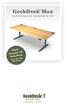 GeekDesk Max Instructions for Assembly & Use Work Sitting OR Standing! With the touch of a button... Elevate Your Work Instructions release 1.5, 2012-08-09 WELCOME! Thank you for purchasing a GeekDesk!
ALL WEATHER W-SERIES QUARTZ TUBE ELECTRIC INFRARED RADIANT HEATER INSTALLATION USE & CARE MANUAL
 ALL WEATHER W-SERIES QUARTZ TUBE ELECTRIC INFRARED RADIANT HEATER TABLE OF CONTENTS: INSTALLATION USE & CARE MANUAL IMPORTANT INFORMATION Assembly Instructions 2 Wiring Instructions 2 Outdoor Installation
StorTrends 3400 Hardware Guide for Onsite Support
 StorTrends 3400 Hardware Guide for Onsite Support MAN-3400-SS 11/21/2012 Copyright 1985-2012 American Megatrends, Inc. All rights reserved. American Megatrends, Inc. 5555 Oakbrook Parkway, Building 200
Owner s Manual & Safety Instructions
 Owner s Manual & Safety Instructions Save This Manual Keep this manual for the safety warnings and precautions, assembly, operating, inspection, maintenance and cleaning procedures. Write the product s
Instruction Manual. Image of SP-3015 & SP-3815. Important Safeguards. Automatic Dispensing Hot Water Pot with Reboil Function
 Important Safeguards READ ALL INSTRUCTIONS BEFORE USE. Instruction Manual Automatic Dispensing Hot Water Pot with Reboil Function Image of SP-3015 & SP-3815 SP-3015: 3.0L SP-3815: 3.8L SP-3017: 3.0L (Stainless
BroadBand PowerShield. User Manual
 BroadBand PowerShield User Manual 990-0375G 12/2006 Chapter 1 General Information The PowerShield provides a power source for broadband telephony and other DC applications. Safety This Safety Guide contains
user s manual Battery Case model #: SPB3200 Battery Case Charger for Samsung Galaxy S 4
 user s manual model #: SPB3200 Charger for Samsung Galaxy S 4 What s Included Unpack the battery case and make sure all accessories are put aside so they will not be lost. hello. USB to Micro USB Cable
XC120 XC180. Owner's Guide Conforms to / Conforme à UL std. 458, Toll Free 1 866 295 6775. www.powerbright.com
 WARNING: This Unit employs Components that tend to produce arcs or sparks To prevent fire or explosion, do not install in compartments containing batteries or flammable materials - SHOCK HAZARD. DO NOT
Installation and Operation Guide PD4600 Series Converter Replacement
 Installation and Operation Guide PD4600 Series Converter Replacement Extended warranties are available for purchase at www.progressivedyn.com Member Thank you for selecting Progressive Dynamics as your
Power Lift & Recline Chair
 Power Lift & Recline Chair OWNER S MANUAL MAXICOMFORT MODELS The Best Power Lift and Recline Chair Made in the USA 401 Bridge Street Old Forge PA 18518 www.goldentech.com Dear Valued Customer, Thank you
Indoor Remote Controlled Power Points
 Indoor Remote Controlled Power Points Model Number: HE214039 INSTRUCTION MANUAL Description goes here Indoor Remote Controlled Power Points Warranty Details The product is guaranteed to be free from defects
Power Lift & Recline Chair
 Power Lift & Recline Chair OWNER S MANUAL AND LIMITED LIFETIME WARRANTY The Best Power Lift and Recline Chair Made in the USA 401 Bridge Street Old Forge PA 18518 www.goldentech.com Dear Valued Customer,
Owner s Manual & Safety Instructions
 Owner s Manual & Safety Instructions Save This Manual Keep this manual for the safety warnings and precautions, assembly, operating, inspection, maintenance and cleaning procedures. Write the product s
Indoor/Outdoor Color Camera with Built-in 2.4 GHz Wireless Transmitter, plus X10 controlled power supply, and Video Receiver.
 Indoor/Outdoor Color Camera with Built-in 2.4 GHz Wireless Transmitter, plus X10 controlled power supply, and Video Receiver. OWNER'S MANUAL VR36A XC18A XM13A MODEL VK69A (INCLUDES XC18A CAMERA, XM13A
Multi-Pitch Pitching Machine USER MANUAL
 Multi-Pitch Pitching Machine USER MANUAL TABLE OF CONTENTS Thank you for purchasing the Cimarron Multi-Pitch Pitching Machine. The Cimarron Multi-Pitch Pitching Machine is a high performance pitching machine
AerAtron. Ceiling fans
 AerAtron Ceiling fans User Manual & Technical Specifications Models: e502 & e503 Electricians PLEASE FOLLOW THESES INSTRUCTIONS CAREFULLY & PAY SPECIAL ATTENTION TO THE NOTES NOTES WILL ASSIST WITH AN
Smart-UPS RT External Battery Pack Stack/Rack-Mount 6U
 Smart-UPS RT External Battery Pack Stack/Rack-Mount 6U SURT192RMXLBP2 SURT192RMXLBP2J English 990-2485B 02/2009 Introduction About this UPS The American Power Conversion (APC ) SURT192RMXLBP2 external
Contents. Product Code -------------------------------------------------------15. Page 1
 Contents Important Safety Instructions -------------------------------------2 BT HP01 --------------------------------------------------------------4 BT HP01 Anatomy ---------------------------------------------------5
Alarm Clock USER GUIDE
 Alarm Clock USER GUIDE Jazwares, Inc. 2012 CONTENTS Please read the instructions along with the Alarm Clock carefully before you use it, so that you can operate it conveniently. WELCOME & Warnings Page
16/32 Channel 1U Rack Mount CCTV Power Supply
 16/32 Channel 1U Rack Mount CCTV Power Supply Manual PH-A3224-GUQ Shown 16-Channel 32-Channel PTC PH-A1612-PUQ PH-A3224-PUQ Glass Fuse PH-A1612-GUQ PH-A3224-GUQ Industrial design 12 Amp 3 Amps per channel
Automatic Phone-Out Home Monitoring Systems
 Automatic Phone-Out Home Monitoring Systems Power Outage and Freeze Alarm Model Number: THP202 Power Outage, Freeze and Flood Alarm Product Description Model Number: THP201 These monitoring systems are
Wireless Alarm System. Window/Door Sensor. User s Manual. Choice ALERT. Control all Sensors & accessories from one location
 45131 Wireless Alarm System Window/Door Sensor User s Manual Choice ALERT Control all Sensors & accessories from one location Table of Contents Important Safeguards 4 Introduction 5 Installation 6 Assigning
LT SERIES User s Manual
 LT SERIES User s Manual 1 - LT Series Operations Manual TABLE OF CONTENTS Specifications... 2 Introduction... 3 LT Series Models... 4 Optional Features... 4 Getting Started... 5 Installation... 5 Registration...
OWNER S MANUAL BIG BEAR VORTEX FAN MODEL #BB-1 INTRODUCTION OPERATION SAFETY SERVICE WARRANTY CONTACT SPECIFICATIONS TROUBLESHOOTING
 OWNER S MANUAL BIG BEAR VORTEX FAN MODEL #BB-1 INTRODUCTION OPERATION SAFETY SERVICE WARRANTY CONTACT SPECIFICATIONS TROUBLESHOOTING PLEASE READ AND SAVE THESE INSTRUCTIONS - 2 - INTRODUCTION TO THE BIG
RZ Guardrail System Installation Manual
 TM RZ Guardrail System Installation Manual RZ Guardrail System Compliance is based on OSHA standards: (Standards - 29 CFR) 1910.23 (e) and (Standards - 29 CFR) 1926.502 (b) Failure to read, understand
IR Repeater. Operation Manual P8620
 IR Repeater Operation Manual P8620 Congratulations on your purchase of the P8620 IR Repeater. This operating manual will provide a guide to installation and operation of the product. Please read thoroughly
Conference Phone UserÕs Manual. Part No. 54-2070-01R1 Printed in Korea. 2002 Bogen Communications, Inc.
 Part No. 54-2070-01R1 Printed in Korea. 2002 Bogen Communications, Inc. UserÕs Manual Notice Every effort was made to ensure that the information in this guide was complete and accurate at the time of
INSTALLATION INSTRUCTIONS
 INSTALLATION INSTRUCTIONS Video Conference Shelf for Low Profile Flat-Panel Mounts NORTH AMERICA 3130 East Miraloma Avenue Anaheim, CA 92806 USA USA and Canada Phone: 1.800.368.9700 Fax: 1.800.832.4888
AerAtron. Ceiling fans
 AerAtron Ceiling fans User Manual & Technical Specifications Models: e502 & e503 Australian edition 2011 Instructions...3 General precautions...3 Location and installation requirements for your fan...3
User manual. Your best protection against theft and loss. (Android) Made for
 User manual Made for Your best protection against theft and loss (Android) Warranty SCOPE OF THE WARRANTY Subject to legal provisions, the responsibility of SECU4 under this warranty is limited to the
MTV-FS1 / FS1T / FSB375
 MTV-FS1 / FS1T / FSB375 MYE Entertainment Freestanding LCD TV Floor Stand with Base Assembly Instructions man_mtvfs1_b3 www.myeclubtv.com Table of Contents Parts List 3 Parts Identification......3 Hardware
LiteAide OWNER'S MANUAL PREASSEMBLED AUTOMATIC SECURITY FLOODLIGHTS MOTION SENSOR SECURITY LIGHTING SYSTEMS
 OWNER'S MANUAL PREASSEMBLED AUTOMATIC SECURITY FLOODLIGHTS MOTION SENSOR SECURITY LIGHTING SYSTEMS LiteAide HE-100B HE-100BW HE-112 HE-112W HE-117 HE-117W HE-117-2B OWNER'S MANUAL FLOOD LAMPS (BULBS) Your
Mini Power Bank and Charger
 Mini Power Bank and Charger Owner s Manual Please read before using this equipment. Your charger is ETL listed to UL standards and meets all applicable FCC standards. WARNING: To reduce the risk of fire
Single Day Alarm Clock with. Bluetooth and USB Play-through
 Single Day Alarm Clock with Bluetooth and USB Play-through MODEL : BSC 200 READ THIS INSTRUCTION MANUAL BEFORE OPERATING THE APPLIANCE. SAVE THIS MANUAL FOR FUTURE REFERENCE. TABLE OF CONTENTS IMPORTANT
Instructions & Safety Information Models A220-20D and A220-20L Version 2
 Quick 220 Voltage Converting Power Supply Instructions & Safety Information Models A220-20D and A220-20L Version 2 Quick 220 Systems LLC PO Box 47489 Phoenix, Arizona 85068-7489 800-347-0394 602-938-6057
User Manual (English)
 User Manual (English) Table of Contents General Safety Information...2 Fueltank UNO Components...3 Charging the Fueltank UNO...4 Using the Fueltank UNO...5 Power Saving Mode...6 Checking the Fueltank UNO
Use & Care. of your Iron. All about the TA B L E O F C O N T E N T S. USA and Canada 1-888-845-7330
 All about the Use & Care of your Iron Important Safeguards... 2 Iron Safety Instructions... 3 Parts and Features...4 TA B L E O F C O N T E N T S Using Your Iron...6 Cleaning and Maintenance... 8 Warranty...9
User Manual THR840DUK Digital Thermostat
 User Manual THR840DUK Digital Thermostat 50051982-001 Rev. A WARNING: This product must be correctly installed and configured to work properly (see pages 12-24). If you are not experienced in wiring electrical
English. Symbols used to mark instructions...3. Congratulations...5 Getting the best results...5. Warnings...6 Operating Procedure...
 2 Contents Components Attachments Guidance Installation Operation Maintenance Service Technical Troubleshooting Symbols used to mark instructions...3 Included Attachments...4 Congratulations...5 Getting
Dehumidifier Users manual. For Models: DH45S DH65S
 Dehumidifier Users manual For Models: DH45S DH65S 950-0062-revD Jan. 9 2007 FORWARD The appearance of the units that you purchase might be slightly different from the ones described in the Manual, but
TWIN EAGLES ALL WEATHER ELECTRIC RADIANT HEATER
 TWIN EAGLES, INC. Defining the Art of Outdoor Cooking TWIN EAGLES ALL WEATHER ELECTRIC RADIANT HEATER OWNER S MANUAL MODEL TEEH-1512 TEEH-2524 TEEH-3524 NEED ASSISTANCE? PLEASE CALL: (562) 802-3488 This
Owner s Manual. Not suitable for mobile applications. Important Safety Instructions 2. Quick Installation 3. Basic Operation 4. Storage & Service 7
 Register online today for a chance to win a FREE Tripp Lite product! www.tripplite.com/warranty Owner s Manual Internet Office & BC Personal UPS Systems Not suitable for mobile applications. Important
For Models #6-5001, #6-7501, #10-7501 & #10-12K1
 EmerGen Switch Manual Transfer Switch Manufactured by CONNECTICUT ELECTRIC SWITCH MFG. CO. 1-800-730-2557 OWNER S MANUAL & INSTALLATION INSTRUCTIONS For Models #6-5001, #6-7501, #10-7501 & #10-12K1 PLEASE
OASIS-PLUS 120V READ ALL INSTRUCTIONS BEFORE OPERATING READ ALL INSTRUCTIONS BEFORE OPERATING OZONE IS A POWERFUL OXIDIZER AND MUST BE USED WITH CARE
 OASIS-PLUS 120V INFORMATION & OPERATING INSTRUCTIONS READ ALL INSTRUCTIONS BEFORE OPERATING READ ALL INSTRUCTIONS BEFORE OPERATING OZONE IS A POWERFUL OXIDIZER AND MUST BE USED WITH CARE 56041852 WARNING:
User and Installation Guide
 Connect the AC adapter with the amplifier BEFORE plugging the AC adapter into an outlet to avoid spark generation! User and Installation Guide BlueFIDELITYTM Bluetooth Audio Amplifier Model 300 Contents
Wireless Home Security System Product Manual (Model #80355)
 Wireless Home Security System Product Manual (Model #80355) Installation Instructions During set-up, if no key is pressed for 15 seconds it will come out of the setup mode and you will have to start over.
Dome Security Camera with IR night vision
 Dome Security Camera with IR night vision EN INSTRUCTION MANUAL 1 Before you begin Limited Warranty Terms & Conditions Swann Communications warrants this product against defects in workmanship and material
ZAPPY 3 OWNER S MANUAL. Read this manual completely before riding your Electric ZAPPY 3.
 ZAPPY 3 OWNER S MANUAL Read this manual completely before riding your Electric ZAPPY 3. TECHNICAL INFORMATION Model No. : ZAPPY 3 Product size Type of motor Motor power Battery type Battery Charger Charging
Installation and Operating Instructions (for chargers shown below)
 Installation and Operating Instructions (for chargers shown below) For additional information please call our Technical Support Group 800.742.2740 PRO CHARGING SYSTEMS, LLC 1551 Heil Quaker Boulevard,
IMPORTANT SAFETY INSTRUCTIONS WARNING READ AND SAVE THESE OPERATING AND SAFETY INSTRUCTIONS BEFORE USING THIS HEATER.
 THERMAWAVE CERAMIC HEATER Model HZ-850 Series Model HZ-860 Series IMPORTANT SAFETY INSTRUCTIONS WARNING READ AND SAVE THESE OPERATING AND SAFETY INSTRUCTIONS BEFORE USING THIS HEATER. Warning Failure to
TracRac G2. Overhead Rack Installation Instructions. TracRac Inc. 994 Jefferson St. FallRiver MA 02721 www.tracrac.com 800-501-1587 IN-42000_B
 IN-42000_B TracRac G2 Overhead Rack Installation Instructions TracRac Inc. 994 Jefferson St. FallRiver MA 02721 www.tracrac.com 800-501-1587 Thank you for your purchase of a TracRac G2 Sliding Cargo Manaagement
Bottom Loading Water Dispenser
 Bottom Loading Water Dispenser Model # 601000 TO REDUCE THE RISK OF INJURY AND PROPERTY DAMAGE, USER MUST READ THIS MANUAL BEFORE ASSEMBLING, INSTALLING & OPERATING DISPENSER. SAVE THIS MANUAL FOR FUTURE
Power Lift & Recline Chair
 Power Lift & Recline Chair OWNER S MANUAL AND LIMITED LIFETIME WARRANTY The Best Power Lift and Recline Chair Made in the USA YOUR LIFE IN MOTION 401 Bridge Street Old Forge, PA 18518 www.goldentech.com
PC Tab Security System INSTRUCTION MANUAL
 PC Tab Security System INSTRUCTION MANUAL This manual is intended as a Quick Start manual covering the basic functions that have been enabled on the alarm panel. The alarm panel is capable of extensive
543-0032-00, 943-0032-00. User s Manual
 543-0032-00, 943-0032-00 User s Manual 1 Comfort Alert Diagnostics Faster Service And Improved Accuracy The Comfort Alert diagnostics module is a breakthrough innovation for troubleshooting heat pump and
XTEND 900 MHZ WIRELESS MODEM For use with VEEDER-ROOT EMR³ DATALINK INSTALLATION INSTRUCTIONS Manual 577013-859, Rev. B
 INTRODUCTION This Installation Guide Contains the necessary information to Connect the Wireless Modems to the EMR³ Interconnect Box and the Office Computer for running the EMR³ Datalink Program. For Specific
Intelli-Time Alarm Clock model 13027
 Instruction Manual Intelli-Time Alarm Clock model 13027 CONTENTS Unpacking Instructions... 2 Package Contents... 2 Product Registration... 2 Features & Benefits... 3 Clock Setup... 4 Intelli-Time Clock...
1 Ton Telescoping Gantry Crane
 1 Ton Telescoping Gantry Crane 41188 Gantry Crane Read this material before using this product. Failure to do so can result in serious injury. SAVE THIS MANUAL. When unpacking, make sure that the product
MBA-MM-1040/10/13/1665 MULTI MEDIA FILTERS
 MASTER Water Conditioning Corp. www.masterwater.com Installation and Operation Manual MBA-MM-1040/10/13/1665 MULTI MEDIA FILTERS with the 263/742 Logix Control Valve June 2010 Table of Contents Page No.
Operating Guide Manuel de l utilisateur
 Operating Guide Manuel de l utilisateur Model RF-110 Modèle RF-110 English Thank you for purchasing this Ringmaster; please read this operating guide carefully before use and keep it for future reference.
Nevco, Inc. Installation Manual
 Nevco, Inc. Installation Manual Serial No. Model GLH-5 Size: Each module is 18 L x 19 ¾ H x 4 D (.46 x.50 x.10 meters) Approximate hanging weight: 11 lbs each (5 kg) Power requirements 120V,.4 Amps each
Installation and Operation Guide for PD5100 Automatic Transfer Switch
 Installation and Operation Guide for PD5100 Automatic Transfer Switch Member P r o gr e ssive Dynamics, Inc. 507 Industrial Rd Marshall, MI 49068 www.progressivedyn.com 2012 Progressive Dynamics, Inc.
Installation Instructions
 85-3976 rev. 05 08-13 Installation Instructions Thank you for purchasing this antisway bar kit. Please read through these instructions before installation. Rear Anti-Sway Bar Kit for Dodge Ram Pick-Up
LED MOTION ACTIVATED FLOOD LIGHT
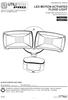 Utilitech & UT Design are registered trademarks of LF, LLC. All Rights Reserved. ITEM #0460794, 0459228 LED MOTION ACTIVATED FLOOD LIGHT MODEL #SE1019-WH3-02LF0-U, SE1019-TBZ-02LF0-U Français p. 8 Español
INSTALLATION AND OPERATING INSTRUCTIONS For Model GL1 Gate Locks
 Securitron Magnalock Corp. www.securitron.com ASSA ABLOY, the global leader Tel 800.624.5625 [email protected] in door opening solutions INSTALLATION AND OPERATING INSTRUCTIONS For Model GL1 Gate
User s Manual. Bluetooth Calculator Keypad. Page
 User s Manual Bluetooth Calculator Keypad Page Regulatory Compliance This device complies with Part 15 of the FCC Rules. Operation is subject to the following two conditions: (1) This device may not cause
RI-215A Operator s Manual. Part Number: 71-0045RK Revision 0 Released: 10/3/05
 RI-215A Operator s Manual Part Number: 71-0045RK Revision 0 Released: 10/3/05 Warranty RKI Instruments, Inc., warrants gas alarm equipment sold by us to be free from defects in materials and workmanship,
User Manual. Instructions for installing the Sure Stitch on the Next Generation Quilting Frame. Parts Included:
 User Manual Instructions for installing the Sure Stitch on the Next Generation Quilting Frame. Parts Included: 1: Display Console 1: Control Box 2: Encoder (Wires attached) (Not Shown) 1: 5v Power Supply
Owners & Installation Manual for the Sheridan, Mountainair, Pine Valley and Old Forge Ceiling Fan Family
 Owners & Installation Manual for the Sheridan, Mountainair, Pine Valley and Old Forge Ceiling Fan Family Part of the Kiva Lighting Family Custom Lighting and Fans Since 1992 1312 12th St NW Albuquerque,
On/Off Relay Switch and 3-Way Switch Kit
 45637/45638 Wireless Lighting Control On/Off Relay Switch and 3-Way Switch Kit marthome Control the On/Off status of permanently installed lighting, fans and more! www.lowes.com/iris 2012 JASCO Made in
KEEP FOR FUTURE REFERENCE MRTALP VERTICAL LIFT BAR READ ALL INSTRUCTIONS AND WARNINGS BEFORE USING THIS PRODUCT
 KEEP FOR FUTURE REFERENCE INSTRUCTIONS P.O. Box 368 908 West Main Laurel, MT USA 59044 phone 800-548-7341 phone 406-628-8231 fax 406-628-8354 International Version MODEL NUMBER: LB10VLB MRTALP VERTICAL