
Network Traffic Management
|
|
|
- Bethanie Laurel Atkins
- 10 years ago
- Views:
Transcription
1 Network Traffic Management 8920 Network Traffic Management software System Overview Release Issue 1.0 October 2012 This document contains proprietary information of Alcatel-Lucent and is not to be disclosed or used except in accordance with applicable agreements. Copyright 2012 Alcatel-Lucent. Unpublished and not for publication. All rights reserved.

2 This material is protected by the copyright and trade secret laws of the United States and other countries. It may not be reproduced, distributed, or altered in any fashion by any entity (either internal or external to Alcatel-Lucent), except in accordance with applicable agreements, contracts, or licensing, without the express written consent of Alcatel-Lucent and the business management owner of the material. Notice Every effort was made to ensure that the information in this document was complete and accurate at the time of printing. However, information is subject to change. Trademarks All trademarks and service marks specified herein are owned by their respective companies. Warranty Alcatel-Lucent provides a limited warranty to this product. Customer Notification The Alcatel-Lucent contract specifies your system configuration (e.g., capacities) and identifies the optional features you have purchased. The standard NTM Feature Set documentation contains information on all of the features available in the Release, including those you may not have purchased, which are thereby not available for use. Alcatel-Lucent will not support external use of the third-party software packages included in the NTM Feature Set. Acknowledgements We wish to acknowledge: The NTM product includes software developed by: Red Hat Enterprise Linux - Linux is the registered trademark of Linus Torvalds in the U.S. and other countries. APACHE TOMCAT - The Apache License, version 2.0 ( APACHE ActiveMQ - The Apache License, version 2.0 ( MOD AJP (APACHE Tomcat Connectors) - The Apache License, version 2.0 ( Apache Xerces C++ - The Apache License, version 2.0 ( Apache Axis2 - The Apache License, version 2.0 ( Redistribution and use in source and binary forms, with or without modification, are permitted provided that the following conditions are met: 1. Redistributions of source code must retain the above copyright notice, this list of conditions and the following disclaimer. 2. Redistributions in binary form must reproduce the above copyright notice, this list of conditions and the following disclaimer in the documentation and/or other materials provided with the distribution. 3. All advertising materials mentioning features or use of this software must display the following acknowledgment: "This product includes software developed by the Apache Group for use in the Apache HTTP server project ( 4. The names "Apache Server" and "Apache Group" must not be used to endorse or promote products derived from this software without prior written permission. For written permission, please contact [email protected] 5. Products derived from this software may not be called "Apache" nor may "Apache" appear in their names without prior written permission of the Apache Group. 6. Redistributions of any form whatsoever must retain the following acknowledgment: "This product includes software developed by the Apache Group for use in the Apache HTTP server project ( THIS SOFTWARE IS PROVIDED BY THE APACHE GROUP ``AS IS'' AND ANY EXPRESSED OR IMPLIED WARRANTIES, INCLUDING, BUT NOT LIMITED TO, THE IMPLIED WARRANTIES OF MERCHANTABILITY AND FITNESS FOR A PARTICULAR PURPOSE ARE DISCLAIMED. IN NO EVENT SHALL THE APACHE GROUP OR ITS CONTRIBUTORS BE LIABLE FOR ANY DIRECT, INDIRECT, INCIDENTAL, SPECIAL, EXEMPLARY, OR CONSEQUENTIAL DAMAGES (INCLUDING, BUT NOT LIMITED TO, PROCUREMENT OF SUBSTITUTE GOODS OR SERVICES; LOSS OF USE, DATA, OR PROFITS; OR BUSINESS INTERRUPTION) HOWEVER CAUSED AND ON ANY THEORY OF LIABILITY, WHETHER IN CONTRACT, STRICT LIABILITY, OR TORT (INCLUDING NEGLIGENCE OR OTHERWISE) ARISING IN ANY WAY OUT OF THE USE OF THIS SOFTWARE, EVEN IF ADVISED OF THE POSSIBILITY OF SUCH DAMAGE. MOD_SSL - Copyright (c) Ralf S. Engelschall. All rights reserved. Redistribution and use in source and binary forms, with or without modification, are permitted provided that the following conditions are met: 1. Redistributions of source code must retain the above copyright notice, this list of conditions and the following disclaimer. 2. Redistributions in binary form must reproduce the above copyright notice, this list of conditions and the following disclaimer in the documentation and/or other materials provided with the distribution. 3. All advertising materials mentioning features or use of this software must display the following acknowledgment: This product includes software developed by Ralf S. Engelschall <[email protected]> for use in the mod_ssl project ( 4. The names "mod_ssl" must not be used to endorse or promote products derived from this software without prior written permission. For written permission, please contact [email protected]. 5. Products derived from this software may not be called "mod_ssl" nor may "mod_ssl" appear in their names without prior written permission of Ralf S. Engelschall. 6. Redistributions of any form whatsoever must retain the following acknowledgment: "This product includes software developed by Ralf S. Engelschall <[email protected]> for use in the mod_ssl project ( THIS SOFTWARE IS PROVIDED BY RALF S. ENGELSCHALL ``AS IS'' AND ANY EXPRESSED OR IMPLIED WARRANTIES, INCLUDING, BUT NOT LIMITED TO, THE IMPLIED WARRANTIES OF MERCHANTABILITY AND FITNESS FOR A PARTICULAR PURPOSE ARE DISCLAIMED. IN NO EVENT SHALL RALF S. ENGELSCHALL OR HIS CONTRIBUTORS BE LIABLE FOR ANY DIRECT, INDIRECT, INCIDENTAL, SPECIAL, EXEMPLARY, OR CONSEQUENTIAL DAMAGES (INCLUDING, BUT NOT LIMITED TO, PROCUREMENT OF SUBSTITUTE GOODS OR SERVICES; LOSS OF USE, DATA, OR PROFITS; OR BUSINESS INTERRUPTION) HOWEVER CAUSED AND ON ANY THEORY OF LIABILITY, See notice on first page.

3 WHETHER IN CONTRACT, STRICT LIABILITY, OR TORT (INCLUDING NEGLIGENCE OR OTHERWISE) ARISING IN ANY WAY OUT OF THE USE OF THIS SOFTWARE, EVEN IF ADVISED OF THE POSSIBILITY OF SUCH DAMAGE. Bugzilla - Mozilla Foundation; License: CentOS - CentOS Project; Dom4J - DOM4J Project; License: LDAP C SDK - Mozilla Foundation; License: mksh - Korn shell by David Korn; Distributed under BSD License. ( ncurses - ncurses, GNU 5.5; Distributed under MIT + GPL2+ nmon - IBM nmon; License: PAM_RADIUS_AUTH - This module is a merger of an old version of pam_radius.c, and code which went into mod_auth_radius.c, with further modifications by Alan DeKok of CRYPTOCard Inc.. The original pam_radius.c code is copyright (c) Cristian Gafton, 1996, redhat.com> The additional code is copyright (c) CRYPTOCard Inc, All rights reserved. Redistribution and use in source and binary forms, with or without modification, are permitted provided that the following conditions are met: 1. Redistributions of source code must retain the above copyright notice, and the entire permission notice in its entirety, including the disclaimer of warranties. 2. Redistributions in binary form must reproduce the above copyright notice, this list of conditions and the following disclaimer in the documentation and/or other materials provided with the distribution. 3. The name of the author may not be used to endorse or promote products derived from this software without specific prior written permission. ALTERNATIVELY, this product may be distributed under the terms of the GNU Public License, in which case the provisions of the GPL are required INSTEAD OF the above restrictions. (This clause is necessary due to a potential bad interaction between the GPL and the restrictions contained in a BSDstyle copyright.) THIS SOFTWARE IS PROVIDED ``AS IS'' AND ANY EXPRESS OR IMPLIED WARRANTIES, INCLUDING, BUT NOT LIMITED TO, THE IMPLIED WARRANTIES OF MERCHANTABILITY AND FITNESS FOR A PARTICULAR PURPOSE ARE DISCLAIMED. IN NO EVENT SHALL THE AUTHOR BE LIABLE FOR ANY DIRECT, INDIRECT, INCIDENTAL, SPECIAL, EXEMPLARY, OR CONSEQUENTIAL DAMAGES (INCLUDING, BUT NOT LIMITED TO, PROCUREMENT OF SUBSTITUTE GOODS OR SERVICES; LOSS OF USE, DATA, OR PROFITS; OR BUSINESS INTERRUPTION) HOWEVER CAUSED AND ON ANY THEORY OF LIABILITY, WHETHER IN CONTRACT, STRICT LIABILITY, OR TORT (INCLUDING NEGLIGENCE OR OTHERWISE) ARISING IN ANY WAY OUT OF THE USE OF THIS SOFTWARE, EVEN IF ADVISED OF THE POSSIBILITY OF SUCH DAMAGE. JAVA JDK - Sun Microsystems Inc. Binary Code License Agreement ( edtftpj - Enterprise Distributed Technologies under LGPL License ( Perl DBD - Perl DBD Copyright (c) Tim Bunce, Ireland is used with permission. Distributions of the standard package can be found through the website. Perl Convert::ASN1 - Perl DBD Copyright (c) Tim Bunce, Ireland is used with permission. Distributions of the standard package can be found through the website. Perl URI - Perl DBD Copyright (c) Tim Bunce, Ireland is used with permission. Distributions of the standard package can be found through the website. Prototype - Copyright (c) Sam Stephenson Permission is hereby granted, free of charge, to any person obtaining a copy of this software and associated documentation files (the "Software"), to deal in the Software without restriction, including without limitation the rights to use, copy, modify, merge, publish, distribute, sublicense, and/or sell copies of the Software, and to permit persons to whom the Software is furnished to do so, subject to the following conditions: THE SOFTWARE IS PROVIDED "AS IS", WITHOUT WARRANTY OF ANY KIND, EXPRESS OR IMPLIED, INCLUDING BUT NOT LIMITED TO THE WARRANTIES OF MERCHANTABILITY, FITNESS FOR A PARTICULAR PURPOSE AND NONINFRINGEMENT. IN NO EVENT SHALL THE AUTHORS OR COPYRIGHT HOLDERS BE LIABLE FOR ANY CLAIM, DAMAGES OR OTHER LIABILITY, WHETHER IN AN ACTION OF CONTRACT, TORT OR OTHERWISE, ARISING FROM, OUT OF OR IN CONNECTION WITH THE SOFTWARE OR THE USE OR OTHER DEALINGS IN THE SOFTWARE. Scmbug - Scmbug by Martin Tomes; License: SNMP4j - SNMP4J.org; License: Subversion - CollabNet; License: SWISH-E - Copyright by Miles O'Neal, Austin, TX, USA. GNU General Public License. w4ais - Copyright by Miles O'Neal, Austin, TX, USA. ( See notice on first page.

4 GNU LESSER GENERAL PUBLIC LICENSE - Version 2.1, February 1999 Copyright (C) 1991, 1999 Free Software Foundation, Inc. 59 Temple Place, Suite 330, Boston, MA USA Everyone is permitted to copy and distribute verbatim copies of this license document, but changing it is not allowed. [This is the first released version of the Lesser GPL. It also counts as the successor of the GNU Library Public License, version 2, hence the version number 2.1.] Preamble The licenses for most software are designed to take away your freedom to share and change it. By contrast, the GNU General Public Licenses are intended to guarantee your freedom to share and change free software--to make sure the software is free for all its users. This license, the Lesser General Public License, applies to some specially designated software packages--typically libraries--of the Free Software Foundation and other authors who decide to use it. You can use it too, but we suggest you first think carefully about whether this license or the ordinary General Public License is the better strategy to use in any particular case, based on the explanations below. When we speak of free software, we are referring to freedom of use, not price. Our General Public Licenses are designed to make sure that you have the freedom to distribute copies of free software (and charge for this service if you wish); that you receive source code or can get it if you want it; that you can change the software and use pieces of it in new free programs; and that you are informed that you can do these things. To protect your rights, we need to make restrictions that forbid distributors to deny you these rights or to ask you to surrender these rights. These restrictions translate to certain responsibilities for you if you distribute copies of the library or if you modify it. For example, if you distribute copies of the library, whether gratis or for a fee, you must give the recipients all the rights that we gave you. You must make sure that they, too, receive or can get the source code. If you link other code with the library, you must provide complete object files to the recipients, so that they can relink them with the library after making changes to the library and recompiling it. And you must show them these terms so they know their rights. We protect your rights with a two-step method: (1) we copyright the library, and (2) we offer you this license, which gives you legal permission to copy, distribute and/or modify the library. To protect each distributor, we want to make it very clear that there is no warranty for the free library. Also, if the library is modified by someone else and passed on, the recipients should know that what they have is not the original version, so that the original author's reputation will not be affected by problems that might be introduced by others. Finally, software patents pose a constant threat to the existence of any free program. We wish to make sure that a company cannot effectively restrict the users of a free program by obtaining a restrictive license from a patent holder. Therefore, we insist that any patent license obtained for a version of the library must be consistent with the full freedom of use specified in this license. Most GNU software, including some libraries, is covered by the ordinary GNU General Public License. This license, the GNU Lesser General Public License, applies to certain designated libraries, and is quite different from the ordinary General Public License. We use this license for certain libraries in order to permit linking those libraries into non-free programs. When a program is linked with a library, whether statically or using a shared library, the combination of the two is legally speaking a combined work, a derivative of the original library. The ordinary General Public License therefore permits such linking only if the entire combination fits its criteria of freedom. The Lesser General Public License permits more lax criteria for linking other code with the library. We call this license the "Lesser" General Public License because it does Less to protect the user's freedom than the ordinary General Public License. It also provides other free software developers Less of an advantage over competing non-free programs. These disadvantages are the reason we use the ordinary General Public License for many libraries. However, the Lesser license provides advantages in certain special circumstances. For example, on rare occasions, there may be a special need to encourage the widest possible use of a certain library, so that it becomes a de-facto standard. To achieve this, non-free programs must be allowed to use the library. A more frequent case is that a free library does the same job as widely used non-free libraries. In this case, there is little to gain by limiting the free library to free software only, so we use the Lesser General Public License. In other cases, permission to use a particular library in non-free programs enables a greater number of people to use a large body of free software. For example, permission to use the GNU C Library in non-free programs enables many more people to use the whole GNU operating system, as well as its variant, the GNU/Linux operating system. Although the Lesser General Public License is Less protective of the users' freedom, it does ensure that the user of a program that is linked with the Library has the freedom and the wherewithal to run that program using a modified version of the Library. The precise terms and conditions for copying, distribution and modification follow. Pay close attention to the difference between a "work based on the library" and a "work that uses the library". The former contains code derived from the library, whereas the latter must be combined with the library in order to run. GNU LESSER GENERAL PUBLIC LICENSE TERMS AND CONDITIONS FOR COPYING, DISTRIBUTION AND MODIFICATION 0. This License Agreement applies to any software library or other program which contains a notice placed by the copyright holder or other authorized party saying it may be distributed under the terms of this Lesser General Public License (also called "this License"). Each licensee is addressed as "you". A "library" means a collection of software functions and/or data prepared so as to be conveniently linked with application programs (which use some of those functions and data) to form executables. The "Library", below, refers to any such software library or work which has been distributed under these terms. A "work based on the Library" means either the Library or any derivative work under copyright law: that is to say, a work containing the Library or a portion of it, either verbatim or with modifications and/or translated straightforwardly into another language. (Hereinafter, translation is included without limitation in the term "modification".) "Source code" for a work means the preferred form of the work for making modifications to it. For a library, complete source code means all the source code for all modules it contains, plus any associated interface definition files, plus the scripts used to control compilation and installation of the library. Activities other than copying, distribution and modification are not covered by this License; they are outside its scope. The act of running a program using the Library is not restricted, and output from such a program is covered only if its contents constitute a work based on the Library (independent of the use of the Library in a tool for writing it). Whether that is true depends on what the Library does and what the program that uses the Library does. 1. You may copy and distribute verbatim copies of the Library's complete source code as you receive it, in any medium, provided that you conspicuously and appropriately publish on each copy an appropriate copyright notice and disclaimer of warranty; keep intact all the notices that refer to this License and to the absence of any warranty; and distribute a copy of this License along with the Library. You may charge a fee for the physical act of transferring a copy, and you may at your option offer warranty protection in exchange for a fee. 2. You may modify your copy or copies of the Library or any portion of it, thus forming a work based on the Library, and copy and distribute such modifications or work under the terms of Section 1 above, provided that you also meet all of these conditions: See notice on first page.

5 a) The modified work must itself be a software library. b) You must cause the files modified to carry prominent notices stating that you changed the files and the date of any change. c) You must cause the whole of the work to be licensed at no charge to all third parties under the terms of this License. d) If a facility in the modified Library refers to a function or a table of data to be supplied by an application program that uses the facility, other than as an argument passed when the facility is invoked, then you must make a good faith effort to ensure that, in the event an application does not supply such function or table, the facility still operates, and performs whatever part of its purpose remains meaningful. (For example, a function in a library to compute square roots has a purpose that is entirely well-defined independent of the application. Therefore, Subsection 2d requires that any application-supplied function or table used by this function must be optional: if the application does not supply it, the square root function must still compute square roots.) These requirements apply to the modified work as a whole. If identifiable sections of that work are not derived from the Library, and can be reasonably considered independent and separate works in themselves, then this License, and its terms, do not apply to those sections when you distribute them as separate works. But when you distribute the same sections as part of a whole which is a work based on the Library, the distribution of the whole must be on the terms of this License, whose permissions for other licensees extend to the entire whole, and thus to each and every part regardless of who wrote it. Thus, it is not the intent of this section to claim rights or contest your rights to work written entirely by you; rather, the intent is to exercise the right to control the distribution of derivative or collective works based on the Library. In addition, mere aggregation of another work not based on the Library with the Library (or with a work based on the Library) on a volume of a storage or distribution medium does not bring the other work under the scope of this License. 3. You may opt to apply the terms of the ordinary GNU General Public License instead of this License to a given copy of the Library. To do this, you must alter all the notices that refer to this License, so that they refer to the ordinary GNU General Public License, version 2, instead of to this License. (If a newer version than version 2 of the ordinary GNU General Public License has appeared, then you can specify that version instead if you wish.) Do not make any other change in these notices. Once this change is made in a given copy, it is irreversible for that copy, so the ordinary GNU General Public License applies to all subsequent copies and derivative works made from that copy. This option is useful when you wish to copy part of the code of the Library into a program that is not a library. 4. You may copy and distribute the Library (or a portion or derivative of it, under Section 2) in object code or executable form under the terms of Sections 1 and 2 above provided that you accompany it with the complete corresponding machine-readable source code, which must be distributed under the terms of Sections 1 and 2 above on a medium customarily used for software interchange. If distribution of object code is made by offering access to copy from a designated place, then offering equivalent access to copy the source code from the same place satisfies the requirement to distribute the source code, even though third parties are not compelled to copy the source along with the object code. 5. A program that contains no derivative of any portion of the Library, but is designed to work with the Library by being compiled or linked with it, is called a "work that uses the Library". Such a work, in isolation, is not a derivative work of the Library, and therefore falls outside the scope of this License. However, linking a "work that uses the Library" with the Library creates an executable that is a derivative of the Library because it contains portions of the Library), rather than a "work that uses the library". The executable is therefore covered by this License. Section 6 states terms for distribution of such executables. When a "work that uses the Library" uses material from a header file that is part of the Library, the object code for the work may be a derivative work of the Library even though the source code is not. Whether this is true is especially significant if the work can be linked without the Library, or if the work is itself a library. The threshold for this to be true is not precisely defined by law. If such an object file uses only numerical parameters, data structure layouts and accessors, and small macros and small inline functions (ten lines or less in length), then the use of the object file is unrestricted, regardless of whether it is legally a derivative work. (Executables containing this object code plus portions of the Library will still fall under Section 6.) Otherwise, if the work is a derivative of the Library, you may distribute the object code for the work under the terms of Section 6. Any executables containing that work also fall under Section 6, whether or not they are linked directly with the Library itself. 6. As an exception to the Sections above, you may also combine or link a "work that uses the Library" with the Library to produce a work containing portions of the Library, and distribute that work under terms of your choice, provided that the terms permit modification of the work for the customer's own use and reverse engineering for debugging such modifications. You must give prominent notice with each copy of the work that the Library is used in it and that the Library and its use are covered by this License. You must supply a copy of this License. If the work during execution displays copyright notices, you must include the copyright notice for the Library among them, as well as a reference directing the user to the copy of this License. Also, you must do one of these things: a) Accompany the work with the complete corresponding machine-readable source code for the Library including whatever changes were used in the work (which must be distributed under Sections 1 and 2 above); and, if the work is an executable linked with the Library, with the complete machine-readable "work that uses the Library", as object code and/or source code, so that the user can modify the Library and then relink to produce a modified executable containing the modified Library. (It is understood that the user who changes the contents of definitions files in the Library will not necessarily be able to ecompile the application to use the modified definitions.) b) Use a suitble shared library mechanism for linking with the Library. A suitable mechanism is one that (1) uses at run time a copy of the library already present on the user's computer system, rather than copying library functions into the executable, and (2) will operate properly with a modified version of the library, if the user installs one, as long as the modified version is interface-compatible with the version that the work was made with. c) Accompany the work with a written offer, valid for at least three years, to give the same user the materials specified in Subsection 6a, above, for a charge no more than the cost of performing this distribution. See notice on first page.

6 d) If distribution of the work is made by offering access to copy from a designated place, offer equivalent access to copy the above specified materials from the same place. e) Verify that the user has already received a copy of these materials or that you have already sent this user a copy. For an executable, the required form of the "work that uses the Library" must include any data and utility programs needed for reproducing the executable from it. However, as a special exception, the materials to be distributed need not include anything that is normally distributed (in either source or binary form) with the major components (compiler, kernel, and so on) of the operating system on which the executable runs, unless that component itself accompanies the executable. It may happen that this requirement contradicts the license restrictions of other proprietary libraries that do not normally accompany the operating system. Such a contradiction means you cannot use both them and the Library together in an executable that you distribute. 7. You may place library facilities that are a work based on the Library side-by-side in a single library together with other library facilities not covered by this License, and distribute such a combined library, provided that the separate distribution of the work based on the Library and of the other library facilities is otherwise permitted, and provided that you do these two things: a) Accompany the combined library with a copy of the same work based on the Library, uncombined with any other library facilities. This must be distributed under the terms of the Sections above. b) Give prominent notice with the combined library of the fact that part of it is a work based on the Library, and explaining where to find the accompanying uncombined form of the same work. 8. You may not copy, modify, sublicense, link with, or distribute the Library except as expressly provided under this License. Any attempt otherwise to copy, modify, sublicense, link with, or distribute the Library is void, and will automatically terminate your rights under this License. However, parties who have received copies, or rights, from you under this License will not have their licenses terminated so long as such parties remain in full compliance. 9. You are not required to accept this License, since you have not signed it. However, nothing else grants you permission to modify or distribute the Library or its derivative works. These actions are prohibited by law if you do not accept this License. Therefore, by modifying or distributing the Library (or any work based on the Library), you indicate your acceptance of this License to do so, and all its terms and conditions for copying, distributing or modifying the Library or works based on it. 10. Each time you redistribute the Library (or any work based on the Library), the recipient automatically receives a license from the original licensor to copy, distribute, link with or modify the Library subject to these terms and conditions. You may not impose any further restrictions on the recipients' exercise of the rights granted herein. You are not responsible for enforcing compliance by third parties with this License. 11. If, as a consequence of a court judgment or allegation of patent infringement or for any other reason (not limited to patent issues), conditions are imposed on you (whether by court order, agreement or otherwise) that contradict the conditions of this License, they do not excuse you from the conditions of this License. If you cannot distribute so as to satisfy simultaneously your obligations under this License and any other pertinent obligations, then as a consequence you may not distribute the Library at all. For example, if a patent license would not permit royalty-free redistribution of the Library by all those who receive copies directly or indirectly through you, then the only way you could satisfy both it and this License would be to refrain entirely from distribution of the Library. If any portion of this section is held invalid or unenforceable under any particular circumstance, the balance of the section is intended to apply, and the section as a whole is intended to apply in other circumstances. It is not the purpose of this section to induce you to infringe any patents or other property right claims or to contest validity of any such claims; this section has the sole purpose of protecting the integrity of the free software distribution system which is implemented by public license practices. Many people have made generous contributions to the wide range of software distributed through that system in reliance on consistent application of that system; it is up to the author/donor to decide if he or she is willing to distribute software through any other system and a licensee cannot impose that choice. This section is intended to make thoroughly clear what is believed to be a consequence of the rest of this License. 12. If the distribution and/or use of the Library is restricted in certain countries either by patents or by copyrighted interfaces, the original copyright holder who places the Library under this License may add an explicit geographical distribution limitation excluding those countries, so that distribution is permitted only in or among countries not thus excluded. In such case, this License incorporates the limitation as if written in the body of this License. 13. The Free Software Foundation may publish revised and/or new versions of the Lesser General Public License from time to time. Such new versions will be similar in spirit to the present version, but may differ in detail to address new problems or concerns. Each version is given a distinguishing version number. If the Library specifies a version number of this License which applies to it and "any later version", you have the option of following the terms and conditions either of that version or of any later version published by the Free Software Foundation. If the Library does not specify a license version number, you may choose any version ever published by the Free Software Foundation. 14. If you wish to incorporate parts of the Library into other free programs whose distribution conditions are incompatible with these, write to the author to ask for permission. For software which is copyrighted by the Free Software Foundation, write to the Free Software Foundation; we sometimes make exceptions for this. Our decision will be guided by the two goals of preserving the free status of all derivatives of our free software and of promoting the sharing and reuse of software generally. NO WARRANTY 15. BECAUSE THE LIBRARY IS LICENSED FREE OF CHARGE, THERE IS NO WARRANTY FOR THE LIBRARY, TO THE EXTENT PERMITTED BY APPLICABLE LAW. EXCEPT WHEN OTHERWISE STATED IN WRITING THE COPYRIGHT HOLDERS AND/OR OTHER PARTIES PROVIDE THE LIBRARY "AS IS" WITHOUT WARRANTY OF ANY KIND, EITHER EXPRESSED OR IMPLIED, INCLUDING, BUT NOT LIMITED TO, THE IMPLIED WARRANTIES OF MERCHANTABILITY AND FITNESS FOR A PARTICULAR PURPOSE. THE ENTIRE RISK AS TO THE QUALITY AND PERFORMANCE OF THE LIBRARY IS WITH YOU. SHOULD THE LIBRARY PROVE DEFECTIVE, YOU ASSUME THE COST OF ALL NECESSARY SERVICING, REPAIR OR CORRECTION. See notice on first page.

7 16. IN NO EVENT UNLESS REQUIRED BY APPLICABLE LAW OR AGREED TO IN WRITING WILL ANY COPYRIGHT HOLDER, OR ANY OTHER PARTY WHO MAY MODIFY AND/OR REDISTRIBUTE THE LIBRARY AS PERMITTED ABOVE, BE LIABLE TO YOU FOR DAMAGES, INCLUDING ANY GENERAL, SPECIAL, INCIDENTAL OR CONSEQUENTIAL DAMAGES ARISING OUT OF THE USE OR INABILITY TO USE THE LIBRARY (INCLUDING BUT NOT LIMITED TO LOSS OF DATA OR DATA BEING RENDERED INACCURATE OR LOSSES SUSTAINED BY YOU OR THIRD PARTIES OR A FAILURE OF THE LIBRARY TO OPERATE WITH ANY OTHER SOFTWARE), EVEN IF SUCH HOLDER OR OTHER PARTY HAS BEEN ADVISED OF THE POSSIBILITY OF SUCH DAMAGES. JSch 0.0.* was released under the GNU LGPL license. Later, we have switched over to a BSD-style license Copyright (c) Atsuhiko Yamanaka, JCraft,Inc. All rights reserved. Redistribution and use in source and binary forms, with or without modification, are permitted provided that the following conditions are met: 1. Redistributions of source code must retain the above copyright notice, this list of conditions and the following disclaimer. 2. Redistributions in binary form must reproduce the above copyright notice, this list of conditions and the following disclaimer in the documentation and/or other materials provided with the distribution. 3. The names of the authors may not be used to endorse or promote products derived from this software without specific prior written permission. THIS SOFTWARE IS PROVIDED ``AS IS'' AND ANY EXPRESSED OR IMPLIED WARRANTIES, INCLUDING, BUT NOT LIMITED TO, THE IM- PLIED WARRANTIES OF MERCHANTABILITY AND FITNESS FOR A PARTICULAR PURPOSE ARE DISCLAIMED. IN NO EVENT SHALL JCRAFT, INC. OR ANY CONTRIBUTORS TO THIS SOFTWARE BE LIABLE FOR ANY DIRECT, INDIRECT, INCIDENTAL, SPECIAL, EXEMPLARY, OR CONSEQUENTIAL DAMAGES (INCLUDING, BUT NOT LIMITED TO, PROCUREMENT OF SUBSTITUTE GOODS OR SERVICES; LOSS OF USE, DATA, OR PROFITS; OR BUSINESS INTERRUPTION) HOWEVER CAUSED AND ON ANY THEORY OF LIABILITY, WHETHER IN CON- TRACT, STRICT LIABILITY, OR TORT (INCLUDING NEGLIGENCE OR OTHERWISE) ARISING IN ANY WAY OUT OF THE USE OF THIS SOFT- WARE, EVEN IF ADVISED OF THE POSSIBILITY OF SUCH DAMAGE. See notice on first page.

8 See notice on first page.

9 Contents 1 About This Document Set How to obtain NTM documentation...5 NTM Product Training System Functions NTM system functions...2 Data collection and reporting...5 System interfaces...7 Software architecture...14 NTM data displays...15 Exception processing...19 Error detection...21 Internal system timers...22 Changing the late data timer...24 Additional components...25 Hardware Architecture Network Management Reference Data Reference data...2 NTM databases Surveillance Data Data flow...2 Event indicators (discretes)...4 Register/measurement data...5 Network Event Data Thresholds Defining thresholds...2 Alcatel-lucent - Proprietary 9 See notice on first page.

10 Exception levels...4 Exception types...5 Network management calculations Audits and Controls Network data flow...2 Audits...3 Types of audits...5 Initiating audits...6 Controls...7 Control log...8 Preplans Hard-To-Reach (HTR) Using hard-to-reach...2 How HTR status is determined 4ESS offices...3 How destination codes are defined...4 Actions related to HTR Accessing Historical Data Historical data playback...2 Historical tapes NTM Network Management Four principles of network management...2 Event indicators (discretes)...3 Measurement data Trunk group performance indicators...6 Thresholding for trunk group measurements...9 Examples...10 Machine performance data...11 Switch measurements NTM Engineering Guidelines Hardware and software constraints...2 Reports and miscellaneous constraints...7 Performance-based constraints Alcatel-lucent - Proprietary See notice on first page.

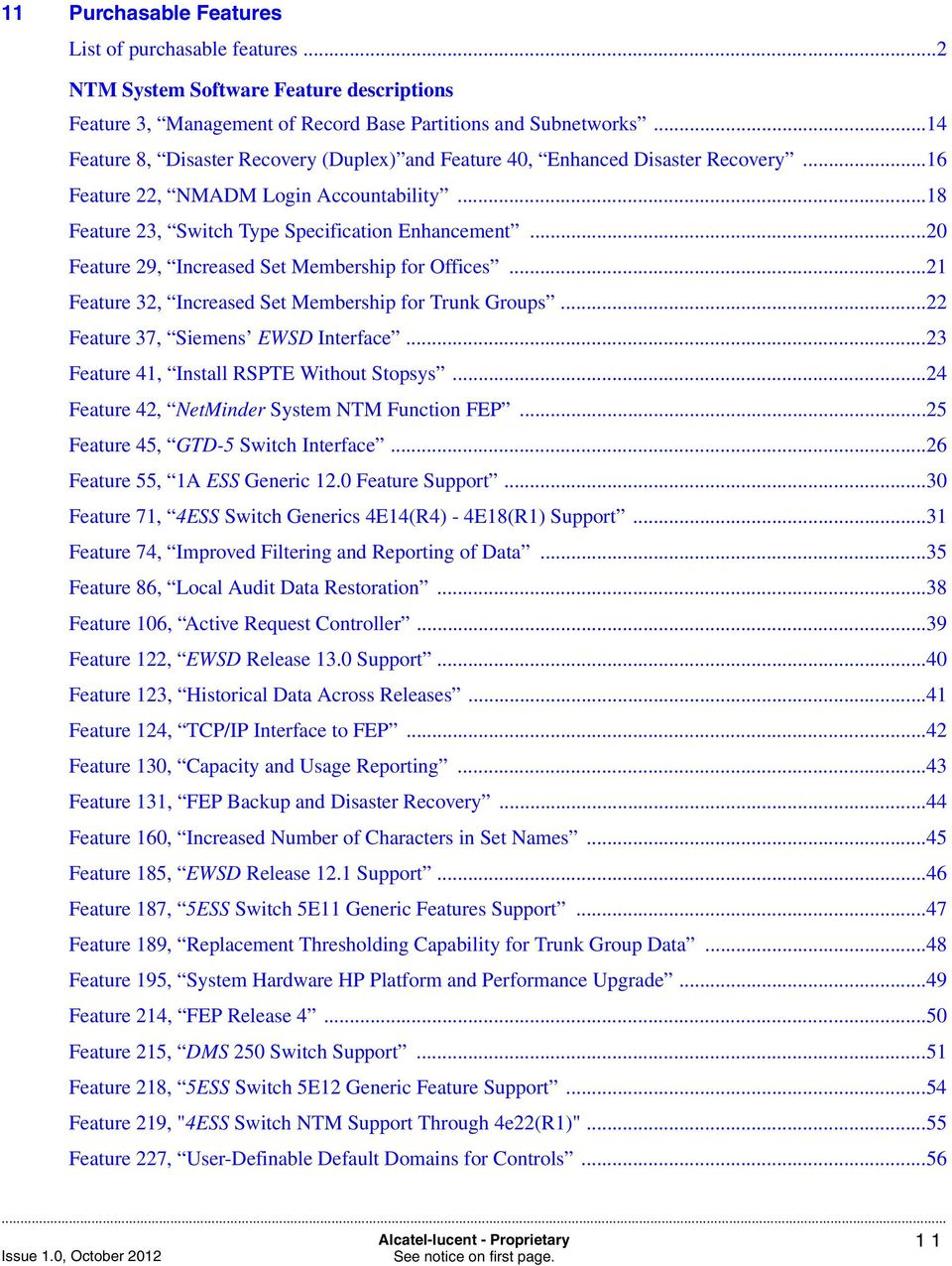
11 11 Purchasable Features List of purchasable features...2 NTM System Software Feature descriptions Feature 3, Management of Record Base Partitions and Subnetworks...14 Feature 8, Disaster Recovery (Duplex) and Feature 40, Enhanced Disaster Recovery...16 Feature 22, NMADM Login Accountability...18 Feature 23, Switch Type Specification Enhancement...20 Feature 29, Increased Set Membership for Offices...21 Feature 32, Increased Set Membership for Trunk Groups...22 Feature 37, Siemens EWSD Interface...23 Feature 41, Install RSPTE Without Stopsys...24 Feature 42, NetMinder System NTM Function FEP...25 Feature 45, GTD-5 Switch Interface...26 Feature 55, 1A ESS Generic 12.0 Feature Support...30 Feature 71, 4ESS Switch Generics 4E14(R4) - 4E18(R1) Support...31 Feature 74, Improved Filtering and Reporting of Data...35 Feature 86, Local Audit Data Restoration...38 Feature 106, Active Request Controller...39 Feature 122, EWSD Release 13.0 Support...40 Feature 123, Historical Data Across Releases...41 Feature 124, TCP/IP Interface to FEP...42 Feature 130, Capacity and Usage Reporting...43 Feature 131, FEP Backup and Disaster Recovery...44 Feature 160, Increased Number of Characters in Set Names...45 Feature 185, EWSD Release 12.1 Support...46 Feature 187, 5ESS Switch 5E11 Generic Features Support...47 Feature 189, Replacement Thresholding Capability for Trunk Group Data...48 Feature 195, System Hardware HP Platform and Performance Upgrade...49 Feature 214, FEP Release Feature 215, DMS 250 Switch Support...51 Feature 218, 5ESS Switch 5E12 Generic Feature Support...54 Feature 219, "4ESS Switch NTM Support Through 4e22(R1)"...55 Feature 227, User-Definable Default Domains for Controls...56 Alcatel-lucent - Proprietary 11 See notice on first page.
12 Feature 229, 1A ESS Switch LNP Support...57 Feature 236, Browser-Based Extended Regional Alerting Display...58 Feature 239, DMS 500 Switch Support...60 Feature 244, Enhanced Switch Support for 4ESS Generic 4E23(R3)...63 Feature 245, TCP/IP Interface to TDM...64 Feature 257, FEP Release Feature 258, LSSGR Support for the GTD-5 Switch Generic Feature 263, DMS 100/200 Switch Surveillance of 1024 Trunk Groups Via FEP...67 Feature 264, DMS 100/200 Switch Surveillance of 1024 Trunk Groups Via TDM...68 Feature 265, DMS 100/200 Surveillance of 1024 Trunk Groups Via DCOS Feature 266, 1024 Trunk Group surveillance for FEP...70 Feature 267, 1024 Trunk Group surveillance for TDM...71 Feature 272, NTM Report Writer...72 Feature 277, TCP/IP Interface to DMS 100/200 Switches...73 Feature 282, TCP/IP Interface to 5ESS 5E15 Generic switches...74 Feature 283, Surveillance of 2000 Trunk Groups in a 5ESS Switch...76 Feature 284, Surveillance of 1024 Trunk Groups in a DMS 100/200 Switch...78 Feature 285, Surveillance of 1024 Trunk Groups in a DMS 250 Switch...80 Feature 286, Surveillance of 1024 Trunk Groups in a DMS 500 Switch...81 Feature 288, NTM Report Writer for 50 Switches...82 Feature 289, NTM Report Writer for 100 Switches...83 Feature 290, NTM Report Writer for 250 Switches...84 Feature 293, TCP/IP Interface to DMS 250 Switches...85 Feature 296, TCP/IP Interface to DMS 500 Switches...87 Feature 301, Enhanced Switch Support for DMS 100/200 Generic NA Feature 303, Enhanced Switch Support for DMS 250 Generic UCS Feature 305, Enhanced Switch Support for DMS 500 Generic NCS Feature 311, Enhanced Switch Support for 5ESS Generic 5e Feature 314, Enhanced Switch Support for DMS 250 Generic UCS Feature 316, Marked Alarms for the Browser-based GUI...94 Feature 318, Browser-based GUI Dual Host Support...95 Feature 319, Enhanced Switch Support for DMS 100/200 Generic NA009 Switches...96 Feature 320, Enhanced Switch Support for DMS 100/200 Generic NA Alcatel-lucent - Proprietary See notice on first page.

13 Feature 321, Enhanced Switch Support for DMS 500 Generic NCS Feature 326, Support of GETS in 5ESS Switches Feature 327, Enhanced Switch Support for EWSD Release Feature 328, Enhanced Switch Support for GTD-5 Generic Feature 330, Audible Alarms for the Browser-based GUI Feature 335, Browser-based Enhanced Discrete Trending Feature 341, Map Alert Restrictions for the Browser-based GUI Feature 342, Historical Data Playback for the Browser-based GUI Feature 346, Support of Exception Thresholding for Additional Managed Objects Feature 349, Enhanced Switch Support for 5ESS Generic 5E Feature 350, Enhanced Switch Support for Succession Network Switch Generic ICS Feature 351, Enhanced Switch Support for DMS 100/200 Generic NA Feature 352, Enhanced Switch Support for DMS 250 Generic SN04TDM Feature 353, Enhanced Switch Support for DMS 500 Generic NCS Feature 354, Switch Support for Succession Network Switch Generic SN Feature 355, Surveillance of 1024 Trunk Groups in a Succession Network Switch Generic SN Feature 356, Enhanced Switch Support for Succession Network Switch Generic SN Feature 359, Support for 200 Large Switches Feature 364, 5ESS Generic 5E Feature 365, Bandwidth Directionalization & Prioritization control support in Succession Network Switch Generic SN Feature 369, TCP/IP Interface to NPM Feature 374, Enhanced Password Aging Feature 375, Enhanced Switch Support for DMS 250 Generic SN05-TDM Feature 376, Sonus GSX Support Feature 379, Marked Alarm Persistence on BDR Feature 380, Browser-based GUI TG Number Search Option Feature 381, TCP/IP Interface to GTD-5 Switches Feature 382, Trunk Group Comment Feature 383, Enhanced Support for 5ESS Generic 5e Feature 385, Trend Analysis Feature 391, SSL Support for the Browser-based GUI Feature 394, "TCP/IP Interface to 4ESS Switches via Datatek DT-4180" Feature 399, "Common Sign On" Alcatel-lucent - Proprietary 13 See notice on first page.

14 Feature 400, "System Hardware HP Platform and Performance Upgrade" Feature 402, "Nortel Softswitch Support" Feature 403, "Nortel DMS GSP Network Element Support" Feature 404, "Additional Data Support for Nortel Networks Sucession Switch" Feature 407, "Single Sign On for NTM" Feature 409, "TCP/IP Interface to 5ESS Switches via AI" Feature 410, "TCP/IP Interface to DMS Switches via AI" Feature 414, "Additional OM Data Support for Nortel Networks Succession Switch" Feature 415, "Browser-based Access to NetMinder Signaling Traffic Management (STM) data" Feature 416, "Support of Nortel Succession IP Solution" Feature 420, "Support of IWBM OM for Nortel Networks Succession" Feature 422, "Enhanced Security for Nortel Networks TR-746 Interface" Feature 431, "TCP/IP Interface to 4ESS Switches via AI Switch" Feature 432, "Enhanced Security for Nortel Networks Using sftp" Feature 433, "Support of Nortel Networks Succession SN08 Interface from SDM/CBM" Feature 436, "UDDM/UDNEI" Feature 437, "Enhanced Thresholding and Analysis" Feature 438, "Support for NexTone Session Border Controller" Feature 439, "NTM Support for BroadSoft BroadWorks" Feature 440, "UDNEI SSH Support" Feature 455, "Support for NexTone Session Border Controller Outbound Call Limiting" Feature 460, "Periodic Data Aggregation" Feature 461, "Statistical Thresholds" Training Objectives and Exercises GL IN Glossary Index 14 Alcatel-lucent - Proprietary See notice on first page.

15 List of figures 1 About This Document Set 2 System Functions 1 Basic functions of NTM NTM Interfaces NTM Home Page Exception processing Network Management Reference Data 1 NTM Databases Surveillance Data 1 Overall NTM network element data flow Thresholds 6 Audits and Controls 1 Audit/control network data flow NTM control and audit flow Hard-To-Reach (HTR) 1 Calculating HTR Status Accessing Historical Data 9 NTM Network Management 10 NTM Engineering Guidelines 11 Purchasable Features 1 NTM Architecture for Feature 8, Disaster Recovery (Duplex) Training Objectives and Exercises 15 See notice on first page.

16 List of tables 1 About This Document Set 2 System Functions 1 NTM supported switch GENERIC Ports reserved by NTM and official ports used by NTM Other Ports that may be required by NTM Local Practices files in /nm/web/info/en/custfiles Approximate Stages of Internal Timers Network Management Reference Data 1 Trunk group reference data Additional trunk group data Additional scheduled trunk group data Surveillance Data 5 Thresholds 6 Audits and Controls 7 Hard-To-Reach (HTR) 8 Accessing Historical Data 9 NTM Network Management 10 NTM Engineering Guidelines 1 Hardware and software constraints Reports and miscellaneous constraints Performance-based constraints Purchasable Features 1 Purchasable Feature List See notice on first page.

17 12 Training Objectives and Exercises 17 See notice on first page.

18 1 About This Document Set Purpose The purpose of the 8920 Network Traffic Management software documentation set is to describe the 8920 NTM software. Reason for reissue These documents are reissued periodically in response to technical and editorial revisions. Technical revisions are made to document changes to or provide more information on the system hardware, software, or operation. Editorial changes, including changes to trademarks and references, are generally minor in nature. For this reason, they are not listed. Release 17.3 User Documentation Issue 1.0 The NTM Release 17.3 documentation has been modified to include: The Installation Guide has been updated with the Linux Standards procedures.. The System Overview, Input Commands Guide, and System Administration Guide have been updated with the description of two features: 1. Feature 460, "Periodic Data Aggregation" 2. Feature 461, "Statistical Thresholds" Intended audience These documents contain procedural and reference information. We assume that the users of these books are experienced with the Linux operating system and have completed NTM product training courses as appropriate. Naming conventions File and object names (especially those for set files [trunk group, office, link] and objects [network elements, signaling links, trunk groups], for example) may be passed to other system functions. To ensure proper functionality, do not use any special characters in 1-1 See notice on first page.

19 naming items (#, $, &, etc.) unless the documentation for that specific item states otherwise; use only alphanumeric characters and the underscore in naming files and objects. Safety labels This document may contain the following types of admonishments:... CAUTION The CAUTION admonishment indicates a hazard that may adversely affect data, software, and/or hardware.... DANGER The DANGER admonishment indicates a hazard that may cause irreparable damage to data, software, and/or hardware.... Conventions used WARNING The WARNING admonishment indicates a hazard may cause serious risk of damage to data, software, and/or hardware. Important! Emphasizes an important step or special instruction, or provides important information about a topic. Typography Three font types are used in this document. These are: TrademarkTerm type is used to: Refer to another document Emphasize trademarks. Input type is used on any commands that need to be entered in an exact format. Example: Enter cd /home/user 1-2 See notice on first page.

20 Output type is used in programming examples. Example: #include <DSgdi.h> gdi_state GDI_getstate() References When possible, all pertinent information about a topic can be found in the text. When this cannot be done, there are references to other sections of this IP or to other documents. Trademarks The legal page provides information about trademarks. In text, trademarks appear in trademark-term format. Acronyms The first time an acronym is used in a chapter, it is followed by its expansion in parentheses, for example, NMS (Network Management System). Subsequent uses of the acronym in the same chapter do not include the expansion. Scope This document set provides the following: Data Tables Guide Tables listing types of network management data maintained by the database and calculations used by the exception system. Tables listing data type information used to create or modify user-defined reports and/or SQL (Structured Query Language) files. Input Commands Guide Description of the syntax and usage of all input commands in Network Traffic Management. Installation Guide Information and procedures required to set up the NTM system. It contains software loading, configuring web servers, and installing report writer procedures. Record Base Administration Guide Information and procedures required to define and maintain the user-built text files that make up the NTM record base. Report Writer Guide Information and procedures required to create and run reports using the BrioQuery package. System Administration Guide Information and procedures required to set up and maintain the NTM system. It contains information on installation procedures and routine, preventive, and corrective maintenance procedures. System Overview High-level description of the NTM system and how it works. 1-3 See notice on first page.

21 System Responses Guide A list of error messages generated by NTM, indicating software-detected errors or changes in system status. User Guide Information and procedures required to use the browser-based graphical user interface (GUI). These documents describe how to use the NTM product but are not intended to explain how to manage a network. Terminology All NTM documents use the common terminology described below. Step/Procedure/Process Steps, procedures and processes tell you how to operate the system. A step is an instruction to perform an individual specific action. A procedure is a set of directions. A procedure usually consists of a series of numbered steps. A process is a continuous series of events with an identifiable purpose or result. A process usually consists of a series of procedures. Sample/Example/Template Samples, examples, and templates provide illustration. Samples and examples include data or text. This data or text is the same as or similar to that which the system produces or to what you must enter on a display, report, etc. A template is used to illustrate a blank page or display without any user or system information entered. Templates do not include data or text. Synonyms Entering commands The following terms are used interchangeably throughout this document set: exchange, office, xchnge, xchange, switch, network element, cmt clli, exchange_identifier, entity alarm, discrete When you are instructed to enter a command (for example, Enter nmhelp at the CMD: prompt of any menu ), it is implied that you follow that command with a RETURN. Reference: Chapter 1, Introduction to Input Commands in the Input Commands Guide 1-4 See notice on first page.
22 How to obtain NTM documentation To obtain additional copies of NTM documentation, contact your local Alcatel-Lucent representative. Refer to the following list of titles and publication numbers: System Responses Guide, Report Writer Guide, Data Tables Guide Input Commands Guide Installation Guide, Record Base Administration Guide System Administration Guide, System Overview User Guide Front-End Processor (FEP) Administration Guide See notice on first page.
23 NTM Product Training You made an investment, now make the most of your Alcatel-Lucent product! Course OS3119 OS3189 OS3190 OS3192 Description This course provides a detailed functional overview of the NTM. It is designed to enable the student to: Describe the system hardware and software Identify procedures and commands used for database management Describe data flow This course prepares students for duties as a system administrator for a NTM System. It is course is designed to enable the student to: Add and delete network elements Perform general administration tasks, such as managing system security, using administrative commands, and administering and managing databases, adding and deleting users Perform NTM computer operations (backup and restore, etc.) This course covers the topics needed to maintain the NTM record base and database. The record base files and audits are explained, along with the procedures for adding, deleting, and modifying record base information. This course is designed to enable the student to: Identify record base files related to reference data Perform database tests and creates Identify the location and format requirements of record base files This course prepares network managers for duties as NTM network managers. Students learn to use the graphical user interface to view network data and apply controls. This course is designed to enable students to: Retrieve and view data using the NTM GUI Perform network management operations through the GUI Maximize your purchase. Schedule training to increase your job performance. Courses can be taught at your location. Enrollment: See notice on first page.
24 1-7 See notice on first page.
25 2 System Functions Overview Purpose Contents This chapter provides a high-level description of the NTM system. Additional functionalities are available as purchasable features. Please contact your Alcatel-Lucent Account Representative for more information. This chapter contains the following topics: NTM system functions 2-2 Data collection and reporting 2-5 System interfaces 2-7 Software architecture 2-14 NTM data displays 2-15 Exception processing 2-19 Error detection 2-21 Internal system timers 2-22 Changing the late data timer 2-24 Additional components 2-25 Hardware Architecture See notice on first page.
26 NTM system functions Overview NTM is a computer-based operations support system that facilitates management of network traffic congestion for public and private office telephone networks. Network managers use the NTM system to: View network conditions Identify traffic congestion in the network Apply controls to switches and trunk groups to manage network traffic Thresholding The NTM system monitors offices and the communications channels (trunks or circuits) between them and collects near-real-time network traffic data. As part of a process known as thresholding, NTM compares this data to reference values in its database to calculate levels of congestion within the network. Manual and automatic audits from NTM ensure that the NTM database stays in sync with the offices it monitors. Exceptions Controls A set of specially-constructed data displays highlights abnormal network conditions or exceptions and identifies where they occur. An exception is a calculation that has exceeded its threshold. NTM provides for the application of both manual and automatic switch controls to relieve congestion in the network or to keep delays at reasonable levels. NTM enhances the ability of the network manager to maintain the integrity of the network during overloads and failures by quickly analyzing office performance problems, applying controls, and evaluating the effectiveness of those controls. Reference database NTM maintains a reference database of trunk groups and offices. It provides additional functions that administer the network traffic management operating system and support efficient operation of the network management center. NTM also provides reporting functions to make network information available for later study and analysis. Figure Figure 1 shows the basic functions of NTM and the interfaces it uses to collect, display, and store data. 2-2 See notice on first page.
27 Figure 1 Basic functions of NTM 2-3 See notice on first page.
28 NTM inputs and outputs Inputs to the system are data requested from various offices by NTM. The types of data requested and received are: Discrete/alarm data Periodic data Returned data from audit requests Control responses from offices Outputs from the system are: Requests to offices for data Control commands sent to offices Audit requests sent to offices NTM polls surveyed offices for the following: Requests for Event Indicators (Discretes or Alarms) and Measurement Data Audit Requests Active Controls Using the thresholds in its database for comparison with discrete and measurement data, NTM calculates trunk group and office data exceptions. Graphic and page displays highlight abnormal network conditions (exceptions) and identify where they occur. 2-4 See notice on first page.
29 Data collection and reporting Overview The database contains surveillance, reference, control and suspect data, as well as different methods for reporting on that data. Surveillance data Reference data NTM collects surveillance data automatically at 30-second and 5-minute intervals. Discretes Every 30-seconds, NTM polls the switching system for discretes. Discretes are event indicators that may be used by the network manager to determine network conditions; for instance, serious problems, such as switching system congestion, may be identified by the status of the discretes. Measurement data Every 5 minutes, NTM collects measurement data. This data includes the number of calls entering a switching system or waiting for service from common switching equipment, and trunk usage data. Large data collection values. Data counts received by NTM exceeding 2,000,000, are divided and stored in the NTM database and then recalculated when being displayed, this may result in truncating of very large numbers. NTM limits data count to values of 4,000,000,000 and under. Numbers larger than this will be displayed as suspect. The NTM record base contains information about the structure of the entire network and additional information about that portion of the network for which it is directly responsible. Reference data is input into the database manually by creation and installation of record base files or it is updated in the database automatically as the result of an audit. This information, known as reference data, includes: the locations and capabilities of switching systems the routes and capacities of trunk groups normal traffic overflow patterns 2-5 See notice on first page.
30 Some reference data is input manually into the record base files and some is supplied by the office through audits. Control data The NTM database contains information about controls that are currently active in the network. Audits collect this information from the network to update the database. A control log in the database provides a detailed history of controls that are applied to and removed from the network. Suspect data The NTM database contains information that may be considered unusual or suspect. This data often is inconsistent data counts received from the office. It is considered invalid and will be displayed with a question mark (?) on the workstation. This information can be excluded/included with Feature 74, Improved Filtering and Reporting of Data. Only those fields that are thresholdable may appear as suspect data. Refer to Chapter 1, All Data Fields in the Data Tables Guide to determine which fields are thresholdable. Performance and troubleshooting reports feature (PATR) The Performance and Troubleshooting Reports Feature (PATR) enables NTM personnel to collect various application performance data upon request. Depending upon the report type selected, the data may be real-time or hourly. The hourly data may be for a 24-hour period or less. Seven days of data are collected and stored for report access. One NTM command is either input manually or scheduled by cron action to output the desired PATR report types. This commands is: perfrep Use this command to output performance reports based on historical (not real-time) data saved in daily log files for a maximum of 7 days of data. Reference: Chapter 7, Administrative Performance Reports in the System Administration Guide 2-6 See notice on first page.
31 System interfaces Figure Figure 2 shows the different NTM interfaces. Figure 2 NTM Interfaces 2-7 See notice on first page.
32 Network elements NTM supports various switches in the network that are equipped with the generics shown in Table 1. Table 1 NTM supported switch GENERIC Switch Type Standard Generics Supported Optional (Purchasable Feature) Generics Supported 1A ESS 1ae8, 1ae9, 1ae10 1ae11, 1ae12, 1ae13_0 4ESS 4e12, 4e13 4e14, 4e15, 4e16, 4e17, 4e18, 4e19, 4e20, 4e21, 4e22, 4e23, 4e27, 4e28 5ESS 5e4, 5e5, 5e6 5e7, 5e8, 5e9, 5e9_2, 5e10, 5e11, 5e12, 5e13, 5e14, 5e15, 5e16, 5e16_1, 5e16_1h, 5e16_2 DMS 100/200 DMS 250 DMS 500 EWSD GSP LSSGR nextone SCSNSN (Succession) GTD-5 Sonus GSX Sonus PSX DCC NMS dms24, dms25, dms26, dms27, dms28 na007, na009, na010, na012, na013, na014, na016, na017, sn05_100 ucs07, ucs08, ucs09, ucs12, ucs13, ucs14, ucs16, sn04tdm, sn05_250 ncs06, ncs07, ncs10, ncs12, ncs13, ncs14, ncs16, ncs17, sn05_500 ewsd10, ewsd11, ewsd12, ewsd13, ewsd13a, ewsd16 gsp07+ lssgr87 rsm5_0, rsm5_1 sn02, sn03, sn04, sn05, sn06, sn07, sn08 gtd1641, gtd1711, gtd1721, gtd1722, gtd1732, gtd4003 gsx5_1, gsx5_2 psx5_1, psx5_2 fepr1, tdms1, tdms2, tdms3, npm6.0 Reference: Chapter 10, Time Synchronization in the System Administration Guide 2-8 See notice on first page.
33 Managing the network element interface The data collector manages the interface to the network entity in NTM. The 5-minute data provides you with time for analysis after seeing the data. The act (activate) and deact (deactivate) commands allow you, on a per-entity basis, to activate or deactivate the collection of 5-minute data from a network entity. You may or may not want to see the data for all network entities. If, for example, there is a network entity that is overloaded, you might not want to continue collecting data from that entity until the network is back to normal. Data collection concentrators Important! The linkstat (link status) command determines the per-entity data collection status for all office and data types at any time. Reference: See the act (p. 4), deact (p. 11), and linkstat (p. 9) commands in the Input Commands Guide. DCC (Data Collection Concentrator) is the generic term for a network element that collects and concentrates data from multiple network elements. This information is then passed on to NTM. DCC systems include EADAS (Engineering and Administrative Data Acquisition System), FEP (Front-End Processor), NPM and TDMS (Traffic Data Management System). With this interface, the switch polling order and the data volume for each switch is detected automatically, and the user does not have to determine any switch-to-dcc mapping. Also, the switch status can be displayed with the linkstat command. Important! EADAS. NTM also supports DCOS (Data Collection Operations System) as an EADAS interface Front-end processor (FEP) NTM no longer provides an EADAS interface via Datakit; customers must update from DCOS to a Telecordia NPM (Network Performance Monitor), which utilizes TCP/IP to implement the EADAS interface. Data collection for 1A ESS, 5ESS, DMS, EWSD, and LSSGR switches is accomplished via an EADAS interface, which is used as a data concentrator for these switches. Many switch types can also be connected directly to NTM via TCP/IP. The FEP (Front-End Processor) is one type of data collection concentrator that collects and concentrates data from the 5ESS, DMS, and GTD-5 switch types. This information is then passed on to NTM. This data can be collected via Ethernet. If support for GTD-5 switches is needed, then the FEP is the data concentrator. 2-9 See notice on first page.
34 Traffic data management system The TDMS system is a type of data collection-concentrator that collects and concentrates data from the 1A ESS, 5ESS, and DMS 250 switches types. NTM supports two types (classes) of TDMS generics: TDMS1 is treated as an EADAS TDMS2 is treated as a FEP Data collection operations system The DCOS system is a type of data collection-concentrator. It is treated by NTM as a 1BED6 EADAS. Office connectivity The preferred method of connectivity between network elements and the NTM host is through TCP/IP direct connections. Some switches may not have the capability to connect through TCP/IP and may still be mediated through various types of DCC s or FTP links. DCC s are connected to the NTM host through a TCP/IP connection. Purchasable features may need to be installed before TCP/IP direct connectivity is available. Reference: List of purchasable features (p. 2) Connecting Network elements to the NTM host via TCP/IP has many benefits including: Improved switch to NTM host communications. The use of TCP/IP over an Ethernet network will significantly speed up the transfer of data, control, and audit messages between an office and the NTM host. TCP provides reliable, error free data exchange. Increased effectiveness of the NTM Feature Set Data Collection. Increasing the speed and throughput of the data collection network may result in fewer switches reporting late data. Increased Reliability of the NTM Feature Set Data Collection. Providing a reliable data network may result in fewer errors in the data reported. Reduce maintenance cost by eliminating network DCC s. Reference: For a description of the NTM protocol stack for 4ESS switches, see Chapter 10, Time Synchronization in the System Administration Guide 2-10 See notice on first page.
35 Network Element Type DCC Connection TCP/IP Connection DCC Mediated Offices 4ESS Prior to NTM Release 13, 4ESS offices were connect through BX.25 links. Beginning with Release 13 there is either a Datatek DT-4180 interface device or AISwitch interface between the 4ESS office and the NTM host. Not Applicable 1A ESS 1ae11 and later Not Applicable EWSD ewsd10 and later Not Applicable LSSGR lssgr87 Not Applicable DCC Mediated or TCP/IP Connected Offices 5ESS 5e4 to 5e15 5e15+ NTM does not support Phase 1 DMS switches. See special considerations for dealing with these switches in Chapter 2, Commands for Auditing Network Elements in the Input Commands Guide. DMS 100/200 dms24+, na007 to na013 na013+, sn05_100+ DMS 250 ucs07 to ucs13 ucs13+, sn04tdm+, sn05_250+ DMS 500 ncs06 to ncs13 ncs13+, sn05_500+ GTD-5 gtd1641+ (Data collect via a FEP) gtd4003+ TCP/IP Only Connected Offices SCSNSN (Succession) Not Applicable Sonus GSX Not Applicable gsx5_1+ Sonus PSX Not Applicable psx5_1+ DCC NMS sn02+ sn06+ uses FTP links fepr1+, tdms1+, npm6_0+ TCP/IP ports used by NTM Table 2 shows the ports reserved by NTM and official ports used by NTM. These are defined in the /etc/services file. As a general rule, check with your system administrator to confirm ports before proceeding with any configuration changes. Table 3 shows other ports that may be required by NTM See notice on first page.
36 Important! Table 2 Ports that may be used by HP-UX are not listed in this document Ports reserved by NTM and official ports used by NTM Official Service Name Port/ Protocol Description http 80/tcp HTTP server https 443/tcp Secure http server ldap 389/tcp LDAP server ldaps 636/tcp Secure LDAP server dcolnms 50022/tcp NTM BDR DCOLNMS nmsrcv 50023/tcp NTM BDR NMSRCV auappletserv 8085/tcp NTM GUI Auto Update Server ssh Local SSH ports for Succession secure interface ErrorLogServer 4400/tcp NTM GUI Error Log Server 3800/tcp 18085/tcp 10724/tcp 9553/tcp 9554/tcp 9555/tcp NTM Network overview server NTM Historical clock server GTD-5 SCSN SDN SCSN SDN SCSN SDN Table 3 Other Ports that may be required by NTM Official Service Name Port/Protocol Description exec 512/tcp Remote execution, password required login 513/tcp Remote login shell 514/tcp Remote command ntp 123/udp Network Time protocol syslog 514/udp Remote system logging printer 515/tcp Remote print spooling ftp 20/tcp File Transfer Protocol (Data) 2-12 See notice on first page.
37 Table 3 Other Ports that may be required by NTM ftp 21/tcp File Transfer Protocol (Control) ftp >1024/tcp Succession offices File Transfer Protocol - passive mode (Data) ssh 22/tcp Secure logins, file transfers (scp, sftp) and port forwarding telnet 23/tcp Virtual Terminal Protocol smtp 25/tcp Simple Mail Transfer Protocol Graphic workstations and PCs User terminals System printers Important! NTM uses port numbers that are already registered in /etc/services for other applications (e.g. port 4400). NTM is using alias functionality. Graphic workstations or PCs are used with NTM to show network view displays. They provide a high-level view of the network, intended to alert network managers to potential problems. The server workstation is connected to the client workstations or PCs, through TCP/IP over an Ethernet network in a server/client configuration. The server and client workstations or PCs are connected to the host computer through the Ethernet network. These can be optionally configured to project the displays onto a wallboard. User terminals for NTM are connected to the host computer through the Ethernet network. NTM also supports terminals that implement the X-windows standard and interface over the Ethernet. The system printer is under the control of the print spooler; it is available for any user to print files. The HPJet printer or an equivalent model is recommended. Use of multiple printers is possible See notice on first page.
38 Software architecture Overview The basic software for NTM consists of: The Linux Operating System The Red Hat Enterprise Linux Oracle (With partitioning) License (Release 15 and later) The NTM application, which is a collection of application programs that perform network management tasks. The major NTM application programs include data collection, audits, controls, data processing, user interfaces, and displays. The system also generates network element and trunk group summary reports as necessary See notice on first page.
39 NTM data displays Overview NTM provides an interactive data display system that allows you to input and view data related to the following aspects of network management: analysis, controls, exceptions, and database storage. This system includes projected graphic displays or wallboards, printer(s), terminals, and graphic workstations. When an indicator is activated, the network manager uses a terminal or a workstation to access the NTM data displays and investigate the problem. The browser-based graphical user interface is used to view and analyze data and implement controls. The web browser uses standard web technology such as dynamic Hypertext Markup Language (HTML) and Java applets to present the web pages and allows you to move around the pages through the use of hypertext links. Graphical user interface There are many benefits using the graphical user interface: Through the use of hypertext links, the GUI provides integration of data and displays which provides quick and easy access of information to the network manager to diagnose network activity. The user interface is available from any location providing network managers with remote access when the user cannot be located at the network management center. The browser software is available on multiple personal computer and workstation hardware platforms, resulting in capital equipment cost savings. The ability to choose the data to show on a page helps the network manager to quickly define the data/controls of interest. Broadcast messages let the network manager notify others of important information. The use of user-defined parameter sets saves time in implementing controls. Integration between maps and the rest of the user interface results in a consistent way to move from viewing information to analyzing data. Web pages The NTM web pages consist of a Home page displaying the Objects of Greatest Interest to Users. This home page contains an icon and text for each of the following objects: Network Elements (circuit switches) Network Connections See notice on first page.
40 Network Views (maps) Controls Code Controls Protective TG Controls Expansive TG Controls Destination Codes Logs Error Log Control Log search page Link Status Link Status Table Link Status Schematic Each object on the NTM home page (Figure 3) is linked to a web page allowing the user to search for information about the object. Important! You can access NetMinder STM data via the NTM GUI with Feature 415, Browser-based Access to NetMinder Signaling Traffic Management (STM) data. Each web page is divided into the following areas: Navigation area, Common Area and Viewer area. The left side of the page contains the Navigation area (at the top) and the Common area (at the Bottom). The rest of the page is the Viewer area. Figure Figure 3 provides an example of the NTM Home Page in the browser-based user interface See notice on first page.
41 Figure 3 NTM Home Page Browser-based online documentation All of the user documentation is now available online from the Documentation button in the common area. Documentation can be viewed in either HTML or PDF formats. PDF is provided for you to print extra copies. In addition, the Help button provides links to procedures (tasks) available through the Graphical User Interface. Local (customer) information The following links have been provided for customers to add their own information to the NTM Documentation pages. All of these files are located in /nm/web/info/en/custfiles. There is one file per book, plus a file each for the Help button and for Customer Support. These files are provided as placeholders so that each customer site can replace the files with their own information. Any files you choose to create should contain: a contact for the local information a disclaimer that states that information in the file(s) has not been reviewed or verified by Alcatel-Lucent or its representatives See notice on first page.
42 Table 4 Local Practices files in /nm/web/info/en/custfiles Filename Local Accessed From locstoc.html locsupp.html lochelp.html List of All of the Following Files Customer Support (Comments) Tasks available from the Browser-Based GUI Documentation Home Page Comments button Support button Library Help --> Making Comments button Help button locdt.html Data Tables Table of Contents for this loccom.html Input Commands Book locin.html Installation locrb.html locsa.html locso.html locres.html locgui.html Record Base Administration System Administration System Overview System Responses Using the Browser-Based GUI You will need to back up any local information files during your normal backup process See notice on first page.
43 Exception processing Overview Calculations NTM exception processing includes performing calculations and displaying exceptions. Using collected data from the switching system and standard traffic management rules, NTM performs calculations to produce additional derived data or calculated data. Calculation rules are specific to each supported switch type. Reference: The field help files show the calculations performed by the system. Displaying exceptions Using both reference data and surveillance data, NTM measures switching system and trunk group performance against thresholds assigned by the network manager. Measurements exceeding preset thresholds warn of abnormal network conditions or exceptions. Network managers use periodic exception information to assess the state of the network, identify potential problems for further investigation, and analyze the sources and situations of trunk group overflow problems. NTM supports user-adjustable multiple exception levels that automatically prioritize network problems for more effective control. A typical threshold would be formed as follows: Example: calc=ach,thr= ,lvl=3+7+10; This rule tests the value of Service Attempts per Circuit per Hour. If the value is less than 40, that data is not in exception. If the value is >= 40 and < 66, then that data is in exception and an exception level of 3 is assigned to it. If the value is >= 66 and < 99, then that data is in exception at a level of 7. If the value is >= 99, then that data is in exception at a level of 10. Figure Figure 4 illustrates the exception processing feature See notice on first page.
44 Figure 4 Exception processing 2-20 See notice on first page.
45 Error detection Overview Error messages can result from software-detected errors, changes in system status, or the failure of commands to execute. System-generated messages User messages System-generated error messages can appear in several formats, which indicate either system trouble (TBL), a change in status (STATUS) of a system function, or a Linux operating system error. These messages normally follow the <Error Code> <Error Number> convention. The system-generated error messages are logged in the /musr/log/errors file. When this file eventually fills up, the system moves it to /musr/log/errors.old and starts a new errors file. Before moving the file, the system generates a warning message in the errors file indicating that the file is reaching its capacity. You can control whether system-generated messages are to be displayed on the system console; however, error messages generated by the operating system will always appear on the system console. Error messages can also be viewed on a workstation display. User error messages are displayed when a user enters a command that generates an error. These messages may be preceded by an acknowledgment. They appear in one of the following formats: NG Negative Acknowledgment the command could not fully execute because system data was either erroneous or missing.?e Invalid Input some error was detected in the user's input, or the user was denied permission to execute the command. RL Retry Later the command cannot be executed at present because, for example, another user entered a related command that might interfere. These formats represent a variety of reflexive error messages that do not follow the normal error message convention. Reflexive error messages are direct responses to errors in format, data, or keywords for an input message you entered. Reference: All error messages are documented in the System Responses Guide See notice on first page.
46 Internal system timers Overview The NTM data collection process manages internal system timers (or time boundaries) so that other system tasks are not compromised because an office is slow in responding to polls. The data collector starts a timer when it sends a request to the switch. Whenever a poll time-out occurs, the data collector aborts the appropriate connection and automatically attempts to reconnect later. The linkstat command displays a status of failed for that office until the data collector is able to reestablish the connection. When the linkstat command displays a status of conn-p (connection pending), it is trying to reconnect to the switch. The link status goes to conn (connected) if successful, and back to failed if unsuccessful. Late discrete data Late exception data The 30-second discrete update boundary is at 10 seconds into the 30-second period. For offices that do not complete 30-second discrete data collection at 10 seconds, collection continues until completed (or until 28 seconds into the period, at which time 30-second discrete data collection is halted for that 30-second period). If an office completes 30- second discrete data collection after missing the 10-second boundary, discretes for the office will be available for database requests, but they will not appear on the network view displays. The default exception system update boundary is 100 seconds into the 5-minute period. (To modify this default, see Changing the late data timer (p. 24).) At this update boundary, regardless of whether the periodic data collection has completed, the data for the offices reporting is made available to the rest of the system. If all offices did not report, data collection continues until completed (or until 4 minutes into the period at which point 5-minute data collection is halted for that 5-minute period). If an office has completed 5- minute data collection after missing the update boundary, its data is available to database requests, but it will not be processed by the exception system and will not appear on the network view displays See notice on first page.
47 Table The timers in Table 5 are approximate. Table 5 Approximate Stages of Internal Timers Stage Data received from offices is available to NTM Discrete Interval 0 10 seconds Data sent to the client displays 10 seconds Data collected is available to NTM (not the network view displays); late data is stored in the database Data from the switches is no longer accepted seconds seconds 5-Minute Surveillance seconds 100 seconds 100 seconds 4minutes 4 5 minutes See notice on first page.
48 Changing the late data timer Purpose Instructions As stated, the default exception system update boundary is 100 seconds into the 5-minute period. You can vary the 100 second update time from 90 to 230 seconds. To change the late data timer, complete these steps:... 1 Edit the /nm/db/dcoltimer file, using the Linux System Visual (vi) Editor If this file does not exist, create it Enter the value you want to use in the first line of the file. Values between 1 and 90 seconds are invalid and will be ignored by the system. Valid values are from 90 to 230 seconds Stop the system, using stopsys... 4 Start the system, using startsys Result: The value change will not take effect until the system has been stopped and started. Reference: linkstat (p. 9) in the Input Commands Guide... E ND OF STEPS 2-24 See notice on first page.
49 Additional components Database administration and storage NTM provides administrative functions that support efficient operations of both the system and the network management center. These functions are used to initialize, create, configure, and maintain the reference portion of the database. They provide the flexibility for actions such as threshold and monitor assignments, logical grouping, and set definition. Features include a data reporter and the ability to review historic data. Oracle (Relational Database) Reports (New) Historical data playback Beginning with NTM Release 15, Oracle sequel reports can be used to retrieve administrative and other reports similiar to earlier version of URW reports. It is possible to review previous data stored on the NTM host using Feature 342, Historical Data Playback for the Browser-based GUI. This is done by determining the Historical session ID on pages and network views. Feature 342, Historical Data Playback for the Browser-based GUI allows administrators with permission to create sessions that can be viewed by all users on many pages of the GUI. While defining these sessions, administrators can select any or all data collection periods during a 48 hour period from the current or historical databases on the host. Customized user programming Event Analysis Reference: Historical Session administration (p. 19) Beyond the functions provided by the generic program writers, the network manager can use the Linux system shell or C-language programming procedures with the NTM database to produce customized programs. Reference: See the Data Tables Guide for a description of the methods used to produce customized reports. With purchasable features, NTM can use various counts that it collects to determine the duration of major network events See notice on first page.
50 STM Data With purchasable features, NTM can display certain Alcatel-Lucent Netminder STM data within the NTM GUI. Software system backup strategies UDDM/UDNEI Backups should be made for the internal disk and the disk array as defined in Chapter 5, Backing Up and Restore the System in the System Administration Guide. Feature 436, "UDDM/UDNEI" adds flexibility to the NTM software platform allowing users with basic programming skills extend NTM. The extensions include a Used Defined Data Modelling (UDDM) capability, thresholding of data types defined via UDDM, User Defined Network Element Interfaces (UDNEI), and transformation capability to map data collected via UDNEI to the data model established via UDDM. Reference: See Chapter 16, UDDM/UDNEI Administration in in the System Administration Guide 2-26 See notice on first page.
51 Hardware Architecture Overview Table Beginning in Release 17.0, NTM comes in two hardware configurations: 1. Small 2. Large These configurations limits are noted in the descriptions in Table 1 of Chapter 10, NTM Engineering Guidelines NTM Hardware architecture for Release 17.0 and later. Small Host Configuration Server: 4x 600GB Processors: 2 x 6-core CPUs running at 2GHz per core Memory: 64 GB Removable Disks: DVD-ROM Network: 2 add-on 100 Base-T cards Large Host Configuration Server: 6 x 600GB Processors: 4 x 6-core CPUs running at 2GHz per core Memory: 64 GB Removable Disks: DVD-ROM Network: 2 add-on Gigabit Ethernet cards See notice on first page.
52 2-28 See notice on first page.
53 3 Network Management Reference Data Overview Purpose Contents This chapter provides information about the reference data component of the NTM software. This chapter contains the following topics: Reference data 3-2 NTM databases See notice on first page.
54 Reference data Overview Reference data is information that describes the network NTM is managing. Reference data is input into the NTM record base in two ways: Supplied by the office through audits Entered into the /musr/rb files by the record base manager Reference data supplied by the offices in the network is used to update the NTM database to ensure that it is always in agreement with that of the offices. Reference data entered by the record base manager includes data about the: Network management center Network being monitored Viewing data The record base manager can divide reference information in the record base into areas and/or sets. These divisions determine how the network is viewed. Areas Sets Areas are hierarchical groupings of offices ranked according to which child offices subtend which parent offices. A rank is the level within this structure where an office (parent or child) resides. For example, RSPTE (Regional, Sectional, Primary, Toll, and End Office) defines a tree-like structure of the network where the child offices subtend parent offices in a 5-rank hierarchy. Reference: RSPTE File (p. 67) in the Record Base Administration Guide Sets are logical groupings of network elements (offices or trunk groups). You can define office set names and trunk group set names. Sets are useful for partitioning customers or services. Each office can be a member of up to 8 office sets (12 with feature 29), and each trunk group can be a member of up to 4 trunk group sets (10 with feature 32). If a set name has the same character string as the starting characters of an office name, audits will select the office name before selecting the set name. Therefore, when defining a set name, users should use a number in the character string in order to eliminate the set name-office name conflict for audits. Office reference data Offices are classified as internal or external. 3-2 See notice on first page.
55 Internal offices are the offices from which the system collects data and to which it applies controls. The following data is stored in the database for internal offices: Generic Issue Office type Office name Office nickname (optional; can be up to 6 characters long) RSPTE Identifier Membership in office sets Membership in subnetworks Home NPA (Numbering Plan Area) of Office Packets of data scheduled for collection during the data collection period Threshold values and levels for machine exception calculations ATMMG4K reference data and threshold values Register addresses that define the location of machine counts in the data collected during the data collection period An external office is an office in the network that is not under surveillance. For example, an external office could be the far-end of the trunk group of an internal office. The following data is stored in the database for external offices: Office name Office nickname (optional; can be up to 6 characters long) RSPTE Identifier Trunk group reference data Membership in office sets Membership in subnetworks NTM assigns and collects reference data from the switches. This reference data is used to describe the network topology and to determine exceptions. The NTM database contains data describing the trunk groups of an office (see Table 1). Table 1 Trunk group reference data Data FROM OFFICE TO_OFFICE Description An internal office that originates the trunk group. The destination of the trunk group. This can be an internal or external office. 3-3 See notice on first page.
56 Table 1 Trunk group reference data Data SUFFIX Description A user-defined string used to identify a particular trunk group. It can consist of up to 4 characters. Table 2 shows the additional information about the trunk group that you can enter or that may be determined by an audit. The data varies according to switch type and generic. Table 2 Data btfn fgp icprefix ofl options Additional trunk group data Description Base traffic number of the trunk subgroup (4ESS and GSP only) Feature group prefix Interexchange carrier prefix for IEC shared trunk group Overflow trunk group; the To Office and suffix of the trunk group to which traffic overflows Trunk group options other-end suffix sets Suffix of the trunk group from the To Office to the From Office Membership in trunk group sets sfgn 1A ESS switch type simulator facility group number (1 4096) sig subnetwork tgn tgsrv thr Trunk group signaling type (this is only required for signaling type CCIS6 [Common Channel Interoffice Signaling]; other types are supplied by audits) Subnetwork to which this trunk group belongs Trunk group number Trunk group service type hu (high usage) fi (final) fu (full) Trunk group threshold table index (to define values for exception processing) The switch also receives additional data that is added to the database by the trunk group reference audit for scheduled trunk groups. Table 3 shows this type of data. Table 3 Additional scheduled trunk group data Data study Description Indicates that the trunk group has assigned a 4ESS switch study class (this causes a trunk group to be scheduled for data collection for the 4ESS only) 3-4 See notice on first page.
57 Table 3 Additional scheduled trunk group data Data dir ckts type register addresses Description Directionality (1-way in, 1-way out, 2-way) Number of circuits Trunk group type (domestic) Defines the location of trunk group counts in the 5- minute data Trunk group threshold reference data Code reference data ATM reference data The NTM database contains eight trunk group threshold tables. Each table contains 128 entries (or indices). Each entry (or index) contains up to three threshold values for each of the trunk group exception calculations to be performed. Each index contains a maximum of 10 calculations. A Trunk Group Threshold Schedule allows you to activate threshold tables at different times of the day. You can assign every scheduled trunk group an index into the Trunk Group Threshold Tables. This index remains the same as the different tables become activated through the schedule. If Feature 3, Management of Record Base Partitions and Subnetworks is purchased, each trunk group threshold table will contain 256 entries (or indices). If Feature 189, Replacement Thresholding Capability for Trunk Group Data is purchased, each index may contain up to 20 unique measurement items and a maximum of 60 rules. The NTM database also contains reference data that maps each code to the office serving that code. The country code database maps all the country codes to country names. The domestic code database maps all NPA (Numbering Plan Area) and NXX (Office) codes to the office serving the code. You can also define SSS-TTT (Action Point Numbering Plan) codes in the domestic code database. The PAS (Public Announcement Service) database defines the PAS codes and announcements for which the 4ESS switch sends data. ATM reference data defines DMS succession Offices (Generic sn06 and later). The two basic types of ATM data supported are: ATM Passport 15K offices which use the ATM File Record Base file, ATMMG4K offices which use the Office File to create their reference data. 3-5 See notice on first page.
58 Office domain reference data The office domain reference data defines domain acronyms for each domain (type of telephone traffic) supported by the offices. It then maps each domain identifier in each office to the corresponding domain acronym. FHC (final handling code) reference data The FHC reference data defines names and trap codes for each final handling code in the 4ESS switches. You can enter these names in the FHC record base file. These names are then displayed on an NTM page when FHC data is sent by the switch. CNI (common network interface) reference data The CNI reference data contains all the CNI nodes for each switch, along with the CNI node type and destination CLLI codes for each node. The CNI reference data is provided by the audit command for 4ESS switches. Carrier prefix reference data for transmitter timeout exceptions The carrier prefix reference data contains the exception level thresholds for TTO data. Discrete and exception reference data A discrete is an on-occurrence indication that a specific condition (for example, a machine congestion) has just been detected by an office. You define the record base that classifies each discrete and exception to an exception type and level (alarm/alert). This determines how discretes and exceptions are displayed on the browser-based graphical user interface displays. 3-6 See notice on first page.
59 NTM databases Overview Figure NTM contains several database types with different functions. These include: Current database Offline database Temporary database Historical databases Figure 1 shows the interrelationships of the NTM databases. 3-7 See notice on first page.
60 Figure 1 NTM Databases Current database The system runs on the current database, which contains reference data, surveillance data, and control data. The current database is configured to contain 24 hours of data. Information in the current database is updated by audits. Record base The record base is not a database, but a set of standard Linux directories of ASCII files. However, it is included in this discussion because it is used for making changes to reference data in the NTM current database. 3-8 See notice on first page.
61 Offline database The record base is an ASCII version of certain items of reference data required in the current database for network definition and for determination of exceptions and alarm levels. It does not contain either surveillance or control data, and it is not updated by audits. Changes to reference data are first made manually in the record base files with a standard Linux editor (usually vi). The changes are then moved to the current database with a series of commands that test, compile, and install the changes. The most common activities involving the record base are adding and deleting trunk groups and changing thresholds on calculations associated with trunk group measurements. Record base files are located in the /musr/rb and musr/rb/snw directories. The record base has the following functions: Exception processing control The raw and calculated data to be used and the thresholds to be applied to that data are defined in record base files. The files are compiled when the create command is run. The compiled versions are then copied to the current database when the installdb command is run. Incoming office data is compared to thresholds set in the record base; an exception occurs when a threshold is exceeded. Network element definition All network elements (offices, trunk groups) to be surveyed are first defined in the record base. This allows NTM to associate surveillance data with network element names, characteristics, locations, and hierarchical relationships. It also ensures that the proper data will actually be sent from the surveyed network elements to NTM. Reference database review Because the record base is in ASCII format and is readable, users can refer to it to determine which offices are in the surveyed network, which measurements are being considered for thresholding on which trunk groups, what thresholds have been set, and so forth. Reference: See the Record Base Administration Guide for more information on maintaining NTM record base files. The offline database is used as a testing location to ensure that changes made to record base files will not cause database errors. After an editor is used to build or modify the necessary record base files, the files are validated with the dbtest command. This command tests the record base files for errors, compiles the files to binary, and moves these files to the offline database. If testing indicates that a record base file contains errors, the user must manually correct the errors and retest the file. When all errors have been corrected, the user runs the create command, which retests the file and moves the twicetested file to the temporary database. 3-9 See notice on first page.
62 Temporary database Historical databases The modified files remain in the temporary database area until the installdb command copies them into the current database. No changes take effect on the NTM system until the contents of the temporary database area have been installed into the current database. There are exceptions to this sequence of commands to move changes from the record base to the current database, depending on the record base files that were changed. Also, the installation may be performed by a multipurpose program called dayend that is usually scheduled to run late at night, once a day. The dayend process triggers a create and installdb for any record base files that have been changed but not created or installed, or that have only had a single office create run against them. Eight days of historical data is maintained on the system. Each day's surveillance and reference data can be archived to removable media or to a designated archive area from where it can be restored on demand. New with Release 15 is the capability to store historical data in smaller user defined segments in the system to the archive area. Reference: See Chapter 8, Accessing Historical Data for more information on accessing a historical database. Reference: See Chapter 5, Backing Up and Restore the System for more information on storing historical data See notice on first page.
63 4 Surveillance Data Overview Purpose Contents This chapter provides information about the surveillance data component of the NTM software. This chapter contains the following topics: Data flow 4-2 Event indicators (discretes) 4-4 Register/measurement data 4-5 Network Event Data See notice on first page.
64 Data flow Overview Figure Surveillance data is data collected periodically by NTM from the network offices. The network manager analyzes surveillance data to determine the status of offices, trunk groups, and transit traffic in the network. NTM polls (requests data from) offices in the supervised network for two types of data: Event indicators (discretes) Register/measurement data Figure 1 illustrates the overall data flow between NTM and the network elements. 4-2 See notice on first page.
65 Figure 1 Overall NTM network element data flow 4-3 See notice on first page.
66 Event indicators (discretes) Overview Discretes are on off indicators representing the status of a network element. Each office sends its discretes to NTM as a discrete data block. NTM collects discretes every 30 seconds for discrete information. There are two types of discretes. 1. Status Discretes show the existence of a significant event that has occurred at the office (such as a machine congestion condition) within the previous 30-second interval. 2. Message-Alerting Discretes (Alerts) show the existence of a change condition to the status of the office that is not as critical as a status discrete. They usually do not indicate an office problem. Thirty-second alerting discretes are transmitted along with the 30-second status discretes. Alerting discretes also trigger a corresponding audit, unless the audit has been previously inhibited by the network manager. 4-4 See notice on first page.
67 Register/measurement data Overview Data types NTM register data is organized into blocks of related counts. The 5-minute register data consists of counts of events over the previous 5-minute interval. At regular intervals, NTM polls for register data from all offices in the supervised network. This data includes overall office measurements and measurements on specified individual trunk groups. The following types of measurement data may be forwarded to NTM from the offices: Machine or entity data Machine or entity data categories vary from one office type to another. They include a variety of office-wide counts, for example: Total traffic at the office Total processor load Counts related to special services such as Free Phone service or signaling system activity Trunk group data Trunk group data consists of trunk group measurements on assigned trunk groups. Control data Control data consists of information about controls at the office, for example: Total number of controls in an office by control type Attempts and successes on call gaps and reroutes Destination data Destination data consists of information about hard-to-reach codes. Signaling system data Signaling system data consists of information about the status of links and linksets and other elements. ATM, IP, PVG data Various counts from Nortel Succession network elements. 4-5 See notice on first page.
68 Thresholding and exceptions When measurement data and discretes have been collected by NTM, they are compared to thresholds previously defined in the NTM record base. If a threshold is exceeded, an exception is recorded and displayed to network managers. 4-6 See notice on first page.
69 Network Event Data Overview NTM Release 16.0 introduced a new concept of monitoring certain network data and combing it to form a larger network view. This allows network managers to monitor the impact of controls and watch network events. This new functionality can be beneficial to determine when network-wide events have started and actions can be taken accordingly. From this higher level view, managers can make better assessments to see where actual network limitations exist. Currently NTM provides these network level features: Feature 437, Enhanced Thresholding and Analysis 4-7 See notice on first page.
70 4-8 See notice on first page.
71 5 Thresholds Overview Purpose Contents The NTM exception system measures trunk group and office performance. Network management calculations and data values (also referred to as raw counts), collected from the offices during every data collection period, are compared with reference data that is defined in the record base files. This process is known as thresholding. Measurements exceeding preset thresholds warn of abnormal conditions or exceptions. This chapter contains the following topics: Defining thresholds 5-2 Exception levels 5-4 Exception types 5-5 Network management calculations See notice on first page.
72 Defining thresholds Overview You can define threshold values for the following: Trunk group raw counts and calculations Machine raw counts and calculations Signaling link threshold raw counts and calculations ATM Links raw counts and calculations If you do not define any threshold values, calculations are not performed on the data. Counts not thresholdable Not all counts are thresholdable. Information about fields by type of thresholdability can be found by using the Search NTM page. Reference: HTML search in the online Library. 5-2 See notice on first page.
73 Table The following table shows the record base files used for defining these values: WHEN you want to define threshold values for a TG raw counts or calculation assign a threshold index for a TG define threshold values for a machine raw count or calculation schedule threshold tables to become active define threshold values for signaling link raw counts and calculations define threshold values for ATM Passport 15k link raw counts and calculations define threshold values for a Succession IP raw counts or calculation define threshold values for a network wide code control events. define threshold values for a network wide Mass Call events. define threshold values for a 24-hours 24-Hour Final Trunk Group Overflow events. define threshold values for job statuses. define threshold values for ATM MG4k link raw counts and calculations define descretes THEN use the Trunk Group Threshold File Trunk Group File Office File Threshold Table Schedule File Signaling Link Threshold File ATM Threshold File Packet Threshold File Code Event File Mass Call Threshold File TG24HourOfl File Job Status File Office File Discrete File 5-3 See notice on first page.
74 Exception levels Overview An exception occurs whenever a threshold has been exceeded. There are 10 possible levels of exceptions, with 10 being the most severe. You can select 3 of these 10 levels to threshold. The following table describes how the data appears on the displays when it is marked with these levels. The tables show default colors. DATA marked with level from 1-3 cyan 4-7 yellow 8-10 red IS shown on displays as If viewing VitalSTM data through NTM with Feature 415, Browser-based Access to NetMinder Signaling Traffic Management (STM) data signaling link data, the following exception indicators may be used: DATA marked with level from low medium high IS shown on displays as cyan yellow red 5-4 See notice on first page.
75 Exception types Trunk group exceptions Hard-to-reach exceptions Machine exceptions ATM Link exceptions Calculations are performed on trunk groups each data collection period. HTR exceptions are derived during the exception processing. Comparisons are performed on office destination data during each data collection period. A destination code for an office is calculated to be HTR based on several calculations, depending on switch type. The exception processor performs machine calculations every data collection period. The exception processor performs ATM Link calculations every data collection period. Automatic system exception display regulation NTM incorporates a self-regulating exception presentation limiter that is based on Table 5, Exception record limits with GTD-5 switches (Large NTM configuration) (p. 38) and Table 6, Exception record limits without GTD-5 switches (Large NTM configuration) (p. 39) in the Input Commands Guide. If the sum of all exception records detected by the system during a 5-minute measurement period exceeds the system s Heavy Load Upper Limit, the system automatically sets the minimum exception level for each data type that will be displayed in the next 5-minute period. This limited presentation mode continues until the sum of all exception records during a subsequent 5-minute period falls at least 10% below the current system-wide limit. This value is known as the hysteresis limit. (Hysteresis refers to the minimum amount of change required to make a difference.) The throttle mechanism that limits the number of exceptions to be displayed turns on when the system-wide limit is reached and turns off when the number of exception records returns to or below the hysteresis limit. For each data type, exceptions are handled as follows: Exception records above the minimum level are sent to ongoing shared memory. Exception records at the minimum level are sent to ongoing shared memory until the number of exception records for the data type exceeds the limit. Exception records below the minimum level are not sent to ongoing shared memory. 5-5 See notice on first page.
76 Once it is activated, the throttle mechanism assumes that the total number of entities, by datatype, identified in the current period as having an exception level above the minimum will be the same as those identified in the last period. If this assumption is correct, then the total number of displayed entities in exception will be at or close to the system-wide limit and the performance of the system will be maintained. If more entities are in exception above the minimum level, the system will make them available for display, but system performance may suffer until the system readjusts the minimum level upward in the next period. If fewer entities are in exception above the minimum level, more entities at the minimum level will be displayed, system performance will be maintained, and the system will automatically determine if it can lower the minimum exception level to display more entities in exception in the next 5-minute period. Sustaining an acceptable level of performance Sustaining an acceptable level of performance on the NTM host is predicated on the assumption that the exception process will identify the normal load of exception records every 5 minutes during normal operations. Normal and Heavy Loads of exception records are listed in Exceptions (p. 8). When there are extreme problems in the network under surveillance or an NTM host is in the Backup and Disaster Recovery takeover mode, the number of exception records detected by the system would be expected to be greater than normal. The Heavy Load Upper Limit is, however, just that. To protect the performance of the system so that the Network Traffic Management function can still be performed, the system will limit the number of exception records that can be displayed. Inhibiting trunk group thresholds Reference: See Data flow (p. 2) for a description of how calculations are derived for trunk groups. See limitthr (p. 37) in the Input Commands Guide. You may inhibit exception processing on a trunk group by setting the Exception Processing option to Inhibit on the Trunk Group Exception Status and Mark Assignments page. Reference: Exception Status and Marked Assignments (p. 21) in the User Guide To find trunk groups on which exception processing has been inhibited, set the Exception Processing option to Inhibit on the Trunk Group Advanced Search page. Reference: Trunk Groups search page (p. 4) in the User Guide 5-6 See notice on first page.
77 Network management calculations Overview Network management calculations are used to signify changing network conditions and, when thresholded, they alert network managers to events indicating that action should be taken to prevent excessive network congestion. The NTM system collects data to support the following types of calculated counts: Trunk Group Machine Reference: Calculations are available from field help files linked from Chapter 1, All Data Fields in the Data Tables Guide. How calculations are derived Calculations are derived differently, depending on what type of data is involved. Trunk group calculations are derived from the raw trunk group data collected from the switch every 5 minutes and from the following reference data: N2W N1WI N1WO Num_P P_sec scan_n, Scan_D the scan rate of the office for usage counts; they are in the form of a numerator and a denominator: Example: scan rate = scan_n/scan_d Machine Machine calculations are derived the same way as regular trunk group calculations. However, the collected raw data consists of machine data only. 5-7 See notice on first page.
78 5-8 See notice on first page.
79 6 Audits and Controls Overview Purpose Contents This chapter provides information about the audit and control components of the NTM software. This chapter contains the following topics: Network data flow 6-2 Audits 6-3 Types of audits 6-5 Initiating audits 6-6 Controls 6-7 Control log 6-8 Preplans See notice on first page.
80 Network data flow Diagram Figure 1 illustrates network data flow in relationship to NTM s Audit and Control functionalities. Figure 1 Audit/control network data flow 6-2 See notice on first page.
81 Audits Overview Purpose Diagram NTM maintains a database in which all the offices of the supervised network are defined, as well as specification of the data to be collected from each office and the status of any controls at the office. The offices each have their own records of data to be sent to NTM and records of their control status. These records must always be in agreement or network management errors can occur. NTM uses audits to check for differences between the switch database and the NTM database. If differences are detected, the NTM database is automatically updated (except in the case of schedule-type audits, where the switch database is updated). Reference: See Chapter 2, Commands for Auditing Network Elements in the Input Commands Guide for a listing of all available audits for each office type. Figure 2 shows the requests made by NTM to the office for control and reference data to update current database information and perform audits. 6-3 See notice on first page.
82 Figure 2 NTM control and audit flow 6-4 See notice on first page.
83 Types of audits Overview There are 2 general categories of audits: Regular audit Schedule audit Within those 2 categories of audits, there are 2 types of audits: Manually-triggered (demand) audits Discrete-triggered (change or automatic) audits All audits can be run manually, and some can also be triggered by message-alerting discretes received from offices. Regular audit Schedule audit A regular audit brings the appropriate data to NTM from the office. NTM then compares the data in its current database with the office database. If differences are found, the office data overwrites the NTM data in the current database. The primary intent of regular audits is to update the current database, but audit output may be directed to regular and/or log files. The specific files will depend on the audit that was run. Some of these files provide information essential to maintaining the database. A schedule audit works in the opposite direction. NTM sends updated schedule data to the office. The office compares the data in its database with the NTM data. If differences are found, the NTM data overwrites the office data in the office database. A schedule audit is actually a command that forces changes in an office database so that the information in it agrees with the information in the NTM database. Some discretes can automatically trigger audits to be run from NTM. 6-5 See notice on first page.
84 Initiating audits Overview You have the option of allowing manually-triggered audits whenever necessary. Any differences detected by a manual audit are output to your screen or to a file. All manuallytriggered audits are executed from the Linux system shell with the audit command. There are specific discretes in the discrete message that reflect recent changes in the switch database. When these discretes are set, information in the NTM database is not consistent with that of the switch database. To make the two databases consistent, an audit is required. NTM runs the correct audit automatically, based on the type of discrete that is allowed. Important! The tglist and cni audits do not run automatically. Output Output from discrete-triggered audits is directed to the /musr/log/aud_disc file. If you have purchased the Disaster Recovery feature, the /musr/log/aud_inms file will also be available. (You can view these files with standard Linux system commands such as cat or pg.) For more information on purchasable features, see your account representative. Disabling discrete-triggered audits You can use the audinh command to disable the discrete triggering capability. Once a discrete is inhibited in NTM, the audit will not run automatically even if the discrete is set. You can still run the audit manually, however. To re-enable the audit, use the audallow command. To check the status of the discretes for a given office, use the audstat command. 6-6 See notice on first page.
85 Controls Overview Network managers, and occasionally personnel located at an office, apply controls to offices. Controls: Are messages sent to the switch instructing it on how to route calls Keep the network near maximum efficiency when unusual traffic patterns or equipment failures would otherwise force inefficiencies because of congestion Are reported to NTM by an audit The NTM database contains information about the controls that are currently active in the network. It also contains a Control log, a log of the controls that have been applied to or removed from the network. Manual controls Automatic controls Because an automated system cannot respond optimally to all network disturbances, NTM supports manual controls. Manual network management controls are either protective or expansive. Protective controls can, for example, be used to inhibit the spread of congestion in the network by restricting normal trunk group access to and overflow from 1-way outgoing and 2-way trunk groups. Expansive controls are used to expand routing beyond the normal routing chain. They are applied when the normal routing chain trunk groups are busy or have failed and idle capacity exists in routes that are not part of the normal routing chain. Interactive control pages permit manual controls to be activated simultaneously in more than one switching system. Control commands are communicated back to the switching systems by NTM over the same interface used for data collection. Preassigned automatic controls within an office respond quickly to conditions detected internally by the office or to status signals from other offices. They are removed promptly when no longer required. Interactive control pages in the NTM permit automatic controls to be activated simultaneously in more than one switching system. 6-7 See notice on first page.
86 Control log Overview The Control Log consists of a history of the controls applied to and removed from the network. Use the ctrlog command to obtain a list of the controls. Entries in this log can be used to produce control preplans for events likely to reoccur. Each entry in the Control Log consists of the: Control type Control-specific parameters ADD or DELETE Login ID (Identification) of the person adding or deleting the control or indication that it was audit-initiated Time and date the control was applied and removed Reference: ctrlog (p. 59) in the Input Commands Guide. Control pages and commands Active controls NTM controls are applied to or removed from the network by way of the NTM control pages and commands. Reference: Chapter 5, Controls in the User Guide; Chapter 4, Control Commands in the Input Commands Guide The NTM database contains information about controls that are currently active in the network. System audits collect this information from the network and update the NTM database. This database also contains a control log that provides a detailed history of controls that are applied to and removed from the network. Entries in this log can be used to produce control preplans for events likely to recur. 6-8 See notice on first page.
87 Preplans Overview To facilitate the use of controls, NTM features control preplans. A control preplan is a shorthand method for activating a list of controls. Control preplans, which are invoked from the terminal by the network manager, are prepared in the Linux system shell. They consist of a collection of individual network controls applicable to a particular network situation, such as office failure, major facility failure, or office overloads. Reference: preplan (p. 72) in the Input Commands Guide 6-9 See notice on first page.
88 6-10 See notice on first page.
89 7 Hard-To-Reach (HTR) Overview Purpose Contents This chapter provides information about the audit and control components of the NTM software. This chapter contains the following topics: Using hard-to-reach 7-2 How HTR status is determined 4ESS offices 7-3 How destination codes are defined 7-4 Actions related to HTR See notice on first page.
90 Using hard-to-reach Overview The HTR (Hard-To-Reach) function enables network managers to monitor the easy-toreach or hard-to-reach status of destination codes (telephone numbers). Network managers can then apply controls in order to reduce the number of unsuccessful attempts to connect calls to these codes. Reference: Chapter 6, Destinations in the User Guide 7-2 See notice on first page.
91 How HTR status is determined 4ESS offices Overview HTR status can be detected automatically by the 4ESS switches, or can be applied manually via NTM. Automatic HTR status is calculated by comparing the values of HTR_INA to HTR_NA, as illustrated in Figure 1. The 4ESS switches have three parameter sets (0, 1, and 2) that are used to determine whether or not an office is hard-to-reach. Parameter set 0 is the default; NTM users can specify a different parameter set, if desired. Figure 1 Calculating HTR Status 7-3 See notice on first page.
92 How destination codes are defined Overview Destination codes are defined in the /musr/rb/codes/domestic and/or /musr/rb/codes/intl file. In the domestic codes file, each defined code is associated with a destination, normally an office name, that serves the code. In the international codes file, each country code is mapped to a country name. Reference: Domestic Code File (p. 21) and International Code File (p. 33) in the Record Base Administration Guide 7-4 See notice on first page.
93 Actions related to HTR Overview The following actions are related to the HTR function: Populating Record Base files Defining destination codes (Domestic Code File or International Code File) Using GUI pages Destination Codes Destination Assignments Using HTR commands audit (Hard-to-reach audit (htr) type) Audits the switch for HTR controls dhtr Applies or removes domestic HTR codes htr_codes Searches codes files for codes that belong to an office htr_ref Searches codes files for the reference office that belongs to a code ihtr Applies or removes international HTR codes 7-5 See notice on first page.
94 7-6 See notice on first page.
95 8 Accessing Historical Data Overview Purpose Contents This chapter describes how to access historical data for analysis of network situations via Historical Data Playback features, as well as how to save that data to magnetic tape for later access. This chapter contains the following topics: Historical data playback 8-2 Historical tapes See notice on first page.
96 Historical data playback Overview Historical data playback can be done through the Graphical User Interface (GUI). Users with Historical Playback Permissions will be able to add, delete or modify historical sessions. Those without permission will only be able to view currently defined historical sessions. The Historical Session Administration is accessed through the Historical Session icon from the Administration Launch page. Reference: Historical Session administration (p. 19) in the User Guide 8-2 See notice on first page.
97 Historical tapes Overview Historical data relevant to past network situations can be recorded on magnetic tape for later access. NTM can have up to eight historical databases. The exact number of databases in a system depends on the configuration purchased by the customer. These databases and portions of historical data can be stored in the archive area. This data can be stored to and restored from tape. Making historical tapes Reference: Chapter 5, Backing Up and Restore the System in the System Administration Guide Restoring data from historical tapes Reference: Chapter 5, Backing Up and Restore the System in the System Administration Guide 8-3 See notice on first page.
98 8-4 See notice on first page.
99 9 NTM Network Management Overview Purpose Contents This chapter explains what some basic discretes and measurement data indicate about network conditions. Information about discretes and other data types can be found by using the Search NTM page. Reference: HTML search in the Library Help file. This chapter contains the following topics: Four principles of network management 9-2 Event indicators (discretes) 9-3 Measurement data See notice on first page.
100 Four principles of network management Overview Network management is the process of using data collected periodically by NTM to determine the status of offices, trunk groups, and transit traffic in the network. Previous chapters have described how NTM polls (requests data from) offices in the supervised network for two types of data: Event indicators (discretes) Measurement data Principles The four principles of network management are: 1. Inhibit switching congestion. 2. Keep all trunks filled with good calls. 3. Utilize all available trunks. 4. Give priority to single-link connections when all available trunks are exhausted. 9-2 See notice on first page.
101 Event indicators (discretes) Overview As we have seen in Chapter 4, Surveillance Data, discretes are on off indicators representing the status of a network element. Each office sends its discretes to NTM as a discrete data block. NTM collects discretes every 30 seconds. Chapter 4, Surveillance Data explained that discretes are classed as: message-alerting discretes (those reporting trunk group list changes, active controls, etc.) status discretes (those reporting machine congestion, etc.) Discrete types Message-alerting discretes trigger audits from NTM that update the reference part of the current or online database (but do not update the record base.) Status discretes report events of interest to network managers. Important status discretes include those that warn of machine congestion conditions or a service compromise. Data collection failures may be seen on the Alerts table. The Alerts Table can also provide meaningful information about adverse network conditions. 9-3 See notice on first page.
102 9-4 See notice on first page.
103 Measurement data Overview Purpose Contents The following types of measurement data may be forwarded to NTM from the offices: Trunk group data Machine or entity data Control data Hard-to-Reach data Signaling system data Measurement data and discretes provide valuable information about network conditions on a near-real-time basis (near real time because the data received by NTM relates to the 5-minute period just ended.) This section contains the following topics: Trunk group performance indicators 9-6 Thresholding for trunk group measurements 9-9 Examples 9-10 Machine performance data See notice on first page.
104 Trunk group performance indicators Overview Multiple indicators exist to track trunk group performance. These include: Peg count (PC) Overflow (Ofl) and percent overflow (%Ofl) Attempts per circuit per hour (ACH) Outgoing connections per circuit per hour (OCCH) Incoming connections per circuit per hour (ICCH) %Occupancy (%Occ) Holding time (HT) Maintenance busy (MB) and %Maintenance busy (%MB) Peg count (PC) Peg Count records the number of attempts to seize an idle circuit on a trunk group. It is not an indication of a completed call; it only indicates a call was offered to a trunk group. Peg Count is also known as attempts or bids. Peg Count and Overflow are also used as counts associated with switching system common control equipment i.e. receivers and transmitters. Overflow (Ofl) and percent overflow (%Ofl) The count of calls offered to a TG that fail to find an idle trunk/circuit. Peg Count and Overflow are received as raw data from each switch reporting to NTM. (Peg Count - Overflow) is the number of offered calls that are actually carried on a trunk group. Percent Overflow measures the percentage of offered calls unable to find an idle circuit. The formula used to calculate Percent Overflow is: %Overflow = (Overflow / Peg Count) * 100 %OFL by itself can be misleading. The size and type of the TG and the quantity of calls must also be considered. For example, a meaningful set of PC and Overflow counts might be: PC = 4500, OFL = 1500, %Ofl = 33% A less meaningful set of counts might be: PC = 45, OFL = 15, %Ofl = 33% 9-6 See notice on first page.
105 In both cases, %Ofl is 33%, but in the first case 1500 calls were affected; in the second case ony 15 calls were affected. Overflow on high-usage trunk groups is not normally a problem, while overflow on a final route indicates lost calls. No-circuit counts on the Network Element Detail page can also indicate whether significant numbers of calls are being lost. Attempts per circuit per hour (ACH) ACH measures attempts to seize a circuit. ACH is a measure of the traffic volume (or pressure ) on a TG. The formula used to calculate ACH is: ACH = ((5-Min Peg Count) * 12) / # Circuits (in service) When the calculation is for a period other than one hour, PC should be multiplied by the appropriate factor, i.e. 15 minute data * 3, 5 minute data * 12. This rule also applies to OCCH and ICCH. High ACH and short Holding Time may indicate problems with call completion. Outgoing connections per circuit per hour (OCCH) OCCH measures the number of connections (seizures) to a circuit. One of the more important measurements, can provide indications of network congestion or calls failing. The formula used to calculate OCCH is: OCCH = ((Peg Count - Overflow) * 12) / # Circuits (in service) Incoming connections per circuit per hour (ICCH) ICCH measures the number of connections to a circuit from the distant end of a 2W (or 1WI) trunk group. One of the ways to interpret the effectiveness of traffic is to use ICCH in conjunction with OCCH. Under normal conditions it is expected each end of a 2W TG has approximately equal usage. An unbalance can be an indication of abnormal traffic patterns. The formula used to calculate ICCH is: ICCH = (Incoming Peg Count * 12) / # circuits (in service) %Occupancy (%Occ) %Occ is used to show how much of a TG is being utilized during the measurement period. Represents the fraction of time that the circuit group was occupied compared to the amount of time that was available. (This is the ratio of carried CCS to Maximum available CCS.) 9-7 See notice on first page.
106 Holding time (HT) The formula for %Occupancy for 1 hour is: %Occ = ((Carried Usage (CCS)) / (Total Circuits * 36 CCS))* 100 Note that some switch technologies combine Usage and Maintenance Busy counts in %Occupancy; other report these separately. Holding Time measures the average length of time that a trunk is in use for a call. The formula used to calculate Holding time is: HT (in minutes) = ((Usage * 100 (sec.)) / ((PC - Ofl) +IPC)) / 60 (sec.) Holding Time Considerations: Short HT results in higher OCCH; long HT results in lower OCCH. Short HT calls can be masked by long HT calls. Short HT calls may not be bad; this could be data, credit card validation, pager, or fax traffic. Average Holding Times for Typical Traffic Types: Voice: HT Cellular: 1.5 HT Page/Credit card calls:.5 HT Internet: HT Since all networks are different, you must know what is normal in your network. Maintenance busy (MB) and %Maintenance busy (%MB) These counts reflect circuits in a trunk group that are in a maintenance state and not available to carry calls. MB is the number of circuits in a trunk group unavailable for call completion; %MB is the MB count reported as a percentage of the total. 9-8 See notice on first page.
107 Thresholding for trunk group measurements Overview All the data fields discussed previously may be thresholded in the Trunk Group Threshold files (/musr/rb/thresh/thresh[1-8]). Considerations The thresholds you set depend on conditions in your network. General considerations include: Know what is normal in your network. Set threshold so that NTM informs you when conditions are outside normal parameters. Periodically (once or twice yearly), compare the thresholds you are using to network conditions. If the thresholds no longer accurately reflect normal conditions in your network, they should be adjusted accordingly. 9-9 See notice on first page.
108 Examples Overview The following examples are provided to depict expected relationships between some trunk group performance indicators. OCCH and %OFL ACH, OCCH, and HT OCCH = 10 to 15; %OFL = 15% to 20% (on a high-usage trunk group) This pattern indicates good network performance; calls are completing. OCCH = 0 to 5; %OFL - 0% (on a high-usage trunk group) OCCH is very low here; if overflow occurs some trunks may be OOS. OCCH = 15 to 20; %OFL = 15% to 20% This is still normal, but if %OFL drops there may be an indication of bad trunks or far-end office trouble. Take Holding Time into consideration also. ACH = 60; OCCH = 60; HT = 1.0 The ACH and OCCH counts here are both high; holding time is low for voice traffic. There may be a bad first choice trunk ( killer trunk ) on this route. Note that this condition is unlikely in a digital network. ACH = 36; OCCH = 36; HT =.4 Here, ACH and OCCH are quite high while HT is very low. This set of data characterizes a possible mass call situation. ACH = 15 to 20; OCCH = 6 to 8; HT = 7 to 8 In this set of data, ACH is slightly above average while OCCH is normal and HT is high. This is characteristic of peak day calling. ACH = 10 to 15; OCCH = 10 to 15; HT = 2.5 ACH, OCCH, and HT counts are average. This may be expected from a normal highusage trunk group with 15% to 20% OFL, ICCH of 8 to 10 and 90% occupancy See notice on first page.
109 Machine performance data What can go wrong? Machine performance data provides network managers with information on the integrity of call processing network elements. Even though most network problems show up first as trunk group problems, a clear picture of switch performance is critical to good network management. Machine performance data can show occurrences of: Routing errors Equipment failures Call completion analysis Loss of signaling capabilities Machine Congestion due to heavy traffic Machine Congestion due to mass calling Maintenance performed at the wrong time Major steps within the call completion process include: Verification of the receipt of all digits and the successful translation of digits. A problem here can result in Ineffective Machine AttemptS (IMAs) such as VCT or Partial Dial Abandon. Verification of the selection of an idle outgoing trunk and successful outpulsing of the required digits or an Initial Address Message (IAM) sent to an SS7 STP. IMAs caused by problems in this stage include TOT_NC, O_ONC, and TAND_NC. Verification of the receipt of Answer Supervision (off-hook signal) from the distant end (or receipt of an ACM from the STP). Lack of response to an IAM may result in an SSTO IMA. Categories Machine Attempts and Network Attempts may be categorized as follows: Ineffective Machine Attempt (IMA) - The call failed in the switch Network Attempt (NA) - The call made it out of the switch. Ineffective Network Attempt (INA) - The call failed to receive answer supervision Machine attempts (MA) = IMA + NA Ineffective attempts (IA) = IMA+ INA Note that each switch type processes calls differently. It is important to develop a knowledge of the switch types in your network See notice on first page.
110 NA, INA, IMA descriptions A Network Attempt (NA) is a call that has been received by a switching machine and has successfully completed the digit reception, digit translation, trunk selection and outpulsing stages. This Network Attempt now awaits answer supervision. An Ineffective Network Attempt (INA) is a count of Network Attempts that do not result in the receipt of answer supervision (start of billing). The primary causes of INA are Busy and Ring-no-answer. Additional causes are far end failures, no-circuit (NC) conditions, and the customer hanging up before answer has occurred. High counts of INA will normally result in a Hard-to-Reach condition or automatic HTR declaration. The Network Manager should be aware of these conditions as high INA counts or HTR conditions can be an indication of a far end problem. An Ineffective Machine Attempt (IMA) is exactly that. The incoming attempt (bid) could not transverse the switching machine and be successfully outpulsed. The call failed internally at the switching machine. Examples of this failure are: Vacant Code (nonexistent code), False Starts (FS), Partial Digit Abandon (PDA), No Circuit (NC) condition outgoing, restrictive Network Management controls, and internal switching machine faults. Although the Network Manager may not be able to obtain this data directly, this data exists in scheduled maintenance reports normally available to the centralized switching maintenance forces. Poor trunk group performance may be the result of ongoing or chronic IMA failures associated with a specific trunk group See notice on first page.
111 Switch measurements Overview Switch measurement data that is important for network management includes the items discussed below. To make sense of these counts it is important to know what is normal for a given switch in your network. Delayed readiness Overload (MC1, MC2) Call direction No circuit conditions This can indicate possible overload. Delayed readiness occurs if subscribers aren t getting dial tone within 3 seconds of going off-hook. These are actual overload states. The count indicates the percentage of time the switch is in an overload condition. Counts Indicating Call Direction (ORIG, TERM, INC, OUTG, TAND, INTRA): Originating calls begin at the reporting switch; terminating calls end at the reporting switch. TAND should equal INC + OUTG. INTRA traffic begins and ends at the reporting switch (i.e. a subscriber calls another subscriber served by the same end office.) The Total Load measurement, TOTLD, is a count of the total number of calls processed by the switch in the last five minutes. These are conditions in which a call on an inbound trunk fails to find an outbound trunk, or an outbound call cannot find an idle circuit on which to complete. Critical service circuits HLSC, TDEC, (4ESS-CCS, DS, DT, MFT) Unavailability of tone decoders and other switch peripheral devices can also indicate the an overload is developing. These counts are dependent on the switch technology you are using. Additional ineffective machine attempts IMA, VCT Some Vacant Code (VCA) attempts are expected due to misdials or other user errors. A high number of Vacant Codes may indicate a translations problem See notice on first page.
112 Network management controls OFC What controls are currently active on the switch? Is traffic overcontrolled or undercontrolled? CCS and 800 service CCS These categories show Common Channel (SS7) signaling activity such as IAMs sent and received. Service switching point SSP This category provides data including Number Service attempts and various failure categories. AIN Toll Free Service AIN ASP and Tollfree Service data includes: Total ASP calls completed: TOT_AIN_COMP: Toll free attempts: AINTF_ATT Total Completed Tollfree Calls: AINTF_COMP TF Queries Blocked by SCP ACG AINTF_SCP_BLK SCP-Overload ACG List Overflows: AINTF_SCPOFL TF Queries Blocked by SMS ACG: AINTF_SMS_BLK SMS-Initiated ACG Overflows: AINTF_SMSOFL These counts report queries to the SS7 network, not actual call completions. To quickly gauge effectiveness of ASP/Tollfree network services, compare attempts (AINTF_ATT) to completions (TOT_AIN_COMP and AINTF_COMP). Although there may be some failures, the two should be fairly close. Local number portability LNP (5ESS) The important data in this category are LNP attempts (LNP_ATT) and LNP failures. Subcategories of LNP attempts include: LNP queries launched to an SCP (LNP_QRY) successful queries launched to an SCP (LNPQRY_SUC) intra-switch LNP calls (LNP_INTRA) tandem LNP calls (LNP_TAND) queries that successfully returned a local routing number (LNPQRY_LRN) LNP failures are categorized as: 9-14 See notice on first page.
113 blocked by manual call gap or SCP/SMS automatic callgap controls (LNP_MCG_BLK), (LNP_SCP_BLK), (LNP_SMS_BLK) those blocked by signaling network problems (LNPQRY_FAIL) queries that failed at the donor switch (LNPDNR_UA) or destination switch (LNPDEST_UA) due to an unallocated number. These counts indicate numbers have not been ported correctly. To get a snapshot of network LNP performance, compare LNP_ATT to LNPQRY_FAIL. For the AIN/Tollfree and LNP counts to be reported accurately, those features must be enabled at the switch as well as in NTM See notice on first page.
114 9-16 See notice on first page.
115 10 NTM Engineering Guidelines Overview Purpose Contents Capacity constraints for NTM fall into three categories. These capacity constraints are subject to change with new releases or features. This chapter contains the following topics: Hardware and software constraints 10-2 Reports and miscellaneous constraints 10-7 Performance-based constraints See notice on first page.
116 Hardware and software constraints Overview Beginning in Release 14.0, NTM comes in three purchasable hardware configurations: 1. Small 2. Large These configurations limits are noted in the descriptions in Table 1. Hardware and software constraints fall into two categories: 1. Those that the system will not allow you to exceed Table 1, Table 2 2. Those that may result in errors if you exceed them Table See notice on first page.
117 Table Table 1 lists the hardware and software constraints for NTM. Table 1 Hardware and software constraints (Sheet 1 of 4) Limit Type Maximum number of Limit Network Element Database Limits Network Element Database Limits Internal entities (Includes 4ESS offices, non-4ess offices, DCCs and NMS entities) Small configuration Large configuration 4ESS offices Small configuration Large configuration Non-4ESS offices with standard trunk group collection capacities Small configuration Large configuration Non-4ESS offices with large trunk group collection capacities Small configuration with default TG collection Small configuration with expanded TG collection feature Large configuration with default TG collection Large configuration with expanded TG collection feature DCCs (Data Collection Concentrators) Small configuration Large configuration TCP/IP direct connect network elements Small configuration Large configuration Maximum number of NMS entities for customers with Feature 8, Disaster Recovery (Duplex) External entities 21, See notice on first page.
118 Table 1 Hardware and software constraints (Sheet 2 of 4) Limit Type Maximum number of Limit Maximum Number of Switches Connected to a FEP GTD-5 and small switches 150 DMS or 5ESS switches with 1024 or more trunk groups. 50 Total switches = number of large switches + other switches 150 = (3 * number of large switches) + other switches For example, if you have 20 large DMS switches: 150 = (3 * 20 large switches) + 90 other switches Maximum Number of Switches Connected to a NPM (NPM 6.0 and later) offices connected 200 Maximum Number of Switches assigned to a DCOL offices assigned to each of the NTM DCOLs including those mediated through a DCC. Each of the Large TG Data switches count as 3 normal offices and the number must be reduced accordingly. 200 = (3 * 40 large switches) + 80 other switches Offices are assigned to a DCOL during installation of the NTM. Care should be taken when provisioning additional offices not to exceed the 200 element limit. Although it is possible to surpass the limit the system will suffer a reduction in performance. 200 Thresholding Limits Threshold tables 8 Threshold table indices Without Feature 3, Management of Record Base Partitions and Subnetworks 128 With Feature Threshold levels in a threshold rule Without Feature 189, Replacement Thresholding Capability for Trunk Group Data 3 With Feature Exception Level Limits Exception levels 10 Exception level groupings uniquely displayed with color codes See notice on first page.
119 Table 1 Hardware and software constraints (Sheet 3 of 4) Limit Type Maximum number of Limit Subnetwork Limits (optional feature) Subnetworks (including the main subnetwork) Base System 3 Feature 3, Management of Record Base Partitions and Subnetworks Feature 8, Disaster Recovery (Duplex) and Feature 40, Enhanced Disaster Recovery 15 4 Partitions Base System 1 Feature 3, Management of Record Base Partitions and Subnetworks Feature 8, Disaster Recovery (Duplex) and Feature 40, Enhanced Disaster Recovery 6 2 Set Limits Trunk group sets Small configuration 2000 Large configuration 4000 Office sets Small configuration 2000 Large configuration 4000 Sets in which a single office can be included: Base System 8 Feature 29, Increased Set Membership for Offices 12 Historical Database Limits Trunk Groups Sets in which a single trunk group can be included: Base System 4 Feature 32, Increased Set Membership for Trunk Groups 10 Characters in set names 12 Historical databases 8 Trunk groups defined in the record base Small configuration 100,000 Large configuration 200, See notice on first page.
120 Table 1 Hardware and software constraints (Sheet 4 of 4) Limit Type Maximum number of Limit Database Limits on Trunk Group Scheduling Trunk groups scheduled: 4ESS switch ESS switch (5E15 or earlier) 500 DMS (pre NA007 generic), EWSD, GSP, or LSSGR switch 250 DMS switch (NA007 and later generics) or Succession switch (IC02, SN02 and later generics) with appropriate optional feature with the 1024 trunk groups ESS switch (5E15 or later) with appropriate optional feature 2000 GTD-5 switch 256 Sonus (GSX only) 250 Limits on User Processes Simultaneous audits Notes: No single office create/dbtest can be run if a single-file or full create or dbtest is being run. Single-office create/dbtest 3 Single-file or full create/dbtest See notice on first page.
121 Reports and miscellaneous constraints Table Table 2 lists the hardware and software constraints for NTM. Table 2 Reports and miscellaneous constraints Limit Type Category Limit Reports NTM exception reports per 5-minutes 1 Individual data items from the database for ad-hoc user reports using retrievals that do not filter the data, spread over multiple requests, per hour Miscellaneous Maximum office name length 12 Maximum nickname length 6 Maximum suffix length 4 Maximum set name length 12 Maximum subnetwork name length 4 Maximum manual call gapping control digits: Base System ,000 Feature 136, 5ESS Switch 5E10 Generic Support 15 Maximum prefix code digits 3 Maximum carrier identification code digits 4 Maximum defined IC prefixes per office (not including the default) See notice on first page.
122 Performance-based constraints Caution Exceeding these constraints may result in slower response time or some other performance problem. While it may be possible to exceed one constraint by reducing another, we recommend that the constraints detailed here be considered the maximum for normal operations. NTM often provides a warning message if a performance limit is exceeded. This message serves as a reminder of the system limits but does not prevent the limits from being exceeded. Table Table 3 lists the hardware and software constraints for NTM. Table 3 Performance-based constraints (Sheet 1 of 2) Category Network Element Limitations for Data Collection Maximum number of trunk groups scheduled for simultaneous trunk group data collection (normal operations) Small configuration Large configuration Maximum number of trunk groups scheduled for simultaneous trunk group data collection (BDR takeover operations) with Feature 8, Disaster Recovery (Duplex) and Feature 40, Enhanced Disaster Recovery Small configuration Large configuration Limit 10,000 75,000 20, ,000 Notes: 1. This is the maximum number of trunk groups from which NTM should be expected to collect data at one time. 2. The number of trunk groups is from an NTM database and data collection perspective. Therefore, a 2-way trunk group between two internal offices would be counted as two trunk groups. Exceptions Exceptions per 5-minute period Normal Load Small configuration Large configuration 1,000 2, See notice on first page.
123 Table 3 Performance-based constraints (Sheet 2 of 2) Category Exceptions per 5-minute period Heavy Load Small configuration Large configuration 2,000 4,000 All limits, especially the user limits, should be considered guidelines. Some pages or large queries on pages have a much larger impact on the system. Very few pages, perhaps only one, of that type could be run. Other pages and small queries have a much smaller impact. Other user activities, such as an audit or a single office create, could be substituted for an active page. Pages which are inactive or windows with no activity have minimal performance impact. User Processes Maximum number of simultaneous static web pages per site Maximum number of simultaneous automatically updating map web pages per site 12 Maximum number of simultaneous automatically updating non-map web pages per site 20 Maximum number of simultaneous automatically updating web pages per site, both map and non-map Maximum number of simultaneous automatic and manual updates of web pages per site, both map and non-map Maximum number of network view displays per site 40 Maximum number of code parameter sets per site 100 Maximum number of protective control parameter sets per site 100 Maximum number of data streams per site 3 On-Line Control Log Constraints Controls stored in the on-line control log Small configuration Large configuration Limit Limited only by server resources ,000 40, See notice on first page.
124 10-10 See notice on first page.
125 11 Purchasable Features Overview Purpose Contents Throughout this guide, optional features that must be purchased separately are mentioned. Table 1, Purchasable Feature List (p. 2) provides a list of some of these optional features for your convenience. However, for a current catalog of purchasable features or to purchase any of the optional features, contact your Account Representative. This appendix contains the following topics: List of purchasable features 11-2 NTM System Software Feature descriptions See notice on first page.
126 List of purchasable features Table When new features are introduced for new office generics it is assumed that fields supported with previous generics will be brought forward. If a feature in Release 12 or Release 13 of the NTM has caused a new field to be added to the database, the field notes the feature relationship. Select Feature = <Feature number and name> on the Search NTM page to see fields specific to a feature Reference: See HTML search (p. 15). Table 1 provides a list of the currently available purchasable features in NTM. Table 1 Purchasable Feature List (Sheet 1 of 11) Feature Number and Name Feature 3, Management of Record Base Partitions and Subnetworks Feature 8, Disaster Recovery (Duplex) (see Feature 8, Disaster Recovery (Duplex) and Feature 40, Enhanced Disaster Recovery ) Feature 22, NMADM Login Accountability Feature 23, Switch Type Specification Enhancement Feature 29, Increased Set Membership for Offices Feature 32, Increased Set Membership for Trunk Groups Feature 37, Siemens EWSD Interface Feature 40, Enhanced Disaster Recovery (see Feature 8, Disaster Recovery (Duplex) and Feature 40, Enhanced Disaster Recovery ) Description Provides additional numbers of record base partitions, subnetworks, exception threshold indices, and user groups. Provides a backup to mitigate the impact of failures and disasters that might be experienced by an NMC and/or host computer. Provides the ability to restrict and verify the NTM commands run by the NTM users. Allows the user to accurately reflect in the NTM record base the various switch types and generics present in a customer s network. Provides the capability of allowing an office to be a member of a maximum of 8 office sets. Allows a trunk group to be a member of up to 10 trunk group sets. Supports all capabilities of Siemens EWSD Release 10.0 switch. Provides a virtual Network Traffic Management function that lessens the impact of failures and disasters See notice on first page.
127 Table 1 Purchasable Feature List (Sheet 2 of 11) Feature Number and Name Feature 41, Install RSPTE Without Stopsys Feature 42, NetMinder System NTM Function FEP Feature 45, GTD-5 Switch Interface Feature 55, 1A ESS Generic 12.0 Feature Support Feature 71, 4ESS Switch Generics 4E14(R4) - 4E18(R1) Support Feature 74, Improved Filtering and Reporting of Data Feature 86, Local Audit Data Restoration Feature 106, Active Request Controller Feature 122, EWSD Release 13.0 Support Feature 123, Historical Data Across Releases Feature 124, TCP/IP Interface to FEP Feature 130, Capacity and Usage Reporting Feature 131, FEP Backup and Disaster Recovery Feature 160, Increased Number of Characters in Set Names Feature 185, EWSD Release 12.1 Support Feature 187, 5ESS Switch 5E11 Generic Features Support Description Allows Record Base Administrators to update the database without stopping the system. Provides a new data collection system, FEP, which collects NTM data from 5ESS, DMS 100/200, and (optionally) GTD-5. Provides an interface to the GTD-5 switch system administration, and database administration interfaces. Provides support for 1A ESS Generic 12.0 Feature Group D Carrier Identification Code Expansion (CICE). Allows NTM managers to take advantage of the increased network management capabilities provided in the 4ESS 4E14(R4) 4E18(R1) switches. Provides the ability to view/not view various types of bad or suspect data. Allows rapid restoration of NTM audit data into the database without reauditing the switches. Adds ARC service to the NTM host platform. Supports capabilities added to EWSD switch Release 13. Allows for use of historical databases created with earlier NTM generics. Provides TCP/IP interface between NTM and FEP. Provides usage and capacity planning information on the NTM host. Provides backup and disaster recovery feature for FEP. Extends the limit of the number of characters that can be used in the set names for both office and Trunk Group Sets from 1-4 characters to 1-8 characters. Supports capabilities added to EWSD switch Release Incorporates new data for the 5ESS switch 5E11 generic See notice on first page.
128 Table 1 Purchasable Feature List (Sheet 3 of 11) Feature Number and Name Feature 189, Replacement Thresholding Capability for Trunk Group Data Feature 195, System Hardware HP Platform and Performance Upgrade Feature 214, FEP Release 4 Feature 215, DMS 250 Switch Support Feature 218, 5ESS Switch 5E12 Generic Feature Support Feature 219, "4ESS Switch NTM Support Through 4e22(R1)" Feature 227, User-Definable Default Domains for Controls Feature 229, 1A ESS Switch LNP Support Feature 236, Browser-Based Extended Regional Alerting Display Feature 239, DMS 500 Switch Support Feature 244, Enhanced Switch Support for 4ESS Generic 4E23(R3) Feature 245, TCP/IP Interface to TDM Feature 257, FEP Release 5 Feature 258, LSSGR Support for the GTD-5 Switch Generic 4003 Description Provides a user-definable thresholding capability to better isolate critical data. Provides a new high-performance HP hardware platform for the NTM system. Provides Front End Processor (FEP) release 4. This release contains upgrades of the FEP s Sun operating system to the current Solaris version with Operations, Administration, and Maintenance enhancements. Provides support for the DMS 250 switch. Provides support for the 5ESS switch 5E12 generic. Provides support for the 4ESS switch up to the 4E22R(i) generic. Provides user-definable default domains for controls. Provides Local Number Portability (LNP) measurement support for the ESS1A switch. Provides for the ability to have a single display portray their network and indicates the presence of all the exceptions that have been detected. Provides support for the DMS 500 switch. Provides support for the 4e24 generic of the 4ESS switch. Provides a new interface option that uses a TCP/IP network over an Ethernet network for communication to a Traffic Data Management System (TDMS). Supports the introduction of an LSSGR-like interface on the GTD-5 switch. Provides support for LSSGR-like features of the gtd4003 generic of the GTD-5 switch See notice on first page.
129 Table 1 Purchasable Feature List (Sheet 4 of 11) Feature Number and Name Feature 263, DMS 100/200 Switch Surveillance of 1024 Trunk Groups Via FEP Feature 264, DMS 100/200 Switch Surveillance of 1024 Trunk Groups Via TDM Feature 265, DMS 100/200 Surveillance of 1024 Trunk Groups Via DCOS-2000 Feature 266, 1024 Trunk Group surveillance for FEP Feature 267, 1024 Trunk Group surveillance for TDM Feature 272, NTM Report Writer Feature 277, TCP/IP Interface to DMS 100/200 Switches Feature 282, TCP/IP Interface to 5ESS 5E15 Generic switches Feature 283, Surveillance of 2000 Trunk Groups in a 5ESS Switch Feature 284, Surveillance of 1024 Trunk Groups in a DMS 100/200 Switch Feature 285, Surveillance of 1024 Trunk Groups in a DMS 250 Switch Feature 286, Surveillance of 1024 Trunk Groups in a DMS 500 Switch Feature 288, NTM Report Writer for 50 Switches Feature 289, NTM Report Writer for 100 Switches Description Provides network managers with the ability to collect 5-minute surveillance data on 1024 trunk groups from DMS 100/200 switches. Provides network managers with the ability to gather surveillance data on up to 1024 trunk groups from DMS 100/200 switches with the NA007 generic via TDMS. Supports 5-minute surveillance data for 1024 trunk groups in DMS 100/200 switches via DCOS-2000 Allows surveillance for 1024 trunk groups via a FEP. Allows surveillance for 1024 trunk groups via a TDM. Collects a subset of the data available on the NTM host and stores the data in the Oracle relational database for long term analysis Supports the use of TCP/IP interface to the DMS 100/200 Switch Provides a TCP/IP communications capability over an ethernet LAN or WAN to 5ESS switches with the 5e15 generic. Provides for the ability to gather surveillance data on up to 2000 trunk groups from 5E15, and later, generic 5ESS switch that upgrade to this extended capacity. Provides a means to collect data on 1024 trunk groups from a directconnect DMS 100/200 switch loaded with generics NA013. Provides a means to collect data on 1024 trunk groups from a directconnect DMS 250 switch loaded with generics UCS13. Provides a means to collect data on 1024 trunk groups from a directconnect DMS 500 switch loaded with generics NCS13. Provides the capability for the NTM host computer to copy selected data to a new reporting database as that data is available on the host. Increases the number of network elements supported by Feature 288, NTM Report Writer for 50 Switches to See notice on first page.
130 Table 1 Purchasable Feature List (Sheet 5 of 11) Feature Number and Name Feature 290, NTM Report Writer for 250 Switches Feature 293, TCP/IP Interface to DMS 250 Switches Feature 293, TCP/IP Interface to DMS 250 Switches Feature 296, TCP/IP Interface to DMS 500 Switches Feature 301, Enhanced Switch Support for DMS 100/200 Generic NA014 Feature 303, Enhanced Switch Support for DMS 250 Generic UCS14 Feature 305, Enhanced Switch Support for DMS 500 Generic NCS14 Feature 311, Enhanced Switch Support for 5ESS Generic 5e15 Feature 314, Enhanced Switch Support for DMS 250 Generic UCS12 Feature 316, Marked Alarms for the Browser-based GUI Feature 318, Browser-based GUI Dual Host Support Feature 319, Enhanced Switch Support for DMS 100/200 Generic NA009 Switches Description Increases the number of network elements supported by Feature 289, NTM Report Writer for 100 Switches to 250. Provides an efficient means of collecting data from up to 800 switches directly connected to the NTM Feature Set via TCP/IP interfaces. Provides for the certification of the DMS 250 switch s generic UCS13 and provides TCP/IP support. Provides a Transmission Control Protocol/Internet Protocol (TCP/IP) and Ethernet 3 interface, over a Local Area Network LLAN) or Wide Area Network (WAN), between the NTM Feature Set and the DMS 500 switches. Provides for the certification of the DMS 100/200 switch s generic NA014 and for the collection of MB counts for TGs scheduled for 5-minute data collection. Provides for the certification of the DMS 250 switch s generic UCS14 and for the collection of MB counts for TGs scheduled for 5-minute data collection. Provides support to the collection and inclusion of maintenance busy (MB) counts for DMS 500 Generic NCS14. Provides for the certification of support for the 5ESS switch s generic 5E15 and provides control enhancements and the transparent support of accurate 5-minute measurements from the mega 5ESS switch. Provides for the certification of the DMS 250 switch s generic UCS12 and for the support of the new UCS12 Generic Network Traffic Management capabilities. Enables the customer to effectively address problems when confronted with a significant number of exceptions that may result from a major network event or heavy traffic loads. Provides an integrated view of alerting information (exceptions) from two NTM hosts, allowing a wide area to be monitored from a single Network Traffic Management Center. Provides for the certification of the DMS 100/200 switch s generic NA009 and for surveillance and control capabilities for GETS traffic See notice on first page.
131 Table 1 Purchasable Feature List (Sheet 6 of 11) Feature Number and Name Feature 320, Enhanced Switch Support for DMS 100/200 Generic NA012 Feature 321, Enhanced Switch Support for DMS 500 Generic NCS12 Feature 326, Support of GETS in 5ESS Switches Feature 327, Enhanced Switch Support for EWSD Release 16 Feature 328, Enhanced Switch Support for GTD-5 Generic 1732 Feature 330, Audible Alarms for the Browser-based GUI Feature 335, Browser-based Enhanced Discrete Trending Feature 341, Map Alert Restrictions for the Browserbased GUI Feature 342, Historical Data Playback for the Browser-based GUI Feature 346, Support of Exception Thresholding for Additional Managed Objects Feature 349, Enhanced Switch Support for 5ESS Generic 5E16 Feature 351, Enhanced Switch Support for DMS 100/200 Generic NA017 Description Provides for the certification of the DMS 100/200 switch s generic NA012 and for support of the new NA012 Generic Network Traffic Management capabilities. Provides support to the new switch capability OAM00004: 4-digit Carrier Identification Code (CIC) Operational Measurements (OM) on Engineering and Administrative Data Acquisition System (EADAS). Provides for surveillance and control capabilities for Government Emergency Telecommunications Service (GETS) traffic in the 5E13 generic of the 5ESS switch and the NA009 generic of the DMS 100/200 switch Provides for the certification of the EWSD switch s Release 16 and for surveillance and control capabilities for GETS traffic. Provides for the certification of the GTD-5 switch s generic 1732 and for surveillance and control capabilities for GETS traffic. Provides the network traffic managers and their management with a tool to ensure all exceptions are noticed by having audible alarms alert them to their critical exceptions as defined by their thresholding scheme. Provides for the support of enhanced discrete trending with the browserbased GUI. Allows a network traffic manager to choose which alerts will be displayed on a given browser-based GUI map. Enhances the network traffic manager s ability to perform off-line reviews and analysis of previous traffic events in the network. Provides thresholding capabilities for additional managed objects (raw and derived measurements). Provides for the ability to specify a larger range of domains in a 5E16 Generic 5ESS switch that upgrades to this extended capacity. Accommodates data collection, processing and storage of expanded trunk group data for the DMS Switches See notice on first page.
132 Table 1 Purchasable Feature List (Sheet 7 of 11) Feature Number and Name Feature 352, Enhanced Switch Support for DMS 250 Generic SN04TDM Feature 353, Enhanced Switch Support for DMS 500 Generic NCS17 Feature 354, Switch Support for Succession Network Switch Generic SN02 Feature 355, Surveillance of 1024 Trunk Groups in a Succession Network Switch Generic SN02 Feature 356, Enhanced Switch Support for Succession Network Switch Generic SN03 Feature 359, Support for 200 Large Switches Feature 364, 5ESS Generic 5E16.1 Feature 365, Bandwidth Directionalization & Prioritization control support in Succession Network Switch Generic SN04 Feature 369, TCP/IP Interface to NPM Feature 374, Enhanced Password Aging Feature 375, Enhanced Switch Support for DMS 250 Generic SN05-TDM Description Accommodates data collection, processing and storage of expanded trunk group data for the DMS Switches. Accommodates data collection, processing and storage of expanded trunk group data for the DMS Switches. Provides for the certification of Nortel Networks Succession Network Switch, Generic SN02. Provides a means to collect data on 1024 trunk groups from a succession network switch loaded with generic SN02. Provides support for switch Generic SN03, along with the following capability, Manual HTR functionality, code-specific reroute, CANT with HTR option, reroute with HTR option and increase in range of control amounts for cancel-to and reroute control. Provides for support of 200 large switches. A large switch can be a DMS switch or Succession Network Switch sending data on up to 1024 trunk groups (TGs), or a 5ESS sending data on up to 2000 TGs. Provides Enhanced Switch Support for 5ESS Generic 5E16.1 including; Manual Hard-To-Reach, Code Specific reroute and High speed signaling link data Accommodates data collection, processing and storage of expanded trunk group data for the DMS Switches, Provides capability for NTM to use a TCP/IP interface for communication with a Telecordia Technologies NPM. Adds password aging (PWA) capabilities to the Web GUI interface. Provides Enhanced Switch Support for DMS 250 SN05-tdm support of GETS data See notice on first page.
133 Table 1 Purchasable Feature List (Sheet 8 of 11) Feature Number and Name Feature 376, Sonus GSX Support Feature 379, Marked Alarm Persistence on BDR Feature 380, Browser-based GUI TG Number Search Option Feature 381, TCP/IP Interface to GTD-5 Switches Feature 382, Trunk Group Comment Feature 383, Enhanced Support for 5ESS Generic 5e16.2 Feature 385, Trend Analysis Feature 391, SSL Support for the Browser-based GUI Feature 394, "TCP/IP Interface to 4ESS Switches via Datatek DT- 4180" Feature 399, "Common Sign On" Feature 400, "System Hardware HP Platform and Performance Upgrade" Feature 403, "Nortel DMS GSP Network Element Support" Description Provides support for Sonus GSX9000 via Sonus Insight for PSX 5.1 and GSX 5.1. Makes the BDR feature more seamless by providing a mechanism to create and delete Machine Data Marks, Trunk Group Marks, and the inhibition status of Trunk Group Exception processing Provides a new search type based on TG Number for searches associated with the browser-based GUI's Trunk Groups and Trunk Group Details displays. Provides capability for NTM to use a TCP/IP interface for communication with a directly-connected GTD-5 switch. Allows a network traffic manager to enter details (a comment) about a trunk group in the Trunk Group record base file. Provides support for the 5ESS generic 5e16_2, as well as: Support of the Optical Interface Unit (OIU); Collection of Reroute on Release counts for BICC trunk groups. Provides a means to graph certain data over a period of time, thus providing a better view of the behavior of the network. This allows the network manager to graphically see measurements for a specific set of controls, network elements, or trunk groups, and how they varied during a particular time interval. Allows for Secure Socket Layer (SSL) connectivity to the NTM system. Provides TCP/IP communications capability over an Ethernet LAN or WAN to the 4ESS Switch and its LSSGR-like interface. This feature allow the customer site System Administrator to configure the NTM web configuration file to accept CSO authentication. Transfers the appropriate NTM software Release 14 capabilities and functionalities to a new high performance HP hardware platform. Three distinct configurations are available: large medium small Provides support for Nortel Networks GSP Switch. This feature provides for the accurate storage, processing, collection, thresholding, and display of counts available from the Switch as well as controls and audits capabilities See notice on first page.
134 Table 1 Purchasable Feature List (Sheet 9 of 11) Feature Number and Name Feature 404, "Additional Data Support for Nortel Networks Sucession Switch" Feature 407, "Single Sign On for NTM" Feature 409, "TCP/IP Interface to 5ESS Switches via AI" Feature 410, "TCP/IP Interface to DMS Switches via AI" Feature 414, "Additional OM Data Support for Nortel Networks Succession Switch" Feature 415, Browser-based Access to NetMinder Signaling Traffic Management (STM) data Feature 416, Support of Nortel Succession IP Solution Description Provides NTM software with the capability to collect additional ATM measurements from the Nortel Networks Succession switch generic sn06 and later. The Multi-media Gateway 4000 (MG4000) and the Passport (PP15K) generated measurements. This connection is made via an FTP link. Provides extension of Feature 399, "Common Sign On". Single Sign-On (SSO) reduces the number of logins required to access participating web applications. Provides TCP/IP communications capability over an Ethernet LAN or WAN to the 5ESS Switch using an Applied Innovation Inc. switch. Provides TCP/IP communications capability over an Ethernet LAN or WAN to the Nortel Networks DMS family of switches using an Applied Innovation Inc. switch. Provides an interface between the Nortel Succession Super DataNode Manager (SDM), and the Network Traffic Management software for collecting OM TRK, OM OFZ, and OM ISUPERRS measurements required to perform critical network management, as made available by the SDM. Provides access to VitalSTM data through the NTM software s Browserbased Graphical User Interface (GUI). Links will be provided on the NTM software user interface that will display signaling data collected by VitalSTM. Provides an interface between the Nortel Succession Network Manager (SNM), and the NTM software for collecting packet related measurements required to perform critical network management, as made available by the SNM. These measurements will then be accessible to alerting and analysis tools that are part of the NTM software, for monitoring packet networks and will be available to assist the network manager in detection of abnormal events, evaluation of the scope of those events and determination of a possible cause See notice on first page.
135 Table 1 Purchasable Feature List (Sheet 10 of 11) Feature Number and Name Feature 420, Support of IWBM OM for Nortel Networks Succession Feature 422, "Enhanced Security for Nortel Networks TR-746 Interface" Feature 431, TCP/IP Interface to 4ESS Switches via AI Switch Feature 432, "Enhanced Security for Nortel Networks Using sftp" Feature 433, "Support of Nortel Networks Succession SN08 Interface from SDM/CBM" Feature 436, UDDM/UDNEI Feature 437, Enhanced Thresholding and Analysis Description IWBM (Inter-working Bridge Measurements) will be collected, processed, stored, and displayed. The IWBM measurements provide counts from the IW SPM (Inter-working Spectrum Peripheral Module) that provides a mechanism to bridge between the legacy and the packet networks. These measurements are reported on an office-wide bridge pool basis. There will be an entry for each bearer network in the Call Server. For the purposes of this feature, only a bridge pool for the ATM fabric or a bridge pool for the IP fabric will be reported. However, when a TriModal Call server is available, both bridge pools will be reported. Provides enhanced security for the Nortel Networks Succession Switch SN08 for the Telcordia Technologies Technical Reference (TR) TSY , Stored Program Control System/Operations System Network Data Collection Operating System (NDC OS) Interface (A Module of LSSGR, FR-64 and OTGR, FR-439), Issue 4, March, 2000 interface. Provides NTM software with a Transmission Control Protocol/Internet Protocol (TCP/IP) communications capability over an Ethernet Local Area Network (LAN) or Wide Area Network (WAN) to the 4ESS office. Provides support for Nortel Networks Succession Switch SN08 with security enhancements to the file acquisition methods used to pull performance management CSV files from the SuperNode Data Manager (SDM). Releases of Nortel Networks Succession Switch prior to SN08 allowed ftp of CSV files from well known directories. This feature allows for the use of the sftp utility for file transfer, providing a more secure channel for this process. Provides support for Nortel Networks Succession Switch SN08 with enhancements to the interface that allows for the collection of a Performance Management (PM) file from a new machine called the Core and Billing Manager (CBM). This machine can be used in the network as the PM data repository, instead of the existing repository the SuperNode Data Manager (SDM). The feature provides a User Defined Data Modeling (UDDM) capability, thresholding of data types defined via UDDM, User Defined Network Element Interfaces (UDNEI), and a transformation capability to map data collected via UDNEI to the data model established via UDDM. This feature is intended to help the user in enhanced data analysis. For each object for each period of data collection, the data is subjected to threshold tests and failed threshold tests are reported as alerts on various GUI screens See notice on first page.
136 Table 1 Purchasable Feature List (Sheet 11 of 11) Feature Number and Name Feature 438, Support for NexTone Session Border Controller Feature 439, NTM Support for BroadSoft BroadWorks Feature 440, UDNEI SSH Support Feature 455, Support for NexTone Session Border Controller Outbound Call Limiting Feature 460, Periodic Data Aggregation Feature 461, Statistical Thresholds Feature 468, TCP/IP Interface to 5ESS and DMS Switches via NetKit Solutions ACP 550 Description With this feature the 8920 Network Traffic Management software system supports the S/BC available from NexTone. This feature supports 5-minute data collection and thresholding for the following 3 parts of the BroadWorks architecture: Application Server, Media Server, and Network Server. Provides SSH communication capability to existing UDNEI Normalizer functionality. The feature provides support for the new Outbound Call Limiting control. The feature provides support for the Periodic Data Aggregation. The feature provides support for the Statistical Thresholds. Provides the 8920 NTM software with a Transmission Control Protocol/Internet Protocol (TCP/IP) communications capability over an Ethernet * Local Area Network (LAN) or Wide Area Network (WAN) to the 5ESS and DMS Switches using a NetKit Solutions switch to convert the X.25 protocol. Feature 472, DMS Switch Support via the SDM and SN02 Designation * Ethernet is a registered trademark of the Xerox Corporation. Provides 8920 NTM with the ability to extend the existing network element interface for the Succession SN02 generic to optionally utilize the extended trunk group (TG) data packets normally found in the SN04 and later generics See notice on first page.
137 NTM System Software Feature descriptions Overview Purpose The following sections describes the NTM system software features. For additional information on purchasing any of these features, or implementing them in your network, contact your Alcatel-Lucent sales or support staff See notice on first page.
138 Feature 3, Management of Record Base Partitions and Subnetworks Purpose This optional feature allows appropriate divisions of responsibility among users on one system. Two subnetworks in addition to the main subnetwork can be defined. Other optional NTM features increase the number of subnetworks that can be defined. Subnetworks A subnetwork is a group of offices and trunk groups specified in the record base. A user's access to network surveillance capabilities or the ability to audit and put controls on the network can be defined on a subnetwork basis. This makes it possible to set up user groups that have limited NTM functionality for a particular subnetwork. A user group can also have surveillance capabilities for the whole network but be able to put controls on a smaller subnetwork. Subnetworks and user groups can be configured in a variety of ways to meet the needs of the users of the system. Partitions Permissions Partitions are a type of subnetwork in which groups of offices can reside in separate sections of the record base. Partitions are used to restrict a user s ability to modify database files for entities in the partition. Reference: Chapter 2, Managing Record Base Partitions in the Record Base Administration Guide Subnetwork permissions are defined for each user group on a subnetwork basis. There are three levels of permission: Full network management functions, which include surveillance, control, and auditing of offices and trunk groups in the subnetwork Surveillance capability, which includes looking at all network management data about the subnetwork, but not executing controls or audits Database modification, which includes running create and dbtest on offices in a partition. Database modification permission can be assigned only for a partition, not for any other type of subnetwork. Reference: Chapter 11, Subnetwork Administration and Chapter 3, System Security, User Groups, and Group Permissions in the System Administration Guide See notice on first page.
139 Administration Subnetworks are set up and administered by the System Administrator, who can use the snw_admin command to create or delete subnetworks, add or delete user groups, and define permissions. Reference: snw_admin in the Input Commands Guide and Chapter 11, Subnetwork Administration and Chapter 3, System Security, User Groups, and Group Permissions in the System Administration Guide See notice on first page.
140 Feature 8, Disaster Recovery (Duplex) and Feature 40, Enhanced Disaster Recovery Feature 8 Feature 40 Capacity Scenarios Feature 8, Disaster Recovery (Duplex) (BDR) allows two NTM host computers, each supporting one or more Network Traffic Management (NTM) centers, to provide backup and disaster recovery for each other as well as for each other's NTM centers. In other words, this feature allows an NTM host to take over the operations of another host and for an NTM center to take over the operations of another NTM center. Feature 40, Enhanced Disaster Recovery allows more than two hosts in the configuration for disaster recovery. For the disaster recovery features, each host must have sufficient capacity to manage its individual offices as well as the offices of those hosts for which it is designated as backup host. The connections between hosts must be over high-speed Ethernet TCP/IP lines. Figure 1 shows a simplified example of an NTM architecture that would support these features. The disaster recovery features support a backup capability for the following failure scenarios: An NTM center fails, that is, becomes unusable, and the center's operations are transferred to another NTM center. An NTM host fails and the operations of the NTM center supported by that host are supported by another NTM host. An NTM host and one or more of the NTM centers it supports fail. The operations of the failed NTM centers are transferred to the working NTM centers that are supported by another NTM host. With more than two hosts in the configuration, multiple backup scenarios are possible. For instance, in a three-host configuration, if one host cannot be sized to handle the traffic for the entire network (cannot serve as backup for both of the other hosts), a configuration may be implemented that shares responsibilities across hosts. This configuration allows each host to be the backup for one other host. For example, with host names Host A, Host See notice on first page.
141 B, and Host C, Host B backs up Host A, Host C backs up Host B, and Host A backs up Host C. Many other configurations are possible. For example, one partition may be backed up to two partitions, or it may not be backed up at all. Reference: Chapter 12, BDR Administration on a Host in the System Administration Guide Figure 1 NTM Architecture for Feature 8, Disaster Recovery (Duplex) See notice on first page.
142 Feature 22, NMADM Login Accountability Purpose This feature expands the existing security capabilities to encompass all NTM users and all of the NTM command line actions. This feature consists of three new capabilities: 1. Increased command coverage 2. Command use logging 3. Command logging selection Increased command coverage The user group based command restrictions in the /nm/etc/permissions file is expanded to cover a majority of the NTM commands, including the NMADM type administrative commands and shell-based NTM commands. The commands, normally restricted to the general NMADM user ID, now have the potential to be run by Super Network Management, snm, and other user IDs, if the permissions are set accordingly. Which users have access to these administrative commands is controlled by the user group entries, in the /nm/etc/permission file, associated with these commands (and a user's inclusion or exclusion in a particular user group). The NTM application restricts the use of NMADM type commands to users with snm group permission. Examples of NMADM commands: stopsys, startsys, and dbadmin. The standard NTM only contains entries in /nm/etc/permissions for executable binary based user commands. The NTM application also contains executable shell-based commands and, with this feature, these types of commands are now included in the /nm/etc/permissions file. Command use logging A new Cmd_Log file is added to the NTM. The Cmd_Log file contains a listing of NTM commands (tagged in /nm/etc/permissions ) run by users. Each entry in the listing contains the date and time (when the command was started), user ID (who started the command), and the command name (along with its command line options). The Cmd_Log file (similar to the handling of the Error Log, Err_Log ) follows the standard NTM capabilities concerning viewing, rollover, archiving, and unarchiving log files. The Cmd_Log file is accessible (viewing and editing) only to users with root permissions See notice on first page.
143 Command logging selection With this feature, the /nm/etc/permissions file has one new field that determines if the use of this command will be logged. The system administrator can modify the entries in this file to customize the file to their particular installation of the NTM. The /nm/etc/permissions file is delivered with logging of the NTM administrative commands the default NTM application action and the administrative commands marked as requiring snm group permission to execute See notice on first page.
144 Feature 23, Switch Type Specification Enhancement Purpose This feature allows the NTM database administrator to enter into the record base RSPTE File the actual switch type and generic, and to associate the entered switch type with one supported internally by the NTM. Both the switch type field and generic field are limited to not more than 7 characters. Record base file A new record base file allows a mapping of actual switch types and generics which would be specified in the RSPTE file to the internally supported switch type and generic, which determines how NTM treats the switch. If a switch type in the RSPTE file is not recognized by NTM, but is mapped in the switch type/generic mapping file to a switch type and generic which is supported by NTM, then the switch other than when displaying the switch name and generic is treated as the internally supported switch and generic. If the switch in question is a 5ESS, 4ESS, 1A ESS, DMS, Succession Network, or other switch type for which the customer has purchased support, and a generic is specified that is not currently supported, that generic must be mapped by the user to a supported generic, which would normally be the latest generic for which the customer has support. For example, if a customer had not purchased 5E11 support, then the 5E11 generic could still be entered into the record base, but the 5E11 generic would have to be mapped by the user to 5E10. BBGUI Throughout the NTM record base, the NTM browser-based GUI displays, and with the linkstat command, wherever a switch type/generic is displayed in association with a specific Common Language Location Identifier (CLLI) the switch type and generic number established in the Record Base are displayed, as appropriate. As a part of this feature, a new supported switch type is added to NTM. That switch type is LSSGR87 (Local Access and Transport Area Switching System Generic Requirements, 1987). LSSGR-compliant switches for which a customer has not purchased specific support could be identified in the RSPTE file by their actual type and generic and mapped in the switch type/generic mapping file to type LSSGR87. The support provided for the LSSGR87 switch type is the same as currently provided for the LSSGR-compliant DMS switch with the BCS 24" generic See notice on first page.
145 Feature 29, Increased Set Membership for Offices Purpose With this feature, NTM provides the capability of allowing an office to be a member of a maximum of 12 office sets (8 for customers without the Browser-based Graphical User Interface). All current capabilities via sets remain unchanged. Increasing the number of sets in which an office can be a member increases the operational usefulness of the office set feature. Some customers have reached the office set membership limit because of their network complexity and need to increase the set membership to get the maximum benefit from the capability of performing surveillance and control of the network via the set feature See notice on first page.
146 Feature 32, Increased Set Membership for Trunk Groups Purpose With this feature, NTM provides the capability of allowing a trunk group to be a member of 10 trunk group sets. Because of the demands that set definition places on the data storage capabilities of the system, there is a limit on the total number of trunk groups assigned to all trunk group sets. This limit is 20,000. As an example, if every set contains 10 trunk groups, and there are 250 sets, the total number of trunk groups assigned set membership is All current capabilities via sets remains unchanged. Increasing the number of sets in which a trunk group can be a member increases the operational usefulness of the trunk group set feature. Some customers have reached the trunk group set membership limit because of their network complexity and need to increase the set membership to get maximum benefit from the capability of performing surveillance and control of the network via the set feature See notice on first page.
147 Feature 37, Siemens EWSD Interface Purpose This feature provides an interface to the Siemens' EWSD, Release 10.0, Switch. System administration, database administration, and the user interface are modified, as appropriate, so that EWSD Release 10.0 switches are treated as such, separate and unique from other switch types currently supported by NTM. Supported capabilities Switch treatment NTM supports all of the capabilities of the Siemens EWSD Release 10.0 switch, as catalogued in the documentation described in the Prerequisites section of this feature description, through an electronic interface. A Data Collector Concentrator (DCC), is the intermediary system in the communications path(s) between the Siemens EWSD Release 10.0 switch(es) and NTM. NTM treats the Siemens EWSD Release 10.0 switches as a unique switch type and generic combination. NTM verifies that each command/message, and each option/attribute of these commands and messages, sent to the Siemens EWSD Release 10.0 switch is a valid request and does not generate failure messages from a properly configured and functioning Siemens EWSD Release 10.0 switch. In-so-far as Network Traffic Management functionality, as defined in the Local Access and Transport Area Switching System Generic Requirements (LSSGR), realized in the 1992 revision of the 1987 version of the TR-TSY interface, and documented as per the prerequisites for this feature, is supported by the Siemens EWSD Release 10.0 switch, NTM supports that functionality See notice on first page.
148 Feature 41, Install RSPTE Without Stopsys Purpose Without this feature, record base administrators make changes to the record base RSPTE File and then have to stop the system (stopsys) to install the changes. This feature enables the administrators to update the database and continue with their work of single office dbtests and single office creates for new offices or offices with new trunk groups without stopping the system. This feature also allows the NTM Record Base administrators to install the RSPTE record base file without stopping the system, thus eliminating unnecessary down time for other users of the system. This capability is for the database only. Data collection recognizes new offices only after a stopsys and startsys command sequence. Feature interaction Using this feature in conjunction with Feature 8, Disaster Recovery (Duplex) and Feature 40, Enhanced Disaster Recovery, also enables single office database tests, i.e. dbtest, and single office creates to run successfully on the backup hosts. This allows the backup host's record base to be updated in a timely manner rather than only when global backups are made, i.e. at dayend See notice on first page.
149 Feature 42, NetMinder System NTM Function FEP Purpose The NTM FEP conforms to the data polling and interface timing guidelines found in FSD 100 regarding the collection of NTM data from a switch. The NTM FEP supports the serial activation/deactivation of controls in a given switch. The NTM FEP also duplicates the existing ability to process a single audit at a time. The NTM FEP, optionally, collects GTD-5 switch-specific data reports and transfigure them into a Local Access and Transport Area (LATA) Switching Systems Generic Requirements (LSSGR)-like data stream to NTM. GTD-5 Switch controls and audits are also supported by mapping NTM commands into GTD-5 Switch-specific input commands and vice versa. This feature provides a new Network Data Collection Operations System (NDCOS), the NTM FEP, as an alternative means of collecting NTM data from 5ESS and DMS 100/200 Switches. Additionally, an optional interface to the GTD-5 Switch is provided See notice on first page.
150 Feature 45, GTD-5 Switch Interface Purpose NTM supports all of the capabilities of the GTD-5 Switch through an ASCII-based electronic interface. A Data Collector Concentrator (DCC), is the intermediary system in the communications path(s) between the GTD-5 Switch(es) and NTM (unless Feature 381, TCP/IP Interface to GTD-5 Switches is purchased, in which case the DCC is not used). Supported capabilities NTM treats the GTD-5 Switch as a unique switch type and generic combination. NTM verifies that each command/message and each option/attribute of these commands and messages sent to the GTD-5 Switch is a valid request and does not generate failure messages from a properly configured and functioning GTD-5 Switch. NTM supports the following aspects of the described functionality. 30-second discrete data 5-minute surveillance data NTM supports the collection, processing, recording, storage, and display of control- and audit-related discretes. NTM supports the collection, processing, recording, storage, and display of all 5-Minute Surveillance measurements. This includes the following categories of data: Additional Ineffective Machine Attempts (IMAs) Automatic Controls Trunk Group Flags Call Direction and Load Common Channel Signaling (CCS) and 800 Service Counts per Code Control Counts per Reroute Control Critical Service Circuits Delayed Readiness Host-Remote Link Performance Inter-Exchange Carrier Shared Trunk Group Matching Loss and No Circuits Network Management Control Counts Overload Peripheral Unit Performance See notice on first page.
151 System Performance Trunk Group (TG) Derived data measurements Data streaming NTM supports the creation, processing, recording, storage, and display of all derived data measurements associated with the raw measurements in all 5-Minute Surveillance Data. The GTD-5 Switch does not support the scheduling of data. Rather, it sends all available data as a single stream. NTM supports the collection of 5-Minute Data from the GTD-5 Switch sent in this manner. Protective TG control management NTM supports the management of the protective TG controls Cancel-To and Cancel-From in GTD-5 Switches. The protective TG controls can be applied as a percentage- or ratebased control. A maximum of 500 route controls is supported via the interface. Expansive TG control management NTM supports the management of the expansive TG controls SKIP, Immediate Reroute, and Overflow Reroute in GTD-5 Switches. The expansive TG controls can be applied as a percentage- or rate-based control. A maximum of 500 route controls is supported via the interface. The GTD-5 Switch's reroute controls can be activated by specifying either via TGs or via route indices. NTM supports both methods of activating a reroute in the GTD- 5 Switch. Automatic TG control management NTM supports the management of the automatic TG controls Selective Trunk Reservation and Selective Incoming Load Control in GTD-5 Switches. A maximum of 500 route controls is supported via the interface. Manual call gapping control management NTM supports the management of the Manual Call Gapping control in GTD-5 Switches. The GTD-5 version of the Manual Call Gapping control supports controlling on 4 Digit Carrier Identification Codes. The GTD-5 Switch's Manual Call Gapping control can differentiate between line-to-line and trunk-to-line calls. In addition, there are parameters to control on Access Tandem Routing Codes, Prefix Digit Types, Pseudo-country Codes, Integrated Services Digital Network (ISDN) User Part (ISUP) Routing Codes, and Feature Group Type. A total of 500 Manual Call Gapping controls is supported via the interface See notice on first page.
152 Total office control management NTM supports the management of the Total Office control in GTD-5 Switches. Hard-to-reach (HTR) list management HTR control options NTM supports the management of a HTR List in GTD-5 Switches. Up to 500 codes can be manually added to or deleted from the list via the interface. NTM supports the specification of a HTR option on route controls in the GTD-5 Switch via the interface. NTM interest TG scheduling NTM TG schedule NTM supports the scheduling of up to 256 Trunk Groups in the switch for which 5-Minute Surveillance Data is collected. NTM supports managing a GTD-5 Switch's NTM TG Schedule that contains up to 256 TGs. TG list audit NTM supports the auditing the TGs in the GTD-5 Switch. Up to 2000 TGs can be reported on via the interface. For this interface, the maximum value for a TG ID in the GTD-5 Switch is set at Manual protective TG control audit NTM supports the auditing of manual protective TG controls active in the GTD-5 Switch. Manual expansive TG control audit NTM supports the auditing of manual expansive TG controls active in the GTD-5 Switch. Code control audit NTM supports the auditing of Manual Call Gapping controls active in the GTD-5 Switch. HTR list audit NTM supports the auditing of the HTR List in the GTD-5 Switch. Identification of GTD-5 switches with surveillance and control capability NTM supports three new internal generic identifier that symbolizes the GTD-5 Switches with Generics 1641, 1711, and See notice on first page.
153 Measurement polling, undesired events handling, and data error checking for GTD-5 switches NTM supports a variety of messages on the interface to GTD-5 Switches for the management of the transmission of data, audits, and controls between NTM and the switch See notice on first page.
154 Feature 55, 1A ESS Generic 12.0 Feature Support Purpose NTM supports the 1A ESS switch's Feature Group D Carrier Identification Code Expansion (CICE) Feature that is operational in the 1AE12 generic. This feature provides a call gapping control on FGD carriers with both the existing three-digit and the expanded four-digit CIC. While no new measurements are made in the switch, the format for identifying the various carriers has been changed. These capabilities allow network managers to: Activate/Modify/Delete a Call Gap Control on a code that includes a four digit FGD CIC Audit a switch's active Call Gap Control list, including controls on codes containing a four digit FGD CIC See notice on first page.
155 Feature 71, 4ESS Switch Generics 4E14(R4) - 4E18(R1) Support Purpose This feature allows network traffic managers to take advantage of the increased network management capabilities provided in the 4E14, Release 4, through 4E18, Release 1, generics of the 4ESS Switch. New Common Channel Signaling No 7 (CCS7) surveillance data benefits the network traffic managers in their understanding of the signaling network. Modifications to the interface between NTM and the 4ESS Switch provides surveillance data on the expanded 4-digit Feature Group D (FGD) Carrier Identification Code (CIC). This allows network traffic managers to track traffic being carried by FGD carriers who have been assigned the Federal Communications Commission mandated four digit CIC. New reroute and manual Trunk Subgroup (TSG) control enhancements gives the network traffic managers finer control over traffic in the network. Alerting of potential administrative errors that result in calls being vacant coded is provided. Enhancements in the performance of the interface were made to speed the acquisition of important data as well as providing a simplified means of selecting TSGs for surveillance purposes. The 4ESS Generics supported by this feature offer the following network traffic management features. Interface and administrative enhancements Modifications to Interface Protocol [a 4E16 feature] NTM supports the transport of the switch's 5-minute regular type data in subblocks of 2046 bytes (as opposed to the current 498 byte subblocks). This new increased subblock size speeds the transfer of data and significantly improves the interface's performance. Modifications to Data Collection [a 4E16 feature] Currently the Service Circuit Status, Final Handling Code, and Service Degrading data are demand type data, i.e. available from the switch upon request from NTM but only after all the regular type data has been collected. Due to the potentially critical nature of this data, it is desirable to make the data available as soon as possible. Therefore, the interface has been changed to make this data regular type data to speed the availability of the information to the network traffic managers. Trunk Subgroup Interest List [a 4E17 feature] This capability provides a mechanism for assigning TSGs to Adjunct Head Cells (AHCs) without using the Study Class mechanism that is manually intensive and prone to error. NTM maintains a TSG Interest List of all the trunk subgroups the network traffic manager wants data collected on. This list can be updated as needed to reflect changing See notice on first page.
156 surveillance needs. Once transmitted to the switch, the switch automatically assigns AHCs and begins collecting data on the specified trunk subgroups. The 4ESS Switch's Network Management Display System (NMDS) continues to support Study Class assignments as a backup procedure. NTM control enhancements Numbering Plan Area (NPA) Prefix for Rerouted Calls [a 4E16 feature] Typically, routing within an NPA requires only a 7-digit routing number. When calls are rerouted within an NPA the reroute from switch only needs to forward the 7-digit routing number to the reroute to switch for the call to be properly routed to completion. There may be instances, however, where the reroute to switch needs to receive the NPA along with the 7-digit intra-npa routing number in order to properly process the call. This may happen when attempting to reroute Advanced Intelligent Network (AIN) or other special service calls to a switching node capable of further processing the call. Regular, Code Specific, and Routing Data Block Index (RDBI) Specific Reroute Controls NTM supports modifications to the Regular, Code Specific, and Routing Data Block Index (RDBI) Specific Reroute Controls so that the network traffic manager can require the 4ESS Switch to prefix an NPA to the seven digit routing number for calls being rerouted within the same NPA. The valid digit combinations on which a 4ESS Switch can activate a Code Specific Reroute control remain unchanged, while, for all three reroute types, if an NPA is specified, only six via trunk subgroups can be selected by the network traffic manager. 4ESS Reroute Control Capacity [a 4E16 feature] NTM supports the new 4ESS Switch limits on the number of reroute controls allowed per switch. The number of regular reroutes allowed per 4ESS Switch is 128, and the total number of Code Specific or RDBI Specific reroutes, combined, is 64. Additional Traffic Option for Manual Outgoing TSG Controls [a 4E17 feature] NTM supports the switch capability that allows a network traffic manager to specify direct routed traffic only as a control option for the Cancel-To (CANT), Cancel-From (CANF), and SKIP manual TSG controls. This now allows the network traffic manager to selectively control direct routed (only), alternate routed (only), or all traffic on the TSG See notice on first page.
157 New and enhanced surveillance data Ten Worst Vacant Code Occurrence Alerting [a 4E14(R4) feature] NTM supports an alerting discrete from the switch that indicates the availability of a Ten Worst Vacant Code Analysis Report. This report contains the following failure types, some of which may indicate possible administrative errors in the switch's database: 1. Vacant Code 2. Digit Count 3. Miscellaneous Failure 4. Miscellaneous Automatic Message Accounting (AMA) 5. Unauthorized Centralized AMA (CAMA) 6. Fraud Prevention 7. Number Substitution Failure Once alerted, it would be the network traffic manager's responsibility to contact personnel at an appropriate work center whose job it would be to demand the report from the switch, analyze the report's contents to determine if an administrative error is causing calls to be killed, and to take corrective action. It would be the joint responsibility of the network traffic managers and the appropriate work center personnel to set the Initial Screening Threshold and the Report Printout Threshold in the switch to prevent an inordinate number of false alarms from being generated. Additional 4ESS Switch CCS7 Data [a 4E17 feature] NTM supports the additional CCS7 discretes, TSG flag, and 5-minute measurements generated by the 4ESS switch, to help the network traffic managers understand abnormalities in the signaling network. Discretes Five new 30-second discretes are provided on the Graphical User Interface (GUI) and via the discrete (DSC) command: 1. Operations ISDN User Part (ISUP) Incoming Overload 2. Office Link Failure ISUP signaling 3. Combined Link Set Failure ISUP signaling 4. Common Network Interface (CNI) No Trunk Hunt 5. CNI Ring Failure The description of five existing discretes is changed to clarify their meaning in a CCS7 environment: 1. PRO CCS7 ISUP User Failure 2. DTP CCS7 Signaling Failure See notice on first page.
158 3. GSC CCS7 Signaling Congestion (Transfer Controlled) 4. DSM CCS7 Direct Signaling Message (DSM) Failure 5. LNKFL CCS7 Declared Link Failure New Total Office 5-minute data are provided: 1. ISUP Continuity Check (COT) Message Timeout Peg Count 2. ISUP Address Complete Message (ACM) Timeout Peg Count 3. CNI Ring Failure Peg Count 4. Duration of CNI Ring Failure (in seconds) One new 5-minute TSG flag is added and the description of two flags are modified: 1. CCS7 ISUP User Failure flag (new) 2. CCS7 ISUP Signaling Congestion (TFC) 3. CCS7 ISUP Signaling Failure Automatic Congestion Control (ACC) Monitoring [a 4E17 feature] Four new 5-minute Total Office counts are introduced to monitor the operation of the ISUP ACC NTM control: 1. ISUP ACC Level 1 (CL1) Peg Count 2. ISUP ACC Level 2 (CL2) Peg Count 3. Duration Time in ISUP ACC CL1 (in seconds) 4. Duration Time in ISUP ACC CL2 (in seconds) 4-Digit Feature Group D Carrier Identification Code [a 4E18(R1) feature] NTM supports the 4ESS Switch capability to detail, on demand, the specifics of active Manual Call Gapping Controls containing a 4-digit FGD CIC. The detailed information contains the 4-digit CIC and up to 8 digits of the controlled routing number. In addition, NTM supports the regular collection of Manual Call Gapping Control surveillance data [Attempts Count and Cut Thru (Success) Count] for those Manual Call Gapping Controls that have been placed on a 4-digit FGD CIC and up to 8 routing digits See notice on first page.
159 Feature 74, Improved Filtering and Reporting of Data Purpose Filtering This feature provides the network traffic managers with the ability to view/not view various types of bad or suspect data. An on/off mechanism is provided that enables these data to be displayed/not displayed through the user interface. These bad data are detected in the following manner: Filtering Suspect by DCC Suspect by switch Suspect by NTM Filtered through a set of rules for each switch type (4ess, lssgr, 1aess, dms, dms250, dms500, 5ess, gtd-5, ewsd, scsnsn), each rule being of a predefined format, and based on the following parameters: Count (on which the filtering will be based) Compare (<, =, >) Comparison value for the count The number of rules applicable to each switch type are limited to five for trunk group (TG) counts, i.e. field identifiers classified as being part of the Demand Managed Object Type: Trunk Group Data table, and another five for machine counts, i.e. field identifiers found in the Demand Managed Object Type: Entity Data table, to minimize the impact of the filtering mechanism on the performance of the system. Each rule has its associated tagging scope, i.e. the managed object record(s) that will be tagged as bad or suspect based on the filtering rule. If the rule is based on a TG count, then its tagging scope is all the Demand Managed Object Type: Trunk Group Data records associated with that TG. If the rule is based on a machine count, then its tagging scope is all the Demand Managed Object Type: Entity Data records associated with the office. Suspect by DCC As currently defined to be suspect by a Data Collector/Concentrator (DCC) This is due to out of sync problems, i.e. data is not for the right period. The tagging scope is the Demand Managed Object Type: Trunk Group Data and Demand Managed Object Type: Entity Data records for the entire office(s) See notice on first page.
160 Suspect by switch Suspect by NTM Displaying tagged data As currently defined to be suspect by the switch The tagging scope in this case is the Demand Managed Object Type: Trunk Group Data record in the office if the data category is associated with a TG, and the Demand Managed Object Type: Entity Data record for that office if the data category is associated with an office. As currently defined to be suspect by NTM If percentage calculations are over 100%. The tagging scope corresponds to the type of data involved, i.e. Demand Managed Object Type: Trunk Group Data record for that particular TG if the bad data is TG data, or Demand Managed Object Type: Entity Data record for that office if the bad data is machine data. In all cases, the data tagged may or may not be displayed on the GUI displays depending on whether the display option is turned on/off. The tagging of the bad data allows the network traffic managers to have selective access to the tagged data from the database using the demand command. This feature is implemented on the host and is applicable to all the Demand Managed Object Type: Trunk Group Data and Demand Managed Object Type: Entity Data counts (raw, derived) detected in exception. Therefore, it affects the data displayed on the GUI. Late data This feature provides more information on late data (data that has not arrived by the time out point) on the GUI displays. The network traffic managers currently see only an indication that at least one switch is reporting data late. With this feature, the network traffic managers will actually know which switches on the display have not sent their data on time for the most recent five-minute period. This new data is easily accessible to the user on the GUI displays. Late data is an alert type that is shown on the link status schematic page. Additional information In addition, this feature provides the following useful information: Number of exceptions processed by NTM in the last five-minutes period, See notice on first page.
161 Number of filtered Demand Managed Object Type: Trunk Group Data and Demand Managed Object Type: Entity Data exceptions (combined) in the last five-minute period See notice on first page.
162 Feature 86, Local Audit Data Restoration Purpose With this feature, audit data received from each switch is automatically saved in a backup area while they are being installed in the database. Whenever desired, e.g., after recreating the database (which erases all audit information in the database), users are able to run a new command which restores the latest available audit information into the database using the audit data previously stored in the backup area. This procedure is much faster than auditing the switches since there is no switch or transmission delay involved. Users can still audit all switches after this procedure is completed to get the most current switch information. However, they do not have to wait for all audits to complete before their system becomes functional See notice on first page.
163 Feature 106, Active Request Controller Purpose This optional feature provides the same end-user functionality as the NTM demand and fmltoasc processes, with the additional ability to accept requests from an external, non- NTM process via a LAN (Local Area Network) TCP/IP-based connection. ARC increases the throughput of the SQL (Structured Query Language) requests from an external, non-ntm process by eliminating the startup time normally required for each demand request. This is accomplished by having ARC act as a daemon process that is continuously up and ready to handle requests. This decreases response time and increases the volume of requests without a significant increase in the use of NTM Host resources See notice on first page.
164 Feature 122, EWSD Release 13.0 Support Purpose With this feature, the NTM-to-EWSD Switch interface is enhanced to support additional data, controls, and administrative scheduling capabilities listed below. 5-minute data 1. Measurements of calls attempted to reroute by a Reroute Control 2. Measurements of calls rerouted successfully 3. Service Switching Point (SSP) data 4. Counts per Reroute Control 30-second discretes 1. The Manual Trunk Group Control(s) Active discrete are set by the presence of an active reroute control in the switch. 2. The Network Management Packet Schedule Compromised alerting discrete is supported. 3. The Number Services SCP (Service Control Point)-Initiated Control status discrete is supported. NTM controls NTM supports the EWSD Release 13.0 implementation of the reroute control. Both an Overflow reroute and Immediate reroute are available. Each of these reroute types supports the Non-equal Access, Equal Access, and Cancel-In-Chain-Return options. Multiple reroute vias are supported and the reroutes are direct/alternate route percentage based. Administrative scheduling of data collection NTM supports the scheduling of 5-Minute Data in the EWSD Switch See notice on first page.
165 Feature 123, Historical Data Across Releases Purpose With the HISTDATA feature, when a historical database tape is read onto NTM, the system determines the NTM generic in which the tape was made and starts the database server from that generic on that database. When a user goes into HISTDATA mode for that database, the system changes the user s path to provide access only to the programs associated with that generic and database. Reference: Chapter 8, Accessing Historical Data See notice on first page.
166 Feature 124, TCP/IP Interface to FEP Purpose Flexibility The current NTM utilizes a Datakit network for communication with the existing DCCs, including the NetMinder Traffic Data Management (TDM) software, the NTM FEP, and the Telcordia Technologies' NPM. This feature provides an interface option that utilizes a TCP/IP network over Ethernet for communication to an NTM FEP. Incorporation of this feature provides flexibility in network design schemes that a customer may implement. These new schemes may be used to design multiple independent NTM-to-NTM FEP communication paths to increase the reliability of the network. One possibility is to use both Datakit and TCP/IP networks. This way, for example, if there is a failure in the Datakit network, the communication paths can be redirected to go over the TCP/IP network as part of disaster recovery procedures. Proper network engineering should permit either network to handle all data collection, surveillance, and control communications if the other network fails or is otherwise unavailable, i.e. for growth or maintenance. Network design It is also possible to design the network to use both the Datakit and TCP/IP networks simultaneously for load sharing where some NTM FEPs communicate over Datakit and others via TCP/IP. This scheme may be valuable if there are capacity or access constraints on one or both networks and/or some NTM FEP types can only communicate over one particular network. With proper design of the network, the communication throughput between NTM and an NTM FEP may be increased relative to the current Datakit network. This may be possible because: Ethernet throughput is higher than that of the Datakit fiber interface boards currently on the NTM host computer. Additional parallel communication links can be configured when using the TCP/IP network or when both TCP/IP and Datakit networks are used simultaneously. This feature requires that a TCP/IP interface and Ethernet hardware be deployed on both the NTM host computer and the NTM FEP hardware platform See notice on first page.
167 Feature 130, Capacity and Usage Reporting Purpose This optional feature enables NTM personnel to collect capacity and performance data and to obtain reports of performance data on a daily basis or upon request. With this feature, NTM personnel are able to monitor the usage of the significant application software components running on the host computer and their associated use of host computing resources. The following components make up this feature. Data collection The types of data collected for the reports consist of the following general categories. Network Elements in the Database User Process Data CPU Usage System Resources Usage Reports References The reports component generates reports that can be scheduled in cron to run daily, or requested by users for a given interval within the day. Reports are run on demand only. Users access reports by using the perfrep command. Three types of reports can be generated. Daily report Summary report Page report Chapter 14, Capacity and Usage Reporting in the System Administration Guide perfrep command (6-27) in the Input Commands Guide See notice on first page.
168 Feature 131, FEP Backup and Disaster Recovery Purpose The NTM FEP Backup and Disaster Recovery (BDR) feature requires a one-to-one hardware sparing technique, i.e. one backup NTM FEP for each primary NTM FEP. The spare NTM FEP should be configured identically to its active counterpart NTM FEP. Each spare NTM FEP would be kept connected to the data transport network in a passive mode. Its reference data would be kept synchronized with the reference data on the active NTM FEP. In the event that the primary NTM FEP fails, the virtual circuits the primary NTM FEP is using for communications with the network elements must be terminated, and the backup NTM FEP activated, so that it can establish virtual circuits to the switches prior to commencing data collection. (A check on the status of the data transport connections must be done because the primary NTM FEP could be experiencing problems that do not result in the automatic release of the data transport connections.) This would be accomplished with minimal manual intervention. This entire process would require less than 30 minutes, but is dependent on the number of switches being supported by the failed NTM FEP and the time to complete all the virtual connections. Customer responsibility Synchronization The decision on how the data transport network would be physically linked and the provisioning of the links is the responsibility of the customer. This feature provides for automatically maintaining synchronization of the reference data between the primary NTM FEP and its backup NTM FEP. The backup NTM FEP would always be ready to begin the collection of data in case the primary NTM FEP becomes disabled. Activation of the backup NTM FEP would, however, require manual action See notice on first page.
169 Feature 160, Increased Number of Characters in Set Names Purpose Without this feature, network traffic managers can only use up to four characters while naming both Office and Trunk Group Sets. This may limit just how descriptive or meaningful the names of sets may be. This feature extends the limit of the length of set names for both Office and Trunk Group Sets to a maximum of 8 characters See notice on first page.
170 Feature 185, EWSD Release 12.1 Support Purpose The EWSD Release 12.1 incorporate the following new data, which with this feature NTM collects, store, process, and display: 30-second discretes 5-minute surveillance data Five new 30-Second Discretes are set to indicate the occurrence of specific conditions in the EWSD Switch. These discretes are: Machine Congestion, Level 1 (CL1) Machine Congestion, Level 2 (CL2) Essential Service Protection Active Incoming Trunk Delayed Readiness Inter-Exchange Carrier Shared Trunk Group Data Locations Changed The EWSD Switch supports the communication of four new categories of data to the NTM application. The data includes: Overload Data Processor Occupancy Data Inter-LATA Carrier Shared Trunk Group Data Inter-LATA Carrier Start Signal Timeouts Manual call gapping control The Manual Call Gapping control were enhanced to allow controlling on CICs. audits The EWSD Switch supports a new Inter-Exchange Carrier Shared Trunk Group Data Locations audit. In addition, the EWSD Switch's Code Control Demand Audit was enhanced to include Manual Call Gapping controls on CICs See notice on first page.
171 Feature 187, 5ESS Switch 5E11 Generic Features Support Purpose The 5ESS Switch's 5E11 generic incorporates the following new data, which NTM collects, stores, processes, and makes available for display: 30-second discretes 5-minute surveillance data A new 30-Second Discrete is set to indicate that at least one AIN Toll Free call has been blocked by the AIN Toll Free ACG control. The 5ESS Switch supports the communication of new AIN Toll Free service data that consists of the following measurements: Total Successful Advanced Services Platform (ASP) Calls Total SCP Overload ACG List Overflows Total Service Management System (SMS) initiated ACG List Overflows Total ASP Toll Free Attempts Total Successful ASP Toll Free Calls Total ASP Toll Free Calls Blocked by SCP Overload ACGs Total ASP Toll Free Calls Blocked by SMS Initiated ACGs See notice on first page.
172 Feature 189, Replacement Thresholding Capability for Trunk Group Data Purpose Examples Limitations This optional feature incorporates a user-definable thresholding capability that can create a sophisticated exception subsystem. Users can define a thresholding scheme for use on trunk group data that combines multiple mathematical and logical comparisons to better isolate critical data from the mass of trunk group data that is collected. Feature 189 can address cases where the existence of a problem and the corresponding alarm severity depends on evaluating the relationships among multiple data items. If, for a given trunk group, the Attempt Count is greater than 50, the Service Holding Time is at least 2 minutes, and the Percent Occupancy is between 70 and 90 percent, then the Percent Occupancy measurement has an exception level equal to 5. Each set of rules that can be applied to an individual trunk group can contain logical statements and up to 60 mathematical comparisons relating up to 20 unique data items See notice on first page.
173 Feature 195, System Hardware HP Platform and Performance Upgrade Purpose This feature transfers the appropriate NTM Release 6 capabilities and functionalities to a new high performance HP hardware platform. This platform and the associated NTM application provide support for the following switch types and generics: 5ESS Switch through and including the 5E10 generic. DMS 100/200 Switch through and including the BCS28 Generic. 4ESS Switch through and including the 4E13 Generic. 1A ESS Switch through and including the 1AE11 Generic. LSSGR Switch, any switch that exactly conforms to the 1987 version of the NTM interface specified in the Local Access and Transport (LATA) Switching Systems Generic Requirements (LSSGR). In addition, this feature provides a browser-based Graphical User Interface (GUI), accessed via a certified version of Netscape browser software See notice on first page.
174 Feature 214, FEP Release 4 Purpose Release 4 of the NTM FEP upgrades the FEP Sun hardware platform s operating system to the latest version of Solaris operating system software. The NTM system made changes to the FEP applications software, as needed, to provide uninterrupted functionality for Y2K. In addition, all imbedded third-party software were tested for Y2K compatibility. The NTM Team worked with the appropriate vendors to accommodate changes to the switch interfaces related to Y2K See notice on first page.
175 Feature 215, DMS 250 Switch Support Purpose This optional feature provides network managers with the full range of data collection, storage, thresholding, exception processing, and data display for DMS 250 switches and full control capabilities for these switches, within the limitations of the chosen Local Access and Transport Area Switching System Generic Requirement (LSSGR) interface, and the system administrator with the tools to define and administer such switches in the NTM system. To accomplish this, NTM incorporates the new capabilities described below. 30-second discrete data 5-minute surveillance data Supports the collection, processing, recording, storage, and display of control- and auditrelated discretes. Supports the collection, processing, recording, storage, and display of all 5-Minute Surveillance measurements. This includes the following categories of data: Additional Ineffective Machine Attempts (IMAs) Call Direction and Load Counts per Code Control Counts per Reroute Control Critical Service Circuits Delayed Readiness Inter-Exchange Carrier Start Signal Timeouts Matching Loss and No Circuits Network Management Control Counts Overload Processor Occupancy Data Trunk Group Derived data measurements Supports the creation, processing, recording, storage, and display of all derived data measurements associated with the raw measurements in all 5-Minute Surveillance Data See notice on first page.
176 Data scheduling Supports the management of scheduling the collection of 5-Minute Data from the DMS 250 Switch. Protective TG control management Supports the management of the protective TG controls Cancel-To and Cancel-From. A total of 128 protective and expansive TG controls are supported. Expansive TG control management Supports the management of the expansive TG controls SKIP, Immediate Reroute, and Overflow Reroute. A total of 128 protective and expansive TG controls are supported. Manual call gapping control management Supports the management of the Manual Call Gapping control. The DMS 250 version of the Manual Call Gapping control does not, however, support 4-Digit Carrier Identification Codes. A total of 64 Manual Call Gapping controls are supported. Total office control management Supports the management of the Total Office control. NTM interest TG scheduling NTM TG schedule Supports the scheduling of up to 250 Trunk Groups in the switch for which 5-Minute Surveillance Data are collected. Supports managing a DMS 250 Switch s NTM TG Schedule that contains up to 250 TGs. TG list audit Supports the auditing of all of the TGs in the DMS 250 Switch. For this interface, the maximum number of TGs in DMS 250 Switch is set at TG reference data audit Supports the auditing of TG Reference Data for up to 250 TGs. Manual protective TG control audit Supports the auditing of all manual protective TG controls active in the DMS 250 Switch See notice on first page.
177 Manual expansive TG control audit Code control audit Supports the auditing of all manual expansive TG controls active in the DMS 250 Switch. Supports the auditing of all Manual Call Gapping controls active in the DMS 250 Switch. Identification of DMS 250 switches with surveillance and control capability Supports a single new internal generic identifier that symbolizes the DMS 250 Switches that support the TR-537 interface. Measurement polling, undesired events handling, and data error checking Supports a variety of polls and message types on the interface to DMS 250 Switches for the management of the transmission of data, audits, and controls between NTM and the switch See notice on first page.
178 Feature 218, 5ESS Switch 5E12 Generic Feature Support Purpose This feature provides 5-minute total office measurements specific to Local Number Portability (LNP) and Query On Release (QoR). These measurements provide a view of the load LNP places on the signaling network and track provisioning problems associated with LNP. The QoR measurements track the effectiveness of the QoR approach to LNP. In addition, the presence of Signaling System No 7 (SS7) signaling links on 5ESS Switching Modules (SMs) modifies the way in which Automatic Congestion Control (ACC) indications are sent to adjoining switches and how overload discretes are set See notice on first page.
179 Feature 219, "4ESS Switch NTM Support Through 4e22(R1)" Purpose This feature allows network traffic managers to take advantage of the increased network traffic management capabilities provided in the 4ESS Switch up to the 4E22 R(1) generic. The number of Trunk Subgroups (TSGs) that can be placed under surveillance is increased from the current limit of 1023 to New Advanced Intelligent Network (AIN) Toll Free Service surveillance data benefits the network traffic managers in their understanding of the health of that service s Service Control Points (SCPs). A new means of TSG surveillance allows the tracking of service to Integrated Services Digital Network (ISDN) Primary Rate Interface (PRI) customers. 4ESS Switch controls were enhanced to support an increase in the number of addressable domains to 255 and the number of addressable announcements to 127. Manual Call Gapping on codes up to 15 digits in length is supported. An Automatic Reservation Adjustment (ARA) capability for the Selective Trunk Reservation (STR) control is added. Service Degrading Data on Expanded Time Slot Interchanges (XTSIs) is added and deactivated discretes are removed from the user interface See notice on first page.
180 Feature 227, User-Definable Default Domains for Controls Purpose This feature allows a system-wide default domain to be defined for each separate control that uses domains. All browser-based Graphical User Interface (GUI) control displays associated with a control use that control s defined default if no user modifications are made during control creation. This feature provides a default of all domains, for all controls that use domains, when initially activated in NTM. Administration Domain usage The database and system administrators are provided a means to administratively define an application-wide default domain for each of the following controls: Manual Call Gapping Control Cancel-To Control Cancel-From Control Skip Control Reroute Control Unless modified by a user during control creation, these controls use the user-defined default domain when activated in 5ESS Switches with the 5E5, or later, generic. The userdefined default domain are used for the Reroute Control for all generics of the 4ESS Switch. For Manual Call Gapping Controls in the 4ESS Switch, the default domain are used with the 4E12, or earlier, generic. Commands The following command line control commands are also configured to use the userspecified default domain for that control: cant canf cg rr skip See notice on first page.
181 Feature 229, 1A ESS Switch LNP Support Purpose This feature provides 5-minute total office measurements specific to Local Number Portability (LNP). These measurements provide a view of the load LNP places on the signaling network and track provisioning problems associated with LNP. The 1A ESS Switch s 1AE13.00 generic incorporates new total office measurement data for LNP which can be administratively directed to the NTM interface. NTM has been modified to collect, store, process, and make available for display the 1A ESS Switch s LNP measurements See notice on first page.
182 Feature 236, Browser-Based Extended Regional Alerting Display Purpose This feature provides multiple Network Traffic Management Centers a view of all of the exceptions occurring in a vast geographic region as supported by the customer s NTM. This feature provides a browser-based GUI display in two (2) Network Traffic Management Centers that graphically depicts all of the exceptions detected on trunk groups and in switches by up to four (4) NTM host platforms. Representations The Extended Regional Display shows a geographical or schematic representation of the entire network under surveillance by the (up to) four (4) NTM applications. The System Administrator of each application, in conjunction with the NTM Team, specifies the nodes and links on the Extended Regional Display. The nodes represent customer-specified groups of switches. The link between any two nodes represents a group of customerspecified trunk groups. Facets Each node and link has one or more facets. The customer may define which alert group each facet of the nodes and links represents. When associated with an alert group, a facet displays the color corresponding to the highest level of exception present in the collection of switches or trunk groups represented by the node or link, respectively. Three levels of exceptions minor, major, and critical are depicted in separate colors. Display options At start-up of the Extended Regional Display, the network traffic manager has the option of choosing to receive data from one, two, three, or all four NTM host platforms. While the Extended Regional Display could have access to the data for any of the network elements or trunk groups in exception in the network, it does not support the activation of NTM controls. From the Network Management User (NMU) platform, or other approved GUI desktop platform, the network traffic manager can use browser hyperlinks to access NTM control displays in order to activate controls in the network elements supported by the connected host(s) See notice on first page.
183 The Extended Regional Display supports operation in the auto-update mode. The Extended Regional Display may be activated at a Wallboard Projection System (WPS) desktop hardware platform. Using the output of the WPS, and appropriate customersupplied video switching devices and projection technology, a multi-view screen projection of the Extended Regional Display may be realized See notice on first page.
184 Feature 239, DMS 500 Switch Support Purpose This feature provides network traffic managers with the ability to interface to a DMS 500 Switch to collect the 30-Second and 5-Minute Surveillance Data available using the Telcordia Technologies Technical Reference (TR)-TSY interface, Issue 2, July 1987, SPCS/OS Interface SPCS - EADAS/NM Interface via EADAS. To accomplish this, NTM incorporates the new capabilities described for each of the following areas, to the extent that they are supported by the DMS 500 Switch. 30-second discrete data 5-minute surveillance data Supports the collection, processing, recording, storage, and display of control- and auditrelated discretes. Supports the collection, processing, recording, storage, and display of all 5-Minute Surveillance measurements. This includes: Delayed Readiness Overload Call Direction and Load Matching Loss and No Circuits Critical Service Circuits Additional Ineffective Machine Attempts (IMAs) Network Management Control Counts Processor Occupancy Data Service Switching Point (SSP) Inter-Exchange Shared Trunk Group Trunk Group Inter-Exchange Carrier Start Signal Timeouts Counts per Code Control Counts per Reroute Control Derived data measurements Supports the creation, processing, recording, storage, and display of all derived data measurements associated with the collected 5-Minute Surveillance Data raw measurements See notice on first page.
185 Data scheduling Supports the management of scheduling the collection of 5-Minute Data from the DMS 500 Switch. Protective TG control management Supports the management of the protective TG controls Cancel-To and Cancel-From. A total of 128 protective and expansive TG controls are supported. Expansive TG control management Supports the management of the expansive TG controls SKIP, Immediate Reroute, and Overflow Reroute. A total of 128 protective and expansive TG controls are supported. Manual call gapping control management Supports the management of the Manual Call Gapping control. The DMS 500 version of the Manual Call Gapping control, however, does not support 4-Digit Carrier Identification Codes. A total of 64 Manual Call Gapping controls are supported. Total office control management Supports the management of the Total Office control. NTM interest TG scheduling NTM TG schedule Supports the scheduling of up to 250 Trunk Groups in the switch for which 5-Minute Surveillance Data are collected. Supports managing a DMS 500 Switch s NTM TG Schedule that contains up to 250 TGs. TG list audit Supports the auditing of all of the TGs in the DMS 500 Switch. For this interface, the maximum number of TGs is set at TG reference data audit Supports the auditing of TG Reference Data for up to 250 TGs. Manual protective TG control audit Supports the auditing of all manual protective TG controls active in the DMS 500 Switch See notice on first page.
186 Manual expansive TG control audit Code control audit Supports the auditing of all manual expansive TG controls active in the DMS 500 Switch. Supports the auditing of all Manual Call Gapping controls active in the DMS 500 Switch. Inter-exchange carrier shared trunk group data location audit Supports auditing for the data locations of Inter-Exchange Carrier trunk group measurements in the appropriate data structures in the DMS 500 Switch interface. Identification of DMS 500 switches with surveillance and control capability Supports a single new internal generic identifier that symbolizes the DMS 500 Switches that support the TR-537 interface. Measurement polling, undesired events handling, and data error checking Supports a variety of polls and message types on the interface to DMS 500 Switches for the management of the transmission of data, audits, and controls between NTM and the switch See notice on first page.
187 Feature 244, Enhanced Switch Support for 4ESS Generic 4E23(R3) Purpose This feature provides for the certification of the 4ESS Switch's generic 4E23(R3). In addition, this feature provides 5-minute total office measurements specific to Local Number Portability (LNP). These measurements provide a view of the load LNP places on the signaling network, tracks a provisioning problem associated with LNP, and provides measurements on LNP calls affected by NTM controls. Customer benefits This feature provides customer benefits in one or more of the following areas: Certification of the 4ESS Switch's generic 4E23(R3) verifies that this version of the interface to the switch conforms to the established interface protocols. Sustaining the NTM application's no break, backward compatibility of the interface ensures that vital pre-existing NTM capabilities continue to function. Providing internal support of the generic 4E23(R3) of the 4ESS Switch provides for accurate generic identification on the NTM application's browser-based Graphical User Interface (GUI) and any application- or user- generated reports, thereby enhancing the consistency of the network traffic manager's interactions with NTM. Improved NTM by providing new 5-Minute Surveillance data on LNP traffic. Sustained Call Completions and Revenue Protection related to LNP calls by providing trouble related measurements that can alert the network traffic managers to initiate maintenance and customer care activities to pro-actively address service problems See notice on first page.
188 Feature 245, TCP/IP Interface to TDM Purpose This feature provide the capability within NTM to use a Transmission Control Protocol/Internet Protocol (TCP/IP) interface for communication with an Alcatel-Lucent NetMinder Traffic Data Management (TDM) software application. Availability of this feature on NTM, along with a corresponding feature on the NetMinder TDM software, removes the requirement to use BX.25 over a Datakit II Virtual Circuit Switch (VCS) network as the primary communication network between the NetMinder TDM software and NTM See notice on first page.
189 Feature 257, FEP Release 5 Purpose This feature supports the introduction of a Local Access and Transport Area (LATA) Switching Systems Generic Requirements (LSSGR)-like interface on the GTD-5 Switch, available with the companion Feature 258, LSSGR Support for the GTD-5 Switch Generic The NTM FEP is enhanced with appropriate hardware and software to support the X.25- based interface on the GTD-5 Switch s General Purpose Unit (GPU) adjunct processor. An adjunct protocol converter device is added to the hardware architecture of the NTM FEP. This device transforms X.25 protocol messages from the GPU into Transmission Control Protocol/Internet Protocol (TCP/IP) messages, and vice versa, that are handled by the NTM FEP. This architecture allows the NTM FEP to build on its existing TCP/IP capabilities instead of adding native X.25 protocol software See notice on first page.
190 Feature 258, LSSGR Support for the GTD-5 Switch Generic 4003 Purpose This feature provides for the certification of the GTD-5 Switch's Generic 4003 and its new Local Access and Transport Area (LATA) Switching Systems Generic Requirements (LSSGR)-like interface. Customer benefits This feature provides customer benefits in one or more of the following areas: Certification of the GTD-5 Switch's Generic 4003 verifies that this version of the interface to the switch conforms to the established interface protocols. Sustaining the NTM application's no break, backward compatibility of the interface ensures that vital pre-existing NTM capabilities continue to function where supported by the switch. Providing internal support of the Generic 4003 of the GTD-5 Switch provides for accurate generic identification on the NTM application's browser-based Graphical User Interface (GUI) and any application- or user- generated reports, thereby enhancing the consistency of the network traffic manager's interactions with NTM See notice on first page.
191 Feature 263, DMS 100/200 Switch Surveillance of 1024 Trunk Groups Via FEP Purpose This optional feature provides network managers with the ability to gather surveillance data on up to 1024 trunk groups from DMS 100/200 switches with the NA007 generic via FEP. Customer benefits This feature provides customer value in one or more of the following areas: More pervasive NTM for DMS 100/200 Switches that have the enhanced interface, by providing the network traffic managers with support of 5-Minute Surveillance Data for 1024 TGs, thereby facilitating comprehensive surveillance of the larger switches currently being deployed. Service Quality, Sustained Call Completions, and Revenue Protection by providing the network traffic managers with data on all the TGs in the DMS 100/200 Switches with the enhanced interface that are of NTM interest See notice on first page.
192 Feature 264, DMS 100/200 Switch Surveillance of 1024 Trunk Groups Via TDM Purpose This optional feature provides network managers with the ability to gather surveillance data on up to 1024 trunk groups from DMS 100/200 switches with the NA007 generic via TDMS. This feature provides customer value in the same potential areas as Feature 263, DMS 100/200 Switch Surveillance of 1024 Trunk Groups Via FEP See notice on first page.
193 Feature 265, DMS 100/200 Surveillance of 1024 Trunk Groups Via DCOS-2000 Purpose This optional feature provides network managers with the ability to gather surveillance data on up to 1024 trunk groups from DMS 100/200 switches with the NA007 generic via DCOS This feature provides customer value in the same potential areas as Feature 263, DMS 100/200 Switch Surveillance of 1024 Trunk Groups Via FEP See notice on first page.
194 Feature 266, 1024 Trunk Group surveillance for FEP Purpose This optional feature provides network managers with the ability to gather surveillance data on up to 1024 trunk groups for FEP. This feature provides customer value in similar potential areas as Feature 263, DMS 100/200 Switch Surveillance of 1024 Trunk Groups Via FEP See notice on first page.
195 Feature 267, 1024 Trunk Group surveillance for TDM Purpose This optional feature provides network managers with the ability to gather surveillance data on up to 1024 trunk groups for TDM. This feature provides customer value in similar potential areas as Feature 263, DMS 100/200 Switch Surveillance of 1024 Trunk Groups Via FEP See notice on first page.
196 Feature 272, NTM Report Writer Purpose This optional feature collects a subset of the data available on the NTM host and stores the data in the Oracle relational database for long term data analysis. Users have access to various 5-minute/15-minute, hourly, daily and monthly views of network periodic data, reference data and control data via BrioQuery. Data collection Database configuration The data is collected and stored in the following manner: The network data is collected in 5 minute/15 minute intervals and stored in the periodic table. The 5/15 minutes network data is retained for 9 consecutive days. At the beginning of every hour, there is a process to sum the intervals of 5-minute or 4 intervals of 15-minute data and store the result in the hourly table. The hourly network data is retained for 35 consecutive days. At the beginning of a day, there is a process to sum the 24 intervals of hourly data and store the result in the daily table. The daily network data is retained for 400 consecutive days. At the beginning of a month, there is a process to sum all the daily data of that month and store the result in the monthly table.the monthly network data is retained for 36 consecutive months. Reference data is retained for 9 consecutive days. Control data is retained for 35 consecutive days. The reporting database is configured in the following manner: Co-Resident Report Writer: Report Writer running on the NTM host with capacities of 50, 100 or 250 network elements. Report Writer: running on a separate HP9000 machine with capacities 50, 100, 250 or 810 network elements. Customers with 50, 100 or 250 network elements can either run Report Writer from the NTM host or on a separate reporting system. Customers with network elements can only run Report Writer on a separate HP9000 machine. Reference: Report Writer Guide See notice on first page.
197 Feature 277, TCP/IP Interface to DMS 100/200 Switches Purpose This optional feature provides network managers with the ability to gather surveillance data from DMS 100/200 switches by the use of TCP/IP interface See notice on first page.
198 Feature 282, TCP/IP Interface to 5ESS 5E15 Generic switches Purpose This feature provides NTM with a Transmission Control Protocol/Internet Protocol (TCP/IP) communications capability over an Ethernet Local Area Network (LAN) or Wide Area Network (WAN) to 5ESS Switches with the 5E15 generic. This feature provides customer benefits in one or more of the following areas. Improved switch-to-ntm communications The use of TCP/IP over an Ethernet network, in place of the existing BX.25 network, significantly speeds up the transfer of data, control, and audit messages between the 5ESS Switch and NTM. Additionally, TCP provides reliable, error free data exchange. Removal of duplicate data transport infrastructure This feature allows an enterprise to simplify its corporate data transport network architecture and lower its operating costs by eliminating BX.25 connectivity to those 5ESS Switches that support TCP/IP and are accessible through a Central Office LAN. Increased effectiveness of the NTM data collection Increasing the speed and throughput of the data collection network may result in fewer switches reporting late data. Providing a reliable data network may result in fewer errors in the data reported. Communicating to all the switches in parallel, instead of today s serial communication through each Data Collector Concentrator (DCC), may reduce the total time required to collect surveillance data and perform audits and controls. Together, these improvements may result in the network traffic managers having access to the latest network data quicker, thereby speeding up the start of their analysis and control actions. Increased reliability of the NTM data collection Removing the DCC from the data collection transport path eliminates a single point of failure in the current data collection architecture. The need to maintain time synchronization with the DCC, which is required to prevent lost data, is also eliminated. Each of these improvements may result in data collection being successful more often See notice on first page.
199 Support for future growth Providing a data network with greater capacity allows the addition of more vital data to the existing 5ESS Switch interface. Thus, the foundation is in place to extend NTM into the new services and network capabilities arena, e.g., Advanced Intelligent Network, Local Carrier Surveillance, Government Emergency Telecommunications Service (GETS), and Long Distance Networks See notice on first page.
200 Feature 283, Surveillance of 2000 Trunk Groups in a 5ESS Switch Purpose NTM, over a direct TCP/IP interface, supports 5-Minute Surveillance Data for 2000 TGs in 5ESS Switches, instead of the previous limit of 500. To accomplish this, NTM incorporates the new capabilities described below. NTM interest TG scheduling 5-minute surveillance data Supports the scheduling of up to 2000 TGs in the switch for which 5-Minute Surveillance Data are collected. Supports a new addition to the interface for the collection of 5-Minute Surveillance Data for 2000 TGs. The new addition ensures backward compatibility and a smooth transition as the enhanced interface is deployed in switches in the field. 5-minute surveillance data scheduling NTM TG schedule TG reference data audit Supports an extension of the scheduling of 5-Minute Surveillance Data in switches that have deployed the enhanced interface, in addition to the existing method. The method used can be selected by the user to meet operational needs. Supports managing a switch s NTM TG Schedule that contains up to 2000 TGs. Supports the auditing of switch TG Reference Data for up to 2000 TGs. NTM 5-minute surveillance data schedule management NTM database sizing Supports the management of the switch s NTM Data Schedule to include collecting 5- Minute TG data for 500 or 2000 TGs, but never both simultaneously in the same switch. The NTM database was resized to accommodate storing 5-Minute Surveillance Data for 2000 TGs for a switch equipped with the enhanced interface See notice on first page.
201 Identification of switches with 2000 TG surveillance capability Provides a means for the network traffic managers to identify 5ESS Switches that can report data on 2000 TGs. This allows NTM to collect and properly process the data for the additional TGs See notice on first page.
202 Feature 284, Surveillance of 1024 Trunk Groups in a DMS 100/200 Switch Purpose NTM supports 5-Minute Surveillance Data for 1024 TGs in DMS 100/200 Switches that conform to the enhanced interface, instead of the previous limit of 250. To accomplish this, NTM incorporates the new capabilities described below. NTM interest TG scheduling 5-minute surveillance data Supports the scheduling of up to 1024 TGs in the switch for which 5-Minute Surveillance Data are collected. Supports a new addition to the interface for the collection of 5-Minute Surveillance Data for 1024 TGs. The new addition ensures backward compatibility and a smooth transition as the enhanced interface is deployed in switches in the field. 5-minute surveillance data scheduling NTM TG schedule TG reference data audit Supports an extension of the scheduling of 5-Minute Surveillance Data in switches that have deployed the enhanced interface, in addition to the existing method. The method used can be selected by the user to meet operational needs. Supports managing a switch s NTM TG Schedule that contains up to 1024 TGs. Supports the auditing of switch TG Reference Data for up to 1024 TGs. NTM 5-minute surveillance data schedule management NTM database sizing Supports the management of the switch s NTM Data Schedule to include collecting 5- Minute TG data for 250 or 1024 TGs, but never both simultaneously in the same switch. The NTM database was resized to accommodate storing 5-Minute Surveillance Data for 1024 TGs for a switch equipped with the enhanced interface See notice on first page.
203 Identification of switches with 2000 TG surveillance capability Provides a means for the network traffic managers to identify up to 50 switches that can report data on 1024 TGs. This allows NTM to collect and properly process the data for the additional TGs See notice on first page.
204 Feature 285, Surveillance of 1024 Trunk Groups in a DMS 250 Switch Purpose NTM supports 5-Minute Surveillance Data for 1024 TGs in DMS 250 Switches that conform to the enhanced interface, instead of the previous limit of 250. To accomplish this, NTM incorporates the new capabilities similarly as described for Feature 284, Surveillance of 1024 Trunk Groups in a DMS 100/200 Switch See notice on first page.
205 Feature 286, Surveillance of 1024 Trunk Groups in a DMS 500 Switch Purpose NTM supports 5-Minute Surveillance Data for 1024 TGs in DMS 500 Switches that conform to the enhanced interface, instead of the previous limit of 250. To accomplish this, NTM incorporates the new capabilities similarly as described for Feature 284, Surveillance of 1024 Trunk Groups in a DMS 100/200 Switch See notice on first page.
206 Feature 288, NTM Report Writer for 50 Switches Purpose This feature provides the capability for the NTM host computer to copy selected data to a new reporting database as that data is available on the host. The reporting data are stored in an Oracle database. NTM automatically aggregates the stored data, on a fixed schedule, so that reporting and trend analysis can be easily done over longer periods of time. BrioQuery is used to access the stored reporting data. BrioQuery simplifies the report writing process and increases the flexibility of report formats. The user interface for creating, modifying, and running reports is performed entirely through a point-and-click graphical user interface (GUI) See notice on first page.
207 Feature 289, NTM Report Writer for 100 Switches Purpose This feature is similar potential areas as Feature 288, NTM Report Writer for 50 Switches, except reporting is available for up to 100 switches See notice on first page.
208 Feature 290, NTM Report Writer for 250 Switches Purpose This feature is similar potential areas as Feature 288, NTM Report Writer for 50 Switches, except reporting is available for up to 250 switches See notice on first page.
209 Feature 293, TCP/IP Interface to DMS 250 Switches Purpose This feature provides for the certification of the DMS 250 Switch's generic UCS13. In addition, it provides NTM with a TCP/IP communications capability over an Ethernet Local Area Network (LAN) or Wide Area Network (WAN) to Nortel Networks DMS 250 switches. Customer benefits This feature provides customer benefits in one or more of the following areas: Certification of the DMS 250 Switch's generic UCS13 verifies that this version of the interface to the switch conforms to the established interface protocols. Sustaining the NTM application s no break, backward compatibility of the interface ensures that vital pre-existing NTM capabilities continue to function. Providing internal support of the generic UCS13 of the DMS 250 Switch provides for accurate generic identification on the NTM application s browser-based Graphical User Interface (GUI) and any application- or user- generated reports, thereby enhancing the consistency of the network traffic manager's interactions with NTM. Improved Switch-to-NTM Communications. The use of TCP/IP over an Ethernet network, in place of the existing BX.25 communications links, significantly speeds up the transfer of data, control, and audit messages between a DMS 250 Switch and NTM. Additionally, TCP provides reliable, error-free data exchange. Removal of Duplicate Data Transport Infrastructure. This feature allows an enterprise to simplify its corporate data transport network architecture and lower its operating costs by eliminating BX.25 connectivity to those DMS 250 Switches that support TCP/IP and are accessible through a Central Office LAN. Increased Effectiveness of the NTM Data Collection. Increasing the speed and throughput of the data collection network may result in fewer switches reporting late data. Providing a reliable data network may result in fewer errors in the data reported. Communicating to all the switches in parallel, instead of today s serial communication through each DCC, may reduce the total time required to collect surveillance data and perform audits and controls. Together, these improvements may result in the network traffic managers having access to the latest network data quicker, thereby speeding up the start of their analysis and control actions See notice on first page.
210 Increased Reliability of the NTM Data Collection. Removing the DCC from the data collection transport path eliminates a single point of failure in the current data collection architecture. The need to maintain time synchronization with the DCC, which is required to prevent lost data, is also eliminated. Each of these improvements may result in data collection being successful more often. Support for Future Growth. Providing a data network with greater capacity allows the addition of more vital data to the existing DMS 250 Switch interface. Thus, the foundation is in place to extend NTM into the new services and network capabilities arena, e.g., Advanced Intelligent Network, Local Number Portability, and Long Distance Networks See notice on first page.
211 Feature 296, TCP/IP Interface to DMS 500 Switches Purpose This feature provides for the certification of the DMS 500 Switch's generic NCS13. In addition, it provides NTM with a TCP/IP communications capability over an Ethernet Local Area Network (LAN) or Wide Area Network (WAN) to Nortel Networks DMS 500 switches. This feature provides customer value in the same potential areas as Feature 293, TCP/IP Interface to DMS 250 Switches See notice on first page.
212 Feature 301, Enhanced Switch Support for DMS 100/200 Generic NA014 Purpose This feature provides for the support of the DMS 100/200 Switch's generic NA014. In addition, this feature provides for the collection of maintenance busy (MB) counts for trunk groups (TGs) scheduled for NTM 5-minute data collection. Availability of this measurement allows NTM to estimate the actual number of functioning circuits in a trunk group during the last five-minute data collection interval. Customer benefits This feature provides customer benefits in one or more of the following areas: Sustaining the NTM application s no break, backward compatibility of the interface ensures that vital pre-existing NTM capabilities continue to function. Providing internal support of the generic NA014 of the DMS 100/200 Switch provides for accurate generic identification on the NTM application s browser-based Graphical User Interface (GUI) and any application- or user- generated reports, thereby enhancing the consistency of the network traffic manager's interactions with NTM. Sustained Call Completions and Revenue Protection by providing NTM with the data needed to adjust all derived data for these trunk groups in order to portray the load on that portion of the network that can actually carry traffic, e.g., Service Attempts Per Circuit Per Hour. Network traffic managers can use the adjusted data to better understand how the available network is performing and formulate control strategies accordingly See notice on first page.
213 Feature 303, Enhanced Switch Support for DMS 250 Generic UCS14 Purpose This feature provides for the support of the DMS 250 Switch's generic UCS14. This feature is similar to and provides customer value in the same potential areas as Feature 301, Enhanced Switch Support for DMS 100/200 Generic NA See notice on first page.
214 Feature 305, Enhanced Switch Support for DMS 500 Generic NCS14 Purpose This feature provides for the support of the DMS 50 Switch's generic NCS14. This feature is similar to and provides customer value in the same potential areas as Feature 301, Enhanced Switch Support for DMS 100/200 Generic NA See notice on first page.
215 Feature 311, Enhanced Switch Support for 5ESS Generic 5e15 Purpose NTM supports the new capabilities available in the 5E15 generic 5ESS Switch. To accomplish this, NTM incorporates the following. Protective TG control management Supports the management of the protective TG controls SKIP, Cancel-To, and Cancel- From. Percentage control increments of one percent are supported. A total of 256 protective and expansive TG controls are supported. Expansive TG control management Supports the management of the expansive TG Overflow and Immediate Reroute controls. Percentage control increments of one percent are supported. A total of 256 protective and expansive TG controls are supported. The number of simultaneous spray and ordered TG reroutes is increased to 32. Automatic TG control management Supports the management of the automatic TG controls Automatic Congestion Control (ACC) and Circuit Reservation (CR). The CR reservation level maximums are expanded to 65,534. A total of 256 automatic TG controls, either ACC or CR, are supported. Manual protective TG control audit Supports the auditing of all manual protective TG controls active. Manual expansive TG control audit Automatic TG control audit Supports the auditing of all manual expansive TG controls active. Supports the auditing of all automatic TG controls assigned. Identification of 5E15 generic 5ESS switches with surveillance and control capability Supports a single new internal generic identifier that symbolizes the 5E15 generic 5ESS Switch See notice on first page.
216 Increased maximum measurement values Supports an increase in the number of registers allocated to each 5-minute measurement in selected measurement categories. These selected measurements are four (4) registers in length. These measurements accurately report values well beyond the current limit of 65, See notice on first page.
217 Feature 314, Enhanced Switch Support for DMS 250 Generic UCS12 Purpose This feature provides for the certification of the DMS 250 Switch's generic UCS12. In addition, this feature provides for the support of the new UCS12 Generic Network Traffic Management capabilities. This allows network traffic managers to track traffic being carried by feature Group D (FGD) carriers who have been assigned the new Federal Communications Commission mandated four digit Carrier Identification Code (CIC). The data transfer between the DMS 250 Switch and NTM is backward compatible and supports carriers who will, essentially, retain their three digit CIC for feature Group D access. This feature provides for traffic measurements for FGD carriers with both the existing three-digit and the expanded four-digit CIC. This data consists of InterExchange Carrier Start Signal Timeout data. While no new measurements are made in the switch, the format for identifying the various carriers has been changed. Manual call gapping controls For Manual Call Gapping Controls, this feature allows network traffic managers to: Activate/Modify/Delete a Manual Call Gapping Control on a code that includes a four digit FGD CIC Audit a switch's active Manual Call Gapping Control list, including controls on codes containing a four digit FGD CIC The expanded carrier identifiers are incorporated into the embedded Local Access and Transport Area Switching System Generic Requirements (LSSGR)-compliant interface, i.e. Technical Reference (TR) - TSY , that currently exists between the DMS 250 Switch and NTM See notice on first page.
218 Feature 316, Marked Alarms for the Browser-based GUI Purpose This optional feature provides the customer with the ability to effectively, through the browser-based Graphical User Interface (GUI). Customer benefits It benefits the customers in one or more of the following areas: Increased Productivity: By providing the ability to prioritize problems and avoid working on problems that are already being addressed. Service Quality, Sustained Call Completions and Revenue Protection: By allowing the network traffic manager to be more effective, more network problems may be identified and more quickly resolved, thereby improving the call completion performance of the network See notice on first page.
219 Feature 318, Browser-based GUI Dual Host Support Purpose This optional feature provides an integrated view of alerting information (exceptions) from two NTM feature set's host's, allowing a wide area to be monitored from a single Network Traffic Management Center. Customer benefits This feature benefits the customers in one or more of the following areas: Improved efficiency of the NTM Function by facilitating the consolidation of NTM support to a single Network Traffic Management Center. Improved effectiveness of network traffic managers by facilitating the pooling of a company's NTM expertise at a single location. This may facilitate the sharing of expertise among and the training of network traffic managers. Service Quality, Sustained Call Completions, and Revenue Protection. By providing a network picture at a single location with ready access to all of the managed objects (raw and derived measurements) in exception collected from the network under surveillance, large scale and systemic problems may be easier to identify and manage See notice on first page.
220 Feature 319, Enhanced Switch Support for DMS 100/200 Generic NA009 Switches Purpose This feature provides for the certification of the DMS 100/200 Switch's generic NA009. In addition, this feature provides for surveillance and control capabilities for Government Emergency Teleco. GETS (AKA High Probability of Completion [HPC]) provides enhanced routing and priority service through the Public Switched Telephone Network (PSTN) to Emergency Managers during times of crisis or natural disasters. This feature provides for the collection, thresholding, exception processing, and display of per-office and per-trunk group 5-minute surveillance measurements of GETS calls and GETS related 30-second discretes. 5-minute data The 5-minute data consists of: Per-trunk group measurements for each trunk group under surveillance GETS Call Attempts GETS Call Overflows GETS Trunk Group Queue Time-Outs GETS Trunk Group Queue Overflows Five per-office GETS traffic volume and direction measurements Originating GETS Attempts Incoming GETS Calls Terminating GETS Calls Outgoing GETS Calls Outgoing GETS Calls to No Circuit Discretes The 30-second discretes indicate: One or more GETS calls exempted from trunk group controls One or more GETS calls given No Circuit Available final handling treatment See notice on first page.
221 Controls In the switch, the operation of selected controls was modified to exempt all GETS calls from the control except under very specific conditions. However, with the appropriate parameter settings, reroute controls apply to GETS calls. Calculations and thresholding NTM, having collected the GETS data, subjects the data to all appropriate derived data creation calculations, data value thresholding, and exception processing. The NTM Graphical User Interface was modified to present GETS data and control capabilities in a clear, concise, and effective manner See notice on first page.
222 Feature 320, Enhanced Switch Support for DMS 100/200 Generic NA012 Purpose This feature provides for the certification of the DMS 100/200 Switch's generic NA012. In addition, this feature provides of the support for the new NA012 Generic Network Traffic Management capabilities. This allows network traffic managers to track traffic being carried by Feature Group D (FGD) carriers who have been assigned the new Federal Communications Commission mandated four digit Carrier Identification Code (CIC). The data transfer between the DMS 100/200 Switch and NTM is backward compatible and supports carriers who will, essentially, retain their three digit CIC for Feature Group D access. This feature provides for traffic measurements for FGD carriers with both the existing three-digit and the expanded four-digit CIC. This data includes the InterExchange Carrier Shared Trunk Group and InterExchange Carrier Start Signal Timeout data. While no new measurements are made in the switch, the format for identifying the various carriers has been changed. For Manual Call Gapping Controls, this feature allows network traffic managers to: Activate/Modify/Delete a Manual Call Gapping Control on a code that includes a four digit FGD CIC Audit a switch's active Manual Call Gapping Control list, including controls on codes containing a four digit FGD CIC See notice on first page.
223 Feature 321, Enhanced Switch Support for DMS 500 Generic NCS12 Purpose This feature provides for the certification of the DMS 500 Switch's generic NCS12. This feature is similar to Feature 320, Enhanced Switch Support for DMS 100/200 Generic NA See notice on first page.
224 Feature 326, Support of GETS in 5ESS Switches Purpose The following features provide for surveillance and control capabilities for Government Emergency Telecommunications Service (GETS) traffic in the 5E13 generic of the 5ESS switch and the NA009 generic of the DMS 100/200 switch. Feature 223, (GETS) Data Display for 5ESS provides for the collection, thresholding, exception processing, and display of per-office and per-trunk group 5- minute surveillance measurements of GETS calls and trunk queuing activities and GETS related 30-second discretes. Feature 224, (GETS) Data Display for DMS100/200 provides for the collection, thresholding, exception processing, and display of per-office and per-trunk group 5- minute surveillance measurements of GETS calls and GETS related 30-second discretes. Customer benefits They provide customer benefits in one or more of the following areas: Compliance with U.S. Government Telecommunications Initiatives by supporting GETS traffic surveillance and control mandates Service Quality and Sustained Call Completions for GETS traffic by providing the network traffic managers with data on, and control capabilities for, the GETS high priority calls. They also provide enhanced routing and priority service through the Public Switched Telephone Network (PSTN) to Emergency Managers during times of crisis or natural disasters See notice on first page.
225 Feature 327, Enhanced Switch Support for EWSD Release 16 Purpose This feature provides for the certification of the EWSD Switch's Release 16. This feature is similar to Feature 319, Enhanced Switch Support for DMS 100/200 Generic NA009 Switches See notice on first page.
226 Feature 328, Enhanced Switch Support for GTD-5 Generic 1732 Purpose This feature provides for the certification of the GTD-5 Switch's generic This feature is similar to Feature 319, Enhanced Switch Support for DMS 100/200 Generic NA009 Switches See notice on first page.
227 Feature 330, Audible Alarms for the Browser-based GUI Purpose This feature provides the network traffic managers and their management with a tool to ensure all exceptions are noticed. They have the security of knowing an audible alarm alerts them to their critical exceptions as defined by their thresholding scheme. During off-hours coverage in a center, audible alarms allow the duty person some freedom to investigate other center operations without being tied to the NTM console area. During in-hours coverage, audible alarms allow the users to do other work functions, uninterrupted by constantly looking up at the surveillance displays to check for critical exceptions. The audible alarm sounds until the user acknowledges the alarm, or the duration value of the audible alarm has been reached. The duration of the audible alarm is set at 5 seconds. If the alarm is not acknowledged, an audible alarm is generated again 30 seconds after the first audible alarm, and sounds for another 5 seconds. The users acknowledge an alarm by clicking on an object on the display. All user desktop hardware platforms currently displaying exceptions on either an open or iconized map- or tabular- based GUI display may generate audible alarms. The user is required to acknowledge the audible alarm from the desktop hardware platform where the alarm was generated. This feature allows the users to turn on and off the alarming capability as needed. When turned off, there are no audible alarms See notice on first page.
228 Feature 335, Browser-based Enhanced Discrete Trending Purpose BBGUI This feature provides for the support of enhanced discrete trending with the Browserbased Graphical User Interface (GUI). Included with the GUI is the display of discrete trending data for the past 5 minutes of a discrete s history. This feature enhances the trending for one discrete on a network element to allow the display of 60-minutes of discrete trending. The discrete data provides the network traffic manager with improved surveillance of the traffic in the network and improved insight into the current condition of the network. The 30-second nature of the discrete information acts like an early warning system to impending 5-minute network problems, thus allowing the user to focus their attention on a particular area of the network. This feature enhances the discrete trending capability of the browser-based GUI by allowing the user to extend the amount of history shown in the discrete trending histogram for one discrete on a single network element from the default of 5-minutes to a length of 60 minutes. This furthers the ability of network managers to use the discrete trending capability to increase call completion. Display options The discrete data in the display is auto-updated on each 30-second discrete period. Newly activated discretes are added to the active discrete data during this update period. The active discrete data items that become inactive are moved into the aging section of discrete data during this update period. The aging discrete data that passes the aging limit is removed from the display during this update period. Any aging (inactive) discrete data items that are re-activated are moved into the active section of discrete data during this update period. When a discrete on a network element is chosen to be displayed for 60-minutes, the display is initially filled with the appropriate length of that discretes history. The display is then auto-updated on each 30-second discrete period See notice on first page.
229 Feature 341, Map Alert Restrictions for the Browser-based GUI Purpose Pre-341 This feature allows a network traffic manager to choose which alerts are displayed on a given browser-based Graphical User Interface (GUI) map. Today, the initial map selection display allows a user to select what attributes an alert must have if it is to appear on the map. For example, a user may choose on for the Suspect Data Filter attribute in order to see only alerts associated with data that is not suspect. New functionality This feature provides for additional attributes being included in the set of selections. Working with Alcatel-Lucent representatives, a customer can define new attribute categories. These new attribute categories can each contain one or more specifically defined alert types, which are used to filter the data displayed. Taking these attribute categories and their associated alert type definitions, Alcatel-Lucent performs a one-time customization of the NTM browser-based GUI to add these new attribute categories to the set of attribute selections. Examples For example, if it was decided that a GUI map needed to display only those trunk groups with Attempts Per Circuit Per Hour (ACH) greater than five, then this feature supports the definition of a Trunk Group Restriction attribute category with an alert type of ACH > 5. The attribute Trunk Group Restriction would be visible on the initial map selection display with a single choice of ACH > 5. If the user selected this choice, then the map would display only those trunk groups that satisfied this restriction (along with any other restrictions selected from the other attribute categories). If the user did not make this selection, then the map would default to displaying all trunk group alerts. Within a given attribute category, if more than one alert type is defined, then the user can select them singly or in any combination See notice on first page.
230 Feature 342, Historical Data Playback for the Browser-based GUI Purpose Defining This feature enhances the network traffic manager s ability to perform off-line reviews and analysis of previous traffic events in the network. The browser-based Graphical User Interface (GUI) functionality is expanded to support the definition of a playback session for the 5-minute exception and control data normally sent to the GUI displays. Once defined, these 5-minute exception and control data historical sessions are available to be relived through the associated GUI displays by the network traffic managers. This feature s playback capability further enhances the user's ability to perform deferred analysis of network traffic events. This feature also provides a useful demonstration capability to show visitors to the Network Traffic Management Center significant events in the network, by way of the graphical access to the recorded historical data. This feature adds a new overall capability to NTM. This new capability allows a network traffic manager to recall for viewing previous intervals of 5-minute exception and control data through the browser-based GUI displays. This new capability is an addition to the GUI subsystem and is separated into: Defining 5-minute exception and control data historical sessions on the GUI displays. Playing back 5-minute exception and control data historical sessions on the GUI displays. A new GUI display allows for the specification of the name and start/end time and date of the historical session and to activate a defined historical session. The ability to define and activate a historical session is restricted to those persons with the appropriate permissions to do so. Additionally, there is an application-wide auto update delay defined for the time that an individual frame of 5-minute data is displayed before the display is advanced to the next frame of 5-minute data. This delay value can be administratively changed from 30 to 300 seconds, inclusive, on an application-wide basis. The default delay is 60 seconds. Playing back Only two (2) historical sessions may be active on the NTM host at a time. When a user selects a defined historical session to be activated, NTM checks to see how many active historical sessions there are and if the data for the start/end time and date time span is contained in the NTM database. If the limit of historical sessions is reached or the data See notice on first page.
231 is not present in the NTM database, the request is rejected. In the latter case, the NTM System Administrator would have to load the appropriate historical database into NTM before the request would be honored. A user s desktop GUI platform can have some displays in historical playback mode and others in the current mode, i.e. displaying the latest 5-minute data collected from the network. The default operation of playback is the sequential display of every 5-minute period within the defined start/end time and date time span. The capability is provided for a user to remove any number of the 5-minute periods from the playback sequence before the playback is commenced. Editing the data in a single 5-minute period is not supported. Manual Playback A user can enter one of the two active historical sessions from any GUI map or non-map display that supports historical playback. The user enters a historical session by selecting its name from the Session List for the same period object that the user selects the current or historical period mode from. Upon entering, the user views the first period in the defined time span for that historical session. If the user opens other displays from the initial historical session display, those displays shows data for the same time period being viewed on the initial historical session display. The user can select next, previous, or rewind to beginning actions in order to manually navigate through the historical session, or they can select auto update. Auto Update Playback For performance reasons and to provide a consistent view of the data on all historical session displays on a given workstation, every display on every user desktop GUI platform for a given active historical session that is in auto update mode must display data from the same 5-minute time period. Therefore, when a user has a historical session in manual playback mode and selects auto update, the display jumps to show the time period that is common to all that historical session s displays. Once aligned to the common time period, the user s display advances to the next period as a centralized synchronizing timer dictates. Thereafter, the display advances to the next time period based on the application-wide auto update delay value. All of a given historical session s displays in auto update mode are stepped through the historical session s data frames until the end of the defined time span for that historical session. When the last frame is reached, the displays wrap around to the beginning frame and start again, continuously cycling through the entire historical session until the display or the historical session is terminated See notice on first page.
232 Feature 346, Support of Exception Thresholding for Additional Managed Objects Purpose This feature provides thresholding capabilities for additional managed objects (raw and derived measurements). These managed objects also are retrievable via the ongoing command, and available to be automatically updated in the Browser-based Graphical User Interface (GUI). Customer benefits This feature provides customer benefits in one or more of the following areas: Improved Detection of Network Events. The ability to threshold additional managed objects enables the user to better define certain exception conditions. Increased User Effectiveness. By allowing the managed objects to be automatically updated in the GUI, the user can quickly see continuous changes in those managed objects values See notice on first page.
233 Feature 349, Enhanced Switch Support for 5ESS Generic 5E16 Purpose The interface between NTM and Generic 5E16 of the 5ESS Switch are tested to verify that the interface is stable, maintainable, conforms to established interface protocols, and supports all pre-existing NTM capabilities. Generic 5E16 of the 5ESS Switch are an internally supported generic in NTM. NTM supports the increase in the number of switching domains in the 5ESS Switch from the current value of 99 to the new limit of 254. The higher domains are supported in both the NTM Record Base and in the appropriate manual controls when accessed from both the NTM GUI or the command line. All associated switch control audits are suitably modified to accommodate the greater range of domain numbers See notice on first page.
234 Feature 350, Enhanced Switch Support for Succession Network Switch Generic ICS03 Purpose NTM supports Reroute controls with code-specific parameters or HTR options and Cancel-To controls with HTR options on the Succession Network Switch, while maintaining all pre-existing NTM functionality. To accomplish this, the NTM-to- Succession Network Switch interface are enhanced, and NTM incorporates the following items. Protective TG control management Supports the management of the protective TG Cancel-To control with new HTR options in Succession Network Switches. The maximum number of protective and expansive controls that are supported was increased to 256. Expansive TG control management Code control management Supports the management of the expansive TG Reroute control with code-specific parameters or HTR options in Succession Network Switches. The maximum number of protective and expansive controls that are supported was increased to 256. The maximum number of code controls supported in Succession Network Switches by NTM was increased to 256. Manual protective TG control audit Supports the auditing of the new HTR options for Cancel-To manual protective TG controls active in the Succession Network Switches. Manual expansive TG control audit Supports the auditing of the new HTR options and code-specific parameters for Reroute manual expansive TG controls active in the Succession Network Switches. Manual hard-to-reach list management Supports the management of a HTR code list of up to 128 codes, with each code being a combination of one or more of the following: Carrier Identification Code (CIC), North American Numbering Plan (NANP) or International Numbering Plan identifier, and a See notice on first page.
235 digit code for NANP codes or 1-15 digit code for International Numbering Plan codes. This management includes verifying with the switch that the HTR code list is not corrupted and populating the HTR list in the switch. Manual hard-to-reach audit Supports auditing of the codes, up to a maximum of 128, on the HTR list in the Succession Network Switch. 5-minute hard-to-reach surveillance data Supports the collection, storage, recording, thresholding, and display of 5-minute HTR data, HTR Answers and HTR Machine Attempts, from the Succession Network Switch. Derived data measurements Supports the processing, recording, storage, thresholding, and display of the derived HTR data measurement Percent Answer to Bid Ratio associated with the new raw HTR measurements received from Succession Network Switches See notice on first page.
236 Feature 351, Enhanced Switch Support for DMS 100/200 Generic NA017 Purpose NTM supports Reroute controls with both code-specific parameters or HTR options and Cancel-To controls with HTR options on the DMS 100/200 Switches, while maintaining all pre-existing NTM functionality. To accomplish this, the NTM-to-DMS 100/200 Switch interface are enhanced, and NTM incorporates the following items. Protective TG control management Supports the management of the protective TG Cancel-To control with new HTR options in DMS 100/200 Switches. The maximum number of protective and expansive controls that are supported was increased to 256. Expansive TG control management Code control management Supports the management of the expansive Reroute control with code-specific parameters or HTR options in DMS 100/200 Switches. The maximum number of protective and expansive controls that are supported was increased to 256. The maximum number of code controls supported in DMS 100/200 Switches by NTM was increased to 256. Manual protective TG control audit Supports the auditing of the new HTR options for Cancel-To manual protective TG controls active in the DMS 100/200 Switches. Manual expansive TG control audit Supports the auditing of the new HTR options and code-specific parameters for Reroute manual expansive TG controls active in the DMS 100/200 Switches. Manual hard-to-reach list management Supports the management of a HTR code list of up to 128 codes, with each code being a combination of one or more of the following: Carrier Identification Code (CIC), North American Numbering Plan (NANP) or International Numbering Plan identifier, and a 1-10 digit code for NANP codes or 1-15 digit code for International Numbering Plan codes. This management includes verifying with the switch that the HTR code list is not corrupted and populating the HTR list in the switch See notice on first page.
237 Manual hard-to-reach audit Supports auditing of the codes, up to a maximum of 128, on the HTR list in the DMS 100/200 Switch. 5-minute hard-to-reach surveillance data Supports the collection, storage, recording, thresholding, and display of 5-minute HTR data, HTR Answers and HTR Machine Attempts, from the DMS 100/200 Switch. Derived data measurements Supports the processing, recording, storage, thresholding, and display of the derived HTR data measurement Percent Answer to Bid Ratio associated with the new raw HTR measurements received from DMS 100/200 Switches See notice on first page.
238 Feature 352, Enhanced Switch Support for DMS 250 Generic SN04TDM Purpose NTM supports Reroute controls with both code-specific parameters and HTR options and Cancel-To controls with HTR options on the DMS 250 Switches, while maintaining all pre-existing NTM functionality. NTM also supports the increase in TG size and the increase in TG data size in the DMS 250 Switch generic SN04-TDM. To accomplish this, the NTM-to-DMS 250 Switch interface is enhanced, and NTM incorporates the following items. Protective TG control management Supports the management of the protective TG Cancel-To control with new HTR options in DMS 250 Switches. The maximum number of protective and expansive controls that are supported was increased to 256. Expansive TG control management Code control management Supports the management of the expansive Reroute control with code-specific parameters or HTR options in DMS 250 Switches. The maximum number of protective and expansive controls that are supported was increased to 256. The maximum number of code controls supported in DMS 250 Switches by NTM was increased to 256. Manual protective TG control audit Supports the auditing of the new HTR options for Cancel-To manual protective TG controls active in the DMS 250 Switches. Manual expansive TG control audit Supports the auditing of the new HTR options and code-specific parameters for Reroute manual expansive TG controls active in the DMS 250 Switches. Manual hard-to-reach list management Supports the management of a HTR code list of up to 128 codes, with each code being a combination of one or more of the following: Carrier Identification Code (CIC), North American Numbering Plan (NANP) or International Numbering Plan identifier, and a See notice on first page.
239 digit code for NANP codes or 1-15 digit code for International Numbering Plan codes. This management includes verifying with the switch that the HTR code list is not corrupted and populating the HTR list in the switch. Manual hard-to-reach audit Supports auditing of the codes, up to a maximum of 128, on the HTR list in the DMS 250 Switch. 5-minute hard-to-reach surveillance data Supports the collection, storage, recording, thresholding, and display of 5-minute HTR data, HTR Answers and HTR Machine Attempts, from the DMS 250 Switch. Derived data measurements Supports the processing, recording, storage, thresholding, and display of the derived HTR data measurement Percent Answer to Bid Ratio associated with the new raw HTR measurements received from DMS 250 Switches. Increased maximum measurement values Supports an increase in the number of registers allocated to each 5-minute TG measurement. These measurements are extended in length beyond the current limit of two (2) bytes, allowing the measurements to take on values up to 1,048, See notice on first page.
240 Feature 353, Enhanced Switch Support for DMS 500 Generic NCS17 Purpose NTM supports Reroute controls with code-specific parameters or HTR options and Cancel-To controls with HTR options on the DMS 500 Switches, while maintaining all pre-existing NTM functionality. NTM supports the increase in TG size and the increase in TG data size in the DMS 500 Switch generic NCS17. To accomplish this, the NTM-to- DMS 500 Switch interface was enhanced, and NTM incorporates the following items. Protective TG control management Supports the management of the protective TG Cancel-To control with new HTR options in DMS 500 Switches. The maximum number of protective and expansive controls that are supported was increased to 256. Expansive TG control management Code control management Supports the management of the expansive Reroute control with code-specific parameters or HTR options in DMS 500 Switches. The maximum number of protective and expansive controls that are supported was increased to 256. The maximum number of code controls supported in DMS 500 Switches by NTM are increased to 256. Manual protective TG control audit Supports the auditing of the new HTR options for Cancel-To manual protective TG controls active in the DMS 500 Switches. Manual expansive TG control audit Supports the auditing of the new HTR options and code-specific parameters for Reroute manual expansive TG controls active in the DMS 500 Switches. Manual hard-to-reach list management Supports the management of a HTR code list of up to 128 codes, with each code being a combination of one or more of the following: Carrier Identification Code (CIC), North American Numbering Plan (NANP) or International Numbering Plan identifier, and a See notice on first page.
241 digit code for NANP codes or 1-15 digit code for International Numbering Plan codes. This management includes verifying with the switch that the HTR code list is not corrupted and populating the HTR list in the switch. Manual hard-to-reach audit Supports auditing of the codes, up to a maximum of 128, on the HTR list in the DMS 500 Switch. 5-minute hard-to-reach surveillance data Supports the collection, storage, recording, thresholding, and display of 5-minute HTR data, HTR Answers and HTR Machine Attempts, from the DMS 500 Switch. Derived data measurements Supports the processing, recording, storage, thresholding, and display of the derived HTR data measurement Percent Answer to Bid Ratio associated with the new raw HTR measurements received from DMS 500 Switches. Increased maximum measurement values Supports an increase in the number of registers allocated to each 5-minute TG measurement. These measurements are extended in length beyond the current limit of two (2) bytes, allowing the measurements to take on values up to 1,048,576. Increase in supported trunk group size Supports the increase in size time division multiplexed (TDM) trunks to 32k members See notice on first page.
242 Feature 354, Switch Support for Succession Network Switch Generic SN02 Purpose The interface between NTM and the Succession Network Switch, Generic SN02, are a TCP/IP-based direct connect interface. Documentation of the Open Interface defined between Nortel Networks and Alcatel-Lucent (DC and NTM OS/DMS TCP/IP Communications I/F, version 1.00) is available upon written request. Security enhancements The Open Interface, while loosely based on Telcordia Technologies TR-TSY , Stored Program Control System/Operations System (SPCS/OS) Network Data Collection Operations System (NCS OS) Interface, and TR-746, Stored Program Control System/Operations System (SPCS/OS) Network Traffic Management Operations System (NTM OS) Interface via a Network Data Collection Operations System (NDC OS), adds important security enhancements to better address the networking security needs of those companies using NTM to interface to Succession Network SN02 Switches. Capabilities NTM supports the capabilities available through the Alcatel-Lucent interface for the Succession Network Switch. To accomplish this, NTM incorporates these items. 30-second discrete data 5-minute surveillance data Supports the collection, processing, recording, storage, and display of control- and auditrelated discretes. Supports the collection, processing, recording, storage, and display of all the circuitswitch based 5-Minute surveillance measurements currently available in the DMS 100/200 Switch Generic NA014 in addition to dynamic packet trunk (DPT) group data. The interface collects data on the traditional trunks as well as those terminated on the MG units. The applicable 5-minute measurement categories are listed below: Additional Ineffective Machine Attempts (IMAs) Call Direction and Load Counts per Code Control Counts per Reroute Control See notice on first page.
243 Critical Service Circuits Delayed Readiness Inter-Exchange Carrier Start Signal Timeouts Matching Loss and No Circuits Network Management Control Counts Overload Processor Occupancy Data Trunk Group with Maintenance Busy counts Derived data measurements Data scheduling audit Supports the creation, processing, recording, storage, and display of all derived data measurements associated with the raw measurements in all the currently supported categories of 5-Minute Surveillance Data. Supports the management of scheduling the collection of 5-Minute Data from the Succession Network Switch. Protective TG control management Supports the management of the protective TG controls Cancel-To, Cancel-From, and Skip in Succession Network Switches. A total of 128 protective and expansive TG controls are supported. Expansive TG control management Supports the management of the expansive TG Overflow Reroute and Immediate Reroute controls in Succession Network Switches. A total of 128 protective and expansive TG controls are supported. Manual call gapping control management Supports the management of the Manual Call Gapping control in Succession Network Switches. A total of 64 Manual Call Gapping controls are supported. Total office control removal management Supports the management of the Total Office control in Succession Network Switches. NTM interest TG scheduling Supports the scheduling of up to 250 Trunk Groups in the switch for which 5-Minute Surveillance Data are collected See notice on first page.
244 NTM TG schedule Supports managing a Succession Network Switch s NTM TG Schedule that contains up to 250 TGs. TG list audit Supports the auditing of all of the TGs in the Succession Network Switch. For this interface, the maximum number of TGs in a Succession Network Switch is set at TG reference data audit Supports the auditing of TG Reference Data for up to 250 TGs in the Succession Network Switch. Manual protective TG control audit Supports the auditing of all manual protective TG controls active in the Succession Network Switch. Manual expansive TG control audit Code control audit Supports the auditing of all manual expansive TG controls active in the Succession Network Switch. Supports the auditing of all Manual Call Gapping controls active in the Succession Network Switch generic SN02. Identification of succession network switches with surveillance and control capability Supports a single new internal generic identifier that symbolizes the Succession Network Switch generic SN02. Measurement polling, undesired events handling, and data error checking for succession network switches Supports a variety of polls and message types on the interface to Succession Network Switches for the management of the transmission of data, audits, and controls between NTM and the switch See notice on first page.
245 Feature 355, Surveillance of 1024 Trunk Groups in a Succession Network Switch Generic SN02 Purpose NTM supports 5-Minute Surveillance Data for 1024 TGs in Succession Network Switches, instead of the current limit of 250. To accomplish this, NTM incorporates the new capabilities described for the following items. NTM interest TG scheduling 5-minute surveillance data Supports the scheduling of up to 1024 TGs in the switch for which 5-Minute Surveillance Data are collected. Supports the collection of 5-Minute Surveillance Data for 1024 TGs. 5-minute surveillance data scheduling NTM TG schedule TG reference data audit Supports an extension of the scheduling of 5-Minute Surveillance Data in switches that have deployed the enhanced interface, in addition to the existing method. The method used can be selected by the user to meet operational needs. Supports managing a switch s NTM TG Schedule that contains up to 1024 TGs. Supports the auditing of switch TG Reference Data for up to 1024 TGs. NTM 5-minute surveillance data schedule management NTM database sizing Supports the management of the switch s NTM Data Schedule to include collecting 5- Minute TG data for 250 or 1024 TGs, but never both simultaneously in the same switch. The NTM database was resized to accommodate storing 5-Minute Surveillance Data for 1024 TGs See notice on first page.
246 Identification of switches with 1024 TG surveillance capability Provides a means for the network traffic managers to identify up to 50 switches that can report data on 1024 TGs. This allows NTM to collect and properly process the data for the additional TGs See notice on first page.
247 Feature 356, Enhanced Switch Support for Succession Network Switch Generic SN03 Purpose NTM supports Reroute controls with code-specific parameters or HTR options and Cancel-To controls with HTR options on the Succession Network Switch, while maintaining all pre-existing NTM functionality. To accomplish this, the NTM-to- Succession Network Switch interface was enhanced, and NTM incorporates the following. Protective TG control management Supports the management of the protective TG Cancel-To control with new HTR options in Succession Network Switches. The maximum number of protective and expansive controls that are supported was increased to 256. Expansive TG control management Code control management Supports the management of the expansive TG Reroute control with code-specific parameters or HTR options in Succession Network Switches. The maximum number of protective and expansive controls that are supported was increased to 256. The maximum number of code controls supported in Succession Network Switches by NTM was increased to 256. Manual protective TG control audit Supports the auditing of the new HTR options for Cancel-To manual protective TG controls active in the Succession Network Switches. Manual expansive TG control audit Supports the auditing of the new HTR options and code-specific parameters for Reroute manual expansive TG controls active in the Succession Network Switches. Manual hard-to-reach list management Supports the management of a HTR code list of up to 128 codes, with each code being a combination of one or more of the following: Carrier Identification Code (CIC), North American Numbering Plan (NANP) or International Numbering Plan identifier, and a 1-10 digit code for NANP codes or 1-15 digit code for International Numbering Plan codes. This management includes verifying with the switch that the HTR code list is not corrupted and populating the HTR list in the switch See notice on first page.
248 Manual hard-to-reach audit Supports auditing of the codes, up to a maximum of 128, on the HTR list in the Succession Network Switch. 5-minute hard-to-reach surveillance data Supports the collection, storage, recording, thresholding, and display of 5-minute HTR data, HTR Answers and HTR Machine Attempts, from the Succession Network Switch. Derived data measurements Supports the processing, recording, storage, thresholding, and display of the derived HTR data measurement Percent Answer to Bid Ratio associated with the new raw HTR measurements received from Succession Network Switches See notice on first page.
249 Feature 359, Support for 200 Large Switches Purpose Switch limit NTM is enhanced to be able to collect data from up to 200 large switches, i.e. DMS and Succession Network Switches sending data on up to 1024 trunk groups (TGs) and 5ESS Switches sending data on up to 2000 trunk groups. With this feature, the limit on the number of switches supported by NTM changes to: Maximum number of 4ESS Switches from which data is being simultaneously collected: 10 Maximum number of all other switch types that do not support an increase in TGs under surveillance and from which data is being simultaneously collected: 800. Maximum number of TGs under surveillance and from which data is being simultaneously collected: 55,000. Maximum number of Data Collector Concentrators (DCCs) from which data is being simultaneously collected: 60 This feature provides for the support of 200 large switches by NTM. Customer benefits This feature provides customer benefits in one or more of the following areas: Comprehensive NTM Surveillance by allowing NTM to collect data from the larger switches being deployed in today s networks. Service Quality, Sustained Call Completions, and Revenue Protection by providing the network traffic managers with a complete view of all of the switches in the network for use in identifying network events See notice on first page.
250 Feature 364, 5ESS Generic 5E16.1 Purpose HTR list The interface between NTM and Generic 5E16.1 of the 5ESS Switch was subjected to rigorous testing to verify that the interface is stable, maintainable, conforms to established interface protocols, and supports all pre-existing NTM capabilities. Generic 5E16.1 of the 5ESS Switch is an internally supported generic in NTM. NTM supports the management of a HTR List in the 5ESS Switch. Network traffic managers are able to add or remove codes to/from the HTR List. The HTR List in a given 5ESS Switch may contain a maximum of 128 codes. These codes may be in the form of a 4-digit Carrier Identification Code (CIC), a network routing number of from one (1) to ten (10) digits, a national versus international call prefix indicator, or a combination of the first two or all three types of code entries. 5-minute data NTM supports the collection of 5-minute measurement data for those codes on the HTR List. Based on the data collected for each code, NTM calculates an Answer-To-Bid Ratio (ABR) for each code. Thresholds can be established by the user for the ABR values to identify codes that do not meet the desired criterion for being declared HTR. Controls NTM supports HTR options on the following controls: Cancel-To Cancel-From Skip Reroute Automatic Congestion Control (ACC) Circuit Reservation Users are able to select control percentages for Alternate Routed Easy-To-Reach (ETR), Alternate Routed HTR, Direct Routed ETR, and Direct Routed HTR traffic for each of these controls See notice on first page.
251 NTM supports a Code option on both the Immediate and Overflow Reroute controls. A user is able to specify a code to be rerouted by the switch. The code may be in the form of a 4-digit CIC, a network routing number of from one (1) to ten (10) digits, a national versus international call prefix indicator, or a combination of the first two or all three types of code entries. Audits NTM supports the collection of 5-minute surveillance data on the SS7 signaling links that terminate on Global Switching Modules (GSMs). A new signaling link audit is used to obtain signaling link reference data from the switch. NTM supports new control audits to support the new control capabilities in the 5ESS Switch See notice on first page.
252 Feature 365, Bandwidth Directionalization & Prioritization control support in Succession Network Switch Generic SN04 Purpose NTM supports bandwidth directionalization and DPT prioritization controls on the Succession Network Switch generic SN04, while maintaining all pre-existing NTM functionality. To accomplish this, the NTM-to-Succession Network Switch interface was enhanced, and NTM incorporates the following items. DPT control management Supports the management of the bandwidth directionalization and DPT prioritization controls in Succession Network Switches. Manual bandwidth directionalization control and DPT prioritization control audits Supports the auditing of the bandwidth directionalization control and the DPT prioritization controls active in the Succession Network Switch. 5-minute bandwidth directionalization and DPT prioritization surveillance data Supports the collection, storage, recording, thresholding, exception processing, and display of 5-minute bandwidth directionalization and DPT prioritization data from the Succession Network Switch. This includes the number of calls cancelled by bandwidth directionalization controls and DPT prioritization controls. Bandwidth directionalization and DPT prioritization discretes Supports the collection of 30-second bandwidth directionalization and DPT prioritization discretes from the Succession Network Switch, along with their storage and display. Increased maximum measurement values Supports an increase in the number of registers allocated to each 5-minute TG measurement. These measurements are four (4) bytes in length, as opposed to the current limit of two (2) bytes. These measurements accurately report values well beyond the current limit of 65,525. Increase in supported trunk group size Supports the increase in size of DPTs to 128,000 members and time division multiplexed (TDM) trunks to 32,000 members See notice on first page.
253 Feature 369, TCP/IP Interface to NPM Purpose The current NTM utilizes a TCP/IP network for communication with the existing DCCs, including the NetMinder Traffic Data Management (TDM) software and the NTM FEP. This feature provides a new interface option, which utilizes a TCP/IP network over Ethernet for communication to the Telcordia Technologies NPM. Network design Incorporation of this feature provides flexibility in network design schemes that a customer may implement. These new schemes may be used to design multiple independent NTM-to-Telcordia Technologies NPM communication paths to increase the reliability of the network. With proper design of the network, the communication throughput between NTM and a Telcordia Technologies NPM may be increased relative to the current Datakit network. This may be possible because: Ethernet throughput is higher than that of the Datakit fiber interface boards currently on the NTM host computer. Additional parallel communication links can be configured when using the TCP/IP network. This feature requires that a TCP/IP interface and Ethernet hardware be deployed on both the NTM host computer and the Telcordia Technologies NPM hardware platform See notice on first page.
254 Feature 374, Enhanced Password Aging Purpose This feature provides enhanced security for user password aging and security in the NTM Browser Based Graphical User Interface. The following capabilities are added to NTM to enhance the password aging and security feature of the Browser Based Graphical User Interface. Minimum password age A minimum password age was added to prevent users from changing their newly changed password within the specified number of days. The minimum password age is set to 3 days. The system administrator is able to modify the default minimum password age by using a system parameter. Prevention of password cycling Users are prevented from toggling or cycling their passwords. A range of passwords is saved and verified each time a user changes their password. If a user tries to change their password to a previous password that is within the range of cycled passwords, they are required to use a different password. The default number of passwords checked is 5. The system administrator can modify this value to a maximum setting of 25 by using a system parameter See notice on first page.
255 Feature 375, Enhanced Switch Support for DMS 250 Generic SN05- TDM Purpose GETS The interface between NTM and the generic SN05-TDM of the DMS 250 Switch are subjected to rigorous testing to verify that the interface is stable, maintainable, conforms to established interface protocols, and supports all pre-existing NTM capabilities. Generic SN05-TDM of the DMS 250 Switch is an internally supported generic in NTM. GETS (AKA High Probability of Completion [HPC]) provides enhanced routing and priority service through the Public Switched Telephone Network (PSTN) to Emergency Managers during times of crisis or natural disasters. This feature provides for the collection, thresholding, exception processing, and display of per-office and per-trunk group 5-minute surveillance measurements of GETS calls and GETS related 30-second discretes. 5-minute data The 5-minute data consists of: Per-trunk group measurements for each trunk group under surveillance GETS Call Attempts GETS Call Overflows GETS Trunk Group Queue Time-Outs GETS Trunk Group Queue Overflows Five per-office GETS traffic volume and direction measurements Originating GETS Attempts Incoming GETS Calls Terminating GETS Calls Outgoing GETS Calls Outgoing GETS Calls to No Circuit Discretes The 30-second discretes indicate: One or more GETS calls exempted from trunk group controls One or more GETS calls given No Circuit Available final handling treatment See notice on first page.
256 Controls In the switch, the operation of selected controls was modified to exempt all GETS calls from the control except under very specific conditions. However, with the appropriate parameter settings, reroute controls apply to GETS calls. Calculations and thresholding NTM, having collected the GETS data, subjects the data to all appropriate derived data creation calculations, data value thresholding, and exception processing. The NTM Graphical User Interface was modified to present GETS data and control capabilities in a clear, concise, and effective manner. It is anticipated that all GETS-related trunk group and machine data are available for analysis on specific displays containing GETS information See notice on first page.
257 Feature 376, Sonus GSX Support Purpose The interfaces between NTM and the GSX9000 and PSX are TCP/IP-based interfaces via the Insight EMS, loosely based on Telcordia Technologies Technical Reference (TR)- 746, Issue 5, March, 2000, Stored Program Control System Operations System (SPCS/OS) - Network Traffic Management Operations System (NTM OS) Interface via a Network Data Collection Operations System (NDC OS). To accomplish this, NTM incorporates the new capabilities described for the following items. 30-second discrete data Supports the collection, processing, recording, storage, and display of the following discretes. PSX: Code Control Active Code Control Changed Number Services SCP-Initiated Control GSX9000: MC1 Condition MC2 Condition MC3 Condition Manual Trunk Group Control Active Manual Trunk Group Control Changed NM Trunk Group Schedule Compromised NM Packet Schedule Compromised Trunk Group List Changed Trunk Group Reference Data Changed 5-minute surveillance data Supports the collection, processing, recording, storage, and display of 5-Minute Surveillance measurements. This includes the following categories of data: PSX: Counts per code control (Code control number, Call attempts, Calls passed) See notice on first page.
258 NM Control counts (Calls cancelled by manual code controls) GSX9000: Additional Ineffective Machine Attempts (Outgoing trunk start signal timeout, Miscellaneous IMAs, Vacant code treatments) Call direction and load (Incoming calls, Outgoing calls) Counts per RR control (Controlled trunk group ID, Reroute control ID, Call attempts, Calls rerouted successfully) Matching loss and No circuit (Total calls to no-circuit) NM Control counts (Calls skipped by manual TG controls, Calls attempted to reroute by reroute controls, calls successfully rerouted, calls cancelled by manual TG controls) Overload (MC1 usage, MC1 transitions count for processors, MC2 usage, MC2 transitions count for processors) Trunk group (Trunk group ID, Outgoing attempts, Usage, Incoming attempts, Overflow) Derived data measurements Supports the creation, processing, recording, storage, and display of derived data measurements associated with the raw measurements in all 5-Minute Surveillance Data. Protective TG control management Supports the management of the protective TG controls SKIP, Cancel-From, and Cancel- To in GSX9000 Network Elements. A total of 128 protective and expansive TG controls are supported per network element. Expansive TG control management Supports the management of the expansive TG controls Immediate Reroute and Overflow Reroute in GSX9000 Network Elements. A total of 128 protective and expansive TG controls are supported per network element. Automatic TG control management Supports the management of the automatic TG control Circuit Reservation (CR) in GSX9000 Network Elements. A total of 256 CR controls can be supported. Manual call gapping control management Supports the management of the Manual Call Gapping control in the PSX network element. A total of 64 Manual Call Gapping controls are supported per network element See notice on first page.
259 TG list audit Supports the auditing of all of the TGs in the GSX9000 Network Element. For this interface, the maximum number of TGs in the GSX9000 Network Element is set at 250. TG reference data audit Supports the auditing of TG Reference Data for up to 250 TGs in the GSX9000 Network Element. Manual protective TG control audit Supports the auditing of all manual protective TG controls active in the GSX9000 Network Element. Automatic TG control audit Code control audit Packet scheduling Supports the auditing of Circuit Reservation controls active in the GSX9000 Network Element. Supports the auditing of all Manual Call Gapping controls active in the PSX Network Element. Adds support for the management of scheduling the collection of 5-Minute Data for Sonus network elements. Identification of GSX9000 and PSX network elements with surveillance and/or control capability Supports new internal switch types and generic identifiers that symbolize the PSX module of the Insignus Softswitch and GSX9000 network elements that support this interface. Measurement polling, undesired events handling, and data error checking Supports a variety of polls and message types on the interface to the Insight EMS for the management of the transmission of data, audits, and controls between NTM and the network elements See notice on first page.
260 Feature 379, Marked Alarm Persistence on BDR Purpose Record base This features provides a way to keep marked alarms and exception inhibits in sync across a dual host system that uses the NTM BDR features (Feature 8, Disaster Recovery (Duplex) and Feature 40, Enhanced Disaster Recovery ). An internal utility retrieves the marked alarms from the database and writes them to a file. The default files are /musr/rb/mark/mark or /musr/snw/<snw_name>/rb/mark/mark. This is done for all Primary partitions on the host on which it was initiated. Once it generates this file, it copies the file to the appropriate partitions on the back-up host(s). The commands create all or create rspte can be used to install these marks onto the backup host. After creating the file, dayend also copies the file to the back-up host. This feature makes the BDR feature more seamless by providing a mechanism to create and delete Machine Data Marks, Trunk Group Marks, and the inhibition status of Trunk Group Exception processing. This feature expands the record base to include a file that describes Machine Data Marks, Trunk Group Marks and Inhibitions. Also, this feature enables the automated generation of this record base file. The BDR feature is needed to copy this file back and forth between the host and takeover machines. A mark that is instituted or removed from a system is automatically created or removed when the create command is run, either before or during takeover See notice on first page.
261 Feature 380, Browser-based GUI TG Number Search Option Purpose This feature provides a network traffic manager with the ability to search for and display TGs by their TG Number. This feature provides a new search type based on TG Number for searches associated with the browser-based GUI s Trunk Groups and Trunk Group Details displays. If the only search criterion for the Trunk Groups display is the TG Number, then the display shows data for all switches that have that TG Number assigned. If the search criteria are both Near End switch and TG Number, then the display is limited to a single entry. The TG Number is also added to the Trunk Groups display s advanced search for consistency with the current policy for advanced search criteria. For the Trunk Group Details display, if a TG Number is specified for a search, then the identity of the Near End switch must be specified as well. If that TG Number is assigned in that switch, the display provides the data associated with that specific TG See notice on first page.
262 Feature 381, TCP/IP Interface to GTD-5 Switches Purpose Security The interface between NTM and the GTD-5 Switch was subjected to rigorous testing to verify that the interface is stable, maintainable, conforms to established interface protocols, and supports all pre-existing NTM capabilities, where supported by the switch. NTM supports a TCP/IP communications capability over an Ethernet LAN or WAN to the GTD-5 Switch. NTM assumes all of the NTM-related responsibilities of the DCC(s) that have, heretofore, been used to communicate with the switch. In addition, a system connection/security message structure was added to the functionality specified in the Telcordia Technologies Technical Reference (TR) TSY , Stored Program Control System/Operations System Network Data Collection Operating System (NDC OS) Interface (A Module of LSSGR, FR-64 and OTGR, FR- 439), Issue 3, December This feature provides NTM with a Transmission Control Protocol/Internet Protocol (TCP/IP) communications capability over an Ethernet Local Area Network (LAN) or Wide Area Network (WAN) to the GTD-5 Switch and its Local Access and Transport Area (LATA) Switching Systems Generic Requirements (LSSGR) like interface. Customer benefits This feature provides customer benefits in one or more of the following areas: Increased Effectiveness of the NTM Data Collection. Increasing the speed and throughput of the data collection network may result in fewer switches reporting late data. Providing a reliable data network may result in fewer errors in the data reported. Communicating to all the switches in parallel, instead of today s serial communication through each DCC, may reduce the total time required to collect surveillance data and perform audits and controls. Together, these improvements may result in the network traffic managers having access to the latest network data quicker, thereby speeding up the start of their analysis and control actions. Increased Reliability of the NTM Data Collection. Removing the DCC from the data collection transport path eliminates a single point of failure in the current data collection architecture. The need to maintain time synchronization with the DCC, which is required to prevent lost data, is also eliminated. Each of these improvements may result in data collection being successful more often See notice on first page.
263 Sustaining the NTM application's backward compatibility of the interface insures that vital pre-existing NTM capabilities continue to function where supported by the switch. Provides a transition from the GTD-5 GPU to the new GTD-5 OG interface. Provides a cost reduction by eliminating the need for many FEP and AI boxes when offices are transitioned to TCP/IP See notice on first page.
264 Feature 382, Trunk Group Comment Purpose This feature provides the customer with the ability to record a comment about a specific trunk group in the Trunk Group record base file, and view the comment on the Trunk Group Graphical User Interface (GUI) pages. Customer benefits New capability This feature provides customer benefits in one or more of the following areas: Increased Productivity by providing the ability to record and view information regarding a specific trunk group without having to find the details elsewhere. This feature adds a new capability to NTM. This capability allows a network traffic manager to enter details (a comment ) about a trunk group in the Trunk Group record base file. The comment can be up to 80 characters in length, is stored in the NTM database, and is available for display on the Trunk Group GUI pages. On the Trunk Group Container page, the comment field is an available column to choose for the table layout. On the Trunk Group Detail page, the comment is shown with the reference data See notice on first page.
265 Feature 383, Enhanced Support for 5ESS Generic 5e16.2 Purpose The interface between NTM and Generic 5E16.2 of the 5ESS Switch was subjected to rigorous testing to verify that the interface is stable, maintainable, conforms to established interface protocols, and supports all pre-existing NTM capabilities. Generic 5E16.2 of the 5ESS Switch are an internally supported generic in NTM. This feature provides for the certification of the 5ESS Switch s Generic 5e16.2. In addition, NTM provides support for the new Optical Interface Unit (OIU) module of the 5ESS. 5-minute data NTM supports a new 5-minute category of surveillance data that provides detailed call direction, e.g., incoming, outgoing, etc, data on TDM- and IP-transported calls. This data also identifies the number of calls that overflow from or switch between the TDM and IP networks, and vice versa. These call mix counts provides data on how traffic is being handled on the OIU. NTM supports new 5-minute counts of surveillance data that provide the number of incoming calls answered and the number of outgoing calls answered for Bearer Independent Call Control (BICC) trunk groups that were affected by Reroute of Release. IP and ICMP performance measurements Reference data Customer benefits NTM supports the collection and display of new IP performance measurement, and ICMP performance measurements on a per-oiu basis. This data includes datagrams received/discarded (due to various error categories), ICMP messages received, ICMP messages received with errors, and ICMP echo request/reply messages received/sent. NTM supports a new reference data indicator from the 5ESS Switch that specifically identifies a trunk group has having IP transport capabilities. This feature provides customer benefits in one or more of the following areas: Certification of the 5ESS Switch's Generic 5E16.2 verifies that this version of the interface to the switch conforms to the established interface protocols. Thorough testing of the NTM functionality supported by the interface to Generic 5E16.2 of the 5ESS Switch insures a stable, predictable interaction between the network traffic managers and the switch in support of the NTM domain See notice on first page.
266 Sustaining the NTM application's backward compatibility of the interface insures that vital pre-existing NTM capabilities continue to function. Providing internal support of the Generic 5E16.2 of the 5ESS Switch provides for accurate generic identification on the NTM application's browser-based Graphical User Interface (GUI) and any application- or user- generated reports, thereby enhancing the consistency of the network traffic manager's interactions with NTM. Better understanding of traffic flows through explicit call direction measurements for Time Division Multiplexing (TDM) - and IP - transport of calls. Monitoring of the IP transport of calls through the Optical Interface Unit (OIU). Collection of number of incoming and outgoing calls answered that were affected by a Reroute on Release See notice on first page.
267 Feature 385, Trend Analysis Purpose Displays This feature provides a means to graph certain data over a period of time, thus providing a better view of the behavior of the network. This allows the network manager to graphically see measurements for a specific set of controls, network elements, or trunk groups, and how they varied during a particular time interval. Also, the user can see a graph for a specific measurement compared among network elements or trunk groups. These capabilities enable the network manager to monitor an event and follow its progress in order to fully understand the effects of controls and know how to take corrective action. This feature retrieves current or historical data for a specific period of time, for 6, 12, 18 or 24 five-minute data collection periods (30 minutes to 2 hours), and presents the data graphically and in summary tables using the browser-based graphical user interface (GUI). If the period of time (trend window) includes the current data collection period, the page can automatically update every five minutes. Each page allows the user to set the trend window and select the start time period, either the current data collection period or a historical data collection period, at which to begin the graph. The page shows a line graph of one to six items, each shown using a different color, with the time periods along the X-axis, and the measurement values along the Y- axis. The points on the graph reflects the total measurement for that time period. Three tables are displayed below the graph: The first table shows the total data count for each period in the trend window. The text showing the period in this table is a link that automatically performs a new search using that period as the starting point. The second table is a summary table to display the total for each measurement across the entire trend period (up to 2 hours). The last table contains the detailed data represented by the leading edge (most recent data period) shown on the graph. Only the top 25 records are shown. The page contains a toolbar menu that includes the ability to go forward or back one period at a time, refresh the page, switch to auto-update mode (if viewing current data), change to projection mode, and format the page for printing. Several new displays are provided and are integrated with existing GUI pages See notice on first page.
268 Call gap trend Machine data trend Trunk group trend This display is an option on the existing Call Gap page. The user can enter a code, CIC, and/or network element. The graph and corresponding data tables shows the attempts and successes for the code controls matching the search criteria during the trend window. The page also displays a link to a Service Attempts graph. The Service Attempts trend shows the number of service attempts and the number of calls blocked by mass calling controls based on the network elements entered in the search. This display is an option on the Network Elements container page, and allows the user to specify one or more network elements and one or a combination of measurements to be graphed and displayed in the associated tables. The measurements are a pre-defined list that can be changed in a site-specific file. The page can graph either multiple measurements, each using a separate color, or one measurement for multiple network elements, with each network element represented by a separate color for up to six lines on the graph. Some examples of what may be trended are: Total Incoming Machine Attempts (IMA) or Percent Total IMA across various network elements. LNP Queries and LNP Failures summed for all network elements specified as search criteria. Incoming, Outgoing, Terminating, and Originating calls summed for all network elements specified in the search. Various IMA counts summed for all network elements. This display are an option on the Trunk Groups container page and allows the user to specify one or more trunk groups and one or a combination of measurements to be graphed and displayed in the associated tables. The measurements are a pre-defined list that can be changed in a site-specific file. The page can graph either multiple measurements, each using a separate color, or one measurement for multiple trunk groups, with each trunk group represented by a separate color for up to six lines on the graph. Some examples of what may be trended are: % Overflow across various trunk groups. Peg Count and Overflow summed for all trunk groups specified in the search criteria. Peg Count, Incoming Peg Count, %Occupancy, and Overflow summed for all trunk groups specified in the search. Attempts per Circuit per Hour, Incoming Connections per Circuit per Hour, and Outgoing Connections per Circuit per Hour, summed for all trunk groups specified in the search See notice on first page.
269 Reroute trend This display is an option on the existing Expansive Trunk Group controls page. The user can enter a single trunk group. The graph and corresponding data tables shows the reroute attempts and successes for the trunk group specified in the search criteria during the trend window See notice on first page.
270 Feature 391, SSL Support for the Browser-based GUI Purpose This feature configures the web server on the NTM host to provide SSL encrypted communication between itself and a browser for the http protocol. By default, unencrypted communication between the web server and the browser remains available. However, an option to disable unencrypted http protocol communication is provided. This feature also provides a set-up script so that the browser-based GUI can be accessed in one of the following modes: http or https (This is the default configuration. The user selects whether or not to access a page using SSL encrypted communication.) https only (Communication is always encrypted.) http only (Communication is never encrypted.) See notice on first page.
271 Feature 394, "TCP/IP Interface to 4ESS Switches via Datatek DT- 4180" Purpose This feature provides NTM with a Transmission Control Protocol/Internet Protocol (TCP/IP) communications capability over an Ethernet Local Area Network (LAN) or Wide Area Network (WAN) to the 4ESS Switch and its Local Access and Transport Area (LATA) Switching Systems Generic Requirements (LSSGR) like interface. Customer benefits This feature provides customer benefits in one or more of the following areas: Increased Effectiveness of the NTM Data Collection. Increasing the speed and throughput of the data collection network may result in fewer switches reporting late data. Providing a reliable data network may result in fewer errors in the data reported. Together, these improvements may result in the network traffic managers having access to the latest network data quicker, thereby speeding up the start of their analysis and control actions. Sustaining the NTM application's backward compatibility of the interface insures that vital pre-existing NTM capabilities continue to function where supported by the switch. Provides a cost reduction by eliminating costly BX.25 on the HP platform support by transitioning the interface to TCP/IP. Network NTM will support a TCP/IP communications capability over an Ethernet LAN or WAN to a Datatek DT The Datatek DT-4180 will provide mediation and PAD support for the BX.25 interface to the 4ESS Switch. One Datatek DT-4180 can provide support for up to 16 4ESS interfaces to NTM. However, NTM will only support the maximum allowed per BDR pair See notice on first page.
272 Feature 399, "Common Sign On" Purpose NTM can optionally authenticate user access requests through an external RADIUS server. The RADIUS server may be a customer embedded server, or the iassure CSO product. With the iassure CSO product, NTM supports the following capabilities: Standard RADIUS protocol authentication via a NavisRadius Server enhanced by application specific access policies. Administer primary and secondary RADIUS servers against which to authenticate users Set timeout parameters for authentication Allow administrators to define the authentication environment that will be in use: Standard or RADIUS server authentication. NTM can be switched between using standard authentication and RADIUS authentication if needed. Switching between authentication schemes can involve manually updating passwords. Ability to generate a list of currently defined users for the purpose of exporting this information to the CSO product for bulk import Support web navigation from the CSO product user administration pages to NTM user administration pages Migration path to Single Sign-On Integrated web GUI for administering user accounts CSO-supported password expiration and ineffective attempts locking RADIUS server If a customer-embedded RADIUS server is used then NTM supports: Standard RADIUS protocol authentication Administer primary and secondary RADIUS servers against which to authenticate users Set timeout parameters for authentication Allow administrators to define the authentication environment that will be in use: Standard or RADIUS server authentication. NTM can be switched between using standard authentication and RADIUS authentication if needed. Switching between authentication schemes can involve manually updating passwords See notice on first page.
273 Feature 400, "System Hardware HP Platform and Performance Upgrade" Purpose This Feature transfers the appropriate NTM software Release 14 capabilities and functionalities to a new high performance HP hardware platform. The NTM software Managers and Users will derive many advantages from this platform upgrade: A high availability, fault resilient platform Scalability of performance, CPU, Input/Output devices, disk space, expansion slots Symmetrical multiprocessing Significantly faster performance Configuration Options Three distinct configurations are available: large medium small Large Configuration The large configuration offers some significant capacity expansion over previous versions of NTM.The maximum number of internal entities supported by the database is: Standard Trunk Group (TG) Capacity Switches, (1A ESS, 5ESS, DMS, EWSD, GTD- 5, LSSGR87): Starting with NTM Release 17.1 the value has been increased to 2000 for the Linux platform. Large TG Capacity Switches: 100. Additional expansion features can allow up to a total of 400 4ESS Switches: 16 Data Collector Concentrators (DCCs): 120 Changes will also be made in other database capacity limits, including: Maximum number of TGs defined in the data base: 200,000 Maximum number of historical data bases: 8 Maximum number of controls stored in On-Line Control Log: 40,000 Changes will also be made in real-time operating limits. These include: See notice on first page.
274 Medium Configuration Small configuration Maximum number of TGs scheduled for simultaneous TG data collection under normal operations: 75,000 Maximum number of TGs scheduled for simultaneous TG data collection under Backup and Disaster Recovery (BDR) Takeover Mode operations: 150,000 Exceptions per 5-minute period; normal load: 2000 Exceptions per 5-minute period; heavy load: 4000 Ad-hoc data retrievals of 5 or less data items from 200 or less offices or TGs during a 5-minute interval: 3 The maximum number of internal entities supported by database is: Standard Trunk Group (TG) Capacity Switches: (1A ESS, 5ESS, DMS, EWSD, GTD- 5, LSSGR87): 800 Large TG Capacity Switches: 50. Additional expansion features can allow up to a total of 200 4ESS Switches: 10 Data Collector Concentrators (DCCs): 60 Changes will also be made in other database capacity limits, including: Maximum number of TGs defined in the data base: 100,000 Maximum number of historical data bases: 8 Maximum number of controls stored in On-Line Control Log: 20,000 Changes will also be made in real-time operating limits, including: Maximum number of TGs scheduled for simultaneous TG data collection under normal operations: 35,000 Maximum number of TGs scheduled for simultaneous TG data collection under Backup and Disaster Recovery (BDR) Takeover Mode operations: 75,000 Exceptions per 5-minute period; normal load: 1000 Exceptions per 5-minute period; heavy load: 2000 Ad-hoc data retrievals of 5 or less data items from 200 or less offices or TGs during a 5-minute interval: 3 The maximum number of internal entities supported by database is: Standard Trunk Group (TG) Capacity Switches: (1A ESS, 5ESS, DMS, EWSD, GTD- 5, LSSGR87): See notice on first page.
275 Large TG Capacity Switches: 25. Additional expansion features can allow up to a total of 100 4ESS Switches: 10 Data Collector Concentrators (DCCs): 30 Changes will also be made in other database capacity limits, including: Maximum number of TGs defined in the data base: 100,000 Maximum number of historical data bases: 8 Maximum number of controls stored in On-Line Control Log: 5,000 Changes will also be made in real-time operating limits. These include: Maximum number of TGs scheduled for simultaneous TG data collection under normal operations: 10,000 Maximum number of TGs scheduled for simultaneous TG data collection under Backup and Disaster Recovery (BDR) Takeover Mode operations: 20,000 Exceptions per 5-minute period; normal load: 1000 Exceptions per 5-minute period; heavy load: 2000 Ad-hoc data retrievals of 5 or less data items from 200 or less offices or TGs during a 5-minute interval: See notice on first page.
276 Feature 402, "Nortel Softswitch Support" Purpose This feature provides support for the Nortel Succession generic sn06, along with the capabilities summarized below: Identification of the MEVS (Managed Enterprise Voice Service) component on the Succession. This is referred to in NTM as UAIP (Universal Access IP). Identification of SIP-T trunk groups See notice on first page.
277 Feature 403, "Nortel DMS GSP Network Element Support" Purpose This feature provides support for Nortel Networks GSP Switch. This Feature provides for the accurate storage, processing, collection, thresholding, and display of counts available from the Switch as well as controls and audits capabilities. This Feature provides customer value in one or more of the following areas: Providing internal support of the Nortel GSP provides for accurate generic identification on the NTM software application's browser-based Graphical User Interface (GUI) and any application- or user- generated reports, thereby enhancing the consistency of the network traffic manager's interactions with the NTM software. NTM surveillance for those GSP Network Elements that incorporate the interface, by providing the network traffic managers with 30-second and 5-minute Surveillance Circuit Switch Data. NTM controls for those GSP Network Elements that incorporate the interface, by providing the network traffic managers with the trunk group (TG) based, protective and expansive control capabilities, to the extent they are supported by the open interface defined between Nortel Networks and Alcatel-Lucent. Service Quality, Sustained Call Completions, and Revenue Protection by providing the network traffic managers with new and more flexible control capabilities in the Nortel Networks family of switch products for use in responding to network events See notice on first page.
278 Feature 404, "Additional Data Support for Nortel Networks Sucession Switch" Purpose This Feature will provide the NTM software the capability to collect additional ATM measurements from the Nortel Networks Succession switch. The Multi-media Gateway 4000 (MG4000) and the Passport (PP15K) generate these measurements. The data is sent to the SuperNode Data Manager (SDM) in a comma-separated value format. From there, it is available for uploading to an OSS via FTP. Currently the NTM software utilizes a TCP/IP network for communication with the SDM for collection of NM data from the Succession. This Feature will provide an additional data stream from the SDM to NTM. Initially, this new data stream will only be used to collect ATM counts that are also collected by the Alcatel-Lucent VitalEvent product. However, by creating this additional interface to the SDM, future expansion of the Succession data model is possible so that new Operational Measurement data packages can be collected. This will allow for more useful data to be presented to the network managers without having to modify the existing interface to the Succession. Incorporation of this feature will also provide the customer with a better reference model for their Succession offices. Before this feature the Succession has only been identified as a single entity. In actuality, it can be made up of a number of dispersed component elements. These components may all reside in the same physical location or they could be spread hundreds of miles apart See notice on first page.
279 Feature 407, "Single Sign On for NTM" Purpose Single Sign-On (SSO) extends Feature 399, "Common Sign On" by reducing the number of logins required to access participating web applications. A successful login to one application enables access to all allowed applications. In support of the SSO environment, the NTM software will be enhanced to receive a secure token generated by the Navis Identity Software (Navis ID). When the NTM software is first accessed and receives the token, it will verify the token with the Navis ID, and, if valid, will allow the user access without requesting the user to re-enter login and password information. If the NTM software does not receive a token, or if the token is not valid, it will prompt the user to enter login and password. Feature 399, "Common Sign On" is a perquisite to this feature See notice on first page.
280 Feature 409, "TCP/IP Interface to 5ESS Switches via AI" Purpose This Feature provides the NTM software with a Transmission Control Protocol/Internet Protocol (TCP/IP) communications capability over an Ethernet Local Area Network (LAN) or Wide Area Network (WAN) to the 5ESS Switch using an Applied Innovation Inc.switch to convert the X.25 protocol. This Feature provides customer benefits in one or more of the following areas: Sustaining the NetMinder NTM software application's backward compatibility of the interface insures that vital pre-existing NTM capabilities continue to function where supported by the switch. Provides a cost reduction by eliminating extra DCC boxes and their OSS support and providing a TCP/IP interface to the AI switch. Additionally, no switch feature upgrades are necessary for this interface. The NTM software supports a TCP/IP communications capability over an Ethernet LAN or WAN to an Applied Innovation Inc. switch. The AI switch provides mediation and PAD support for the X.25 interface to the 5ESS Switch. One Applied Innovation Inc. switch is providing support for up to 50 5ESS interfaces to the NTM software. However, the NTM software only supports the maximum allowed per BDR pair. Prerequisites The following must be acquired: NTM software on an appropriately configured HP host platform properly configured Applied Innovation Inc. switch and the appropriate cabling properly equipped and engineered Ethernet between the NetMinder NTM software and the AI switch properly equipped and engineered X.25 network between the AI switch and the network element(s) License for the appropriate Release of the NTM software See notice on first page.
281 Feature 410, "TCP/IP Interface to DMS Switches via AI" Purpose This Feature provides the NTM software with a Transmission Control Protocol/Internet Protocol (TCP/IP) communications capability over an Ethernet Local Area Network (LAN) or Wide Area Network (WAN) to the Nortel Networks DMS family of switches using an Applied Innovation Inc.switch to convert the X.25 protocol. This Feature provides customer benefits in one or more of the following areas: Sustaining the NTM software application's backward compatibility of the interface insures that vital pre-existing NTM capabilities continue to function where supported by the switch. Provides a cost reduction by eliminating extra DCC boxes and their associated OSS support and providing a TCP/IP interface to the AI switch. Additionally, no new switch features are needed to support this interface. The NTM software supports a TCP/IP communications capability over an Ethernet LAN or WAN to an Applied Innovation Inc. switch. The AI switch provides mediation and PAD support for the X.25 interface to the DMS Switch. One Applied Innovation Inc. switch is providing support for up to 50 DMS interfaces to the NTM software. However, the NTM software only supports the maximum allowed per BDR pair. Prerequisites The following must be acquired: NTM software on an appropriately configured HP host platform properly configured Applied Innovation Inc. switch and the appropriate cabling properly equipped and engineered Ethernet between the NTM software and the AI switch properly equipped and engineered X.25 network between the AI switch and the network element(s) License for the appropriate Release of the NTM software See notice on first page.
282 Feature 414, "Additional OM Data Support for Nortel Networks Succession Switch" Purpose This feature will provide an interface between the Nortel Succession Super DataNode Manager (SDM), and the Network Traffic Management software for collecting OM TRK, OM OFZ, and OM ISUPERRS measurements required to perform critical network management, as made available by the SDM. These measurements will then be accessible to alerting and analysis tools that are part of the NTM software, to monitor both circuit and packet networks. This data will be available to assist the network manager in detection of abnormal events, evaluation of the scope of those events, and determination of a possible cause. The NTM software will support the capabilities available through the Alcatel-Lucent' interface for the Succession Switch. The NTM software, will support the collection, processing, recording, storage, and display of additional office 5-Minute surveillance measurements available in the Succession office, including: 5-minute data TG Surveillance Data The applicable 5-minute trunk group measurement counts are: Incoming failure Outgoing failure Answers Office Surveillance Data from Nortel Succession The applicable 5-minute office measurement counts are: Outgoing match failures Outgoing retrial match failures Outgoing original seize failures Outgoing retrial seize failures Incoming calls to an announcement Incoming calls to tone Incoming calls to lockout Incoming calls abandoned by the customer Incoming calls abandoned by the machine ISUP Data from Nortel Succession The applicable 5-minute ISUP measurement counts are: ISUP Error bad See notice on first page.
283 ISUP Error blocking ISUP Error circuit group reset ISDN HOP counter expiry ISDN Error release message ISUP Release complete message ISUP circuit group message Derived Data The NTM software will support the creation, processing, recording, storage, and display of all derived data measurements associated with the raw measurements in all the currently supported categories of 5-Minute Surveillance Data. NTM Compound Thresholding Miscellaneous Functions Feature Benefits The NTM software will support compound thresholding for the new TG Surveillance Data. This allows the data to be more rigorously evaluated resulting in displayed exceptions that are more apt to identify network problems. The NTM software will support a variety of polls and message types on the interface to the Nortel Succession for the management of the transmission of data between the NTM software and the switch. This Feature provides support for Nortel Networks Succession Office with a new interface that allows for the collection of additional Operational Measurements (OM) groups, TRK, OFZ, and ISUPERRS. The feature provides for the accurate storage, processing, collection, thresholding, and display of counts available from the Office. This interface will incorporate File Transfer Protocol and be in addition to the existing TR-746 interface. This feature provides customer value in one or more of the following areas: Providing internal support of the Nortel Succession SN06 provides for accurate generic identification on the NTM software application's browser-based Graphical User Interface (GUI) and any application- or user- generated reports, thereby enhancing the consistency of the network traffic manager's interactions with the NTM software. NTM surveillance for those Succession Network Elements that incorporate the interface, by providing the network traffic managers additional 5-minute Surveillance Circuit Switch Data See notice on first page.
284 Service Quality, Sustained Call Completions, and Revenue Protection by providing the network traffic managers with additional data that can assist them in identifying and responding to network events See notice on first page.
285 Feature 415, Browser-based Access to NetMinder Signaling Traffic Management (STM) data Purpose This feature will provide access to VitalSTM data through the NTM software s Browserbased Graphical User Interface (GUI). Links will be provided on the NTM software user interface that will display signaling data collected by VitalSTM. This data will be presented to the user with the NTM software look and feel. These measurements will then be accessible to alerting and analysis tools that are part of the NTM software. This data can be used to monitor signaling networks and will be available to assist the network manager in detection of abnormal events, evaluation of the scope of those events and determination of a possible cause. Links back to NTM software data will also be provided where appropriate. Data that is part of VitalSTM s standard data model will be available on the NTM software displays. Feature Benefits This Feature provides Browser-based User Interface access to VitalSTM software data. This Feature provides customer value in one or more of the following areas: Providing the NTM software application's GUI look and feel for VitalSTM software data, thereby enhancing the consistency of the network traffic manager's interactions with the NTM software. NTM surveillance for signaling data thus providing the network traffic managers additional 5-minute Surveillance Circuit Switch Data. Service Quality, Sustained Call Completions, and Revenue Protection by providing the network traffic managers with new and more flexible capabilities for use in responding to network events See notice on first page.
286 Feature 416, Support of Nortel Succession IP Solution Purpose This feature will provide an interface between the Nortel Succession Network Manager (SNM), and the NTM software for collecting packet related measurements required to perform critical network management, as made available by the SNM. These measurements will then be accessible to alerting and analysis tools that are part of the NTM software, for monitoring packet networks and will be available to assist the network manager in detection of abnormal events, evaluation of the scope of those events and determination of a possible cause. The NTM software will support the capabilities available through the Alcatel-Lucent' interface for the Succession Switch. To accomplish this, the NTM software will incorporate the capabilities described for each of the following areas: 5-Minute Packet Surveillance Data from Nortel Succession The NTM software will support the collection, processing, recording, storage, and display of packet related 5-Minute surveillance measurements currently available in the Succession Switch. These measurements are part of the enhanced Passport Performance Measurements (PM). Additional 5-minute measurements from the Passport may not be applicable for every customer configuration. Different measurements will be valid based on the configuration of the Passport The applicable 5-minute measurement counts are: Incoming IP bytes Outgoing IP bytes Incoming IP packets Outgoing IP packets Incoming TCP packets not destined for a VSP Incoming UDP packets not destined for a VSP Incoming ICMP packets not destined for a VSP Incoming OSPF packets not destined for a VSP Incoming ARP packets not destined for a VSP Incoming other packets not destined for a VSP Outgoing TCP packets not originating from a VSP Outgoing UDP packets not originating from a VSP Outgoing ICMP packets not originating from a VSP See notice on first page.
287 Outgoing OSPF packets not originating from a VSP Outgoing ARP packets not originating from a VSP Outgoing other packets not originating from a VSP Incoming gateway to gateway voice bearer traffic packets Incoming gateway voice control packets Incoming premium network control traffic packets Incoming non-critical OAMP packets Incoming default forwarding packets Incoming other traffic packets Outgoing gateway to gateway voice bearer traffic packets Outgoing gateway voice control packets Outgoing premium network control traffic packets Outgoing non-critical OAMP packets Outgoing default forwarding packets Outgoing other traffic packets Incoming malformed IP packets Outgoing rejected packets Incoming local packets requiring exception handling Incoming forwarding packets requiring exception handling Incoming Continuous Bit Rate ATM Cells with CLP=0+1 Incoming Real-time Variable Bit Rate ATM Cells with CLP=0+1 Incoming Non-Real-time Variable Bit Rate ATM Cells with CLP=0+1 Incoming Unspecified Bit Rate ATM Cells with CLP=0+1 Outgoing Continuous Bit Rate ATM Cells with CLP=0+1 Outgoing Real-time Variable Bit Rate ATM Cells with CLP=0+1 Outgoing Non-Real-time Variable Bit Rate ATM Cells with CLP=0+1 Outgoing Unspecified Bit Rate ATM Cells with CLP=0+1 Incoming Continuous Bit Rate Setup PDUs Incoming Real-time Variable Bit Rate Setup PDUs Incoming Non-Real-time Variable Bit Rate Setup PDUs Incoming Unspecified Bit Rate Setup PDUs Outgoing Continuous Bit Rate Setup PDUs Outgoing Real-time Variable Bit Rate Setup PDUs See notice on first page.
288 Outgoing Non-Real-time Variable Bit Rate Setup PDUs Outgoing Unspecified Bit Rate Setup PDUs Incoming Continuous Bit Rate Setup failures Incoming Real-time Variable Bit Rate Setup failures Incoming Non-Real-time Variable Bit Rate Setup failures Incoming Unspecified Bit Rate Setup failures Outgoing Continuous Bit Rate Setup failures Outgoing Real-time Variable Bit Rate Setup failures Outgoing Non-Real-time Variable Bit Rate Setup failures Outgoing Unspecified Bit Rate Setup failures Derived Packet Data Measurements for Nortel Succession The NTM software will support the creation, processing, recording, storage, and display of all derived data measurements associated with the raw measurements in all the currently supported categories of 5-Minute Surveillance Data. NTM Compound Thresholding Miscellaneous Functions The NTM software will support compound thresholding for the packet Surveillance Data. This allows the data to be more rigorously evaluated resulting in displayed exceptions that are more apt to identify network problems. The NTM software will support a variety of polls and message types on the interface to the Nortel Succession for the management of the transmission of data, audits, and controls between the NTM software and the switch See notice on first page.
289 Feature 420, Support of IWBM OM for Nortel Networks Succession Purpose This Feature provides support for Nortel Networks Succession Switch with enhancements to the interface that allows for the collection of a new Operational Measurements (OM) group. This Feature provides for the accurate storage, processing, collection, thresholding, and display of counts available from the Switch. This interface will support both File Transfer Protocol and the TR-746 interface. 5-Minute Packet Surveillance Data from Nortel Succession The NTM software will support the collection, processing, recording, storage, and display of packet related 5-Minute surveillance measurements currently available in the Succession Switch. These measurements are part of the IWBM OM. The Interworking Spectrum Peripheral Module (IW SPM) provides a mechanism to bridge between legacy and packet fabrics and generates these measurements. The applicable 5-minute measurement counts are listed below: Get_bridge attempts Get_bridge attempt failures Get_bridge attempts aborted Free_bridge attempts Free_bridge attempt failures Free_bridge attempts aborted See notice on first page.
290 Feature 422, "Enhanced Security for Nortel Networks TR-746 Interface" Purpose This Feature provides enhanced security for the Nortel Networks Succession Switch SN08 for the Telcordia Technologies Technical Reference (TR) TSY , Stored Program Control System/Operations System Network Data Collection Operating System (NDC OS) Interface (A Module of LSSGR, FR-64 and OTGR, FR-439), Issue 4, March, 2000 interface. That interface allows for the collection of 5-minute Network Management performance measurement data, application of network management controls, audits to ensure that data is synchronized between the NetMinder NTM software and the Succession Network Switch, and 30-second discrete messages. The connections shall be secured using the industry standard SSH security scheme. This Feature provides for the accurate storage, processing, collection, thresholding, and display of counts available from the Switch. Feature Benefits This Feature provides customer value in one or more of the following areas: Providing "internal support" of the Nortel Succession generic SN08 provides for accurate generic identification on the NetMinder NTM software application s browserbased Graphical User Interface (GUI) and any application- or user- generated reports, thereby enhancing the consistency of the network traffic manager's interactions with the NetMinder NTM software. Enhanced security for NTM surveillance on those Succession Network Elements that incorporate the interface. Description This Feature provides a scheme for securing the TCP/IP connections used for the TR-746 interface between the NetMinder NTM Software and the Nortel Networks Succession Switch via the SuperNode Data Manager (SDM). The connections between the NetMinder NTM Software and the SDM are established using an SSH technique known as local port forwarding. Port forwarding allows forwarding of TCP/IP connections to a remote machine over an encrypted channel and allows those forwarded ports to be used securely by other TCP/IP-based applications. All data flowing through the forwarded port is automatically encrypted and authenticated. Each of the three connections initiated by the NetMinder NTM software (controls/30 second discretes, 5 minute measurement data, and audits) must be separately port-forwarded See notice on first page.
291 This Feature impacts the setup of the initial configuration for connection to the SDM. However, after that initial configuration, any impact of the changes implemented for this Feature is transparent to the users. In that some SDMs may not be equipped with this capability, NTM software and configuration must allow for the selection of normal TR-746 connections. This is selectable on a switch-by-switch basis See notice on first page.
292 Feature 431, TCP/IP Interface to 4ESS Switches via AI Switch Purpose This Feature provides the NTM software with a Transmission Control Protocol/Internet Protocol (TCP/IP) communications capability over an Ethernet Local Area Network (LAN) or Wide Area Network (WAN) to the 4ESS office. Feature Benefits This Feature provides customer benefits in one or more of the following areas: Sustaining the NTM software application's backward compatibility of the interface insures that vital pre-existing NTM capabilities continue to function where supported by the switch. Provides a cost reduction by eliminating costly BX.25 on the HP platform support by transitioning the interface to TCP/IP. Increased Effectiveness of the NTM software Data Collection. Increasing the speed and throughput of the data collection network may result in fewer switches reporting late data. Providing a reliable data network may result in fewer errors in the data reported. Together, these improvements may result in the network traffic managers having access to the latest network data quicker, thereby speeding up the start of their analysis and control actions. Descripition The NTM software will support TCP/IP communications capability over an Ethernet LAN or WAN to an Applied Innovation, Inc. AI296 card. The Applied Innovation, Inc. AI296 card will provide mediation for the BX.25 interface to the 4ESS Switch. One AI296 can provide support for up to 16 4ESS interfaces to the NTM software. However, the NTM software will only support the maximum allowed per BDR pair See notice on first page.
293 Feature 432, "Enhanced Security for Nortel Networks Using sftp" Purpose This Feature provides support for Nortel Networks Succession Switch SN08 with security enhancements to the file acquisition methods used to pull performance management CSV files from the SuperNode Data Manager (SDM). Releases of Nortel Networks Succession Switch prior to SN08 allowed ftp of CSV files from well known directories. This feature allows for the use of the sftp utility for file transfer, providing a more secure channel for this process. Once the CSV data is acquired, it is subject to NTM normal data handling: accurate storage, processing, collection, thresholding, and display of counts available from the Switch. Feature Benefits This Feature provides customer value in one or more of the following areas: Providing "internal support" of the Nortel Succession generic SN08 provides for accurate generic identification on the NetMinder NTM software application s browserbased Graphical User Interface (GUI) and any application- or user- generated reports, thereby enhancing the consistency of the network traffic manager's interactions with the NetMinder NTM software. NTM surveillance for those Succession Network Elements that incorporate the CSV interface implemented in a more secure manner. Description This feature provides a scheme for securing the file transfer connections between Nortel Networks Succession SDM and NTM by utilizing secure ftp (sftp), a utility provided by SSH implementations. This Feature impacts the setup of the initial configuration for connection to the SDM. However, after that initial configuration, any impact of the changes implemented for this Feature is transparent to the users. In that some SDMs may not be equipped with this capability, NTM software and configuration must allow for the selection of ftp file transfer. This is selectable on a switch-by-switch basis See notice on first page.
294 Feature 433, "Support of Nortel Networks Succession SN08 Interface from SDM/CBM" Purpose This Feature provides support for Nortel Networks Succession Switch SN08 with enhancements to the interface that allows for the collection of a Performance Management (PM) file from a new machine called the Core and Billing Manager (CBM). This machine can be used in the network as the PM data repository, instead of the existing repository the SuperNode Data Manager (SDM). This Feature provides for the accurate storage, processing, collection, thresholding, and display of counts available from the CBM. This interface will support both File Transfer Protocol and the TR-746 interface. There are no known software changes between the CBM and the SDM from an NTM point of view. Feature Benefits This Feature provides customer value in one or more of the following areas: Providing "internal support" of the Nortel Succession generic SN08 provides for accurate generic identification on the NetMinder NTM software application s browserbased Graphical User Interface (GUI) and any application- or user- generated reports, thereby enhancing the consistency of the network traffic manager's interactions with the NetMinder NTM software. NTM surveillance for those Succession Network Elements that incorporate the interface via the CBM. Description This feature provides an interface between the Nortel Succession Customer Billing Module (CBM) and the NetMinder NTM software that allows for the collection of 5- minute Network Management performance measurement data, application of network management controls, audits to ensure that data is synchronized between the NetMinder NTM software and the Succession Network Switch, and 30-second discrete messages. The CBM provides the same interface as the existing PM data repository, the SDM. Measurements are accessible to alerting and analysis tools that are part of the NetMinder NTM software, as appropriate, for monitoring the network and are available to assist the network manager in detection of abnormal events, evaluation of the scope of those events and determination of a possible cause See notice on first page.
295 Feature 436, UDDM/UDNEI Purpose UDDM UDNEI Benefits In order to increase the speed by which the Network Traffic Management system can support new network element types and their associated data types, a new software feature is developed to add flexibility to the NTM software platform to allow end users and consultants (who have some basic programming skills) to extend NTM. The extensions include a User Defined Data Modeling (UDDM) capability, thresholding of data types defined via UDDM, User Defined Network Element Interfaces (UDNEI), and a transformation capability to map data collected via UDNEI to the data model established via UDDM. With UDDM, users can employ a simple tool to extend the NTM database. This tool allows the specification of new data types for periodic data, for reference data, for threshold data, or for any table that the user desires. Once the specification is loaded into the system, physical tables will be created to house the data. If a new periodic data type is defined along with companion reference and threshold tables, NTM s processing engine will allow the specification of threshold processing rules equal to those provided by Feature 189, Replacement Thresholding Capability for Trunk Group Data. In order to collect data to populate a newly defined data model, NTM will introduce the UDNEI capability. This capability includes several re-usable data collectors, but also the framework to allow users to provide their own data collection software. In addition, once the data is acquired, a specification driven engine can be employed to map the acquired data to the newly defined data model. This tool will have the capability to map fields, perform calculations and thresholding, and perform reference data lookups as needed. All data collected and processed via these capabilities will be available to the NTM Webbased graphical user interface. Any threshold exceptions will be displayed on the NTM alert screens (both tabular and maps). In addition, a new tabular page will be developed that will display data for any UDDM data type in a manner entirely consistent with current NTM data pages. These NTM data pages are referred to as container and detail pages See notice on first page.
296 Feature 437, Enhanced Thresholding and Analysis Purpose Benefits The main function of NTM is to collect periodic data from network elements about network objects. For each object for each period of data collection, the data is subjected to threshold tests and failed threshold tests are reported as alerts on various GUI screens. In general, the user must decide how to react to those alerts. The user may decide to invoke a control right away, or wait another period to make sure the alert is persistent, or try and look at other data in the system to help understand the event and its impact on the network. This feature is intended to help the user in this last task to look at related data from other objects and/or to look at data from previous reporting periods for the object generating the alert. This functionality is broken into 2 parts. The first part is a framework for adding new event analysis jobs. The second is the jobs themselves. The framework is comprised of a set of software that understands that a set of event analysis jobs have been defined. Its function is to make sure that these jobs get executed, that any alerts generated from these jobs get posted to the GUI, and that the jobs terminate gracefully. The individual jobs are defined to perform the cross-object or historical data analysis. Since NTM release 15 introduced the Oracle RDBMS as the data repository for periodic and reference data, all event analysis jobs are using Oracle as their source of data. Once the data has been analyzed this would usually involve some type of cross-object or cross-time aggregation the resultant data must be subject to threshold testing and alerting. This feature will rely on Feature 436, UDDM/UDNEI to achieve that function. The resultant data is passed on to a Configurable Converter (CC) See notice on first page.
297 Feature 438, Support for NexTone Session Border Controller Purpose A Session Border Controller (S/BC) is a network device that may be deployed in certain VoIP architectures at the edge of the network. One of its main functions is to bridge 2 connections (that are really part of the same user session) between 2 networks, namely the network to which the S/BC belongs and some peer network. For VoIP, the S/BC would bridge 2 RTP connections. Of course, calls may originate from the network to which the S/BC belongs OR from the network that the S/BC is bridging to. The S/BC will typically support the Session Initiation Protocol (SIP), among other protocols, to setup and tear down connections. Functionality The Network Traffic Management software system supports the S/BC available from NexTone. In particular, NTM will support 5-minute data for signaling counts as well as for quality of service (QOS) on the media path. In addition, NTM supports a message throughput control on the S/BC. RTP connections are both terminated at and originated from the S/BC. A typical scenario may involve the S/BC accepting a connection from its peer network. The S/BC in turn will query (SIP INVITE) an application server in order to determine the media (or bearer) path required for the call. Once the address of that media destination is known, a second RTP connection is made to that end point. It is these 2 RTP connections that are bridged. In the case of NexTone, as the user session is terminated, a Session Detail Record (SDR) is logged for each of the connections. These SDRs are forwarded to the NexTone Real-time Session Manager (RSM). NTM interacts with the RSM to both collect 5-minute performance data and to audit and edit the message throughput control. Both the 5-minute performance data and the control interface will employ Web Services (via SOAP/XML). The 5-minute performance data interface allows for the specification of an SQL-like object that aggregates the SDRs that are resident on the RSM. The control interface allows for the reading/auditing of current control parameters settings as well as for the editing of those parameters. The data model on NTM relies on 2 reference tables and will utilize the query interface of the RSM to populate 5 periodic tables. The RSM itself will be considered the network element that is placed in NTM s RSPTE table. Each S/BC can support a number of EndPoints (for both signaling and media). The Signalling EndPoints each belong to some realm See notice on first page.
298 Feature 439, NTM Support for BroadSoft BroadWorks Purpose BroadWorks is a leading application and feature server as defined in the IP Multimedia Subsystem (IMS) architecture. In the IMS architecture, user profile information and service logic are extracted from the access networks and consolidated in BroadWorks, enabling providers to deliver services to users regardless of the underlying network. Functionality Application Server Media Server Network Server This feature supports 5-minute data collection and thresholding for the following 3 parts of the BroadWorks architecture: Application Server, Media Server, and Network Server. This support is applicable to both release 13.0 and 14.0 of BroadWorks. The Application Server operates at the core of BroadWorks and is responsible for the execution of enhanced personal and group features. The Server's database maintains user and group profiles, as well as service and subscription data. Key functionality includes management of network traffic and handling of signaling interfaces. The Media Server enables providers to rapidly go to market with a broad array of mediabased features. The Media Server provides features typically found in multiple servers, including Unified Messaging, IVR, Auto Attendant, Lawful Intercept, service announcements, and media mixing. The Network Server enables BroadWorks to achieve massive scalability and geographic redundancy. The server also provides network level applications such as least-cost routing and E911 support as well as enterprise-focused network applications such as Voice VPNs and web-configurable private dial plans See notice on first page.
299 Feature 440, UDNEI SSH Support Purpose This feature is intended to supplement the existing UDNEI Normalizer functionality by adding SSH communication capability. It can be used in place of the Telnet normalizer functionality where a secure connection is desired. It does not extend the UDNEI framework in any way See notice on first page.
300 Feature 455, Support for NexTone Session Border Controller Outbound Call Limiting Purpose The feature supports a new control termed the Outbound Call Limiting (OCL) control. This control allows an administrator of a NexTone S/BC to filter or limit the number of outgoing calls at different levels. Specifically, the administrator can choose to limit the number of SIP INVITES allowed per period of time for a destination telephone number, an IP of the machine that would next receive the SIP invite, or a realm name of the realm that would next receive the SIP INVITE. Functionality This feature provide a means for NTM to: Define new OCL controls. Apply those controls to individual S/BCs (via the RSM interface). View the current OCL controls on the NTM GUI along with associated 5-minute periodic data on control impact. Audit the current state of OCL controls existing on the S/BCs. Disable any currently active OCL control See notice on first page.
301 Feature 460, Periodic Data Aggregation Purpose The 8920 NTM main data processing engine collects periodic data, performs calculations, runs threshold tests, and presents the results to users in near-real time. This feature provides periodic data aggregation at hourly, daily, and monthly levels. The aggregated data are being made available in tables stored in the 8920 NTM relational database. Thus, this feature can be used to support report writing on aggregated tables. The feature is also the foundation for Feature 461, Statistical Thresholds. The Periodic Data Aggregation feature allows a user to choose whether they want aggregations performed for a given UDDM periodic data table. In addition, the user is able to choose the level of aggregation desired. This feature relies on Feature 436, UDDM/UDNEI See notice on first page.
302 Feature 461, Statistical Thresholds Purpose 8920 NTM currently provides a rich set of threshold testing capabilities on the data it collects. In general, network data can be tested against predefined values in order to grade the quality of performance. Passing the threshold test for a network object signifies adequate performance. Threshold test failures can be graded into severity classes of minor, major, and critical. Another type of threshold testing is introduced by this feature. Statistical thresholding aims to discern if the performance of a network object is different than it has been in the past. This feature is beneficial in cases where the user is unfamiliar with the performance behavior of the network object and want to compare current behavior with history. In order to perform this style of threshold testing, a performance system must track the historical performance of a network object in order to create an historical mean that is then compared to newly reported values. In 8920 NTM, such historical averages are computed from data saved by a separate Feature 460, Periodic Data Aggregation See notice on first page.
303 Feature 468, TCP/IP Interface to 5ESS and DMS Switches via NetKit Solutions ACP 550 Purpose This Feature provides the 8920 NTM software with a Transmission Control Protocol/Internet Protocol (TCP/IP) communications capability over an Ethernet Local Area Network (LAN) or Wide Area Network (WAN) to the 5ESS and DMS Switches using a NetKit Solutions switch to convert the X.25 protocol. The 8920 NTM software will assume all of the NTM-related responsibilities of the DCC(s) that have, heretofore, been used to communicate with the switch. The interface will retain as much of the structure and content of Telcordia Technologies' Technical Reference (TR) - TSY , Stored Program Control System/Operations System - Network Data Collection Operating System (NDC OS) Interface (A Module of LSSGR, FR-64 and OTGR, FR- 439), Issue 2, July 1, 1997, as practical with the new transport technology. This feature provides customer benefits in one or more of the following areas: Sustaining the 8920 NTM software application's backward compatibility of the interface insures that vital pre-existing NTM capabilities continue to function where supported by the switch. Providing a cost reduction by eliminating extra DCC boxes and their OSS support and providing a TCP/IP interface to the ACP. Additionally, no switch feature upgrades are necessary for this interface. The 8920 NTM software will support a TCP/IP communications capability over an Ethernet LAN or WAN to a NetKit Solutions switch. The NetKit Solutions ACP 550 switch will provide mediation and PAD support for the X.25 interface to the 5ESS and DMS Switches. However, the 8920 NTM software will only support the maximum allowed per BDR pair. The requirements for the customer supplied NetKit Solutions ACP 550 are: Hardware: Any ACP 550 CPU, all revisions Software: ACP 550-STD, Version 2.55 or later See notice on first page.
304 Feature 472, DMS Switch Support via the SDM and SN02 Designation Purpose This feature provides 8920 NTM with the ability to extend the existing network element interface for the Succession SN02 generic to optionally utilize the extended trunk group (TG) data packets normally found in the SN04 and later generics. The purpose of extending support for the SN02 generic is to reduce or eliminate the customer's reliance upon the Front End Processor (FEP) for network element interfacing by allowing 8920 NTM to directly connect to compatible network elements meeting the SN02 interface but requiring support for one of the extended trunk group data packets that were not originally supported in the SN02 interface NTM will now support a new office file keyword for network elements defined as Successions of generic SN02 that will enable scheduling, auditing, and operation utilizing one of the extended trunk group data packets supported in 8920 NTM. All other data packets and control/audit/discrete functionality are unaltered and will continue to work per the standard 8920 NTM SN02 interface. Previously, 8920 NTM supported trunk group data packet 18 (for 250 TGs) or packet 22 (for 1024 TGs) for the SN02 interface. This feature allows extending the trunk group data packets supported to include the extended trunk group data packet 8 (for 250 TGs) or packet 9 (for 1024 TGs) as appropriate. The utilization of the extended trunk group data packet (packet 8 or 9) will be configurable on a per SN02 element basis through a new office recordbase file keyword. Note, support for the 1024 TG packets (packet 22 or 9) requires Feature 355, Surveillance of 1024 Trunk Groups in a Succession Network Switch Generic SN See notice on first page.
305 12 Training Objectives and Exercises Overview Purpose Objectives This Appendix contains objectives and exercises that accompany Alcatel-Lucent Learning course number OS3119. This course provides a detailed functional overview of NTM. It is designed to enable the student to: Describe the system hardware and software Use system commands Identify procedures and commands used for database management Describe data flow Course locations Courses can be taught at your location. Call for suitcasing requirements. Enrollment: or Lucent8 ( ), prompt 2, prompt 2 Chapter 2, System Functions Objectives This lesson is designed to teach you how to: 12-1 See notice on first page.
306 Differentiate between types of system data Identify various network elements Activate and deactivate element Interfaces List error detection formats Explain internal system timers Determine an Exception Exercises 1 What is the difference between Surveillance Data and Reference Data? 2 What is an example of a Network Element? 3 What command do you use to activate and deactivate element interfaces? 4 You enter an audit command at the command prompt and the system response is NG. What has happened? 5 At what point in the data collection process is discrete data considered late? 6 At what point are discretes from a network element considered missing? 7 At what point is measurement data considered late? 8 At what point is measurement data considered missing? 12-2 See notice on first page.
307 9 What is an Exception? Chapter 3, Network Management Reference Data Objectives This lesson is designed to teach you how to: Describe the difference between external and internal offices Describe the different reference data types Describe the NTM databases Exercises 1 What is the difference between external and internal offices? 2 Fill in the blanks with the following choices: Five Three Fifty Ten Eight The NTM database contains trunk group threshold tables. Each table contains entries (or indices). Each entry (or index) contains up to threshold values for each of the trunk group exception calculations to be performed. Each index contains a maximum of calculations See notice on first page.
308 3 Match the database types in Column A with the function in Column B. Column A Column B Temporary Database A This is not a database, but a set of standard Linux directories of ASCII files. Historical Databases B This database is used as a testing location to ensure that changes made to record base files will not cause database errors. Offline Database C The system runs on this database which contains reference, surveillance, and control data. Current Database D The modified files remain in this database until the installdb command copies them into the current database. Record Base E There are eight of these databases. When the contents of the oldest databases are overwritten by the dayend process, that database becomes the youngest database. Chapter 4, Surveillance Data Objectives This lesson is designed to teach you how to: List the two kinds of surveillance data and explain the difference Exercises 1 Surveillance data is collected periodically by NTM from the network offices for two types of data. Name the two types. 2 Describe the two types of surveillance data you listed in Question See notice on first page.
309 3 Match the measurement data types in Column A with the function in Column B. Column A Column B Trunk group data A Consists of information about the status of links and linksets and other elements. Signaling system data B Consists of information about controls at the office. Control data C Consists of trunk group measurements on assigned trunk groups. Machine or entity data D Consists of information about hard-toreach codes. Destination data E Data categories vary from one office type to another. Chapter 5, Thresholds Objectives This lesson is designed to teach you how to: Define thresholds List exception types and levels and how they are used Explain how calculations are derived Exercises 1 What is a threshold? 12-5 See notice on first page.
310 2 Fill in the exception levels. Data marked with level from Is shown on Displays as what color? 3 What does exception level 0 mean? 4 True or False: Data such as percentages are collected from the switch every data collection period, typically 5-minutes. Chapter 6, Audits and Controls Objectives This lesson is designed to teach you how to: Explain what audits are and what they do Explain what controls are and what they do Differentiate between regular audits vs. schedule audits vs. discrete triggered audits Explain manual controls vs. automatic controls Exercises 1 True or False: A regular audit brings the appropriate data to NTM from the office then compares data in its current database with the office database. If differences are found, the office data overwrites the software data in the current database. A schedule audit works in the opposite direction. 2 What are the two subtypes of regular audits? 12-6 See notice on first page.
311 3 What is the difference between manual and automatic controls? Chapter 7, Hard-To-Reach (HTR) Objectives This lesson is designed to teach you how to: Explain how HTR Status is determined List actions related to HTR Exercises 1 How is the automatic HTR status calculated by the 4ESS switch? 2 Circle which of the following is not an action related to HTR. Populating Record Base files Using Peg Counts (Bids) Using GUI pages Using HTR commands 12-7 See notice on first page.
312 Chapter 8, Accessing Historical Data Objectives This lesson is designed to teach you how to: Use Dejavu Recognize conditions under Dejavu may not be accurate Exercises 1 List three things that Dejavu enables the network manager to do. 2 True or False: Dejavu enables network managers to view 12-hour records of surveillance data. 3 Under what conditions would Dejavu not be accurate? Chapter 9, NTM Network Management Objectives This lesson is designed to teach you how to: Determine an event indicator (discretes) Describe measurement data Describe trunk group performance indicators 12-8 See notice on first page.
313 Recognize relationships between trunk groups and performance indicators Determine network attempts, ineffective network attempts and ineffective machine attempts Name switch measurements Identify machine problems Exercises 1 Name the two kinds of discretes. 2 Name three types of measurement data that may be forwarded to NTM from the offices. 3 What is Overflow? 4 What formula do you use to calculate an ACH for more than one hour? 5 Give one example for a relationship between an ACH, OCCH, and HT. 6 What is a Network Attempt (NA)? 7 What is an Ineffective Network Attempt (INA)? 8 What is an Ineffective Machine Attempt (IMA)? 12-9 See notice on first page.
314 9 Name two subcategories of LNP attempts. 10 What is an MC2? Chapter 10, NTM Engineering Guidelines Objectives This lesson is designed to teach you how to: Identify hardware and software constraints Exercises 1 What is the maximum number of TCP/IP connected network elements allowed without any optional features? 2 How many threshold tables does NTM allow? 3 What is the database limits on Pooled Trunk Groups? 4 What is the maximum office name length? See notice on first page.
315 Glossary % A B C D E F G H I L M N O P Q R S T U V W %%OCC Percent Occupancy The fraction of time that a circuit or a piece of equipment is in use, expressed as a decimal. Numerically, it is the Erlangs carried, and it equals the carried CCS divided by 36. Percent occupancy measurements include both message time and setup time. %OFL Percent Overflow The relationship between the total attempts offered in a specific time period to a route or a destination and the number of attempts not finding an idle circuit. AAB A-B trunk group A trunk group that connects an originating office (A) directly to a terminating office (B). See AV (p. 3) and VB (p. 25). ACC Automatic Congestion Control Senses machine congestion and activates preplanned internal and external overload controls. Also called/see also DOC. See the acc command (4-9) in the Input Commands Guide. ACG Automatic Call Gap ACH Attempts per Circuit per Hour Relationship between the number of attempts that result in an answer signal and the total number of attempts. ACM Address Complete Message A messages sent in the backward direction indicating that all the address signals required for routing the call to the called party have been received See Notice on first page
316 Glossary Activate To make an office active for data collection. ADL-V AT&T Digital Link Phase 5 Aggregated Trunk Group An aggregated trunk group is not a physical trunk group but rather a collection of all traffic information on trunk groups to a particular "to office, represented with a unique trunk group ID. In this way, controls can be sent to a 7R/E switch for a given "to office" by specifying the tg ID of the aggregated trunk group. Aggregation Limit Date and time limit you can set on the aggregation view to limit the number of records that will appear in your report. AIC Available Idle Circuits A traffic measurement used by network managers to determine which trunk groups have capacity available for rerouting traffic from an overloaded trunk group. AIN Advanced Intelligent Network Also called an Intelligent Network) A network: That affects the routing of calls within it from moment to moment based on a criteria other than simply finding a path through the network for the call Where the originator or the ultimate receiver of the call can inject intelligence into the network and affect the flow of his call (either outbound or inbound). Intelligent networks generally include SCP, SSP, and STP components. Alarm Visible report of a trouble condition in the network. Alarms usually require immediate attention from network personnel. Alert Visible report of a potential trouble condition in the network. Alerting Discrete An on/off indicator that notifies network managers of changes to the status of the office. An alerting discrete provides a message to NTM that starts a corresponding audit (unless that audit has been previously inhibited by the network manager). Allow Indicates the permitting of an action, such as permitting automatically triggered audits to run See Notice on first page
317 Glossary Alternate Routed Traffic Traffic that has been offered to a previous trunk group and has not been able to find an idle circuit. The switching system handling the traffic then offers it to an Alternate Route, based on its internal routing tables. Alternate Routing A means of selectively distributing traffic over a number of routes, ultimately leading to the same destination. APC Adjacent Point Code APR Allow Previously Rerouted A trunk group reroute control option that allows previously rerouted traffic to reroute. Only 4ESS and 5ESS offices support this reroute control option. APS Attached Processor System ASCII American Standard Code for Information Interchange A 7-bit code for providing as many as 128 different characters. An eighth bit can be added as a parity check for error detection purposes. ASP Advanced Services Platform ATM Asynchronous Transfer Mode A high bandwidth, low-delay, connection-oriented, packet-like switching and multiplexing technique that allows very high speed transmission. Attempt An attempt to seize a circuit in a route. An attempt may be successful or unsuccessful. Audit An integrity check through which NTM corrects differences between its own database and office databases. AV A-V (via) trunk groups. A trunk group that connects an originating office (A) to a via office (V). See AB (p. 1) and VB (p. 25) See Notice on first page
318 Glossary BBacking Up The process of copying data onto a separate medium for the purpose of data retention. BDR Backup and Disaster Recovery See Feature 8, Disaster Recovery (Duplex) and Feature 40, Enhanced Disaster Recovery in the System Overview. Blocking The inability of the calling party to be connected to the called party because either all suitable trunk paths are busy or a path between a given inlet and any suitable free outlet of the switching network is unavailable. Broadcast Message A text message sent out by personnel using the NTM to other users on the system. CCalculation Calculated counts used to signify changing network conditions and, when thresholded, to alert network managers to events that might require action to prevent excessive network congestion. CAMA Centralized Automatic Message Accounting Specific version of AMA in which the ticketing of toll calls is done automatically at a central location for several central offices. CANF Cancel From A post-hunt protective trunk group control that prevents a percentage of overflow traffic for a selected originating trunk group from advancing to any alternate route. See the canf/cant/skip command (4-13) in the Input Commands Guide. CANT Cancel To A pre-hunt protective trunk group control that prevents a percentage of traffic from accessing a selected destination trunk group. See the canf/cant/skip command (4-13) in the Input Commands Guide. CCIS Common Channel Interoffice Signaling Carries telephone signaling information along a path different from the path used to carry voice. CCITT Consultative Committee on International Telegraphy and Telephony 12-4 See Notice on first page
319 Glossary CCS Centi (Hundred) Call Seconds A unit of traffic used to express the average number of calls or the average number of devices in use. One CCS is equal to the continuous load for 100 seconds. The CCS for an hour is 36. CCS Common Channel Signaling A form of signaling in which a group of circuits share a signaling channel. CCS7-NA North American Version of CCITT#7 CG Call Gap A protective control that allows a fixed number of calls to succeed to a code (telephone number) in a 5-minute interval. See the cg command (4-21) in the Input Commands Guide. CGX Call Gaps with an IC prefix (1AESS only) CICR Cancel In-Chain Return A reroute trunk group control option. When set to YES, does not allow traffic to return to in-chain routing. When set to NO, allows traffic to return to in-chain routing. CLI Caller Line Identification Client A client uses the resources of another device (computer) or application. Client is another term for a PC on a local area network. CLLI Common Language Location Identifier CNI Common Network Interface Code A numbering system for telephone addresses, for example, (NPA-NXX-XXX). Connection An attempt for a circuit that succeeds in obtaining a circuit. Also called a seizure. Container Page One of the five basic types of pages used in the GUI. It displays the results of a search or a map of a network area See Notice on first page
320 Glossary Control Data Data that describes the actual controls in place for the network. CPE Customer Premises Equipment CPU Central Processing Unit CR Critical Alarm CR Circuit Reservation An automatic trunk group control that reserves the last few trunks of a trunk group for critical users exclusively and eliminates the need to queue critical users for inter-switch trunks. See also/also called STR. See the cr command (4-32) in the Input Commands Guide. Crash Dump The output from the hardware registers, the hardware stack, and the CPU. CRO Cancel Rerouted Overflow A reroute trunk group control option that prevents overflow traffic on a via route (VB) from overflowing back to the direct route (AV). Not activating the CRO can result in an external loop. CSL Communications Software Launcher Customer Premises Equipment All telecommunications terminal equipment located on the customer premises. DDatabase A collection of data organized for rapid search and retrieval by a computer. DCC Data Collection Concentrator DCE Distributed Computing Environment DCS Display Construction Set Deactivate To make an office inactive for data collection See Notice on first page
321 Glossary Demand Data Data retrieved by the demand command (5-20) from the system database. The User Report Writer feature and SQL files use this data to create informational reports. Destination A specified area or country in which the called subscriber is located. A destination is identified by its destination code (the digits used for routing the call). Detail Page One of the five basic types of pages used in the GUI. It provides information (such as reference data) on specific network elements or network connections. Direct Routed Traffic Traffic that is being offered to the trunk group for the first time, not having been previously offered to a different trunk group. This traffic, which has not alternate routed, is sometimes called First Routed traffic. Discrete An on/off indicator that notifies network managers that: Changes have been made to the status of the office Significant events have taken place within the office NTM polls the offices for discretes at regular intervals. Disk Array A disk subsystem combined with management software that controls the operation of the physical disks and presents them as one or more virtual disks to the host computer. DOC Dynamic Overload Control Also called/see also ACC Domain A type of calling service, such as POTS (Plain Old Telephone Service), ACNT (Accunet), SDN (Software Defined Network), or ISDN (Integrated Services Digital Network). Dot Profile (.profile) A file located in your home directory that alters your default Linux system environment. You can use your.profile to define environmental variables such as your terminal type, prompt string, or mailbox address. DP Dial Pulse DPT Dynamic Packet Trunks 12-7 See Notice on first page
322 Glossary DPTPRI Dynamic Packet Trunks Prioritization DPTRES Dynamic Packet Trunks Reservation DPTTID Dynamic Packet Trunks Terminal Identifier DSC Dynamic Service Control DSDC Direct Services Dialing Capability Network services provided by local switches interacting with remote databases via CCIS. DTMF Dial Tone Multifrequency DTS Dial Tone Speed EEA Equal Access A trunk group reroute option for switches that limits the reroute to equal access traffic. EADAS Engineering and Administration Data Acquisition System A system in which traffic data are measured at switching systems by electronic devices, transmitted to a centrally located minicomputer, and recorded on magnetic tape in a format that is suitable for computer processing and analysis. Performs data collection in NTM for certain switch types. Erlang A measurement of traffic load equal to the continuous occupancy of one circuit (or unit of equipment) for one hour. An Erlang can express the capacity of a system; for example, a trunk group of 30 trunks, which in a theoretical peak sense might carry 30 Erlangs of traffic, would have a typical capacity of perhaps 25 Erlangs averaged over an hour. Error Code An identification field used to identify the module or feature reporting the error. See the ERR_CODE field help file. Error Log The error log is a file that contains the error messages being generated by NTM. See the errlog command (9-7) in the Input Commands Guide See Notice on first page
323 Glossary Error Messages System responses resulting from software-detected errors, changes in the system status, or nonexecutable commands. Error Number Number associated with error codes that help identify specific messages. See the ERR_NUM field help file. ESP Essential Service Protection Triggered ESS Electronic Switching System ETR Easy To Reach A code (telephone number) is determined to be easy to reach because the attempts and failures to the code do not exceed user-defined thresholds. Exception A calculation based on office or trunk group data that exceeds a user-defined threshold. It indicates an abnormal working condition in the network. Exception Level A number associated with an exception, indicating the severity or priority of the exception. Highnumbered exception levels are more severe. Exception Processing Process used to collect raw data from the switch, perform calculations on the data, and, as a result, find exceptions based on predefined thresholds. Exception Report Formatted report of all exceptions that have occurred during the most recent 5-minute period. Execution Error The NTM GUI presents error messages in response to conditions such as improper permission, execution errors, etc. Execution errors are related to the execution of requests that affect the network elements to which the NTM host is connected (e.g., control requests or HTR administration). External Network Element A network element that is defined in the NTM Record Base but for which surveillance data is not received by NTM See Notice on first page
324 Glossary FFEP Front-End Processor An application that acts as a DCC. Available with purchase of Feature 214, FEP Release 4 or Feature 257, FEP Release 5. FHC Final Handling Code Final Trunk Groups A trunk group that acts as a final route for traffic. Traffic can overflow to a final group from highusage groups that are busy. Traffic cannot overflow from a final trunk group. Calls that overflow a Final Trunk Group are terminated unless they are rerouted by an NTM Reroute control. See the rr command (4-44) in the Input Commands Guide. FML Field Manipulation Language A set of C-language functions for defining and manipulating data storage structures called fielded buffers. FOO A foo is a term universally substituted for something real when discussing ideas or presenting examples. From Office Internal network element that originates the trunk group. FSD Feature Specification Document Full Create The process of constructing the database itself (once the database files have been prepared) or making major database modifications through the use of the create command with no arguments. This process also modifies the offline database. Full Trunk Group A trunk group that does not overflow calls to another trunk group because enough trunks are provided to give an acceptable blocking probability. GGeneric The version released to provide specific services, features, or functions. GETS Government Emergency Telecommunications Service See Notice on first page
325 Glossary GSC Group Signaling Congestion GSM Global Switching Module GUI Form Elements The elements that appear within a form on a web page. Form elements may consist of a label and one or more fields when they are used outside a table. See GUI form elements (p. 20) in the User Guide. Hhecto A unit of measure meaning 10 to the power of 2. High-Usage Trunk Group (HU) A trunk group that is the primary direct route between two switching systems. The group is designed for high average occupancy. To provide an overall acceptable probability of blocking, an alternate route must be provided for overflow traffic. Host Computer Computer (machine) used to run the NTM. HPC High Probability of Completion A phase of GETS that extends the enhanced routing and priority service to LEC networks traversed by the call. HT Holding Time The average duration of phone calls. HTR Hard-To-Reach A code (telephone number) is designated as hard-to-reach because the number of attempts and failures to the code exceed user-defined thresholds. See Chapter 7, Hard-To-Reach (HTR) in the System Overview. HU High Usage A trunk group that is the primary direct route between two switching systems. The group is designed for high average occupancy. For an overall acceptable probability of blocking, an alternate route must be provided for overflow traffic. Hunt Types The three hunt types for reroutes are regular, order, and spray. The regular hunt uses only one out-of-chain engineering route for the reroute. Order and spray hunts can have from two to seven out-of-chain engineering reroutes See Notice on first page
326 Glossary For the order hunt, an ordinary route-advance pattern is specified for the out-of-chain engineering reroutes, and the same route is always used as the starting point for the trunk hunt. For the spray hunt, rerouted traffic is divided evenly among the out-of-chain engineering routes through a rotation scheme. See the HUNT field help file. Hysteresis The minimum amount of change required to make a difference. IICCH Incoming Connections per Circuit per Hour The incoming peg count divided by the number of equivalent 2-way circuits. IEC InterExchange Carrier IMA Ineffective Machine Attempts Immediate Reroute A reroute that diverts calls to one or more specified via trunk groups prior to the hunting of the reroute from trunk group. IMS IP (Internet Protocol) Multimedia Subsystem INA Ineffective Network Attempts Incoming Calls Incoming trunk seizures at the office. Inhibit Indicates the blocking of an action, such as blocking automatically triggered audits from running. Input Command User-invoked instructions to a system, entered in the command shell. Also called an input message and command. See the Input Commands Guide. Internal Calls Originating calls intended to complete on lines served by the switch See Notice on first page
327 Glossary Internal Error Message An error message reported in the error log and on the system console. Internal Network Element Network elements from which surveillance data is collected. INWATS Inward Wide Area Telephone Service A service that allows subscribers to receive calls from specified areas with no charge to the person who s calling. IP In Progress IRR Immediate Reroute A pre-hunt trunk group control option that causes a percentage of a specified type of traffic to be rerouted before it is offered to the regular in-chain trunk group. ISA Integrated Service Assurance ISDN Integrated Service Digital Network A set of standards for digital transmission over ordinary telephone copper wire as well as over other media. ISDN integrates analog or voice data together with digital data over the same network. Issue Office generic issue number. ISUP Integrated Service Digital Network User Part Defines the protocol and procedures used to set up, manage, and release trunk circuits that carry voice and data calls over the public switched telephone network (PSTN). ISUP is used for both ISDN and non-isdn calls. Calls that originate and terminate at the same switch do not use ISUP signaling. IWBM Inter-working Bridge Measurements. LLATA Local Access and Transport Area Launch page One of the five basic types of pages used in the GUI. It is used to select high-level data types to monitor See Notice on first page
328 Glossary LEC Local Exchange Carrier Link Status The signaling system connection status of an office. LNP Local Number Portability Logical Database A logical database consists of a computer program system database and a Linux operating system file area. LRN Location Routing Number LSSGR LATA Switching System Generic Requirements MMB Maintenance Busy Conditioning a circuit, a terminal, or a termination to be unavailable for service. When unavailable, it is generally necessary that it appear busy to circuits that seek to connect to it. Sometimes referred to as make busy. See the MB field help file. MC Machine Congestion Level Menu Mouse Button Mouse button used to display context-sensitive menus. (Usually the right mouse button.) Click the menu mouse button once to display the menu, then use the Select Mouse Button to select an item (or subitem) from the menu. MF Multifrequency Mnemonic Executable name used to access menus, menu items, and pages on the terminal screen. A mnemonic is a word or string that is intended to be easier to remember than the thing it stands for. Monitoring Comparing the traffic on selected trunk groups with assigned thresholds. MSU Message Signaling Unit See Notice on first page
329 Glossary MTP Message Transfer Part The part of the SS7 protocol that provides for basic routing of signaling messages between signaling points. NNC No Circuits NCP Network Control Point A routing, billing, and call control database system. NEA Non-Equal Access A trunk group reroute control option for switches that limits the reroute to non-equal access traffic. Network Traffic Management A system that provides near-real time surveillance of the network elements connected to it for the purpose of managing network congestion. Network Data Traffic data that is collected from the network elements on a periodic basis, typically 5 or 15 minutes. Network Management A set of procedures, equipment, and operations designed to keep a traffic network (a telephone network, for example) operating near maximum efficiency when unusual loads or equipment failures would otherwise force the network into a congested, inefficient state. Network Management Data A combination of data collected from the switches and data entered in the record base. This data describes the base of the network and what occurs in the network. NFS Network File System A distributed-file-system protocol that allows a computer on a network to use the files and peripherals of another networked computer as if they were local. NHR Not Hard-to-Reach A code (telephone number) determined to be not hard-to-reach because the attempts and failures to the code do not exceed user-defined thresholds. NMC Network Management Center A centralized location at the network management layer used to consolidate input from various network elements to monitor, control, and manage the state of a network in a telecommunications organization See Notice on first page
330 Glossary NOCS Network Operation Center A group responsible for the day-to-day care of a network. NPA Numbering Plan Area A geographic division within which telephone directory numbers are subgrouped. A 3-digit NXX (local office) code is assigned to each NPA, where: N=any digit 2 through 9 X = any digit 0 through 9 NPR NTM Performance Reporting NS Number Service NTM Network Traffic Management NTM Host The server on which the NTM is run. OOCC Occupancy The time a circuit or switch is in use. OCCH Outgoing Connections per Circuit per Hour The outgoing peg count divided by the number of equivalent 2-way circuits. Office A local switch, DCC, or FEP connected to your host computer. OFL Overflow Number of attempts failing to find an idle circuit in a group of circuits. One-Way Trunk A trunk that can be seized at only one end. Ongoing Data Data retrieved by the ongoing command from the system's shared memory. Originating Calls Line seizures at the office See Notice on first page
331 Glossary ORR Overflow Reroute A reroute post-hunt trunk group control option that takes the overflow traffic on a trunk group and reroutes it to a trunk group with idle capacity. Outgoing Calls Calls intended to complete on trunks to points outside the system (same as outgoing seizures). Overflow Peg Count Peg count overflowing to another trunk group or to a circuit busy signal. OVLD Overload An increase in offered load beyond the capacity for which the network components (for example, trunks and switching systems) are engineered. PPage A page is a universal resource locator (URL), part of the NTM application. A page is displayed inside a Window. The user selects, changes and transfers pages within the same window. Parameter area The area of a control request display that contains various control parameters. Parameter Set A predefined group of control parameter values that may be used to quickly apply a control to one or more switches. PAS Public Announcement Service PATR Performance and Troubleshooting Reports This feature enables NTM personnel to collect various office and application performance data, and to output reports on request. Depending on the report type selected, the data may be real-time or hourly. The hourly data may be for a 24-hour period or less. Seven days of data are collected and stored for report access. PC Peg Count A count of all calls offered to a subgroup during a measurement interval. PCI Panel Call Indicator PIIT Prohibit International Inbound Traffic A reroute trunk group control option. When set to YES, does not allow inbound international traffic to be rerouted. When set to NO, allows inbound international traffic to be rerouted. See the rr command (4-44) in the Input Commands Guide See Notice on first page
332 Glossary Post-Hunt Control A trunk group control that may affect a call that is attempting to alternate route to the next designated trunk group, for example: CANF. PP Preprogram PPC Peripheral Processor Complex Pre-Hunt Control A trunk group control that may affect a call before it is offered to a particular trunk group, for example: CANT, SKIP. Preplan Command used to create and manage pre-designated control plans to be used in emergency situations. See the preplan command (4-72) in the Input Commands Guide. PS/UT Pseudo-Subunit / Unit Type PTS Public Telecommunications Systems QQOR Query on Release RRADR Receiver Attachment Delay Readiness RC Routing Code RDB Routing Data Block Real Time Usage The percentage of time used out of total available real time, not including multi-task time. Record Base A collection of ASCII files containing reference information about the network to be managed by NTM See Notice on first page
333 Glossary Record Base Administration The process of creating and maintaining the reference data portion of the NTM database. Reference Data Data that describes what the network is managing. This consists of either data about the network management center itself (such as the configuration of the center and threshold tables) or data about the network being monitored (such as the switching systems and trunk groups in the network management center's cluster). User-defined reference data is stored in the /musr/rb directory. Some reference data is supplied to the database by audits. This data typically changes infrequently. Regular Expressions A way of searching for patterns of characters in text strings. In NTM, it applies to Network Element search fields used to find particular switches or trunk groups. Reorder Tone A tone that is applied 120 times per minute to indicate all switching paths busy, all toll trunks busy, equipment blockages, unassigned code dialed, or incomplete registration of digits at a tandem or a toll office. Also called Channel Busy or Fast Busy Tone. Request Page One of the five basic types of pages used in the GUI. It is used to display control parameters before a control is applied. Reroute See RR (p. 20). Reservation Level The Circuit Reservation (CR) control allows the user to specify a maximum number of idle circuits to reserve and what the switch is to do with direct and/or alternate routed traffic when the reservation level is reached. RLU Remote Line Unit ROA Re-Order Announcement Route One or more trunk groups providing a connection between offices. Route Group A route group consists of one or more routes that may be used for a given destination. A route group may be accessed by more than one combination of destination and additional parameters See Notice on first page
334 Glossary RP Revertive Pulse Revertive Pulsing is a method of signaling between switching systems in which information is conveyed from System A to System B. System B sends a sequence of pulses to System A, where the pulses are counted. System A signals System B when the correct number of pulses has been received. RR ReRoute An expansive trunk group control that is used to take traffic from congested or failed routes to other trunk groups not normally included in the route advance chain. These other trunk groups, called vias, should have available idle circuits (AIC) to be used for the reroute. See the rr command (4-44) in the Input Commands Guide. RSPTE Regional, Sectional, Primary, Toll, and End office See the RSPTE File (p. 67) in the Record Base Administration Guide. RSU Remote Switching Unit SSCCP Signaling Connection Control Part A signaling protocol that provides additional routing and management functions for transfer of messages other than call setup between signaling points. SCP Service Control Point A remote database within the SS7 network that supplies the translation and routing data needed to deliver advanced network services. Also called Signal Control Point. SDM Supernode Data Manager SDN Software Defined Network A service developed for multi-location businesses that allows network managers to tailor their network to their own specific communications needs. SDOC Selective Dynamic Congestion Control/Automatic Congestion Control Search Page One of the five basic types of pages used in the GUI. It is used to request data on network elements, network connections, and controls. It can be used in simple or advanced modes. Seizure An attempt for a circuit in a trunk group that succeeds in obtaining a circuit See Notice on first page
335 Glossary Select Mouse Button Mouse button used to specify an object to operate on and to manipulate objects and controls. (Usually the left mouse button.) Set Logical grouping of network elements (offices or trunk groups). NTM with standard features allows each office to be a member of up to four office sets, and each trunk group to be a member of up to four trunk group sets. Shared Memory A RAM-based data structure on the host that is used to store discrete, control, and exception data. Portion of memory accessible to multiple processes. Signaling The transmission of address (pulsing), supervision, or other switching information (including any information required for billing) between stations and switching systems, and between switching systems. SILC Selective Incoming Load Control An automatic trunk group control that can be enabled or disabled on a selected trunk group in a From Office when the office encounters machine congestion. See the silc command (4-55) in the Input Commands Guide. Single File Create The process for creating (compiling) individual record base files. Single Office Create The process for creating (compiling) all office-related files for one office only. A single office create acts directly on the current database; no installdb command is necessary to install the changes to the database. See the Record Base Administration Guide. SKIP Skip route control A pre-hunt trunk group control that allows all or a percentage of traffic to bypass a specific route and to advance to the next route in its normal routing pattern. See the canf/cant/skip command (4-13) in the Input Commands Guide. SMS Service Management System Allows provision and updating of information on subscribers and services in near-real time for billing and administrative purposes. SQL Structured Query Language Database language used for creating, maintaining, and viewing database data. See Chapter 3, SQL Interpreter in the Data Tables Guide See Notice on first page
336 Glossary SQL File A data request file that lets you specify what data should be retrieved from the database or the ongoing shared memory and to define the format of the data. SS7 Signaling System 7 Signaling protocol that uses destination routing, octet-oriented fields, variable length messages and a maximum message length allowing for 256 bytes of data. The four basic sub-protocols of SS7 are: MTP, SCCP, ISUP, and TCAP. SSP Service Switching Point A switch that can recognize IN (Intelligent Network) calls and route and connect them under the direction of an SCP. Also called Signal Switching Point. STP Signal Transfer Point A message switching system that permits signaling messages to be sent from one switching system to another by way of one or more other offices at which STPs are located. It reduces the number of data links required to serve a network. STR Selective Trunk Reservation An automatic trunk group control that reserves the last few trunks of a trunk group for critical users exclusively and eliminates the need to queue critical users for inter-switch trunks. Also called CR/TSR. See the cr command (4-32) in the Input Commands Guide. Subnetwork A subdivision of the network that allows parts of the network to be monitored and controlled independently of the main network. Suffix A user-defined string (up to 5 characters long) used to identify a particular office or trunk group. The suffix is separated from the office or trunk-group name by a hyphen. Surveillance Data Discrete and measurement data collected periodically from the switch. SVC Switched Virtual Circuit A virtual circuit connection established across a network on an as-needed basis and lasting only for the duration of the transfer. Switch A computer system that channels telephone calls from one place to another and keeps track of each call that it transfers. Switch Name A code name that identifies an office See Notice on first page
337 Glossary Syntax The format in which a command is entered, including the input command name, parameters, and action options. System Error The NTM GUI presents error messages in response to conditions such as improper permission, execution errors, etc. A system error is presented when an error occurs on the NTM host during the generation of a web page or during the processing of a request from a web page (except certain control related requests). TTandem Office In general, an intermediate switching system for interconnecting local and toll offices. All toll offices are tandem offices. A more specific meaning of local tandem or metropolitan tandem office is an office that connects end offices to other end offices or to other tandem offices within a metropolitan area. TCAP Transaction Capabilities Application Part A signaling protocol that provides for transfer of non-circuit related information between signaling points. TCU Time Switch and Peripheral Control Unit TDM Time Division Multiplexing Terminating Calls Calls intended to complete on lines served by the system. TFP Transfer Prohibit TG Trunk Group A group of trunks with similar electrical characteristics that go between two geographical points. A trunk group performs the same function as a single trunk, except that on a trunk group multiple conversations can be carried. Trunk groups are used as traffic demands them. Threshold A preset limit of exceptions that each network element must exceed during each 5-minute period before NTM determines that the office is experiencing patternable trouble See Notice on first page
338 Glossary Thresholding The process of setting values to be compared against data values (raw counts) collected from the switches every 5 minutes to determine exception conditions. TID Terminal Identifier To Office Internal or external network element that is the termination of a trunk group. TPC Telephony Processor Complex Traffic Network An arrangement of channels, such as loops and trunks, associated switching arrangements, and station equipment designed to handle a specific body of traffic; a subset of the facility network. Trunk A telephone communication path or channel between two points, one of them usually being a telephone company central office or switching center. Trunk Group See TG (p. 23). Trunk Group Number Number assigned to a trunk group in the switch. TSG Trunk Subgroup TTO Transmitter Time-Out Two-Way Trunk A trunk that can be seized at either end. UUDTS Unitdata Services URW User Report Writer The User Report Writer consists of the transaction processing system report writer software package and a system command set. The transaction processing system generates informational reports based on data that changes periodically See Notice on first page
339 Glossary Usage A measure of trunk or equipment occupancy expressed in Erlangs or CCS. VVacant Code An unassigned numbering plan area, central office, or station code. A call placed to a vacant code is normally directed to a VCA (vacant code announcement). Validate A command used to verify that the values and actions specified are correct for a specific display or page. VB V-B (terminating) trunk group. A trunk group that connects a via office (V) to a terminating office (B). See AB (p. 1) and AV (p. 3). Via Office An office that transits a rerouted call between the originating office and the terminating office. Via Trunk Group A trunk group designated to carry the calls redirected by a reroute control activated on the reroute from trunk group of the reroute control. If a trunk group is identified as a via trunk group it is the AV portion of the AV - VB path for rerouted calls. VRTO Via Route Turnoff Override VRT is a reroute option that protects regular traffic from rerouted traffic, by not allowing rerouted traffic to use a via TG that is filling with regular traffic. VRTO overrides the VRT option so that network managers can use the via trunk group anyway. See the rr command (4-44) in the Input Commands Guide. WWindow A window is box-type graphic displayed when specific buttons, icons, function keys or hot keys are selected in a windows operating system environment. Each window contains various control attributes including a means to close the box, typically an X in the upper right corner. The window identifier is displayed in the task bar. The user opens and closes windows See Notice on first page
340 Glossary See Notice on first page
341 Index... 5ESS, DMS 100/200, and 1A ESS Switches, Minute Surveillance, A Actions Related to HTR, 7-5 Active Controls, 6-8 Additional Collections and Features, 2-15 Administration, Alarm, 5-4 Alert, 5-4 Alerts, Message-Alerting Discretes, 4-4 Architecture, Software, 2-14 are, 3-3 Areas, 3-2 Definition, 3-2 Audit, Regular, 6-5 Audit, Schedule, 6-5 Audits, 6-3 Disabling, 6-6 Initiating, 6-6 Regular, 6-5 Schedule, 6-5 Types of, 6-3 Audits and Controls, Network Data Flow, 6-2 Audits, Disabling Discrete- Triggered, 6-6 Audits, Initiating, 6-6 Automatic Controls, 6-7 Automatic System Exception Display Regulation, B Backup Strategies, Software System, C Calculations, 2-19, 5-7 Deriving, 5-7 Trunk group, 5-7 Calculations, Network Management, 5-7 Carrier Prefix Reference Data for Transmitter Timeout Exceptions, 3-6 CNI (Common Network Interface) Reference Data, 3-6 Code Reference Data, 3-5 Codes that Belong to an Office, htr_codes, 7-5 Collecting Data, 2-5 Collections and Features, Additional, 2-15 Commands, Control Pages and, 6-8 Common Network Interface Reference Data, 3-6 Constraints Exception level, 10-4 Exceptions, 10-8 Hardware and software, 10-3 Historical database, 10-5 Network element database, 10-3 Network elements, for data collection, 10-8 Performance, 10-7, 10-8 Reports, 10-7, 10-8 Subnetwork, 10-5 Thresholding, 10-4 Trunk group scheduling, 10-6 Constraints, Hardware and Software, 10-2 Constraints, Performance-Based, 10-8 Constraints, Reports and Miscellaneous, 10-7 Control Data, 2-6, 2-6 Control Log, 6-8 Control Pages and Commands, 6-8 Controls, 2-6, 6-7 Active, 6-8 Automatic, 6-7 Control log, 6-8 Control pages and commands, 6-8 Manual, 6-7 Preplans, 6-9 IN-1 See notice on first page.
342 Index Controls, Active, 6-8 Controls, Automatic, 6-7 Controls, Manual, 6-7 Controls, Network Data Flow, Audits and, 6-2 Conventions Used, 1-2 Conventions used, 1-2 create, 3-10, 10-6 create/dbtest, 10-6 Current Database, 3-8 Customized User Programming, D Data, 3-3, 3-4 Control, 2-6 Control data, 4-5 Reference, 2-5 Surveillance, 2-5 Data Collection, 2-5 Control data, 2-6 Reference data, 2-5 Surveillance data, 2-5 Data Collection and Processing, 4-2 Data Collection and Reporting, 2-5 Data Collection Concentrators, 2-9 Data Collection Concentrators (DCC), 2-9 Data Collection Operations System, 2-10 Data Collection Operations System (DCOS), 2-10 Data Displays, 2-15 Pages, 2-15 Data Displays, NTM, 2-15 Data Flow, Audits And Controls, Network, 6-2 Data for Transmitter Timeout Exceptions, Carrier Prefix Reference, 3-6 Data Processing, 2-19 Data, CNI (Common Network Interface) Reference, 3-6 Data, Code Reference, 3-5 Data, Control, 2-6 Data, Discrete and Exception Reference, 3-6 Data, FHC (Final Handling Code) Reference, 3-6 Data, Late Discrete, 2-22 Data, Late Exception, 2-22 Data, Machine Performance, 9-11 Data, Measurement, 2-5, 9-5 Data, Office Domain Reference, 3-6 Data, Office Reference, 3-2 Data, Reference, 2-5, 3-2 Data, Register/Measurement, 4-5 Data, Surveillance, 2-5 Data, Trunk Group Reference, 3-3 Data, Trunk Group Threshold Reference, 3-5 Data, View, 3-2 Data, Viewing, 3-2 Database Administration and Storage, 2-25, 2-25 Software system backup, 2-26 User programming, 2-25 Database, Current, 3-8 Database, Offline, 3-9 Database, Temporary, 3-10 Databases, 3-7 Current, 3-8 Historical, 3-10 Offline, 3-9 Record base, 3-8 Temporary, 3-10 Databases, Historical, 3-10 Databases, NTM, 3-7 dayend, 3-10 dbtest, 10-6 DCC, 2-9 DCC, Data Collection Concentrators, 2-9 DCOS, Data Collection Operations System, 2-10 Defining Destination Codes, 7-4 Defining Thresholds, 5-2 Deriving Calculations, 5-7 Detecting Errors, 2-21 Determining HTR Status, 7-3 Disabling Discrete-Triggered Audits, 6-6 Discrete and Exception Reference Data, 3-6 Discrete Data Late, 2-22 Discrete Data, Late, 2-22 Discrete Interval, 2-23 Discretes, 2-5, 2-5 Discretes (Alerts), Message- Alerting, 4-4 Discretes, Event Indicators, 4-4 Discretes, Status, 4-4 Discrete-Triggered Audits, Disabling, 6-6 Displaying Exceptions, 2-19 Displays Data, 2-15 Pages, 2-15 Displays, Data, 2-15 Displays, Graphic Status, 2-13 Displays, NTM Data, 2-15 IN-2 See notice on first page.
343 Index Documentation, How to Obtain, 1-5 Domain Reference Data, Office, E EADAS, 2-9 EADAS Interface, 2-9 Elements, Network, 2-8 Engineering Guidelines, 10-1 Error Detection, 2-21, 2-21 Errors System-generated, 2-21 User-generated, 2-21 Event Indicators (Discretes), 4-4 EWSD, DMS 250, and LSSGR Switches, 2-11 Exception Data, Late, 2-22, 2-22 Exception Levels, 5-4, 5-4 Alarm, 5-4 Alert, 5-4 Exception Processing, 2-19 Exception levels, 5-4 Machine exceptions, 5-5 Exception Reference Data, Discrete and, 3-6 Exception Types, 5-5 Exceptions, 2-2 Trunk group, 5-5 Exceptions, Carrier Prefix Reference Data for Transmitter Timeout, 3-6 Exceptions, Displaying, 2-19 Exceptions, Hard-to-Reach, 5-5 Exceptions, Machine, 5-5 Exceptions, Trunk Group, 5-5 External Offices, F Feature (PATR), Performance and Troubleshooting Reports, 2-6 Feature 106, Active Request Controller, Feature 123, Historical Data Across Releases, Feature 130, Capacity And Usage Reporting, Feature 189, Replacement Thresholding Capability for Trunk Group Data, Feature 238, DMS Switch 1024 Trunk Group Surveillance Via Tdms, 11-51, 11-67, 11-68, 11-69, 11-70, Feature 3, Management of Record Base Partitions and Subnetworks, Feature 8, Disaster Recovery (Duplex) and Feature 40, Enhanced Disaster Recovery, Features, Additional Collections and, 2-15 Features, List of Purchasable, 11-2 FEP, Front-End Processor, 2-9 FHC (Final Handling Code) Reference Data, 3-6 File HTR, 12-1 Final Handling Code Reference Data, FHC, 3-6 fmltoasc, Front-End Processor (FEP), 2-9, 2-9 Functions, NTM System, 2-2 Functions, System, G Graphic Status Displays, 2-13 Graphic Workstations, 2-13 Guidelines, Engineering, H Hard-to-Reach Exceptions, 5-5 Hardware and Software Constraints, 10-2 Historical Databases, 3-10 Historical Tapes, 8-3 Historical Tapes, Making, 8-3 How Calculations Are Derived, 5-7 How Destination Codes Are Defined, 7-4 How HTR Status Is Determined, 7-3 How to Obtain NTM Documentation, 1-5 HTR File, 12-1 HTR Status, Determining, 7-3 HTR, Actions Related to, 7-5 htr_codes (Searches Codes Files for Codes that Belong to an Office), 7-5 htr_ref (Searches Codes Files for the Reference Office that Belongs to a Code), I Inhibiting Trunk Group Thresholds, 5-6 Initiating Audits, 6-6 Inputs and Outputs, NTM, 2-4 installdb, 3-10 Interface, EADAS, 2-9 Interfaces, System, 2-7 Graphic workstations, 2-13 Printers, 2-13 Switch types, 2-8 User terminals, 2-13 Internal Offices, 3-3 Internal System Timers, 2-22 Internal System Timers, Managing, 2-22 IN-3 See notice on first page.
344 Index Interval, Discrete, L Late Discrete Data, 2-22 Late Exception Data, 2-22 Leased Network Node-To-Node Calculations Thresholds, defining, 5-3 Limitations Hardware and software, 10-3 Performance, 10-7, 10-8 Limits Exception level, 10-4 Exceptions, 10-8 Historical database, 10-5 Network element database, 10-3 Network elements for data collection, 10-8 Subnetwork, 10-5 Thresholding, 10-4 Trunk group scheduling, 10-6 User processes, 10-6 List of Purchasable Features, 11-2 Log, Control, M Machine, 5-7 Machine Exceptions, 5-5, 5-5 Machine Performance Data, 9-11 Machine Raw Counts and Calculations Thresholds, defining, 5-3 Making Historical Tapes, 8-3 Managing Internal System Timers, 2-22 Managing the Network Element Interface, 2-9 Manual Controls, 6-7 Measurement Data, 2-5, 2-5, 9-5 Measurements, Thresholding for Trunk Group, 9-9 Message-Alerting Discretes (Alerts), N Network Data Flow, Audits and Controls, 6-2 Network Element Interface, Managing the, 2-9 Network Elements, 2-8 Network Management Calculations, 5-7, 5-7 Network Management, The Four Principles of, 9-2 nmhelp, 1-4 NTM Data Displays, 2-15 NTM Databases, 3-7 NTM Documentation, How to Obtain, 1-5 NTM Inputs and Outputs, 2-4 NTM System Functions, O Obtaining NTM Documentation, 1-5 Office External, 3-3 Internal, 3-3 Reference data, 3-2 Office Domain Reference Data, 3-6 Office Reference Data, 3-2 Offices, External, 3-3 Offices, Internal, 3-3 Offline Database, 3-9 Operations System, Data Collection, 2-10 Operations System, Data Collection (DCOS), 2-10 Outputs, NTM Inputs and, 2-4 Outputting Performance Reports PATR, P Pages, 2-15 Pages and Commands, Control, 6-8 Partitions, PATR, Performance and Troubleshooting Reports, 2-6 PATR, Performance and Troubleshooting Reports Feature, 2-6 Performance and Troubleshooting Reports (PATR), 2-6 Performance and Troubleshooting Reports Feature (PATR), 2-6 Performance Indicators, Trunk Group, 9-6 Performance, Sustaining An Acceptable Level Of, 5-6 Performance-Based Constraints, 10-8 Permissions, Pooled Trunk Group Raw Counts and Calculations Thresholds, defining, 5-3 Prefix Reference Data for Transmitter Timeout Exceptions, Carrier, 3-6 Preplans, 6-9 Principles of Network Management, The Four, 9-2 Printers, 2-13 Printers, System, 2-13 Procedure Changing the late data timer, 2-24 Programming, Customized User, 2-25 Programming, User, 2-25 IN-4 See notice on first page.
345 Index Purchasable Features, List of, 11-2 purpose of the document, R Record Base, 3-8 Reference Data, 2-5, 2-5, 3-2 Code, 3-5 Definition, 3-2 Discrete and exception, 3-6 Office, 3-2 Office domain, 3-5, 3-6 Trunk group, 3-3 Trunk group threshold, 3-5 Reference Data for Transmitter Timeout Exceptions, Carrier Prefix, 3-6 Reference Data, CNI (Common Network Interface), 3-6 Reference Data, Code, 3-5 Reference Data, Discrete and Exception, 3-6 Reference Data, FHC (Final Handling Code), 3-6 Reference Data, Office, 3-2 Reference Data, Office Domain, 3-6 Reference Data, Trunk Group, 3-3 Reference Data, Trunk Group Threshold, 3-5 Register/Measurement Data, 4-5 Regular Audit, 6-5 Regulation of Automatic System Exception Display, 5-5 Reporting, Data Collection and, 2-5 Reports (PATR), Performance and Troubleshooting, 2-6 Reports and Miscellaneous Constraints, S Schedule Audit, 6-5 Searching for Codes Files for Codes that Belong to an Office, htr_codes, 7-5 Searching for Codes Files for the Reference Office that Belongs to a Code, htr_ref, 7-5 Sets, 3-2 Definition, 3-2 Software Architecture, 2-14, 2-14 Software Constraints, Hardware and, 10-2 Software System Backup Strategies, 2-26 startsys, 2-24 Status Discretes, 4-4 stopsys, 2-24 Subnetworks, 11-14, 11-14, , Partitions, Permissions, Sun Workstations, 2-13 Surveillance Data, 2-5, 2-5 Definition, 4-5 Surveillance, 5-Minute, 2-23 Sustaining an Acceptable Level of Performance, 5-6 Switch Measurements, 9-13 Switch Type, 2-8 System Inputs, 2-4 Interfaces, 2-7 System Backup Strategies, Software, 2-26 System Functions, 2-2 Inputs and outputs, 2-4 System Functions, NTM, 2-2 System Interfaces, 2-7 Graphic workstations, 2-13 Network elements, 2-8 System printers, 2-13 User terminals, 2-13 System Printers, 2-13 System Timers, Internal, 2-22 System Timers, Managing Internal, T Tapes, Historical, 8-3 Tapes, Making Historical, 8-3 TDMS, Traffic Data Management System, 2-10 Temporary Database, 3-10 Terminal User, 2-13 Terminals, User, 2-13 Terminology, 1-4 The Four Principles of Network Management, 9-2 Threshold Reference Data, Trunk Group, 3-5 Thresholding, 2-2 Thresholding for Trunk Group Measurements, 9-9 Thresholds Defining, 5-2 Thresholds, Defining, 5-2 Thresholds, Inhibiting Trunk Group, 5-6 Timeout Exceptions, Carrier Prefix Reference Data for Transmitter, 3-6 Timers, Internal System, 2-22 Timers, Managing Internal System, 2-22 Traffic Data Management System, 2-10 IN-5 See notice on first page.
346 Index Traffic Data Management System (TDMS), 2-10 Transmitter Timeout Exceptions, Carrier Prefix Reference Data for, 3-6 Troubleshooting Reports (PATR), Performance and, 2-6 Troubleshooting Reports Feature (PATR), Performance and, 2-6 Trunk Group Exceptions, 5-5 Raw counts and calculations, 5-6 Raw counts and calculations, thresholds defining, V View Data, 3-2 Areas, 3-2 Sets, 3-2 Viewing Data, W Workstation Graphic, 2-13 Workstations, Graphic, 2-13 Trunk Group Exceptions, 5-5, 5-5 Trunk Group Measurements, Thresholding for, 9-9 Trunk Group Performance Indicators, 9-6 Trunk Group Performance Indicators, Expected Relationships Between Some, 9-10 Trunk Group Reference Data, 3-3, 3-3 Trunk Group Threshold Reference Data, 3-5 Trunk Group Thresholds Inhibiting, 5-6 Trunk Group Thresholds, Inhibiting, 5-6 Trunk Groups, 5-7 Type, Switch, U Unix Operating System, 2-14 User Programming, 2-25 User Programming, Customized, 2-25 User Terminals, 2-13, 2-13 IN-6 See notice on first page.
If you are submitting changes to the project, please see CONTRIBUTIONS file for more instructions.
 ================================ Licenses of Third Party Software ================================ This product contains software provided by third parties, which may include the below listed components.
Open Source Announcement
 Open Source Announcement A software component of this product incorporates source code covered under the GNU Lesser General Public License (LGPL). Acknowledgement: The software included in this product
GNU LIBRARY GENERAL PUBLIC LICENSE. Preamble
 GNU LIBRARY GENERAL PUBLIC LICENSE Version 2, June 1991 Copyright (C) 1991 Free Software Foundation, Inc. 51 Franklin St, Fifth Floor, Boston, MA 02110-1301, USA Everyone is permitted to copy and distribute
Siemens Schweiz AG Building Technologies Division Intellectual Property Gubelstrasse 22 CH 6300 Zug Switzerland
 Open Source Software used in the product The product contains, among other things, Open Source Software, licensed under an Open Source Software License and developed by third parties. These Open Source
A free software license for the BUFR software
 A free software license for the BUFR software H. Paulitsch / TU-Graz At the first OPERA-III meeting the need for a license for the BUFR software has been discussed in WG2 and TU-Graz has been asked to
Open Source Used In Cisco D9865 Satellite Receiver Software Version 2.20
 Open Source Used In Cisco D9865 Satellite Receiver Software Version 2.20 Cisco Systems, Inc. www.cisco.com Cisco has more than 200 offices worldwide. Addresses, phone numbers, and fax numbers are listed
1. Third Party Software or Free Software License Information
 Acer Legal Information 1. Third Party Software or Free Software License Information Software included by Acer on its products or offered by Acer on its websites for download may contain free or third party
R&S TSMW Radio Network Analyzer Open Source Acknowledgment
 Radio Network Analyzer Open Source Acknowledgment (;Úà@2) 1176.8216.02 03 Test & Measurement Open Source Acknowledgment Contents Contents 1 Introduction... 3 1.1 Disclaimer... 3 1.2 How to obtain the source
Citrix ShareFile Sync for Mac
 Citrix ShareFile Sync for Mac Third Party Notices Citrix ShareFile Sync for Mac may include third party software components licensed under the following terms. This list was generated using third party
Software Packages and Application Software From Rohde & Schwarz Open Source Acknowledgment
 Software Packages and Application Software From Rohde & Schwarz Open Source Acknowledgment This document is valid for the following Rohde & Schwarz software packages and application software: R&S Pulse
4. Limitation of Liability. 5. General Provisions
 End User License Agreement Please read these contract terms and conditions carefully before you make use of the software. eq-3 shall provide you with a license for the software only if you accept the terms
Open Source Used In H.264 Decoder for WebEx NBR Player WBS27
 Open Source Used In H.264 Decoder for WebEx NBR Player WBS27 Cisco Systems, Inc. www.cisco.com Cisco has more than 200 offices worldwide. Addresses, phone numbers, and fax numbers are listed on the Cisco
AXIS SOFTWARE LICENSE AGREEMENT
 AXIS SOFTWARE LICENSE AGREEMENT This Software License Agreement (this Agreement ) is a legal agreement between you (either individual or an entity) and Axis Communications AB (hereinafter referred to as
SIEMENS. Document ID 009771_MP30_a_en_-- SAP Order-No.: A5Q00021001 Siemens Switzerland Ltd. Edition 07.2012 1/10
 SIEMENS Embedded in this product are free software files that you may copy on a data carrier, distribute and/or modify under the terms of their respective license: 1. busybox - GPL v2 2. dejavu - Bitstream
Rack Station RS407, RS408, RS408-RP
 Rack Station RS407, RS408, RS408-RP Quick Installation Guide SAFETY INSTRUCTIONS Please read these safety instructions carefully before use, and keep this manual in a safe place for your future reference.
Open Source Used In Cisco Active Directory Agent 1.0
 Open Source Used In Cisco Active Directory Agent 1.0 Part Number: OL-25135-01 This document contains the licenses and notices for open source software used in this product. With respect to the free/open
This program incorporates work covered by the following copyright and permission notices:
 WordPress - Web publishing software Copyright 2014 by the contributors This program is free software; you can redistribute it and/or modify it under the terms of the GNU General Public License as published
GNU General Public License, version 2, with the Classpath Exception
 LICENSES: Azul Zulu Licenses and Copyrights Zulu incorporates third-party licensed software packages. Some of these have distribution restrictions and some have only reporting requirements. This document
Symantec Workflow 7.5 SP1 Third-Party Legal Notices
 Symantec Workflow 7.5 SP1 Third-Party Legal Notices This document includes the following topics: Third-Party Legal Attributions Apache Log4net v1.2.0 Beta 8 Apache Lucene.NET v2.1 edtftpnet v2.2.3 ASPOSE.NET
Third Party Software Used In EA7400 Version v1.1.1.170647_rtm. 1- Accessible Stylable Radiobuttons and Checkboxes version 1.4.4
 Third Party Software Used In EA7400 Version v1.1.1.170647_rtm March 1, 2016 This document contains the licenses and notices for open source software used in EA7400 v1.1.1.170647_rtm. With respect to the
Open Source Used In Cisco Digital Media Player 4310 Release 5.4.1
 Open Source Used In Cisco Digital Media Player 4310 Release 5.4.1 Cisco Systems, Inc. www.cisco.com Cisco has more than 200 offices worldwide. Addresses, phone numbers, and fax numbers are listed on the
Configuring IKEv2 VPN for Mac OS X Remote Access to a GTA Firewall
 Mac Install Configuring IKEv2 VPN for Mac OS X Remote Access to a GTA Firewall strongswan Client strongswan201503-01 Global Technology Associates 3361 Rouse Rd, Suite 240 Orlando, FL 32817 Tel: +1.407.380.0220
Pagemaker bug fix, do'nt remove. Mascot: Installation and Setup
 Pagemaker bug fix, do'nt remove Mascot: Installation and Setup 2010 Matrix Science Ltd. All rights reserved. The information contained in this publication is for reference purposes only and is subject
Published : 2011-03-14 License : None. INTRODUCTION 1. Learning with Turtle Art
 TURTLE ART 1 Published : 2011-03-14 License : None INTRODUCTION 1. Learning with Turtle Art 2 1. LEARNING WITH TURTLE ART Play with Turtle Art to draw colorful art patterns using a turtle that accepts
User Guide. WatchGuard System Manager
 WatchGuard System Manager User Guide WatchGuard System Manager Notice to Users Information in this guide is subject to change without notice. Companies, names, and data used in examples herein are fictitious
Upgrade N299 / N199 firmware to v1.00.24
 1. Login as admin from web interface to your N299 / N199. 2. In the [System] menu, choose the [Firmware Upgrade] item and the firmware upgrade screen show. 3. Press the [Browse] button and select the firmware
Open Source Announcement
 Open Source Announcement The software included in this product contains copyrighted software that is licensed under the GNU Lesser General License (LGPL), BSD and GNU GENERAL PUBLIC LICENSE (GPL). Below
Upgrade Thecus NAS firmware to v5
 1. Login as admin from web interface to your Thecus NAS. 2. In the [System Management] menu, choose the [Firmware Upgrade] item and the firmware upgrade screen show. 3. Press button and select the firmware
Appendix D. Rocks Copyright and Trademark
 Appendix D. Rocks Copyright and Trademark D.1. Copyright Statement Rocks(r) www.rocksclusters.org version 5.4 (Maverick) Copyright (c) 2000-2010 The Regents of the University of California. All rights
WatchGuard SSL 100 Hardware Guide. WatchGuard SSL 100
 WatchGuard SSL 100 Hardware Guide WatchGuard SSL 100 Copyright and Patent Information Copyright 1998-2009 WatchGuard Technologies, Inc. All rights reserved. WatchGuard, the WatchGuard logo, LiveSecurity,
ANNEX A. Required Public Statement for GPL/LGPL Licensed Software used in this Product
 ANNEX A. Required Public Statement for GPL/LGPL Licensed Software used in this Product Some software components of this product incorporate source code covered under the GNU General Public License(GPL),
EMAIL SECURITY MANAGER HELP
 EMAIL SECURITY MANAGER HELP Websense Email Security Gateway v7.8.x 1996-2014, Websense Inc. All rights reserved. 10240 Sorrento Valley Rd., San Diego, CA 92121, USA R0825784 Published August 2014 Printed
Norton Online Backup Third Party Attribution
 Norton Online Backup Third Party Attribution Norton Online Backup Third Party Attribution Document This document includes the following topics: This Symantec product may contain third party software for
e-bridge Open Platform Connector for Microsoft Exchange Software License Information
 e-bridge Open Platform Connector for Microsoft Exchange Software License Information The software installed on the e-bridge Open Platform Connector for Microsoft Exchange is a modular operating system
R&S Scheduler Suite. Release Notes. Software Version V02.54. Release Notes. Broadcasting
 Broadcasting Release Notes R&S Scheduler Suite Release Notes Software Version V02.54 2014 Rohde & Schwarz GmbH & Co. KG 81671 Munich, Germany Printed in Germany Subject to change Data without tolerance
Open Source Used In Cisco Remote Silent Monitor 11.0(1)
 Open Source Used In Cisco Remote Silent Monitor 11.0(1) Cisco Systems, Inc. www.cisco.com Cisco has more than 200 offices worldwide. Addresses, phone numbers, and fax numbers are listed on the Cisco website
Citrix Receiver for Windows
 Citrix Receiver for Windows Third Party Notices Citrix Receiver for Windows may include third party software components licensed under the following terms. This list was generated using third party software
Instructions for specifying the licence terms in Open Source software François Fluckiger, Editor 10 January 2012 Version 1
 OSL-2012-01 Open-source Licence - Task force Instructions for specifying the licence terms in Open Source software François Fluckiger, Editor 10 January 2012 Version 1 Contents 1 Rules for the copyright
BMC Remedy Action Request System 7.0 Open Source License Agreements
 March 2006 BMC Remedy Action Request System 7.0 Open Source License Agreements Copyright 1991 2005 BMC Software, Inc. All rights reserved. BMC, the BMC logo, all other BMC product or service names, BMC
Symantec Data Center Security: Server Advanced Third-party License Agreements. Version 6.0
 Symantec Data Center Security: Server Advanced Third-party License Agreements Version 6.0 The software described in this book is furnished under a license agreement and may be used only in accordance with
Speedport entry 2 Lizenztexte 1 x
 1 x Speedport ENTRY 2 Lizenztexte Lizenztexte. OPEN SOURCE SOFTWARE NOTICE This document contains open source software notice for this product. And this document is confidential information of copyright
Open Source Used In VEN401-NA v1.24.32.58
 Open Source Used In VEN401-NA v1.24.32.58 This document contains the licenses and notices for open source software used in this product. With respect to the free/open source software listed in this document,
GNU LESSER GENERAL PUBLIC LICENSE. The Qt Toolkit is Copyright (C) 2014 Digia Plc and/or its subsidiary(-ies). Contact: http://www.qt.
 GENERAL ------- Qt is available under a commercial license with various pricing models and packages that meet a variety of needs. Commercial Qt license keeps your code proprietary where only you can control
Copyright (C) 1989, 1991 Free Software Foundation, Inc. 51 Franklin Street, Fifth Floor, Boston, MA 02110-1301, USA
 Lizenztexte für die GPS-Tracking-Plattform simlocate OpenStreetMap sind Open Data, die gemäß der Open Data Commons Open Database Lizenz (ODbL) verfügbar sind. OpenLayers Copyright 2005-2012 OpenLayers
OSADL License Compliance Audit (OSADL LCA)
 Open Source Automation Development Lab eg OSADL License Compliance Audit (OSADL LCA) 1. Goals Risk management for any company includes the maintenance of legal and contractual obligations. The observance
Open Source Used In Cisco IronPort Email Encryption SDK 6.9.2 014
 Open Source Used In Cisco IronPort Email Encryption SDK 6.9.2 014 This document contains the licenses and notices for open source software used in this product. With respect to the free/open source software
Boost Libraries Boost Software License Version 1.0
 Citrix AppDNA Listing of Open Source Components The following is a listing of open source licensed software which may accompany AppDNA. Each of the components listed below may be redistributed under the
TRITON - EMAIL SECURITY HELP
 TRITON - EMAIL SECURITY HELP Websense Email Security Gateway v7.6 2011, Websense Inc. All rights reserved. 10240 Sorrento Valley Rd., San Diego, CA 92121, USA R150411760 Published April 2011 Printed in
Open Source Software used in the product
 Open Source Software used in the product The software in this product contains parts licensed under various Open Source licenses. Please refer to the below list for further information on the software
Open Source Announcement
 Open Source Announcement Some software components of this product incorporate source code covered under open source licenses. For more information about open source license, please see the tables below.
Open Source Used In Cisco WebEx Media Server 1.5
 Open Source Used In Cisco WebEx Media Server 1.5 Cisco Systems, Inc. www.cisco.com Cisco has more than 200 offices worldwide. Addresses, phone numbers, and fax numbers are listed on the Cisco website at
Apache Software Foundation: Active MQ, Derby, Tomcat, Log4J, and Log4Jsnmp-trap-appender
 Components of NetMotion Wireless Mobility version 10.x (the Software ) may be subject to licenses from third parties, including open source communities, that govern the use of those components ( Third
OPEN SOURCE SOFTWARE NOTICE
 OPEN SOURCE SOFTWARE NOTICE This product incorporates various open source software packages that are distributed under license terms as described further below. 1. Linux Kernel, kmod, Busybox, uboot, libksba
GEO Sticky DNS. GEO Sticky DNS. Feature Description
 GEO Sticky DNS Feature Description VERSION: 5.0 UPDATED: JANUARY 2016 Copyright Notices Copyright 2002-2016 KEMP Technologies, Inc.. All rights reserved.. KEMP Technologies and the KEMP Technologies logo
--------------------------------------------------------------------------------------------------------------------------------------------
 IxNetwork Software End User License Agreement -------------------------------------------------------------------------------------------------------------------------------------------- This IXIA IXNETWORK
Open Source Software Declaration Cytell Image Cytometer
 Open Source Software Declaration Cytell Image Cytometer IN Cell Compliance Manager IN Cell Miner IN Cell Investigator 1.6 IN Cell Investigator 2.0 7-Zip X X ITK X X Apache Tomcat X Server CSV Reader from
Port Following. Port Following. Feature Description
 Feature Description VERSION: 6.0 UPDATED: MARCH 2016 Copyright Notices Copyright 2002-2016 KEMP Technologies, Inc.. All rights reserved.. KEMP Technologies and the KEMP Technologies logo are registered
Azure Multi-Factor Authentication. KEMP LoadMaster and Azure Multi- Factor Authentication. Technical Note
 KEMP LoadMaster and Azure Multi- Factor Authentication Technical Note VERSION: 1.0 UPDATED: APRIL 2016 Copyright Notices Copyright 2002-2016 KEMP Technologies, Inc.. All rights reserved.. KEMP Technologies
RSA Two Factor Authentication
 RSA Two Factor Authentication VERSION: 1.0 UPDATED: MARCH 2014 Copyright 2002-2014 KEMP Technologies, Inc. All Rights Reserved. Page 1 / 16 Copyright Notices Copyright 2002-2014 KEMP Technologies, Inc..
Adobe LeanPrint Dashboard Software Notices and/or Additional Terms and Conditions
 Adobe LeanPrint Dashboard Software Notices and/or Additional Terms and Conditions This page and/or pages linked from this page contain Third Party Software Notices and/or additional Terms and Conditions
Microsoft SharePoint
 Microsoft SharePoint VERSION: 1.1 UPDATED: JULY 2014 Copyright 2002-2014 KEMP Technologies, Inc. All Rights Reserved. Page 1 / 13 Copyright Notices Copyright 2002-2014 KEMP Technologies, Inc.. All rights
Open Source Used In Cisco Instant Connect for ios Devices 4.9(1)
 Open Source Used In Cisco Instant Connect for ios Devices 4.9(1) Cisco Systems, Inc. www.cisco.com Cisco has more than 200 offices worldwide. Addresses, phone numbers, and fax numbers are listed on the
Log Insight Manager. Deployment Guide
 Log Insight Manager Deployment Guide VERSION: 3.0 UPDATED: OCTOBER 2015 Copyright Notices Copyright 2002-2015 KEMP Technologies, Inc.. All rights reserved.. KEMP Technologies and the KEMP Technologies
License Summary 808D on PC 4.4 Ed 2
 License Summary 808D on PC 4.4 Ed 2 For Resellers: In order to avoid infringements of the license conditions by the reseller or the buyer these instructions and license conditions and accompanying CD if
System Center Virtual Machine Manager 2012 R2 Plug-In. Feature Description
 System Center Virtual Machine Manager 2012 R2 Plug-In Feature Description VERSION: 6.0 UPDATED: MARCH 2016 Copyright Notices Copyright 2002-2016 KEMP Technologies, Inc.. All rights reserved.. KEMP Technologies
RTI Monitor. Release Notes
 RTI Monitor Release Notes Version 5.1.0 2013 Real-Time Innovations, Inc. All rights reserved. Printed in U.S.A. First printing. December 2013. Trademarks Real-Time Innovations, RTI, and Connext are trademarks
1. DEFINITIONS. As used herein, the following terms shall have the following meanings:
 End User Software License Agreement IMPORTANT PLEASE READ CAREFULLY This End User Software License Agreement (this EULA ) is a legal agreement between you, the individual or entity that has agreed to pay
C-DAC Medical Informatics Software Development Kit End User License Agreement
 C-DAC Medical Informatics Software Development Kit End User License Agreement BY DOWNLOADING AND INSTALLING, COPYING OR OTHERWISE USING THE CENTRE FOR DEVELOPMENT OF ADVANCED COMPUTING ( C-DAC ) MEDICAL
Open Source Used In LDSF 1.7.2
 Open Source Used In LDSF 1.7.2 This document contains the licenses and notices for open source software used in this product. With respect to the free/open source software listed in this document, if you
Debian Edu / Skolelinux Audacity manual. April 22, 2015
 Debian Edu / Skolelinux Audacity manual April 22, 2015 i CONTENTS CONTENTS Contents 1 Audacity manual 1 2 Before you start 1 2.1 Plugins................................................ 2 2.2 Where do i
Installing the Shrew Soft VPN Client
 Windows Install Installing the Shrew Soft VPN Client ShrewVPNWindows201003-01 Global Technology Associates 3505 Lake Lynda Drive Suite 109 Orlando, FL 32817 Tel: +1.407.380.0220 Fax. +1.407.380.6080 Email:
Universal File Mover Status Monitor Installation and Operation Manual
 Universal File Mover Status Monitor Installation and Operation Manual Capitalware Inc. Unit 11, 1673 Richmond Street, PMB524 London, Ontario N6G2N3 Canada [email protected] http://www.capitalware.com
8.10. Required Ports
 8.10 Required Ports 2013 Quest Software, Inc. ALL RIGHTS RESERVED. This guide contains proprietary information protected by copyright. The software described in this guide is furnished under a software
INTEL SOFTWARE LICENSE AGREEMENT (OEM / IHV / ISV Distribution & Single User)
 INTEL SOFTWARE LICENSE AGREEMENT (OEM / IHV / ISV Distribution & Single User) By clicking the Accept button, I signify that I have read and accept the terms below. IMPORTANT - READ BEFORE COPYING, INSTALLING
Third Party License Agreements
 Third Party License Agreements The MathWorks, Inc. has been granted licenses to distribute certain third-party software. As a condition of those licenses, The MathWorks is required to distribute the software
What You Should Know About Open Source Software
 What You Should Know About Open Source Software J.D. Marple Silicon Valley Latham & Watkins operates as a limited liability partnership worldwide with an affiliate in the United Kingdom and Italy, where
End-User Software License Agreement
 End-User Software License Agreement This End-User Software License Agreement (the Agreement ) is a license agreement between you (the Licensee ) and IMSWorkX, Inc. ( IMSWorkX ), a Delaware corporation
RSA Two Factor Authentication. Feature Description
 RSA Two Factor Authentication Feature Description VERSION: 3.0 UPDATED: SEPTEMBER 2015 Copyright Notices Copyright 2002 2015 KEMP Technologies, Inc.. All rights reserved.. KEMP Technologies and the KEMP
Open Source Used In Cisco TelePresence TC Console TC7.1
 Open Source Used In Cisco TelePresence TC Console TC7.1 Cisco Systems, Inc. www.cisco.com Cisco has more than 200 offices worldwide. Addresses, phone numbers, and fax numbers are listed on the Cisco website
CITRIX SYSTEMS, INC. SOFTWARE LICENSE AGREEMENT
 CITRIX SYSTEMS, INC. SOFTWARE LICENSE AGREEMENT PLEASE READ THIS SOFTWARE LICENSE AGREEMENT CAREFULLY BEFORE DOWNLOADING, INSTALLING OR USING CITRIX OR CITRIX-SUPPLIED SOFTWARE. BY DOWNLOADING OR INSTALLING
Oracle Endeca Information Discovery Integrator
 Oracle Endeca Information Discovery Integrator Third-Party Version 3.1.1 December 2013 Copyright and disclaimer Copyright 2003, 2014, Oracle and/or its affiliates. All rights reserved. Oracle and Java
Hyper V Windows 2012 and 8. Virtual LoadMaster for Microsoft Hyper V on Windows Server 2012, 2012 R2 and Windows 8. Installation Guide
 Virtual LoadMaster for Microsoft Hyper V on Windows Server 2012, 2012 R2 and Windows 8 Installation Guide VERSION: 3.0 UPDATED: SEPTEMBER 2015 Copyright Notices Copyright 2002 2015 KEMP Technologies, Inc..
Open Source Used In AsyncOS 9.7 for Cisco Email Security Appliances
 Open Source Used In AsyncOS 9.7 for Cisco Email Security Appliances Cisco Systems, Inc. www.cisco.com Cisco has more than 200 offices worldwide. Addresses, phone numbers, and fax numbers are listed on
ALL0237R. Wireless N 300Mbit Access Point/Repeater. User s Manual
 ALL0237R Wireless N 300Mbit Access Point/Repeater User s Manual ALLNET ALL0237R User Manual Table of Contents About the Device... 4 Minimum System Requirements... 5 Package Contents... 5 Device Overview...
SOLARWINDS, INC. ipmonitor 8.0 MANAGER END USER LICENSE AGREEMENT REDISTRIBUTION NOT PERMITTED
 SOLARWINDS, INC ipmonitor 8.0 MANAGER END USER LICENSE AGREEMENT REDISTRIBUTION NOT PERMITTED IMPORTANT -- READ CAREFULLY BEFORE USING THIS SOFTWARE: THIS IS A LEGAL AGREEMENT BETWEEN YOU (EITHER AN INDIVIDUAL
Software Package Document exchange (SPDX ) Tools. Version 1.2. Copyright 2011-2014 The Linux Foundation. All other rights are expressly reserved.
 Software Package Document exchange (SPDX ) Tools Version 1.2 This document last updated March 18, 2014. Please send your comments and suggestions for this document to: [email protected] Copyright